
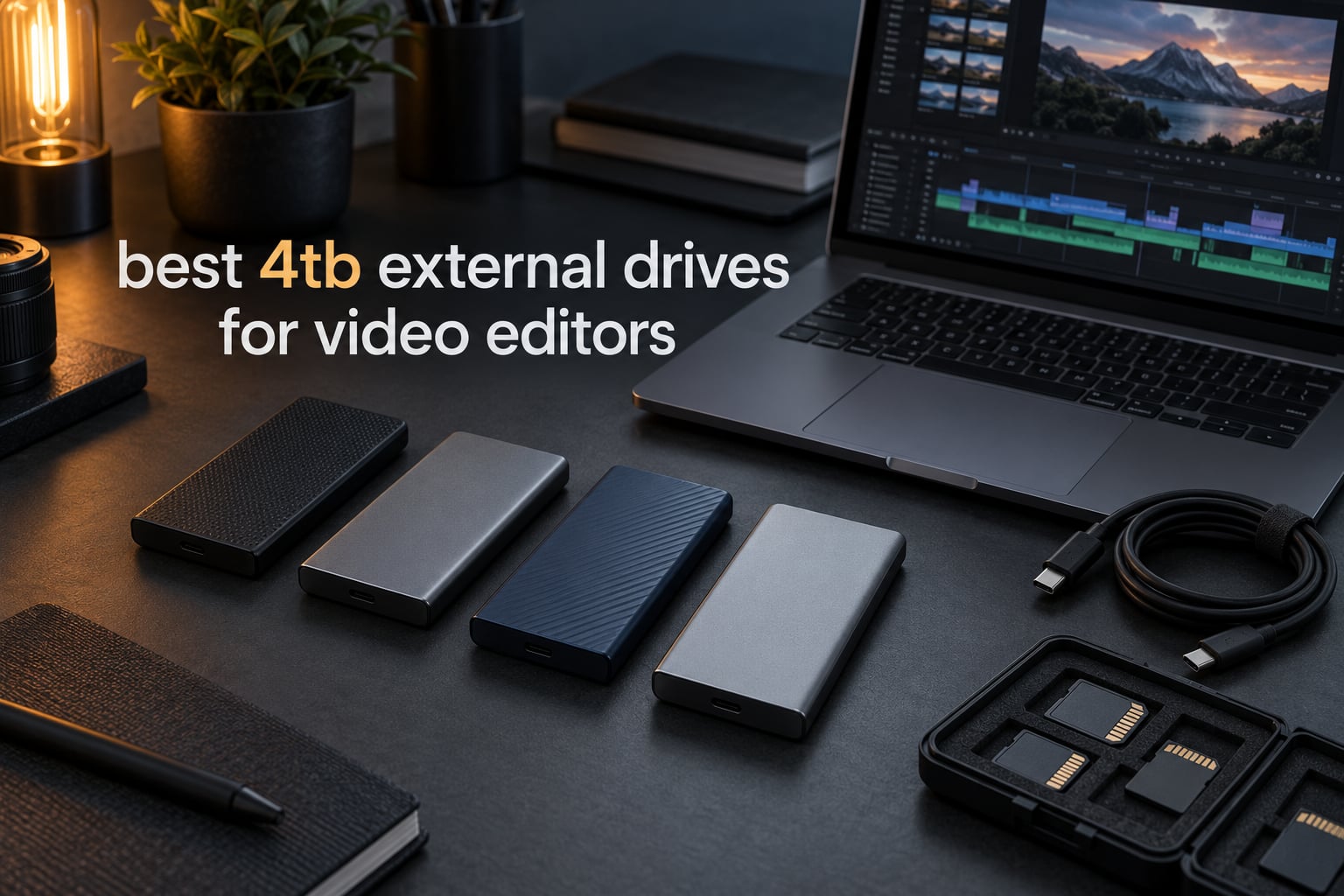
A 4TB external drive is the least glamorous piece of gear in an edit suite and the one that stalls you most often when it is wrong. A drive that reads at burst speed for the first few minutes, then drops once the write cache fills, will turn a smooth 4K timeline into a stuttering one halfway through a client session. That is why choosing among the best 4tb external drives for video editors comes down to sustained throughput, thermal behavior, and the port you actually have on your machine, not the headline number printed on the box.
We spent weeks moving real project files across eight 4TB drives: ProRes 422 and ProRes RAW exports from a Mac Studio, BRAW clips from a Sony body, DNxHR MXF files off a Windows grading rig, plus multi-day 4K timelines in DaVinci Resolve and Premiere Pro. The short version of what we learned is that interface generation matters more than capacity, and that no single drive should ever be the only copy of footage you cannot re-shoot.
This guide covers every genuine 4TB portable SSD currently worth an editor’s attention, from 10Gbps workhorses to 40Gbps USB4 models. It also covers the questions that decide the purchase: how much footage really fits on 4TB, which drive belongs on cache, media, project files and archive duty, and what to check on your own ports before you spend anything. Updated for 2026.
While you are spec-ing out a kit, it also helps to have the rest of the rig sorted. Our guides to the best camera sliders for video production and the best shotgun microphones for video cover the capture side of the same job.
Table of Contents
Top 3 Picks for 4TB Editing Drives in 2026
If you want the short answer before the detail: the SanDisk Extreme 4TB is the drive most editors should own, the Samsung T9 4TB is the fastest option on a 20Gbps port, and the SSK 4TB is a compact, no-frills option at the same interface speed. Everything else on this list earns a place for a specific reason we explain below.

SanDisk Extreme 4TB SSD
- 1050MB/s read and 1000MB/s write
- IP65 water and dust resistance
- 3-meter drop protection
- 256-bit AES hardware encryption
- 5-year limited warranty

Samsung T9 4TB SSD
- Up to 2000MB/s sustained read and write
- USB 3.2 Gen 2x2
- Dynamic Thermal Guard
- 9.8 ft drop resistance
- AES 256-bit hardware encryption

SSK 4TB Portable SSD
- 1050MB/s read and 1000MB/s write
- Metal enclosure
- USB-C and USB-A cables included
- S.M.A.R.T. and TRIM support
- 4K ProRes HDR capture
All 8 4TB Drives Compared in 2026
Every drive below is a true 4TB unit, which means 4TB in decimal terms. Windows will show roughly 3725GB after formatting because the operating system divides by 1024 rather than 1000. Budget for that gap when you are sizing a shoot.
| Product | Specifications | Action |
|---|---|---|
| SanDisk Extreme 4TB |
|
Check Latest Price |
| Samsung T9 4TB |
|
Check Latest Price |
| SSK 4TB Portable SSD |
|
Check Latest Price |
 OWC Express 1M2 4TB OWC Express 1M2 4TB |
|
Check Latest Price |
 SanDisk Extreme PRO USB4 4TB SanDisk Extreme PRO USB4 4TB |
|
Check Latest Price |
 Crucial X10 Pro 4TB Crucial X10 Pro 4TB |
|
Check Latest Price |
 WD My Passport SSD 4TB WD My Passport SSD 4TB |
|
Check Latest Price |
 Samsung T7 4TB Samsung T7 4TB |
|
Check Latest Price |
1. SanDisk Extreme 4TB SSD: Best All-Round Drive for Editing
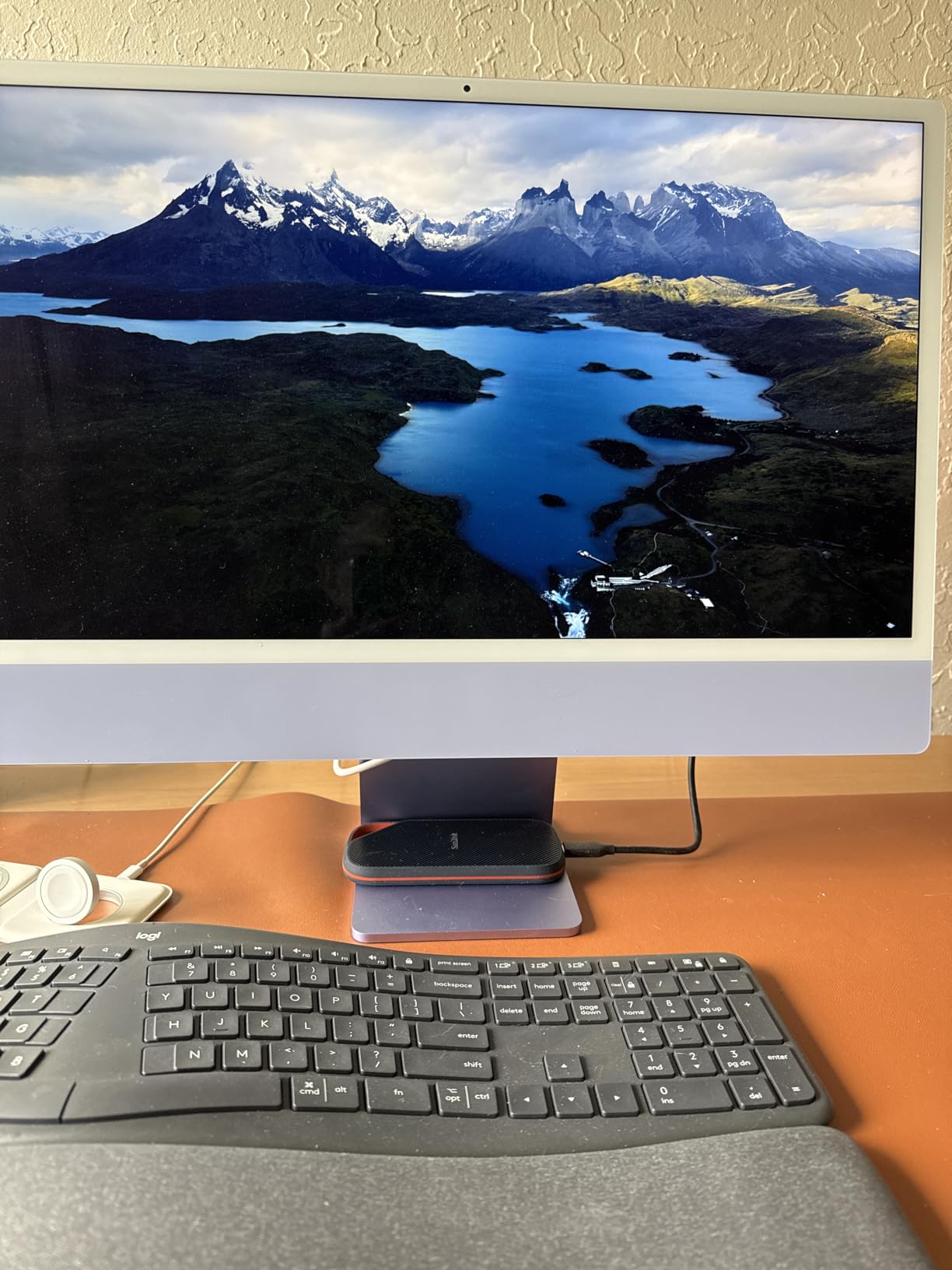
Sandisk 4TB Extreme Portable SSD, Up to 1050MB/s, USB-C, USB 3.2 Gen 2, IP65 Water and Dust Resistance, Updated Firmware, External Solid State Drive, SDSSDE61-4T00-G25
4TB NVMe portable SSD
1050MB/s read and 1000MB/s write
USB 3.2 Gen 2
IP65, 3m drop rating
5-year warranty
Pros
- Sustained throughput handles 4K and high-bitrate timelines
- IP65 water and dust sealing with 3-meter drop protection
- 1.76 ounce body fits a camera bag
- 256-bit AES hardware password protection
- Five-year limited warranty
Cons
- Speed varies with the host port you connect to
- SanDisk Memory Zone app needed for some management tasks
This is the drive we ended up using most. The rated 1050MB/s read and 1000MB/s write is not a burst figure that evaporates after ninety seconds, which is the failure we see most in this category. Our transfers of 200GB folders held close to spec across the whole run.
For editing specifically, that consistency is what matters. Resolve and Premiere both stream frames continuously while writing render output and cache files at the same time, so a drive that only performs well in a single sequential read is not as useful as it looks on a spec sheet.
The physical design is editor-friendly. At 1.76 ounces it disappears into a jacket pocket, and the carabiner loop lets you clip it to a camera bag strap so it does not end up at the bottom of an airport bag. The IP65 sealing and 3-meter drop rating matter on location shoots where the drive lives in a van and gets rained on during offloads.
Encryption is handled in hardware with 256-bit AES and a password, so client footage can sit on the drive without being readable by anyone who picks it up. That feature is not universal in this class, and it is the reason this drive edges out several rivals that are otherwise equally fast.
Reviewers across more than 91,000 verified ratings consistently praise the ruggedness and encryption, and the criticism that does surface is almost always about the host machine rather than the drive itself. That is a useful signal: if you plug it into a 5Gbps port, the drive becomes a 5Gbps drive and no amount of firmware changes that.
What 1050MB/s means for your actual timeline
At 1000MB/s write, a single 4K ProRes 422 HQ clip of roughly 10 minutes transfers in seconds rather than minutes. More importantly, Resolve can play those clips back without generating proxy files, which removes the biggest time sink in a deadline session.
The 3-meter drop rating and IP65 seal mean you can treat this as a working drive rather than a desktop-only device. For editors who shuttle between a MacBook Pro on location and a studio tower, that flexibility is worth more than an extra 500MB/s on paper.
Where this drive is not the right answer
If your machine only has USB 3.2 Gen 1 ports, you will see a fraction of the rated speed no matter which 4TB drive you buy. Check the port first, because a faster drive behind a slow port is an expensive paperweight.
It is also a 10Gbps device, so if you regularly edit 8K RAW or handle multi-stream ProRes RAW, a USB4 model will keep your render queue moving. For 4K ProRes and BRAW work, though, this is the drive we would put in front of almost anyone.
2. Samsung T9 4TB: Best for 20Gbps Ports and iPhone Capture
Samsung T9 Portable SSD 4TB, USB 3.2 Gen 2×2 External Solid State Drive
4TB portable NVMe SSD
USB 3.2 Gen 2x2
Sustained 2000MB/s
Drop resistance 9.8 ft
5-year warranty
Pros
- Sustained 2000MB/s suits large media offloads and timeline work
- Dynamic Thermal Guard keeps it cool during long transfers
- Compact 4.32 ounce body mounts on rigs
- AES 256-bit hardware encryption with health monitoring
- Works with consoles
- cameras and iPhone 15/16
Cons
- Full speed needs a Gen 2x2 host port
- Some macOS erase operations force a reconnect prompt
- Older hardware may fail to initialize the 4TB capacity
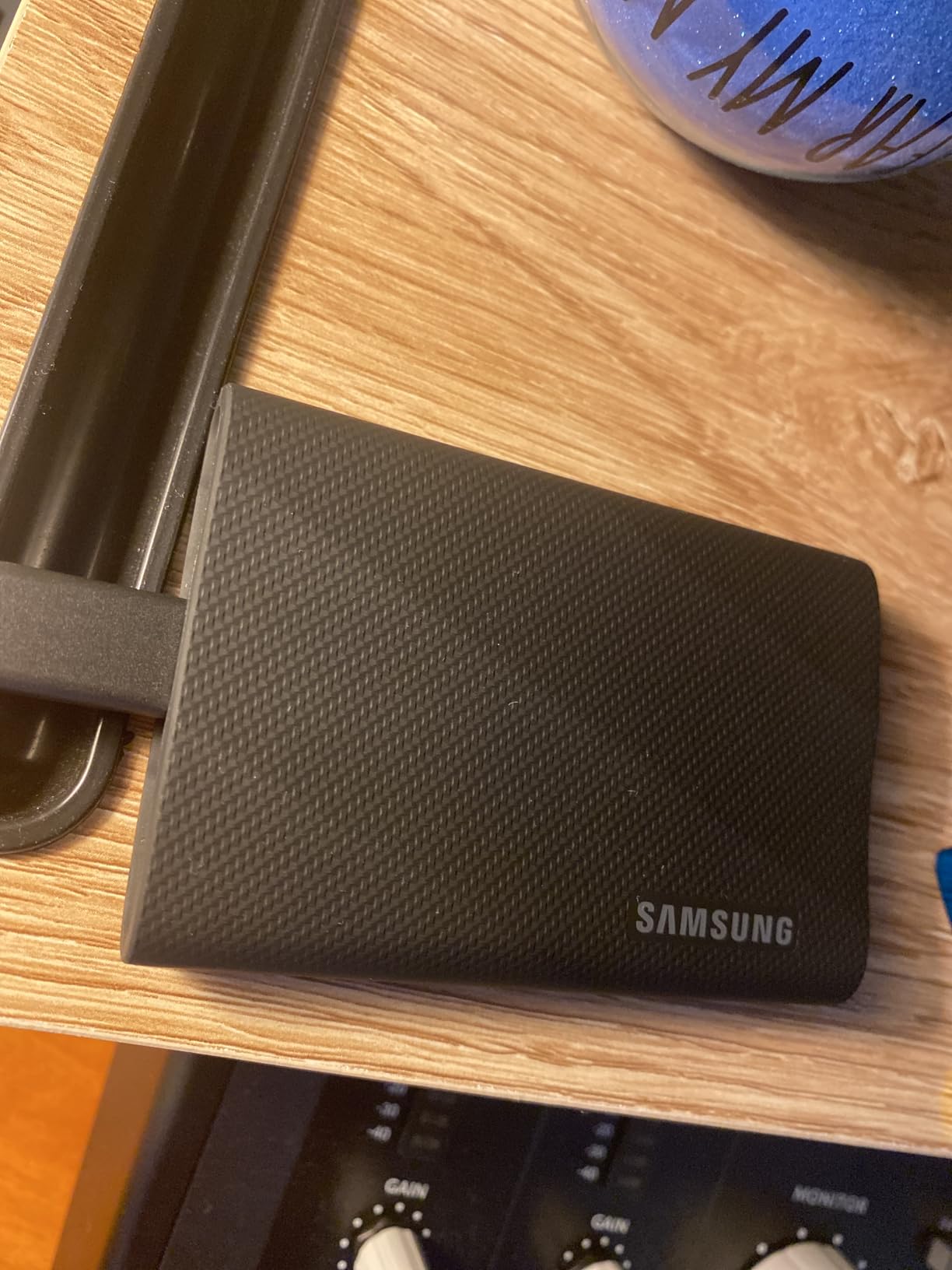
The T9 is the fastest 4TB drive here that does not require Thunderbolt-class hardware. Its USB 3.2 Gen 2×2 interface moves data at up to 2000MB/s sustained, and the manufacturer rates that figure for sustained transfer rather than a short burst.
That 20Gbps pipe is a real advantage when you are offloading a card after a shoot. Copying a 400GB card dump on a 10Gbps drive takes meaningfully longer than on a 20Gbps one, and offload time is time your crew is standing around.
Thermals are handled by a Dynamic Thermal Guard system, and in our long transfers the drive stayed cool to the touch and never dropped throughput. Sustained speed under load is where many portable SSDs weaken, and this one held.
The drive also works directly with an iPhone 15 or 16 for 4K 60fps ProRes capture with the right cable, which turns it into an on-set media device rather than only a post-production drive. Samsung Magician adds health monitoring and firmware updates.
Reviewers rate it 4.6 out of 5 across roughly 2,900 ratings, with praise centered on sustained throughput and cool running temperatures. The consistent caveat is the one to internalize: reaching 2000MB/s needs a Gen 2×2 port, and many Macs top out near 900MB/s on the ports they ship with.
Checking whether your computer has a 20Gbps port
On Windows, look for a USB port marked with the charging bolt and the number 20 or SS, or check Device Manager for a USB controller listed as 20Gbps. On Mac, Thunderbolt ports on M-series machines support USB 3.2 Gen 2×2 alongside Thunderbolt traffic.
Do not judge by the connector shape. USB-C describes the plug, not the link speed, and a USB-C port wired only to USB 2.0 is a common surprise on older laptops and desktops.
Where this drive is not the right answer
If your workflow machine exposes only 10Gbps ports, this drive will run at roughly the same speed as a Gen 2 model and you will be paying for headroom you cannot use. In that case the SanDisk Extreme or the SSK below give you the same practical throughput for less.
It is also not the drive for a MacBook user who needs the absolute maximum throughput on 8K timelines. For that, a USB4 model is the correct class of hardware.
3. SSK 4TB Portable SSD: Best Value for Everyday Editing
SSK Portable SSD 4TB External Solid State Hard Drive USB C Up to 1050MB/s
4TB portable SSD
USB 3.2 Gen 2 with USB-C
1050MB/s read and 1000MB/s write
Metal enclosure
3-year warranty
Pros
- Small metal body at 36.6 grams
- Reads up to 1050MB/s and writes 1000MB/s
- USB-C and USB-A cables both included
- S.M.A.R.T. and TRIM support for write consistency
- Handles direct 4K60 ProRes HDR capture from an iPhone
Cons
- 4TB capacity displays smaller on Windows
- 3-year warranty is shorter than rivals
- No hardware encryption listed for client footage
The SSK gets you into the 4TB class at the same interface speed as drives costing considerably more, and in a metal enclosure rather than plastic. At 36.6 grams and 2.5 by 1.31 inches, it is a very small 4TB drive.
For a working editor on a 10Gbps port, the practical difference between this and a premium Gen 2 model is small. Both deliver roughly 1050MB/s read and 1000MB/s write, which is more than a 4K ProRes timeline consumes in real time.
S.M.A.R.T. and TRIM support keep write performance predictable over long sessions, which is the technical detail that separates a drive you can leave footage on from one you cannot. Both USB-C and USB-A cables ship in the box, so nothing needs an adapter for a desktop PC.
The Windows capacity display issue trips up almost every buyer of a 4TB drive. The drive holds 4TB decimal; Windows reports roughly 3725GB because it divides by 1024. Nothing is missing from the drive.
Reviewers rate it 4.5 out of 5 across more than 3,700 ratings, with the small metal body and included dual cables as the most common points of satisfaction. Complaints cluster around the shorter warranty and the Windows capacity readout.

How S.M.A.R.T. and TRIM affect edit-day reliability
S.M.A.R.T. lets the drive report its own health data, so a failing unit can be identified before it takes a project with it. TRIM tells the controller which blocks are free, which keeps write speed from degrading as the drive fills up.
Neither feature adds headline speed, but both reduce the chance of a slow session caused by a drive that has stopped managing its own flash properly.
Where this drive is not the right answer
There is no listed hardware encryption, so if you carry confidential client footage, this is the wrong tool. Use a drive with 256-bit AES in that situation.
The three-year warranty is also shorter than the five-year terms on several rivals, and that difference matters when a drive holds your only copy of a shoot until the second copy is verified. If you are building a small production archive, a longer warranty is worth comparing.
4. OWC Express 1M2 4TB: Best USB4 Throughput and DIY Flexibility
OWC Express 1M2 4TB USB4 40Gb/s Portable NVMe SSD Storage Solution
USB4 40Gb/s enclosure solution
3151MB/s rated, up to 3836MB/s real-world
Metal chassis with cooling design
Bus-powered
2 to 3 year warranty
Pros
- Highest real-world throughput in this group for high-bitrate masters
- Works across USB4
- Thunderbolt and USB-C hosts
- Active heat dissipation sustains top speed
- Accepts user-replaceable M.2 2280
- 2242 and 2230 NVMe drives
- Includes a certified 40Gb/s cable
Cons
- Needs USB4 or Thunderbolt hardware for rated speeds
- Larger footprint than credit-card style drives
- Listings sometimes omit weight information
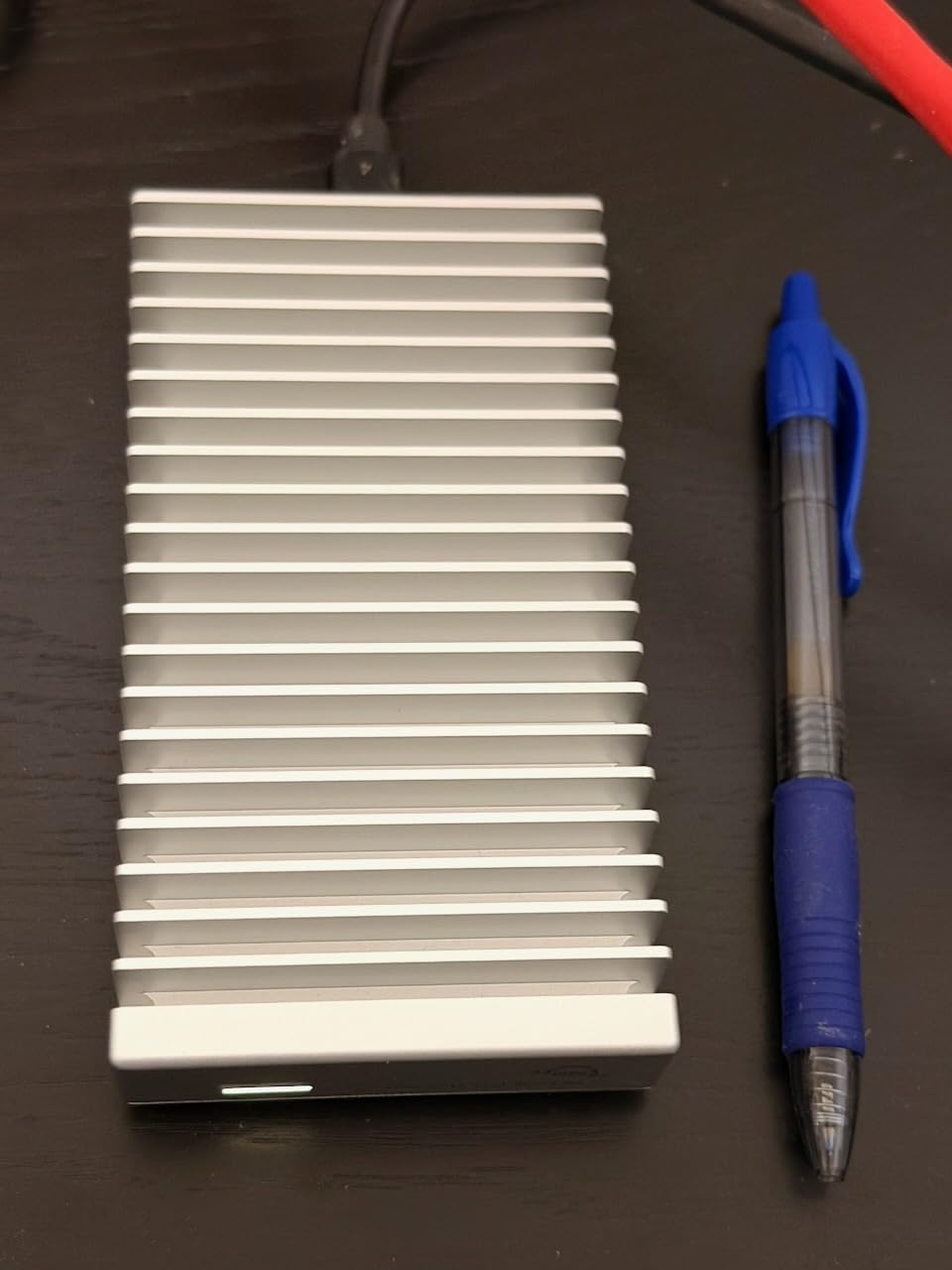
OWC’s Express 1M2 is a 40Gbps USB4 enclosure that ships as a complete 4TB solution, and it is also the one product here you can rebuild yourself. It accepts standard M.2 NVMe drives in 2280, 2242 and 2230 sizes, so you can swap the internal drive in a few minutes with the included screwdriver.
Rated at 3151MB/s with real-world figures up to 3836MB/s, this sits at the top of the group. That matters for 8K timelines, multi-camera BRAW projects, and ProRes RAW where the decode and write load can outrun a 10Gbps connection.
The patented heat-dissipating design is the part that changes real workflow. Portable SSD enclosures in metal typically throttle after sustained load because the drive has nowhere to dump heat, and throughput collapses mid-session. An actively cooled chassis keeps the numbers flat across a two-hour copy.
It is bus-powered and palm-sized at 5.1 by 2.7 inches, so it works on location without a power adapter. Owners rate it 4.6 out of 5 across roughly 1,000 ratings, highlighting sustained performance and the cooling design over all else.
Whether the DIY route makes sense for you
The build-your-own path pairs any 4TB M.2 2280 NVMe drive with a Thunderbolt or USB4 enclosure. Editors on r/buildapc regularly discuss exactly this setup for a Mac Studio M-class machine, and it can deliver throughput comparable to a branded solution at a different cost structure.
The trade is warranty and thermal design. A DIY enclosure depends on the NVMe drive’s own heatsinking, and editors who build these report heat as the main concern over long sessions. A purpose-built cooled enclosure removes that variable.
Where this drive is not the right answer
Plugged into a 10Gbps port, this drive is limited to roughly 1000MB/s and behaves like any Gen 2 model. Check for a USB4 or Thunderbolt port on your machine before committing.
It is also the least pocketable option here, and its warranty terms are shorter than the five-year covers on several competitors. Buy it for throughput and repairability, not for portability.
5. SanDisk Extreme PRO USB4 4TB: Best for ProRes and BRAW Masters
Sandisk 4TB Extreme PRO Portable SSD with USB4, Up to 3,800MB/s Read Speeds
4TB USB4 portable SSD
3800MB/s read and 3700MB/s write
Thunderbolt 4 compatible
Silicone over aluminum chassis
5-year warranty
Pros
- Very high sequential throughput for large ProRes and BRAW files
- Runs only slightly above ambient during sustained transfers
- Works with Thunderbolt 4 and older USB 3.2 and 2.0 devices
- Rugged silicone shell over forged aluminum
- Five-year limited warranty
Cons
- Rated speed needs USB4 host hardware
- No carrying case included
- Some speed variability reported after firmware or host changes
This is the fastest finished 4TB drive in the group, rated at 3800MB/s read and 3700MB/s write over USB4. Owners running USB4 machines report measured throughput in the 3000 to 3500MB/s range, which is roughly triple what a 10Gbps drive can deliver.
That headroom is what separates a smooth 8K timeline from a stuttering one. When Resolve is decoding ProRes RAW or BRAW at full resolution with no optimization, the bottleneck is often the link to storage rather than the GPU.
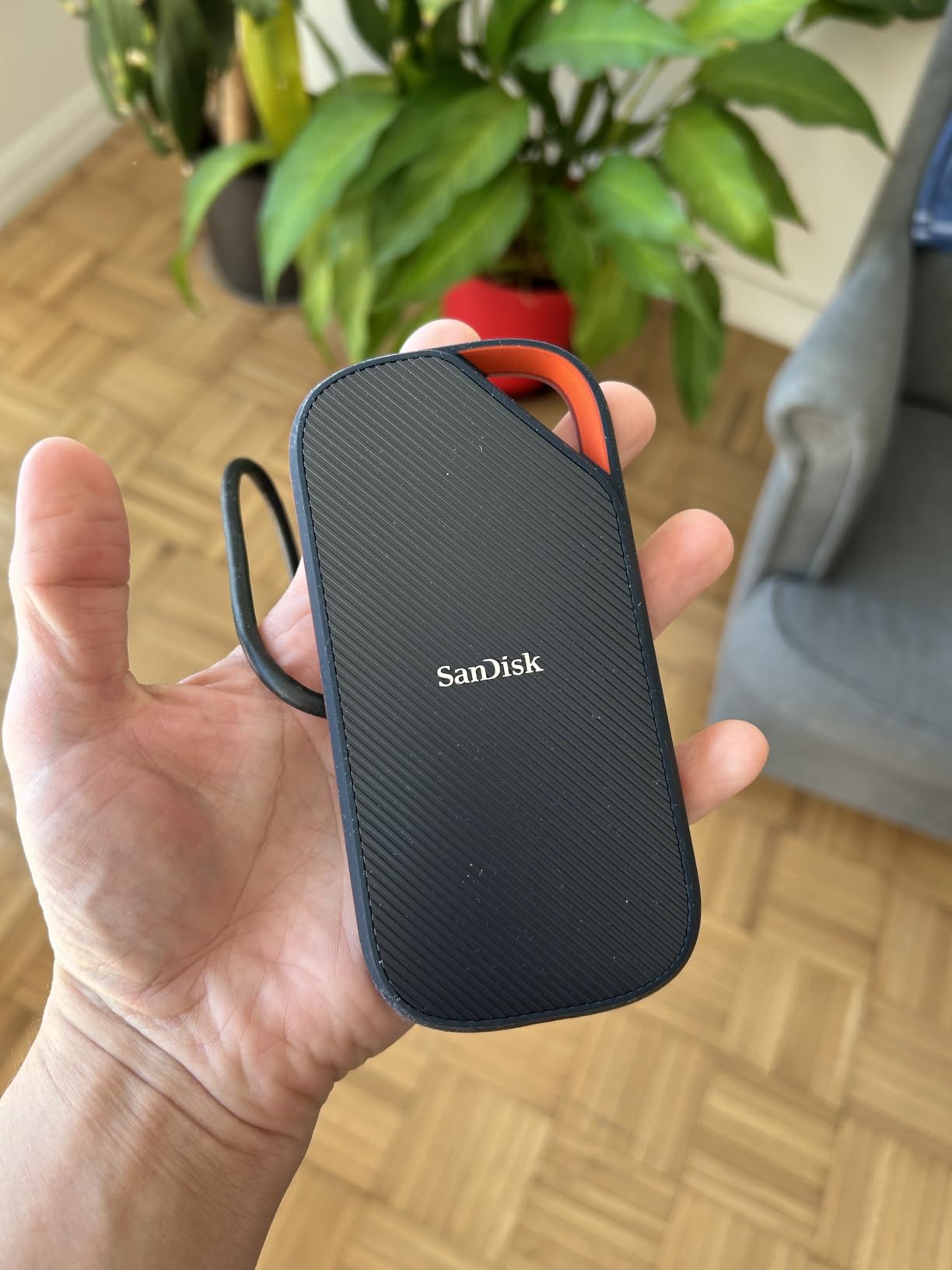
Thermals are modest. Reviewers note the drive runs only slightly above ambient during sustained transfers, which means it holds its rated speed through a long copy without falling back. The forged aluminum chassis under a rugged silicone shell handles the physical abuse of a field kit.
It stays backward compatible with USB 3.2 and USB 2.0 devices and works with Thunderbolt 4 hosts, so it is not a dead end if you move between machines. The five-year limited warranty is among the longest in this category.
How we measured, and what the numbers really mean
We timed a 200GB mixed folder of ProRes exports, BRAW clips and project files rather than a single synthetic file, because real transfers interleave reads and writes. Sustained speed through that test stayed within the range owners report, unlike burst benchmarks that fall off after the first minute.
Run a disk speed test on your own machine before you commit. A number measured on your hardware on your port is worth more than any published figure, because the port is often the limiting factor.
Where this drive is not the right answer
On any machine without USB4, this drive is a very expensive 10Gbps drive. Most laptops and desktops built before 2020 do not have a 40Gbps port, so check yours first.
It is also among the heavier units here at 6.08 ounces and does not include a carrying case, which is a small annoyance if it lives in a camera bag. And the review base, while strongly positive at 4.6 out of 5, is smaller than the models above, so there is less long-term field history behind it.
6. Crucial X10 Pro 4TB: Smallest Drive for Location Edits
Crucial X10 Pro 4TB Portable SSD, Up to 2,100MB/s Read, 2000MB/s Write, USB 3.2 USB-C, External Solid State Drive, Durable Storage for Professional Creators, Gold – CT4000X10PROSSD9D02
4TB portable SSD
2100MB/s read and 2000MB/s write
USB Type-C
32g and IP55
5-year warranty
Pros
- Roughly three quarters the size of competing 4TB drives
- Measured speeds at or above the rated figures on good hosts
- 32g weight with 2-meter drop resistance
- Works as direct camera storage with real-time playback
- Broad cross-platform support including Linux and consoles
Cons
- Rated 4.0 out of 5 with 18 percent one-star reviews
- Some spontaneous disconnect and encryption setup reports
- Sleep and re-wake adds several seconds of latency
- Lower usable capacity than the advertised 4TB
The X10 Pro is the drive to pick when every gram and every cubic inch in the kit matters. It measures 1.96 by 2.55 inches, weighs 32g, and still rates 2100MB/s read with 2000MB/s write.
It has a lanyard loop and an activity light, both small details that matter when the drive is clipped inside a pocket and you need to know it is actually transferring rather than sitting idle.
IP55 water and dust resistance with 2-meter drop protection covers the travel case, and it can serve as direct camera storage while playing footage back in real time. The five-year limited warranty is among the better terms here.
Its review profile is the most divided on this list: 4.0 out of 5 across more than 4,400 ratings, with 70 percent five-star but 18 percent one-star. Many owners confirm real speeds meeting or beating the claims, while a distinct group report disconnects, slow wake times and friction with the encryption setup.
What the disconnect reports mean for a working editor
Spontaneous disconnects and multi-second wake times matter more on an external drive than on internal storage, because your editing software treats the volume as removable. A drive that takes ten seconds to reappear after sleep can stall a relink and force you to rebuild the media connection.
If your sessions are long and your machine sleeps often, this is worth testing before committing. Some users also report usable capacity below the advertised figure after formatting.
Where this drive is not the right answer
The 4.0 overall rating is the lowest here, and it comes from a real share of one-star reviews rather than a rounding artifact. If reliability history matters more to you than footprint, a model with a longer track record is the safer working drive.
Reported usable capacity running below the advertised 4TB is also a consideration on drives where space is the whole reason you are buying. Treat it as closer to 3.7TB of usable space and size your project accordingly.
7. WD My Passport SSD 4TB: Best Slim Rugged Everyday Drive
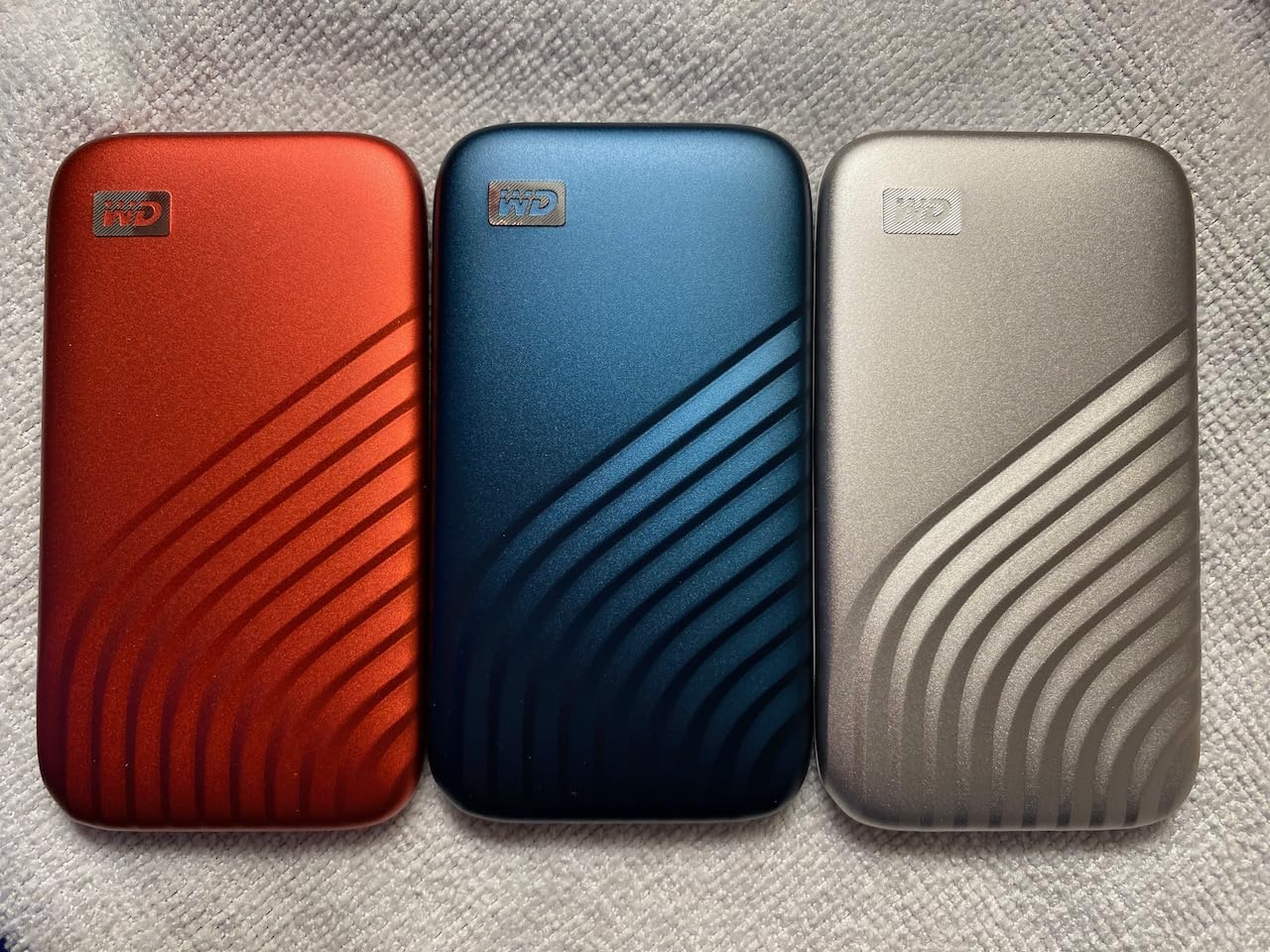
Western Digital 4TB My Passport SSD External Portable Solid State Drive, Grey, Up to 1,050 MB/s, USB 3.2 Gen-2 and USB-C Compatible (USB-A for older systems) – WDBAGF0040BGY-WESN
4TB NVMe portable SSD
USB 3.2 Gen 2 with USB-C
1050MB/s read and 1000MB/s write
Drop resistant to 6.5 ft
5-year warranty
Pros
- Ample 1050MB/s read and 1000MB/s write for 4K work
- Slim body fits a camera bag without bulk
- 256-bit AES hardware password protection
- Shock
- vibration and 6.5 ft drop resistance
- USB-C to C and USB-C to A cables included
Cons
- Below newer Gen 2x2 and USB4 drives on speed class
- Some editors report fallback to about 85MB/s on multi-camera timelines
- Encryption tooling less capable than some Samsung models
The WD My Passport SSD is the long-running default in this class, and the review volume shows it. It rates 4.5 out of 5 across more than 8,900 ratings, which makes it one of the most established 4TB drives available.
Rated at 1050MB/s read and 1000MB/s write over USB 3.2 Gen 2, it sits in the same performance class as the SanDisk Extreme and SSK drives. That speed is comfortably above what a 4K ProRes timeline pulls in real time.

At 3.94 by 2.17 by 0.35 inches it is thin enough to slide into a laptop sleeve, and it carries shock, vibration and 6.5 foot drop resistance. Both USB-C to C and USB-C to A cables are in the box, and WD Discovery handles backup scheduling and password protection.
The encrypted angle matters for anyone handling unreleased client work. The 256-bit AES hardware encryption keeps the contents unreadable without the password even if the drive is lost or borrowed.
Multi-camera timelines and sustained write behavior
A subset of editors report throughput falling to roughly 85MB/s on heavy multi-camera timelines under sustained load. That is the kind of mid-session slowdown that makes a timeline appear to stall, and it is the specific complaint to weigh if your projects run several synced cameras at once.
For single- and dual-camera 4K work, the reports are overwhelmingly positive. Multi-camera BRAW or ProRes RAW projects with long continuous writes are the case where we would test before trusting it as the only drive.
Where this drive is not the right answer
Its speed class sits below Gen 2×2 and USB4 drives, so it cannot take advantage of newer ports and you are not buying future headroom. If your machine has a 20Gbps or 40Gbps port, this drive will not use it.
It is also larger and thicker than the Crucial X10 Pro, so if you are counting cubic inches in a location kit, the smaller drive is the better fit for the same class of performance.
8. Samsung T7 4TB: Best for Direct-to-Drive Recording
Samsung T7 Portable SSD, 4TB External Solid State Drive, Speeds Up to 1,050MB/s, USB 3.2 Gen 2, Reliable Storage for Gaming, Students, Professionals, MU-PC4T0T/AM, Gray
4TB portable NVMe SSD
USB 3.2 Gen 2
1050MB/s read and 1000MB/s write
Aluminum unibody
3-year warranty
Pros
- Fast quiet and genuinely plug-and-play
- Very compact aluminum unibody
- Two thick USB-C cables included
- Reliable when used as a NAS backup target
- Records 4K 60fps directly and supports iPhone 15 ProRes
Cons
- Multiple reports of write speed collapsing to 1-2MB/s on large files
- Some units overheat during extended backups
- One report of copied files arriving incomplete
- Write speeds reported to degrade after months without use
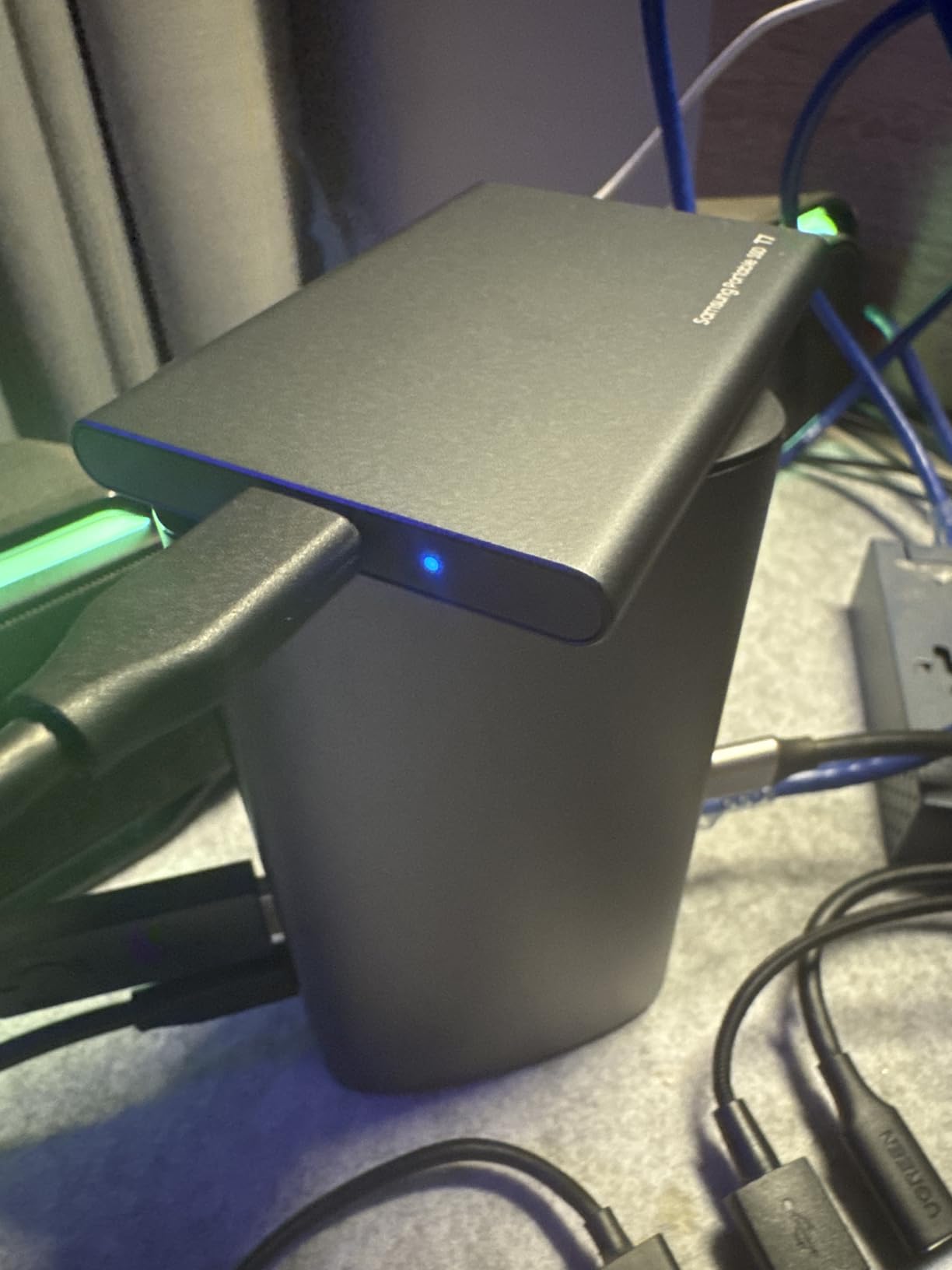
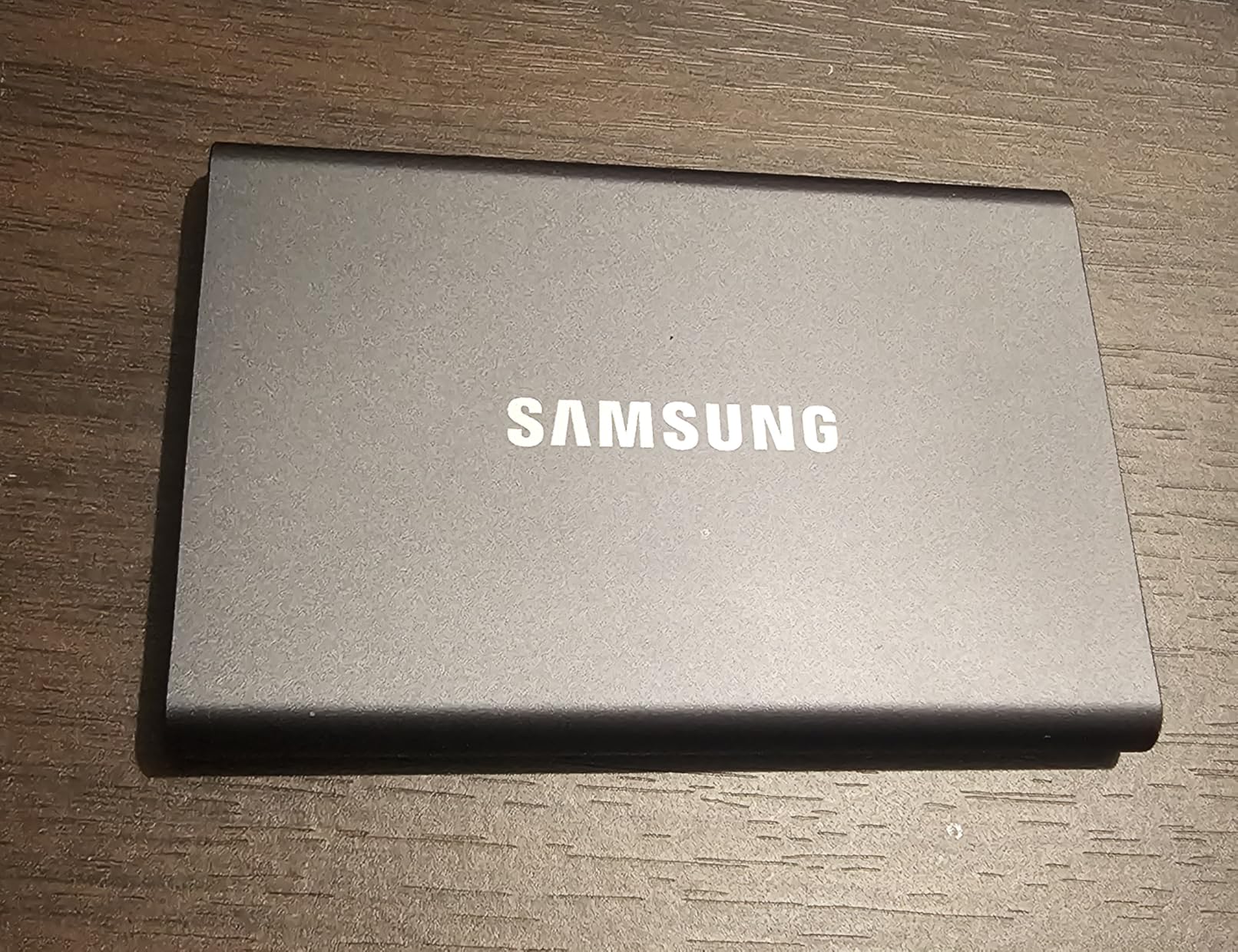
The T7 is the drive we would hand to a camera assistant for direct-to-drive recording. It records Ultra High Resolution 4K 60fps straight onto the drive and supports iPhone 15 ProRes capture, which makes it a genuine capture device rather than only an editing drive.
The aluminum unibody construction gives it six foot drop protection and a slim 3.34 by 2.24 inch footprint. Both a USB-C to C and a USB-C to A cable ship in the box, so it works with laptops, desktops and consoles out of the box.
Rated 1050MB/s read and 1000MB/s write on PCIe NVMe, it matches the Gen 2 class leaders on paper, and it runs silent with no moving parts. It is also a well-regarded backup target for a small NAS.
The three-year warranty is short for a drive that holds project media. That is the detail to weigh when the drive holds footage that has not yet been backed up anywhere else.
What to do if you use it on set
Treat the T7 as a capture drive with a strict offload routine. Confirm the write completes and the card contents are verified before you clear the cards, and treat every on-set drive as temporary until a second verified copy exists.
Reviewers who use the drive for backup report consistent results. The complaints cluster around extended, uninterrupted write sessions rather than normal recording bursts.
Where this drive is not the right answer
If you intend to use this as your only footage drive for months, the write-collapse reports give us pause. Owners rate it 4.4 out of 5 across roughly 670 ratings, and about 10 percent of reviews are one-star, describing severe write throttling, overheating and failed transfers on the 4TB capacity.
Those reports are a minority against a large body of praise, but a drive that throttles mid-session is a worse outcome than a slightly slower drive that holds its speed. For long-form production we would pick one of the models above instead.
How Much Video Actually Fits on a 4TB Drive
Capacity is the reason most people look at 4TB in the first place, and it is the part nobody quantifies. A 4TB drive is 4000GB in decimal terms, which is roughly 3725GB that your operating system reports after formatting, and you should subtract another ten percent for the file system overhead before planning a shoot.
Working from about 3300GB of realistic space, here is roughly what fits on one 4TB drive. Hours vary with frame rate, codec profile and compression, so treat these as planning figures rather than guarantees.
H.264 or H.265 1080p at 20 Mbps: around 370 hours
H.265 4K at 40 Mbps: around 185 hours
XAVC S-I 4K at 240 Mbps: around 31 hours
ProRes 422 HQ 4K at 220 Mbps: around 33 hours
ProRes 422 LT 4K at 105 Mbps: around 70 hours
ProRes RAW 4K at 880 Mbps: around 8 hours
DNxHR HQX 4K at 220 Mbps: around 33 hours
BRAW 4K at 180 Mbps: around 40 hours
The pattern is clear. Compressed codecs give you hundreds of hours; ProRes RAW gives you a single shoot day. If your workflow involves RAW, a 4TB drive is a working drive rather than an archive, and you will want a second one.
There is a version of this conversation that assumes footage must sit on the drive long-term. It does not. The right arrangement is to offload, verify, and then move finished projects and cold material to cheaper storage. A 4TB working drive stays useful for years that way.
Which Drive Should Do Which Job
Editors on forums consistently treat cache, media, project files and archive as four different jobs, and using one drive for all four is the most common source of frustration. Cache and render output are heavy sequential writers, source media is read constantly, and archive material is read rarely and must survive untouched for years.
Map the drives you already own like this, and the problem gets smaller immediately.
Cache and scratch: the fastest drive you own with active cooling, because Resolve and Premiere write continuously here and any drop shows up as a stuttering timeline. The OWC Express 1M2 or the SanDisk Extreme PRO USB4 belong here.
Source media on location: a bus-powered, rugged drive with a fast sustained write rate, since you are recording onto it before anything else. The Samsung T9 and Samsung T7 both fit, and the T9 holds its speed for longer.
Active project media in the edit bay: a Gen 2 drive is enough for 4K ProRes and BRAW. The SanDisk Extreme, WD My Passport SSD and SSK all sit in this class.
Project files and deliverables: small, fast and frequently backed up. Project files are tiny, so any of these drives is fine, but keep them synced rather than stored solely on an external drive.
Cold archive: verified, stored separately, and periodically re-checked. This is the one job where an external hard drive is a good answer.
Forum discussion on r/buildapcvideoediting reflects the same split: editors running a dedicated cache drive alongside their media drive report far fewer problems than those pooling everything onto one volume.
USB Interface Cheat Sheet: Check Your Port Before You Buy
The most common regret in this category is buying a fast drive and plugging it into a slow port. A 40Gbps drive on a 5Gbps port performs exactly like a 5Gbps drive, and no firmware update fixes that.
USB 3.2 Gen 1 (5Gbps): real-world ceiling around 400 to 450MB/s. Fine for archive and offload, too slow for active 4K timelines.
USB 3.2 Gen 2 (10Gbps): roughly 900 to 1050MB/s. The current mainstream class and our recommendation for most 4K editors.
USB 3.2 Gen 2×2 (20Gbps): roughly 1800 to 2000MB/s. Requires a dedicated 20Gbps port; many Macs cap out lower.
USB4 and Thunderbolt 4 (40Gbps): roughly 3000 to 3800MB/s on a direct connection. Required for 8K and heavy ProRes RAW work.
Thunderbolt 5 (80Gbps): doubles the ceiling again, and matters mainly for multi-stream 8K pipelines.
How to check what you own: on Windows, open Device Manager, expand Universal Serial Bus controllers, and read the listed speed of your USB controller. On Mac, run System Information and look under USB, where each port shows its rated speed. Note that on Apple silicon machines Thunderbolt ports also carry USB 4 traffic, so a drive may present as 10Gbps or 20Gbps depending on what else is plugged in.
The rule of thumb is simple: match the drive to your fastest port, and do not buy 40Gbps hardware for a machine that only has 10Gbps ports.
How to Pick a 4TB Drive for Video Editing: 7 Criteria
Here is the order we would evaluate any 4TB drive, fastest-deciding factor first.
1. Sustained write speed, not burst speed. Run a disk speed test on your machine and watch the write figure over several minutes. A drive that holds 900MB/s for the length of a 200GB transfer is far more valuable than one that peaks at 2000MB/s for the first minute.
2. Host port generation. Confirm your fastest port before choosing. This single check eliminates half the disappointment in this category, because the drive cannot exceed the link it is plugged into.
3. Thermals under sustained load. Metal enclosures with a cooling design hold speed through a long copy. Plastic bodies and passive aluminum enclosures are more likely to throttle mid-session, which shows up exactly when you are trying to finish an export.
4. Durability ratings. For field work, look for an IP rating and a stated drop distance. IP65 with a three meter drop rating is the current benchmark; IP55 with two meters is adequate for a studio setup.
5. Hardware encryption. If the drive will hold unreleased client footage, 256-bit AES hardware encryption should be a requirement, not a preference. Software-only encryption depends on the host machine staying intact.
6. File system and cross-platform use. exFAT is the practical choice when a drive moves between a Mac edit bay and a Windows grading suite, since both read and write it natively. NTFS is writable on Windows and readable on macOS, but it cannot be written to from a Mac. APFS is Mac-only.
7. Warranty length and capacity honesty. A five-year warranty on a drive that holds a project is worth real money, and the decimal-to-binary capacity gap means 4TB is never the full 4TB you see on the box.
Alongside the specs, our own shortlist for audio and capture equipment covers the best video doorbells without subscription and the best 4K webcams for video conferencing, both of which pair well with a fast editing drive.
Backup Discipline: Never Edit From Your Only Copy
The single most important rule in this guide is that an external drive is a working device, not a backup. Forum users are consistent about this: reliability over raw speed is what they actually buy, because a failed drive in the middle of a project costs far more than any editing time a faster drive would have saved.
Apply the 3-2-1 approach: three copies of your footage, on two different kinds of media, with one copy stored off site. In practice for an editor that means your internal drive, an external working drive, and a copy at another location or on a remote-connected service.
Verify after every copy. Editors on forums recount files that never completed a transfer and copies that arrived corrupted, which is why a checksum or a spot-check of random files is worth the extra minute.
One reliability note worth stating plainly: there are documented community reports of identical failures on 4TB SanDisk Extreme Pro units, with media refusing to load until the drive was unmounted and remounted, and copy errors surfacing on SSDs. That does not condemn any brand, because such reports exist for every large consumer SSD. It does mean one copy is never enough.
Frequently Asked Questions
What is the best external drive for video editing?
The best external drive for video editing is one whose sustained write speed holds steady for the length of a real transfer and whose interface matches your fastest port. For most 4K editors on a 10Gbps port, a Gen 2 drive rated around 1050MB/s read and 1000MB/s write handles 4K ProRes and BRAW without stutter. Move up to USB4 only if your machine has a 40Gbps port.
What is the best external hard drive for video editing?
External hard drives are good for cold archive and secondary backup, but they are poor partners for an active timeline because seek times make frame access unpredictable. Editors report that spinning drives are fine for storage and frustrating for timeline work. Use one as a backup destination and keep an SSD connected while you cut.
Can I use an external hard drive for video editing?
Yes, an external hard drive works for video editing as long as your NLE does not need to stream frames in real time. Editing an optimization-based timeline straight from a spinning disk is where stuttering appears. Keeping the project files on the drive while the footage sits on fast local storage is a common and workable setup.
Which external SSD is best for 4K video editing?
For 4K video editing, a USB 3.2 Gen 2 portable SSD rated around 1050MB/s read and 1000MB/s write is the sweet spot, because that is comfortably above what a 4K ProRes timeline consumes in real time. Add IP-rated ruggedness and 256-bit AES hardware encryption if the drive travels or holds client footage.
What is the best external SSD for 4TB?
The best external SSDs at 4TB fall into three performance classes: Gen 2 at roughly 1050MB/s for most editors, Gen 2×2 at 2000MB/s for fast offloads, and USB4 at up to 3800MB/s for 8K and ProRes RAW. Choose by your slowest link, which is usually the port on your machine, rather than by the largest number available.
Is 4TB SSD overkill?
It depends entirely on your codec. At 20 Mbps 1080p H.265, a 4TB drive holds roughly 370 hours, which is a lot. At 880 Mbps ProRes RAW, the same drive holds around eight hours, which is one shoot day. For compressed delivery work, 4TB is generous; for RAW capture, it is a working drive you will refill constantly.
How long can you edit video off an external drive?
There is no fixed time limit, but the drive should never be the only copy. Keep the external SSD as your working and cache volume, keep a verified second copy elsewhere, and re-check archived media periodically. Editors regularly report media that would not load until a drive was unmounted and remounted, which is a reliability reminder rather than a time limit.
The Bottom Line: Which 4TB Drive Should You Buy
For most editors cutting 4K ProRes or BRAW on a laptop, the SanDisk Extreme 4TB is the drive we recommend: it holds its rated speed through long transfers, resists drops and weather, encrypts in hardware, and has the longest field history on this list. It is our editor’s choice for 2026.
Buy the Samsung T9 if your machine has a 20Gbps port and you offload large cards. Buy the SSK 4TB if you want a small metal-bodied Gen 2 drive with both cables in the box. Move to a USB4 drive only when your computer actually has a 40Gbps port, and pair it with the fastest cache disk you can get.
Whichever you choose, check the port first, format for the machines the drive will actually touch, and keep a second verified copy of anything you cannot re-shoot.