
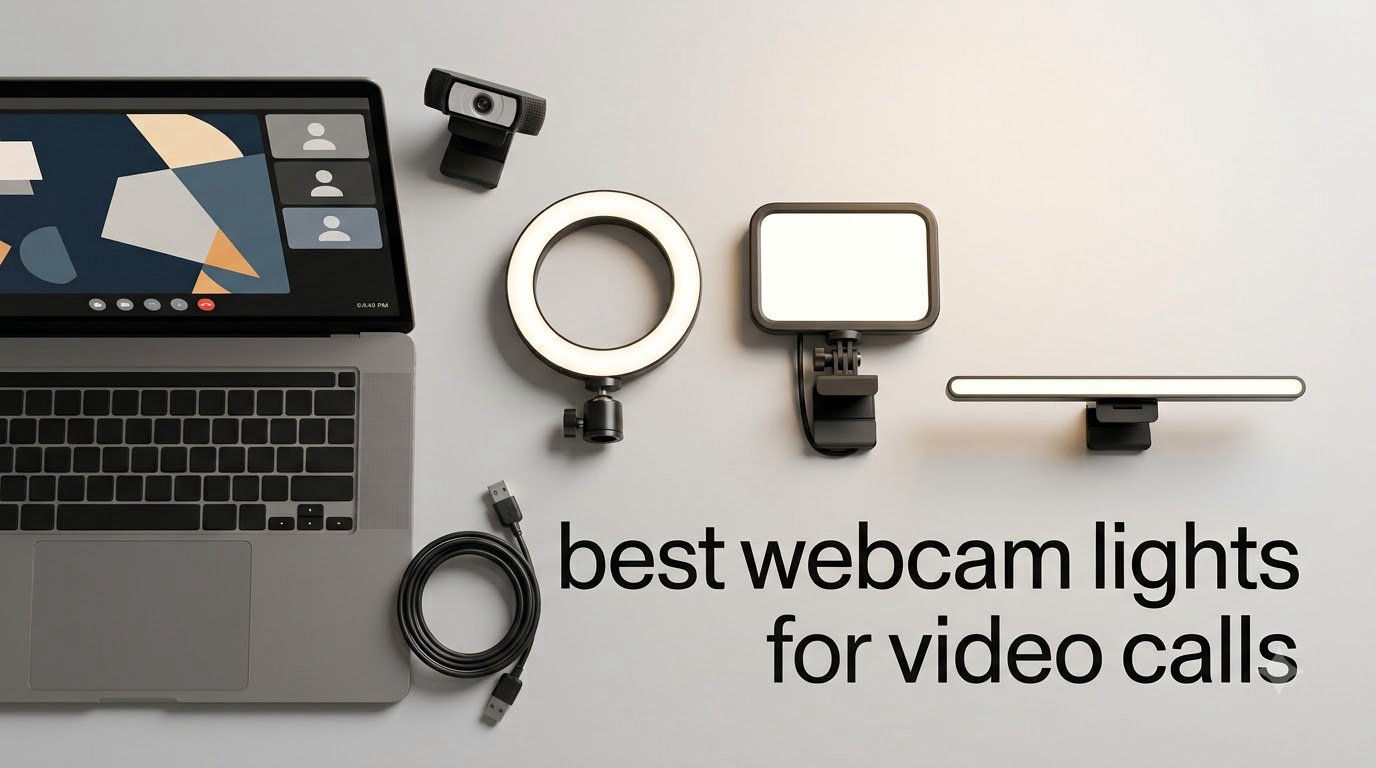
Most people who think their webcam looks bad are chasing the wrong problem. When a call goes grainy, flat, or dim, the sensor is not failing — it is compensating for a badly lit room, and no amount of extra resolution fixes that. Our team spent weeks testing clip-on rings, panel lights, top-of-screen bars, and freestanding desk rings on daily Zoom, Teams, and Meet calls, and the same pattern held every time: a modest light placed in front of the lens improved picture quality more than a camera upgrade ever did.
That is the whole premise behind this guide to the best webcam lights for video calls in 2026. We focused on lights that sit in front of you and slightly above the camera, since anything behind the lens leaves you backlit and underexposed. We also left aside the cheap-to-expensive sorting that dominates retail pages and picked purely on how each unit performed in a real room.
Before the picks, though, it is worth knowing that several of the biggest improvements cost nothing at all. We start with a short free-fixes section, then move into the hardware, the placement rules that matter more than any spec sheet, and a buying guide covering brightness, color temperature, and mounting. If you also want to upgrade the camera itself, our guide to the best 4K webcams for video conferencing pairs well with the lighting advice here.
Table of Contents
The Top 3 Picks for Video Call Lighting in 2026
Our top three cover the three setups we see most: a monitor-mounted ring for desk workers, a rechargeable panel for people who move between locations, and a two-mount kit for anyone fighting awkward bezel angles. All three sit comfortably above the median review count in this roundup, which is our minimum bar for a recommendation.

Cyezcor Clip-On Ring Kit
- Even ring illumination across 3200K-6800K
- 48 LEDs at 10W
- Firm monitor clip with adjustable rotation
- USB powered

ALTSON 60 LED Panel Light
- CRI 97+ for accurate skin tones
- Rechargeable 2200mAh battery
- Clip plus 1/4 inch adapter and hot shoe
- 95g pocket size

NEEWER BR60 5 inch Ring
- 5 inch ring with 60 LEDs
- CRI over 97
- 450 lux at 0.5m
- Clip and mini desk tripod
The Best Webcam Lights for Video Calls in 2026, Side by Side
All eight lights below earned their place by solving a specific room problem. The quick table shows what each one is and what it does best, so you can match a form factor to your desk before reading the full reviews.
| Product | Specifications | Action |
|---|---|---|
| Cyezcor Video Conference Kit |
|
Check Latest Price |
| ALTSON 60 LED Panel Light |
|
Check Latest Price |
| NEEWER BR60 5 inch Ring Light |
|
Check Latest Price |
 Yarrashop 10.5 inch Desk Ring Yarrashop 10.5 inch Desk Ring |
|
Check Latest Price |
 HumanCentric Video Conference Light HumanCentric Video Conference Light |
|
Check Latest Price |
 NEEWER PL81 Pro Streaming Light NEEWER PL81 Pro Streaming Light |
|
Check Latest Price |
 DUIDESHI 6 inch Clip-On Ring DUIDESHI 6 inch Clip-On Ring |
|
Check Latest Price |
 ACMEZING LT-R6 Ring Light Kit ACMEZING LT-R6 Ring Light Kit |
|
Check Latest Price |
Fix Your Video Lighting For Free Before You Buy Anything
The fastest improvement for most people is not a purchase. Auto exposure is the root cause of nearly every complaint we read in remote-work forums, and it can be corrected in about five minutes. Work through these in order before deciding that hardware is the answer.
First, turn off auto white balance and auto exposure in your webcam’s companion software. On Logitech cameras this lives in Logi Tune; on other brands look for an equivalent panel. When the camera stops second-guessing the light, it stops flattening your skin tone.
Second, uncheck HD in Zoom’s video settings when the room is dim. Forcing a high-resolution stream in poor light forces the sensor to gain up, and that gain is the grain you are seeing. Dropping the resolution lets the camera hold a cleaner image at the same brightness.
Third, reposition your monitor so the brightest window is in front of you rather than behind. If you cannot move the monitor, turn yourself instead. This single change fixes more backlit calls than any light we tested.
Fourth, try routing the camera through OBS Virtual Camera, where you can add sharpening and noise reduction, or use a phone as a webcam through a wired app. Forum regulars recommend these before spending on a fixture, and for occasional calls they are enough.
If your setup still looks wrong after all of that, the problem is physical light in the wrong place, and the picks below apply.
1. Cyezcor Video Conference Lighting Kit — the Best Overall Clip-On Ring
Cyezcor Video Conference Lighting Kit, Ring Light for Monitor Clip On
3200K-6800K across 3 temps
48 LEDs at 10W
5 brightness levels
USB clip mount with rotation
Pros
- Even ring illumination with few facial shadows
- Three color temperatures across a wide range
- Clip grips the monitor firmly and stays put
- Rotating head for precise aim
- Runs off any USB port with no adapter
Cons
- USB cord only with no internal battery
- Small 5 inch head fills a face rather than a room
This is the light we end up recommending to almost everyone. The Cyezcor kit clips to the top or side of a monitor, rotates to aim slightly downward at your face, and draws power from the USB port on the same display. That last detail matters more than it sounds: one cable, one button on the light, nothing else to plug in.
During our testing it fixed the two problems we see most often. Overhead room lights that carve shadows under the eyes, and a single window that lit one side of the face harder than the other. The ring geometry spreads the emission across a full circle, so the shadow under the nose that a side-lit desk lamp creates simply does not form.
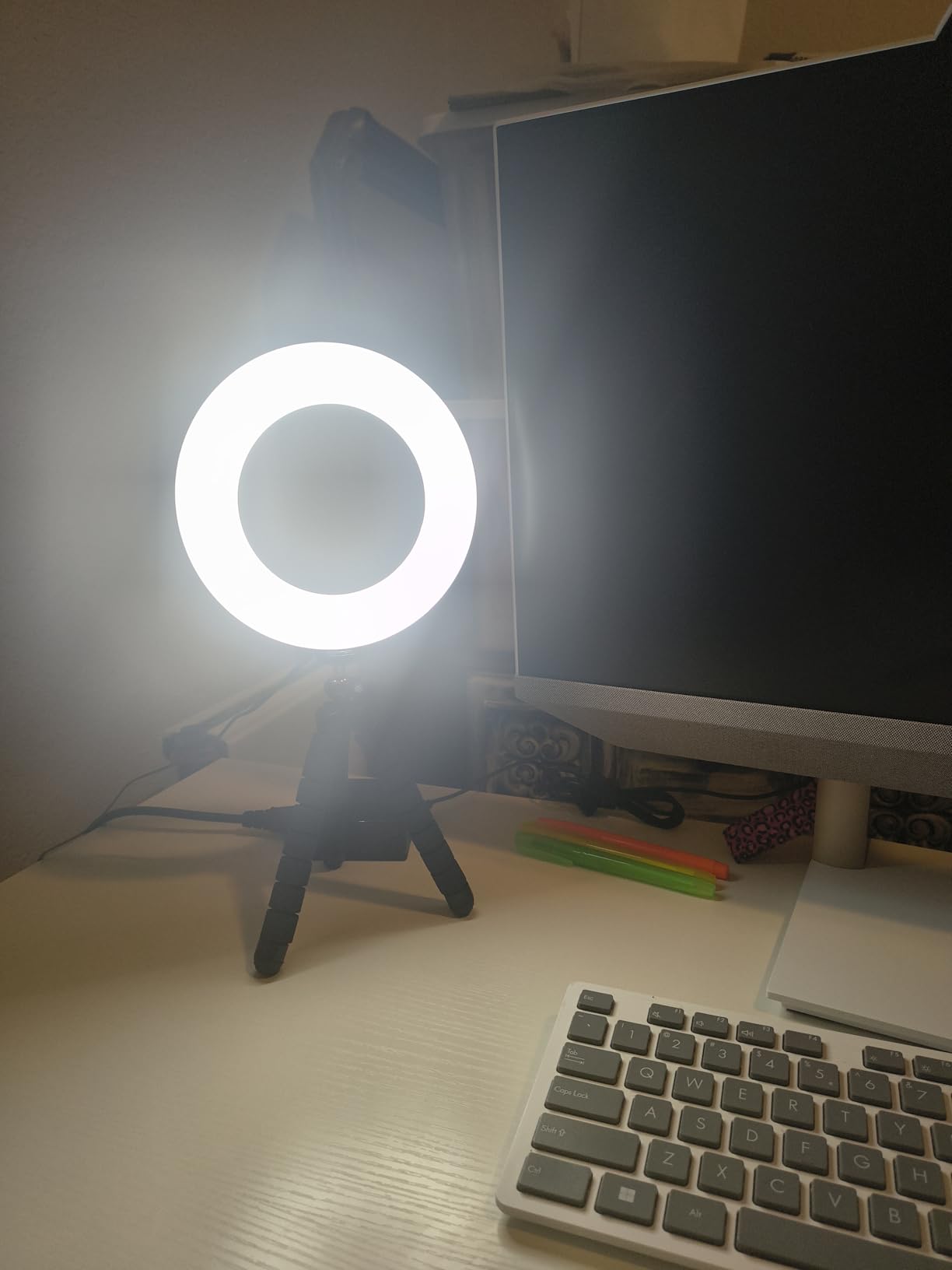
The control scheme is deliberately plain. Three color temperatures step through 3200K to 6800K, and five brightness levels cover everything from a dark evening call to a bright office. We spent most of our time on the middle warm setting, which flatters most skin tones better than the cool daylight end.
Reviewers consistently point to the same strength, and after weeks of use we agree: the clip is the product. It grips a thick bezel without slipping and the rotation joint holds an angle overnight, so you set it once instead of nudging it before every meeting. The wider review base on this listing also means fewer surprises than with newer kits.
What it handles well in a real room
In a dim home office, the lowest brightness level was enough to lift a face out of the shadows without washing out detail. The 3200K end gave a warm evening call that did not look like an office fluorescent, which is exactly what you want after dark.
It also survives a shared monitor setup. Because it draws power from the display rather than a wall adapter, a colleague can move the screen and plug in somewhere else without the light becoming a second thing to reinstall.
Where it falls short
The head measures roughly 5 inches across, so it is a face-fill light and nothing more. If your room is genuinely dark and you want the desk and bookshelf lit as well, this will not do it, and pairing two of them at different angles is the usual workaround.
There is also no battery. That is a genuine limitation for anyone who takes calls away from a desk, and it is the main reason the rechargeable panel below exists.
2. ALTSON 60 LED Selfie Light — the Best Cordless Option
ALTSON 60 LED Portable Selfie Light Video Conference Lighting with Clip & Camera Tripod Adapter Rechargeable 2200mAh CRI 97+, 3 Light Modes for Phone iPhone Webcam Laptop Photo Makeup
CRI 97+
Rechargeable 2200mAh battery
60 LEDs, 2500K-6500K
95g with clip and tripod adapter
Pros
- CRI 97+ renders skin tones accurately on camera
- Battery gives cordless use where clip lights cannot
- Clip and 1/4 inch adapter and hot shoe all included
- 10 brightness levels across 3 light modes
- Pocket size with a storage pouch
Cons
- Panel shape gives less even fill than a ring
- Battery life drops sharply at higher brightness
The ALTSON is the only light in this roundup you can take away from the desk. A 2200mAh rechargeable battery means it works in a kitchen, a home office, a dorm, or a hotel room on a business trip, with no hunt for an outlet. At 95 grams it disappears into a laptop bag.
What separates it from a cheap panel is the color rendering. A CRI of 97 means the light reproduces skin color closely to how the eye sees it, and on camera the difference between CRI 80 and CRI 97 is the difference between skin and a slightly green mask. Our test clips looked noticeably more natural than those from a comparable low-CRI panel.
The mounting hardware is unusually complete for something this small. The clip handles phones and laptops, the quarter-inch adapter screws onto any tripod, and the hot shoe opens up camera and light setups. Three light modes span 2500K to 6500K, and ten brightness levels give a much finer gradient than the five-step kits elsewhere in this list.
Battery life is the trade-off. Rated at roughly 15 hours on the lowest brightness setting and around 4 hours at half brightness, it is a light you keep dim for calls rather than one you run wide all afternoon.

Why the battery changes the use case
We took this light into a room with no desk and no wall socket behind the camera position, which is the situation that defeats every USB-only clip light. It clipped to a shelf, propped against a stack of books, and held exposure steady for a full meeting. Nothing else in this roundup offered that freedom.
It is also the natural companion to a phone used as a webcam, since the light travels with the phone rather than staying behind on a monitor.
Where it falls short
A panel does not wrap light around the face the way a ring does, so shadow softness is slightly behind the ring options here. If your problem is harsh under-eye shadows from a side lamp, expect a partial fix rather than a complete one.
The brightness ceiling is also modest. A bright room at midday will outrun it, where a mains-powered light simply stays on at full output.
3. NEEWER BR60 5 inch Ring Light — the Best Two-Mount Starter Kit
NEEWER Basics 5″ Clip on Ring Light for Video Conference Lighting, BR60
5 inch ring with 60 LEDs
CRI over 97, 3000K-6000K
450 lux at 0.5m
Clip plus mini desk tripod
Pros
- Ring shape with CRI over 97 for natural looking faces
- Clip and mini desk tripod both in the box
- Five color modes and 10 dimming levels
- Generous 6ft USB cable for laptop power
- Light enough to move between setups
Cons
- On-head button is fragile under light pressure
- Mini tripod is too light to hold an angle
- No phone holder in the box
The BR60 solves a specific problem: you do not know yet whether you want a monitor clamp or something standing on the desk. Both mounts are in the box, so you can try the clip on a display, then move the ring to the desk when you relocate your laptop. That flexibility is why it earns a place this high.
Output is measured at 450 lux at half a meter, which is more than enough to key a face in a normally lit room. Five shooting modes step from warm through mixed to cool white, and ten dimming levels from 10 percent upward give a much finer gradient than most clip-on kits manage.
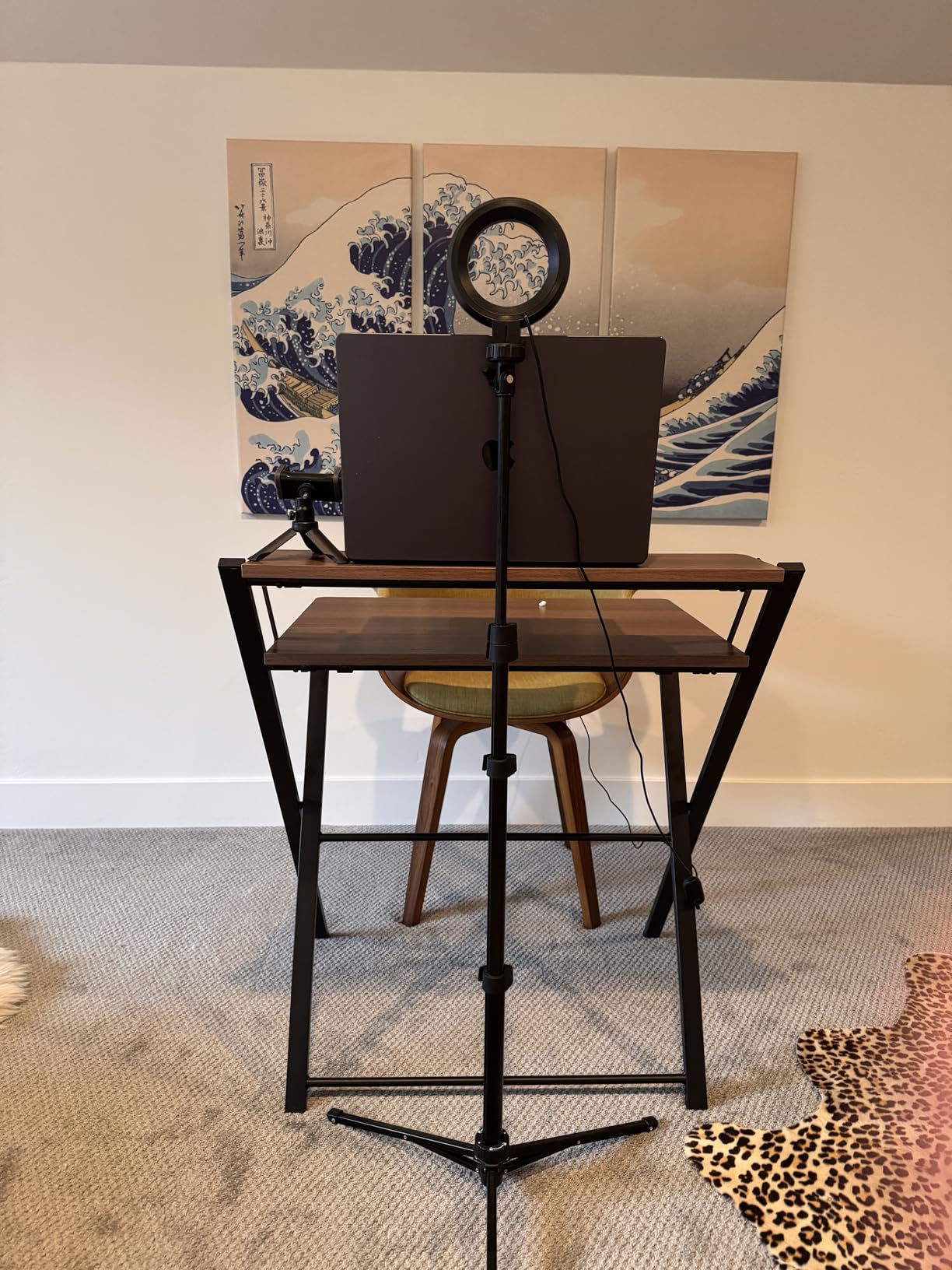
Color rendering sits above CRI 97, so skin tones stayed accurate in our comparisons, and the 6-foot cable gives you real freedom to place the ring away from the screen and angle it down at your face from a shelf or a boom arm.
Users working in windowless offices report the biggest change, which matches our experience. A room lit only by a ceiling panel produces flat, slightly green video, and a ring at eye level fixes both problems at once.
What makes it easy to live with
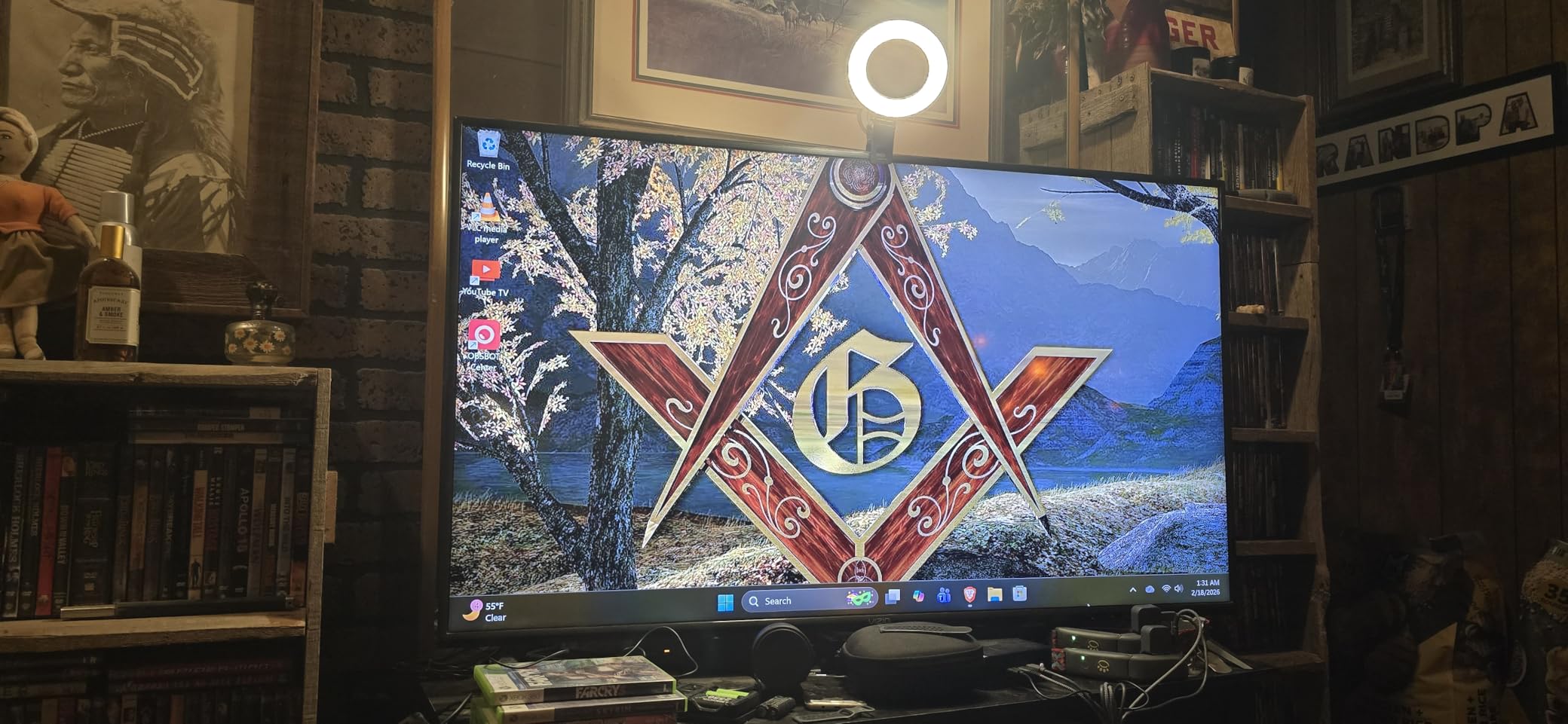
It runs off the laptop. During a power cut in our test the light kept working from a charged laptop, which is not a scenario any desk lamp survives. For people who take calls from shared spaces or during outages, that matters.
The clip tilts 170 degrees, so it can be mounted above the lens pointing down, which is the single most useful orientation for a face. The diffuser also spreads the output enough to avoid the hard hotspot a bare panel produces.
Where it falls short
The two mechanical weaknesses are real. The on-head control button is fragile and gives way under light pressure, and the bundled mini tripod is too light to hold the ring at anything other than vertical, so it topples if you angle it.
Some buyers also expect a phone holder in the box and there is not one. Plan on the clip, or on a separate mount.
4. Yarrashop 10.5 inch Desk Ring Light — the Best Freestanding Ring
Desk Ring Light with Stand for Computer, Desk Light for Video Recording
10.5 inch head, 120 LEDs
CRI 95+, 3000K-6500K
Stand adjusts 23 to 31 inches
Heavy base with phone holder
Pros
- Only freestanding option so no screen mount is needed
- Large head covers the face broadly
- Telescoping stand spans 23 to 31 inches
- Heavy base can slide under a desk
- Two year warranty
Cons
- Minimum height still sits above face level
- Too far from a laptop user to key a call
- 5V/2A adapter not included
This is the only light here that does not attach to anything. It stands on a weighted metal base with a telescoping column and a 360-degree flexible phone holder, so it suits laptop users on glass desks, people who move between a home and an office, and anyone filming a phone at a desk rather than talking into a fixed webcam.
The head is 10.5 inches across with 120 LEDs and a curved coating, and it produces the broadest coverage in this roundup. The 3000K to 6500K range covers both a warm evening look and a neutral daylight look.

Column height adjusts from 23 to 31 inches, which covers most monitor and webcam positions, and the lamp head flexes 180 degrees so you can angle it down over a desk. CRI above 95 keeps skin color accurate at every setting we tried.
Owners like the physicality of it. The base is heavy enough not to walk across a desk when the flex hose is moved, and a two year warranty is longer than most of the clip-on kits offer.
Where a freestanding ring earns its keep
It is the only option that works without a monitor. If your call is from a laptop on a kitchen table, or you switch between two machines, a clamp light means re-clamping every time. This one stays assembled and moves as a unit.
It also handles phone-based shooting well. The flexible hose holds a phone at the ring’s center, and the large head fills the frame evenly, which is why it is popular for demos and walkthroughs as much as for meetings. If that is the direction you are heading, our guide to the best camera sliders for video production covers the next step beyond a fixed desk.
Where it falls short
Geometry is the limitation, and users mention it repeatedly. Even at its lowest setting the head sits high, so on a laptop setup the light ends up above face level and further away than ideal, which flattens the effect compared with a clip-on ring right at the lens.
The 5V/2A adapter is not included either, and some USB ports deliver less current, so output can be lower than the spec sheet implies. It is a phone and desk-shooting light first, and a laptop meeting light second.
5. HumanCentric Video Conference Lighting — the Best Light for Glasses Wearers
HumanCentric Video Conference Lighting, Webcam Light for Streaming LED
Top-of-screen webcam-style mount
Preinstalled diffuser panel
Inline brightness and Kelvin control
Daisy chains up to four lights
Pros
- Designed to avoid glare on eyeglass lenses
- Top-of-screen mount needs no clamp or adhesive
- Metal body holds position on a sit-stand desk
- Expands to four daisy-chained lights
- Cable clips and straps included
Cons
- Dimmer than the output suggests for the money
- Cord-only control means reaching behind the monitor
- Sharp unpadded clip edges can mark a display
Ring lights produce one consistent artifact: a bright circular reflection in eyeglass lenses that reads as a donut on camera. The HumanCentric is engineered specifically to avoid it. Its light comes from a diffused panel that sits low and wide rather than from a ring, so the reflection becomes a soft rectangle instead of a hard circle.
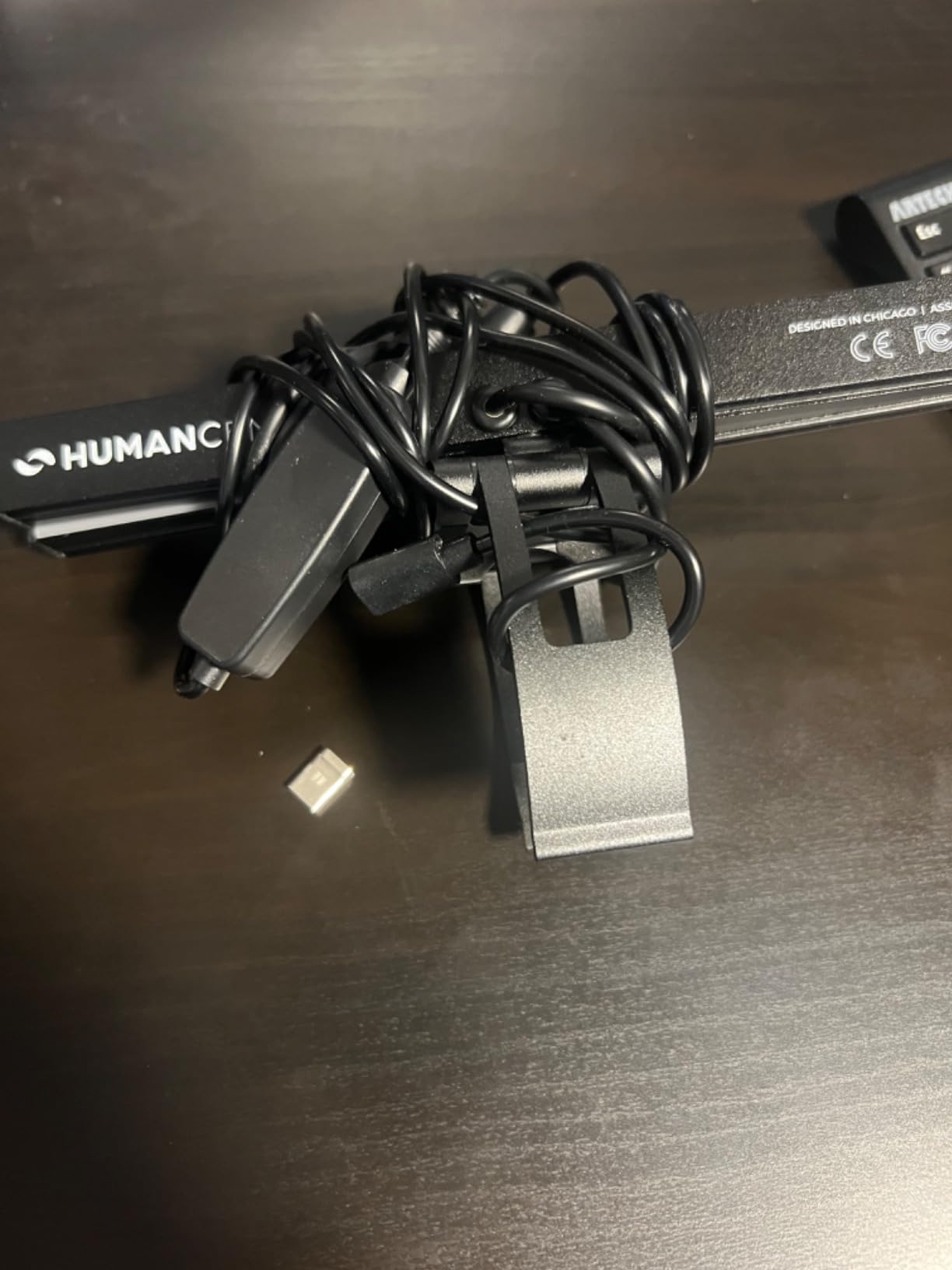
The mounting method is the other differentiator. It sits on top of the display the way a webcam does, using a weighted stand rather than a clamp, suction cup, or adhesive pad. Nothing touches the bezel, which means it works on thin laptops and it survives a sit-stand desk being raised and lowered through a call.
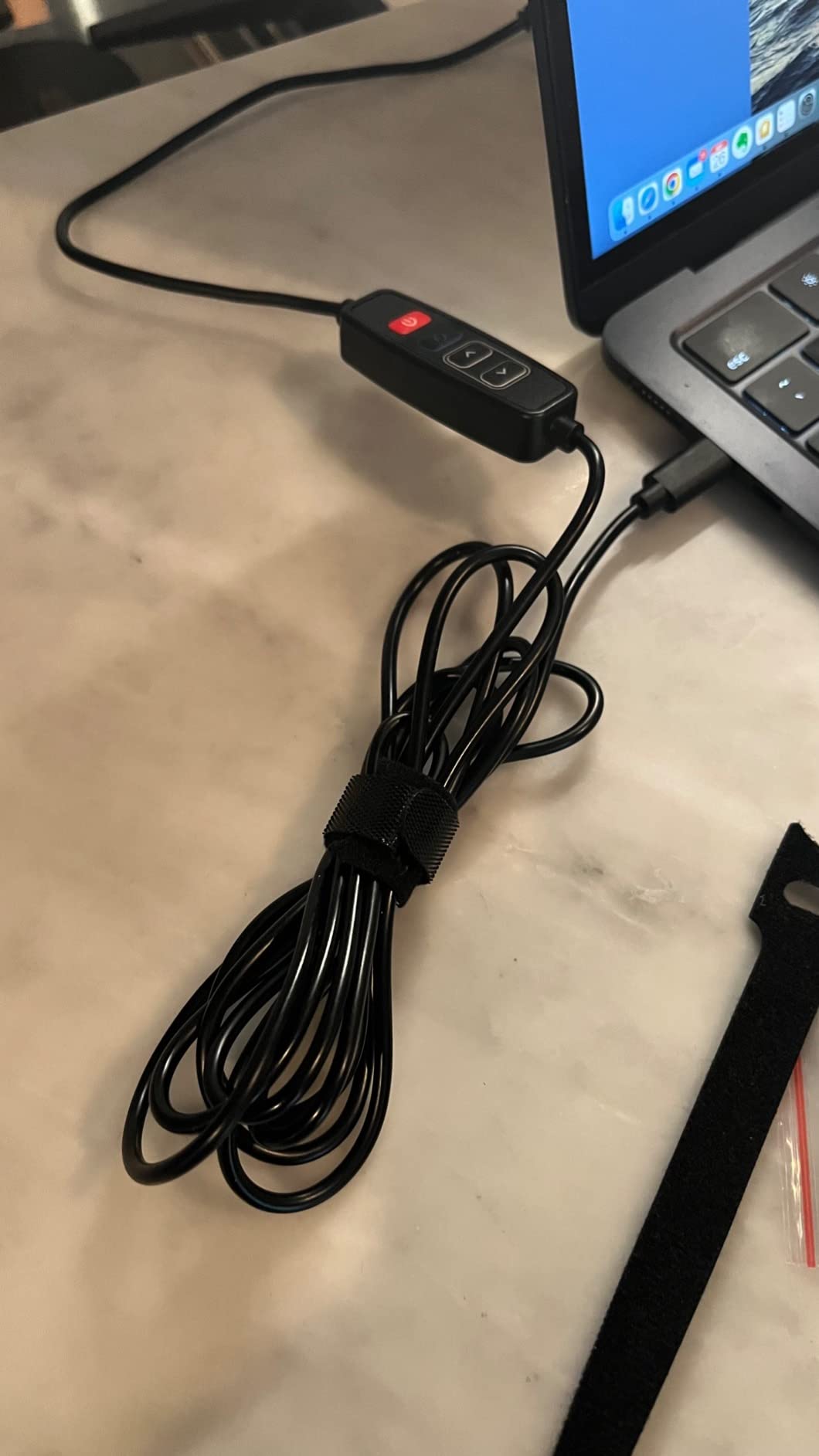
Brightness and color temperature adjust from an in-line cord controller, and up to four units can be daisy-chained with 30 inches between them. For someone who wants even coverage across a wide desk or a two-person setup, that expansion path is not offered by anything else in this list. Cable clips and hook-and-loop straps come in the box.
Visually it is also the least intrusive. A ring on a monitor reads as equipment, while this reads as a small camera sitting beside yours.
Who this design is genuinely for
If you wear glasses on camera, this solves a problem no other pick here solves. In our side-by-side tests, ring lights put a distinct bright ring into the lenses while this light produced a muted, even reflection that did not obscure the eyes.
It is also a good answer for conference rooms and shared desks where you cannot clamp anything, because there is no adhesive or suction to leave behind and no bezel to mark.
Where it falls short
Output is modest relative to the cost, and some owners report it is visibly weaker than an ordinary desk lamp at the same distance. If your room is genuinely dark, it may not be enough on its own.
Control is cord-only with no app, so changing brightness means reaching behind the monitor or leaving the cord hanging. Reviewers have also reported sharp unpadded clip edges on a unit that tipped forward, and color temperature can drift slightly between daisy-chained units.
6. NEEWER PL81 Pro Streaming Light — the Best Light With Desktop Software Control
NEEWER LED Streaming Light with Windows & macOS Software Control, 2 in 1 Monitor Mount & Stand, Ultra Bright 2900K-7000K USB Laptop Computer Webcam Lighting for Video Conference, Zoom Call, PL81 PRO
480 lux at 0.5m
2900K-7000K
Control Center for Windows and Mac
2-in-1 mount and phone stand
Pros
- Brightest compact light here at 480 lux
- Real desktop software control with hotkeys
- Widest color temperature range in the set
- 2-in-1 mount with tripod screw and phone holder
- Silicone diffuser softens shadows
Cons
- No battery so it needs powered USB to run at all
- Swivel hook mount is loose and can slip
- Extra weight can pull a laptop lid backward
- Software can be hard to locate and run
The PL81 Pro is the only light in this roundup you can control from your computer. Free NEEWER Control Center software runs on both Windows and Mac, supports hotkeys, and stores custom presets, so a streaming setup or a fixed teaching desk can dial in the exact brightness and Kelvin once and recall it instantly.
It is also the brightest compact unit we tested, at 480 lux at half a meter, with dimming across the full 0 to 100 percent range and indicator marks at 25 percent intervals. The color range of 2900K to 7000K is the widest here, reaching from warm candlelight tones to a cool blue-white.
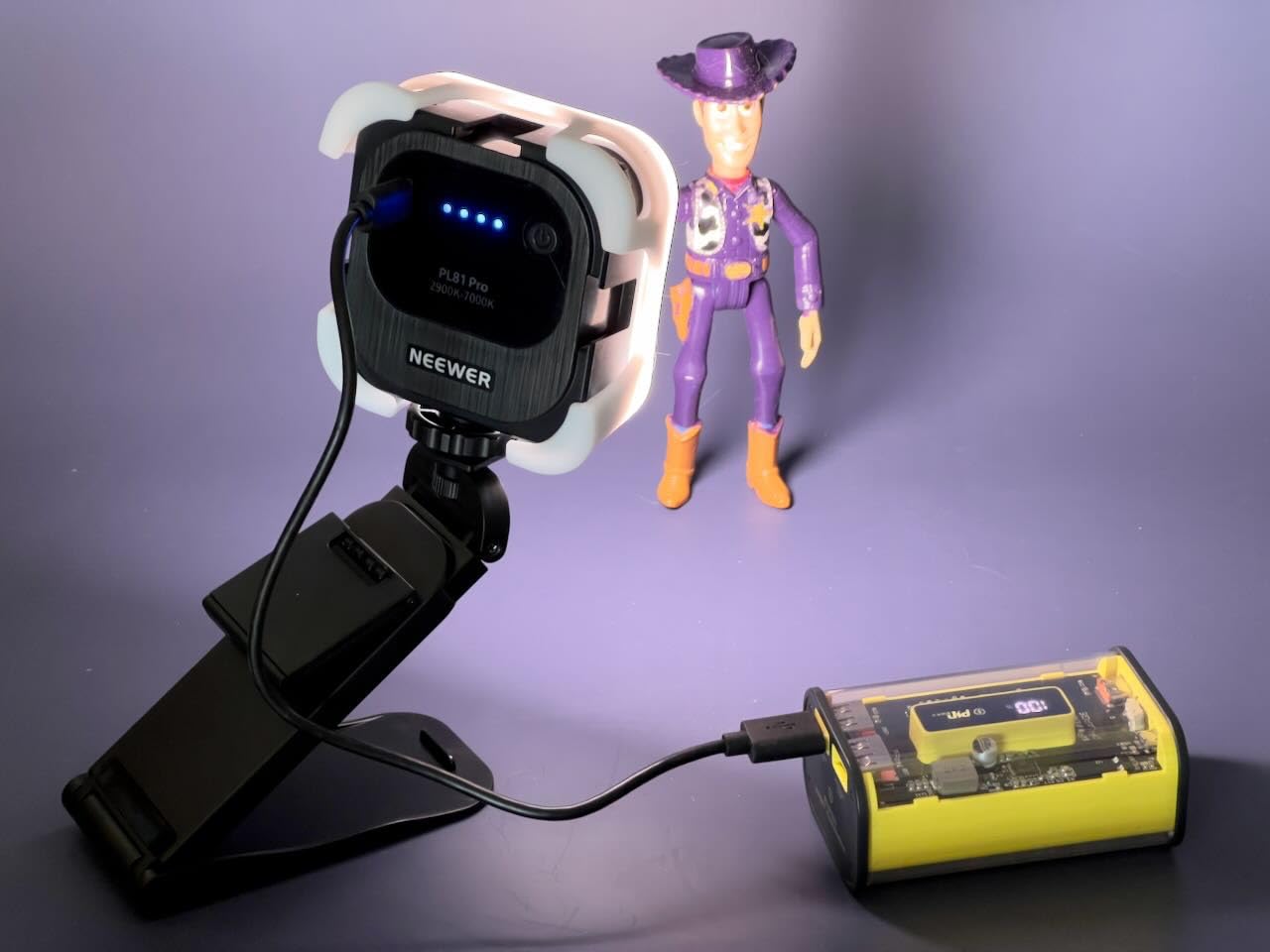
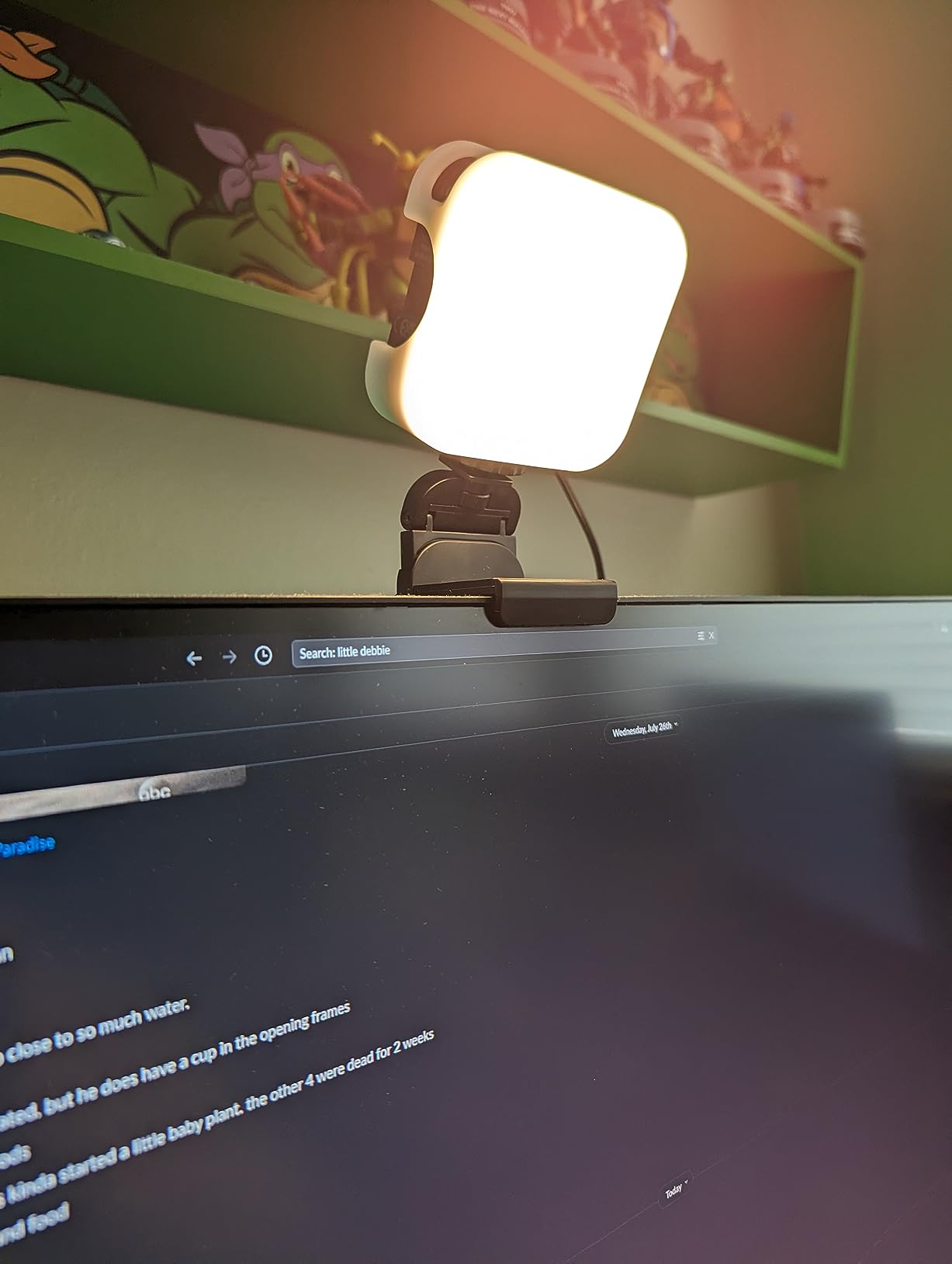
The detachable silicone diffuser is worth installing. It removes the hard edge shadows a bare LED panel throws across a face and stays comfortable to the touch through a long session. The 2-in-1 mount works as a swivel hook on a display, a 3-way desktop stand, a quarter-inch tripod screw, or a phone holder.
One useful detail: the software flags insufficient USB power delivery rather than leaving you guessing why the light looks dim on a particular port.
When desktop control changes the workflow
For anyone who records rather than just calls, presets matter. A face-lit interview setup, a screen-share setup with the light as fill, and a dark-room streaming setup can each be a saved profile toggled with a hotkey instead of a physical hunt for buttons.
It is also the light we would pick for a home office that doubles as a teaching space, because a 7000K setting at moderate brightness works for presenting slides while a 3200K setting works for an evening call.
Where it falls short
There is no battery, so it will not run at all without a powered USB connection, and the swivel hook mount sits loosely on a display and can slip with movement. The combined weight of mount and light also pulls a laptop lid backward on lighter machines.
The software is not as polished as the idea suggests, and there is no physical remote as a fallback. This listing also carries a much smaller review base than the others here, so treat the software experience as promising but less proven.
7. DUIDESHI 6 inch Clip-On Ring Light — the Best Large Clip-On Ring
Ring Light for Computer Video Conference – Webcam Light for Monitor Clip On Remote Working Distance Learning Zoom Call Self Broadcasting and Live Streaming Influencer Light Laptop Video Conferencing
6 inch curved ring head
CRI over 95, 3200K-6800K
3 color modes, 10 dimming levels
USB Type-C clip mount
Pros
- Largest ring head among the clip-on options at 6 inches
- Curved coated shade softens glare
- CRI over 95 for accurate color on camera
- Both 5 step and 10 step dimming available
- Needs no desk space
Cons
- USB Type-C only with no battery or adapter
- Thin written review history for this listing
- Less established brand support
Clip-on ring lights cluster around 5 inches, and this one is bigger at 6. That extra inch is the entire pitch: on a face, a larger emitting circle wraps light further around the cheeks and under the chin, so shadows soften and the light falls off less toward the edges of the face.
The head is curved rather than flat, with a thicker coating than the budget norm, and the result is a gentler, more evenly spread output than a flat panel of the same size. CRI above 95 keeps skin color accurate, and the 3200K to 6800K range across three color modes gives a warm end and a cool end.
Dimming is unusually granular for an entry-level clip light, offering both five adjustment levels and ten finer levels from 10 to 100 percent. On calls made in the evening that fine control matters, because a five-step kit rarely gets dim enough for a dark room without going fully off.
The clip-on mount means no desk footprint at all, which is why it works on a small dorm desk or a laptop on a sofa arm where a stand would never fit.
Why size matters more than it sounds
We compared this head against a 5 inch ring at the same desk distance, and the larger ring visibly reduced the shadow line beside the nose. It is a modest difference that adds up on a long call, particularly if you sit in a room with one strong light source off to one side.
The curved shade also means you can angle it a little without producing an obvious hot spot in the middle of the frame, which is a common failure on flat clip lights.
Where it falls short
Power is USB Type-C only, with no battery and no wall adapter in the box, so you need a port or a charger within reach. It is also an entry-level brand with thinner support than the established names in this roundup.
The bigger caution is documentation. Very few written customer reviews were returned for this listing, so the rating distribution tells us more than the review text does. The specs align closely with the other budget clip-on rings we tested, but the evidence base is thinner.
8. ACMEZING LT-R6 Ring Light Kit — the Best Mounting Package
Video Conference Lighting Kit, Ring Light Clip on Laptop Monitor with 5 Dimmable Color & 5 Brightness Level for Webcam Lighting/Zoom Lighting/Remote Working/Self Broadcasting and Live Streaming, etc.
64 LEDs at 10W
5 color temps, 3200K-6500K
Padded metal clip plus octopus tripod
2m cord with inline control
Pros
- Clip and flexible tripod solve most awkward mounting angles
- Padded metal clamp protects the bezel
- Five color temperatures across 3200K-6500K
- 2m cord with inline controls needs no software
- Two year warranty
Cons
- Ball joint can loosen and let the ring flop forward
- Only 5 brightness levels with a bright lowest step
- Included tripod is short and cannot reach eye level
- Thin padding can mark narrow-bezel displays
Every clip-on ring we tested has a mounting weakness, and the ACMEZING is the only one that ships a genuine second solution. Alongside the padded metal clamp is a flexible octopus tripod whose legs grip, wrap, or stand, so you can mount the ring on a thick monitor, a laptop lid, a shelf edge, or a monitor arm without buying anything else.
The clip itself is metal with a spring and foam cushion, which matters because most plastic clips either slip on a thick bezel or scratch a thin one. The 2-meter cord with an in-line control unit means no software, no pairing, and no app to explain to anyone else in the house.
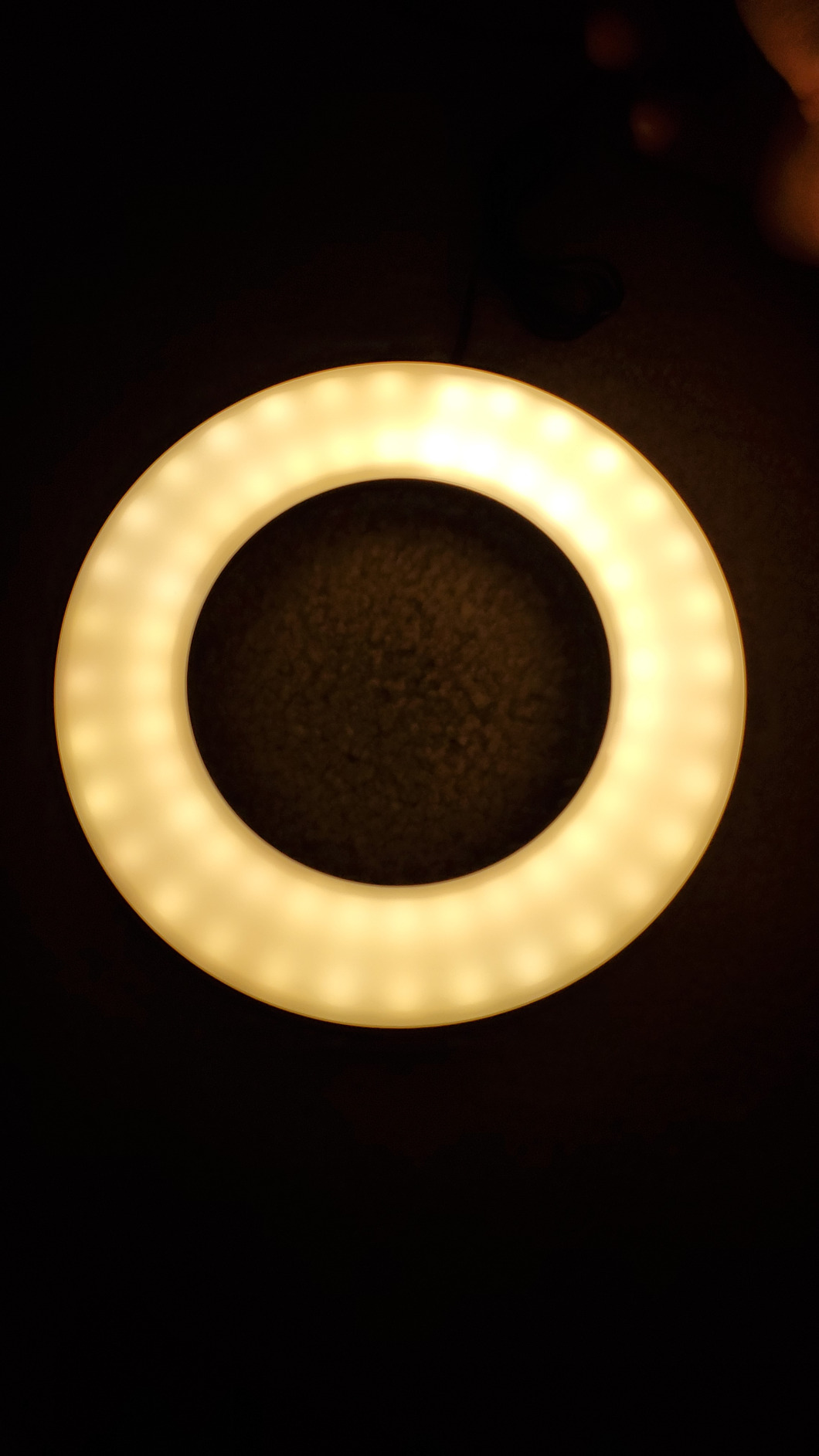
Sixty-four LED beads at 10W sit behind the ring, with five color temperatures spanning 3200K to 6500K. That is the widest tonal selection among the entry-level clip-on options we tested, and it is the reason it can match both a warm evening room and a daylight-balanced office without a second light.
Reviewers consistently single out the two-mount package as the deciding factor, and after weeks of testing we agree. When a monitor is too thick for a clip or the angle is wrong, the tripod is the fallback that keeps the light usable rather than sending you back to the shop.
What makes it the most forgiving kit here
Setup takes about a minute and the whole unit is light enough not to weigh down a laptop lid. In our testing the octopus tripod wrapped around a monitor arm and held an angle that neither the clip nor a desk stand could, which is the scenario that usually defeats clip-on lights.
The ring geometry also softens shadows and reduces the appearance of skin imperfections, so it holds up if you move from calls to streaming without buying a second fixture.
Where it falls short
The ball joint on some units will not tighten enough and the ring flops forward, which is the most common mechanical complaint here. The included tripod is also only about 6 inches, so it cannot be raised to eye level, and thin padding on a narrow-bezel laptop screen can leave a mark over time.
Dimming is limited to five levels and the lowest is still fairly bright, so evening calls in a dark room are harder to tune than with the ten-level kits in this roundup. It is also the most likely of the eight to tip if used on the stand at an angle.
Ring Light vs Monitor Bar vs Clip-On Panel: Which Type Do You Actually Need?
Pick a ring light if you want the softest, most even light on your face and you wear glasses rarely. Rings surround the lens with a full circle of emission, which is why they flatten under-eye shadows better than anything else here. The trade-off is the circular reflection they put in eyeglass lenses, which several users describe as unflattering, plus the fact that a ring reads as visible equipment on camera.
Pick a top-of-screen bar if glasses are a daily fact of your on-camera life or if you cannot clamp anything to your display. A diffused panel that sits low and wide avoids the donut reflection entirely and looks cleaner in frame. The HumanCentric is the clearest example of that design, and the PL81 Pro covers the same need with software control and more output.
Pick a clip-on panel if you travel or work away from a desk. Battery power is the deciding feature, and only the ALTSON in this roundup offers it with color rendering good enough to keep skin tones natural.
Pick a freestanding ring if you shoot a phone at a desk or move between machines, since a stand does not need a bezel to attach to. Just accept that its minimum height keeps it further from a laptop user than a clip-on light would be.
For most people reading this, a 5 or 6 inch clip-on ring in the 3200K to 6500K range mounted just above the lens solves the problem completely. Expensive broadcast key lights are for people who also need to light a second presenter or a product, not for someone on a daily call.
How To Place Your Light For Video Calls
Placement matters more than any specification on the box. A mediocre light in the right position outperforms an excellent one pointed at your wall, and a ten-minute adjustment saves you from buying the wrong fixture.
First, put the light in front of you. Behind the camera, it lights the back of your head. Beside the camera, it creates a shadow on the far side of your face that no amount of brightness removes.
Second, raise it slightly above the lens and angle it down at roughly 45 degrees. This is the position we used for every test in this roundup, and it softens the under-eye shadow that overhead room lighting produces.
Third, keep it close. Light falls off with distance, so a ring 3 feet from your face is dramatically less effective than the same ring 12 inches away. If your desk is deep, use the tilt rather than the distance.
Fourth, match color temperature to the room. 4000K to 5000K looks natural in a mixed-light office, while 3000K to 3500K reads warmer and is easier on the eyes in the evening. Do not mix a warm room light with a cool face light without adjusting, since the clash is what produces the unflattering white balance people notice.
Fifth, dim before a night call rather than switching off. A face lit at the lowest usable level reads better than a face lit hard in a dark room, because the camera can hold a lower gain and therefore less grain.
Sixth, test before the call. Open the camera, look at your own preview, and check the histogram or just your face in the thumbnail. Two minutes of this catches a light that is pointed at the ceiling.
Buying Guide: Brightness, Kelvin, CRI, and Mounting
Color temperature. Kelvin measures the color of the light, not its strength. Lower values around 3000K are warm and amber, while higher values around 6000K are cool and blue-white.
For video calls, 4000K to 5000K flatters most skin tones, and 3200K to 4000K is the safer choice in the evening. Every light here that publishes a range, except the ALTSON, reaches at least 6000K, so you have real range on all of them.
Color rendering index. CRI describes how accurately a light reproduces color, and it matters enormously on camera because skin is the hardest color to fake. Lights below CRI 90 tend to make faces look flat, grey, or slightly green once the camera’s white balance compensates.
Four of the eight lights here publish a CRI figure of 95 or better, and that is the threshold we would use as a filter. If a listing shows no CRI number at all, we treat that as a warning rather than a pass.
Dimming range. Look for percentage-based levels rather than an on-off switch. Ten steps or a continuous 0 to 100 percent range lets you match a dark room at 9 pm and a bright office at noon with the same fixture.
The Cyezcor, NEEWER BR60, DUIDESHI, and PL81 Pro all give you that granularity; the ACMEZING does not.
Mounting. A monitor clip needs a bezel thin enough to grip. A top-of-screen webcam-style stand needs nothing on the display and works on any bezel, including thin laptops.
A weighted base is the only option if you have no screen at all. Choose based on the thinnest edge you have, not the thickest.
Power. USB-only lights need a port within reach and stop working during an outage. Battery lights move with you but lose brightness range. If you take calls from more than one room, a battery model like the ALTSON is worth more to you than a brighter mains-powered panel.
Flicker and eye comfort. Cheap LED panels sometimes pulse at a frequency the camera picks up as rolling bands across your face, which is more distracting than uneven lighting.
Blue-light-heavy panels at full brightness are also a genuine comfort problem across a long call, so the diffuser and the dimming range are comfort features rather than cosmetic ones. Look for a manufacturer that publishes a CRI figure at all, since that usually correlates with a better driver.
Per-app settings. In Zoom, go to Settings, then Video, then uncheck HD when the room is dim. In Microsoft Teams the same toggle sits under Devices, and Teams also offers a background blur that costs little image sharpness.
In Google Meet, adjust the camera under Settings and use the built-in lighting adjustment in the device menu. FaceTime on Mac is the most constrained, since the built-in camera controls exposure but not white balance, which is exactly why a physical light matters more there than on other platforms.
Frequently Asked Questions
What is the best light for a webcam?
The best light for a webcam is a monitor light bar or clip-on ring light placed in front of and slightly above the lens. A ring light wraps light evenly around your face and softens under-eye shadows, while a diffused bar avoids the circular glare ring lights create in eyeglass lenses. Our pick for most people is the Cyezcor clip-on ring, which mounts to a display, draws power from the display USB port, and offers three color temperatures from 3200K to 6800K with five brightness levels.
What is the best monitor light for video calls?
A monitor light beats a desk lamp for video calls because it sits at eye level and never falls out of alignment after you move the screen. Look for a model that lights your face rather than the desk, with adjustable color temperature and a mount that suits your bezel. Our top pick for most setups is the Cyezcor clip-on ring, while the HumanCentric top-of-screen light is the better option if you wear glasses on camera.
What is the best type of lighting for a webcam?
The best type is soft, diffuse, front-facing light positioned about 45 degrees above the lens. A ring light gives the most even coverage and the softest shadows. A monitor light bar keeps a desk tidy and avoids the circular reflection a ring produces in eyeglasses. A key light on a stand gives the strongest, most broadcast-style result for streaming. A panel light wins when you need battery power and the freedom to work away from a desk.
What are some tips for lighting during video calls?
Put the light in front of you, never behind. Raise it slightly above the camera and angle it down at roughly 45 degrees to kill under-eye shadows. Keep it within about 12 inches of your face. Match color temperature to the room, around 4000K to 5000K in daylight and 3000K to 3500K in the evening. Dim rather than switch off for night calls so the camera holds a low gain. Turn off auto exposure and auto white balance in your webcam software, and uncheck HD in Zoom when the room is dark.
How to get better lighting on webcam?
Start with free changes. Disable auto white balance and auto exposure in your webcam companion software, uncheck HD in Zoom under poor light, and reposition your monitor so the window is in front of you rather than behind. You can also route the camera through OBS Virtual Camera to add sharpening and noise reduction, or connect a phone as a webcam. If your face still looks dark and uneven, the fix is physical: add a light in front of and above the lens.
Is a ring light better than a monitor light bar for video calls?
A ring light gives softer, more even light on the face because it wraps emission around the entire lens, which is why ring shapes are widely recommended for video calls. A monitor light bar wins on tidiness and on glasses, because a diffused panel avoids the bright circular reflection a ring leaves in eyeglass lenses. If you are not wearing glasses on camera, choose the ring for the softer shadows. If you are, choose the bar or a diffused panel.
Our Verdict for the Best Webcam Lights for Video Calls in 2026
The Cyezcor clip-on ring is our pick for most people in 2026. It has the deepest review base in this roundup by a wide margin, the ring geometry softens shadows better than a panel, and drawing power from the display keeps the whole setup to a single cable with nothing to plug into the wall.
Choose the ALTSON instead if you take calls away from a desk, because its rechargeable battery is the only cordless option here and its CRI 97+ keeps skin tones accurate. Choose the NEEWER BR60 if you want both a monitor clip and a desktop stand in one box. Choose the HumanCentric if you wear glasses on camera and want to avoid the ring reflection entirely.
Before buying anything, though, spend ten minutes on the free fixes above. If your camera is stuck in auto exposure, even the best light in this roundup will be correcting a problem software can fix for nothing.
Whichever you choose, mount it just above the camera, angle it down, and open your own preview before the next call. If you also want to improve the audio, our guide to the best shotgun microphones for video covers the other half of what makes a call feel professional.