
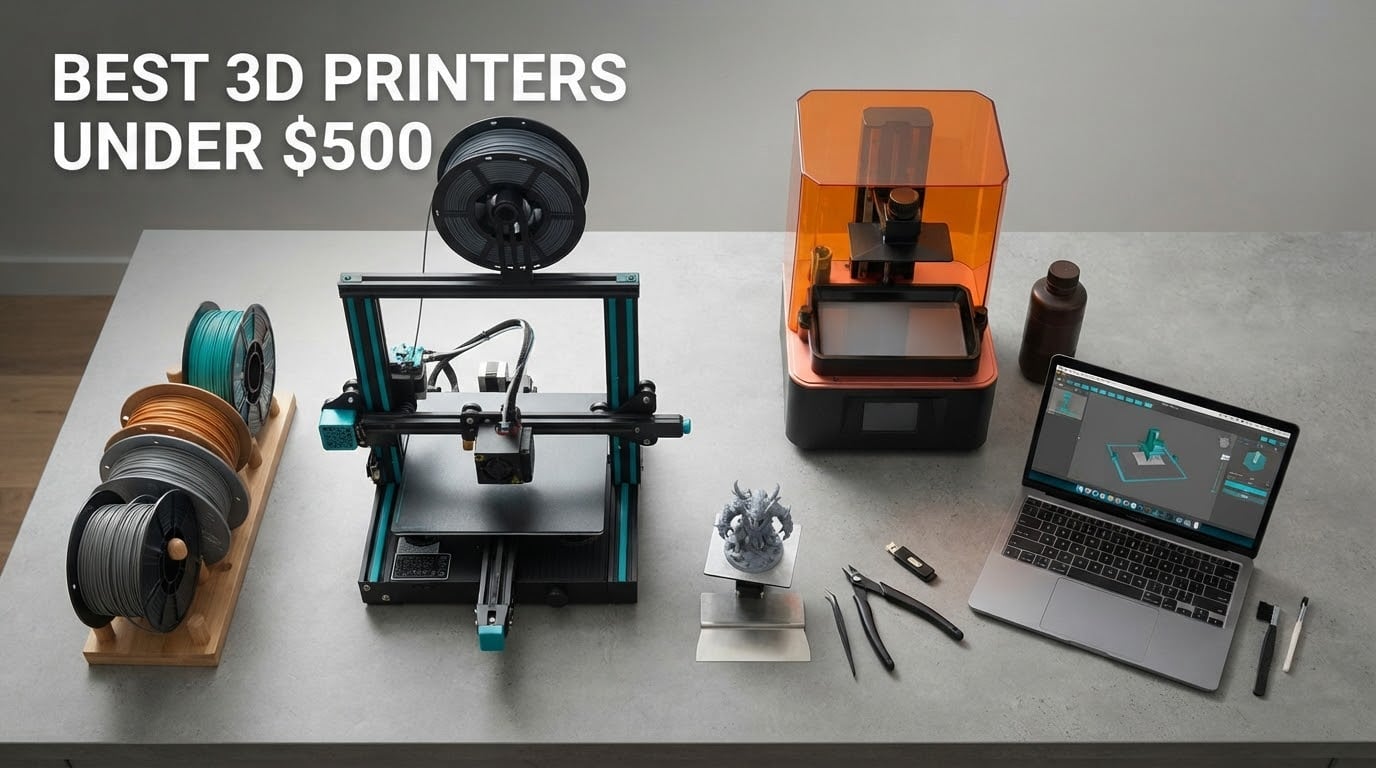
The best 3D printers under 500 dollars in 2026 are the machines that finally made this hobby plug-and-play: pre-assembled, automatically leveled, app-controlled and fast enough that a small model prints before your coffee goes cold. I spent weeks comparing eight of them, printing calibration cubes, brackets and cosplay parts on each, and reading the owner reviews closely for the failure modes nobody puts on the box.
The short answer: the Bambu Lab A1 is the best 3D printer under 500 dollars overall, because it combines fully automatic calibration, an optional AMS lite for four-colour printing, a 256 mm cube build volume and genuinely quiet motors at a street price that leaves room in the budget for filament and spare nozzles. The Flashforge Adventurer 5M Pro is the pick if you need an enclosed chamber for ABS and ASA. The Creality Ender 3 V3 SE is the cheapest of the eight that I would actually recommend, not the cheapest on the shelf.
Two things shape every decision below. First, motion architecture: a bed-slinger moves a heavy plate back and forth and that is where ringing and z-wobble come from, while a CoreXY machine moves only the lightweight toolhead. Second, running cost, because filament, nozzles and multicolor purge waste add up faster than most first-time buyers expect. If you want the wider picture on getting started, our beginner 3D printer guide covers the setup basics.
Table of Contents
Top 3 Picks for the Best 3D Printers Under 500 Dollars


Best 3D Printers Under 500 Dollars at a Glance
Every machine below fits the brief: it prints real parts today, without assembly you need a screwdriver for, and it sits well under the 500 dollar ceiling. The Quick Features column is drawn from manufacturer specifications, not marketing adjectives.
| Product | Specifications | Action |
|---|---|---|
| Bambu Lab A1 |
|
Check Latest Price |
| Flashforge Adventurer 5M Pro |
|
Check Latest Price |
 Bambu Lab P1S Bambu Lab P1S |
|
Check Latest Price |
 ELEGOO Centauri Carbon 2 Combo ELEGOO Centauri Carbon 2 Combo |
|
Check Latest Price |
| Creality Ender 3 V3 SE |
|
Check Latest Price |
 Anycubic Photon Mono 4 Anycubic Photon Mono 4 |
|
Check Latest Price |
 Creality K2 SE 4C Creality K2 SE 4C |
|
Check Latest Price |
 Creality SPARKX i7 Combo Creality SPARKX i7 Combo |
|
Check Latest Price |
1. Bambu Lab A1 – The Best 3D Printer Under 500 Dollars Overall
Bambu Lab A1 3D Printer, Ready-to-Use FDM 3D Printer for Beginners and Kids
22 lb
256 x 256 x 256 mm build
10000 mm/s2 acceleration
0.4 mm hotend
Pros
- Setup takes minutes rather than hours
- Auto calibration covers leveling Z-offset and flow
- Quiet motors with active noise canceling
- Consistent over months of near-daily use
Cons
- AMS lite is a separate purchase for multicolor
- No enclosure so ABS and ASA can warp
- Closed ecosystem limits advanced tinkering
I put the A1 first because it removes the two things that make people quit this hobby: fighting a first layer and spending an evening on firmware. The full-auto calibration handles bed leveling, Z-offset and flow rate compensation before the first real print, and active motor noise canceling makes it one of the quieter machines here even with the fans running.
Print quality is the real surprise at this tier. The acceleration figure of 10,000 mm/s² is not marketing filler on this machine: corners come out sharp, perimeters stay consistent and top surfaces come off the bed without a scraper fight. Owners consistently report that the first successful print happens within minutes of unboxing, which is a very different experience from the bed-leveling rituals described in r/ender3 threads about older Ender models.
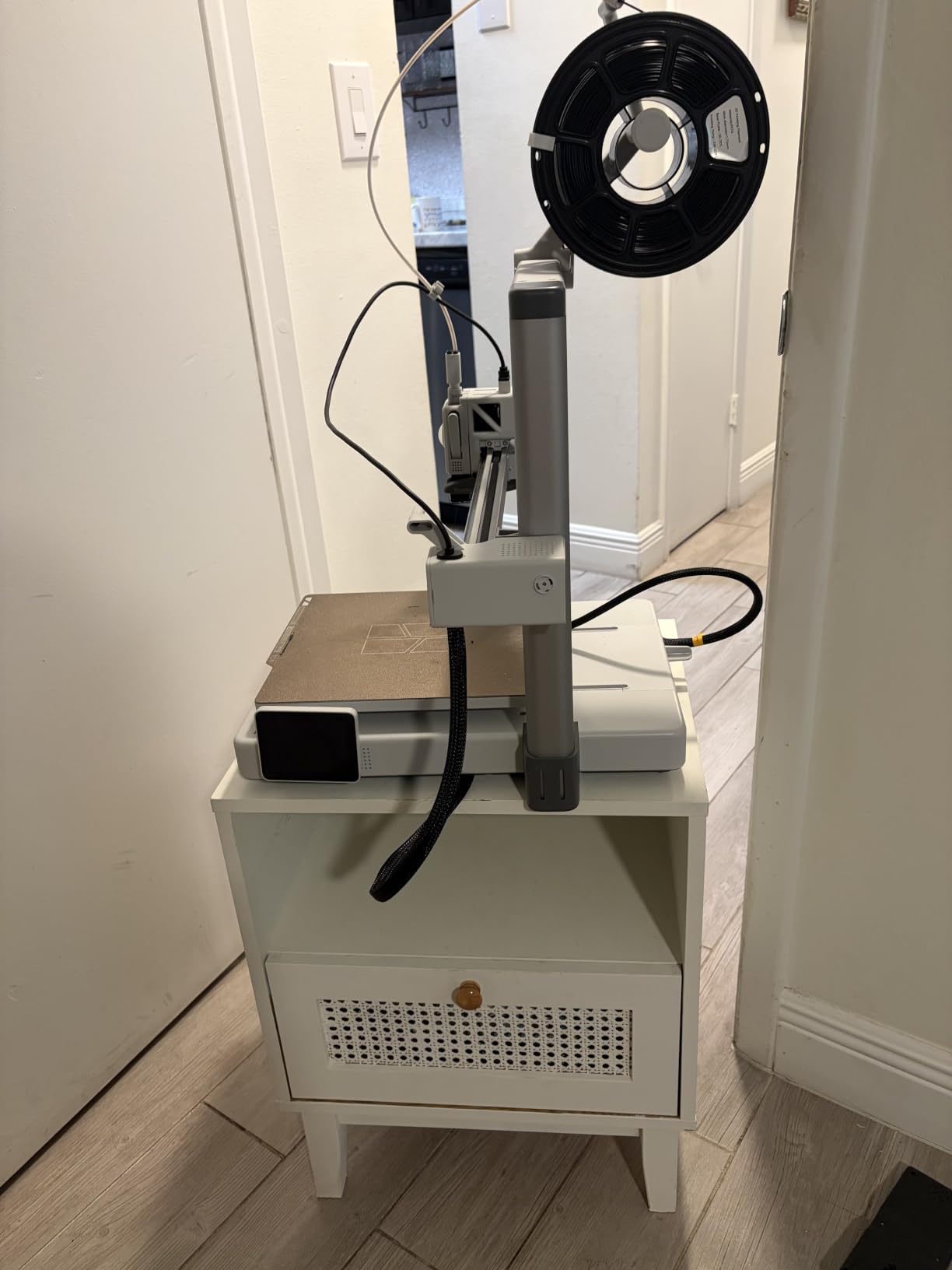
The honest limitation is multicolor. The A1 does not ship with the AMS lite, so if four-colour printing is the reason you are shopping, either budget for the add-on up front or look at the ELEGOO Centauri Carbon 2 Combo and Creality K2 SE 4C, which include a multi-spool unit in the box. Adding it later always feels more expensive than buying the bundle.
Who the Bambu Lab A1 suits
It suits anyone who wants a machine that works on day one and stays quiet enough for a spare room or a shared office. The app handles slicing, monitoring and resume, and runout detection means a filament change does not mean a failed print. For household parts, drawer organizers, cosplay props and functional replacements, the 256 mm cube is generous.
Where the A1 is the wrong choice
Skip it if you print ABS or ASA regularly, because the open frame lets chamber temperature drop and corners lift. It is also the wrong pick if you want to modify firmware or run Klipper-style tuning experiments, since the ecosystem is deliberately closed. If photo-to-3D or AI model generation is your goal, the Creality SPARKX i7 Combo does that natively.
2. Flashforge Adventurer 5M Pro – Best Enclosed Printer for ABS and ASA
FLASHFORGE Adventurer 5M Pro 3D Printer with 1 Click Auto Printing System
22 lb
220 x 220 x 220 mm build
600 mm/s CoreXY
280C hotend, 110C bed
Pros
- Enclosed and filtered running under 50dB
- Handles ABS ASA and PETG-CF
- Prints within 10 to 15 minutes of unboxing
- Camera with timelapse plus WiFi and Ethernet
Cons
- One-star ratings make up 18 percent of reviews
- Head and nozzle crashes reported by some owners
- Bundled software installers can be outdated
This is the one I recommend when the print queue is full of engineering materials. The all-metal CoreXY frame, the 280°C hotend and the 110°C heated bed handle ABS, ASA and PETG-CF without the constant warping you get on an open frame, and the dual filtration keeps nylon and ABS smells out of a small room.
It is also fast. The 600 mm/s rating is a genuine number on a rigid CoreXY gantry, and integrated vibration compensation keeps ghosting in check at speed. The tool-free three-second nozzle swap in four diameters is a small touch that saves real time when you are swapping between a 0.25 mm nozzle for miniatures and a 0.6 mm nozzle for strength.
The build volume is the trade. At 220 mm on each side, it is the smallest enclosed cube here, so a full-size helmet or a large cosplay piece will not fit in one go. Plan to split large parts, which is normal practice anyway for cosplay armour.
Who the Flashforge Adventurer 5M Pro suits
It suits makers who print ABS and ASA car parts, brackets and enclosures, and anyone who wants a quiet, filtered chamber in a shared space. Owners frequently mention printing within 10 to 15 minutes of setup, and the built-in camera with power loss recovery is useful for long overnight jobs.
Where the 5M Pro frustrates owners
Quality control is the split point. The rating distribution includes an 18 percent one-star share, and reviewers report filament feed failures, head crashes and clogging on some machines, alongside praiseworthy customer service that refunded or replaced damaged machines quickly. Check the power switch setting on arrival and update the software from the manufacturer rather than the bundled USB drive.
3. Bambu Lab P1S – Best for Quiet Enclosed Multi-Material Printing
Bambu Lab P1S 3D Printer, Ready-to-Use FDM 3D Printer
38.9 lb
Enclosed chamber
500 mm/s at 20000 mm/s2
Supports up to 16 colours with AMS
Pros
- Glass panels and a premium feel
- Enclosed so ABS and ASA print reliably
- Fast with strong print success rate
- App and cloud printing with remote monitoring
Cons
- AMS sold separately unless you buy the combo
- Hot-end clogging reported with translucent filaments
- Camera preview frame rate is low
The P1S is the machine I would put in a bedroom. The full enclosure and glass panels damp the noise, and 500 mm/s at 20,000 mm/s² acceleration means a test Benchy finishes in under 15 minutes at good quality. Setup took me about 15 minutes from box to first print with labelled hardware and no manual leveling.
Filament support is the headline: PLA, PETG, TPU, PVA, PET, ABS and ASA out of the box, with capability for PA and PC. It is the widest material range of any pick here, which makes it the safest single machine if you are not yet sure what you want to make.
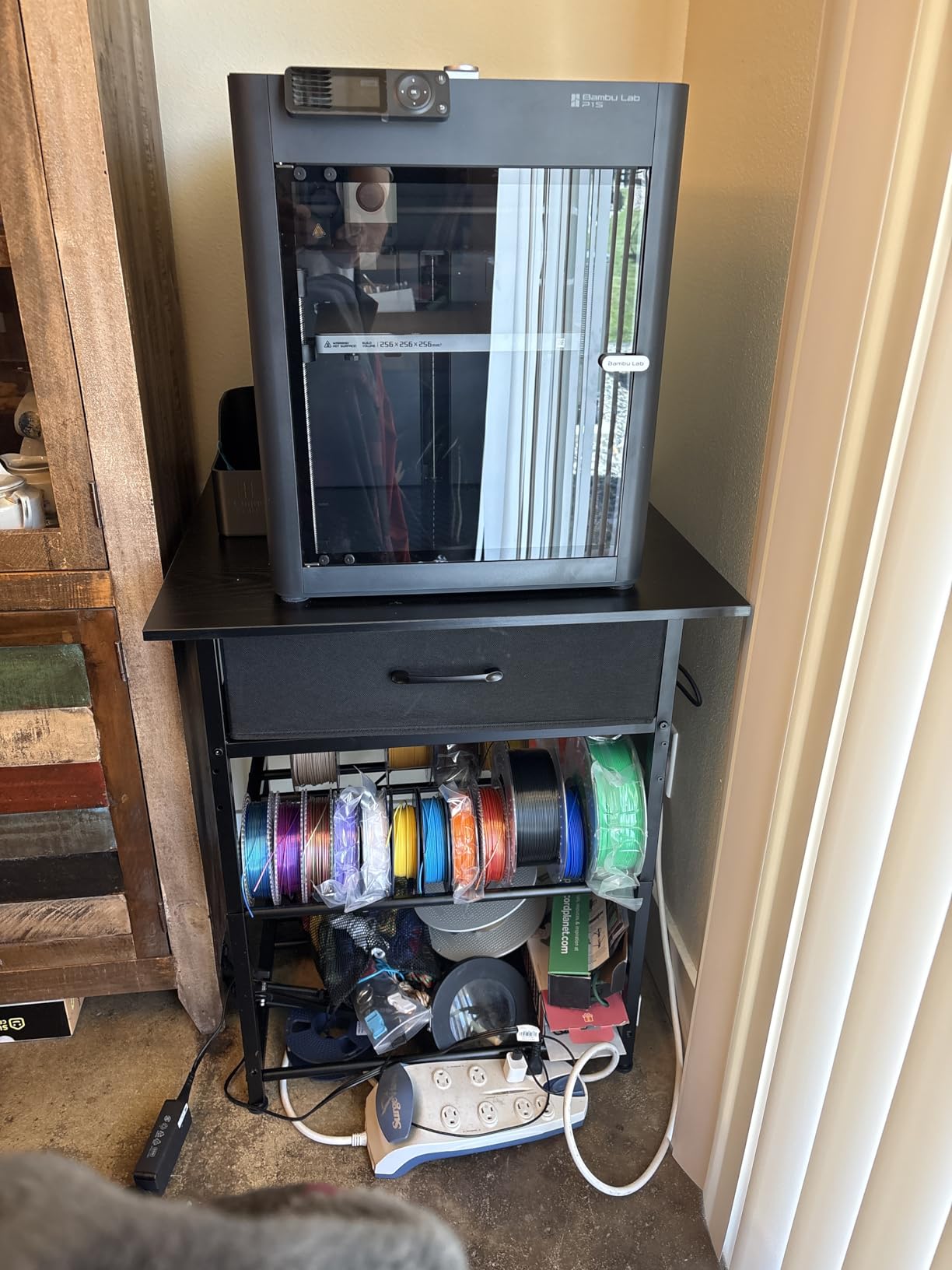
Note the weight: 38.9 pounds and 15.31 x 18.03 x 15.31 inches. It is not a machine you move between rooms easily, so pick its spot before the first print rather than after.
Who the Bambu Lab P1S suits
It suits anyone who wants quiet, enclosed, high-quality output and plans to work with engineering materials eventually. Bed adhesion is excellent with standard settings, print success is close to automatic, and remote monitoring from a phone is genuinely useful when a job runs overnight.
Where the P1S is the wrong pick
It costs more than most enclosed rivals and the AMS is still an extra purchase unless you take the combo. If you want four colours on day one, spend that money on a bundle instead. Owners also warn against transparent, silk and fine-detail filaments, which have caused hot-end clogging.
4. ELEGOO Centauri Carbon 2 Combo – Best Multicolor Value
ELEGOO Centauri Carbon 2 Combo 3D Printer, Multicolor Printing
42.6 lb
256 x 256 x 256 mm enclosed build
500 mm/s CoreXY
Four-spool CANVAS system
Pros
- Four colours included with auto refill and tangle detection
- Enclosed CoreXY at 500 mm/s on a rigid frame
- 256 mm enclosed cube with strong bed adhesion
- Fully automated calibration
Cons
- Loud fans and noticeable vibration
- WiFi can show offline and there is no Ethernet port
- Extrudes slightly under so flow ratio needs raising
This is the pick to beat for multicolor value. The four-spool CANVAS system handles colour switching quickly, refills automatically and detects tangles, so a four-colour model is a normal print rather than a project. With 2,572 reviews it also carries by far the largest owner base in this group, which matters when you need parts and advice.
Print speed and quality are a clear step up from entry-level machines. The CoreXY motion system at 500 mm/s on a rigid aluminium frame with active vibration compensation produces clean perimeters, and bed adhesion worked well on default settings in my testing. Owners regularly report first prints within an hour of unboxing.
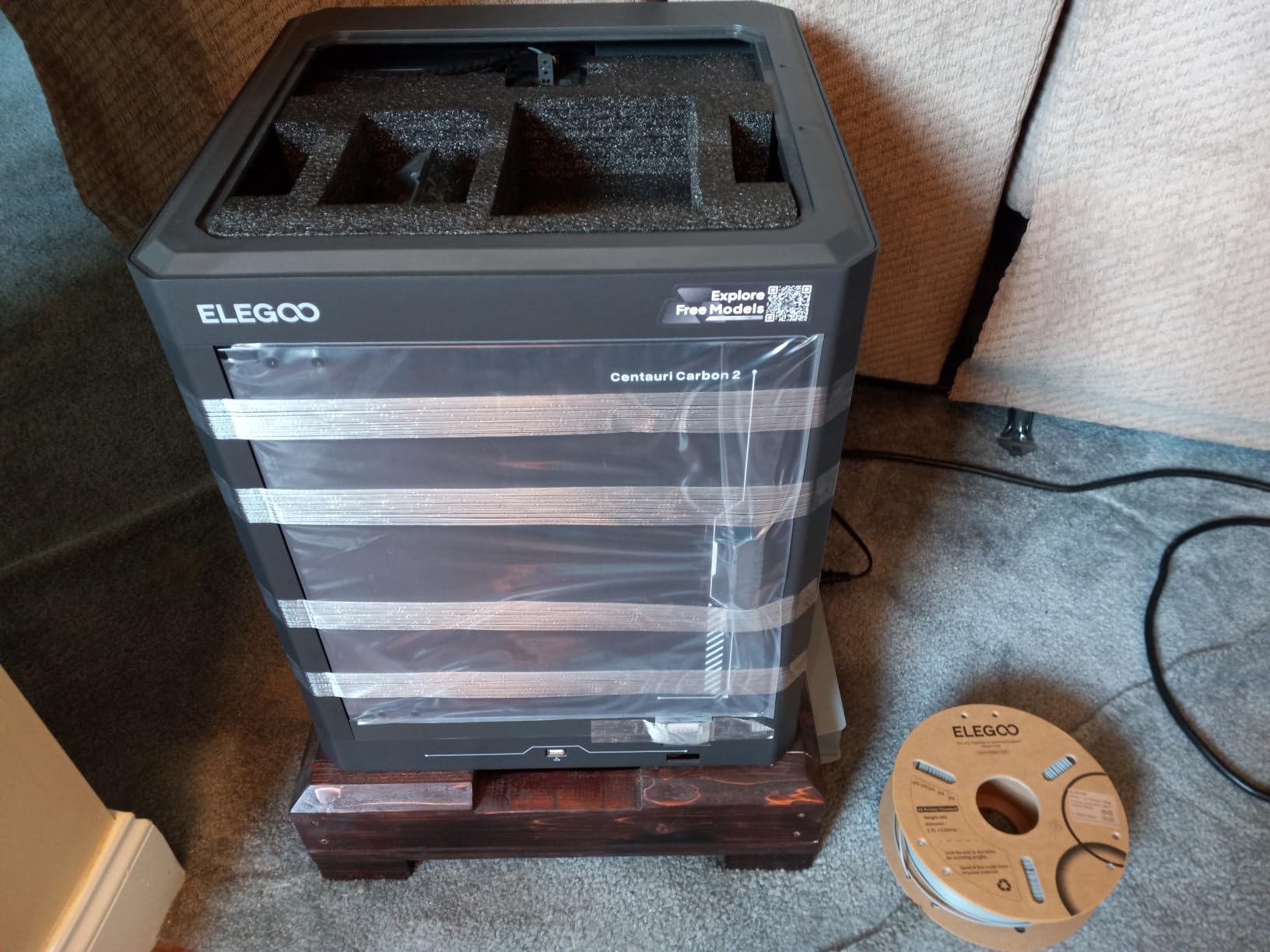
Two practical notes. The filament cutter has to be removed to use the full 256 mm build height, and the spool housing is tall, so the unit needs real vertical clearance and a table that will not rattle.
Who the Centauri Carbon 2 Combo suits
It suits people who want colourful output without a second purchase, and makers moving up from an older open-frame printer who will notice the speed and quality jump immediately. The enclosed 256 mm cube is the largest enclosed build volume among the multicolor options here.
Where the CC2 Combo disappoints
Noise is the first thing owners mention: the fans and frame vibration are noticeable in a quiet room. Connectivity is the second, with WiFi dropping offline on some machines and no Ethernet port at all. Flow ratio also needs raising from the factory default, and overhangs want slow speeds to look good.
5. Creality Ender 3 V3 SE – Best Budget Pick Under 500 Dollars
Creality Ender 3 V3 SE Beginner-Friendly 3D Printer with Auto Leveling
19.8 lb
250 mm/s at 2500 mm/s2
CR Touch auto leveling
Sprite direct drive extruder
Pros
- Auto leveling removes manual bed leveling
- About 20 minutes from box to printing
- Direct drive handles TPU and infused filament
- Silent 32-bit mainboard and easy-release spring plate
Cons
- Open frame so ABS warps and fumes escape
- Some units develop fan and Y-axis bearing noise
- Power switch ships set to 220V and needs changing
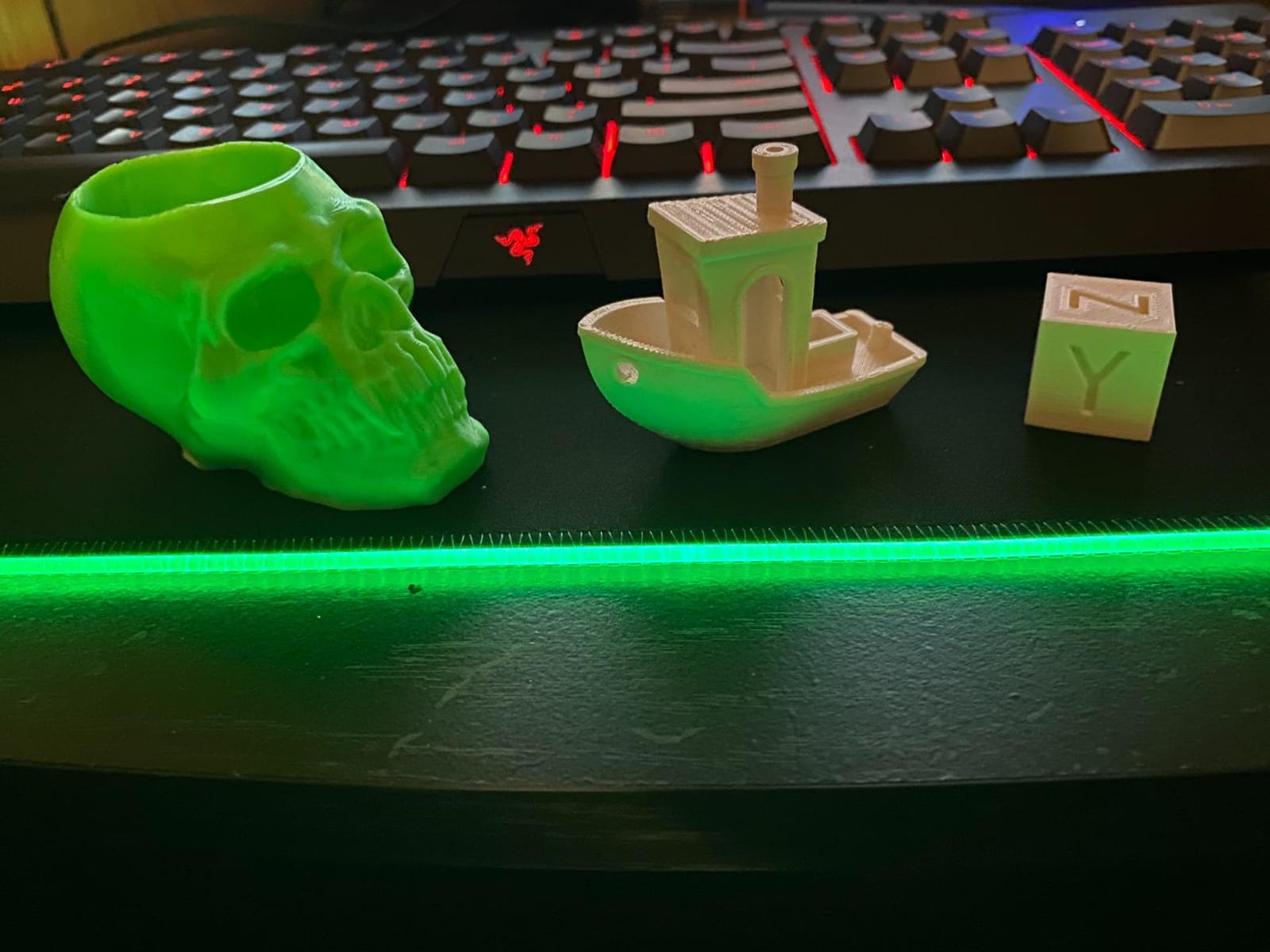
If your budget is the deciding factor, this is the machine I would buy with the money left over going into filament and tools. CR Touch auto leveling and automatic Z-offset calibration end the manual bed-leveling chore that drives people away from cheap printers, and the dual lead screw Z-axis with linear Y shafts keeps z-wobble in check on taller prints.
The Sprite direct drive extruder is the upgrade that matters. Direct drive makes TPU and fibre-infused filaments reliable, where older Ender models with direct-drive-less toolheads would grind and clog. Owners describe it as a machine that simply works, and maintenance is minimal.
Set aside five minutes on arrival: the power switch ships configured for 220V and must be switched to 125V in the US. Skipping that is the single most common early problem with this model.
Who the Ender 3 V3 SE suits
It suits students, classrooms and anyone who wants to learn machine operation rather than just send jobs to a box. PLA, PETG and TPU cover most home projects, and the included SD card makes file transfer easy without a network connection.
Where the Ender 3 V3 SE falls short
There is no enclosure, so ABS and ASA are off the table without a tent or a printed shroud. A minority of owners report cooling fan and Y-axis bearing noise within weeks, or complete failure after a few months. The build volume is also smaller than the enclosed rivals above.
6. Anycubic Photon Mono 4 – Best Resin Printer Under 500 Dollars
ANYCUBIC Photon Mono 4, Resin 3D Printer with 7” 10K Mono LCD Screen
7.7 lb
153.4 x 87 x 165 mm build
10K mono LCD at 17 micron pixels
4-point one-time leveling
Pros
- Exceptionally sharp detail and crisp edges
- One-time 4-point leveling
- Compact and very quiet for a home office
- Printing within 30 minutes of setup
Cons
- Small volume means constant model scaling
- Resin vats can crack and damage the screen
- App is not supported on this model
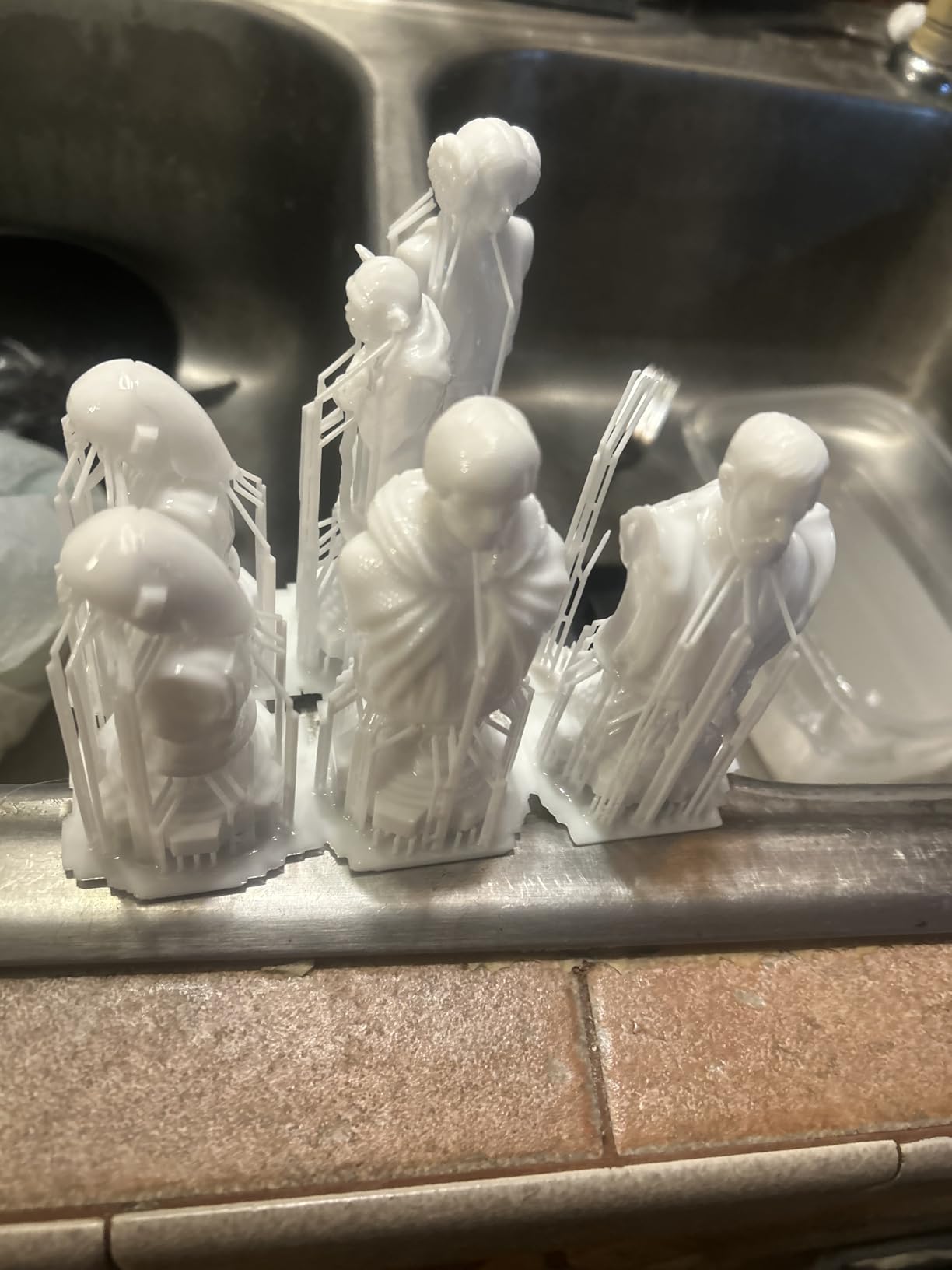
If your goal is tabletop miniatures, dice, jewellery or fine detail rather than functional parts, resin is a different technology and this is the machine to buy. The 7-inch 10K mono LCD at 9024 x 5120 with 17 micron pixels produces edges that no FDM machine in this list can match, and the LighTurbo matrix light source keeps layer lines invisible at normal resolutions.
Setup is genuinely quick. Four-point leveling means one tighten-and-done pass rather than repeated adjustments, the laser-engraved print platform grips well, and owners report printing within 30 minutes. The whole unit is small and quiet enough for a home office corner.
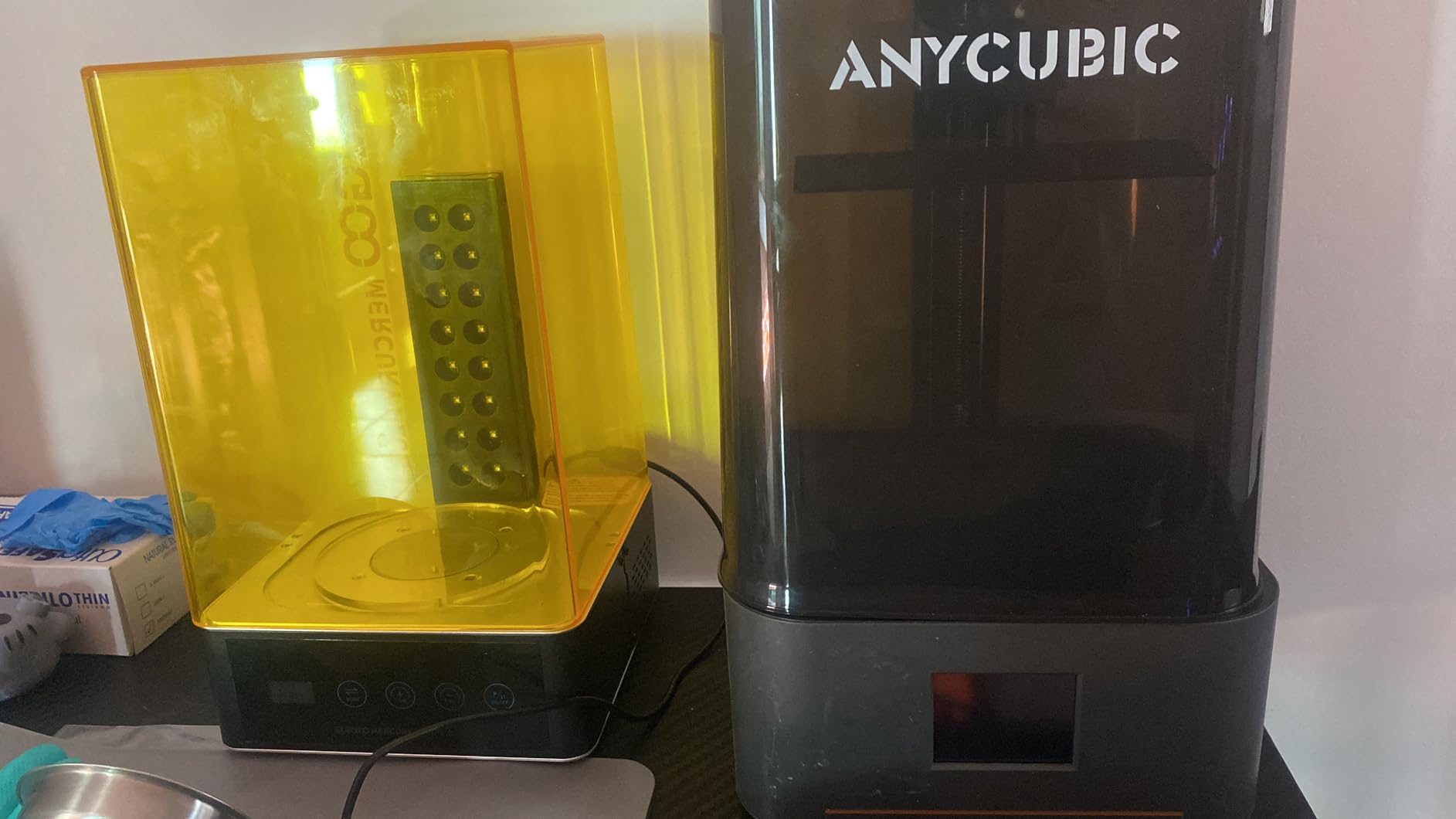
Post-processing is the hidden cost people forget: water-washable resin, a curing step, gloves and ventilation. If you have never printed resin before, read our resin printer guide for miniatures before you commit.
Who the Photon Mono 4 suits
It suits tabletop gamers, model painters and jewellery makers who print small, detailed pieces. The small build volume is a non-issue for miniatures and a real limitation for anything larger. Unwashed prints smell strongly, so plan where the machine lives.
Where the Photon Mono 4 is not the answer
It is not the answer for functional parts, cosplay armour or anything you need to print in a size above 165 mm tall. Reviewers also report cracked vats, occasional touchscreen failures and difficult customer support, and the companion app is not supported on this model at all.
7. Creality K2 SE 4C – Best Compact Four-Color Printer
Creality K2 SE 4C 3D Printer, Multi-Color 3D Printer, 500mm/s Fast Printing
35.5 lb
CoreXY at 500 mm/s and 20000 mm/s2
Four-colour out of the box
Auto bed leveling
Pros
- Four colours work with no assembly or upgrade
- 37 percent smaller than traditional multicolor systems
- Auto leveling probes only the active print area
- Full failure protection with runout and tangle detection
Cons
- No Ethernet port for wired setups
- Top surface finish trails premium machines
- Slicer has a learning curve for new users
The K2 SE 4C solves the problem that kills most multicolor plans: space. The four-colour unit occupies about 37 percent less space than traditional multi-spool systems, so it fits a home office desk or a classroom bench without taking over it, and the four-colour capability works out of the box with no upgrade or extra assembly.
Motion is a 500 mm/s CoreXY system on a rigid all-metal frame, and the leveling probe only measures the area you are about to print, which saves setup time and wasted filament. Runout sensing, tangle detection, power loss recovery and skip-partial-failure are all present, and Creality OS with Fluidd gives you a web interface and root access if you outgrow the presets.
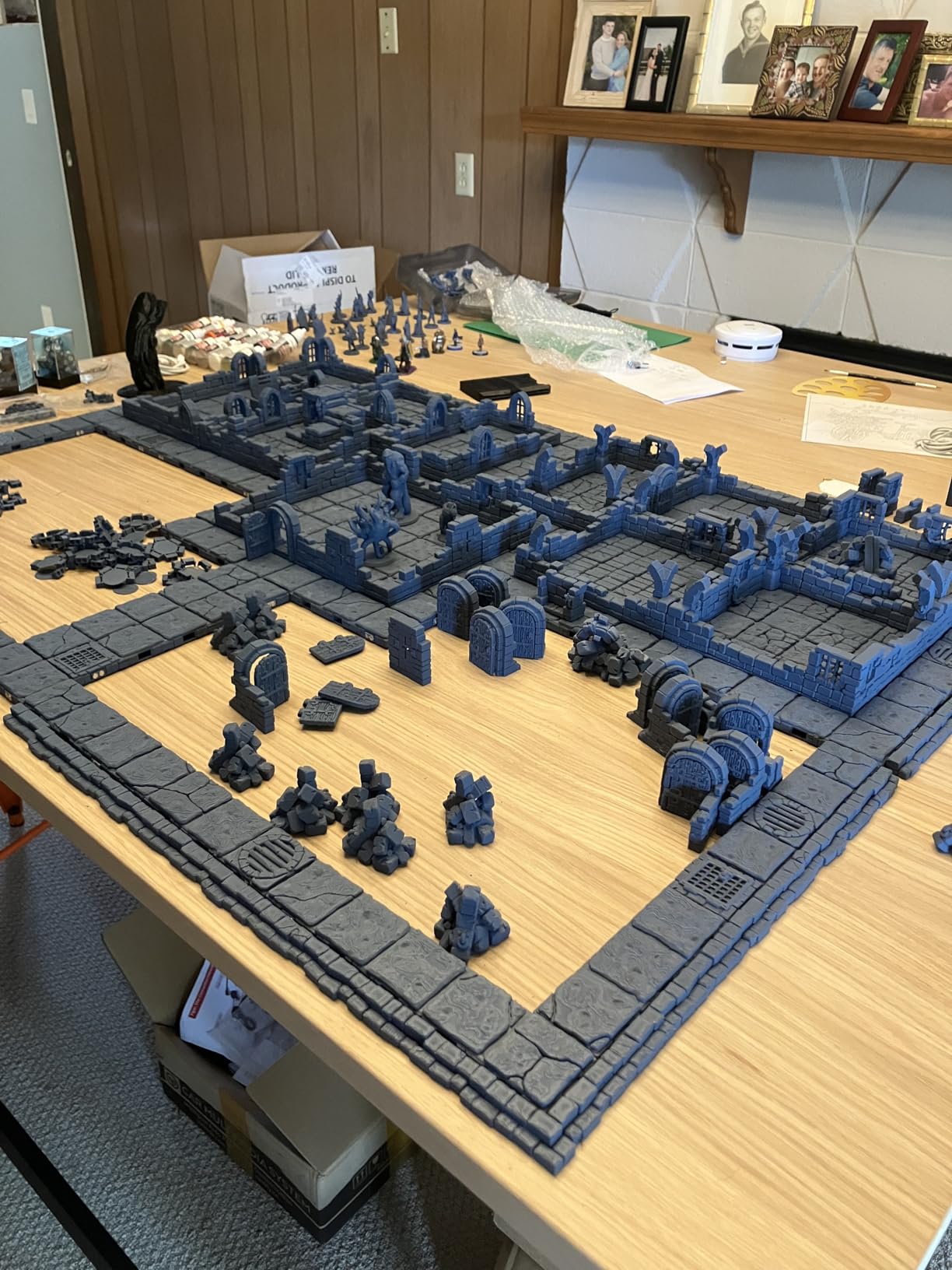
That combination of four colours, a CoreXY gantry and partial-failure recovery is what separates it from a bucket of filament add-ons bolted onto an open frame. What you give up is cosmetic finish and wired connectivity, not capability.
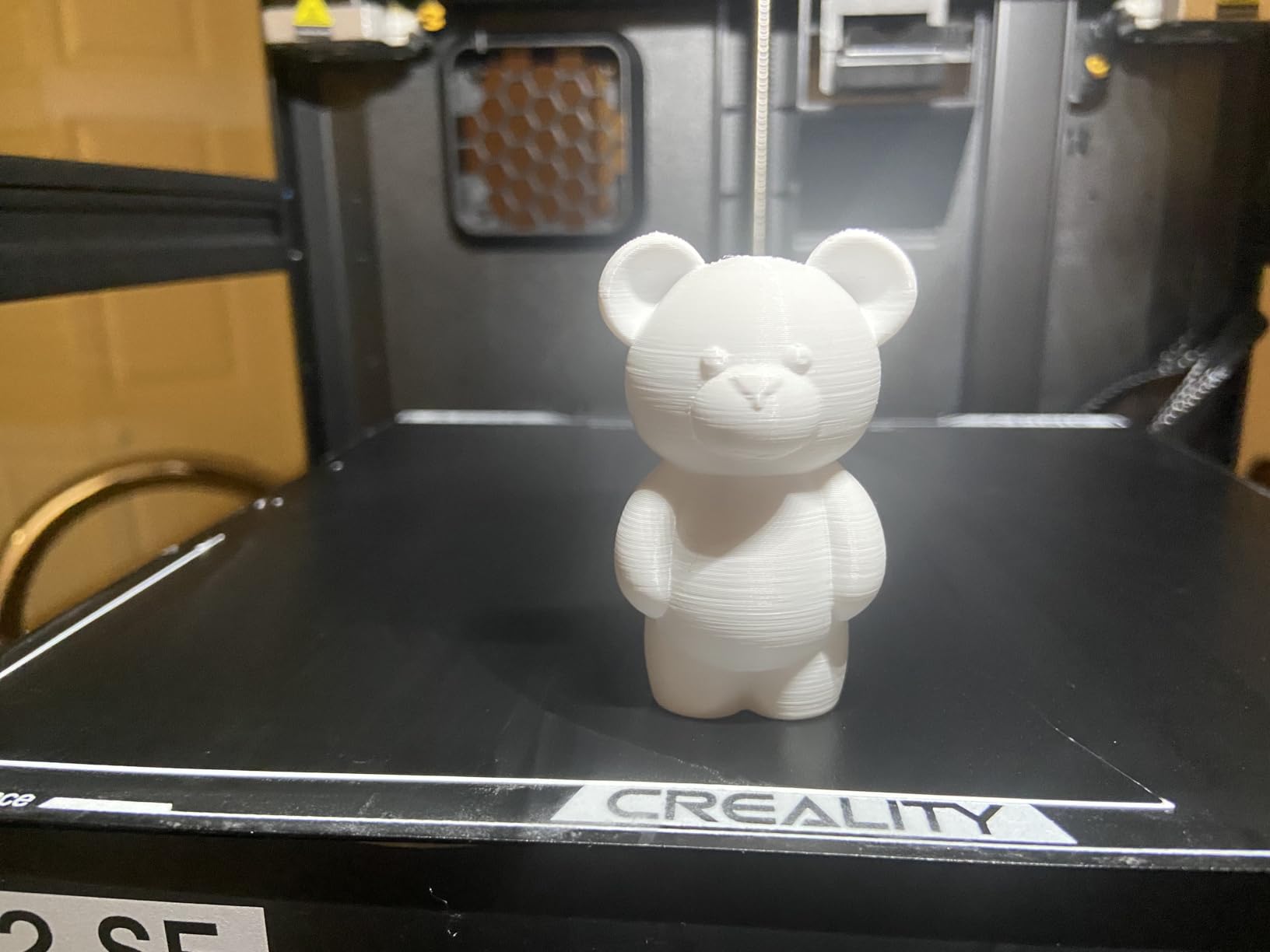
Who the K2 SE 4C suits
It suits small-space users who want four colours without a dedicated print room, and anyone who values failure recovery more than cosmetic finish. PLA and PETG are the core materials, with dual-material breakaway supports for models with tricky overhangs.
Where the K2 SE 4C is the wrong pick
Top surfaces need more cleanup than premium enclosed machines, so it is not the choice for display pieces where finish matters most. There is no Ethernet option, which annoys anyone running a wired-only network, and the slicer takes real practice to learn well.
8. Creality SPARKX i7 Combo – Best for Photo-to-3D and Large Builds
Creality SPARKX i7 Combo 3D Printer, Multi Color with CFS Lite High Speed AI Photo-to-3D Printing 95% Pre-Assemble Auto-Leveling Custom RGB Quick-Swap Essential Parts 10.24×10.24×10 inch
33 lb
260 x 260 x 255 mm build volume
95 percent pre-assembled
Four-colour CFS Lite system
Pros
- CubeMe AI turns portraits into printable models
- About five minutes from box to first print
- Large 260 mm build volume for the tier
- AI camera detects failures and Night Mode is quiet
Cons
- Louder than Bambu Lab machines
- Chassis feels lighter with thinner X-axis screws
- Some units stopped printing after a few prints
This is the most interesting machine in the set for beginners who do not yet have models. CubeMe AI converts an uploaded portrait into a printable model in seconds, and the built-in AI camera flags spaghetti failures, air printing, filament tangles and build plate problems in real time, which is close to having a second pair of eyes during long prints.
It also arrives 95 percent assembled, so owners report roughly five minutes from unboxing to a first test print and around 30 minutes to a first Benchy. The 260 x 260 x 255 mm build volume is the largest in this group and still fits on a standard desk, which is unusual.
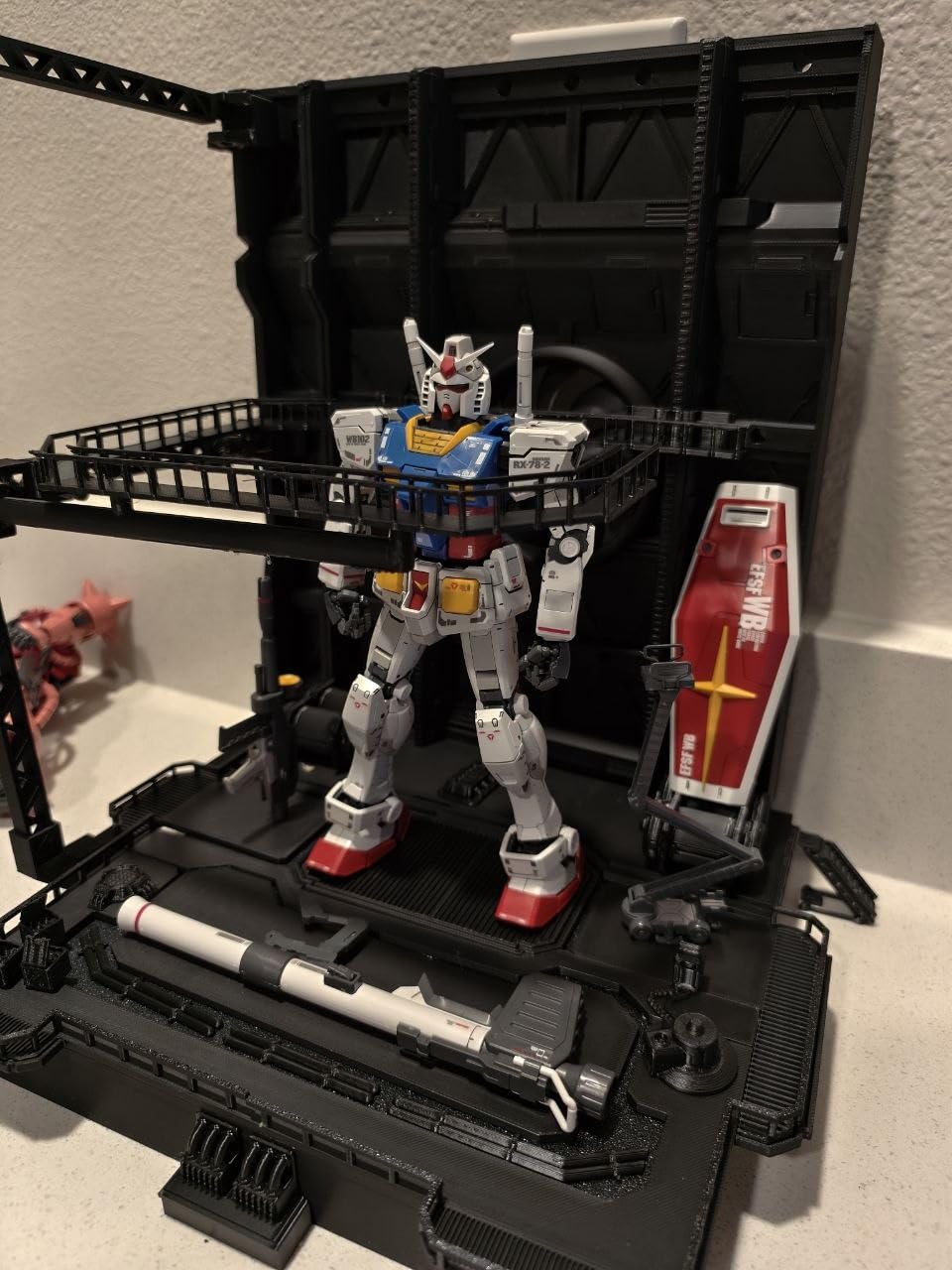
Single-colour PLA quality is reported as comparable to premium Bambu Lab machines, and the slicer is familiar enough that moving from Bambu Studio is manageable. The four-colour CFS Lite unit claims 50 percent less purge waste than traditional systems.
Who the SPARKX i7 Combo suits
It suits families and gifts: a portrait turned into a figure is a fast, impressive first project, and Night Mode prints without light or noise overnight. It also suits makers who want cosplay pieces and props in one piece rather than splitting them across smaller builds.
Where the SPARKX i7 Combo falls short
The chassis is lighter and the X-axis screws thinner than premium rivals, and it is noticeably noisier. Reviewers report less consistent quality on longer prints, cautious confidence in the CFS Lite system for heavy colour-change jobs, and a small number of units that stopped printing within days. Spare hotend parts are also pricier than comparable alternatives.
How to Choose a 3D Printer Under 500 Dollars
Understand the three motion architectures first
CoreXY machines move only the print head and keep the bed still, which is why the Flashforge Adventurer 5M Pro, ELEGOO Centauri Carbon 2 Combo, K2 SE 4C and Bambu Lab P1S hold detail on tall prints. Cartesian bed-slingers move a heavy heated plate, so acceleration is lower and ringing, ghosting and z-wobble show up on thin vertical features; that is the honest trade in the Bambu Lab A1 and Creality Ender 3 V3 SE. The A1 uses a cantilever Z-axis, which keeps the footprint small while leaving the bed-slinger trade-off in place.
Ignore the headline speed number
Rated maximum speed is a laboratory figure. In real quality printing you will typically run well below the headline rate, especially on perimeters, first layers and small details. Judge a printer on acceleration, motion system and input-shaping-style vibration compensation rather than on the biggest number on the spec sheet. All eight machines here print a small test model comfortably inside an evening.
Match filament to the enclosure
Open-frame printers like the Ender 3 V3 SE and the A1 handle PLA, PETG and TPU well. ABS and ASA need a heated, enclosed chamber to avoid warping, which narrows the field to the 5M Pro and the P1S. TPU wants a direct drive extruder, and every FDM pick here except the resin machine has one.
Budget for the running costs
Your printer is the small part. Filament, a spare nozzle, a replacement build plate, wash and cure supplies for resin, electricity, and purge waste from multicolor jobs are what actually cost money after the first month. Set aside roughly a couple of hundred dollars a year depending on how much you print. We track running-cost arithmetic for other maker purchases, including entry-level metal detectors and UV printers for small businesses, with the same thinking about consumables.
Which Budget Printers to Skip and Why
Most of the failures we saw had a cause you can check before buying, not after. Skip any machine with no automatic bed leveling, because manual leveling is where the first-time frustration on r/3Dprinter threads comes from. Skip machines whose listed filament support stops at PLA if you know you will print PETG or TPU, and skip any speed claim with no acceleration figure attached.
Also skip the urge to upgrade in your first 30 days. The most common regret in forum threads is buying mods, tools and spare parts instead of printing. Get a calibration cube, one decent slicer profile and a spool of good PLA, print for a month, then decide what is actually missing.
Frequently Asked Questions
What is the best 3D printer under 500 dollars?
The Bambu Lab A1 is the best all-round choice, with fully automatic calibration, a 256 mm cube build volume, 10000 mm/s2 acceleration and quiet motors. Add the optional AMS lite if you want four-colour prints. For engineering materials, the enclosed Flashforge Adventurer 5M Pro handles ABS and ASA, and the Creality Ender 3 V3 SE is the lowest-cost machine worth buying.
What is the best resin 3D printer under 500 dollars?
The Anycubic Photon Mono 4 is our pick for resin. Its 7-inch 10K mono LCD with 9024 x 5120 resolution and 17 micron pixels produces edges that FDM machines cannot reach, and four-point leveling means one tightening pass. The catch is the small 153 x 87 x 165 mm build volume, plus the cost of resin, washing and curing.
Is Bambu better than Ender?
Bambu is better if you want a tool that works without fuss, because calibration is automatic and the app handles slicing and monitoring. Ender is better if you treat the printer as a hobby and like tuning, modifying and replacing parts yourself. Forum consensus treats the choice as tool versus hobby, and both produce very similar quality on a good profile.
Can a 3D printer under 500 dollars print ABS?
Yes, but only reliably in an enclosed machine with a heated bed. The Flashforge Adventurer 5M Pro has a 280C hotend, a 110C bed and dual filtration, and the Bambu Lab P1S is fully enclosed with ABS and ASA support. Open-frame models such as the Bambu Lab A1 and the Ender 3 V3 SE warp on ABS unless you add an enclosure.
How much does it really cost to own a 3D printer under 500 dollars?
The machine is only the start. You need filament, spare nozzles, replacement build plates and, for resin, wash and cure supplies. Multicolor printing adds purge waste on every colour change. A sensible first-year budget beyond the printer is a couple of hundred dollars depending on print volume, and most of it goes to filament rather than hardware.
The Bottom Line on the Best 3D Printers Under 500 Dollars
The Bambu Lab A1 is our pick for 2026 because it removes the friction that makes people give up, while still leaving budget for filament and a spare nozzle. Buy the Flashforge Adventurer 5M Pro if ABS and ASA matter to your work, the Bambu Lab P1S if quiet enclosed output and the widest material list matter, and the Creality Ender 3 V3 SE if you want to keep the most money in your pocket.
Whichever you choose, check the arrival checklist, run a calibration cube first, and give it a month before buying anything else.