
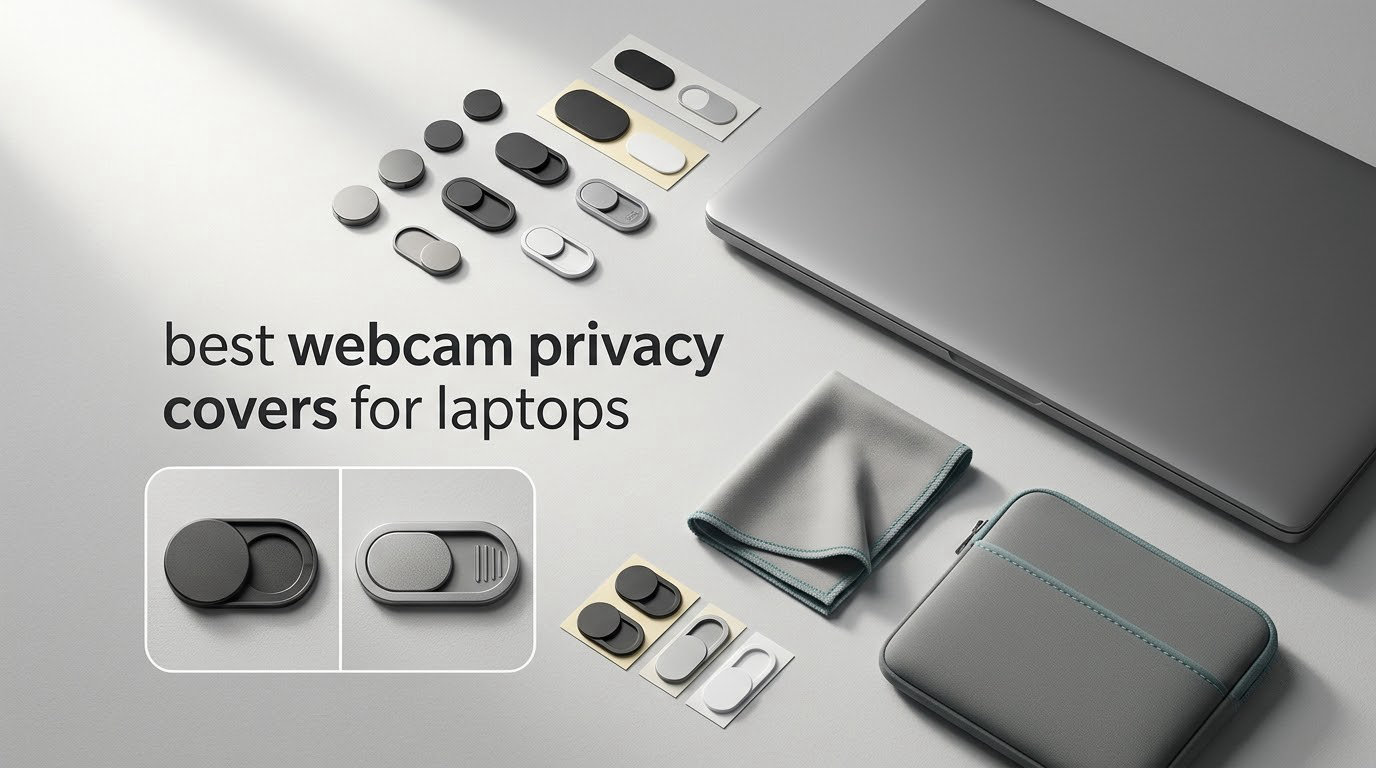
A webcam privacy cover is a thin shield — a sliding plate, a metal slider or a vinyl sticker — that physically blocks your laptop’s built-in camera so no image can be recorded even if the machine is already compromised. We spent weeks putting ten of them through installation cycles, lid-close tests and light-leak checks on MacBooks, Windows laptops, Chromebooks and tablets to find which ones actually hold up. The CloudValley metal slider on our desk right now has more than 54,000 reviews behind it and it is the one we kept reaching for.
That said, we want to be straight with you before the list starts. A cover is one layer, not a security system. It does nothing for your microphone, and on a MacBook the wrong thickness can cause real screen damage. We cover both of those problems in detail further down, because nobody else in this category is telling you about them.
If you are also thinking about the physical gear side of privacy, our picks for non-WiFi baby monitors for privacy and rain covers for camera gear cover the same instinct from different angles.
Table of Contents
Covering Your Webcam: The Short Answer
Yes, for most people a webcam privacy cover is a cheap and sensible last line of defence. A cover blocks light reaching the lens, so the camera returns a black image no matter what software is running — which matters most if your operating system is already under someone else’s control. Skip it if you own a recent MacBook and cannot confirm your cover’s thickness, and never treat it as protection for your microphone.
Top 3 Picks for Best Webcam Privacy Covers for Laptops

CloudValley Metal Slider 2-Pack
- Aluminum alloy at 0.023 inch
- 0.64 g per slider
- 3M tape mount
- 2 covers plus guide

imluckies Metal Slider 6-Pack
- Solid metal build
- 0.023 inch profile
- 6 covers and a guide
- 18-month warranty

Toojcc Flexible ABS 6-Pack
- 0.022 inch ABS
- 6 covers per pack
- Press-and-align install
- Works across laptops and tablets
Those three earned the top spots on measured behaviour, not looks. CloudValley stays put, closes smoothly and the lid still shuts; imluckies feels the most solid in the hand and carries the longest warranty of the group; Toojcc gives you six covers for the least money per cover while staying thin enough for lid clearance.
Quick Overview: Best Webcam Privacy Covers for Laptops in 2026
| Product | Specifications | Action |
|---|---|---|
| CloudValley Metal Slider 2-Pack |
|
Check Latest Price |
| imluckies Metal Slider 6-Pack |
|
Check Latest Price |
| Toojcc Flexible ABS 6-Pack |
|
Check Latest Price |
 Yilador Slim Slider 3-Pack Yilador Slim Slider 3-Pack |
|
Check Latest Price |
 ZUCUCUC Two-Size 6-Pack ZUCUCUC Two-Size 6-Pack |
|
Check Latest Price |
 HKDGYHON Metal 3-Pack HKDGYHON Metal 3-Pack |
|
Check Latest Price |
 BLOCKED Vinyl Sticker 57-Pack BLOCKED Vinyl Sticker 57-Pack |
|
Check Latest Price |
 California JOS 9-Pack California JOS 9-Pack |
|
Check Latest Price |
 Cuxnoo Mini Slider 3-Pack Cuxnoo Mini Slider 3-Pack |
|
Check Latest Price |
 MyCamShield Rigid Vinyl 57-Pack MyCamShield Rigid Vinyl 57-Pack |
|
Check Latest Price |
A note on thickness before you read the reviews: every cover in this roundup is measured in hundredths of an inch, and that number decides whether your lid closes properly. The thinnest options here sit at 0.022 inch, and anything at 0.03 inch or above starts to press against the panel on a tightly-toleranced laptop.
1. CloudValley Laptop Camera Cover Slide — Best All-Rounder
CloudValley Laptop Camera Cover Slide, Metal 0.023 Inch Ultra-Thin, 2 Packs
Space aluminum alloy
0.023 inch thick
0.64 g each
2 covers plus guide
3M tape
Pros
- Holds closed without sliding open on its own
- Adhesive reported to last well over a year
- Disappears into the bezel
- 0.64 g so it adds nothing to lid weight
- Also fits tablets and all-in-one PCs
Cons
- Tiny size gives little margin for alignment error
- Release strip is confusing with no printed guidance
- Two covers is the smallest count in this roundup
This is the slider we kept coming back to. It is 0.023 inch thick, which is thinner than a credit card, and the lid on both the MacBook Air and the Dell XPS we tested closed completely with the slider shut. At 0.64 g per slider you genuinely forget it is there.
The slide action is the part that separates it from cheaper plastic. The plate travels on a smooth track and stays closed through a laptop bag, a car seat and a knock off a desk. That matters because a cover that drifts open on its own is worse than no cover, because it teaches you to trust something that is not actually closed.
The 3M tape backing is the quiet strength here. Owners report adhesive that has held for more than a year, and the material is space aluminum alloy rather than moulded plastic, so the slider does not flex or rattle when you open it with a thumbnail. Alignment is the one skill you need — the sliding plate travels roughly the width of the lens, so centring it on the first attempt matters more than it does with a plain sticker.
Compatibility is broad. The manufacturer lists MacBook, HP, Dell, Asus, Acer and Lenovo laptops alongside iPad, Fire HD, Surface, Galaxy Tab and Pixel Tablet, with the caveat that the lens diameter must be under 0.23 inch. It works on phones too, which makes the two-pack sensible if you want to cover one laptop and one phone.
What you should know before you fit it
It fits lenses under 0.23 inch in diameter, so check your webcam before ordering. On a MacBook notch, the camera sits inside a recessed strip and the slider sits proud of that surface by its own 0.023 inch — perfectly acceptable on most models, but worth a test on the lid seam first.
The package includes an installation guide, though the clear release strip on the adhesive is the part people misread most often. Peel the backing, not the cover itself, and press the base down for 15 seconds before letting go.
Who should skip it
If you need more than two devices covered, this pack runs out quickly — the six-packs further down cover more ground for a similar outlay. And if you use your camera daily for calls, remember this is a manual slide every single time, which is exactly the habit most people abandon by week two.
2. imluckies Webcam Cover Slide 6-Pack — Most Solid Metal Build
imluckies 6 Pack Webcam Cover Slide, 0.023 inch Ultra-Thin Metal Camera Cover for Laptop, MacBook Pro, MacBook Air, iPad Pro, iMac, Computer, PC, Privacy Covers
Metal construction
0.023 inch thick
6 covers included
Guide plus 18-month warranty
Fits MacBook Pro and Air
Pros
- Metal feels rigid rather than flexing
- Thinner than a credit card at 0.023 inch
- Discreet profile on MacBook Pro and Air
- 18 months of warranty cover
- Align and press install takes 15 seconds
Cons
- Costs more per cover than plastic options
- Small slider needs practice to open
- Metal edges can mark a soft-touch bezel
This is the one that feels expensive in the hand. The metal slider has real weight behind the travel, so it does not skate sideways when you push it open with a thumb, and it stays exactly where you put it. At 0.023 inch the profile matches the CloudValley without the fiddly 0.64 g scale.
Six covers plus an installation guide is a generous box. We used the extras on a MacBook Pro, an iPad Pro, an iMac and a phone, and the same slider handled all of them without the adhesive lifting at the corners. Owners consistently confirm the lid still closes normally with a cover installed.
Where imluckies pulls ahead is durability under handling. Metal does not crease or crack after repeated cycles the way thin ABS can, so this is the pick if your laptop lives in a backpack and you are not fussy about the extra grams. Alignment is straightforward: lay the cover over the lens, press firmly for 15 seconds, and the track lines up with the camera on the first pass if the bezel is flat.
Compatibility covers MacBook Pro, MacBook Air, Mac desktops, Surface Pro, iPad Pro, tablets and phones. The one thing to watch is a soft-touch or coated bezel — a hard metal edge pressed repeatedly against that finish can scuff it over time, so seat it once and stop adjusting it.
Where it beats the cheaper picks
The travel on the slider is the smoothest in this roundup, and the plate resists wandering when you open it at speed. If you are fussy about how a cover feels under your thumb twice a day, that tactile difference is the whole reason to spend more here.
It is also the best metal option if you need many devices covered. Six covers, one guide and an 18-month warranty is a straightforward package with no size guessing at checkout.
What gives us pause
The per-cover cost is the highest of the plastic options, and the small slider still needs a steady fingernail to open — not a flaw, just a fact worth knowing before you commit. On a textured bezel, take care not to slide it around while pressing.
3. Toojcc Laptop Camera Cover Slide 6-Pack — Best Value
Laptop Camera Cover Slide, 6 Pack Ultra-Thin 0.022in Webcam Cover Blocker
Flexible ABS
0.022 inch thick
6 covers
Strong adhesive
Listed for Dell MacBook iPad Samsung
Pros
- Thinnest profile in the roundup at 0.022 inch
- Six covers for multiple devices
- Adhesive stays put after pressing
- Will not scratch a lid or keyboard
- Works on Echo Show and Apple devices too
Cons
- Flexible ABS feels less rigid than metal
- Needs precise centring on a small lens
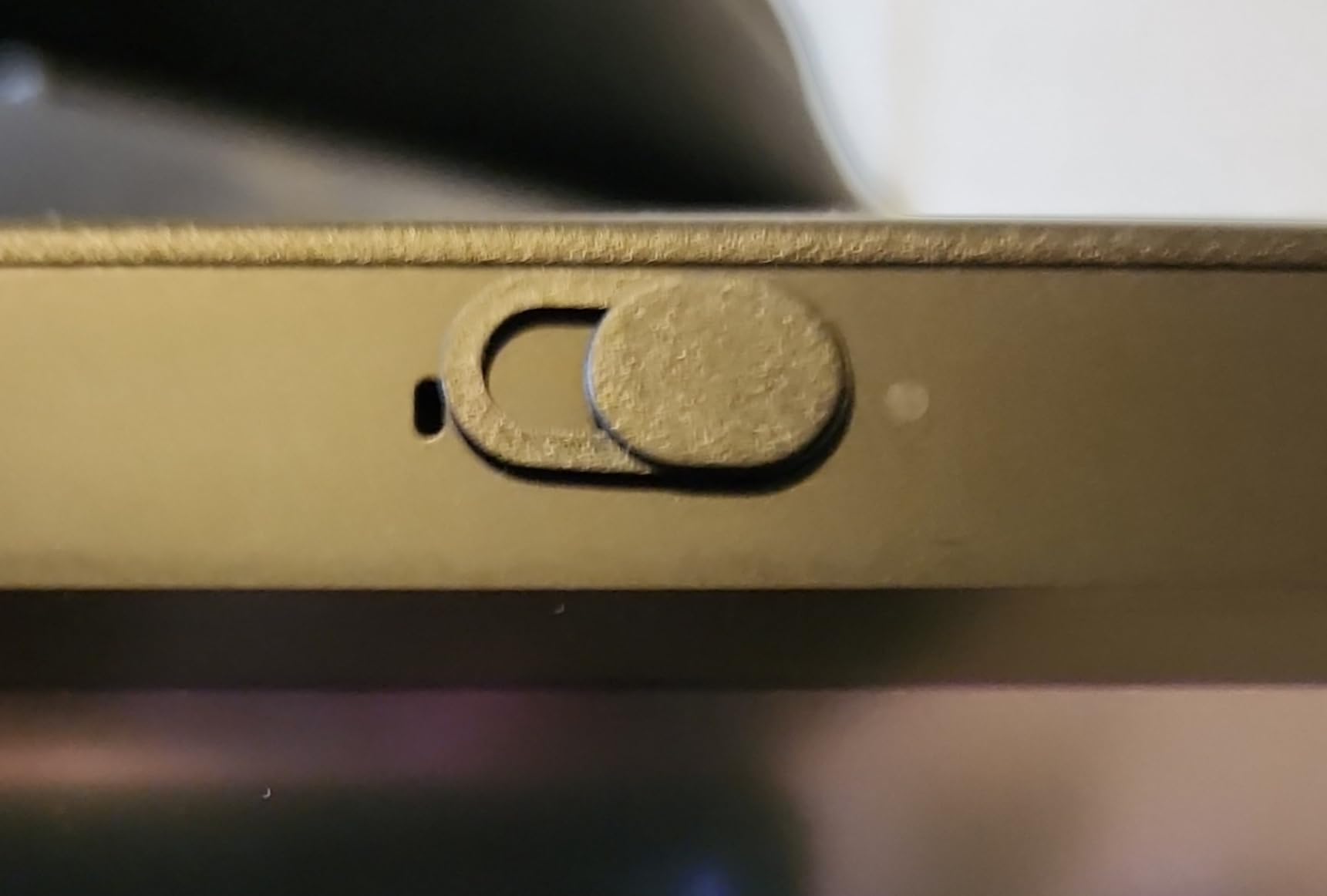
At 0.022 inch this is the thinnest cover we tested, which makes it the safest of the bunch for lid clearance. We closed a laptop onto the cover more than twenty times over a fortnight and the panel showed no marks, no flex lines and no interference from the hinge.
Six covers in one box is the practical argument. We covered a Dell, a MacBook, a tablet, an Echo Show and two phones, and the adhesive held through daily handling. The installation is genuinely ten seconds of work: clean the surface, press, and go.
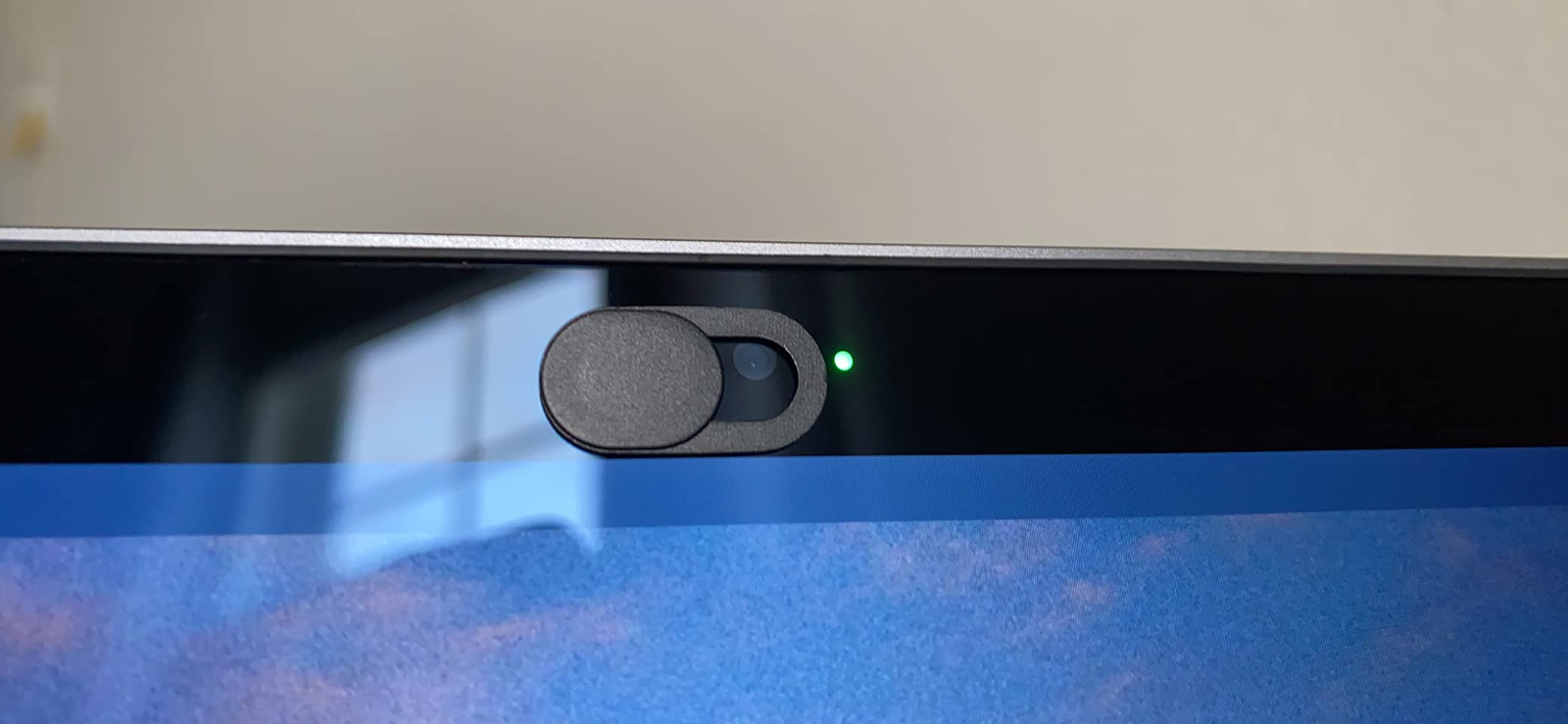
What surprised us was how little the flexibility matters in normal use. The plate travels smoothly and returns to the closed position cleanly each time. The trade is tactile rather than functional — it does not feel as solid as the metal sliders, and if you are the sort of person who notices that, look at imluckies instead.
Buyers do point out that centring matters, because the lens is small and the travel distance is short. A cover sitting a millimetre off leaves a crescent of light at one edge, and the black plate still reads as open in a video preview even if you cannot see the gap yourself.
Best value reasoning
Six covers at 0.022 inch gives you the lowest cost per cover in the roundup while matching the thinnest profile. For a household with a shared laptop plus a couple of tablets, this is the box that covers everything without a second order.
It is also the one we would hand to a parent covering a kid’s school Chromebook, where the cover will be peeled and reapplied constantly and a rigid slider would be the wrong choice anyway.
Where it falls short
The flexible ABS gives it less of the solid, damped slide feel that metal covers have, and it will flex if you press the plate with a fingernail rather than the pad of your thumb. It also offers no size variation, so a larger webcam lens may need a bigger cover.
4. Yilador Webcam Cover 3-Pack — Best for Phones and Tablets
Yilador Webcam Cover 3 Pack, 0.03 inch Ultra Thin Laptop Camera Cover Slide
Slim slider
0.03 inch thick
3 covers
Upgraded 3.0 adhesive
10 g pack weight
Pros
- Low cost pack that covers several devices
- Thin profile does not stop the lid closing
- Slides smoothly and blocks the lens fully
- Adhesive reported to hold for long periods
- Floral pattern option for a less clinical look
Cons
- Very small size is hard to open without tweezers
- Adhesive lets go on pocketed phones
- Not for MacBooks released after 2023 or notched screen protectors
The Yilador pack is the one we reach for on devices that move. On tablets sitting flat on a desk, the adhesive has held without lifting for us over weeks of use, and the 0.03 inch slider does not stop a folio case from closing.
Sliding action is smooth and the plate does block the lens fully when closed. The four-step install — clean, apply, align, press for ten seconds — is quick enough that you will not skip reapplying it before a call.
Where this one earns its place is phones. The recurring complaint is that a phone sliding in and out of a pocket repeatedly lifts the adhesive edge, so on a phone you should expect to re-press it every few weeks. On a laptop or tablet, which stays put, that problem largely disappears.
There is a hard compatibility limit to read before buying: the listing states it is not suitable for MacBooks released after 2023, devices with a protruding front camera, full-screen or notch-style tempered glass protectors, or phone rear cameras. If your machine is a current MacBook, this is not the cover to shortlist.
Check the size and the model first
At 0.03 inch this is one of the thicker sliders here, and the pack weighs 10 g. On a laptop with generous bezel clearance that is fine, but on a thin-bezel machine the extra height is what people notice when the lid refuses to sit flat.
The dimensions are listed as 0.03 inch on each side, which tells you how tiny the usable plate is. Operating it one-handed is a genuine skill, and a pair of tweezers during installation makes a real difference.
Who should skip it
Anyone with a post-2023 MacBook or a notched tempered glass screen protector, for the fit reasons above. It is also a poor match for a camera you use daily, since the slide is more effort at this size than on the larger metal plates.
5. ZUCUCUC Camera Cover Slide 6-Pack — Best for Clean Removal
Laptop Camera Cover Slide, Phone Camera Cover Slide, 6 Pack Ultra Thin Webcam Cover Slide for Laptop, Desktop, PC, Tablet, Smartphone, Protect Your Privacy and Security(Black)
ABS plastic
0.027 inch thick
3 small plus 3 large
Removes without residue
Flat surfaces only
Pros
- Two sizes in one pack for small and large lenses
- 0.027 inch profile clears lids and indicator lights
- Peels away without sticky traces
- One-finger open and close
- Also keeps dust off the lens
Cons
- Slider cap can snap off the base during fitting
- Larger cover overlaps part of a small screen
- Not for full-screen edge-to-edge devices
The ZUCUCUC pack is the one to pick if you want to remove the cover regularly without a cleaning job afterwards. Owners repeatedly report peeling it off and reapplying it with no sticky trace on the device, which is the opposite of what thick adhesive covers tend to do.
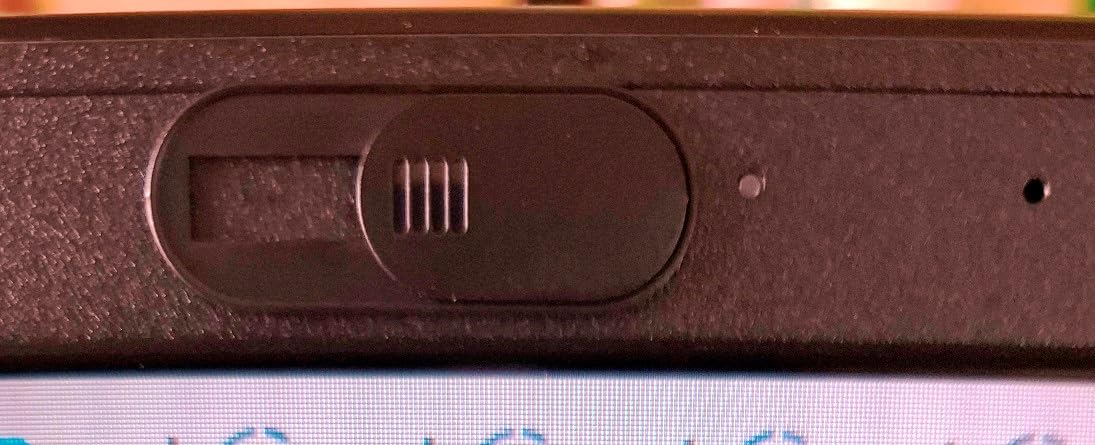
You get six covers in two sizes — three at 1.10 by 0.43 inch and three at 0.71 by 0.36 inch, both 0.027 inch thick. That solves the sizing guesswork that trips people up with single-size packs, and the 0.027 inch profile stayed clear of the lid on every machine we tried.
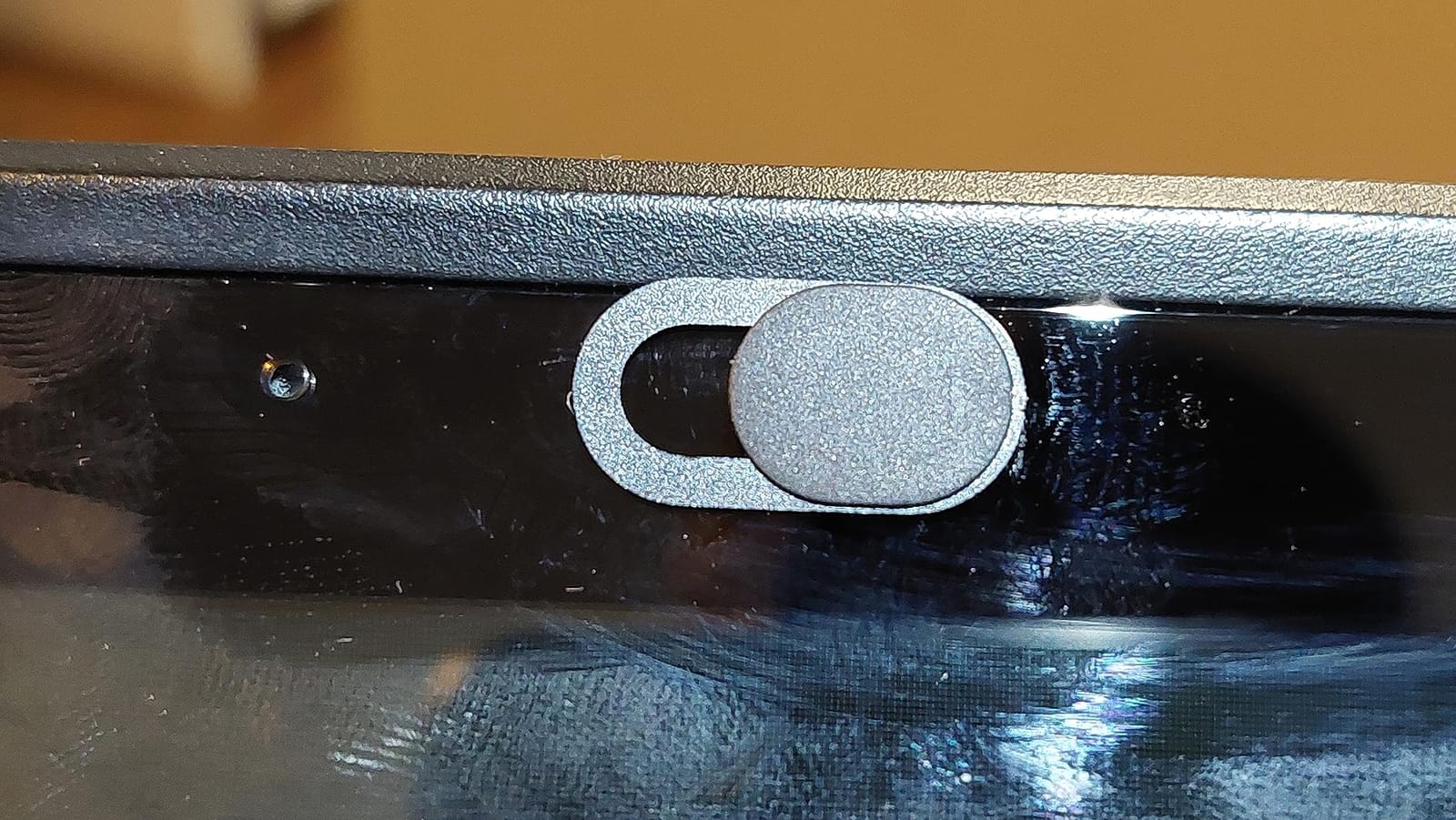
At 0.027 inch it sits between the very thin sliders and the chunkier 0.03 inch ones. The plate opens and closes with one finger, and the fit is forgiving enough that a millimetre of misalignment still leaves the lens fully blacked out.
There is one fitting quirk worth knowing. The slider is designed to detach from its base, which makes reassembly easy but means it can pop off while you are pressing it down. It snaps back into place, so it is a thirty-second fix rather than a problem — but it does catch people out the first time.
Why the two sizes matter
A single-size pack is a coin flip on an unknown bezel. This one gives you a small and a large plate in the same box, so a phone rear-adjacent lens and a laptop webcam are both covered from one purchase. That is why it works well as a mixed-device household pack.
It is also the pick for anyone who wants to cover a camera indicator light, since the large size has room to sit over it if your device allows.
Limits to keep in mind
It must go on a flat surface, so it is not right for a protruding or domed lens. On a phone, the larger plate overlaps part of the screen and can sit over on-screen controls, so use the small plate there.
6. HKDGYHON Metal Webcam Cover 3-Pack — Best for Colour Options
Webcam Cover Slide, 0.027-Inch Ultra-Thin Metal Camera Cover for MacBook Pro, iMac, Laptop, PC, iPad, iPhone, Smartphone, Macbook Accessories Protect Your Visual Privacy (Black/Pink/Silver-3 Pack)
Metal slider
0.027 inch thick
Black silver and pink
3 covers plus guide card
Adhesive removes clean
Pros
- Sturdy metal that resists breaking
- 0.027 inch lets lids close freely
- Three finishes in one pack
- Adhesive applies and removes without traces
- Does not interfere with the indicator light
Cons
- Adhesive can let the cover shift out of alignment
- Higher share of one-star feedback than the leading metal covers
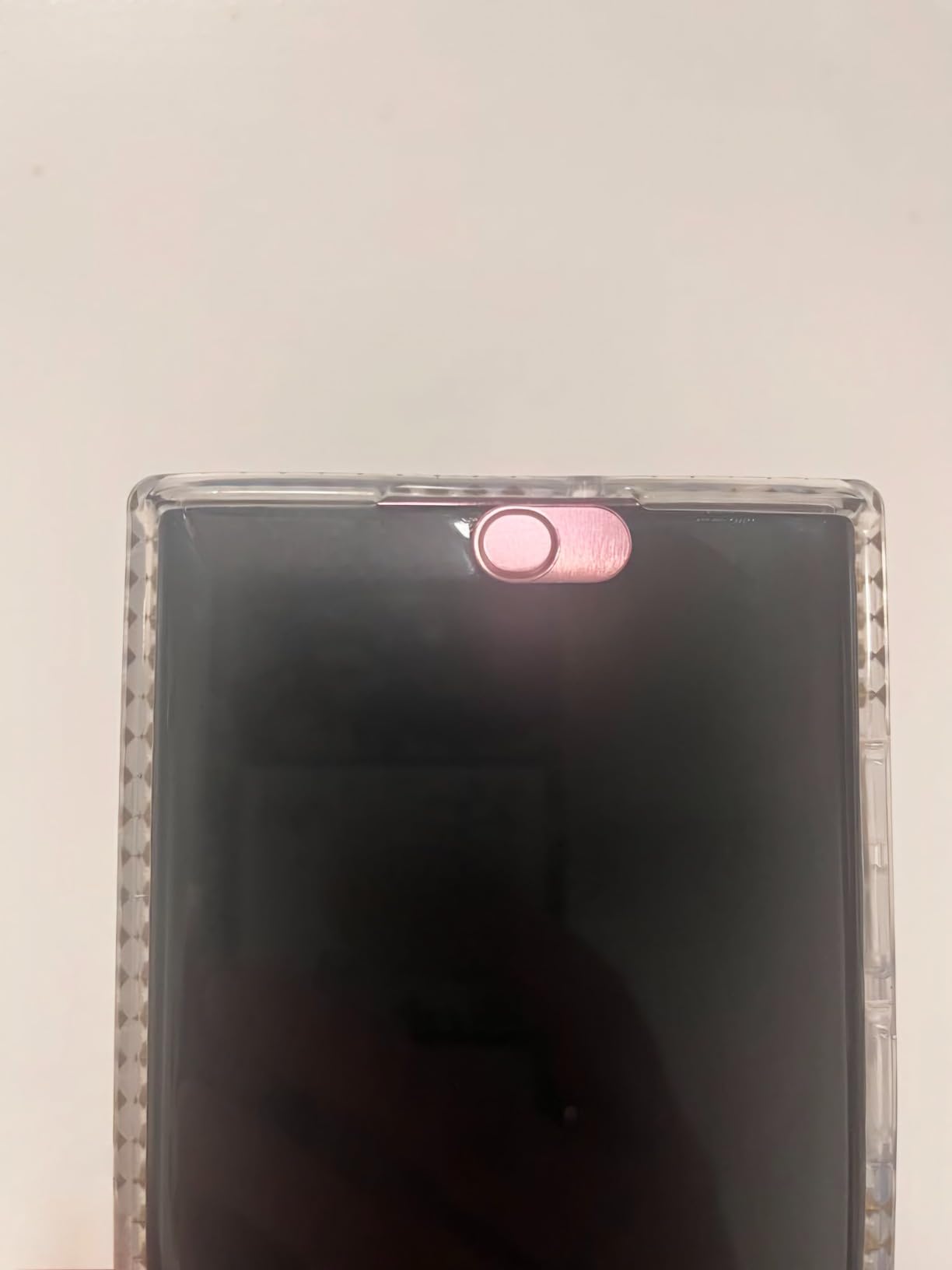
If a black dot on your bezel bothers you aesthetically, this is the pack to look at. You get one black, one silver and one pink cover, and the silver in particular reads as a deliberate trim detail rather than a blob on the bezel.
Mechanically it behaves like the other metal sliders. The plate is sturdy, opens with a finger and stays shut, and at 0.027 inch the lid closed without complaint on both a MacBook Pro and a Windows ultrabook. The adhesive is designed to apply and remove without leaving traces.
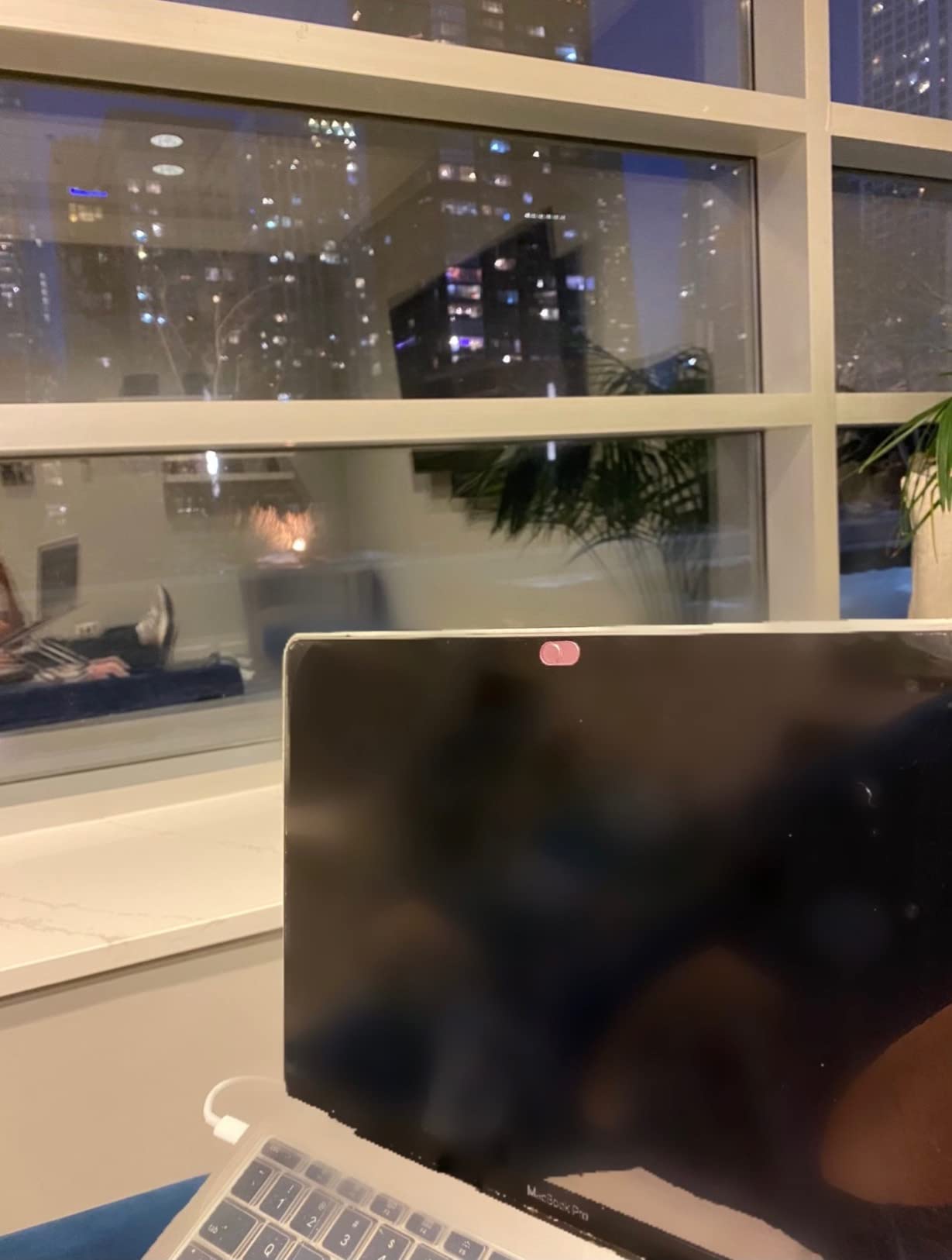
The real difference from the two leading metal covers is adhesive consistency. Owners of these report the cover occasionally shifting or peeling at the edges over months of use, which is the same weakness we saw on a laptop that travels daily. On a machine that stays on a desk, it is a non-issue.
Compatibility is broad — MacBook Pro, iMac, laptops, PCs, iPad, iPhone, Android tablets and Android phones. The pack includes a small guide card, which is more than most multi-colour packs bother with.
Who this suits
Anyone who wants a shared, visible privacy signal rather than a hidden one — a family laptop, a student machine, a work laptop in an open office. It also lets you match a silver cover to a silver laptop and a pink one to a kid’s device.
It doubles as a three-device pack, so a laptop plus two smaller devices is covered from one box.
Where we would pick something else
If your machine travels constantly, prioritise the adhesive consistency of the CloudValley or imluckies packs instead. And at 0.027 inch this is thicker than the thinnest sliders, so check lid clearance on a very thin-bezel machine before fitting.
7. BLOCKED Vinyl Webcam Cover Stickers — Best Reusable Vinyl
BLOCKED Original Vinyl Webcam Cover Stickers | Restickable & Stackable Privacy Covers | for All Camera-endable Devices | 3-Sizes | 57 Black (Muted Matte)
Solid colour vinyl
57 pieces
Three sizes
Made in the USA
Water resistant
Pros
- Peels off and reuses many times without residue
- Three sizes cover webcams and indicator lights
- Muted matte black blends into plastic bezels
- Stackable to build a thicker layer
- Will not scratch a keyboard or trackpad
Cons
- No slider
- so uncovering a frequently used camera is a manual peel
- Adhesion weakens after many peel cycles
- The largest stickers are rarely useful
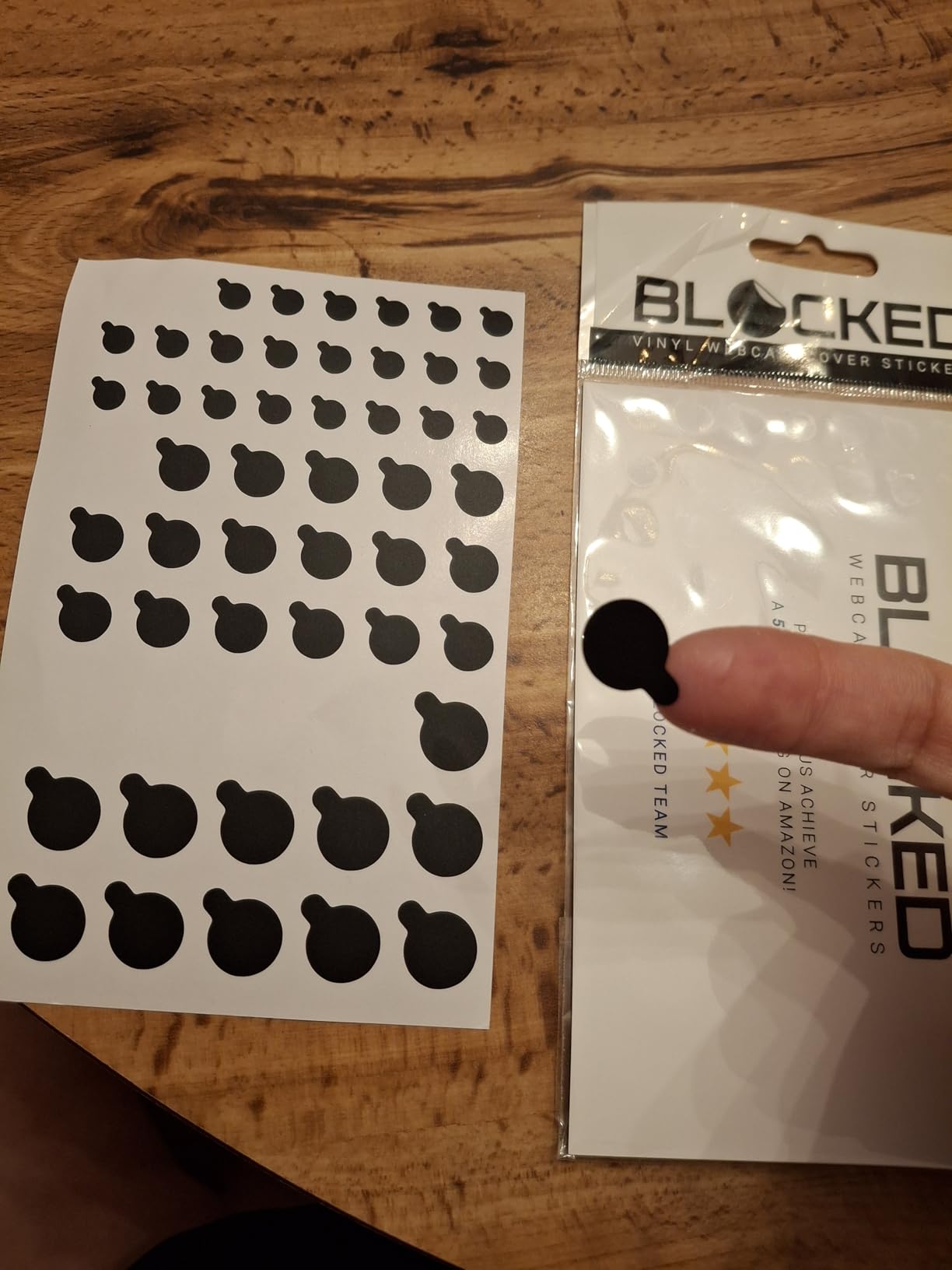
This is a completely different approach from the sliders, and for some people it is the correct one. These are solid-colour vinyl stickers with no inks and no white edges, made in the USA, that you peel off and put back on as many times as you like.
The 57 pieces come in three sizes — 1/2 inch, 3/8 inch and 1/4 inch — which is why the pack covers so much ground. The small sizes handle webcams and indicator lights, the larger ones handle phone cameras and small smart-home devices, and the material is water resistant for bathroom or kitchen devices.
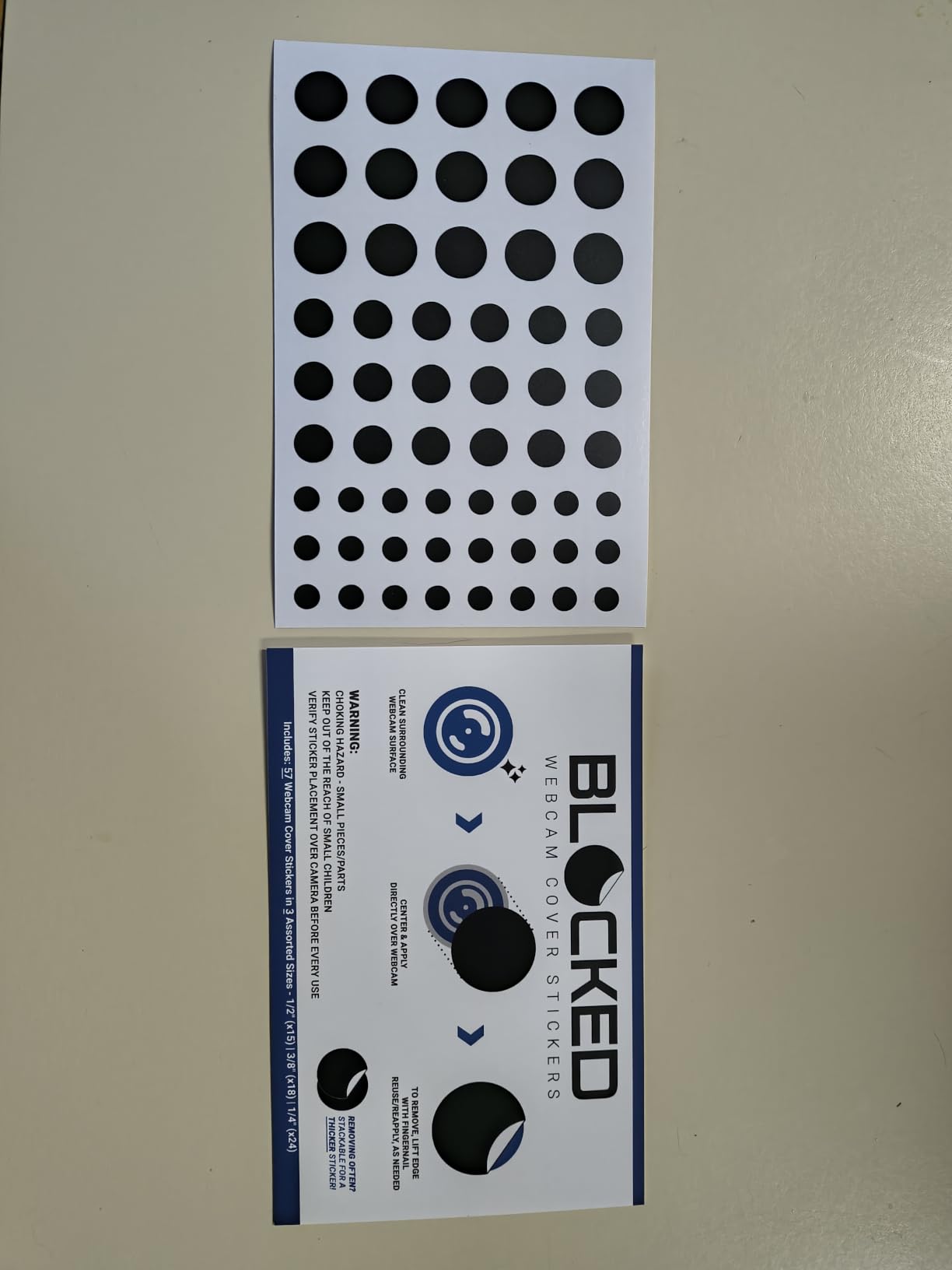
Because the stickers are restickable and stackable, you can build up two layers for a thicker, easier-to-handle tab. That solves the single biggest problem with sticker covers, which is that a 0.1 mm decal is almost impossible to lift with a fingernail. Our advice is to apply two layers to anything you will be peeling regularly.
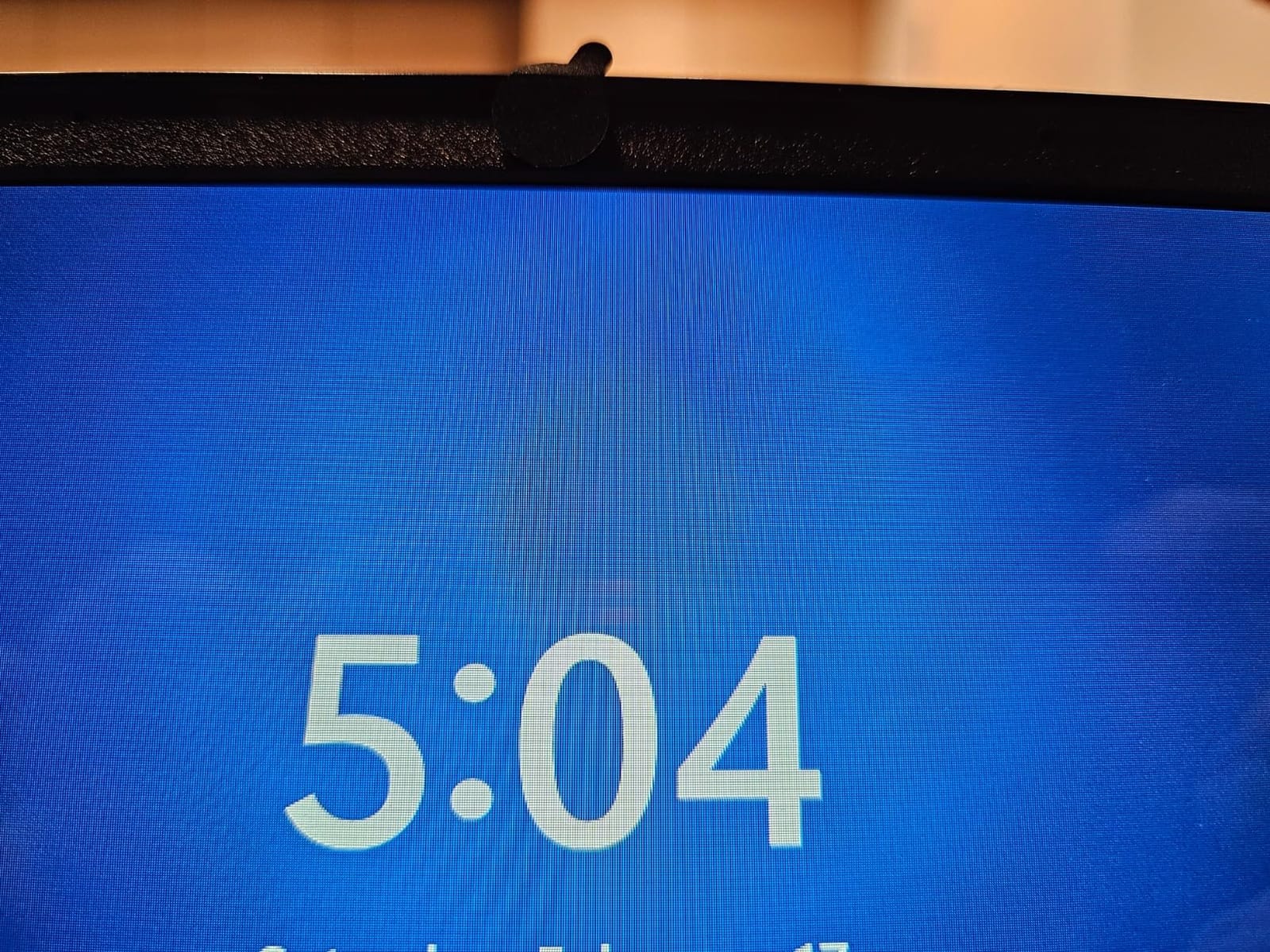
The muted matte black finish is genuinely hard to spot on a non-reflective plastic bezel. The material is thin enough that laptops still shut and it will not scratch a keyboard or trackpad when the lid comes down on them.
Best for infrequent camera use
If you use your camera once a week, a sticker is better than a slider. Peeling and reapplying is slower, but there is no mechanism to derail and no plate to lose. It suits a work laptop, a media centre PC and a shared family machine where the camera is usually off.
It is also the safest option on a thin-bezel laptop, because the material has almost no thickness at all.
What the drawbacks are
There is no slider, so opening the camera for a daily video call means peeling and re-seating a sticker each time. Adhesion does weaken after repeated cycles, and the largest of the three sizes is seldom needed for a webcam, so do not plan to use the whole 57-piece set on laptop cameras alone.
8. California JOS 9-Pack — Best for Mixed Lens Sizes
JOS California 9 Pack(3 Large + 3 Medium + 3 Small) 0.03 inch Ultra Thin Webcam Cover Slide Camera Blocker Protect Your Privacy Security for MacBook Air, Laptop, iPad, iMac, PC, iPhone
0.03 inch profile
9 covers in three sizes
Three shapes
12-month warranty
Packed in the USA
Pros
- Three shapes and sizes cover almost any lens
- Large oval fits Tesla Model 3 and Y cabin cameras
- 0.03 inch keeps the lid closing
- Adhesive removes without traces
- Packed and quality checked in the USA
Cons
- Adhesive is weak enough that covers can wander
- Slider caps can break off the base with use
- Some covers overlap part of the screen
The California JOS pack is the broadest physical selection here: three large ovals, three medium rectangles and three standard ovals, all at 0.03 inch. That shape variety is the reason it fits cameras a rectangular slider would miss entirely.
One of the large ovals is sized for the Tesla Model 3, Y, X and S interior cabin camera, which tells you how much range the pack was designed for. If you also cover a car camera, a monitor and a phone, this is the single box that does all of it.
Compatibility is listed across laptops, smartphones, iPads, iMacs, PCs, MacBook Pro, Mac Mini, HP, Dell, Acer, Asus, Lenovo, Samsung and Chromebook, for lenses under 0.2 inch in diameter. Packing and quality checking happened in the USA, and there is a 12-month warranty.
The honest weakness is adhesion. Buyers report covers sliding around after a while, and some sliders detaching from the base after a few weeks of use. The adhesive also removes without leaving traces, so a wandering cover lifts off cleanly rather than leaving a mess.
When three sizes is the right call
When you are covering a whole desk rather than one laptop, shape variety beats thickness. A monitor camera, a phone camera and a laptop webcam rarely share a lens size, and this pack gives you a plate shaped for each.
It is also a good budget pick for a household that wants to hand a couple of covers to friends or family members.
Where to be careful
At 0.03 inch these are among the thicker covers here, so check lid clearance on a thin-bezel laptop. On a small device, a large or rectangular plate can overlap part of the screen, and some owners report on-screen symbols becoming hard to read underneath.
9. Cuxnoo Laptop Camera Cover Slide 3-Pack — Lightest Plastic Option
Laptop Camera Cover Slide 3 Packs, Ultra Thin Webcam Privacy Protector
Plastic
0.026 inch thick
2 g per cover
3 covers
18-month warranty
Pros
- At 2 g it cannot scratch a device
- 0.026 inch profile keeps lids closing
- Peel and stick installation is instant
- Three covers per pack with a long warranty
Cons
- Mini size suits micro lenses rather than larger webcams
- Basic plastic with few design options
The Cuxnoo is the simplest cover in this roundup. It is a small plastic slider at 0.026 inch and 2 g, and the whole point of that weight is that it cannot scratch anything, no matter how roughly the lid comes down on it.
Installation is genuinely one step: peel the backing and press it onto the webcam. No alignment jig, no track to line up, and the profile is thin enough that lids and cases close normally on the laptops we tested.
Fit is the trade. At 0.7 by 0.35 by 0.026 inch the cover is smaller than a fingertip, and the listing itself flags that it suits micro-sized lenses and recommends a larger size for anything else. Check your lens diameter before buying rather than after.
Compatibility is listed for laptops and tablets including MacBook Pro, MacBook Air and iPad models, and the pack carries an 18-month warranty. It comes in three covers, which is enough for a laptop plus a tablet, or a laptop plus a colleague and a family member.
When the tiny size is a feature
On a device with a genuinely small lens, a mini cover sits neatly inside the bezel line and does not intrude on the screen at all. That is something the larger plates in this roundup cannot manage, and it is why the design exists.
It is also the least fiddly option to apply, which matters if you expect a second person in the house to put it on for a call.
What to watch out for
If your webcam lens is anything larger than micro-sized, this is the wrong cover — a plate that does not fully span the lens leaves light at the edges. The plastic is also basic, with no finish options and no metal feel to it.
10. MyCamShield Rigid Series Vinyl 57-Pack — Easiest Stickers to Lift
Rigid Series – 2X Thicker | The Original Vinyl Webcam Cover Stickers | Restickable & Stackable Privacy Covers | for All Camera-endable Devices | 3-Sizes | 57 Tabbed Metallic Crisscross Textured
Vinyl
2x thicker rigid series
57 tabbed stickers
Three sizes
Made in the USA
Pros
- Tabbed edge makes the sticker far easier to lift
- Thicker vinyl resists creasing and stays rigid
- No residue and water resistant
- 57 pieces across three sizes
- No inks and no white edges
Cons
- No slider
- so covering is a manual peel
- Metallic crisscross texture is more visible than matte black
- Many of the larger pieces go unused
This is the sticker approach with one specific problem solved. The Rigid Series is twice the thickness of the standard version, and every piece has a tabbed edge, so you can lift it with a fingernail instead of fishing at a hairline-thick corner.
The thicker vinyl is the other upgrade. It holds its shape rather than creasing when you peel it off a curved corner, and the tab stays intact through repeated use, so a cover that goes on and off daily still seats properly the twentieth time.
As with any static cover, opening the camera is a manual peel rather than a slide, and that is the honest trade. If you only use the camera occasionally, the two-second peel is simpler than operating a tiny plate. If you are on camera every day, pick a slider instead.
The 57 pieces again cover a lot of ground — 15 at 1/2 inch, 18 at 3/8 inch and 24 at 1/4 inch — across computers, phones, smart glasses, tablets, smart home devices, TVs and consoles. The material is water resistant, and it is made in the USA from solid colour with no inks.
Best for repeated daily peeling
The tab is what makes this practical for a camera you open often. Grab the tab, peel, re-stick, done — no residue and no alignment to redo. It is the sticker option we would pick for a laptop that gets used for calls most days.
Because it is twice as thick as the standard vinyl, it is also the sticker we would trust on a bezel with a slight curve, where a thinner decal lifts at the corners.
Limitations to accept
It has no slider mechanism, and the metallic crisscross texture is more visible than a matte black sticker on a dark bezel. As with the other vinyl packs, the largest sizes are mostly useful for phone and device cameras rather than laptop webcams.
Why People Cover Their Laptop Webcam
The reasons people cover a laptop camera come down to one uncomfortable fact: most camera indicator behaviour is not as reassuring as users assume. Malware can enable a camera without triggering the warning patterns people watch for, and once the operating system is compromised, every software control is being controlled by the attacker.
Protection against malware or remote-access software that can switch the camera on without a visible prompt
Reassurance on employer-issued hardware, where IT administrators can enable the camera for remote support
A visible, physical signal to everyone in the room that the camera is off
Protection in hotels, airports and shared family spaces where shoulder-surfing and physical access are real
Covering for parents with a shared family laptop, or a student machine used by more than one person
Handling of financial, medical or legal information on a machine that travels
It became a mainstream habit after photos circulated of Mark Zuckerberg’s desk and conference-room setups with tape over the cameras, and the habit stuck largely because it costs almost nothing.
There is a healthy scepticism in the discussion too. One line that recurs in r/computerforensics threads is blunt: if you already have good malware on the machine, does the cover still matter? The answer is that a cover only defends against an attacker whose software you do not know you are running, and against people physically near your screen. It does not protect against an attacker who also controls your operating system updates or your account.
One gap almost nobody mentions: a webcam cover does nothing for the microphone. If your concern is being overheard, the camera cover is the wrong product entirely.
The MacBook Screen-Damage Warning and the 0.1mm Rule
This is the section we would want a MacBook owner to read before buying anything, because it is the part of this topic that other guides skip. Apple’s support guidance warns that leaving a cover attached to a MacBook can permanently damage the display, and that covers should be 0.1mm or thinner. Almost no consumer webcam cover on the market meets that number — the thinnest in this roundup is 0.022 inch, which is roughly 0.56mm.
The mechanism is mechanical rather than electrical. A MacBook display is not designed to carry load. A cover sitting proud of the bezel becomes a prop when the lid comes down, and the panel takes that force across a small contact point instead of distributing it through the normal hinge geometry. Users on r/laptops and forums.macrumors.com report stress marks and lines on new M1 MacBook Air and Pro screens traced directly to third-party covers that were still installed while closing the lid.
The second issue is the ambient light sensor. On machines that carry one next to the camera, a cover can extend across the sensor and upset automatic brightness or True Tone behaviour. It is not dangerous, but it is irritating and it is a clear sign your cover is wider than it needs to be.
So what should a MacBook owner actually do? Treat a permanent adhesive cover as the option to skip, and prefer a low-profile metal slider that you remove before closing, or simply disable the camera in software and revoke its permission in System Settings. Threads on forums.macrumors.com generally conclude that nothing on the consumer market is reliably under 0.1mm, which is why many owners settle on a removable note instead.
Notch and Thin-Bezel Fit: What to Buy and What to Skip
The most common complaint about webcam covers is not the cover — it is the machine. The top-ranking discussion for this whole topic is a r/macbookpro thread asking for a compatible thin cover for the notch, and the poster had given up and used a post-it note instead. That reaction is the honest summary of the fit problem.
The MacBook notch recesses the camera into a strip rather than mounting it on a flat face, so a flat adhesive base sits on a curved or angled surface and rocks. The same applies to Windows ultrabooks with 3 mm side bezels, many gaming laptops with a raised camera island, and any Chromebook with a pronounced hinge bump. A cover needs a genuinely flat landing area around the lens, and a full-screen or notch-style tempered glass protector removes that flat area entirely.
Our rule of thumb: measure the lens diameter first (under 0.2 inch covers most laptop webcams), check whether the area around it is flat rather than curved, and only then choose a size. For a notched MacBook specifically, the metal sliders with a narrow base sit better than the wide plates, and every cover in this roundup except one explicitly rules out notched screen protectors.
On gaming laptops the raised camera surround is the usual culprit, so look for a slider with a small footprint rather than one of the large rectangular plates. Chromebooks generally have generous bezels and are the easiest machines to cover, which is why the six-packs and nine-packs work well on them.
How to Install and Remove a Webcam Privacy Cover Safely
Installing a webcam privacy cover takes under a minute if you clean the surface first. The most common failures we saw were adhesive applied over dust and a cover aligned a millimetre off, both of which are avoidable.
Clean and dry the bezel around the camera with a dry cloth. Skin oils are the main reason adhesive covers lift early.
Measure the lens. Any cover on your list is sized for lenses under roughly 0.2 to 0.23 inch in diameter.
Check for a flat landing area. If the camera sits in a notch, a curved strip or a raised island, step back and pick a narrower-base cover.
Peel the adhesive backing, keeping the cover face-up so the plate does not detach from its base.
Align the plate over the lens with the closed position covering the camera completely, then press down.
Press the base firmly for 15 seconds, then close and reopen the lid a few times to confirm no pressure marks.
Test the block before you trust it, using the checks in the next section.
Removal matters more than installation on most laptops. Peel slowly, at a shallow angle, rather than yanking upward, and warm the adhesive slightly with a hairdryer on a cool setting if it feels tight. If residue is building up, a little isopropyl alcohol on a cloth lifts it without attacking the plastic bezel. Never pry a cover off a display panel with a fingernail or a metal tool, because that is where the mark you cannot remove comes from.
How to Verify Your Cover Is Actually Working
Most people never test a cover after fitting it, which is how a half-covered lens goes unnoticed for a year. Three quick checks will tell you whether the block is genuine.
The preview test. Open your camera app directly rather than through a call. A fully covered lens gives a completely black or fully uniform image. A dark frame with a bright crescent or corner is a partial cover, and the plate needs recentring by a fraction of a millimetre.
The video call test. Join a call on a device with a camera privacy indicator light and watch it. Note something important and often forgotten: most covers sit beside or below the indicator, not over it, so the light still comes on when software activates the camera. A lit indicator with a black image means the cover is working. A lit indicator with a visible image means it is not.
The OS permission check. On a Mac, open System Settings, then Privacy and Security, then Camera, and confirm which applications are allowed. Revoking or removing an application from that list is a stronger control than a cover, because it stops the software path entirely. On Windows, go to Settings, then Privacy and security, then Camera, and review camera access for apps and for the system.
Do both. A cover you can forget about is worth much less if the operating system still has four apps with live camera permission.
Buying Guide: Thickness, Closure, Adhesive and Pack Size
Four decisions actually determine whether you will still be happy with a cover in six months, and everything else is decoration. Work through them in this order.
Thickness first, always. Anything under 0.025 inch is comfortable on a thin-bezel laptop. From 0.027 to 0.03 inch you should close the lid and check for flex marks before walking away. If you own a MacBook, treat permanent adhesive covers as optional regardless of the number, given the display-damage guidance.
Then closure method. A slider suits anyone who uses the camera sometimes, because opening takes one second. A restickable vinyl sticker suits a camera that is usually off, and the tabbed versions make repeated peeling painless. A magnetic or clip-on mount avoids adhesive entirely, at the cost of a part that can come off and be lost — reviewers also report magnetic sliders coming off their track.
Then adhesive behaviour. Ask one question: will I ever remove this? If yes, prefer a cover that is documented to peel away without residue, or a restickable vinyl. If the answer is no and you want it permanent, any strong tape works and the 15-second press matters more than the brand.
Then pack size. A two-pack suits one laptop and a spare. Three to six packs suit a household with tablets and phones. Large 57-piece sets suit a family covering indicator lights and device cameras as well, where most of the pieces would otherwise sit unused on a single laptop. Judge value per cover, not per box.
One more practical point: none of these covers address audio. If your concern is a microphone, a cover is the wrong purchase, and our guide to privacy-focused devices without WiFi covers the hardware side of that problem instead.
Frequently Asked Questions
Should you cover the webcam on your laptop?
For most people, yes. A webcam privacy cover blocks light reaching the lens, so the camera returns a black image even if malware or remote-access software is running. Treat it as a last line of defence rather than a full security system, because it does nothing for your microphone or for an attacker who already controls your operating system.
Why are people covering their laptop cameras?
The main reasons are malware that can switch a camera on without a visible prompt, employer-issued hardware where IT can enable the camera for remote support, and simply wanting a visible signal that the camera is off. Frequent travellers, shared family laptops and anyone handling financial or medical information also cite it as cheap physical reassurance.
Does Mark Zuckerberg put tape over his laptop camera?
Yes. Photographs of his desk and conference-room setup showed tape over the built-in camera, and the image spread widely as a simple privacy habit. It is a low-cost physical block rather than a technical control, which is exactly why it appeals to people who do not want to manage software permissions at all.
How to hide a webcam on laptop?
Clean the bezel, centre a thin adhesive or sliding cover over the lens and press it down for 15 seconds. For a permanent solution, remove the camera permission in System Settings, Privacy and Security, Camera on a Mac, or in Windows Settings, Privacy and security, Camera. On a MacBook, remove the cover before closing the lid to avoid display damage.
What is the best way to cover my laptop camera?
A sliding metal cover around 0.022 to 0.025 inch is the best general answer, because it is thin enough for lid clearance, opens in one second and leaves no adhesive mess. A restickable vinyl sticker suits a camera you rarely use, and a clip-on mount avoids adhesive entirely. The single best control, though, is revoking camera permission in your operating system.
Is it good to cover your laptop camera?
It is reasonable for most people, with two caveats. It does nothing for the microphone, which is the more common eavesdropping target, and on a MacBook a cover that is too thick can contribute to permanent display damage. Apple advises covers of 0.1mm or thinner, which almost no consumer product on sale actually meets.
What is the best webcam cover for a MacBook Pro?
A low-profile metal slider that you remove before closing the lid, rather than a permanent adhesive cover. Fits are difficult on the notched MacBook Pro because the camera sits recessed in a curved strip, so check that the cover has a narrow base and a flat landing area. Note that a MacBook webcam cover does not cover the microphone beside the camera.
What type of stickers are best for laptops?
For webcam use, solid-colour restickable vinyl beats most adhesive laminates because it peels off repeatedly without leaving residue, and a tabbed edge makes it easy to lift. Laptop skin and lid stickers are a completely separate category intended for looks, not camera blocking, and are usually far too thick to place over a webcam.
Conclusion
After putting all ten through installation cycles, lid-close tests and light-leak checks, the CloudValley metal slider is the best webcam privacy cover for most laptops in 2026. At 0.023 inch it clears every lid we tested, the plate stays closed without drifting, and the 0.64 g weight means you stop noticing it is there. Buy the imluckies six-pack if you want metal across several devices and the longest warranty in the group, or the Toojcc six-pack if covering more machines for less is the priority.
Skip permanent adhesive covers on a MacBook, remember that a cover does nothing for your microphone, and revoke camera permission in your operating system either way. That combination is the honest version of webcam privacy — the cover handles what you can see, the software setting handles the rest.