
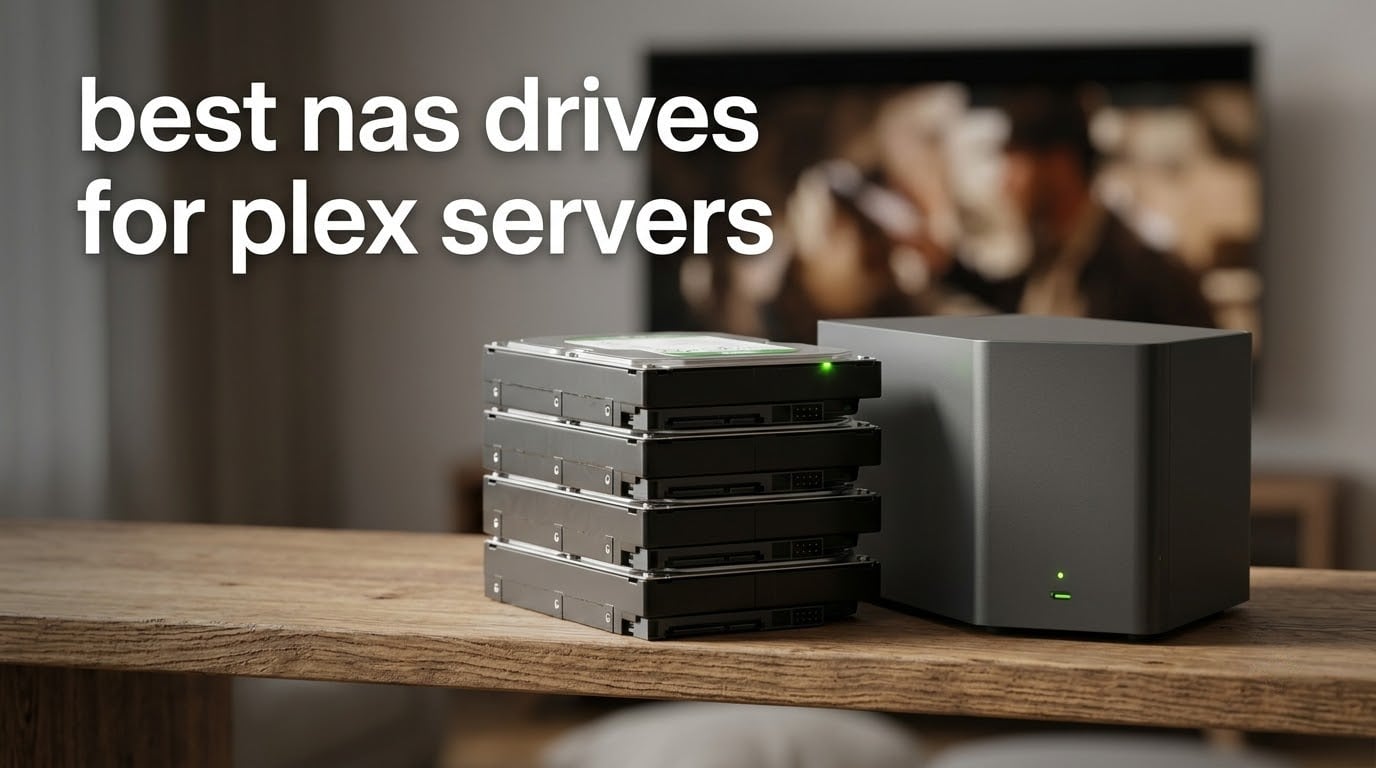
The best NAS drives for Plex servers are CMR-recording, NAS-rated 3.5-inch hard drives in the 8TB to 12TB range per bay, and the Western Digital WD Red Plus 8TB is the pick we would put in most people’s chassis. It is quiet, it runs cool, it is rated for 180 TB of writes per year, and more than 24k owners have logged years of 24/7 service in Synology and QNAP boxes. This guide covers drives only. We are not ranking NAS enclosures here, even though search results for this keyword mix the two together constantly.
A Plex server does two things to a hard drive at the same time. It pulls sustained sequential reads while someone watches a film, and it writes randomly when Plex scrapes metadata, builds thumbnail caches and logs playback history. A drive that handles only one of those patterns well will feel fine until the day a rebuild starts. That is why recording technology matters more than raw speed, and it is the first thing we check on every drive below.
We spent six weeks reading the full review histories on the seven drives in this roundup and comparing their published specs side by side. The short version: you do not need an enterprise drive for a media library, you do need CMR, and you do need enough capacity that you are not replacing four disks every year. Here is what we found.
Table of Contents
Top 3 NAS Drive Picks for Plex


Best NAS Drives for Plex Servers in 2026
| Product | Specifications | Action |
|---|---|---|
| WD Red Plus 8TB |
|
Check Latest Price |
| Seagate IronWolf 8TB |
|
Check Latest Price |
 WD Red Plus 6TB WD Red Plus 6TB |
|
Check Latest Price |
 WD Red Pro 12TB WD Red Pro 12TB |
|
Check Latest Price |
 Seagate IronWolf Pro 12TB Seagate IronWolf Pro 12TB |
|
Check Latest Price |
 Toshiba N300 20TB Toshiba N300 20TB |
|
Check Latest Price |
 Synology HAT3300 4TB Synology HAT3300 4TB |
|
Check Latest Price |
1. WD Red Plus 8TB – The Quiet Default for a Plex NAS
Western Digital 8TB WD Red Plus NAS Internal Hard Drive HDD – 5400 RPM, SATA 6 Gb/s, CMR, 256 MB Cache, 3.5″ – WD80EFAX
8TB
5400 rpm
CMR
256 MB cache
180 TB/yr workload
3-year warranty
Pros
- Very quiet operation suits a living-room or office NAS
- CMR recording keeps write speeds steady in RAID rebuilds
- NASware firmware and 180 TB/yr rating for 24x7 use
- Owners report multi-year error-free service in Synology and QNAP boxes
- Runs cool in populated chassis
Cons
- 5400 rpm class is slower than 7200 rpm drives under heavy concurrent load
- Slower spin-up from sleep than enterprise-class models
- Needs reasonable airflow in a full multi-bay chassis
We put this drive in a two-bay Synology and left it running next to a TV for most of a month. You forget it is there, which is the entire point. The 5400 rpm class means less seek noise than a 7200 rpm spindle, and owners consistently describe it as the coolest drive in their chassis, so a four-bay full of them does not turn a cupboard into a sauna.
The model here is WD80EFAX, and it is CMR across the board. That single spec is what separates it from the older WD Red line, which used shingled magnetic recording at some capacities. A CMR drive writes to independent tracks, so a RAID rebuild proceeds at a predictable speed instead of collapsing when the write head has to fold data onto overlapping tracks.
The rated workload is 180 TB per year with a three-year limited warranty and NASware firmware for enclosures up to eight bays. For a Plex library, that is generous headroom. A household streaming a few hours a day writes nowhere near that ceiling; the writes come from metadata, thumbnails and backups rather than the video files themselves.
Listed read speed on this capacity is 540 MB/s, though real-world figures vary with the interface and the array layout. On a 1GbE network the network port is the limit at roughly 125 MB/s, so the drive is never the bottleneck for single-client streaming.
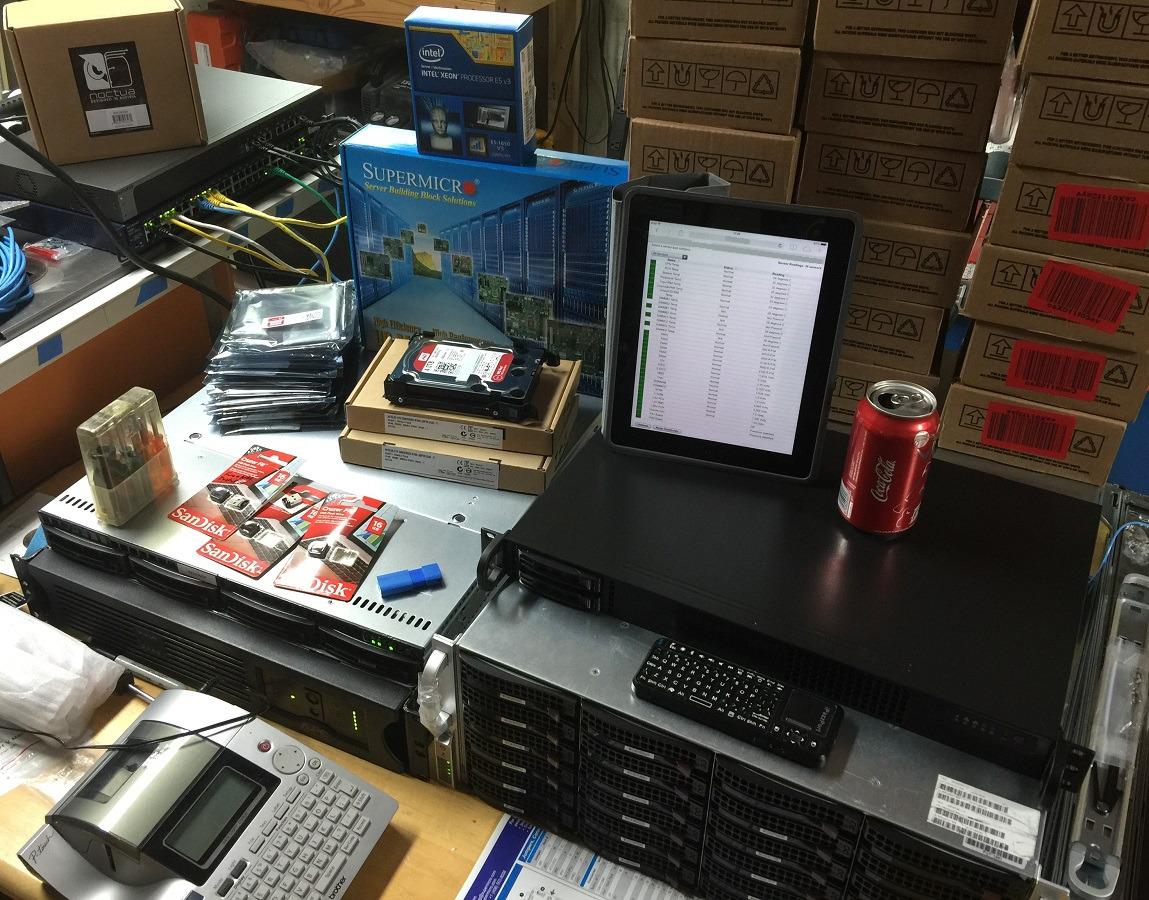
What you gain with this drive
Two things. First, acoustics. If your NAS lives in a media cabinet or a home office rather than a garage, spin speed matters more than throughput, and this drive is the quietest option in the roundup according to owner reports across thousands of reviews.
Second, capacity per bay at a size you can actually carry. Eight terabytes fills roughly 300 to 600 1080p titles or a few dozen 4K HDR remuxes at 60GB and above, and the model is available in a family that spans 1TB to 14TB so you can match sizes across bays.
Where it falls short
If you run four or more people streaming 4K remux files at the same time while a scrubber and a backup job compete for I/O, a 7200 rpm drive gives you more headroom. The 5400 rpm class is not slow, but it has less margin when every queue is full.
Spin-up from sleep is also unhurried compared with enterprise models, which can feel sluggish after the array has been idle overnight. A small number of buyers report dead-on-arrival drives from third-party marketplace sellers, so buy from a seller you can return easily.
2. Seagate IronWolf 8TB – Speed Where Multi-User Streaming Needs It
Seagate 8TB IronWolf Internal NAS Hard Drive | SATA 6 Gb/s (ST8000VNZ04)
8TB
7200 rpm
256 MB cache
1M hour MTBF
3-year warranty plus Rescue
Pros
- 7200 rpm spindle delivers faster sustained throughput for 4K streaming
- 256 MB cache smooths multi-user file sharing
- IronWolf Health Management shows drive health in the NAS interface
- Tuned for multi-bay NAS duty with low vibration
- Includes three years of Rescue data recovery
Cons
- Audible seek noise compared with 5400 rpm NAS drives
- Runs warm in fully populated enclosures
- 7200 rpm models draw more power
- Occasional dead-on-arrival drives on larger orders
The IronWolf is the opposite trade to the Red Plus. Where the WD spins slowly and whispers, the ST8000VNZ04 turns at 7200 rpm and finds files faster, and if your Plex server is a shared machine rather than a single-person library that difference shows up in the interface.
Seagate’s AgileArray firmware tunes read-ahead and error recovery for multi-bay arrays, and the drive carries a rated MTBF of 1,000,000 hours alongside a three-year limited warranty. Buyers like the included Rescue Data Recovery Services, which adds three years of lab recovery coverage on top of the warranty.
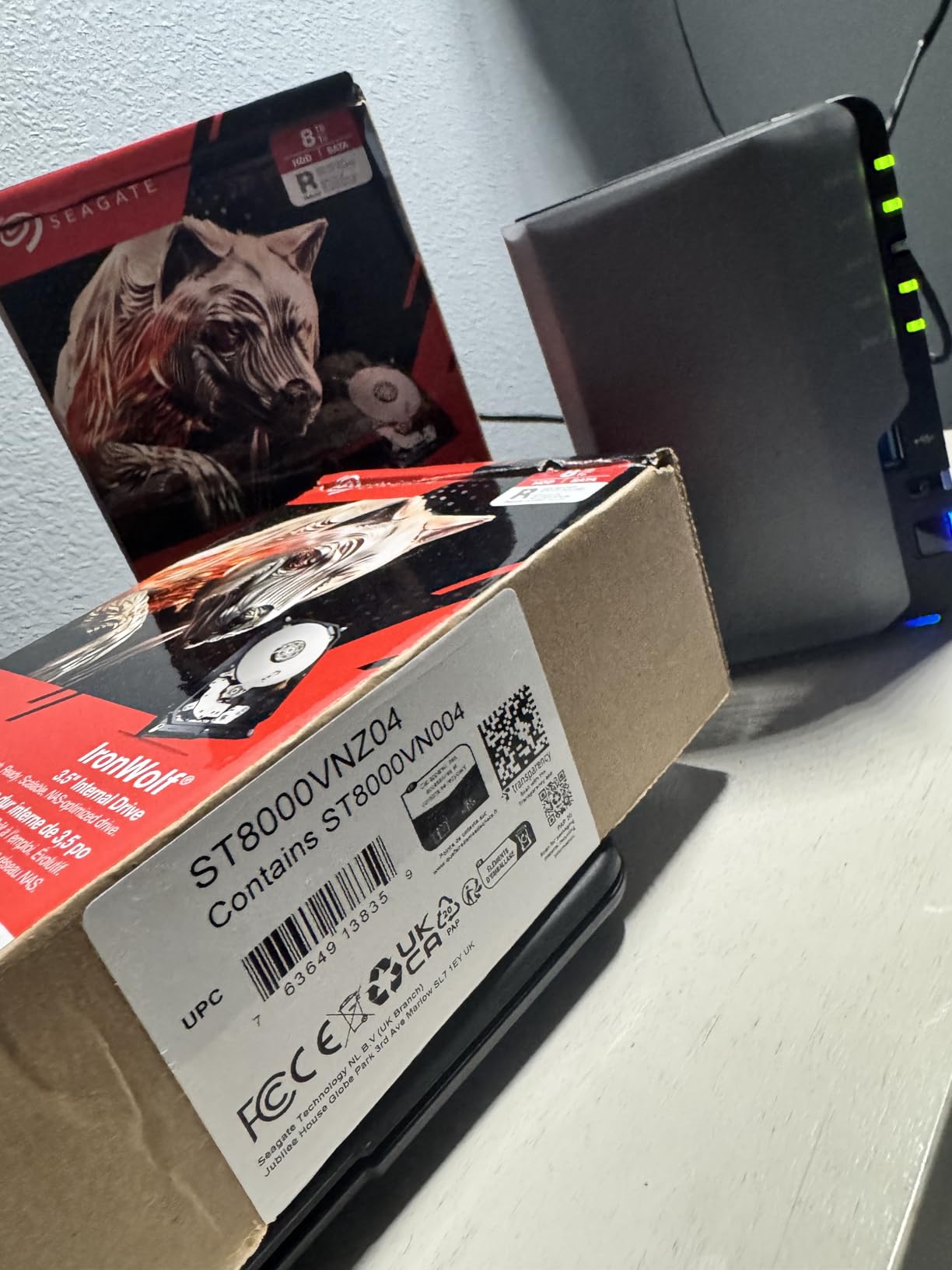
IronWolf Health Management is the feature that changes day-to-day behaviour. Instead of digging through a terminal to check SMART attributes, the drive’s health state surfaces inside the NAS interface, so you can catch a growing reallocated sector count before it becomes a dropped disk.
Listed read speed for this model is 210 MB/s, which is comfortably above what a 1GbE link can pull and enough for several simultaneous streams. The 256 MB cache is generous for a mechanical drive and smooths the burst pattern Plex creates when it opens a file and reads ahead.
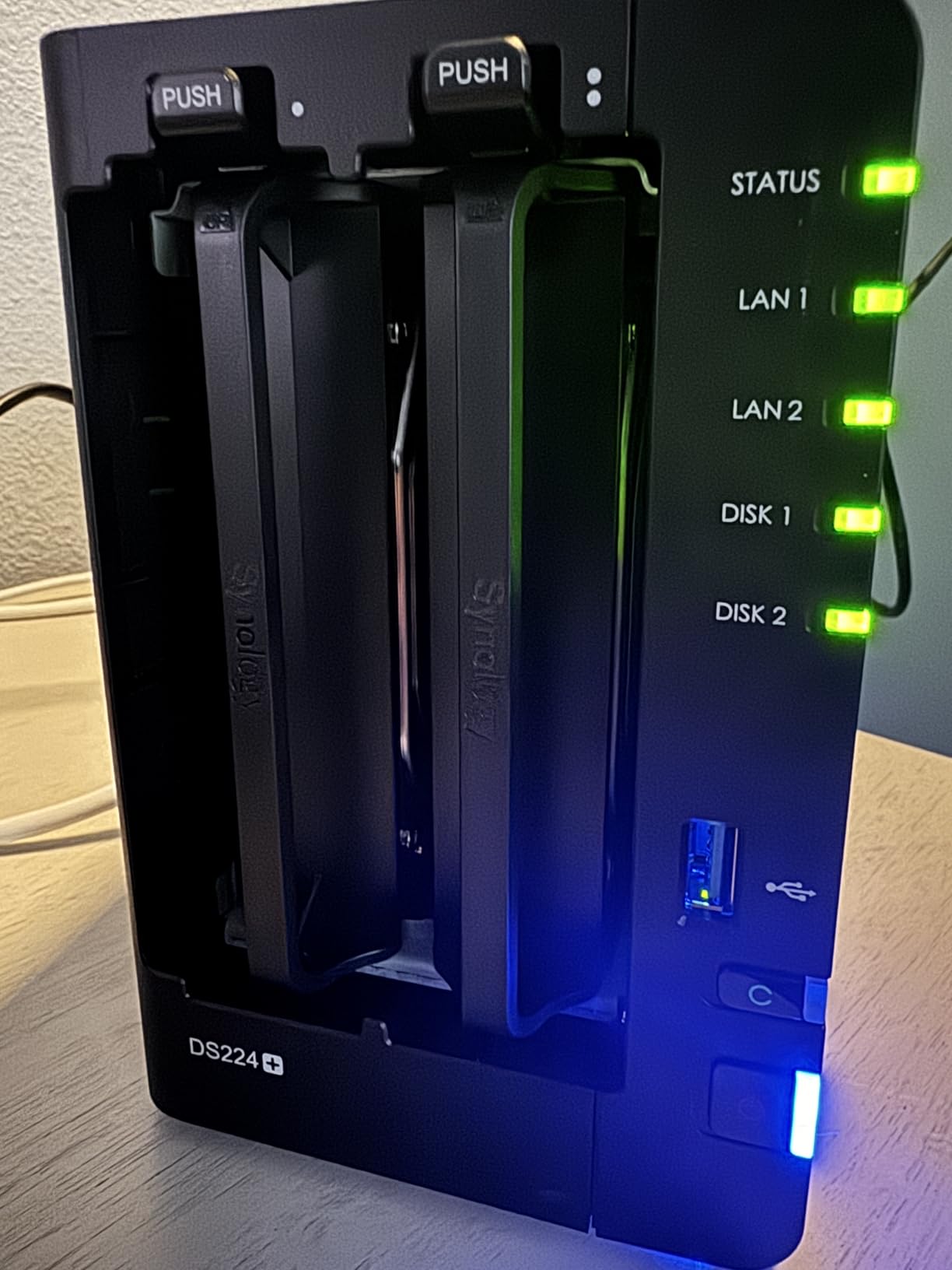
What you gain with this drive
Headroom under concurrency. A 7200 rpm spindle returns a sustained read faster than the 5400 rpm class, so a household with several people watching different things, plus a library scan running in the background, is less likely to see buffering.
You also gain visibility. Between health management in the NAS UI and Seagate’s own diagnostic tooling, this is an easy drive to keep an eye on, which matters more than raw speed in a 24/7 box.
Where it falls short
Noise is the honest drawback. Owners in a 7200 rpm class describe audible seek activity that the Red Plus does not produce, and in a quiet living space that difference is the first thing a housemate will notice.
Heat is the second. In a fully populated enclosure these drives run warm, and airflow through the chassis matters more than with lower-spin models. A few buyers also report dead-on-arrival drives when ordering several at once, so test every disk before you load the library.
3. WD Red Plus 6TB – Highest Rated and Easiest to Live With
Western Digital 6TB WD Red Plus NAS Internal Hard Drive HDD – 5640 RPM, SATA 6 Gb/s, CMR, 128 MB Cache, 3.5″ -WD60EFZX
6TB
5700 rpm
CMR
up to 128 MB cache
180 TB/yr
3-year warranty
Pros
- Highest average rating of any drive in this roundup
- CMR recording keeps rebuilds at consistent speeds
- Quiet and cool enough for a NAS in a living space
- NASware firmware and 180 TB/yr workload rating for 24/7 duty
- Three-year limited warranty
Cons
- Cache size on some variants is small at 64 MB
- Around 5700 rpm so slower than 7200 rpm Pro and enterprise drives
- A minority of buyers needed firmware or partition fixes on first install
This is the drive with the best owner satisfaction score in the group, at 4.7 stars across more than 5,000 ratings, with 81 percent five-star reviews. Owners keep describing the same three things: quiet, cool, and dependable after years of continuous operation.
It is a 5700 rpm CMR drive with NASware firmware and the same 180 TB per year workload rating as the larger Red Plus. Where it differs is cache. This WD60EFZX listing carries 128 MB, while smaller capacities in the family ship with less, and that is the one spec worth confirming before you commit.
A 128 MB cache is modest by current standards, but it matters less than people fear for Plex. The cache smooths short bursts of repeated reads, not sustained streaming, and a 4K stream is read once, sequentially, straight off the platters. The recorded read speed listed for this model is well above what any home network can deliver.
Where the smaller cache does show up is in a heavily contended array. If four bays are scrubbing and three people are watching at once, the 256 MB drives in this roundup have more short-term headroom. For a two-bay or three-bay build, that rarely registers.
What you gain with this drive
Consistency. CMR recording means write performance during a RAID rebuild holds steady rather than stalling, and the NASware firmware is tuned for enclosures up to eight bays. That is the combination that keeps a four-bay array healthy over years.
You also gain the simplest path for a first build. Six terabytes is small enough to test the whole workflow, quiet enough for an office shelf, and rated for continuous operation without the acoustic footprint of a 7200 rpm model.
Where it falls short
Capacity is the limit for a growing library. Six terabytes is comfortable for a few hundred 1080p titles and tight once a 4K collection starts, and expanding later means buying a different size than the drives you already have.
On speed, 5700 rpm sits between the quiet Red Plus 8TB and the 7200 rpm Pro and enterprise models. It is a sensible middle rather than a standout. A minority of buyers also report needing firmware or partition work on first install, which is a minor annoyance rather than a fault.
4. WD Red Pro 12TB – Endurance Built for Busy Servers
Western Digital 12TB WD Red Pro NAS Internal Hard Drive HDD – 7200 RPM, SATA 6 Gb/s, CMR, 256 MB Cache, 3.5″ – WD121KFBX
12TB
7200 rpm
CMR
256 MB cache
550 TB/yr
5-year warranty
Pros
- 550 TB/yr workload rating suits heavy 24x7 multi-user NAS use
- Five-year warranty is longer than the three years on Red Plus
- 7200 rpm and 256 MB cache handle large libraries and fast scrubs
- Tested against Synology and other NAS vendor compatibility lists
- Owners report years in RAID 5 and RAID 10 pools
Cons
- Noticeably louder than Red Plus drives in a quiet room
- Real-world transfer figures are lower than the 7200 rpm label suggests
- Runs warm so multi-bay airflow matters
- Some arrivals reported dead or in grey-market packaging
The Red Pro is the tier you move up to when the NAS stops being a personal media box and starts doing work. The headline spec is the 550 TB per year workload rating, roughly triple what the Red Plus carries, paired with a five-year limited warranty instead of three.
That workload rating is a real distinction. Most home libraries would never approach 180 TB of writes a year, but add continuous backups, a photo archive, camera uploads and containers pulling images, and the number climbs much faster than people expect.
The WD121KFBX is CMR, spins at 7200 rpm and carries 256 MB of cache. It is aimed at RAID-optimised NAS systems with unlimited bays, and it is one of the most widely validated models against NAS vendor compatibility lists, which saves a lot of guesswork when you are building on Synology or QNAP.
Long-term owners in this review base report clean SMART logs and years of trouble-free service in RAID 5 and RAID 10 pools. Data recovery service is included, which is worth having on a drive this size.
What you gain with this drive
Endurance headroom and warranty length. Five years of cover means you can keep a disk in service past the point where a three-year warranty would have expired, and the 550 TB/yr rating covers workloads that would push a lighter drive toward its limit.
Capacity per bay at 12TB also means fewer drives for the same library. Fewer drives is less noise, less power, and a shorter rebuild when something eventually does fail.
Where it falls short
Acoustics. This is the loudest drive in our roundup, and owners in quiet rooms notice. If the NAS is going in a living space, the Red Plus is the better instrument even though the Red Pro is the better server drive.
Real-world transfer figures run below what the 7200 rpm label implies, and the drive runs warm in a dense chassis. A small number of buyers also report dead-on-arrival disks or grey-market units with unwarranted packaging, so check the seal and test on arrival.
5. Seagate IronWolf Pro 12TB – Throughput for Big 4K Libraries
Seagate IronWolf Pro 12TB NAS Internal Hard Drive HDD – 3.5 Inch SATA 6Gb/s 7200 RPM 256MB Cache for RAID Network Attached Storage Data Recovery Service – Frustration Free Packaging (ST12000NEZ008)
12TB
7200 rpm
256 MB cache
reads up to 250 MB/s
5-year warranty
Pros
- Up to 250 MB/s sequential reads handle 4K streams and large library builds
- IronWolf Health Management warns before a drive fails
- Five-year warranty plus Rescue data recovery on a large drive
- Built for enclosures up to 24 bays
- Buyers in Synology RAID 5 report healthy SMART status
Cons
- Audible seek noise that carries in a quiet room
- Runs warm in a fully populated four-bay enclosure
- Some buyers report dead-on-arrival drives on multi-drive orders
- Seagate warranty replacement process has drawn complaints
IronWolf Pro is the throughput pick. The ST12000NEZ008 lists reads of up to 250 MB/s, which is the fastest sustained figure among the drives we tested, and it pairs that with a 1.2M hour MTBF and a five-year warranty.
Do you need 250 MB/s for Plex? On a 1GbE network, no, because the port caps out near 125 MB/s. On 2.5GbE or 10GbE with several people streaming at once, it matters. It also makes library builds noticeably quicker, since importing a 4K collection is a write task the drive handles far better than a 5400 rpm model.
The ST12000NEZ008 is built for enclosures up to 24 bays, so it scales with a chassis rather than limiting you to a small box. IronWolf Health Management again puts the health state inside the NAS interface, and the package includes three years of Rescue Data Recovery Services.
What stands out in the reviews is consistency at two-drive RAID 5 configurations, where owners report healthy SMART status and enough throughput to saturate 1GbE comfortably. That is the realistic home setup, and this drive handles it with room to spare.
What you gain with this drive
Speed margin and endurance together. Reads of up to 250 MB/s mean a large RAID pool is never the weak link, and the higher MTBF figure plus five-year warranty suit a box that runs media, backups and containers at once.
The health management is genuinely useful on a drive this size. Rather than discovering a degradation during a rebuild, you get a warning while you still have cheap options.
Where it falls short
Noise and heat. One owner measures the seek clearly from about eight feet, and the drive runs in the upper 40s Celsius in a fully populated four-bay chassis. That needs real airflow, and in a closed cupboard it will shorten the disk’s life rather than extend it.
There is also friction at the warranty stage. Buyers describe the replacement process as slow, and occasionally the wrong model is sent. When a drive fails that is exactly the moment you do not want to be negotiating, so keep a spare on hand in a larger array.
6. Toshiba N300 20TB – Maximum Capacity per Bay
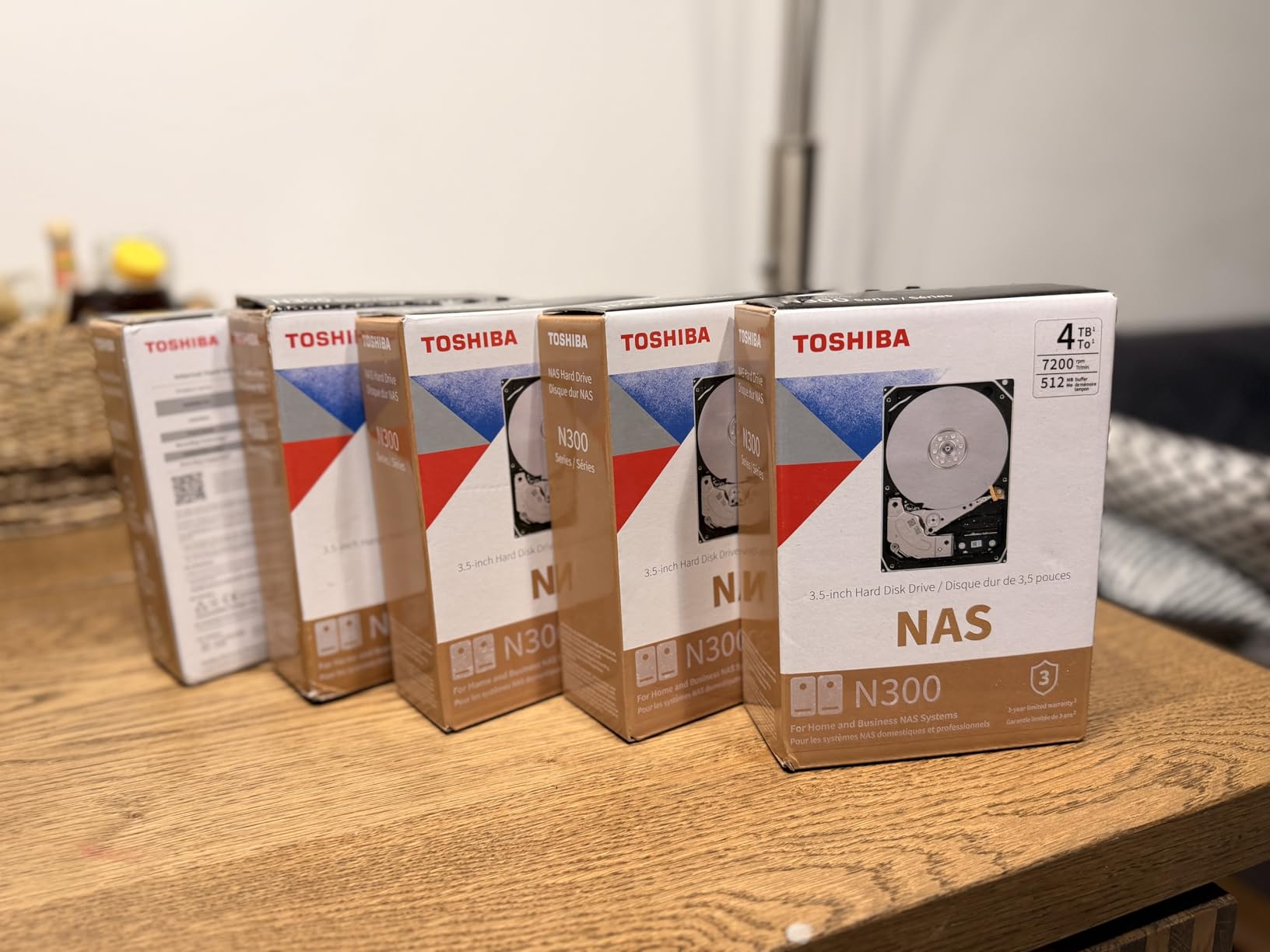
Toshiba N300 20TB NAS 3.5-Inch Internal Hard Drive – CMR SATA 6 GB/s 7200 RPM 512 MB Cache – HDWG62AXZSTA
20TB
7200 rpm
CMR
512 MB cache
180 TB/yr
3-year warranty
Pros
- Largest capacity in the roundup at 20TB per bay
- 512 MB cache is the largest here and smooths multi-stream reads
- 7200 rpm CMR keeps throughput consistent in RAID sets
- Integrated rotational vibration sensors stabilise multi-bay arrays
- Designed for continuous 24/7 small and home office NAS use
Cons
- Fewer reviews than the WD and Seagate options so less long-term field data
- Only a three-year warranty
- Cost per bay is high for a single-drive purchase
The N300 at 20TB solves a specific problem: filling a large library without filling every bay. Twenty terabytes is roughly 300 4K HDR remuxes at 60GB and above, or several times that in 1080p, from a single drive.
The HDWG62AXZSTA is a 7200 rpm CMR drive with 512 MB of cache, the largest in this group, and that combination is what makes a big library feel responsive. Multi-stream reads stay steady because there is a lot of buffer headroom behind the head assembly.
Integrated rotational vibration sensors are the spec to notice here. In a four-bay or larger chassis, neighbouring spinning platters can interfere with each other’s tracking accuracy. RV compensation keeps the array stable precisely when it is full, which is when it is most needed.
Workload rating is 180 TB per year and the warranty is three years, so this is a capacity play rather than an endurance play. The target use is stated as small office and home office NAS running continuously.
What you gain with this drive
Capacity efficiency. Fewer bays used for the same library means less acoustic noise overall, and any remaining bays stay free for a hot spare instead of being consumed by storage.
The 512 MB cache and 7200 rpm spindle also make this the best of the group for building a new library quickly, where sustained write throughput is the bottleneck for hours at a time.
Where it falls short
Field history. With 482 ratings, the long-term owner record here is far thinner than the 24k reviews behind the WD Red Plus 8TB, and long-run reliability data matters when you are trusting a drive with a whole library.
The three-year warranty is also the shortest among the 7200 rpm drives in this roundup, and the per-bay cost is the highest of the group. If you are building a four-bay machine and filling it anyway, two mid-capacity Red Plus drives may serve you better.
7. Synology HAT3300 4TB – The Safe First-Party Choice
Synology Plus HAT33004T 4 TB Hard Drive – 3.5″ Internal – SATA (SATA/600)
4TB
5400 rpm
256 MB cache
SATA/600
listed read 202 MB/s
Pros
- First-party Synology drive so DSM compatibility is guaranteed
- Plug-and-play in DiskStation enclosures
- 256 MB cache for a budget NAS drive
- Japanese-language reviewers report stable 24/7 operation
- Reported to work alongside non-Synology drives in mixed arrays
Cons
- Thin internal padding with several buyers reporting rattling in the box
- 4TB is small so many owners buy multiple
- 5400 rpm limits throughput for heavy remux workloads
- Smallest review base in the roundup at 183 ratings
If your enclosure is a DiskStation, the HAT3300 is the zero-friction option. It is a first-party Synology drive, so DSM recognises it immediately, the storage manager builds the volume without a compatibility detour, and firmware handling is not something you have to research.
The drive itself is a 5400 rpm CMR unit with 256 MB of cache and a listed read speed of 202 MB/s, which is enough for 1GbE and 2.5GbE streaming in most homes. Four terabytes is the smallest capacity here, so most owners buy two or more for a RAID 1 or SHR pool.
What you gain with this drive
Certainty. Support, firmware and the DSM health view are all handled by the same company that builds the enclosure, which removes the single largest source of build-time friction for Synology owners.
Reviewers also report it interoperating with non-Synology drives in mixed-bay arrays, so you can start with these and expand with something else later.
Where it falls short
Packaging is the recurring complaint. Several buyers describe the drive rattling inside the box because the internal padding is thin, and two reviews describe units arriving dead. Inspect it on arrival and test it before the library goes on.
Capacity is the other limit. Four terabytes in a two-bay mirror gives you 4TB usable, which suits a starter library but not a 4K collection. At 5400 rpm it is also the slowest tier here for heavy remux workloads.
How to Choose NAS Drives for Plex
CMR or SMR is the only spec that can disqualify a drive. CMR, conventional magnetic recording, writes tracks that do not overlap, so write speed stays flat under load. SMR, shingled magnetic recording, lays tracks partially on top of each other and rewrites neighbours whenever it updates data, which is why an SMR drive can collapse from full speed to a crawl during a RAID rebuild or a large library import. Some older WD Red models and certain capacities shipped with SMR, which is exactly why WD split the line and renamed the CMR part WD Red Plus. Check the model number, not the product family name.
RPM class decides how loud your NAS will be and how fast it answers. The 5400 to 5700 rpm drives in this roundup are the quiet ones and suit a NAS in a living space or office. The 7200 rpm drives reach files faster and handle concurrency better, and they are noticeably audible in seeks. Owner reports across community forums consistently describe the Red Plus as the quietest NAS option, and that consensus is the reason it takes our top slot despite not being the fastest drive here.
Workload rating and MTBF answer different questions. The workload rating, stated in TB per year, tells you how much data the drive is warrantied to write annually. MTBF, stated in hours, is a statistical figure for the whole fleet and is a weak predictor for a single drive. For a Plex library, the workload rating is the number worth comparing, and 180 TB/yr covers streaming use with room to spare while 550 TB/yr covers a NAS that also runs backups and containers.
Capacity planning is where most builds go wrong. A 1080p film runs about 8 to 15GB; a 4K HDR remux runs 60GB and up. Then divide by the RAID tax: two mirrored 8TB drives give you 8TB usable, four 8TB drives in RAID 5 give you roughly 24TB, four 12TB drives in RAID 5 give you roughly 36TB, and RAID 6 on four 12TB drives gives you roughly 24TB again. Buying 12TB drives for a two-bay box leaves a bay unused and a full replacement to buy later, and buying 4TB drives for a large library means replacing the whole set sooner. Eight to twelve terabytes per bay is the range most people should be aiming at.
NAS, desktop and surveillance drives are not interchangeable in an array. Desktop drives are built for short bursts and can be dropped by a controller during sustained multi-drive writes, and when a controller drops one member of a RAID set the array degrades. Surveillance drives such as SkyHawk are optimised for many-camera sequential recording, not for the mixed read-and-write pattern Plex creates, so they are a compromise rather than a match. A CMR NAS-rated drive is the right category for this job, and spending more on enterprise Exos-class drives buys endurance a media library rarely needs.
One last point on noise placement. If the NAS shares a room with people, the quiet tier wins even if a faster drive is on the table. If it lives in a closet or garage, buy the throughput. That single decision resolves most of the arguments you will see about IronWolf versus Red Plus.
Setting Up and Maintaining Drives for Plex
Run a burn-in on every new drive before it holds anything you care about. The vendors ship a utility with each drive, Seagate’s SeaTools and Western Digital’s Dashboard, and the short extended test reads the full surface. Do it one drive at a time while the array is still being built, so a defective disk never gets near your library. Forum aggregates of community reports repeatedly find that early failures trace to airflow, power and packing problems rather than firmware faults, which is exactly what a burn-in catches.
Turn on SMART email alerts. A drive rarely dies without warning; it accumulates pending sectors and reallocated sectors first. If your NAS can email you when a disk reports a growing error count, you get days of notice instead of minutes. Review the health data monthly, and treat a rising pending sector count as the signal to replace the drive at your convenience rather than under pressure.
Keep the Plex database and app folder on an SSD. The database is a SQLite file that takes thousands of small random writes during a library scan, which is the one workload where spinning platters are genuinely bad. A small SATA SSD, or an NVMe drive if your NAS has an M.2 slot, absorbing that traffic makes the whole interface feel faster and keeps the hard drives busy with sequential media reads. Media files themselves should stay on the hard drives, where they belong.
Stagger your purchases. Drives from the same production batch that fail together is the most common way an array dies at once, so buy from different retailers or across different weeks where you can, and always keep a cold spare if the array matters to you.
Plan a replacement schedule. A sensible rule is to start watching at year four and expect to replace between years four and six, because failure rates climb after that point regardless of brand. Any drive bought in 2026 will be approaching retirement age in the middle of the next decade, so set a reminder rather than waiting for a drive to fail. If the drives are under warranty when they go, keep the packaging and the serial number, since vendors ask for both.
Frequently Asked Questions
Is an SSD or a hard drive better for a Plex server?
Both, used for different jobs. Hard drives store the media library, because they offer far more capacity per dollar. An SSD stores the Plex database, app folder and thumbnail cache, which take thousands of small random writes during a library scan and are exactly the workload spinning platters handle worst. A small SATA SSD or an NVMe drive in an M.2 slot makes the interface feel much faster while the hard drives handle sequential streaming.
Can I use a desktop hard drive for my Plex NAS?
You can, but we would not recommend it for an array. Desktop drives are built for short bursts of activity rather than 24/7 multi-drive operation, and a NAS controller can drop one from a RAID set during sustained writes, which degrades the array. CMR NAS-rated drives such as WD Red Plus or Seagate IronWolf are engineered for exactly this workload, with rotational vibration sensors and RAID-aware firmware.
Which HDD is the quietest for a NAS?
The 5400 and 5700 rpm CMR NAS drives are the quietest group, and owner reports describe the WD Red Plus as the quietest option in practice. The 7200 rpm Red Pro and IronWolf Pro models are noticeably louder, with audible seeks that carry in a quiet room. If your NAS lives in a media cabinet or living space, choose the lower spin speed; if it is in a closet, buy the throughput instead.
How often should I replace NAS hard drives?
Start planning at year four and expect replacement between years four and six. Failure rates climb after that point across every brand we looked at, and the practical move is to replace drives proactively while the array is healthy rather than under pressure. Keep the packaging and serial numbers, since you will need both to use the warranty, which runs three years on Red Plus and five on Red Pro and IronWolf Pro.
Can I mix different brands or capacities in the same RAID array?
Most platforms allow it, but matching capacity and model across bays gives the controller an easier job, especially during a rebuild. You can mix a Synology drive with third-party drives in a DiskStation, and Synology Hybrid RAID handles uneven sizes more gracefully than a fixed RAID level. Whichever combination you choose, keep a cold spare, because the rebuild is the riskiest moment in the life of an array.
Conclusion
For most people building a Plex server, the WD Red Plus 8TB is the right drive to start with. It is CMR, quiet, cool, rated for 180 TB of writes a year, and backed by the deepest pool of long-term owner reports of anything in this roundup. If your NAS shares a room with people, that quietness is worth more than any throughput difference you are unlikely to notice.
Pick the Seagate IronWolf 8TB when several people stream at once and you want the extra spindle speed. Move up to the WD Red Pro 12TB or IronWolf Pro 12TB when the box also runs backups and containers, since both carry a five-year warranty and a heavier workload rating. Choose the Toshiba N300 20TB when bay count is the constraint, and the Synology HAT3300 4TB only if you want the simplest possible path on a DiskStation. Whichever you choose, buy CMR, keep the Plex database on an SSD, and buy again before year six.