
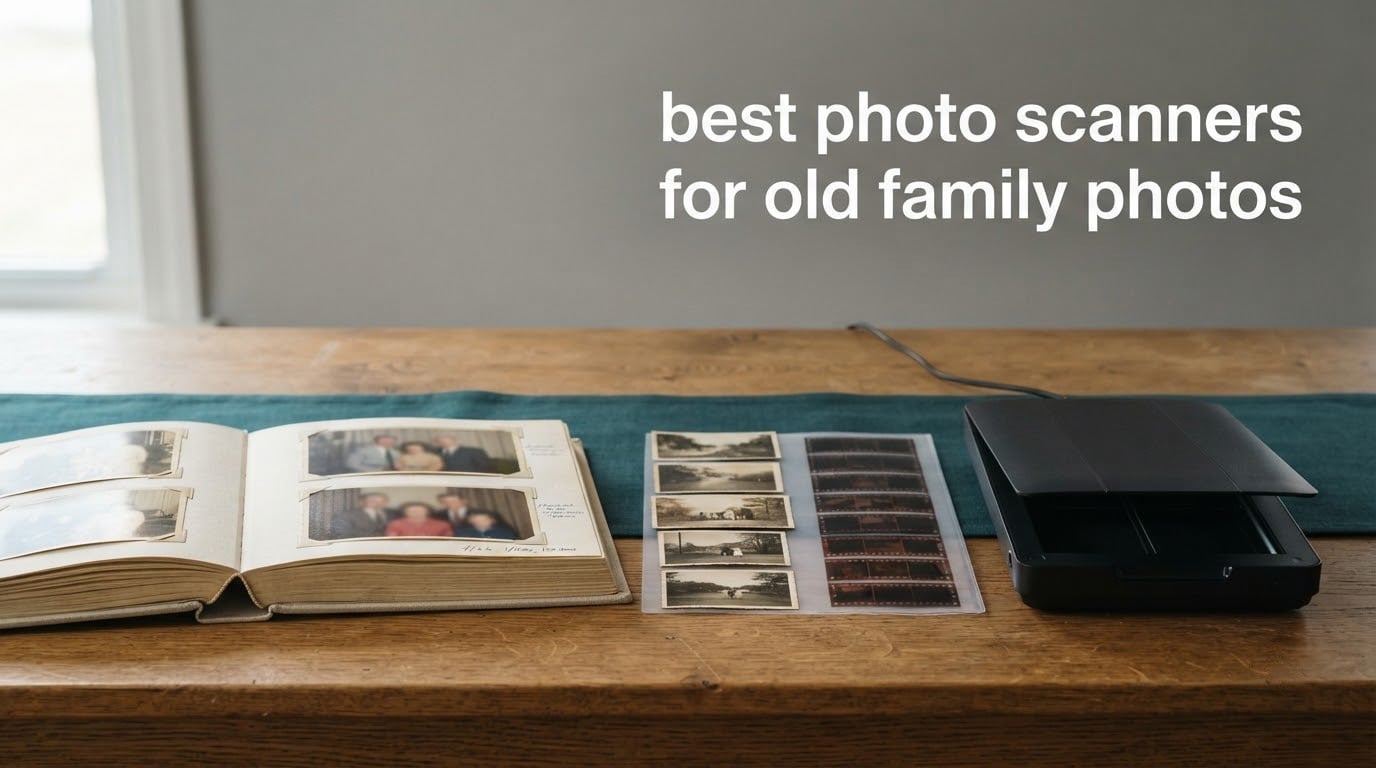
If you have a shoebox, a stack of albums, or a shoebox of negatives from a relative who has passed, you need a photo scanner built for paper, not documents. After comparing ten units across flatbed, auto-feed, and standalone designs, the Plustek ePhoto Z300 is the fastest way through a box of loose prints, the Epson FastFoto FF-680W is the right buy when you have thousands of prints to clear, and the Canon CanoScan LiDE 300 is the simplest first machine for a household that just wants the job done well.
Paper prints do not wait. They yellow, curl, stick to album pages, fade toward magenta, and one flood or one attic fire takes the whole box. A scan is insurance, and a backed-up scan set is the only copy that can outlast the originals.
What follows is our full look at the best photo scanners for old family photos, including how to prepare fragile prints, what settings to use, how owners actually feel after thousands of scans, and what to do with the originals afterward. If you are outfitting an office rather than an attic, our document scanner picks for home offices cover a different set of priorities.
Table of Contents
Top 3 Photo Scanners for Old Family Photos
The three units below cover almost every real scenario: high-volume loose prints, very large print collections, and first-time scanning on a budget.

Plustek ePhoto Z300
- Scans 4x6 in about 2 seconds
- CCD sensor with auto crop and deskew
- Handles 3x5 to 8x10 prints
- Mac and PC support

Epson FastFoto FF-680W
- Up to 36 photos per batch
- Duplex captures photo and back notes
- 300/600/1200 dpi modes
- Wi-Fi plus Dropbox and Google Drive

Canon CanoScan LiDE 300
- 2400 x 2400 dpi optical resolution
- 48-bit color depth
- Auto Scan detects document type
- Slim body stores flat
Best Photo Scanners for Old Family Photos in 2026
Here is the full list at a glance, with each unit matched to the kind of collection it actually suits. Prices move constantly, so check the listing for current figures before you buy.
| Product | Specifications | Action |
|---|---|---|
| Plustek ePhoto Z300 |
|
Check Latest Price |
| Epson FastFoto FF-680W |
|
Check Latest Price |
| Canon CanoScan LiDE 300 |
|
Check Latest Price |
 Epson Perfection V550 Epson Perfection V550 |
|
Check Latest Price |
 ClearClick QuickConvert 2.0 ClearClick QuickConvert 2.0 |
|
Check Latest Price |
 ScanSnap iX1300 ScanSnap iX1300 |
|
Check Latest Price |
 KODAK Slide N SCAN KODAK Slide N SCAN |
|
Check Latest Price |
 Magnasonic 24MP FS71 Magnasonic 24MP FS71 |
|
Check Latest Price |
 DigitPro M129A DigitPro M129A |
|
Check Latest Price |
 DigitPro C190 DigitPro C190 |
|
Check Latest Price |
1. Plustek ePhoto Z300 – Fastest Path Through a Shoebox of Prints
Plustek Photo Scanner ePhoto Z300, Scans 4×6 inch Photos in 2 Seconds, Auto crop and deskew with CCD Sensor, Supports Mac and PC
600 dpi optical
CCD sensor
3x5 to 8x10 plus A4
1.5 kg
Pros
- Scans a 4x6 print in about two seconds and an 8x10 in about five
- CCD auto crop and deskew handles mixed print sizes
- One-click software restores faded prints
- Works on both Mac and PC
- Sheet feed is far more efficient than a flatbed for stacks
Cons
- Only one photo at a time so big albums run slow
- Software must be downloaded from the Plustek site
- 600 dpi is not enough for heavy enlargement
This is the machine we hand to someone with a shoebox and a free weekend. The feed-through design pulls a single print through a slot rather than asking you to lay it flat and lift a lid, and that one design decision is why it gets through a 1,000-photo box in an afternoon.
The sheet travels through a fixed path, so there is no glass to clean between every photo and no lid to lift. Curled corners that ruin a flatbed scan are handled more gracefully because the print is held flat as it enters.
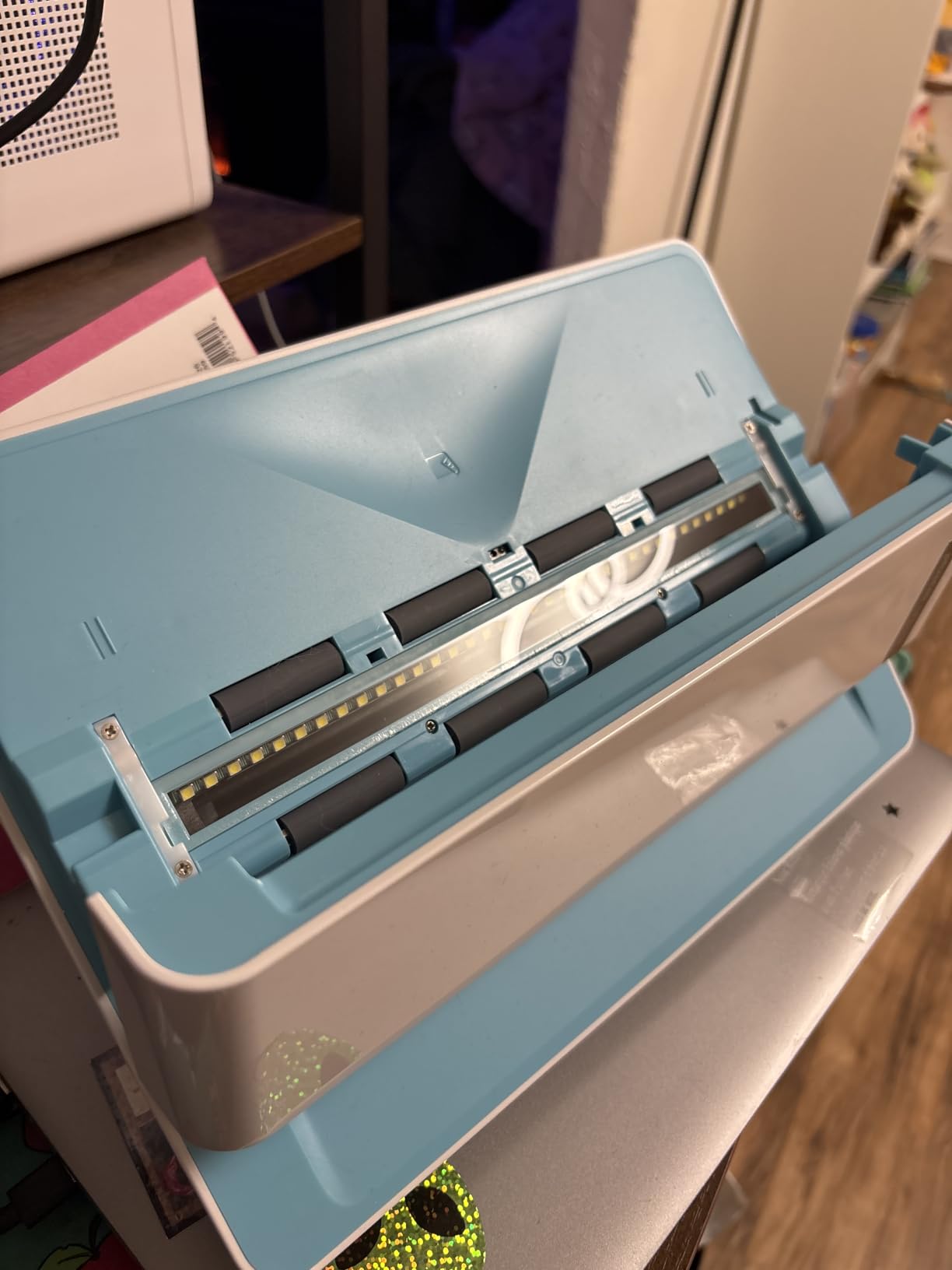
The CCD sensor and the auto crop and deskew routine are what separate it from a document scanner. You can feed a mixed stack of 3×5, 4×6, 5×7 and 8×10 prints in any order and the software trims each one to its border without you touching a setting.
Color handling matters more than raw megapixels on faded prints. The bundled enhancement tools lift washed-out color and reduce the yellow cast that decades of storage leave behind, which is exactly the job you are hiring a scanner for.
What works in your favor
Speed per print is the headline, and it is real. A 4×6 goes through in about two seconds and an 8×10 in about five, so the bottleneck becomes your sorting, not the scanner.
Auto crop and deskew means fewer failed scans to redo, which on a large project saves more time than the raw speed suggests. Mixed print sizes need no reconfiguration between shots.
Where it will frustrate you
The feed holds one sheet, so an album of mounted photos will crawl compared with a 36-photo batch feeder. If your collection is bound rather than loose, budget more hours.
The software downloads from Plustek rather than shipping on a disc or in the box, which trips up people who assume a plug-and-play experience. And 600 dpi output is plenty for screen viewing and 5×7 prints, but it will not hold up to a large wall enlargement.
2. Epson FastFoto FF-680W – Batch Scanning for Thousands of Prints
Epson FastFoto FF-680W High-Speed Duplex Photo and Document Scanner
300 to 1200 dpi
36-photo batch
45 ppm duplex
Wi-Fi and USB
Pros
- About one photo per second at 300 dpi with 36-photo batches
- Duplex captures the photo and handwritten notes on the back
- Automatic enhancement color restore and red-eye reduction
- Wi-Fi and USB with Dropbox and Google Drive upload
- Also a strong document scanner with OCR
Cons
- Can leave permanent track marks on glossy prints
- No slide or film capability
- Occasional upside-down scans
- Software cannot save one job in several formats at once
When the collection is measured in thousands rather than hundreds, throughput is the only metric that matters. The FastFoto FF-680W holds a batch of up to 36 photos and runs them at roughly one per second at 300 dpi.
It is also the only machine here that captures the photo and the handwriting on the back in a single pass. That double-sided output is genuinely valuable for family archives, where the pencilled names and dates on the back are half the record.
The Precise Picture Imaging System handles the automatic work: enhancement, color restoration, red-eye reduction, de-skew, crop and rotate. You load the stack, press one button, and sort later.
Cloud upload to Dropbox and Google Drive removes a step people forget. That matters because the most common failure in family archiving is not a bad scan, it is a scan that lived on one laptop until the laptop died.
Who should buy this one
If you are working through a large multi-thousand print archive and most of the prints are loose and undamaged, nothing else in this list comes close. Owners report finishing collections of 4,000, 7,000 and even 19,000-plus photos on this unit.
It also earns its place as a second machine. Bulk-scan the box with the feeder, then keep a flatbed on hand for the fragile or valuable ones.
Who should not buy this one
Glossy and laminated prints can pick up permanent roller track marks. Several owners flag this and recommend a flatbed for originals they intend to keep, and that advice is worth taking seriously for heirloom prints.
There is no film or slide path here at all. If the collection includes 35mm negatives or mounted slides, you need a separate machine, and a forum thread on rokslide.com that names the FF-680W shows the price objection is the other reason buyers hesitate.
3. Canon CanoScan LiDE 300 – Simple Flatbed for First-Time Scanners
Canon Canoscan Lide 300 Scanner (PDF, AUTOSCAN, Copy, Send)
2400 x 2400 dpi
48-bit color
Auto Scan Mode
1.7 inch slim body
Pros
- 2400 dpi optical resolution punches above its price
- Auto Scan Mode detects document type with no setup
- Slim body stores flat under a desk or shelf
- Saves straight to PDF or JPG
- Usable on macOS through System Preferences
Cons
- Letter and A4 bed only so larger prints need stitching
- Canon IJ Scan Utility on Mac is clunky
- Can wash out color slightly
- No physical power switch
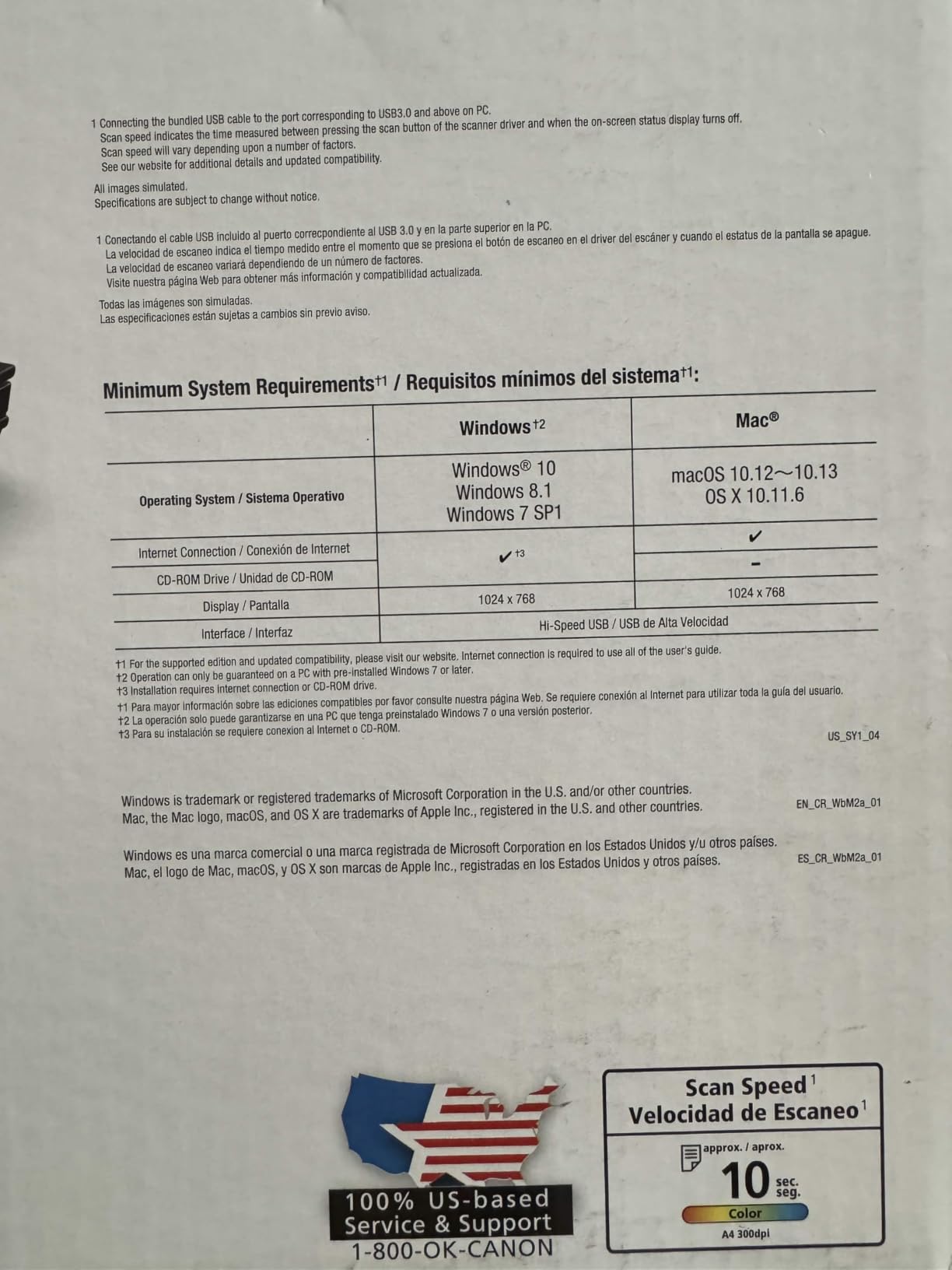
The LiDE 300 is the entry point we recommend most often. One owner in our research scanned roughly 3,500 documents and about 500 vintage 8×10 black and white prints from the 1950s through the 1970s on this class of unit without a single failure.
2400 x 2400 dpi optical resolution with 48-bit color depth is more than a decade-old print needs. Old prints hold far less detail than the file you produce, so the extra capacity is headroom rather than necessity.
Setup is the selling point. Auto Scan Mode identifies what is on the glass and picks sensible defaults, so someone who has never scanned anything can produce a usable file on the first attempt without reading a manual.
The body is about 1.7 inches thick and USB powered, so it stores flat instead of standing up on a desk. On a Mac you can run it through System Preferences and skip Canon’s own utility entirely.
What makes it a good first scanner
One cable, one button, sensible defaults. The learning curve is close to zero, which removes the single biggest reason people never start the project in the first place.
Color is slightly muted rather than wrong, and reviewers report controlled shadows with no blown highlights on faded originals. A small correction in any editor fixes the rest.
Where it falls short
The bed is letter and A4 only. A 9×12 print or artwork has to be scanned in overlapping sections and stitched, which is more work than most people expect.
Mac users hit recurring friction with Canon IJ Scan Utility, including the lack of multi-page collation, though the System Preferences route is a reliable workaround. There is no physical power switch, and some newer Macs report connection trouble.
4. Epson Perfection V550 – Highest Optical Resolution in This List
Epson Perfection V550 Color Photo, Image, Film, Negative & Document Scanner with 6400 DPI Optical Resolution
6400 dpi optical
Transparency unit
48-bit color
Digital ICE
Pros
- 6400 dpi optical resolution supports large prints and enlargements
- Built-in transparency unit handles 35mm slides and negatives
- Digital ICE removes dust and scratches from film
- 48-bit color depth captures a wide tonal range in faded prints
- Auto edge detection saves multiple photos per pass
Cons
- Flatbed workflow is one print at a time
- Software setup can be fiddly on newer operating systems
- Large desk footprint
- Prints must sit face down on the glass
The V550 is the quality ceiling here. At 6400 dpi optical resolution it produces enlargements up to 17 by 22 inches, and the 48-bit color depth is what actually matters when recovering tone from a badly faded print.
That last point is worth pausing on. Headline resolution is a poor predictor of archival quality, because faded prints need tonal range rather than more dots. Deep bit depth is what lets the software find color that a 24-bit scanner clips away.
Digital ICE handles dust and scratches in film scans without softening the image, which is a meaningful advantage when a box of negatives has been through a hot attic. Easy Photo Fix handles faded color prints in a single press.
The built-in transparency unit takes 35mm slides, negatives and film without buying an accessory, and auto edge detection splits several photos on one sheet into separate files.
Where it earns its place
Reserve it for the photos that matter most. Owners scanning a few treasured prints love the color accuracy, and it is commonly bought as a companion machine that follows a bulk scan of the ordinary ones.
If your collection includes both prints and film, the transparency unit removes the need for a second purchase entirely.
Where it will slow you down
A flatbed handles one print at a time. For hundreds of prints that is genuinely impractical, and anyone starting a large album should not buy this as their only machine.
Finished prints and framed photos have to go face down on the glass, which risks scratching a glossy surface, and the software install can be fiddly on recent operating systems.
5. ClearClick QuickConvert 2.0 – Scans Prints and Film With No Computer
ClearClick QuickConvert 2.0 Photo, Slide, and Negative Scanner – Scan 4×6 Photos & 35mm, 110, 126 Film – No Computer Required – 22 MegaPixels
14MP native and 22MP interpolated
4x6 prints plus film
Rechargeable battery
Scans inside albums
Pros
- Only unit here that takes prints and 35mm 110 126 negatives and slides
- No computer drivers or editing software needed
- Built-in rechargeable battery for cord-free use
- Scans photos directly out of albums or mounts
- Two-year warranty with US-based support
Cons
- No auto feeder so each item is scanned alone
- Does not support 5x7 photos
- 22MP is interpolated from 14MP native
- SD memory card required to save
This is the answer to the most common family-photo problem: scanning at a relative’s house where there is no computer, or where you do not want to unstick thirty years of prints from album pages.
It scans 4×6 prints and smaller along with 35mm slides and 35mm, 110 and 126 negatives, saves JPEG files to an SD card, and never asks for a computer at any point in the process.
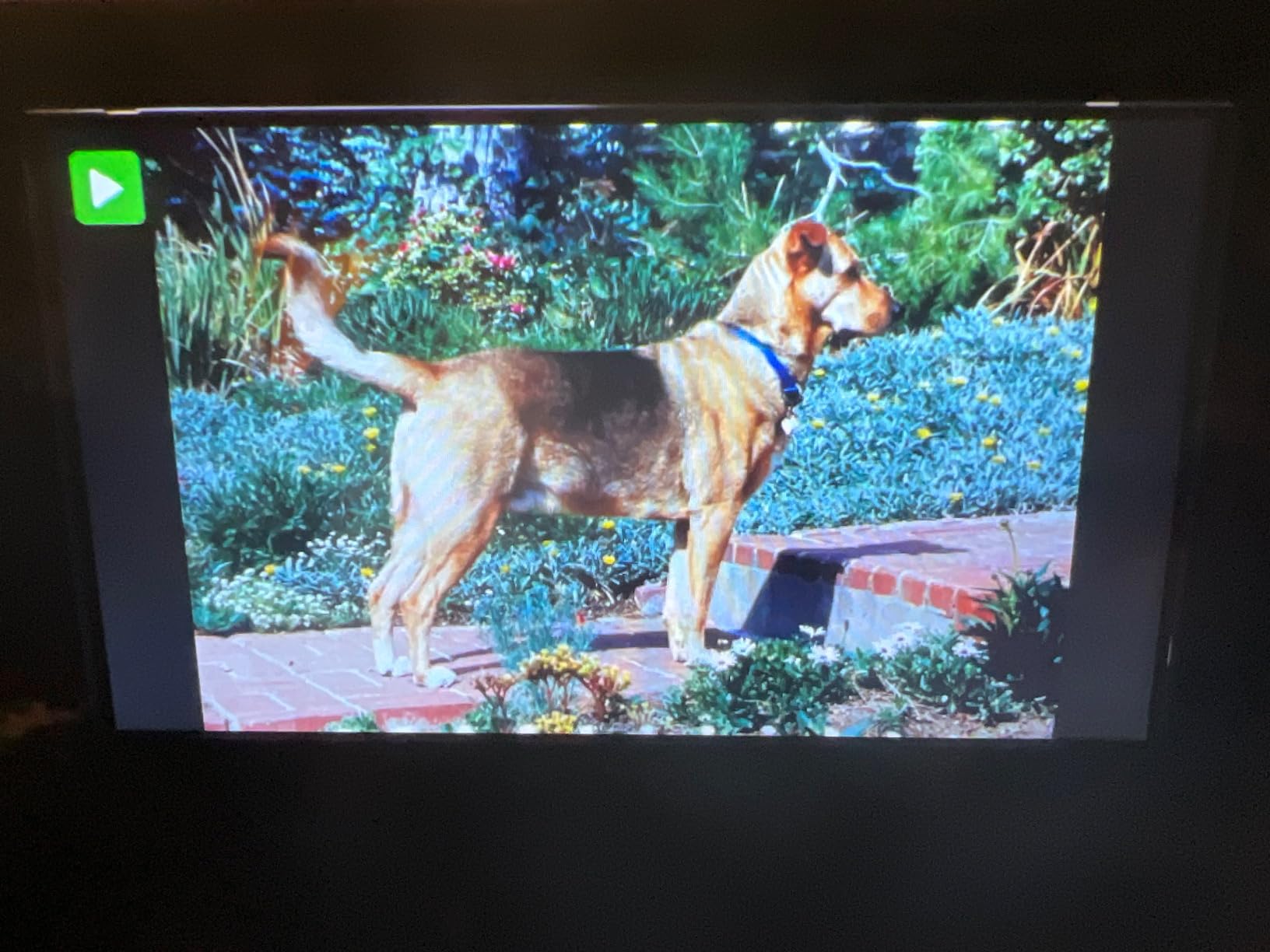
The album capability is the detail owners single out. You can place the page on the scanner and capture photos while they are still mounted, which avoids the risk of adhesive tearing a brittle print.
The built-in rechargeable battery removes the last excuse. No outlet, no computer, no driver, and the files come off the SD card later at home.
Who this is for
Anyone digitizing in a house without a computer, and anyone whose prints are still glued into albums and probably should stay there. It travels well and it takes about two or three seconds per scan.
The two-year warranty and US-based support also make it a more comfortable purchase for a non-technical relative than an imported unit with no reachable help.
Where it falls short
There is no auto feeder, so every item is a one-at-a-time process, and it does not handle 5×7 photos at all. Plan accordingly if you own mostly 5×7 prints.
The headline 22 megapixels is interpolated from 14MP native at 3824 by 2512 pixels. That is plenty for viewing and small prints, not for wall-sized enlargements.
6. ScanSnap iX1300 – Compact Sheet-Feed Scanner for Mixed Collections
ScanSnap iX1300 Wireless or USB Double-Sided Color Document Scanner, White
600 dpi duplex
30 pages per minute
20-sheet feeder
Fold-flat body
Pros
- Folds flat and disappears when not scanning
- Up to 30 pages per minute duplex with de-skew and blank page removal
- One-touch start with no driver setup
- USB or Wi-Fi to Mac PC mobile and cloud
- 20-sheet feeder handles thick items and cards
Cons
- CIS sensor trails a CCD flatbed on fine photo detail
- Feeder limits bulky photo albums
- Wi-Fi setup takes patience
- No slide or film support
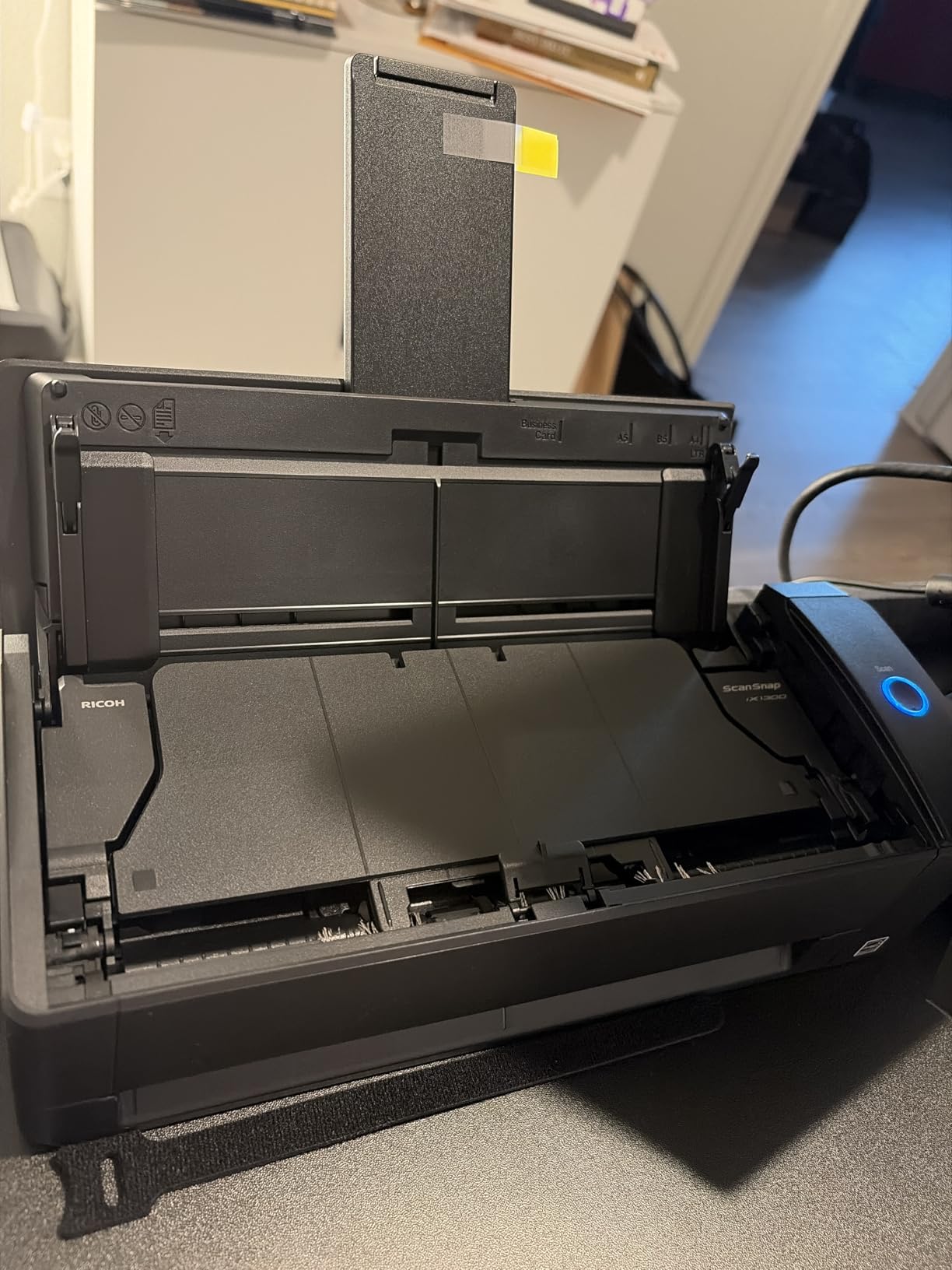
The iX1300 is not a photo specialist, but if your collection is a mix of prints, letters, receipts and documents, one machine that handles everything is worth more than a specialist that only does photos.
Its folding body is the reason it earns a place here. It sits flush on a desk or in a drawer when idle, which matters in an apartment or a spare room where a full-size flatbed would occupy the only flat surface.
Automatic de-skew, color optimization and blank page removal run without intervention, and it can push files to a Mac, PC, phone or cloud service over USB or Wi-Fi, or work with no computer attached at all.
At 600 dpi and 30 pages per minute duplex, it handles loose unmounted prints in a 20-sheet batch at a steady clip.
Where it fits well
Mixed collections and small spaces. It is also the one to consider if you will be scanning at a family gathering where you want a tidy table afterward rather than a full piece of office equipment.
Its no-computer mode is genuinely useful for the same digitizing-at-a-relative-house scenario, though the file formats are more document-oriented.
Where it falls short
The CIS sensor does not hold fine photographic detail the way a CCD flatbed does, so it is the wrong tool for a treasured 8×10 print you want to enlarge.
A 20-sheet feeder cannot take a bulky album, there is no film or slide path, and the 13 percent one-star share reflects real reliability complaints from some units. Wi-Fi pairing also asks for more patience than the one-touch button suggests.
7. KODAK Slide N SCAN – Most Reviewed Film Scanner Here
KODAK Slide N Scan Film & Slide Scanner, 22MP, 5″ LCD Screen, 135/110/126mm
22MP film capture
5-inch LCD
SD card to 32GB
135 110 126mm
Pros
- Very easy to set up with little manual reading
- 5-inch screen previews and edits before saving
- About one frame every two seconds for large slide collections
- Works without a computer by saving to an SD card
- Handles 135 110 126mm negatives and 50mm slides
Cons
- Crops about 10 percent off the top and bottom automatically
- Film can shift during capture and blur the result
- Saves to SD card first rather than straight to a computer
- Dust on film shows up in the scan
With more than 12,000 reviews, this is the most thoroughly tried film scanner on our list. If the negatives and slides came out of a shoebox rather than a camera bag, you will see the pattern in reviews about consistency rather than image quality.
One owner scanned nearly 2,000 slides and negatives in about three hours. At roughly one frame every two seconds, that throughput is the reason it keeps appearing in family film projects.
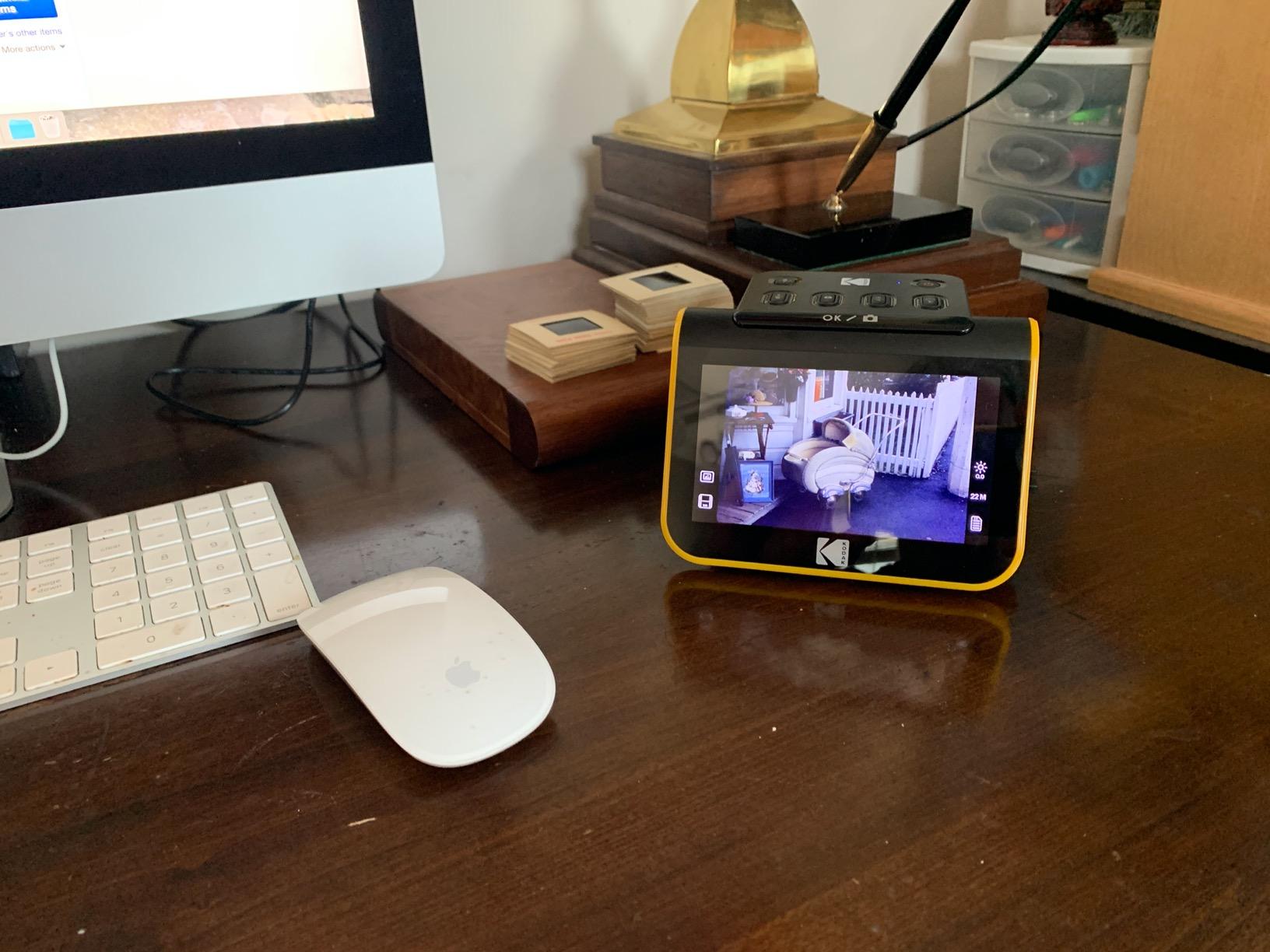
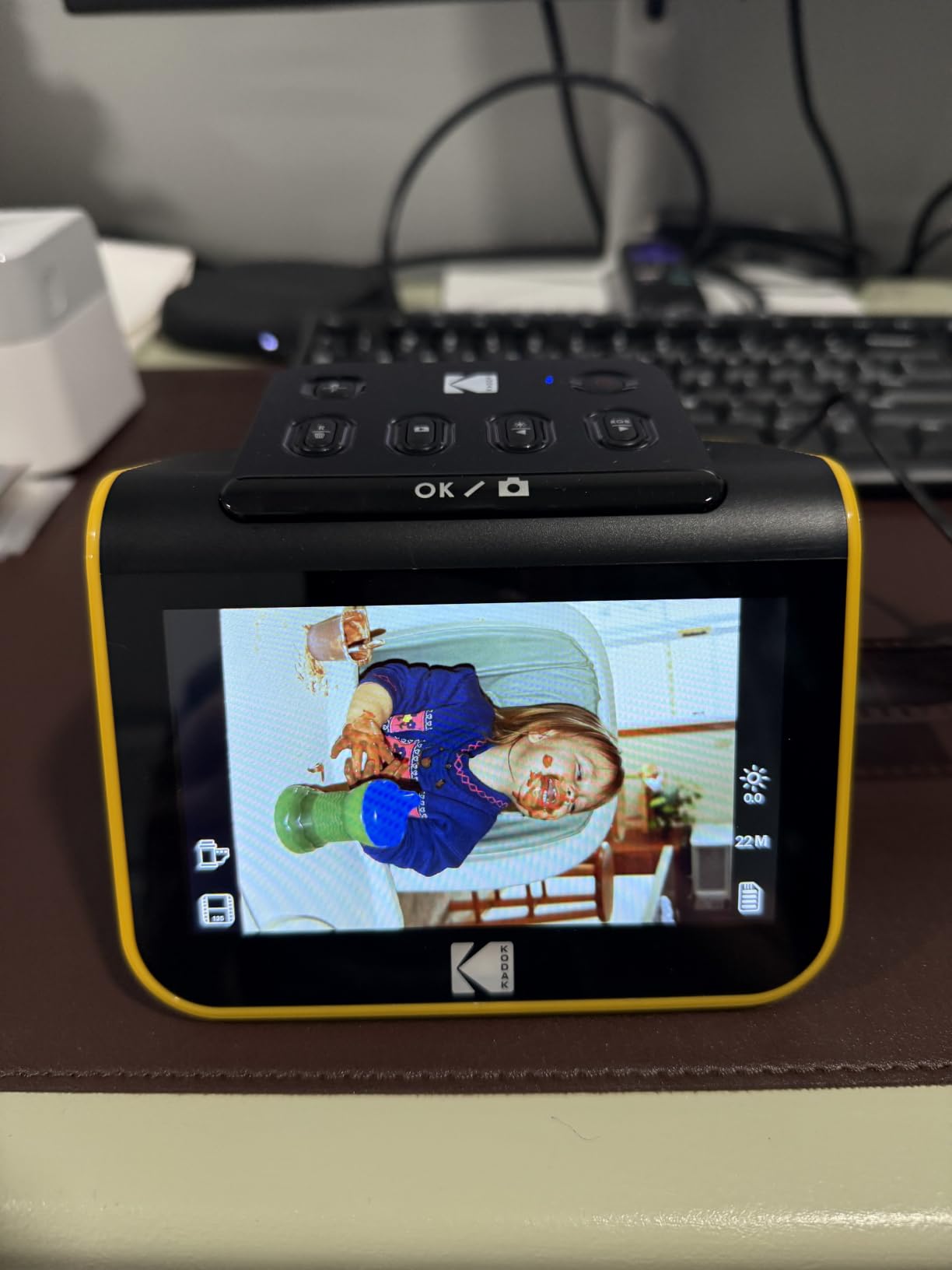
The 5-inch LCD replaces a projector or a flatbed transparency setup entirely. You frame the strip, preview it, and correct it before saving, which saves far more time than scanning blind and redoing bad frames.
It saves to SD or SDHC cards up to 32GB, so it works as a standalone device and can transfer over USB later. The card is not included, so budget for one.
What works well
Throughput and preview. For a large slide collection the combination of a two-second cycle and an on-screen check is the most practical workflow in this category.
The included cleaning brush matters more than it sounds. Dust on film or inside the chamber is the most frequent cause of marks, and a quick brush before each tray load prevents most of it.
Where it falls short
The software crops roughly 10 percent off the top and bottom of every frame automatically, which is fine for a slide but can clip a full-frame negative image.
Film sometimes shifts mid-capture, the film type setting resets each time you power the unit, and quality varies across a batch rather than sitting at a consistent archival level.
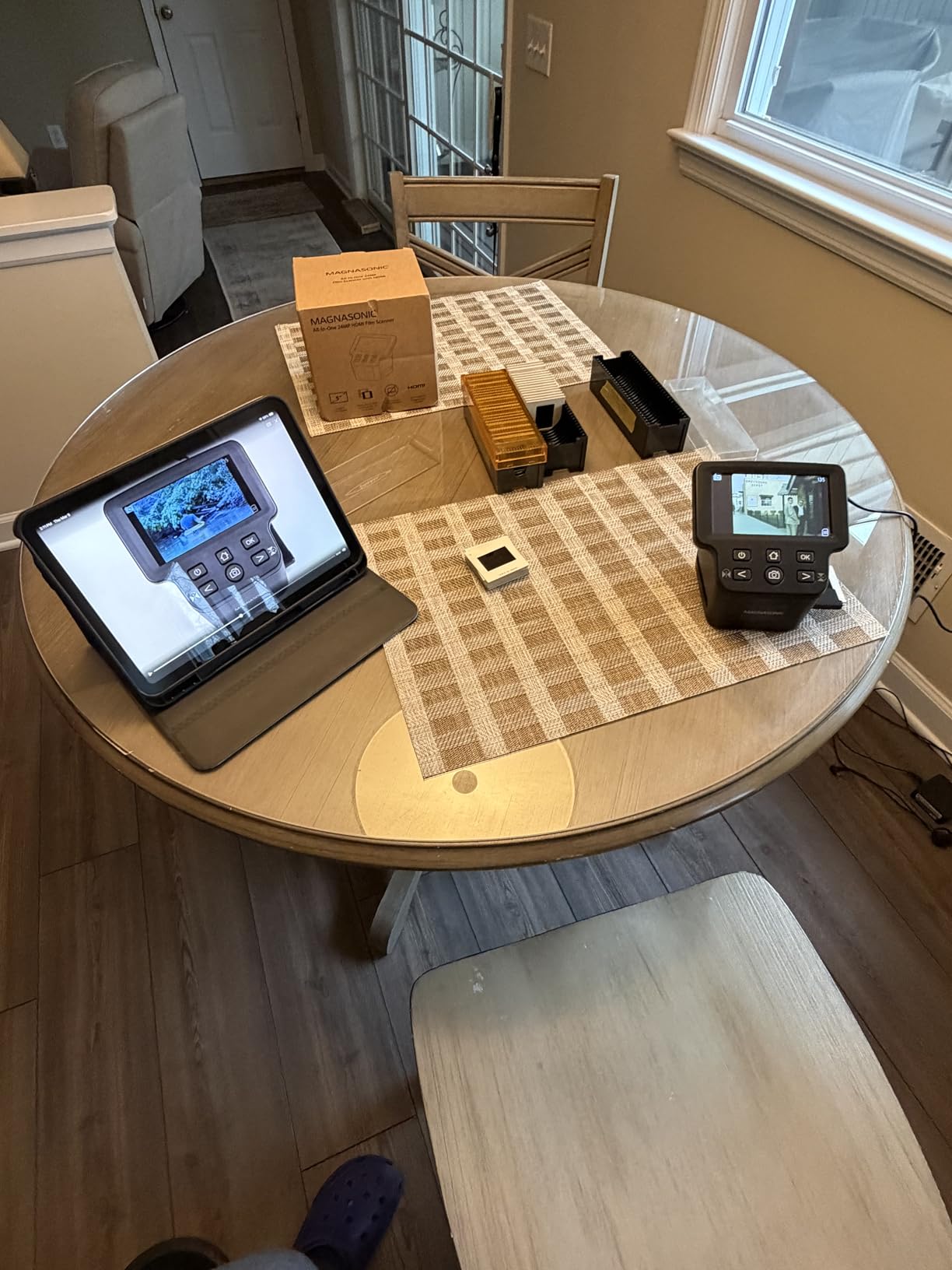
8. Magnasonic 24MP Film Scanner FS71 – Standalone Film and Super 8 Scanning
Magnasonic All-in-One 24MP Film Scanner with Large 5″ Display & HDMI, Converts 35mm/126/110/Super 8 Film & 135/126/110 Slides into Digital Photos (FS71)
24MP film capture
35mm 126 110 Super 8
5-inch LCD plus HDMI
Standalone
Pros
- Runs standalone with no computer drivers or editing software
- 5-inch LCD and HDMI output let you review on a TV
- Supports 35mm 126 110 and Super 8 negatives plus slides
- On-device brightness RGB correction flip and mirror controls
- Under five seconds per frame with included film trays
Cons
- SD card not included and must be bought separately
- No continuous scan mode so frames are captured one at a time
- Fixed scan quality with limited exposure control
- Some frames need a second pass
Super 8 and 126 home movie reels are the most overlooked thing in family archives. Almost nobody buys for them, and almost everybody finds them decades later in a closet.
The FS71 handles 35mm, 110, 126 and Super 8 negatives along with 135, 126 and 110 slides, at 24MP output, with no computer, drivers or editing software anywhere in the process.
HDMI output is the feature that surprises people. You can review frames on a television, which makes digitizing a project with a non-technical relative far less abstract than watching progress on a computer screen.
On-device brightness, RGB color correction, flip and mirror controls handle the worst of the adjustment without opening software, and 128MB of built-in memory covers a session before you need a card.
Who this suits
Anyone with home movie reels alongside box negatives, and anyone who wants to review results on a TV instead of a monitor. It also handles slides, so it covers two archive types at once.
It draws 5 watts and weighs under a pound, so it moves between a relative’s house and your own easily.
Where it falls short
There is no continuous scan mode, so each frame is captured individually, and quality is fixed with limited manual exposure control compared with computer-based scanning.
The 63 percent five-star share reflects adequate rather than impressive results. Some frames need multiple passes to land clean and centered, and the SD card is an extra purchase up to 128GB.
9. DigitPro M129A – Large 5-inch Screen and a Three-Year Warranty
DigitPro Photo, Slide & Negative Scanner with 5” Large Screen
Slides negatives prints and cards
5-inch HD LCD
Offline operation
Three-year warranty
Pros
- Handles slides negatives prints and business cards in one unit
- Runs fully standalone with no software apps or drivers
- 5-inch HD screen with wide viewing angles makes framing easy
- Bundle includes an 8GB SD card plus holders and a cleaning brush
- Three-year warranty
Cons
- Effective output resolution is modest
- Plastic film holders need careful alignment
- Files go to the SD card first rather than the computer
- Limited on-device color correction
The M129A is a good gift choice and a sensible companion to a computer-based setup. It converts 35mm slides, 135 and 110 negatives, printed 3R, 4R and 5R photos and business cards to JPEG in one device.
The 5-inch HD LCD with wide viewing angles is the reason it stands out. Framing a strip of negatives without leaning over the unit is easier here than on cheaper devices with smaller or angled screens.
It operates fully offline, with one-touch buttons and nothing to install. Files save to the included 8GB SD card and move to a PC or Mac over USB, so the same box works for someone with no computer and for a user who wants the files in a proper archive.
The three-year warranty is the longest in this group, and the bundle includes holders, trays, a cleaning brush, a power adapter and a cable.
Where it works
Users who value convenience above all else. The included SD card and the warranty remove the two small frictions that make standalone units annoying, and the wide-angle screen reduces failed captures.
It handles business cards and prints as well as film, so a mixed shoebox does not need two devices.
Where it falls short
Resolution is listed as 1080P and the effective output is modest, which limits any large-format printing. Set expectations on that before you buy.
The plastic film holders need careful alignment for consistent captures, and on-device color correction is limited compared with computer-based software. Treat it as a viewing-quality capture, not an archive one.
10. DigitPro C190 – Lowest-Cost Way to Rescue a Box of Negatives
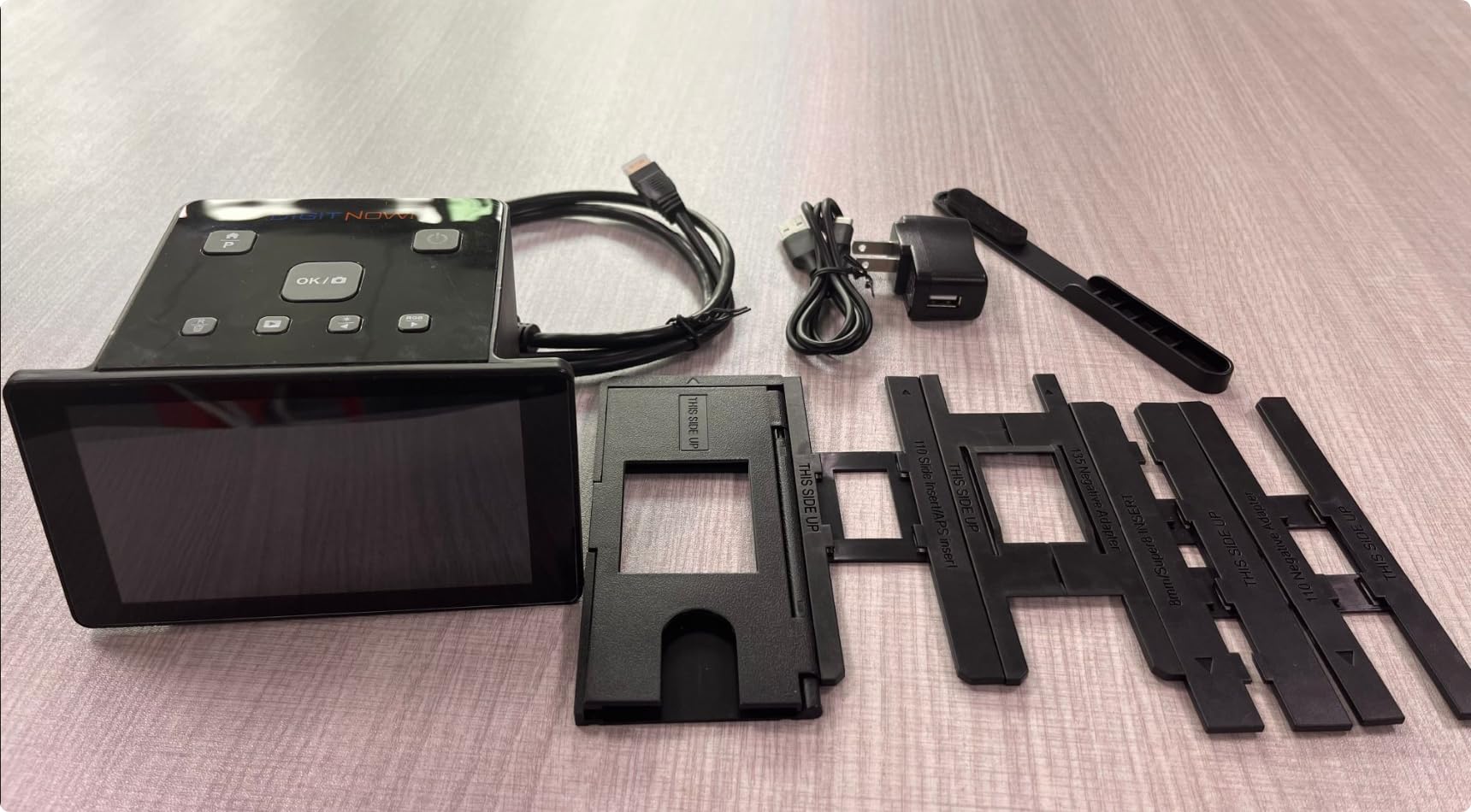
DigitPro 22MP Film & Slide Scanner with 5″ LCD, Converts 35mm 126 110
35mm 110 126 Super 8 plus 50mm slides
5-inch LCD
Standalone
HDMI and USB
Pros
- Cheapest route to converting 35mm 110 126 and Super 8 negatives plus slides
- 5-inch LCD previews and plays back files and doubles as a digital frame
- On-device color brightness and date and time adjustment
- Standalone with no computer required
- HDMI and USB for TV display and PC transfer
Cons
- SD card not included and required to save
- Viewing screen angle is awkward and the unit must be tipped upright
- Loose film sled allows misalignment and slippage
- Effective resolution is low for large prints
The C190 exists for one situation: a cardboard box of negatives that would otherwise stay in a closet. It converts color and black and white 35mm and 135, 110 and 126 negatives, 50mm slides and Super 8 film.
One owner pushed several thousand negatives through it over a few days. That is the case this machine serves, rescuing film you would never spend archival money on.
It runs standalone, saves to an SD card up to 64GB with 128MB of built-in memory, and offers on-device color, brightness and date adjustment. HDMI output to a television makes reviewing a batch easy for the whole family.
The 5-inch LCD also works as a digital photo frame, which is a small thing that turns the device into something people actually use after the project is finished.
Where it makes sense
Cheap volume. If the goal is to get film out of a storage unit before it degrades further, the cost per converted frame is the lowest in this group.
It suits beginners and anyone who wants a first step into film scanning without installing software.
Where it falls short
The physical design is the main complaint. The viewing screen sits at an awkward angle and the unit has to be tipped upright, and the film sled fits loosely enough to let frames shift and misalign.
Effective resolution is low, so large prints lose detail, and the instructions and on-device controls are not intuitive. Buy it for volume, not for results.
How to Scan Old Photos Without Damaging Them
The best way to scan old family photos is a flatbed at 300 to 600 dpi, 24-bit or 48-bit color, saved as TIFF for the master and JPEG for sharing. The hardware matters less than the preparation, and no competitor roundup we reviewed covers this part.
Dust the prints first. Use a soft brush or a blower, never a cloth, and work over a dark surface so light dust shows up.
Clean the scanner glass. Dust on the glass produces a line or a soft blob in every scan. A lint-free cloth and a little glass cleaner, applied to the cloth rather than the glass, fixes most marks.
Flatten curled prints. Sandwich them between two sheets of clean paper under a heavy book for a day or two. Do not use tape, glue, or steam.
Set 300 dpi for viewing and 600 dpi for prints. Go to 1200 dpi only for a specific image you intend to enlarge heavily.
Choose 24-bit color for most work, 48-bit for faded prints. Deeper bit depth recovers tone that a 24-bit file clips.
Turn off aggressive auto-enhance for faded originals. One-click restoration flattens the warm patina that makes an old print worth keeping. Scan flat, then adjust by hand.
Scan the back of every photo. Handwritten names and dates are half the record of a family archive.
Back up before you format anything. Copy the files to a second drive and the cloud before the originals go back in the box.
How to Unstick Photos from Old Album Pages
Stuck album pages are the most common source of torn prints. The safe approach is slow, patient, and worth it.
Test one corner with a fingernail. If the print lifts at all without bending, it is ready. If it flexes, go slower.
Warm the album in a dry room. Cool, dry adhesive is brittle and tends to tear the emulsion. Moderate warmth softens it.
Lift from the corner closest to the spine. Work a fingernail or a thin plastic card under the corner and slide rather than pull.
Never force it. A photo stuck to a page is replaceable only if it survives. Leave it mounted and scan it in place instead.
Use a scanner that copies the page. Scanning the whole album page captures both the print and its caption without any handling risk at all.
Flatbed vs Auto-Feed vs Standalone: Which Scanner Type Fits Your Collection
Scanner type matters more than any single spec. Pick the machine that matches what the photos are made of and how they are stored.
Loose prints in a shoebox: an auto-feed photo scanner. Speed wins, because handling one photo at a time on glass is what kills a large project. Just keep glossy prints off the rollers.
Photos still in albums: a flatbed with a removable lid, or a standalone unit that copies the album page. Both avoid unsticking.
35mm negatives and mounted slides: a dedicated film scanner with a built-in transparency unit or a light source. A document scanner will not do it.
Home movie reels and Super 8: a film scanner that supports 8mm formats. Almost nothing else on the market handles them.
Polaroids and instant prints: a flatbed with a decent lid. Thick instant film will not travel well through a sheet feeder.
Mixed photos and documents: a sheet-feed duplex scanner handles letters, receipts and prints in one pass, with less fine detail on the prints.
No computer on site: a standalone unit with an SD card slot, a preview screen and ideally a battery.
One warning from the owners we read: document feeders are widely considered risky for fragile, curled or bent prints. If a photo is bent, torn, or glued at a corner, use a flatbed.
Scanner Settings: 300 vs 600 vs 1200 DPI, Color Mode, and File Format
For most old family photos, 300 dpi is fine for viewing and email, 600 dpi is the right default for anything you might print, and 1200 dpi is reserved for a single image you plan to enlarge.
Scan at 600 dpi and 24-bit color for ordinary prints. Move to 48-bit color when the original is faded, because a washed-out print has lost tonal information and deeper bit depth is what brings back what remains of it.
On format, keep TIFF as the master and generate JPEG copies for sharing. PDF is useful for documents and multi-page album scans, but a folder of TIFFs is what preserves an archive.
One caution. Automatic color restoration is convenient and it is also aggressive. Several owners complain that one-press restoration flattens the aged tone of a 1950s print into something generic, and on an heirloom image that is a real loss.
How Long Does Scanning a Box of Photos Actually Take?
A 1,000-photo box takes about 17 minutes on a batch feeder, roughly an hour on a single-sheet feed, and close to 11 hours on a flatbed once you include lid, placement and software time.
That spread is the single biggest practical difference between these machines. On a batch feeder at one photo per second, the feeding is nearly free and your sorting time dominates.
On a flatbed, budget 30 to 40 seconds per photo and the project stops being a weekend and starts being a month. That is why we recommend a two-machine approach for big collections: speed for volume, quality for the ones that matter.
What Real Owners Say About Photo Scanners
Forums hold four of the top seven positions for this search term, and the complaints are consistent enough to plan around.
Flatbeds win on quality and safety for fragile material. In r/photography the recurring line is that document feeders are generally a bad idea for old prints, with the counterpoint that flatbeds are far slower on volume. In r/DataHoarder, one poster put it plainly: flatbed scanners are a compromise.
The most common flatbed disappointment is a curled print leaving a bright unscanned strip, which is why we tell people to flatten prints under a book for a day before scanning.
Feeder units accumulate dust, and that dust appears as streaks across every scan. Cleaning the glass and the feeder path between sessions is not optional if you care about the result.
On brand trust, Canon CanoScan models draw strong unprompted endorsement in r/Genealogy. One poster on the LiDE 400 wrote that it did everything they needed, perfectly, and that the price is reasonable; the LiDE 300 in our list is the sibling model below it and shares the same easy-setup character.
Mac compatibility is the other recurring complaint across brands. Several models ship with weak or missing Mac drivers and Windows-first documentation, so check your operating system before buying.
Two things nobody warns you about. One-click restoration software can flatten the faded patina you wanted to preserve, and low-cost no-name digitizers produce visibly inaccurate color next to an Epson or Canon flatbed.
Where to Scan Old Photos If You Do Not Want to Buy a Scanner
For a single small box, a lab is a reasonable choice. They handle fragile and oversized material, produce consistent color, and cost you nothing in time. The downside is you do not control the file format, the naming, or where the originals end up.
A retail shop with a self-service station sits in the middle: cheaper than a lab, and you leave with JPEGs on an SD card within the hour.
A phone app is the fastest option and the worst for archive work. It is fine for one photo you want to share immediately and it is not fine for three thousand prints, because you are photographing a print rather than capturing it.
The break-even point is simple. If your collection is larger than a few hundred prints and you expect to keep the scans for decades, a scanner pays for itself on time alone.
What to Do With the Originals After You Finish Scanning
Follow the 3-2-1 rule: three copies of the scans, on two different kinds of media, with one copy somewhere off-site. The cloud is your off-site copy, not your only copy.
Keep the TIFF masters untouched and treat JPEG copies as derivatives. Editing the master means every future copy inherits the edit, and you lose the ability to reprocess faded scans with better software later.
Name files consistently before you forget your own system. A date plus surname plus a sequence number, such as 1974-Smith-0042, keeps a family archive searchable ten years from now.
As for the physical photos, keep them. Scan at a second copy and store the originals in acid-free sleeves in a cool, dry place, away from direct light. Most owners who scanned a large family box tell us the sorting itself became the real payoff, and the box then has somewhere to live that is not a closet.
Frequently Asked Questions
What is the best way to scan old family photos?
Use a flatbed at 300 to 600 dpi in 24-bit or 48-bit color, dust each print first, clean the scanner glass, and flatten curled prints under a heavy book for a day. Save a TIFF master and a JPEG copy for sharing, scan the back of every photo for handwritten names, then back up to two drives and the cloud before you touch the originals.
Should I scan photos at 300 or 600 DPI?
Scan at 300 dpi for photos you will only view on screen or email. Scan at 600 dpi as the default for anything you might print, since a 4×6 print at 600 dpi produces roughly 8.6 megapixels. Use 1200 dpi only for a single image you plan to enlarge heavily, because larger files slow every later step.
Is it better to scan photos as PDF or JPG?
Keep TIFF as the master file for an archive, because it is uncompressed and can be reprocessed later. Generate JPEG copies for everyday sharing since they open anywhere and stay small. Use PDF for documents and for album pages containing several photos and captions, where the page structure matters more than the individual file.
Can I scan photos while they are still in the album?
Yes, and for old albums that is often the safer choice. Place the album page on a flatbed with a removable lid and scan the whole page, which captures prints and their captions without handling. A few standalone units such as the ClearClick QuickConvert 2.0 are built specifically to capture prints while they stay mounted in albums.
How do I unstick photos from old albums?
Warm the album slightly in a dry room so brittle adhesive softens, then lift from the corner nearest the spine with a fingernail or thin plastic card, sliding rather than pulling. Never force a photo free, because a torn print is lost for good. If it does not lift easily, leave it mounted and scan the album page instead.
Do auto-feed scanners damage old photos?
They can. Sheet feeders are a poor match for curled, bent or brittle prints, and glossy photos can pick up permanent roller track marks. Several owners of the Epson FastFoto FF-680W specifically recommend a flatbed for originals they intend to keep. Auto-feed only loose, undamaged prints, and scan fragile ones on glass.
What to do with 30 years of photos?
Digitize in batches rather than all at once: a shoebox first, then one album, then the negatives. Scan at 600 dpi, save TIFF masters, and apply the 3-2-1 backup rule so three copies exist on two media types with one off-site. Sort as you scan, since most owners say the sorting is the part they enjoy most.
Final Verdict: Which Photo Scanner Should You Buy
For most families starting a single shoebox, buy the Plustek ePhoto Z300. It is the fastest route from a stack of loose prints to organized files, the auto crop and deskew removes most of the work, and it runs on both Mac and PC without drama.
If you face thousands of prints rather than hundreds, the Epson FastFoto FF-680W is the only one of these that makes the project a weekend, and its duplex capture records the writing on the back of every photo. Keep glossy heirlooms off its rollers and run those on a flatbed.
Reserve a quality flatbed such as the Epson Perfection V550 for the images you would be genuinely upset to lose, and a standalone unit such as the ClearClick QuickConvert 2.0 or a KODAK Slide N SCAN for film and for digitizing where there is no computer.
Whichever you choose, the backup plan matters more than the hardware. Three copies, two media types, one off-site, and keep the originals in a cool dry place. That is how a scan outlives the photo.