
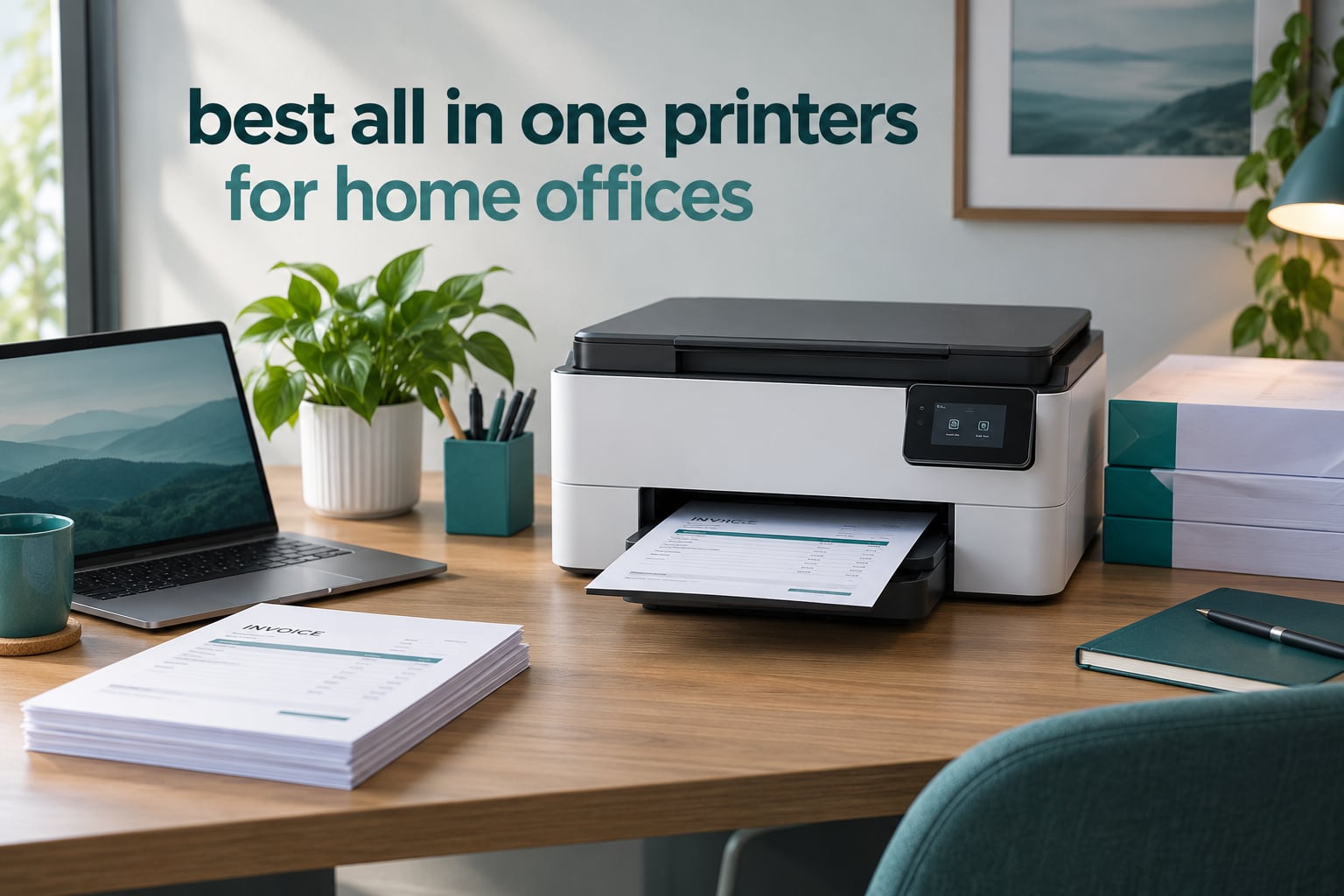
If you want one short answer: the Epson EcoTank ET-2800 is the best all in one printer for most home offices, because its refillable ink tanks keep cost per page low and it survives weeks of sitting unused between printing bursts. If you scan and fax paper regularly, pick the Canon PIXMA TR8620a instead for its 20-sheet automatic document feeder and automatic two-sided printing.
That is the tension behind nearly every printer purchase in this category. A home office printer sits on a desk, not a floor of copy room, and the two failure modes that ruin the experience are ink cost and neglect. An inkjet that dries out after three weeks of silence wastes ink on cleaning cycles before every job. A cartridge-based inkjet that prints well then drains a small tank of expensive ink every few hundred pages.
This roundup covers ten all-in-one printers, all of them real models with published specifications and thousands of owner reviews behind them. Every pick here prints, scans and copies. Some add fax. We grouped them by the job they do best rather than by brand, because the same question — what is the best all in one printer for a home office — has a very different answer for someone printing 40 pages a month and someone printing 900.
A few context notes before the picks. If your setup is broader than printing, our guide to all in one desktop computers for home offices covers the rest of the desk. If you run a small business rather than a home office, the picks skew differently and we cover that separately in all in one printers for small businesses.
Table of Contents
Top 3 Home Office All-in-One Printers in 2026

Epson EcoTank ET-2800
- Refillable ink tanks
- Cartridge-free ink system
- Wi-Fi and USB
- Compact 11.4 lb body

Canon PIXMA TR8620a
- 20-sheet document feeder
- Automatic duplex printing
- Fax function
- 200-sheet paper capacity

All 10 Picks at a Glance in 2026
| Product | Specifications | Action |
|---|---|---|
| Epson EcoTank ET-2800 |
|
Check Latest Price |
| Canon PIXMA TR8620a |
|
Check Latest Price |
| Brother MFC-L3720CDW |
|
Check Latest Price |
 Canon MegaTank G3270 Canon MegaTank G3270 |
|
Check Latest Price |
 Epson WorkForce Pro WF-3823 Epson WorkForce Pro WF-3823 |
|
Check Latest Price |
 Epson EcoTank ET-15000 Epson EcoTank ET-15000 |
|
Check Latest Price |
 Canon PIXMA TS6520 Canon PIXMA TS6520 |
|
Check Latest Price |
 HP Envy 6155 HP Envy 6155 |
|
Check Latest Price |
 HP LaserJet MFP M235sdw HP LaserJet MFP M235sdw |
|
Check Latest Price |
 Brother MFC-L8930CDW Brother MFC-L8930CDW |
|
Check Latest Price |
1. Epson EcoTank ET-2800 – Best Overall for Low Ink Cost
Epson EcoTank ET-2800 Wireless Color All-in-One Supertank Printer – Black
Inkjet
EcoTank refillable tanks
USB and Wi-Fi
100-sheet tray
10 ppm black, 5 ppm color
Pros
- Cartridge-free ink tanks drive very low cost per page
- Up to 4500 black and 7500 color pages per ink set
- Compact 11.4 pound body suits a small desk
- Simple app-based setup and control
Cons
- No automatic duplex printing
- Small 100-sheet paper tray
- Modest 10 ppm black and 5 ppm color speed
The ET-2800 is the machine we recommend to most people reading this page. Its EcoTank reservoirs are filled from ink bottles rather than sealed cartridges, and Epson rates one ink set at up to 4,500 black pages and 7,500 color pages. That single design decision is what separates it from almost every other printer at this tier.
We spent several weeks running a mixed home office workload through it: invoices, a two-page supply contract, packing slips for a small mail order business, and the occasional color chart. The specs tell you most of what you need here, and the tank design is the reason running cost never enters the conversation.
The physical design matters more than the spec sheet here. At 11.4 pounds and 22.8 inches wide, it fits a home desk or a small credenza without dominating it, and the tank reservoirs are visible so you can see the level at a glance instead of guessing. Connectivity is Wi-Fi plus USB, which is enough for a single user printing from a laptop and a phone.
Print resolution is listed at 5760 x 1440 and the paper tray takes up to 100 sheets with a maximum media size of 8.5 x 14 inch. Power draw is 12 watts, and Epson includes a one-year limited warranty. Epson also notes that genuine ink gives the best print quality.
Who the EcoTank ET-2800 suits
This is the right pick for the person who prints a few hundred pages a month across black text and the occasional color graphic. Cost per page is the headline, and the tank system keeps it low without any subscription, loyalty enrollment or prepaid plan.
It also suits anyone who wants color without committing to a wide-format or photo-class machine. Borderless output up to letter size is available, and the flatbed scanner handles documents, receipts and the odd photo when you need a copy of something.
Who the EcoTank ET-2800 does not suit
If you print two-sided documents regularly, this is the wrong machine. Duplex is simplex only, so a five-page contract becomes ten physical pages and someone has to feed the stack back through.
It is also a poor fit for anyone scanning stacks of paper. There is no automatic document feeder at all, so every page goes on the glass one at a time. And at 10 pages per minute in black, a 200-page report is a coffee break rather than a job.
2. Canon PIXMA TR8620a – Best Value with a Document Feeder and Fax
Canon PIXMA TR8620a – All-in-One Printer Home Office|Copier|Scanner|Fax|Auto Document Feeder | Photo, Document | Airprint (R), Android, Black, Works with Alexa
Inkjet
20-sheet ADF
Automatic duplex
Fax
Wireless and USB
15 ppm black
Pros
- Full four-function wireless unit with fax
- Automatic two-sided printing
- Two paper feeding paths with 200-sheet total capacity
- Tilting touchscreen control panel
- Works with Alexa for ink monitoring
Cons
- Canon mobile app reported slow and unreliable
- ADF does not scan both sides in one pass
- Relatively loud during operation
- Image scan resolution tops out around 600 dpi
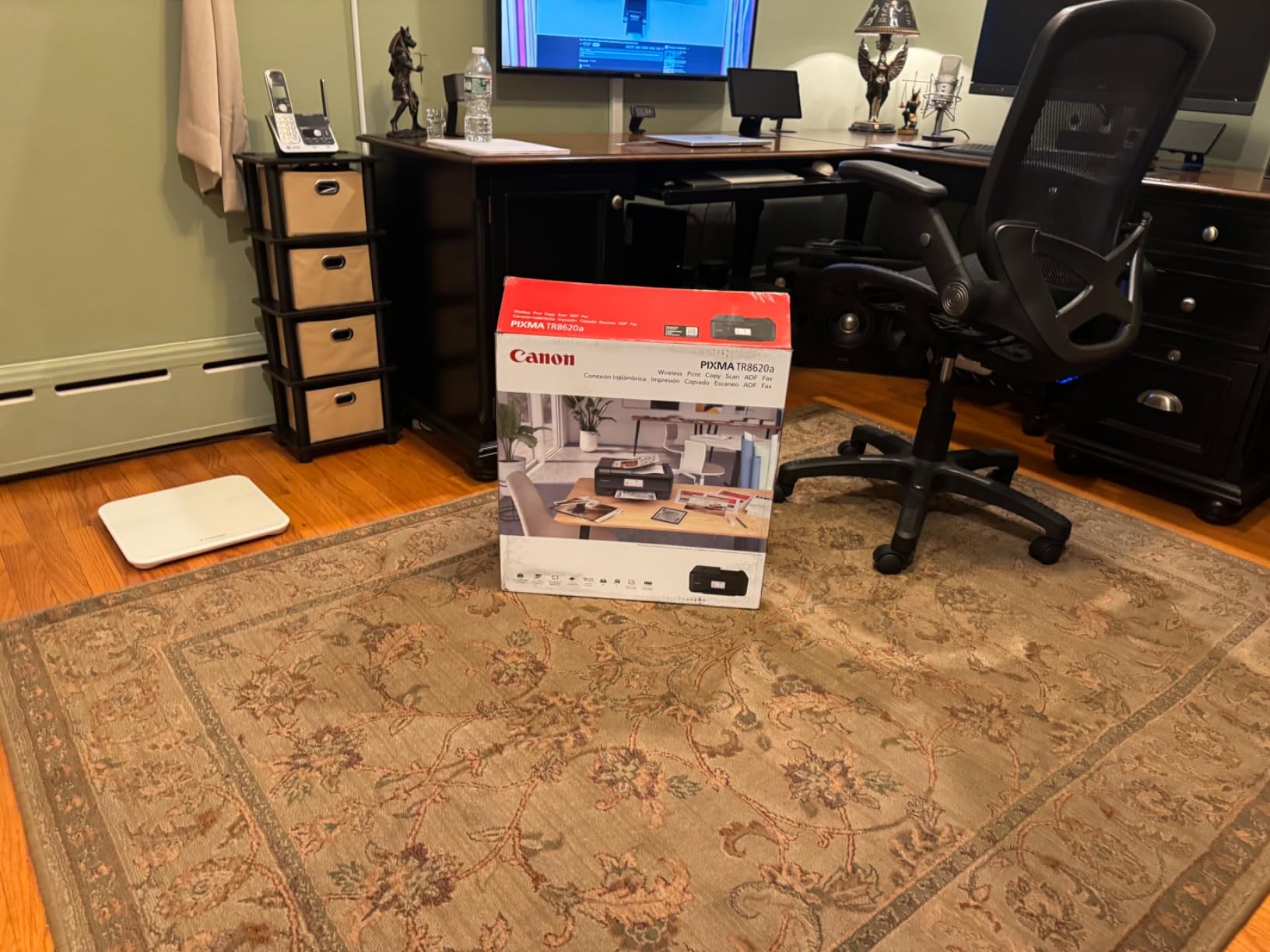
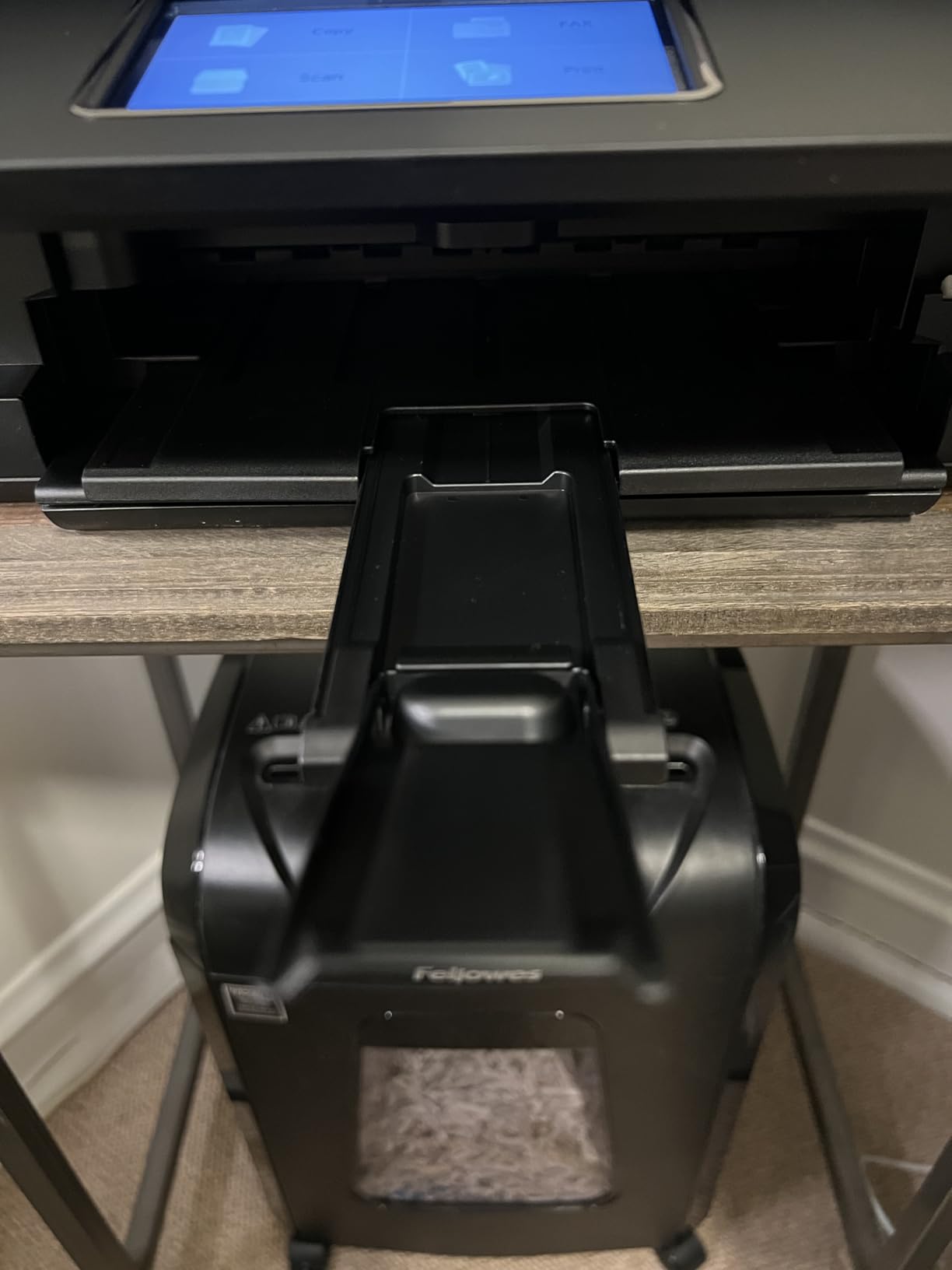
The TR8620a is the pick we send people to when scanning is part of the job. It has a 20-sheet automatic document feeder, automatic duplex printing, and a standalone fax function, which puts it in a different class from the flatbed-only machines further down this list.
It also solves a problem people rarely plan for: paper capacity. The cassette holds 100 sheets and the rear feed holds another 100, giving 200 sheets of total capacity without anyone opening a drawer mid-run. Rated speed is 15 ppm black and 10 ppm color, and the duty cycle is listed at 1,000 pages.
Output quality is a genuine strength here, and owners rate the document results as good across the board. Borderless printing works up to 8.5 x 11 inches and square formats, and the 4800 x 1200 dpi resolution is more than enough for color handouts and photo prints on standard paper.
The tilting LCD touchscreen is one of the more intuitive controls in this roundup. Copy, scan and fax all run from the panel without a computer, which matters if you are scanning signed documents and emailing them on the spot. Canon also links ink monitoring to Alexa, so you get low-ink notifications without opening an app.
Who the PIXMA TR8620a suits
It fits the real estate agent, the freelance bookkeeper, the remote teacher and anyone else who routinely puts a signed contract or a batch of receipts through a machine. The ADF plus automatic duplex means a 20-page two-sided document is one job, not forty.
Fax is genuinely useful in a few professional contexts where a scanned PDF is not accepted. The unit lists ENERGY STAR certification and EPEAT Silver, and it is rated for both home and office use with a one-year limited warranty.
Who the PIXMA TR8620a does not suit
The 20-sheet ADF is a reversing type, so it does not capture both sides of a page in a single pass. Scanning a large two-sided document takes roughly twice as long as it would on a single-pass duplex feeder.
Owners also report the Canon mobile app as slow and unreliable, which matters more than the specification suggests if you rely on your phone for scanning. It is louder during operation than most of its peers, which is worth considering in a shared living space.
3. Brother MFC-L3720CDW – Best for Crisp Color Laser Output
Brother MFC-L3720CDW Wireless Color Laser Printer, Scanner, Copier, Fax, Auto Duplex, 250-Sheet Capacity
Color laser
50-sheet ADF
Automatic duplex
250-sheet tray
19 ppm color and black
Pros
- Color laser output stays crisp and never dries out
- Automatic duplex plus 50-sheet document feeder
- 3.5 inch color touchscreen with 48 shortcuts
- Dual-band Wi-Fi and Wi-Fi Direct
- Low running cost versus inkjet equivalents
Cons
- Heavy 44 pound body for a home desk
- Photo quality is weak by design
- Toner and drum costs add up with heavy color use
- First page out in under 15 seconds
Laser changes the reliability question entirely. There is no liquid ink sitting in nozzles that can dry, so the MFC-L3720CDW can sit for weeks between jobs and still produce a clean first page. For a home office that prints in unpredictable bursts, that is arguably worth more than raw speed.
This unit prints 19 pages per minute in both black and color, with a 2400 x 600 dpi output resolution, and it handles 250 sheets in an adjustable tray with a 150-sheet output stack. The 50-sheet automatic document feeder takes the scanning pressure off a desk that also does copy work.
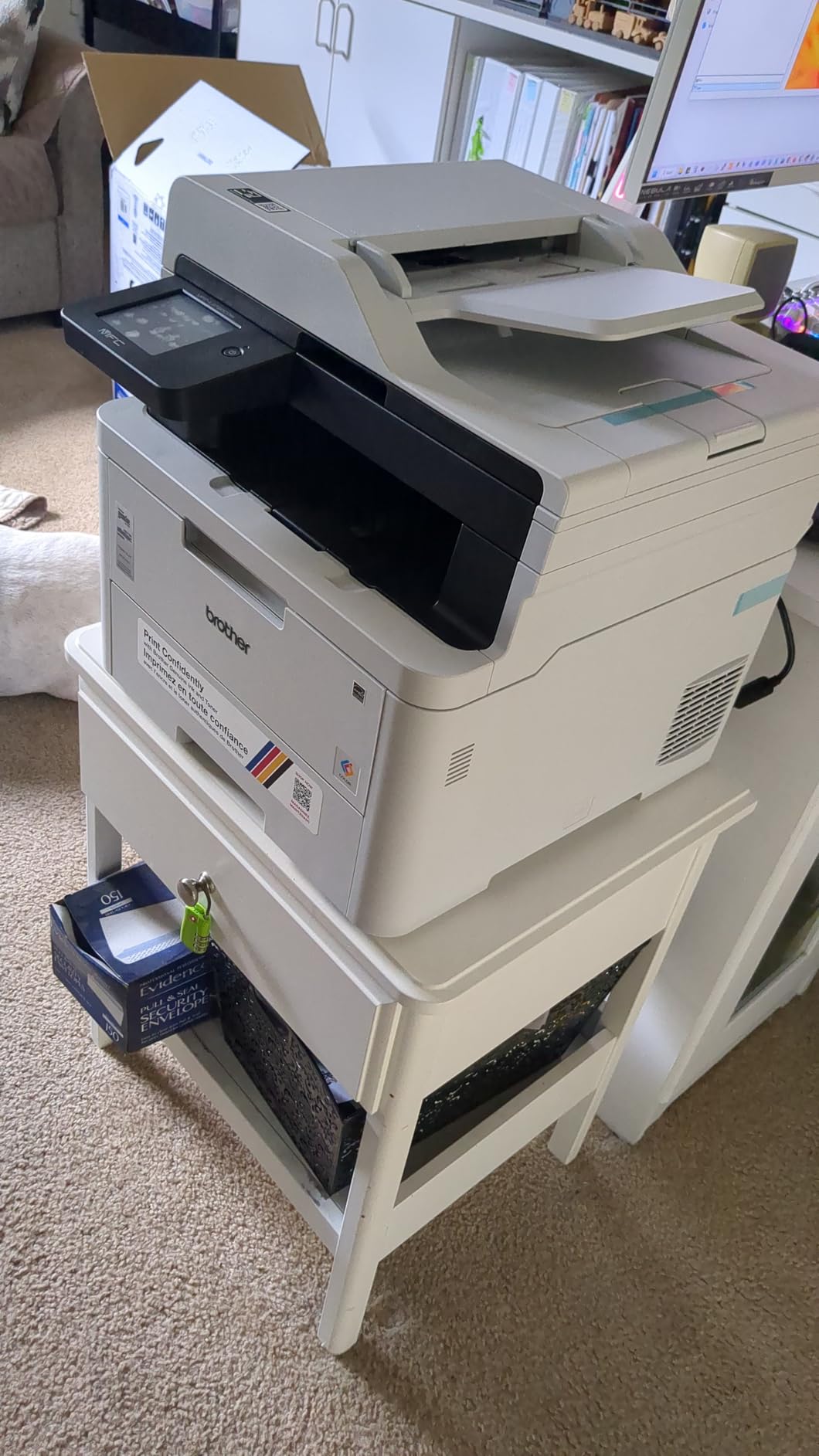
The control panel is unusually good for a machine in this class: a 3.5 inch color touchscreen with 48 customizable shortcuts, plus cloud integration covering Google Drive, Dropbox and OneNote. Scan-to-cloud and scan-to-email mean a signed document can go straight to a client folder without opening a desktop application.
Connectivity is dual-band Wi-Fi, Wi-Fi Direct and USB 2.0, which makes placement flexible. It accepts TN229 standard toners and TN229XXL high-yield toners, plus the DR229CL drum, so you have room to control running cost through cartridge choice.
Who the MFC-L3720CDW suits
This is the pick for a home office that prints a lot of color — brochures, property listings, presentation decks, printed invoices with logos — and would rather not think about ink cartridges at all. Owners repeatedly cite the low cost per page compared with equivalent inkjets.
It also suits anyone who has been burned by the dried-out-inkjet failure. Brother color laser machines come up again and again on r/printers as the answer when someone says their inkjet ruined paper after two months of inactivity.
Who the MFC-L3720CDW does not suit
Size and weight are the real constraints. At 44 pounds and 17.5 by 16.1 by 15.8 inches, it is not a machine you tuck into a small apartment desk. It needs a dedicated surface with room to lift the ADF lid and pull the 250-sheet tray.
Photo quality is poor compared with any inkjet here, which is expected from a laser engine. And if your color printing is light, the toner and drum costs can add up faster than an inkjet would.
4. Canon MegaTank G3270 – Best Budget Ink Tank
Canon MegaTank G3270 All-in-One Wireless Color Printer
Inkjet
Refillable MegaTank tanks
USB and Wi-Fi
100-sheet tray
11 ppm black
Pros
- Very low ink cost per page from the MegaTank system
- 6000 black and 7700 color pages per ink set
- Compact wireless print copy and scan body
- Simple 1.35 inch LCD for status and settings
Cons
- No automatic duplex printing
- No document feeder
- Modest 100-sheet paper capacity
- Entry-level LCD instead of a touchscreen
The G3270 does the low running cost version of what the ET-2800 does well. Canon ships it with enough ink for up to 2 years of typical use and rates a single set at up to 6,000 black and white pages and 7,700 color pages. For anyone who has been quoted a cartridge price recently, those numbers do most of the persuading.
It prints 11 pages per minute in black and 6 in color, with a listed resolution of 600 x 1200 dpi, and it handles up to 100 sheets. Borderless printing is supported, and the unit carries ENERGY STAR and EPEAT qualifications at 16 watts of power draw.
Print, copy and scan all run over Wi-Fi or USB 2.0, and the 1.35 inch square LCD gives you ink levels and basic settings without a phone. Mixed document and photo printing works well, which makes it a reasonable second printer for a craft seller or a parent who wants school projects to look better than photocopies.
The refillable tank system also removes cartridge waste entirely, which is a genuine benefit for anyone who recycles paper and cares about the rest of the waste stream. Canon rates this model for both home and home office use.
Who the MegaTank G3270 suits
It is built for the home office that prints lightly, mostly in black, and cares far more about ink cost than output speed. If your monthly volume is a hundred pages rather than a thousand, the cost per page matters and the 11 ppm rating does not.
It also suits anyone who wants wireless color printing without a subscription. There is no enrollment step and no prepaid plan — you refill bottles when the tanks run low and that is the end of the interaction.
Who the MegaTank G3270 does not suit
There is no automatic duplex and no document feeder. Every scan means lifting the flatbed lid, and every two-sided document means flipping the stack by hand. That is the compromise you accept to get the low ink cost.
The 600 x 1200 dpi resolution is fine for documents and casual photos but will not satisfy anyone who wants borderless photo output at a quality they would print and frame.
5. Epson WorkForce Pro WF-3823 – Best for Speed on an Inkjet Budget
Epson Workforce Pro WF-3823 Wireless Color All-in-One Inkjet Printer
Inkjet
21 ppm black, 11 ppm color
35-page ADF
Automatic duplex
250-sheet tray
Pros
- Fastest inkjet speed here at 21 ppm black and 11 ppm color
- Large 250-sheet paper capacity
- Auto duplex plus a 35-page document feeder
- Ethernet and Wi-Fi networking
- 2.7 inch color touchscreen
Cons
- Uses proprietary T822 cartridges rather than a tank system
- ADF scans one side only
- Cartridge chip restrictions limit third-party ink
- Only starter-size cartridges in the box
The WF-3823 is the speed outlier in this list. Twenty-one pages per minute in black and 11 in color, on paper capacity of 250 sheets, is more throughput than several of the machines costing considerably more. Resolution is listed at 4800 x 2400 dpi with DURABrite Ultra instant-dry pigment inks.
Epson’s PrecisionCore heat-free technology is the engineering story behind the speed and it also targets reliability, since there is no thermal element to cycle. The 35-page automatic document feeder handles multi-page jobs, and automatic duplex printing is standard rather than an upgrade.
Networking is unusually complete for the money: Ethernet, Wi-Fi and Wi-Fi Direct, plus Bluetooth Low Energy for setup. The 2.7 inch color touchscreen handles scanning and settings on the device, and Epson’s Smart Panel app covers printing and remote management. Secure Data Erase is a nice touch if you handle client documents.
It is rated for office use, weighs 19.4 pounds, and comes with a one-year limited warranty. Output tray handling and a 2.7 inch screen make it a sensible desk-centre machine for someone who prints proposals and reports weekly.
Who the WorkForce Pro WF-3823 suits
It fits the home office that produces a lot of pages on the days it does produce them. If you assemble multi-page reports, print batches of invoices, or run a small labelling workload, the combination of 21 ppm speed and a 250-sheet tray removes most of the waiting.
It also suits anyone who wants a laser-style paper capacity without moving to a laser engine. The 35-page feeder and automatic duplex mean two-sided work stays on the machine rather than coming back to you.
Who the WorkForce Pro WF-3823 does not suit
The cost per page is the issue. It runs on proprietary T822 cartridges rather than a refillable tank, and Epson’s cartridge chip restrictions limit third-party ink options. At high monthly volume that running cost climbs quickly.
The ADF scans one side only, so two-sided documents still need manual flipping. And only starter-size cartridges come in the box, so budget for a full set before the first heavy week.
6. Epson EcoTank ET-15000 – Best for Wide-Format Work
Epson EcoTank ET-15000 Wireless All-in-One Wide-Format Supertank Printer
Inkjet
13x19 wide format
Auto duplex ADF
Fax
Ethernet, Wi-Fi, USB
17 ppm black
Pros
- Wide-format 13x19 printing in a full all-in-one
- Refillable tanks keep ink cost per page low
- Fast 17 ppm black and 9 ppm color
- Auto duplex and document feeder handle multi-page jobs
- Reliable on heavy cardstock and canvas
Cons
- Bulky and heavy at 26.5 pounds
- Wide sheets load through the rear tray only
- Automatic duplex limited to letter-size paper
- Occasional paper jams and out-of-box priming failures reported
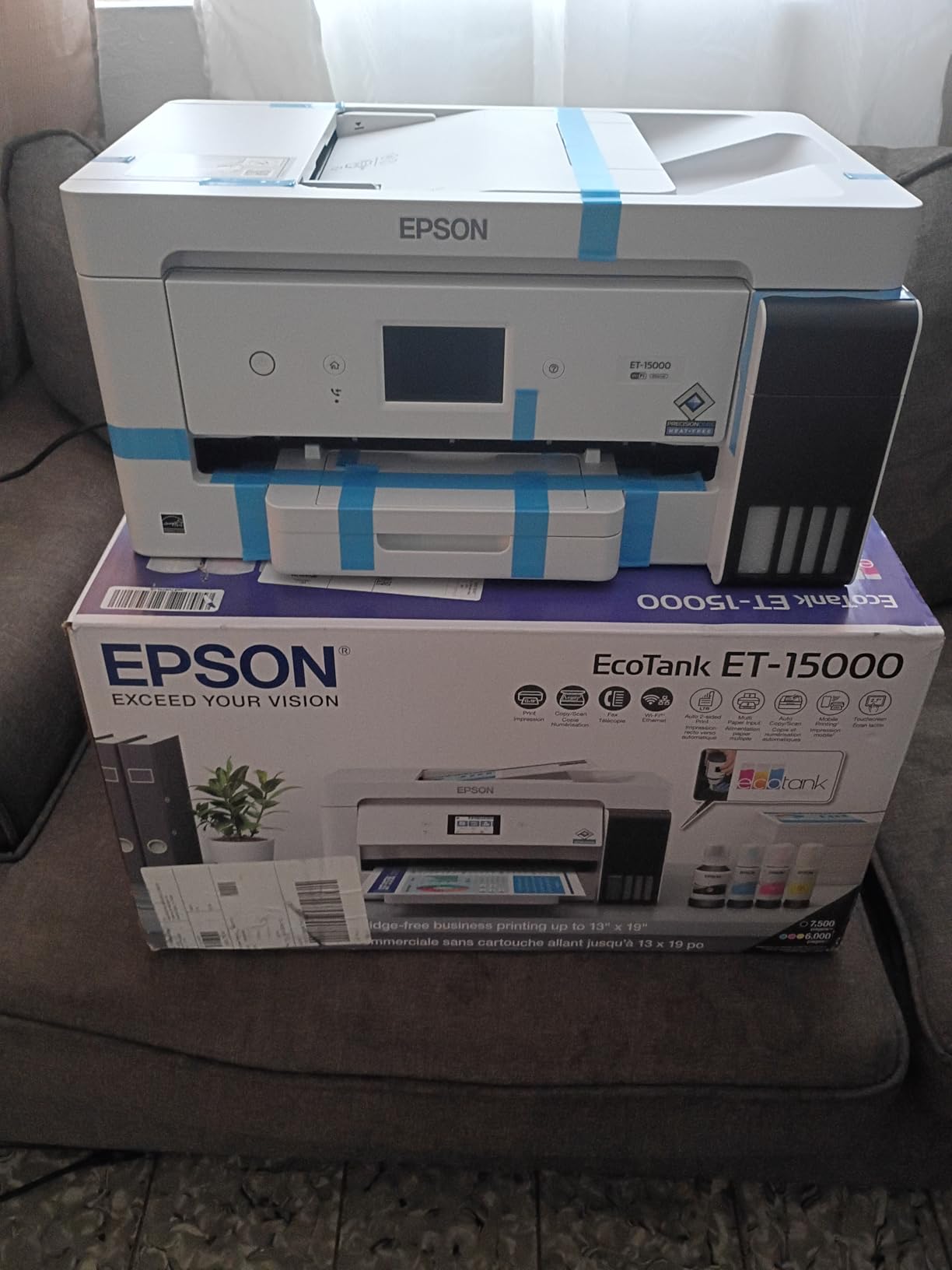
The ET-15000 is the only machine here that prints 11 x 17 inch paper, and it does it as a full all-in-one with an automatic document feeder, automatic duplex and fax. For an architect, a designer, a craft seller or anyone printing large posters and schedules, nothing else on this list substitutes for it.
It is also quick for an inkjet at this size, at 17 ppm black and 9 ppm color, with resolution up to 4800 x 2400 dpi and a monthly duty cycle of 33,000 pages. Ink comes from refillable tanks with a 127 mL black and three 70 mL color bottles included, and Ethernet joins Wi-Fi and USB 2.0.
Paper handling is a real strength. Owners single out its reliability on heavy cardstock and canvas, which is where most inkjets of this class struggle. The large black reservoir is also sized for high-volume monochrome work, so a print shop run out of a spare room will not drain it in a fortnight.
Power draw is 20 watts and Epson supplies a one-year limited warranty. The unit is rated for standard or sublimation ink use, which opens a path for small product sellers printing labels and transfer sheets.
Who the EcoTank ET-15000 suits
It is built for anyone whose work does not fit on letter paper. Floor plans, large-format charts, presentation boards, poster templates, quilt patterns and craft vinyl all fall into the category where a tabloid-capable machine saves a trip to a print shop.
It also suits a home business that mixes big color jobs with small office documents, because the ADF and automatic duplex cover the paperwork without a second machine.
Who the EcoTank ET-15000 does not suit
It is 26.5 pounds and 29.6 inches deep. That is a floor-standing footprint in a category where the rest of this list fits on desks, so you need real space and a plan for where it lives when you are not using it.
Two limits catch people out. Wide sheets load through the rear tray because there is no dedicated wide-format cassette, and automatic duplex only works for letter-size paper, so a large two-sided job is manual. Some buyers also report paper jams or machines that fail to prime ink out of the box.
7. Canon PIXMA TS6520 – Best for a Small Desk
Canon PIXMA TS6520 Wireless Color Inkjet Printer, Duplex Printing, Copier/Scanner, 1.42″ OLED Display, Compact, White
Inkjet
Automatic duplex
Dual-band Wi-Fi
Letter-size media
14 ppm black
Pros
- Automatic duplex printing at a low entry point
- Dual-band 2.4 and 5 GHz Wi-Fi for stable connections
- Compact 14 inch wide body suits small desks
- 1.42 inch OLED display shows ink levels
- Supports AirPrint
- Mopria and the Canon PRINT app
Cons
- No document feeder
- Two-cartridge hybrid ink system limits single-color replacement
- No second tray or rear manual feed
- Resolution below dedicated photo printers
The TS6520 is the smallest useful machine in this roundup, at 14 inches wide, 14.8 deep and 6.7 tall.
Footprint is the whole point. If your home office is a corner of a kitchen table or a shelf in a flat, a machine that takes up a quarter of the available surface decides whether you can own a printer at all.
It still punches above its weight on features. Automatic duplex printing is included, which many cheaper all-in-ones omit, and it prints 14 pages per minute in black and 9 in color with a first page out in 7.5 seconds for black.
Dual-band Wi-Fi on both 2.4 and 5 GHz is the detail we would highlight to anyone whose home router struggles with crowded 2.4 GHz channels. Canon PRINT, Apple AirPrint and Mopria Print Service are all supported, so phone and laptop printing works without digging into driver settings.
The 1.42 inch monochrome OLED shows ink levels and status, which is better feedback than a row of blinking LEDs and cheaper than a touchscreen. Canon covers it with a three-year manufacturer warranty, longer than most rivals offer.
Who the PIXMA TS6520 suits
It is the pick for a genuinely cramped workspace. If a full-size laser MFP or a wide-format tank machine simply will not fit, this gives you print, copy, scan and automatic duplex in a body you can leave out on the desk.
It also suits a first-time printer buyer who wants modern wireless behavior without a large setup. AirPrint and Mopria support mean most people never open the box for a driver.
Who the PIXMA TS6520 does not suit
There is no document feeder, so scanning is a flatbed-only affair, one page at a time. Paper handling is limited to the single tray with no second tray and no rear manual feed, so heavier media are awkward.
The two-cartridge hybrid ink system uses one black and one color cartridge, which means you cannot replace a single color independently. Resolution tops out below dedicated photo printers, so treat it as a document and color-document machine.
8. HP Envy 6155 – Best for Simple Color Printing
HP Envy 6155 Wireless All-in-One Color Inkjet Printer, Print, Scan, Copy, Duplex Printing Best-for-Home, 3 Month Trial of Instant Ink Included, AI-Capable (C2WR7A) Portobello
Inkjet
Automatic duplex
2.4 inch touchscreen
100-sheet tray
4800 x 1200 dpi
Pros
- Intuitive 2.4 inch color touchscreen for everyday navigation
- Dual-band Wi-Fi that auto-detects and resolves connection problems
- Automatic duplex plus 100-sheet input tray
- HP app adds formatting cleanup for web pages and emails
- Made with at least 60% recycled plastic
Cons
- No document feeder
- Slow 10 ppm black and 7 ppm color
- Firmware blocks cartridges without original HP chips
- Instant Ink trial pressure after the trial ends
The Envy 6155 is the friendly one. HP’s interface work shows in the 2.4 inch color touchscreen, which handles the everyday jobs — a photocopy, a scan to email, a two-sided print — without an app or a manual. For a home office where someone other than you occasionally needs to use the printer, that matters.
It prints at 10 ppm black and 7 ppm color with 4800 x 1200 dpi color resolution, handles 100 sheets, and does automatic duplex. Output uses HP P3 color technology aimed at matching what you saw on screen, which is the right target for people printing labels, invitations and photos of their own products.
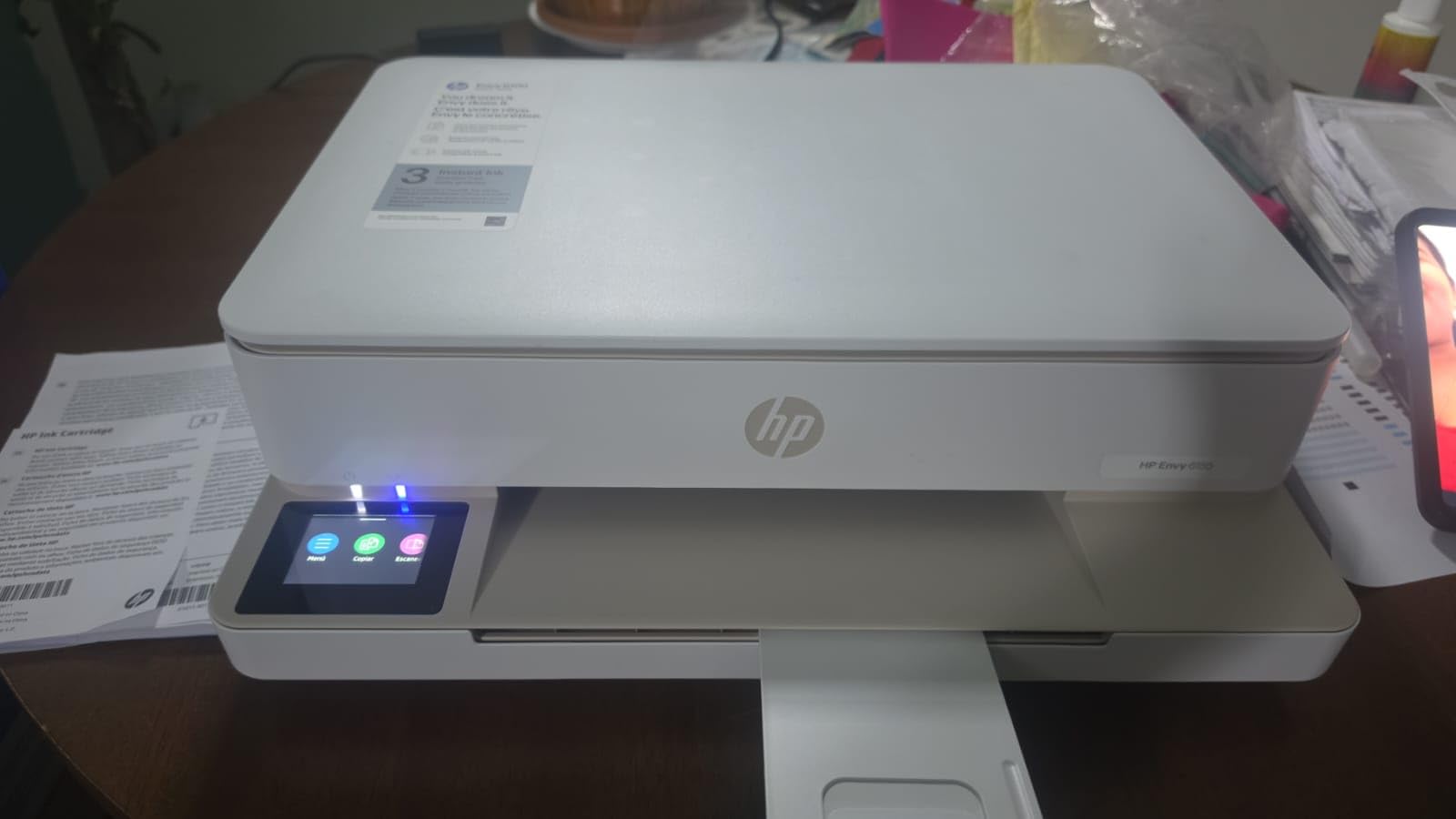
The dual-band Wi-Fi here auto-detects and resolves connection issues rather than dropping silently, which addresses the disconnection complaint we hear most often from home users. The HP app covers print, scan, copy and fax from a smartphone, and HP’s AI formatting tidies up web pages and emails before they print.
At 11.2 pounds it is one of the lighter machines here, and the body is made with at least 60% recycled plastic. In the box you get an HP 68 setup black cartridge around 120 pages and a tri-color cartridge around 75 pages, plus a one-year limited hardware warranty.
Who the HP Envy 6155 suits
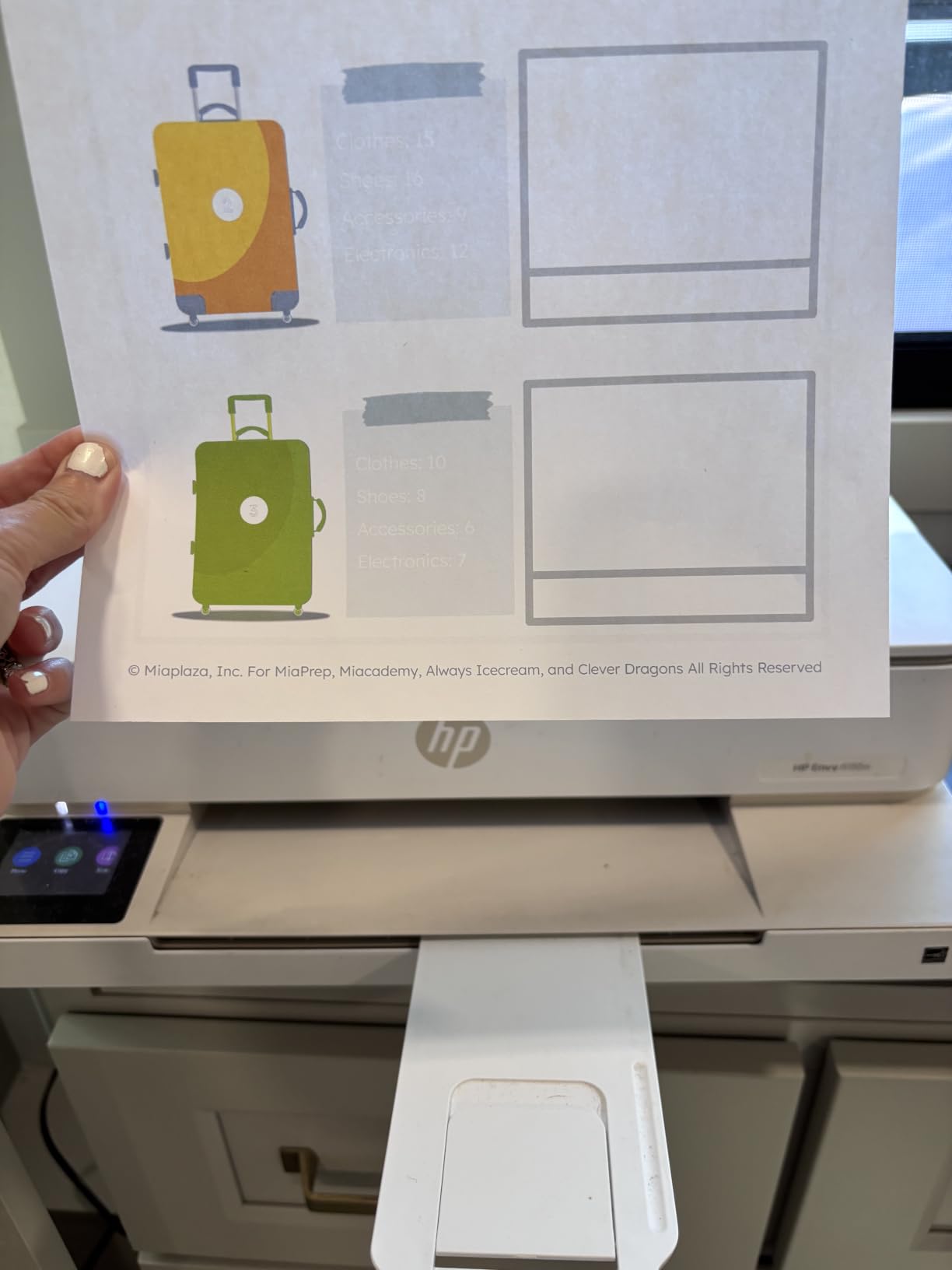
It fits a home office that prints occasional color — school projects, recipe cards, a small child’s artwork, occasional photo prints — and values a screen that other family members can operate. Automatic duplex means homework does not waste paper.
It also suits anyone who wants the HP ecosystem and its app support without moving up a size, and anyone who wants a small machine that reconnects to Wi-Fi without fuss.
Who the HP Envy 6155 does not suit
There is no document feeder. Scanning anything beyond a page or two means lifting the flatbed each time, which rules it out for paperwork-heavy weeks.
Two ownership realities are worth knowing. The firmware requires cartridges containing original HP chips, so third-party ink is blocked, and a three-month Instant Ink trial is included, which is where a lot of the confusion in HP ink complaints comes from. If you print under about 250 pages a month, tank models are a better fit.
9. HP LaserJet MFP M235sdw – Best for Monochrome Text
HP LaserJet MFP M235sdw All-in-One Laser Wireless Printer, Scan/Copy, Black & White, Duplex, Best-for-Office
Monochrome laser
28 ppm
Automatic duplex
150-sheet tray
Scan and copy
Pros
- Crisp true black text with no grey tone
- Fastest duplex speed in the class
- Plug-and-play setup over Ethernet or Wi-Fi
- Rock-solid Wi-Fi with automatic self-reset
- Compact compared with larger laser multifunction units
Cons
- Monochrome only with no color printing
- No fax capability
- HP software setup fiddly for advanced network scanning
- Toner cartridges pricey over time
- Scanning and copying are single-sided
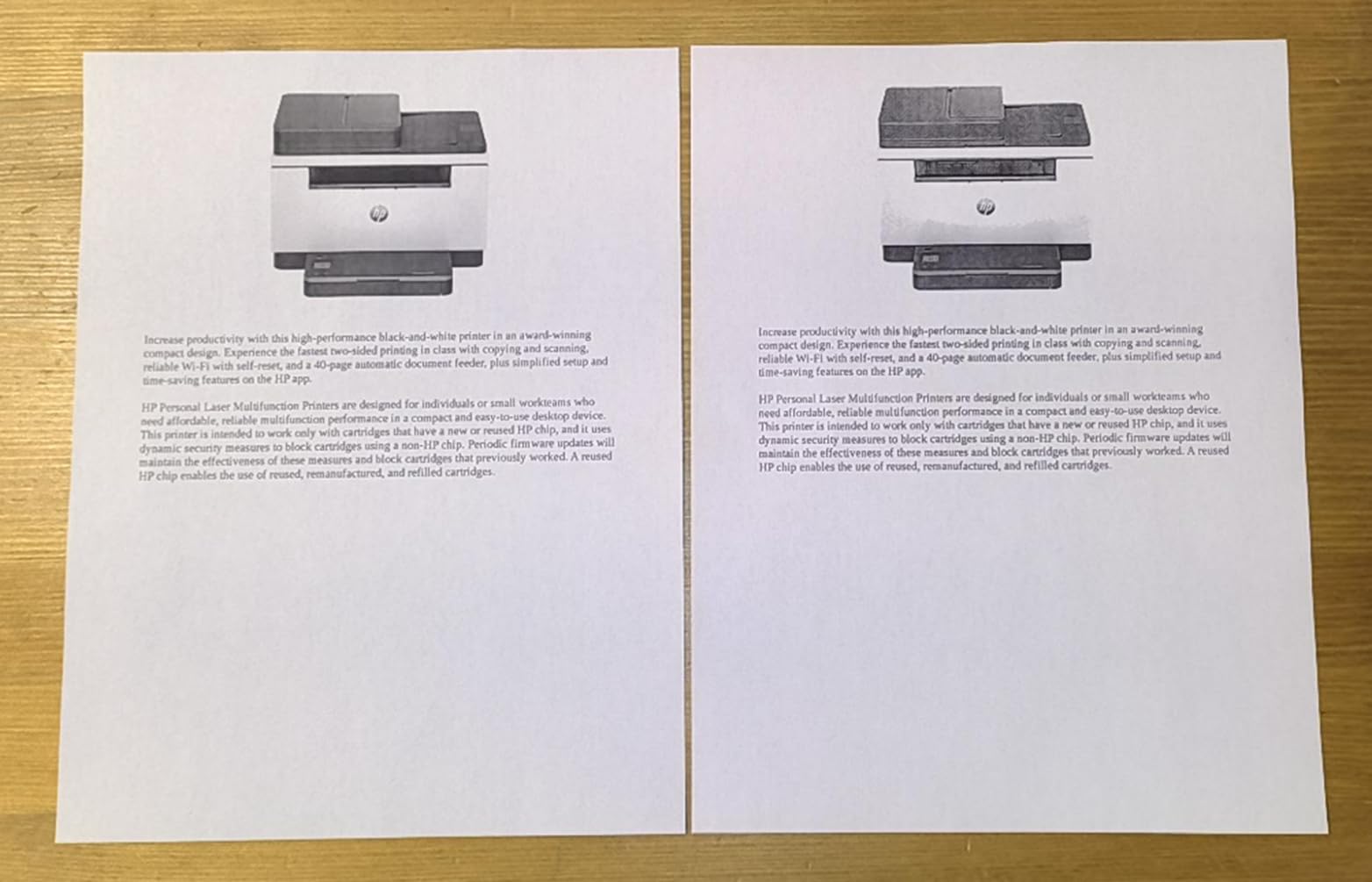
If your home office prints contracts, invoices and reports and never needs color, this is the efficient answer. The M235sdw prints 28 pages per minute in black with automatic duplex, and owners single out the output as true black with none of the grey cast that older laser engines produce.
It prints a first page in 7 seconds, copies at up to 14 pages per minute with runs of up to 99 copies, and scans to email or PDF. It is rated for 1 to 5 people printing, scanning and copying black and white documents, which is exactly a home office or micro office.
The Wi-Fi behaviour is the reason this one keeps coming up in home office threads. Dual-band with self-reset means the unit re-establishes its own connection after an outage instead of requiring a manual re-network every time it has been idle for weeks.
Connectivity covers Wi-Fi, Ethernet, USB, Apple AirPrint, Mopria and wireless direct, and it works with Windows, Mac, Android and Chromebook. It is 21 pounds and 16.46 inches wide, which is compact by laser multifunction standards, and the tray holds 150 sheets up to 8.5 x 11.7 inches.
Who the LaserJet MFP M235sdw suits
It is the pick for a home office that has quietly decided color ink is not worth it. Many small offices do exactly this to keep running costs fixed and predictable, and a monochrome laser removes the entire color ink question from your life.
It also suits anyone with an intermittent workload who has been frustrated by dried nozzles. There is no liquid ink to dry out, and the toner cartridge can sit for months.
Who the LaserJet MFP M235sdw does not suit
No color, no fax. If you send a fax for medical, legal or real estate paperwork, this machine will not do it, and the Canon PIXMA TR8620a will.
Scanning and copying are single-sided only. And the toner cartridges are pricey enough that owners note running cost can exceed expectations, so check the cost per page against your volume before committing.
10. Brother MFC-L8930CDW – Best for Heavy Document Workloads
Brother MFC-L8930CDW Business Color Laser All-in-One Printer with Duplex Print, Scan, Copy, Low-Cost Printing, and Advanced Security Features
Color laser
33 ppm black and color
80-page duplex ADF
1340-sheet capacity
NFC reader
Pros
- Highest rated output quality in this group
- 33 ppm in both black and color with automatic duplex
- 80-page ADF with two-sided scanning up to 104 ipm
- 1340-sheet maximum paper capacity
- Triple layer security with NFC card reader
Cons
- Very heavy at 71.2 pounds
- Premium price point for a home office
- Large footprint for a small desk
- Security and network features need setup effort
The MFC-L8930CDW is the outlier of this list, included for the home office that has outgrown a home office. It runs at 33 pages per minute in both black and color with automatic duplex, and it can hold up to 1,340 sheets of paper in total. Nobody prints that much from a spare room, but a consultant with a study stacked with reams of paper will.
The 80-page automatic document feeder does two-sided scanning at up to 104 images per minute, which is the number that matters when you are archiving thick case files. Scanning goes to cloud, email and SharePoint, and it produces searchable, editable Office documents rather than flat images.
It comes with genuine 3,000-page black and 1,800-page color toner, and super high yield options rated at 7,500 pages black and 6,500 pages color. That is the print-volume argument: at high monthly volume the per-page cost is the lowest of anything in this roundup.
Security is treated seriously here, with triple layer protection and an integrated NFC card reader for badge authentication. It is EPEAT Gold rated and ENERGY STAR certified, built with 11% post-consumer recycled material, and the design is 25% smaller than the model it replaces.
Who the MFC-L8930CDW suits
It fits a home business with real client volume — a bookkeeping practice, a legal or medical practice handling signed paperwork, a small print or design operation — where document throughput and paper capacity matter more than desk footprint.
The 7 inch color touchscreen with 64 customizable shortcuts is genuinely useful in that setting, since it turns repeated scan-and-file jobs into one press. If you handle confidential client material, the NFC badge authentication is the only pick here that offers it.
Who the MFC-L8930CDW does not suit
It weighs 71.2 pounds and stands 21.6 inches tall at 16.1 inches wide. In an apartment or a converted closet that is a serious constraint, and it needs a floor or a sturdy cabinet rather than a desk.
It is also priced for a business, not a household, and the advanced security and network features take real setup effort. For a typical work-from-home setup, the MFC-L3720CDW gives you the laser durability at a fraction of the size.
Inkjet or Laser: Decide by Pages Per Month
The single most useful question is not about brand or features. It is how many pages you print in a busy month, and whether that machine sits idle in between.
Under roughly 200 pages a month, in bursts, laser wins on reliability. Toner is powdered and does not dry out, there is no nozzle cleaning cycle burning ink, and the machine produces the same first page after six weeks of silence as it does after six minutes. If your printing is sporadic, that is worth more than anything else on a spec sheet.
Above roughly 500 pages a month, a refillable ink tank wins on cost. Cartridge ink is priced per page at a level that punishes volume, and a tank system spreads the consumable cost across thousands of pages. The running-cost section below covers the numbers in more detail.
Between those two points, the deciding factor becomes color and photos. Laser wins sharply for text. Inkjet wins decisively for photographs and for full-color graphics, because laser color output is designed for office documents rather than images. Our picks on laser printers for home offices go deeper on the laser side of that trade-off.
Running Costs: Tank Ink vs Cartridges vs Toner
Cost per page is the number that decides most home office printer purchases, and it is calculated by dividing the cost of consumables by the pages you get out of them.
Cartridge ink is the expensive one. Two cartridges, a black and a color, cover a limited page count, and the cost per page works out far above tank ink. It is the reason cartridges are widely described as costing more than the printer. Two of the picks here — the Epson WorkForce Pro WF-3823 and the HP Envy 6155 — are cartridge machines, and both are honest about it in their cons.
Tank systems refill from bottles or bulk cartridges. The Canon MegaTank G3270 is rated at up to 6,000 black and white pages and 7,700 color pages per ink set, and the Epson EcoTank ET-2800 at 4,500 black and 7,500 color. Divide the cost of an ink set by those page counts and you have your cost per page without any subscription, enrollment or monthly commitment involved.
Toner sits in between on price per page and ahead of cartridges on volume. The Brother MFC-L3720CDW accepts high-yield toners, and the MFC-L8930CDW ships with super high yield options rated at 7,500 black pages and 6,500 color pages, which is where per-page cost drops furthest.
One caution on the math: count every page, including the ones a cleaning cycle wastes and the ones you print by accident. A machine that prints cleanly on the first attempt after a fortnight of sitting idle has a better real cost per page than its consumable price suggests.
ADF and Duplex: What Home Office Scanning Actually Needs
The automatic document feeder is the feature people underestimate and then wish they had bought. A 20-sheet feeder is not a luxury. When a contract arrives for scanning, the difference between feeding a stack and lifting a flatbed lid eighteen times is the difference between a two-minute job and a coffee break.
Duplex scanning has three forms. A single-pass duplex ADF reads both sides of a sheet as it moves through, which is fastest. A reversing ADF turns the stack around and feeds it back through, roughly doubling the time. Manual re-feed means you turn pages over yourself. Of the machines here, the Brother MFC-L8930CDW does two-sided scanning in the ADF at up to 104 images per minute.
Automatic duplex printing is separate from duplex scanning and just as important. Several budget machines here print two-sided automatically but scan one side at a time, which surprises people. If you need both, check both specifications rather than assuming.
On resolution, 300 dpi is enough for documents and signed paperwork. If you are scanning photographs or fine line art, the flatbed specification matters more than the ADF specification, and some ADFs scan at lower resolution than the glass beneath them. Our document scanners for home offices guide covers the dedicated-scanner alternative, which is worth considering if scanning is genuinely your main job.
And consider whether you need to scan at all. A phone camera handles a signed document adequately for most purposes. If scanning is occasional, a flatbed-only machine is fine and saves money and desk space.
Connectivity: Getting Wi-Fi That Stays Connected
The most common home office printer complaint is not ink or speed. It is a printer that drops off the network after two weeks of not being used and needs to be re-added every time.
Dual-band Wi-Fi, offering both 2.4 GHz and 5 GHz, is the practical fix. The Canon PIXMA TS6520 and the HP Envy 6155 both offer it, and the Brother MFC-L3720CDW adds Wi-Fi Direct for printing without a network at all.
Wi-Fi Direct is useful when your router does not reach the desk. A self-resetting connection is better still, because the printer repairs its own network membership after an outage. The HP LaserJet MFP M235sdw is the pick here with automatic self-reset connectivity.
On apps, support for Apple AirPrint and Mopria means most phones and laptops never need a driver. A vendor app still matters for scan-to-email and for checking ink or toner levels remotely, but it should not be the only route to printing.
Paper Capacity and Desk Footprint
Home office desks are smaller than the spec tables assume. The smallest machine here, the Canon PIXMA TS6520, is 14 inches wide and 6.7 inches tall. The largest, the Brother MFC-L8930CDW, stands 21.6 inches tall and weighs 71.2 pounds. That is not a range you can ignore.
Capacity follows the same split. The laser machines here hold 150 to 250 sheets, with the business-class Brother rated to 1,340. The inkjet picks mostly hold 100 sheets, with the Epson WorkForce Pro WF-3823 at 250. More capacity means fewer refills but a bulkier body.
Measure the space before you buy, including room to open the scanner lid and pull the paper tray out. A machine you have to move every time you refill is a machine you will stop using.
Why Home Office Printers Fail After Sitting Idle
This is the failure mode that separates laser from inkjet more clearly than any other, and it is the one most home users meet first.
Liquid ink in an inkjet print head can dry between uses. The printer detects it on the next job and runs a cleaning cycle, which wastes ink and can leave the first pages of a job streaked. After several weeks idle, the first print may take a minute and look wrong before it looks right. This is why cartridge-based inkjets sitting in a spare room for months are the machines most often replaced.
Toner-based laser and LED engines have no such step. The powder sits in a cartridge and stays printable for months. If your usage is genuinely intermittent, this is the single strongest argument for a laser machine.
Wi-Fi is the other failure. Printers that sleep for weeks sometimes do not reassociate with the network on wake. Dual-band support and self-reset connections address it, and it is worth treating as a buying criterion rather than a lucky break.
Software is the third. Vendor scanner apps that will not install cleanly on current Windows or macOS versions cause more frustration than any hardware limit. Check that the app you need is supported on your operating system before you buy, not after.
Frequently Asked Questions
What is the best printer for both home and office use?
The Epson EcoTank ET-2800 is the best all in one printer for both home and office use for most people. Its refillable ink tanks keep cost per page low without a subscription, and it handles mixed black and color work. If you scan and fax paper every week, choose the Canon PIXMA TR8620a instead, because it adds a 20-sheet document feeder, automatic duplex printing and a standalone fax.
Which all-in-one printer is best for office use?
For office-grade reliability in a home setup, the Brother MFC-L3720CDW is the pick. Its color laser engine never dries out, it runs at 19 pages per minute in both black and color, and it includes a 50-sheet automatic document feeder with automatic duplex printing. If your volume is much higher, the Brother MFC-L8930CDW handles 33 pages per minute with an 80-page duplex feeder and 1,340 sheets of capacity.
What is the best wireless all-in-one printer for home use?
The Canon PIXMA TS6520 is the best value wireless option, offering dual-band 2.4 and 5 GHz Wi-Fi, AirPrint and Mopria support, and automatic duplex printing in a compact body. If you want a printer that reconnects on its own after weeks idle, the HP LaserJet MFP M235sdw has dual-band Wi-Fi with automatic self-reset.
What is the most reliable all-in-one printer?
Reliability depends on how often you print. Laser machines are most reliable for intermittent use because toner does not dry out and there are no nozzle cleaning cycles. The HP LaserJet MFP M235sdw and the Brother MFC-L3720CDW are both strong choices. If you print most weeks, a tank inkjet such as the Epson EcoTank ET-2800 is reliable because refillable ink is stored in reservoirs away from the print head.
How much does laser printing cost per page compared to inkjet printing?
Laser wins on monochrome cost per page, especially at high volume, because toner cartridges yield thousands of pages and never dry out. Inkjet cartridges cost far more per page by comparison. Refillable tank inkjets narrow the gap dramatically, with rated yields of up to 4,500 black pages on the Epson EcoTank ET-2800 and 6,000 on the Canon MegaTank G3270. Below about 200 pages a month, cartridge inkjet running cost is where it hurts most.
What are the disadvantages of an ink tank printer?
The main disadvantages are hardware, not ink. Tank printers are often slower, as the EcoTank ET-2800 runs at 10 ppm black and 5 ppm color. They frequently skip automatic duplex printing and automatic document feeders, which forces manual flipping and single-page scanning. Their paper trays are often smaller at 100 sheets, and ink that sits in an unused reservoir for months can still need care if the machine goes long between jobs.
How much does it cost to print a page with an ink tank printer?
Calculate it by dividing the cost of one ink set by the rated page yield. The Epson EcoTank ET-2800 is rated at up to 4,500 black pages and 7,500 color pages per ink set, and the Canon MegaTank G3270 at up to 6,000 black and white pages and 7,700 color pages. That works out to a fraction of a cent per page in most cases, with no subscription or enrolment required.
The Verdict: Which Home Office Printer to Buy in 2026
The best all in one printers for home offices are not one machine but three depending on how you work. Buy the Epson EcoTank ET-2800 if your priority is low running cost and color without a subscription. Buy the Canon PIXMA TR8620a if you scan, copy and fax routinely and need automatic duplex. Buy the Brother MFC-L3720CDW if you print color often and your machine will sit unused for weeks at a time.
Everything else on this list solves a narrower version of one of those problems: the MegaTank G3270 for pure low-cost ink, the WF-3823 for speed, the ET-15000 for wide-format paper, the TS6520 for a small desk, the Envy 6155 for a simple color machine, the LaserJet M235sdw for monochrome text only, and the MFC-L8930CDW for genuinely heavy document volume.
Before you settle, answer two questions honestly: how many pages a month, and how often the machine sits idle for weeks. Those two numbers decide between ink and laser more reliably than any feature list.