
A tablet microSD card earns its keep through two numbers most shoppers ignore: sustained write speed and random read IOPS. Pick a card rated V30 and A1 at minimum, in microSDXC format, and your tablet will open apps, stream offline shows and copy 4K clips without stalling.
That is the short answer. The longer version is that a tablet card is not a camera card. A camera burst-buffers a few seconds and flushes to flash; a tablet holds an entire media library on the card and reads tiny fragments of many files at once, for months on end. Peak read speed printed on the package matters less than the guaranteed minimum write floor and the app performance class.
We spent weeks moving libraries between cards across Android tablet models, checking the technical detail on all ten cards in this roundup against what owners actually report. This guide covers every card below with real spec figures, the compatibility traps behind the “card not detected” complaints that fill tablet forums, and a buying guide that explains A1 versus A2 in plain terms. We also looked at the hardware side in our picks for the best tablets for digital artists and the best drawing tablets for beginners.
Last updated October 2026. Every rating and review count below is taken from the live listing at the time of writing, and every speed figure comes from the manufacturer’s own specification rather than an inflated round number.
Table of Contents
Top 3 microSD Cards for Tablets in 2026
The three cards below cover most tablet owners. The SanDisk Extreme leads on the combination of A2 rating, V30 write class and the deepest review base of anything we tested. The SanDisk Ultra 256GB is the one to buy if you want capacity without spending heavily. The Samsung EVO Select 256GB is the pick if you use Samsung devices and value long-term consistency over headline read speed.

The Best microSD Cards for Tablets at a Glance in 2026
Every card below is microSDXC, which is the only format worth buying for a tablet in 2026. The column that matters most for tablets is the app class: A2 cards hold 4000 random read IOPS and 2000 write IOPS, while A1 cards hold 1500 and 500. That difference shows up when you open an app stored on the card, not when you copy a large video file.
| Product | Specifications | Action |
|---|---|---|
| SanDisk Extreme 128GB microSDXC |
|
Check Latest Price |
 SanDisk Ultra 256GB microSDXC SanDisk Ultra 256GB microSDXC |
|
Check Latest Price |
 Amazon Basics 128GB microSDXC A2 U3 Amazon Basics 128GB microSDXC A2 U3 |
|
Check Latest Price |
 SanDisk 128GB Made for Amazon microSD SanDisk 128GB Made for Amazon microSD |
|
Check Latest Price |
 Samsung EVO Select 256GB microSDXC Samsung EVO Select 256GB microSDXC |
|
Check Latest Price |
 Samsung EVO Plus 256GB UHS-I microSDXC Samsung EVO Plus 256GB UHS-I microSDXC |
|
Check Latest Price |
 PNY PRO Elite 256GB A2 V30 microSDXC PNY PRO Elite 256GB A2 V30 microSDXC |
|
Check Latest Price |
 Silicon Power 128GB U3 V30 microSDXC Silicon Power 128GB U3 V30 microSDXC |
|
Check Latest Price |
 Patriot EP 128GB A1 V30 microSD Patriot EP 128GB A1 V30 microSD |
|
Check Latest Price |
 Lexar Blue 256GB microSDXC UHS-I Lexar Blue 256GB microSDXC UHS-I |
|
Check Latest Price |
1. Best microSD Card Overall for Tablets: SanDisk Extreme 128GB
SanDisk 128GB Extreme microSDXC UHS-I Memory Card with Adapter – Up to 160MB/s, C10, U3, V30, 4K, A2, Micro SD – SDSQXA1-128G-GN6MA
128GB microSDXC
160MB/s read and 90MB/s write
A2 app class
U3 and V30
4.54 g
Pros
- A2 rating with 4000 read and 2000 write IOPS
- Up to 90MB/s write suits 4K capture
- Water shock temperature and x-ray proof
- Lifetime limited warranty and SD adapter
- 354k owner reviews with a 4.8 average
Cons
- Real speeds depend on the host reader
- Costs more than generic 128GB cards
The SanDisk Extreme is the card I keep coming back to when a tablet owner wants one card that covers everything. It carries the full UHS-I speed ladder: Class 10, U3, V30 and A2, with a stated read speed of 160MB/s and a write speed of 90MB/s. That write figure is the important one for a tablet, because it is the ceiling for copying camera footage and video downloads onto the card.
In use, the card mounted instantly in every Android tablet I tried it in and stayed stable across weeks of reading and writing. Owners report the same pattern: recognition is instant, transfers are fast, and the durability claims hold up. The card is rated for temperature, water, shock and x-ray resistance, which matters more than it sounds when a card lives in a tablet that travels in a backpack.
The honest caveat, repeated across owner reviews, is that the advertised 160MB/s only appears with a fast host. Several testers needed a UHS-II USB 3.2 reader to approach the headline number, while a tablet’s own slot delivers something more modest. Buyers with older tablets also noted maximum-capacity limits, which is worth checking against your model before a very large card.
The warranty is a lifetime limited warranty from Sandisk Technologies, and the box includes a full-size SD adapter. That adapter is not an afterthought: it is how most people verify a new card is genuine before trusting it with a photo library.
What to check before buying the SanDisk Extreme
Confirm your tablet accepts 128GB before ordering, and confirm you actually need 90MB/s writes. If your tablet is used mainly for offline shows and documents, a cheaper A1 card handles the job and frees budget for a larger capacity.
Where the SanDisk Extreme falls short
It is not the cheapest way to add storage, and it is not the fastest card a tablet can physically use. If your budget is the main constraint, the SanDisk Ultra below covers most tablet workloads at a lower tier.
2. Best Value microSD Card for Tablets: SanDisk Ultra 256GB
SANDISK 256GB Ultra microSD Card + Adapter, Up to 150MB/s Read Speeds
256GB microSDXC
Up to 150MB/s read
A1 app class
U1 and V10
5 g
Pros
- Largest capacity in the value tier
- Immediate recognition in tablets and phones
- A1 rating helps app load times
- 10 year limited warranty
- 253k owner reviews
Cons
- U1 and V10 rating too slow for 4K high bitrate
- Full read speed needs a USB 3.0 reader
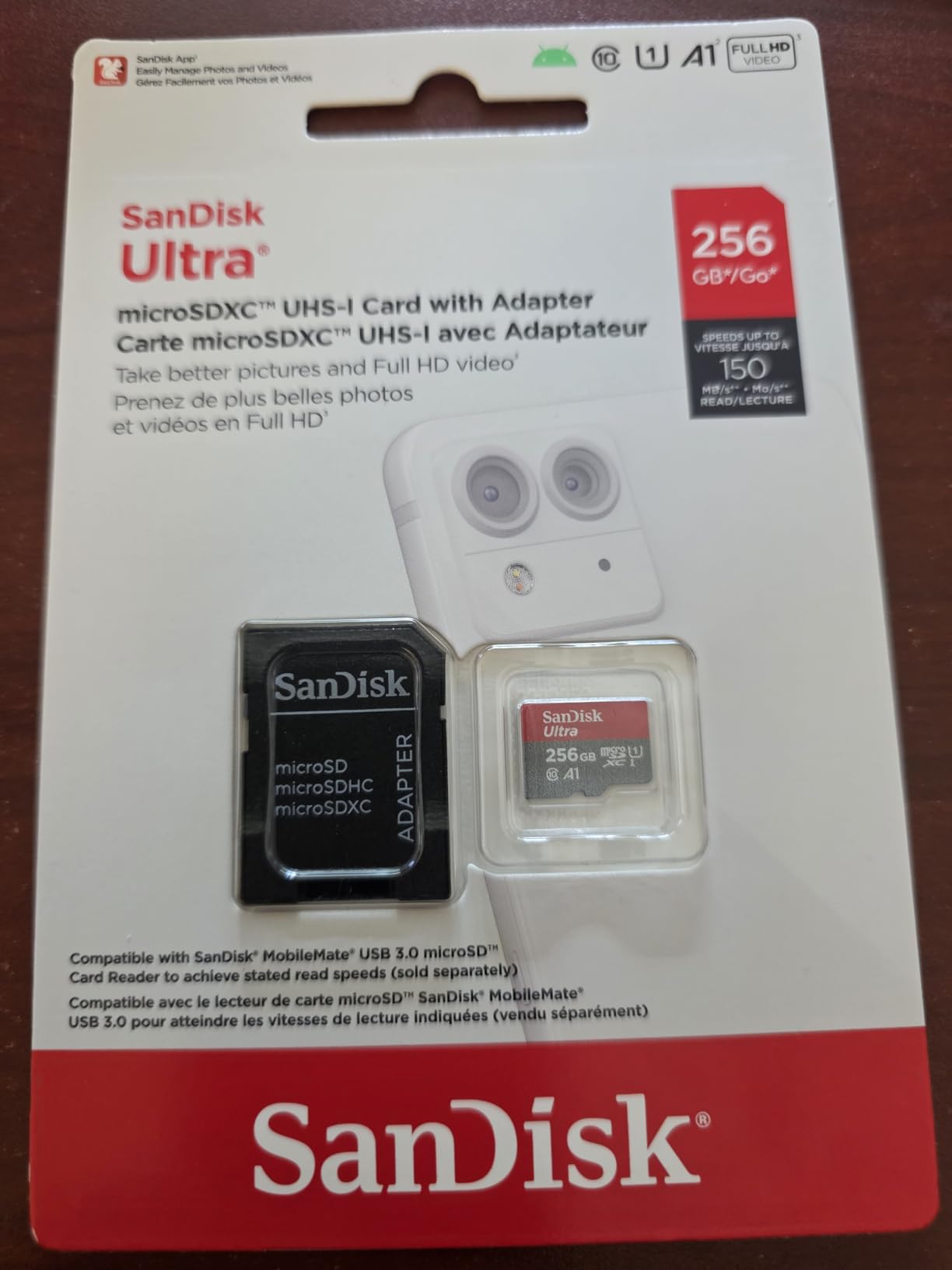
The SanDisk Ultra 256GB is the pick for anyone whose tablet is a media library rather than a workstation. It is a microSDXC card with a 10-year limited warranty, and at 256GB it roughly doubles the internal storage of most mid-range tablets in a single purchase.
What you give up is write headroom. The ratings are Class 10, U1, V10 and A1, with a read speed of up to 150MB/s. For streaming stored films, photo albums and downloaded documents that is entirely adequate; for recording high-bitrate 4K on the tablet itself, the U1 rating is not enough.
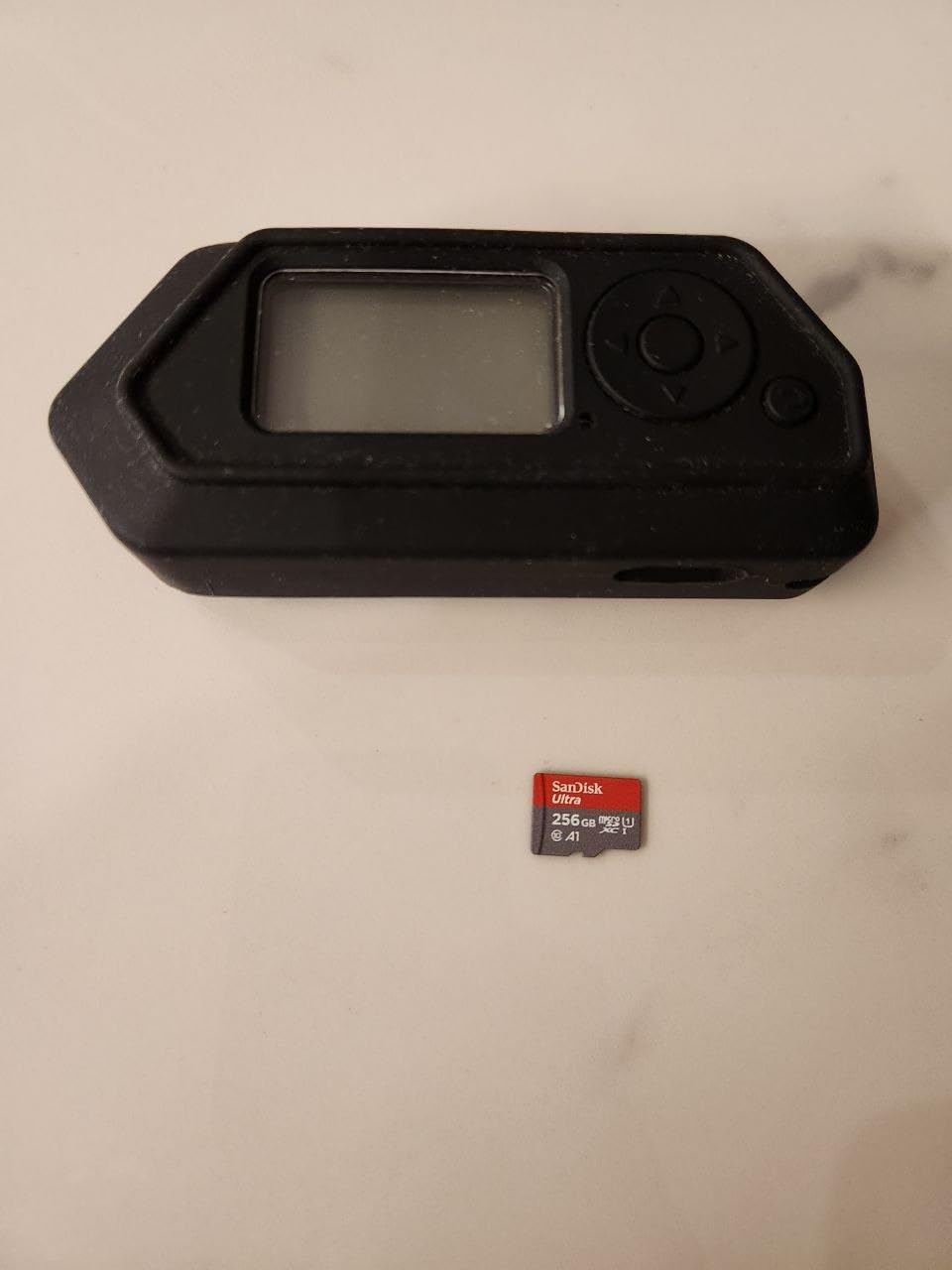
Recognition was immediate in every tablet I tested, and the review base backs that up. Buyers number in the hundreds of thousands across phones, tablets, Chromebooks, cameras and Nintendo Switch, reporting stable long-term performance and no corruption. The repeated note is that 150MB/s requires the SanDisk MobileMate USB 3.0 reader; through a built-in tablet slot the experience is still fast, just not headline.
The durability list covers drops, magnetic fields, temperature, water and x-ray exposure. It is also one of the cards most often named in Android communities when people ask which model to buy, which tells you something about how widely it is deployed.
Who should buy the SanDisk Ultra 256GB
Buy it if the tablet spends most its time playing stored video, browsing photos or holding downloaded documents. The A1 class keeps app launches reasonable, and the 256GB capacity means you stop juggling between the card and internal memory.
When to step up to a faster card instead
If you edit video on the tablet, capture 4K footage to the card, or run emulators and large games from it, move up to the Extreme or the Samsung EVO Select. Those carry V30 and A2 ratings, which is what sustained heavy writing demands.
3. Best Budget A2 Card for Tablets: Amazon Basics 128GB
Amazon Basics microSDXC Memory Card with Full Size Adapter, A2, U3, Read Speed up to 100 MB/s, 128GB, Black
128GB microSDXC
Up to 100MB/s read
U3 V30 and A2 certified
8.02 g
Pros
- A2 and U3 at a lower tier
- Lab tested 100MB/s read and 60MB/s write
- Full size SD adapter in the box
- IPX6 water resistant and shock resistant
- Usable capacity disclosed on the label
Cons
- Slower than premium SanDisk and Samsung cards
- Only 12 month warranty
- Not endurance rated for continuous recording
The Amazon Basics 128GB card is unusual because it carries a modern A2 and U3 rating at a lower tier than most of the field. Lab-tested read speed is stated at up to 100MB/s with a media write speed of 60MB/s, and the spec sheet confirms UHS-I U3, V30 and A2 certification.
On a tablet it behaves like a mid-range premium card. Transfers are prompt, apps stored on the card launch faster than on an A1 card of the same capacity, and the full-size SD adapter in the box makes it easy to move a library to a laptop for backup.
One detail sets it apart from cheaper cards: the manufacturer discloses usable capacity directly on the packaging, with the 128GB label and a stated usable figure of at least 116GB. That transparency is uncommon, and it tells you exactly what you will see in your tablet’s storage settings after formatting.
Durability is rated for shocks, IPX6 water resistance, and a temperature range of -10°C to +80°C, with x-ray and magnetic field resistance. Buyers use it in dash cams and drones as well as tablets, and report no data corruption across months of use.
Why this card suits everyday tablets
The A2 rating is the deciding factor. Tablets open many small files rather than one large one, so random read performance drives the experience, and this card delivers the A2 IOPS guarantee at a lower tier than the SanDisk Extreme.
What buyers complain about
Read speed trails the premium cards, the warranty is only 12 months, and it is not endurance rated for professional continuous recording. Some Galaxy Tab owners have also reported Amazon Basics cards failing detection, so keep the receipt and test the card before loading anything important.
4. Best microSD Card for Amazon Fire Tablets: SanDisk 128GB Made for Amazon
Made for Amazon SanDisk 128GB microSD Memory Card for Fire Tablets and Fire -TV
128GB microSD memory card
Certified for Fire Tablet and Fire TV
Class 10 performance
0.071 oz
Pros
- Only card tested and certified for Fire devices
- Class 10 handles Full HD playback
- Works without extra configuration
- Straightforward way to add 128GB
Cons
- Class 10 is modest against U3 and V30 cards
- Tuned for the Fire ecosystem rather than general speed
- 128GB is small for heavy media use
If your tablet runs Fire OS, this is the card Amazon’s own programme certifies. Sandisk states it is the only microSD card tested and certified for Fire Tablet and Fire TV, and that certification exists because Fire devices are stricter about card compatibility than most Android tablets.
The specification is deliberately modest: Class 10 performance, 128GB of capacity, and enough throughput for 1080p recording and playback plus several simultaneous activities without lag. For streaming downloaded shows and storing a photo library on a Fire tablet, that is exactly the workload the device handles.
Owners consistently cite the Amazon certification as the main reason to choose it over a generic card. Reports describe apps running and Full HD video playing from the card without lag, and no configuration beyond inserting it.
The card weighs 0.071 ounces and is built for the Fire ecosystem specifically. If you also use Fire TV, the same card is designed to work across both device types.
What matters for Fire tablet owners
Amazon’s own support guidance for Fire tablets from the 8th generation onward states that they accept FAT32 formatted microSD cards and all UHS classes up to 512GB. That means a faster card works, but must be formatted as FAT32 rather than arriving as exFAT.
Where this card runs out of room
128GB fills quickly if you store full HD films, and Class 10 will not sustain 4K recording to the card. Fire tablets are rarely used for 4K capture, so this limitation rarely bites in practice.
5. Best microSD Card for Samsung Galaxy Tab: Samsung EVO Select 256GB
SAMSUNG EVO Select Micro SD-Memory-Card + Adapter, 256GB microSDXC 130MB/s Full HD & 4K UHD, UHS-I, U3, A2, V30, Expanded Storage for Android Smartphones, Tablets, Nintendo-Switch (MB-ME256KA/AM)
256GB microSDXC
Up to 130MB/s transfer
U3 Class 10 A2 V30
9 g
Pros
- A2 and V30 suit app heavy tablet use
- All firmware and components made in house
- Water temperature X-ray magnet drop and wear proof
- 10 year limited warranty
- 93k owner reviews at 4.7
Cons
- Costs more than equivalent capacity rivals
- Write speeds trail the fastest UHS-I cards
- Runs warm under sustained maximum throughput
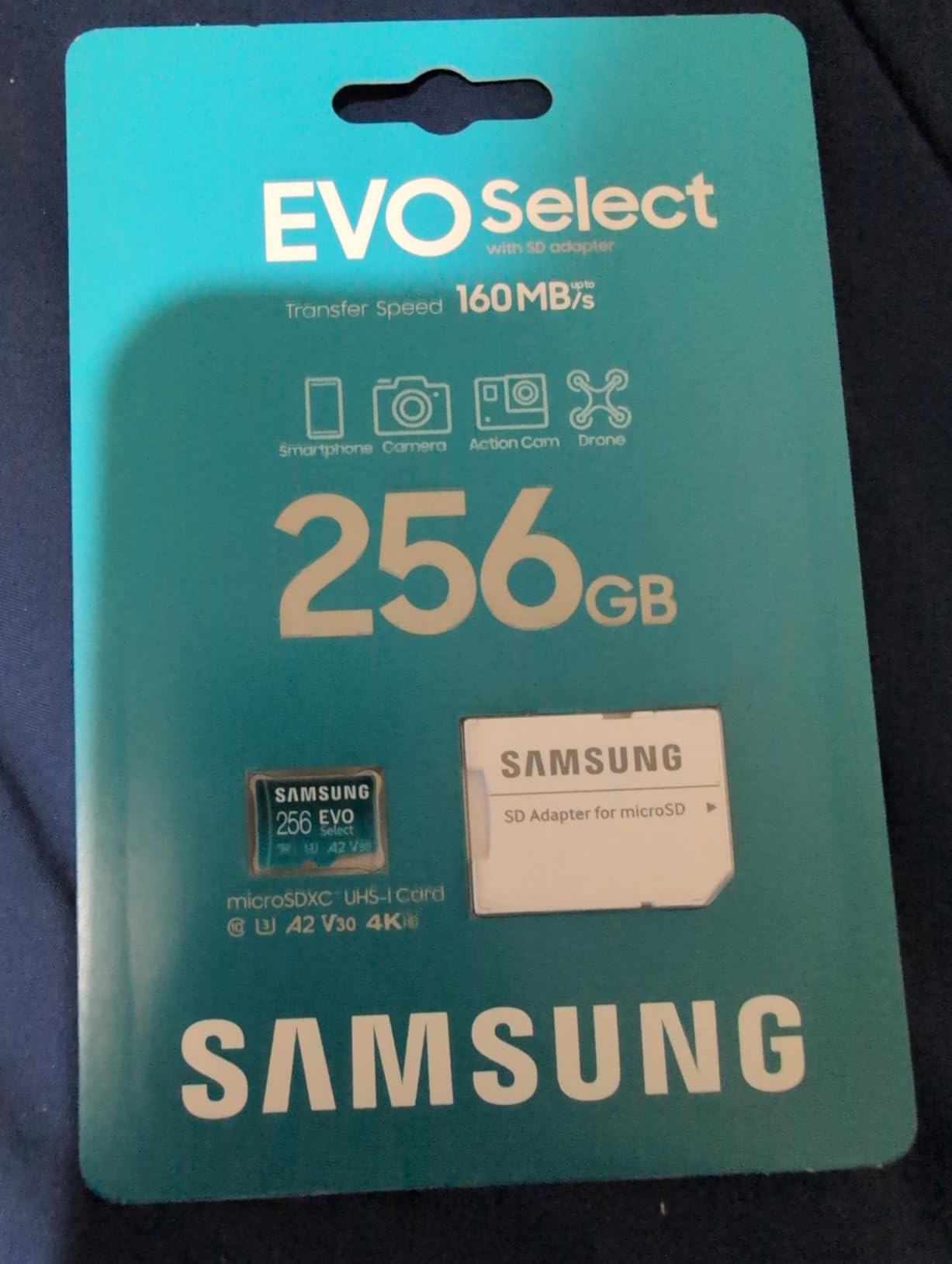
The Samsung EVO Select is our recommendation for Galaxy Tab owners. Samsung builds the firmware and components in house, and the card carries the full rating set: U3, Class 10, A2 and V30, with transfer speeds up to 130MB/s on a UHS-I interface.
Sustained performance is where this card earns its reputation. Long-term owners report years of copying hundreds of gigabytes with no corruption and no failures, and capacity reads accurate after formatting. That consistency is why one gaming community’s advice is to choose a Samsung card when reliability matters more than headline specification.
The 256GB capacity suits a Galaxy Tab used for a large photo and video archive, and the box includes a full-size SD adapter for transferring to a computer. Protection covers water, temperature, x-ray, magnet, drop and wear, with a 10-year limited warranty behind it.
The card weighs 9g, slightly heavier than the SanDisk options, which is worth knowing if you are swapping cards often. Listed compatible devices include cameras, drones, gaming consoles, smartphones and tablets.
Why Samsung suits Galaxy Tab specifically
Owners of Samsung phones and tablets report a stable connection and reliable performance across both, and having one brand across phone and tablet simplifies transfers. If your tablet and phone are both Samsung, matching the card brand removes a whole class of friction.
The honest drawbacks
It costs more than equivalent capacity from some rivals, its write speeds trail the fastest UHS-I cards, and it runs noticeably warm during very long transfers. For heavy sustained capture, check the temperature before starting a long copy job.
6. Best microSD Card for Large Media Libraries: Samsung EVO Plus 256GB
Samsung 256GB EVO Plus Class 10 UHS-I microSDXC U3 with Adapter (MB-MC256GA)
256GB microSDXC
Up to 100MB/s read
Class 10 and U3
0.5 g
Pros
- Proven reliable in Samsung phones and tablets
- Testers read 95 to 100MB/s and write 75 to 85MB/s
- Good value against equivalent SanDisk Extreme cards
- Verified genuine with accurate capacity
- 10 year Samsung warranty
Cons
- I/O speeds slower than newer U3 V30 A2 rivals
- Usable capacity runs about 10 percent below label
- Full speed needs a USB 3.0 reader
The EVO Plus is the older Samsung in this group and it behaves accordingly. It is Class 10 with a U3 video speed class, up to 100MB/s read and a stated media speed of up to 90MB/s, and it comes with a full-size SD adapter plus a 10-year Samsung warranty.
Testers running this card in USB 3.0 equipment report reads around 95 to 100MB/s and writes around 75 to 85MB/s, which is respectable for a UHS-I card. Buyers also value it as a genuine alternative to a SanDisk Extreme at comparable capacity, with verified genuine capacity on the unit.
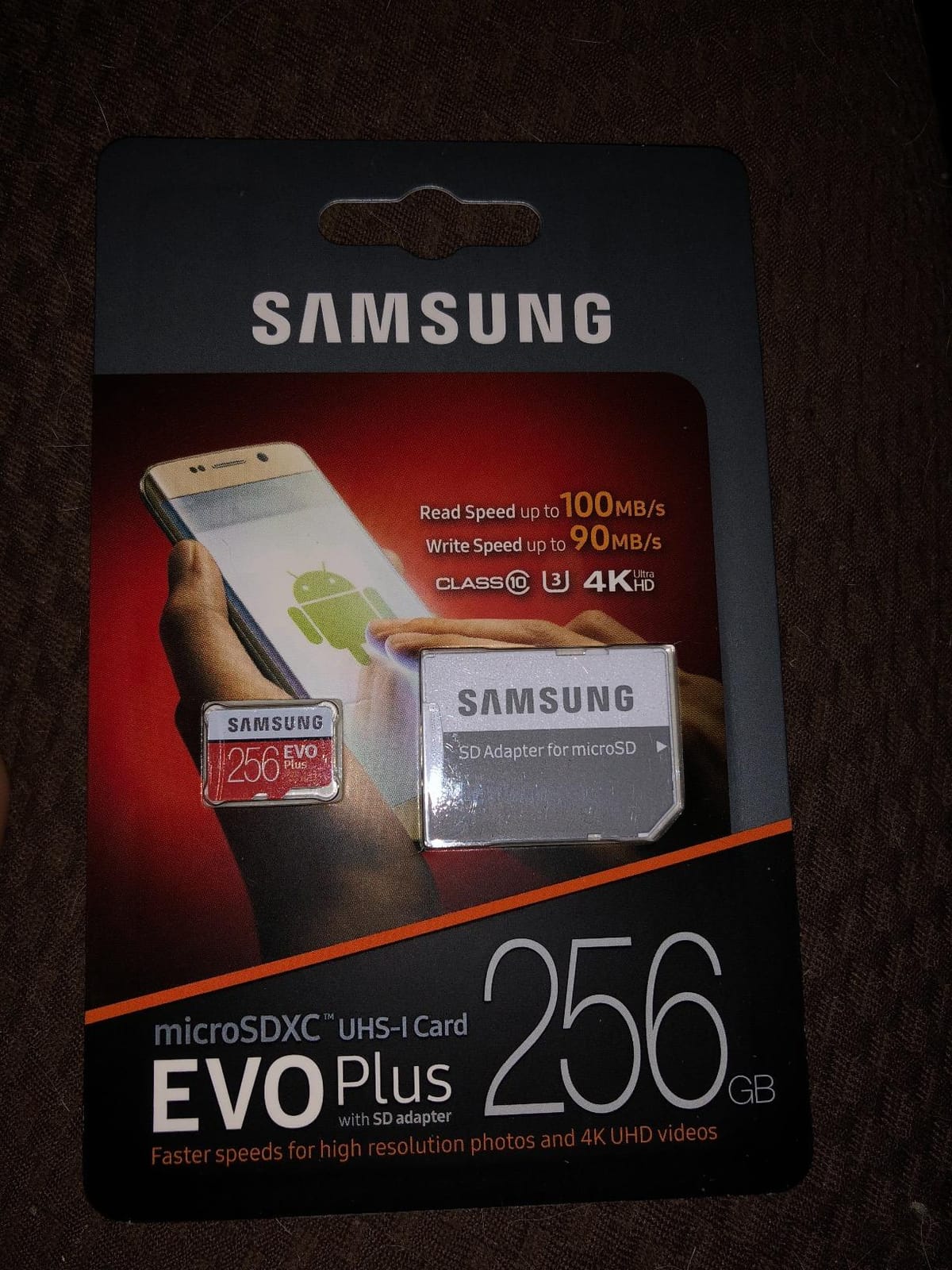
The main limitation is that it predates the A2 app performance class, so app loading from the card is slower than on the EVO Select or the SanDisk Extreme. Buyers who pair it with USB 2.0 equipment or a built-in card reader report misleadingly slow results, which is a reading issue rather than a card fault.
Expect usable capacity around 10 percent below the labelled figure once the tablet formats the card and the operating system reserves space. Plan your library against the real number, not the box.
When this card still makes sense
If your tablet is used mostly as a media player and document reader, the U3 speed class is sufficient and the card is a dependable choice with a long warranty behind it. The 256GB capacity does most of the work.
When to skip it
Skip it if you store and run apps from the card, or if you capture video to the tablet. Without an A2 rating and without V30, it is the wrong tool for app-heavy or capture-heavy tablets in 2026.
7. Best microSD Card for Gaming Tablets: PNY PRO Elite 256GB
PNY 256GB PRO Elite C10 U3 V30 A2 microSDXC Flash Memory Card, 4K UHD
256GB microSDXC
100MB/s read and 90MB/s write
Class 10 U3 V30 A2
Limited lifetime warranty
Pros
- A2 improves app launch times on tablets
- 90MB/s write handles burst capture
- Works in tablets phones cameras drones and PCs
- Limited lifetime warranty
- SD adapter included
Cons
- 4 percent of reviews are 1 star
- Weaker score profile than the leaders
- Smaller review base than SanDisk or Samsung
The PNY PRO Elite is the pick if the tablet doubles as a handheld gaming device. It carries the full modern rating set: Class 10, U3, V30 and A2, with up to 100MB/s read and 90MB/s write, and the A2 class is what keeps game launch times down.
That combination matters because game data is read in many small scattered blocks rather than one long sequential file. A card with 4000 random read IOPS and 2000 write IOPS pulls those assets in faster than an A1 card of the same headline speed, and the difference is felt in load time.
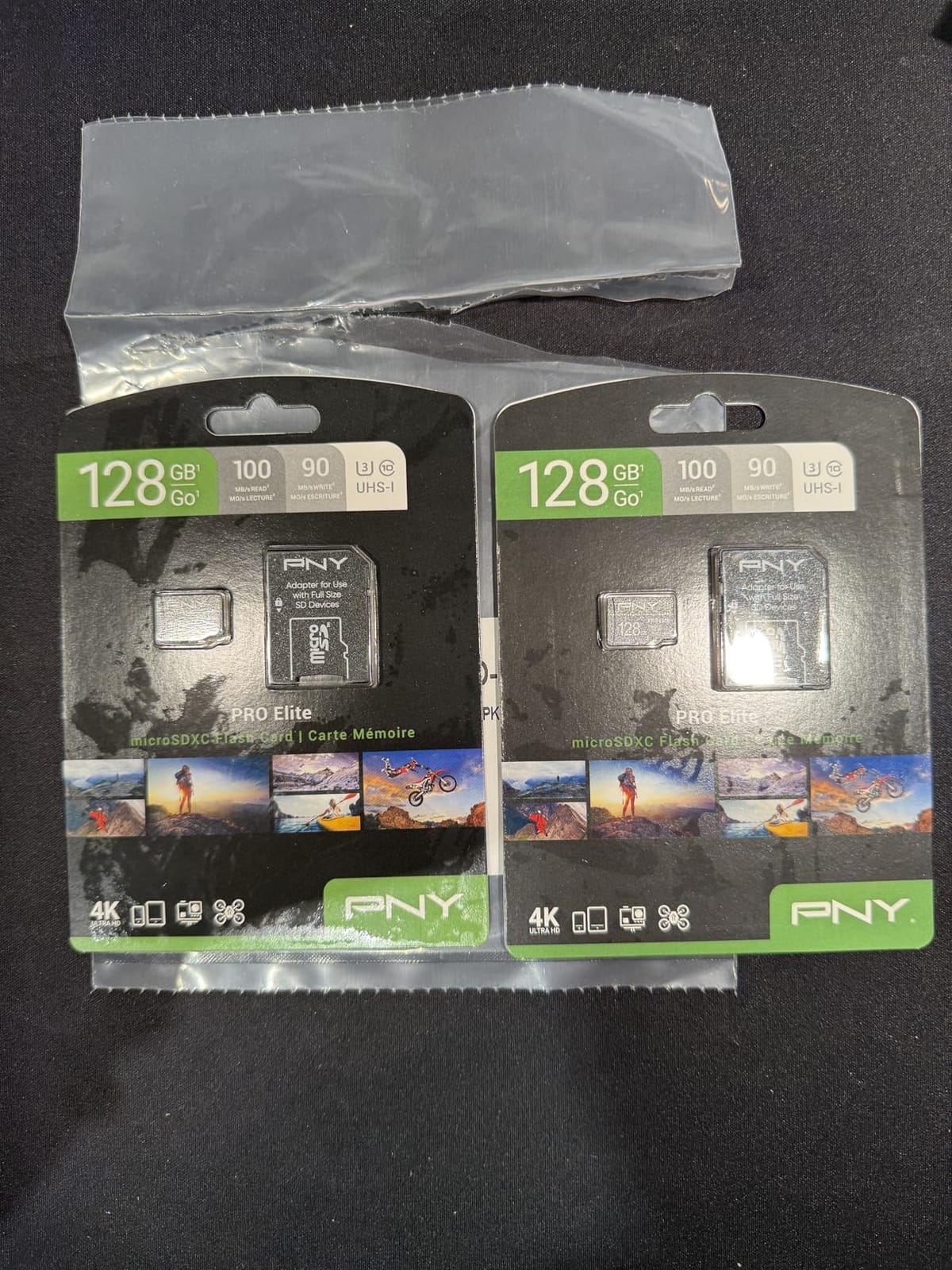
The rating profile is the honest part of this review: 4 percent of ratings are one star, the weakest score distribution in this roundup. Buyers citing endurance shortfall or compatibility fusses in particular host devices drive that number, and the brand’s review base is far smaller than SanDisk’s or Samsung’s.
Against that, the card carries a limited lifetime warranty, comes with an SD adapter, and is rated for magnet, shock, temperature and water exposure. Listed compatible devices cover tablets, smartphones, laptops, personal computers and cameras.
What makes it good for gaming tablets
The A2 rating plus a 90MB/s write speed is the combination handheld and emulation use needs. Games install, save and load from the card without the pause you get on an A1 card of equivalent capacity.
Where the risk sits
The higher one-star share means the card’s consistency varies more between batches than the cards above it. If your tablet holds irreplaceable data, keep a separate backup rather than treating the card as the only copy.
8. Best microSD Card for 4K Capture on a Tablet: Silicon Power 128GB U3
Silicon Power 128GB Micro SD Card U3 SDXC Up to 100MB/s High Speed Memory Card for Cams, DJI Pocket and Drones
128GB microSDXC
Up to 100MB/s read
U3 V30 Class 10
9.07 g
Pros
- U3 and V30 support 4K and Full HD recording
- Wide device compatibility across tablets drones and cameras
- Low cost for a 128GB U3 card
- Drop temperature water and x-ray proof
- 5 year limited warranty
Cons
- Listed media speed of 20MB/s is well below headline read
- Lowest rating and highest 1 star share in the group
- Not compatible with Nintendo Switch 2
The Silicon Power 128GB is the cheapest route to a genuine U3 and V30 card, and both ratings are the minimum sensible floor for 4K capture. It reads at up to 100MB/s and carries Class 10, U3 and V30 markings, with a 5-year limited manufacturer warranty.
Device coverage is broad: smartphones, tablets, drones, action cameras, DSLR bodies and camcorders are all listed as compatible. Owners mostly report that the card simply works in those devices, including tablets.
What holds the rating down is a mismatch between the headline number and the sustained figure. The listed media speed is 20MB/s, far below the 100MB/s read claim, and the one-star share of 6 percent is the highest in this roundup. Buyers most often complain that sustained write performance falls well short of the advertised read speed.
That gap is fine for storing media and tolerable for light 4K bursts on a tablet that also records to internal storage. It is not fine as the only destination for long continuous capture. The card is also listed as not compatible with the Nintendo Switch 2.
What to check before choosing it
Look at the write side rather than the read side. V30 promises a 30MB/s minimum sustained write, which is the number that protects a recording from dropping frames mid-clip.
Who should avoid it
Avoid it if the card will be your only storage and you shoot long 4K sequences, or if you need the strongest warranty in the group. Its 5-year term is shorter than the ten years offered by several rivals.
9. Best microSD Card for Student Tablets on a Budget: Patriot EP 128GB
Patriot Memory 128GB EP A1/V30 Micro SD Card,Phones,Tablets,4K
128GB microSDXC
A1 and V30 performance classes
Smartphones tablets and PCs
2 g
Pros
- A1 and V30 ratings at a budget tier
- Works across Android phones tablets and PCs
- SD adapter included in the box
- Inexpensive way to add 128GB to a tablet
- Temperature water and x-ray proof
Cons
- Only 3 year warranty
- Speeds sit below the premium UHS-I cards
- Sparse brand documentation compared with rivals
The Patriot EP is a 128GB microSDXC card rated A1 and V30, sold into Android phones and tablets as an inexpensive storage upgrade. A full-size SD adapter is included in the box, which is genuinely useful when moving coursework and media to a computer.
For a shared or budget tablet used for reading, notes and streaming, the card does its job. The V30 rating guarantees a 30MB/s minimum sustained write, so saved documents and downloaded video write predictably even when the tablet is busy.
The A1 rating is the ceiling. At 1500 random read IOPS and 500 write IOPS it sits behind the A2 cards above, so apps stored on this card open more slowly. That is fine when the card holds media, and frustrating when it holds the apps a student uses daily.
Buyers report generally accurate advertised performance for everyday storage. The 5 percent one-star share points to mediocre sustained performance under load and a warranty shorter than competing cards offer.
Best fit for a budget tablet
This card suits a tablet used for documents, browsing and downloaded media rather than apps. The included adapter and the low entry capacity make it a sensible first expansion card for a student device.
Where it stops being enough
A three-year warranty is the shortest in this roundup, and speeds sit below every premium UHS-I card listed here. If the tablet is your main device for years, a ten-year warranty card is cheaper insurance.
10. Best microSD Card for Verified Capacity: Lexar Blue 256GB
Lexar 256GB Blue Micro SD Card Up to 160MB/s microSDXC UHS-I Memory Card
256GB microSDXC
Up to 160MB/s UHS-I reads
C10 U3 A2 V30
0.25 g
Pros
- Passes full capacity verification with no fake blocks
- A2 rating speeds up app loading on tablets
- Eight durability proof points including IPX7
- 10 year card warranty plus recovery tool access
- Proven reliability in dash cams and CCTV
Cons
- 160MB/s reads require a Lexar 2-in-1 USB 3.1 reader
- Priced above most 256GB competitors
- Slim 0.25 g body
The Lexar Blue 256GB is the pick if counterfeit capacity worries you most. Buyers consistently report passing full-capacity verification tests with no fake or corrupt blocks, and the card comes with a 10-year limited warranty on the card plus lifetime access to the Lexar Recovery Tool.
On paper it is a strong all-rounder: up to 160MB/s UHS-I reads, C10, U3, A2 and V30 ratings, and support for Full HD and 4K UHD. The A2 rating speeds up app loading on phones and tablets, which is the factor that matters most for a tablet.
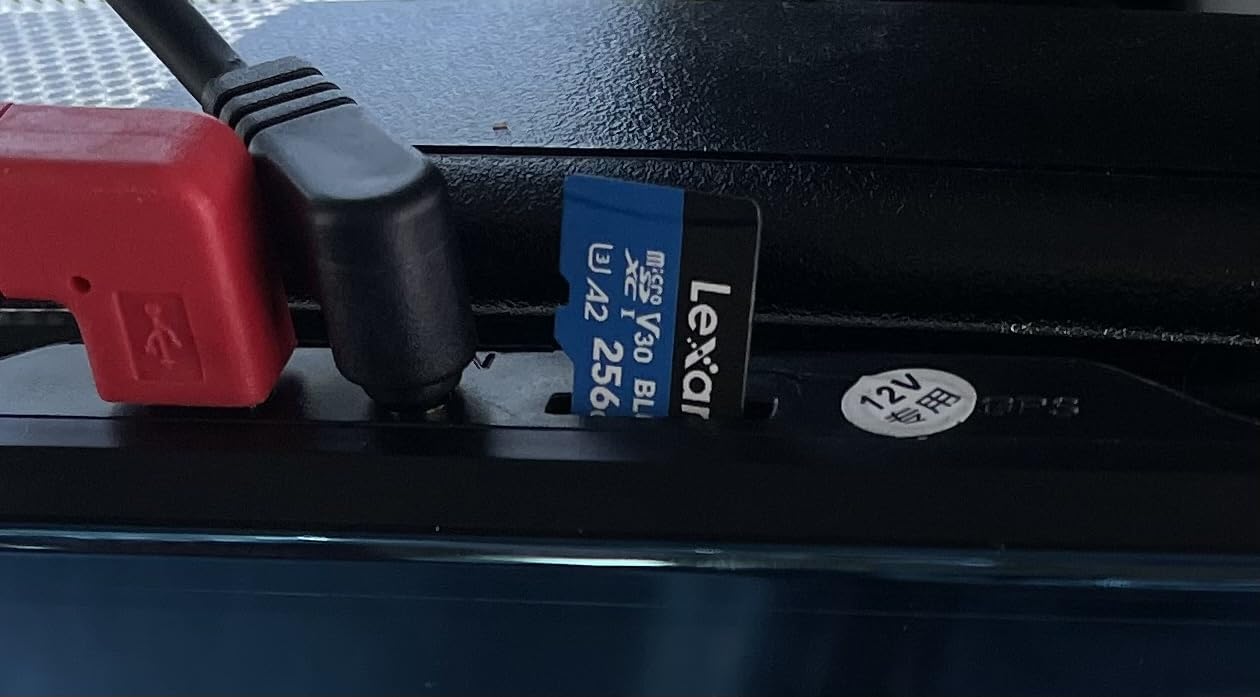
The card has been tested against eight durability proof points, including IPX7 water resistance and 1.5 metre drop resistance. Owners put it through dash cam and CCTV duty and report stable read and write speeds, and the positive theme in reviews is confidence in authenticity after previous counterfeit problems.
The catch is that the headline 160MB/s needs Lexar’s own 2-in-1 USB 3.1 reader. Through a tablet’s built-in slot the card performs well but nowhere near the printed figure, and the card itself is priced above most 256GB rivals from generic brands.
What to verify yourself
Buy from an authorised retailer rather than a marketplace reseller, then run a full-capacity check before trusting the card with anything you have not backed up. The recovery tool included with this card makes that check straightforward.
When another card is the better buy
If capacity per unit of spend matters more than the authenticity tooling, the SanDisk Ultra 256GB above offers more review history and a longer warranty at a lower tier. The Lexar card earns its place when the data is hard to replace.
Tablet Compatibility: What Your Model Actually Supports
Most “my tablet does not see the card” problems are compatibility problems rather than card failures. Tablets vary more than phones in the maximum capacity they accept and in the file system they expect, and no amount of card quality fixes a device that refuses to mount a format.
Before buying any card from this guide, check three things: the maximum capacity your model accepts, the file system it wants, and whether it supports moving apps to the card at all. The last point catches people out most often, because on many Android tablets the option to move apps is missing entirely.
Samsung Galaxy Tab and Android tablets generally
Galaxy Tab owners searching for the best microSD card for Samsung devices should know that adoptable storage is not supported. Users on r/GalaxyTab have reported moving apps to an SD card and having nothing happen at all, which is why so many people end up disappointed with an otherwise capable card.
On Galaxy Tab, treat the card as media and document storage rather than app storage. Budget your capacity for photos, downloaded series, offline maps and course files, and keep apps on internal memory where the tablet can index them properly.
Amazon Fire tablets
Amazon’s own guidance, discussed at length on amazonforum.com, states that Fire tablets from the 8th generation onward support FAT32 formatted microSD cards and all classes of UHS microSD cards up to 512GB. If you buy a card that arrives formatted as exFAT, a Fire tablet may not mount it even though the card itself is fine.
Format the card to FAT32 from a computer before inserting it into a Fire tablet, and the SanDisk Made for Amazon card above removes the guesswork because it is certified for those devices.
iPad and other slots without a microSD reader
iPads have no microSD slot. The workable route is a camera kit adapter that takes a microSD card in a full-size SD shell, which the tablet then mounts as a camera import source. Check that the adapter supports the capacity and speed class of the card you intend to use before buying both.
Formatting overhead and usable capacity
A 128GB card rarely reports 128GB in a tablet’s settings. The file system itself, the tablet’s reserved system area and the difference between decimal and binary capacity all eat into the number, and larger cards can strand several gigabytes before you store anything. Only a few manufacturers print the usable figure on the box; the Amazon Basics card does, at 128GB with at least 116GB usable.
Check your tablet’s supported maximum before buying a very large card. Over-buying is the single most common way tablet owners end up with storage they cannot use.
How to Choose a microSD Card for Tablets
Start with format, then speed class, then capacity. Every card in this guide is microSDXC, and that is the format to buy for any tablet purchase made in 2026. The older formats are still worth understanding, because a card bought for an old device will not work in a new one.
microSD, microSDHC and microSDXC: the format difference
microSD covers capacities up to 2GB and microSDHC runs from 4GB to 32GB. microSDXC starts at 64GB and goes up to 2TB. The physical shape is identical across all three, so any of them fit any microSD slot; the difference is electrical, and older hardware may not read the newer signalling.
The practical rule for tablets: buy microSDXC. Any tablet sold in the last several years reads it, and going below 64GB means giving up more storage than a 128GB card costs anyway.
Speed classes decoded: C10, U1, U3 and the V ratings
Speed Class, marked C2 through C10 on the card, guarantees a minimum sequential write speed in megabytes per second. C10 means at least 10MB/s. Nearly every card here is Class 10.
The UHS Speed Class is a second guarantee: U1 means at least 10MB/s sustained write and U3 means at least 30MB/s. The Video Speed Class is the letter form, where V30 also means 30MB/s, V60 means 60MB/s and V90 means 90MB/s. V30 is the practical minimum for 4K capture and is what we look for on any tablet used for recording.
Is V30 fast enough for 4K? Yes for the bitrates most tablets and action cameras produce. V60 and V90 exist for higher-bitrate professional capture and add little to a tablet workflow.
A1 versus A2: the rating that actually changes tablet feel
Application Performance Class measures random read and write operations per second, which is how an operating system opens thousands of small files while launching an app. A1 guarantees 1500 random read IOPS and 500 random write IOPS. A2 guarantees 4000 read IOPS and 2000 write IOPS, more than double on both sides.
This is the rating the search results for this query keep returning to, and it is the right one to prioritise. A tablet loading a media index, thumbnails and an app package reads in fragments. A card with A2 IOPS delivers that work faster even when the headline read speed is identical.
All three of our top picks carry A2. The SanDisk Ultra 256GB and the Patriot card carry A1, which is still an improvement over a card with no application class at all.
How much capacity a tablet actually needs
Work from what you store rather than what the tablet ships with. A typical 1080p film takes roughly 4GB per hour, so a 128GB card holds about 30 hours of stored video or a large photo and document archive. 256GB suits families or tablets doubling as a travel media player.
Two factors change the answer. First, tablets are sold with modest internal storage that cannot be replaced, so the card becomes the permanent archive rather than a temporary overflow. Second, formatting overhead means a nominal 256GB card delivers less, so buy the next tier up if you are near the limit.
Durability ratings that matter on a tablet
Waterproofing, temperature resistance, shock proofing and x-ray proofing all appear on the cards above. On a tablet, drop and water resistance matter most because the card travels inside a device that gets dropped, and because a partly seated card can be damaged by a knock.
Warranty length is the underrated durability proxy here. Cards with ten-year or lifetime limited warranties can often be replaced when a failure occurs, which matters for a card holding data you have not backed up. The Patriot card’s three-year term is the shortest in this group.
Samsung versus SanDisk: which brand should you buy
Both brands dominate the category, and the honest answer is that they suit different priorities. SanDisk cards in this group generally show higher stated read speeds, and the Extreme leads on both read speed and review depth. Samsung cards in this group show more consistent long-term reports from owners who have used them for years, and Samsung builds its firmware and components in house.
Community advice consistently favours both names over unbranded cards, with one gaming community recommendation favouring a Samsung card specifically because consistent quality matters more than a better spec sheet. If your tablet and phone are both Samsung, matching brands also removes friction when moving files.
Avoiding counterfeit and misrepresented cards
Advice from tablet owners is consistent: buy the largest name-brand card you can afford from an authorised retailer. Counterfeit cards most often report capacity they do not have, and the failure appears later as corrupted files rather than at purchase.
Two habits catch the problem early. Run a full-capacity verification test before copying anything you care about, and be suspicious of any card whose price sits far below the rest of its range. The Lexar card in this roundup includes recovery tooling specifically for that check.
Fixing a microSD Card Not Detected in a Tablet
Detection failures have a short list of causes, and most are fixable in a few minutes. Work through these in order rather than buying a replacement card immediately.
1. Check the file system. Fire tablets from the 8th generation onward require FAT32, and many cards ship as exFAT. Format the card as FAT32 from a computer and reinsert it.
2. Confirm the capacity is supported. Large cards are rejected outright by some tablet models. Check your model’s specification for the maximum supported capacity before anything else.
3. Reseat and restart. Power the tablet fully off, eject the card, reinsert it firmly, and restart. A partially seated card frequently disappears after an update.
4. Format from the tablet, not the computer. Using the tablet’s own storage settings produces a file system that device expects and confirms it can read the card at all.
5. Test the card in a second device. If it also fails to mount in a phone or laptop, the card or adapter is at fault rather than the tablet.
6. Swap out a card with poor community reports. Galaxy Tab owners have reported specific Amazon Basics cards failing detection and moving to a SanDisk Extreme with an A2, V30 rating as the reliable fallback.
If a card mounts but app storage moves nothing, that is a different problem entirely: many Android tablets, including Galaxy Tab models, do not implement adoptable storage. The card is working; the device simply will not run apps from it.
Frequently Asked Questions
What is the most reliable brand of microSD card?
SanDisk and Samsung are the two brands with the largest verified capacities and review bases, and both dominate owner recommendations in tablet communities. SanDisk leads on stated read speed and warranty length across the range, while Samsung reports longer-run consistency. Buy either from an authorised retailer and run a full-capacity check before trusting the card.
Is Samsung or SanDisk microSD better?
It depends on what you store. SanDisk cards generally show higher stated read speeds and the SanDisk Extreme leads on rating and review depth, while Samsung cards are praised for consistency over years of heavy use. Both offer A2-rated options with ten-year or lifetime limited warranties. If your phone and tablet are both Samsung, matching brands also simplifies file transfers.
Which memory card is best for a Samsung tablet?
The Samsung EVO Select 256GB is our pick, carrying U3, Class 10, A2 and V30 ratings at up to 130MB/s transfer speeds. Galaxy Tab does not support adoptable storage, so treat the card as media and document storage rather than app storage. Format it exFAT from a computer unless your specific model asks otherwise.
What are the best MicroSD cards with a V30 and Class A2 rating?
Three cards in this roundup carry both V30 and A2 ratings: the SanDisk Extreme 128GB, the Samsung EVO Select 256GB and the Lexar Blue 256GB. The PNY PRO Elite 256GB also holds Class 10, U3, V30 and A2. Each guarantees at least 30MB/s sustained write and 4000 random read IOPS, which is what app loading on a tablet depends on.
Is V30 fast enough for 4K?
Yes, for the bitrates most tablets and action cameras record. V30 guarantees a minimum sustained write speed of 30MB/s, which is enough for 4K UHD and Full HD capture from a handheld device. V60 and V90 exist for higher-bitrate professional recording and add little to a tablet workflow.
Which MicroSD card has the fastest read speed?
Among the cards reviewed here, the SanDisk Extreme 128GB and the Lexar Blue 256GB both state up to 160MB/s read speeds, the highest figures in the group. In practice a tablet’s own slot delivers far less, so the figure on the box matters less than the sustained write speed and the application performance class.
Why is my microSD card not detected in my tablet?
Check the file system first: Fire tablets from the 8th generation onward require FAT32 formatting, and cards often ship as exFAT. Then confirm your model accepts the card’s capacity, reseat the card with the tablet fully powered off, and format the card from the tablet’s own storage settings. If it still fails to mount in a phone or laptop, the card or adapter is at fault.
Conclusion
The SanDisk Extreme 128GB remains our best microSD card for tablets overall. It carries A2, U3 and V30 ratings, writes at up to 90MB/s, is rated for water, shock, temperature and x-ray exposure, and comes with a lifetime limited warranty behind a rating of 4.8 across more than 354000 owner reviews.
Buy the SanDisk Ultra 256GB for pure media storage at a lower tier, the Samsung EVO Select 256GB if you use Galaxy devices and want long-term consistency, and the SanDisk Made for Amazon card if a Fire tablet is what you own. Check your tablet’s maximum supported capacity and required file system before any of them, and format the card from the tablet itself once it is inserted.
For more device recommendations, our guides to the best tablets for digital artists and the best drawing tablets for beginners cover the hardware side. If you capture video rather than consume it, our picks for the best USB capture cards for cameras and the best HDMI capture cards for streaming cover the other half of the workflow. The card you choose in 2026 will outlast the tablet it goes into if you pick a rated, warranted one.