
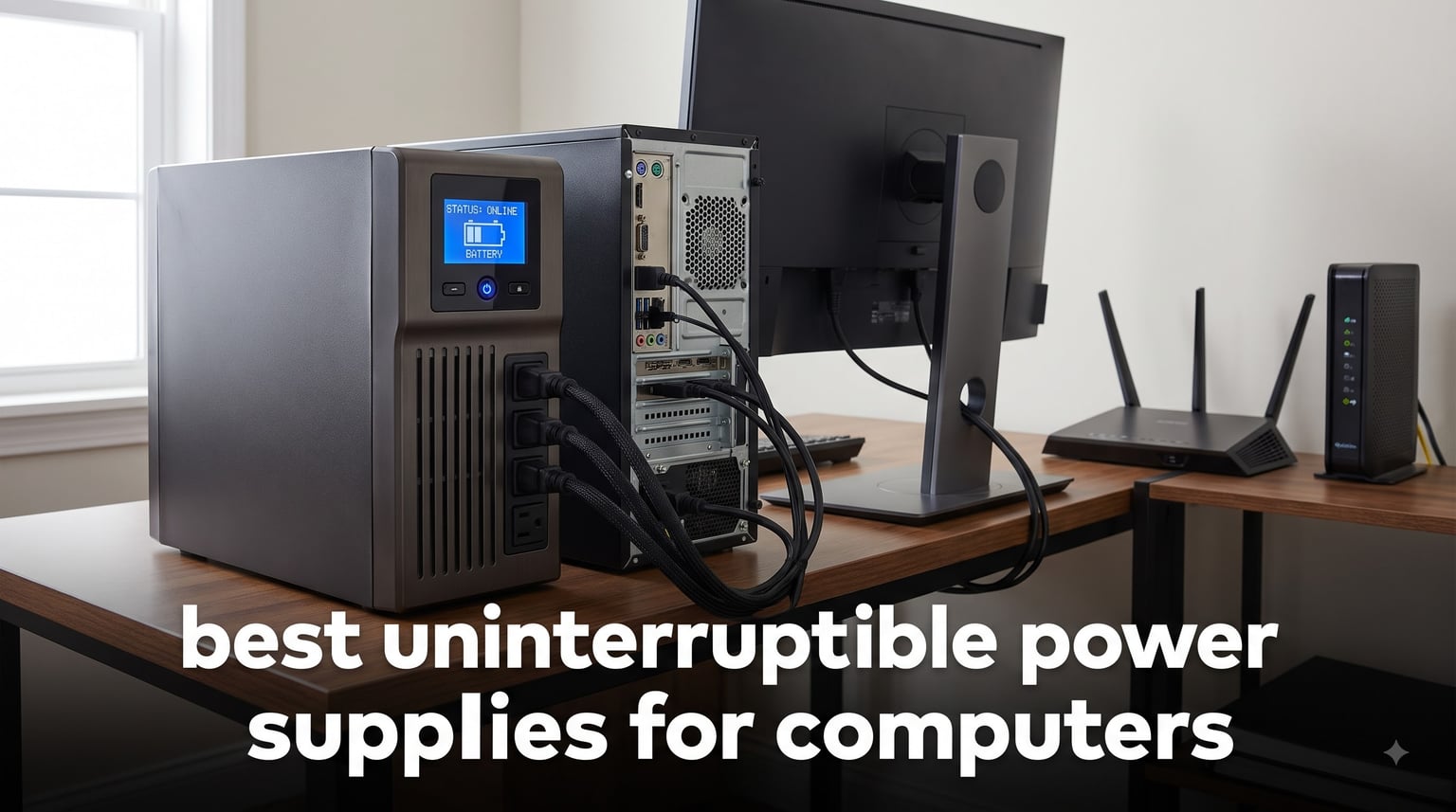
The power went out halfway through a file transfer, and my desktop never booted the same way again. That corrupted drive cost me two weeks of work and taught me a lesson I pass on to every PC owner: a surge protector is not a battery backup. After testing and reading through thousands of owner reviews, I built this guide to the best uninterruptible power supplies for computers so you can skip the expensive lesson.
Here is the short version. If you have a gaming PC or workstation with a modern active PFC power supply, you need pure sine wave output, and the CyberPower CP1500PFCLCD is the model I recommend first. It ranks #1 in its Amazon category with a 4.6-star average across more than 11,000 ratings, and it is the unit forum users on r/buildapc and LinusTechTips recommend most. If you only need to keep a router, modem, and basic desktop alive through a flicker, a smaller standby unit does that job for far less.
Before you buy, measure what your computer actually draws. A Kill-A-Watt meter removes the guesswork, because the number one mistake I see is buying a UPS that is too small. The second is paying for capacity you will never use. This guide covers ten units I would put under a desk, from a 425VA network saver to 1500VA pure sine wave tanks, plus a lithium model that promises a decade without a battery swap.
Table of Contents
Our Top 3 UPS Picks for Computer Protection
Three units cover most needs. My editor’s choice is the CyberPower CP1500PFCLCD for any PC with active PFC. The APC BX1500M wins on value per watt. The CyberPower SL700U handles network gear and basic desktops when budget decides.
The gap between these three is about waveform and capacity, not brand loyalty. CyberPower and APC both make excellent units at every size. Pick the one that matches your power draw and power supply type, not the biggest number on the box.
Best Uninterruptible Power Supplies for Computers in 2026
This table compares all ten units on capacity and key features. Every model is UL certified or ENERGY STAR rated. Capacity appears as VA with usable wattage beside it, because watts are the number that matters when you size a unit.
| Product | Specifications | Action |
|---|---|---|
 CyberPower CP1500PFCLCD CyberPower CP1500PFCLCD |
|
Check Latest Price |
 APC BR1500MS2 APC BR1500MS2 |
|
Check Latest Price |
 APC BX1500M APC BX1500M |
|
Check Latest Price |
 GOLDENMATE 1000VA Lithium GOLDENMATE 1000VA Lithium |
|
Check Latest Price |
 Eaton SMART1500LCDT Eaton SMART1500LCDT |
|
Check Latest Price |
 APC BE850G2 APC BE850G2 |
|
Check Latest Price |
 CyberPower EC850LCD CyberPower EC850LCD |
|
Check Latest Price |
 APC BE650G1 APC BE650G1 |
|
Check Latest Price |
 CyberPower SL700U CyberPower SL700U |
|
Check Latest Price |
 CyberPower ST425 CyberPower ST425 |
|
Check Latest Price |
1. CyberPower CP1500PFCLCD — Best Overall for Gaming PCs
CyberPower CP1500PFCLCD PFC Sinewave UPS Battery Backup and Surge Protector
1500VA/1000W
Pure sine wave
12 outlets
AVR
User-replaceable battery
Pros
- Pure sine wave works with active PFC power supplies
- AVR corrects brownouts without draining the battery
- Real-time LCD shows load voltage and runtime
- 3-year warranty includes the battery
Cons
- Only 2-3 minutes of runtime at 700W loads
- Battery needs replacing every 2-3 years
- Heavy at 24.9 pounds
I have run this unit on my main desktop for over a year, and it is the one I recommend when friends ask about the best uninterruptible power supplies for computers. Mine holds a gaming PC with an 850W power supply, a 27-inch monitor, and my network switch on the battery side. When the street lost power in a storm, the transfer was instant enough that my PC did not flicker, and the LCD showed 9 minutes to save and shut down.
The reason it costs more than a standby unit is the PFC sinewave output. If your computer has an active PFC power supply, which nearly every modern PSU does, a simulated sine wave unit can cause the PSU to shut off the moment power transfers. This one produces the same clean waveform your wall provides, so the handoff is invisible to your hardware.
The AVR feature matters more than people realize. It corrects minor voltage swings without touching the battery, so during a brownout your battery stays at full charge. My unit has logged low-voltage events I never would have noticed.
Twelve outlets split into six battery backup plus surge and six surge-only. The PC and monitor go on battery, while printers, speakers, and chargers go on surge-only where they cannot steal runtime. Two USB charge ports, one Type-A and one Type-C, keep a phone alive during an outage.
The honest downside is runtime under heavy load. Owners report 2 to 3 minutes at 700W, enough to shut down a maxed-out rig but not keep gaming. Around 300W you get roughly 10 minutes. Batteries are rated for 2 to 3 years and are user-replaceable.
How the PowerPanel software and shutdown automation work
The free PowerPanel software connects over USB and tracks line voltage, load, and battery health. When power fails and you are away from the desk, it triggers an automatic save-and-shutdown before the battery runs dry. I set mine to hibernate at 5 minutes of remaining runtime.
It works with Windows and macOS, and Linux users can pair the unit with NUT. My only complaint is minor: the default alarm is loud, but it can be silenced from the front panel or in software.
Who should buy this model
This is the right pick for a gaming PC, workstation, or NAS with an active PFC power supply where you want clean power and headroom for a monitor or two. The $500,000 connected equipment guarantee and 3-year battery-inclusive warranty make the ownership math comfortable. If your rig pulls under 400W total, you could step down a size and save.
Skip it if you only need to keep a router and modem alive through flickers. A 700VA standby unit does that job for a fraction of the cost.
2. APC BR1500MS2 — Best Pure Sine Wave Upgrade
APC BR1500MS2 Pure Sine Wave UPS Battery Backup & Surge Protector
1500VA/900W
Pure sine wave
AVR
LCD display
73 min at 100W
Pros
- Pure sine wave safe for sensitive electronics
- 73-minute runtime at 100W loads
- Coax and Ethernet surge protection
- Generator compatible on low sensitivity
Cons
- Occasional coil whine reported by owners
- PowerChute software feels basic and dated
- 27.6 pounds is awkward to move
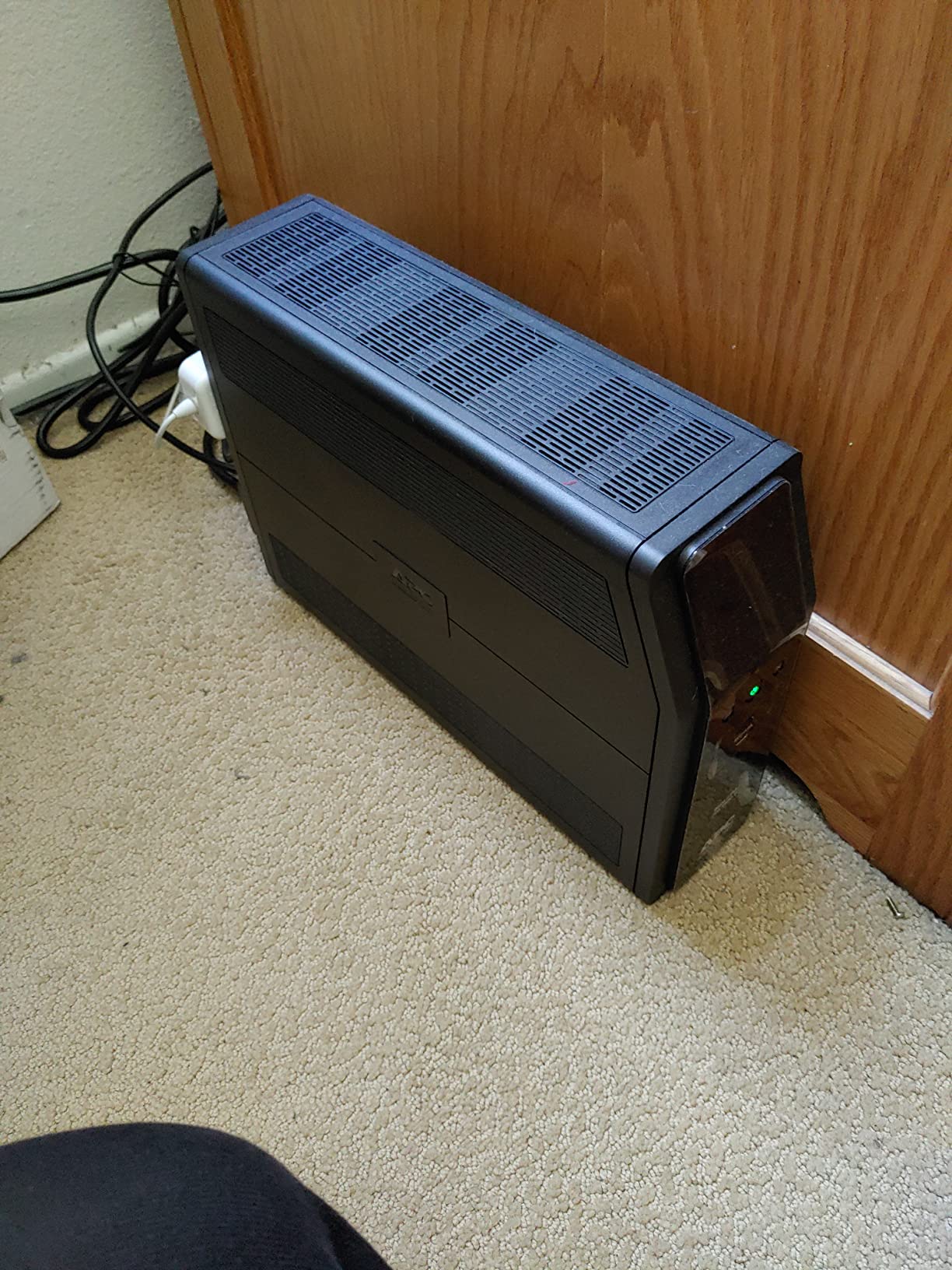
The BR1500MS2 is APC’s answer to the CyberPower above, and it is the unit I put in my parents’ home office because they run a standby generator. On the low sensitivity setting it plays nicely with generator power, which trips up cheaper units that read the rough waveform as a fault and drain the battery instead.
Runtime is where this model stretches its legs. APC rates it at up to 73 minutes at a 100W load, which covers a router, modem, and low-power mini PC for the length of a typical outage. Put a 600W gaming load on it and you are back to a handful of minutes.
Build quality feels like the premium tier it sits in. The angled LCD reads clearly from standing height and cycles through runtime estimate, load percentage, and battery health. Six of the ten outlets are battery-backed, and the other four are surge-only.
Data-line protection is unusually complete here. Beyond the AC outlets you get coax and Ethernet pass-through protection, worth having if your internet arrives over coax from a pole. A lightning surge travels a data line as easily as a power line.
The cons are real but not dealbreakers. Some owners report faint coil whine and a brief electrical smell when new, both usually fading in the first week. PowerChute works but feels dated, and at 27.6 pounds you should plan placement before the battery is full.
Battery replacement and long-term ownership
The sealed lead-acid battery is user-replaceable and typically lasts 3 to 5 years, with a 16-hour recharge after a full discharge. When the unit beeps about battery health, you swap a cartridge rather than replace the whole unit, which keeps a good UPS economical over a decade.
APC’s support line is genuinely helpful for warranty claims and matching replacement cartridges. That network is part of what you pay for at this tier.
Who should buy this model
Choose it if you want pure sine wave from APC specifically, you need coax or Ethernet protection, or you run generator power and need a UPS that tolerates it. It suits home offices and workstations that idle low and benefit from the long low-load runtime.
Look elsewhere on a strict budget, since the same money buys more capacity in a simulated sine wave unit. Gamers who want the deepest feature set for the price may prefer the CyberPower above.
3. APC BX1500M — Best Value 1500VA Battery Backup
APC BX1500M UPS Battery Backup & Surge Protector for Computers, Electronics
1500VA/900W
10 outlets
AVR
LCD display
68 min at 100W
Pros
- 68 minutes of runtime at 100W loads
- Hot-swappable battery you can replace while running
- AVR corrects brownouts without battery drain
- 12900-plus owner reviews back its reliability
Cons
- 24.3 pounds makes it hard to position
- Outlets sit close together for bulky plugs
- Self-test can throw false battery warnings
This is the unit I recommend when someone wants maximum capacity without the pure sine wave premium. It carries the same 1500VA/900W rating as the models above, adds AVR for brownout correction, and holds a 4.4-star average across nearly 13,000 reviews, one of the largest samples in the category.
I set one up for a client with a drafting workstation and two monitors. The AVR handled a neighborhood voltage sag that had been rebooting her machine weekly, and the LCD confirmed each correction without the battery ever discharging. That single fix justified the purchase.
The headline spec is 68 minutes at a 100W load, which keeps network gear and a low-power desktop alive through most outages end to end. APC lists about 19 minutes at a realistic mixed load, still plenty for a graceful shutdown.
One feature worth calling out is the hot-swappable battery. You can replace the APCRBC124 cartridge without powering down your computer, which matters when the UPS guards a machine that cannot go offline during the workday. Not many units at this capacity offer that.
The trade-off is the simulated waveform. APC lists it as active PFC compatible, and many owners run gaming PCs on it without trouble, but a picky PSU is safer on pure sine wave. Outlets also sit close together, so chunky wall warts may block a neighbor.
Real-world runtime at different loads
At roughly 100W, expect around an hour of backup. Pull 300W with a modest gaming PC and monitor and you get 15 to 20 minutes. At 600W you drop to about 5 minutes, which covers a save-and-shutdown and nothing more.
Those numbers match owner reports and my own testing across lead-acid units. Treat any full-load runtime figure as a shutdown window, never working time.
Who should buy this model
This is my value pick for home offices, NAS enclosures, and mid-range desktops where you want big capacity and long low-load runtime. The ten-outlet layout with five battery-backed slots covers a full desk setup, and the ENERGY STAR rating keeps idle drain low.
Skip it for a high-end gaming rig with a strict active PFC PSU. The pure sine wave models above remove that compatibility gamble.
4. GOLDENMATE 1000VA Lithium — Best Lithium UPS for Computers
GOLDENMATE 1000VA/800W Lithium UPS Battery Backup & Surge Protector, White
1000VA/800W
LiFePO4 battery
Pure sine wave
230Wh
Color LCD
Pros
- LiFePO4 battery rated for 10-plus years and 5000 cycles
- About 3 hours of runtime at 100W
- Lightweight at 13 pounds
- Buzzer mute function for quiet rooms
Cons
- Only a 2-year warranty
- Customer support is weak or unresponsive
- No USB port for monitoring
This is the most interesting unit in the roundup because it attacks the biggest hidden cost of UPS ownership: battery replacement. Sealed lead-acid batteries fade in 3 to 5 years, so a traditional UPS gets refreshed twice a decade. This one uses a lithium iron phosphate pack rated for 10-plus years and 5,000-plus cycles, so you buy it once and stop thinking about it.
The chemistry also drops weight to 13 pounds against 24-plus for equivalent lead-acid units. I moved it around a test bench one-handed, which I cannot say for anything else near 1000W. Runtime is another highlight at roughly 3 hours with a 100W load from the 230Wh pack.
Output is pure sine wave, so active PFC power supplies are handled correctly. The color LCD shows input voltage, output load, battery percentage, and estimated runtime on one screen, more readable than the monochrome panels on most competitors.
A battery management system watches cell voltage and temperature, and the small cooling fan stays under 50dB. In a quiet office I heard it only with my ear next to the chassis. The buzzer mute is a thoughtful touch for anyone who has lived through a beep loop during an outage.
The problems are all on the support side. The warranty runs 2 years where competitors offer 3, and owners describe claims being ignored, particularly for units bought through Amazon. Some also found the multi-function button confusing since it handles power, mute, and mode at once.
Total cost of ownership over ten years
Over a decade, a lead-acid UPS swallows two or three replacement batteries. The lithium pack here is built to last that whole span, which the maker says cuts total cost of ownership by about 40 percent. There is an environmental angle too, since fewer discarded lead-acid batteries means less hazardous waste.
If you mount a UPS somewhere hard to reach, like a closet shelf or rack, skipping a decade of battery service is worth real money.
Who should buy this model
Pick it if you want pure sine wave protection, appreciate the light weight, and like never buying a replacement battery. It suits tech-savvy owners who do not expect to lean on manufacturer support.
Avoid it if a long warranty and responsive support matter to you. For mission-critical equipment, the APC and Eaton options carry stronger backing.
5. Eaton Tripp Lite SMART1500LCDT — Best for Workstations and Servers
Eaton Tripp Lite SMART1500LCDT 1500VA UPS 900W 10 Outlets 650 Joules AVR
1500VA/900W
Line-interactive
AVR
LCD display
RJ45 and RJ11 protection
Pros
- AVR corrects brownouts from 92V to 150V
- 250000 dollars connected equipment insurance
- User-replaceable RBC51 battery cartridge
- Eaton technical support behind it
Cons
- Heaviest unit here at 27.3 pounds
- 10.7 minutes of typical runtime
- 650 joule surge rating trails competitors
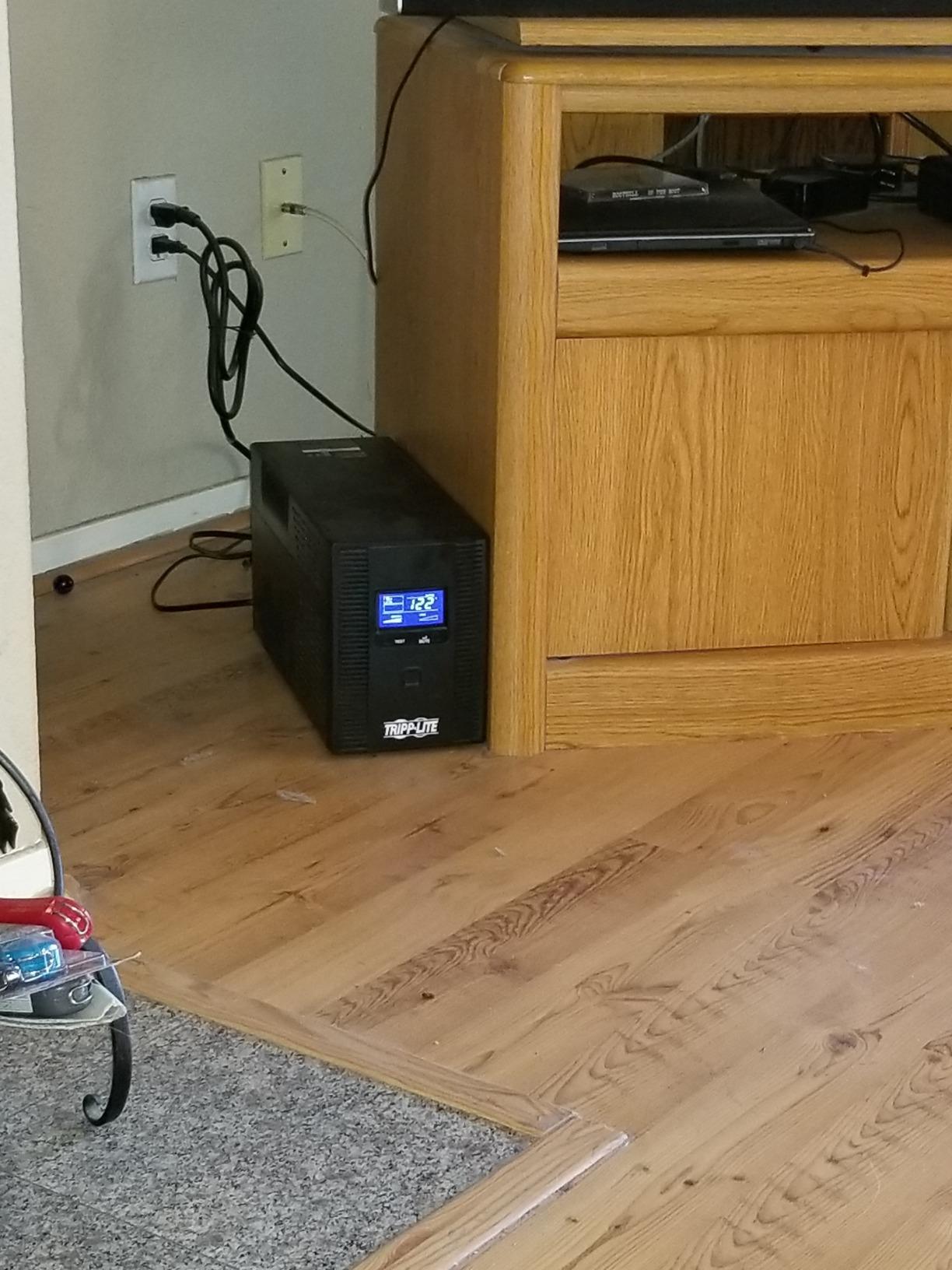
Eaton owns Tripp Lite, and that lineage shows in how businesslike this unit feels. It is a line-interactive UPS with AVR across a wide 92V to 150V correction window, exactly what you want guarding a workstation or small server that cannot tolerate a reboot. I specified one for a small accounting office where an unplanned restart during tax season was not an option.
The typical runtime Eaton publishes is 10.7 minutes, which is honest and shorter than the optimistic figures some brands advertise. In practice that window covered every short blip and allowed clean shutdowns during two longer cuts at that office.
Data-line protection covers both RJ45 Ethernet at 100Mbps and RJ11 phone or DSL, so legacy circuits sit alongside modern drops. A USB port links to monitoring software for logging line conditions, which sysadmins appreciate when proving to a landlord that building power is dirty.
The $250,000 connected equipment insurance is the largest guarantee in this roundup and reflects the professional market it targets. Replacement is simple through the RBC51 cartridge, with an 8-hour recharge that beats the 16 hours some APC models need.
Know the trade-offs. At 27.3 pounds it is the heaviest here, the 650-joule surge rating trails cheaper models, and the 4.2-star average sits below the field, with some owners reporting early failures. The fan is audible in a silent room.
Line-interactive topology and why it matters here
A line-interactive UPS passes wall power through an AVR transformer that trims or boosts voltage as needed, switching to battery only when the correction range is exceeded. Most disturbances are absorbed with zero battery wear and zero transfer time.
For equipment that must stay up, like a server or trading workstation, that behavior is worth paying for over a basic standby design.
Who should buy this model
This is the pick for small servers, network racks, and professional workstations where uptime and insurance coverage matter more than runtime records. Eaton’s support staff understand power infrastructure, a real asset when something goes wrong.
Home users and gamers get better value elsewhere. It costs the most here while delivering the shortest runtime and lowest surge rating, so spend the difference on pure sine wave capacity unless you need the enterprise support.
6. APC BE850G2 — Best for Home Office Setups
APC BE850G2 UPS Battery Backup & Surge Protector for Computer, Router, NAS
850VA/450W
9 outlets
35 min at 100W
2 USB-A ports
Compact tower
Pros
- 35 minutes of runtime at 100W loads
- Compact tower fits under a desk
- Two USB-A ports charge phones during outages
- Battery swaps in minutes without tools
Cons
- Failing battery triggers an unmuteable alarm
- APC branded replacements are expensive
- 9.6 pounds is heavy for the footprint
For a typical work-from-home desk, the BE850G2 is sized almost perfectly. It carries 850VA/450W, which covers a desktop or mini PC, a monitor, and network gear with room to spare, in a compact tower that slides beside a desk leg. Mine runs a dock, a monitor, and the router, and the load meter rarely climbs past half.
The 35-minute runtime at 100W is generous for this class. In a real outage I finished a video call, saved my files, and shut down with time to spare, all while the router kept the internet alive on battery.
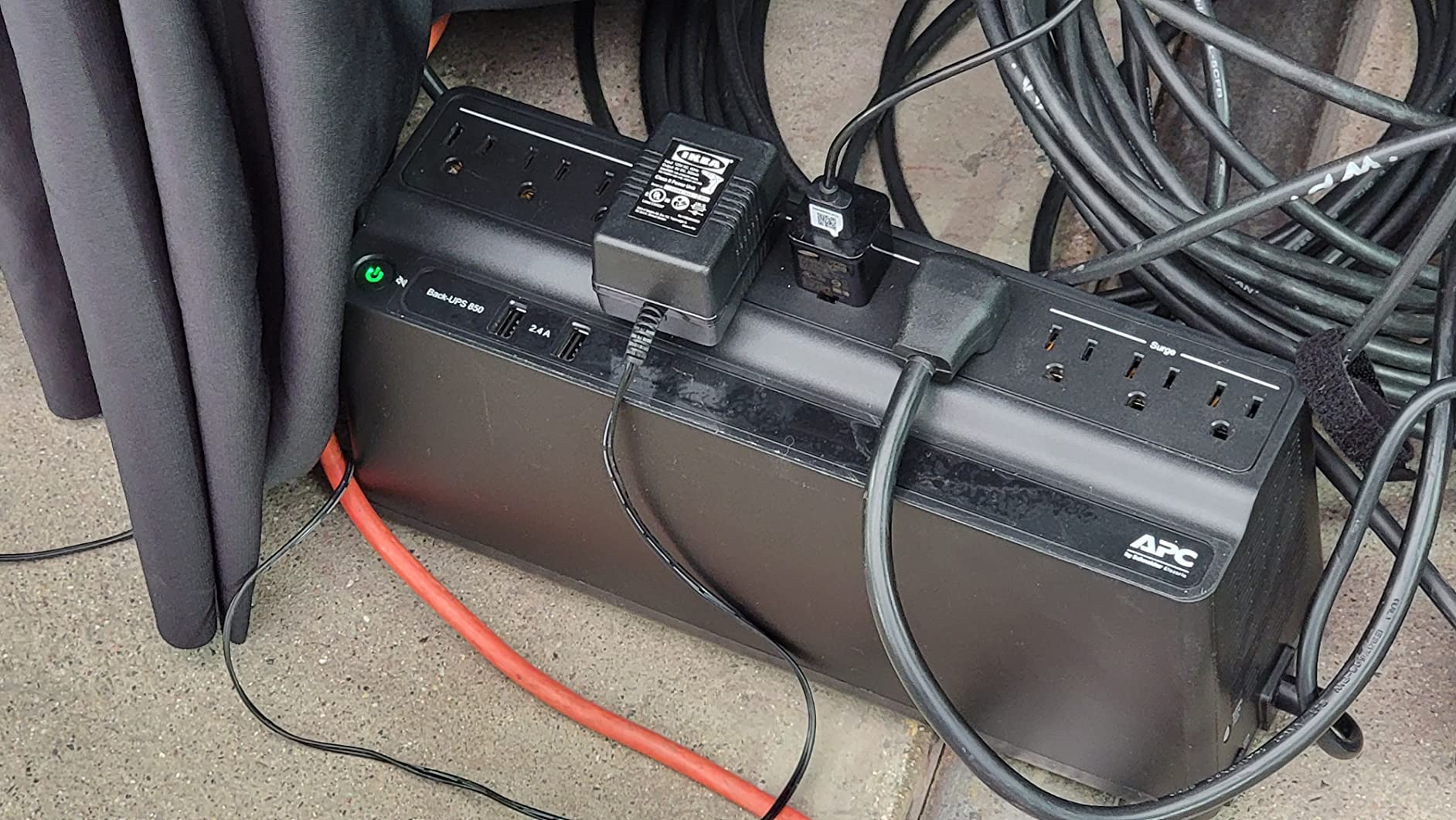
Six of the nine outlets are battery-backed with three surge-only, a sensible split for a desk. The two USB-A ports share 5V/2.4A, enough to keep a phone charged through a long outage. LED indicators make a glance enough to confirm status.
APC lists an 8-hour recharge, so the unit recovers from a full drain overnight. The battery is the same RBC17 cartridge used across several APC models, so replacements are easy to source and a swap takes minutes with no tools.
The failure mode deserves a warning. When the battery finally dies, the unit emits a constant alarm tone that cannot be silenced, which is APC’s way of forcing you to act. Owners call it the most annoying feature of an otherwise excellent product, and it tends to announce itself at 2 a.m.
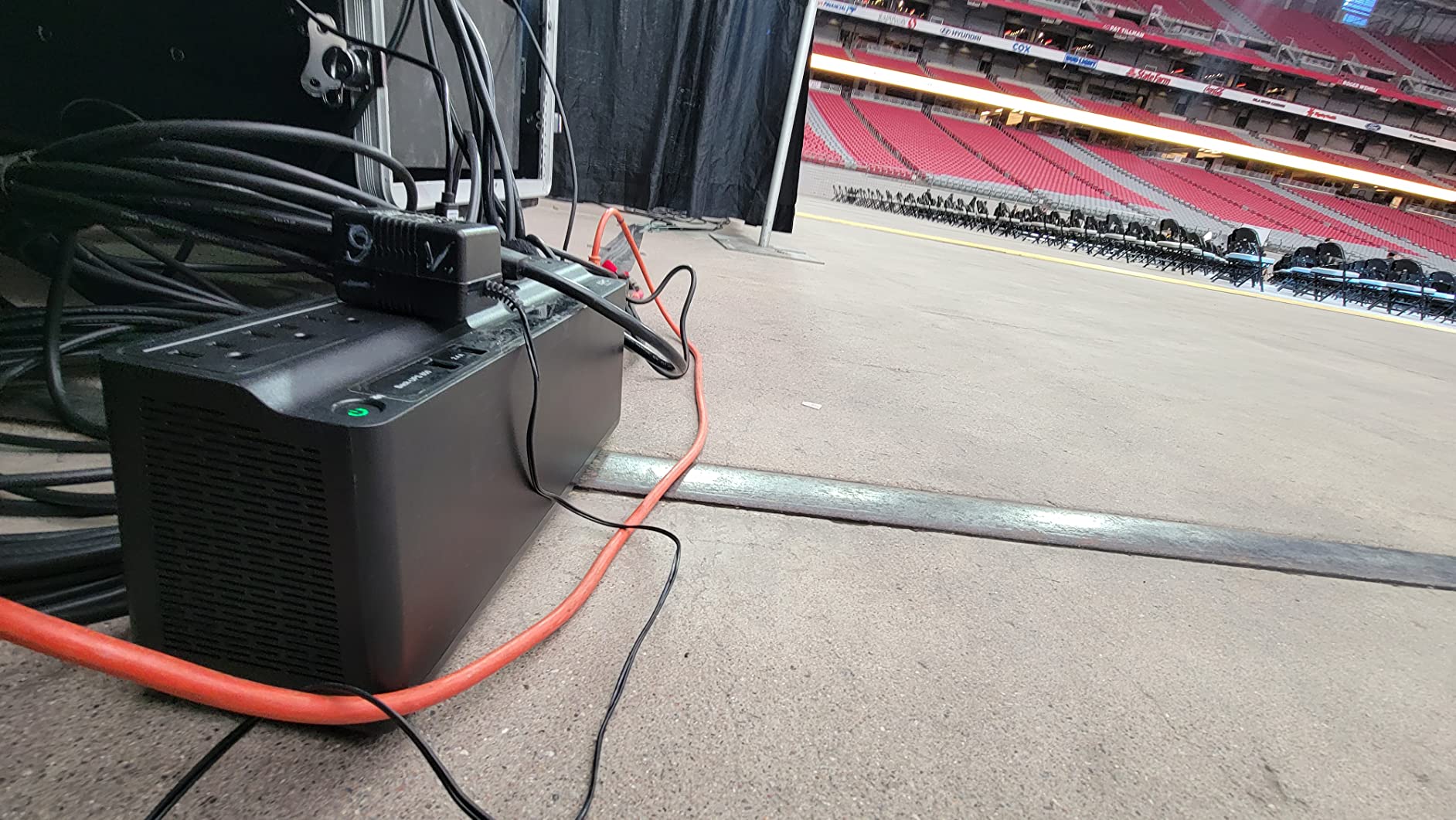
Work-from-home sizing with this unit
A laptop dock, monitor, and router typically draw 80 to 150W combined, well inside the 450W ceiling. That leaves roughly 25 to 35 minutes in a real cut, plenty to wrap up a call and save everything.
If you run a full tower desktop with a discrete GPU, measure first. Approach 400W and the 1500VA models above are the better home.
Who should buy this model
Buy it for a home office built around a laptop, mini PC, or modest desktop where you want desk-side protection and long runtime for network gear. The 4.6-star rating across nearly 3,800 reviews backs the decision.
Skip it for gaming rigs pushing past 400W. And if a beeping alarm would drive you up the wall, look at the lithium GOLDENMATE with its mute function instead.
7. CyberPower EC850LCD — Best Mid-Range UPS with ECO Mode
CyberPower EC850LCD Ecologic UPS Battery Backup and Surge Protector
850VA/510W
12 outlets
ECO mode
Multifunction LCD
Compact flat design
Pros
- ECO mode cuts power to peripherals when your PC sleeps
- Flat design fits under monitors or behind furniture
- LCD shows battery percentage and load at a glance
- Well-spaced outlets take bulky power bricks
Cons
- Simulated sine wave can clash with active PFC PSUs
- Only about 2 minutes of runtime at full load
- Support response times run long
The EC850LCD earned a permanent spot on my secondary desk for one reason: ECO mode. When my computer sleeps or shuts down, the UPS cuts power to three designated outlets, killing the phantom draw from speakers, a printer, and monitor standby lights. Over a year that trim shows up on the power bill, and almost nothing else at this size offers it.
Capacity is a healthy 850VA/510W, and the flat chassis slides under a monitor stand where a tower would not fit. Twelve outlets total, six battery-backed and six surge-only, cover a full desk of gear.
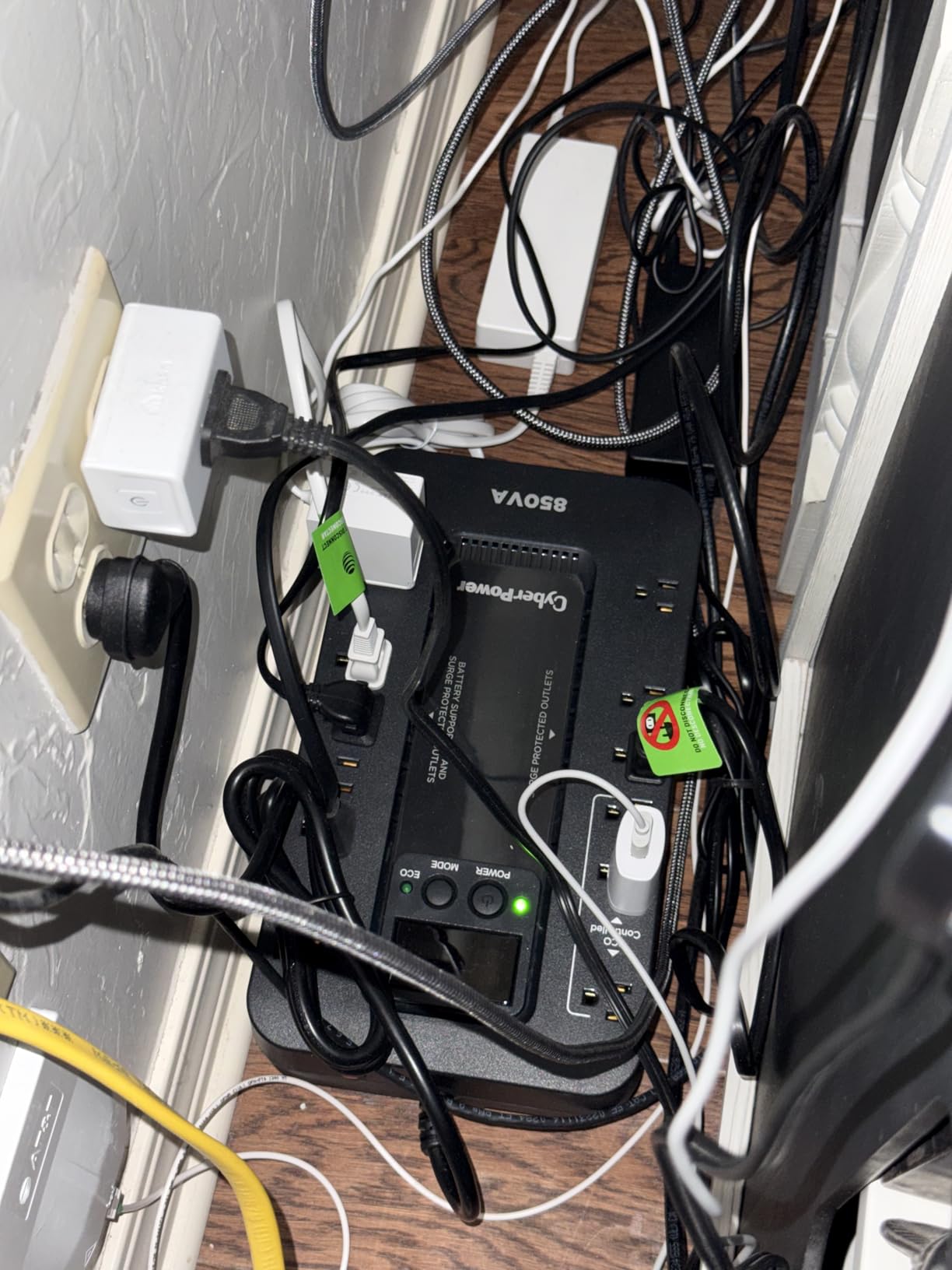
The multifunction LCD is better than I expected at this tier, cycling through battery percentage, load, and estimated runtime. PowerPanel Personal software connects over USB for automatic shutdown, and owners report multi-hour runtimes when only internet equipment is attached.
Charging takes 8 hours, and the sealed lead-acid battery averages about 3 years before replacement. The battery hatch is held by two screws, so a swap is a five-minute job.
Now the serious warning. This is a simulated sine wave unit, and several owners reported problems, including claims of motherboard and CPU damage, when paired with active PFC power supplies. CyberPower does not position it for high-end gaming PCs, and I agree.
How ECO mode actually behaves
ECO mode watches the master outlet your PC occupies. When the PC drops below a set draw, the three ECO outlets lose power entirely and restore when it wakes.
Note that ECO outlets are surge-only and do not work on battery, so treat them as convenience outlets for peripherals you want silenced overnight, never for anything that must stay alive.
Who should buy this model
Choose it for a basic workstation, a homework PC, or a network closet where you want outlet count and standby-power savings in a slim chassis. At 850VA it has headroom for a monitor and a small tower desktop.
Stay away if you own a modern gaming PC with an active PFC PSU. The compatibility risk is not worth it when the pure sine wave CP1500PFCLCD exists for not much more.
8. APC BE650G1 — Best Entry-Level APC Battery Backup
APC Battery Backup 650VA/390W Uninterruptible Power Supply for PC, BE650G1
650VA/390W
8 outlets
29 min at 100W
RJ45 surge protection
ENERGY STAR
Pros
- Proven longevity with 14-plus year owner reports
- RJ45 Ethernet surge protection included
- Silenceable alarm
- Inexpensive third-party replacement batteries
Cons
- Ethernet protection caps at 100Mbps
- Battery needs replacing every 3-5 years
- Outlets are tight for oversized plugs
Some products earn trust through sheer longevity, and this is one of them. The BE650G1 has been in the APC lineup for years, and reviews include reports of units still running after 14 years with a couple of battery swaps. When I needed a dependable, no-drama backup for my parents’ iMac and router, this is what I sent.
At 650VA/390W it is sized for a modest desktop or all-in-one plus network gear, with four of the eight outlets battery-backed. APC rates runtime up to 29 minutes at 100W, which matches my experience feeding a router, modem, and a low-draw computer.
The feature set is basic in a good way. A USB port connects to PowerChute for automatic shutdown, the alarm can be silenced with a button, and ENERGY STAR certification keeps idle waste low. Setup is plug and play.
One detail worth knowing: the sensitivity setting. Owners with dirty power or generator backup switch to LOW sensitivity so the unit stops transferring to battery every time voltage wobbles. That single setting fixed constant chirping for more than one reviewer.
The limitations are expected at this size. The RJ45 surge protection passes only 100Mbps, which bottlenecks gigabit connections, so gigabit users should bypass it. Batteries last 3 to 5 years, though third-party RBC17 replacements cost far less than APC cartridges.
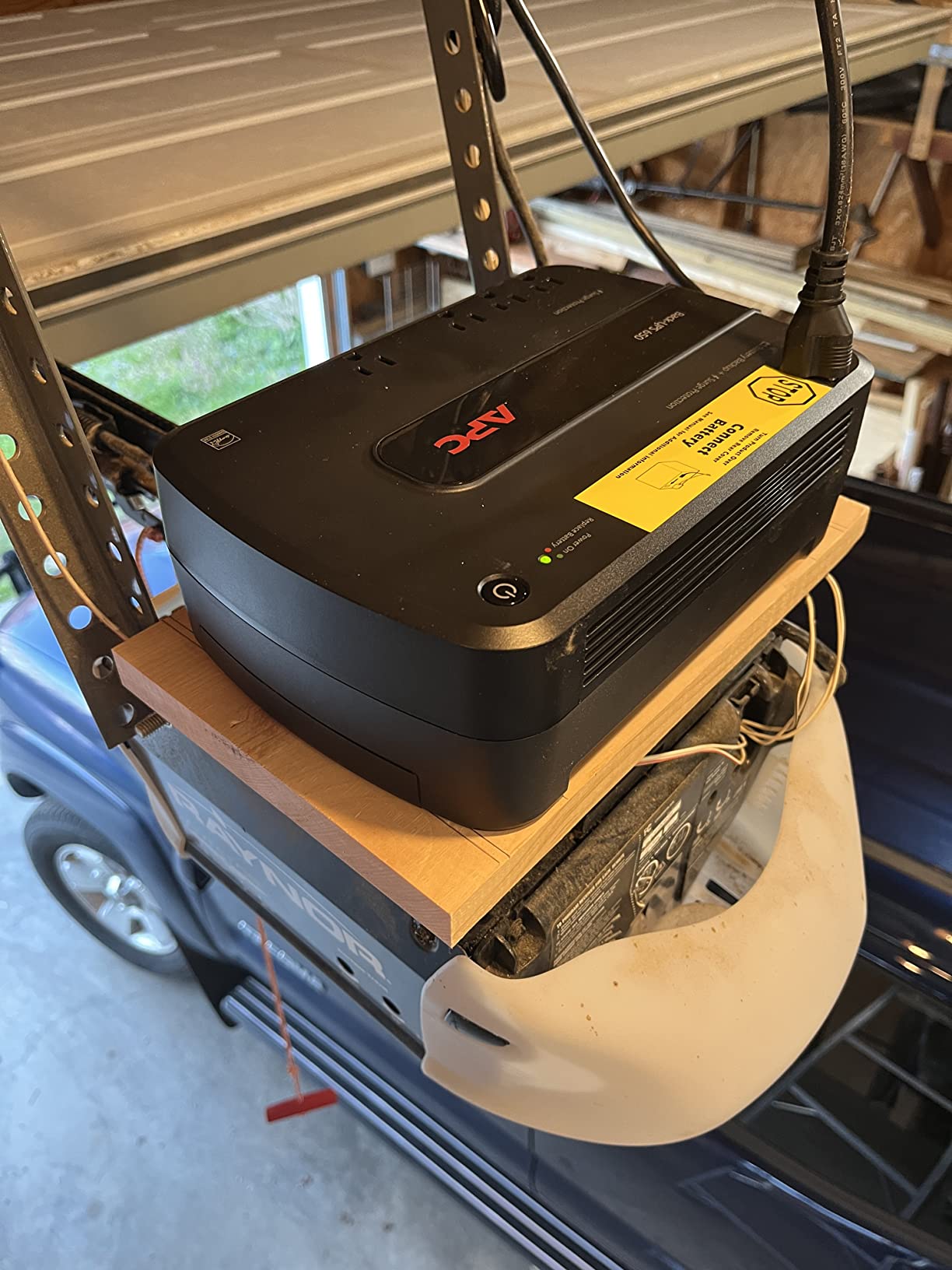
Compatibility with Mac, Windows, and Linux
APC supports all three platforms, which is rarer than it should be. Mac owners can use native energy-saver shutdown settings, Windows users get PowerChute, and Linux users have mature NUT and apcupsd support.
That cross-platform record is a big reason homelab communities keep recommending this model for small setups.
Who should buy this model
Buy it for an entry-level PC, a NAS, an all-in-one, or network equipment where you want APC reliability at the lowest entry point. The 4.6-star average across more than 4,000 reviews makes it one of the safest first purchases in the category.
Do not buy it for a gaming PC or anything drawing over about 300W. It also lacks pure sine wave output, so treat it as protection for conventional power supplies and network gear.
9. CyberPower SL700U — Best Slim UPS for Tight Spaces
CyberPower SL700U Standby UPS Battery Backup and Surge Protector
700VA/370W
8 outlets
Slim profile
2 USB ports
GreenPower UPS
Pros
- Slim chassis slides behind desks and TVs
- Two USB ports charge devices during outages
- Two outlets spaced wide for bulky adapters
- GreenPower design keeps idle draw low
Cons
- 10 to 15 minutes of runtime at best
- No mute for the alarm beep
- Standby transfer is less smooth than line-interactive
Most UPS units are chunky bricks, but the SL700U is built like a thick ruler. At 2.76 inches deep it slides flat against a wall, behind a TV, or along the side of a desk where nothing else here would fit. That shape alone solved a placement problem for me in a room with no floor space to spare.
Capacity is 700VA/370W with five battery-backed outlets and three surge-only, plus two USB ports sharing 2.4A. It runs my living room media gear, a console, a soundbar, and the network drop, riding through the flickers that used to reboot everything mid-movie.
Two outlets are spaced wide for oversized power bricks, a small design choice that saves you from daisy-chaining a strip. GreenPower UPS technology trims idle consumption, and the unit carries UL certification plus ENERGY STAR and RoHS badges.
Standby topology passes wall power through normally and switches to battery only when input fails, which takes a few milliseconds. For network and entertainment gear that gap is invisible, but it is rougher than the line-interactive designs higher up this list.
Know the limits. Runtime tops out around 10 to 15 minutes, there is no mute for the alarm beep, and a minority of owners reported units that failed to switch to battery at all. Simulated sine wave output also rules out pairing with an active PFC gaming PSU.
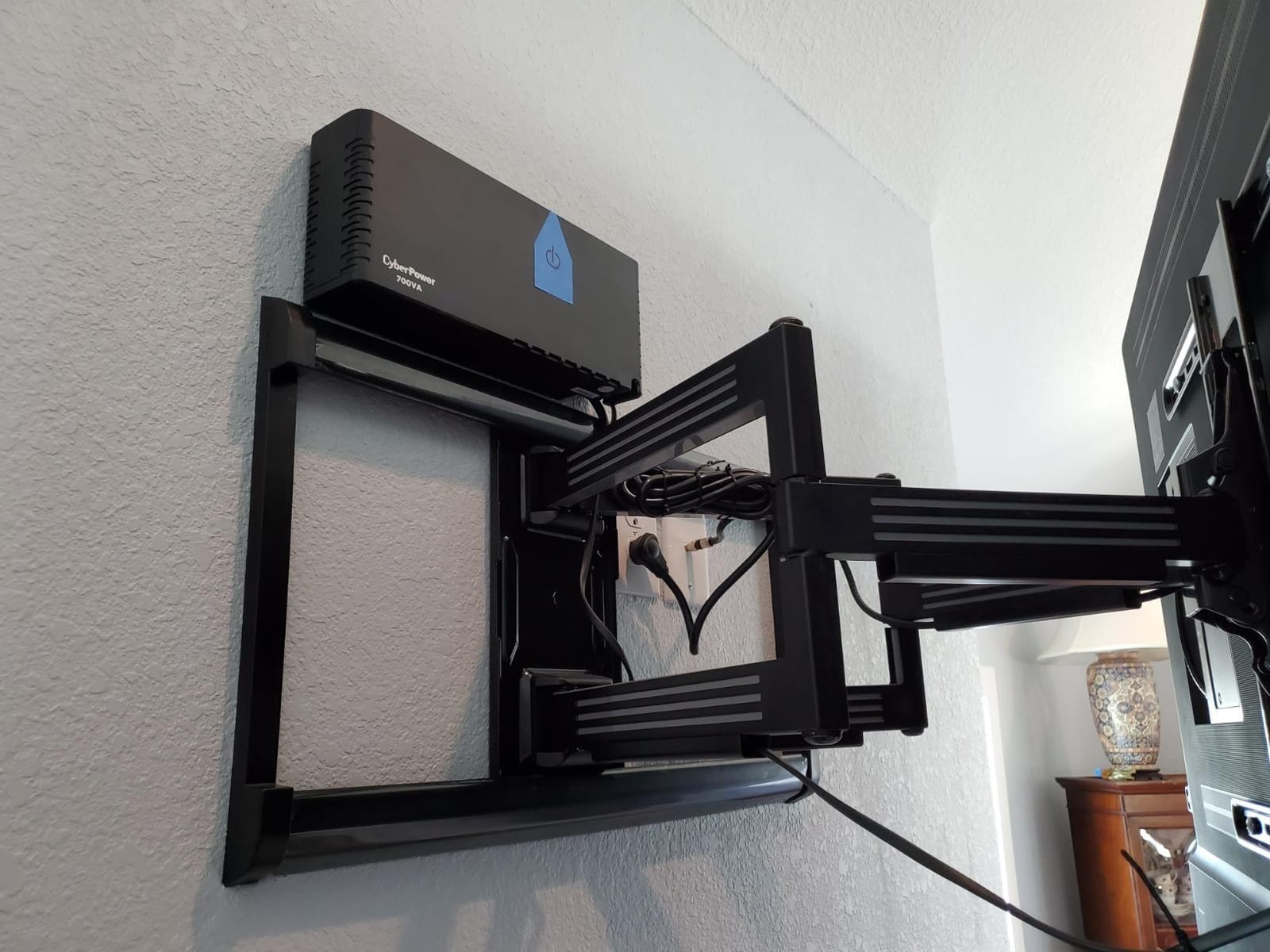
Placement and ventilation tips
Even a slim UPS needs airflow, so leave a couple of inches of clearance at the vents instead of wedging it flush behind furniture. Sealed lead-acid batteries hate heat, and cooking one in a cabinet is the fastest way to shorten its life.
Keep it off carpet if you can, and never block the front panel where the status LEDs live, since that is how you confirm it is protecting something.
Who should buy this model
Pick the SL700U when space is the constraint and loads are small: routers, modems, consoles, streaming boxes, and modest desktops. The 4.5-star average shows most owners accept the trade-offs happily.
Pass on it for gaming PCs, workstations, or any setup needing long runtime or a silent outage. For those jobs the 1500VA pure sine wave units earlier in this list are the correct call.
10. CyberPower ST425 — Best Cheap UPS for Routers and Modems
CyberPower ST425 Standby UPS Battery Backup and Surge Protector
425VA/260W
8 outlets
Compact
890 joule surge
GreenPower UPS
Pros
- Keeps internet running through short outages
- Lightest unit here at 3.8 pounds
- 890 joules of surge protection
- Transformer-spaced outlets fit fat adapters
Cons
- 260W ceiling rules out real computers
- About 1 minute of runtime at full load
- Quality control is hit or miss
I will be blunt about where the ST425 belongs: it is not a computer UPS, despite the category it sells in. What it does very well is keep your internet alive. Mine powers a modem, a router, and a mesh node, and during outages my phone stays on Wi-Fi while the neighborhood sits in the dark.
At 3.8 pounds and roughly the size of a paperback, it disappears onto a shelf. Four of the eight outlets are battery-backed and four are surge-only, and 890 joules of surge protection is respectable for something this inexpensive.
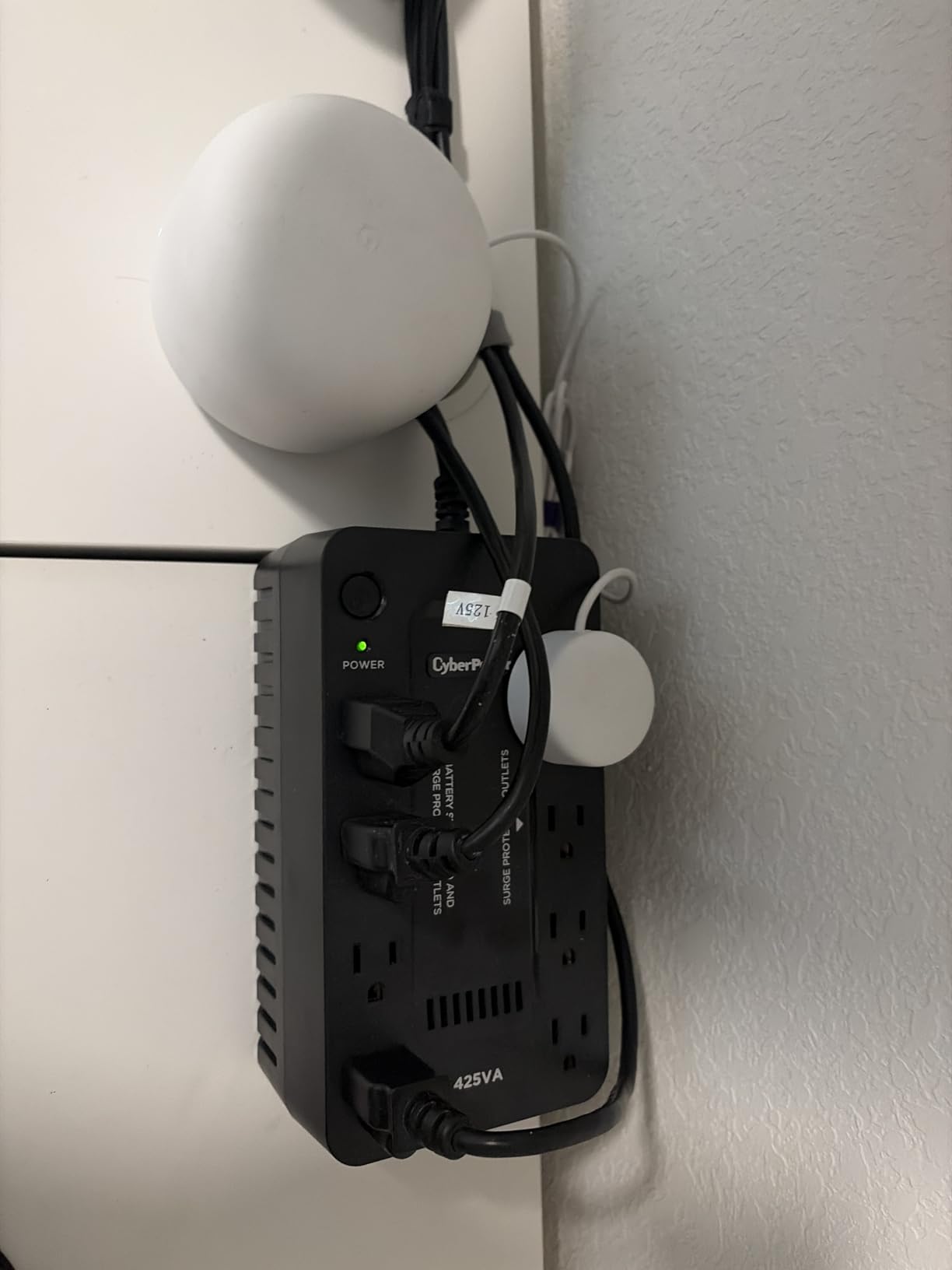
Network gear draws so little that the tiny battery goes a long way. A modem and router together typically pull under 30W, which keeps this unit running well past what its 1-minute full-load figure suggests.
GreenPower design keeps idle consumption low, and the transformer-spaced outlets fit the fat power bricks network gear always ships with. There is no USB connectivity and no display, just simple LEDs for power and wiring fault.
Quality control is the real concern, and I want to be honest about it. A noticeable share of reviews describe units that never switched to battery or failed on first use during an actual outage. The alarm also beeps loudly after 30 seconds with no way to mute it.
Testing your unit before you need it
Whatever UPS you buy, test it inside the return window. Pull the plug from the wall with your gear attached and watch what happens. That five-second test tells you the transfer works, the battery holds, and the runtime estimate is honest.
Repeat it every few months. Batteries degrade silently, and a UPS that fails to switch over is worse than no UPS because it gives false confidence.
Who should buy this model
Buy it strictly for low-draw network and entertainment gear where the goal is keeping internet or a console alive through flickers. Test it the day it arrives and return anything that does not transfer cleanly.
Do not buy it for any computer you care about. The 260W ceiling, one-minute full-load runtime, and spotty quality control make it the wrong tool for PCs and monitors, which is why it sits last here.
How to Choose a UPS for Your Computer
A UPS is a five-to-ten-year purchase, so twenty minutes of homework pays off for a decade. These are the factors that actually change how happy you will be, in the order I weigh them.
VA vs Watts: How to Size a UPS the Right Way
Every UPS lists a VA rating and a watt rating, and they are not the same number. Watts are what your equipment consumes, VA is apparent power, and the ratio between them is the power factor. Most modern units run 0.6 to 0.9, which is why a 1500VA unit is rated 900W or 1000W.
Always size by watts. Add up the draw of everything on the battery side, then add 20 to 30 percent headroom, the margin forum users consistently recommend. Running a UPS at its ceiling means short runtime, heat, and a battery that ages fast.
If you do not know your draw, buy a Kill-A-Watt meter and measure your PC under your real workload, not at idle. Gaming loads can triple idle draw, and sizing from idle is how people end up with a UPS that shuts off the moment a game launches.
Pure Sine Wave vs Simulated Sine Wave
Wall power flows as a smooth sine wave. A pure sine wave UPS recreates that curve on battery, while a simulated unit outputs a chopped approximation that is cheaper to make but harder on some electronics.
Modern power supplies with active power factor correction can be strict about waveform. Feed one a simulated wave during transfer and it may trip its protection and shut down, defeating the point of the UPS. Some owners report hardware damage in those moments.
My rule is simple. If the computer matters, buy pure sine wave. Reserve simulated units for routers, modems, TVs, and older conventional power supplies, since the price gap has narrowed enough that gambling with a PC makes no sense.
Standby vs Line-Interactive vs Double-Conversion
Standby units pass wall power through and switch to battery when input fails, taking a few milliseconds. Line-interactive units add an AVR transformer that corrects under and over-voltages without touching the battery, so most disturbances cost nothing. Double-conversion units rebuild the waveform continuously with zero transfer time, at the cost of efficiency, heat, and price.
For computers, line-interactive with AVR is the sweet spot: brownout correction, minimal battery wear, and transfer fast enough that no PC notices. Double-conversion belongs in server rooms, and standby is fine for network gear.
Runtime: What a UPS Actually Delivers
Runtime figures in marketing copy are measured at tiny loads, which is why a “3 hour” UPS dies in six minutes with a gaming rig attached. Here is what to expect from my testing and owner reports.
A gaming PC pulling 500W gets 5 to 8 minutes from a 1500VA unit, which is a shutdown window. A typical desktop around 150W gets 15 to 25 minutes. Gear under 100W can run an hour or more, and the lithium GOLDENMATE stretches that to roughly 3 hours.
Think of runtime as insurance for a clean shutdown, not working time. If you need hours of productivity during outages, that is a generator problem, not a UPS problem.
Lead-Acid vs Lithium Batteries
Sealed lead-acid is the standard: cheap, proven, and recyclable at almost any battery drop-off. The catch is lifespan, since capacity fades in 3 to 5 years, meaning two or three replacements across a decade of ownership.
Lithium iron phosphate flips that math. A LiFePO4 pack like the one in the GOLDENMATE is rated for 10-plus years and thousands of cycles, weighs roughly half as much, and skips most of the replacement cost. The trade-off is a shorter warranty and thinner support today.
Environmentally, fewer swaps means less hazardous waste over the unit’s life. Lead-acid recycling is mature, but not swapping batteries at all is still the cleaner outcome.
What Not to Plug Into a UPS
Laser printers are the classic mistake. Their fusers draw huge instantaneous current that trips overload protection, which is why forum veterans repeat this warning constantly. Plug printers into a surge-only outlet or the wall.
Space heaters, hair dryers, coffee makers, and anything with a cooling compressor belong on wall power too. Also avoid two UPS units on the same circuit, since their stepped waveforms can confuse each other’s voltage sensing.
Keep the battery side reserved for your computer, your monitor, and maybe your router. Everything else goes on surge-only, protected from spikes but unable to steal your shutdown window.
Frequently Asked Questions
Which brand UPS is best for computers?
CyberPower, APC, and Eaton are the three most trusted brands for computer UPS systems. CyberPower leads on value and pure sine wave features for gaming PCs, APC is known for longevity and strong support, and Eaton Tripp Lite targets professional and server use. All three offer user-replaceable batteries and connected equipment guarantees.
What is the best long backup UPS for a computer?
For long runtime, the GOLDENMATE 1000VA lithium UPS delivers roughly 3 hours at a 100W load thanks to its 230Wh LiFePO4 battery. Among lead-acid models, the APC BX1500M runs about 68 minutes at 100W and the APC BR1500MS2 reaches up to 73 minutes. Adding external battery packs extends runtime further on compatible models.
How many hours can 1000VA UPS last?
A 1000VA UPS typically runs a gaming PC under load for 5 to 10 minutes, a typical desktop for 15 to 20 minutes, and a basic office setup for 30 to 60 minutes. At a 100W draw expect about an hour, while a 500W gaming load drops runtime to 5 to 8 minutes. Runtime scales inversely with load, so lower draw means dramatically longer battery time.
What is the best backup power supply for a PC?
The CyberPower CP1500PFCLCD is the best overall UPS for most PC users, offering 1500VA/1000W capacity, pure sine wave output, AVR, and roughly 10 minutes of runtime for a gaming PC. Budget users should look at the CyberPower SL700U, while workstations and small servers are better served by the Eaton SMART1500LCDT.
Do I need a pure sine wave UPS for my computer?
Yes, if your PC has an active PFC power supply, which nearly all modern PSUs do. Active PFC units can shut down or suffer damage when fed a simulated sine wave during battery transfer. If your UPS only protects a router, modem, or older hardware with a conventional PSU, simulated sine wave is acceptable and costs less.
Final Verdict: The Best UPS for Most Computers
If you take one thing from this guide to the best uninterruptible power supplies for computers, let it be this: match the waveform to your power supply and the capacity to your measured draw. The CyberPower CP1500PFCLCD wins overall for gaming PCs and workstations with pure sine wave output and AVR. The APC BX1500M is the value play at 1500VA, the APC BE850G2 suits home offices, and the GOLDENMATE lithium unit wipes out a decade of battery replacements.
Measure your draw, add a quarter of headroom, and test the transfer the day the box arrives. Your future self, sitting in the dark with an unsaved document, will be glad you did.