
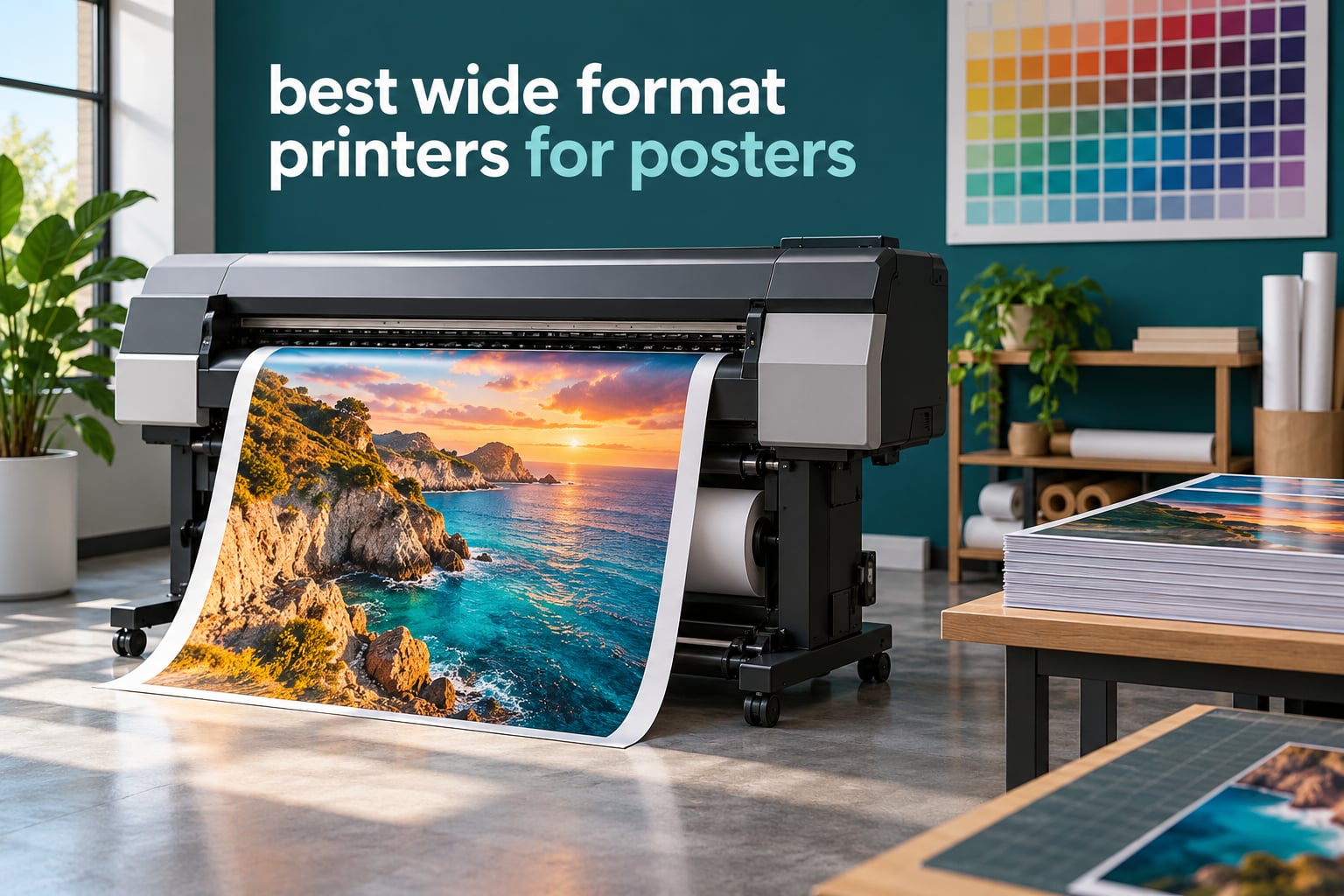
A wide format printer, also called a large format printer or a plotter printer, is an inkjet built to print on media far larger than a desktop machine can handle. Where a normal office printer tops out at 11 x 17 inches, a wide format machine reaches 13 x 19 inches on sheet-fed models and up to 24 or 36 inches on roll-fed plotters, which is exactly the range poster work needs. These are the best wide format printers for posters we could find, tested against the questions buyers actually ask: what does each one cost to run, what media takes the ink cleanly, and what happens when the printhead goes.
That last question matters more than any spec on the box. Printhead failure is the single biggest complaint in every printer forum we read, and the fix is rarely cheap. So the picks below are weighted toward machines with sealed-tank ink systems and pigment ink, not just the highest resolution number on a spec sheet.
We also kept the list honest about what each machine is. Two of the plotters here are true roll-fed CAD machines built for drawings and maps. Six are 13 x 19 sheet-fed units that print poster-sized sheets on photo and coated stock, and one is a 24-inch pigment fine art printer. If you need an unbroken 36 x 48 inch banner, scroll to the roll-fed picks. If a 13 x 19 print is your ceiling, the first four will serve you well and cost far less to operate.
If you also run dye-sublimation work alongside ink posters, our sublimation printer guide covers the different ink chemistry that setup requires.
Table of Contents
Top 3 Wide Format Printers for Posters in 2026


Epson EcoTank Photo ET-8550
- Cartridge-free ink tanks
- 13x19 borderless photos
- Six-color Claria ET set

The WF-7710 takes the top slot because it is the only machine in this group that does everything a poster workflow needs in one box: borderless 13 x 19 output, a flatbed scanner for sizing originals, a fax line for trade customers, and enough paper capacity to keep a weekend queue moving. The ET-8550 costs the least per page of anything here and prints better photos. The HP DesignJet T210 is the pick when your posters are actually drawings.
Quick Comparison of Every Printer We Reviewed
| Product | Specifications | Action |
|---|---|---|
| Epson WorkForce WF-7710 |
|
Check Latest Price |
| Epson EcoTank Photo ET-8550 |
|
Check Latest Price |
 Epson EcoTank ET-15000 Epson EcoTank ET-15000 |
|
Check Latest Price |
 Epson WorkForce WF-7210 Epson WorkForce WF-7210 |
|
Check Latest Price |
 Canon PIXMA PRO-200S Canon PIXMA PRO-200S |
|
Check Latest Price |
| HP DesignJet T210 |
|
Check Latest Price |
 HP DesignJet T630 HP DesignJet T630 |
|
Check Latest Price |
 Canon PRO-2100 Canon PRO-2100 |
|
Check Latest Price |
How We Chose These Wide Format Printers
Every machine here had to clear one rule: it has to physically print something poster-shaped. That ruled out anything capped at letter size, and it made us read the media handling sections twice.
From there we scored five things. Maximum media size, because a printer that cannot reach your target size is not a candidate. Ink economics, since consumables decide whether a printer is cheap or expensive over three years. Media handling, including whether wide sheets load reliably or only through a finicky rear slot. Printhead and warranty terms, which is where owner complaints concentrate. Footprint, because a 52-inch-wide plotter does not fit beside a desk.
Owner feedback decided the ties. We read the review themes for each product and weighted repeated complaints about paper handling and ink cost above isolated praise. Forum discussions about plotter reliability, Canon versus Epson ecosystems, and printhead longevity shaped the buying guide and the media section that follows the reviews.
One thing we deliberately did not do is rank on resolution alone. Two of the machines here print at 2400 x 1200 dpi and two of the sheet-fed units print at 4800 x 2400 dpi or higher, and the difference matters much less for posters than it does for text documents. What separates a good poster from a flat one is ink count, gamut, and whether the ink chemistry suits where the poster hangs, so those carried the weight in every decision below.
1. Epson WorkForce WF-7710 – Best All-in-One for 13×19 Posters
Epson Workforce WF-7710 Wireless Wide-Format Color Inkjet Printer with Copy, Scan, Fax, Wi-Fi Direct and Ethernet, Amazon Dash Replenishment Ready
Max media: 13 x 19 inch
Color: 1200 x 2400 dpi
Speed: 18 ppm black, 10 ppm color
Pros
- Prints scans copies and faxes in one unit
- Borderless prints up to 13 x 19 inches
- 250-sheet tray takes photo paper and envelopes
Cons
- DURABrite Ultra cartridges cost more per page than tank models
- Cartridge system means frequent replacement
- Large 40.8 pound footprint
The WF-7710 is the one I recommend to someone who runs a poster business out of a spare room and also has to invoice customers, scan reference art and fax signed paperwork. It prints borderless up to 13 x 19 inches using PrecisionCore, and it does that from a machine that also includes a flatbed scanner and an automatic document feeder.
In use, the paper handling is the quiet strength. The 250-sheet tray accepts plain paper, envelopes and up to 20 sheets of photo paper, so a batch of poster runs does not require constant refilling. Output lands at 18 pages per minute black and 10 pages per minute color, with automatic two-sided printing at 8.7 ppm black and 6 ppm color for everyday documents.
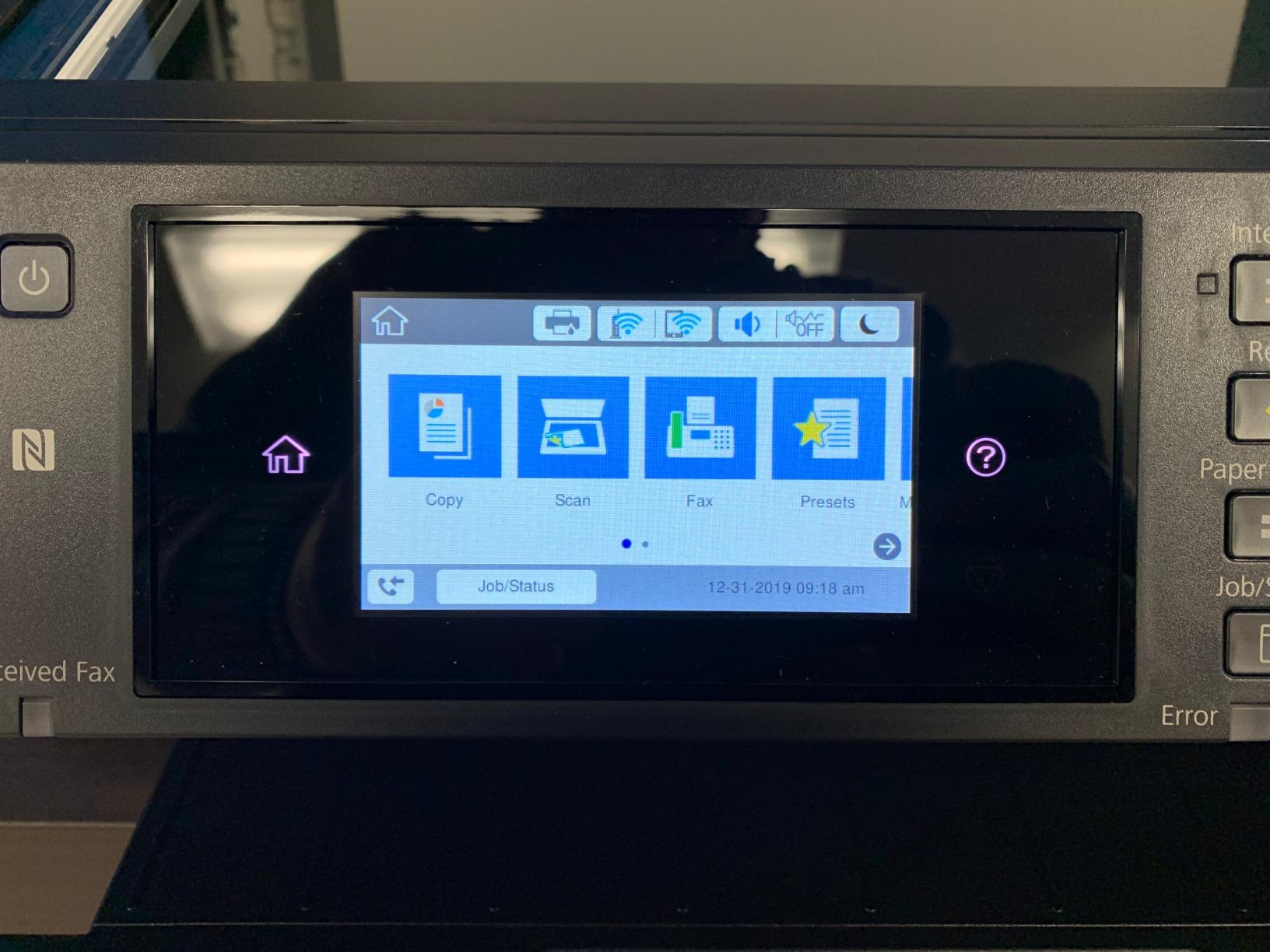
The catch is the ink. This model runs DURABrite Ultra cartridges, and cartridges on a 13 x 19 body are the most expensive way to put color on a large sheet. If you are producing heavy, full-coverage poster runs, the ink bill becomes the dominant cost line and the tank-based models below make more sense. Buyers who print occasionally, or who use the machine mostly for proofs and short client runs, rarely notice the difference.
Connectivity is where it beats most of the field. You get Hi-Speed USB 2.0, Wi-Fi, Wi-Fi Direct and a wired Ethernet port, so a shop with a hard-wired network can keep it stable while a laptop still prints directly. The LCD control panel handles the basics, and the listed paper sizes cover everything from 4 x 6 up to 13 x 19.
What to check before you buy
Decide how many posters a month you will really print. At a few sheets a month, the cartridge cost is a rounding error and the all-in-one convenience wins. Past roughly fifty full-coverage 13 x 19 sheets a month, cartridge ink makes this a costly machine to operate against a tank-based model, and an EcoTank is the better buy.
Also measure the space. At 32.2 inches wide, 22.3 inches deep and 40.8 pounds, this is not a printer you slide under a desk after a coffee spill. It needs a shelf or a sturdy side table and a path to a wall outlet.
Where it falls short
There is no roll feed, so you cannot print an 18 x 24 or a 24 x 36 poster as one piece. For those sizes you tile and mount, which works fine for wall displays and looks seamless on matte paper, or looks obvious on glossy stock if the panels are not perfectly aligned.
The listed paper sizes run from 4 x 6 up to 8.50 x 14, 11 x 17, 11.70 x 16.50 and 13 x 19, which covers most poster stock and envelopes. The flatbed scanner is the underused feature here. Owners scanning artwork, fabric samples and signage mockups use it more than the fax does, and the two-tray setup lets one tray hold plain paper while the other holds photo stock.
Owner reviews also flag the size and the per-page cost as the two recurring negatives. Neither is a defect, but both are the price of getting a flatbed scanner and fax line in the same box as your poster printer.
2. Epson EcoTank Photo ET-8550 – Lowest Ink Cost for Photo Posters
Epson EcoTank Photo ET-8550 Wireless Wide-Format All-in-One Tank Printer
Max media: 13 x 19 inch
Black: 5760 x 1440 dpi
Speed: 16 ppm black, 12 ppm color
Pros
- Cartridge-free EcoTank with up to two years of ink in the box
- Claria ET Premium six-color ink for photo output
- Prints 4x6 photos for about four cents each
- Transparent tanks show remaining ink
- 13x19 borderless plus flatbed scanner
Cons
- Automatic paper tray selection is unreliable
- Finicky rear manual feeder
- Touch panel and software feel dated
The ET-8550 is the running cost winner in this group, and by a wide margin. It ships with enough Claria ET Premium ink to print up to 6,200 color pages, and refill bottles cost a fraction of what a cartridge does. The manufacturer framing on 4 x 6 photo cost puts it near four cents a print against roughly forty cents with cartridges, and at 13 x 19 the gap is proportionally larger.
It is also a six-color photo engine rather than a four-color office engine. The extra inks in the Claria ET set give noticeably smoother skin tones and better gradients in large areas of sky and skin, which is where poster-sized images expose four-color banding. Borderless output runs from 4 x 6 up to 13 x 19, and the flatbed scanner handles originals without a separate machine.
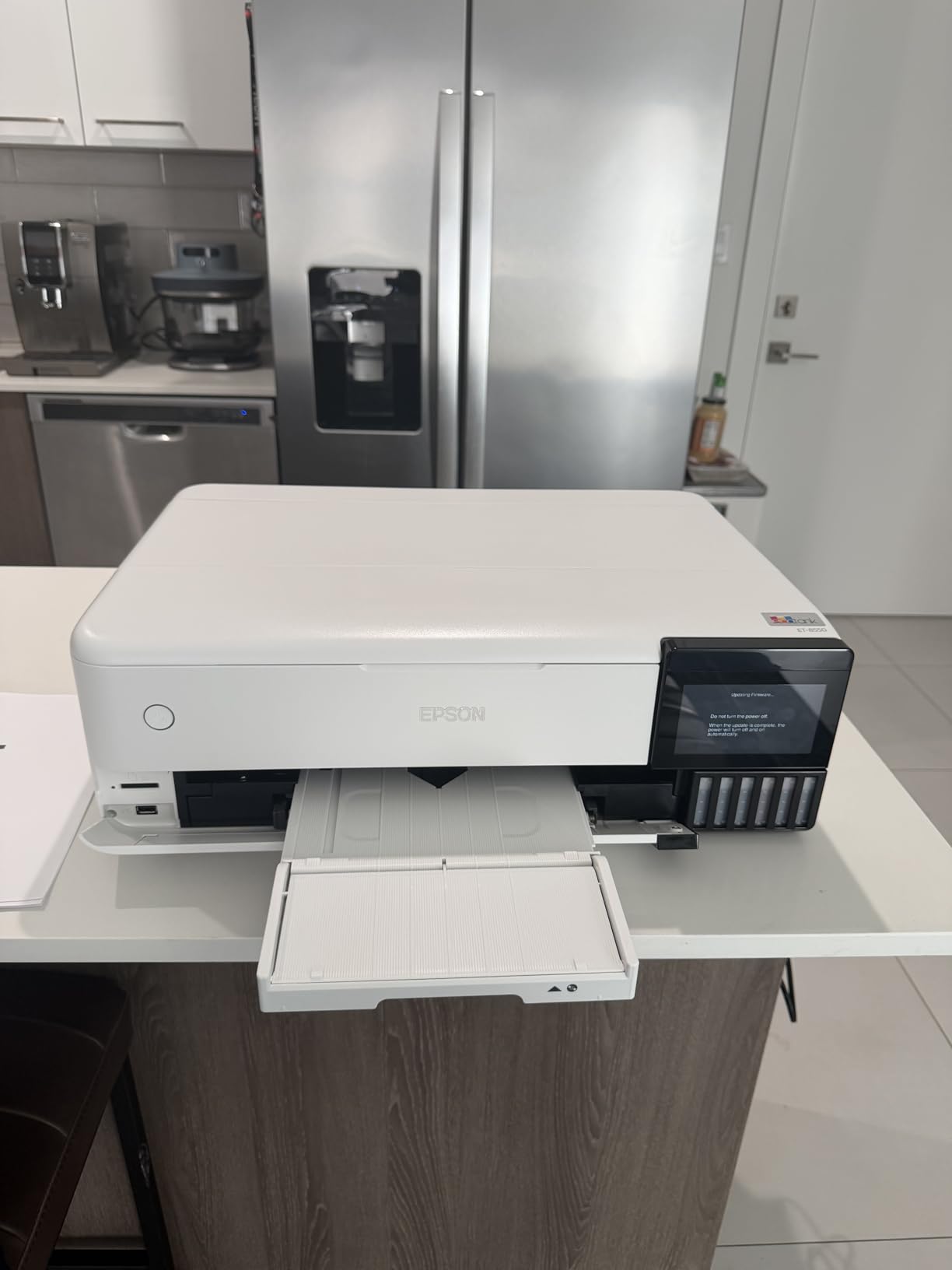
Color quality is where this printer earns its second slot. Owners consistently praise the color accuracy and low ink cost, and the visible tanks remove the anxiety of not knowing how much ink remains in the machine. Speeds of 16 ppm black and 12 ppm color are respectable for photo work.
The honest weakness is paper handling, and reviewers say it plainly. Auto tray selection is unreliable enough that many people set the tray manually, and the rear manual feeder errors on some media. If your poster media is unusual, test a roll of it before you commit to a production run.
What to check before you buy
Look at the single-sheet workflow, not the tank capacity. This is a 100-sheet machine with a 50-sheet output tray, so poster batches mean more intervention than the WF-7710 demands. If you are running long queues, factor in the walk to the machine each time.
Also weigh the dated interface. The touch panel and bundled software get described as feeling behind the competition, which matters if you retouch and reprint often. If your workflow is print-and-move, it hardly registers.
Where it falls short
At 24.5 pounds and 20.6 inches wide, it is the most portable machine here, but the dated controls and finicky rear feed are real friction points. Some owners also report occasional ink spotting on prints, which points to letting the sheet sit face-up before stacking it.
For archival or outdoor posters, remember the Claria ET family is a dye-based photo set. It looks superb indoors behind glass and fades faster than a pigment system, so for anything that hangs in direct sun or needs to last a decade, look further down the list.
One more practical note on drying. Dye ink on a large satin sheet stays touch-sensitive longer than it looks, and stacking four prints at once can mark the back of the print underneath. Thirty minutes face-up on a rack is the safest habit and costs nothing.
3. Epson EcoTank ET-15000 – Wide Sheet Printing on a Tank Budget
Epson EcoTank ET-15000 Wireless All-in-One Wide-Format Supertank Printer
Max media: 11 x 17 inch
Resolution: 4800 x 2400 dpi
Speed: 17 ppm black, 9 ppm color
Pros
- Large refillable tanks keep running costs low
- Prints copies scans and faxes with an ADF
- Handles wide media without fuss
Cons
- No dedicated wide-sheet tray
- Auto duplex limited to letter paper
- Four-ink output rather than six-color photo
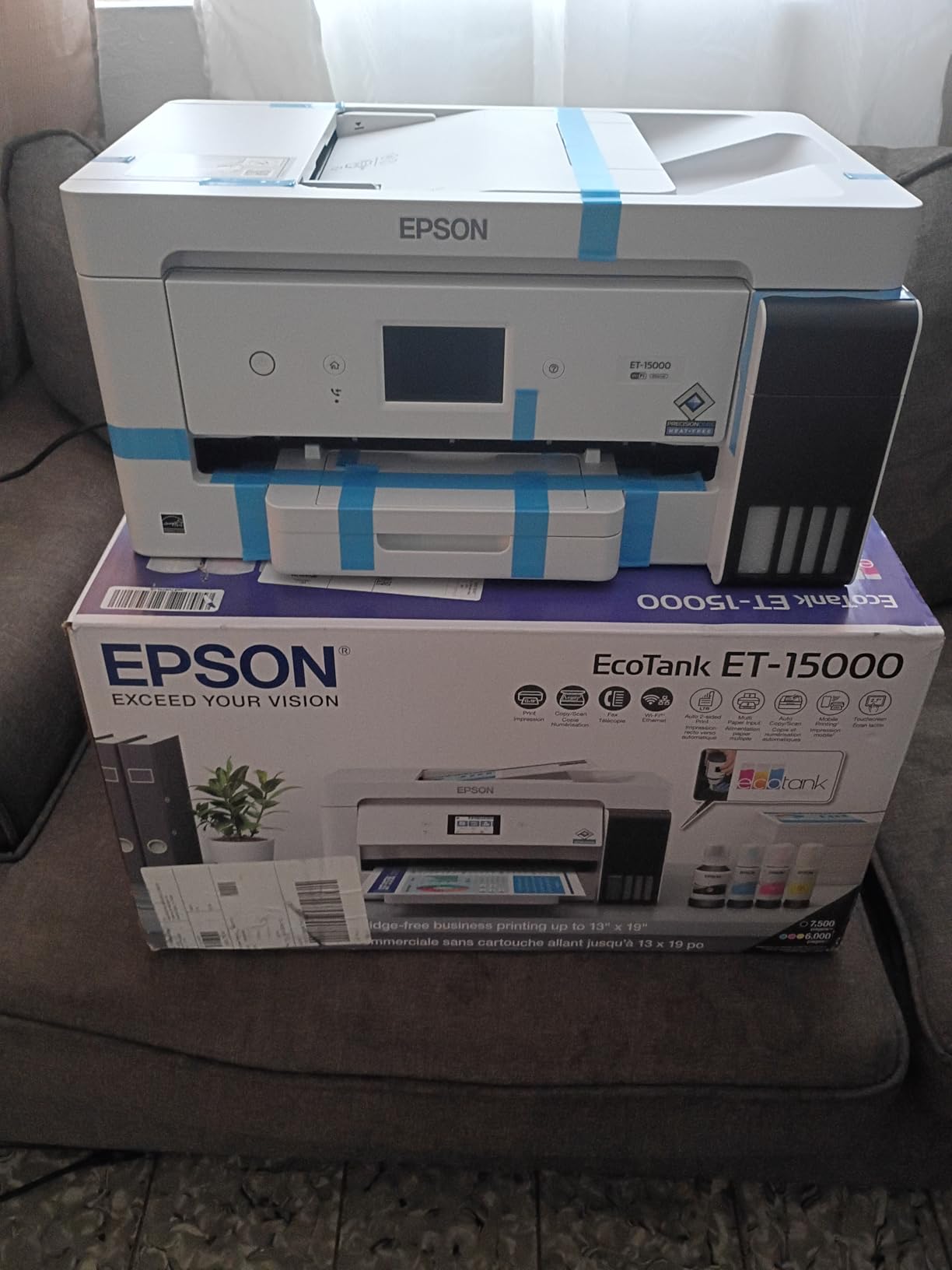
The ET-15000 is the practical pick when a poster machine also has to run a small office. It prints, copies, scans and faxes, adds an automatic document feeder and automatic duplex, and still uses refillable SuperTank bottles rather than cartridges. Owners highlight the ink economy and the multifunction convenience more than anything else.
Resolution is 4800 x 2400 dpi in both color and black and white, which produces sharp text and clean edges on certificates, signage and simple poster layouts. Speed sits at 17 ppm black and 9 ppm color, and the stated monthly duty cycle of 33,000 pages gives it more headroom than a typical home machine.
The one specification that needs explaining is the paper size field. It lists 11 x 17, and the review summary notes the unit handles 11 x 17 and 13 x 19 media, but the loading path is the rear holder rather than a dedicated wide tray. Wide sheets go in vertically, which is a different muscle memory from a front cassette.
There is real-world evidence that people run this machine beyond office documents. Owners report using it for sublimation transfers and canvas printing, which tells you the media path and ink handling tolerate heavier stock than the spec table implies.
What to check before you buy
This is not a gallery printer. The ink set is a four-color configuration, so smooth gradients in large photographic areas are less refined than the ET-8550 or the Canon PRO-200S. For event signage, price lists, real estate boards and craft prints, it is more than adequate.
Check the rear feed depth and the width of your desk or cabinet. It weighs 26.5 pounds and measures 29.6 inches deep by 19.6 inches wide, so the wide-sheet holder needs clearance behind the unit.
Where it falls short
Automatic duplex is limited to 8.5 x 11 paper, so double-sided poster work is manual. Some buyers also report recurring paper jams and slow manufacturer support responses, which is worth factoring in if your time is billed hourly.
For pure poster output, the smaller sheet size and four-ink set make this a supporting machine rather than a dedicated poster printer. It earns its place by doing everything else well, at tank-level ink cost.
Because it uses Epson Genuine Ink and EcoFit refill bottles, the ink side is the part you can project confidently. The cost per sheet stays flat as volume rises, which is exactly the opposite of the cartridge models, and a 33,000 page monthly duty cycle leaves room for seasonal spikes without the machine being pushed outside its design envelope.
4. Epson WorkForce WF-7210 – Three Trays for Paper-Heavy Work
WorkForce WF-7210 Wireless Wide-format Color Inkjet Printer with Wi-Fi Direct and Ethernet, Amazon Dash Replenishment Ready
Max media: 13 x 19 inch
Resolution: 4800 x 2400 dpi
Speed: 18 ppm black, 10 ppm color
Pros
- Three trays with 500-sheet total capacity
- Borderless 13x19 at 4800 x 2400 dpi
- Automatic two-sided printing
- Uses up to 80 percent less power than a comparable color laser
Cons
- Cartridge ink raises cost per page for heavy users
- Sheetfed scanner instead of flatbed
- Borderless 13x19 output needs suitable media
The WF-7210 is built around one number: 500 sheets across three trays. That capacity is what separates it from the other 13 x 19 models here, and it is why it suits an office that mixes plain paper, glossy photo stock and envelopes across several print jobs a day without refilling.
Borderless 13 x 19 output runs at 4800 x 2400 dpi, which gives genuinely sharp text as well as clean color. Speed is 18 ppm black and 10 ppm color with automatic duplex, and the power draw of 22 watts is listed as up to 80 percent below a comparable color laser, a meaningful difference for a machine running all day.
Connectivity covers the usual ground: Wi-Fi, Wi-Fi Direct, Ethernet and USB. That means it can sit on a hard-wired shop network and still accept direct wireless jobs from a phone or a visiting client laptop, which is a small thing that saves a lot of cable routing.
The scanner is sheetfed rather than flatbed. For poster work that is usually fine because originals come from a camera or a file, but it means you cannot scan a large flat print or a mounted artwork.
What to check before you buy
The main question is cartridge cost against volume. The 500-sheet capacity only pays off if you actually use it, and this machine runs Epson Genuine cartridges rather than a tank system. A shop printing a hundred full-coverage posters a month will spend more on ink here than on an EcoTank alternative, however good the paper handling is.
Second, confirm you have the media. Borderless 13 x 19 output needs suitable borderless-capable stock, and running it on mismatched paper wastes both paper and ink.
Where it falls short
Cartridge economics on a wide-format body are the recurring complaint from small-office buyers, and it is the correct one. Add the sheetfed scanner limitation, and this is a machine for organizations that value capacity and duplex over per-page cost.
It also lacks the fax and copy functions of the WF-7710 despite a similar core engine, so a front office that needs to send documents will want the model above instead.
Supported sizes cover 4 x 6 through 11 x 17 and 13 x 19, with a 125-sheet output tray to match the 500-sheet input capacity. The listed uses are home office, small office, borderless results and specialty paper, which describes the machine accurately: it is an office wide format unit that happens to print posters, not a photo specialist.
5. Canon PIXMA PRO-200S – Eight-Color Dye Color and Panorama Output
Canon PIXMA PRO-200S Professional 13″ Wireless Inkjet Photo Printer, 3″ Color LCD, 8-Color Dye Ink, Black
Max media: 13 x 19, custom to 13 x 39
Ink: 8-color dye
A3+ bordered print in about 90 seconds
Pros
- Eight-color dye system for smooth tones and wide gamut
- Borderless from 3.5 x 3.5 up to 13 x 19
- Fast A3+ output for a photo printer
- 3-inch color LCD for ink and settings
- Panorama and custom rolls to 13 x 39
Cons
- Print-only with no scanner or copier
- Dye inks are not archival pigment
- Simplex only with no duplex
The PRO-200S is the color specialist in this list. An eight-color dye engine gives it the widest tonal range of the desktop-class machines here, and reviewers specifically call out smooth skin tones and vivid color as the reason to choose it. If the poster is an image rather than a layout, that shows.
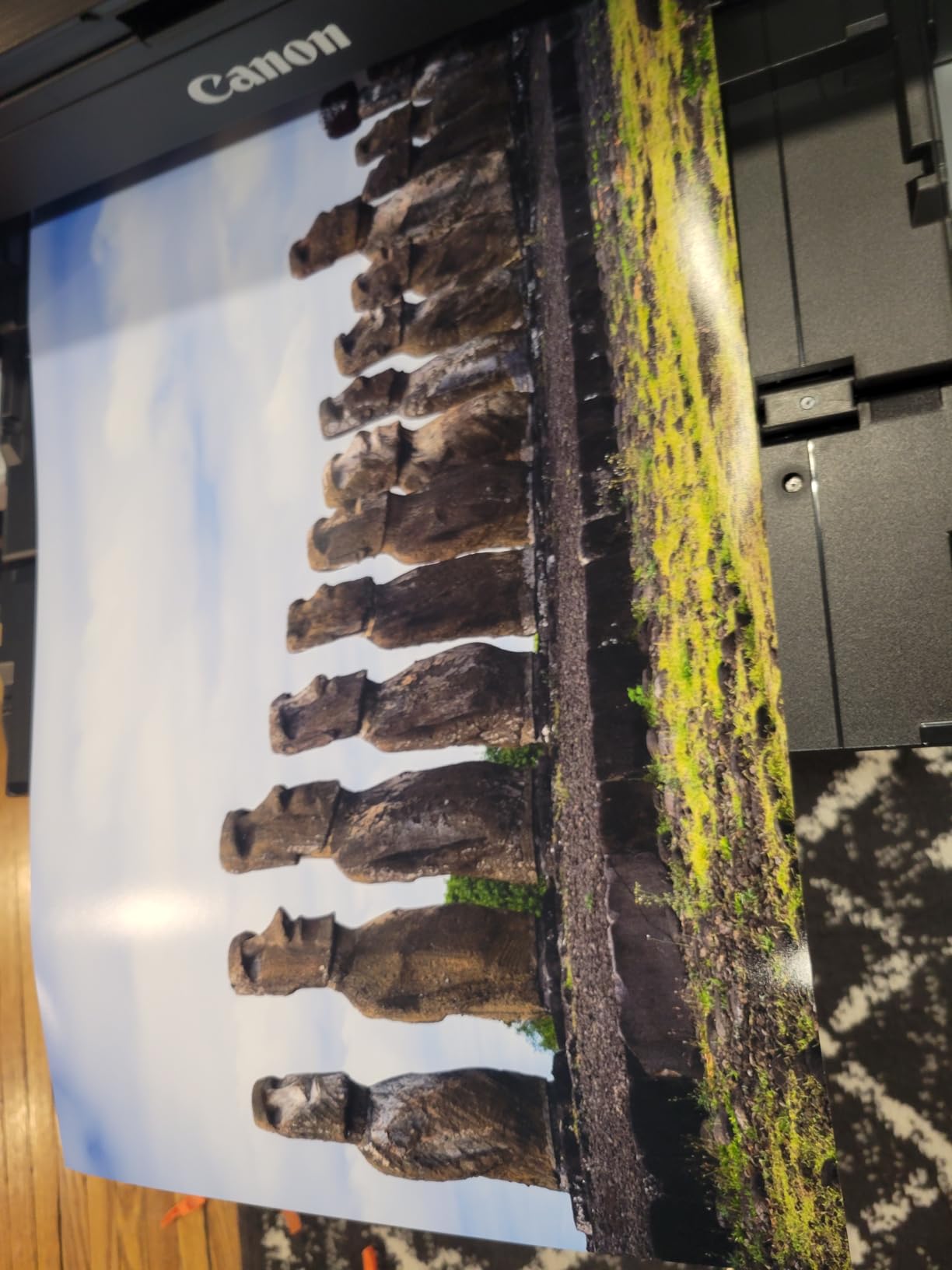
It is also the only machine in the group with a genuine panorama path. Alongside standard sizes from 3.5 x 3.5 up to 13 x 19 and 11 x 17 ledger, it accepts custom media up to 13 x 39 inches, so you can print a single continuous banner strip without tiling.
Speed is a genuine strength for a photo printer: a bordered A3+ sheet takes about 90 seconds and a bordered 8 x 10 takes 53 seconds. The 3.0-inch color LCD lets you check ink levels and settings without opening a driver on a laptop, which speeds up job setup for casual users.
Connectivity is Wi-Fi, USB and Ethernet, and it lists support for Windows, macOS, ChromeOS, Android and AirPrint, so it drops into mixed-device shops without fuss.
What to check before you buy
Decide whether you need the extra functions. This is a print-only device with no scanner, copier or fax. If your workflow already involves scanning originals or sending documents, you need a different machine, and adding a separate scanner erodes the space and cost savings.
Also plan for duplex-free operation. It is simplex only, which is normal for a photo engine but means two-sided documents are manual work.
Where it falls short
The dye ink is the main constraint. It is not a pigment set, so it is the wrong choice for archival work or for posters that will sit in sunlight or damp conditions. Reviewers note the archival limitation directly.
Its page-per-minute figures also sit below the office-oriented wide-format units, and the review base of 235 ratings is much thinner than the Epson machines, so long-term owner reports are limited.
It is also worth noting the dye-specific risk in poster work. Saturated skies and skin tones are where eight dye inks beat a four-ink pigment set, but the same vividness is what makes dye prints less forgiving of light exposure. A poster sold as art for a gallery wall is a safe use; a poster sold for an outdoor event needs pigment, and that is a different machine at a very different cost.
6. HP DesignJet T210 – Roll Posters and CAD on a 24-inch Plotter
HP DesignJet T210 Large Format 24-inch Plotter Printer, for Easy CAD & Poster Prints (8AG32D)
Max media: 24-inch roll, 13x19 sheets
Max resolution: 2400 x 1200 dpi
Speed: about 45 seconds per A1/D page
Weight: 47.4 pounds
Pros
- Roll feed with automatic horizontal cutter for long posters
- Sharp line quality for CAD and blueprints
- HP Click handles nesting and multi-size jobs
- Gigabit Ethernet
- USB and Wi-Fi
Cons
- Accepts only HP OEM cartridges
- Roll spindle loading is finicky for first-time users
- A jam can waste media
- Print-only device
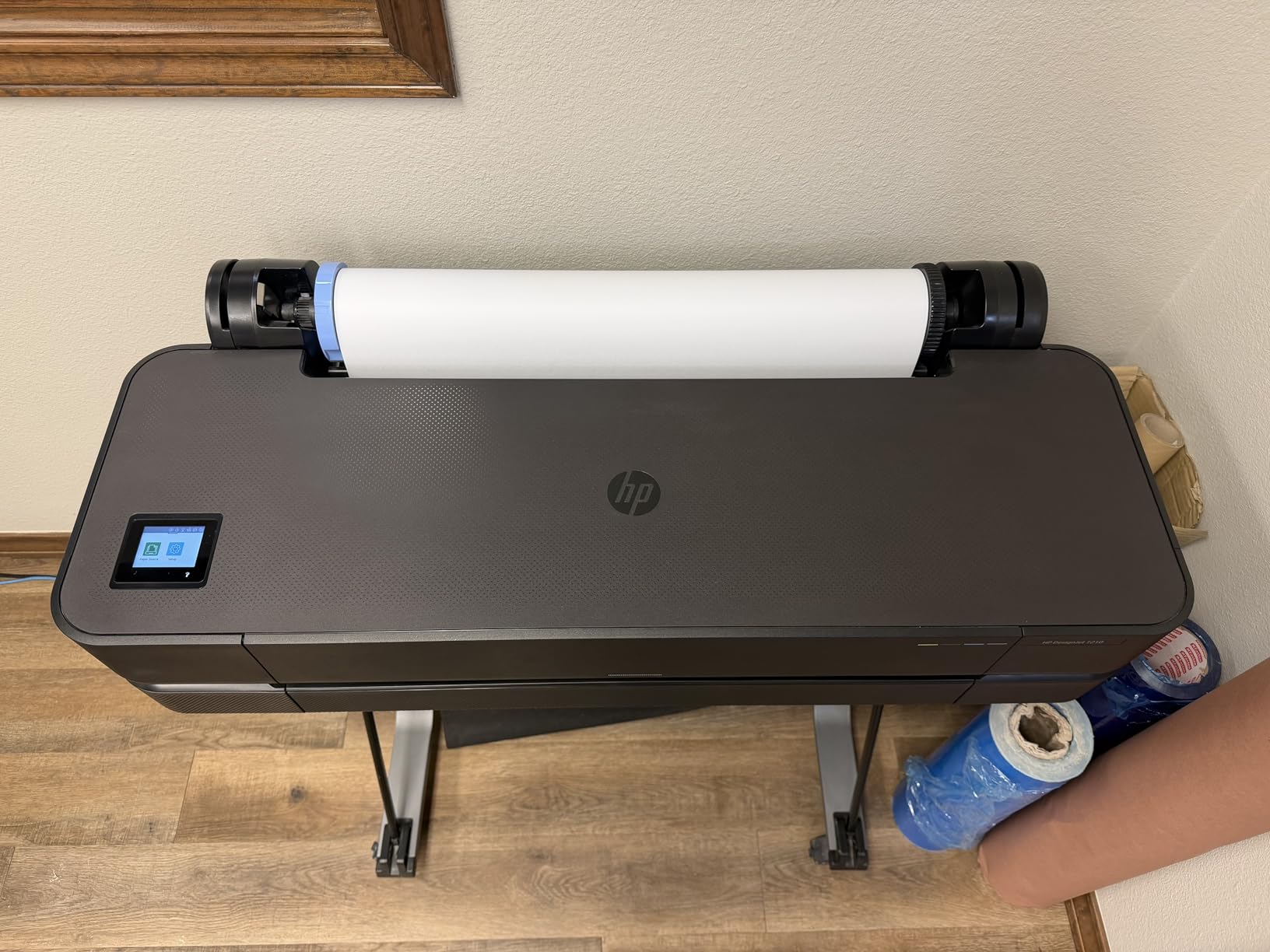
The T210 is the first true plotter on this list, and the shift is immediate. It feeds 24-inch-wide roll media through the machine and cuts the finished poster automatically when the job ends, so you can produce a 24 x 60 inch banner in one piece instead of tiling panels and hoping the seams disappear.
It is also built for lines, not just photographs. The stated uses are technical line drawings and CAD, maps and GIS, posters and signage, and sewing patterns, and architects and designers rate the line quality and setup ease highly. Resolution is 2400 x 1200 dpi, and it delivers an A1 or D-size page in about 45 seconds at up to 59 prints per hour.
Here is how the media path behaves. The roll loads onto a spindle, feeds under the carriage, and the built-in horizontal cutter trims the finished sheet at the end of the job. With an optional sheet feeder fitted, it also takes 13 x 19 cut sheets, so a single machine covers both CAD printouts and poster stock without you changing media systems.
HP Click is doing quiet work here. It provides drag-and-drop printing, PDF error checking before a job starts, alerts and automatic nesting, which means several different page sizes share one sheet of media without you calculating the layout. That nesting feature is what makes a small plotter economically sensible.
Maintenance is a fair point in its favor too. The spec sheet states it uses roughly 95 percent less ink for routine maintenance than competing plotters, which matters over years of nozzle cleaning.
What to check before you buy
Confirm you actually need roll media. If your poster work tops out at 13 x 19 sheets, a tank-based Epson will cost far less to run and take up less floor space. The T210 pays for itself when the output is long, wide and repetitive.
Measure the space. At 40 inches wide, 11 inches deep and 47.4 pounds, it needs a real length of wall and a level surface, and the roll spindle is loaded from the top, so plan ceiling or shelf clearance above it.
Where it falls short
HP OEM cartridges are the only accepted ink, and that is the complaint that recurs most. You are locked into one supplier’s consumables with no meaningful alternative sourcing, which is the razors-and-blades trade-off buyers resent most.
The specific consumables are HP 712 original ink cartridges in black, cyan, magenta and yellow, paired with an HP 713 printhead. That printhead is the part to understand before buying, because it is a replaceable service item rather than a sealed permanent assembly, and a head is the single most expensive failure a plotter can have.
Roll loading is finicky until you learn it, and a jam can leave the machine feeding and wasting media. There is also no scanner or copier, and the four-ink set is not built for photographic posters with large smooth gradients.
7. HP DesignJet T630 – 36-inch Rolls with Feeder and Stand Included
HP DesignJet T630 Large Format 36-inch Plotter Printer, with Auto Sheet Feeder, Media Bin & Stand (5HB11D)
Max media: 36-inch roll, 13x19 sheets
Resolution: 2400 x 1200 dpi
First page: 30 seconds
Weight: 123 pounds
Pros
- 36-inch rolls cover full-size patterns and A0 posters
- Automatic sheet feeder
- media bin and stand included
- Automatic sheet to roll switching
- Wireless printing from desktop
- tablet or phone
Cons
- Only HP OEM cartridges accepted
- 123-pound body needs dedicated floor space
- Some owners report early printhead problems
- Print-only device
The T630 is the width upgrade over the T210, and the reason is simple: 36 inches. A 36-inch roll gives you full-size patterns, A0 posters and large-format signage in a single sheet, and the automatic horizontal cutter trims the finished piece without you reaching for a knife. First page out is 30 seconds.
Everything needed to run it comes in the box. The automatic sheet feeder handles 13 x 19 sheets, the media bin collects finished output, the stand is included, and the machine switches automatically between sheet and roll feeds when a job changes media type. That auto sheet-to-roll switch is the feature that saves the most time in a mixed shop.
Software matches the T210. HP Click handles drag-and-drop printing, PDF error checking, alerts and auto-nesting, and the machine connects over Gigabit Ethernet, USB 2.0 or Wi-Fi, with wireless printing working from a desktop, tablet or phone.
It also has the larger of the two ink sets, taking both HP 712 and HP 713 genuine cartridges for a broader color range than the T210, and a 48 bpp color depth against 24 bpp on the smaller machine. Color depth does not change what you see on a poster, but it is the specification behind smoother transitions in gradient-heavy layout work.
What to check before you buy
Space, first and foremost. At 123 pounds and 52 inches wide by 24 inches deep and 37 inches high, this needs a dedicated floor position, not a desk. Moving it later is a two-person job, and it is not portable in any meaningful sense.
Second, look at the review volume. Thirty-one ratings is a thin base, so you are buying on the specification and the platform rather than on a long owner history. That is normal for this tier of machine, but it is a real difference in risk from the Epson models here.
Where it falls short
A minority of owners report printhead problems within the first year, and printhead replacement is the expensive failure mode that dominates plotter forums. Nobody should treat a plotter as a disposable appliance.
Proprietary HP cartridges restrict sourcing, the body is genuinely hard to move, and there is no scanner or copier. If your work is 24 inches or narrower, the T210 does the same job with less of everything.
8. Canon PRO-2100 – Twelve Pigment Inks for Fine Art and Exhibition Prints
CANON PRO 2100 24 WIDE, FORMAT FINE ART PRINTER
Max media: 24 x 59 inch roll
Ink: 12 colors including Chroma Optimizer
Resolution: 2400 x 1200 dpi
Warranty: 1 year on-site
Pros
- Twelve pigment inks including Photo Black
- Matte Black and Chroma Optimizer
- 24-inch wide roll media up to 59 inches long
- Pigment ink for rich blacks and fine-art paper handling
- Prints directly from Photoshop without RIP software
- One-year on-site Canon warranty through an authorized reseller
Cons
- Ink refill cost is high relative to consumer printers
- Only starter-sized cartridges ship in the box
- Layout software has a learning curve
- Network printing needs setup
The PRO-2100 is the one to buy if a poster is a finished art product rather than a sign. It runs a twelve-ink pigment system that includes Photo Black, Matte Black, Gray, Photo Gray, Red, Blue, a Chroma Optimizer and the core four. That is a real jump in tonal range: the Chroma Optimizer is a transparent ink that gives smooth transitions in shadows and lets the printer hit deep blacks without the grainy look a four-ink set produces.
Media handling is the other headline. It prints 24 inches wide from a roll up to 59 inches long, and the box includes a multifunction roll system, a roll holder set, a print head, a maintenance cartridge and a rotary cutter. Fine art paper handling is called out by owners as a strength, with pigment ink giving rich blacks.
It also removes a step from the workflow. It prints directly from Photoshop and other applications without separate RIP software, which for a one-machine studio is a meaningful simplification. Support runs through an authorized Canon reseller with a one-year on-site warranty, which is stronger coverage than the one-year limited warranty on the plotters above.
The rating of 4.8 across 34 reviews reflects that. Owners give it exceptional marks for color accuracy, black density and fine art paper handling.
What to check before you buy
Budget for ink from day one. Only starter-sized cartridges come in the box, so a serious first run needs a refill order immediately, and refill cost runs high against consumer printers. Owners consistently flag this, so treat ink as part of the purchase, not a future expense.
Confirm your workflow can live with the included layout software. It prints straight from Photoshop, which most photographers will prefer, but the layout tool carries a learning curve if your work comes from other applications.
Where it falls short
It is heavy and large at 93.9 pounds with package dimensions of 35 inches deep by 49 inches wide, so it needs a proper studio corner rather than a home office. Network printing over USB and Ethernet also needs setup, since the spec listing leads with USB.
With 34 reviews it has a small owner base, and it is a specialist machine. If you print occasional posters on glossy stock, the tank-based models here deliver that work at a fraction of the running cost.
It is also print-only, with manual duplex handling and no scanner, so any workflow that needs to copy or digitize originals needs a second machine. The listed speed figure of 30 pages per minute and a 98-second first page reflect pigment fine art throughput rather than office speed, and the 93-watt power draw is the highest in this group, which is what a 12-ink system costs to run.
How to Choose a Wide Format Printer for Posters
Match print width to the poster size you actually sell
Width is the decision that cannot be changed later, so work from your real output list rather than the biggest size you might want someday. A 13 x 19 sheet fits a 13 x 19 poster with no compromise. An 18 x 24 poster needs at least a 24-inch printer if you want it in one piece. A 24 x 36 poster needs 36 inches, and a 36 x 48 sheet needs 36 inches of width plus enough roll length behind it.
Below 13 x 19, a desktop printer handles the job and you should not buy a wide format machine for it at all. Between 13 x 19 and 18 x 24, the six sheet-fed models here cover most small business demand. At 24 inches and up, you are shopping in the plotter tier, and the trade-off becomes floor space and ink lock-in rather than print quality.
Choose ink type for where the poster will live
Pigment ink is the default for anything that has to last. It is water resistant, holds color under UV exposure far better than dye, and is what the Canon PRO-2100 and the HP plotters use. Dye inks, including the Claria ET Premium set in the ET-8550 and the eight-color system in the Canon PRO-200S, produce a wider and more vivid gamut indoors, which is why photographers choose them for gallery work behind glass.
The practical rule is simple. Indoor, short-term, color-critical work favors dye. Outdoor signs, window displays, anything laminated and sold with a longevity expectation favors pigment. Where you cannot decide, pigment is the safer default because a poster that fades is a refund.
Count the ink, not the sticker price
Consumables decide the three-year cost. A cartridge-based 13 x 19 printer looks far cheaper to buy and can cost several times more to run than a tank-based model once you print full-coverage sheets. Full-coverage posters are the worst case for ink economy because a mostly solid-color image uses far more ink than a line drawing.
Tank systems on this list print up to 6,200 color pages per full ink set, and the ET-8550’s photo cost is quoted near four cents for a 4 x 6 print against roughly forty cents with cartridges. Extrapolate that ratio to a 13 x 19 sheet and the gap is stark. The Canon PRO-2100 reverses the pattern: twelve pigment inks produce a better print and cost more per fill, which is only rational if you are selling the print.
Check media handling and footprint before anything else
Sheet-fed or roll-fed is the second structural question. Roll-fed plotters give you continuous output and automatic cutting, and the HP machines add an automatic horizontal cutter for exactly that reason. Sheet-fed all-in-ones give you a scanner, a fax line and a large paper tray in the same footprint.
Measure before you order. The machines here range from 24.5 pounds and 20.6 inches wide to 123 pounds and 52 inches wide on a 37-inch-high body. Roll spindle models need clearance above the unit for loading, and none of the heavy ones are meant to be moved once installed.
HP DesignJet vs Epson SureColor vs Canon imagePROGRAF
The short answer to which ecosystem is better depends on the ink model more than the brand. HP DesignJet plotters pair roll media and an automatic cutter with OEM-only cartridges, which makes them strong on technical output and frustrating on running cost. Epson’s tank-based wide format models win on ink economics and all-in-one convenience. Canon’s fine art line wins on ink count and pigment quality, and Canon plotters are frequently recommended in forums for reliability when printheads are maintained.
On printhead longevity specifically, the forum consensus is that maintenance matters more than the brand. Printers left idle for weeks with pigment ink sitting in the nozzles are the ones that need cleaning cycles or replacement heads.
Look at warranty and support terms
Support varies more than the spec sheets admit. The Canon PRO-2100 carries a one-year on-site warranty arranged through an authorized Canon reseller, which means a technician comes to the studio. The consumer Epson and Canon models carry one-year limited warranties with return-based service, and the HP plotters carry a one-year limited warranty. For a machine that earns money, onsite coverage is worth weighing against the gap.
Printhead risk is the other half of the support picture, and it is where the ecosystem reputations diverge. Forum owners with a decade of HP DesignJet service report that maintained machines last a long time and fail catastrophically when a head does, and Canon imagePROGRAF models are the most frequently recommended name when people ask which brand to trust. Read the printhead terms, not just the warranty length, before you commit.
Poster Media, Lamination and File Preparation
Media choice changes the result more than the printer does, and it is where most disappointing posters come from. A four-color office engine and a six-color photo engine produce completely different results on the same sheet, and gloss, satin and matte finishes each have their own profile.
For indoor color posters, satin or luster photo rolls give smooth gradients and resist glare under room lighting. Matte rolls are forgiving, cheap, easy to write on and hide fingerprints, which makes them the practical choice for events and classrooms. Gloss shows every speck and reflects badly, so reserve it for close-viewed photographic work. If you plan to laminate, matte and satin laminate far better than gloss because the adhesive bonds more reliably to a matte surface.
Lamination is the single most requested topic in the forums and the one no competitor roundup covers. Small sellers report printing on 160gsm paper and laminating some outputs, and that combination works: a satin or matte 160gsm poster takes a standard thermal laminate pouch cleanly, survives handling, and can be cleaned with a damp cloth. Leave the print to cure for at least 24 hours before laminating, and check your printer supports the media weight without a manual feed override.
Canvas is possible on several of these machines. Owners report running canvas and sublimation transfers through tank-based models, and the Canon PRO-2100 handles fine art paper natively. Expect to select a heavier profile and allow for ink bleed at the edges, which is normal on woven canvas and needs trimming.
On file preparation, size the file to its final print dimensions rather than upscaling. A 24 x 36 inch poster viewed from three feet does not need 300 dpi at full size, but a poster read at arm’s length does. Export in the color space the printer profile expects, embed the profile, and add bleed if the poster will be trimmed or mounted under a mat.
Finally, a word on third-party ink and continuous ink systems. They cut per-page cost dramatically, and the trade-off is the warranty. Printhead longevity, color consistency across refills and support coverage all degrade when a system is outside the manufacturer’s specification. Forum consensus treats CISS setups as a deliberate risk taken for high-volume sellers, not a default.
If you buy used, the selection criterion people actually use is the number of consumable types the machine needs. A plotter with fewer separate cartridges, ink tanks and maintenance parts is cheaper to sustain, so check the consumables list before the price and ask whether the head has already been replaced once. Inspect for banding or missing nozzles in a test print, and confirm the seller can supply a printhead if the machine needs one later.
Frequently Asked Questions
What is the best large format printer for printing posters?
For most buyers printing 13 x 19 sheets, the Epson WorkForce WF-7710 is the best all-around choice because it prints, scans, copies and faxes in one machine. If running cost matters more than the extra functions, the Epson EcoTank Photo ET-8550 prints 13 x 19 borderless with a six-color photo ink set at the lowest per-page cost in our group. For continuous roll output, the HP DesignJet T210 handles 24-inch media with an automatic cutter.
What size printer do I need to print posters?
Match the printer width to the widest poster you sell. A 13 x 19 poster prints on any 13 x 19 sheet-fed wide format machine. An 18 x 24 poster needs a 24-inch plotter for single-piece output. A 24 x 36 poster needs 36 inches of width, such as the HP DesignJet T630. Below 13 x 19, a standard desktop printer is cheaper and simpler.
Which is better, an Epson or HP printer?
Epson wins on ink economics and all-in-one convenience, because its tank-based models refill from bottles and cut per-page cost dramatically. HP DesignJet wins on roll media handling, automatic cutting and software that auto-nests mixed-size jobs. Epson suits offices and small sellers printing sheets; HP suits shops printing long banners, plans and maps on a regular basis. Canon sits between them, with stronger pigment fine art output.
What is the best large format printer for 24×36 prints?
You need a 36-inch-wide printer, because a 24 x 36 poster is wider than 24 inches and cannot be printed in one piece on a 24-inch machine. The HP DesignJet T630 in our group takes 36-inch rolls and cuts them automatically. If you sell 24 x 36 prints infrequently, printing 13 x 19 panels and mounting them on matte stock is a cheaper alternative that seams well.
Do wide format printers use pigment or dye ink?
Both exist. The Epson EcoTank Photo ET-8550 and the Canon PIXMA PRO-200S use dye inks, which give a wider, more vivid color range and smoother skin tones for indoor photographic work. The Canon PRO-2100 and the HP DesignJet plotters use pigment inks, which resist water and UV fade and suit outdoor signs, laminated posters and archival pieces. Choose pigment for anything that has to last.
Can large format printers print on canvas?
Yes, with the right media selected. Owners report printing canvas and sublimation transfers through tank-based Epson models, and the Canon PRO-2100 is built for fine art paper and heavier stocks. Expect to pick a heavier paper profile, allow for slight ink bleed at the weave edges, and trim the finished piece. Test a short length of canvas before committing to a full run.
Can I laminate posters printed on a wide format machine?
Yes, and it is a common workflow for small sellers. Sellers report using 160gsm satin or matte poster stock and laminating the output for a clean, wipeable finish. Matte and satin surfaces bond to thermal laminate far more reliably than gloss. Let the print cure for at least 24 hours before laminating, and confirm your printer handles the media weight without a manual feed override.
What is the difference between a plotter and a large format printer?
There is no meaningful difference: a plotter is a large format printer, usually roll-fed, and the two terms are used interchangeably. The real split is between sheet-fed wide format all-in-ones that handle up to 13 x 19 and include a scanner, and roll-fed plotters that take 24-inch or 36-inch media, include an automatic cutter, and suit CAD drawings, maps and long banners.
Our buying and setup notes on resin printing workflows cover the same kind of media-and-finishing decisions, and the sublimation printer guide covers the pigment-and-dye distinction from a different angle if you run both processes.
Final Verdict: Which Wide Format Printer Should You Buy?
For most people searching for the best wide format printers for posters, the Epson WorkForce WF-7710 is the one to buy. It reaches 13 x 19 borderless, holds 250 sheets, includes a flatbed scanner and a fax line, and connects over Wi-Fi, Wi-Fi Direct and Ethernet. The catch is cartridge ink, so treat it as a machine for moderate poster volume rather than a production workhorse.
Print heavy and often? Buy the Epson EcoTank Photo ET-8550 instead and accept the paper-feed quirks. Fill the office printing function too? The EcoTank ET-15000 does it at tank-level ink cost. Need paper capacity above all? The WF-7210’s three trays hold 500 sheets. Want the best color on a desktop machine? The Canon PIXMA PRO-200S runs eight dye inks and prints up to 13 x 39.
Beyond 24 inches, the choice is roll media against everything else. The HP DesignJet T210 covers 24-inch banners and CAD work on a manageable footprint, the T630 adds 36-inch width with a feeder, bin and stand included, and the Canon PRO-2100 is the choice for pigment fine art prints with twelve inks and onsite warranty support. Check each machine against our 2026 shortlist before you order, and buy the width you need now rather than the one you might want later.