
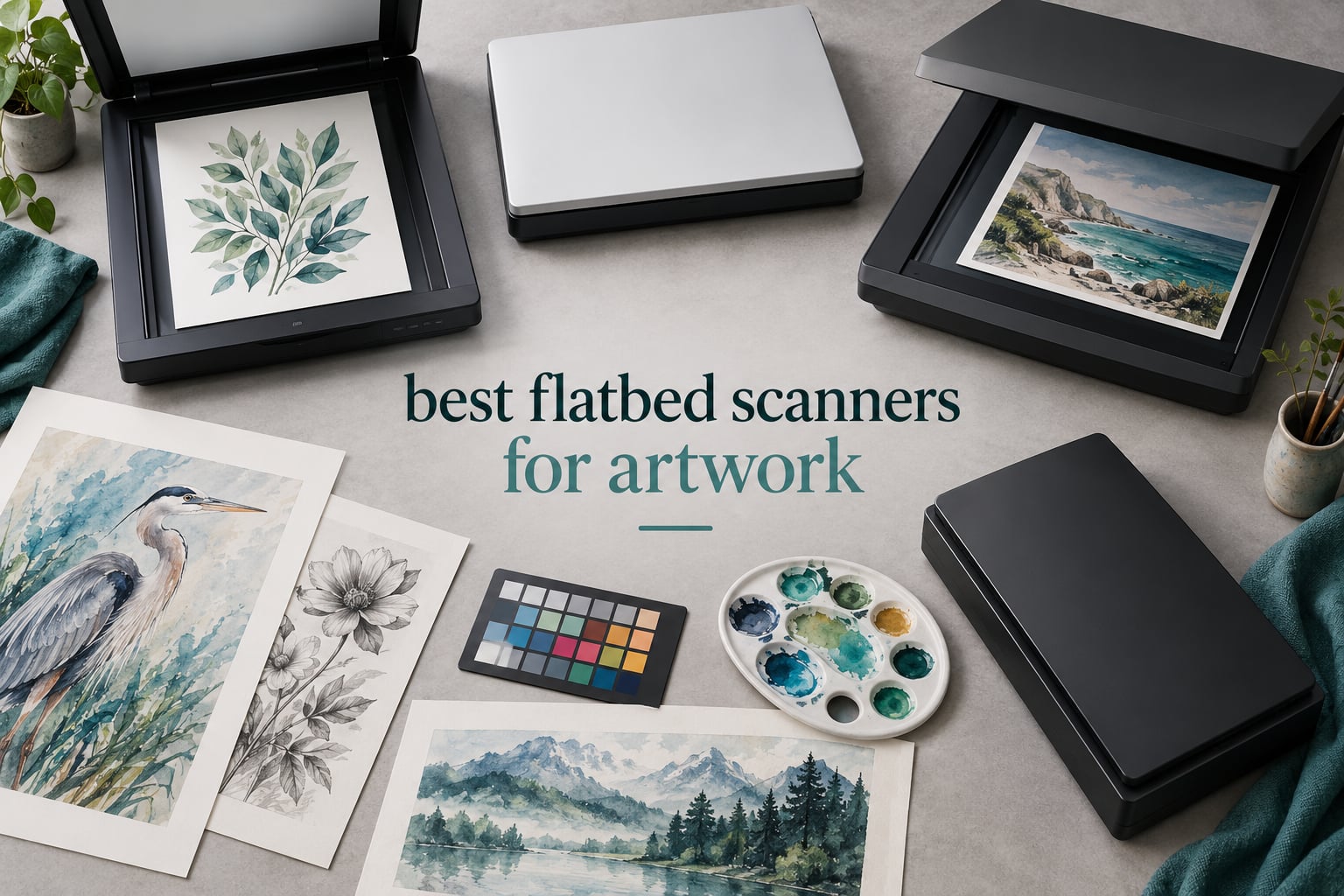
The best flatbed scanner for artwork in 2026 is the Canon CanoScan LiDE 300 for most artists, because it holds a 4.2 star average across more than 4,600 owner reviews and handles paper-based work reliably at a cost most people can absorb. If your originals are larger than a letter sheet, the honest answer changes: the Plustek OS1180 gives you a full A3 bed, and the Epson Perfection V600 is the pick when 35mm film and slides are part of the job.
That distinction matters more than any spec sheet. A flatbed captures art by pressing a sheet against glass and lighting it from the side or below, so the sensor type decides whether a warped watercolor or a canvas panel survives the trip. CCD sensors hold focus through real optics and cope with texture. CIS sensors focus right at the glass and are sharp on perfectly flat paper only.
I compared seven flatbeds across sensor type, platen size, optical resolution and bit depth, reading the owner review data behind each one. Below is the short version before the long version. If you also digitize paperwork, our guide to the best document scanners for home offices covers the office side of the category.
Table of Contents
Top 7 Flatbed Scanners for Artwork at a Glance
Canon CanoScan LiDE 300 – Best overall. Letter/A4 platen, 2400 x 2400 dpi optical, 48-bit color. The most heavily reviewed scanner in this roundup and the one artists keep recommending for sketches, line art and watercolors.
Epson Perfection V550 – Best for detailed line art and mixed media. Letter/A4 platen, 6400 dpi optical, CCD/CMOS sensor. Pairs high resolution with a built-in transparency unit for slides and negatives.
Epson Perfection V19 II – Best value for artists on a budget. Letter/A4 platen, 4800 dpi optical, CIS sensor, USB powered at 3.1 pounds. The cheapest route into real artwork scanning here.
Epson Perfection V600 – Best for 35mm film and slides. Letter/A4 platen, 6400 x 9600 dpi optical, CCD sensor, transparency unit with medium-format holders included.
Plustek OS1180 – Best A3 bed for full-sheet paper artwork. 11.7 x 17 inch platen, 1200 dpi optical, 48-bit color, LED light with no warm-up. One pass instead of a stitched mosaic.
VIISAN VF3240 – Fastest A3 scans. 11.7 x 17 inch frameless glass, 2400 dpi optical, CIS sensor, roughly 4 seconds for an A3 color pass at 200 dpi.
VIISAN 3120 – Best frameless A3 bed for a small studio. 304 x 426 mm frameless area, 1200 dpi optical, CIS sensor, built for artwork, painting albums and books.
Two of the seven are letter-size only, three are A3, and the sensor split runs two CCD-based machines against five CIS machines. That single fact predicts almost everything else you will notice when you scan.
Top 3 Flatbed Scanners for Artwork in 2026



The Canon takes the top slot on evidence rather than on specification. It does not lead the list for resolution, and that is the point: most artwork does not need 6400 dpi to reproduce well, it needs a sensor that stays honest and a workflow that does not fight you.
All 7 Flatbed Scanners for Artwork Compared in 2026
| Product | Specifications | Action |
|---|---|---|
| Canon CanoScan LiDE 300 |
|
Check Latest Price |
| Epson Perfection V550 |
|
Check Latest Price |
| Epson Perfection V19 II |
|
Check Latest Price |
 Epson Perfection V600 Epson Perfection V600 |
|
Check Latest Price |
 Plustek OS1180 Plustek OS1180 |
|
Check Latest Price |
 VIISAN VF3240 VIISAN VF3240 |
|
Check Latest Price |
 VIISAN 3120 VIISAN 3120 |
|
Check Latest Price |
Optical resolution is the number printed on the box, and it is not the number that decides quality. Read across the sensor column first, then the bed size, then everything else.
1. Canon CanoScan LiDE 300 – Best Flatbed Scanner for Artwork Overall
Canon Canoscan Lide 300 Scanner (PDF, AUTOSCAN, Copy, Send)
Optical 2400 x 2400 dpi
48-bit color, 16-bit internal greyscale
Letter/A4 platen, 3.6 lb, USB
Pros
- Most heavily reviewed scanner in this roundup at 4605 owner ratings
- Consistent color on faded prints
- Auto-crop for items smaller than the platen
- Slim body stores on a shelf or in a drawer
Cons
- Letter/A4 platen cannot take a 9 x 12 inch original in one pass
- Colors run somewhat washed out and need a tone curve
- IJ Scan Utility replaced the simpler Quick Menu
This is the machine I would hand to someone starting a print business. It carries a 4.2 star average from 4,605 ratings, the largest review pool of anything in this roundup, and roughly 66 percent of those ratings sit at five stars. Owners repeatedly describe the color output as clean and accurate, including on faded prints, which is exactly the failure mode that makes artists abandon a scanner.
The optical resolution is 2400 x 2400 dpi with 48-bit color and 16-bit internal greyscale. At 2400 dpi a 9 x 12 inch original carries enough detail to print at roughly 16 x 21 inches, which covers the overwhelming majority of giclee editions an independent artist sells. It is not the highest number here, and it does not need to be.
Owners also report the LiDE 300 chewing through a deep backlog without stalling, including a run of 8 x 10 prints from the 1950s through the 1970s. Setup is genuinely one step: install the driver, plug in, press the side button. Auto Scan Mode detects the item and crops anything smaller than the platen for you.
The body is 3.6 pounds and 1.7 inches tall, so it lives on a shelf rather than a desk. Auto-crop plus one-button capture is what makes it possible to push through dozens of sketchbook pages in an afternoon without supervising each one.
Is the Canon LiDE 300 the right scanner for watercolor and gouache?
For flat paper work, yes. Watercolor and gouache on a stretched, weighted sheet sit close enough to the glass for a CIS sensor to hold focus across the whole page. Gouache is the harder case because it sits opaque and slightly proud of the paper, and review data on this model describes clean and accurate color rather than blown highlights.
The letter/A4 platen is the real limit. A 9 x 12 inch watercolor does not fit, so you are stitching two passes, and stitching is where color drift between captures shows up. If your standard sheet is larger than A4, step up to an A3 machine.
When is the LiDE 300 the wrong choice?
Three situations rule it out. Thick canvas panels, board-mounted work and bound sketchbooks all fight a platen designed for flat paper, and the lid pressure can mark the surface. Oversized originals need a mosaic of passes rather than one clean capture. And owners report colors arriving somewhat washed out, which means a tone curve in your editing software is part of the routine rather than an occasional fix.
Software is the other weak point. Canon replaced the older Quick Menu with the more cumbersome IJ Scan Utility, and page collation into one document is no longer straightforward, particularly on macOS. Some owners hit recurring scanner busy errors that only a reinstall clears. Budget for a few minutes of software friction on the first afternoon.
2. Epson Perfection V550 – Best for Detailed Line Art and Mixed Media
Epson Perfection V550 Color Photo, Image, Film, Negative & Document Scanner with 6400 DPI Optical Resolution
6400 dpi optical resolution
CCD and CMOS sensor, 48 bpp
Letter/A4 bed, 9.6 lb, USB
Pros
- 6400 dpi optical captures fine hatching and pen texture
- CCD and CMOS sensor holds detail on mixed media
- Transparency unit handles 35mm slides and negatives
- Auto edge detection crops and saves each image separately
Cons
- High-resolution scans slow down on large slide batches
- Software dust removal trails Digital ICE on aged film
- 9.6 pound body needs a real desk
Where the Canon handles flat paper at 2400 dpi, this Epson handles everything at 6400 dpi optical with a CCD and CMOS sensor. That combination is the reason line artists and ink illustrators gravitate here. At 6400 dpi, enlargement capacity extends to 17 x 22 inches from a letter-size original, so a small ink drawing can carry a full-size print run.
It holds a 4.2 star average across 1,417 ratings, with about 65 percent at five stars. Owners single out the built-in transparency unit, which scans 35mm slides, negatives and film without buying a separate attachment, and the auto edge detection that crops each photo and saves it as its own file.
The physical design is the Epson photographic line rather than the slim office line. At 19.09 inches wide and 9.6 pounds it needs a dedicated stretch of desk, and that bulk is what accommodates the transparency unit and the removable lid assembly. If you are scanning paper art only, the extra mass buys you nothing.
Color depth is 48 bpp with LED illumination and ReadyScan technology, so there is no warm-up time and no mercury lamp to age out. ABBYY FineReader OCR ships in the box if you also want searchable PDFs from your artwork documentation.
Does the V550 handle canvas and acrylic texture?
Better than any CIS machine in this list, and that is a sensor effect rather than a resolution effect. A CCD array sits behind a lens at a real focal distance, so it keeps focus across a few millimeters of height difference. Canvas weave and light impasto therefore arrive with real texture instead of the flat, lifeless look reviewers report from contact sensors.
You still need clearance. The lid has to clear the highest point of your surface, and heavy stretched canvas is a two-hand job on a 9.6 pound machine. Scan the panel in sections and stitch, or remove the lid entirely and hold the edges while the pass runs.
What are the V550 trade-offs?
Throughput is the honest weakness. At the highest resolutions, scanning a large batch of slides takes noticeably longer, and owners doing serious film archiving note the wait. Software-based dust removal is also less effective than the Digital ICE hardware approach on badly aged film.
One practical note from owner reviews: on Windows, launch the scanning software as administrator or expect crashes. That is a five-second habit once you know it, but it is not obvious. Measured against the Canon, you are paying for resolution headroom and sensor depth, and you are accepting a heavier, slower machine.
3. Epson Perfection V19 II – Best Value Flatbed Scanner for Artists
Epson Perfection V19 II Flatbed Photo Scanner 4800 dpi Optical Resolution
4800 dpi optical resolution
CIS sensor, 48-bit internal color
USB powered, 3.1 lb, letter bed
Pros
- 4800 dpi optical at the lowest entry point here
- USB powered with no separate power cord
- Removable high-rise lid handles books and photo albums
- Built-in kickstand stores the scanner upright
- Easy Photo Fix restores faded color in one click
Cons
- Letter-size platen only so larger work needs multiple passes
- Single-sheet capacity of one
- ScanSmart software lacks advanced color correction
This is the model I recommend to a working illustrator who scans eight to ten pages a week and does not want to think about hardware. It delivers 4800 dpi optical resolution, 48-bit internal color depth and a removable high-rise lid, and it weighs 3.1 pounds while drawing power over USB alone. There is no power brick to lose.
Reviewers consistently name resolution and cost as the strengths. At 3.9 stars across 1,206 ratings it sits below the Canon and the V550, and the shortfall traces to two specific limits rather than to scan quality: the letter-size platen and the software.
That said, 4800 dpi on a letter bed is a genuinely useful pairing for line art. A 6 x 9 inch ink drawing holds roughly 20 x 30 inches of enlargement headroom, which covers small-edition print sales without stitching. USB power draw is 2.5 watts, and a letter sheet scans in as fast as 10 seconds.
The high-rise removable lid is the feature that separates this from the Canon at a similar weight. It clears photo albums and thicker books that a low-profile lid would refuse, and removing it entirely lets you scan a stack. The built-in kickstand stores the body vertically, which matters if studio desk space is tight.
Is 4800 dpi enough for selling art prints?
Yes, for paper originals under letter size. Multiply your scan resolution by the width of the original to get the maximum print width at roughly 300 dpi. A 7 x 10 inch watercolor scanned at 4800 dpi supports about 33 x 48 inches, which is a wall-sized edition from a sheet that fits in a portfolio.
The number drops fast once the original exceeds the platen. Anything 9 x 12 inches or larger means multiple captures, and a CIS sensor at those settings will show stitching seams more readily than a CCD. If your standard sheet is A3, buy the bed size you need rather than stitching forever.
Who should skip the V19 II?
Texture is the dividing line. This is a CIS sensor, so it focuses at the glass. Flat watercolor paper, marker work, clean ink line art and digital prints all scan beautifully. Canvas, board-mounted collage and heavy impasto arrive with the top surface softly out of focus, and no amount of resolution setting recovers detail the sensor never focused on.
ScanSmart is also modest compared with the Epson professional suites. It handles scans, Easy Photo Fix and OCR into searchable PDFs and editable Office files, but advanced color correction lives elsewhere. If you are not comfortable editing, budget time for that learning curve or pick a machine with more automation.
4. Epson Perfection V600 – Best for 35mm Film and Slide Digitizing
Epson Perfection V600 Photo Wired USB Connectivity Color Scanner – 6400 x 9600 dpi, Enlargements up to 17″ x 22″ Flatbed Image Scanner
6400 x 9600 dpi max resolution
CCD sensor, 48-bit color, 16-bit greyscale
Transparency unit included
Pros
- Built-in transparency unit takes four mounted slides or 12 negatives
- Medium-format film holders up to 6 x 22 cm included
- DIGITAL ICE removes the look of dust and scratches
- Preview-based correction and cropping suit beginners
Cons
- Roughly 5 minutes per negative at 3200 dpi with ICE
- Scanning the reverse of photos needs black cardstock behind them
- Some units reported arriving dead with no warranty cover
Among comic artists on r/Mangamakers, the consensus on this machine is consistent: it is a great unit, color scans of normal artwork are described as fantastic, and the one real compromise is that large pages have to be stitched, though owners do not consider that troublesome. That is a reasonable summary for paper art, but the V600 earns its place for a different reason entirely.
It is a pure CCD sensor at 6400 x 9600 dpi maximum resolution with 48-bit color and 16-bit greyscale, and it ships with a built-in transparency unit plus 35mm slide holders and medium-format film holders for film up to 6 x 22 cm. No other scanner in this roundup has that hardware in the box.
For anyone with a box of family slides or a shoebox of negatives, DIGITAL ICE is the reason to buy it. Owner reviews describe the dust and scratch removal and the color restoration recovering badly faded magenta-shifted slides effectively, and preview-based correction makes the workflow approachable for a first-time film scanner.
The body is 19 inches wide and about 4.1 kilograms, built around the film hardware. Four customizable buttons cover scan, copy, PDF and e-mail attachment, and ReadyScan LED illumination means no warm-up before the first frame.
Is the V600 worth it for paper artwork alone?
Only if you need 6400 dpi or film. For flat paper under letter size, the V550 offers the same 6400 dpi optical resolution with a lighter body and faster throughput. The V600’s justification is the transparency unit and medium-format holders, not the paper specs.
There is one paper-work advantage. As a CCD sensor it holds focus across surface height, so a slightly cockled sheet or a light collage sits flatter under the lens than it would on a CIS machine. It will not rescue heavy canvas, but it forgives more than the contact sensors do.
What should you know before buying the V600?
Time. Roughly 5 minutes per negative at 3200 dpi with Digital ICE is the reported figure, so a hundred negatives is an evening. Built-in dust removal can show little visible benefit on very old film, and the software restoration does more of the work there. Scanning the back of a photo or postcard requires placing black cardstock behind it.
One caveat worth taking seriously: a set of reviews reports units arriving dead with no manufacturer warranty coverage. That is a minority pattern, not the norm, but test the unit promptly and keep the packaging. The V600 sits at a 4.0 average across 760 ratings, and its 17 percent one-star share is the highest among the Epsons here.
5. Plustek OS1180 – Best A3 Bed for Full-Sheet Paper Artwork
Plustek OS1180 – Flat Scanner for Graphics and Documents in A3 Format, Design Suitable for Libraries, Schools or Small Offices – Scanning A3 Documents in Approximately 9 Seconds
A3 platen at 11.7 x 17 inches
1200 dpi max, 48-bit color
LED source, 9.5 lb, USB 2.0
Pros
- Full A3 or tabloid artwork captured in one pass at about 9 seconds
- LED light source needs no warm-up time
- 48-bit color suits graphics and design work
- One-touch preset buttons with an LED display
Cons
- 1200 dpi ceiling caps fine-detail reproduction
- Software polish trails the Epson scanning suites
- Bulky A3 body takes significant desk space
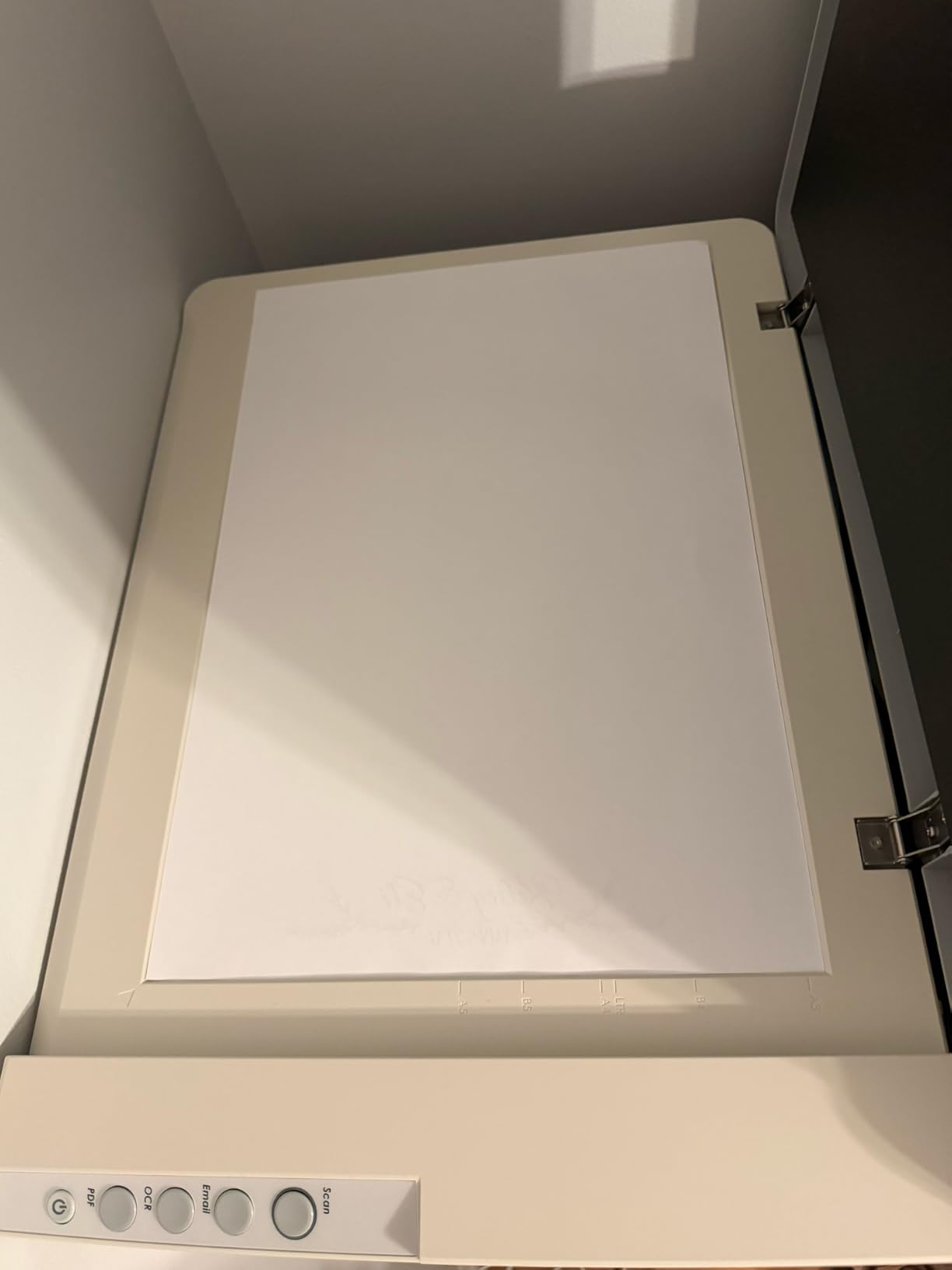
Everything on this list so far has forced you to stitch oversized originals. The OS1180 removes that problem by simply being big. The platen is 11.7 x 17 inches, which is A3 or tabloid, so a full sheet of watercolor paper or a two-page comic spread lands on the glass in one pass at roughly 9 seconds.
Owners cite large-format A3 speed and the no-warm-up LED source as the main draws, and the rating sits at 4.0 stars across 573 reviews with about 61 percent at five stars. Forty-eight-bit color and 16-bit greyscale make it a natural fit for graphics, design work and document archiving alongside art.
The specification that limits it is resolution. Maximum copy resolution is 1200 dpi for color and monochrome, which is ample for a full A3 reproduction but leaves less enlargement headroom than a 2400 dpi A3 machine. A 12 x 17 inch scan at 1200 dpi prints about 12 x 17 inches at 300 dpi, so this is a same-size archival and reference tool rather than an enlargement engine.
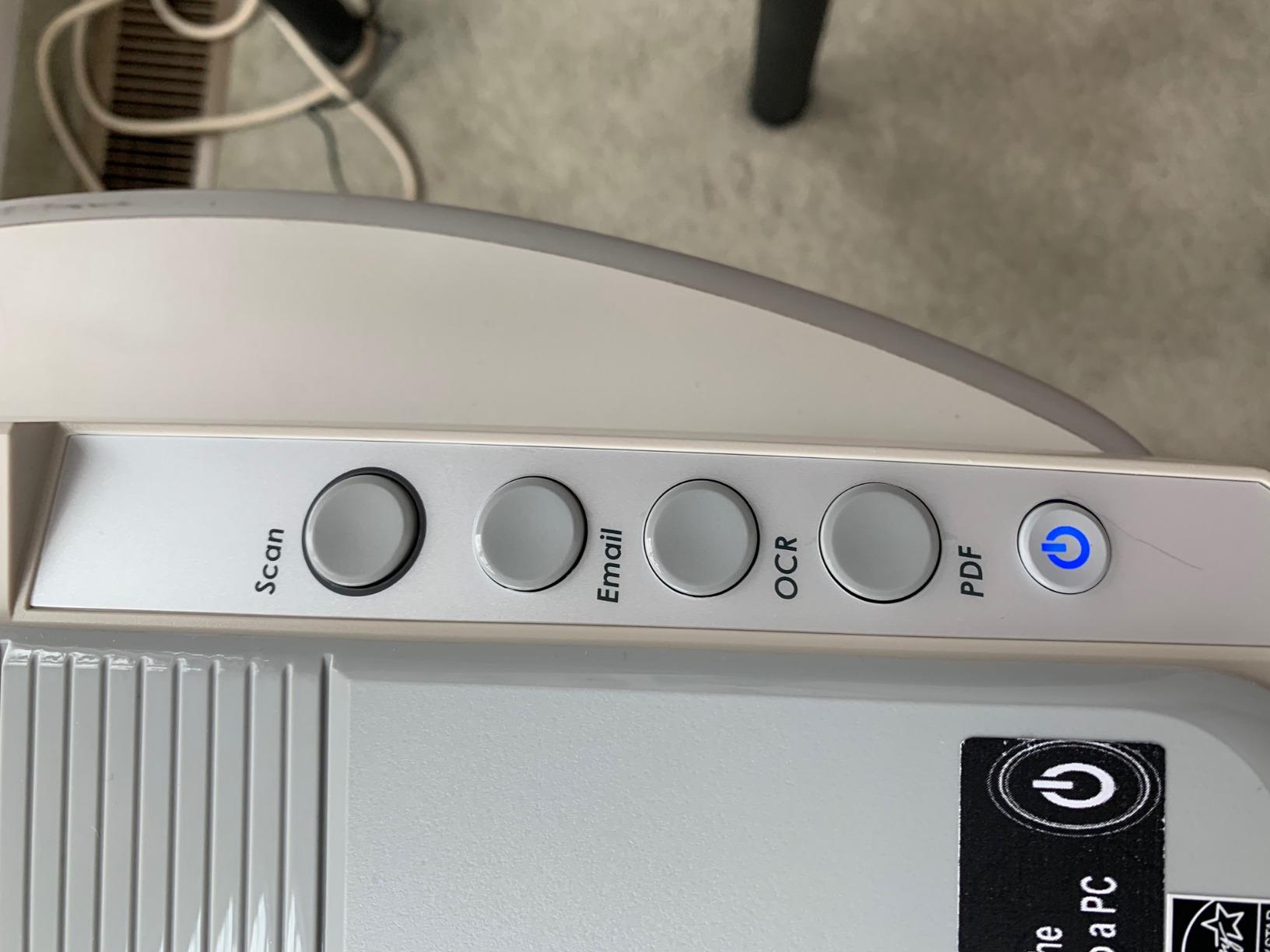
Scanning workflow is handled by preset one-touch buttons and an LED display, with ABBYY FineReader 12, PageManager and DocAction in the bundle. DocAction handles automated file routing, which is useful if you are building a searchable archive of past work rather than making prints.
Who should choose the OS1180 over a letter-size scanner?
Anyone whose originals are standard A3 or tabloid sheets. A watercolorist working on 11 x 15 inch paper, a comic artist scanning double-page spreads, or a printmaker archiving full-size proofs all pay a real cost for stitching. Multi-pass scanning introduces seams, color mismatch between captures and alignment errors, and those defects land in the reproduction where customers see them.
One pass removes an entire class of problems. If your work never exceeds A4, this machine is simply larger than you need at 16.02 by 23.18 inches and 9.5 pounds, and it takes up meaningful desk space for capability you would not use.
What are the OS1180 compromises?
The 1200 dpi ceiling is the headline limit. It is fine for full-size reproduction and archiving, but if you want to blow a small detail area up several times, the resolution is not there. That is why the faster A3 option in this roundup carries a higher dpi figure.
Software is the second gap. Buyers report less polish than the Epson scanning suites, and the bundled ABBYY tooling is oriented at documents rather than color-critical art. If you rely on automated color correction rather than editing by hand, expectations should be adjusted. For manual correction in any editor, the raw 48-bit capture is workable.
6. VIISAN VF3240 – Fastest A3 Scans on a Frameless Bed
VIISAN VF3240 A3 Scanner – Fastest 4-Second Scan (200dpi, A3 Color), 2400 DPI High Resolution, Frameless Auto-Scan for CAD & Business
2400 dpi optical with 48-bit color
CIS sensor with three-color RGB LED
Frameless A3 glass, USB
Pros
- A3 color pass at 200 dpi in about 4 seconds
- Frameless glass captures large artwork edge to edge
- Auto-scan triggers when the lid closes
- Universal AC 100-240V power supply
Cons
- CIS sensor suits flat media only
- 2400 dpi on A3 requires macOS; Windows tops out at 1200 dpi
- White lines can appear and need periodic sensor cleaning
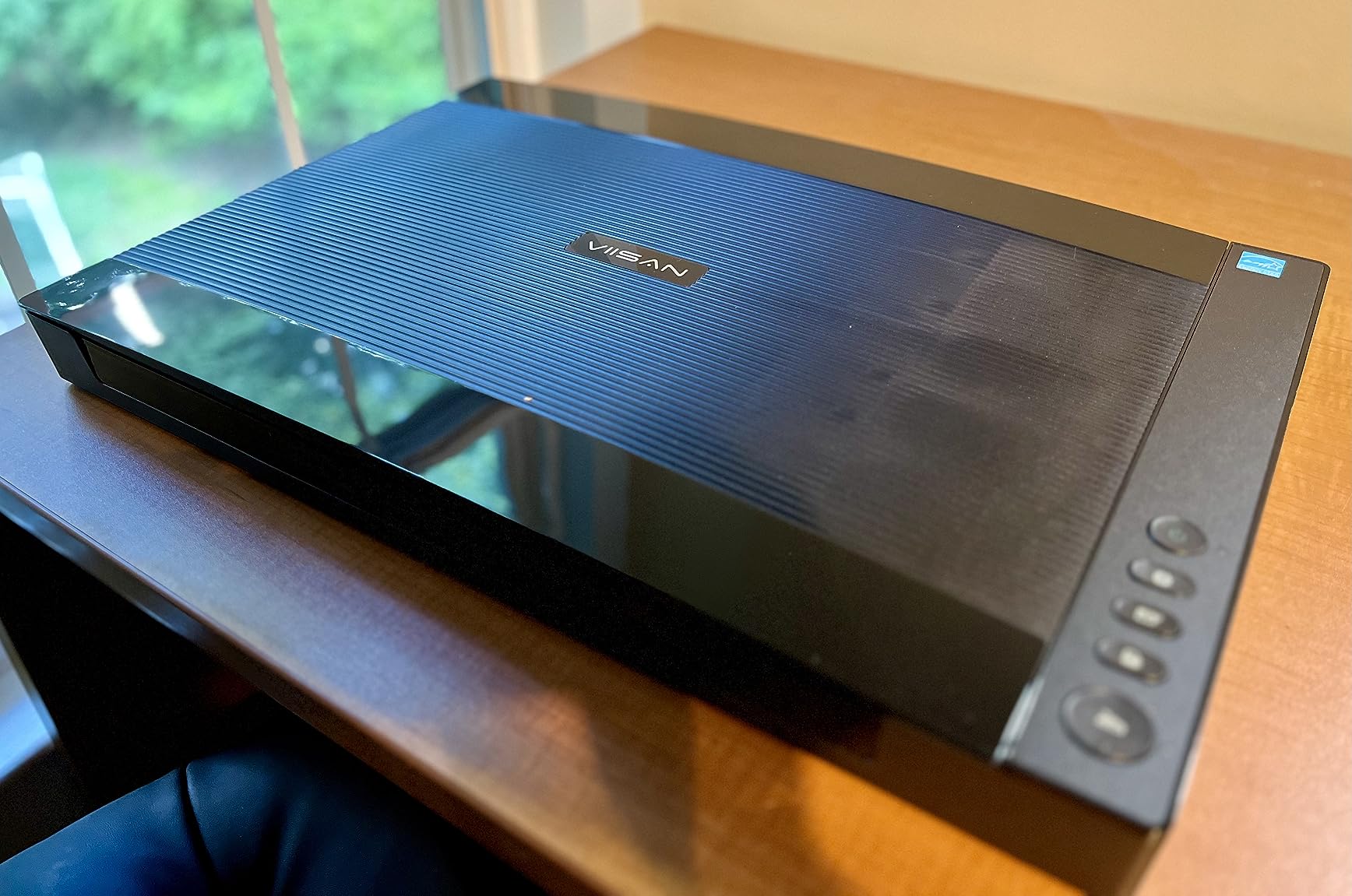
Speed is the whole proposition here. A full A3 color pass at 200 dpi takes about 4 seconds, which makes it the quickest way in this roundup to turn a stack of artwork into image files. The frameless glass design captures edge to edge, so large work does not need repositioning to reach the sensor row.
It rates 3.9 stars across 153 ratings, with roughly 59 percent at five stars. Owners praise the speed and the frameless A3 area. The criticism concentrates on two predictable areas: the CIS sensor limitation to flat materials, and platform-specific resolution caps.
Resolution is the specification to read carefully. Optical resolution is 2400 x 2400 dpi with 48-bit color and 16-bit greyscale, but reaching 2400 dpi on an A3 scan requires the macOS ICA driver. On Windows, the supplied ViiScan software delivers 1200 dpi, and the Windows WIA driver is capped at 600 dpi by a Microsoft restriction.
That makes this a Mac-favored machine despite the cross-platform driver support listed for Windows and macOS. Before buying, check which driver you will actually use. A four-button panel handles scan, e-mail, print and PDF, and auto-scan fires when the lid closes for a continuous workflow.
Is the VF3240 good for scanning large artwork?
For flat paper, yes, and it is the most efficient option in this roundup at A3. CAD drawings, blueprints, newspapers, magazines and painting albums all fall inside the design brief, and the frameless boundary means you are not losing usable area at the glass edge.
For anything with height, no. The manufacturer explicitly excludes 3D objects, clothing, CDs and acrylic sleeves from the CIS sensor’s capability, and the sensor focuses at the glass. Canvas board, mounted collage and album pages with lift will soften toward the top of the page. For thick media, choose a CCD machine or an overhead scanner instead.
What maintenance does the VF3240 need?
Sensor cleaning is the recurring item. Owners report white lines appearing in output and resolving after periodic cleaning of the scan strip. It is a five-minute maintenance task, but one you have to remember, and it is the price of a contact sensor at this price point.
The other practical note is the 9 watt power draw and universal AC 100-240V adapter, which removes voltage concerns if you travel. The frameless glass itself needs care: no grit on the platen, and no pressing hard enough to flex it.
7. VIISAN 3120 – Frameless A3 Bed for Studios on a Budget
VIISAN 3120 A3 Flatbed Scanner, 1200 DPI, CIS Sensor, Scan 11.7″ x 16.7″ in 8 sec, Frameless, Auto-Scan, Document & Photo & Book Scanner, Design for Library, School and Soho. Supports Windows & Mac
304 x 426 mm frameless area
1200 dpi optical, CIS sensor, 48-bit color
RGB LED, USB
Pros
- Marketed directly for artworks and painting albums
- Frameless narrow-boundary design takes oversized paper
- A3 sheet in about 8 seconds at 200 dpi color
- Auto-scan fires when the lid closes
Cons
- 1200 dpi maximum resolution is the lowest A3 tier here
- CIS sensor blurs on 3D items and thick sheets
- WIA driver capped at 600 dpi
This is a frameless A3 bed built for exactly the job at hand. The maximum scan area is 304 x 426 mm, and the product is marketed for artwork, photos, painting albums, books, magazines, newspapers and CAD drawings. At 1200 dpi optical with 48-bit color and 16-bit greyscale it is a working archive scanner.
Owners like the large frameless area, the speed at about 8 seconds for a 200 dpi A3 color pass, and the auto-scan function that starts the capture when the lid closes. The universal power adapter removes the need for voltage converters.
It carries a 3.7 star average across 130 ratings, the lowest in this group, and roughly 19 percent of those ratings are one star. That distribution points to the same two complaints every time rather than to random quality problems: the 1200 dpi ceiling and the CIS sensor’s refusal to handle anything with thickness.
The frameless design does have a purpose beyond appearance. A narrow boundary opens up the usable area so oversized paper and thicker items fit where a framed bed would clip them, and it makes the glass easier to keep clean since there is no recessed channel to trap debris.
Should a working artist buy the VIISAN 3120?
Yes, if the deciding factor is bed size per unit of cost and your originals are flat paper. For digitizing years of sketchbook pages, painting albums and printed originals into a searchable archive, the throughput and the frameless area do more for you than extra dpi would.
No, if color accuracy is your priority. CIS focuses at the glass, so cockled watercolor paper blurs toward the curled edges and pale highlights can lose definition. If your customers judge the reproduction closely, spend the difference on a CCD machine or accept an editing pass afterward.
What should you know before choosing this one?
Driver resolution is the practical trap. Windows TWAIN and WIA are supported along with the macOS ICA driver, but the WIA path is limited to 600 dpi by Microsoft restrictions, and 1200 dpi comes through the supplied ViiScan software. If your workflow runs through WIA, you are capturing at a third of the optical figure.
Coverage is also thinner. At 130 ratings this is the least proven machine here, with a one-year limited warranty for damage that is not man-made. It is a reasonable studio tool with a real bed-size advantage, but it is the pick I would describe as a specialist rather than a default.
How to Choose a Flatbed Scanner for Artwork
Sensor type decides more than resolution does. A CCD sensor sits behind a lens at a real focal distance and holds focus across surface height, which is why canvas weave, light impasto and cockled paper survive. A CIS contact image sensor focuses right at the glass and is sharp on perfectly flat paper only. Two of the seven scanners here are CCD-based, and they are the two to reach for when your work has any texture at all.
Bed size determines whether you ever have to stitch. Letter and A4 plats cover paper originals up to roughly 11 x 14 inches. Anything larger means multiple captures with alignment errors, color mismatch between passes and visible seams in the final reproduction. A3 or tabloid beds at 11.7 x 17 inches take full sheets in one pass, which is worth paying for the moment your standard sheet exceeds A4.
Optical resolution sets your print ceiling. Divide the scan resolution by 300 to get the number of times you can enlarge. A 2400 dpi scan of a 9 x 12 inch original gives you about 72 x 96 inches of output at 300 dpi. The box figure of 6400 dpi on a letter-size scanner is real, but the platen limits how much of that resolution you can actually use in one pass.
Bit depth protects your tonal range. 48-bit internal color depth captures far more data per pixel than the 24-bit external file, which means smoother gradients in watercolor washes and less banding in skies and skin tones. All seven scanners here offer 48-bit internal capture, so this is a checkbox rather than a differentiator. Some deliver 16-bit greyscale internally, which matters for graphite and charcoal.
Color accuracy depends on your monitor, not just the scanner. Scans that look dark or green in the editing program are usually a display problem. Most monitors ship with an uncalibrated profile, and a wide-gamut laptop panel will not show a subtle warm shift. If scans keep disappointing you, calibrate the monitor first and re-check before blaming the hardware.
Which scanner suits which media?
Watercolor and gouache on flat paper: any of the letter-size CCD models for texture tolerance, or the Canon LiDE 300 for speed and cost. A3 beds help if your sheet is large.
Ink, pen and line art, comic pages: the Epson Perfection V550 at 6400 dpi optical. Fine hatching and cross-hatching need the resolution more than they need sensor depth.
Canvas, canvas board and acrylic impasto: a CCD scanner only, and even then scan in sections. A contact sensor will flatten the surface and lose the texture.
Pastel, charcoal and soft media: avoid flatbeds entirely. The surface powders and the lid contact damages the work. Use an overhead scanner or copy-shop flatbed that never touches the piece.
Bound sketchbooks and artist books: the Epson V19 II with its removable high-rise lid, or a frameless A3 bed where the spine needs more clearance.
35mm film, negatives and slides: the Epson Perfection V600, with its built-in transparency unit and medium-format holders in the box.
Full A3 or tabloid sheets: the Plustek OS1180 for one-pass reproduction, or either VIISAN A3 for archive throughput at speed.
Mixed media and collage: the Epson V550 or V600. Layered and raised surfaces need the depth of field a CCD lens provides.
One branch deserves its own answer, because people ask it constantly: photographing instead of scanning. A phone or camera wins for bound sketchbooks, thick canvas, oversized work and anything fragile, because nothing touches the surface and there is no stitching step. A flatbed wins on color fidelity, on repeatability, and on the fact that the file lands at a predictable resolution every time. The failure mode people complain about most is color cast, which a flatbed avoids and a phone under mixed lighting produces every time. Shoot flat art with a window, no flash, and a grey card in frame if you go the camera route.
Handheld scanners sit in a different category altogether. They need to travel across the surface by hand, they need a perfectly even light source, and their software stitches and shades the result. Users who tried one on an RGB-lit desk documented the failure publicly, and for artwork the approach is not competitive with a flatbed.
For office paperwork rather than art, the trade-offs differ enough that we covered it separately in our home office document scanner guide. The Canon LiDE 300 appears on neither list by accident: it handles documents well, but its value for artists is the platen and the volume of owner feedback behind it.
How to Scan Artwork for Prints, Step by Step
Flatten the paper first. Buckled watercolor paper is the single most common cause of a soft edge and a blown highlight, because the curled section sits closer to the light source. Place the sheet under a clean sheet of glass or a heavy book for a day or two, or work in a dry room so the paper does not re-curl from moisture. Scan the reverse and average the two captures to neutralize show-through on thin paper.
Clean the glass and the artwork. A fingerprint on the platen becomes a large smudge at 600 dpi, and crumbs scratch emulsions. Use a lens cloth on the glass and a soft brush on the paper. Scan with the front of the piece down, since the sensor focuses at or near the glass and the reverse of a sheet is usually its flattest surface.
Set resolution by output, not by habit. Choose the target print size first, then divide by the original dimensions. For an 8 x 10 inch print from a 5 x 7 inch original, a scan of about 2400 dpi supports it with room to spare. Push to 4800 dpi only when you want a large print, a heavy crop, or line work that shows stair-stepping at the current setting.
Capture in 48-bit and save as TIFF or PNG. 48-bit internal depth with a 24-bit external file is the standard workflow, and TIFF is the archival choice because it is lossless and widely supported in print workflows. JPEG introduces compression artifacts that show up in smooth watercolor gradients, and its clipping discards highlight detail. Scan at 16-bit greyscale too if the piece is graphite or charcoal.
Calibrate the monitor before you judge the color. This is where most “my scan looks wrong” complaints resolve. An uncalibrated display will make a warm-neutral scan look green or will crush pale washes. Set the display to sRGB, use the profile the system ships with, and only recalibrate the hardware if you print regularly and can justify it.
Fix the color after the scan, not in the scanner. If a scan looks green, set a neutral point on a white area of the paper with an eyedropper, then adjust the white point. If it looks flat, pull a small S-curve rather than raising saturation. If highlights are clipped, you cannot recover them from an 8-bit file, which is exactly why you scan in 48-bit.
Handle the lid deliberately. For thick media, open the lid fully and if necessary remove it, then lower the artwork by hand rather than sliding it. Sliding across glass bends paper. On an A3 model the lid is genuinely heavy to lift one-handed, so support it with your other hand or remove it and work freehand.
For artwork larger than the bed, stitch in software. Open each capture in Photoshop or GIMP, place them on separate layers using the same canvas coordinates, set blending mode to lighten and opacity to 50 percent, align on the overlapping margin, then apply a mask to the upper layer and trim the overlap. Align on detail rather than edges, run a color correction pass across the merged result afterward to remove any tonal drift between passes, and flatten last. Overlapping by roughly 15 percent of the shorter side gives the aligner enough shared detail to work with.
Stitching is a last resort rather than a routine step. It is worth doing once for a large canvas you cannot otherwise capture, and worth avoiding entirely if a larger bed or an overhead scanner gets you a clean single pass.
Frequently Asked Questions
What is the best flatbed scanner for scanning artwork?
The Canon CanoScan LiDE 300 is the best flatbed scanner for most artwork, combining 2400 x 2400 dpi optical resolution with 48-bit color and the largest owner review base in this roundup at more than 4,600 ratings. For detailed line art or mixed media, step up to the Epson Perfection V550 at 6400 dpi with a CCD sensor. For 35mm film and slides, the Epson Perfection V600 ships with a built-in transparency unit.
What is the best flatbed scanner for digitizing artwork?
Start by matching the sensor to your surface. A CCD scanner holds focus through a real lens and handles texture, cockled paper and collage. A CIS scanner focuses at the glass and is only sharp on flat paper. The Canon CanoScan LiDE 300 suits most paper artwork, while the Epson Perfection V550 or V600 are the right call when your work has any height to it.
Is it better to photograph or scan artwork?
Scanning wins for flat paper originals because color stays consistent, resolution is predictable, and the file lands the same way every time. Photography wins for bound sketchbooks, thick canvas, oversized work and fragile media, since nothing touches the surface and there is no stitching step. The most common complaint about photographs is color cast, which a grey card in frame corrects.
How do I scan my artwork for prints?
Flatten buckled paper under glass for a day first, clean the platen, and lay the piece face down. Set resolution from your target print size, capture in 48-bit internal color depth, and save as TIFF rather than JPEG. After scanning, set a neutral point on a white area of the paper and correct color in editing software rather than in the scanner.
How to scan a big artwork?
The easiest route is a larger bed. An A3 or tabloid flatbed at 11.7 x 17 inches takes a full sheet in a single pass. Beyond that, capture overlapping sections, place them on separate layers, align on the shared overlap using lighten blending at 50 percent opacity, mask and trim the seam, then correct color across the merged image to remove drift between passes.
What is the best CCD scanner for art?
Among the scanners here, the Epson Perfection V550 offers 6400 dpi optical resolution on a CCD and CMOS sensor, which makes it the strongest choice for fine line art and mixed media. The Epson Perfection V600 is the alternative if 35mm film and slides matter, since its transparency unit and medium-format holders come in the box. Both hold focus across surface height in a way contact sensors do not.
How does a handheld scanner differ from a flatbed scanner?
A handheld scanner has no glass bed. You drag it across the artwork by hand and software stitches and shades the result as it moves, which needs a perfectly even light source and a very steady hand. A flatbed holds the art still against glass under fixed lighting, so color, exposure and geometry repeat exactly. For artwork, the flatbed is the more reliable tool.
What can you use a flatbed scanner for?
Flatbeds digitize paper artwork, watercolors, line art, sketches and mixed media, along with photographs, negatives and slides on models with a transparency unit. They also handle printed documents and bound books where the lid or platen allows it. They are poor choices for 3D objects, thick canvas and very large originals, where an overhead scanner or camera is a better fit.
The Verdict: Which Flatbed Scanner for Artwork to Buy
The Canon CanoScan LiDE 300 is the best flatbed scanner for artwork in 2026 for most artists, because a 4.2 star average across 4,605 ratings is the strongest evidence base in this category and its color output holds up on faded prints. The Epson Perfection V550 takes over when fine line work or mixed media demands 6400 dpi and CCD depth of field. The Epson Perfection V600 is the answer when film and slides join the workload. For originals larger than A4, the Plustek OS1180 or a VIISAN A3 model removes stitching entirely.
Match the sensor to the surface before anything else. Everything else on the spec sheet follows from that decision. And check current listings on the day you buy, because pricing across this category moves often enough that yesterday’s ranking is not a reliable guide to today’s value.