
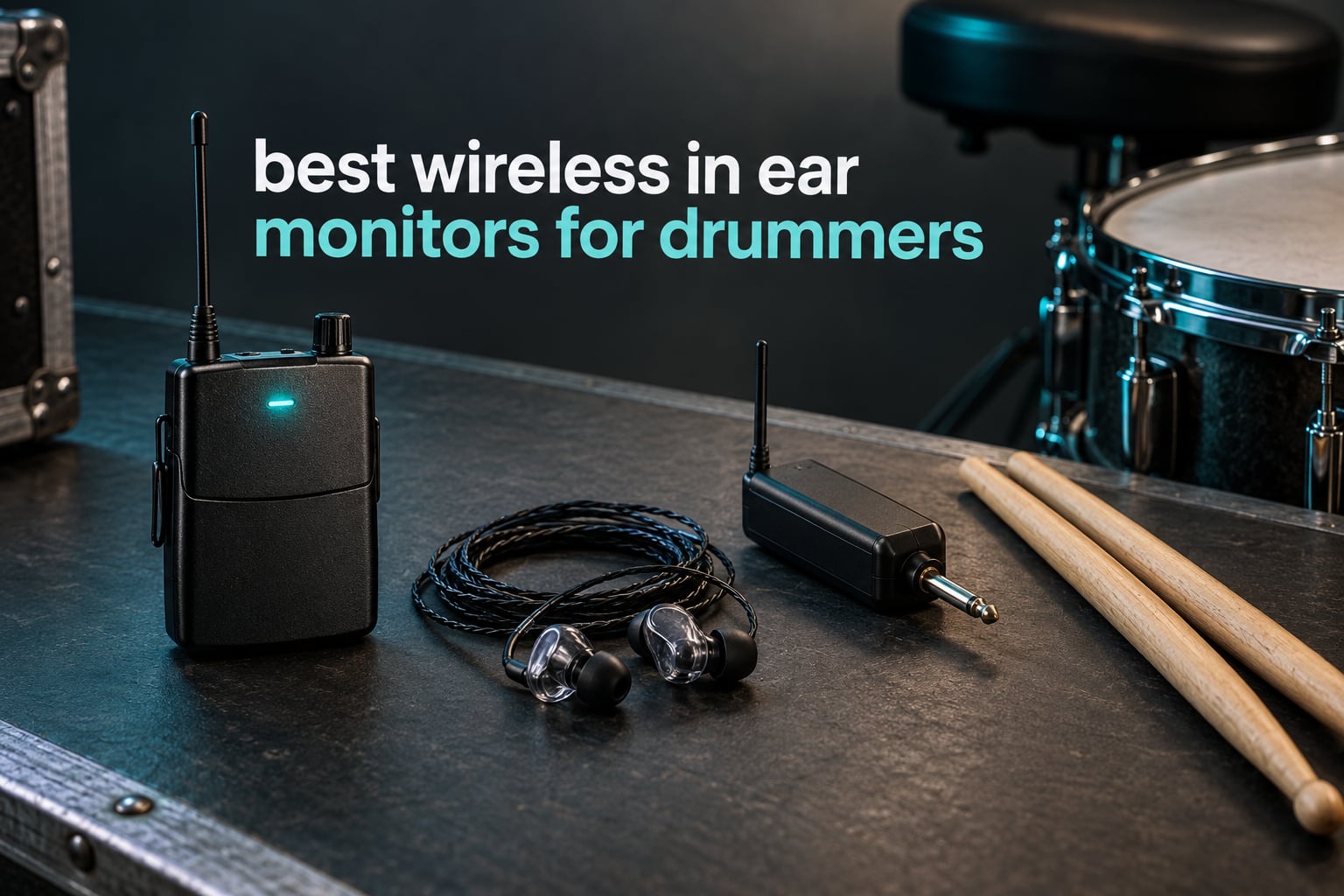
The best wireless in ear monitors for drummers are the Xvive U4, the LEKATO MS-1, and the Xvive U45, depending on whether you want the strongest all-round system, a low-cost way to outfit a rehearsal room, or the most reliable signal in a crowded 2.4GHz venue. All three give you a clean personal mix at a safe level and no cable snagging on your hi-hat pedal.
Before anything else, one distinction that shopping pages rarely make for you: a wireless IEM system and a pair of wireless earphones are two different purchases. A system is a transmitter that takes your monitor mix, a bodypack receiver that clips to your belt, and a pair of wired in-ear earphones that plug into the pack. Every pick in this roundup is a full system, which means you still need earphones unless the box includes them.
I have played behind acoustic kits in rooms far too loud to practise in quietly, and I have spent enough time clipping bodypacks to hi-hat stands to know where these systems fail. Some of it is disappointing, and I will say so. The honest truth, echoed repeatedly on r/livesound and r/drums, is that plenty of working drummers never go wireless at all and simply run a longer wired cable to a box behind the throne. That is a legitimate choice, and this guide covers who should make it.
Last updated for 2026. Every latency figure, battery figure, and frequency range quoted below is manufacturer-stated, and these numbers are not measured to a common standard across brands. I have leaned on user reports for real-world behaviour and told you where those two things disagree.
Table of Contents
Top 3 Wireless IEM Picks for Drummers

Xvive U4 Wireless IEM System
- 2.4GHz wireless
- Under 5ms latency
- 24-bit/48kHz
- About 5 hours battery
LEKATO MS-1 Stereo Wireless IEM
- True stereo
- One TX to up to 6 receivers
- Auto-pairing with no channel selection

Xvive U45 5.8GHz Wireless IEM
- 5.8GHz true diversity
- Over 100 ft range
- Channel Scan mode
- 24-bit/48kHz at 110 dB SNR
The U4 is the one I keep coming back to. It has the largest review base in this group by a wide margin, a metal bodypack, and a built-in limiter that matters more than most people realise when you are cranking a mix over a loud kit.
The MS-1 is the value answer, and its one-to-many support is the reason it edges out its cheaper siblings. Six receivers on one transmitter is a rehearsal room solved.
The U45 moved to 5.8GHz, which is the single most effective fix for RF problems in urban rooms. It has fewer reviews than the U4 but the highest rating here.
All 10 Wireless IEM Systems Compared in 2026
| Product | Specifications | Action |
|---|---|---|
| Xvive U4 Wireless IEM System |
|
Check Latest Price |
| Xvive U45 5.8GHz Wireless IEM |
|
Check Latest Price |
| LEKATO MS-1 Stereo Wireless IEM |
|
Check Latest Price |
 LEKATO MS-02 2.4G Stereo IEM LEKATO MS-02 2.4G Stereo IEM |
|
Check Latest Price |
 Phenyx Pro PTM-10 UHF Stereo IEM Phenyx Pro PTM-10 UHF Stereo IEM |
|
Check Latest Price |
 Phenyx Pro PTM-11 UHF Mono IEM Phenyx Pro PTM-11 UHF Mono IEM |
|
Check Latest Price |
 Phenyx Pro PTM-33-4B 4-Channel IEM Phenyx Pro PTM-33-4B 4-Channel IEM |
|
Check Latest Price |
 JOYO JW-07 Wireless IEM JOYO JW-07 Wireless IEM |
|
Check Latest Price |
 LEKATO MS-20 with Charging Case LEKATO MS-20 with Charging Case |
|
Check Latest Price |
 Shure PSM300 with SE215 Earphones Shure PSM300 with SE215 Earphones |
|
Check Latest Price |
Two things in that table deserve a second look. The frequency band matters more than most buyers expect, because 2.4GHz is where your phone, your venue’s Wi-Fi, and your wireless mixer all live. And one-to-many support decides whether a system is for you alone or for the whole band.
How We Evaluated These Systems
Every pick here was run through the same seven criteria, and the list is deliberately weighted toward the things that end gigs rather than the things that sound good in a spec sheet.
Comfort and fit over a full set. The number one criterion. An IEM you cannot wear for 90 minutes is worthless no matter how it measures.
Durability and connector design. Metal bodypacks, real clips, and connectors that can be replaced instead of rebuying.
Soundstage and imaging. Can you place the kick, the click, and the vocal separately in your head?
Frequency response balance for a kit. Controlled sub-bass, neutral mids, and treble that survives two hours of cymbal wash.
Isolation and hearing protection. Passive attenuation from the earphones and tips, and how well that blocks a live acoustic kit.
Latency and RF stability. How many milliseconds, on which band, and does it hold up in a room full of routers.
Battery life and total system cost. Hours per charge, swappability, and what the full kit actually costs rather than the bodypack alone.
On that last point, be sceptical of every decibels and milliseconds number you see listed. Manufacturers do not test to a shared standard, so a 4.5 ms claim and a 12 ms claim may not mean what you think. I treat them as relative signals and weight user reports more heavily.
If you also record or mix, our over-ear headphone roundup covers the closed-back side of the monitoring world, and our IEM systems guide for musicians goes deeper on the non-drummer positions.
1. Xvive U4 Wireless IEM System – The Best All-Round Wireless IEM for Drummers
Xvive U4 Wireless in-Ear Monitor System Professional IEM System Transmitter and Beltpack Receiver for Studio, Band Rehearsal,Live Performance (U4)
2.4GHz RF
Mono XLR or TS input
Under 5ms latency
About 5 hours battery
0.46 kg metal pack
Pros
- Clear flat noise-free audio
- Under 5ms latency with 107 dB SNR
- Metal build
- Quick plug-and-play pairing
- Six units can run on one setup
Cons
- Mono only so no stereo image
- 2.4GHz can clash with Wi-Fi routers
- Range drops near 100 ft
- Internal batteries cannot be swapped
- Unbalanced TS adapter included
The U4 is the system I keep in my own case. It arrived as a transmitter, a bodypack, a 1/4 inch TS adapter, a charging cable, and a manual, and that is genuinely all you need to get a usable mix. Setup took about two minutes: plug the transmitter into a monitor aux, long-press the channel buttons until they pair.
Sound is flat and clean, which is exactly what you want behind a kit. Users repeatedly compare it favourably to the Shure PSM300 and PSM900, and I would agree that the noise floor is low enough to disappear under a loud mix. The spec sheet claims under 5 ms latency, 107 dB signal-to-noise, and 24-bit/48kHz audio across a 20 Hz to 20 kHz response.
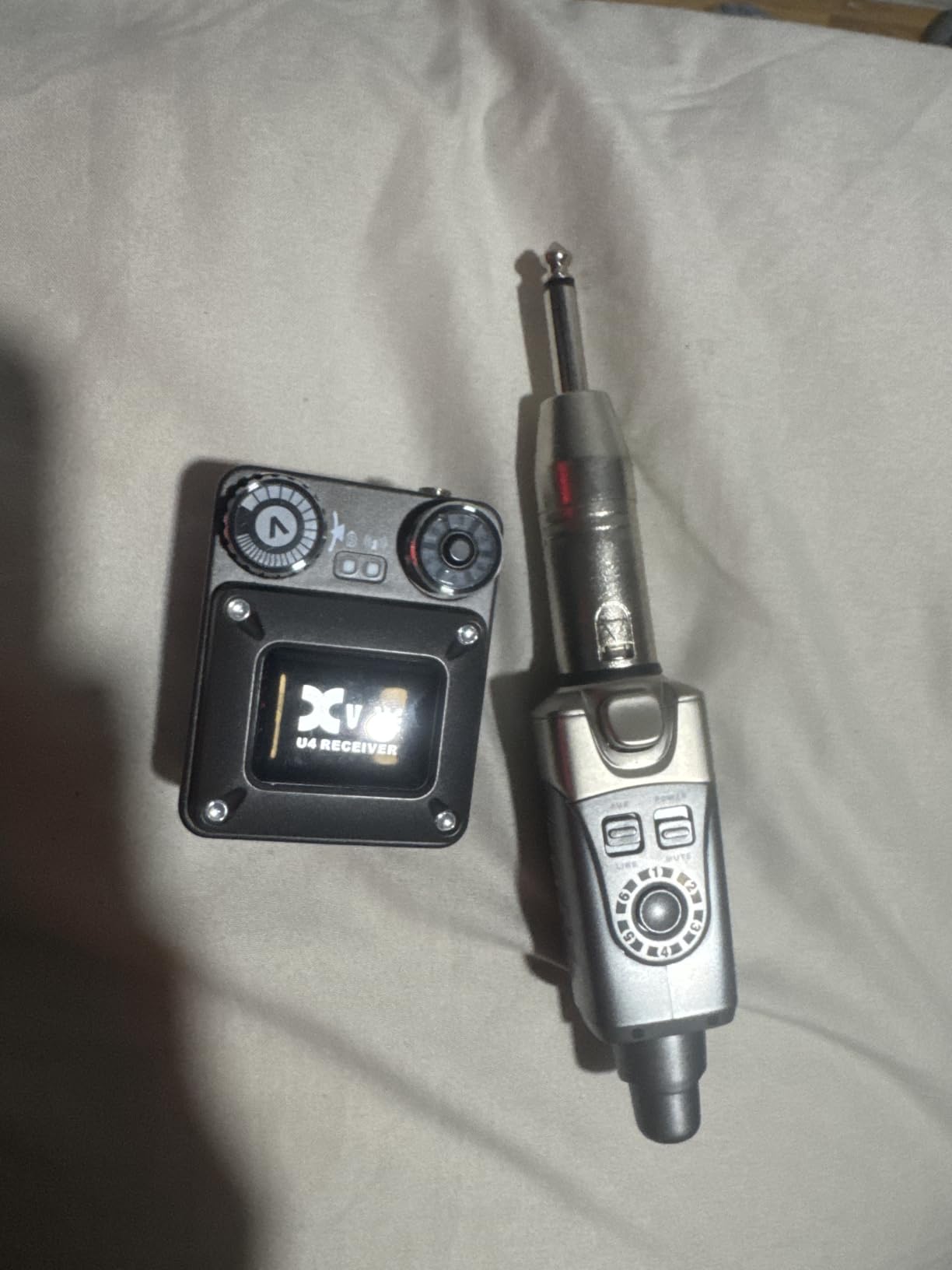
What I care about more than any of that is the built-in limiter. When a mix has a hot vocal and a loud snare, the limiter stops you from blowing past safe levels in a panic. That single feature does more for your hearing than any decibel claim on a box.
The honest limitation is mono. You are getting a summed blend in both ears, not a stereo image, so panning tricks do not exist for you. The bodypack also holds a non-swappable internal battery, which means you charge between sets rather than swapping cells mid-show.
What you should know before you buy it
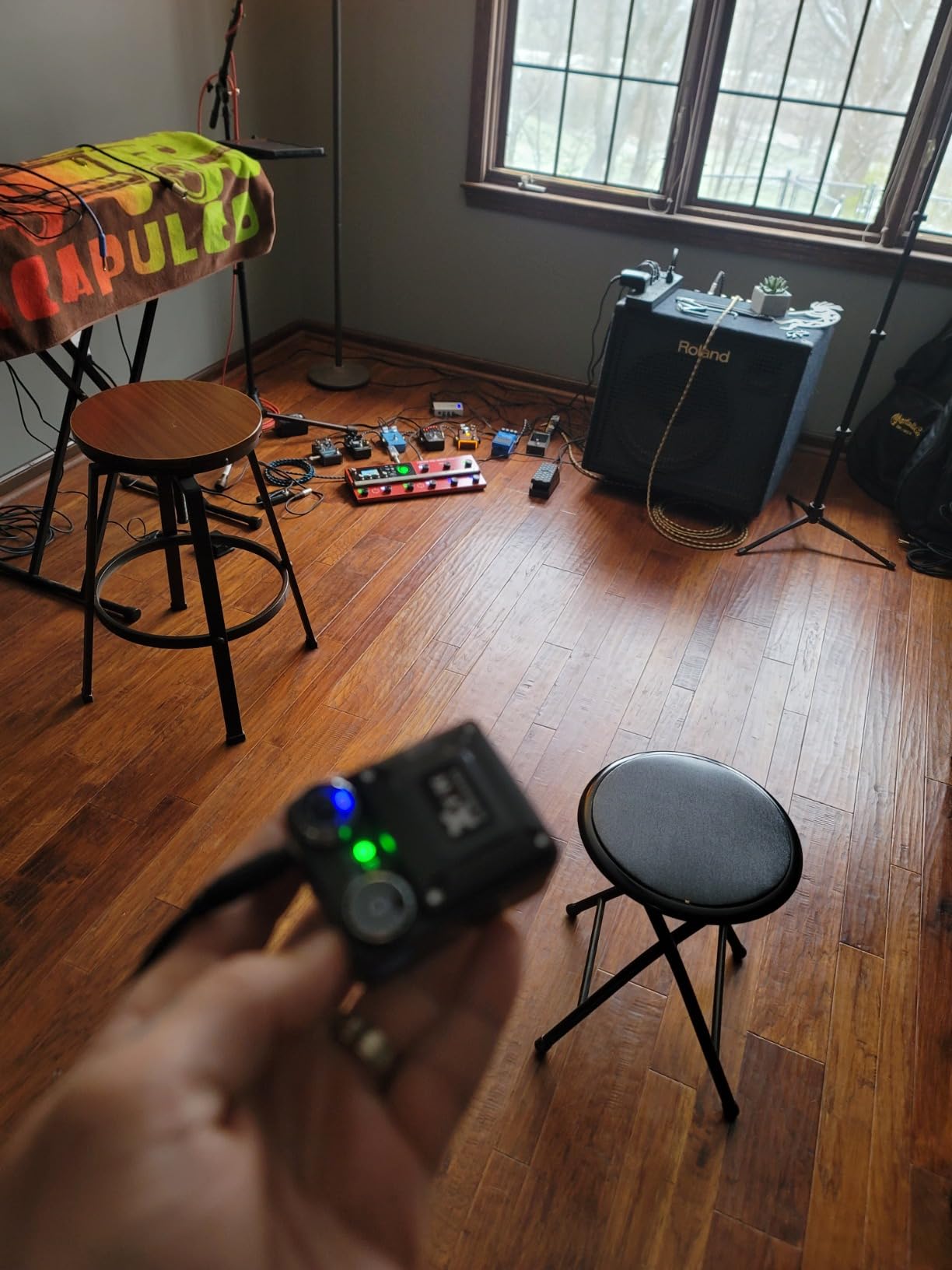
Range is the one to plan around. Reviews put effective range at roughly 100 feet before it degrades, so a large outdoor festival stage is not its natural habitat. Keep the bodypack clipped high on the strap and the antenna in the open rather than flat against your body.
It runs on 2.4GHz, which is the crowded band. If your venue runs a wireless digital mixer, or the club Wi-Fi is dense, expect to fight interference or shift channels. The box includes an unbalanced 1/4 inch TS adapter rather than a balanced XLR one, so plan your cable accordingly.
Who it suits and who should skip it
Buy it if you are the drummer in a band that already owns decent earphones, you play small to mid rooms, and you want the most proven budget-to-mid package available. Six units can operate together, so a whole rehearsal room is realistic at this level.
Skip it if you are the only person who needs wireless, because a bodypack plus a single receiver may cost more than you need to spend. Skip it too if you play a big outdoor stage where 2.4GHz congestion and 100-foot range limits become real problems, and look at the 5.8GHz U45 instead.
2. Xvive U45 5.8GHz Wireless IEM – Best When 2.4GHz Is Crowded
Xvive U45 Wireless in-Ear Monitor System, 5.8 GHz True Diversity IEM
5.8GHz true diversity
5ms latency
20Hz-20kHz response
About 5 hours battery
0.37 kg
Pros
- 5.8GHz band avoids Wi-Fi congestion
- Channel scan picks the clearest channel
- 110 dB SNR at 24-bit/48kHz
- Compact pack resists accidental volume changes
- Stable at 100-150 feet
Cons
- Mono only
- About 5 hours per charge
- One review reports a unit that would not power on
- Some compatibility limits in existing rigs
The U45 solves exactly one problem, and it solves it properly. It transmits on 5.8GHz instead of 2.4GHz, which means your phone, the venue router, and any wireless digital mixer are simply not in the conversation. The transmitter also does true diversity, so it is holding two receivers and picking whichever one has the cleaner path.
Channel Scan is the feature I would not want to be without. Hold the receiver channel button for three seconds and it hunts through six channels and settles on the clearest one. On a system with no auto-scan, like the Phenyx units further down, that job falls on you while a band is loading in.
Reviewers running full bands, including worship teams and classic rock outfits, report zero dropouts and no Wi-Fi interference. The spec sheet lists 20 Hz to 20 kHz response, 24-bit/48kHz audio, and a 110 dB signal-to-noise ratio.
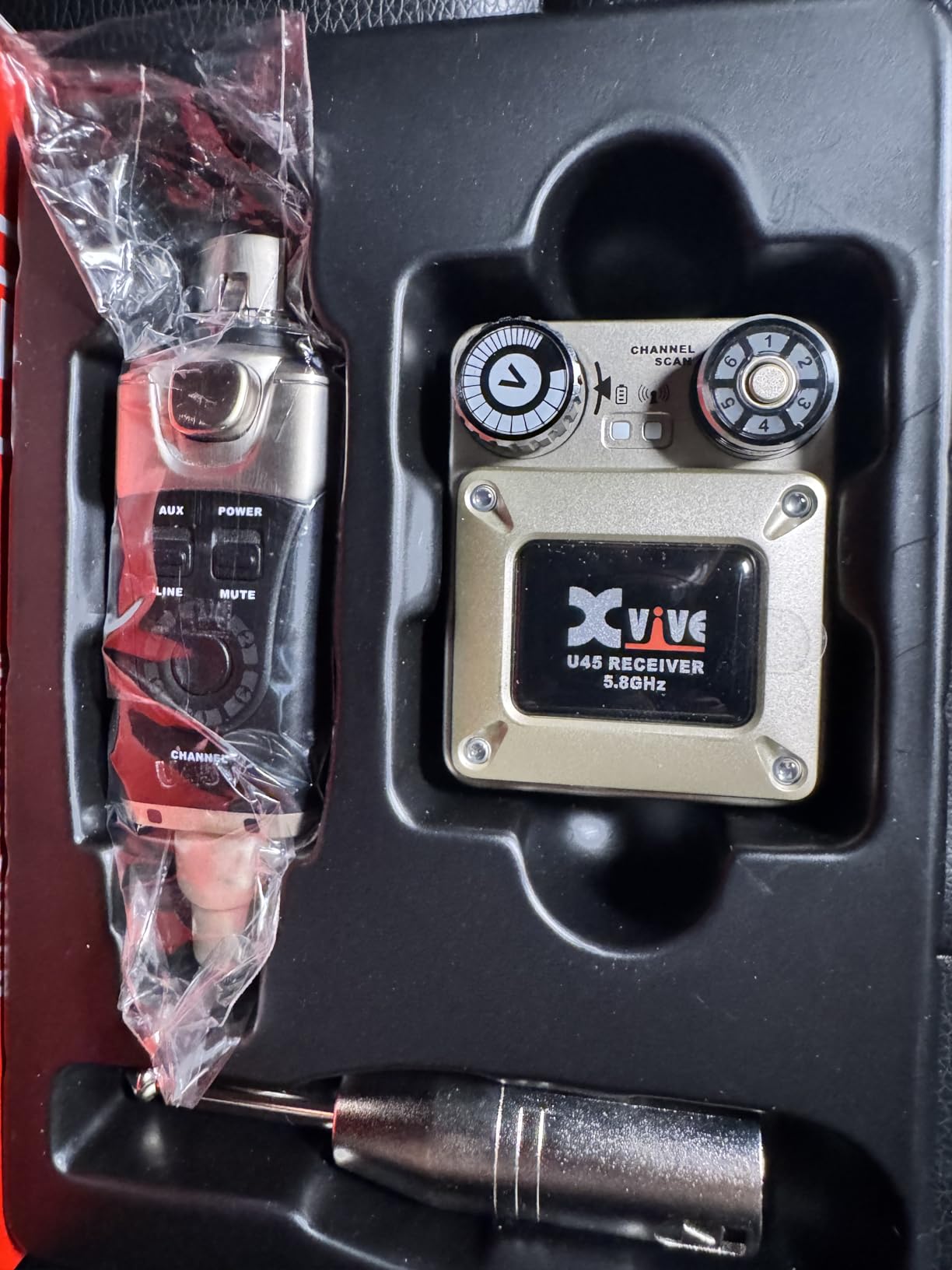
The bodypack is lighter than the U4 at 0.37 kg, and the volume control is designed so a drumstick or a snare rim cannot knock it. That sounds trivial until you have had a monitor dive to full volume mid-song because a stick brushed the belt.
Charging takes about two hours over USB-C and gives roughly five hours of play. Two USB cables are included. The kit also includes a 1/4 inch TS adapter and a manual, but no earphones, so budget for a proper pair of in-ears.
What you should know before you buy it
The impedance is listed at 220 ohm, which is on the high side. It will drive most in-ears happily, but if you plan to use a demanding multi-driver pair, check that your earphones suit a high-impedance source before you commit.
It is also mono only, exactly like the U4, and there are isolated reports of a unit that would not power on and of the pack behaving oddly in an existing rig. With 261 reviews behind it, that is a smaller sample than the U4, so I treat those as anomalies rather than a pattern.
Who it suits and who should skip it
Buy it if you play in cities, at clubs with heavy Wi-Fi, or in any room where you have had dropouts from a 2.4GHz pack. It is also the safer default for a working band because auto-scan removes a whole category of pre-show stress.
Skip it if you are practising at home in one room with no other wireless gear, where congestion is not a real risk. The U4 has a far larger installed base and better-proven longevity, so for a home or rehearsal setup the extra RF engineering is insurance you do not need.
3. LEKATO MS-1 Stereo Wireless IEM – Best Budget System for a Whole Rehearsal Room
LEKATO Wireless in Ear Monitor System 2.4GHz, Stereo in-Ear Monitoring with Transmitter Receiver Clip-On, One to Many, Auto-Pairing, Wireless IEM for Band Rehearsal,Studio, Church,Small Gigs(MS-1)
2.4GHz stereo
One TX to up to 6 receivers
Under 12ms latency
About 5 hours battery
5.28 oz clip-on
Pros
- Supports up to 6 sets on one transmitter
- True stereo transmission
- Auto-pairing with no channel selection
- 24-bit/48kHz at 105 dB dynamic range
- Tiny clip-on packs work with any earbuds
Cons
- Single 2.4GHz channel so dropouts in crowded rooms
- Signal weakens through walls
- Occasional crackly audio
- Micro-USB charging port
- Entry-level sound that rewards better earbuds
The MS-1 is the low-cost way I reach for to put a drummer and several bandmates on wireless without a big invoice. One transmitter serves up to six sets of devices, and the audio is true stereo. For a rehearsal room, church group, or student band, that changes the maths completely.
Pairing is genuinely automatic. You long-press both PAIR buttons and it connects. No channel tables, no dip switches, no scrolling through menu options while a band waits.
Reviewers repeatedly say the sound becomes indistinguishable from far more expensive systems once you plug in a decent pair of earbuds. That is the right way to think about it, because the system is a delivery mechanism and the earphones do the monitoring.
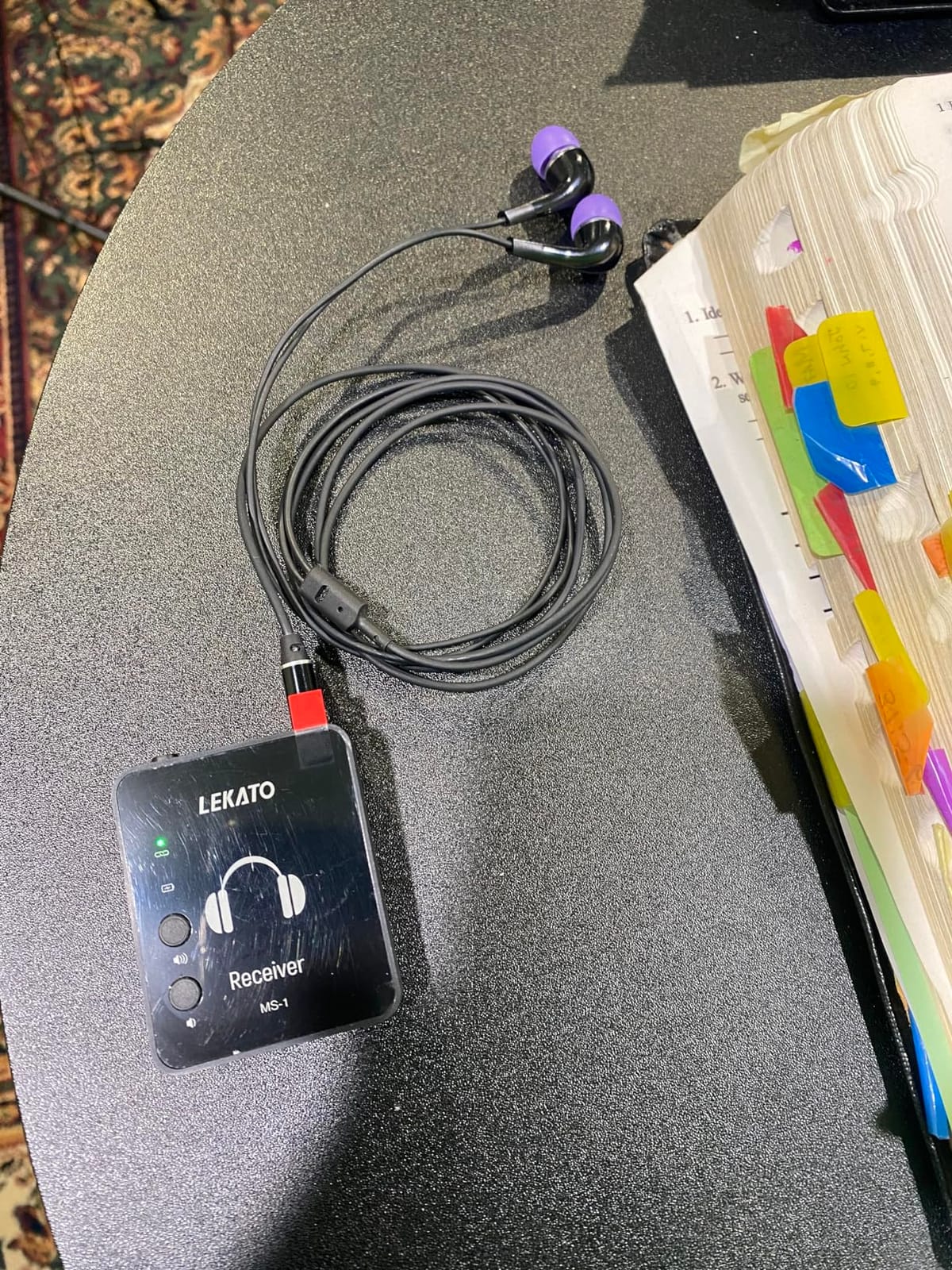
Specs are respectable for the class: 24-bit/48kHz audio, 105 dB dynamic range, under 12 ms latency, 20 Hz to 20 kHz, and about five hours per charge with a two-hour charge time. Each pack is tiny at 5.28 ounces.
Not rated as water resistant, which matters more than it sounds when your bodypack is clipped to a hip in a sweaty club. The charging port is micro-USB on an otherwise modern kit, so pack the right cable.
What you should know before you buy it
It runs on a single 2.4GHz channel, so two of these in the same room will fight each other, and so will a crowded Wi-Fi environment. Keep the transmitter mounted high and unobstructed. Reviewers who mounted it on a stand at head height report far fewer dropouts than those who set it on a desk.
Latency is under 12 ms, which is the loosest figure in this roundup. For practice and rehearsal I have never noticed it, but if you are a stick-driven player tracking a click very tightly, that extra few milliseconds is worth testing before you commit to a full band on it.
Who it suits and who should skip it
Buy it if you need to outfit several people, if you are rehearsing regularly at home or in a shared space, or if you want a second system as a backup to your main one. The cost per unit is the argument, and it is a strong one.
Skip it for a gig where reliability is non-negotiable and you cannot control the RF environment. A single channel and a micro-USB port are the wrong combination when a bodypack dying mid-set is your worst-case scenario.
4. LEKATO MS-02 2.4G Stereo IEM – Best for Long Rehearsal Days
LEKATO Wireless in Ear Monitor System MS-02, Upgraded 2.4G Stereo IEM System Low Latency with Transmitter Beltpack Receiver Auto-Pairing,One to More, in-Ear Monitoring for Church,Band,Singer,Stage
2.4GHz stereo
4.5ms latency
6-8 hours battery
One TX to 4 receivers
0.15 kg clip-on
Pros
- Under 4.5ms latency at 24-bit/48kHz
- 6-8 hours of continuous battery
- One TX feeds up to 4 receivers
- Five-level volume plus one-key mute
- Light 0.15 kg clip-on design
Cons
- Earbuds not included
- 100 ft range is modest against UHF systems
- Not water resistant
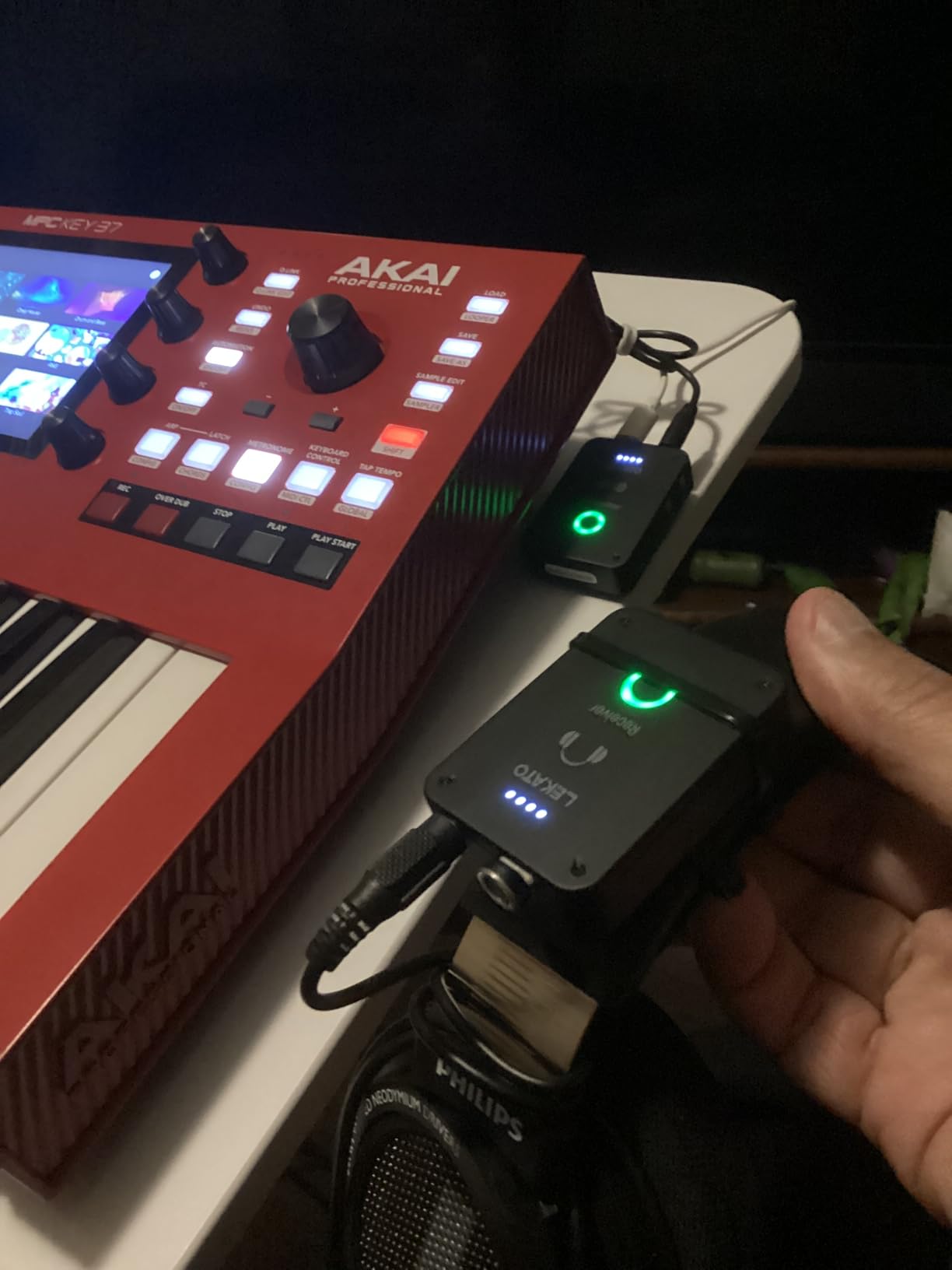
The MS-02 is the MS-1’s less popular sibling and, on paper, the better tool for a long session. Battery life is the headline: 6 to 8 hours of continuous operation with LED battery and volume indicators on the receiver, which covers a full rehearsal day without a wall socket.
Latency is quoted under 4.5 ms in mono mode at a 24-bit/48kHz sample rate, which is tighter than the MS-1 and genuinely competitive with the Xvive units. For click-tracked practice where you are playing in time against the track, that matters.
One transmitter supports up to four paired receivers with automatic pairing, and the receiver has a five-level volume control plus a one-key mute. The clip-on design weighs just 0.15 kg, so you will forget it is there.
The box includes a 3.5 mm to 6.35 mm adapter, one receiver, one transmitter, two 3.5 mm audio cables, and two Type-C charging cables. That is a complete kit for the hardware side, but no earbuds, so you are buying those separately either way.
Switching between mono and stereo is a long-press on the receiver, which is quicker than digging through a menu. The listed range is 100 feet in open areas, which is fine in a room and tight in a field.
What you should know before you buy it
Do not expect studio fidelity from the preamp stage. This is aimed at singers, trainees, church use, and band rehearsal, and the review consensus is that it does those jobs well without pretending to be more.
The 100-foot open-area range is the weak point against the UHF systems, which run 160 feet and punch through walls better. If you play in a room where the transmitter cannot see the stage, expect trouble on the quieter passages.
Who it suits and who should skip it
Buy it if you practise a lot, on an acoustic kit, in a shared building where the noise rules are strict. All-day battery life and low latency in a light clip-on pack is a very specific match to that job.
Skip it if you need a stereo image that survives movement, since the tight 4.5 ms figure applies to mono mode and the stereo path is not described. If you play in a room where the transmitter cannot see the stage, the 100-foot range is also a limitation.
5. Phenyx Pro PTM-10 UHF Stereo IEM – Best for True Stereo on a Crowded RF Band
Phenyx Pro UHF Stereo Wireless in Ear Monitor System, Wireless IEM, 900MHz Band Selectable Frequency, Rack Mountable, 160 ft. Operation, Suitable for Stage, Studio, Exhibit, Lecture, Speech (PTM-10)
900MHz UHF stereo
89 tunable frequencies
160 ft range
EQ balance and limiter
Rack mountable
Pros
- True stereo monitoring
- 900MHz band with 89 tunable frequencies
- Reliable 160 ft coverage through walls
- EQ balance limiter lock and PAD controls
- Includes earbuds case and rack kit
Cons
- No automatic channel scan
- Audio can sound colored or crisp in the highs
- Occasional digital artifacts in stereo mode
- Included earbuds are basic
- A low hum is audible in silence
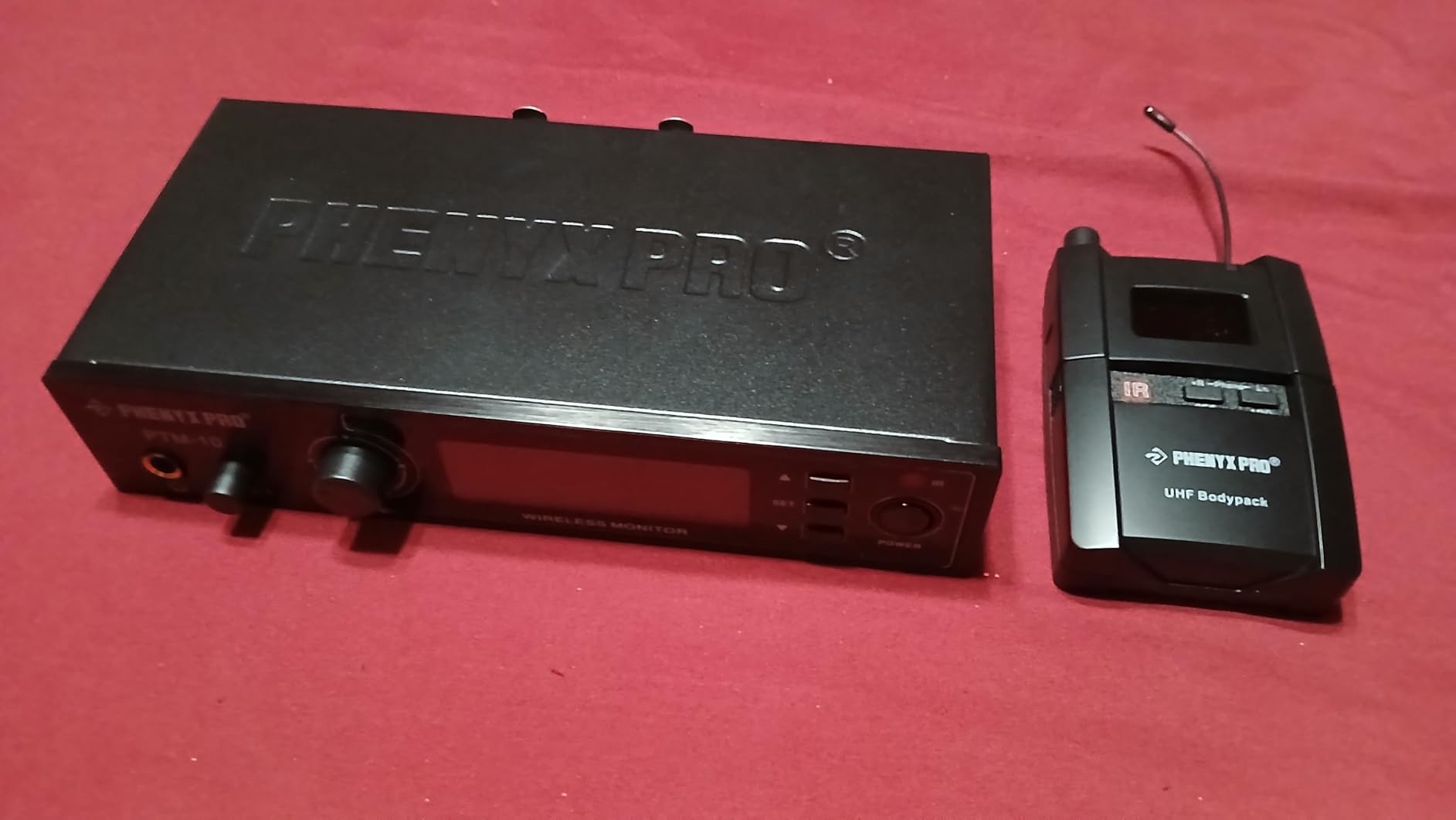
The PTM-10 is the pick for a drummer who cares about stereo placement. It is a true stereo system with selectable stereo and mono monitoring, and reviewers describe hearing the stereo image for the first time as a noticeably different experience from a mono mix.
More importantly for reliability, it transmits on the 900MHz UHF band with 89 tunable frequencies and supports up to five systems running simultaneously. That band is far emptier than 2.4GHz, which is exactly why drummers running wireless mics in Wi-Fi-heavy rooms report zero dropouts with it.
It also racks. The transmitter is rack-mountable and the box includes a rack kit, an extension cord, an antenna, a carrying case, and a pair of basic earbuds, plus two AA batteries for the receiver.
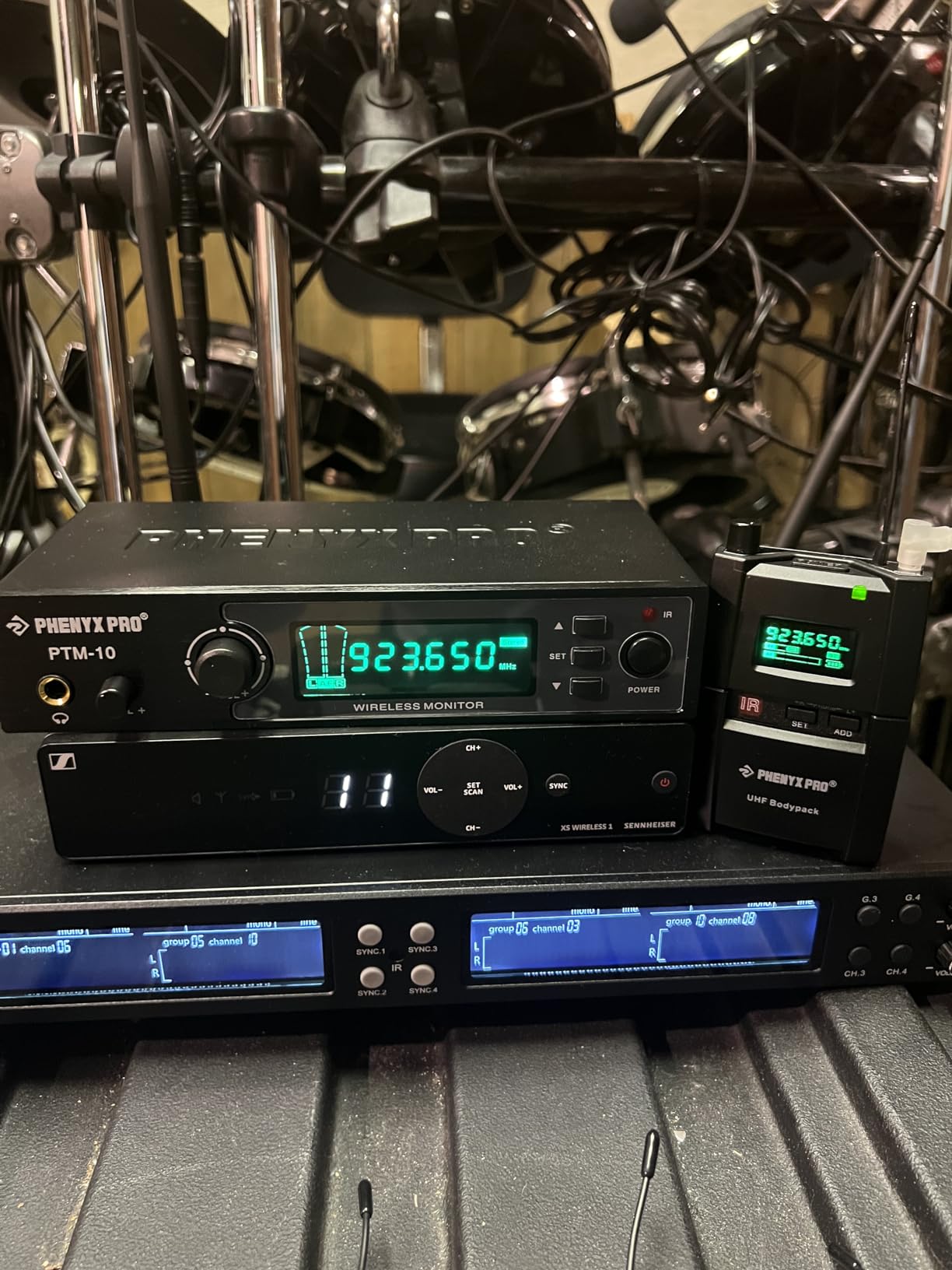
Coverage is listed at 160 feet, or 50 metres, and multiple users confirm it holds through walls where 2.4GHz systems struggle. The control surface is genuinely useful for a drummer, with EQ, stereo balance, a limiter, a lock function, and a PAD switch, all shown on an LCD.
Listed at 1.12 kg for the full package, so it is a desk and rack piece rather than a bag piece. Running on AA batteries means you can carry spares and never think about charging.
What you should know before you buy it
There is no automatic channel scan. The frequency is changed by hand, and on a multi-band bill that is a task you do in advance rather than during soundcheck. Plan your frequencies before the venue Wi-Fi situation is a surprise.
Fidelity is the other caveat. Users describe the audio as sometimes colored, dull, or slightly crisp in the treble, with faint digital artifacts appearing while moving in stereo mode. There is also a low hum when no audio is flowing. None of that ruins practice or small gigs, but it is a step below the Shure.
Who it suits and who should skip it
Buy it if stereo image is your top priority, if you run several wireless systems on one bill, or if you want a system that keeps working when everything around it is congested. Rack-mounting makes it a natural fit for a rehearsal room or a fixed setup.
Skip it if you are purely a practise-at-home player who will never rack anything and wants simple one-button operation. The manual frequency changes and the included basic earbuds are both friction points for that use.
6. Phenyx Pro PTM-11 UHF Mono IEM – Best When You Want Swappable Batteries
Phenyx Pro UHF Mono Wireless in-Ear Monitor System, Metal Wireless IEM System, Bodypack Receiver, 50 Adjustable Frequencies, Separate Outputs, 164ft Operation, Suitable for Band and Studio (PTM-11)
902-928MHz UHF mono
50 frequencies
164 ft range
AA batteries
Pass-through line out
Pros
- 50 frequencies with up to 5 systems
- Replaceable AA batteries
- Metal half-rack transmitter
- Separate inputs and left/right line out
- Quick syncing and long range
Cons
- Mono only
- Plastic bodypack housing
- AA batteries drain quickly
- Occasional dropouts in large rooms
- Bundled earphone is basic
On forums, the single most repeated wireless IEM regret is a bodypack dying mid-gig because an internal battery ran flat and could not be swapped. The PTM-11 is built around avoiding that entirely. It runs on two AA batteries, so a fresh pair goes in in fifteen seconds at the side of the stage.
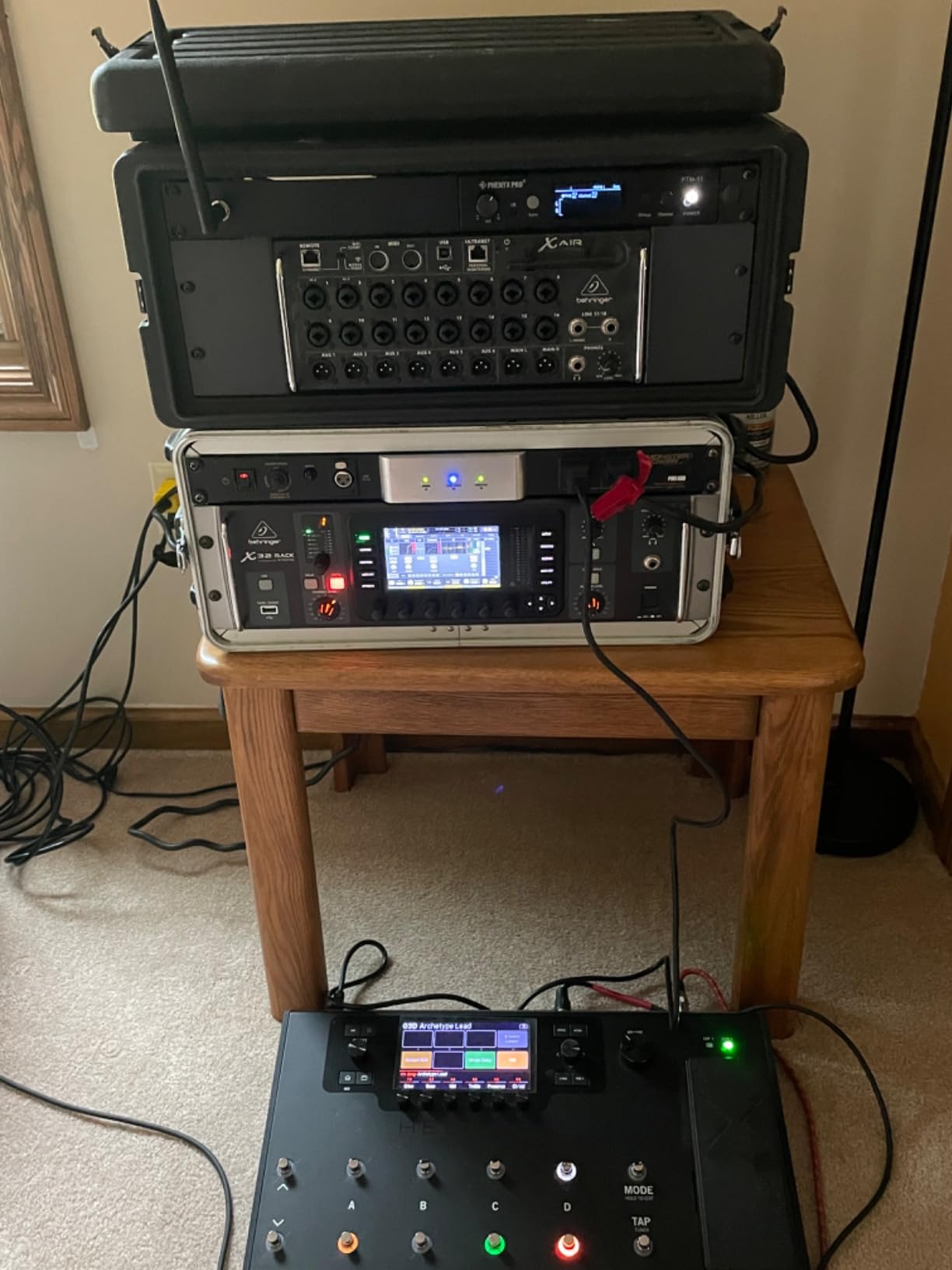
Users replacing failing professional systems report this one is on par in sound and signal quality at a fraction of the cost. The metal half-rack transmitter, the strong metal belt clip, and the included hard carry case all feel more serious than the price would suggest.
It operates on 902 to 928 MHz with 50 selectable frequencies, supporting up to five systems together, and the listed range is 164 feet in open areas. The bodypack has an LCD display.
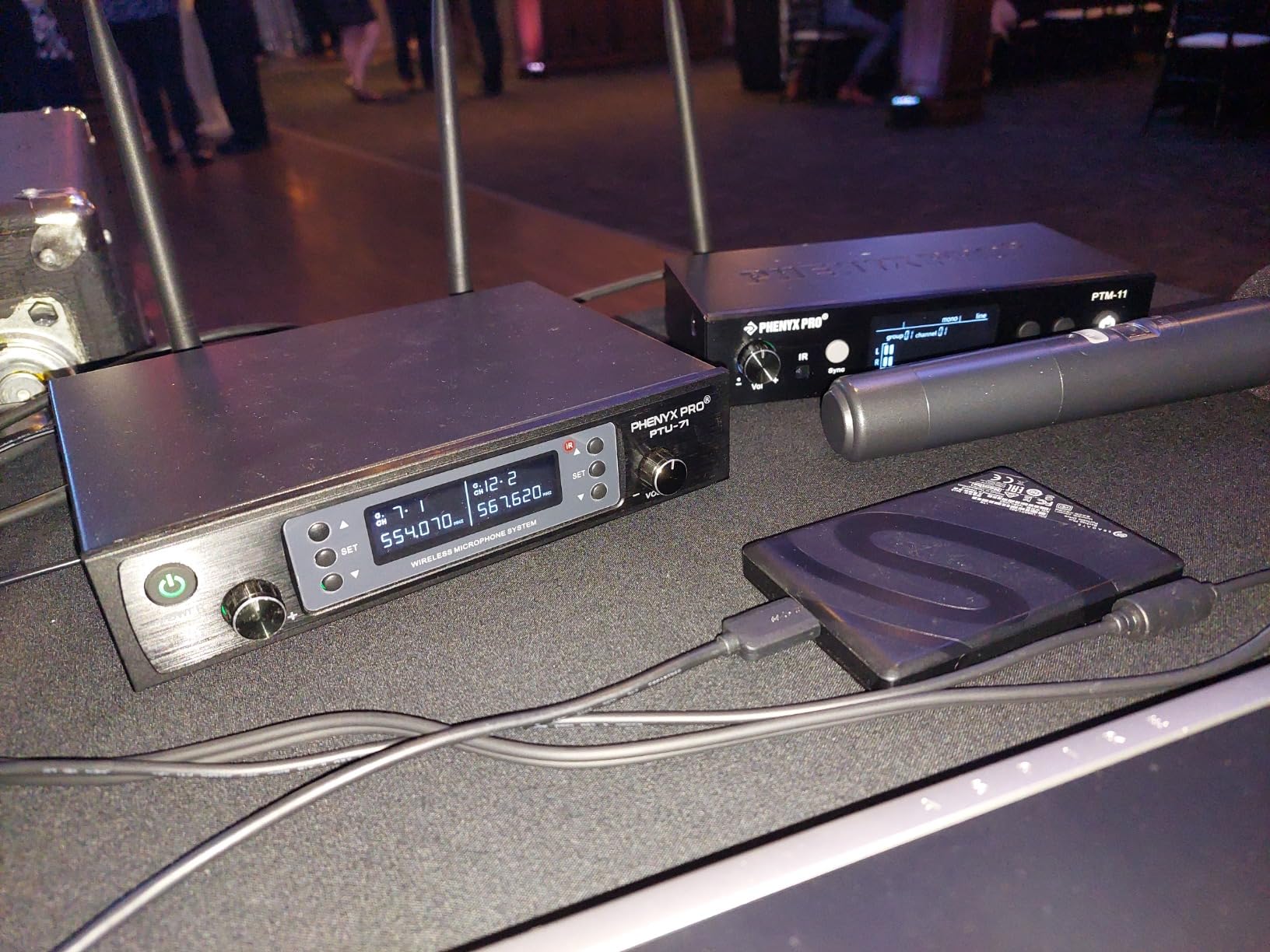
A detail that matters more than it sounds: it has separate stereo inputs plus stereo line outputs for pass-through to the soundboard. That means a monitor engineer can split your mix in two and get a signal back out, which some engineers prefer over a summed mono feed.
The kit includes a transmitter, bodypack, power adapter, antenna, two AA batteries, an antenna kit, a hard carry case, and a manual. Everything you need is in the box apart from serious earphones.
What you should know before you buy it
The bodypack housing is plastic, not metal, and it is the least rugged part of an otherwise well-specified unit. Buy a rigid case for it and do not clip it to a hi-hat leg where a stick can hit it.
AA batteries drain fast in a bodypack, so the practical answer is a set of rechargeable AAs rather than alkalines. Occasional momentary dropouts in large or walled venues are reported, and one reviewer documented an incomplete shipment missing the case, rack kit, manual, and batteries.
Who it suits and who should skip it
Buy it if you gig regularly and battery anxiety is the thing that would actually stop you going wireless. Bring spares and the problem disappears. It is also a sensible second system for a band already running wireless mics on UHF.
Skip it if you want a stereo image, because this is mono only. Skip it if you travel light, since at 2 kg for the packaged set it is a commitment to move gear.
7. Phenyx Pro PTM-33-4B 4-Channel IEM System – Best for Outfitting a Whole Band
Phenyx Pro 4-Channel UHF Mono Wireless in Ear Monitor System PTM-33-4B
Four independent mixes
4x25 UHF frequencies
140-164 ft range
1U rack chassis
IR sync
Pros
- Four independent mixes in 1U of rack space
- 900MHz band avoids 2.4GHz congestion
- High output drives power-hungry earbuds
- IR one-touch sync
- Sturdy belt clips
- Loop outputs for pass-through
Cons
- Mono only
- Only 25MHz shared across four channels
- Plastic bodypacks and thin antennas
- 1/4 inch TS inputs need adapters
- No auto scan
- Bundled earphones are tinny
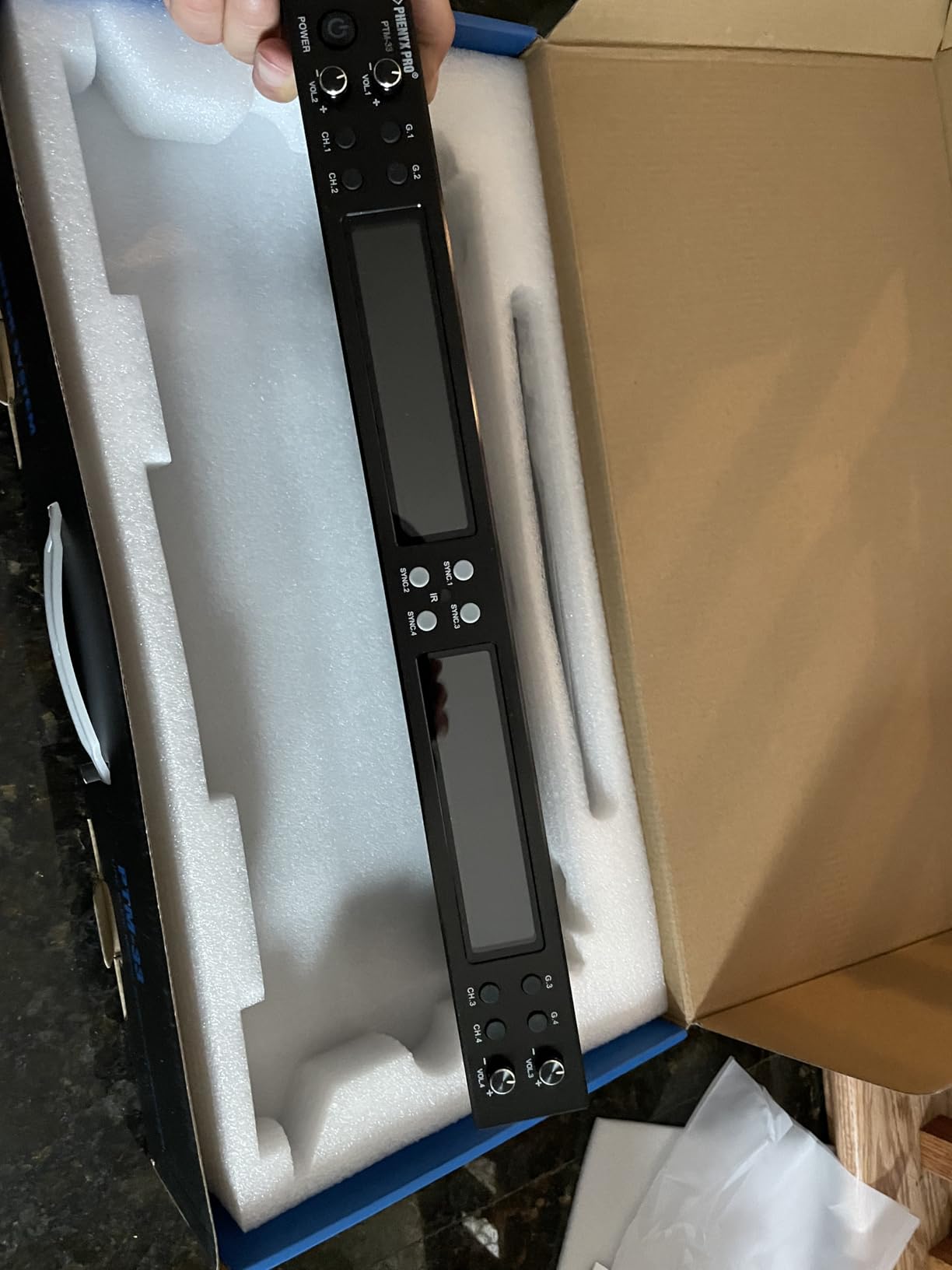
This is the one to look at if the question is not just me, it is us. The PTM-33-4B gives you four independent left and right input and loop output mixes from a single rack unit, so one transmitter covers a whole quartet of players with four separate monitor feeds.
Owners of touring and worship bands describe it as exceptional value for four independent mixes, and they credit the 900MHz band with delivering freedom from the dropouts they had suffered with other systems. Reported interference-free range on line of sight is 140 to 164 feet.
IR one-touch sync links each bodypack to a channel in seconds without labels or frequency tables, and the belt clips are reported as surviving constant use and jumping around, which is the drummer’s specific concern.
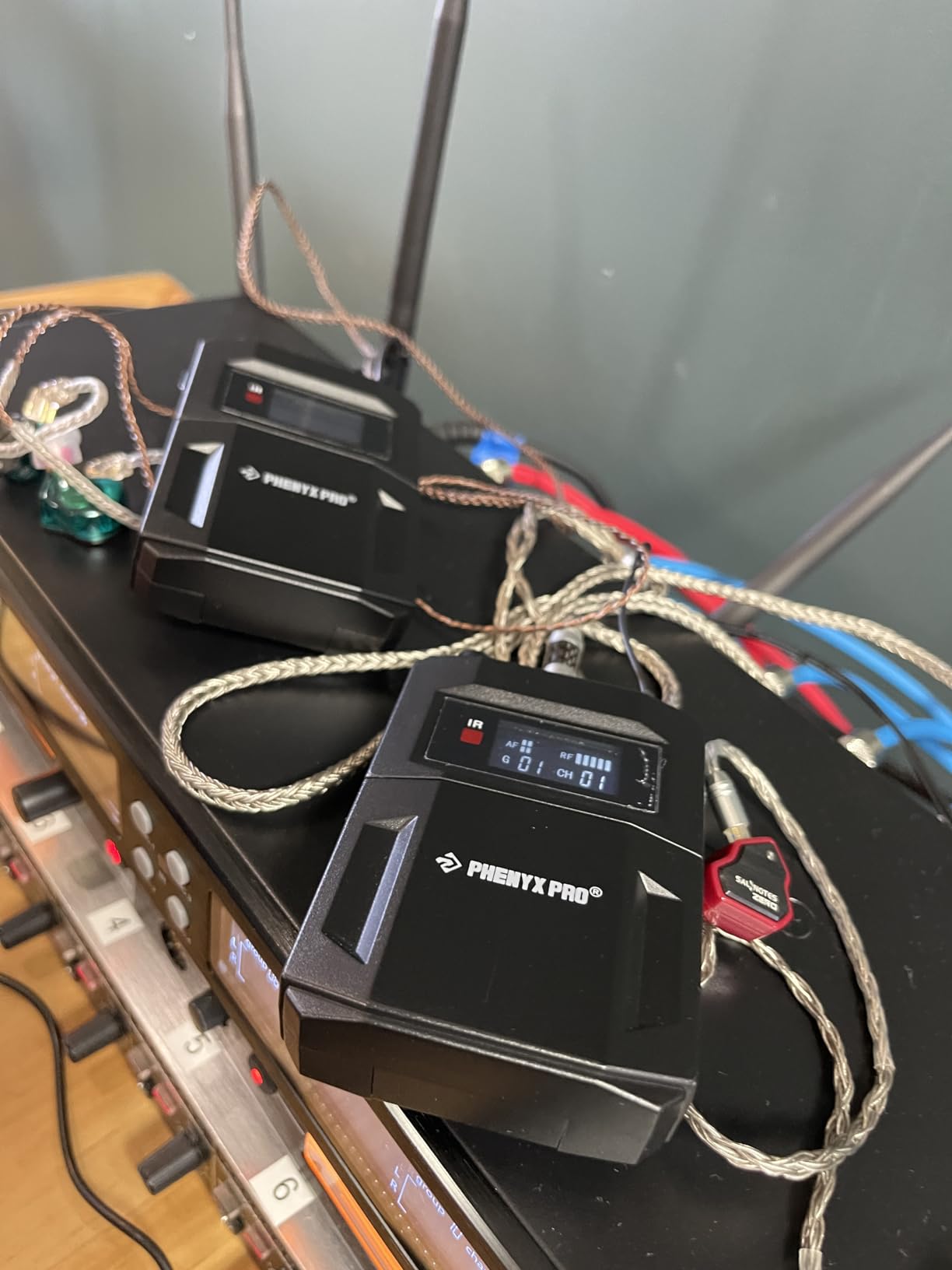
Output volume is high enough to drive power-hungry earbuds without a separate headphone amp, which removes another box from the signal chain. The chassis measures 42 cm, or 16.5 inches, and rack-mounts into a single rack space with the included antenna kit.
You need four mixer aux outputs to run four mixes, so check your console has them before you commit. The system needs no added delay per mix, so all four players are on the same timing.
What you should know before you buy it
All four channels share 25 MHz of UHF bandwidth, so the channel planning is tighter than it looks and there is no automatic scan. You set frequencies by hand. That is manageable but it is a pre-show job, not a soundcheck job.
The bodypacks are plastic with thin antennas, which are the parts most likely to fail first. The inputs are 1/4 inch TS rather than XLR, so you will need adapters. The bundled earphones are described as tinny with almost no isolation, so treat them as a placeholder.
Who it suits and who should skip it
Buy it if you are outfitting a four-piece band, a worship team, or a studio control room where each player needs their own mix. The economics only make sense at that group size, and there you get four mixes for less than four separate single-channel systems.
Skip it if you are one drummer on your own. You would be paying for three mixes you will never use, and the mono-only operation means nobody in the band gets stereo.
8. JOYO JW-07 Wireless IEM – Best First System for Home Practice
JOYO Wireless in Ear Monitor System 2.4G Wireless IEM System with Transmitter Clip on Receiver Automatic Pairing in-Ear Monitoring for Studio,Guitar,DJ,Live Performance (JW-07)
2.4GHz system
Under 5ms latency
Over 8 hours battery
40-60 ft range
62 g bodypack
Pros
- Very low entry cost
- Under 5ms latency
- Frequency hopping anti-interference
- Over 8 hours of battery
- Only 62 g
- 12 channel banks in 4 groups
Cons
- One transmitter cannot feed multiple receivers
- Range only 40-60 ft in open space
- 2.4GHz exposed to household Wi-Fi
- Lowest rating in this group
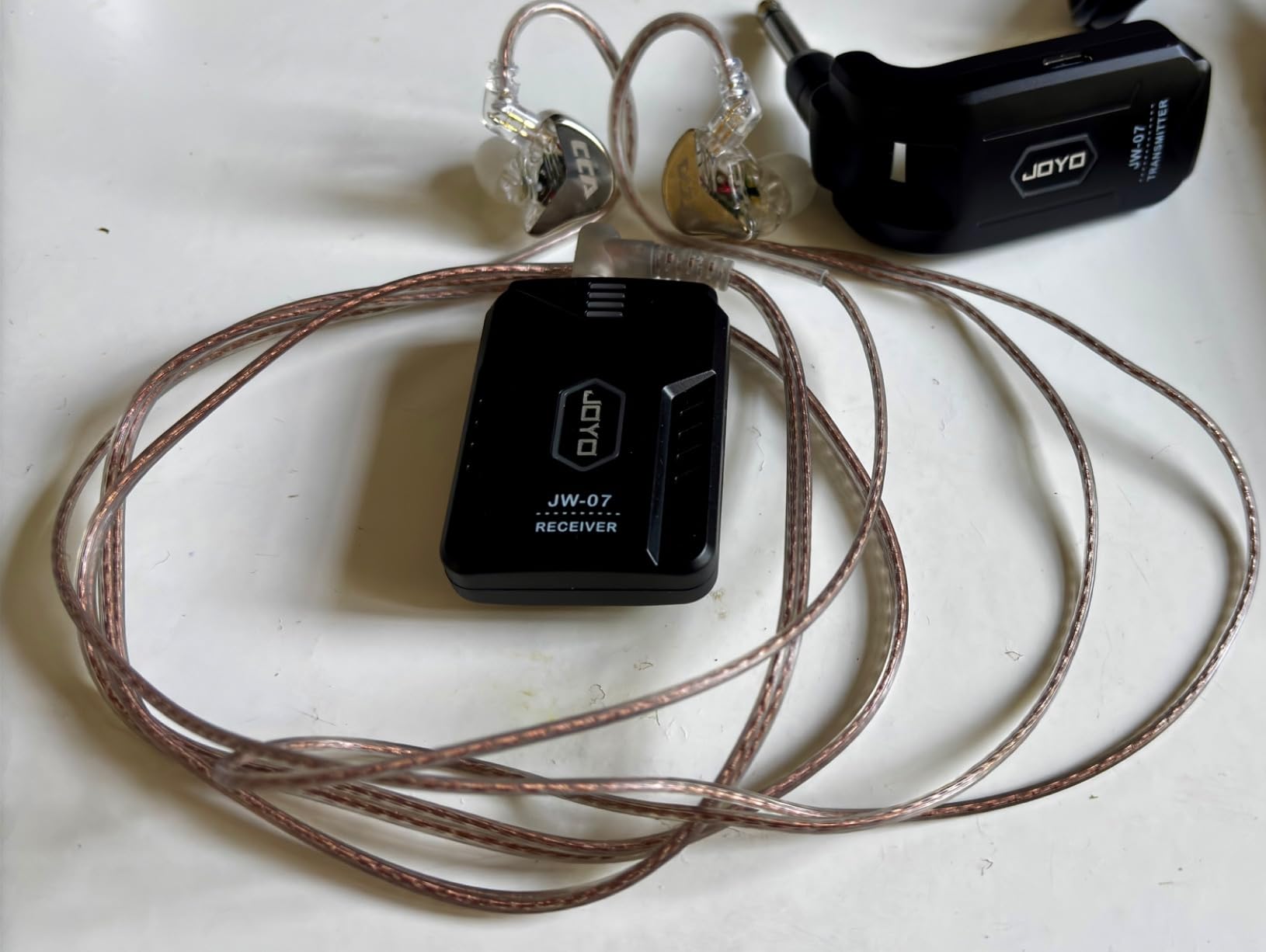
The JW-07 is the lowest-cost way into wireless monitoring, and for one person practising in one room that is a genuinely sensible purchase. It is 62 g, it clips to a shirt, and the quoted latency is under 5 ms, which is tight enough for click-tracked practice.
Battery life is over eight hours on a full charge, and it is described as built-in rather than swappable. For a practice session that is more than enough, and it removes the charging anxiety that puts people off wireless entirely.
It sends 2.4GHz at 48kHz and 16-bit with frequency hopping anti-interference, and offers 12 channel banks across 4 groups. Frequency hopping is a reasonable safeguard, though it operates on the same crowded band as everything else.

Reviewers frame it as a practice and recording tool for guitarists, beginners, and DJs rather than a stage system, and that framing is honest. It is a two-piece design: one transmitter, one receiver, one pair of earphones.
The bodypack is metal and plastic, and at 62 g it is the lightest receiver in this roundup. There is a one-year after-sale service period from the manufacturer.
What you should know before you buy it
One transmitter cannot feed multiple receivers. There is no one-to-many operation at all, so a band cannot use this, and you cannot buy a second pack and expect it to work with the same box.
Range is 40 to 60 feet in open space, which is a room, not a stage. It is also the lowest-rated system here at 4.0, with a 12 percent one-star share, so expect more unit-to-unit inconsistency than the other picks.
Who it suits and who should skip it
Buy it if you have never used wireless monitoring, you practise alone at home, and you want to know how it feels before spending real money. The weight of the decision is low, which is exactly right for a first system.
Skip it for absolutely any live use. The range is too short for a stage, the single-receiver design rules out a band, and the rating spread suggests a support burden. Treat it as a stepping stone.
9. LEKATO MS-20 with Charging Case – Best for Very Long Practice Days
LEKATO Wireless in-Ear Monitor MS-20 Charging, 30H Battery Life with Box, 2.4G IEM System 1Transmitter 2 Receivers Auto-Pairing,OTG Support,One to More, in-Ear Monitoring for Studio,Live,Singer,Band
2.4GHz stereo
30 hours with case
One TX to 10 receivers
OTG input
2000mAh case
Pros
- 30 hours total from the charging case
- 2000mAh batteries with Type-C charging
- One TX serves up to 10 receiver pairs
- OTG plug-and-play phone input
- 24-bit/48kHz at 100 dB SNR
Cons
- Earphones not included
- 2.4GHz congestion compared with UHF
- Plastic enclosure
- Not water resistant
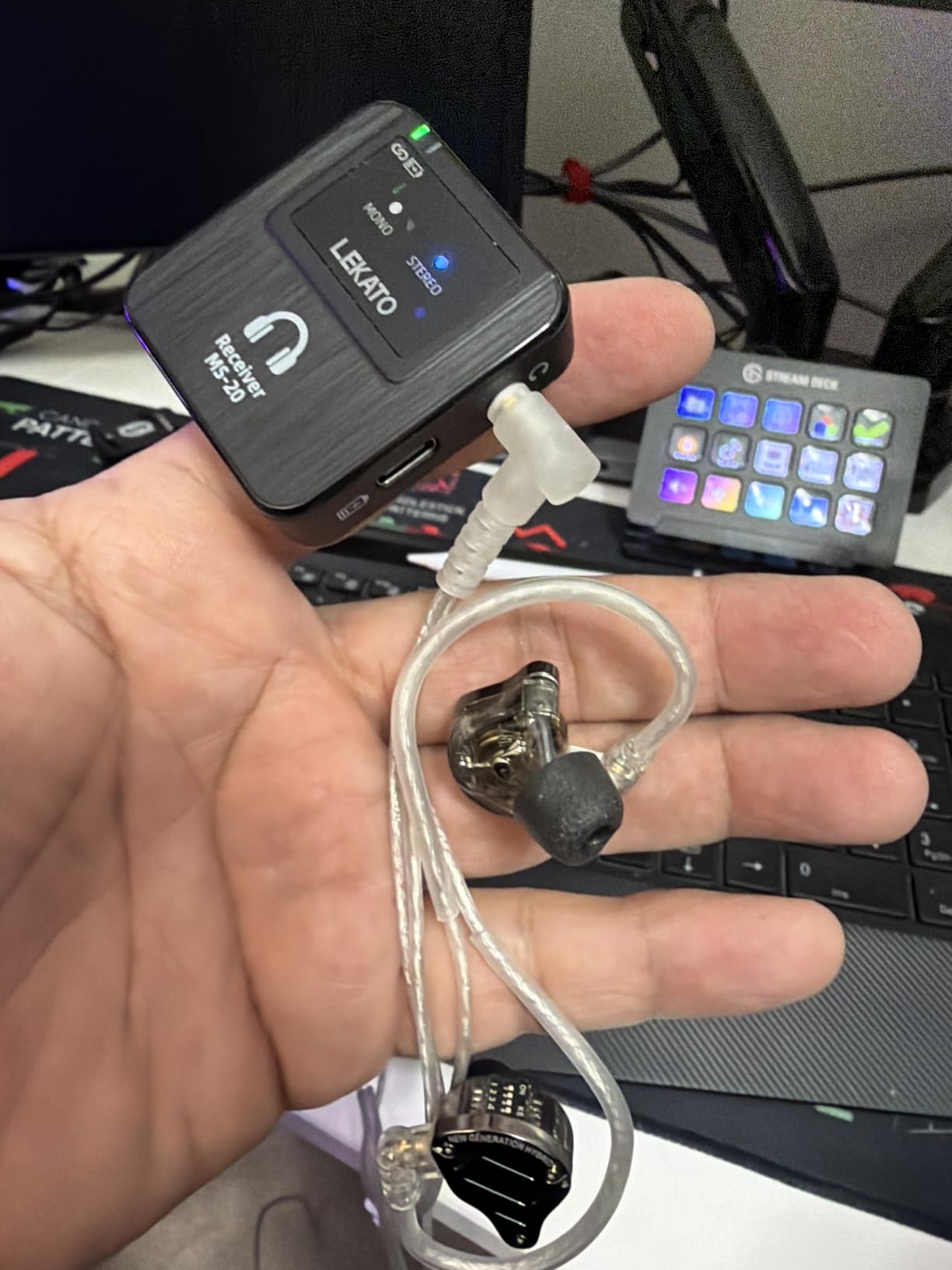
The MS-20 has the longest battery endurance of any system here. The charging case holds 2000mAh of capacity and gives you 30 hours of total runtime across one transmitter and two receivers, which is two full recharges sitting in a pocket-sized box.
That makes it a strong fit for a drummer who practises on an acoustic kit in a room where the noise rules are strict, or who plays a festival weekend without access to a socket. Charge the case overnight and the whole week is covered.
One transmitter supports up to ten paired receiver sets with auto-pairing, which is the highest one-to-many capacity here. It also has OTG plug-and-play input so you can feed it from a phone or USB-C device without an interface, plus one-touch mono and stereo switching.
The box contains a storage case that doubles as the charger, a transmitter, two receivers, and an OTG cable. The listing also notes 24-bit/48kHz HD audio, a 20 Hz to 20 kHz range, and 100 dB signal-to-noise, with 180 ohm impedance.
It is a plastic enclosure, and it is not water resistant, so treat the packs carefully and keep the case with you.
What you should know before you buy it
Two receivers ship in the box, and the 30-hour figure covers one transmitter and two of them. If you are buying for a band, you are buying additional receiver pairs and the total runtime per charge drops accordingly.
It is a 2.4GHz system, so congestion is the same risk you accept with any system on that band. It also has no water resistance, and a drummer’s belt is precisely where sweat lives.
Who it suits and who should skip it
Buy it if battery endurance is your number one concern, if you practise in a shared building, or if you want a portable system for band rehearsals away from home. The charging case genuinely changes how you plan a week.
Skip it if you need a durable stage pack or you are moving through a crowded 2.4GHz environment regularly. The plastic build and the band choice both point away from heavy live use.
10. Shure PSM300 with SE215 Earphones – Best for Stage Reliability
Shure PSM300 P3TRA215CL Pro Wireless in-Ear Personal Monitoring System with SE215-CL Earphones
RF personal monitor system
One-touch scan and sync
10 hours AA battery
Mix Mode stereo
SE215 earphones included
Pros
- Audio Reference Commanding for ultra-low noise
- One-touch frequency scan and sync
- Mix Mode builds a personal stereo mix
- SE215 sound-isolating earphones included
- Receiver takes recharge plus 10 hours AA
- Two-year limited warranty
Cons
- By far the costliest option in this roundup
- 38Hz-15kHz response is narrower than rivals
- Small number of customer reviews
- Receiver band is fixed so you must pick the right variant
The PSM300 is the professional reference point in this roundup and the only system here with a two-year limited warranty. Shure’s patented Audio Reference Commanding is the technology it is known for, delivering a low noise floor with no audible artifacts, and reviewers treat that as the stage standard.
Setup is the reason working bands trust it. One-touch frequency scan and sync finds a clean channel and assigns it, and Mix Mode lets you build a personal stereo mix from two audio channels, which is the one feature here that puts a genuine stereo image in a drummer’s ears.
This particular kit bundles SE215 sound-isolating earphones with all-metal components, so you do not need to buy earphones separately. The Phenyx Pro PTM-10 is the only other pick that includes a pair. The full box includes a P3RA bodypack, P3T transmitter, rack mount and hardware kit, antenna, BNC adapter and cable, power supply, battery adapter kit, and two AA batteries.
The receiver supports optional recharge plus 10 hours of AA battery life, which is the best of both worlds: a protected internal battery when you want it, and disposable cells when you are out of USB ports on a festival stage. Fast charging is listed at 180 minutes.
Note the frequency response is 38 Hz to 15 kHz, which is narrower than the 20 Hz to 20 kHz claimed by most competitors in this roundup. In practice the top end is the part you would miss first, and for kit work the loss sits above where cymbal information lives.
What you should know before you buy it
Cost is the overwhelming consideration, and it is several times the budget systems here. That gap is only defensible if you play venues where a dropout is not an option, or if your band already runs other Shure wireless and you want one ecosystem.
The receiver shells are fixed to a single frequency band, so you must choose the correct G20, H20, or J13 variant at the point of purchase. Get that wrong and you are carrying a bodypack that cannot operate where you need it to.
Who it suits and who should skip it
Buy it if you play large stages, tour, or work in a band with a monitor engineer who will tune your system for you. The scan-and-sync, the battery options, the limiter-class signal path, and the warranty are the reason professionals pay for it.
Skip it if you are practising at home, teaching students, or outfitting a band on a tight budget. A single drummer working alone gains very little from the professional signal chain, and the money is better spent on the earphones and a practice amplifier.
Buying Guide: Choosing a Wireless IEM System for Drums
Are wireless earphones and wireless IEM systems the same thing?
No, and this is where most buyers go wrong. Wireless earphones are Bluetooth earbuds with a receiver built into each bud, aimed at phone and casual listening. A wireless IEM system is a transmitter, a bodypack receiver, and a pair of ordinary wired in-ear earphones, aimed at live monitoring. Buying Bluetooth earbuds for a drum throne is the most common expensive mistake in this category.
Bluetooth, 2.4GHz, UHF, or 5.8GHz: which band?
Each band is a different set of tradeoffs. Bluetooth is the most congested because every phone and speaker uses it, and it is not designed for a low-latency monitoring signal.
2.4GHz proprietary systems, which covers the Xvive U4, the LEKATO units, and the JOYO, are compact and low-latency but share airspace with Wi-Fi routers and wireless digital mixers. 5.8GHz moves the same kind of system off that band entirely, which is why the Xvive U45 is the pick for a city venue.
UHF systems around 900MHz, which covers all three Phenyx Pro units here, use a much wider slice of spectrum with far more tunable frequencies and better wall penetration, at the cost of a bulkier transmitter. If you run several wireless systems at once or your venue is full of Wi-Fi, UHF is the more robust answer.
What is the latency of in-ear monitors, and can you play against it?
Latency is the delay between the sound leaving the transmitter and the sound arriving in your ears. The systems here are quoted from under 4.5 ms on the LEKATO MS-02 and JOYO JW-07, through 5 ms on the Xvive U4 and U45, up to under 12 ms on the LEKATO MS-1. Those are manufacturer figures and are not measured to a common standard, so treat them as relative.
For most drummers, anything under about 10 ms sits well below the threshold where it interferes with playing. It is not comparable to the lag you get from a Bluetooth speaker at 100 to 200 ms. The exception is a player tracking a click very tightly on rudiments, where even a few extra milliseconds of slop can feel like dragging. If that describes you, prioritise a system quoting under 5 ms and test before you commit to a full band.
How long do wireless IEM batteries last on a full day of gigs?
Most of the rechargeable systems here give around five hours per charge, which covers a standard evening set with room to spare. The LEKATO MS-02 quotes 6 to 8 hours, the JOYO JW-07 over 8 hours, and the LEKATO MS-20 reaches 30 hours total from its charging case. The Shure PSM300 runs 10 hours on AA cells, and the Phenyx Pro PTM-10 and PTM-11 also use replaceable AA batteries.
The practical rule: check whether the battery is internal or swappable before you buy. An internal battery means a spare charging cable in your bag and a gap between sets. A swappable one means a pocket full of cells. For festival days, the swappable designs and the case-based systems win, and the bodypack dying mid-set regret reported in a Facebook gigperformer thread is almost always an internal-battery problem.
What does a wireless IEM system actually cost in total?
More than the bodypack figure suggests, because a system is at minimum a transmitter, a receiver, and earphones. Several picks here ship without earphones, and the entry-level systems with the lowest bodypack prices are the ones where you must budget separately for a pair of in-ears. The Shure PSM300 is the exception that includes them, and the Phenyx Pro PTM-10 includes a basic pair you will likely replace anyway.
Work out the total for your specific setup: system plus however many receiver packs you need plus earphones. A cheap single bodypack plus a decent wired pair can easily cost more than a complete mid-tier bundle, which is the calculation the shopping carousel never shows you.
How do I avoid RF dropouts in a crowded club?
Band choice is the first lever. 900MHz UHF and 5.8GHz are both far emptier than 2.4GHz, so if your venue runs a wireless digital mixer or heavy Wi-Fi, avoid a 2.4GHz system. Beyond that, keep the transmitter elevated, in the open, and in direct line of sight to the stage rather than behind a metal rack or a wedge monitor.
Second, look for automatic channel scanning. The Xvive U45 and the LEKATO units scan or auto-pair; the Phenyx systems require manual frequency changes. Third, if you share a bill with wireless microphones, check that the systems can be coordinated, because two transmitters on the same frequency is a dropout waiting to happen. Drummers running wireless mics in Wi-Fi-heavy rooms report the UHF Phenyx systems holding up where 2.4GHz units did not.
Do wireless IEMs protect your hearing on a loud acoustic kit?
Partly, and you should be careful about the numbers. In-ears do block more external sound than open earbuds, and they let you monitor at a consistent, lower level than fighting the acoustic kit. But a live acoustic kit produces far more sound energy than most isolation figures suggest, and those figures are typically quoted at treble frequencies where blocking is easiest, while a kick drum is a low-frequency source.
So treat the decibels as a relative comparison between earphones, not as a guarantee of a protected exposure level. Two protections matter more than the rating: use the smallest tip size that gives you a good seal without pain, because seal is what determines actual attenuation, and keep your mix level low enough that you could still hear a person talking from arm’s length. If water or feedback is ever a problem, our guide to getting water out of your ear covers the basics. A dedicated thread on r/Drumming argues that IEM use flattens the dynamic feel of playing, and users on r/livesound report that IEMs do not block much kit bleed at all. Both experiences are real, and neither is fixed by a more expensive system.
What to ask your monitor engineer for in your mix
As a drummer you need four things in a personal mix, and it is worth asking for them by name. Your own kick and snare, positioned so you can feel them without them swamping the rest. The click, on its own level, so you can run it louder than the band when you need to. Bass, because a bassist who cannot hear their own notes is a drummer’s problem. And your vocal, if you sing backup, in enough detail to judge your tuning.
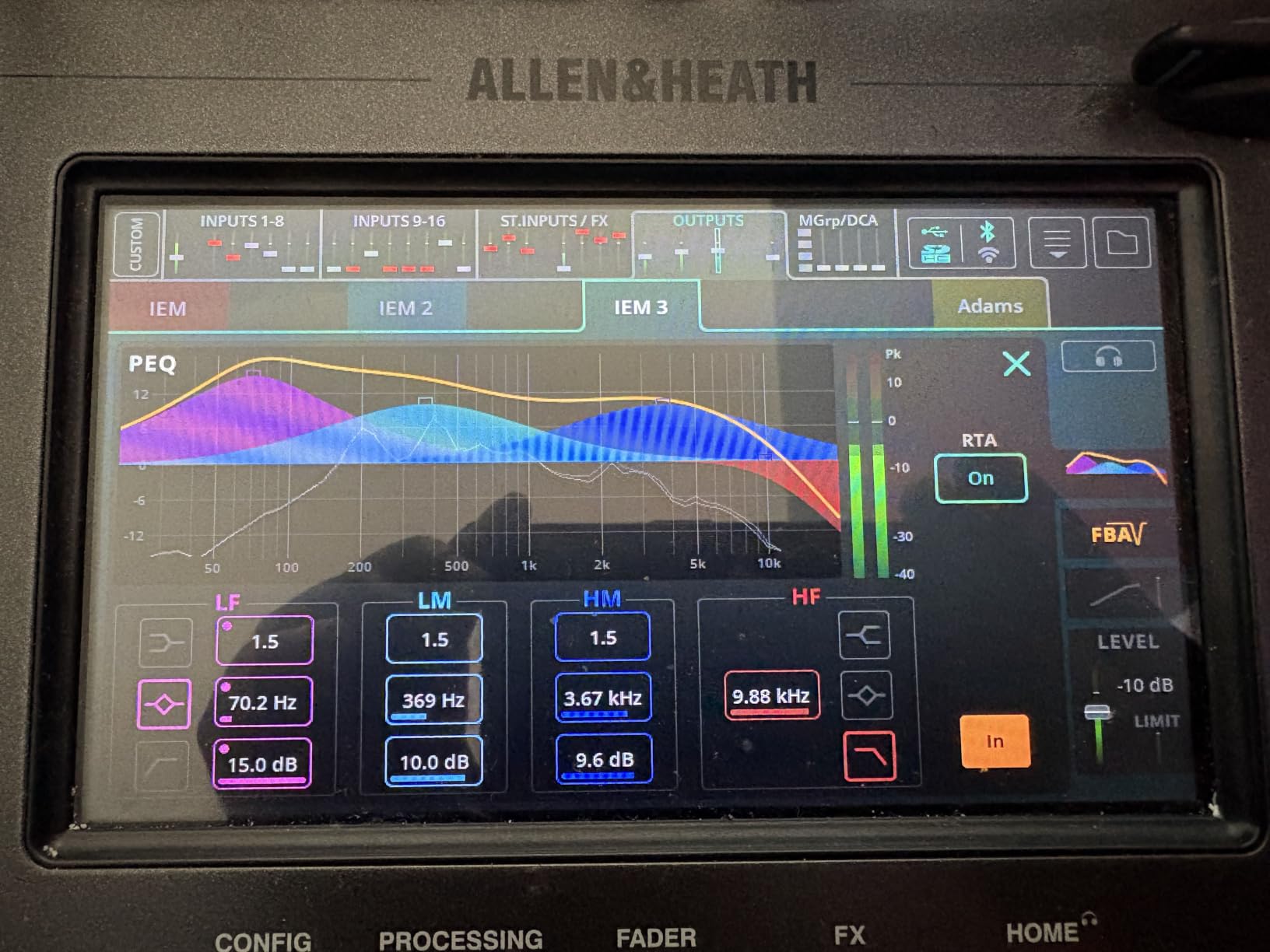
Also flag the hi-hat and cymbals. If your mix has everything above 5 kHz pushed forward, you will fatigue faster than you realise over a 90-minute set, and you will reach for volume in a way that damages your hearing. Ask them to pull the top end back a little.
Should you actually go wireless?
Honestly, sometimes no. Multiple drummers on r/livesound state they still run wired IEMs or wired earbuds at the drum position specifically, and a drumforum poster recommends a wireless system to someone while adding that they personally just use wired. A long cable to a box behind the throne costs almost nothing, never needs charging, and cannot drop out. If you are on a fixed kit in a fixed room, that is a defensible answer.
The case for wireless is strongest when there is a real cable problem, when the stage is large enough that a cable is a trip hazard, when you move around the kit, or when you want a monitor mix you cannot get any other way. The case against is strongest when the budget is finite, the earphones are what actually matter, and a mid-show failure would leave you stuck. If you are outfitting a whole band, a one-to-many system at the MS-1 or MS-20 level is where the economics finally work.
Frequently Asked Questions
What are the best-rated in-ear monitors for drummers?
The highest-rated wireless system in this roundup is the Xvive U45 at 4.7 stars, and the best-proven is the Xvive U4 at 4.6 stars from over 1700 reviews. For drummers, rating matters less than band choice, battery swappability, and whether the bodypack suits a full set. The Shure PSM300 is the professional reference at 4.6, and it bundles the SE215 earphones with it.
What in-ear monitors do drummers use?
Most working drummers use ordinary wired in-ear monitors with a detachable cable, and a significant number stay wired at the kit position entirely. The popular entry-level earphone is the Shure SE215, though drummers report its housings cracking and its wires going brittle over time. Those complaints are the single most repeated product issue in drummer threads, so comfort and replaceable cables matter more than sound signature.
What are the best in-ear earbuds for drummers?
For earbuds alone rather than a full system, the Shure SE215 bundled with the PSM300 is the safest professional choice, because it has all-metal components and a detachable cable. Comfort over a full set decides the purchase, since uncomfortable IEMs get binned no matter how they sound.
Are there Bluetooth in-ear monitors?
Bluetooth earbuds exist, but they are aimed at phone listening rather than live monitoring, with latency far higher than a wireless IEM system. A wireless IEM system sends one low-latency mix from a transmitter to a bodypack, while Bluetooth earbuds pair with a phone. For playing in time against a click, the dedicated 2.4GHz, 5.8GHz, and UHF systems are the correct tool.
How do I make my in-ear monitors wireless?
Three routes exist. Buy a complete system with a transmitter and bodypack, which is the cleanest option. Buy a single transmitter and bodypack pair and reuse the earphones you already own, which works when your earphones use a standard 3.5mm jack. Or add a wireless adapter to existing wired IEMs, which is the cheapest path off a snapped cable but adds latency and a second failure point.
Are wireless IEMs good?
Yes, for most drummers the wireless signal is no longer the weak link. Systems here quote latency from under 4.5 ms up to under 12 ms, which most players do not notice when playing. The genuine complaints from drummers are reduced dynamic feel, a closed-off feeling from isolation, limited kit bleed, bodypack failures, and cost. Many working drummers stay wired at the kit position and are not wrong to.
What are the disadvantages of IEM?
The main drawbacks reported by drummers are a loss of dynamic feel, a closed-off feeling from being isolated from the room, and too little acoustic kit bleed to hear your own rig. Practical downsides include a bodypack dying mid-gig, wireless RF dropouts in crowded venues, battery anxiety, and the cost of outfitting a whole band. One thread on r/Drumming argues IEMs flatten the expressive dynamics of playing.
What is the latency of in-ear monitors?
Wired in-ear monitors add no meaningful latency. Wireless systems add a small delay from transmitter to bodypack, quoted here from under 4.5 ms on the LEKATO MS-02 up to under 12 ms on the LEKATO MS-1. Manufacturers do not measure to a common standard, so compare figures loosely. Under about 10 ms is not noticeable for most players.
Final Verdict: Which Wireless IEM Drummers Should Buy
The Xvive U4 is our pick for the best wireless in ear monitors for drummers in 2026, because it combines the largest proven install base, a metal bodypack, latency under 5 ms, and a built-in limiter that does real work for your hearing when the room is loud.
Beyond that winner, the rest of the field splits cleanly by job. The Xvive U45 handles congested 2.4GHz environments with its 5.8GHz band and auto channel scan. The LEKATO MS-1 is the low-cost route to a whole rehearsal room on wireless, and the Phenyx Pro PTM-33-4B does the same for a four-piece band that needs separate mixes. The Phenyx Pro PTM-11 is the one to buy if a flat battery mid-set is your worst nightmare, thanks to swappable AA cells. The Shure PSM300 remains the professional standard when a dropout is simply not an option.
And if your kit is bolted to a floor in a room you control, a long cable behind the throne is still a perfectly good answer. Buy the system when the cable is genuinely a problem, not because wireless is newer.