
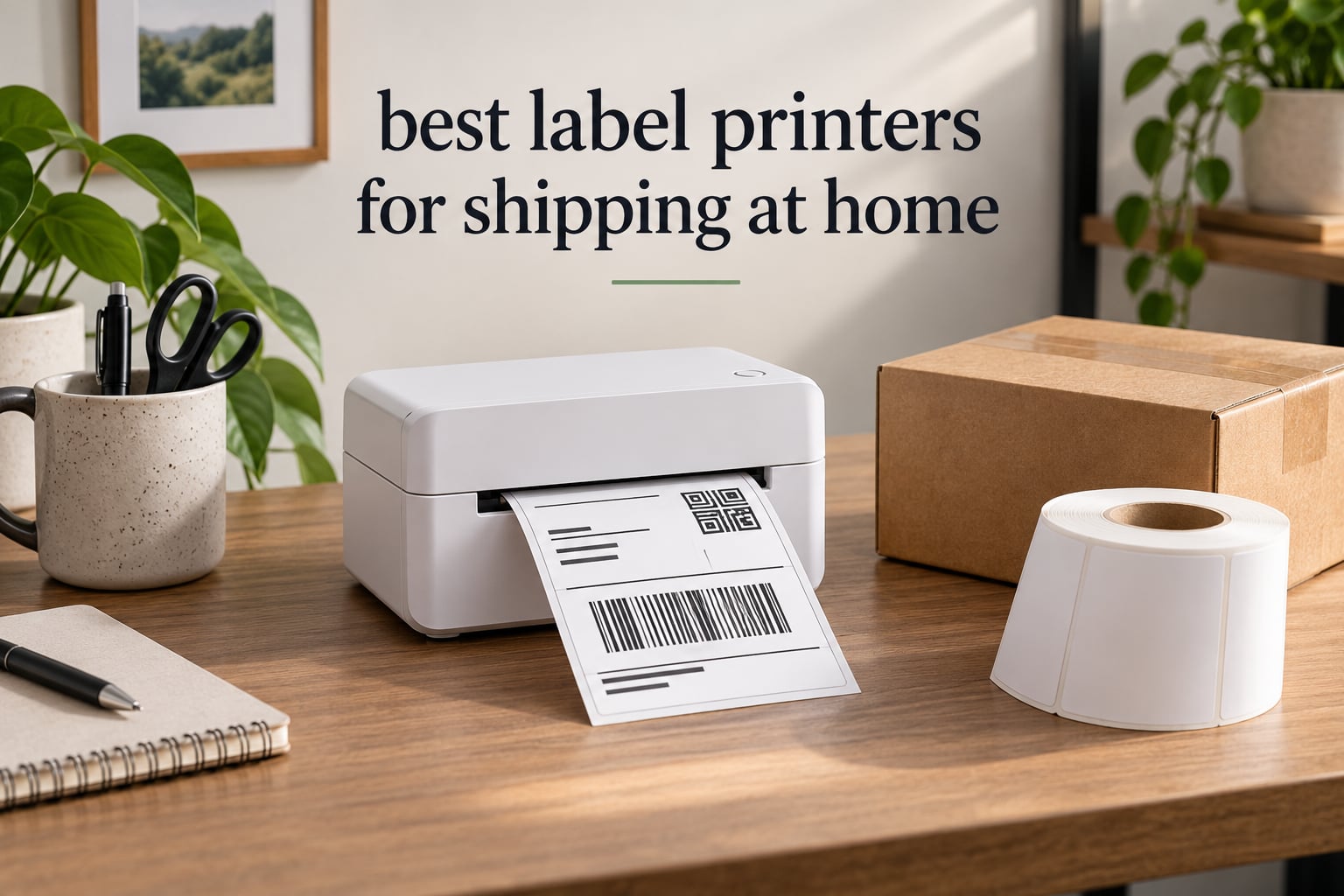
If you ship parcels from a spare room, a garage, or a corner of the kitchen table, the best label printers for shipping at home are direct thermal desktop units that print 4×6 carrier labels with no ink, no toner, and no cartridges to refill. The Rollo USB Shipping Label Printer is our top pick: it has the largest review base in this group at 16280 reviews and a 4.6 average, and it prints a 4×6 label roughly once a second over USB.
That matters more than any spec sheet. A shipping label only works if the barcode scans on the first carrier scan, and a faded or misaligned label means a re-label, a delayed parcel, and often a refund. Everything else on this page is in service of getting clean barcodes out of a printer that fits on a normal desk and does not need a dedicated outlet or a shelf of ink cartridges.
We compared eight printers across resolution, label width range, connectivity, print speed, warranty length, and the software each one forces you through. The field splits cleanly into two camps: wired USB printers that are fast and dependable, and Bluetooth units that let you print from a phone but add a step and sometimes a dropped connection. Both are worth understanding before you buy, so we explain where each one wins.
Once you have a printer, the rest of the job is label design for the products themselves, and our guide to the best label makers for home organization covers the non-shipping side of that.
Table of Contents
Top 3 Picks for Home Shipping in 2026
These three cover the widest range of home shipping situations. The Rollo is the dependable workhorse, the JADENS is the value pick for anyone printing from a phone, and the Phomemo is the premium unit with the widest label width range of the group.

Rollo USB Shipping Printer
- 203 DPI direct thermal
- 150mm/s speed
- USB wired
- Label widths 1.57 to 4.1 inch

JADENS Bluetooth Printer
- 203 DPI
- Bluetooth and USB
- Phone and desktop printing
- Labels 1.57 to 4.1 inch wide

Phomemo 241BT Thermal Printer
- 203 DPI
- Label widths 1 inch to 4.6 inch
- Auto calibration
- Phone and desktop via Labelife
Every Pick at a Glance in 2026
Every unit here is direct thermal, so the deciding factors are label width, connectivity, and how much software sits between you and the barcode. Seven of the eight take standard 4×6 rolls; the Brother tops out at a 2.4 inch media width, and we explain that trade-off in its review. Here is the whole lineup with the key features for each.
| Product | Specifications | Action |
|---|---|---|
| Rollo USB Shipping Label Printer |
|
Check Latest Price |
| JADENS Bluetooth Thermal Shipping Label Printer |
|
Check Latest Price |
 Nelko Bluetooth Thermal Shipping Label Printer Nelko Bluetooth Thermal Shipping Label Printer |
|
Check Latest Price |
| Phomemo Bluetooth Thermal Shipping Label Printer |
|
Check Latest Price |
 MUNBYN Bluetooth Thermal Label Printer MUNBYN Bluetooth Thermal Label Printer |
|
Check Latest Price |
 KNAON Bluetooth Thermal Shipping Label Printer KNAON Bluetooth Thermal Shipping Label Printer |
|
Check Latest Price |
 NULLTONEX Thermal Shipping Label Printer NULLTONEX Thermal Shipping Label Printer |
|
Check Latest Price |
 Brother QL-810W Professional Label Printer Brother QL-810W Professional Label Printer |
|
Check Latest Price |
How Much Shipping Do You Do at Home?
The volume you ship matters more than any feature, so start here rather than in the spec lists. The four tiers below map a realistic weekly parcel count to the printer type that fits, and to a specific pick from this roundup.
Under 5 parcels a week. At this level a standard inkjet and a sheet of Avery labels still works, and many home sellers stay there for months. You are not saving money by buying a thermal printer yet, because the consumables only pay off once you are buying 4×6 rolls regularly. When you are ready, the KNAON is the smallest unit here at 5.46 x 3.03 x 2.61 inches and it prints at 200 dpi, which is the lowest resolution in the group and the first one we would upgrade from.
5 to 25 parcels a week. This is where a dedicated thermal printer starts to earn its place, mainly because you stop burning ink cartridges on black-only output. The Nelko is a good entry point because it includes a roll of 50 4×6 labels in the box, so you can print a real order on day one. The JADENS is the better fit if you want to print from your phone rather than sitting at a laptop.
25 to 50 parcels a day. Speed and reliability take over. You want a printer that stays connected without re-pairing and accepts large runs without a manual calibration step each time the roll changes. The Rollo handles this volume best with a 150mm/s direct thermal head and automatic label detection, and its bundled Rollo Ship app connects to major ecommerce platforms.
Printing from a phone only. Skip past this tier and go straight to a Bluetooth printer. Understand the tradeoff first: Bluetooth-only printers cause more frustration than USB for anyone printing more than a few labels at a time, because each job needs a reconnect and an app round trip.
1. Rollo USB Shipping Label Printer – Best Overall for Home Shipping
Rollo USB Shipping Label Printer – Commercial Grade 4×6 Thermal Printer
203 DPI direct thermal
150mm/s, one 4x6 per second
USB wired only
4 x 8 x 4 inches
Pros
- Largest review base in the group at 16280 reviews averaging 4.6
- Label widths from 1.57 to 4.1 inch so it doubles as a general label maker
- Automatic label detection and simple USB setup on Windows and Mac
- Rollo Ship app connects ecommerce platforms for carrier rates
Cons
- Wired USB only with no Bluetooth or Wi-Fi
- Requires downloading Rollo drivers before first use
- Bulky compared with compact Bluetooth units
I put the Rollo first because the review volume tells you something a spec sheet cannot. Sixteen thousand reviews at a 4.6 average with 85 percent five-star ratings is a machine that has been through a lot of home offices, and the complaints that do surface are consistent and narrow rather than random.
The output is a 4×6 label roughly once a second at 203 dpi, with a first page out in about four seconds. Print quality on barcodes is the part that matters, and owners consistently report labels that scan cleanly at the counter without a reprint.
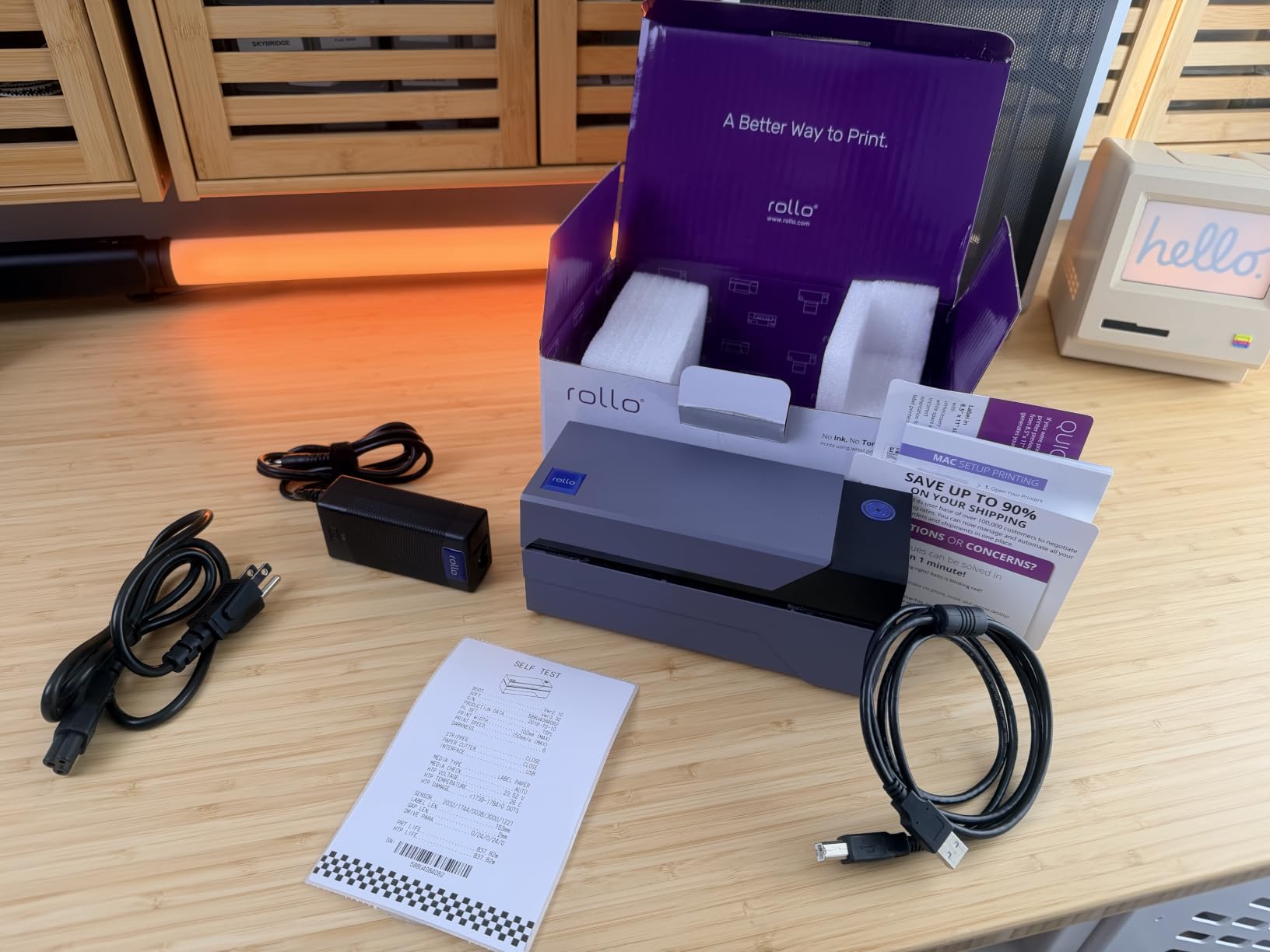
What it is not is wireless. This is a USB desktop printer, and it stays tethered to whatever laptop or Mac it is plugged into. If your shipping happens at a fixed packing station, that is a feature rather than a limitation. If you need to walk around a room printing from a phone, it is the wrong tool.
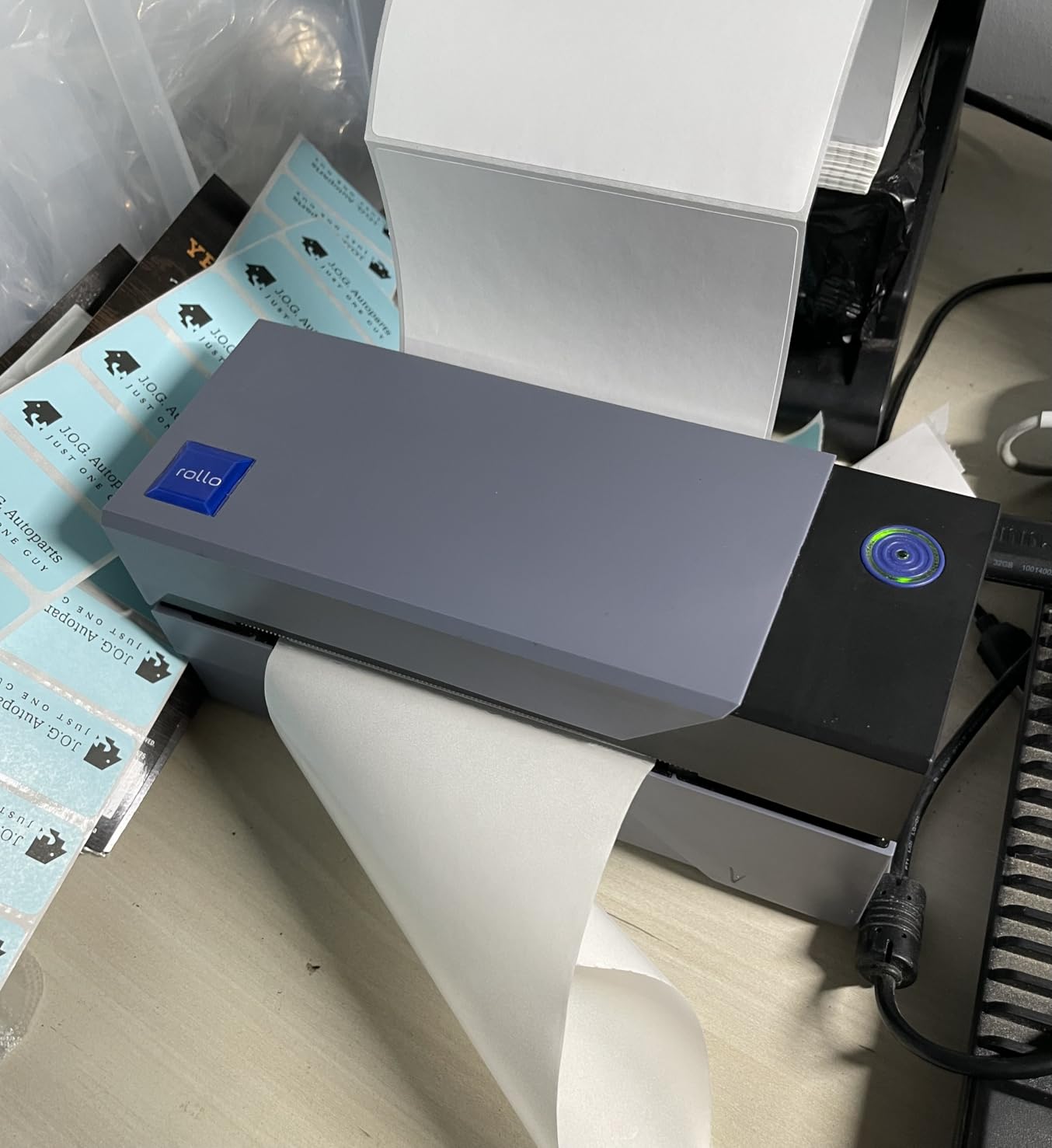
The label width range is the underrated part here. It handles anything from 1.57 inch up to 4.1 inch wide, so the same unit prints 4×6 shipping labels, product stickers, and shelf tags without a second machine. It also includes automatic label detection, which removes the manual calibration step that catches out first-time buyers.
What you should check before buying
Confirm you have a free USB port on the machine you actually ship from. The Rollo is listed as compatible with Windows and Mac laptops and PCs, and the box includes the printer, a power adapter, and a USB cable.
Also expect to install a driver the first time. It is a short step, but it is a step, and it is the reason the Bluetooth units sometimes feel faster out of the carton.
Who should skip it
Skip this printer if you ship entirely from your phone with no computer nearby. A Bluetooth unit gives you a workflow this one cannot match.
It is also the wrong choice if desk depth is tight. Its 4 inch depth is shallow, but the 8 inch width takes more counter space than the Bluetooth printers here, which sit narrower.
2. JADENS Bluetooth Thermal Shipping Label Printer – Best Value Pick
JADENS Bluetooth Thermal Shipping Label Printer, Wireless 4×6 Label Printer
203 DPI thermal with no ink
Bluetooth plus USB
Fanfold and roll labels
9.06 x 5.91 x 5.91 inches
Pros
- Crisp readable text and barcodes with no reprints
- Fast output for its size
- Compact footprint suited to a home shipping station
- Works with Endicia / Dazzle / ShipStation / Shippo / ShipWorks and major marketplaces
Cons
- Bluetooth pairing to some Windows desktops is unreliable
- Some owners report jamming when the roll is not centered
- Recalibration needs a long press of the feed button after a label change
The JADENS is the pick for anyone whose shipping happens away from a desk. It pairs over Bluetooth to a phone, and its companion app has strong store ratings, which matters more than it sounds because the app is the actual interface.
Output quality matches the field at 203 dpi with a maximum media size of 4 x 6 inches. Owners report near-instant printing and clean barcodes, and at 9391 reviews averaging 4.4 the feedback base is large enough to be meaningful.
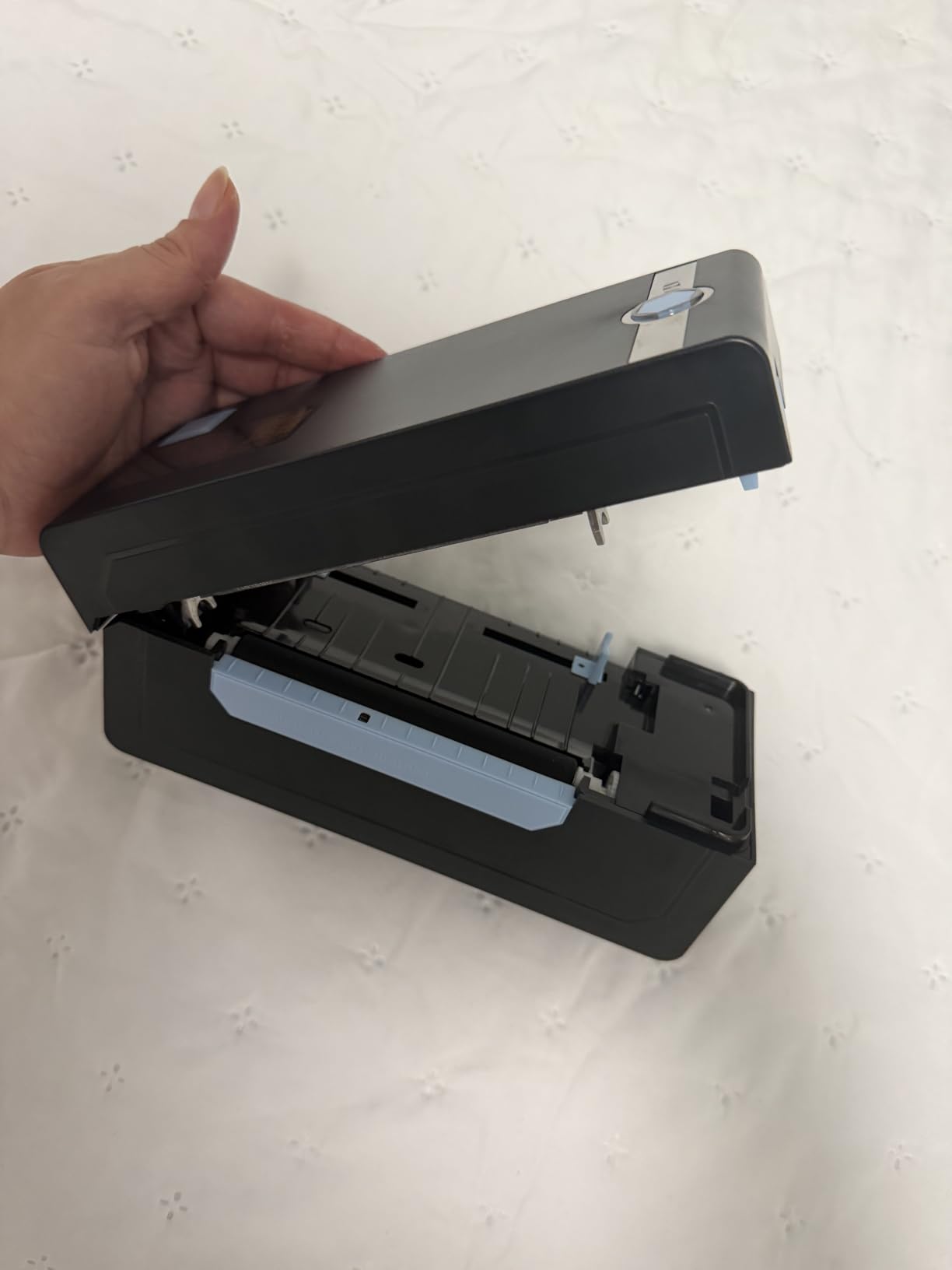
There is one friction point that reviewers worked around rather than solved: Bluetooth pairing to some Windows desktops drops or refuses to hold. Several of them simply print from the phone app instead, which is a fine solution if you already print from a phone and a poor one if you do not.
Label handling covers both fanfold and roll labels from 1.57 inch to 4.1 inch wide, so you are not locked into one format. The box includes the printer, a power cord, a USB cable, and 50 test labels.
The one setup habit to build early: after you change label rolls, recalibrate rather than assuming the printer tracked the change. Owners report a long press of the feed button is the way to do it.
What you should check before buying
Decide whether your printing will come from the phone app or from a desktop. Desktop Bluetooth is the weak spot on this model, and USB is the more reliable path if you have a computer in the room.
Check the label width you plan to use against the 1.57 to 4.1 inch range before ordering. Standard 4×6 fits comfortably.
Who should skip it
Skip it if you print in long batches from a desktop only. The Bluetooth workflow adds steps without adding anything when a laptop is already sitting there.
It is also not the choice for anyone who wants color output. Every unit in this roundup except the Brother is monochrome thermal.
3. Nelko Bluetooth Thermal Shipping Label Printer – Best Out of the Box
Nelko Bluetooth Thermal Shipping Label Printer, 4×6 Thermal Label Printer
203 DPI direct thermal
72 labels per minute
Bluetooth plus USB
Lifetime warranty
Pros
- Includes a roll of 50 4x6 labels so it prints immediately
- Handles fanfold and roll labels from 1.54 to 4.1 inch
- Bluetooth plus USB with a USB-C cable for Mac
- 72 labels per minute in a small body
Cons
- All Bluetooth printing routes through the Nelko app with no direct pairing
- Mac prints over USB only
- Labels must be saved as a PDF from the shipping platform first
The Nelko solves the least satisfying part of buying a label printer, which is the wait after it arrives before you have any labels to print on. Fifty 4×6 labels come in the box, alongside the printer, power cable, USB cable, USB-C adapter for Mac, and manual.
It runs at 203 dpi and up to 72 sheets per minute, inside a body measuring 9 x 5 x 6 inches. That is fast enough that you will not notice the difference against the 150mm/s units once you are past a handful of labels per day.
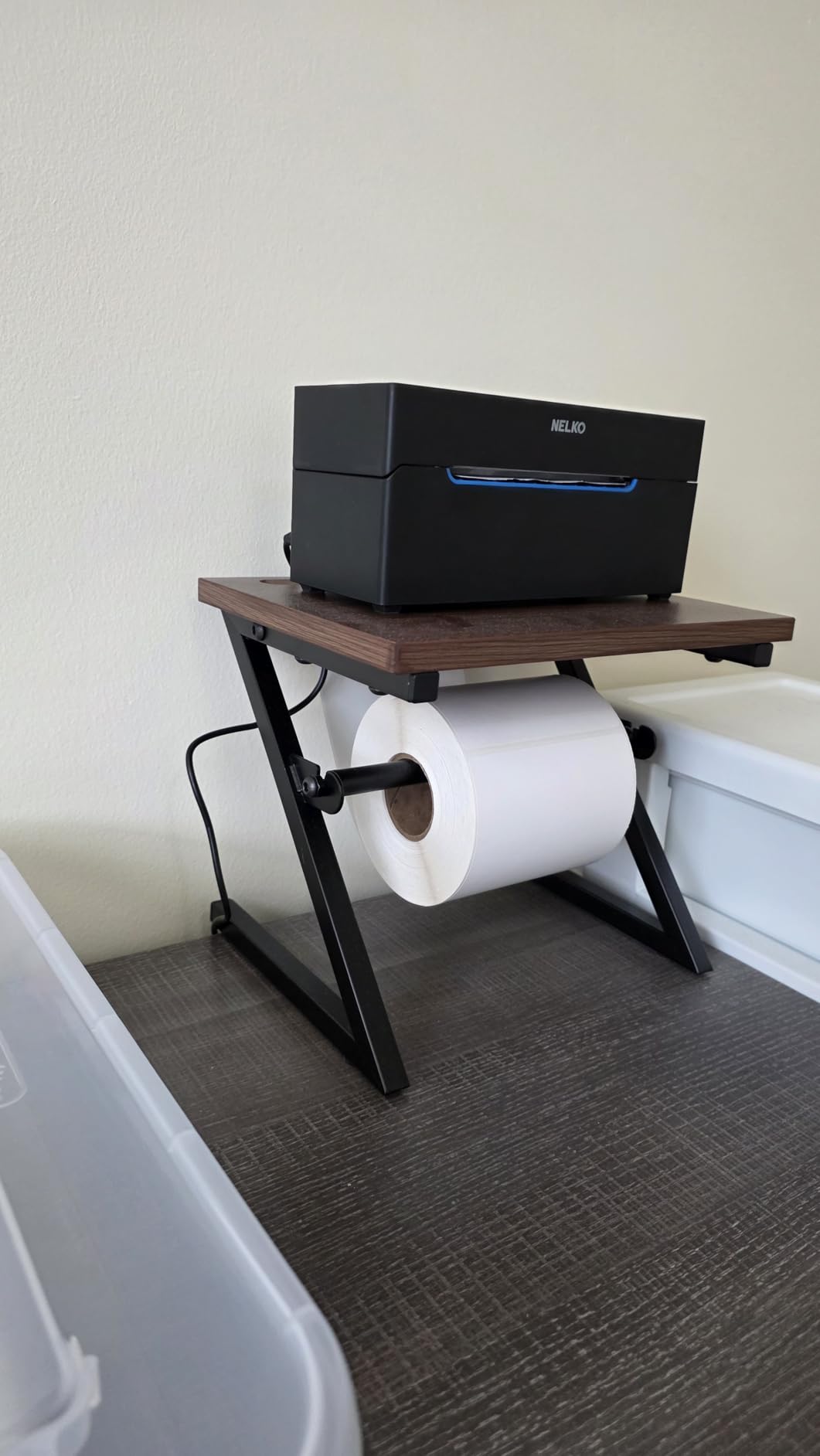
This one carries the widest rating spread in the group, at 4.3 from 5931 reviews with 74 percent five-star and an 11 percent one-star share. The negatives cluster in one place rather than being scattered: Bluetooth always runs through the Nelko app, and Mac users print over USB because Bluetooth is unavailable there.
The third negative is a workflow habit, not a fault. You save the label as a PDF from your shipping platform and import it into the app, which is a reasonable pattern but not a same-click experience.
Label widths from 1.54 inch to 4.1 inch cover both roll and fanfold formats, and the app-driven control method means there is no physical dial to learn.
What you should check before buying
If you are on a Mac, confirm you are comfortable with USB-only printing. That is the documented behavior on this model, and it is the single most common source of frustration for Mac users in this category.
Check that your shipping platform lets you export a PDF. Every major one does, but knowing it in advance saves a wasted evening.
Who should skip it
Skip it if you want direct Bluetooth pairing without an app in the middle. Some competing units pair more directly, though most do not.
The lifetime warranty is generous, but it does not offset a workflow that is app-dependent for every wireless print.
4. Phomemo Bluetooth Thermal Shipping Label Printer – Most Versatile for Label Range
Phomemo Bluetooth Thermal Label Printer, 241BT Label Printer & 20Pcs Labels
203 DPI direct thermal
Label widths 1 inch to 4.6 inch
Auto calibration
OLED display
Pros
- Widest label width range here at 1 inch to 4.6 inch so one unit covers shipping and product stickers
- Quiet fast output with no jams across 100+ label runs
- Compact body reviewers describe as solid rather than cheap
- Auto-calibration realigns after label size changes
Cons
- Labelife software starts on a free trial that becomes a paid subscription
- Monochrome only so color needs separate color thermal paper
- Rear-mounted power and USB ports crowd the label feed path
The Phomemo is the most flexible machine here for label width, handling anything from 1 inch up to 4.6 inch wide. If your home operation involves product stickers alongside shipping, that range means one printer covers both jobs and you do not need a second device on the desk.
Build quality gets called out as solid rather than cheap plastic, and at 720 grams it is one of the lighter bodies in the lineup. The OLED display is a small thing that makes menu navigation less tedious than a button-only unit.
The recurring complaint is not the hardware. It is that the Labelife software starts on a free trial that converts to a paid subscription, with advanced fonts and templates locked behind it. One highly upvoted review describes this as a deal-breaker once the return window closes, and that is the single most important thing to check before you commit.
Auto-calibration is a genuine daily-use advantage. It detects label size changes and realigns on its own, so switching between a 4×6 roll and a narrower product sticker roll does not require a manual feed-button ritual.
Compatibility covers eBay, Shopify, Amazon, Etsy, UPS, USPS, and FedEx, and it handles up to 500 copies per run.
What you should check before buying
Download Labelife and confirm the free tier covers the templates and fonts you need. If it does not, price the subscription against how many labels you will actually print before deciding.
Look at your desk depth before ordering. The power and USB ports are rear-mounted and can crowd the label feed path in a tight corner.
Who should skip it
Skip it if you refuse to pay a subscription for label software. The hardware is good, but the software model is the tradeoff you are buying into.
Anyone needing color output should look at the Brother instead, since this unit prints black only.
5. MUNBYN Bluetooth Thermal Label Printer – Best for Packing On the Go
MUNBYN Bluetooth Thermal Label Printer, Wireless 4×6 Shipping Label Printer
203 DPI direct thermal
72 pages per minute
Bluetooth plus USB
Two year warranty
Pros
- Sharp scannable barcodes with no smudging
- Stable Bluetooth with a USB fallback for desktops without it
- Compact enough to carry in a backpack
- Quiet operation that handles long batches without slowing
Cons
- Some users find the mobile app awkward and report fading mid-address
- MUNBYN branded labels recommended and not compatible with UPS thermal paper
- One review reports a promotion delivered fewer free items than advertised
The MUNBYN is the one reviewers describe as packing into a backpack and using away from a desk, which is a different job from everything else in this roundup. If you ship from market stalls, pop-ups, or a mobile packing kit, that portability changes which printer makes sense.
Print quality is solid at 203 dpi with sharp barcodes and no smudging, and reviewers repeatedly compare it favorably against larger wired units. Output speed is listed at up to 72 pages per minute.
The wireless story is stronger here than on most competitors. Reviewers single out reliable Bluetooth plus a USB fallback for desktops that lack it, which removes the usual reason people retreat to a cable. There is also a Chrome-based editor for Bluetooth-free desktops, so the app is not the only route in.
The two real caveats are worth weighing. Some users find the mobile app awkward and report fading in the middle of the address area, and the unit is not compatible with UPS thermal paper, so MUNBYN branded labels are the recommended choice.
On longevity, the two year warranty is longer than most in this group, and the design library is substantial at 3500+ elements, 2000+ templates, and 80+ fonts, with PDF and TXT import and OCR for text recognition.
What you should check before buying
Check which carrier labels you intend to use. If UPS thermal paper is part of your plan, confirm compatibility before ordering, because the recommended path here is MUNBYN branded labels.
Label widths run from 1.57 inch to 4.3 inch, so standard 4×6 is covered comfortably.
Who should skip it
Skip it if you want the widest width range in the group. The Phomemo reaches 4.6 inch where this stops at 4.3 inch.
Anyone printing large 300 dpi product photography labels should note that this unit is 203 dpi and monochrome.
6. KNAON Bluetooth Thermal Shipping Label Printer – Best for a Small Desk
KNAON Bluetooth Thermal Shipping Label Printer, 4×6 Portable Thermal Address Label Printer for Small Business, Compatible with iPhone,Android,Windows,Mac–Works with Etsy Shopify USPS&More, White
200 DPI direct thermal
60 pages per minute
Bluetooth plus USB
5.46 x 3.03 x 2.61 inches
Pros
- Smallest footprint in the roundup at 5.46 x 3.03 x 2.61 inches
- First-time setup often under five minutes
- Sharp output and clean label separation
- Built-in USB drive with drivers and tutorial videos
Cons
- Windows 11 driver support is weak with reports of unsigned drivers and lost Bluetooth ports
- All Bluetooth printing goes through the FlashLabel Pro app
- Audible operating noise noted by some owners
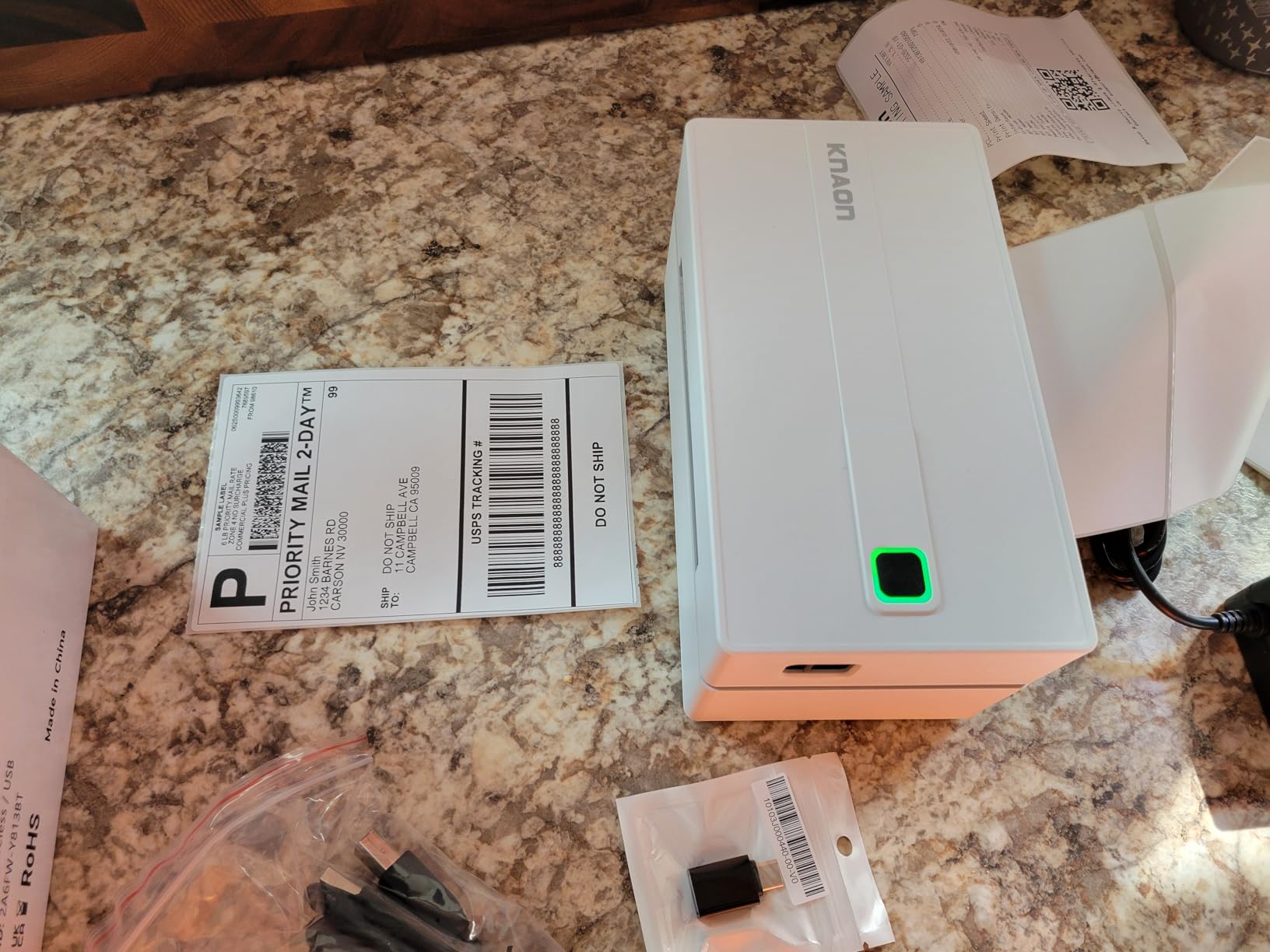
If your constraint is physical space, this is the printer. At 5.46 x 3.03 x 2.61 inches it takes up almost no desk, which matters in a home office where the printer is sharing a surface with a laptop, a scale, and a stack of packing tape.
It ranks near the top of the Desktop Label Printers category, and at 2254 reviews averaging 4.4 with 79 percent five-star the feedback is consistently positive on speed of setup and clarity of output. Owners often report printing within five minutes of opening the box.
The standout negative is a single detailed account of Windows 11 problems, including unsigned drivers, Bluetooth COM ports disappearing after sleep, and a rotation bug in the print app, with the reviewer falling back to USB. That is worth taking seriously if your home machine runs Windows 11, and less seriously if you are on Windows 10, Mac, or Chrome OS.
Resolution is listed at 200 dpi in the product details, which is the lowest in this roundup. For clean barcodes on a native PDF that is workable, but it is the first spec I would upgrade from as volume grows.
The box includes a built-in USB drive preloaded with drivers and tutorial videos, plus 10 test labels, a USB-C adapter, and a power cord. Paper widths run from 1.5 inch to 4.2 inch.
What you should check before buying
Confirm your operating system before ordering. Windows 11 users should read recent reviews on driver behavior, and Mac users should verify USB-C connectivity in advance.
Check the 200 dpi figure against your expectations for small text. It is fine for barcodes, less fine for dense product copy.
Who should skip it
Skip it if noise matters in your space. Several owners note audible operating noise, which is a real consideration in a shared home rather than a back office.
If you need sharper small-text output, step up to a 203 dpi unit or the 300 dpi Brother instead.
7. NULLTONEX Thermal Shipping Label Printer – Best for Offline Printing
Thermal Shipping Label Printer 4×6 Bluetooth Label Maker for Small Business
203 DPI direct thermal
150mm/s, 72 labels per minute
Bluetooth and USB
Offline template storage
Pros
- Fast clear 4x6 output that carrier scanners read without issue
- Bluetooth and USB with USB proving steadier in daily use
- App works offline with templates stored locally
- Printhead overheat protection supports stable long runs
Cons
- Phone printing takes extra steps versus direct USB from a laptop
- Feeds three to four blank labels behind each printed label
- Bluetooth connection to a phone can drop and require reconnecting
The distinguishing feature here is offline template storage. The FlashLabel Pro app keeps 1800+ templates and 300+ fonts on the device, so printing does not wait on a cloud download. That is a small thing until you are on a slow connection with a customer waiting for a label.
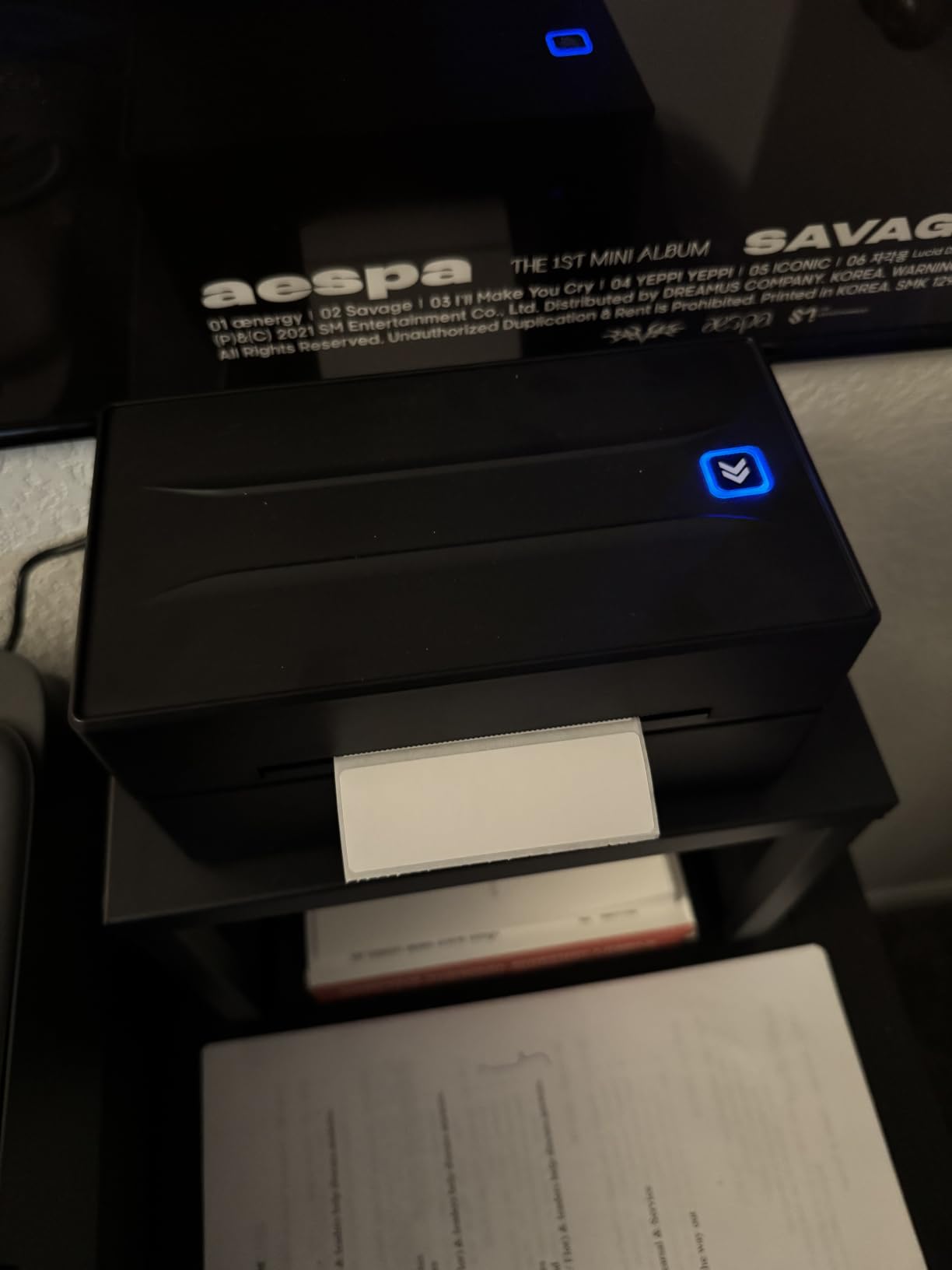
Otherwise the fundamentals are strong: 203 dpi direct thermal at up to 150mm/s, which works out to 72 labels per minute, and a first page print time of one second. Owners report that carrier and post-office scanners read the output without issue.
The recurring caveats are workflow rather than quality. Phone printing takes a few extra steps each time compared with printing directly over USB from a laptop, and running one label at a time can feed three or four blanks behind it before stopping.
Bluetooth to a phone can drop and need reconnecting, so treat USB as the dependable path for daily work. The USB connection is described as the steadier of the two in real use.
Compatibility covers Amazon, Shopify, Etsy, USPS, UPS, FedEx, and DHL. The box includes 25 sheets of 4×6 labels, a flash drive, a USB A to C adapter, and the printer itself.
What you should check before buying
Check your connection preference before ordering. If you will print from a laptop most days, this model is at its best over USB rather than Bluetooth.
Confirm the media range fits your labels, which runs from 1.57 inch to 4.3 inch wide plus standard 4×6.
Who should skip it
Skip it if you need a wide label width range. This unit tops out at 4.3 inch where the Phomemo reaches 4.6 inch.
If you print in batches, note the documented limit of 100 copies per run, which is lower than several units here.
8. Brother QL-810W Professional Label Printer – Best for 300 DPI and Color
Brother QL-810W Professional Label Printer, USB & WiFi, Ultra-Fast 110 Labels per Minute, Monochrome, Black & Red, Standard Address
300 x 300 dpi
Black and red label printing
USB and Wi-Fi
110 labels per minute
Pros
- Prints black and red labels unlike the monochrome units here
- Wi-Fi and USB let multiple devices share one printer
- Fastest 300 dpi output in this group at 110 address labels per minute
- P-touch Editor plus AirPrint and Brother iPrint and Label cover Windows Mac and mobile
Cons
- Uses Brother DK rolls so consumables are brand-locked
- Maximum label width of 2.4 inches is narrower than the 4.1 to 4.6 inch units
- Software is Windows and Mac oriented and dated against app-driven rivals
The Brother is the odd one out in this lineup for two reasons. It is the only unit here that prints in black and red, and it is the only one with a network connection that lets several devices share it. If your home operation has two computers or a phone and a laptop, that sharing is the feature that justifies the rest.
Resolution is 300 x 300 dpi, the highest in the roundup, and it holds 110 standard address labels per minute at that resolution. AirPrint and Brother iPrint and Label cover mobile, and DK1201 and DK2251 starter rolls are included so it prints out of the box.
The tradeoff is label width. Maximum media width is 2.4 inches, which is narrower than the 4.1 to 4.6 inch ranges of the thermal shipping units here. It handles standard address and shipping envelopes rather than full 4×6 rolls, and that difference matters if 4×6 is your required format.
Consumables are brand-locked to Brother DK rolls, which is the cost complaint that comes up most often across this whole category. Users who feel trapped paying premium for proprietary rolls tend to regret that long before they regret the print quality.
At 4.2 from 1110 reviews this is the lowest-rated unit here, with 71 percent five-star and 11 percent one-star. Buyers who value network printing and resolution rate it well; everyone else finds the app-driven thermal units simpler.
What you should check before buying
Measure your labels first. If you print 4×6 shipping labels, the 2.4 inch ceiling is disqualifying and you should look at one of the 4.1 to 4.6 inch units instead.
Factor the DK roll cost into your annual label budget before committing, since that is the recurring expense most likely to surprise you.
Who should skip it
Skip it if shipping labels are your only job. You would be paying for color and network features you would not use while accepting a narrower media range.
It is also the pick to avoid if you want a phone-first app workflow, since the software here is desktop-oriented.
Thermal vs Inkjet vs Laser for Home Shipping
Direct thermal is the right answer for almost every home shipping setup. A direct thermal printer sends heat to a print head, which activates a chemical coating on the label so black text and barcodes appear. Nothing is inked, so there is no drying time, no smudging, no ink cost, and the only consumable is the label roll itself.
Thermal transfer adds a ribbon to the process, which makes labels more durable for outdoor or heat-exposed use but adds a consumable and slows printing. For parcels going through a carrier network it is rarely necessary at home.
Inkjet printers are what most people start with, printing labels on plain paper or photo stock with tape across the top. They are fine at low volume and become expensive quickly at shipping volume, because a black-only 4×6 label consumes color cartridge ink. Many home shippers start with Avery sheets and only graduate to thermal once volume passes roughly 25 labels a week.
Laser printers produce sharp output with fast per-page cost and never need ink, but they are large, loud, and print labels one sheet at a time unless you buy a separate tray-fed unit. They also cannot print small 4×6 thermal labels at all.
On the resolution question, 203 dpi is genuinely enough for clean barcodes when the source PDF is native and scaling is correct. Most blurry-label complaints trace back to a PDF page-size mismatch rather than a resolution shortfall, so do not overspend chasing 300 dpi. Users chasing higher resolution than they need is a recurring theme in owner feedback.
Set Up 4×6 Printing Without the PDF Trap
The number one home printing problem is not hardware. It is a carrier PDF that comes in at Letter size when the printer expects 4×6, which produces a label printed small, rotated, or with the barcode shifted off the printable area. Here is how to set it up properly.
On Windows. Open the shipping platform settings, set the label size to 4×6, and choose your thermal printer as the default. In the print dialog set paper size to 4×6 and scaling to 100 percent, then disable the fit-to-page option. If the print dialog offers a page size of A4 or Letter for a 4×6 PDF, the PDF is wrong, not the printer.
On Mac. The paper size list lives in the print dialog rather than the print settings pane. Choose the 4×6 or 100x150mm option and set scale to 100 percent. If Mac only offers Letter, install the driver from the included USB drive first.
Printing from a phone. Always print the original PDF, never a screenshot. Screenshots lose the resolution the barcode needs and compress the page, which is the most common reason a Bluetooth label prints small or sideways. Open the app, import the PDF, set paper size to 4×6, disable any scaling, and print.
After changing rolls. Run a calibration or self-test so the sensor learns the new gap or notch position. On units with auto-calibration this happens on its own; on others it is a long press of the feed button. Skipping this step is the usual cause of a printer that jams repeatedly at the same point mid-roll.
When a FedEx label scans poorly while USPS labels print fine on the same printer, suspect contrast and heat settings rather than the printer itself. Print a test label and check that the barcode edges are solid black with no grey feathering at the edges.
Buying Guide: What Matters for a Home Shipping Station
Label width range. This is the spec most first-time buyers overlook. Every unit here handles standard 4×6 except the Brother, which stops at 2.4 inches. If you also print product stickers or shelf tags, a wider range like 1 inch to 4.6 inch saves buying a second machine.
Connectivity. Match it to your setup rather than to the spec sheet. A fixed packing station is well served by USB, which is faster and does not drop mid-batch. A phone-only workflow needs Bluetooth, and you should accept the extra taps that come with it.
Resolution. 203 dpi covers shipping labels well, so treat a higher figure as useful only when you print dense small text, tiny SKU barcodes, or product photos. Owner feedback is full of people who overspent chasing 300 dpi and never needed it, but a 200 dpi model is worth stepping up from as volume grows.
Print speed. Claims vary wildly across this category and users distrust inflated figures. For under 25 labels a day, 60 to 72 labels per minute is plenty. Above 50 labels a day, favor a unit with a higher head speed and automatic label detection so you are not feeding blanks by hand.
Generic versus proprietary labels. This is where long-term cost hides. Generic third-party rolls cost less but require calibration and occasionally print inconsistently. Proprietary rolls are more predictable and more expensive. If you plan to print thousands of labels a year, proprietary roll lock-in is the single biggest recurring cost decision you will make, and users describe feeling trapped by it more than any other complaint in this category.
Print head lifespan. Direct thermal heads wear out, commonly somewhere in the six to twelve month range under heavy use, and the symptom is gradual fading or a faint band across the middle of the address area. Budget for a replacement head once you pass a few thousand labels.
Software lock-in. Some companion apps start on a free trial and convert to a paid subscription with advanced templates behind it. Check the software terms before the return window closes, and confirm that you can still print a native carrier PDF without paying for design tools you will not use.
Label design for the rest of the packing station. Shipping labels are only half the printing a home seller does. Our guide to the best label makers for home organization covers product stickers, shelf tags, and QR labels for the inventory side of a small home business.
Footprint and noise. A home shipping station lives on a shared surface. The KNAON is the smallest at under 6 inches in its longest dimension, the Phomemo is the lightest at 720 grams, and if your space is quiet-sensitive, read the noise comments because thermal units vary more than the spec sheets suggest.
Used and refurbished printers. The secondhand market for these machines is largely print head wear, which is exactly the part you cannot see in a listing. Favor a printer sold with a stated remaining mileage or a fresh head, and assume you will replace the head within months of heavy use. A retailer refurbishment with a written return policy is safer than a marketplace listing for the same reason.
A home operation also means a lot of small, well-made tools competing for the same counter space. Our guides to how to sharpen kitchen knives at home and how to trim a dog’s nails safely at home cover the kind of straightforward picks that survive a busy household.
Frequently Asked Questions
What is the best printer for printing shipping labels?
A direct thermal printer is the best choice for shipping labels at home. It needs no ink or toner, prints 4×6 carrier labels at 203 dpi, and costs only the label roll itself. The Rollo USB Shipping Label Printer leads this roundup with 16280 reviews at a 4.6 average and prints a 4×6 label roughly once a second.
What is the best shipping label printing machine?
For a fixed home packing station, the Rollo USB Shipping Label Printer is the best overall pick because wired USB does not drop mid-batch. For phone-based shipping, the JADENS Bluetooth Thermal Shipping Label Printer covers fanfold and roll labels from 1.57 to 4.1 inch wide. For the widest label range in one unit, the Phomemo reaches 4.6 inch.
What is the best label printer for home use?
It depends on volume. Under 5 parcels a week, a standard inkjet with Avery sheets is still reasonable. Between 5 and 25 parcels a week, a Bluetooth unit like the Nelko or JADENS pays for itself by ending cartridge costs. Above 25 parcels a day, choose a wired unit with fast speed and automatic label detection.
Is it worth buying a shipping label printer?
It becomes worth it once you are printing more than roughly 25 labels a week, because that is where inkjet cartridge costs and ink-on-paper smudging start to matter. Below that level, sheets on an existing printer are cheaper. Thermal printers also print faster and never smudge, which matters more than the purchase itself.
Can I use a thermal printer to print shipping labels?
Yes. Thermal printing is the standard method for carrier shipping labels, including USPS, UPS, FedEx, and marketplace labels from Shopify, Etsy, and eBay. Print the original PDF from your shipping platform rather than a screenshot, set the paper size to 4×6, and keep scaling at 100 percent so the barcode stays sharp.
What are the most common problems with thermal printing?
The four recurring issues are labels printing sideways or too small from a phone, printers jamming at the same point mid-roll when calibration was skipped after a roll change, fading print heads after six to twelve months of heavy use, and Bluetooth connections dropping during a batch. All four are avoidable with correct paper size settings and regular calibration.
Which Label Printer Should You Buy in 2026?
The Rollo USB Shipping Label Printer is the best label printer for shipping at home in 2026 because it combines the largest review base in the category with dependable wired speed and a label width range that covers more than shipping. If you print from a phone rather than a laptop, the JADENS covers the same resolution and width range over Bluetooth for less money.
Whichever one you pick, set the paper size to 4×6 before you print a real order, and print the original PDF rather than a screenshot. Those two habits solve most of the problems home shippers run into. Our picks list is updated for 2026, and the review counts above reflect what buyers reported when we checked.