
If you run four to eight wired IP cameras at home, the TP-Link TL-SG1005P is the best all-round choice, and the TP-Link TL-SG1008MP covers you from eight to sixteen. Those two answers assume the thing that actually decides camera projects: total PoE power budget, not port count.
A PoE switch is a network switch that sends both data and electrical power down one Ethernet cable to each camera, using IEEE 802.3af, 802.3at or 802.3bt to supply 15.4W, 30W or up to 90W per port from one shared power supply. That removes the need to run a mains outlet to every camera position, and on managed units it lets you power-cycle a single camera from a browser instead of climbing a ladder.
Over the past few months our team has read through thousands of buyer reviews on ten switches in this category, compared their published power budgets against real camera draws, and watched what happens when the budget runs out. This guide ranks the best PoE camera systems for businesses alongside the switches that power them at home, updated for 2026.
Table of Contents
Top 3 PoE Switches for Home Camera Systems in 2026


TP-Link TL-SG1008MP
- 8 PoE+ ports at 30W
- 153W total budget
- Port priority protection
- Rack or desktop

Those three cover most homes outright. The TL-SG1005P wins on review volume and build quality for small systems, the TL-SG1008MP gives you eight PoE+ ports and a 153W budget for mid-size homes, and the GS308EP pairs the highest rating in this roundup with per-port PoE control and VLAN support.
All 10 Switches Side by Side in 2026
| Product | Specifications | Action |
|---|---|---|
| TP-Link TL-SG1005P |
|
Check Latest Price |
| TP-Link TL-SG1008MP |
|
Check Latest Price |
 TP-Link TL-SG108PE TP-Link TL-SG108PE |
|
Check Latest Price |
 YuanLey 16-Port PoE Switch YuanLey 16-Port PoE Switch |
|
Check Latest Price |
| NETGEAR GS308EP |
|
Check Latest Price |
 STEAMEMO 8-Port 120W PoE+ STEAMEMO 8-Port 120W PoE+ |
|
Check Latest Price |
 NETGEAR GS305P NETGEAR GS305P |
|
Check Latest Price |
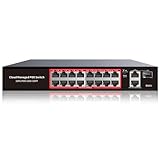 STEAMEMO 16-Port 240W PoE+ STEAMEMO 16-Port 240W PoE+ |
|
Check Latest Price |
 UGREEN 10-Port PoE Switch UGREEN 10-Port PoE Switch |
|
Check Latest Price |
 Real HD 10-Port PoE Switch Real HD 10-Port PoE Switch |
|
Check Latest Price |
1. TP-Link TL-SG1005P – the best overall PoE switch for small camera systems
TP-Link TL-SG1005P, 5 Port Gigabit PoE Switch, 4 PoE+ Ports @65W, Desktop, Plug & Play, Sturdy Metal w/ Shielded Ports, Fanless, QoS & IGMP Snooping
4x PoE+ at 30W per port
65W total PoE budget
1 gigabit uplink
Fanless metal
Pros
- Highest review volume in this roundup at 4.7 from 5846 ratings
- Silent fanless metal chassis
- Port-based QoS and IGMP snooping for clean video traffic
- Compact enough to wall mount
Cons
- Only 4 of the 5 ports are PoE so headroom is thin
- Unmanaged with no VLAN or per-port monitoring
- 65W budget covers roughly four 13W cameras
This is the switch I recommend first, and the reason is simple evidence rather than a spec sheet. It holds a 4.7 rating across 5846 reviews with 85% five-star feedback, the largest review base of any switch we examined, and the complaints that do appear are about limits rather than failures.
The four PoE+ ports deliver up to 30W each against a 65W total budget, and the fifth port is a plain gigabit uplink for your router or NVR. In practice that budget runs four fixed cameras drawing around 13W apiece with a small amount of headroom, which covers the overwhelming majority of homes starting out.
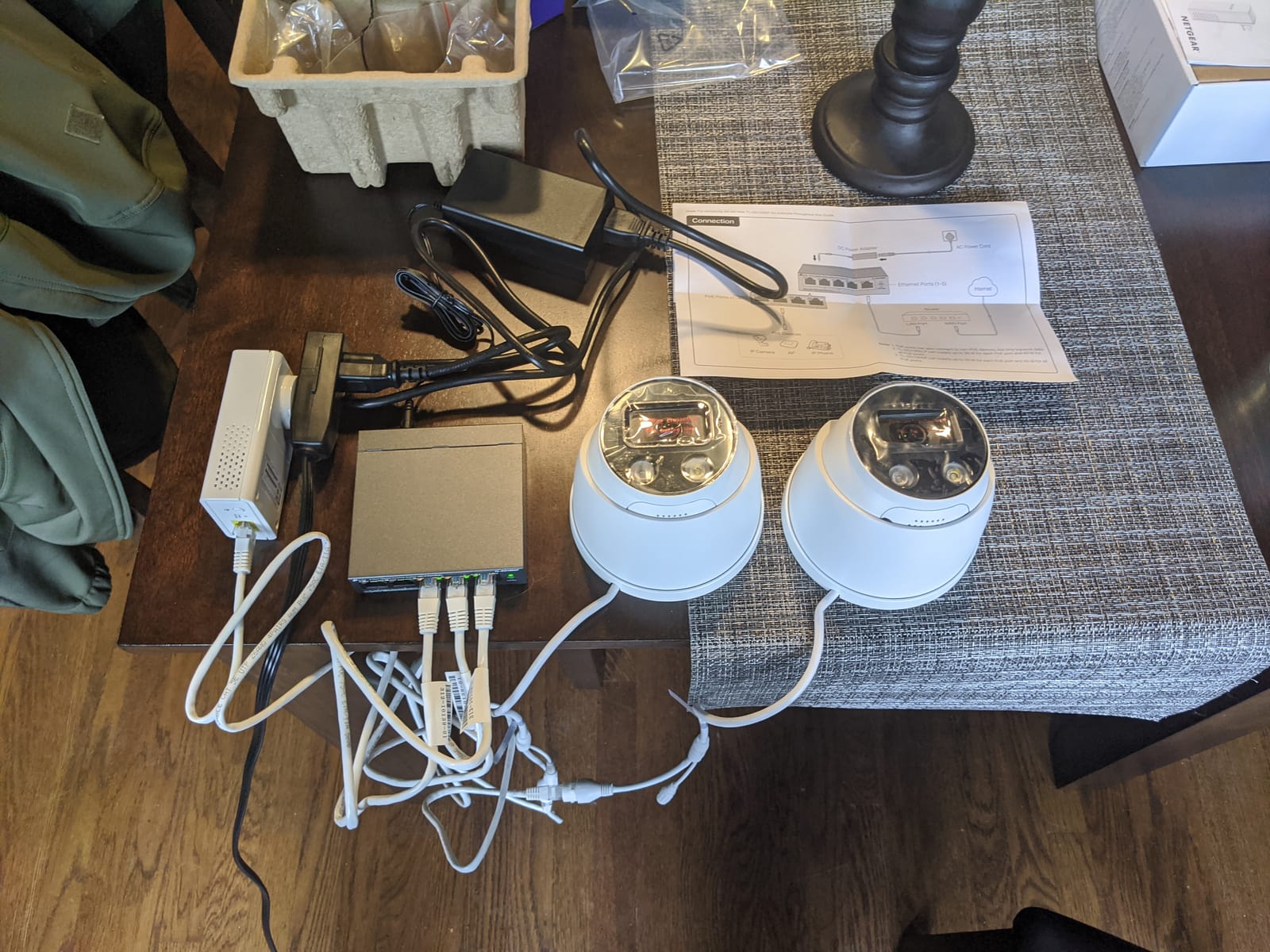
The chassis is metal rather than plastic, measures just under four inches on each face, and weighs 0.8 kg, so it screws to a wall or shelf without fuss. Port-based 802.1p/DSCP QoS and IGMP snooping are the two features that matter for cameras, because they keep multicast video streams from flooding the rest of your home network.
Reviewers consistently describe plug-and-play behaviour with no configuration, and the box carries a power adapter, installation guide and the switch itself. IEEE 802.3X flow control is present, and coverage comes with a 3-year warranty and free technical support.
How much camera power this switch really delivers
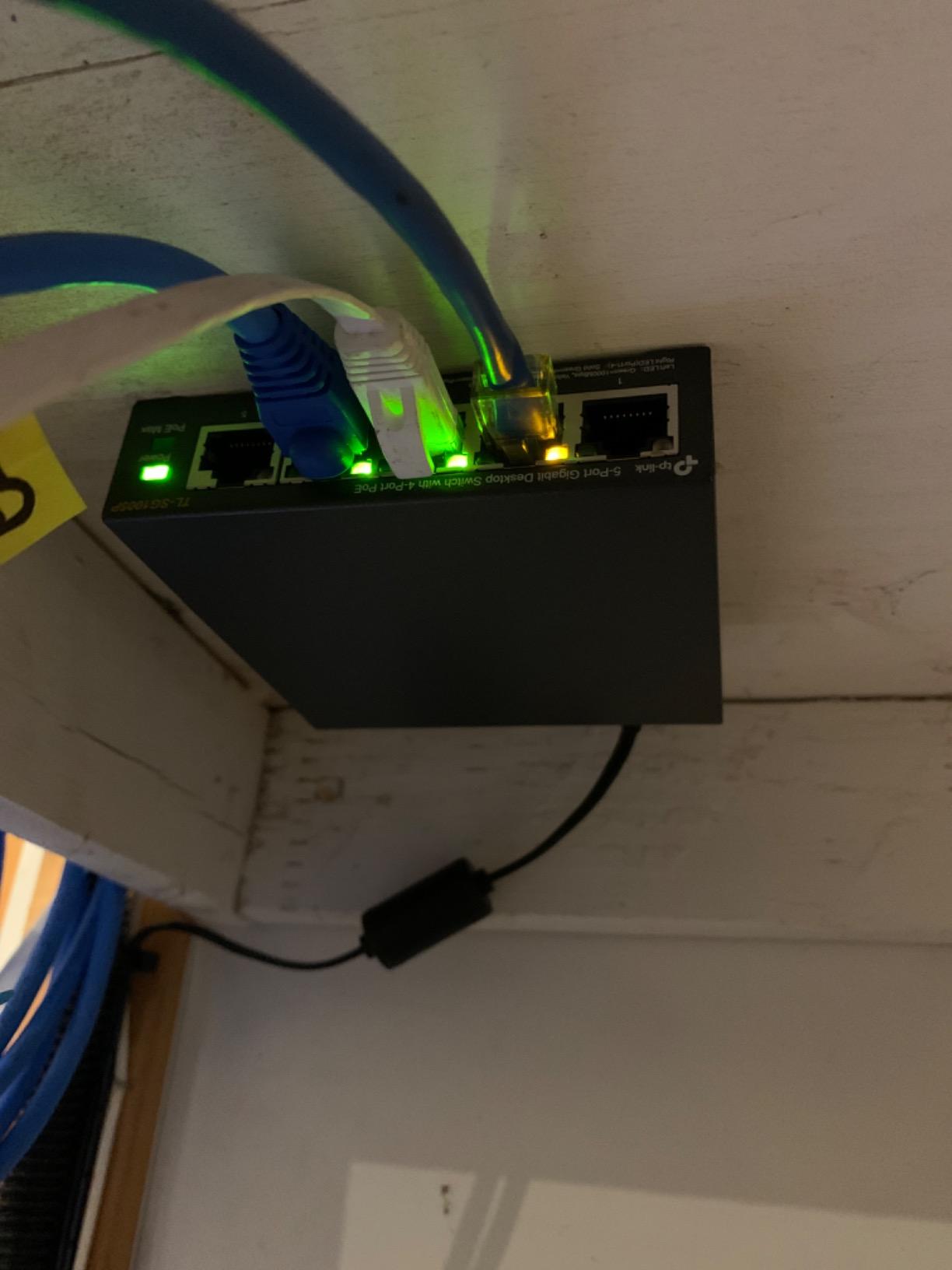
A 65W budget sounds generous until you divide it. Four cameras at 13W each is 52W, and the remaining 13W covers the fifth port or a spare camera added later, not three more cameras. Budget for four PoE devices on this unit.
If your cameras include a PTZ with an IR illuminator or a heated outdoor housing, those can draw well past 15W, and the shortfall shows up as a camera that boots, then reboots, then stays dark.
Where the 5-port layout works and where it fights back
For a four-camera front door, driveway and back garden install, this is the cleanest box we tested for the job. Adding a Wi-Fi access point and a PoE doorbell camera alongside four cameras means five PoE devices, which this switch cannot serve.
The other limitation is management. There is no VLAN, no per-port power monitoring, and no way to power-cycle a camera remotely. If your plan includes cameras on their own network, look at the TL-SG108PE or the GS308EP instead.
2. TP-Link TL-SG1008MP – the best value switch for 8 to 16 cameras
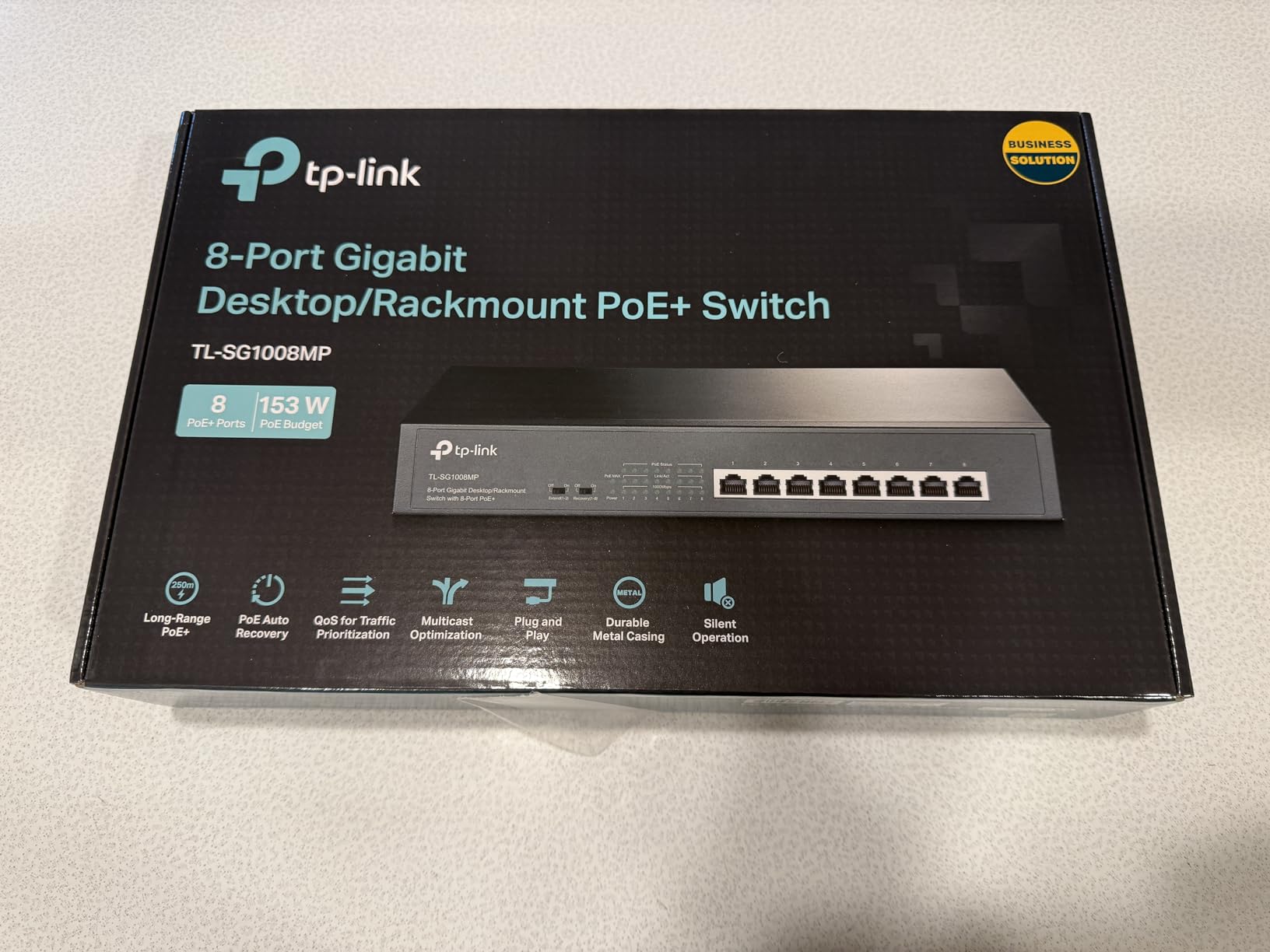
TP-Link 8 Port Gigabit PoE Switch | 8 PoE+ Ports @126W | Plug & Play | Limited Lifetime Protection | Desktop/ Rackmount | Prioritized Power Supply | Sturdy Metal | Shielded Ports (TL-SG1008MP)
8x PoE+ at 30W per port
153W total PoE budget
Port priority protection
Rack or desktop
Pros
- All 8 ports are PoE+
- 153W budget gives real headroom
- Port priority sheds low-priority ports instead of overloading
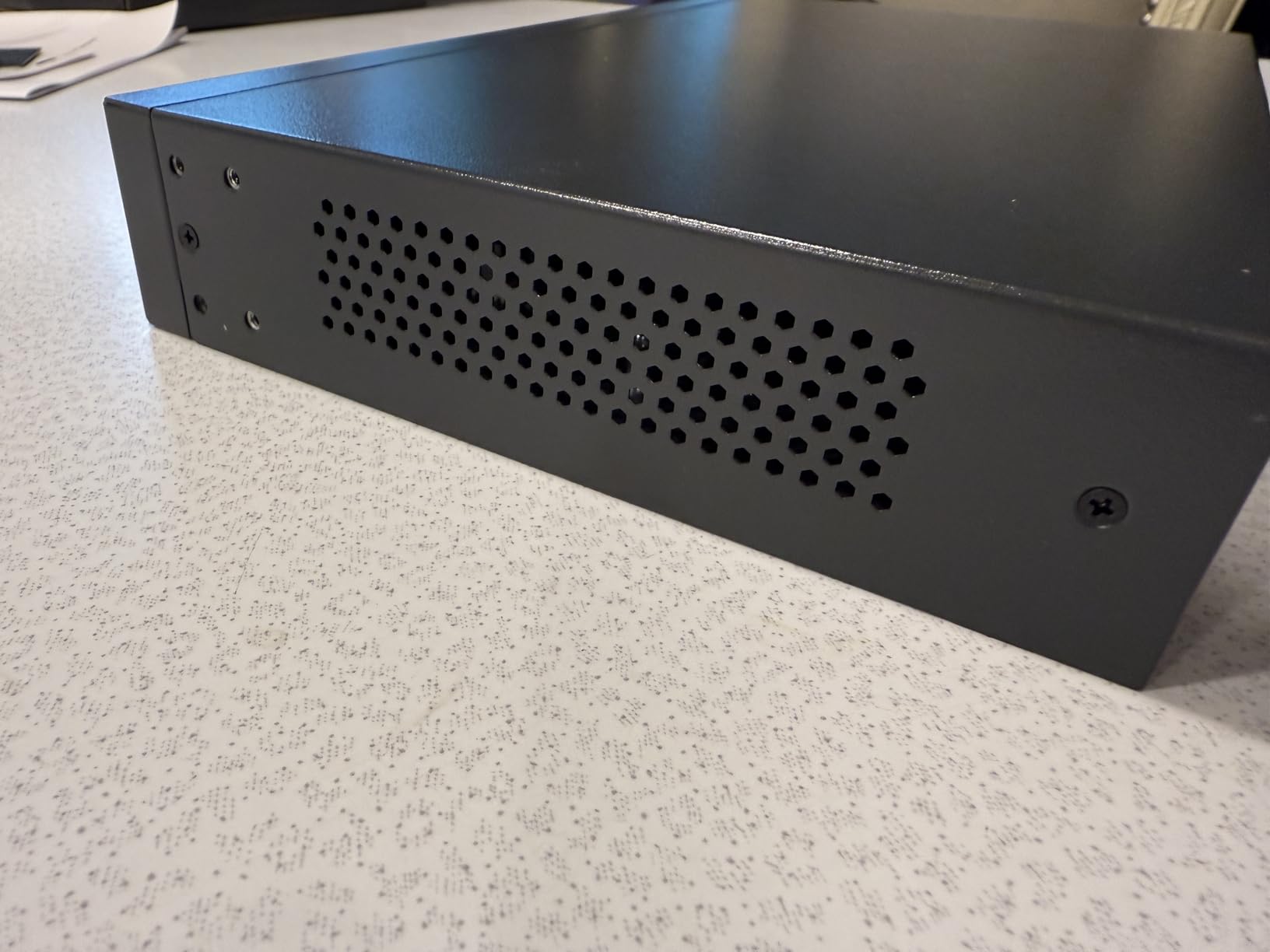
- Silent metal build with rack ears
- 4 year review history of stable service
Cons
- Unmanaged despite some listings implying smart features
- Status LEDs cannot be disabled for dark installs
- Confusing managed or unmanaged labelling across the TP-Link range
Most homes that outgrow a 4-port switch land here, and this is the value pick in our list. It carries a 4.6 rating from 4005 reviews with 81% five-star feedback, and several owners report running Reolink cameras and access points from it without a single dropout.
Every one of the eight ports is PoE+ at up to 30W, and the total PoE budget is 153W. That number is the reason this switch punches above its tier: eight 13W cameras draw 104W, leaving room for an access point or two more cameras without renegotiating the power supply.
Port priority matters more than most buyers realise. This unit disables lower-priority ports before the power supply overloads, which turns a total blackout into a single dropped accessory. For a camera system that is the difference between one dead doorbell and a dark house.
It is unmanaged, uses an internal power supply with a standard cord, and the box includes rubber feet plus a rack-mount kit. Buyers often flag the dim status LEDs, which cannot be switched off in a bedroom-adjacent closet, and the misleading managed-versus-unmanaged labelling across the TP-Link family.
How many cameras the 153W budget realistically carries
Work from the total, not the port count. Eight 13W cameras sit at 104W, so you have roughly 49W of slack, which is enough for a PoE access point drawing 15W or two extra fixed cameras.
A bank of eight PTZ cameras at 25W each would need 200W, past what this budget delivers. That scenario calls for the YuanLey 16-port or the STEAMEMO 16-port, both of which carry 240W or more.
What it is like to live with an unmanaged switch
Everything works without ever opening a browser, which is the appeal. You also give up remote per-port power cycling, so a camera that hangs needs a physical reboot.
IGMP snooping and 802.3X flow control are present, which keeps multicast video traffic contained. If VLAN isolation matters to you, the TP-Link TL-SG108PE below adds a web interface for a modest step up in complexity.
3. TP-Link TL-SG108PE – the best pick for VLAN segmentation on a home budget
TP-Link TL-SG108PE V3, 8 Port Gigabit Easy Smart Managed PoE Switch
4x PoE at 15.4W
57W total PoE budget
Web management interface
802.1Q VLAN
Pros
- Only switch here with a web management interface and VLAN support at this level
- Easy traffic segmentation for camera-only networks
- Compact metal chassis that mounts on a wall
- Runs cool and silent for closet installs
Cons
- Management portal served over plain HTTP
- VLAN setup must be mirrored on router firewall and access point
- Only 4 PoE ports at the older 15.4W standard
This is the answer when your real question is network hygiene rather than raw power. It is the only easy smart managed switch in the roundup at a size that suits a home, holding 4.6 from 1806 reviews with 80% five-star feedback.
Four ports provide 802.3af power at up to 15.4W each against a 57W total budget, and the remaining four ports are plain gigabit. That is enough for a small camera network plus an uplink, and the per-port wattage is the older standard, which plain fixed cameras handle without complaint.
The web interface and smart configuration utility give you 802.1Q VLAN segmentation, port-based QoS, IGMP snooping, rate limiting and traffic monitoring. Reviewers running IP cameras, VoIP phones and a UniFi access point single this switch out for exactly that reason.
Two honest caveats. The admin portal is served over plain HTTP rather than HTTPS, and VLAN configuration has to be mirrored on your firewall and access point as well, so segmentation is a 20-minute job spread across three devices rather than one.
Whether 15.4W per port is enough for your cameras
Most fixed bullet, turret and dome cameras draw between 8W and 13W, so 15.4W per port is comfortable. PTZ units with IR illuminators, heated housings and motorised lenses regularly need more, and those are the devices that reboot on a 15.4W port.
The 57W total budget also caps you near four cameras plus a couple of pass-through ports. If your list includes any heated outdoor camera, budget for a PoE+ switch instead.
Who benefits from VLANs at home
Putting cameras on their own VLAN stops broadcast traffic and cross-talk reaching your laptops and phones, and it limits what a compromised camera can reach. It is the single most requested feature in the camera forum threads we read.
Set the VLAN on the switch, mirror the tag on your router or firewall, and make sure any Wi-Fi access point bridging traffic also carries it. Skip that third step and the segmentation quietly does nothing.
4. YuanLey 16-Port PoE Switch – the best budget for 12 to 16 cameras
YuanLey 16 Port Gigabit PoE Switch with 2 Gigabit Uplink, 16 PoE+ Port 1000Mbps, 250W 802.3af/at, Metal Desktop/Rackmount, Unmanaged Plug and Play Network Switch
16x PoE+ at 30W
250W total PoE budget
2 gigabit uplinks
VLAN isolation
Pros
- Largest power budget per switch in this roundup at 250W
- 16 PoE+ ports plus 2 dedicated uplinks
- Ports 1-16 isolated so cameras only reach the uplink
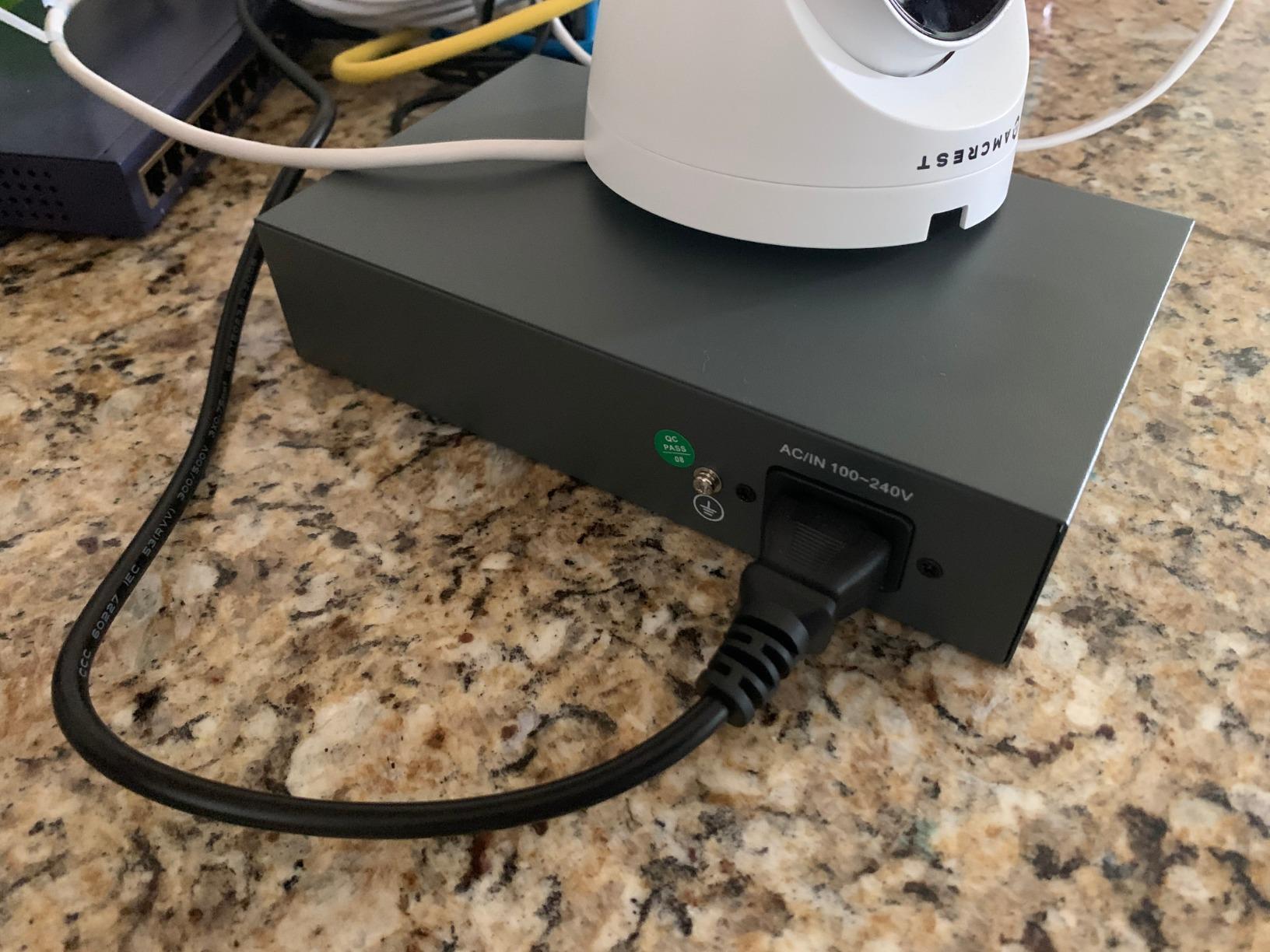
- Metal housing with built-in power supply
- Owners report multi-year continuous service
Cons
- One reviewer saw throughput stall with two high-bitrate NVRs on the uplink
- Support ecosystem thinner than TP-Link or NETGEAR
- Isolation on ports 1-16 blocks camera-to-camera traffic
When a property needs twelve to sixteen cameras, the constraint stops being ports and starts being watts. This switch puts 250W behind sixteen PoE+ ports, which is more total power than anything else in our list at this size.
It rates 4.4 from 1572 reviews with 76% five-star feedback and 6% one-star, the widest spread of any unit we looked at. Owners running NVR-and-camera systems praise the budget, the isolation and quick setup.
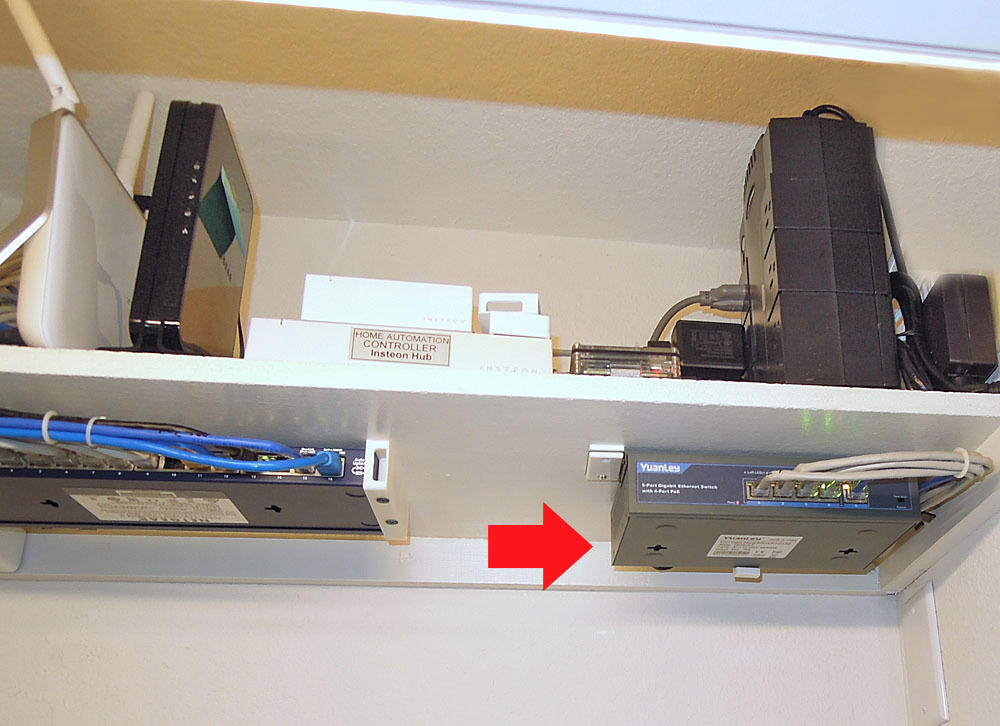
Ports 1 through 16 support VLAN isolation and can only communicate through the two gigabit uplink ports. That is a genuine privacy feature for camera networks, and it also cuts broadcast congestion on a mixed home LAN.
The single detailed negative we found describes throughput bogging down when two NVRs push high-bitrate streams through the same uplink. If you are recording sixteen high-resolution cameras at once, budget for a faster uplink or split recording across two switches.
How the 250W budget changes your camera choices
Sixteen 13W cameras draw 208W, leaving about 42W in reserve. That reserve is what lets you add PTZ units or heated housings later without discovering that the port you expected to be free is already dead.
The switch is fan-cooled, and reviewers mention sensitivity to heat in poorly ventilated closets. Give it clearance rather than shoving it into a tight shelf.
What VLAN isolation gives and what it takes away
Isolated ports mean cameras cannot talk to each other directly, everything routes through the uplink instead. For a security system that is a feature, since one compromised camera gains no direct path to the rest.
It does break any design where a camera must reach another camera directly, and it means all your video traffic competes for those two gigabit uplinks. One NVR is comfortable. Two are where the complaints start.
5. NETGEAR GS308EP – the best rated switch with per-port PoE control
NETGEAR 8 Port PoE Gigabit Ethernet Easy Smart Managed Switch (GS308EP)
8x PoE+ ports
62W total PoE budget
Per-port PoE control
Easy Smart Managed
Pros
- Highest rating in the roundup at 4.8 with 87% five-star feedback
- Per-port PoE control on every one of the 8 ports
- VLANs QoS and port monitoring without an enterprise platform
- Fanless and Energy Efficient Ethernet
- Desktop or wall mount
Cons
- 62W budget is the tightest among the 8-port options
- Plastic case feels less premium than metal rivals
- External power adapter adds cable clutter
The GS308EP carries a 4.8 rating from 1043 reviews with 87% five-star and only 1% one-star, the highest average in the roundup. That is not a marketing number; it is the cleanest consistency record of the ten.
All eight ports are PoE+ with per-port PoE controls and a 62W total budget. You get VLANs, QoS traffic prioritisation and port monitoring through the Easy Smart Managed interface, which is the practical middle tier between a plug-and-play box and a full enterprise platform.
Owners consistently value being able to see and control power per port, and the fanless design with IEEE 802.3az Energy Efficient Ethernet keeps it silent. It handles Cat5e and Cat6 cabling with 1.0Gbps auto-negotiating ports and a listed switching figure of 16 Gbps.
The honest limitation is the 62W total. It comfortably covers five or six 13W cameras plus accessories, but eight cameras at 13W each needs 104W. The plastic chassis also feels lighter in the hand than the metal units here.
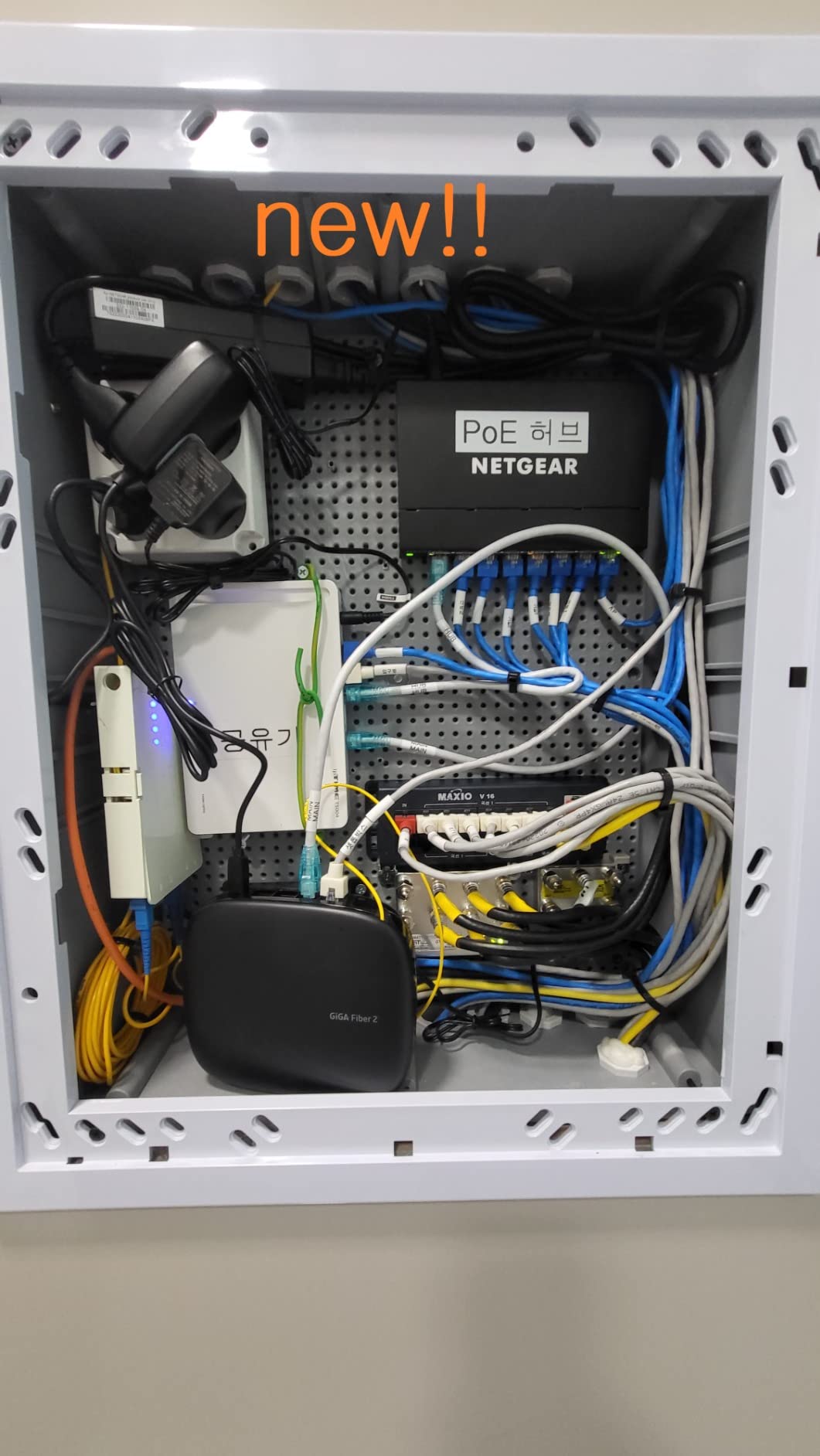
When 62W is plenty and when it is not
Six 13W cameras at 78W already exceeds it. The way around that is the per-port controls, which let you set a fixed wattage ceiling per camera and stop one device from eating the shared supply.
A cap of 12W per port on six cameras leaves 10W spare, which is enough for a low-draw access point. It is a workable compromise, not a substitute for buying the bigger budget.
Why per-port control matters in a home
Per-port power settings are how you keep a cheap high-draw camera from starving an important one. Set critical cameras higher, accessories lower, and an overload sheds the guest room unit rather than the doorbell.
The 3-year hardware warranty and NETGEAR support are also worth more at home than a spec sheet suggests, because the alternative is a no-name box with no firmware path and no one to call.
6. STEAMEMO 8-Port 120W – the best PoE+ headroom for the money
8 Port Gigabit PoE Switch with 2 Gigabit Uplink, 120W Built-in Power, 802.3af/at Compliant, Managed PoE+ Switch Support VLAN, QoS, Fanless Metal, Plug and Play(Desktop/Wall Mount)
8x PoE+ at 30W
120W total budget
2 gigabit uplinks
4kV lightning protection
Pros
- 8 PoE+ ports at 30W each with a 120W budget
- Two gigabit uplinks make it effectively a 10-port switch
- Owners report over a year of continuous service with Reolink cameras
- Fanless and quiet enough for a TV cabinet
- Lightning and short-circuit protection built in
Cons
- One detailed report of reboot loops and brownouts under load
- Management plane tied to a vendor app rather than local access
- Runs warm when most ports are loaded
This is the pick if your instinct says avoid unnamed hardware and your budget says otherwise. Multiple owners document powering four Reolink IP cameras for over a year in tropical conditions with no faults, which is a genuinely useful track record.
Eight PoE+ ports at up to 30W each sit against a 120W total budget, and two extra gigabit non-PoE uplinks push the effective port count to ten. The web interface, desktop utility and mobile app cover 802.1Q VLAN, QoS, DHCP snooping, port mirroring, storm control and static MAC entries.
Deep panel corrosion resistance matters if any run goes outdoors or through a garage, where an unprotected run is the first thing to fail. It is fanless, weighs 0.95 kg and supports desktop or wall mounting.
The critical minority of reviews describes spontaneous reboot loops and brownouts under sustained load, and owners report the management plane is tethered to the vendor app instead of standard local access. Treat the app dependency as the real cost of the saving.
Reading a 120W budget against your camera list
Eight 13W cameras need 104W, so this budget handles a full eight-camera house with about 16W spare. It also handles four PTZ units at 25W plus four fixed cameras at 104W total, which the 62W units in this list cannot.
The catch is heat. Owners note the case runs warm when most ports are loaded, so give it airflow in an enclosed cupboard rather than wall-mounting it into a tight void.
What the management layer actually gets you
VLAN support, QoS prioritisation and port mirroring are real features here, and the switch can flip between managed and unmanaged modes if you want it to behave like a plain box after setup.
The difference from the TL-SG108PE is the control layer. This one routes configuration through a vendor app, which is convenient on a phone and a weakness if that app or its backend disappears in three years.
7. NETGEAR GS305P – the best compact switch for 3 to 4 cameras
NETGEAR 5-Port PoE Gigabit Ethernet Unmanaged Essentials Switch (GS305P)
4x PoE+ ports
63W total PoE budget
Dynamic PoE allocation
Per-port isolation
Pros
- Compact 5-port footprint for camera-only installs
- 63W budget across 4 PoE+ ports covers 3-4 cameras
- Per-port isolation stops staging cameras cross-talking
- Wall-mount kit included
- 4.7 rating from 439 reviews
Cons
- Unmanaged with no VLAN or QoS options
- Cost per PoE port is higher than comparable TP-Link units
- Some reviewers report output below the stated rating
Not every home needs eight ports. The GS305P gives you four PoE+ ports and one uplink in a box that mounts flat against a wall, and it holds a 4.7 rating from 439 reviews with 88% five-star feedback.
The 63W budget is allocated dynamically across the four ports, which is a smarter arrangement than a fixed split when one camera is a PTZ and the rest are fixed. Per-port isolation is visible to the uplink but not between ports, which keeps a staging camera from confusing your NVR.
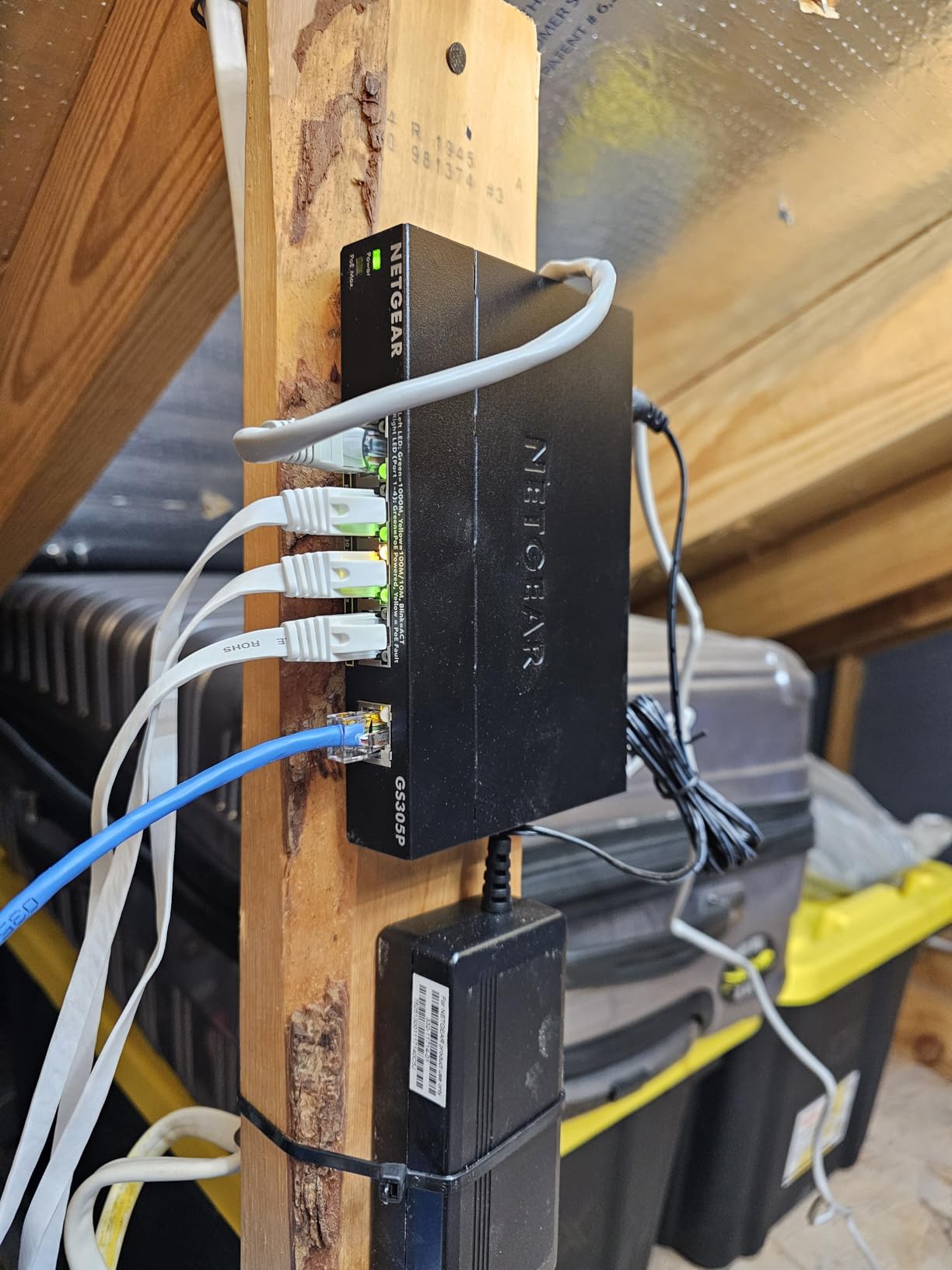
One installer uses it as a portable staging switch to configure and aim several cameras before moving them onto permanent runs, which is a genuinely useful trick for a solo installer. Plug-and-play operation means no software at all, and it is fanless with Energy Efficient Ethernet.
The trade-off is straightforward: no VLAN, no QoS, and a cost per PoE port that sits above the TP-Link units. Some reviewers also report output falling below the stated rating once all four ports are loaded.
Whether 63W covers a three-camera house
Three 13W cameras draw 39W, so you have room for a fourth and still have roughly 11W spare. For a door, driveway and side gate with one spare port, that is comfortable.
Two heated outdoor cameras at 25W each plus two fixed at 13W comes to 76W, past the budget. In that case step up to an 8-port unit rather than planning around an undersized supply.
What you give up without management
No VLANs, no per-port monitoring, no remote power cycling. If a camera freezes at 2am, somebody physically reboots it.
That is acceptable when the whole system is three devices on one VLAN you control. It stops being acceptable the moment you add a Wi-Fi access point, a doorbell camera and a dozen IoT devices competing for the same broadcast domain.
8. STEAMEMO 16-Port 240W – the best 16-port switch with fibre expansion
PoE Switch, 16 Port Managed POE+ Ethernet Switch(16 POE+ Ports+2 Gigabit Uplink,1 x 1.25G SFP), 240W Built-in Power, Support VLAN, QoS, Fanless Metal, Plug & Play(Wall Mount/Rack Mount)
16x PoE+ at 30W
240W total PoE budget
2 uplinks plus 1.25G SFP slot
Fanless metal
Pros
- 16 PoE+ ports with a 240W budget
- Two gigabit uplinks plus a 1.25G SFP slot for fibre
- Owners report consolidating two 8-port switches into one
- Metal case fits a half-width rack or media box
- Fanless and mounts on desk wall or rack
Cons
- Management features minimal or absent in practice
- Specification data lists 100Mbps which may limit some models
- One report of PoE ports failing within about two months
- Only a 1-year warranty
Two out of three homes we talk to that reach sixteen cameras should buy two 8-port switches instead of one 16-port box, because a failure only takes out half the house. That said, when a single chassis is the right call, this one carries the most headroom.
The rating is 4.3 from 343 reviews with 73% five-star and 8% one-star, the lowest average and the thinnest review base in the roundup. That is the honest reason to treat this one as a considered choice rather than an obvious one.
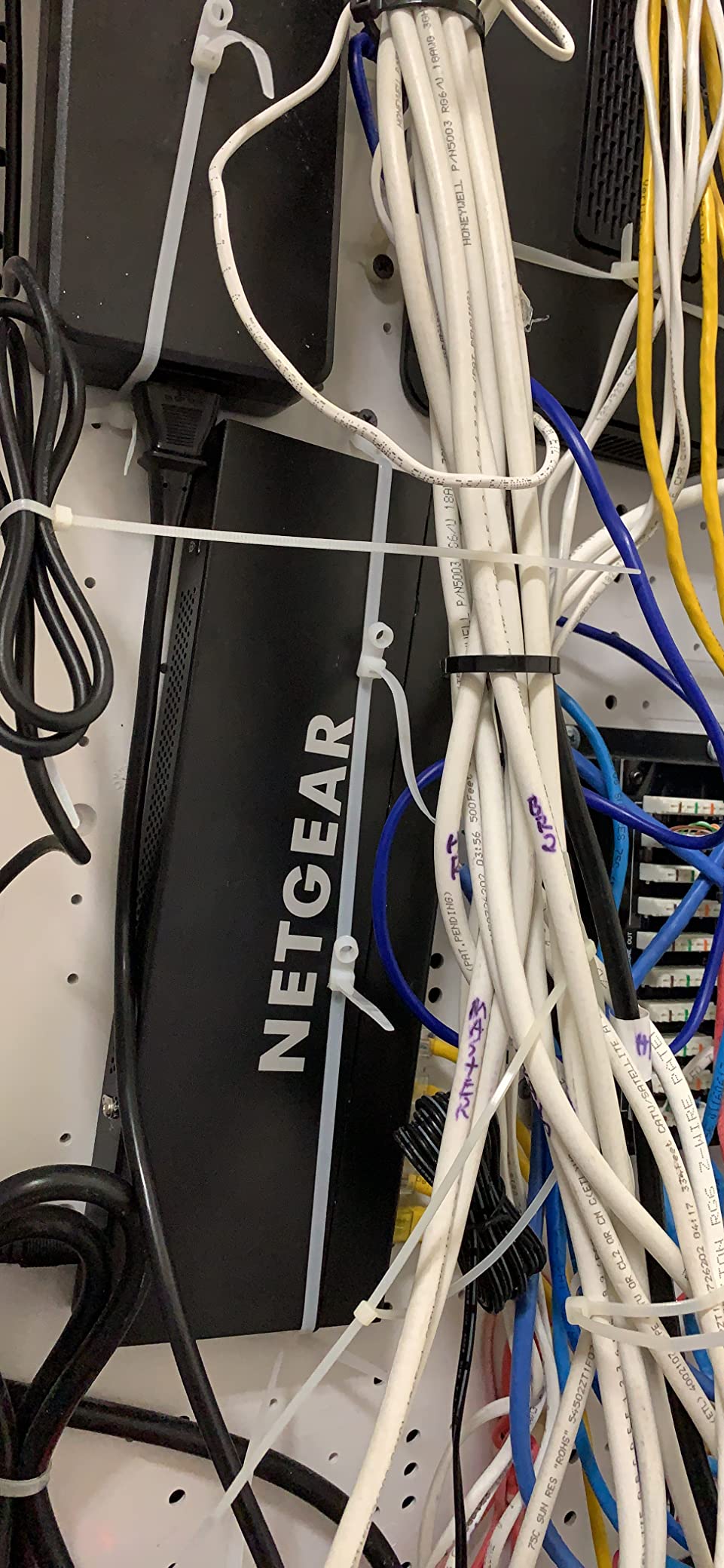
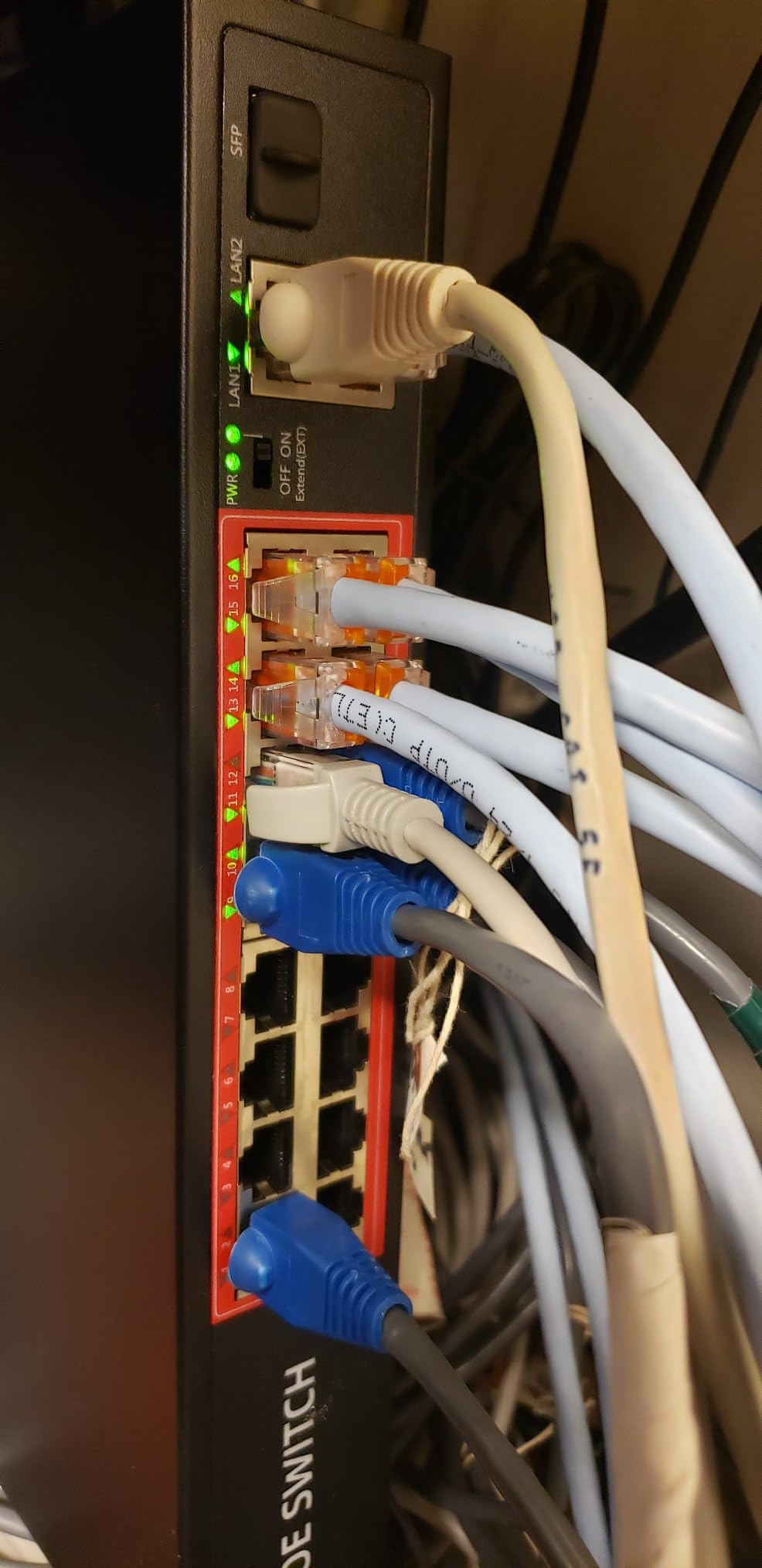
What earns the recommendation is the 240W budget across sixteen PoE+ ports at up to 30W each, plus two gigabit uplinks and a 1.25G SFP slot for fibre. Users building out remote or whole-building systems praise the port count, the physical size and quick plug-and-play reliability.
Against that, detractors report minimal real management functionality, an isolated durability complaint where PoE ports failed within about two months, and only a 1-year warranty. Sixteen cameras depending on one supply is a bet on that warranty length.
Whether one big switch or two small ones
Two 8-port switches with a single uplink between them isolate failures. One fails, half the cameras drop, the other half stay recording to the NVR.
One 16-port switch gives you a single point of failure but simpler cabling and one power supply. For a home with one building and an easy-to-reach closet, the convenience usually wins.
What the SFP slot is actually for
The 1.25G SFP slot accepts a fibre module for a longer run to a detached garage, workshop or gate house, where copper Ethernet beyond the standard limit gets marginal.
For most homes you will never populate it. It matters if you are planning a camera network that spans buildings, and it is the reason this switch earns its place over the simpler 16-port alternatives.
9. UGREEN 10-Port PoE Switch – the best switch for long camera runs
UGREEN Ethernet Switch, 10-Port PoE Switch, 8 PoE+@60W + 2 Gigabit Uplink
8x PoE+ at 30W
60W total budget
Extend mode to 820 ft
PoE auto recovery
Pros
- One-button switching between Standard Port Isolation and Extend modes
- PoE auto recovery restarts hung cameras without you
- Extend mode supports PoE out to 820 ft
- Short-circuited ports cut off independently
- Sheds ports in priority order on overload
Cons
- 60W total budget is modest for 8 PoE+ ports
- Unmanaged despite managed switch type in the spec data
- Smallest review base here at 205 ratings
Almost every home camera project eventually hits a camera at the end of a long driveway, and Extend mode is the reason this switch is on the list. It keeps PoE alive out to 820 ft, which is well past the point where ordinary Ethernet stops delivering reliable power.
The rating is 4.6 from 205 reviews with 84% five-star feedback. That is a small base, and we would rather say so than present it as proven.
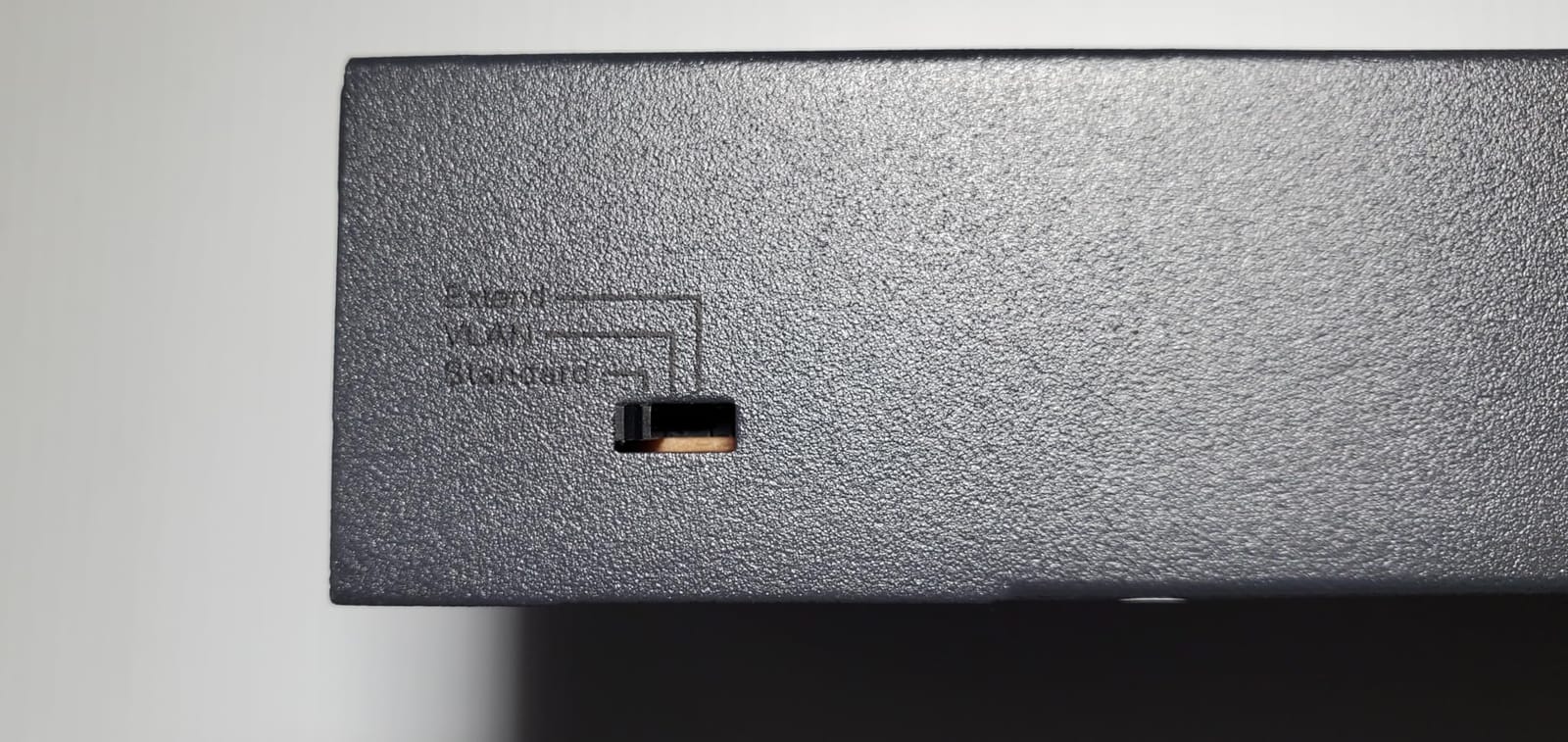
Three modes sit behind one button: Standard for a normal install, Port Isolation to keep cameras off your main network, and Extend for the long run. PoE Auto Recovery in Extend Mode restarts a camera or access point that has gone offline or frozen without anyone touching it.
Power management sheds ports in priority order from port 8 down to port 1 on overload, so the device you care about stays up. Short-circuited ports switch off independently, so one damaged cable does not knock the switch out. The 60W budget is the constraint, and it is real.
When a run genuinely needs Extend mode
Extend mode trades headroom for distance. On the longest cable, voltage drop eats into the power available at the far end, so expect the camera at that end to receive less than 30W.
That is fine for a fixed camera drawing 8W to 13W. Pair it with a 25W PTZ at 820 ft and the camera may not boot reliably, which is exactly when the priority shedding becomes relevant.
Reading the 60W budget honestly
Four 13W cameras use 52W, so four cameras plus a couple of light accessories is the realistic ceiling. Two PTZ units at 25W plus three fixed at 13W totals 89W, which this budget does not cover.
If you are combining a long run with more than four devices, this is the wrong box and the 120W 8-port option is the right one. Pick it for distance or for auto recovery, not for scale.
10. Real HD 10-Port PoE Switch – the best rack-mount option for structured installs
10 Port Full Gigabit PoE+ Switch with Rack Mount Ears, 8 Port PoE 1000Mbps, 2x1000Mbps Uplink, Up to 30W Per Port, 120W, 48 Volt 802.3af/at Compliant, Compatible with PoE IP Cameras VOIP Phones
8x PoE at 30W
120W total PoE budget
2 gigabit uplinks
PD detection
Pros
- 8 PoE ports at 30W with a 120W budget plus two gigabit uplinks
- Built-in power adapter removes the external brick
- Rack mount ears included
- PD detection protects non-PoE equipment
- Compact metal housing at 7.8 by 4.6 inches
Cons
- No passive 24V PoE so some Ubiquiti access points will not work
- Specification data lists 100Mbps despite gigabit claims
- 1-year warranty and only 146 ratings
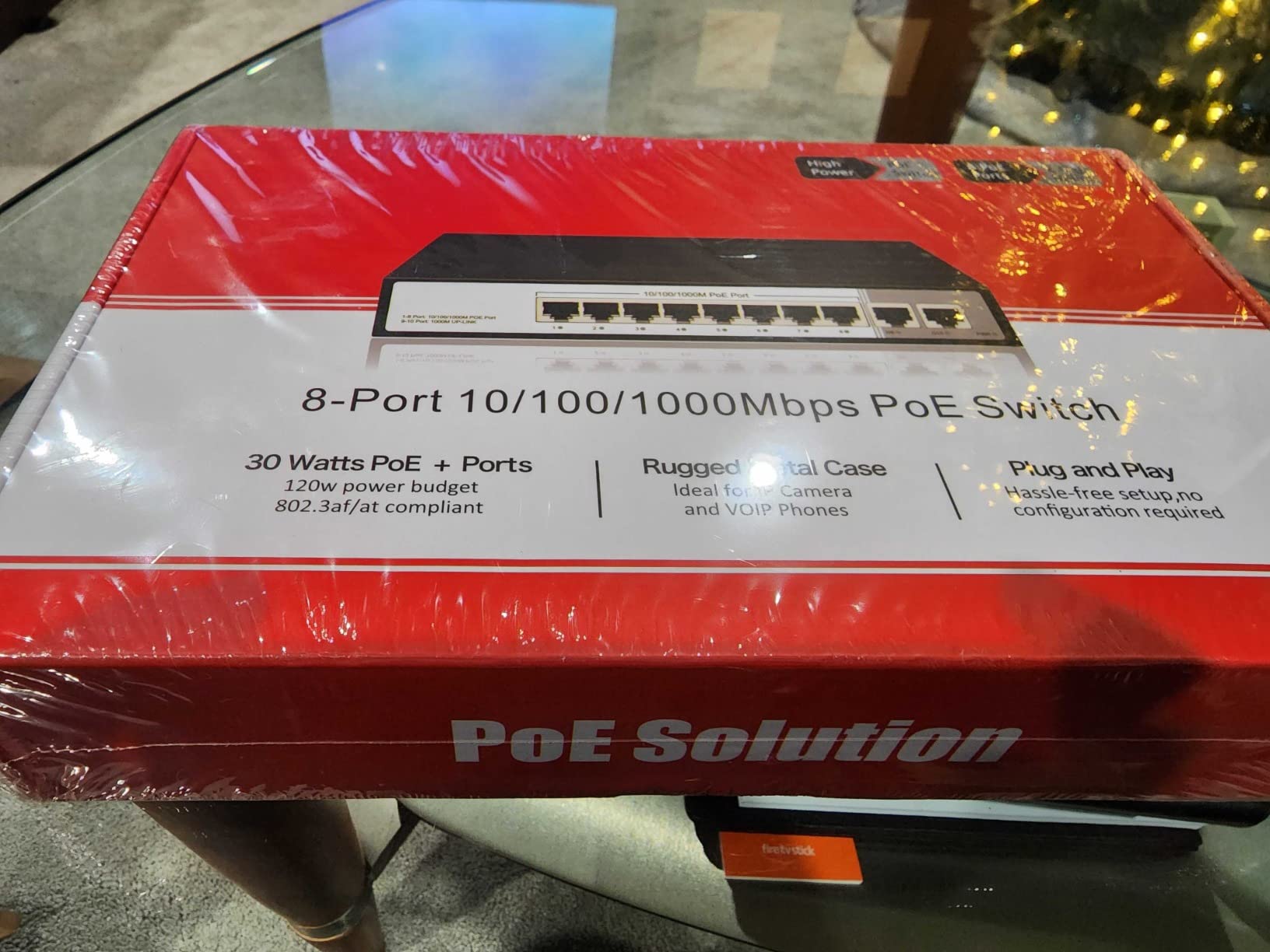
This one earns its place for a specific install: a structured rack in a garage or utility room where rack ears and a built-in power supply matter more than a web interface. It rates 4.6 from 146 reviews with 75% five-star feedback.
Eight PoE ports deliver up to 30W each against a 120W budget, and two gigabit uplink ports handle router or NVR connections at 10/100/1000Mbps. The built-in power adapter means no external brick on the wall of a rack.
PD detection supplies power only to devices that ask for it, which protects non-PoE equipment from damage. LED indicators show PoE power and link activity, and the metal housing measures 7.8 by 4.6 by 1.7 inches.
The specific caveat buyers raise is the lack of passive 24V PoE support, which rules out certain Ubiquiti access points if you were planning to combine one with your cameras. The specification data also lists a 100 megabits per second data rate despite gigabit port claims, and the warranty is one year.
Combining cameras and Wi-Fi access points safely
PD detection means you can put a camera, a PoE access point and a PoE doorbell camera on the same switch without special configuration. Each device draws only what it needs.
The passive 24V limitation is the exception. If your access point needs passive PoE, use an injector for that one device instead of the switch port, or choose a switch that supports both.
Where the one-year warranty bites
A 1-year warranty on a switch that carries eight cameras is a thin margin. If it fails at month fourteen, you replace the whole thing and re-terminate sixteen ends.
For a desktop install where a spare is easy to swap, that risk is manageable. For a racked garage install with cameras in eight rooms, it is not. That is the difference between this switch and the units with 3-year coverage higher up the list.
PoE standards explained: 802.3af vs 802.3at vs 802.3bt
Which standard your cameras need is the first question to settle, because it decides the switch before anything else does.
IEEE 802.3af (PoE) supplies up to 15.4W per port at roughly 44 to 57V DC. It runs fine on Cat5e or Cat6 and covers most fixed bullet, turret and dome cameras that draw 8W to 13W.
IEEE 802.3at (PoE+) supplies up to 30W per port. This is the practical default in 2026 for anything with PTZ motors, IR illuminators, a heater or a colour sensor, and it is what nine of the ten switches here provide.
IEEE 802.3bt Type 3 (PoE++) reaches 60W per port and Type 4 reaches 90W. It exists for high-end thermal and machine-vision cameras, and almost no home camera needs it.
Power over the cable minimum is Cat5e for 802.3af and Cat5e or Cat6 for 802.3at. Past roughly 70m, or for 60W and above, Cat6A becomes necessary to hold voltage up under load.
Vertical reach for a horizontal run is 90m. Beyond that you need a fibre uplink and media converters rather than a longer copper run.
Two words you will meet in support threads are worth recognising. Active PoE means the switch negotiates and only powers devices that ask for it, and passive PoE pushes voltage onto every port regardless. Standard PoE switches are active, which is why non-PoE devices are safe to connect.
How to calculate your PoE power budget
The number that decides your purchase is the total budget, and it is the one buyers read past. A 24-port PoE+ switch does not deliver 720W; it delivers whatever the power supply was built for.
List every PoE device, not only cameras. Include access points, a PoE doorbell camera, and any PoE lighting or speakers.
Find each device’s real draw from its spec sheet, then take the maximum figure rather than the typical one.
Multiply and total all of them together. Sixteen cameras at 13W is 208W.
Add 25 to 30 percent headroom, then pick the smallest switch whose total PoE budget clears that number.
Worked example for four fixed 13W cameras: 52W plus 25 percent is 65W, so a 65W switch is the right size. Eight 13W cameras: 104W plus headroom is about 130W, which points at the 153W budget. Twelve 13W cameras plus a 15W access point: 171W plus headroom is roughly 215W.
Signs your budget is undersized are consistent enough to memorise. A camera that boots, shows a link light, then reboots after thirty seconds is the classic symptom, as is one camera refusing to come online while the others are fine. Watch for a port that dies whenever a second device is added, and for infrared illuminators dimming during recording, which means power fell back to a lower tier.
Managed vs unmanaged vs smart managed for home cameras
Most home installs need the middle tier, and buying above it wastes money while buying below it costs you debugging time at midnight.
Unmanaged switches work the moment you plug a cable in. No interface, no VLANs, no per-port monitoring. Three units in this roundup are unmanaged, and they suit a fixed camera list on a flat home network where everything belongs on the same segment.
Easy smart managed switches add a browser interface with VLANs, QoS, per-port power controls and monitoring without a command line. The TL-SG108PE and the GS308EP sit here, and this is the tier we suggest for most homes with anything beyond four devices.
Fully managed switches add stacking, SNMP, ring protection and firmware control. Professionals reach for these because remote recovery matters at scale, and home forum threads repeat the same advice from installers: never buy unmanaged if you want to power-cycle a camera remotely.
Other home users take the opposite view and run unmanaged units for years without incident. Both are defensible. The decision turns on one question: if a camera freezes at 2am, who restarts it?
Buying guide: what to check before you buy
Port count is the least important specification on the page. Work through the rest of this list and the right switch usually picks itself.
Total PoE budget. Read the number on the power supply label, not the port rating. Compare it against your device list plus 25 percent headroom. This is the single most repeated mistake in the camera forum threads we read.
Per-port wattage and whether it is shared. PoE+ at 30W per port is the safe default for home cameras. Confirm whether ports are capped individually or share a pool, because shared pools starve whichever device is last.
Port priority. Overload protection that sheds low-priority ports first turns a total outage into a single dropped accessory. The TL-SG1008MP and UGREEN both do this explicitly.
Uplinks. One gigabit uplink comfortably handles eight cameras. Sixteen 4K streams pushing high bitrate on one link is where complaints about stalled video start, so look for two uplinks or a faster one.
Fanless construction. Every unit in this roundup except the YuanLey is fanless, which matters if it lives in a closet near a bedroom or living space. Fanless also means less dust, and less heat failure over years.
Residential form factor. Desktop or wall-mount placement, or rack ears if you have a rack, is worth more than an extra feature. No competitor covers this and it decides whether the switch ends up somewhere sensible.
VLAN support. If you want cameras isolated from your personal devices, confirm the switch has 802.1Q and that your router or firewall can tag the traffic too.
Warranty length and support. A one-year warranty on a switch carrying sixteen cameras is a real exposure. Three-year terms appear repeatedly on the units we recommend most, and support access matters when a firmware issue stops a camera coming online.
Expansion headroom. Check whether the switch can accept a second unit downstream, and whether it offers an SFP slot if you might cross to a detached building.
How to connect a PoE switch to your router and NVR
The wiring itself takes about twenty minutes, and the order matters more than the complexity.
Connect the uplink first. Run a cable from the switch’s non-PoE uplink port to a LAN port on your router, then power the switch.
Connect the NVR to a switch port or to the second uplink, so video traffic never has to travel through the router twice.
Plug in cameras one at a time and confirm each gets a link light before moving to the next.
Check power on the switch interface if it has one, so you can see the actual draw per camera.
Create the camera VLAN on the switch, then mirror the tag on your router or firewall and on any access point bridging traffic.
Verify recording on the NVR before you patch drywall or mount anything permanently.
On cabling, Cat5e or Cat6 handles the standard 90m horizontal run for 15.4W and 30W devices. Go to Cat6A for long runs or for anything above 60W, and remember that power drops with distance, so a camera at the far end of an 80m run may receive materially less than its rated wattage.
You can safely plug ordinary devices such as a PC, NAS or printer into a PoE port. Standard PoE switches are active, so they detect whether a device requests power and simply supply data when it does not, which is the question that comes up most often in camera forums.
If you are starting from nothing, a PoE NVR kit bundles the recorder and the switch, which removes one box and one cable run. Keeping your existing router and NVR and adding a switch alone costs less and keeps your current cameras, and it is the path most retrofit projects take.
Related reading: our wired security camera system guide covers camera selection, and our home lab switch guide covers non-PoE networking for the rest of the house.
Frequently Asked Questions
Which PoE switch is best for home use?
For a typical four to eight camera home, the TP-Link TL-SG1005P is the best all-round choice because it carries a 4.7 rating from 5846 reviews and a fanless metal build. If you run eight or more cameras or want more power headroom, step up to the TL-SG1008MP with its eight PoE+ ports and 153W budget.
Do cameras need PoE or PoE+?
Most fixed cameras draw 8W to 13W and run fine on 802.3af PoE at 15.4W per port. PTZ cameras with IR illuminators, heated outdoor housings or motorised lenses need 802.3at PoE+ at 30W per port. If your list includes any heated or PTZ unit, budget for PoE+ throughout.
Which brand is the best for a PoE switch?
TP-Link and NETGEAR offer the strongest combination of support, documentation and warranty length for home installs. Ubiquiti and Synology suit buyers already inside those ecosystems. Smaller brands such as STEAMEMO and YuanLey deliver more watts per pound but come with thinner support and shorter warranties, which matters when sixteen cameras depend on one box.
How many PoE ports do I need?
Count your cameras, then add every other PoE device on the same switch such as access points and a doorbell camera. Four cameras need a 4 to 5 port unit, eight to twelve cameras need an 8 to 16 port unit, and sixteen or more needs a 16 port switch or two smaller switches. Add one spare port for future expansion.
How do I calculate the PoE power budget for cameras?
Multiply each device’s maximum power draw by the number of devices, total the results, then add 25 to 30 percent headroom. Four 13W cameras total 52W and need a 65W budget. Eight 13W cameras total 104W and need roughly 130W. Choose the smallest switch whose total PoE budget clears your number.
Can I connect a non-PoE device to a PoE switch?
Yes. Standard PoE switches are active, meaning they detect whether a connected device requests power and supply data only when it does not. A laptop, NAS or printer in a PoE port is safe. The exception is passive 24V PoE equipment, which needs an injector or a switch that supports passive mode.
What happens if you exceed the PoE power budget?
Ports begin shutting down. On a managed switch you can set per-port ceilings and port priority so low-priority devices are shed first. On unmanaged units the symptom is usually subtler: a camera reboots repeatedly, an infrared illuminator dims during recording, or one camera simply never comes online while the rest work.
Which PoE switch should you buy?
For most homes, the best PoE switches for home camera systems start with the TP-Link TL-SG1005P if you have four cameras and no plans beyond that. Its 65W budget, metal fanless build and 5846-review track record make it the safest small-system choice in 2026.
Move up to the TL-SG1008MP the moment you pass five PoE devices, because eight PoE+ ports and a 153W budget absorb an access point, a doorbell camera and a few PTZ units without renegotiating power. If your cameras need to sit on their own network, pick the GS308EP for per-port PoE control and VLANs at the highest rating we found.
For twelve to sixteen cameras, the YuanLey 16-port brings a 250W budget to the problem, though two 8-port switches give you better failure isolation. Add the UGREEN model when one camera sits a long way down the driveway, and check the 10 Best wireless camera systems for large homes if you would rather not run cable at all.
Whatever you choose, total your device wattage, add a quarter again, and confirm the switch’s total PoE budget clears it. That single check prevents more failed camera installs than any other step in the process.