
The best modem router combos for cable internet are the ones your provider has approved for your exact service address and speed tier, and that is true for every pick below. A cable gateway combines a DOCSIS modem with a built-in Wi-Fi router in one box, which means one device, one setup and no monthly equipment rental. We compared 8 of them across DOCSIS version, Wi-Fi standard, Ethernet port speed and real owner feedback to help you pick.
Owning your hardware is the fastest way to cut a recurring rental charge that adds up every month, and several owners in our research describe replacing a provider gateway as the single biggest quality jump in their setup. The catch is compatibility: a gateway can be DOCSIS 3.1 capable and still be rejected by Xfinity, Spectrum or Cox, or approved only for lower tiers.
One quick warning before you go further. If your service is fiber rather than coax, none of these devices apply to you. Fiber customers need an ONT supplied by the provider, and buying a cable gateway would be the wrong purchase entirely.
We updated this guide for 2026 and pulled current specifications, owner review patterns and provider certification data for all 8 units. If you also handle physical cable runs, our guide to the best walk behind trenchers for cable installation covers the digging side of a new service run.
Table of Contents
Top 3 Picks: The Best Modem Router Combos for Cable Internet

The SBG7400AC2 takes the top slot because it pairs the highest owner rating in this group with a four-port layout and broad provider certification. The SBG10 is the value pick for anyone replacing a rental unit on a mid-tier plan, and the CAX30 is the DOCSIS 3.1 option for gigabit service and gaming-focused homes.
Quick Overview: All 8 Cable Gateway Picks Compared in 2026
| Product | Specifications | Action |
|---|---|---|
| ARRIS SBG7400AC2 |
|
Check Latest Price |
 ARRIS SBG10 ARRIS SBG10 |
|
Check Latest Price |
 NETGEAR C6220 NETGEAR C6220 |
|
Check Latest Price |
 NETGEAR Nighthawk C7000 NETGEAR Nighthawk C7000 |
|
Check Latest Price |
 ARRIS SBG8300 ARRIS SBG8300 |
|
Check Latest Price |
 NETGEAR Nighthawk CAX30 NETGEAR Nighthawk CAX30 |
|
Check Latest Price |
 NETGEAR Orbi CBK752 NETGEAR Orbi CBK752 |
|
Check Latest Price |
 NETGEAR Nighthawk CAX80 NETGEAR Nighthawk CAX80 |
|
Check Latest Price |
Two things stand out in that table. Four of these eight units are DOCSIS 3.0, which is fine for most cable plans but stops short of the fastest tiers. And exactly one unit, the Nighthawk CAX80, carries a 2.5 Gig Ethernet port for multi-gig service.
1. ARRIS SBG7400AC2 Review: The Best-Rated Gateway for Most Cable Homes
ARRIS (SBG7400AC2) – Modem Router Combo – Fast DOCSIS 3.0 & AC2350 WiFi, [Check with your provider for compatibility], Four 1 Gbps Ports, Up to 960 Mbps Max Internet Speed
DOCSIS 3.0 modem
AC2350 dual-band Wi-Fi 5
Four 1Gbps Ethernet ports
Up to 960 Mbps
2-year warranty
Pros
- Highest owner rating in this group at 4.4 stars
- Four Gigabit Ethernet ports for wired devices
- Covers up to 2200 sq ft
- Two-year warranty
- Setup through the SURFboard Central app
Cons
- DOCSIS 3.0 stops short of the fastest multi-gig tiers
- Wi-Fi 5 radio with no Wi-Fi 6 support
- No 2.5Gbps port for fast wired connections
This is the unit we keep coming back to for the widest range of homes. It carries a 4.4 star average across 5,023 reviews, the highest rating among the eight we compared, and the review base is large enough that the score means something. Owners consistently describe activation as quick and the unit as dependable once running.
The hardware is a DOCSIS 3.0 modem paired with AC2350 dual-band Wi-Fi and four Gigabit Ethernet ports. Maximum internet speed is listed at 960 Mbps, and the coverage claim is up to 2,200 sq ft. Setup runs through the SURFboard Central app rather than a manual web interface.
![ARRIS (SBG7400AC2) - Modem Router Combo - Fast DOCSIS 3.0 & AC2350 WiFi, [Check with your provider for compatibility], Four 1 Gbps Ports, Up to 960 Mbps Max Internet Speed customer photo 1](https://mylyconet.com/wp-content/uploads/2026/10/B0764N2QLF_customer_1.jpg)
Where it fits: a household on a plan up to roughly 1 Gbps that wants one box and reasonable Wi-Fi without a mesh system. The four-port layout means you can wire a desktop, a game console and a TV without hunting for a switch. The two-year warranty is also the joint-longest in this group.
What gives us pause is the ceiling. DOCSIS 3.0 is an aging standard, and the Wi-Fi radio is Wi-Fi 5, so you would be buying hardware that cannot be upgraded internally later. Security support is listed as WPA-PSK and WPA2-PSK only, with no WPA3 option on the radio.
If your provider is offering a 2 Gbps tier today or will within a couple of years, the DOCSIS 3.1 units further down this list are the safer long-term buy. For a standard gigabit-or-below plan, this remains the pick we would install first.
Who should buy the SBG7400AC2
Buy it if you have four or more wired devices, a home up to about 2,200 sq ft, and a cable plan that tops out near 1 Gbps. It is also a good fit if a two-year warranty matters to you, since NETGEAR units in this group carry one year.
Who should skip the SBG7400AC2
Skip it if you are on a multi-gig tier now, or if you want Wi-Fi 6 or WPA3 security. Anyone planning to move to a bigger house in the next few years should consider the mesh option further down, because 2,200 sq ft is a real limit with thick walls.
2. ARRIS SBG10 Review: Top Rated Pick for Mid-Tier Cable Plans
ARRIS (SBG10) – Cable Modem Router Combo – DOCSIS 3.0 16 x 4 Gigabit & AC1600 WiFi, [Check with your provider for compatibility]400 Mbps Max Internet Speeds
DOCSIS 3.0 16x4 bonding
AC1600 dual-band Wi-Fi
Two 1Gbps ports
Up to 1400 sq ft
2-year warranty
Pros
- Largest review base in this group with 15567 reviews
- Compact 2 pound design
- Two Gigabit Ethernet ports
- Activation often completed online in minutes
Cons
- Only two Ethernet ports so wired devices need a switch
- Coverage drops through walls on the 2.4 GHz band
- Some owners report connection drops tied to the Intel Puma 6 chipset
- DOCSIS 3.0 16x4 limits it to mid-tier plans
With 15,567 reviews at a 4.3 star average, the SBG10 has the widest owner base of anything we looked at. That kind of volume usually means the unit is boring in the best way: it activates, it routes traffic and it keeps doing that for years.
Under the hood it is a DOCSIS 3.0 modem with 16×4 channel bonding, an AC1600 dual-band radio and two Gigabit Ethernet ports. Maximum download is listed at 686 Mbps, and coverage is up to 1,400 sq ft. The unit weighs two pounds and takes up very little shelf space.
For apartments and small houses on plans below gigabit, this is genuinely enough hardware. The two-port limit is the practical constraint, and it is easy to solve with a small switch if a smart TV, console and desktop all want cable.
There is a specific note worth making here. Some owners report intermittent WAN connection drops, and the underlying pattern in the reviews points at the Intel Puma 6 chipset. Cable providers and buyers have flagged that chipset family for latency and reset issues, so if you are sensitive to that or gaming competitively, the DOCSIS 3.1 options below are the safer bet.
Security is listed as WPA2-PSK, and the warranty runs two years. Setup and monitoring both run through the SURFboard Central app, which is the same app used by the larger ARRIS units in this roundup.
Who should buy the SBG10
This is the right pick for a one or two bedroom home on a mid-tier cable plan that mostly streams and browses. It is also our choice when someone simply wants the cheapest way to stop renting a gateway without giving up a two-year warranty.
Who should skip the SBG10
Pass if you have more than two devices that need a wired connection, or if you live somewhere with heavy obstructions. Competitive gamers and anyone who has been burned by connection resets should look at a DOCSIS 3.1 unit instead.
3. NETGEAR C6220 Review: Budget Pick for Basic Service
NETGEAR Cable Modem WiFi Router Combo C6220 – Compatible with All Cable Providers Including Xfinity by Comcast, Spectrum, Cox | for Cable Plans Up to 200 Mbps | AC1200 WiFi Speed | DOCSIS 3.0
DOCSIS 3.0 modem
AC1200 dual-band Wi-Fi
Two Gigabit ports and one USB
Up to 200 Mbps
1-year warranty
Pros
- Certified with Xfinity Cox and Spectrum
- Low cost way to replace a rental gateway
- Handles many connected devices without slowing down
- Clear setup instructions and ISP provisioning support
Cons
- Runs noticeably warm during use
- Signal does not reach every room in larger apartments
- Some units reported a faulty second LAN port
- Only a 1-year warranty
The C6220 is the smallest plan tier we cover, and it does one job well: terminating a basic cable connection and pushing Wi-Fi across a small space. It holds a 4.3 star average from 4,093 reviews, with owners frequently confirming it reaches or exceeds its rated plan speed.
Specs are modest by design. DOCSIS 3.0, AC1200 dual-band Wi-Fi, up to 200 Mbps maximum speed and coverage for about 1,200 sq ft and 20 devices. There are two Gigabit Ethernet ports and one USB port, and setup runs through the NETGEAR app.
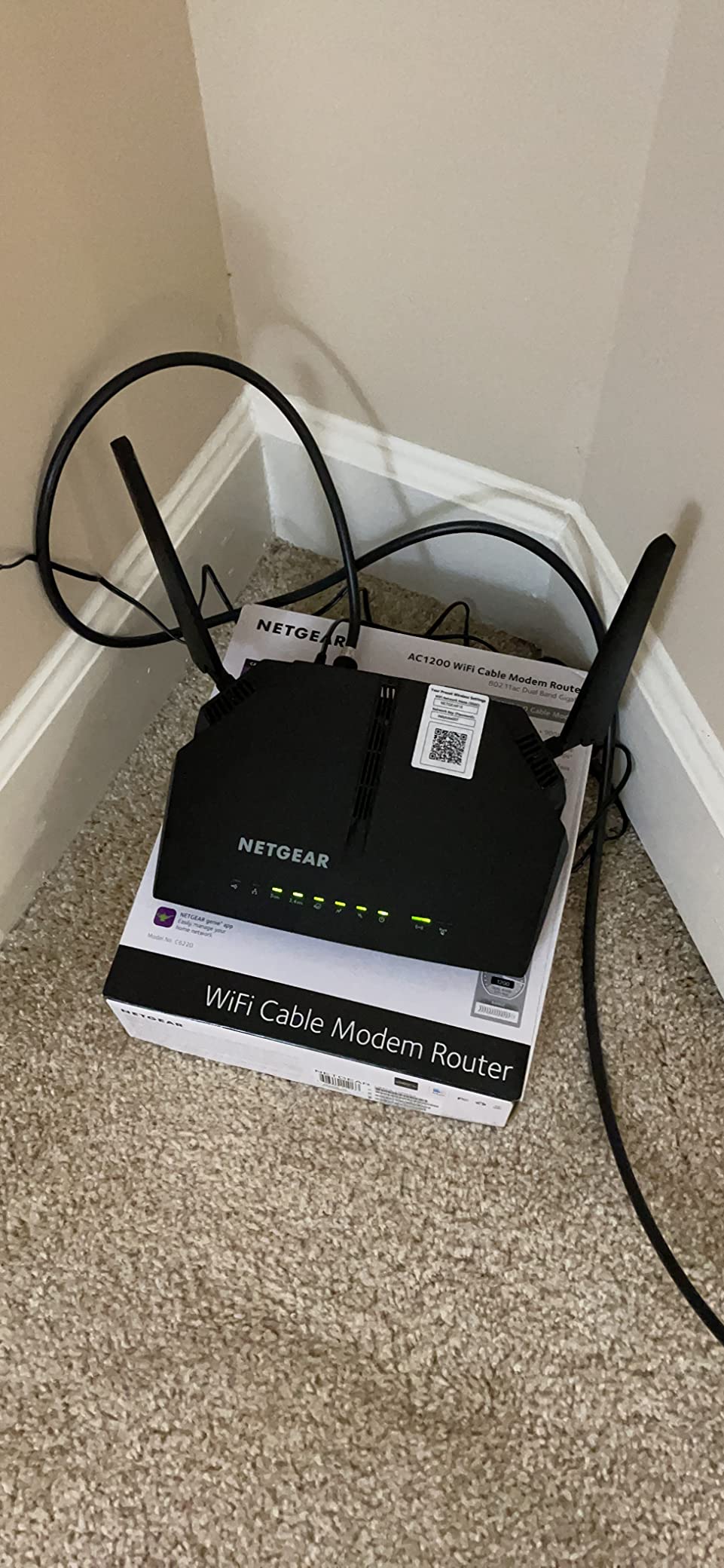
Provider certification is specific and worth reading: Xfinity up to 200 Mbps, Cox up to 150 Mbps and Spectrum up to 100 Mbps. If your plan is faster than that, this unit will not be an option your provider will activate, no matter what the retail listing claims.
The most common complaint is heat, and reviewers also note that the signal does not reach every room in a larger apartment. A small number of units have been reported with a faulty second LAN port, and the one-year warranty is the shortest in this group.
Who should buy the C6220
It suits a studio or one bedroom apartment on a genuinely basic plan, especially if you want a second or third backup unit. It is also a reasonable travel and vacation-home option where coverage needs are small.
Who should skip the C6220
Skip it for any plan above 200 Mbps, for homes over about 1,200 sq ft, and for anyone who wants a warranty longer than a year. The port count and the coverage claim leave very little margin.
4. NETGEAR Nighthawk C7000 Review: Best Pick for Wired-Heavy Setups
NETGEAR Nighthawk Cable Modem and WiFi 5 Router Combo (C7000) – Compatible with Major Cable Providers incl. Xfinity & Cox – Cable Plans up to 800Mbps – AC1900 (Up to 1.9Gbps) – DOCSIS 3.0
DOCSIS 3.0 24x8 bonding
AC1900 dual-band Wi-Fi
Four Gigabit LAN ports
Beamforming+
1-year warranty
Pros
- Four Gigabit LAN ports for many wired devices
- On-board diagnostics expose noise power and signal levels
- Consistently delivers speeds at or above the subscribed tier
- Built-in speed test in the Nighthawk app
Cons
- Some owners report needing frequent reboots
- Runs warm in operation
- Advanced features such as NETGEAR Armor need a subscription
- DOCSIS 3.0 24x8 bonding is limited by provider channel availability
The C7000 is the pick for people who think of a home network as Ethernet first. Four Gigabit LAN ports is the joint-highest port count in this group, and owners with a media server, console and desktop wired up will not need a switch.
It runs DOCSIS 3.0 with 24×8 channel bonding and an AC1900 dual-band radio rated up to 1.9 Gbps combined, with a listed maximum internet speed of 960 Mbps. Coverage is listed at 1,800 sq ft. There is also one USB 2.0 port on the back.
What separates it from the other DOCSIS 3.0 boxes here is diagnostics. The on-board tools expose noise, power and signal levels, and there is a built-in speed test in the Nighthawk app. When something is slow, this unit tells you whether the problem is your line or your Wi-Fi.
The main thread in negative reviews is stability rather than speed. A portion of owners report needing frequent reboots or restarting sessions to restore connectivity, balanced by a large base of satisfied long-term users. It also runs warm, and advanced security features are gated behind a NETGEAR Armor subscription after the trial.
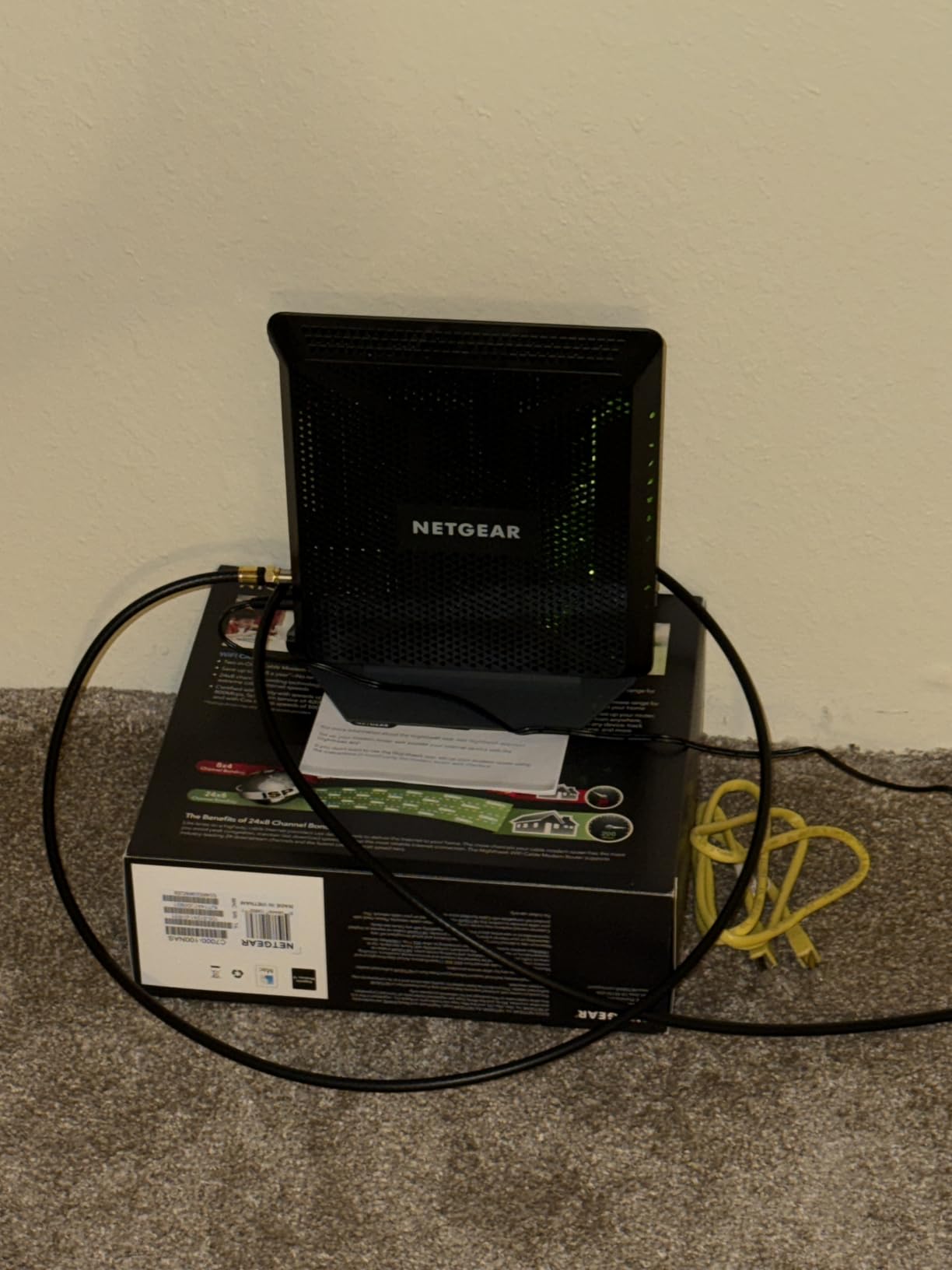
Certification is listed for Xfinity up to 800 Mbps and Cox up to 500 Mbps. Wi-Fi security support is listed as WEP, WPA-PSK and WPA2-PSK, so there is no WPA3 option here.
Who should buy the Nighthawk C7000
Choose it when you have four or more wired devices, want a real 24×8 DOCSIS 3.0 modem, and appreciate diagnostics that tell you what your line is actually doing. The built-in speed test makes it a good fit for people who like to measure rather than guess.
Who should skip the Nighthawk C7000
Skip it if you want Wi-Fi 6 or WPA3, or if reboot sensitivity has been a problem for you in the past. Anyone on a plan above 800 Mbps should move up to a DOCSIS 3.1 unit instead.
5. ARRIS SBG8300 Review: Best Value Step Up to DOCSIS 3.1
ARRIS (SBG8300) – Cable Modem Router Combo – Fast DOCSIS 3.1 Gigabit & AC2350 WiFi ,Comcast Xfinity, Cox, Spectrum & more, 1 Gbps Max Internet Speeds , 4 OFDM Channels
DOCSIS 3.1 with 4 OFDM channels
AC2350 Wi-Fi 6
Four Gigabit ports
Up to 2800 sq ft
2-year warranty
Pros
- DOCSIS 3.1 gives gigabit-class headroom on faster tiers
- Widest coverage claim among the single-box units at 2800 sq ft
- Four Gigabit Ethernet ports
- Two-year warranty
Cons
- Dual-band Wi-Fi 6 radios are dated against newer units
- Some owners report stability and reboot complaints
- Listed maximum speed is not the highest available at this tier
The SBG8300 is the transition point in this roundup: DOCSIS 3.1 hardware without moving to a premium Wi-Fi 7 or mesh platform. It is the model we would suggest for anyone whose plan has outgrown DOCSIS 3.0 but whose coverage needs are still handled by one box.
It delivers DOCSIS 3.1 with four OFDM channels, an AC2350 dual-band Wi-Fi 6 radio and four Gigabit Ethernet ports. Maximum internet speed is listed at 1 Gbps, and coverage is claimed at up to 2,800 sq ft, the widest single-box claim in this group.
Owner feedback splits the usual way. Most reviewers describe a genuine step up in throughput and broad coverage, while a smaller set of one-star reviews mention firmware quirks and connection resets. The 4.1 average reflects that second group more than day-to-day performance.
The limitation to understand is the radio, not the modem. These Wi-Fi 6 radios are dual-band, which means no 6 GHz band, and they look dated next to tri-band and Wi-Fi 7 hardware. If you plan to add access points later, the modem half will still serve you well.
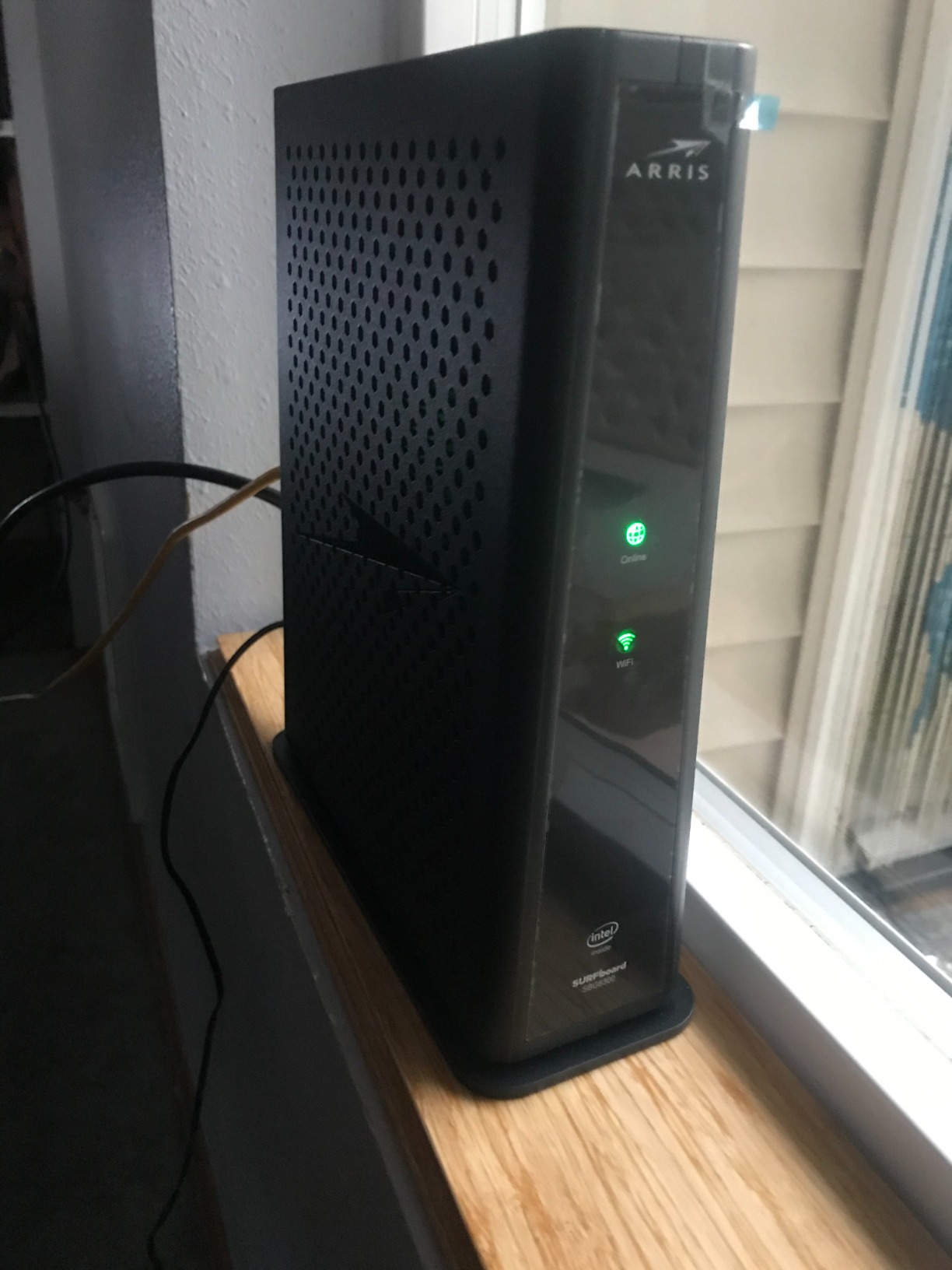
Security is listed as WPA2-PSK, setup runs through the SURFboard Central app, and the warranty is two years. It is listed as working with Xfinity, Spectrum, Cox and other major cable providers, though you still need to confirm your specific address and tier.
Who should buy the SBG8300
Buy it if you are on a gigabit plan in a home of roughly 2,000 to 2,800 sq ft with solid Wi-Fi coverage already. It is also the sensible midpoint if you want DOCSIS 3.1 headroom today and might add mesh nodes or a dedicated router in a couple of years.
Who should skip the SBG8300
Skip it if you need a 6 GHz Wi-Fi 6E band for very high throughput devices, or if you want a multi-gig Ethernet port. Homes with heavy obstructions across floors are better served by the mesh system in this group.
6. NETGEAR Nighthawk CAX30 Review: Best Pick for Gaming and Gigabit Plans
NETGEAR Nighthawk Modem Router Combo (CAX30) DOCSIS 3.1 Cable Modem and WiFi 6 Router – AX2700 2.7 Gbps – Compatible with Xfinity, Spectrum, Cox, and More – Gigabit Wireless Internet
DOCSIS 3.1 modem
AX2700 dual-band Wi-Fi 6
Four Gigabit ports
Up to 2000 sq ft
WPA3 support
Pros
- Sustained gigabit-class speeds on fast cable plans
- Coverage reported across large homes including 3600 sq ft houses
- Nighthawk app is well regarded for management and Smart Connect banding
- DOCSIS 3.1 OFDM keeps speeds steady at peak hours
- WPA3 encryption support
Cons
- Setup can take longer than expected
- Small number of units failed within weeks with support friction
- Advanced security features need a NETGEAR Armor subscription after the trial
- Help desk experience described as uneven
The CAX30 is the top seller in its retail category, and the reason is straightforward: it is a DOCSIS 3.1 modem with a modern AX2700 Wi-Fi 6 radio, four Gigabit ports and certification for the big three providers. For gaming, the DOCSIS 3.1 OFDM layer is what keeps latency steadier at peak hours.
Owner reports are consistently positive on throughput. Reviewers describe sustaining gigabit-class speeds and better-than-ISP Wi-Fi across large homes, with one mentioning coverage in a 3,600 sq ft house. The Nighthawk app is repeatedly praised, particularly its Smart Connect band steering.
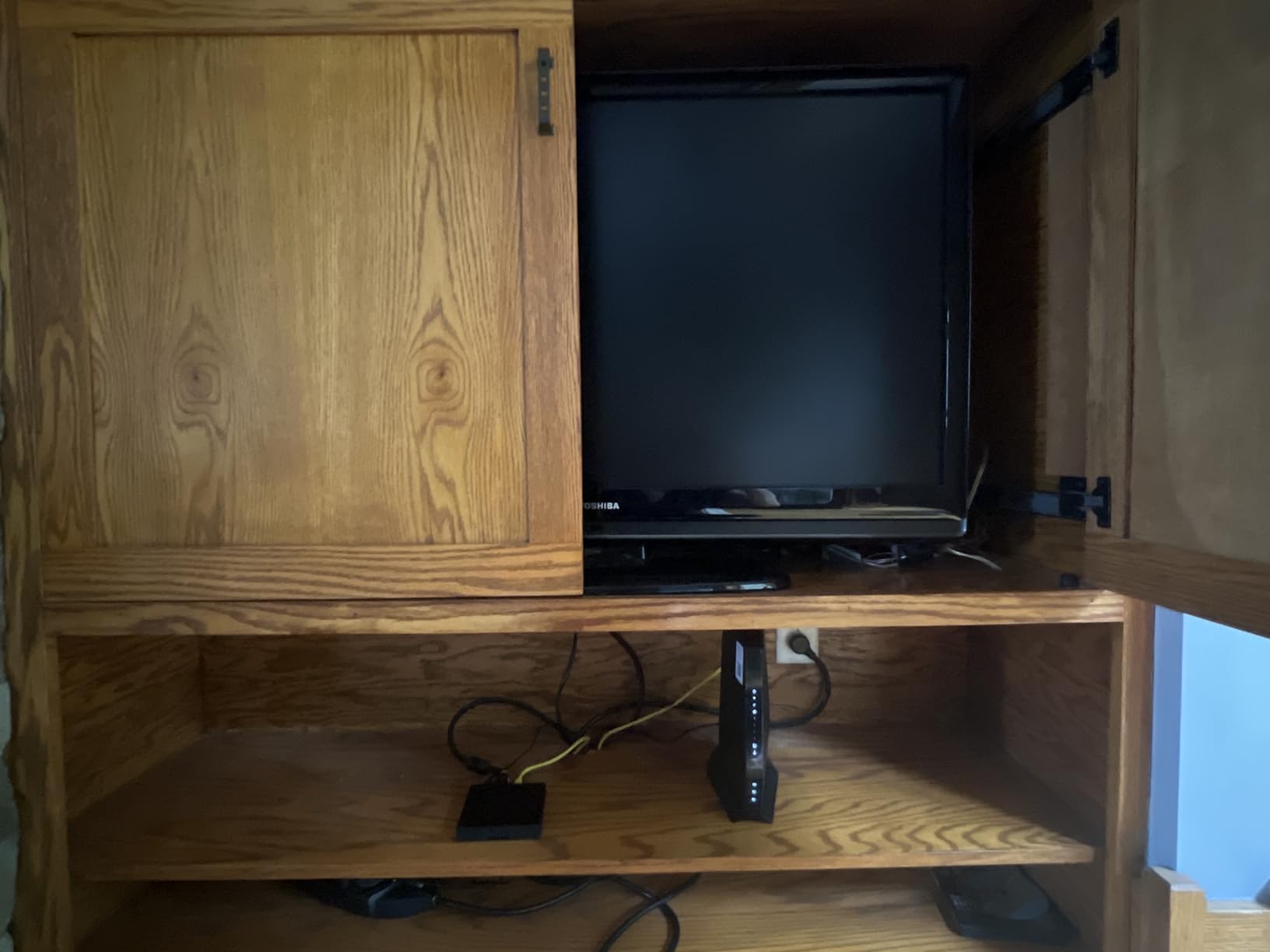
Provider certification covers Xfinity up to 800 Mbps, Spectrum up to 1 Gbps and Cox up to 1 Gbps. Coverage is listed at up to 2,000 sq ft for 25 or more devices, and there is one USB 3.0 port alongside the four Gigabit Ethernet ports.
The 4.1 average is held down by a cluster of early hardware failures and difficult replacement handling rather than by the experience of installed units. Setup can also take longer than people expect, and the advanced security options sit behind a NETGEAR Armor subscription after the trial period.
It is one of the few units in this group with WPA3 listed in its security protocols, alongside WPA and WPA2. Automatic firmware updates are included, which matters more than people assume for a device that sits directly on the coax line.
Who should buy the Nighthawk CAX30
It is the pick for gigabit cable plans, competitive or heavy-voice-chat gaming, and homes that want a modern radio without a mesh system. The OFDM layer and WPA3 support are the two features that separate it from the DOCSIS 3.0 units above.
Who should skip the Nighthawk CAX30
Skip it if you want 2.5 Gbps Ethernet, if your home is larger than roughly 2,000 sq ft with difficult construction, or if you are unwilling to pay for a security subscription later. Buy carefully and test early, given the reported early-failure cluster.
7. NETGEAR Orbi CBK752 Review: Best Coverage for Large Homes
NETGEAR Orbi Cable Modem Router Combo Mesh System (CBK752) DOCSIS 3.1 – AX4200 WiFi 6 (4.2 Gbps) – Certified with Xfinity (up to 900Mbps, Spectrum & Cox (up to 1Gbps) – Covers 5,000 sq.ft.
DOCSIS 3.1 modem router plus RBS750 satellite
AX4200 tri-band Wi-Fi 6
Up to 5000 sq ft
Orbi app management
Pros
- Widest coverage of any combo here reaching 5000 sq ft
- Seamless roaming between router and satellite
- Handles gigabit service and many simultaneous streams
- Adds 2500 more sq ft with another RBS750 satellite
Cons
- Initial setup is fiddly and can take hours
- Orbi app can be slow and buggy
- Parental controls and security features need paid subscriptions
- Older 2.4GHz-only devices may fail to connect to the tri-band system
Everything in this box is aimed at one problem: square footage. The CBK752 ships a cable modem router plus an RBS750 mesh satellite, and the two run as a single Wi-Fi network. The listed coverage is up to 5,000 sq ft in open layouts for 40 or more devices.
Wireless specs are AX4200 tri-band Wi-Fi 6 rated up to 4.2 Gbps aggregate, with a dedicated mesh backhaul band. The router carries four Gigabit LAN ports and the satellite carries two, so wired devices have somewhere to go on each unit.
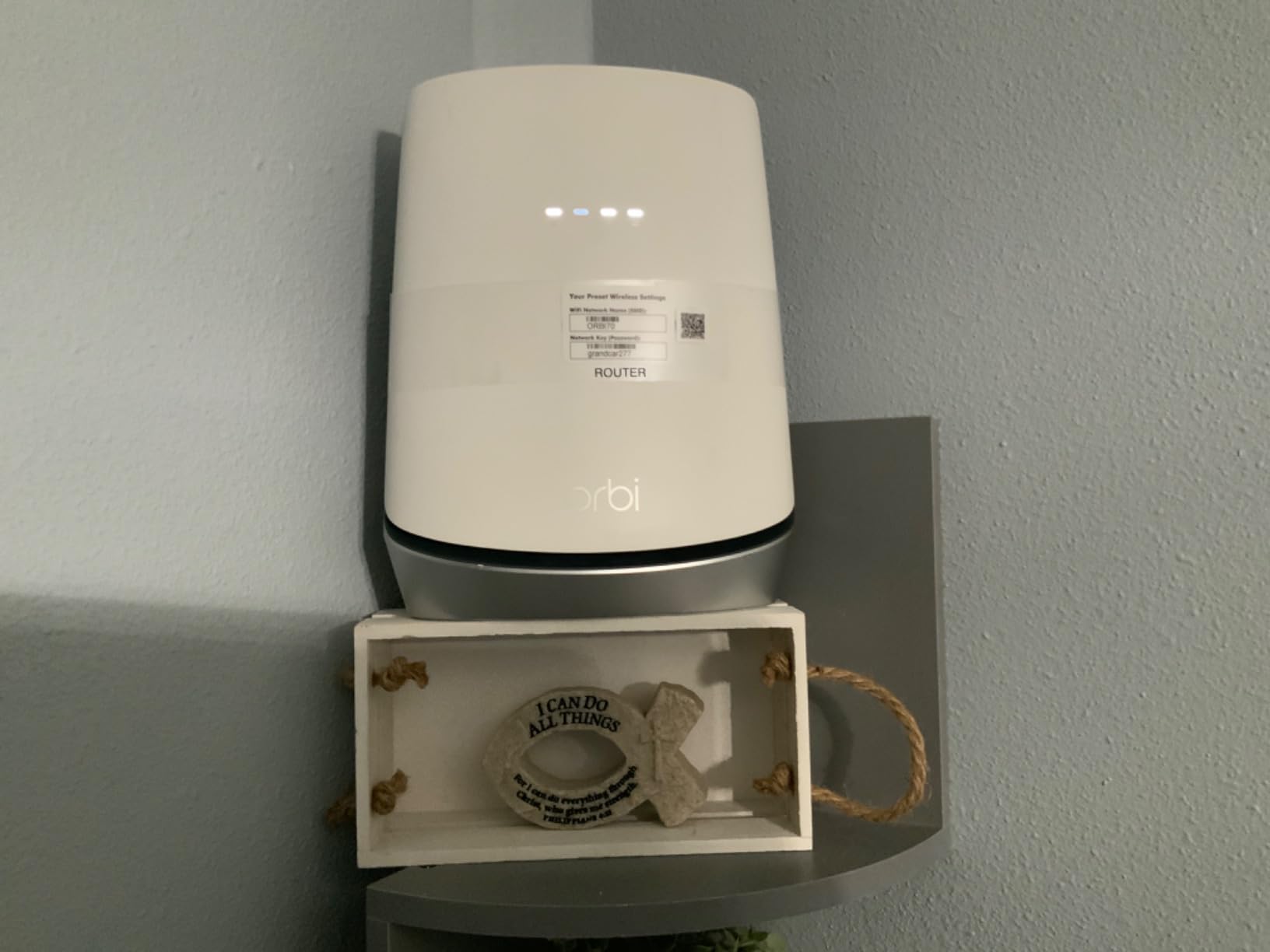
Owners who get past setup tend to love it. Reviews cite eliminated dead zones, seamless roaming without drops, and one owner describing it as a modern upgrade that fixed problems an ISP gateway could not. The package includes both power adapters and a 2 m Ethernet cable.
Setup is the honest weakness. Multiple owners describe it as fiddly and time-consuming, and the Orbi app is reported as slow and sometimes buggy, including cases where SSID changes did not propagate to the satellite. Parental controls require a paid subscription, and some older 2.4 GHz-only devices may refuse to connect to the tri-band system.
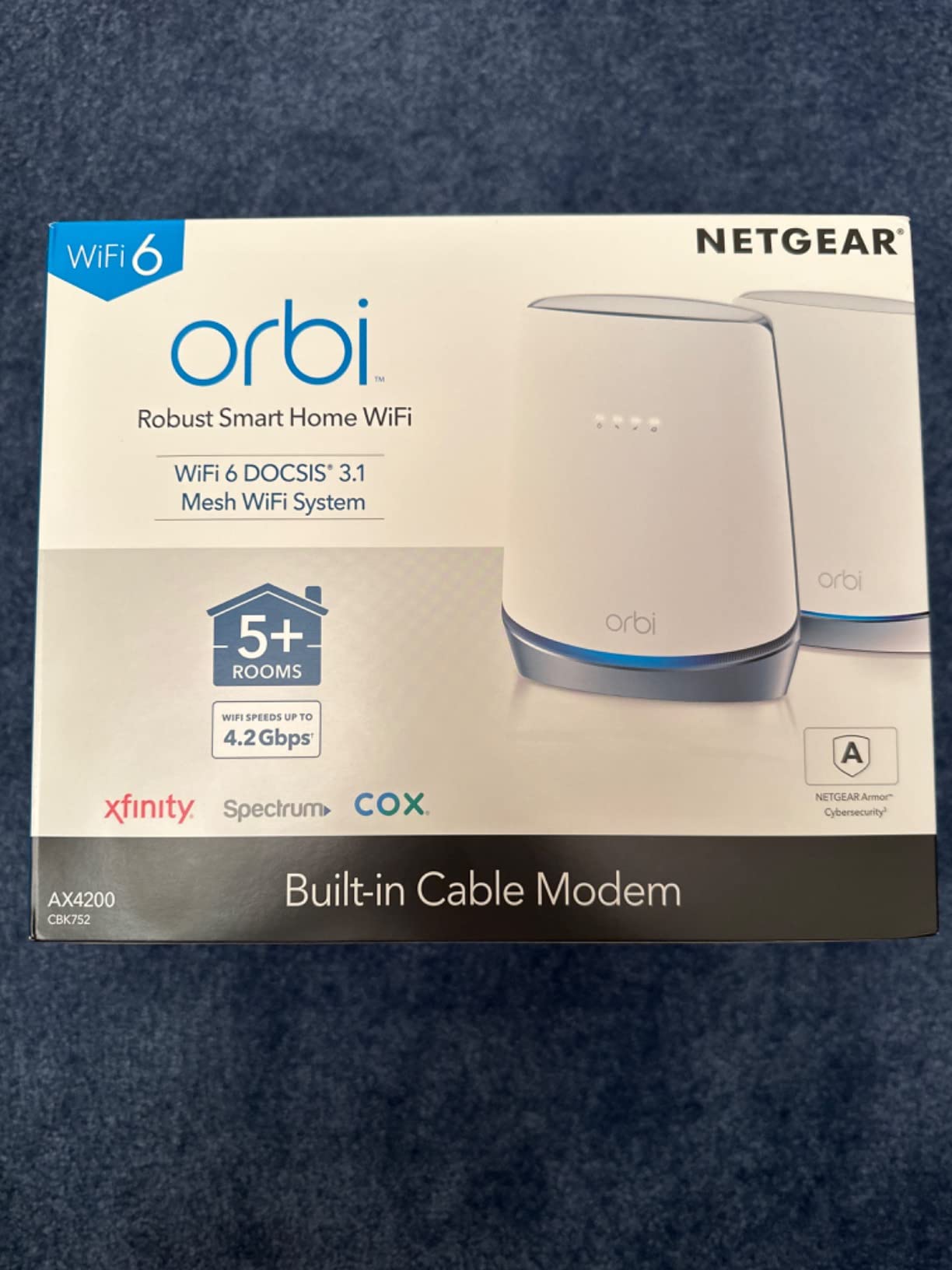
Certification covers Xfinity up to 900 Mbps, Spectrum up to 1 Gbps and Cox up to 1 Gbps. Security is listed as WPA2-PSK, with no WPA3 noted for the radios.
Who should buy the Orbi CBK752
Buy it for large homes, multi-floor layouts, properties with outdoor or garage coverage goals, and households with 40 or more connected devices. It is also the right choice if you have already decided a single router will not cover your space.
Who should skip the Orbi CBK752
Skip it for small apartments, where you would be paying for coverage you do not need and fighting a setup process that several owners found frustrating. Anyone on 2.4 GHz-only industrial or smart-home devices should check compatibility first.
8. NETGEAR Nighthawk CAX80 Review: Best Pick for Multi-Gig Service
NETGEAR Nighthawk Cable Modem and WiFi 6 Router Combo (CAX80) – Compatible with All Major Cable Providers incl. Xfinity, Spectrum, Cox – Cable Plans up to 2 Gbps – AX6000 WiFi 6 Speed – DOCSIS 3.1
DOCSIS 3.1 modem
AX6000 dual-band Wi-Fi 6
One 2.5 Gig port plus four Gigabit ports
Up to 2500 sq ft
Pros
- Only combo here with a 2.5 Gig Ethernet port for multi-gig service
- Delivers full plan speed over Ethernet
- Large well-lit status LEDs make connection state easy to read
- DOCSIS 3.1 OFDM for better peak-hour performance
Cons
- Lowest rating in this group at 3.9 stars
- Reports of units arriving bricked or failing to activate
- Not MoCA compatible which can disable a wired Xfinity TV box
- Large chassis needs ventilation clearance
- Signal reported weak in far rooms of large homes
The CAX80 is the only unit in this roundup with a 2.5 Gig Multi-Gig Ethernet port, alongside four Gigabit ports. If your plan tier is above 1 Gbps, that single port is often the difference between a wired setup that can use your speed and one that cannot.
Wireless is dual-band AX6000 Wi-Fi 6 rated at 6 Gbps aggregate, with listed coverage of 2,500 sq ft for 30 or more devices. There is also a USB 3.0 port, and the chassis measures roughly 8.5 by 4.3 by 10.4 inches, so plan for airflow and coax bend radius.
Owners who get it running confirm full plan speed over Ethernet and much stronger Wi-Fi than the ISP gateway. Large well-lit status LEDs are called out as a genuine convenience when you are debugging a connection.
The 3.9 average is the lowest here, and 19 percent of reviews are one star. That rating comes mostly from a cluster of dead-on-arrival units and difficult support or replacement experiences rather than from the installed experience. Two other issues matter: it is not MoCA compatible, which can disable a wired Xfinity TV box, and owners report weak signal in far rooms of large homes.
Certification is listed for Xfinity up to 800 Mbps, Spectrum up to 1 Gbps and Cox up to 1 Gbps, so check your address before assuming a multi-gig plan will approve it. Security is listed as WPA-PSK and WPA2-PSK, and the warranty is one year with 90 days of free expert help.
Who should buy the Nighthawk CAX80
Buy it if you are on a multi-gig plan and you have at least one device that can actually use a 2.5 Gbps wired connection. It is also the pick for people who want one high-end box instead of a modem plus a separate multi-gig router.
Who should skip the Nighthawk CAX80
Skip it if your plan is gigabit or below, since the 2.5 Gig port adds nothing there. It is also a poor fit for large homes with weak far-room signal, and for Xfinity customers who rely on a wired TV box over MoCA.
How to Check ISP Compatibility Before You Buy
Compatibility is the step people skip and regret. A gateway can carry the newest DOCSIS version and still be rejected, because providers approve devices by model number, by service address, and sometimes by the specific speed tier available at that address. Nothing on a retail listing settles this. The provider’s own approved device list does.
The process we recommend runs in five steps. First, sign into your provider account and locate the approved device list, which is usually buried in support or account settings rather than on the marketing pages. Xfinity calls it My Device Info, and it is tied to your actual service address rather than a generic catalog.
Second, search the list by model number rather than by product name. Providers are cautious about lookalike models, and a search on the brand name alone will return results that include units your address cannot use.
Third, read the speed tier next to each approved model. Several of the units in this roundup are certified only up to a specific plan speed, and the ceiling moves by provider and by region.
Fourth, check whether you have bundled voice. If your plan includes home phone service, you need a gateway with a telephone port, and that requirement removes several popular DOCSIS 3.1 models from consideration entirely. Owners on voice bundles report this is the single most common reason a perfect-looking purchase ended up unusable.
Fifth, confirm the port configuration matches your plan. Providers that offer multi-gig tiers often require a specific port, and a unit with four 1 Gbps ports cannot deliver speeds your plan is paying for.
One more community-sourced check is worth your time. Home networking forums consistently direct buyers to provider approved-device pages by address rather than trusting retailer compatibility labels, because approval varies by address, service type and speed tier. We did the same thing while writing this guide and the differences were real.
DOCSIS 3.0 vs 3.1 vs 4.0: What Actually Matters in 2026
DOCSIS is the standard that lets cable providers send data over coax, and the version number tells you how much capacity the line and the modem can handle. DOCSIS 3.0 is the old workhorse. DOCSIS 3.1 adds orthogonal frequency division multiplexing channels, which is the mechanism behind multi-gig cable. DOCSIS 4.0 is the next generation of the same idea.
For buying decisions, the practical guidance is simple. DOCSIS 3.0 is fine for plans up to about 1 Gbps, and four of the units in this roundup use it. DOCSIS 3.1 is the right floor for gigabit service and the only realistic option for anything faster. DOCSIS 4.0 is still early in deployment, with rollout concentrated in a limited number of cities, and it has not reached retail shelves as a broadly available product.
That last point matters for timing. If you are buying today, a DOCSIS 3.1 gateway is a future-proof-enough choice for the plan tiers most providers are selling. Waiting for DOCSIS 4.0 hardware means waiting for retail availability that is not there yet.
Channel bonding is worth understanding at a basic level. A 16×4 or 24×8 modem uses more downstream channels than an 8×4 to push more data at once, which is why the C7000 and SBG10 are built the way they are. But bonding is bounded by what your provider actually offers on your node, so a bigger number on the box does not guarantee more speed on every street.
On the wireless side, Wi-Fi 5, Wi-Fi 6 and Wi-Fi 6E describe the radio inside the router half of the box. Wi-Fi 6 adds OFDMA and MU-MIMO handling that matters when you have many devices. Wi-Fi 6E adds a 6 GHz band, but none of the units in this roundup carry it, and the Wi-Fi 6 radios here are dual-band.
Cable Modem Router Combo vs Separate Modem and Router: Which One Wins
A combo gateway is one box that does both jobs. A separate setup uses a standalone DOCSIS modem feeding a dedicated router or access point. The forum consensus leans toward separates for large homes and for people who plan to upgrade, while combos win for apartments, single floors and simple households.
Ask yourself five questions. How many square feet do you need to cover, and how many floors? How many devices will be connected at once? Do you expect your plan to move to a multi-gig tier within a couple of years? Do you have bundled voice? And do you care about managing your own network settings later?
The technical reality helps here. The DOCSIS modem half of a combo performs the same job as a standalone modem of the same generation, so you lose nothing on the modem side. What you gain on the router side is limited, because Wi-Fi capability is bounded by the radio that is soldered in.
Bridge mode is the escape hatch. Put the gateway into bridge mode and it stops routing, handing the public connection to a router you choose. That means you can start with a combo today and add a dedicated router later without replacing the modem. All of the units here support the function, though the menu path differs by model.
For port strategy, map speed to tier. One Gigabit ports are fine for plans up to about 1 Gbps. A 2.5 Gbps port is the requirement for multi-gig service, and in this roundup only the CAX80 has one. Ten Gigabit ports are for LAN-side aggregation, not for internet speed, and no unit here needs them.
Whatever you choose, use Cat5e or better cable between the modem and the router, and prefer Cat6 for runs through walls or outdoors. For the physical side of pulling new coax or Ethernet, our cable crossover machine guide for garages covers the tools involved.
Common Buying Mistakes to Avoid
Buying on DOCSIS version alone is the most expensive error. Plenty of capable devices get refused by a provider, so verify against the approved list for your address before anything else.
Ignoring speed tier certification is the second. A gateway approved only to 800 Mbps will not activate on a gigabit tier at some addresses, and the retail page will not tell you.
Buying a combo for a large house is the third. Advertised square footage does not survive thick walls, multiple floors or a family of heavy users. This is the most common regret we found in home networking discussions.
Forgetting about bundled voice is the fourth. Voice service requires a telephone port, and several otherwise ideal DOCSIS 3.1 models do not have one.
Ignoring a known chipset issue is the fifth. Buyers on cable forums actively track models built on the Puma chipset family because of reported latency and connection resets, and they ask for specific model numbers to avoid.
Finally, do not expect a rented gateway upgrade to fix a coverage problem you do not have diagnosed. Coverage complaints are far more common than throughput complaints, and a faster modem will not push a 2.4 GHz signal through a concrete floor any better than the ISP box did.
Frequently Asked Questions
What is the best combined modem and router for cable internet?
The best combined modem and router for cable internet is a DOCSIS 3.1 cable gateway your provider has approved for your service address and speed tier. The ARRIS SBG7400AC2 leads this group on owner satisfaction for plans up to about 1 Gbps, the NETGEAR Nighthawk CAX30 suits gigabit plans, and the Orbi CBK752 covers large homes. Compatibility always comes before features.
What is the best modem for cable internet?
For most cable households, the best modem is a DOCSIS 3.1 model on your provider’s approved device list, because DOCSIS 3.0 caps out around 1 Gbps and cannot grow with your plan. If you are adding a separate router, buy a standalone DOCSIS 3.1 modem instead of a combo so you keep the option to change routers later.
Which router is best for fiber optic cable?
Fiber service does not use a cable modem at all. Your provider installs an optical network terminal, or ONT, and connects a router to it with Ethernet. A DOCSIS cable gateway is the wrong purchase for fiber. If a retailer has shown you these devices for a fiber plan, you are looking at the wrong product category entirely.
What type of Ethernet cable is best for connecting my modem to my router?
Use Cat5e or Cat6 Ethernet cable. Cat5e handles up to 1 Gbps reliably and is fine for most homes, while Cat6 is the better choice for runs through walls, outdoors or near interference. Keep in mind that the cable between modem and router only needs to carry your internet speed, not your Wi-Fi speed, so 1 Gbps wiring is usually enough.
Are modem-router combos worth it?
Modem-router combos are worth it in apartments, single-floor homes and for anyone who wants one box and no monthly rental charge. They are less worthwhile in large homes with several floors, or when you expect to move to a multi-gig plan, because you cannot upgrade the Wi-Fi radio without replacing the whole unit. A combo in bridge mode solves that second concern.
Does having a separate router affect internet speed?
A separate router does not reduce your internet speed. The DOCSIS modem half of a combo performs the same job as a standalone modem, so a separate setup changes nothing about the line itself. What improves is wireless performance, because you can pair a mid-tier modem with a better dedicated router or mesh system and spread coverage across more rooms.
Can I use a modem-router combo as just a router?
Yes. Put the gateway into bridge mode and it stops routing and passing out addresses, handing the connection to a router you own. Connect your router to the gateway with an Ethernet cable, give the router a static or reserved address on the gateway, and your separate network takes over. The menu path differs by model, so check the manual for your specific unit.
Conclusion: The Best Modem Router Combos for Cable Internet in 2026
For most cable households, the ARRIS SBG7400AC2 is our pick as the best modem router combo for cable internet, because it pairs the highest owner rating in this group with four Gigabit ports and certification for plans up to about 1 Gbps. On gigabit service, the NETGEAR Nighthawk CAX30 adds DOCSIS 3.1 headroom and WPA3. In a large home, the Orbi CBK752 solves coverage, and on a multi-gig plan the Nighthawk CAX80 supplies the only 2.5 Gig port in this group.
Whichever one you choose, check it against your provider’s approved device list for your exact service address and speed tier before you buy. That single check prevents almost every problem we read about, and it takes about five minutes. Our picks and compatibility guidance are current for 2026.