
Most people who search for the best low profile mechanical keyboards for typing are doing one of two things. Either they have spent years on a laptop keyboard and want mechanical feel without the wrist extension that comes with tall keycaps, or they type eight hours a day and need something quiet and neutral that will not fatigue them before lunch. Both groups care about the same things: tactility, sound, keycap shape under the fingers, thermalling, and whether the board still works at hour six.
What they usually do not want is a gaming board with a 0.2mm actuation point and a thock that announces itself to the whole office. That is the gap most roundups on this topic still fall into. The lists ranking for this query still lean on boards launched years ago, mixed with gaming picks, and scored on latency rather than on whether you can write four thousand words in a row without thinking about your hands.
So this roundup ranks nine current low-profile boards on typing criteria only. We looked at switch type and force, keycap material and sculpt, case height and typing angle, stabilizers, sound profile, battery endurance, and the reliability complaints owners actually report. We did not score anything on esports response times.
Before you read further, note two things. Prices are not listed anywhere in this article because they move daily; use the check-price buttons and read the current listing. And if you already own a tall mechanical board, read the transition section near the end before you commit, because the honest answer is that low-profile is a downgrade in feel for about three weeks.
For context on the wider category, our guides to the best mechanical keyboards for typing and the best wireless mechanical keyboards for Mac cover the taller boards most people end up comparing against.
Table of Contents
Top 3 Low Profile Mechanical Keyboards for Typing in 2026

Keychron K3 V2 QMK
- 84 keys in a 75% layout
- Tactile Brown switches
- QMK firmware with full remapping
- Bluetooth 5.1 for 3 devices

LOFREE Flow Lite 100
- 100 keys with a numpad
- 40gf full-POM linear switches
- PBT double-shot keycaps
- Up to 100 hours per charge

NuPhy Kick75
- 80 keys in a 75% layout
- Gasket mount with sound foam
- Volume knob and RGB
- Tri-mode wireless
Best Low Profile Mechanical Keyboards for Typing at a Glance in 2026
| Product | Specifications | Action |
|---|---|---|
| Keychron K3 Version 2 QMK |
|
Check Latest Price |
| LOFREE Flow Lite 100 |
|
Check Latest Price |
 LOFREE Flow84 LOFREE Flow84 |
|
Check Latest Price |
| NuPhy Kick75 |
|
Check Latest Price |
 RK Royal Kludge N80 RK Royal Kludge N80 |
|
Check Latest Price |
 Cherry MX 10.0N RGB Cherry MX 10.0N RGB |
|
Check Latest Price |
 Cherry KW X ULP Cherry KW X ULP |
|
Check Latest Price |
 Hexgears Immersion A3 Hexgears Immersion A3 |
|
Check Latest Price |
 Akko Air 01 Akko Air 01 |
|
Check Latest Price |
Two entries in that table deserve a word before the detailed reviews. The LOFREE Flow Lite 100 is the only board here that keeps a numpad at this profile height, which matters more for spreadsheet work than most roundups admit. The Cherry KW X ULP is the flattest board in the set and the most expensive, and its typing sound is the polar opposite of what a shared office wants.
What Low Profile Actually Means for Typing
A low-profile mechanical keyboard is one whose switches have a shorter travel distance than a standard mechanical switch, usually about 3.0mm of total travel with actuation around 1.2 to 1.5mm, compared with 4.0mm and 2.0mm on a standard Cherry MX board. The case is thin, the keycaps are short and flat, and the whole thing looks closer to a laptop keyboard while still using mechanical switches underneath.
The term gets used loosely, so it helps to split it into three separate meanings. Low-profile switches shorten the travel. Low-profile keycaps are the short, flat caps that sit on them. A low-profile board is the finished keyboard. A board can mix these, and some of the picks here do.
For typing, the travel difference is the whole story. A taller switch gives your finger a longer ramp to feel out, which means more feedback before the keystroke registers and more room to notice a mis-key. A 3.0mm travel switch registers after a very short movement, so your finger adapts in days rather than months. That is why laptop users usually find low-profile boards familiar instead of alien.
The trade is that you get less shape to feel with flat keycaps. Scalloped Cherry-profile caps on a tall board give your fingers a physical map. A flat, square-edged chiclet cap gives you a uniform surface, and finding the I key by touch alone takes practice. The adjustment window is real and it is the single most common complaint in owner reviews of this category.
Switch vocabulary, briefly. Linear switches press down smoothly with no bump, which is quietest and easiest on the fingers over a long session. Tactile switches include a small bump you can feel at the actuation point, which confirms the keystroke without much extra force and helps typing accuracy. Clicky switches add an audible click, and there are none worth recommending for an office. Silent variants damp the sound with silicone pads inside the switch housing, usually at the cost of a slightly mushier bottom-out.
Two more terms you will see. Hot-swappable means the sockets let you pull switches out with a puller and press new ones in, no soldering. QMK and VIA are open-source firmware layers that let you remap keys, layers, and macros through a browser rather than a vendor app, and owners treat them as a longevity signal. Our guides to the best mechanical keyboards for gaming cover why that matters for latency-sensitive setups as well.
1. Keychron K3 Version 2 QMK – Best Overall for Typing
Keychron K3 Version 2 QMK 75% Wireless Low-Profile Mechanical Keyboard
84-key 75% layout
Tactile Brown switches
Bluetooth 5.1, 3 devices
USB-C wired, 500 g
Pros
- QMK firmware with full remapping and macros
- Tactile Brown switches give clear feedback
- Aluminum and ABS body at only 500 g
- Switches between 3 Bluetooth devices and USB-C
- Extra Mac and Windows keycaps included
Cons
- Single-color white backlight only
- Low-profile switches need an adjustment period
- Not water resistant
The K3 is the pick I recommend to people who ask for one board and do not want to think about it again. Eighty-four keys in a 75% layout is the sweet spot for typing: arrows, function row, and a navigation cluster stay in play for writing and editing, while the footprint leaves real mouse room.
The Brown tactile switches are the right call for long sessions. You get a clear bump at the actuation point without the extra force a heavier tactile demands, which cuts the bottoming-out problem that plagues cheap low-profile boards. Reviewers describe the typing sound as muted rather than thocky, which is exactly what a shared desk needs.
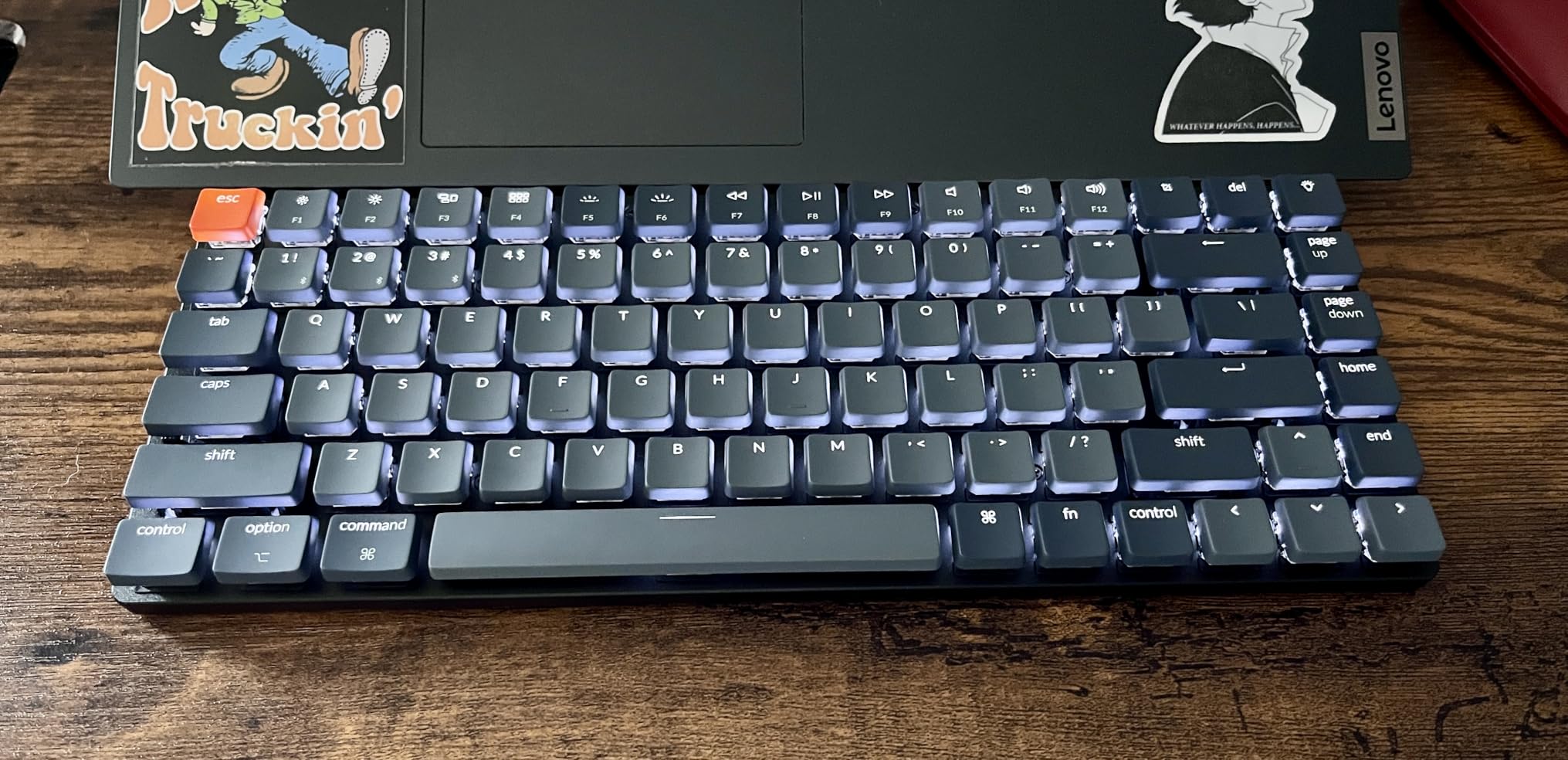
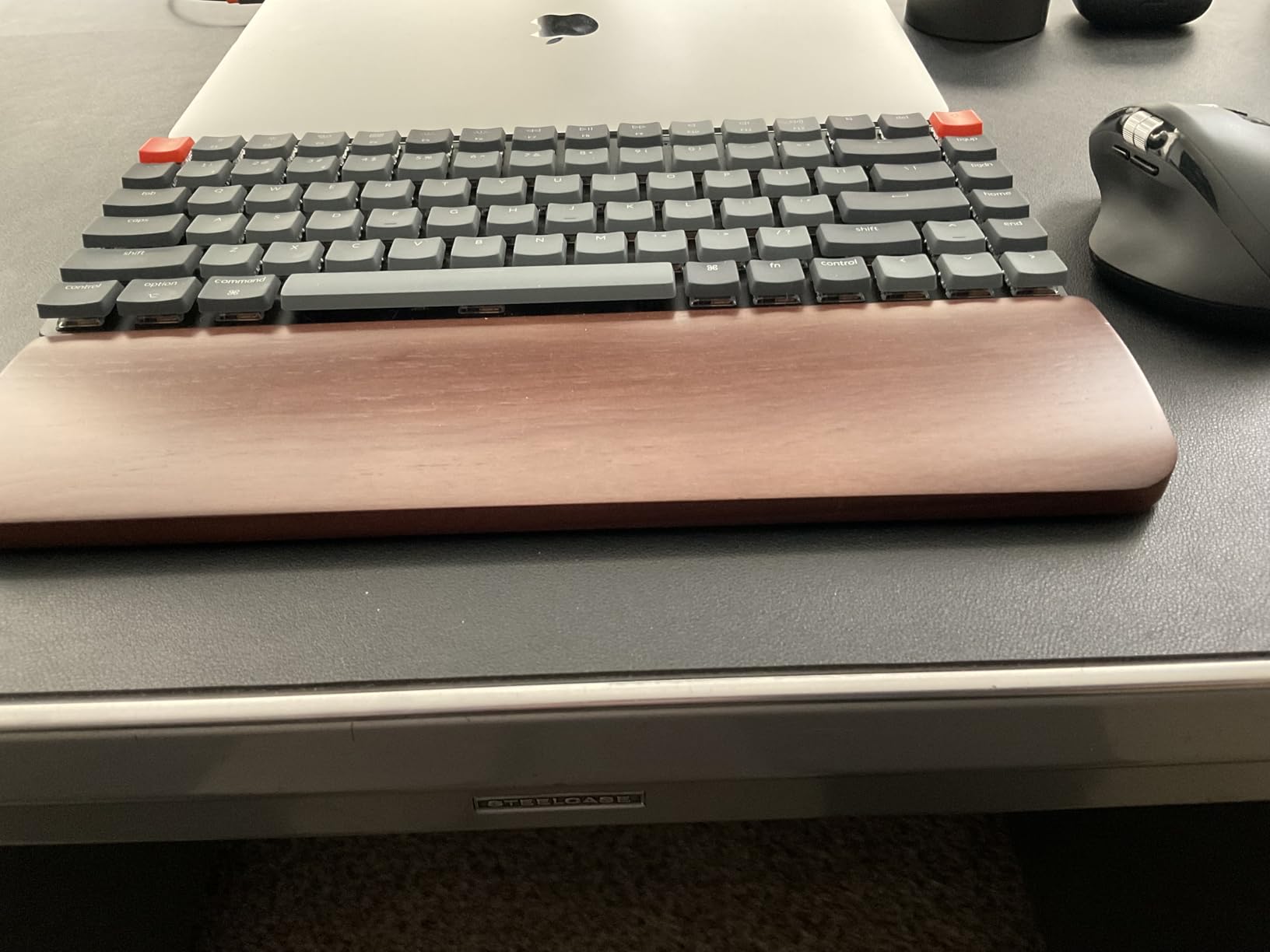
At 500 g the board is genuinely portable, and the reinforced aluminum top with a plastic bottom frame keeps it from flexing when you press hard. The included Mac and Windows keycap set means a mixed-OS household does not have to hunt for replacements.
Connectivity is the quiet strength. Bluetooth 5.1 pairing across three devices plus a USB-C wired mode covers the laptop, a desktop, and a tablet, and the QMK firmware with the Keychron Launcher web app means every key, layer, and macro is remappable in a browser tab rather than a desktop app. That is the feature that keeps the board interesting years later.
What you give up with the K3
The backlight is single-color white. If RGB matters to you at all, this is not the board, and the NuPhy Kick75 or the RK Royal Kludge N80 cover that need better.
Owners also note the learning curve is the main source of the 4.2 average rather than any build concern. In the review data, 67% of ratings are five stars and 14% are four stars, and the criticism that repeats is the adjustment period and the single-color lighting.
One practical warning: this is not water resistant, and low-profile boards sit closer to a drink than tall ones do.
Who should skip it
Skip the K3 if you need a numpad, if you want RGB, or if you type in a very quiet room and want the deepest possible sound. The K3 is deliberately restrained, and people chasing a specific thock end up disappointed by it.
Also skip it if you have never used a mechanical board and are worried about the adjustment window. There is nothing wrong with the K3 here; there is just a gentler option in the Flow Lite that is easier on the fingers at 40gf.
2. LOFREE Flow Lite 100 – Best Value Full-Size
Flow Lite 100 Keys Low Profile Mechanical Keyboard, Swappable Rechargeable Wireless Keyboard with 2.4G Receiver, Bluetooth and Wired Connection for Windows, Mac/ Specter Linear Switches (Marble)
100 keys with numpad
40gf full-POM linear switches
PBT double-shot keycaps
3000mAh, 100 hours
Pros
- Specter full-POM linear switches at a light 40gf
- PBT double-shot keycaps with PC letter sections
- 1000Hz polling on 2.4GHz for responsive typing
- 3000mAh battery rated up to 100 hours
- Built-in kickstand and aluminum volume roller
Cons
- Lofree Configurator software reported as glitchy
- Some mistypes on the swapped symbols
- Very small numpad zero key
The Flow Lite 100 answers the objection that low-profile means giving up a numpad. One hundred keys at this height is genuinely rare, and for anyone doing data entry or bookkeeping it removes the compromise entirely.
The Specter full-POM linear switches run at 40gf operating force, which is the lightest in this roundup. That number matters more than it sounds. Short travel encourages you to press harder than you need to out of habit, and a 40gf bottom-out is the single best defense against finger soreness during the first month.
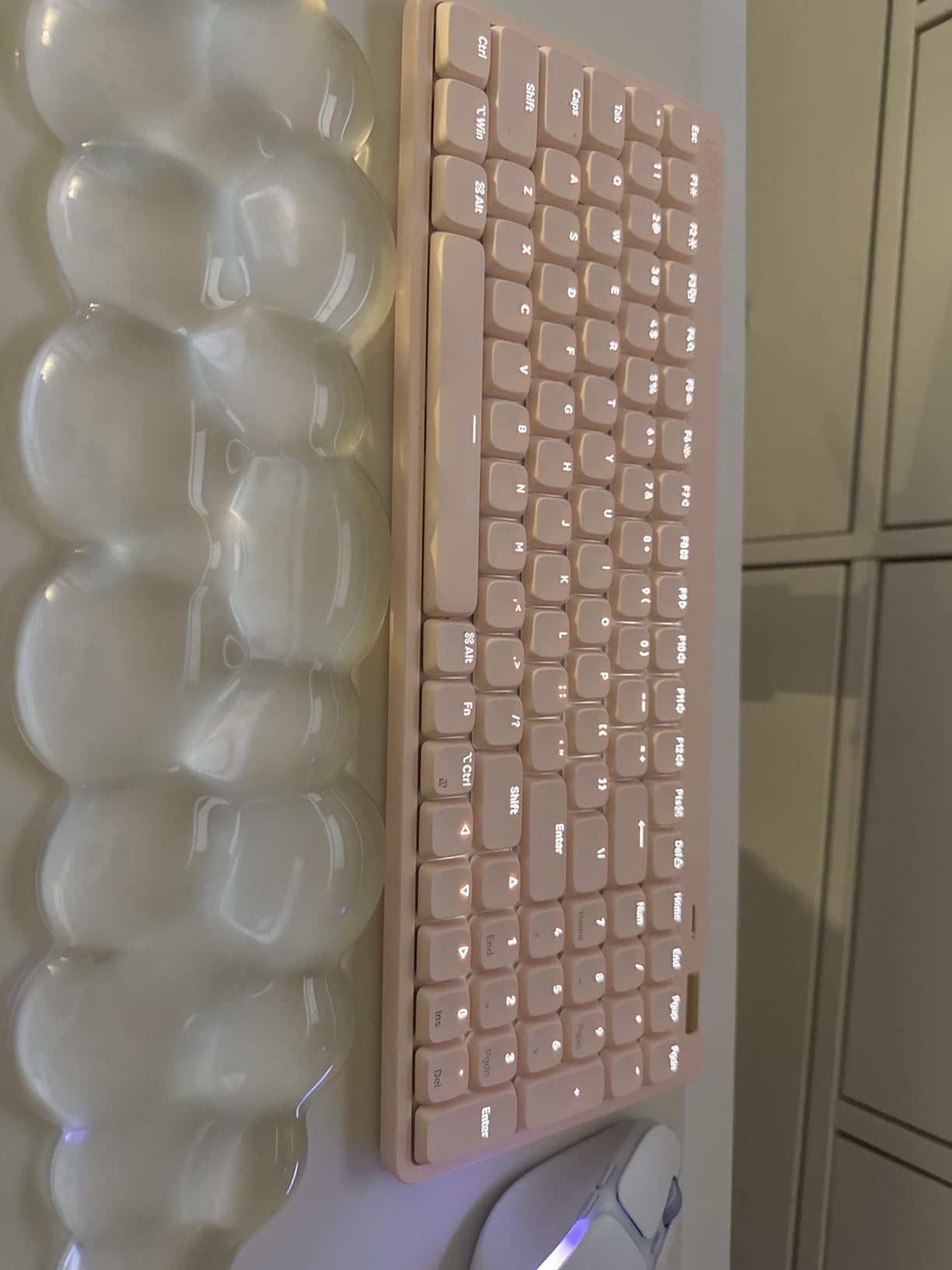
Acoustically the gasket mount with an added sound-dampening layer produces the creamy, muted bottom-out that reviewers describe as creamy and thocky without being loud. Seventy-two percent of the 746 ratings are five stars, and typing quality is the dominant theme in the review data rather than any secondary feature.
The PBT double-shot keycaps with PC letter sections are a genuine upgrade over the flat ABS caps common at this profile height. PBT does not develop the greasy shine that ABS picks up over a year of typing, and the double-shot process means the legends cannot wear off.
Battery endurance is the sleeper feature. The 3000mAh cell is rated at up to 100 hours with the lights off, and a 1000Hz polling rate on the 2.4GHz connection keeps wireless typing from feeling laggy even for fast typists.
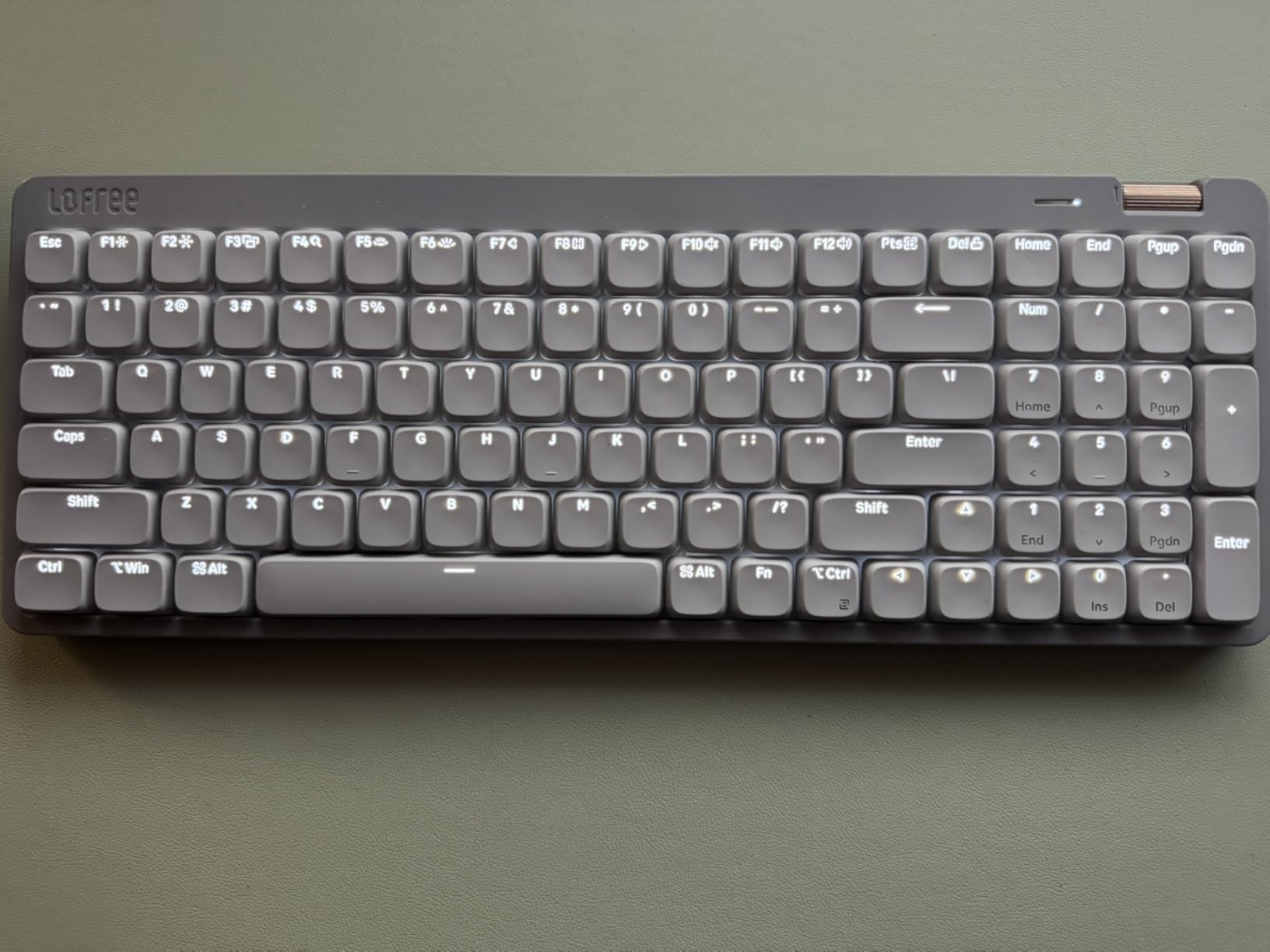
What you give up with the Flow Lite 100
The configurator is the most repeated complaint in the reviews, described as glitchy and prone to demanding frequent upgrades. Treat it as optional; the board works fine out of the box and QMK-style browser remapping covers most needs.
Bluetooth wake-up latency after the board sleeps is the second theme, and a few owners report mistypes on the swapped symbol keys. The numpad zero is very small and takes time to locate by touch.
The body is ABS rather than aluminum, so it flexes a little more under a heavy press than the boards below it in this list.
Who should skip it
Skip it if you have a full desk and no spreadsheet in your life. At 14.74 inches wide, this board eats desk space that a 75% layout would hand back to your mouse arm.
Skip it if you want the deepest possible typing sound. A 40gf linear on a dampened mount is refined and quiet rather than resonant, and people chasing a bottom-out thock find it polite.
3. LOFREE Flow84 – Best for Silent Typing
LOFREE Flow84 Low Profile Mechanical Keyboard, 75 Percent Rechargeable Wireless Keyboards with Bluetooth and Wired Connection for Windows, Mac OS/White Ghost Linear Switches
84-key 75% layout
Kailh full-POM linear switches
All-aluminum body
1.3 lb
Pros
- Kailh full-POM linear switches with a creamy bottom-out
- All-aluminum body with a premium feel
- Gasket mount spreads pressure evenly
- PBT caps with five-sided dye-sublimation printing
- Several owners report months of battery per charge
Cons
- No 2.4GHz dongle
- so Bluetooth and wired only
- Bluetooth wake delay of 2 to 3 seconds
- Fixed typing height with no adjustable feet
Of everything in this roundup, the Flow84 is the board most often described by owners as the quietest thing they have typed on in a meeting. The Kailh full-POM linear switches produce almost no top-of-stroke noise and a soft bottom-out that will not carry across a desk.
It is also the best-built low-profile board in the set, which is not a low bar. The body is aluminum top to bottom, the gasket mount distributes pressure evenly across the plate, and at 1.3 lb it still feels planted. Owners who have moved from cheap plastic low-profile boards describe the switch in feel as much as the sound.
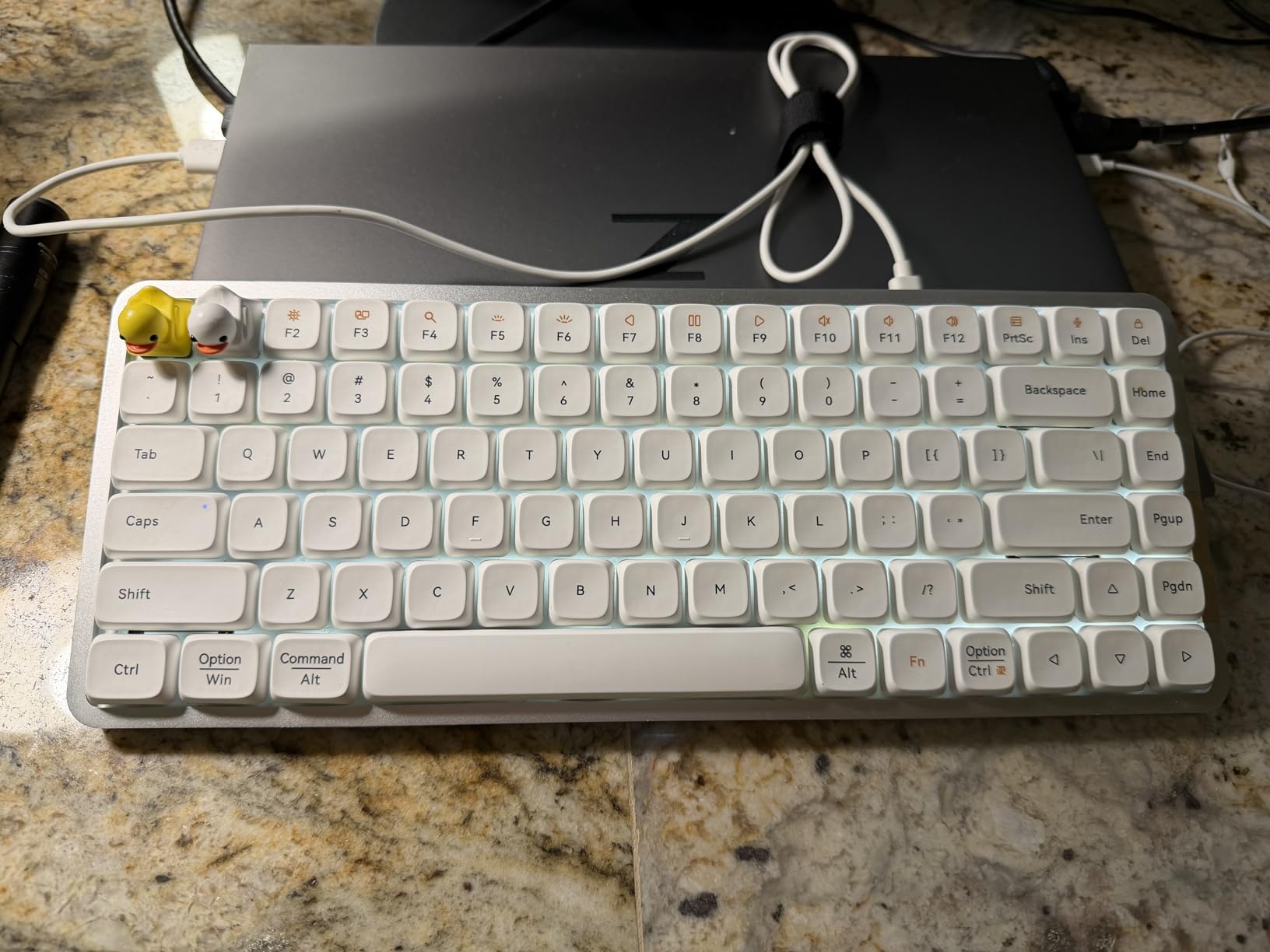
The PBT keycaps with five-sided dye-sublimation printing are among the best in this roundup for texture, and they resist the smoothing that flat ABS caps pick up fast. That matters when you are touching the same nine keys for eight hours.
Reviewers who use it wired, or who accept the sleep timer, tend to be enthusiastic. They cite the acoustics, the aluminum build, and the wrist comfort as the best in the category, with several owners reporting four to six months of battery on a single charge with lights off.
Those same reviewers converge on connectivity as the reason for the 4.1 average. There is no 2.4GHz dongle here, only Bluetooth and USB-C wired, and a two to three second wake delay after sleep frustrates people who switch devices quickly.
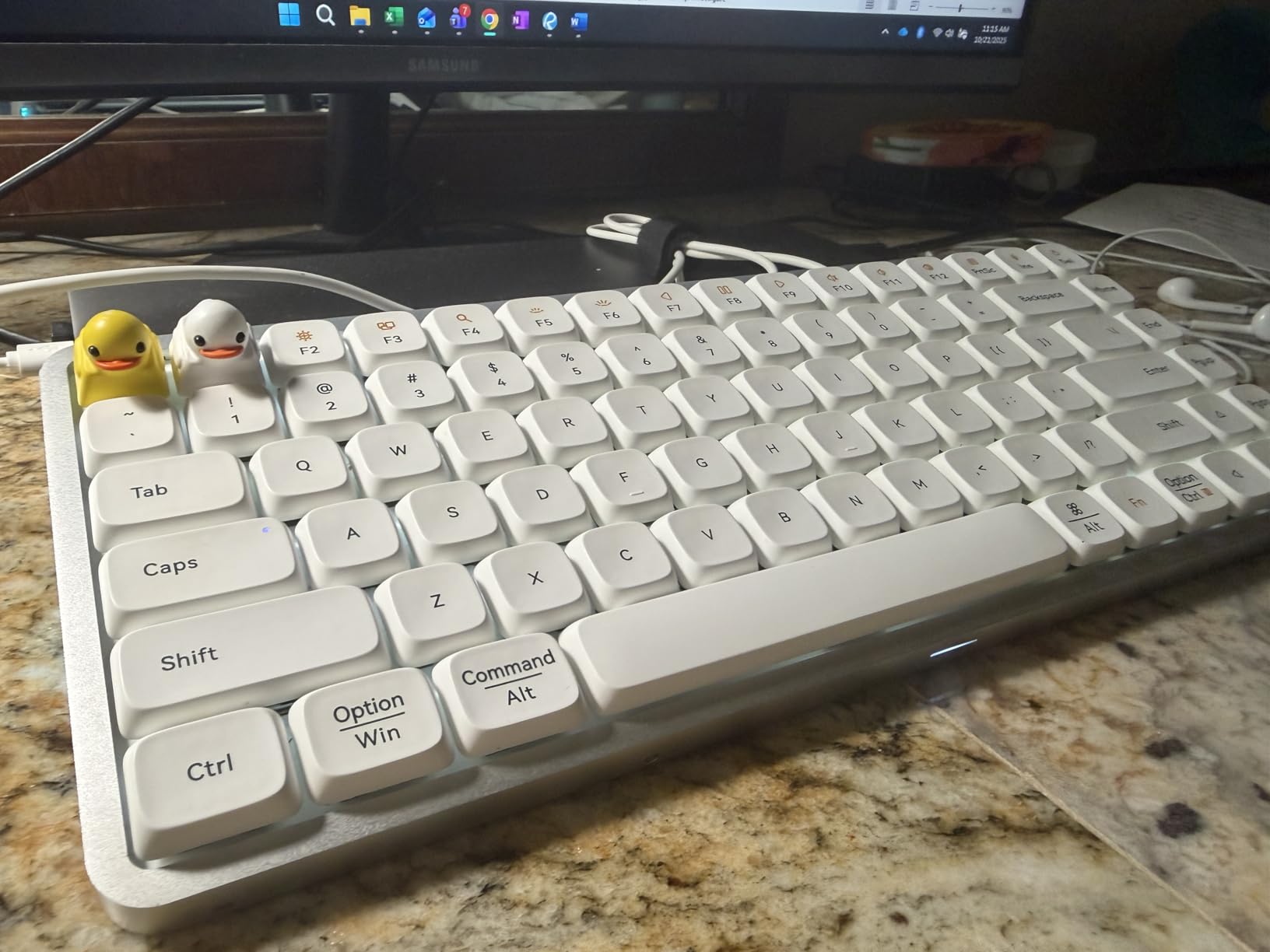
What you give up with the Flow84
The missing 2.4GHz receiver is the big one. Bluetooth-only pairing is fine if you pair once and leave it, and poor if you move between a laptop and a desktop several times a day. A minority of owners also report dropouts and units that stop powering on after roughly two years as the battery degrades.
There is no companion software or macro app, which some people read as a clean setup and others read as a limitation. The function row has no Fn lock, the non-shine-through legends leave much of the backlight invisible, and the fixed typing height has no feet to raise it.
Who should skip it
Skip it if your typing happens across multiple devices on a schedule. This is a one-machine, stay-put board, and the wake delay is the most common return reason in the reviews.
Skip it if you need a proper height adjustment. At 0.96 inches tall with no feet, it is one of the flattest options here, which is wonderful for wrists and unhelpful if you prefer a raised angle.
4. NuPhy Kick75 – Top Rated for Typing Feel
nuphy Kick75 Wireless Low Profile Mechanical Keyboard with Volume Knob,75% Hot Swappable Custom Keyboard,80 Keys RGB Backlit with PBT Keycaps,BT/2.4G/USB-C (Silver Nano Switch)
80-key 75% layout
Gasket mount with foam
Volume knob with detents
Tri-mode wireless
Pros
- Gasket mount and sound-absorbing foam soften every keystroke
- Volume knob with tactile detents for quick volume control
- Tri-mode connectivity with a 2.4GHz dongle included
- PBT keycaps and RGB backlighting
- 788 g gives a planted feel on any desk
Cons
- Keycaps do not transmit light so RGB is hidden
- Extra key column trades End for Page Up and Page Down
- Arrow keys sit tight against Shift and Enter
The Kick75 is the board in this roundup that sounds the most deliberate under the fingers. The gasket mount with sound-absorbing foam turns each keystroke into something soft rather than sharp, and it is the specific combination of mount and foam that owners keep praising across the 268 ratings.
Seventy-four percent of those ratings are five stars, and a recurring comparison in the review data puts this board favorably against the pricier NuPhy Air series on sound and feel. That is the pick to make if the sound of your typing is the thing you have been unhappy with.
Eighty keys in a 75% layout is a little tighter than the K3 and the Flow84, and the extra key column next to the main block is where this design makes its compromises. It swaps End for Page Up and Page Down, so End moves to a function-layer combination.
The volume knob has real tactile detents rather than a smooth endless scroll, which sounds like a small detail until you are adjusting volume on a call. Connection is tri-mode: 2.4GHz with a dongle in the box, Bluetooth 5.1, and USB-C wired. The NuPhyIO web driver handles remapping, macros, and lighting effects.
At 788 g the Kick75 is the second-heaviest board here and it stays exactly where you put it. For people who type hard and slide their wrists across the desk, that planted feel matters.
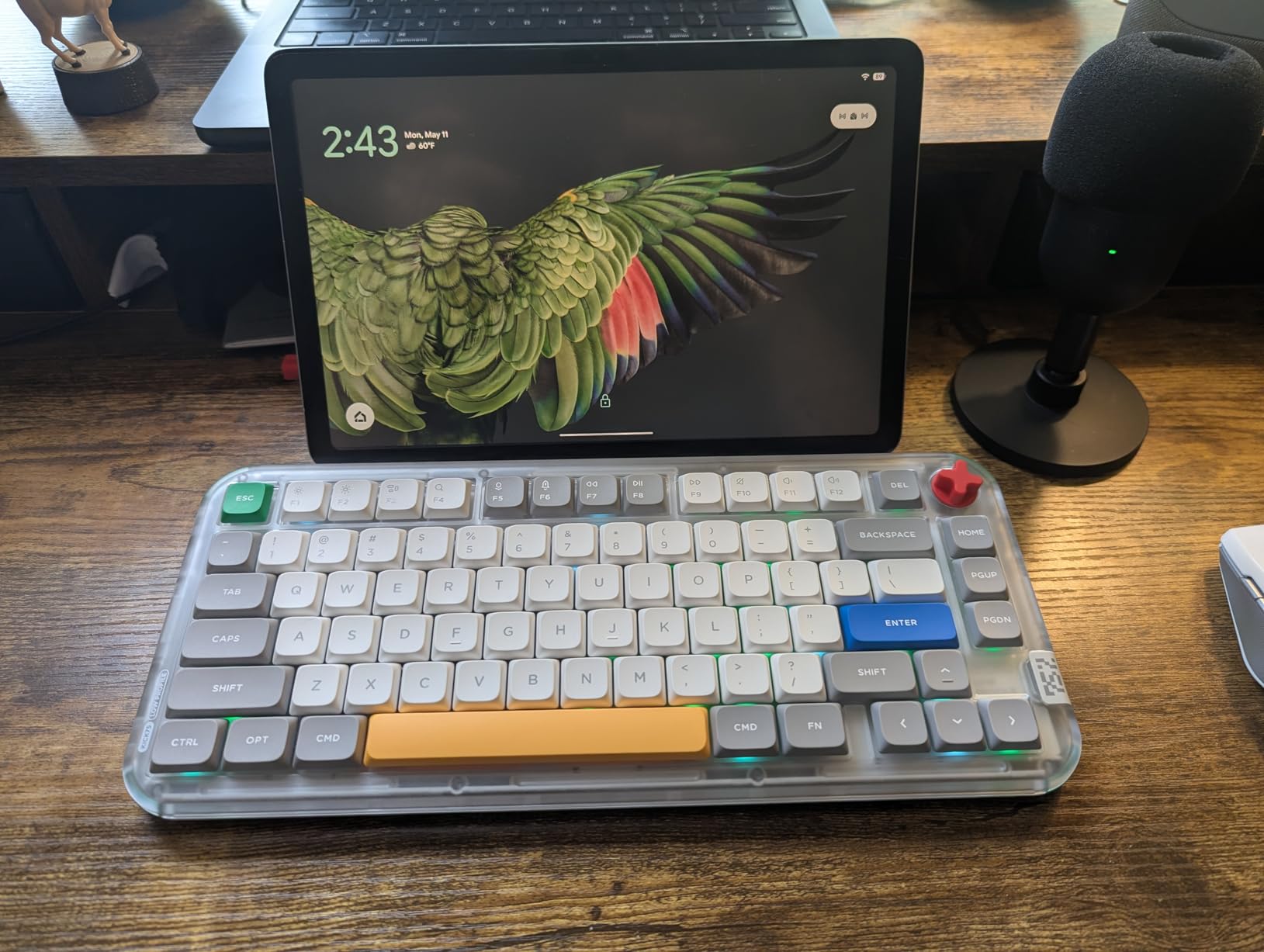
What you give up with the Kick75
The PBT keycaps do not pass light, so the RGB backlighting is largely invisible on the legends. If lighting is part of the appeal, the RK Royal Kludge N80 shows it properly.
There is no gap between the arrow cluster and Shift and Enter, which coders notice immediately and mistype on during the first week. The board also has a single height setting with no feet adjustment.
A minority of owners report 2.4GHz dongle connection drops and repeated key inputs, plus isolated reports of boards that stop charging after a few months. Both are small shares of 268 ratings, not dominant themes.
Who should skip it
Skip it if you live in the End key. Putting it on a function layer is the dealbreaker for a lot of people, and no amount of good sound compensates for it.
Skip it if RGB is a requirement, and give it serious thought if you code heavily because of the arrow cluster spacing.
5. RK Royal Kludge N80 – Best for Desk Stability
RK ROYAL KLUDGE N80 Low Profile Mechanical Keyboard w/Smart Display Screen
80-key 75% layout
Smart display screen
Knob controls tri-mode
RGB, dust cover in box
Pros
- Heavy top-mounted base eliminates wobble during hard typing
- Smart display shows GIFs
- date mode and battery status
- Knob handles volume
- connection brightness and RGB modes
- Dual foam layers plus a silicone pad reduce hollowness
Cons
- RK low-profile switches are hard to source and use odd pinning
- Spacebar sounds hollow against the rest of the board
- Keycap legends are printed rather than shine-through
The N80 is the value alternative to the premium boards above it, and its selling point is physical. At 2.3 lb with a top-mounted plate structure, this board does not move. People who type hard or type fast report that it stays planted without a wrist rest, and the heavy base is the first thing owners mention in the reviews.
The smart display is more useful than it sounds. It shows custom GIFs, the date, the current connection mode, the layout state, and battery level, which removes the guesswork from a wireless board. The knob handles volume, connection mode, backlight brightness, and RGB modes, so most settings never need software at all.
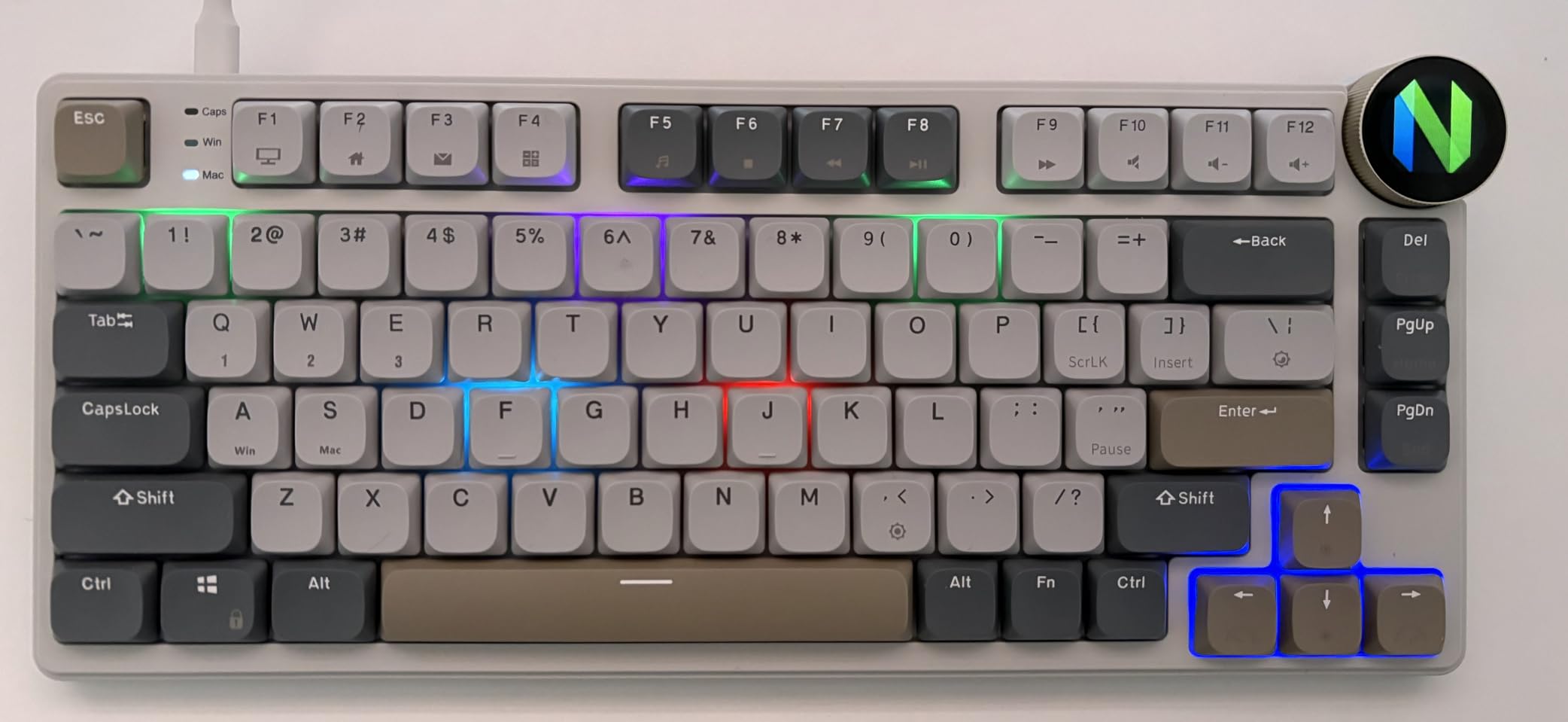
For acoustics, dual sound-absorbing foam layers plus a silicone dampening pad take a lot of the hollowness out of a board this size. The result is a deeper, quieter bottom-out than most plastic-cased boards in this category manage.
Owners frame the N80 as the value pick rather than a compromise, and the box contents support that reading: four replacement switches, a dust cover, and a keycap puller. The custom RK low-profile switches have a shorter actuation distance than the standard low-profile switches elsewhere in this list.
One thing to know before you buy: the RK switches use unusual pinning and are hard to source. If you plan to hot-swap to a different switch family, this is not the board for that project.
What you give up with the N80
The spacebar is the weak point. Owners consistently report it sounding noticeably hollow and cheaper than everything else, and on a board this size that stands out more than it should.
Keycap legends are printed on top rather than shine-through, and RK does not sell replacement caps, so wear on the legends is permanent. The knob volume steps are also coarse at roughly 2% per detent.
A minority of the 218 ratings report boards that fail to charge or fail to reconnect within a minute of pairing, so buy from a seller with an easy return path.
Who should skip it
Skip it if sound quality is the deciding factor and you are sensitive to acoustic inconsistency. Everything else on this board is strong; the spacebar is the one place where it is visibly cheaper.
Skip it if you intend to re-switch often or if keycap wear bothers you. Printed legends plus hard-to-source switches is a bad combination for a hobbyist.
6. Cherry MX 10.0N RGB – Best Full-Size Thin Profile
Cherry MX 10.0N RGB Mechanical Keyboard MX Low Profile Speed switches, Aluminum housing, Premium Keyboard for Gaming and Work. G8A-25010LVBUS-2
108-key full-size layout
MX Low Profile Speed switches
Fold-out aluminum stand
Wired USB, 854 g
Pros
- Genuinely thin 0.87 inch profile in a full 108-key layout
- Cherry MX Low Profile Speed linear switches for quick quiet actuation
- Aluminum housing and aluminum plate
- Integrated fold-out aluminum stand bar adjusts the typing angle
Cons
- Full-size footprint takes more desk space than 75% boards
- Wired only with no wireless options
- Windows-focused layout
This is the board to buy if you need every key and refuse to give up a function row, a navigation block, and a numpad on a thin profile. At 0.87 inches tall with a full 108-key layout, nothing else here does that.
The switches are genuine Cherry MX Low Profile Speed linears, which register quickly and quietly. For typists rather than gamers, the useful part is the short, muted bottom-out and the absence of any sharp return. At 854 g the board has real presence on the desk.
Two details separate it from budget full-size boards. The housing and plate are both aluminum, so the board does not flex when you land on the bottom row, and the integrated fold-out aluminum stand bar gives you an actual height adjustment rather than the fixed angle most low-profile cases give you.
It is wired USB, and in 2026 that is a feature rather than a compromise for anyone who types at a fixed desk. No battery, no pairing, no sleep timer, no wake delay. The RGB backlighting is customizable and shines through the legends.
With 121 ratings, 68% five stars and 14% four stars, the evidence base here is thinner than the picks above. What data exists is favorable, centered on the unusual combination of a true ultra-thin profile with a full-size layout.
What you give up with the MX 10.0N
The footprint is the honest drawback. At 16.73 inches wide, this board takes considerably more desk than a 75% layout, and the mouse ends up further from your body, which is the exact problem low-profile boards are usually bought to solve.
There is no wireless option at all, and the layout is Windows-focused. There is no Mac keycap set in the box, so cross-OS households need to source caps separately.
Who should skip it
Skip it on a small desk or if you have any wrist discomfort, because pushing the mouse out to clear a full-size board works against the ergonomic benefit that made you consider low-profile in the first place.
Skip it if you move between machines. A dongle-free wired board is a single-machine tool, and the price difference against a tri-mode board is usually not the deciding factor.
7. Cherry KW X ULP – Best for Multi-Device Wireless
Cherry KW X ULP, Ultra Low Profile Mechanical Keyboard, Wireless Multi-Device Keyboard for up to 4 Devices, Bluetooth, 2.4 GHz & Wired Mode, Backlit, Black (Full Size)
Ultra-flat MX Ultra Low Profile switches
Four AES-128 encrypted connections
Rechargeable, chargeable in use
2.05 lb
Pros
- Genuinely ultra-flat mechanical board with real travel
- Four device connections: two Bluetooth 5.2 channels
- a 2.4GHz dongle and wired
- Each connection AES-128 encrypted
- Aluminum deck with little flex
- Flip-up feet plus a neoprene travel sleeve in the box
Cons
- Loud and clicky typing sound that will not suit shared offices
- Most expensive board in this roundup
- Function keys default to media shortcuts and need Fn
- Individual switches are not user-serviceable
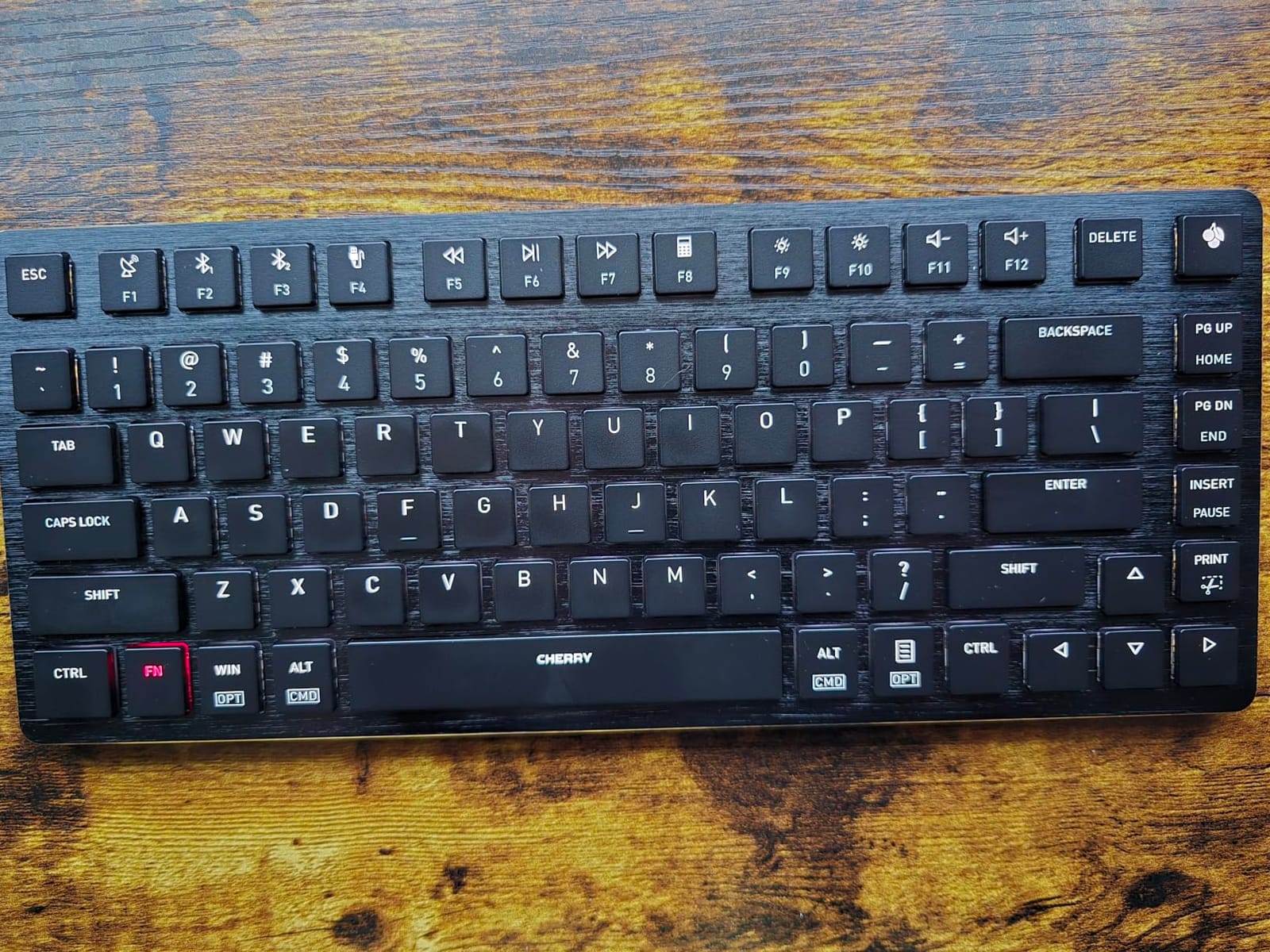
The KW X ULP is the flattest mechanical board in this roundup, and if your priority is the lowest possible wrist angle it has no real competition here. The CHERRY MX Ultra Low Profile switches are made in Germany and rated up to 50 million keystrokes, which is the durability figure Cherry publishes and the highest rated in this set.
The connectivity is genuinely the best of the nine. Two Bluetooth 5.2 channels, a 2.4GHz dongle, and wired, all AES-128 encrypted, so this is a four-device board rather than the usual three. The detachable USB-A to USB-C cable charges the board, and you can charge while typing.
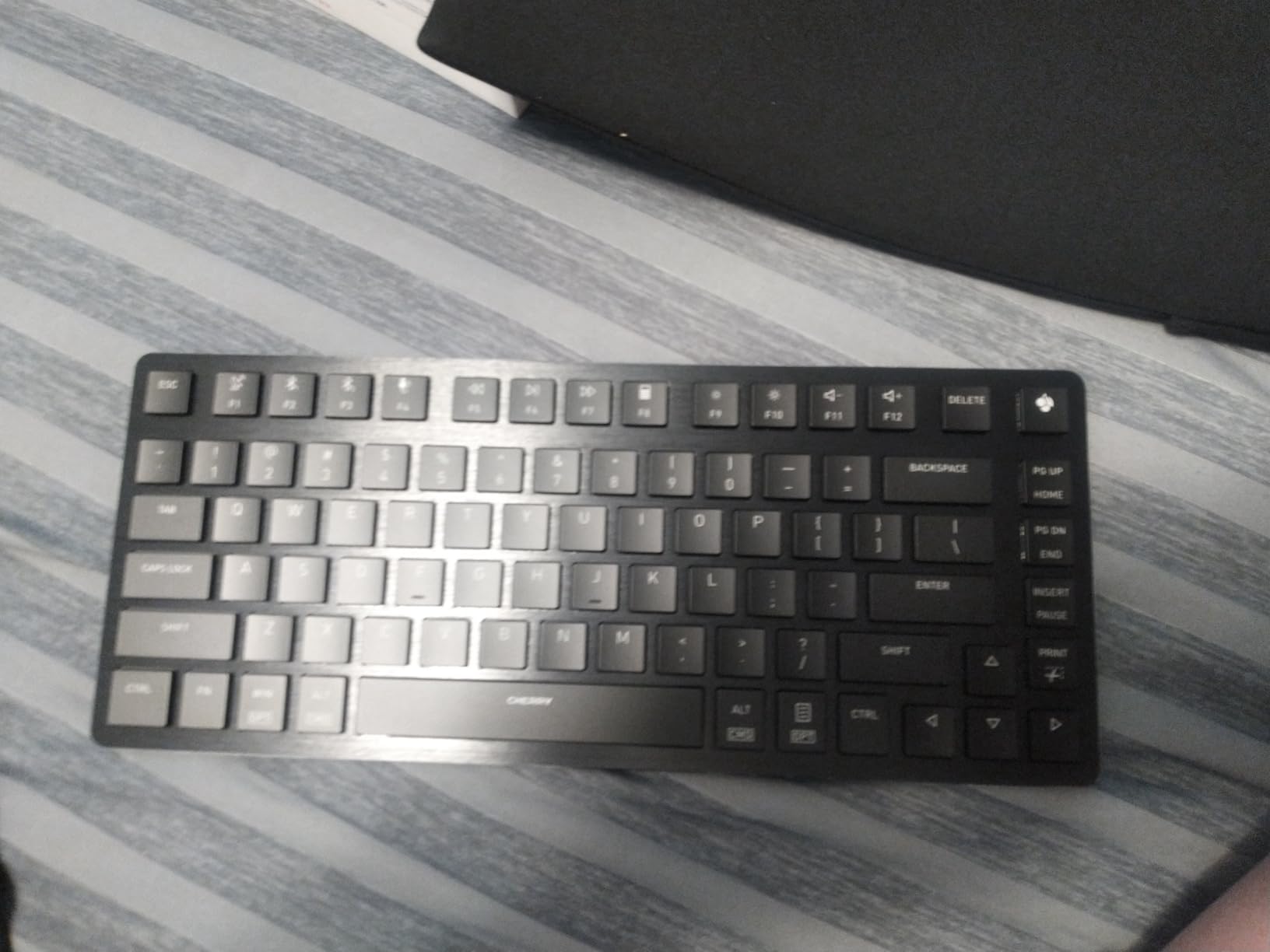
The aluminum deck barely flexes despite the thin profile, and the flip-up feet give you a raised typing angle that most flat boards in this category do not offer. A neoprene travel sleeve is included, which tells you how the manufacturer expects it to be used.
Lighting is restrained and well executed: tasteful white key illumination, colored status LEDs, and a charge-level indicator on a Cherry key. It looks like a piece of office equipment rather than a gaming peripheral.
The 4.1 average comes from a polarized split. With 61% five stars and a comparatively high 9% one-star share, fans describe a solidly built board with genuinely low travel, while detractors call it expensive and less thin than expected. The clicky acoustic is the most common complaint across both camps.
What you give up with the KW X ULP
The sound is loud and clicky, and no amount of closed-office luck makes it office-friendly. If you share a room or take calls, this is the wrong board regardless of how good the typing action is.
The function keys default to media and shortcut roles, so you will be pressing Fn constantly until you find the hidden Ctrl and Fn lock combination and remap things in the Cherry Keys app. Individual switches are not user-serviceable, which means a single failure is a repair rather than a swap.
A few owners report spotty 2.4GHz performance, and the magnetic receiver stored in the back of the board sits close enough to storage media that some reviewers raised data-wipe concerns. At 2.05 lb it is also the heaviest board here, which undercuts the portability argument.
Who should skip it
Skip it in any shared space. The single strongest reason to choose a low-profile board is that it is quiet, and this one gives that up.
Skip it if you switch switches often, if you travel with a second machine, or if the price sits above your ceiling. It is the most expensive entry here and the least versatile in the ways that matter for typing.
8. Hexgears Immersion A3 – Best for Mac and PC
Hexgears Immersion A3 Low Profile Wireless Mechanical Keyboard, Tactile
87-key tenkeyless layout
Kailh Choc tactile switches, 50M rating
Hot-swappable 3-pin sockets
5800mAh battery
Pros
- Kailh low-profile tactile switches rated for 50 million keystrokes
- Hot-swappable 3-pin sockets
- so switch changes need no soldering
- Tri-mode connectivity with support for up to 5 devices
- 87-key layout frees desk space and improves mouse movement
- Aluminum frame at a 27.7mm profile
- 5800mAh battery with a TFT display on board
Cons
- Only 69 ratings
- so long-term reliability is unproven
- HexDrive software is required for full customization
- Aluminum frame adds weight for a portable board
The Immersion A3 is the widest compatibility story in the roundup. It pairs over 2.4GHz, Bluetooth 5.0, and USB-C, and holds up to five connected devices, which is more than any other board here. For someone who juggles a work laptop, a personal machine, a tablet, and a phone, that is the deciding spec.
The switches are Kailh Choc low-profile tactiles rated for 50 million keystrokes, and the tactile bump is the more noticeable of the options in this roundup. If you want confirmation of each keystroke without the weight of a heavier tactile, this is a good middle point.
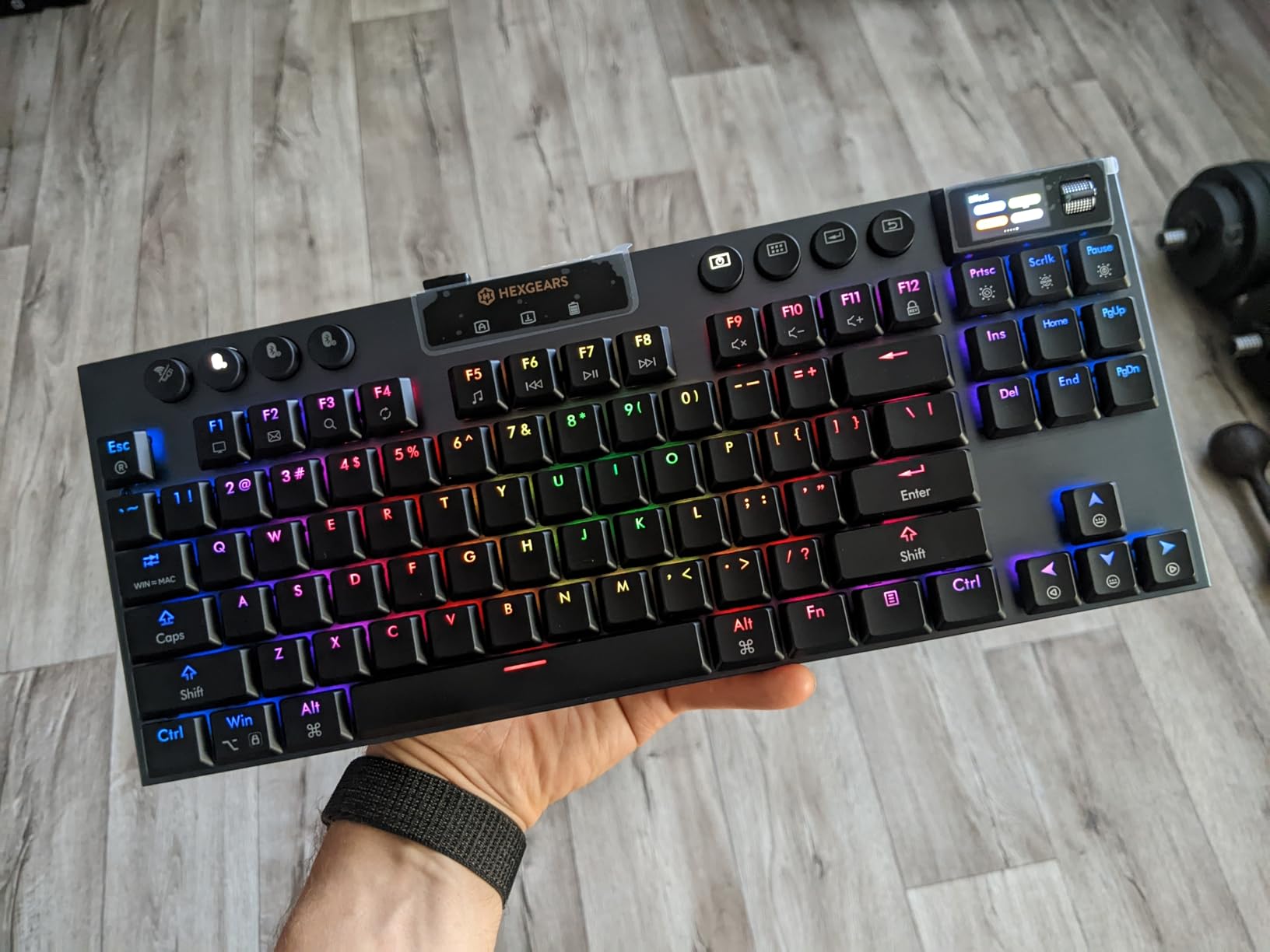
Hot-swappable 3-pin sockets mean you can change switches with a puller and no soldering, which is the most accessible re-switching setup in this roundup. The 87-key tenkeyless layout gives you function and navigation keys while keeping the mouse closer to your body than a full-size board allows.
At 27.7mm the frame is genuinely slim, and the aluminum construction keeps the sound from turning hollow. The TFT color display shows custom GIFs, wallpapers, and status information, and the 16.8 million color RGB backlighting is visible on the legends.
Be aware of the evidence base here. Sixty-nine ratings is a thinner record than the picks above carry, with 65% five stars. The existing data is broadly positive on switch feel, the display, and the combination of RGB and aluminum at this level, but long-term reliability is simply not established yet.
What you give up with the Immersion A3
With 69 ratings, you are buying on a thinner evidence base than the picks above. That is not a flaw in the board; it is a fact about how much we can tell you, and it should lower your confidence slightly on long-term durability.
HexDrive software is required for full customization, and at 1.6 lb the aluminum frame is heavy for a board you might want to carry between desks. Some of the display and lighting features need that software to be worth anything.
Who should skip it
Skip it if you want a settled, well-proven board today and the display does not interest you. The A3 and the K3 are in the same conversation, and the K3 has thirteen times the ratings behind it.
Skip it if you travel with the keyboard. The weight and the display are at odds with a compact carry, and a lighter 75% board serves that better.
9. Akko Air 01 – Best for Travel and Mac Layouts
Akko Air 01 Low Profile Wireless Mechanical Keyboard RGB Backlit, Hot Swappable Native Mac Layout 2.4GHz/Wired/BT Aluminum Gaming Keyboard, Cloudy White, Kailh Cloud Switch
Native Mac layout
Kailh Cloud low-profile switches
Aluminum case with rounded corners
2.4GHz, BT, wired
Pros
- Crisp thocky typing sound from the Kailh Cloud low-profile switches
- Solid dense-feeling aluminum case that resists flex
- Web-based Akko Cloud Driver remaps every key including Fn and Ctrl
- Included Mac and Windows replacement keycaps plus puller tools
- Excellent battery life with the backlight off
- Rounded case corners and a clean minimalist look
Cons
- Native Mac layout puts Fn where Windows users expect Ctrl
- Limited RGB options with no always-on setting
- No adjustable feet so the typing angle is very flat
The Air 01 is the pick if you type on a Mac and want the layout to be correct from the first minute. Fn sits in the far-left position and Command is aligned to the X key, so muscle memory from a MacBook carries over instead of fighting you. Replacement Windows keycaps are in the box for when you borrow the board.
The sound is the standout. Owners describe the Kailh Cloud low-profile switches as crisp and thocky, which is the one thing most low-profile boards trade away, and the aluminum case resists flex despite the thin frame. Rounded case corners and a clean finish make it the least tactical-looking board here.
The Akko Cloud Driver runs in a browser rather than as a desktop app, and several owners single it out as more capable than competitors’ bundled software. Every key can be remapped, including Fn and Ctrl, and the sockets are hot-swappable with Kailh low-profile switches.
Battery life is excellent with the backlight off, and the tri-mode connection covers 2.4GHz, Bluetooth, and wired USB-C.
With 33 ratings this is the least-proven board in the roundup, so treat the verdict as promising rather than established. The review data is broadly positive on acoustics, build, and the driver, with criticism concentrated on the Mac-first layout, limited RGB, and the absence of feet.
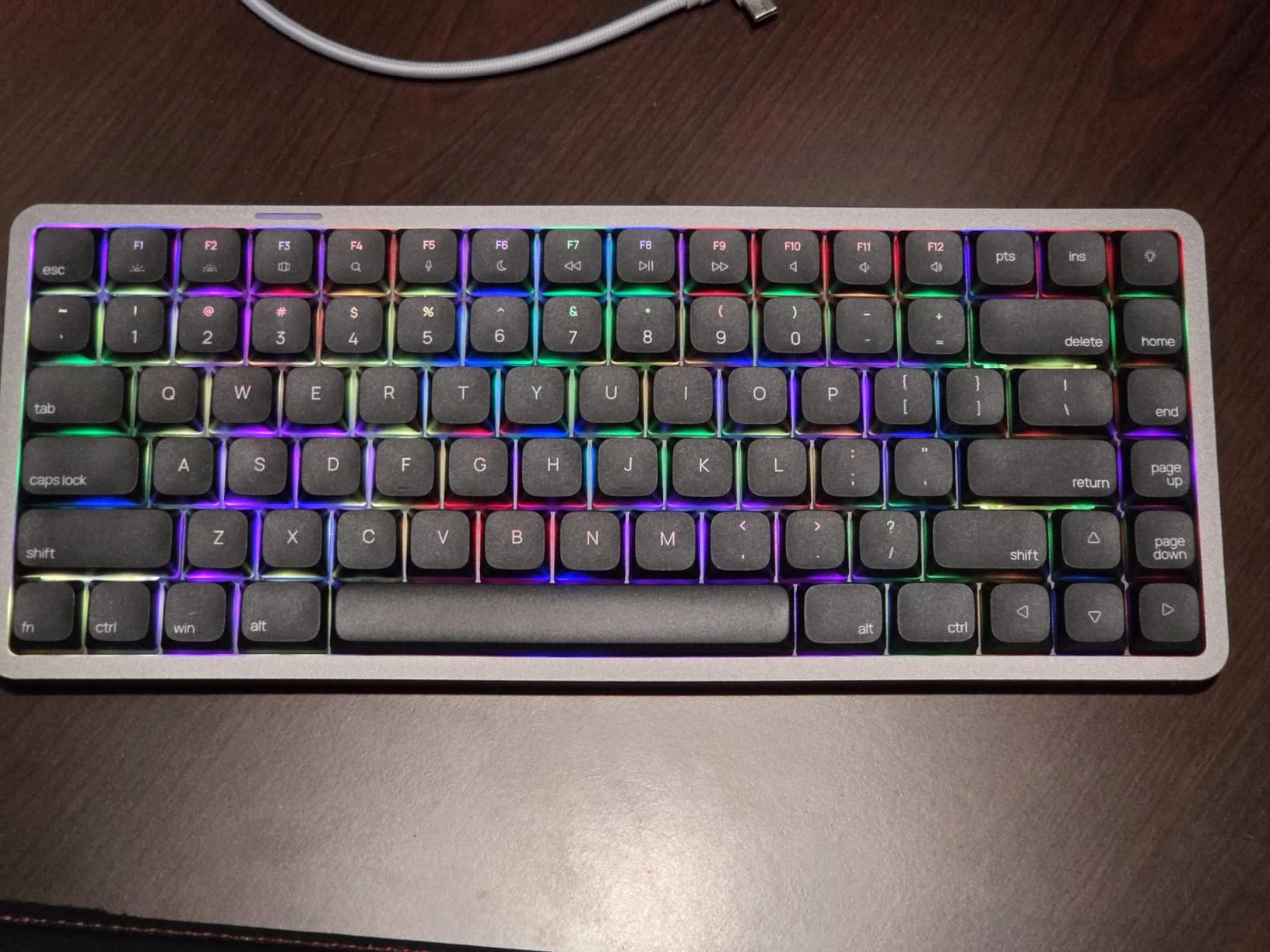
What you give up with the Air 01
The Mac layout cuts both ways. Windows users have Fn where they expect Ctrl, and remapping takes a browser session. Some owners report that on certain builds the Fn and Ctrl keys appear swapped and cannot be remapped at all.
Swapping keycaps for Windows also detaches some switches along with the caps, which is a small annoyance with a hot-swap layout. RGB options are limited to a few modes with no always-on setting, and there is no adjustable feet, so the typing angle is very flat.
Japanese reviewers also note the horizontal Enter key causing accidental presses. Visible housing screws on the aluminum frame are a cosmetic issue only.
Who should skip it
Skip it if you are on Windows and want working shortcuts on day one without a remapping session. The K3 handles both platforms natively with a keycap set in the box.
Skip it if you want to see your RGB. With 33 ratings and a handful of documented layout quirks, this is also the pick to approach cautiously if you cannot return it easily.
How to Choose a Low Profile Mechanical Keyboard for Typing
Start with layout, because it constrains everything else. A 60% board drops the function row and navigation keys entirely, which is fine for writing and painful for editing. A 65% board adds arrows. A 75% board, which most of this roundup uses, keeps the function row and a navigation cluster while clearing desk space. A 96% layout is a full-size board with the gap between the main block and the numpad removed, so you get every key in a narrower footprint. TKL drops the numpad. Full-size keeps everything and takes the most room.
For typing specifically, arrows and a function row matter more than a numpad. If you write and edit for a living, a 75% board is the right default. If you live in spreadsheets, the Flow Lite 100 shows it is possible to have a numpad at this height.
Next, pick your switch by how your hands behave rather than by specification sheet. Lightweight linears at around 40gf are the easiest transition and the least fatiguing over a long session. Tactile switches give you a bump that confirms the keystroke and help accuracy during the adjustment period, at the cost of a little more finger effort. Silent variants reduce noise further but usually feel softer at the bottom-out, and none of the boards here ship with silent switches, so plan on hot-swapping if the office demands it.
Keycap material is the quiet quality upgrade. PBT caps do not develop the greasy shine that ABS caps pick up within a year, and most owners who move from a cheap board notice the difference in texture first. Double-shot or dye-sublimated legends will not wear off, which matters more than it sounds on flat caps where your fingers rest constantly.
Sculpt is the more important factor and the one people underweight. Flat chiclet caps are the defining low-profile look, and they are the reason accuracy dips during the first weeks. If you are highly sensitive to that, favor a board with rounder cap edges and a slight dome, and give yourself three weeks.
Connectivity decides how often the board annoys you. Wired is boring and reliable. Bluetooth pairing to two or three devices is convenient but brings a sleep timer and a wake delay, and the 2.4GHz dongle is the mode that stays responsive. Boards with all three, like the Kick75 and the RK N80, avoid the trade-off at the cost of a slightly heavier case.
Battery life is quoted in wildly optimistic ways, and the honest number depends entirely on the backlight. A 3000mAh cell rated at up to 100 hours with lights off can be a fraction of that with RGB running. Look for a board whose quoted figure matches how you will actually use it.
Ergonomically, low profile reduces wrist extension but does not eliminate it. A board at 27.7mm with no feet still requires you to hold your wrists level or float them, and floating for a full day fatigues the upper trapezius. If you have wrist pain, a low profile helps more than a tall board does, but pair it with a light touch and a low-profile switch rather than assuming the board alone fixes it.
One ecosystem caveat that catches people out: low-profile stems are not standard MX stems, so almost no aftermarket keycap set fits. The boards here that use non-standard switches, like the RK N80, make reswitching harder as a side effect. If keycap customization is part of why you are reading this, factor that in before you buy.
Coming From a Laptop Keyboard: The Two-Week Adjustment
The most common question in keyboard communities is how painful the switch is, and the honest answer is that low-profile is the least painful version of the move. The awkward part is not the height, it is the flat keycaps and the shorter travel changing where your fingers think a keystroke ends.
Expect a measurable accuracy dip in week one. Typing on flat, square-edged chiclet caps by touch alone is genuinely harder until you relearn the surface. Do not judge the board during that window.
Taper your force rather than your time. The most common injury pattern in this category is bottoming out hard because your fingers never got the longer ramp they were used to. Start with 30-minute sessions and consciously lighten your press. The 40gf linear in the Flow Lite is the gentlest place to do this.
Keep a familiar board within reach for the first two weeks if you can, and use the low-profile board for the work you care about most. The adjustment window is short, and after it the low typing angle and the neutral wrist position tend to win.
Quiet Typing and Shared Office Scoring
Here is the practical quiet-to-loud ranking based on switch type and mount, from the review data. Quietest are full-POM linears in a gasket-mounted, dampened case, which is the Flow84 and the Flow Lite 100. Next are tactile switches in a foam-mounted case such as the NuPhy Kick75, which add a soft bump rather than extra noise. Then come the single-color LED boards with lighter mounts, including the Keychron K3. Loudest in this set are the Cherry MX Low Profile Speed and MX Ultra Low Profile boards, which are quick and clean rather than soft.
The Cherries are the exception worth understanding. Both are excellent typing mechanisms, and both will be audible across a room. If you are on calls, pick the LOFREE or the NuPhy.
Two mitigations apply to every board here. Turning the backlight off extends battery life substantially, and lighter presses reduce both noise and fatigue.
Frequently Asked Questions
Are low-profile mechanical keyboards worth it?
For a laptop user moving to a desktop board, yes. Low-profile switches give you mechanical feel with a much lower typing angle, which reduces wrist extension and removes the need for a wrist rest. You give up the deep sculpted feel of tall boards and most aftermarket keycap sets, since low-profile stems do not fit standard caps. The adjustment period is usually two to three weeks.
How long does it take to get used to a low-profile mechanical keyboard?
Most people report two to three weeks for the accuracy dip to fade, and about a month for the bottoming-out habit to change. The low profile itself adapts quickly because the travel is closer to a laptop keyboard. Flat chiclet keycaps are the harder part, since there is less shape to feel. Start with 30-minute sessions and consciously lighten your press.
Are low-profile keyboards better for carpal tunnel?
They help, but they do not prevent it. A lower typing angle reduces wrist extension, which is one of the contributing factors. The board alone is not enough: use a light press, keep wrists level rather than floating, and take breaks. Boards with adjustable feet let you set a shallower angle than a fixed low-profile case.
What is a good quiet mechanical keyboard?
For a quiet low-profile board, pick a linear switch in a gasket-mounted case with foam. The LOFREE Flow84 and the LOFREE Flow Lite 100 fit that description and are the quietest here. The NuPhy Kick75 is a step louder but still soft. Avoid boards with clicky low-profile switches such as the Cherry KW X ULP if you share a room.
Can you use regular keycaps on a low-profile keyboard?
Almost never. Low-profile boards use non-standard stems, so standard MX keycap sets do not fit. Some boards ship with a small set of extra caps for Mac or Windows layouts, and the Hexgears Immersion A3 uses hot-swappable 3-pin sockets that make changing switches easier. Plan on keeping the caps that come with the board.
Do pro gamers use linear or tactile?
Gamers overwhelmingly choose linear switches, because a short actuation point and no tactile bump reduce the chance of an early or late press. Typists often prefer tactile, because the bump confirms the keystroke without extra force. This roundup ranks on typing criteria only, so the picks here lean tactile or light linear rather than the fastest possible triggers.
Which Low Profile Keyboard Should You Buy in 2026?
The Keychron K3 Version 2 QMK is the best low profile mechanical keyboard for typing overall. It pairs a sensible 75% layout with tactile Brown switches that give real feedback, an aluminum body light enough to carry, three-device Bluetooth, and open-source QMK firmware so the board stays useful for years.
Buy the LOFREE Flow Lite 100 if you need a numpad or want the lightest touch, the Flow84 if quiet is non-negotiable, the NuPhy Kick75 if typing sound is what you are trying to fix, and the Cherry MX 10.0N if you refuse to give up a full-size layout.
Whichever you choose, give it three weeks before you judge it. The boards in this roundup are all current models with enough owner history behind them to trust, and the typing criteria we ranked them on are the ones that matter at hour six of the day. Check the current listing for pricing and availability before you commit.