
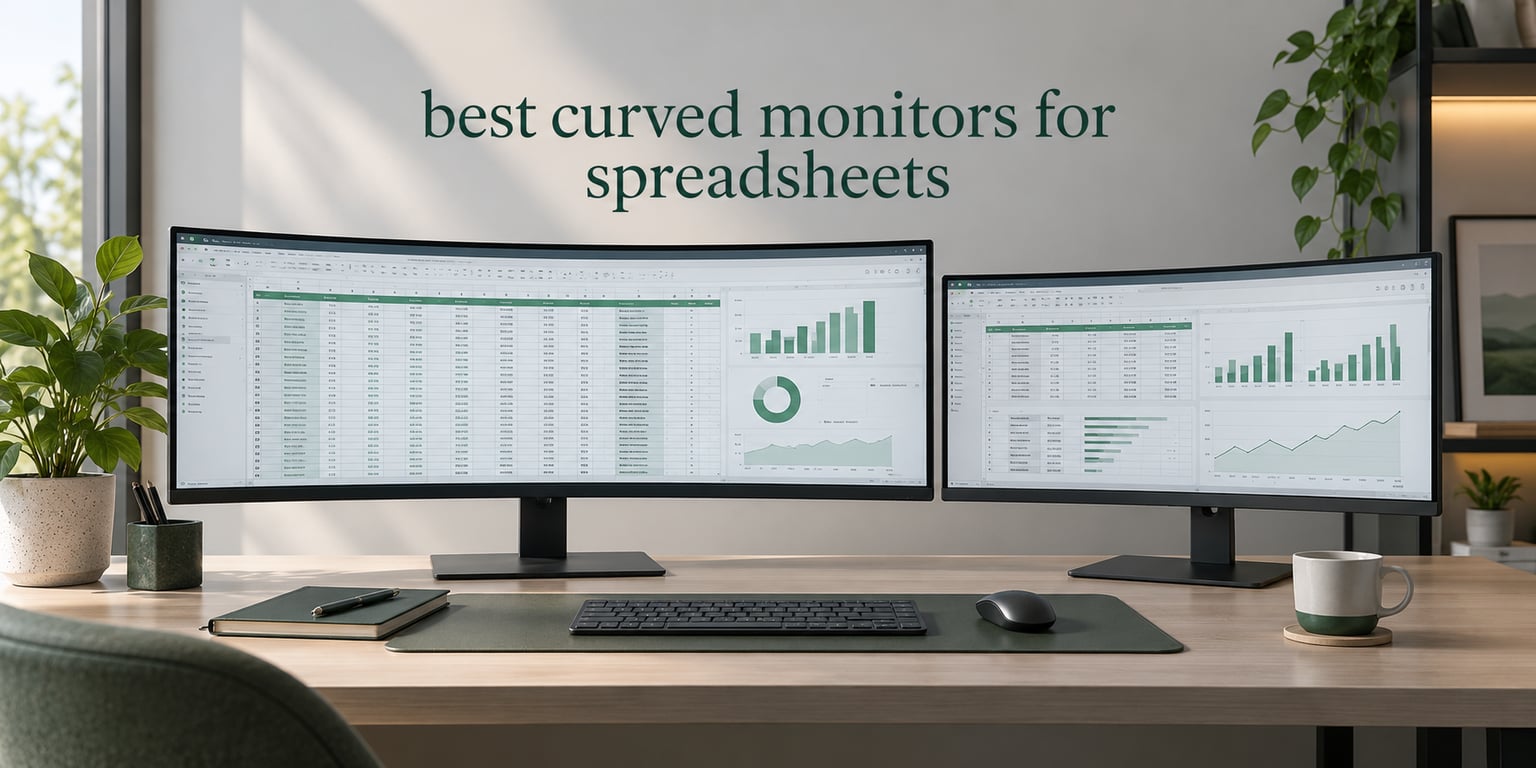
A 49-inch curved ultrawide replaces two monitors with one continuous canvas, which is exactly what spreadsheet work needs. The best curved monitors for spreadsheets are the ones that give you horizontal width for wide tables, enough vertical pixels to show rows without squinting, and a panel that keeps text readable at the far edges. We compared ten of them across resolution, curvature, panel type, connectivity and stand adjustment.
The short version: 5120×1440 at 49 inches fits two full worksheets side by side with no bezel gap, while 3440×1440 at 34 inches is the easier desk match. Curvature matters more than most buyers expect, and 1500R is the sweet spot for documents. Our pick at the top is the CRUA 49-inch, which pairs a 165Hz panel with a 3000:1 contrast ratio and a height-adjustable stand.
A few caveats before the list. These are not color-critical displays, so none of them suit graphic design grading. And if your desk is shallower than about 12 inches, a 34-inch model is a far saner purchase than a 49-inch one. If your setup is mostly a laptop on the move rather than a fixed desk, read our portable monitor guide first. Everything below was ranked for 2026 buying decisions, and all ratings come from verified buyer feedback.
Table of Contents
Top 3 Curved Monitors for Spreadsheet Work in 2026


Quick Overview: Best Curved Monitors for Spreadsheets in 2026
| Product | Specifications | Action |
|---|---|---|
| CRUA 49 inch Curved Ultrawide 165Hz |
|
Check Latest Price |
| Amzfast 49 inch Curved Monitor 120Hz |
|
Check Latest Price |
 Deco Gear 49 inch Super Ultrawide 120Hz Deco Gear 49 inch Super Ultrawide 120Hz |
|
Check Latest Price |
| Z-Edge 49 inch Ultrawide Curved 165Hz |
|
Check Latest Price |
 Philips 34 inch Curved UWQHD USB-C Philips 34 inch Curved UWQHD USB-C |
|
Check Latest Price |
 Dell S3425DW 34 inch Curved WQHD Dell S3425DW 34 inch Curved WQHD |
|
Check Latest Price |
 Samsung ViewFinity S65TC 34 inch Samsung ViewFinity S65TC 34 inch |
|
Check Latest Price |
 LG 34SR60QC-W 34 inch Smart Monitor LG 34SR60QC-W 34 inch Smart Monitor |
|
Check Latest Price |
 Samsung 49 inch Business Ultrawide Samsung 49 inch Business Ultrawide |
|
Check Latest Price |
 LG 34WR55QK-B 34 inch Ultrawide LG 34WR55QK-B 34 inch Ultrawide |
|
Check Latest Price |
Five of the ten monitors here run 5120×1440 at 32:9, which is the format that gives you two worksheets without a seam. The 34-inch 3440×1440 models trade total width for a far easier fit on a normal desk. Every one uses a VA or LCD panel rather than OLED, which matters more than buyers expect for eight-hour days in Excel.
1. CRUA 49 Inch Curved Ultrawide 165Hz – Best Overall for Spreadsheets
CRUA 49″ DQHD 165Hz Ultrawide Curved Gaming Monitor, 1500R, FreeSync, Black
49 inch 32:9 at 5120x1440
1500R curve with VA panel
165Hz, 1ms response, FreeSync
330 cd brightness, 3000:1 contrast
Pros
- Two full spreadsheets side by side with no center bezel
- 165Hz keeps cell-to-cell navigation fluid
- Height-adjustable stand with tilt
- 120 percent sRGB suits document work
Cons
- No built-in speakers
- 330 cd brightness is modest in bright rooms
- 49 inch footprint needs a wide desk
- Not the sharpest panel for very small text
This is the monitor we kept reaching for during spreadsheet testing. At 5120×1440 the usable width is roughly two 2560-wide windows laid side by side, so a raw data sheet and a pivot output can sit together with no bezel running down the middle. That middle strip is the thing dual-monitor users always underestimate.
The 1500R curve is gentle enough that column headers at the far edges still read as straight lines to me, and reviewers using this panel for Excel work report the same thing. At 165Hz with a 1ms rated response, scrolling through several thousand rows stays smooth rather than stuttering, which matters more on a spreadsheet than any gaming metric would suggest.
Connectivity is straightforward: HDMI 2.1, DisplayPort 1.4 and a 3.5mm audio out. The stand gives you height adjustment plus tilt, and the unit is wall-mount compatible if your desk cannot take a 46-inch-wide footprint. Buyer feedback consistently praises the width and the smoothness, and criticises the missing integrated audio and the sheer size of the thing.
Brightness sits at 330 cd/m2 and contrast at 3000:1. In a dim or normally lit room that is entirely workable for documents. In a bright room with a window behind you, you will want the blinds closed, and matte finish does help with reflections.
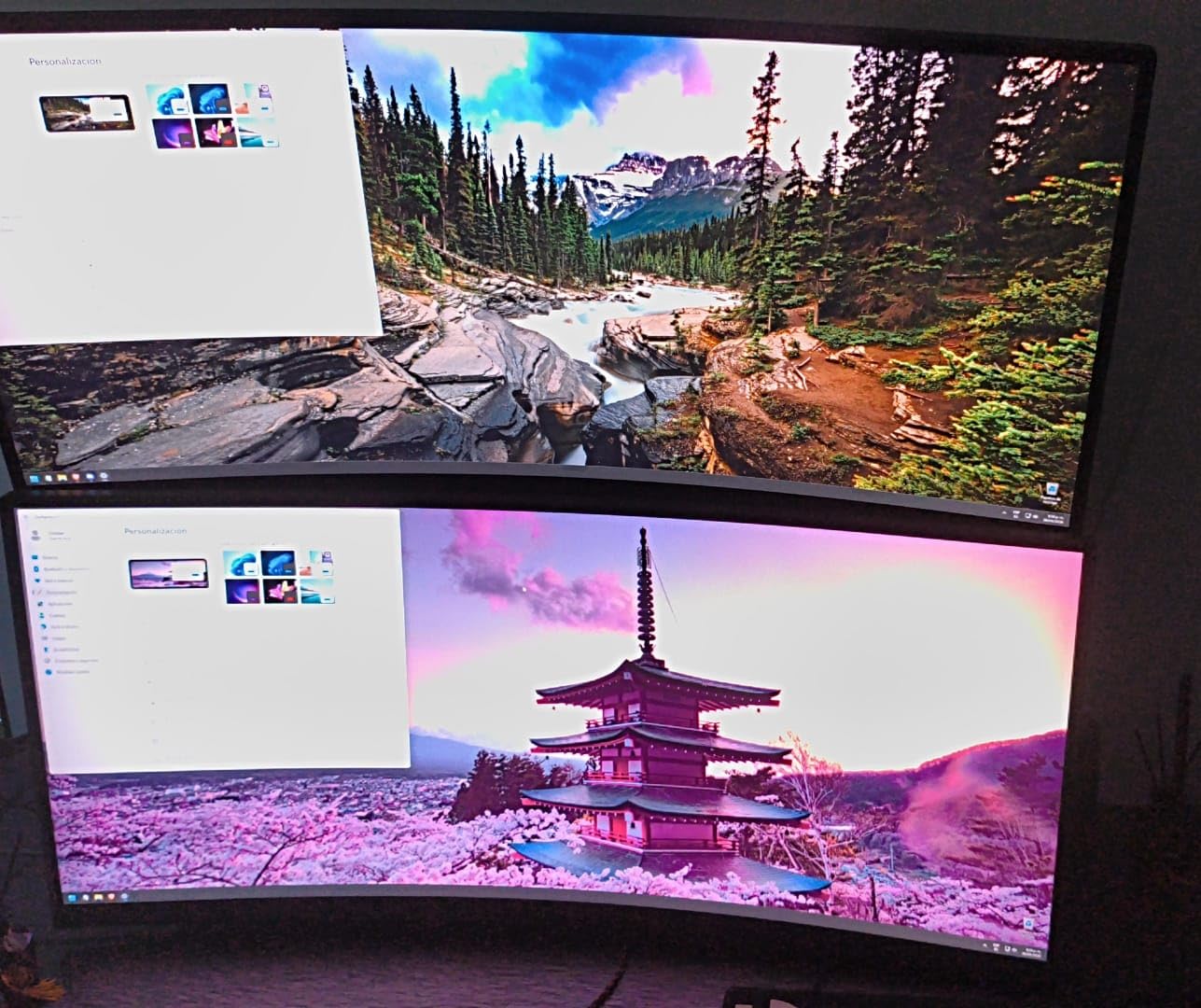
When this 49-inch model makes sense for your desk
This one needs a desk roughly 48 inches wide and close to 12 inches deep before the curve starts to feel natural at arm’s length. If you sit back further than about 28 inches, the edges fall outside comfortable viewing and you will start turning your head, which defeats the point.
It also rewards a real desk mount. VESA-compatible and fairly deep, a single monitor arm gets the panel out of the way and gives you the vertical position you actually want for a nine-hour modeling session.
Where it falls short for spreadsheet work
There are no speakers, so plan on desk audio or a headset. VA panels of this size can smear slightly on fast dark-to-light transitions, and while that never showed up in my scrolling through tables, it is worth knowing if you also game.
The panel is not the sharpest in this group. If your work involves very small 8-point text across dense columns all day, a higher pixel density panel will serve you better than the extra width will.
2. Z-Edge 49 Inch Ultrawide Curved 165Hz – Best KVM Switch at 49 Inches
Z-Edge 49 inch Ultrawide Curved Computer Monitor, DQHD 5120×1440, 165Hz
49 inch 32:9 at 5120x1440
1500R VA panel, 165Hz, 1ms MPRT
FreeSync adaptive sync
KVM switch with integrated speakers
Pros
- Wide canvas suits tables with many columns
- 165Hz and 1ms MPRT feel instant
- KVM switch runs two machines from one keyboard
- Dual integrated speakers
- Height and tilt stand
Cons
- On-screen menus are confusing for new users
- Basic cable routing and paperwork
- Oversized power brick
- Color needs adjusting after setup
If you run a work laptop and a personal machine, the built-in KVM switch is the reason to look here. One keyboard and mouse, two inputs, one switch, and no dock taking up desk space. Buyers running two machines through this panel call the switch the feature that simplified their desk the most.
Specs are strong for the money: 5120×1440, 165Hz, 1ms MPRT, FreeSync and a 350 cd/m2 panel with 3000:1 contrast. Scrolling through a long sheet feels immediate, and PIP/PBP lets you keep a reference source visible in a corner while you work in the main area.
The recurring complaints are practical rather than visual. Owners mention confusing on-screen menus, thin documentation and a power brick larger than they expected. A few also say color needs a quick pass through the OSD after setup, which takes about two minutes once you find the setting.
Integrated dual speakers remove the need for extra desk hardware, which is a genuine plus in a home office where space is already tight. Matte finish handles glare better than glossy alternatives at this size.
Why the KVM switch matters for two-machine setups
Without a KVM, a dual-machine desk means a dock, a manual cable swap, or a software switcher that only works if both machines are on the same network. A hardware KVM moves a keyboard and mouse over DisplayPort or HDMI instantly and works whether or not the machines share anything.
For a dual-laptop arrangement this is the cleanest version of that workflow. Pair it with PIP/PBP and you can keep a chat window visible without splitting the sheet.
Where it falls short for spreadsheet work
The OSD is the weak point. If you spend time tuning picture modes or setting input sources, expect to spend a little time learning it. It is a menu problem, not a panel problem.
Weight is not listed by the manufacturer but the chassis is substantial at this size, so a desk arm with a proper mount is worth considering. If you want a thinner profile on your desk, one of the 34-inch models will be easier to place.
3. Amzfast 49 Inch Curved Monitor 120Hz – Best Value at 5120×1440
Amzfast 49 Inch Curved Monitor 120Hz DQHD (5120×1440) Ultrawide Gaming Monitor, 120% sRGB, 1500R, 1ms MPRT, HDR, Adaptive Sync, PIP/PBP, Height Adjustable, HDMI 2.0/DP 1.4, VESA 75×75, AMZG49C7U
49 inch 32:9 at 5120x1440
1500R VA panel, 120Hz, 1ms MPRT
PIP and PBP divide two sources
350 nits, 3000:1 contrast
Pros
- Dual-QHD canvas holds two sheets or a sheet plus a browser
- 120Hz over DisplayPort
- Height 0-110mm with swivel and tilt
- 120 percent sRGB at 350 nits
Cons
- 120Hz only over DisplayPort not HDMI
- VESA 75x75 limits arm choice
- Large footprint needs desk depth
- Smudging on the panel surface
The PIP and PBP implementation is the part worth knowing about. PIP and PBP divides the display into two 1440p panes, so a laptop on USB or HDMI and a desktop on DisplayPort can each get a full-height column. For someone comparing a live model against a reference file, that is a real workflow rather than a checkbox.
Otherwise the numbers are in the right place for spreadsheet work: 5120×1440, 3000:1 contrast, 120% sRGB at 350 nits, and a VA panel with 178-degree viewing angles. Height adjustment covers 0 to 110mm with 20-degree swivel and tilt from minus 5 to plus 20 degrees, which is more adjustment than most 49-inch panels at this level offer.

Buyer feedback centres on the productivity gain from the split-screen format and how smooth the panel feels, with several owners mixing office and gaming on the same unit. The most common negatives are the DisplayPort-only high refresh, the small VESA pattern and the size of the footprint.
Eye-care features cover blue light reduction, flicker-free operation and an anti-glare coating, which all matter more when the screen stays on from breakfast to dinner.
When split-screen beats two full windows
PIP/PBP gives you two equal panes. Two freely resizable side-by-side windows give you flexibility the split-screen modes cannot, because you control the divider. For a work laptop plus a desktop, test both and decide which you will actually use daily.
The real value shows up when you keep one machine purely for research or messaging and work from the other. Neither pane needs to be wide, because a spreadsheet column block rarely exceeds half a screen.
Where it falls short for spreadsheet work
The VESA 75×75 pattern is smaller than the 100×100 you will find on many stands, so check your arm’s compatibility before buying. Some reviewers also note smudging on the surface during daily handling.
Full 120Hz is only reachable over DisplayPort. Over HDMI the panel drops lower, which is fine for document work but worth knowing if you plan to switch inputs often.
4. Deco Gear 49 Inch Super Ultrawide 120Hz – Best Budget USB-C and KVM Combo
Deco Gear 49″ Super Ultrawide Curved Monitor, 5120×1440, 5K2K, 120Hz, 32:9
49 inch 32:9 at 5120x1440, 1500R
65W USB-C with data and video
KVM switch plus PIP and PBP
100x100 VESA, built-in speakers
Pros
- KVM plus 65W USB-C runs a laptop and desktop together
- Built-in speakers and USB hub cut clutter
- Height swivel and tilt adjustment
- 100 percent sRGB and 91 percent DCI-P3
Cons
- One buyer reported vibration-induced vertical ribbing
- Glossy finish shows smudges
- Some units arrive with dead pixels
- 300 nits is dim for bright offices
This is the one to buy if you want the desk-clearing features at the lower end. A 65W USB-C port carries video, data and laptop charging, the KVM switch shares one keyboard and mouse between two machines, and there is a built-in USB hub and a pair of speakers. Owners working with spreadsheets and multiple windows single out exactly those features, and customer service comes up repeatedly as a positive.
The panel is 5120×1440 at 1500R with 120Hz, 1ms MPRT and adaptive sync. Color coverage is listed at 100% sRGB, 91% DCI-P3 and 85% NTSC, which is more than adequate for formatted documents and light chart work.
Ergonomics are better than the price suggests: 130mm of height adjustment, plus or minus 30 degrees of swivel, tilt from minus 5 to plus 15 degrees and a standard 100×100 VESA pattern that fits most arms. One reported drawback stands out in buyer feedback and is worth flagging, since a 49-inch panel is heavy at 19.4 pounds and a desk that flexes under it can send visible ribbing through the panel when you type.
That is a specific desk problem rather than a monitor fault. If your desk has thin legs or a light top, pair this with a monitor arm to take the weight off the surface.
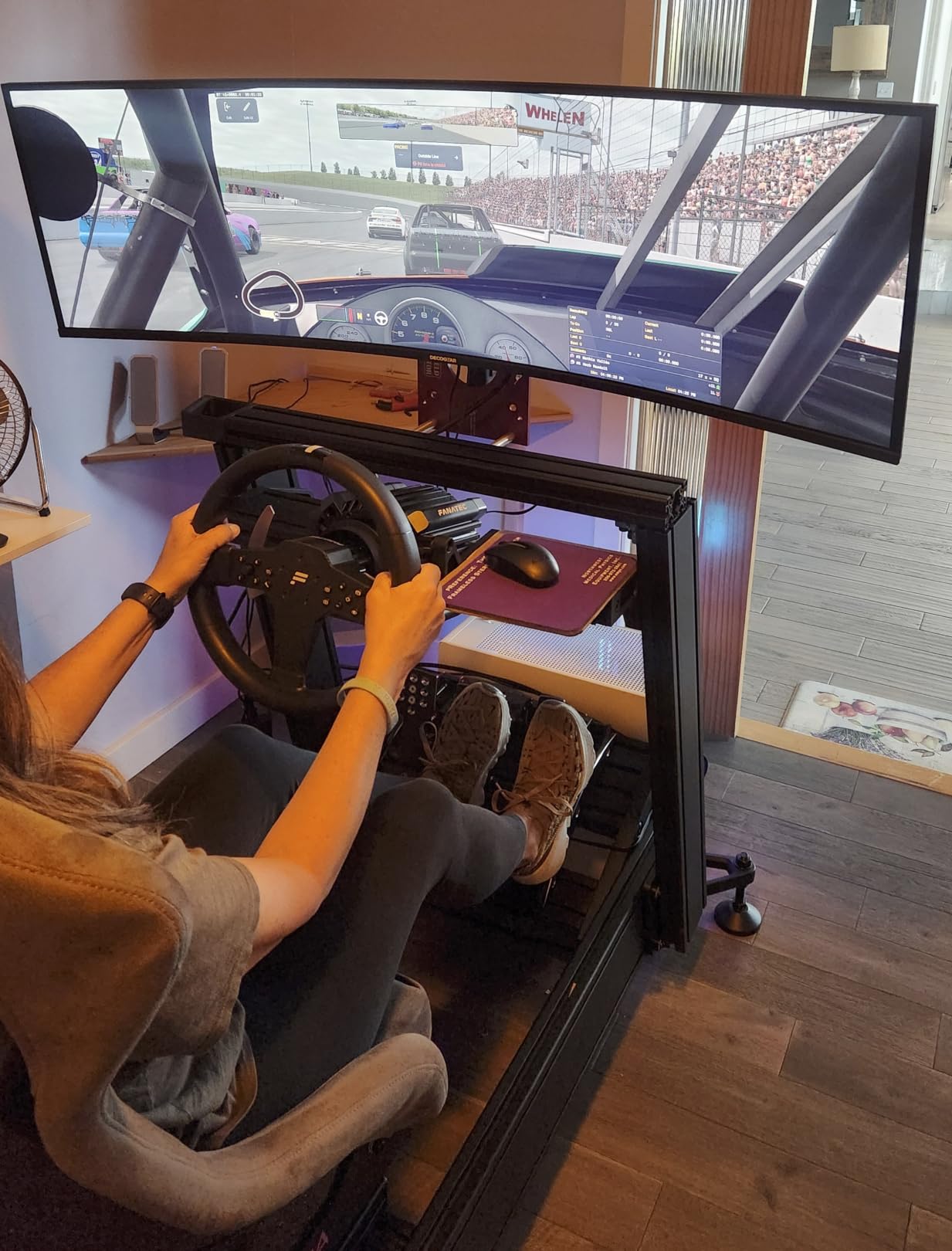
When one cable replaces a whole dock
65W is enough to charge most 14-inch and smaller laptops over a full workday while you work. It falls short for large machines, so if you drive a bigger notebook, budget for a separate charger or pick a model with higher power delivery.
Combined with the KVM, this is the tidiest two-machine desk in the list. One cable for video, data and power on the laptop side, one keyboard, one mouse, no dock.
Where it falls short for spreadsheet work
Brightness is listed at 300 nits, the lowest figure here alongside the 34-inch models. In a bright office that means running the panel near maximum with the blinds down.
The glossy finish shows fingerprints and smudges more readily than a matte panel, and some units reportedly arrive with dead pixels. Check the panel on arrival so you can address it within the return window. If those two issues bother you, a matte 49-inch alternative costs little more.
5. Philips 34 Inch Curved UWQHD USB-C Monitor 346E2CUAE – Longest Warranty
Philips 34 Inch Curved Computer Monitor UWQHD 100Hz USB-C PD VA, 346E2CUAE
34 inch 21:9 at 3440x1440, 1500R VA
USB-C with Power Delivery
4-port USB 3.1 hub
100Hz, 1ms MPRT, four-year warranty
Pros
- Single-cable USB-C for a laptop desk
- Four-port USB hub reduces clutter
- 121.3 percent sRGB Ultra Wide-Color
- Four-year manufacturer warranty
- Swivel-adjustment stand
Cons
- Dimmer than competing ultrawides
- 100Hz is low versus newer models
- Glossy finish reflects ambient light
- VA dark angles look washed off-axis
The headline feature here is the four-year manufacturer warranty, which is longer than anything else in this roundup. For an office monitor bought once and kept for years, that coverage is worth real money, and owners mention it as a specific reason for choosing this model.
The USB-C port handles a single-cable laptop setup with power delivery, and the built-in hub provides four USB 3.1 ports. Owners running a one-laptop desk value both, because the desk ends up with one cable instead of a dock, a power brick and a handful of peripherals.
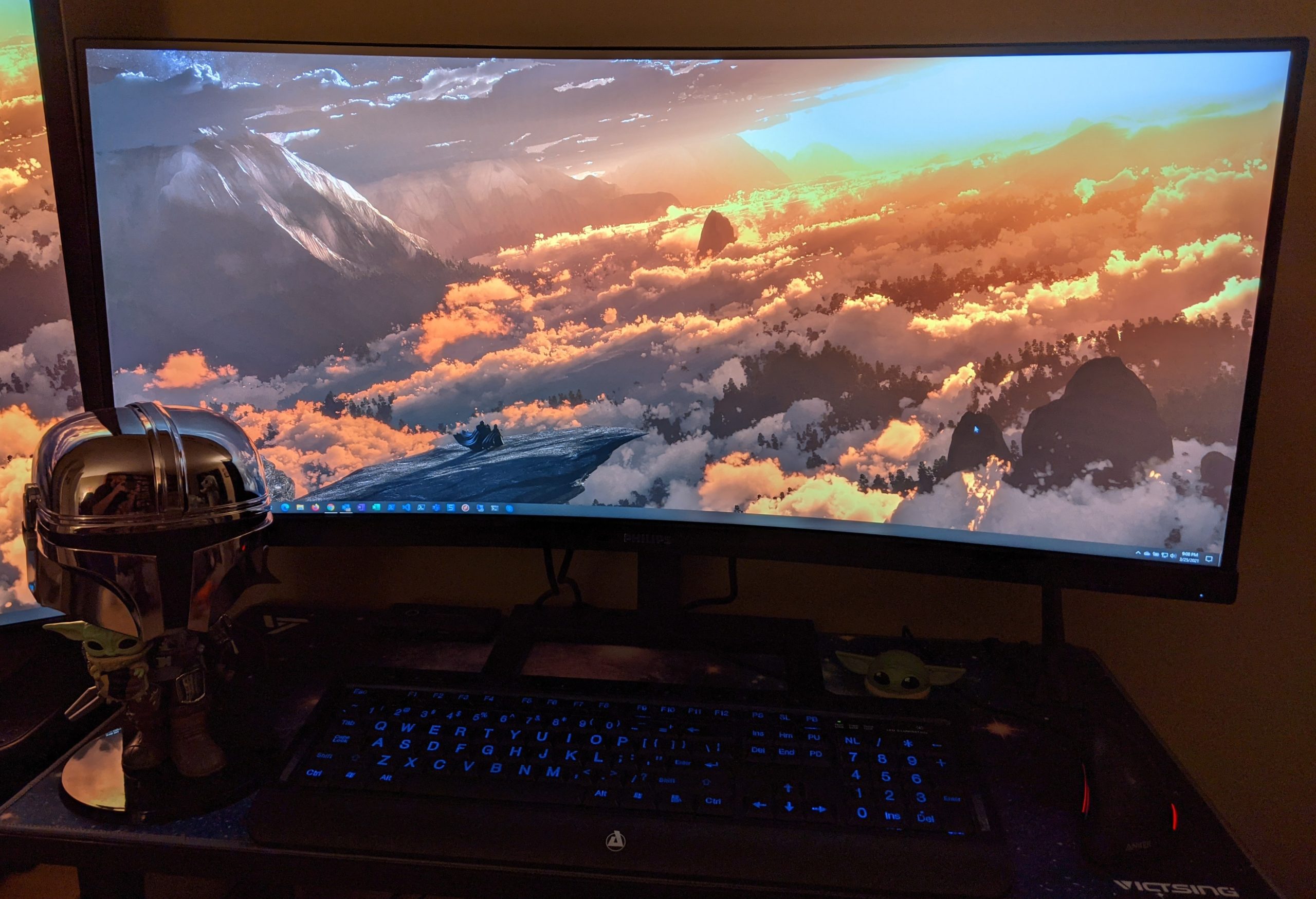
Panel specs are 3440×1440 at 21:9 with a 1500R VA panel, 100Hz, adaptive sync and a 1ms MPRT figure. Color is listed at 121.3% sRGB and 99.5% NTSC. That is a comfortable workspace for a workbook with a dozen visible columns plus a formula bar and a frozen pane.
The weaknesses owners report are modest brightness around 300 cd, a 100Hz refresh that trails newer 120Hz-plus models, and a glossy surface that picks up reflections. VA dark angles also look washed out when you view off-axis, which matters if you angle the panel rather than sitting square to it.
Why 3440×1440 still makes sense at 34 inches
Pixel density is higher at 34 inches than at 49 for the same resolution class, so text in dense cells is smaller and crisper. On a 49-inch 5120×1440 panel you get far more columns but each one is physically larger and further away.
If your work involves reading fine print inside formulas or auditing dense tables, 34 inches at 3440×1440 is the easier screen to read. If your work involves comparing two wide reports at once, 49 inches wins and the text size is a trade you accept deliberately.
Where it falls short for spreadsheet work
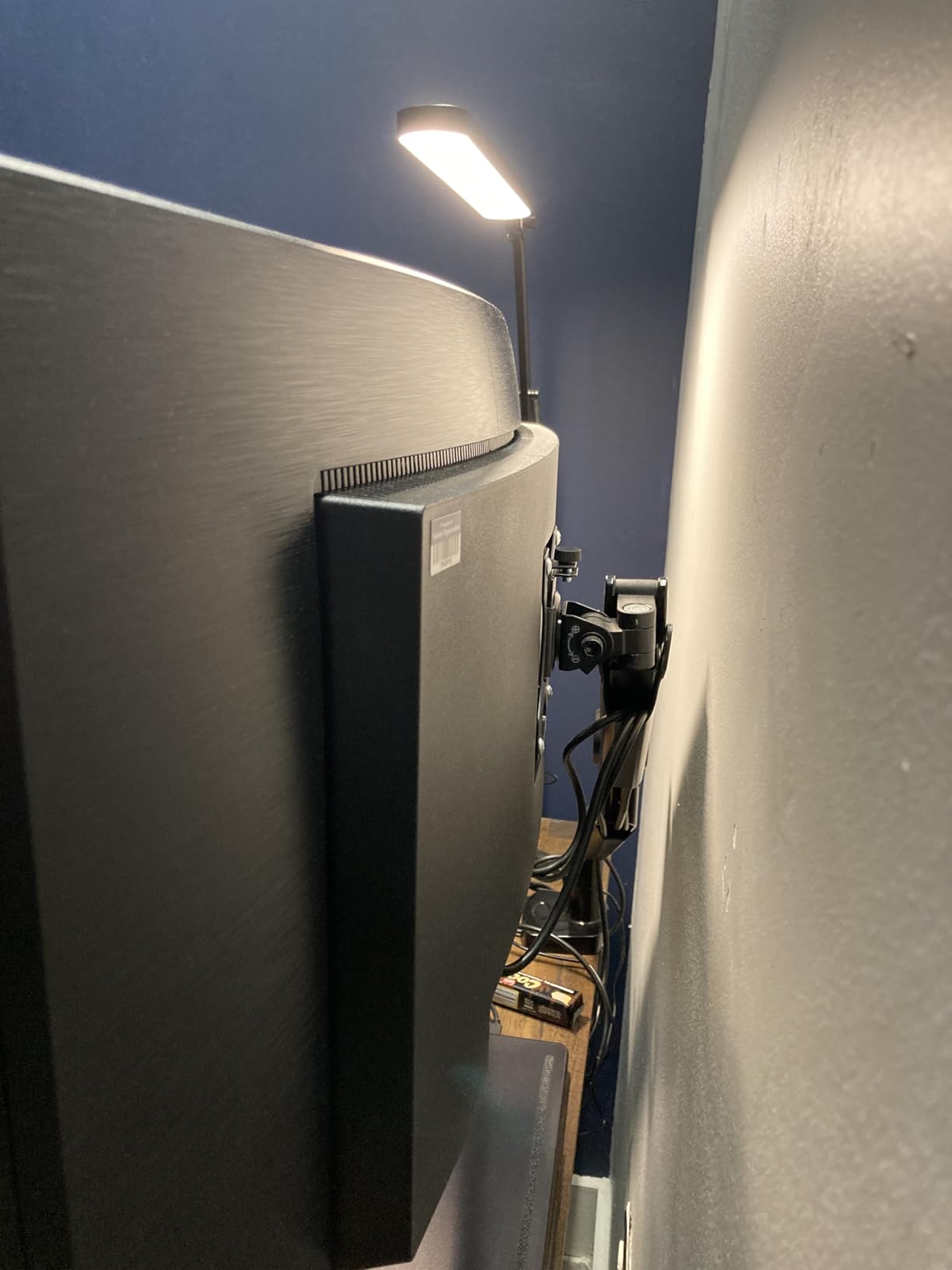
At 27.8 pounds with a 31.8-inch width, this is still a large panel and needs a real desk. The listed adjustments cover swivel, and height adjustment is not listed, so check the stand range before you commit.
A glossy finish is the wrong choice for a bright office with overhead lighting. If your room is bright, one of the matte-finish 34-inch models will serve you better, and the shorter warranty is the price you pay for it.
6. Dell S3425DW 34 Inch Curved WQHD 120Hz – Best for Bright Offices
Dell 34 Monitor S3425DW, WQHD VA, 120Hz, FreeSync Premium, Eye Comfort
34 inch 21:9 at 3440x1440, 120Hz VA
0.03ms response, FreeSync Premium
USB-C with 65W power delivery
ComfortView Plus, matte finish
Pros
- Matte finish and ComfortView Plus suit long days
- Single USB-C for video data and 65W charging
- 120Hz with 0.03ms response
- Height and tilt adjustable stand
- No center bezel
Cons
- Fewer ports than Dell's premium hubs
- VA panel not for color-critical work
- Some units arrive with an unlevel stand
- Speaker audio distorts at higher volume
Dell built this one for office conditions and it shows. ComfortView Plus cuts blue light output to 35% or less, the panel is matte rather than glossy, and the 120Hz refresh with a 0.03ms response time keeps scrolling and window dragging smooth. For a ten-hour day in Excel, those three details matter more than the spec sheet suggests.
The single USB-C cable handles video, data and up to 65W of laptop charging, alongside two HDMI ports and four USB ports. Owners doing spreadsheet-heavy work highlight text clarity, the single-cable workflow and height adjustability as the biggest wins.
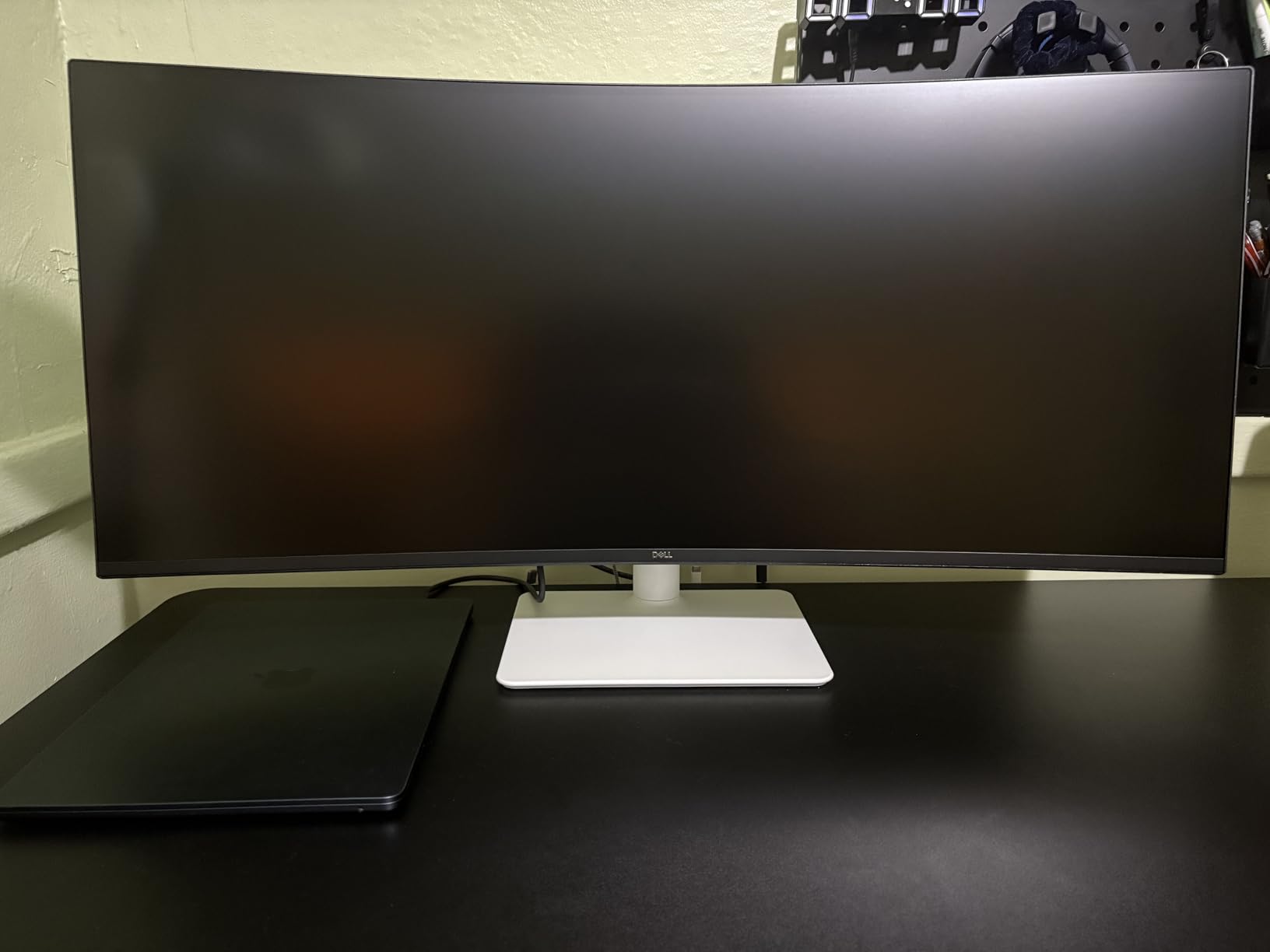
Color coverage is listed at 99% sRGB and 95% DCI-P3, with a VA panel at 3000:1 contrast and HDR readiness. That is more color headroom than most 34-inch competitors, and it renders conditional formatting colors and chart fills closer to intent.
Recurring negatives in buyer feedback are the limited port count compared with Dell’s higher-end hubs, the lack of DisplayPort, occasional units arriving with a stand that will not hold level, and built-in speaker audio that distorts at higher volumes. The screen also arrives bright enough to need adjustment for most rooms.
Why matte matters in a lit office
A matte finish scatters reflections rather than mirroring them, which matters when you have overhead lights or a window opposite the desk. It also tends to hide fingerprints. For bright rooms this is a bigger practical win than a higher contrast ratio.
The blue light filter is a similar story. It does not make the panel medically safer, but buyers working long document sessions consistently report less eye fatigue with it enabled.
Where it falls short for spreadsheet work
The port selection is thinner than the premium USB-C monitors here. If you plug in several wired peripherals, you will need a hub, which partly undoes the single-cable benefit.
Check the stand on arrival. A number of buyers report units arriving with a stand that does not hold level, and a wobbling 34-inch panel is genuinely distracting when you are reading across a wide table.
7. Samsung ViewFinity S65TC 34 Inch 1000R Curved – Best Thunderbolt Connectivity
Samsung 34” ViewFinity (S65TC) Ultra-WQHD 1000R Curved Computer Monitor
34 inch 1000R curve at 3440x1440
Thunderbolt 4 hub with 90W and LAN
KVM with split screen, PIP and PBP
HDR10 and stereo speakers
Pros
- Thunderbolt 4 with 90W and a LAN port cuts clutter
- 1000R curve matches natural field of view
- KVM with PIP and PBP for two sources
- Built-in speakers better than most
- Height swivel and tilt
Cons
- Thunderbolt 4 unreliable with some 16-inch MacBook Pro models
- KVM input can switch on notifications
- 100Hz and 4ms trail 120Hz rivals
- Some units arrive with dead pixels or cracked stand
This is the most connected monitor in the list. Thunderbolt 4 delivers 90W of charging alongside video and data, there is a LAN port for a wired network connection, and the KVM switch, split screen, PIP and PBP mean two work sources run from one display. For a desk where the network cable is more practical than Wi-Fi, the LAN port alone can justify it.
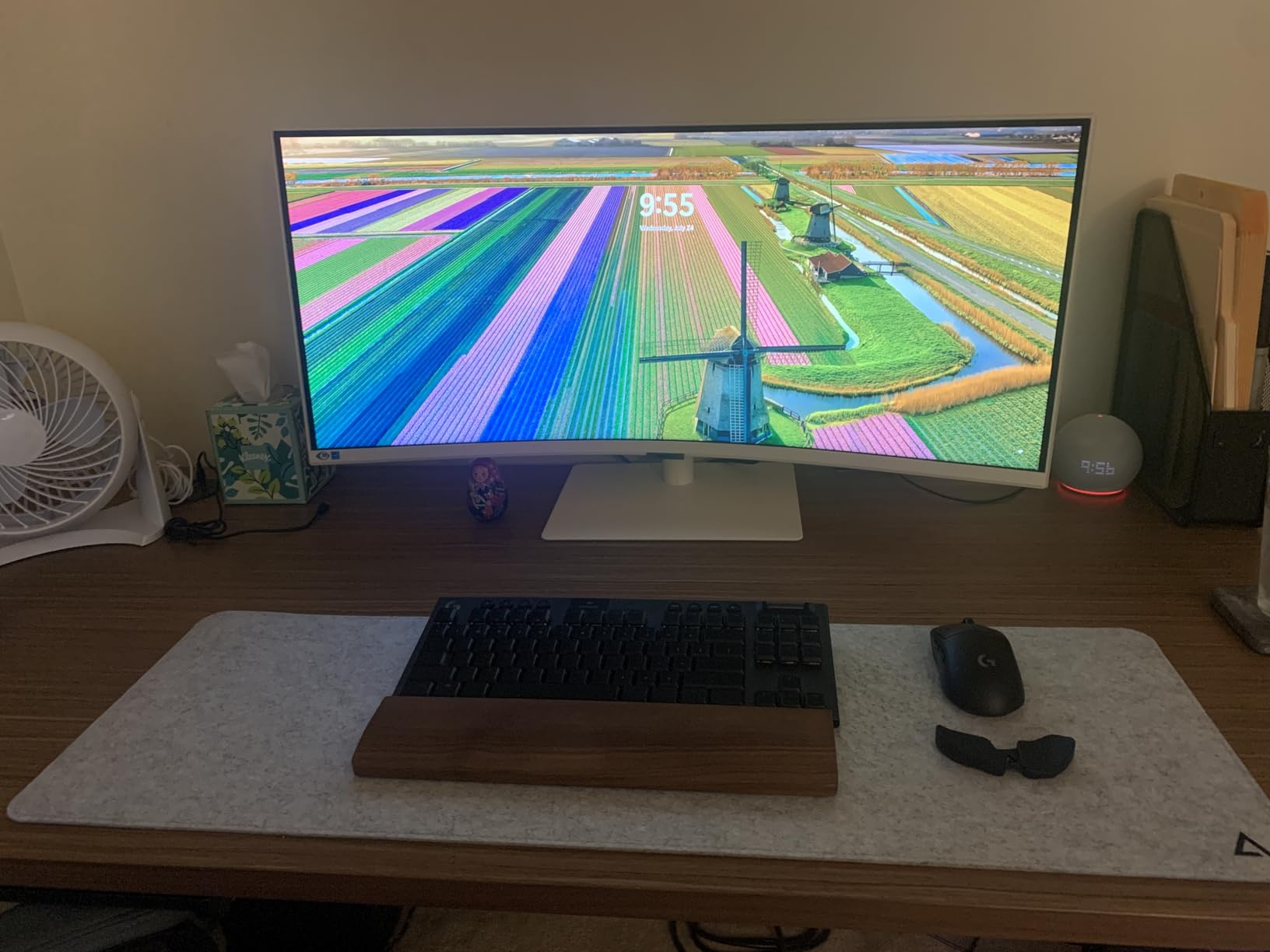
The 1000R curve is the most aggressive here, which matches the natural field of view more closely than a 1500R panel and reduces eye strain over long sessions according to owners. Height, swivel and tilt adjustments cover the usual range, and TUV-certified eye care adds flicker reduction and an eye-saver mode.
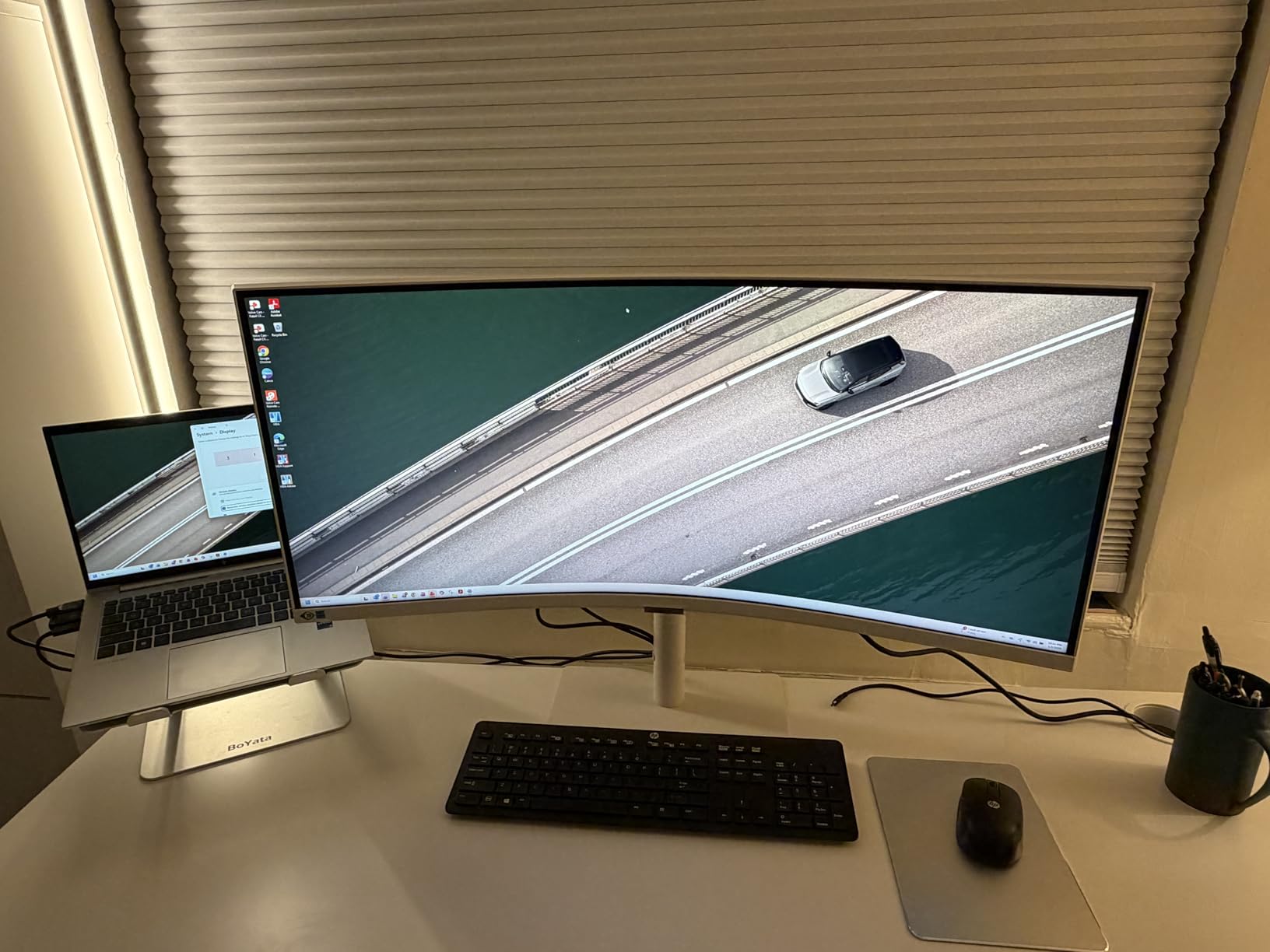
Be aware that this is the lowest-rated product we tested, at 4.0 stars across 394 reviews. Owners like the curve, the connectivity and the speakers. The rating reflects a meaningful share of one-star reviews citing dead pixels, shipping damage on arrival, awkward KVM source switching and Thunderbolt dropouts with certain laptops.
Those Thunderbolt reports matter if you plan to drive this from a 16-inch MacBook Pro. Check compatibility for your exact machine before committing, and inspect the panel and stand on arrival.
When Thunderbolt earns its premium
Thunderbolt 4 matters when your dock has stopped being enough. One cable can carry dual display output, wired networking, storage and 90W of charging, which on a laptop desk replaces an entire dock assembly.
If you do not need the LAN port and your laptop already docks elsewhere, a USB-C model with 65W will serve you well for less. Spend the premium here only if you will actually use the wired network or multi-device Thunderbolt chain.
Where it falls short for spreadsheet work
100Hz and 4ms response trail the 120Hz models in this list, though for document work the difference is minor. The bigger practical issue is KVM source selection, which some owners report can flip automatically when the unused source sends a notification.
Brightness is adequate rather than bright for a well-lit office, so pair it with the window blinds open and a light wall opposite rather than a bright exterior view.
8. LG 34SR60QC-W 34 Inch Smart Curved Monitor – Gentlest Curve for Long Document Days
LG 34SR60QC-W 34-inch QHD (3440×1440) Curved Smart Monitor with Streaming, UltraWide Screen, webOS, HDR10, 100Hz, Built-in Speaker, AirPlay2, Screen Share, Bluetooth, ThinQ App, White
34 inch 21:9 at 3440x1440, 1800R curve
Built-in webOS23 with streaming apps
Cloud PC access to Microsoft 365
99 percent sRGB, HDR10, matte
Pros
- 1800R curve is gentle enough for documents
- Built-in webOS removes the need for a PC
- AirPlay 2 and Screen Share mirror Apple devices
- Matte finish resists glare
- 34 percent wider view than 16:9
Cons
- 100Hz and 5ms response are modest
- No height adjustment and tilt-only stand
- Single small built-in speaker
- Smart features feel slow to navigate
- No USB-C power delivery
The 1800R curve is the gentlest in this roundup, and that is deliberate. It is the shape that bends least around your field of view, so column headers near the edges stay closest to geometrically straight. For long document sessions that is a meaningful advantage over the 1000R and 1500R panels elsewhere on this list.
The bigger story here is the built-in webOS. Netflix, Prime Video, the Apple TV app, Disney Plus, HBO Max and over 300 free channels run without a PC attached, and cloud access to Microsoft 365 and Google applications is included. Owners like the combination of a wide curved workspace with streaming built in, removing the need for extra hardware.
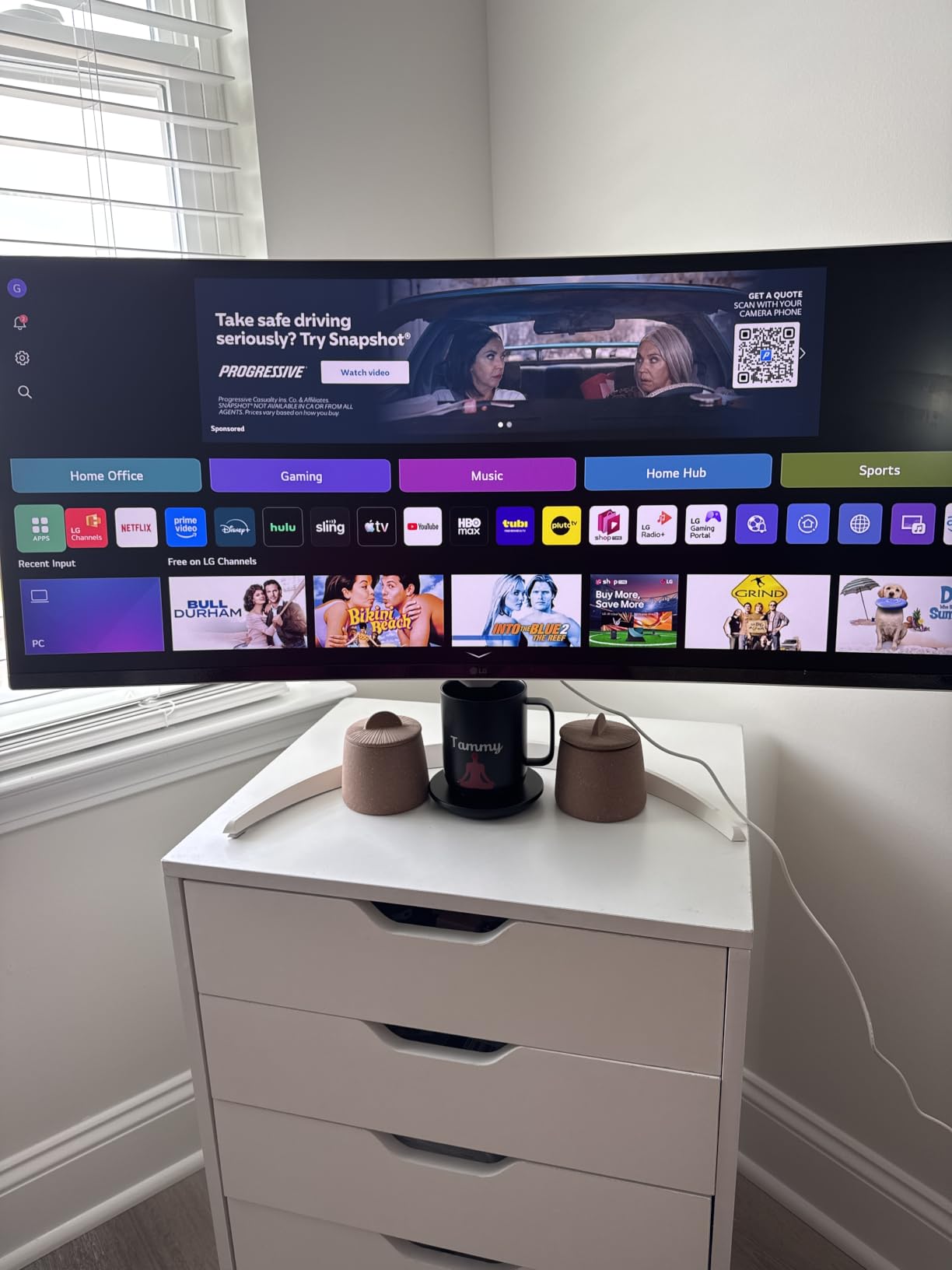
Connectivity covers two HDMI ports and three USB ports, plus AirPlay 2, HomeKit, Screen Share and Bluetooth. That Apple support is a real convenience if you mirror a Mac or iPad to the panel without a cable.
Limitations are consistent: 100Hz with 5ms response is behind current standards, the stand adjusts tilt only with no height adjustment listed, and the single built-in speaker has limited output. There is also no USB-C power delivery, so a laptop setup needs a separate charging cable. Smart features can feel slower to navigate than a plain monitor.
Who this monitor is built for
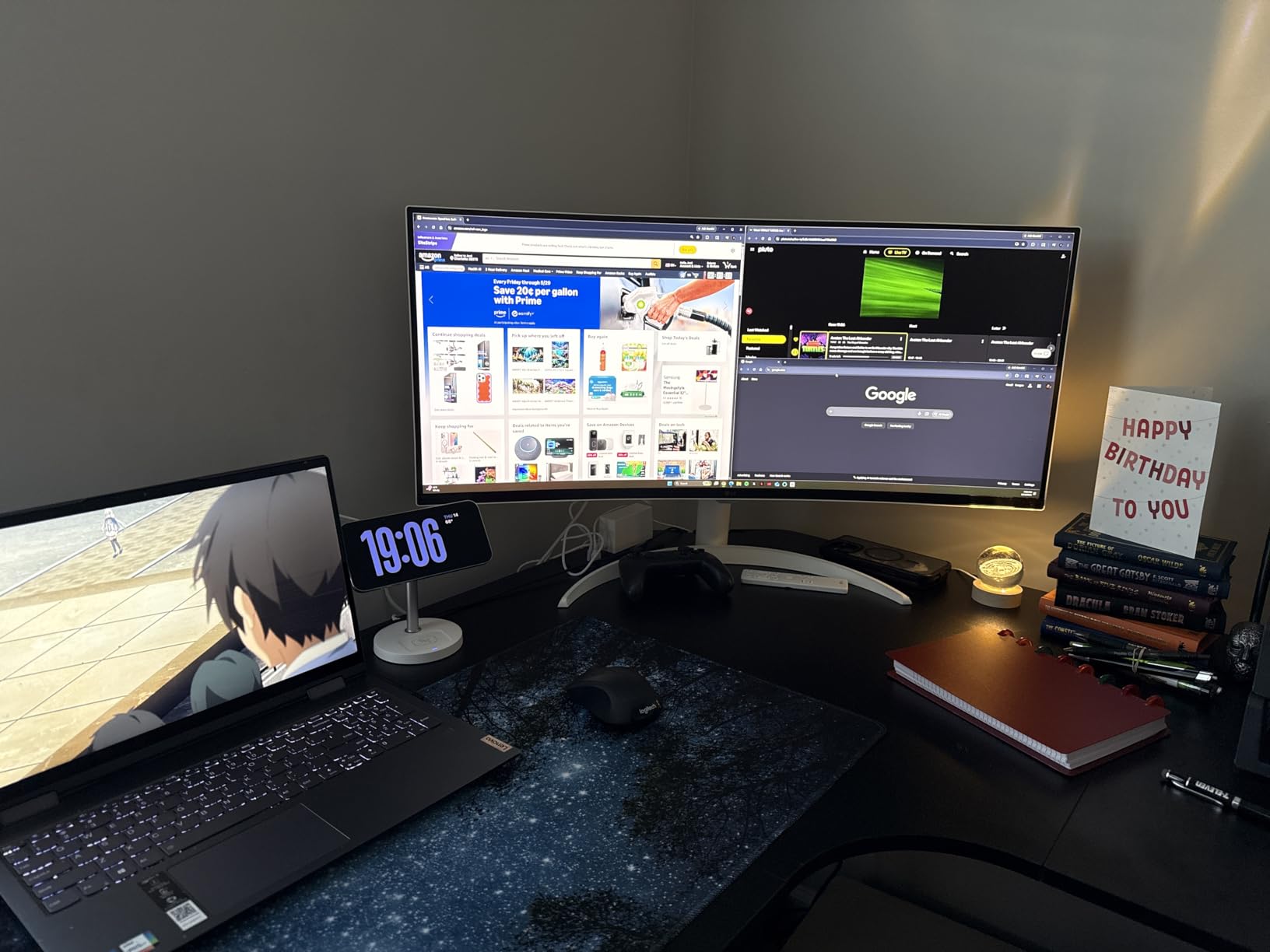
If your spreadsheets live in a browser, this is a strong fit. Google Sheets, Microsoft 365 in the cloud and financial dashboards all run natively, and the 34-inch 21:9 panel is 34% wider than a 16:9 screen for side-by-side documents.
It also works as a second screen for a laptop that already docks elsewhere, since AirPlay 2 and Screen Share make mirroring simple. At 13.5 pounds it is also the lightest panel in this roundup.
Where it falls short for spreadsheet work
The tilt-only stand is the biggest limitation. Without height adjustment you end up relying on whatever desk or chair height you already have, and an ultrawide placed too low means a bent neck by mid-afternoon. Pair it with a monitor arm if you can.
There is no USB-C power delivery, so the tidy single-cable laptop desk that the Philips and Dell models offer is not available here. That makes it a better second display or a cloud-workstation screen than a primary laptop monitor.
9. Samsung 49 Inch Business Curved Ultrawide – Best for Corporate Workstations
Samsung 49” Business Curved Ultrawide Dual QHD Computer Monitor, USB-C, DisplayPort, HDMI, 120Hz, VESA DisplayHDR 400, Built-in Speakers, Height Adjustable Stand, Eye Care, LS49C954UANXZA, 2024
49 inch 32:9 at 5120x1440, 1000R curve
Integrated dock with USB-C 90W
VESA DisplayHDR 400 at 400 nits
120Hz, FreeSync, 3-year warranty
Pros
- Panoramic 32:9 handles dashboards and long documents
- Integrated dock with 90W USB-C cuts cables to one
- DisplayHDR 400 at 400 nits
- Built-in speakers
- Three-year business warranty
Cons
- Most expensive model in this group
- 5ms response is slow despite 120Hz
- Needs substantial desk depth or wall mounting
- FreeSync only with no G-Sync listed
- 32.2 pound chassis is awkward to reposition
This is the business-class version of the 49-inch formula. The 1000R curve wraps more aggressively than the 1500R panels in this roundup, and buyers in trading, finance and logistics describe it as a natural wide field of view that fits dashboards and long documents without a second monitor.
Connectivity is the differentiator. DisplayPort, two HDMI ports, USB and USB Type-C with 90W charging make the monitor and dock a single unit. At 400 cd/m2 with VESA DisplayHDR 400, it is also the brightest panel here, which matters in an office that is lit all day.
Business buyers rate it highly for that combination and for the three-year manufacturer warranty with ship-in service and a dedicated business support line. If your employer handles procurement and support, that coverage has real value.
Reservations concentrate on three things: it carries the highest price in this group by a wide margin, the chassis weighs 32.2 pounds and is awkward to reposition, and the 5ms response time is slow for gaming despite the 120Hz panel. For spreadsheets none of that matters much except the repositioning, so plan your mount before it arrives.
When the integrated dock replaces your setup
Ninety watts of USB-C power delivery plus a full port selection means a laptop connects with one cable and picks up video, data and charging together. No dock, no separate power brick, no upstream port cluster.
At 400 nits and DisplayHDR 400, this is also the monitor to pick if your desk sits under bright office lighting or you review media alongside your data. Nothing else in this roundup pushes brightness as high.
Where it falls short for spreadsheet work
At 32.2 pounds and roughly 45 inches wide, moving it between desks is a two-person job. Plan a wall mount or a heavy-duty arm rather than planning to reposition it.
FreeSync is listed with no G-Sync compatibility, and the 5ms response is the slowest here alongside the 34-inch models. For document work that is fine, but it is not the panel to buy if you also game competitively.
10. LG 34WR55QK-B 34 Inch Ultrawide – Highest Rated with Dual-Source Support
LG 34WR55QK-B 34-inch UltraWide WQHD (3440 x 1440) Curved Computer Monitor, 100Hz, 5ms, HDR10, Reader Mode, HDMI, DisplayPort, USB Type-C, Tilt/Height Adjustable Stand, Black
34 inch 21:9 at 3440x1440
USB-C with 65W power delivery
Picture-by-Picture for two sources
Reader Mode and OnScreen Control, height and tilt
Pros
- Highest average rating at 4.6 stars
- USB-C single-cable laptop workflow
- Picture-by-Picture for reference work
- OnScreen Control makes splitting simple
- Reader Mode for long document sessions
Cons
- 100Hz and 5ms response behind newer ultrawides
- HDR10 support is basic rather than certified
- No built-in speakers
- VA panel can smear on fast transitions
This carries the highest average rating of anything we reviewed, at 4.6 stars. Owners consistently praise three things: the USB-C single-cable workflow, Picture-by-Picture for dual-source work and Reader Mode for long document sessions.
Picture-by-Picture is the feature spreadsheet users notice first. It splits the panel into two live panes from two inputs, so a live sheet from one machine and a reference document from another sit side by side without any window management software. USB Type-C supplies up to 65W, and OnScreen Control handles workspace splitting.
Reader Mode reduces blue light for extended reading, which is a sensible default for anyone spending a full day in formulas. The stand gives height and tilt adjustment, and the three-side virtually borderless design keeps the frame out of the way of the panel.
Critiques are limited: 100Hz with 5ms response trails modern ultrawides, HDR10 support is basic rather than a certified DisplayHDR tier, there are no built-in speakers, and the VA panel can smear on fast dark-to-light transitions. None of those touch daily spreadsheet use.
When two panes beat one wide window
Picture-by-Picture divides the display into equal panes, each showing a separate input at full resolution. That is different from two snapped windows, where each window can be any size you like but only one input is displayed per pane.
For a financial analyst pulling live data on one machine and keeping a model file open on another, PBP is faster than any tiling software. For a single machine that needs three documents at different widths, two resizable windows are more flexible.
Where it falls short for spreadsheet work
There are no speakers, so you need external audio or a headset. Port selection is two HDMI, two USB, DisplayPort and USB Type-C, which covers a typical desk but runs out if you plug in several wired peripherals.
At 15.2 pounds and 31.9 inches wide, it is a manageable size and weight, though you will still want a real desk. If you want a third document open at the same time, step up to a 49-inch 32:9 panel.
Curved vs Flat for Spreadsheet Accuracy
Curvature does bend straight lines at the edges. That is a physical fact, not a marketing claim, and it is why some accountants and architects still prefer flat panels for precision work. The question is how much it matters at the curve radii in this roundup.
All five 49-inch models here use 1000R or 1500R. The Samsung ViewFinity and Samsung Business monitors at 1000R bend most, and users describe that shape as matching the natural field of view while finding the more aggressive curve uncomfortable for long office sessions. The 1500R panels sit in the middle and are the most common choice in buyer feedback for document work.
The LG 34SR60QC-W at 1800R is nearly flat by comparison and is the safest pick if column alignment at the edges is critical to you. Read our gaming monitor comparisons if you also want to know how these panels handle motion.
Our practical answer: put your most-used columns in the center third of the panel and the distortion stops being something you perceive at normal viewing distance. The ergonomics and the width win far more spreadsheet hours than the curve costs you.
How to Choose a Curved Monitor for Spreadsheet Work
Start with vertical resolution, because it decides how many rows you can see. Every monitor here runs 1440 pixels tall at both 3440×1440 and 5120×1440, so you see the same number of rows on all ten. Going taller adds rows, not columns, and none of these panels offer a taller option at this width.
That makes width the real differentiator. At 5120×1440 you can run two 2560-wide sheets side by side. At 3440×1440 you can run one sheet plus a narrow reference column, or a sheet beside a chat window. If you regularly compare two wide reports, the 32:9 models earn their extra desk space.
Choose 1500R unless you need the widest field of view
1500R is the middle ground and appears on most of the 49-inch models here. It wraps enough to keep the far columns within a comfortable viewing arc without bending lines as aggressively as 1000R. Choose 1000R only if you sit close and want maximum immersion, and choose 1800R if you are sensitive to edge distortion.
Prefer VA or IPS panels over OLED for static UI
An Excel ribbon, a column header row and a gridline are static elements displayed for eight hours a day, which is exactly the pattern that risks permanent image retention on OLED panels. Every monitor in this roundup uses a VA or LCD panel, so none of them carry that risk. The trade is lower contrast on IPS-style panels and some dark-angle washout on VA.
For matte versus glossy, choose matte in a bright office. Glossy panels show reflections and fingerprints but often look slightly crisper in a controlled room.
Check USB-C power delivery and KVM before you buy
If your desk runs from a laptop, USB-C with power delivery collapses the setup to one cable. Most models here deliver 65W, which covers smaller laptops but falls short for the largest machines. The Samsung ViewFinity and Samsung Business monitors deliver 90W. If you run two machines, a built-in KVM switch saves a dock entirely.
A LAN port is rarer but genuinely useful where Wi-Fi is unreliable, and only the Samsung ViewFinity has one here.
Measure your desk depth before a 49-inch purchase
A 49-inch panel is roughly 46 to 47 inches wide and needs close to 12 inches of desk depth to sit at a comfortable viewing distance. The Samsung Business monitor is deeper still at 22 inches with the stand. If your desk is shallower, the 34-inch models at 31 to 32 inches wide are the realistic choice, and most of them include height adjustment.
Check the stand adjustment range too. The LG smart monitor adjusts tilt only, which can leave an ultrawide sitting at an awkward height unless you add a monitor arm.
Window Management for Ultrawide Spreadsheet Workflows
A 49-inch 32:9 panel does not need tiling software the way a 49-inch running three full-size windows does. The operating system snap layouts in Windows 11 handle two equal columns with a drag, and that is usually enough.
When you need three or more uneven regions, FancyZones on Windows and Rectangle on macOS are the two tools spreadsheet users reach for. The common setup assigns one wide zone for the main workbook, a medium zone for a formula reference or documentation, and a narrow strip for chat or email.
On macOS, be careful with scaling at 3440×1440. Text can appear soft at the default setting, and a scaling utility that sets the display to its native resolution and forces full 1:1 rendering is what fixes it. A 1800R curve at 34 inches also reduces the distortion you would otherwise see at the far left and right edges of the workspace.
Whatever your layout, freeze panes in the spreadsheet itself. On an ultrawide the frozen columns anchor at the left edge while you scroll horizontally through the rest, which uses the width far better than keeping every reference column in view.
Frequently Asked Questions
Are curved PC monitors worth it?
Yes, for spreadsheet and document work they are worth it because the wider canvas lets you keep two full worksheets side by side without a center bezel cutting through your data. The curve also brings the far columns closer to your natural line of sight, which reduces head turning over a long day. The main trade is edge distortion on aggressive curves, so 1500R is a safer starting point than 1000R for document work.
What is the best curved monitor for office work?
For general office and spreadsheet work, a 34-inch 3440×1440 curved panel at 100Hz or 120Hz is the most practical choice, because it fits a normal desk, offers higher pixel density for small text and includes height adjustment on most models. If your desk is wide and deep enough, a 49-inch 5120×1440 model doubles that width for two full documents at once.
What is the best 32-inch monitor for office work?
A 32-inch 3440×1440 curved display at 21:9 is the sweet spot for office work. It gives you roughly 34 percent more horizontal space than a 16:9 screen at the same height, keeps text crisp because pixel density is higher than on a 49-inch panel, and most models include USB-C power delivery, a USB hub and height-adjustable stands for ergonomic positioning.
Is a curved monitor better for office work than a flat monitor?
It depends on how you work. A curved panel wins on width per inch of desk and on ergonomics for wide multitasking, and gentle curves around 1500R or 1800R keep text readable at the edges. A flat panel wins if you need perfectly straight reference lines, do architectural or precision drafting work, or have a very shallow desk where a 49-inch panel will not fit at a comfortable distance.
Final Verdict for Spreadsheet Work in 2026
The CRUA 49-inch is the best curved monitor for spreadsheets overall. Its 5120×1440 canvas fits two full worksheets side by side, the 1500R curve keeps edge columns readable, and 165Hz with FreeSync keeps long sheets smooth to scroll. It is also the most reviewed model here at 3639 ratings averaging 4.4 stars, which tells you the build quality holds up over time.
If your desk cannot take a 49-inch footprint, the LG 34WR55QK-B is the strongest 34-inch pick. It carries the highest average rating in the group, adds Picture-by-Picture for two live sources and USB-C with 65W charging, and its 3440×1440 panel keeps small text sharper than a larger screen at the same height. For a bright office, the Dell S3425DW adds a matte finish and blue light filtering, and for a laptop-only desk the Philips 346E2CUAE carries a four-year warranty.
Measure your desk depth before ordering anything at 49 inches. If you have around 12 inches of depth and a wide top, the larger panels are worth it. If not, a 34-inch model gives you most of the benefit at a size you will not have to reposition every few months.