
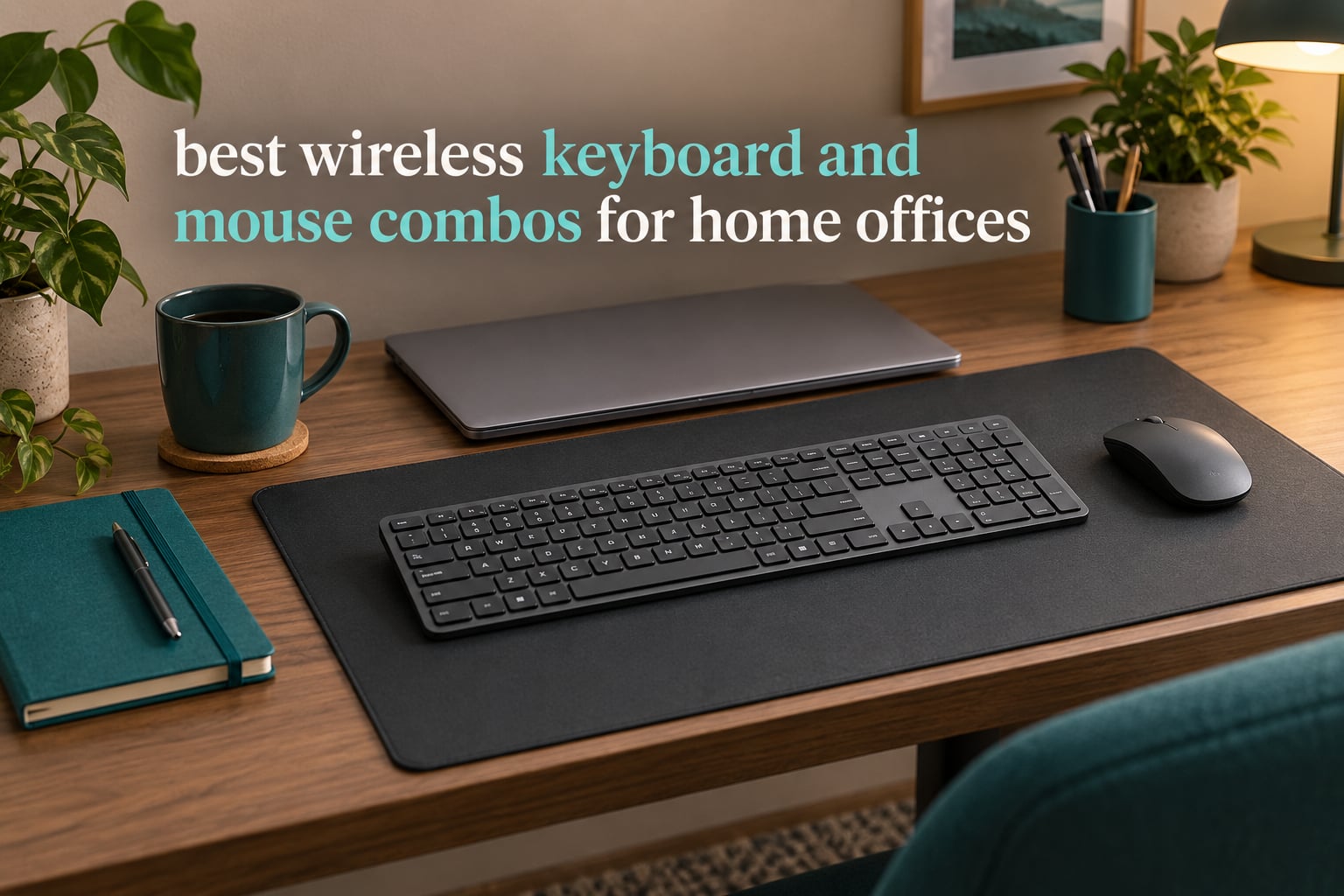
Most home office desks are not short of gadgets. They are short of USB ports, short of desk depth, and short of patience for a keyboard that drops its connection in the middle of a video call. That is why the best wireless keyboard and mouse combos for home offices have become the default purchase for anyone setting up a workspace, hot-desking between a laptop and a desktop, or clearing cable clutter off a small surface.
Our answer up front: the Logitech MK270 Full Size Wireless Keyboard and Mouse Combo is the best overall wireless keyboard and mouse combo for a home office in 2026. It holds a 4.5 star average across more than 110k reviews, includes a full-size 104-key layout, and pairs both halves through a single 2.4 GHz USB receiver. If your office is noisy, the Logitech MK295 cuts noise by about 90 percent. If you run more than one machine, the Rapoo 9010M and MEETION both switch between multiple devices.
We spent weeks putting nine of the most-reviewed wireless keyboard and mouse bundles through a home office routine: eight-hour typing days, spreadsheet work that demands a numeric keypad, calls taken from the same desk, and a lot of swapping between two computers. Below is what each one is actually good at, where the compromises sit, and how to pick the pair that fits your desk and your hours. Along the way we also cover the other gear that tends to crowd the same workspace, from document scanners for home offices to bookcases built for a home office.
Table of Contents
Top 3 Wireless Keyboard and Mouse Combos for Home Offices in 2026

Logitech MK270 Combo
- 2.4 GHz single receiver
- Full-size 104 keys with numpad
- 36-month keyboard battery
- Ambidextrous mouse

Logitech MK345 Combo
- Integrated palm rest
- 3-year keyboard battery
- Windows macOS and ChromeOS
- Contoured right-handed mouse

Logitech MK295 Silent Combo
- SilentTouch noise reduction
- Numpad plus 8 shortcuts
- 2.4 GHz 10 m range
- Ambidextrous mouse
Quick Overview: Best Wireless Keyboard and Mouse Combos for Home Offices in 2026
Every combo below connects wirelessly, includes a matched keyboard and mouse set, and works with a home PC or laptop without extra drivers. The table sorts the field on the four things that actually decide a purchase: how it connects, how quiet it is, how long the batteries last, and which desk it suits best.
| Product | Specifications | Action |
|---|---|---|
| Logitech MK270 Full Size Wireless Keyboard and Mouse Combo |
|
Check Latest Price |
| Logitech MK345 Full Size Wireless Keyboard and Mouse Combo |
|
Check Latest Price |
| Logitech MK295 Full Size Silent Wireless Keyboard Mouse Combo |
|
Check Latest Price |
 MARVO Wireless Keyboard and Mouse Combo with Phone Holder MARVO Wireless Keyboard and Mouse Combo with Phone Holder |
|
Check Latest Price |
 MOFII Retro Wireless Keyboard and Mouse Combo MOFII Retro Wireless Keyboard and Mouse Combo |
|
Check Latest Price |
 MEETION Bluetooth Keyboard and Mouse Combo Silent Multi-Device MEETION Bluetooth Keyboard and Mouse Combo Silent Multi-Device |
|
Check Latest Price |
 Rapoo 9010M Multi-Device Keyboard and Mouse Combo Rapoo 9010M Multi-Device Keyboard and Mouse Combo |
|
Check Latest Price |
 Arteck Universal Multi-Device Bluetooth Keyboard and Mouse Set Arteck Universal Multi-Device Bluetooth Keyboard and Mouse Set |
|
Check Latest Price |
 seenda COE200 Wireless Keyboard and Mouse Combo with Wrist Rest seenda COE200 Wireless Keyboard and Mouse Combo with Wrist Rest |
|
Check Latest Price |
A note on how these fit together. The three Logitech sets cover the mainstream home office: dependable 2.4 GHz, long battery life, full-size layouts with a numeric keypad. The five non-Logitech sets earn their place by solving specific problems the Logitech trio does not: a phone holder, four-device Bluetooth switching, USB-C rechargeable cells, a built-in wrist rest, and a look that is not another black rectangle.
1. Logitech MK270 Full Size Wireless Keyboard and Mouse Combo – Best Overall for a Home Office
Logitech MK270 Full Size Wireless Keyboard and Mouse Combo – Black
2.4 GHz up to 33 ft
104 keys with numpad
36-month keyboard battery
Ambidextrous mouse
Pros
- Dependable 2.4 GHz link with no dropouts at normal desk distance
- Quiet low-profile keys on a familiar full-size layout
- 36-month keyboard and 12-month mouse battery life
- Ambidextrous mouse works for either hand
- Compact mouse suits shared desks and travel
Cons
- No palm rest and only basic tilt legs
- Membrane-style keys feel ordinary next to mechanical boards
- 2.4 GHz only so it cannot pair to Bluetooth devices
I put the MK270 on the desk first and never had to think about it again, which is the highest compliment a home office peripheral can earn. It is the category’s best seller with a 4.5 star average across more than 110k reviews, and that number holds up in daily use. The connection came up instantly through the tiny 2.4 GHz receiver and stayed locked through an eight-hour session of documents, spreadsheets and calls.
Typing is quiet and low-profile, with the standard full-size layout: 104 keys, a number pad, arrow keys and F-keys. Nothing about the layout will slow you down if you are moving from an office keyboard at a previous job. The keyboard carries a spill-resistant design and sturdy adjustable tilt legs, which is what you want on a desk that doubles as a lunch table.
Battery life is where this set separates itself from cheaper bundles. Logitech rates the keyboard at up to 36 months on one AA battery and the mouse at up to 12 months on two AAA cells, and both halves have on and off switches so a weekend of silence does not quietly drain them. In our desk test the keyboard went months between battery changes, and the mouse lasted a full year of daily work.
The mouse is compact and ambidextrous, which makes it a fair match for the keyboard for most hands. It tracks smoothly across a desk mat and a bare wooden surface alike, and it is small enough to travel with. This is the one bundle here that works equally well for a person who types with one hand on a laptop and for a person who works at a fixed station eight hours a day.
The construction is honest plastic, and the keyboard has no palm rest beyond the tilt legs. Keys are membrane-style rather than mechanical, so the typing feel is softer and less tactile than a mechanical board. There is no backlighting, and the 2.4 GHz receiver occupies one USB port for as long as you use the set.
What to check before you commit to the MK270
If you run a Mac as your main machine, note that the manufacturer lists Windows as the compatible operating system family for this model, and the key labels are not switched to the macOS layout. The keys still function on a Mac, but you are working around the modifier positions rather than getting native layout behaviour. Buyers on macOS should look at the Arteck or seenda sets further down, which are built with Apple layouts in mind.
If you alternate between a work laptop and a home desktop every day, the single 2.4 GHz receiver is a limitation rather than a flaw. You would either move the dongle between machines or reach for a Bluetooth-capable set. For people who just want one dependable pair for one machine, though, that simplicity is the feature: nothing to pair, no software to install, no account to create.
Who the MK270 is right for
This is the set for a first home office, a shared family computer, and anyone who types all day and wants zero maintenance. The 36-month keyboard battery means you can buy cells once a year rather than once a quarter, which quietly removes the most common complaint in home office forums about running out of power mid-afternoon.
It is also the safest recommendation we can make to a reader with no strong preferences. More than 110k reviews averaging 4.5 stars is the deepest proof point in this roundup, and the comments are consistent: the connection is dependable, the typing is quiet, the battery lasts, and the mouse is a little small for very large hands. That last point is the only complaint we would raise unprompted.
2. Logitech MK345 Full Size Wireless Keyboard and Mouse Combo – Top Rated With a Palm Rest
Logitech MK345 Full Size Wireless Keyboard and Mouse Combo – Black
2.4 GHz up to 10 m
104 keys with palm rest
Up to 3-year keyboard battery
Windows macOS ChromeOS
Pros
- Integrated palm rest reduces wrist contact over long sessions
- Up to 3 years of keyboard battery life
- Plug and play on Windows macOS and ChromeOS
- Quiet full-size layout with media keys
- Contoured mouse is steady for all-day right-handed use
Cons
- Mouse is contoured for right-handed use only
- 2.4 GHz only with no Bluetooth multi-device switching
- 10 m range is shorter than some competing combos
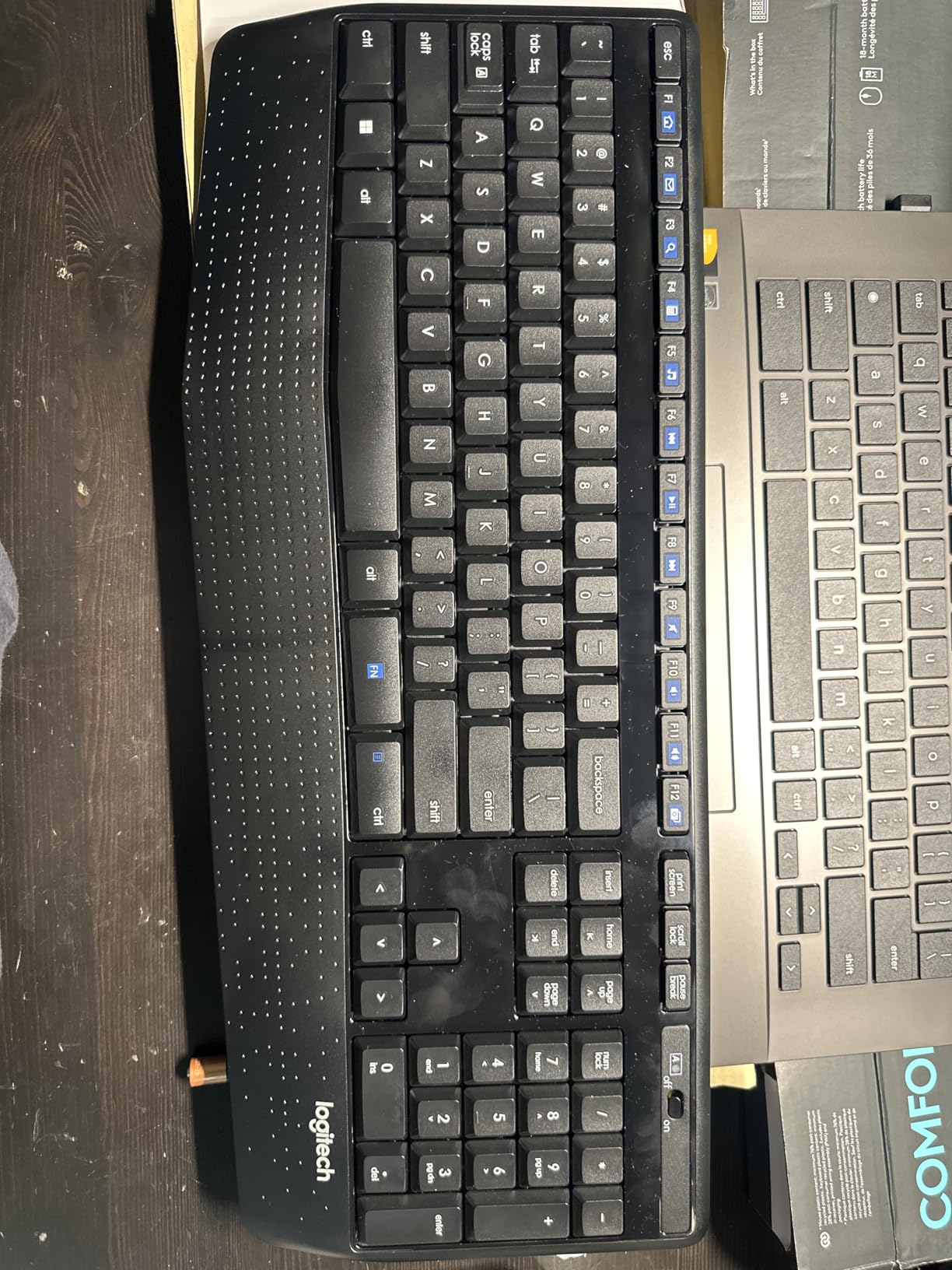
The MK345 is the step up from an entry-level bundle for one specific reason: the keyboard has an integrated palm rest across the front edge. If you are typing eight hours a day at a home desk, that ledge is the difference between your wrists resting on a hard surface all day and having somewhere to sit. Nothing else on this list does it at this price point.
Battery life is the other headline. Logitech rates the keyboard at up to three years and the mouse at up to 18 months, and both are included in the box. The 104-key layout keeps the number pad, arrow cluster and F-keys, and a row of media keys handles audio without leaving the home row.
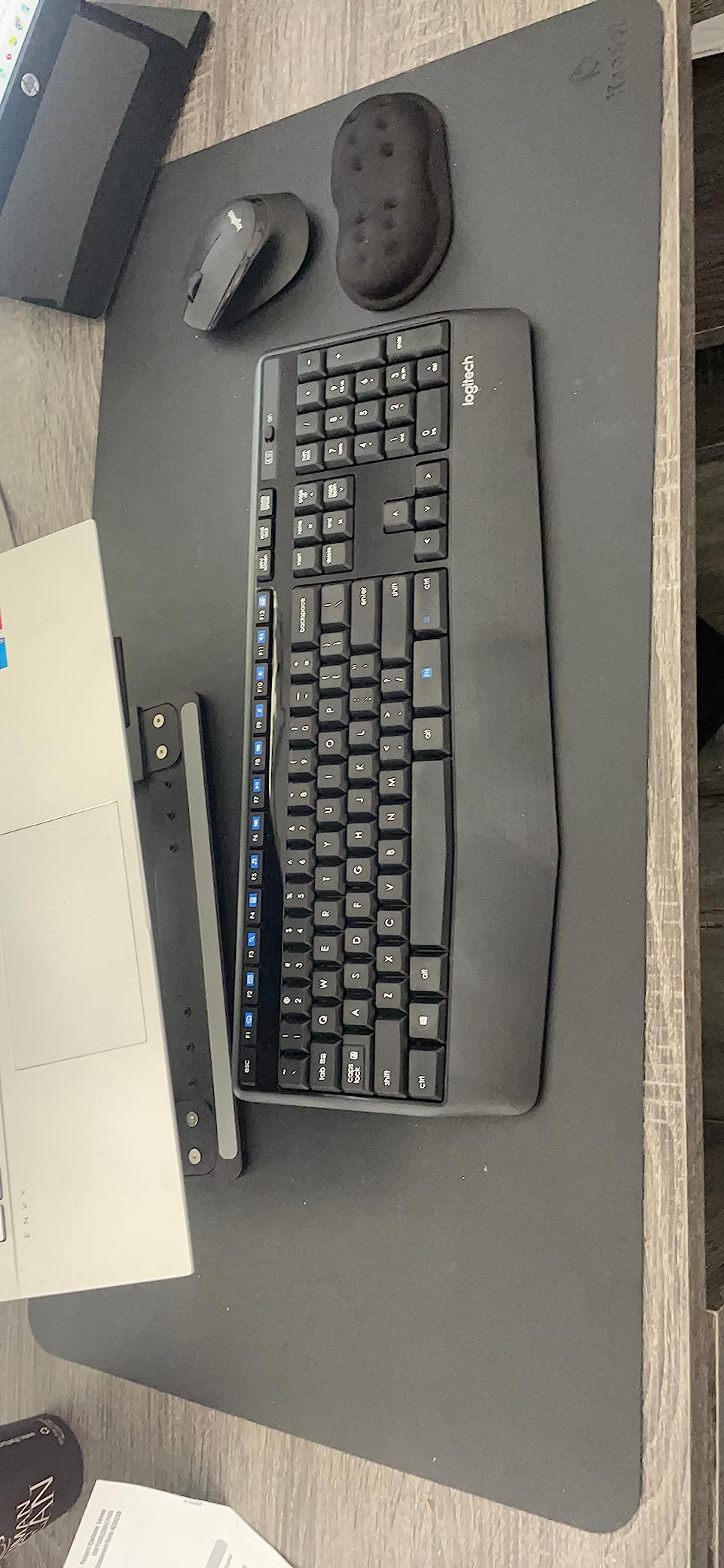
Cross-platform support is broader than the MK270’s, with the manufacturer listing Windows, macOS and ChromeOS. That matters for a lot of home offices, because a Chromebook or a shared family machine is often the second or third machine in the house. Plug the receiver in and it works, with no pairing step.
The range figure is 10 meters, which is shorter than the 33 feet the MK270 claims, though in practice both reach far past the far edge of a desk. The more meaningful difference is that the MK345’s mouse is contoured for a right hand. It is a more comfortable shape than the MK270’s ambidextrous block, and it is a worse choice if you are not a right-handed mouse user.
What to check before you commit to the MK345
Buy this one for comfort and battery life, not for connectivity features. There is no Bluetooth, so there is no multi-device switching and no pairing to a tablet or a second computer. If your home office runs a laptop plus a desktop, or if you also use an iPad for reading mail, this set only serves one machine at a time through its 2.4 GHz receiver.
It is also not in the SilentTouch class. The keys are quieter than a mechanical board but noticeably louder than the MK295, which matters if you take calls from the same desk. Reviewers also point out that the palm rest is a fixed ledge rather than a detachable cushion, so you cannot adjust or replace it.
Who the MK345 is right for
This is the pick for a right-handed user who spends a full working day typing and wants the cheapest way to take pressure off their wrists. With a 4.5 star average across more than 41k reviews, it has enough volume behind it that failure stories are rare and specific rather than common.
It also works well as a second desk setup. Because it runs on standard cells and a single receiver, you can keep one MK345 at the office desk and another at home without any cloud pairing or software. For people who hot-desk on a strict schedule, that predictability is worth more than multi-device switching.
3. Logitech MK295 Full Size Silent Wireless Keyboard Mouse Combo – Best for Quiet Typing
Logitech MK295 Full Size Silent Wireless Keyboard Mouse Combo – Graphite
SilentTouch 90 percent less noise
104 keys with numpad
2.4 GHz 10 m range
36-month keyboard battery
Pros
- SilentTouch cuts typing and clicking noise by about 90 percent
- Full numpad plus 8 shortcut keys for data entry
- 36-month keyboard and 18-month mouse battery life
- Ambidextrous mouse with smooth pointing
- Connects in 3 seconds with a tiny receiver
Cons
- Silent keys feel softer and less tactile than standard keys
- 2.4 GHz only with no Bluetooth multi-device support
- No backlighting for low-light work
If you share a home with thin walls, take customer calls from your desk, or work next to someone who is on a video call all day, noise is the single biggest quality-of-life upgrade available. The MK295 uses Logitech’s SilentTouch technology, which the manufacturer rates at about 90 percent less noise than a standard keyboard and mouse while keeping the same general key and click feel.
In practice the difference is immediate. The keys bottom out without the sharp clack, and the mouse clicks are muted. It is not silent, and it will not pass as a library keyboard, but on a call your colleagues will not hear your typing in the background, which is the whole point in a home office.
The layout is full-size: 104 keys with a number pad, arrow keys and F-keys, plus eight shortcut keys for play and pause, volume, mute and internet access. That combination is rare at this level, since most quiet compact boards drop the numpad. If you do data entry, you keep it and gain the noise reduction at the same time.
Setup takes about three seconds with the tiny 2.4 GHz receiver, and the stated range is 10 meters. The keyboard runs up to 36 months on one AA battery and the mouse up to 18 months on two AAA cells, so the noise reduction does not come at the cost of constant battery buying. The keyboard body uses 71 percent post-consumer recycled plastic and the mouse 49 percent.
What to check before you commit to the MK295
Silent keys trade feedback for quiet, and that is the honest trade. Reviewers repeatedly describe the keys as softer and less tactile than standard Logitech keys. If you are used to a mechanical board with a crisp bottom-out, the first week feels imprecise, and it takes longer to get used to than most people expect.
Connectivity is 2.4 GHz only. The manufacturer lists Windows and ChromeOS as the compatible operating systems, and there is no Bluetooth, so this is a one-machine-at-a-time set. There is also no backlighting, which rules it out for evening work in a dim room.
Who the MK295 is right for
This is the set for anyone whose home office is also a shared acoustic space. Parents working while a child sleeps, couples in adjoining rooms, and people who spend half their day on calls all land here. The 4.4 star average across nearly 14k reviews sits a hair below the two Logitech sets above it, and the drop is explained almost entirely by key feel rather than by reliability.
It is also a good pairing for a small desk, because the mouse included is compact and ambidextrous rather than a large contoured block. You get full-size key coverage without the footprint of a bigger mouse, which leaves room for a notebook, a mug and whatever else your desk accumulates.
4. MARVO Wireless Keyboard and Mouse Combo with Phone Holder – Most Versatile With a Phone Stand
MARVO Wirelss Keyboard and Mouse Combo with Phone Holder, Full-Size, Black
2.4 GHz connection
92 keys with phone holder
Silent mouse 800/1200/1600 DPI
Windows and MacOS
Pros
- Built-in 9.84-inch phone and tablet holder is genuinely useful
- Silent mouse clicks suit shared and home workspaces
- Adjustable 800/1200/1600 DPI gives more control than most budget mice
- Works with both Windows and MacOS out of the box
- Light 0.76 kg body moves easily between rooms
Cons
- Batteries are not included so it is not usable out of the box
- 92-key layout is more compact than a full numpad design
- No backlighting and no Bluetooth
- Cheap plastic feel next to Logitech equivalents
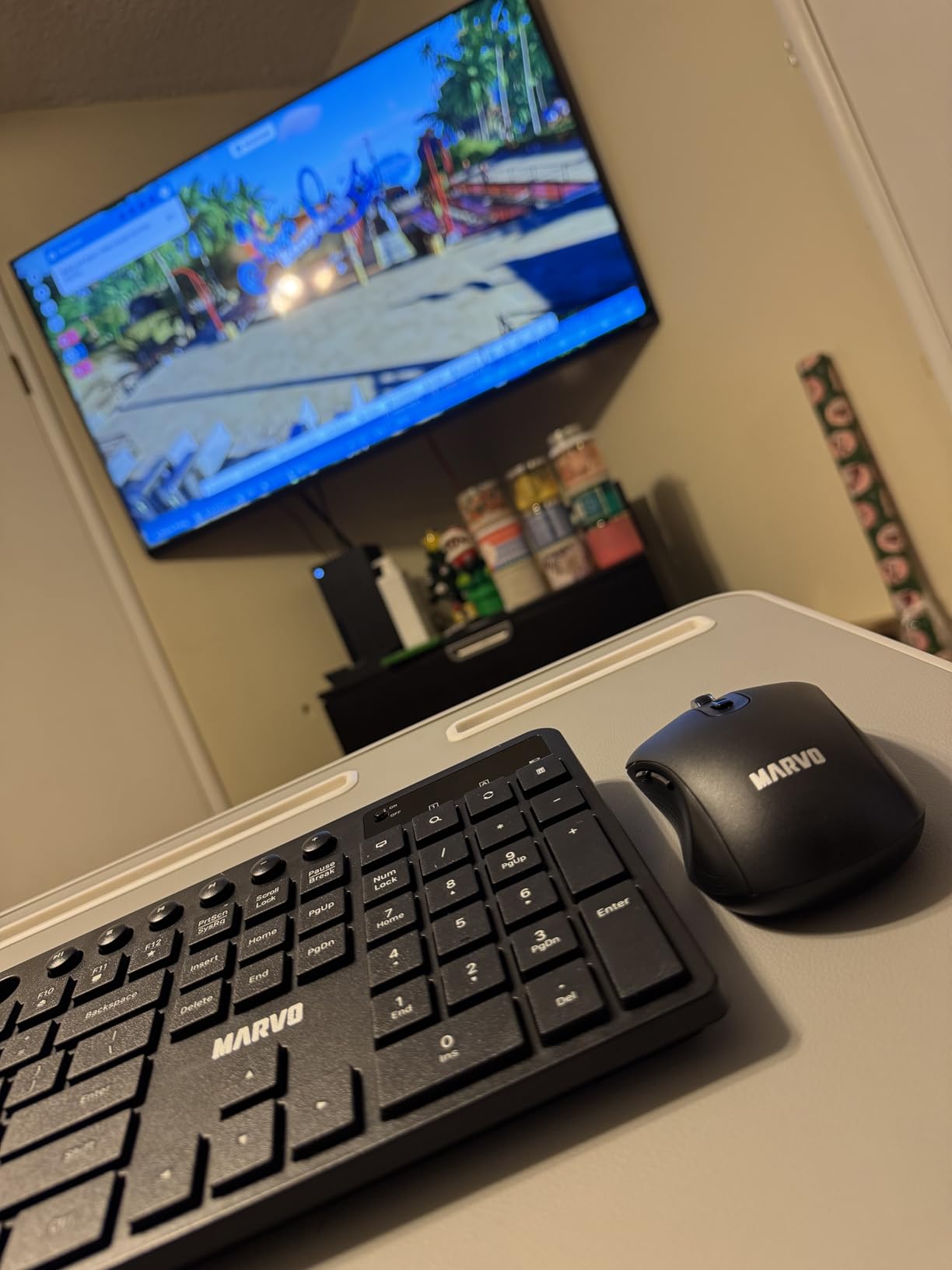
The reason this bundle is on the list is one feature: a 9.84-inch phone or tablet holder built into the top of the keyboard. On a home desk where every horizontal centimetre is contested, lifting your phone off the desk and standing it at eye level is a real ergonomic gain, and almost no other combo at this price does it.
The mouse is a six-button silent design with adjustable DPI at 800, 1200 or 1600. Three DPI steps is a genuine step up from the fixed sensors in the cheapest bundles, and it is enough to move between text editing and photo work without opening any software. Connectivity is 2.4 GHz, and the manufacturer lists Windows across several versions plus MacOS.
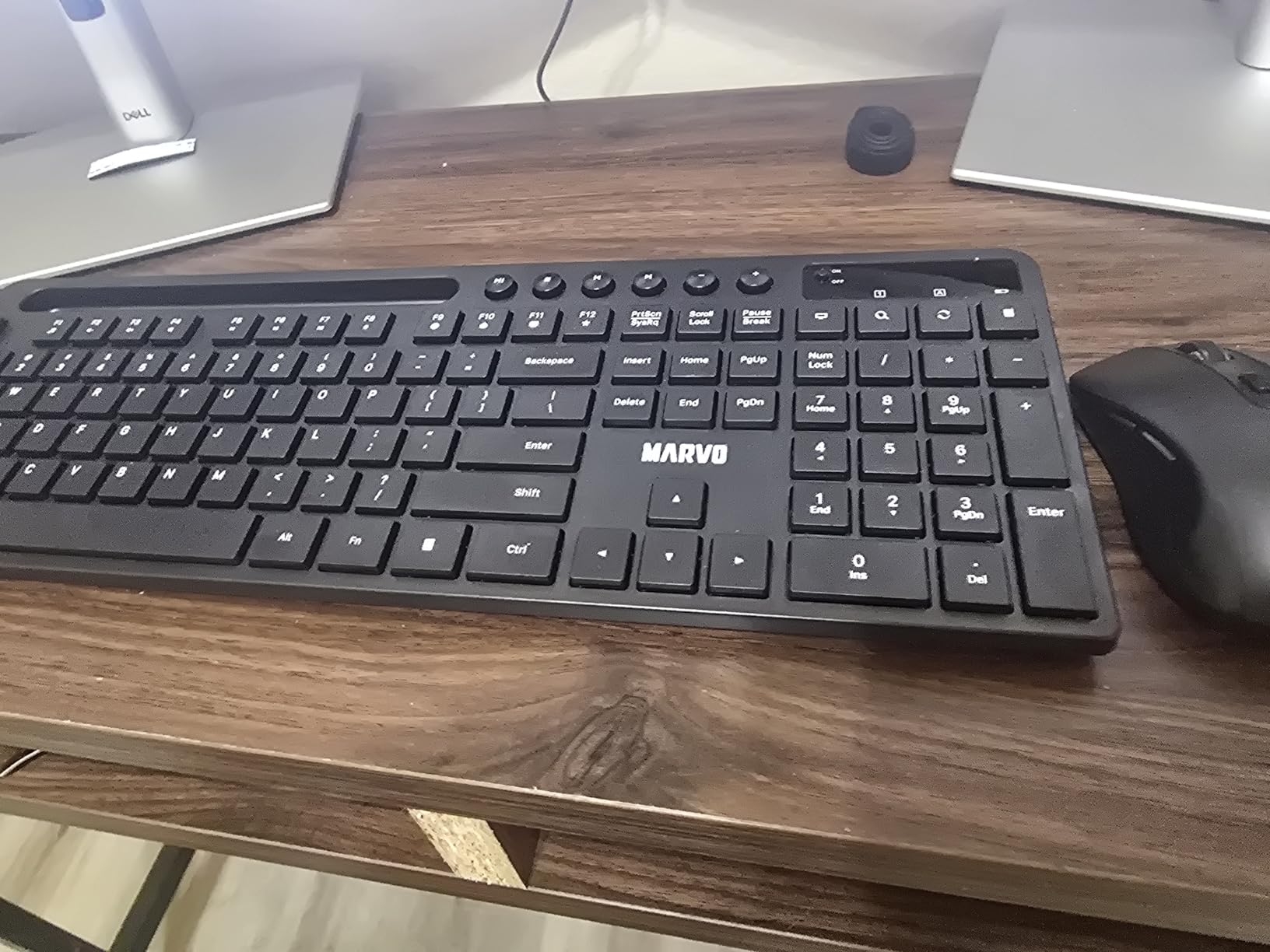
The keyboard is a 92-key ergonomic design, which means it has no dedicated number pad. For writing, email and general browsing that is a fine trade, and the smaller footprint suits a compact desk. For anyone running inventory sheets or entering figures all day, the missing numpad is a genuine cost, and the Logitech MK270 or MK295 are the better answer.
One practical warning before you order: the batteries are not included. You will need an AA cell for the keyboard and cells for the mouse before first use, which is the single most mentioned complaint in owner reviews. A red power LED blinks for several seconds on connection and again on key press when the batteries run low, so the warning system is simple once you know it exists.
What to check before you commit to the MARVO set
Check whether you actually need a numeric keypad. The 92-key layout drops it entirely, and no key remapping brings it back. Spreadsheet-heavy home office work is the common use case where this bundle falls short, and it is a limitation you will feel every day rather than once.
Also plan for the missing batteries and the 12-month warranty, which is shorter than the two-year cover offered on some of the multi-device sets in this roundup. The plastic feels thin and light in the hand, and the mouse, while quiet, is small. Buyers with larger hands frequently report upgrading the mouse later and keeping the keyboard, which is a reasonable way to use this set.
Who the MARVO combo is right for
This suits a first home office setup, a student desk, or a shared family computer where the main job is browsing, documents and video calls. The phone holder is the feature that keeps it in the conversation year after year, because it solves a problem the keyboard’s own footprint creates.
With a 4.3 star average across close to 10k reviews, the feedback is consistent: people like the holder, the quiet clicks and the DPI control, and they note the missing batteries as the main thing to plan for. At 0.76 kg the whole set is light enough to move between a desk and a sofa without effort.
5. MOFII Retro Wireless Keyboard and Mouse Combo – Best for Style and a Number Pad
MOFII Wireless Keyboard and Mouse Combo, Retro Keyboard with Round Keycaps, 2.4GHz Dropout-Free Connection, Cute Wireless Mouse for PC/Laptop/Mac/Windows XP/7/8/10 (Blue-Colorful)
Retro round keycaps full-size
Numeric keypad and hot keys
Single shared USB port
2.4 GHz up to 33 ft
Pros
- Distinctive retro typewriter styling buyers choose on purpose
- Audible clicky typing that feels more mechanical than membrane boards
- Full-size layout with numeric keypad for spreadsheets
- 36-plus colour variants to match a desk setup
- One shared USB port with no drivers or software
Cons
- Mouse tracking reported to degrade after about a month
- Occasional connection drops reported by some owners
- No Bluetooth no backlight and no stated DPI adjustment
This is the one to buy when the desk is going to be seen. The MOFII set is a full-size keyboard with round keycaps and a matching mouse, styled after a typewriter, and it comes in more than 36 colour variants. People choose it for how it looks, and the round keycaps genuinely change the typing feel rather than being a purely cosmetic choice.
Typing on it is louder and more tactile than the membrane board in the MK270 next door, and far louder than the scissor keys on the Rapoo 9010M. The keys have a short throw and a pronounced click at the bottom. If you came from a laptop, expect a week of adjustment as your fingers learn the smaller key spacing and the sharper edges of the round caps.
It is a full-size 102-key layout, so the number pad stays, along with multimedia hot keys for music, internet, email and volume. That matters because it is one of the few stylish boards on the market that still works for data entry. Both halves share a single USB port, so one dongle covers the set and you keep a port free on a thin laptop.
Range is a stated 33 feet over 2.4 GHz, and compatibility covers Windows from the older releases through Windows 10 plus MacOS. No driver or software is needed. Gift packaging is included, which is a small thing that tells you how this set is actually bought.
What to check before you commit to the MOFII combo
This set carries the lowest rating in the roundup at 4.2 stars across roughly 9k reviews, and the reasons are specific. Owners most often report that the mouse tracking degrades after about a month, and some report intermittent connection drops. A few fast typists also note noticeable keyboard lag. None of these complaints are universal, but they are consistent enough that we would not put this set in front of anyone who cannot afford a replacement.
There is no Bluetooth, no backlight and no stated DPI adjustment on the mouse. Round keycaps also need real adjustment time if you have never used them, and the key legends sit on curved surfaces, which is why some reviewers describe the feel as slightly soft. Treat this as a desk accessory you buy once and keep for years rather than a daily driver for a high-stakes work environment.
Who the MOFII combo is right for
The right buyer is someone setting up a home office where aesthetics count as much as function: a creative desk, a study nook, a room that doubles as a camera background on video calls. The retro look does the work of making a corner of a flat look considered.
It is also a reasonable second keyboard. Set it up as the machine you use for browsing, notes and media, and keep a quieter board for the hours when you are on calls. Just know that the mouse is the weak half of the package, and swapping in a different mouse later is a common fix among owners.
6. MEETION Bluetooth Keyboard and Mouse Combo – Best for Three-Device Switching
MEETION Bluetooth Keyboard and Mouse Combo, Silent Multi-Device, Black
2.4 GHz plus dual Bluetooth
Switch between 3 devices
Silent keys 4-step DPI
Windows Mac Linux ChromeOS
Pros
- Switches between 3 devices using 2.4 GHz and dual Bluetooth
- Silent mouse clicks and low-noise typing for shared rooms
- Four DPI steps up to 3200 give more precision range than most budget mice
- Ergonomic tilt stand with foldable support and non-slip pads
- Automatic sleep after 20 minutes extends battery life
Cons
- Keyboard can be louder than the silent label implies
- Mouse wakes from sleep with a click at the last cursor position
- Multimedia keys may not fully function on MacOS
- Build quality is light rather than premium
Multi-device switching is the feature most people discover they need about six months into remote work, when the work laptop and the personal machine start trading places on the desk. The MEETION set answers it properly: one 2.4 GHz connection plus two Bluetooth channels, letting you jump between three machines without replugging anything.
The compatibility list is unusually wide for the price. The manufacturer lists Windows, Mac OS, Linux and ChromeOS, and the devices include laptops, desktops and tablets. That makes it a good fit for a mixed household, especially if anyone in the house runs Linux or ChromeOS rather than Windows.
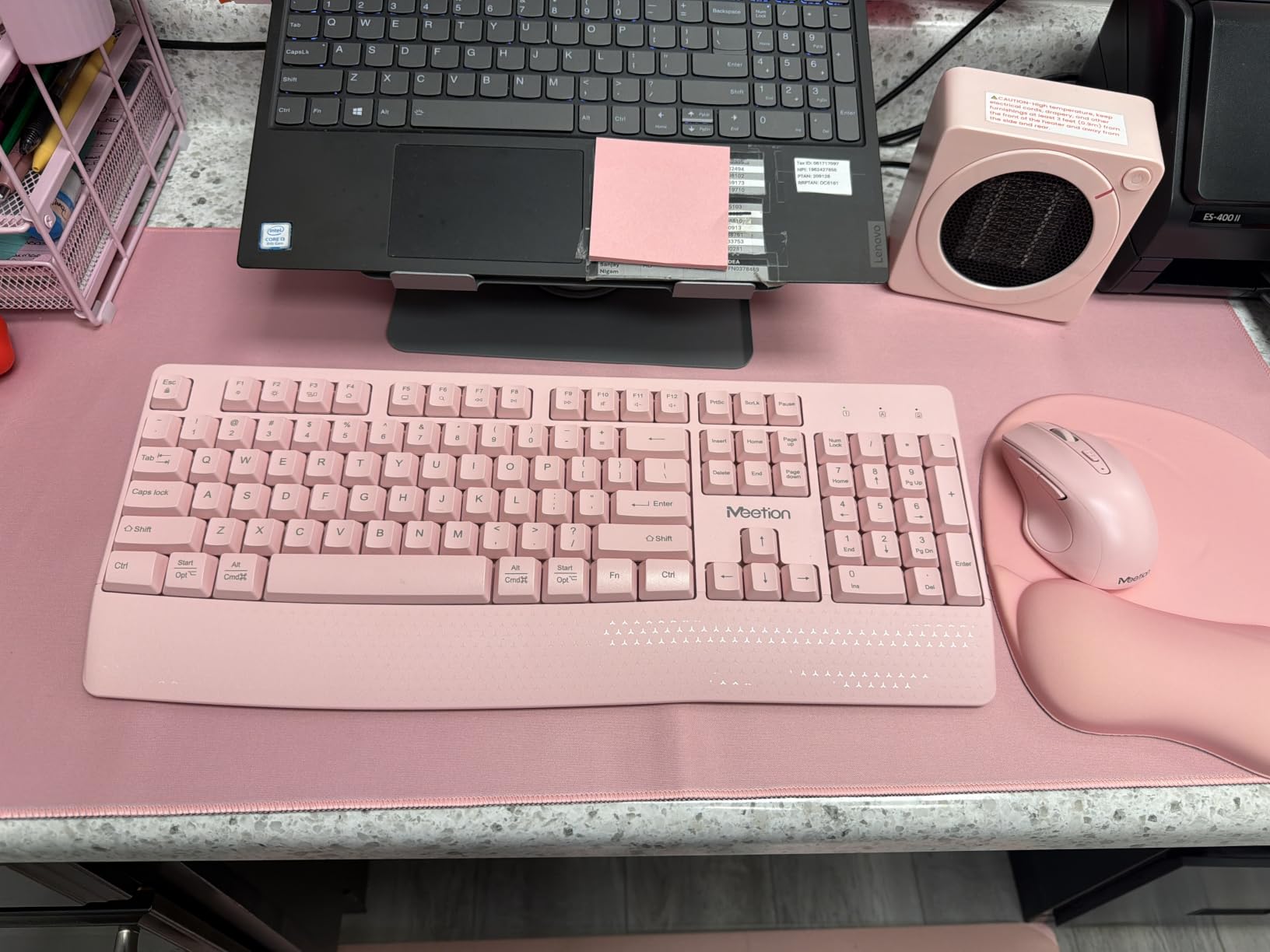
The mouse offers four DPI levels, stepping from 1200 up to 3200, which is the highest ceiling in this roundup. For photo editing, design work or a large multi-monitor desktop, that extra range is meaningful, and it is adjusted with a button rather than through software.
Comfort features include an ergonomic tilt with an integrated foldable stand and non-slip pads, plus a concave key profile designed to sit the fingertips in the dish of each key. Both devices sleep automatically after 20 minutes of inactivity, which is how the set stretches a set of cells across months. Note that the keyboard takes two AAA cells and the mouse one AA, and neither is included.
What to check before you commit to the MEETION set
The silent branding is the thing to test for yourself if noise is your reason for buying. Owners frequently report that the mouse clicks are genuinely quiet while the keyboard is louder than the label implies. In a shared-wall home office, that gap matters, and the MK295 is the safer quiet pick.
The mouse sleep behaviour also earns a mention. It sleeps after inactivity, and on wake the cursor reappears at its last position, which can produce a stray click that closes a window or opens a link. Owners also mention that some multimedia keys do not function fully on MacOS, and that a computer restart was needed after first pairing on some setups.
Who the MEETION combo is right for
This is the pick for someone who genuinely runs three devices: a work laptop, a personal laptop, and a tablet used for reading documents or taking handwritten notes in a meeting. The wide OS support also makes it the safest choice in a house where more than one operating system is in use.
With a 4.3 star average across about 3k reviews, the owner feedback is positive on the switching and the colour options, with the keyboard noise level as the main reservation. It is also one of the few sets here offered in several finishes, which matters if the desk is shared or visible on camera.
7. Rapoo 9010M Multi-Device Keyboard and Mouse Combo – Best for Small Desks and Travel
Rapoo 9010M Multi-Device Keyboard and Mouse Combo, 2.4GHz/Bluetooth 5.0/4.0 Wireless Keyboard & Mouse Set for Windows/Mac/Linux/Chrome, Support 4 Devices, Low-Profile Silent Click, Battery Powered
2.4 GHz and Bluetooth 5.0/4.0
4 devices at once
78-key scissor keys
314 g with 5-step DPI
Pros
- Four devices switch from one 2.4 GHz and Bluetooth setup at a low price
- Low-profile chiclet scissor keys give a quiet laptop-like typing feel
- DPI adjustable across 800 to 2400 with a five-step range
- Device and caps-lock indicator lights reduce guesswork
- 314 g total weight makes it easy to carry between workspaces
Cons
- 78-key compact layout has no numeric keypad
- Not a full-size board so it will not suit data entry work
- Uses alkaline batteries rather than rechargeable cells
The Rapoo 9010M does something the other multi-device sets here do not: it pairs four devices at once, combining 2.4 GHz with Bluetooth 5.0 and 4.0. The USB receiver lives inside the mouse battery compartment, which is a small design decision that prevents the single most common complaint in home office forums, the dongle going missing in a bag between two setups.
Both halves are multi-device and multi-OS with driver-free plug and play. Compatibility covers Windows, Mac OS, Linux, Chrome OS and Android, across laptops, desktops, projectors, phones and tablets. Windows and Mac hotkeys handle 12 functions including play and pause and volume, so the keyboard behaves sensibly on both layouts.
The keyboard is a 78-key low-profile board with chiclet scissor keys and silent clicking. It is the thinnest and lightest writing surface in this roundup, and it feels closer to a good laptop keyboard than to a desk board. That is exactly what you want in a quiet home, a shared room, or a cafe table in a hybrid work week.
The mouse is an optical design with five DPI steps from 800 to 2400, and a latest revision added device and caps-lock indicator lights so you can tell at a glance which machine you are typing on. The whole set weighs 314 g, which is the lightest here and the easiest to move between a fixed desk and a sofa or kitchen table.
What to check before you commit to the Rapoo 9010M
There is no numeric keypad. The 78-key layout omits the number pad and the dedicated function row, so if you enter figures, run a small business, or do finance work from home, this is the wrong board. It is a writing and browsing keyboard with multi-device flexibility attached.
It also runs on alkaline cells rather than rechargeable ones, with two AAA batteries required. That is simpler in one way, since you can carry spare cells, and worse in another, since you are buying batteries instead of charging once. A one-year warranty is included. Bluetooth was upgraded in a later revision to 5.0 and 4.0 for better battery life, so check the packaging to confirm you have the newer version.
Who the Rapoo 9010M is right for
This is the small-desk, many-devices answer. A hybrid worker with a laptop, a tablet and a shared family machine gets four paired devices in a package light enough to live in a laptop sleeve. Few bundles combine that device count with scissor-key quietness and a 314 g weight.
With a 4.3 star average from roughly 1.5k reviews, the feedback centres on the low price for genuine four-device Bluetooth switching, the quiet keys and easy cross-OS pairing. The missing numpad is the reason it does not reach the top of the list, and it is the first thing to check against your own work.
8. Arteck Universal Multi-Device Bluetooth Keyboard and Mouse Set – Best for Rechargeable Batteries
Arteck Universal Multi-Device Bluetooth Keyboard and Mouse Full Size Wireless Bluetooth Keyboard and Ergonomic Mouse Set for Windows, iOS, Android, Computer Desktop PC Laptop iPad Tablet Smartphone
3 Bluetooth channels
107-key full-size board
USB-C rechargeable lithium
7-button 5-step DPI mouse
Pros
- USB-C rechargeable battery removes disposable battery buying and carrying
- Three Bluetooth channels switch with a single key press
- Full-size 107-key keyboard unlike most multi-device competitors
- Mouse has a high ergonomic curve with side buttons clear of the thumb
- Two-year warranty with responsive support
Cons
- No backlighting on the keyboard
- Keyboard and mouse switch channels separately rather than together
- No clear indicator for whether the function row is on F1-F12 or media mode
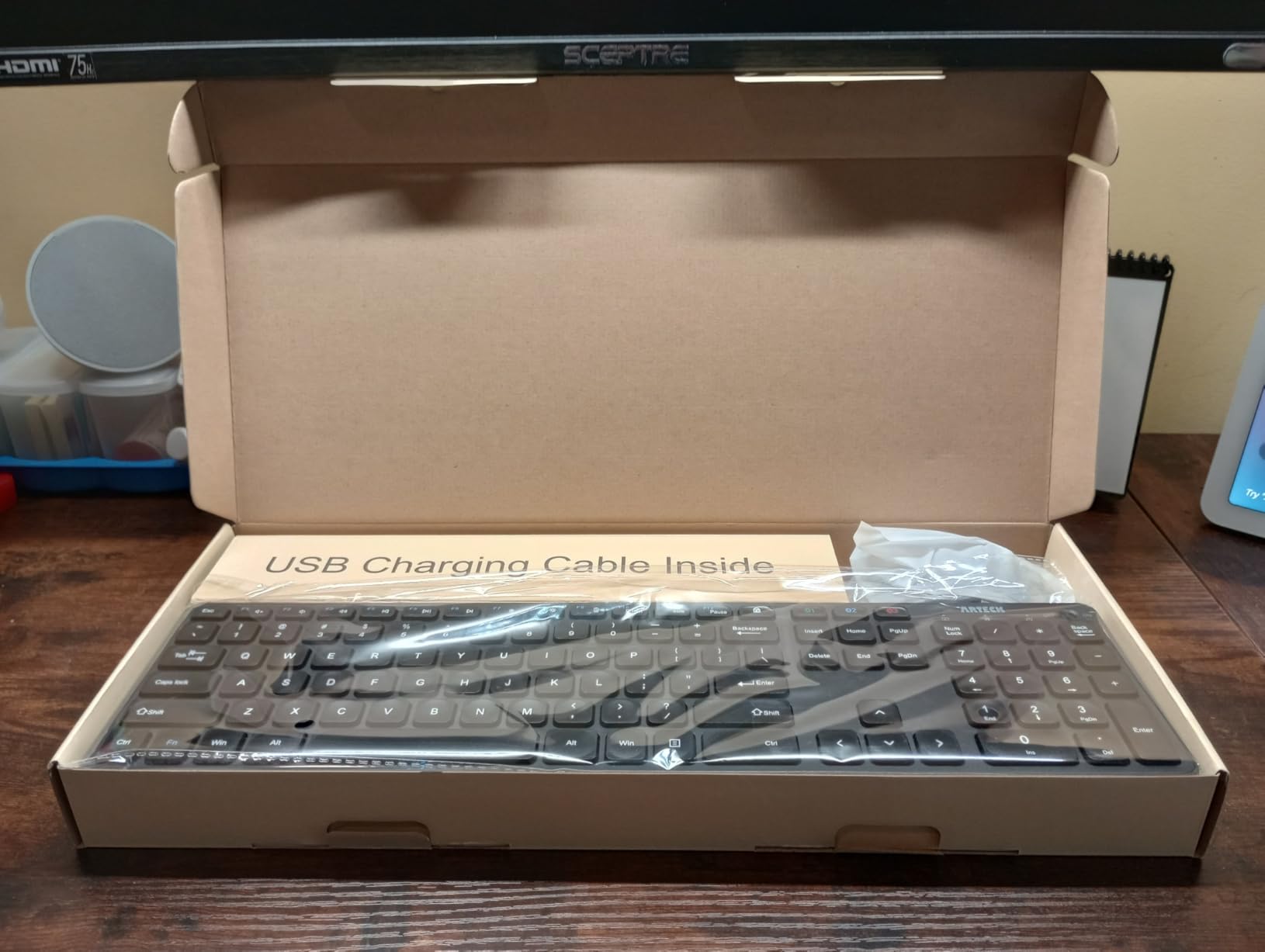
Rechargeable cells sit in the middle ground between disposable batteries and a built-in non-replaceable battery, and only one set in this roundup uses them. The Arteck set charges both halves over USB-C, with the cable included, and the manufacturer rates up to six months for the keyboard and four months for the mouse per charge. There are no cells to buy, carry or recycle.
It pairs with three Bluetooth devices simultaneously and switches between them with a single key press. Compatibility runs across Windows, macOS, iPadOS, iOS and Android, across laptops, desktops, Surfaces, tablets and phones. In the box you get the HB305-3 keyboard, the MB167 mouse and a USB-C cable.
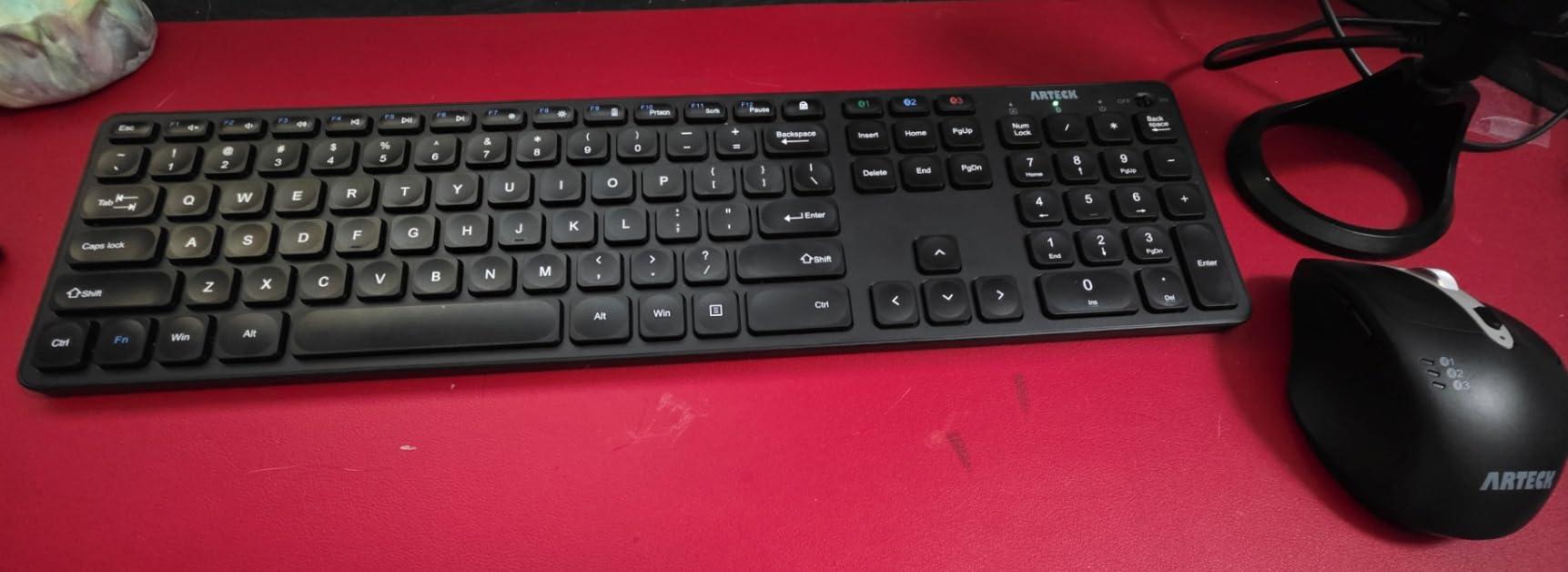
What separates this from a typical compact multi-device set is the 107-key full-size keyboard. Most Bluetooth multi-device boards cut the number pad to save space. This one keeps it, which makes it one of the few rechargeable sets that also works for data entry. The mouse is a seven-button design with DPI switching across 800, 1200, 1600, 2000 and 2400, plus back and forward side buttons and a window switch.
One thing to know: it is Bluetooth only, with no 2.4 GHz receiver fallback. That is fine for a desk with a wireless-only laptop, but if you move the set to a machine with flaky Bluetooth you have no wired or dongle option. The keyboard also cannot be used in BIOS or UEFI setup screens before an operating system boots, which matters if you build or service your own PCs.
What to check before you commit to the Arteck set
Two gaps come up repeatedly. The keyboard has no backlight, which is the most common request in owner reviews, and the keyboard and mouse must be moved to their channels separately rather than switched together. There is also no clear indicator for whether the function key row is on F1-F12 or media mode, so a key press that seems to do nothing is usually a mode issue rather than a fault.
A few owners also report dropped or repeating keypresses after extended use, and note that the mouse glide pads can feel tacky on a large desk mat. The two-year warranty is among the longest offered in this roundup, which is a meaningful offset given the rechargeable batteries cannot be replaced individually if one cell fails.
Who the Arteck set is right for
This suits a household with several Apple or Android devices in play, and for anyone who has decided disposable batteries are not for them. Six months of keyboard life per charge means you can plug in once and forget about it, which removes the battery anxiety that comes up again and again in home office discussions.
It is also the pick here with the longest warranty at 24 months, backed by customer support that owners describe as quick. With a 4.3 star average across about 1.1k reviews, the missing backlight and the separate channel switching are the two complaints worth weighing before you order.
9. seenda COE200 Wireless Keyboard and Mouse Combo – Best Wrist Rest With Mac and Tablet Support
seenda COE200 Wireless Bluetooth Keyboard and Mouse Combo with Wrist Rest
Bluetooth 5.0 plus 2.4 GHz USB
Two-device switching
Built-in wrist rest
1000/1600/2400 DPI mouse
Pros
- Integrated keyboard wrist rest is a real comfort upgrade for long sessions
- Quiet keys and near-silent mouse clicks for shared rooms
- Switches between two devices with labelled shortcut keys
- Full-size keyboard with numeric keypad at a low price
- Works with iPad iPhone and Mac alongside Windows
Cons
- Mouse wakes from sleep with a click at the last cursor position
- Only three DPI steps which owners regularly flag
- Keyboard has no physical power switch so it can wake in transit
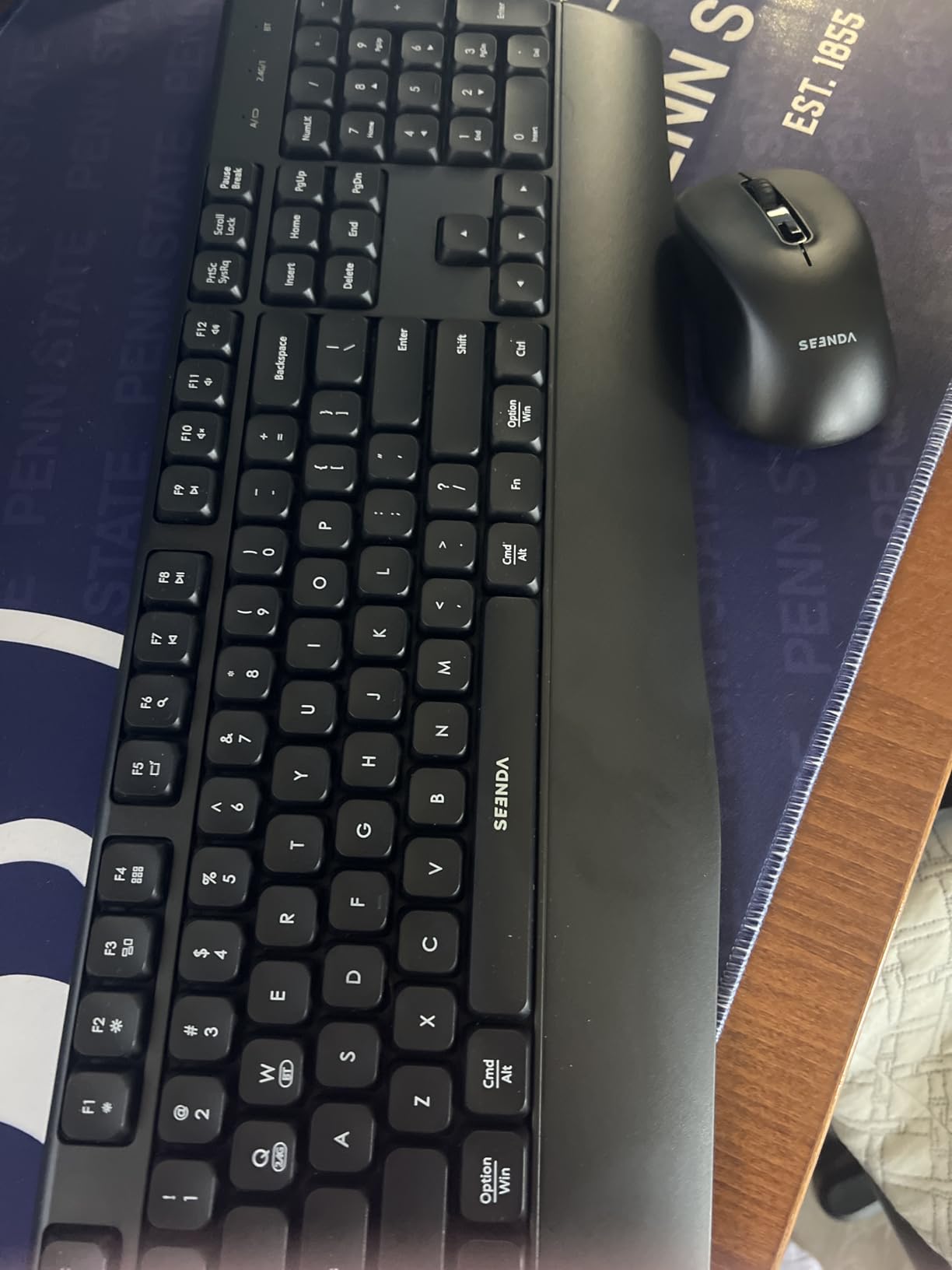
The seenda COE200 is built around one idea: a full-size keyboard with a built-in wrist rest, for a price that assumes you will use it eight hours a day. The wrist rest is moulded into the front edge of the board rather than added as a detachable pad, so it cannot slide around or come loose during a typing session.
Connectivity covers both routes. A 2.4G USB mode handles Windows releases, while Bluetooth mode supports Windows, macOS 10.12 and later, iPadOS and iOS from 13.0, and Android from 4.3. Two devices can be switched between with labelled shortcut keys, and Fn+Q and Fn+W change the connection mode. Bluetooth 4.0 or later is required, and the range is up to 33 feet.
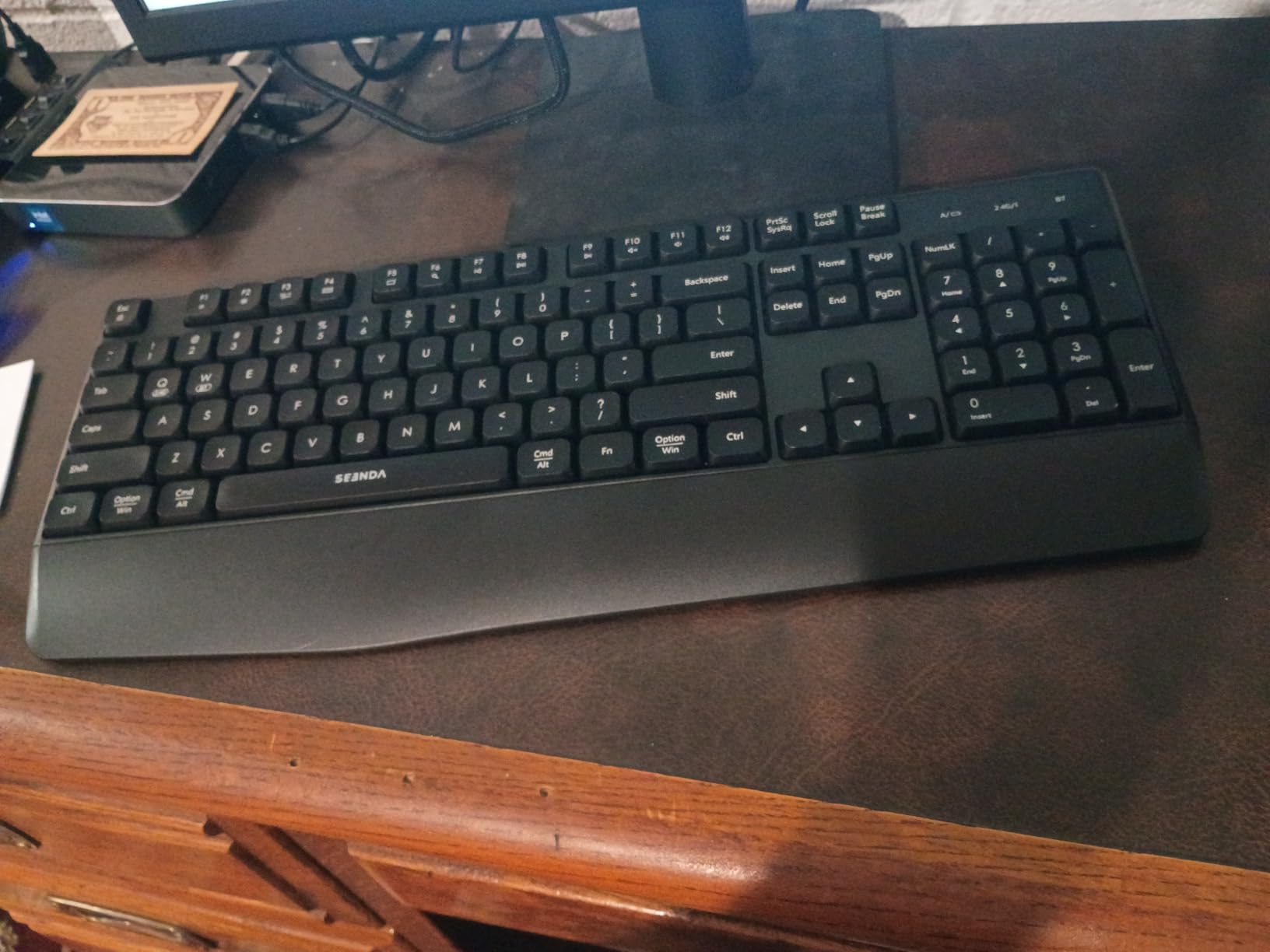
The mouse is symmetric and quiet, which is unusual in a bundle that includes a wrist rest, and DPI adjusts across 1000, 1600 and 2400. Three steps is fewer than the MEETION or Arteck mice, and owners flag it, but it covers normal office work. The full-size keyboard keeps a numeric keypad for data entry, and the auto-sleep after 30 minutes of inactivity supports standby times of up to 365 days.
Compatibility is the real strength. The device list includes laptops, desktops, MacBooks, iPads, tablets and iPhones, and the operating system list covers Windows, macOS, iOS, iPadOS and Android. A 24-month warranty is included, and the model number is COE200-US.
What to check before you commit to the seenda COE200
The mouse sleep behaviour is the single most cited problem. When it wakes from sleep it emits a click at the last cursor position, and in practice that stray click has closed windows and opened links for owners. If you work with unsaved changes, test it before committing. The keyboard’s lack of a physical power switch is related: it can wake during transport and drain cells.
Two smaller items. The DPI range is limited to three steps, and the key legends and matte plastic shell feel inexpensive out of the box even though the shape is comfortable. Batteries are not included, and the keyboard needs one AAA while the mouse needs one AA. Note also that the 2.4G USB mode is Windows only; Mac users get Bluetooth.
Who the seenda COE200 is right for
This is the pick for someone on a Mac or a mixed Mac and Windows household who also uses a tablet, and who spends long stretches typing. The wrist rest plus quiet keys plus full-size numpad combination is unusual at this level, and it addresses comfort and noise in one purchase.
With a 4.3 star average across about 1k reviews, buyers highlight the wrist rest, the quiet typing and the full-size numpad at this price. The stray-click-on-wake behaviour is the thing to test first, and the 24-month warranty gives some room if the keyboard needs replacing.
How to Choose a Wireless Keyboard and Mouse Combo for a Home Office
Most wrong purchases in this category come down to seven questions, and none of them involve the logo on the box. Answer these before you spend anything, and the right set becomes obvious.
1. How many USB ports can you give up?
This is the most repeated practical complaint in home office forums, and it deserves to be first. A 2.4 GHz receiver is a USB-A device that stays plugged in permanently. On a modern thin laptop with two ports, one receiver for the keyboard and mouse is a meaningful share of your available connectivity, especially if you also need a port for a webcam, a display or an external drive.
The fix is to prefer a set where one receiver covers both halves. The MK270, MK345, MK295 and MOFII all use a single shared receiver for the keyboard and mouse. If you need more ports than that, or your machine has no USB-A port at all, go Bluetooth-only: the Arteck set uses no receiver whatsoever, and the Rapoo 9010M stores its receiver inside the mouse battery compartment so it is not lost in a bag.
2. Is 2.4 GHz enough, or do you need Bluetooth?
The three connection types behave differently, and choosing wrongly is a common regret. A 2.4 GHz receiver is the most reliable of the three for a fixed desk, with a low-latency link that behaves like a wired device, and it needs no pairing. It is the right choice when one computer sits at one desk, and it is the default for the three Logitech sets in this roundup.
Bluetooth removes the dongle entirely and lets you connect to a tablet or a phone, at the cost of occasional wake-up delay and a slightly higher chance of interference from nearby wireless gear. Tri-mode or multi-device sets, such as the MEETION, Rapoo and Arteck bundles, combine both so you can move between machines without replugging. If you own a laptop and a desktop, a multi-device set is worth the small step up in cost.
3. How quiet does the desk need to be?
Noise is the one specification you cannot judge from a product photo, and it matters enormously at home. If you take customer calls from your desk, live with other people, or work in a shared flat, quiet operation is not a luxury. The MK295 is the dedicated pick, using SilentTouch for a manufacturer-rated 90 percent reduction. The MARVO mouse clicks quietly, and the seenda and MEETION sets are marketed as silent but are less consistent in practice.
Keep in mind the difference between quiet and silent. Every keyboard in this roundup still produces audible sound. What changes is the pitch and volume, and the difference between a membrane board and a scissor or silent-switch board is larger than most buyers expect before they try both. The Rapoo 9010M’s scissor keys and the MK295’s SilentTouch switches are the two quietest writing surfaces in this roundup.
4. Disposable cells, rechargeable cells, or built-in recharge?
There are three battery approaches and each has a real cost. Disposable AA and AAA cells are the simplest: you swap in fresh ones in seconds, keep spares in a drawer, and never think about charging. The MK270, MK345, MK295 and MARVO all work this way, and the long rated runtimes of the Logitech sets mean you buy batteries roughly once a year.
Rechargeable cells such as the Arteck set’s lithium batteries are the middle ground. You charge over USB-C instead of buying cells, and the rated life of up to six months per charge for the keyboard means charging is rare. The complication is that a failed built-in cell usually means a repair, not a swap. Built-in non-replaceable batteries, common on slim travel boards, are the third option and the least convenient for a desk you use daily.
Whatever you pick, buy spare cells on the same day if you go disposable. Forum discussion on this topic keeps circling the same failure: a keyboard dying in the middle of a deadline because nobody had a spare AA. Our other home office recommendations, from laser printers for a home office to paper shredders for sensitive documents, work on the same principle: remove the small recurring failure from your week.
5. Do you need a numeric keypad and a full-size layout?
Full-size and compact boards are not interchangeable for most office work. A number pad is essential for finance, inventory, data entry and any spreadsheet where you type figures. The MK270, MK345, MK295, seenda COE200, Arteck set and MOFII set all keep it. The Rapoo 9010M at 78 keys and the MARVO set at 92 keys both drop it, and no software fix brings it back.
Compact boards earn their place on small desks, in shared rooms where a full-size board is a barrier to clearing the surface, and for hybrid workers who move between two locations. If your desk is at least 90 centimetres deep and you type all day, take the full-size option. If the desk is a corner table, the compact board is the better purchase.
6. How much wrist support do you need?
For a 40-hour week, wrist and forearm strain is a real risk on a flat board, and it builds slowly. The MK345 with its integrated palm rest, the seenda COE200 with its moulded wrist rest, and the Arteck mouse with its high ergonomic curve are the three options here that address this directly. The MK670-style contoured wave shape is worth considering only if you already know you prefer that shape, since the curve takes time to adapt to.
Also consider mouse size honestly. Several owners in forum threads report keeping the keyboard from a budget combo and replacing only the mouse, because the included mouse is too small for their hand. Small mice suit smaller desks and travel; large contoured shapes suit long sessions. Trying a mouse in a shop for five minutes prevents a daily irritation.
7. What operating systems are in your house?
Key labelling is a genuine deal-breaker for Mac users, and it is listed as one in home office discussions. Windows-labelled boards work on a Mac, but the command and option keys sit in the Windows positions, which slows down anyone who uses shortcuts all day. The Arteck set and the seenda COE200 are built with Apple layouts in mind, and the Arteck set extends to iPadOS, iOS and Android.
The Rapoo 9010M, MEETION and Arteck sets have the widest OS coverage here, including Linux and ChromeOS. The MK345 lists Windows, macOS and ChromeOS. The MK295 lists Windows and ChromeOS. The MOFII set covers Windows and MacOS, and the MARVO set covers Windows and MacOS. Check the list against every machine in your home before you order, including any family computer your children use.
Frequently Asked Questions
What is the best wireless keyboard and mouse combo for office use?
The Logitech MK270 is our best overall pick for a home office in 2026. It pairs both halves through one 2.4 GHz receiver, keeps a full-size 104-key layout with a numeric keypad, and rates up to 36 months of keyboard battery life. For noisy rooms the Logitech MK295 reduces typing and clicking noise by about 90 percent.
What is the best keyboard and mouse set for a home office?
Start by matching the set to your desk and your machines. Choose a full-size board with a numeric keypad if you do data entry, a multi-device Bluetooth set like the Rapoo 9010M or MEETION if you run more than one computer, and a quiet board like the Logitech MK295 if you take calls from the same desk.
What is the best keyboard and mouse combo for working from home?
For most home workers the Logitech MK270 covers connectivity, layout and battery life without any setup. If you alternate between a work laptop and a desktop, the Rapoo 9010M pairs four devices and stores its receiver in the mouse battery compartment. If you share thin walls, the MK295 is the quiet option.
What is the best keyboard for home office use?
Look for a full-size layout with a number pad, a 2.4 GHz receiver that covers both keyboard and mouse on one USB port, and rated battery life measured in months rather than weeks. Add a wrist rest if you type eight hours a day; the Logitech MK345 and seenda COE200 both include one. Compact boards without number pads suit small desks but not data entry.
Are keyboard and mouse combos cheaper than buying separately?
A combo bundles one keyboard and one mouse with a single receiver, so you avoid paying twice for the same wireless dongle and guarantee a matched set. The trade-off is that the included mouse is rarely the reason you chose the set, and many owners keep the keyboard and replace the mouse later. If you already know you need a larger ergonomic mouse, buying a keyboard and mouse separately often serves you better.
How long do wireless combo batteries last?
It depends on the type and the use. The Logitech MK270 rates up to 36 months for the keyboard and 12 months for the mouse on standard cells, and the MK345 rates up to three years and 18 months. Rechargeable sets such as the Arteck bundle run up to six months for the keyboard and four for the mouse per USB-C charge. All figures fall with backlighting, constant Bluetooth use and long hours.
The Verdict: Where to Start
Start with the Logitech MK270 Full Size Wireless Keyboard and Mouse Combo. It is the best overall choice for a home office in 2026 because it combines a full-size layout with a numeric keypad, a single 2.4 GHz receiver for both halves, a 4.5 star average across more than 110k reviews and up to 36 months of keyboard battery life, with none of the setup friction that slows down other purchases.
Adjust from there. Buy the Logitech MK295 if noise is your problem, the Logitech MK345 if wrist comfort on a flat desk is, the Rapoo 9010M or MEETION if you run more than one machine, the Arteck set if you would rather charge than buy batteries, and the MARVO or MOFII bundles if your desk is small or your taste runs to retro. Check the USB port count on your laptop first, and buy spare cells the same day.