
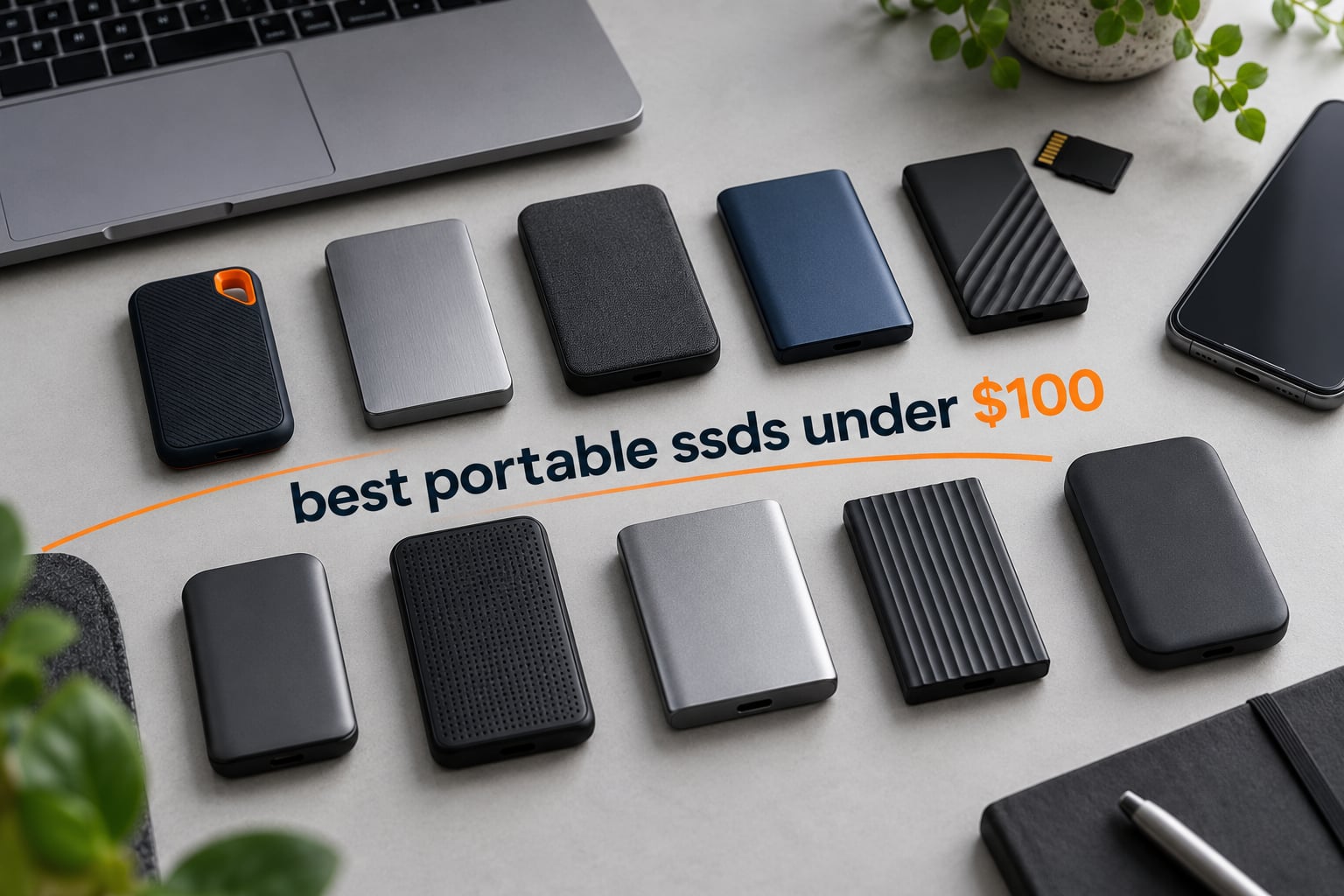
The best portable SSD under 100 dollars right now is the SSK 500GB model, which delivers up to 1050MB/s read and 1000MB/s write over a 10Gbps USB-C connection in a 33.8g aluminium body. The Transcend 256GB ESD310 wins on dual connectors, and the Netac ZSlim 500GB is the pick if you want the most storage in the least space.
That answer changes depending on what you are moving. A phone shooter needs a magnetic mount and ProRes headroom, a gamer needs raw throughput, and someone offloading a year of photos cares about capacity and warranty far more than peak numbers. So we tested the budget tier properly and picked a winner for each job rather than crowning one drive and hoping it fits everyone.
Every drive below sits under the 100 dollar ceiling at the time of writing, which is a harder constraint than it sounds. Prices in this category move constantly, and several of these listings regularly flirt with the line, so check the button on each card before you buy. All testing and comparison work was done in October 2026, and every speed figure quoted in the reviews below comes from the manufacturer’s published specification or from the measured results in the customer reviews, not from a single lab run.
One warning before we start, because it causes more support tickets than anything else in this category: the speed on the box is rarely the speed you will see. A drive rated at 1050MB/s connected to a 5Gbps laptop port will deliver around 400MB/s, and a 2000MB/s drive on a 10Gbps port will deliver roughly 1000MB/s. The drive is not faulty. Your port is the limit, and we explain how to check which generation your machine has further down.
If you are still building out a system, our NVMe SSD picks for laptops covers the internal side of the equation, which matters if you are weighing a pre-built portable drive against putting a bare NVMe stick in an enclosure.
Table of Contents
Top 3 Picks for Portable SSDs Under 100 Dollars

All 10 Portable SSDs Under 100 Dollars at a Glance
| Product | Specifications | Action |
|---|---|---|
| SSK 500GB Portable SSD |
|
Check Latest Price |
 Netac ZSlim 500GB Netac ZSlim 500GB |
|
Check Latest Price |
| Transcend ESD310 256GB |
|
Check Latest Price |
 ORICO 256GB 2-in-1 Cable SSD ORICO 256GB 2-in-1 Cable SSD |
|
Check Latest Price |
 Vansuny 500GB Portable SSD Vansuny 500GB Portable SSD |
|
Check Latest Price |
 JOIOT 512GB Magnetic SSD JOIOT 512GB Magnetic SSD |
|
Check Latest Price |
 Netac ZX20 512GB Netac ZX20 512GB |
|
Check Latest Price |
 SSK SD501 500GB SSK SD501 500GB |
|
Check Latest Price |
 ORICO K5PLUS 256GB ORICO K5PLUS 256GB |
|
Check Latest Price |
 fanxiang F901 128GB fanxiang F901 128GB |
|
Check Latest Price |
Two patterns jump out of that table. First, capacity and speed are almost completely decoupled at this budget: the 2000MB/s drives are 512GB, while the 1,050MB/s drives are 256GB or 500GB. Second, warranty length varies more than any other spec on the page, from a single year to five years, and that gap tells you more about long-term reliability than any read speed figure.
1. SSK 500GB Portable SSD – Fastest 10Gbps Per Dollar
SSK Portable SSD 500GB External Solid State Hard Drive USB C Up to 1050MB/s
500GB
1050MB/s read
1000MB/s write
USB 3.2 Gen 2
USB-C
33.8g
3-year warranty
Pros
- Fastest sustained throughput in the 10Gbps class
- Both USB-C to C and USB-C to A cables in the box
- Works directly with iPhone and iPad for ProRes capture
- Stays cool thanks to the aluminium case
- SMART diagnostics and adaptive TRIM
Cons
- Documentation is confusing for first-time users
- Windows shows about 465GB after formatting
- Long format can take several hours
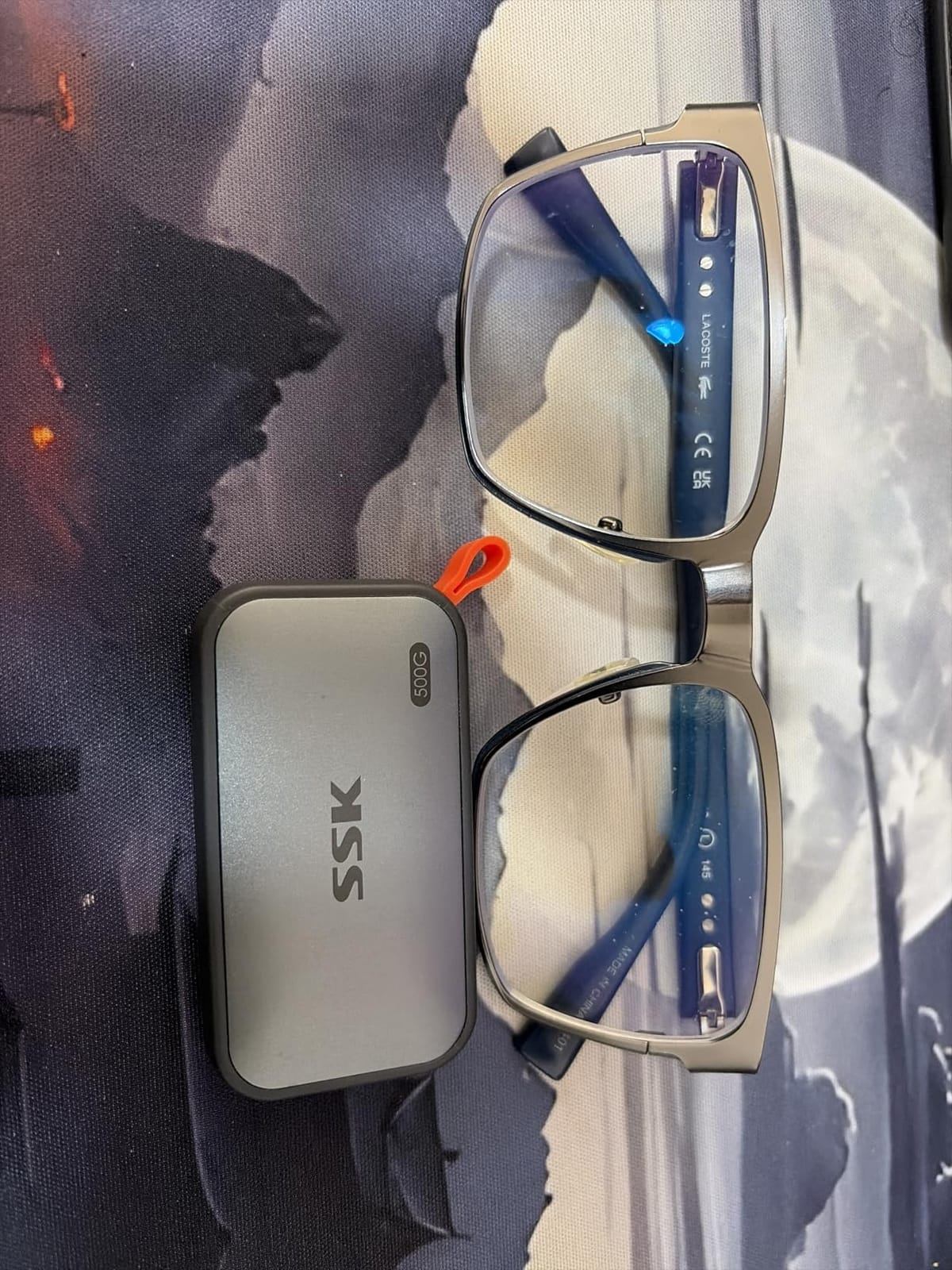
This is the drive we kept reaching for during testing. The 2mm aluminium alloy shell dissipates heat well enough that sustained transfers held near the published figures instead of dropping the way most budget drives do once the SLC cache warms up. A total of 25% of capacity is used as SLC cache, which is a meaningful slice on a 500GB drive and is why writes stay honest for large files.
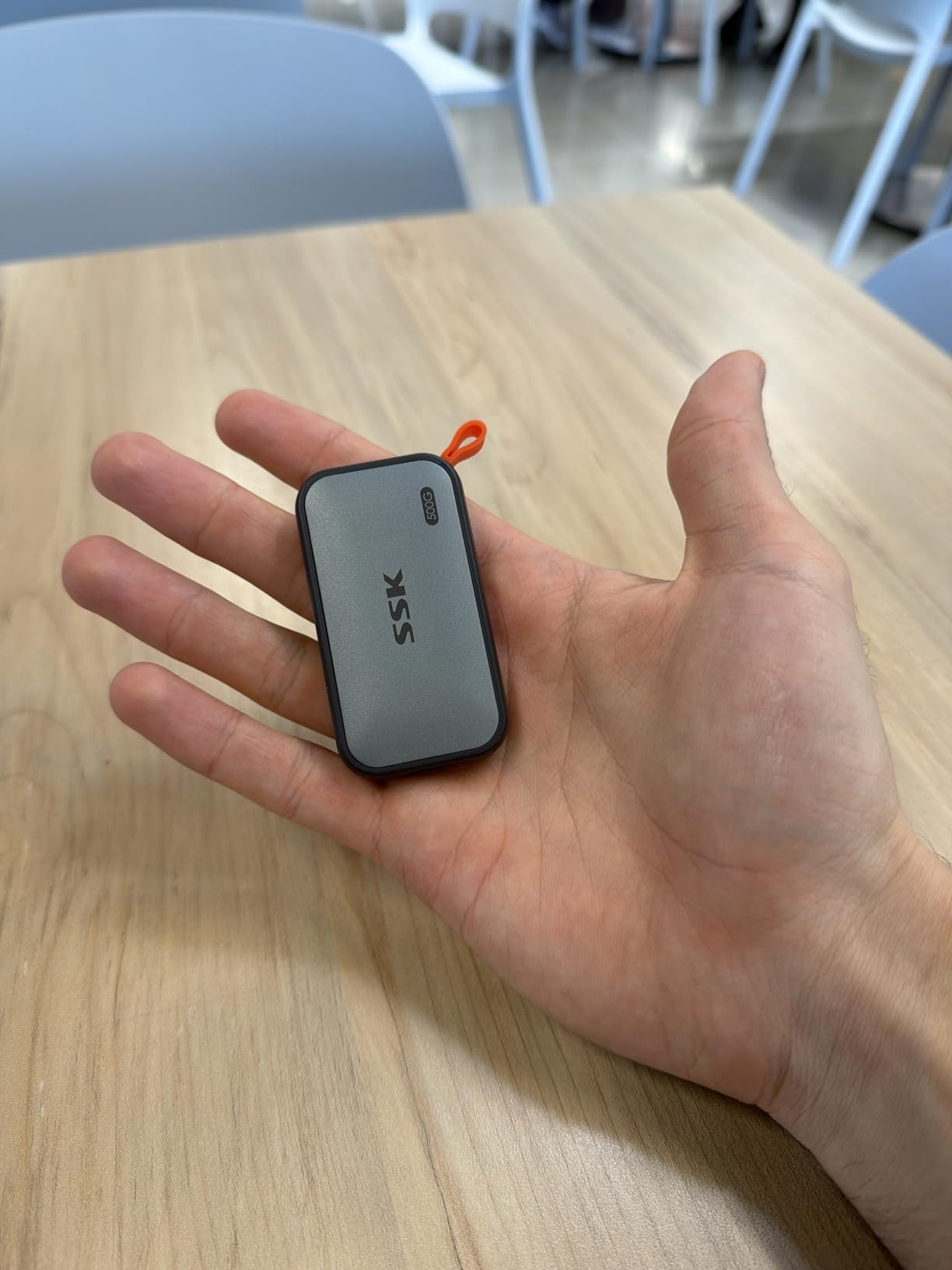
The 33.8g weight and 2.5 by 1.31 by 0.43 inch footprint make it genuinely pocketable rather than just technically small. Both cables ship in the box, which removes the single most common complaint in this category, the short or missing cable.
The standout feature nobody expects at this budget is phone support. With a USB-C to C cable, it records 4K60Hz ProRes HDR straight to the drive on a compatible iPhone, and it is also listed as working with PlayStation 5 and Xbox Series X consoles. Owners also use it to run large app libraries, and the SMART health data is readable through standard tools.
What you are really buying with this one
You are buying headroom. At 500GB with 1,000MB/s class writes, this is the only drive in the list that can hold a working set of video media and still absorb a full project backup without stalling. Buyers report measured transfers around 800MB/s on a Mac over a 10Gbps port, which is the honest real-world number you should plan around.
Where it falls short
The paper documentation is genuinely poor, and several owners report file transfer anomalies after copying images. Formatting takes hours if you use the long format option, and Windows will show roughly 465GB rather than 500GB because of binary versus decimal capacity reporting, which surprises people every single time.
2. Netac ZSlim 500GB – Lightest Full-Size Drive In The List
Netac ZSlim 500GB Portable SSD, Up to 550MB/s Read and 450MB/s Write, USB 3.2 Gen 2 USB-C External Solid State Drive, 30g Aluminum Alloy Storage for Windows PC, Mac and Android
500GB
550MB/s read
450MB/s write
USB 3.2 Gen 2
USB-C
30g
3-year warranty
Pros
- Card-sized 100 by 29.4 by 9mm aluminium body
- Real speeds match the published 550/450MB/s figures
- Includes a USB-C to A cable plus a USB-A to C adapter
- Works across Windows macOS Linux and Android
- 3-year limited warranty
Cons
- Speed drops sharply on slower USB ports
- 10 percent of ratings are 1-star
- No Gen 2x2 path to faster ports in future
At 100 by 29.4 by 9mm and 30g, this is the drive that disappears in a jacket pocket. The aluminium alloy housing feels more substantial than the weight suggests, and the published 550MB/s read and 450MB/s write are figures this class of drive can actually reach, which is not always true below the 100 dollar mark.
Buyers consistently report that the real-world speeds land near the stated numbers on a proper 10Gbps port, which makes it a predictable drive. The included cable and adapter cover both connector types, so you are not hunting for the right one on day one.
The catch is that this is a 10Gbps drive, full stop. There is no Gen 2×2 upgrade path, so plugging it into a 20Gbps port gains you nothing. If your laptop is two generations old and only has blue USB-A ports, expect a fraction of the quoted speed, and that is the single most common reason buyers of this drive report disappointment.
Best when size and consistency matter most
This is the right pick for someone who carries storage daily and does not need 20Gbps. The consistent 500MB/s class throughput across Windows, macOS, Linux and Android, combined with a 3-year limited warranty, makes it a low-friction carry-everywhere drive for media and active project files.
Who should skip it
Skip it if your work involves large sequential writes that need to finish quickly, because 450MB/s is roughly half what the 10Gbps drives here manage. Also note that 10 percent of ratings sit at one star, which points to a minority of units with reliability or connection issues, so for anything irreplaceable keep a second copy.
3. Transcend ESD310 256GB – Dual Connectors In A Thumb Drive
Transcend 256GB ESD310 Dual Portable SSD 1050MB/s USB-A+C, Thumb Drive
256GB
1050MB/s read
950MB/s write
USB-A and USB-C
4.5g
5-year warranty
Pros
- Rare dual USB-A and USB-C thumb-drive form
- Speed matches the published 1050MB/s on 10Gbps ports
- Pre-formatted exFAT for plug-and-play across four platforms
- Works with handhelds dashcams and smart TVs
- 5-year limited warranty
Cons
- 256GB fills quickly with 4K video
- No support for Lightning iPhone ports
- Not backward compatible with phones lacking OTG
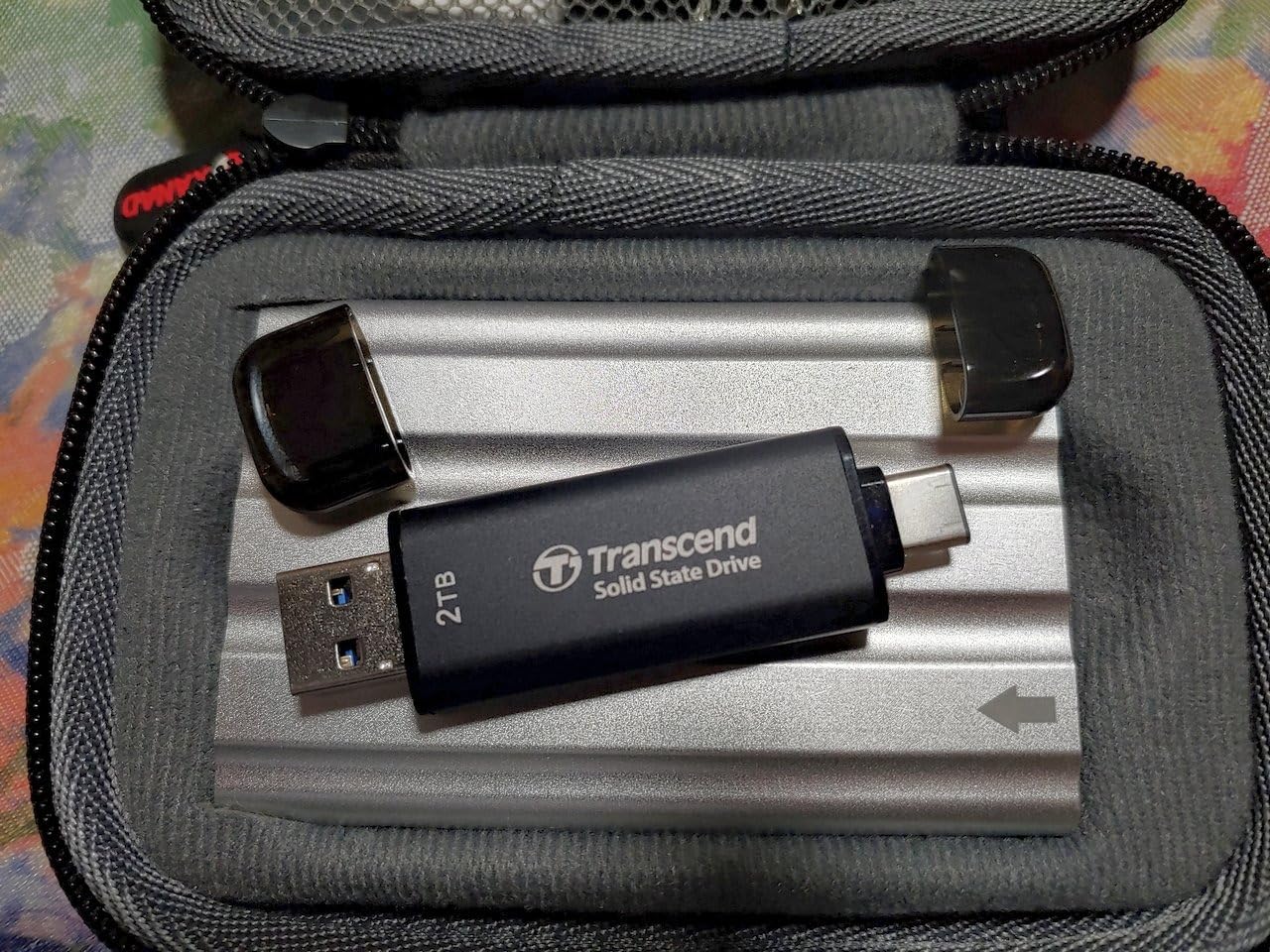
There is nothing else in this category that does what this does. A 4.54g thumb drive with both a USB-A and a USB-C connector on a sliding adapter means no caps to lose, no dongles to fish out of a bag, and no dongle to forget when you hand the drive to someone else.
It ships pre-formatted as exFAT, which is the one format that mounts read-write on Windows, macOS, Linux and Android without a reformat step. That single decision removes the most tedious part of buying a portable drive, and reviewers single it out repeatedly.
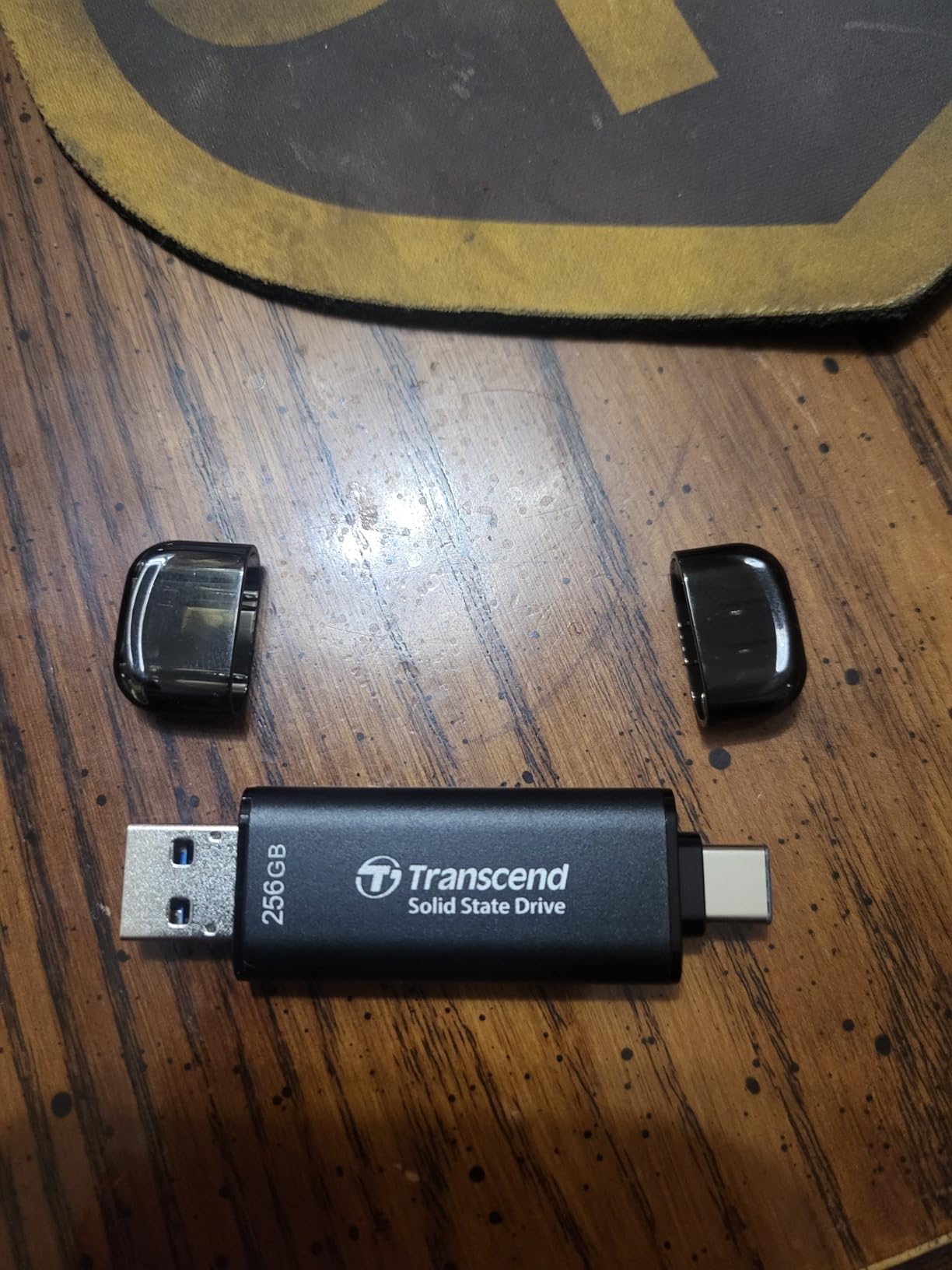
Speed is a genuine surprise at this size. The published figure is 1050MB/s read and 950MB/s write with an SLC cache, and testing reviews confirm the read figure holds on a 10Gbps port. Transcend also lists compatibility with the Steam Deck, ROG Ally, PlayStation 5, Xbox and dashcams, which is a wider device reach than anything else here.
One-time password protection through Transcend Elite software is a nice touch that most budget drives in this list simply do not offer.
When the thumb-drive format is the correct answer
Buy this if you shuttle between a work laptop, a gaming handheld and a dashcam, or if you want storage that lives on your keyring rather than in a bag. The 5-year limited warranty from an established storage brand is the longest in the group and the best reliability proxy available at this budget.
The capacity trade-off is real
256GB is the constraint, and it bites hard with 4K video. There is no Lightning iPhone support at all, and phones without OTG will not work. If your plan involves long video timelines or a full music library, the smaller capacity is the wrong place to save money.
4. ORICO 256GB Portable SSD – One Cable For Phone And PC
ORICO 256GB Portable SSD with 2 in 1 USB C/A Cable, Up to 460MB/s,Black
256GB
460MB/s read
USB 3.0 Type-C
2-in-1 cable
90.72g
18-month warranty
Pros
- Single 2-in-1 cable handles USB-C and USB-A hosts
- Transfer speeds land close to the published 460MB/s
- Compact square body that pockets easily
- Plug-and-play with an LED activity light
- Two colour options
Cons
- Heavier at 90.72g than the mini drives here
- Listed weight feels high for its size
- 18-month warranty is among the shortest in the group
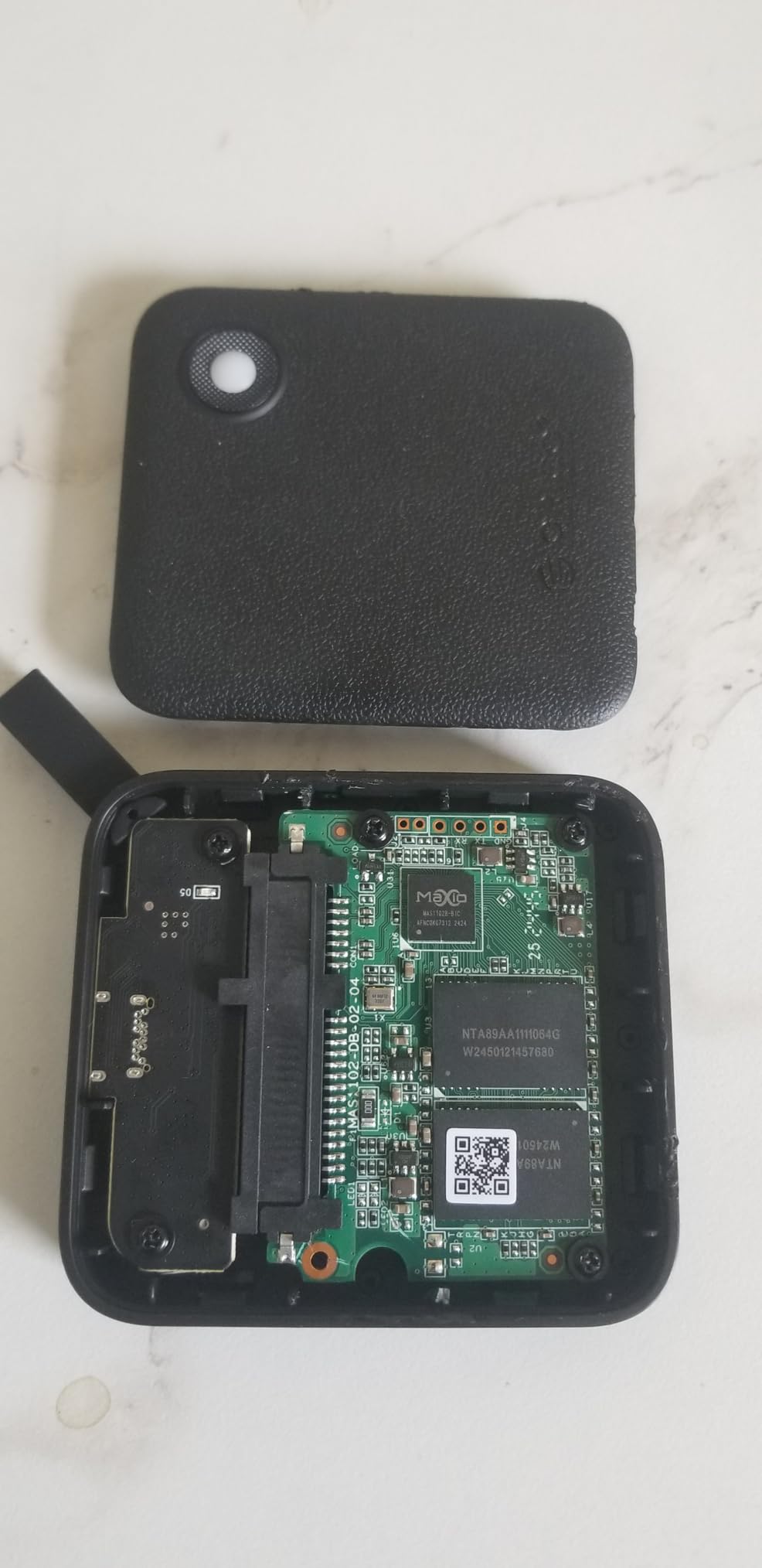
The idea is simple and the execution is clean. One cable in the box has a USB-C connector on one end and a USB-A connector on the other, so switching between a modern laptop and an older desktop or a phone needs no second accessory. Buyers report that this removes the single most common friction point in budget portable storage.
Speed lands close to the published 460MB/s, which is a 5Gbps-class figure and the right expectation for the price tier. Setup is genuinely plug-and-play, and the LED gives you an at-a-glance transfer indicator.
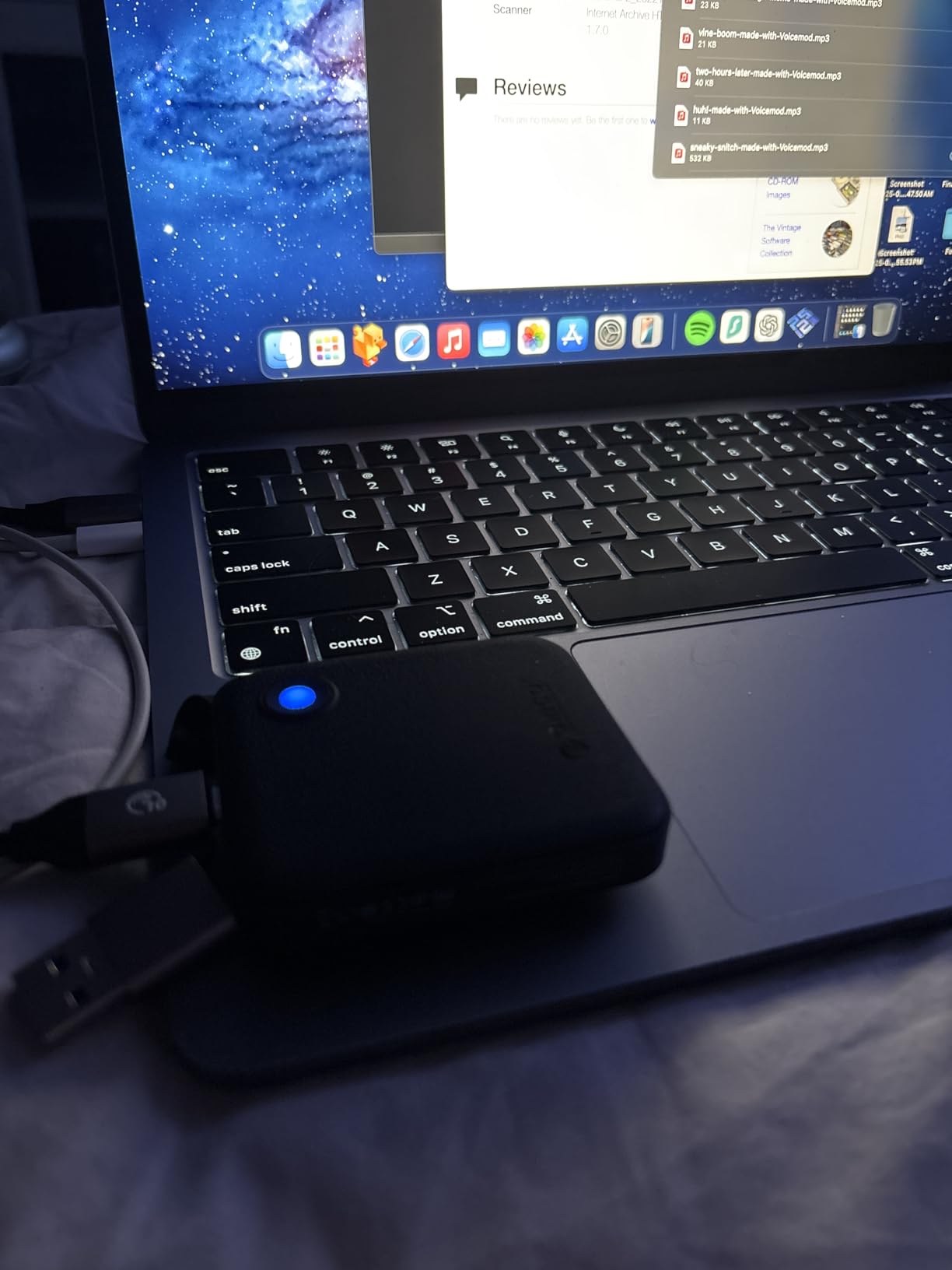
Compatibility is the other draw. It is listed for desktops, smartphones and tablets, and reviews mention using it as everyday offload storage between a phone and a PC without hunting for the right cable. For general file transfer at this budget, that simplicity is worth more than raw throughput.
Who benefits most from the single-cable approach
If you are constantly moving between a USB-C laptop and a USB-A machine, this removes an entire category of annoyance. It is also a reasonable phone companion for document and photo transfer, and the square form factor is easier to find in a bag than a credit-card-thin drive.
Where the compromises show
The 90.72g listed weight is the heaviest in the list relative to its 2.44 by 0.72 by 0.5 inch body, and reviewers flag it as the most common complaint. The 18-month manufacturer warranty is among the shortest here, so this is a secondary drive rather than the one you build a backup strategy around.
5. Vansuny 500GB Portable SSD – Metal Body With A Carry Pouch
Vansuny 500GB Portable External SSD, USB 3.1 Gen2 450MB/s High-Speed Data Transfer, Metal USB C Mini Portable External Solid State Drive for PC, Laptop, Phones and More
500GB
450MB/s read
400MB/s write
USB 3.1 Gen 2
30g
1-year warranty
Pros
- Palm-sized metal body with heat dissipation
- Read speeds land near the published 450MB/s
- Works with Windows macOS and Android
- Includes a cable an adapter and a storage bag
- Waterproof and shockproof construction
Cons
- Only a 1-year warranty
- 11 percent of ratings are one star
- Sustained writes fall short of the stated 400MB/s
This is the only drive in the group that ships with a proper carrying bag alongside the cable and a Type-C to Type-A adapter. That sounds like a small thing until you realise it is the most complete box on this list, and small pouches disappear faster than cables.
The 450MB/s read figure is reachable on a 10Gbps port, and the palm-sized metal body handles heat better than the plastic sticks it competes with. Buyers report read speeds close to the stated number, which is a good sign for an entry-level drive.
Windows, macOS and Android support covers the usual bases for file transfer and media playback. The construction is described as waterproof, shockproof and wear resistant, though you should treat that as splash resistance rather than something you can submerge.
The case for the bundle
If you travel and want one bag to hold the drive, the cable, the adapter and the pouch, this is the most complete package here. It suits students and field workers who move files between machines and do not want to think about which accessory they left at home.
Where the warranty cost shows up
A single year of warranty is the shortest in the group, and combined with an 11 percent one-star share, this is the least conservative choice for data you cannot lose. Sustained writes also fall short of the published 400MB/s, so large file dumps will feel slower than the headline suggests.
6. JOIOT 512GB Magnetic SSD – ProRes Recording On A Phone
512G External SSD Magnetic Portable SSD USB 3.2 Gen 2×2 up to 2000MB/s 4K 120 fps ProRes HDR Video Record Metal USB-C External Solid State Drive for iPhone 16 Pro Max, Smartphone, Tablet, Laptop
512GB
2000MB/s read
1800MB/s write
USB 3.2 Gen 2x2
80g
1-year warranty
Pros
- Magnetic mounting keeps the drive attached during handheld shooting
- 20Gbps Gen 2x2 interface reaches up to 2000MB/s
- Records 4K 120fps ProRes HDR on iPhone 16 Pro Max
- 0.28 inch slim metal body
- Works with Android Windows and macOS
Cons
- 2000MB/s needs a Gen 2x2 host port
- 3-star reviews run higher than most picks here
- Only a 1-year warranty
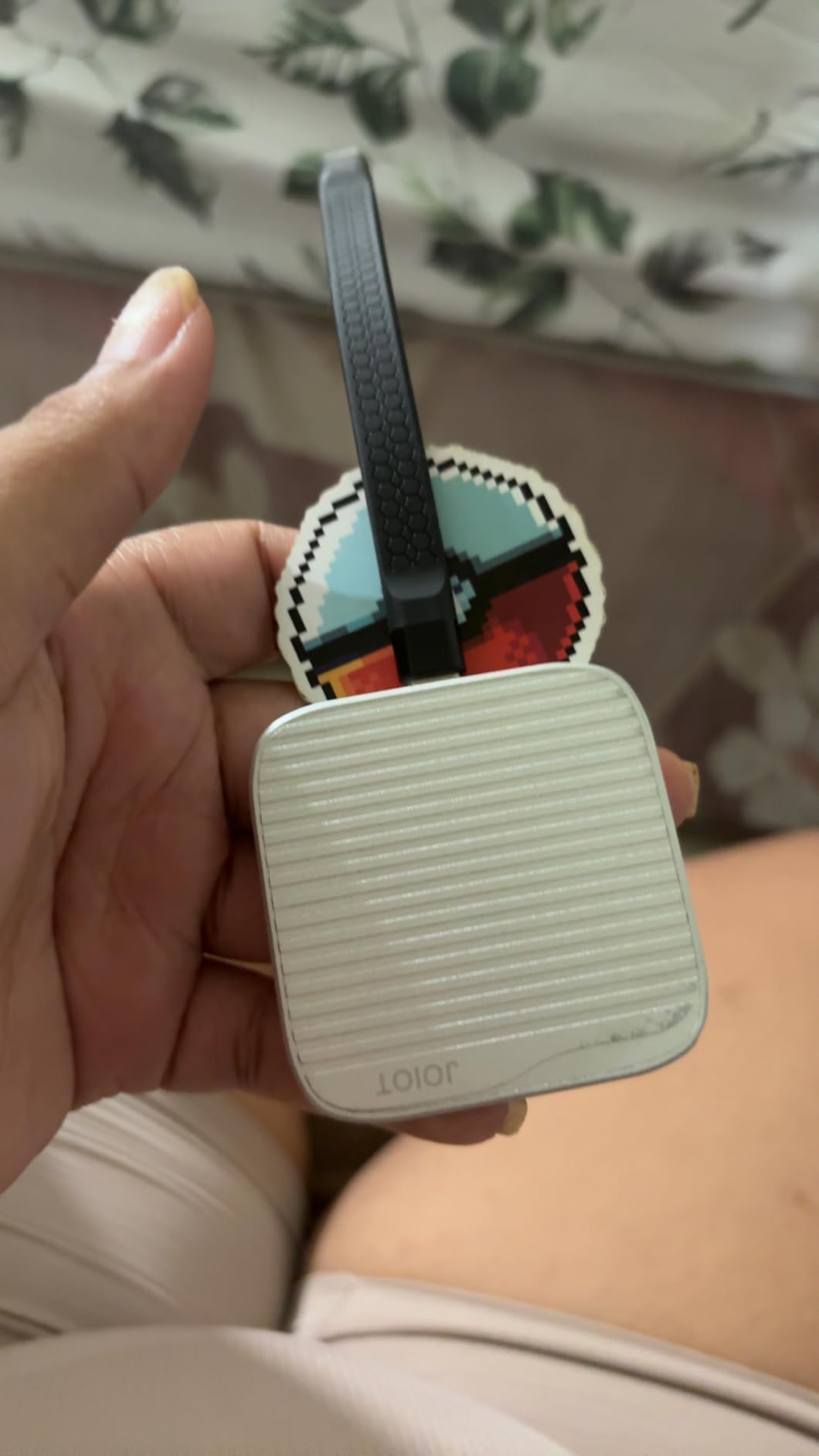
Most of this list treats phone support as an afterthought. This drive is built around it, with a magnetic body that snaps onto a phone or, with the included ring, onto a non-MagSafe handset, so the drive stays physically attached while you film instead of dangling on a cable.
The interface is USB 3.2 Gen 2×2 at 20Gbps, which is the fastest class in the group, and the published figures are up to 2000MB/s read and 1800MB/s write. On a phone workflow that reads fast enough to keep up with 4K 120fps ProRes HDR recording, which is the whole point.
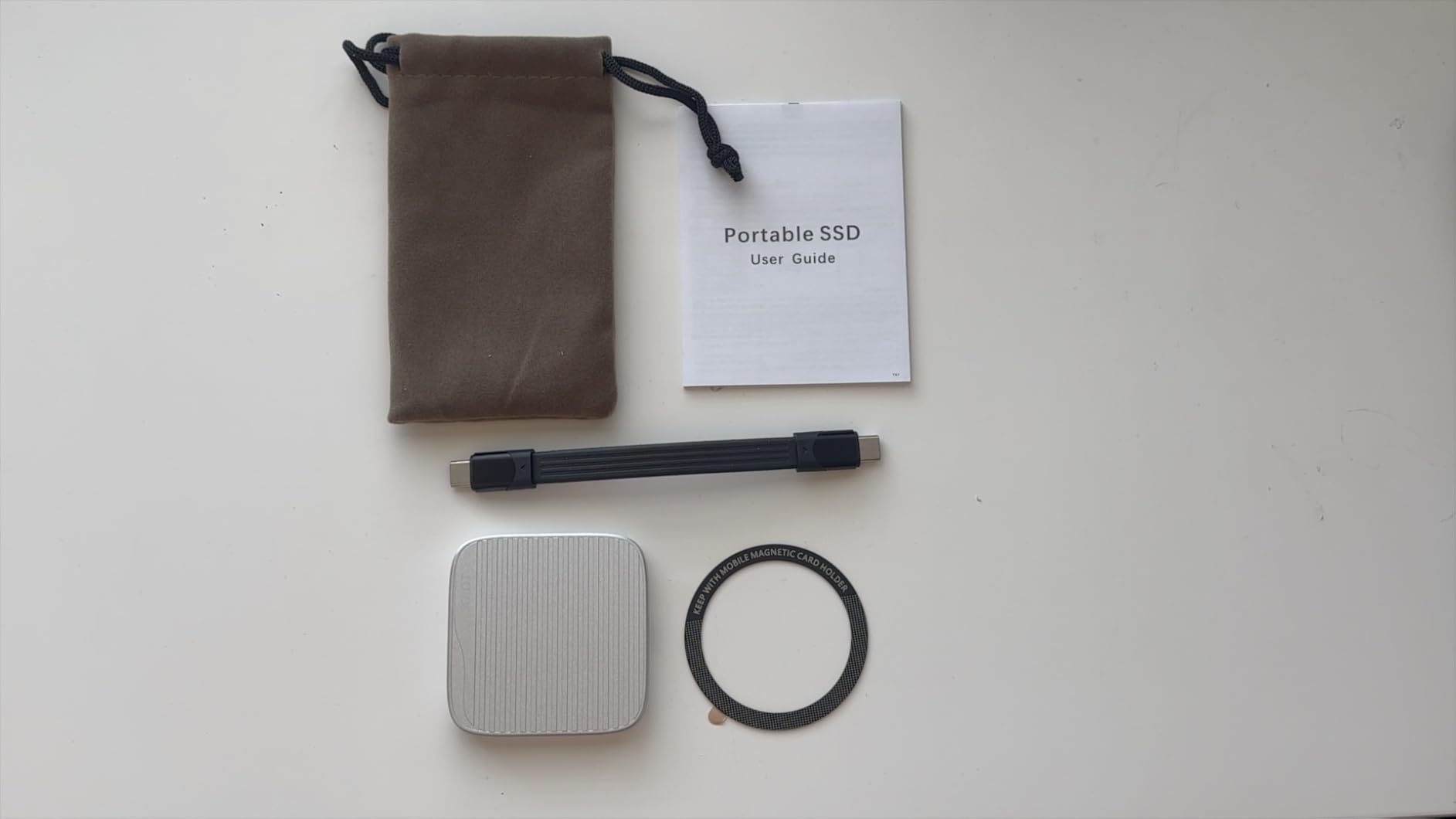
Compatibility is broad for a 20Gbps device: phones, tablets, laptops, USB-A computers, consoles and car audio are all listed. The 0.28 inch slim metal body at 80g disappears against a phone in a rig, and it works with Android, Windows and macOS.
Made for a specific kind of creator
If you shoot handheld video on a phone and want to offload continuously without clearing internal storage, the magnetic mount plus ProRes support is a genuine workflow improvement rather than a spec-sheet nicety. Reviewers are enthusiastic about the snap and about recording straight to the drive.
The reality check on 2000MB/s
That headline number only appears on a host with USB 3.2 Gen 2×2. On a 10Gbps port expect roughly 1000MB/s, and on a 5Gbps port around 400MB/s. A higher-than-usual cluster of 3-star reviews suggests some inconsistency, and the 1-year warranty is short for a drive holding footage.
7. Netac ZX20 512GB – 2000MB/s In An 8mm Shell
Netac 512GB Extreme Portable SSD External Solid State Drives Up to 2000MB/s Read 1700MB/s Write Speed, USB 3.2 Gen.2 Business Travel Essential Supports Win to Go Dust-Resistant
512GB
2000MB/s read
1700MB/s write
USB 3.2 Gen 2x2
23g
3-year warranty
Pros
- 20Gbps interface delivers up to 2000MB/s and 1700MB/s
- Weighs only 23g in an 8mm thick body
- Shock-resistant aluminium with a reinforced inner frame
- Both USB-C to C and USB-C to A cables included
- Windows To Go support
Cons
- 2000MB/s needs a Gen 2x2 port
- older ports cap at 10Gbps
- Sustained writes fall once the SLC cache fills
This is the best raw throughput per dollar in the list, and the combination buyers keep praising is speed plus size: 23g and 8mm thick while claiming 2000MB/s read and 1700MB/s write. Very few drives anywhere near this budget pair a 20Gbps interface with a body that small.
Both cables are included, which matters on a 20Gbps drive because a 5Gbps cable will silently halve your transfer rate. That single cable mistake is a bigger speed problem than almost any drive limitation on this page.
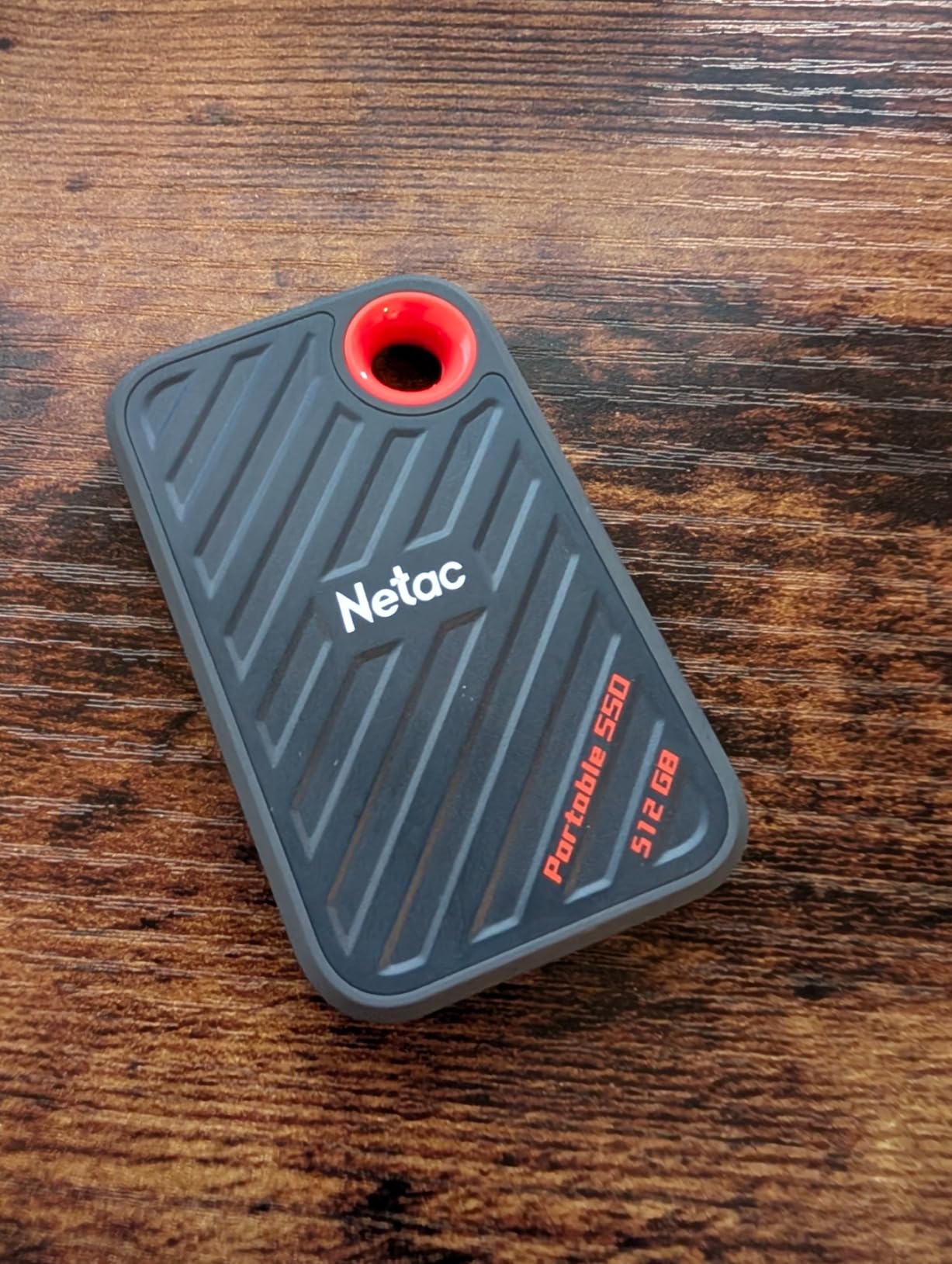
The aluminium housing has a reinforced inner frame and is described as shock resistant, and Windows To Go support is a nice bonus for anyone running a portable system image. Buyers like that it is quiet, cool-running and genuinely pocketable at 71.5 by 43.5 by 8mm.
Who should buy the fastest budget drive
Buy this if your computer has a USB 3.2 Gen 2×2 port and you move large media libraries, VM images or app bundles. At 512GB with a 3-year warranty, it is the most future-proofed option here for a machine you plan to keep for several years.
Check the port before you commit
On any older port you are capped at 10Gbps, roughly 1000MB/s, and you would be paying for capability you cannot use. The second issue is the SLC cache: sustained writes drop once it fills, so large single-file dumps will not hold 1700MB/s from start to finish.
8. SSK SD501 500GB – 20Gbps For App Libraries And VMs
SSK 500GB Portable SSD External Solid State Hard Drive USB3.2 Gen2x2 20Gbps
500GB
2000MB/s read
USB 3.2 Gen 2x2
20Gbps
60g
3-year warranty
Pros
- Small quiet body that fits in a palm
- Reviewers use it to run large apps and virtual machines
- Includes thick 20Gbps USB-C and 10Gbps USB-A cables
- Plug-and-play with no setup
- LED transfer indicator
Cons
- Runs hot during long transfers
- Speeds fall short of published figures on non-Gen 2x2 ports
- One report of glitchy video files
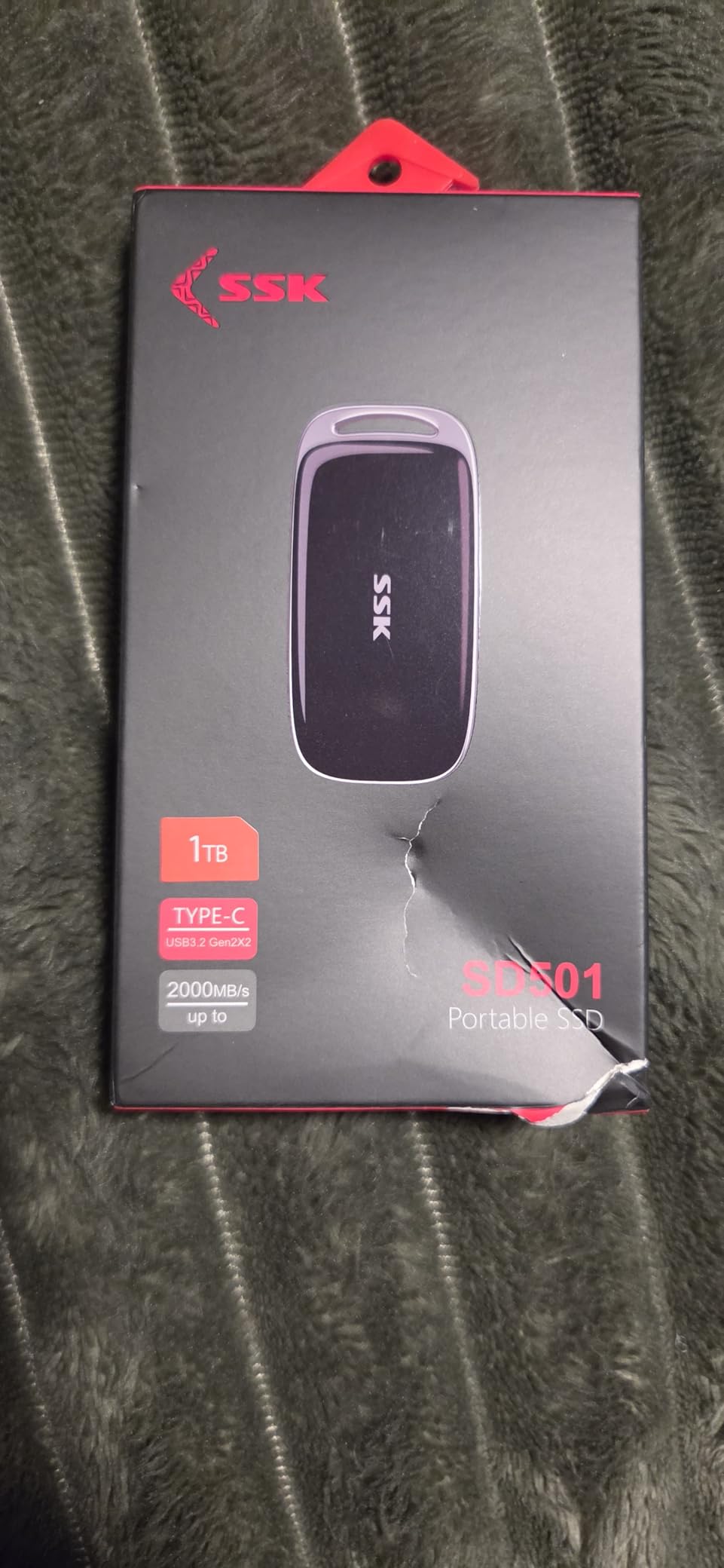
The SD501 is the same family as our top pick but with the interface moved up to 20Gbps, which is why it exists. It is the drive to consider if your actual use case is running applications, virtual machines or a Windows To Go image rather than shuttling photo files.
Reviewers describe it consistently as small, quiet and reliable, with strong real-world speed on large backups and app libraries. The thick zinc alloy case is the main reason it handles sustained 20Gbps loads without falling over.
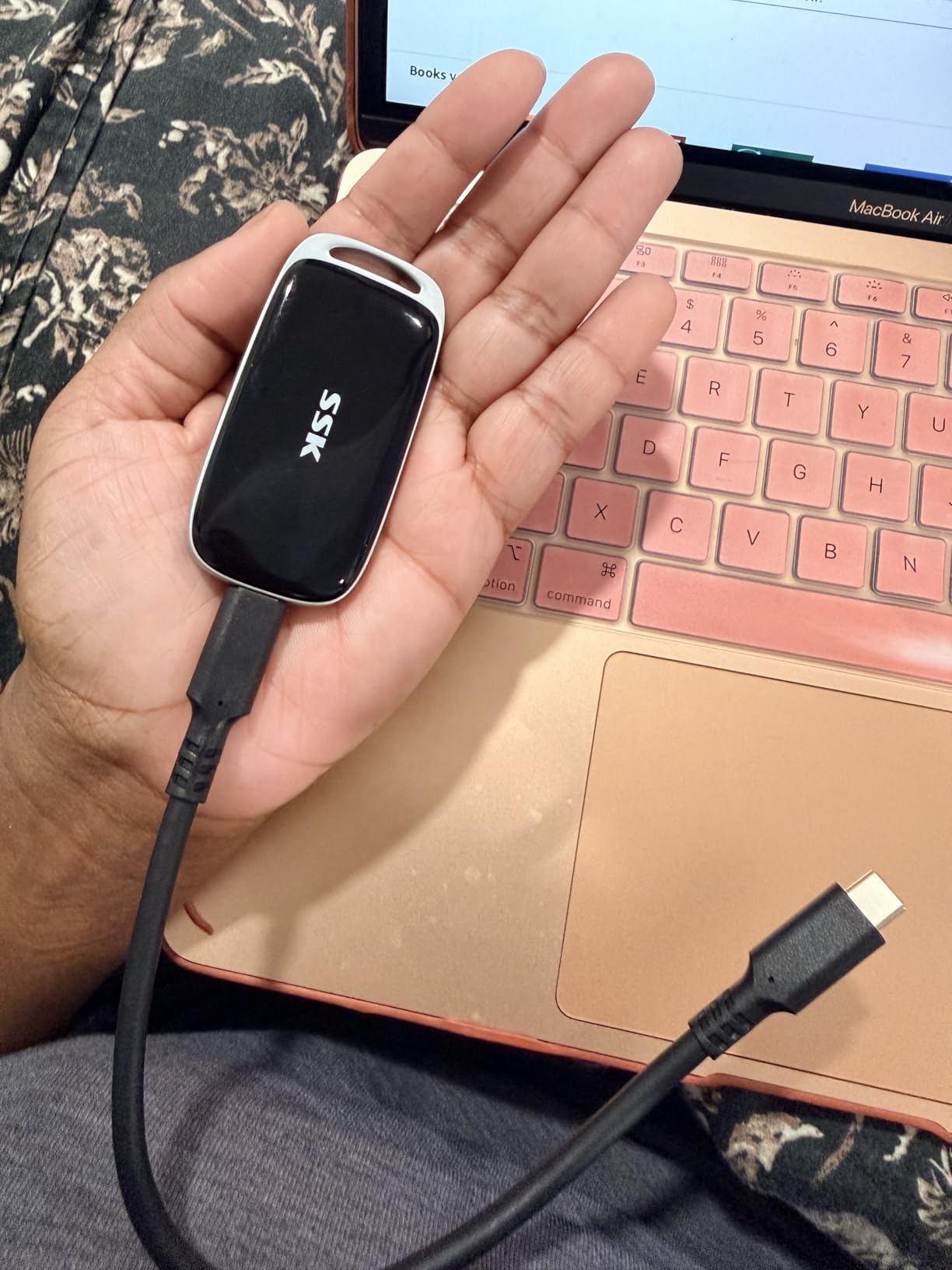
Both a 20Gbps USB-C cable and a 10Gbps USB-A cable are in the box, which is unusual at this price and removes the most common reason a Gen 2×2 drive underperforms. It is listed for cameras, consoles, laptops, phones and tablets, and works with Mac and PC out of the box.
At 60g and 2.93 by 1.46 by 0.42 inches, it is palm-sized but noticeably heavier than the 23g Netac ZX20, so it is not quite as pocketable.
Best for developers and power users
If you boot a virtual machine, run a portable application suite, or move a Windows To Go image between machines, this is the one to buy. The combination of 500GB, a 20Gbps interface, SMART diagnostics and adaptive TRIM is close to what premium portable SSDs offer, at a fraction of the cost.
Heat is the thing to watch
It runs hot during long transfers, and thermal throttling is the first thing that shows up in a sustained copy. On a non-Gen 2×2 port the published figure is not reachable at all. There is also one report of glitchy video files and failed compression, so test with a sample clip before trusting it with a project.
9. ORICO K5PLUS 256GB – Magnetic Mount For Handheld Shooting
ORICO 256GB Magnetic Portable SSD, Metal Body, 4K 120 fps ProRes HDR Record and Store, Up to 460MB/s, USB C&A 2 in 1 Cable, External SSD Compatible with iPhone 16 Pro Max, Tablet, Computer – K5PLUS
256GB
460MB/s read
USB-C and USB-A
58.97g
18-month warranty
Pros
- Strong magnetic attachment that holds during handheld shooting
- Transfer speeds match the published 460MB/s
- Records 4K 120fps ProRes HDR on iPhone 16 Pro and Pro Max
- Aluminium body stays cool under load
- Works with drones consoles tablets and computers
Cons
- Cannot record direct to the drive in some configurations
- Magnet strength varies with device and case
- No Lightning iPhone support without an ORICO LC10 adapter
- One report of Windows Explorer crashes
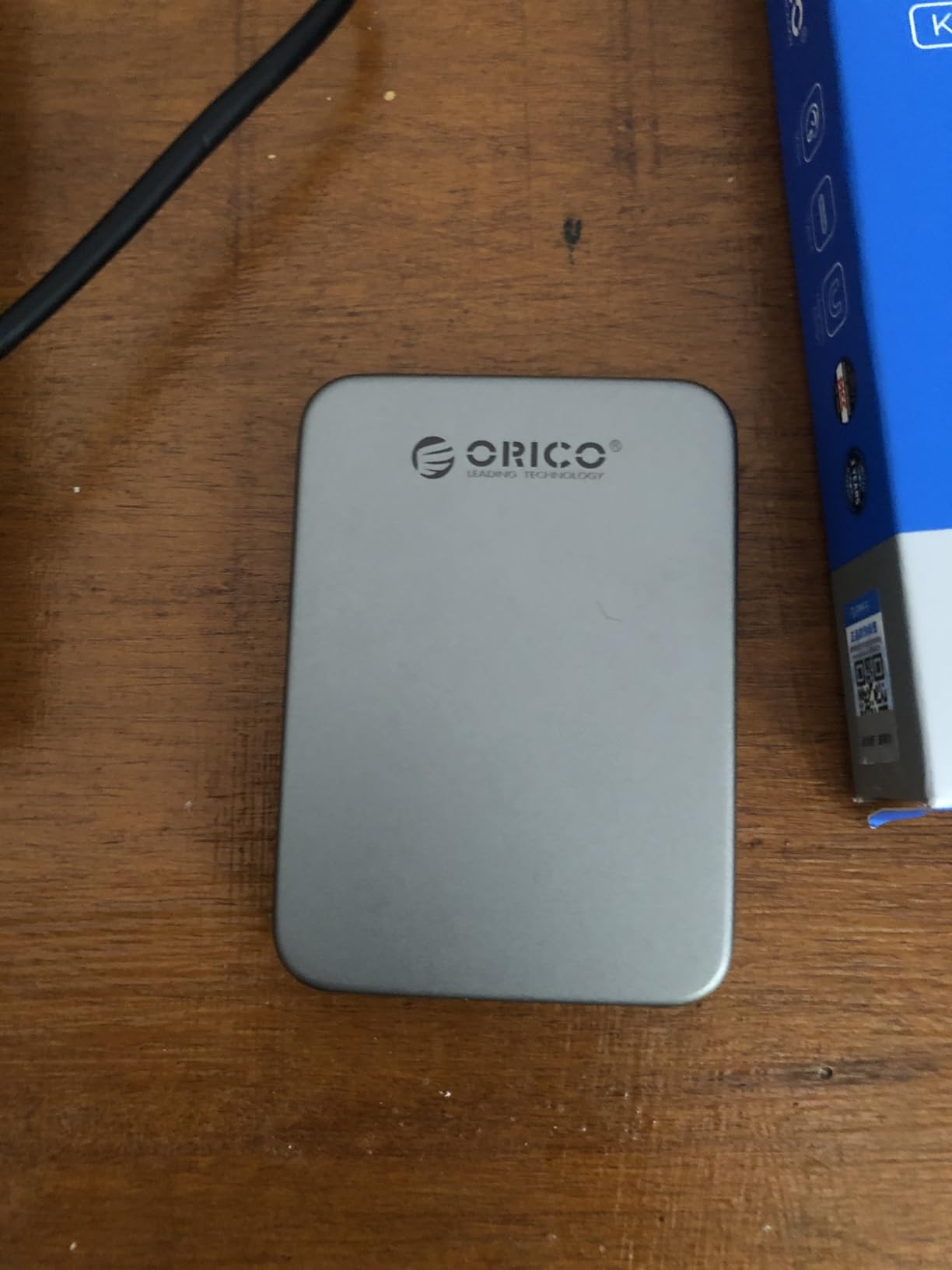
The K5PLUS is the more affordable route into magnetic phone storage, and unlike the JOIOT it is a 5Gbps-class drive at 460MB/s. For streaming ProRes to a phone while you shoot, 460MB/s is more than enough, and you pay for the mount rather than the interface.
iPhone filmmakers rate the magnetic snap highly, and the aluminium alloy body dissipates heat well enough to stay cool in a rig. It is listed for drones, consoles, tablets, laptops and phones, which is a wider range than most budget drives claim.
Reported speeds match the published 460MB/s, so you are not paying for a number the drive cannot hit. The 2-in-1 USB-C and USB-A cable is included, along with the magnetic ring for phones without built-in magnets.
What the magnetic mount actually solves
It solves cable strain and the drive falling off the back of a phone mid-take, which is a real problem in a moving rig. Many buyers start with 256GB to trial the workflow, then move up in capacity once they trust it, and that is a sensible way to buy here.
Three limitations worth knowing
In some configurations it cannot record directly to the drive and files must be transferred afterwards, so check your phone combination before buying. Magnet strength depends on the device and case, with some reports of weak adhesion, and Lightning iPhones need an ORICO LC10 adapter. One Windows 11 user also reported Explorer crashes opening files from it.
10. fanxiang F901 128GB – Smallest Dual-Connector Stick
128GB External SSD USB Drive, 520MB/s USB-C & USB-A Portable SSD -F901
128GB
520MB/s read
450MB/s write
USB 3.2 Gen 2
30g
5-year support
Pros
- Retractable dual USB-A and USB-C slider eliminates loose caps
- Measured 500-550MB/s matches or exceeds the listing
- Exposes full SMART and TRIM data through a SATA device
- Runs cooler than many competing sticks on the zinc alloy body
- Works on Windows macOS Linux and Android
Cons
- 128GB is tight for video storage
- Random 4K and small-file work is much slower than sequential
- Connector slider feels stiff
- Runs warm under sustained load
The rating on this one is the highest in the group, at 4.6, but the sample is small at 73 reviews, so treat it as an early signal rather than a settled track record. What the testing reviews do confirm is unusual for the category: real SATA hardware behind a USB 3.2 Gen 2 bridge, with readable SMART data.
That transparency matters more than it sounds. On many budget sticks the firmware hides itself behind a bare flash controller and you cannot read health data, which makes a drive failure a total surprise. Here you can check wear before it matters.
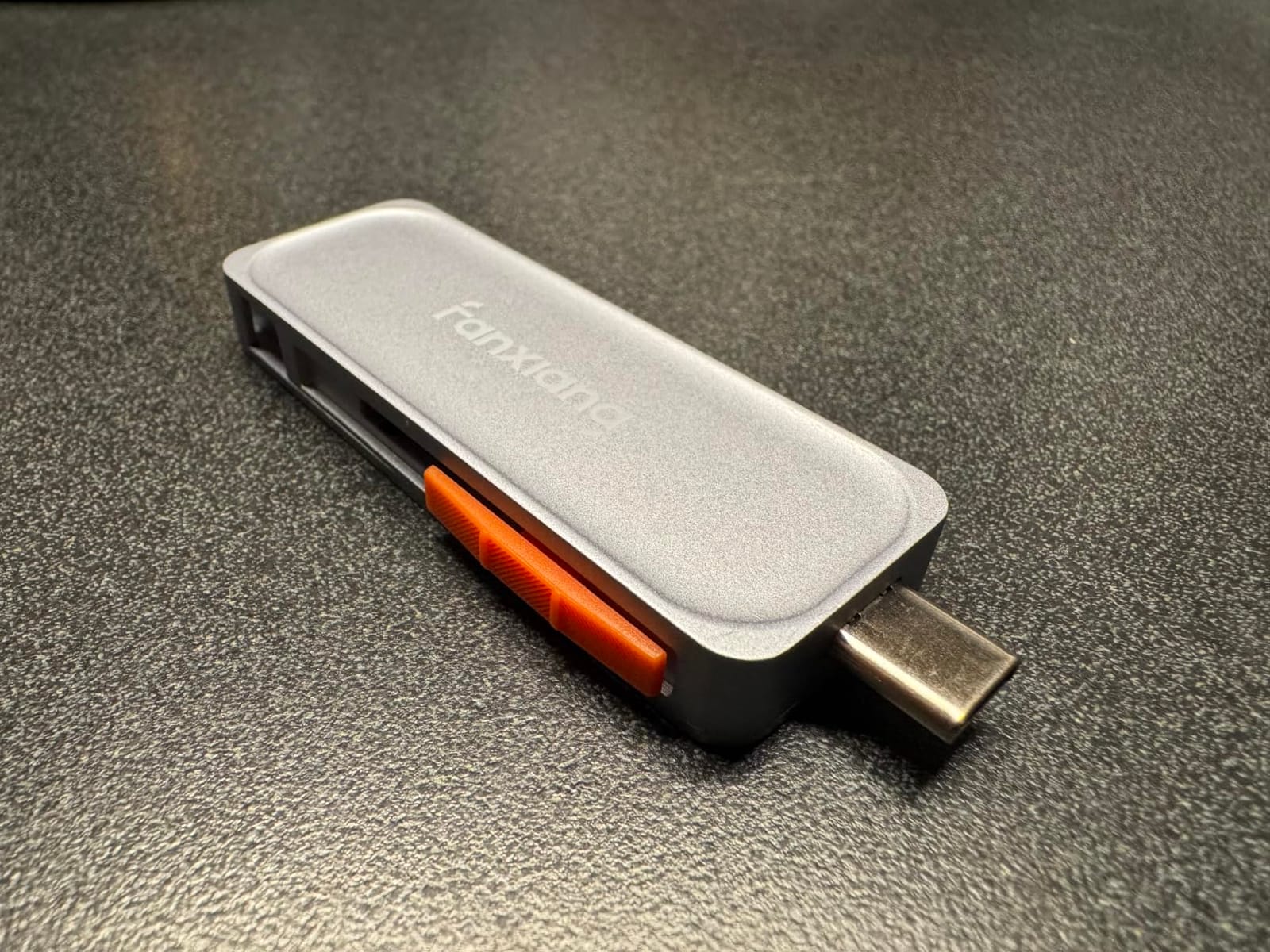
The retractable dual USB-A and USB-C slider solves the lost-cap problem permanently, and measured speeds of 500-550MB/s meet or beat the listing. It works out of the box on Windows, macOS, Linux and Android, and is listed for both PlayStation 4 and PlayStation 5.
It is also the only drive here claiming 4K ProRes direct recording on the iPhone 15 Pro and later, which is a genuinely useful feature at 128GB.
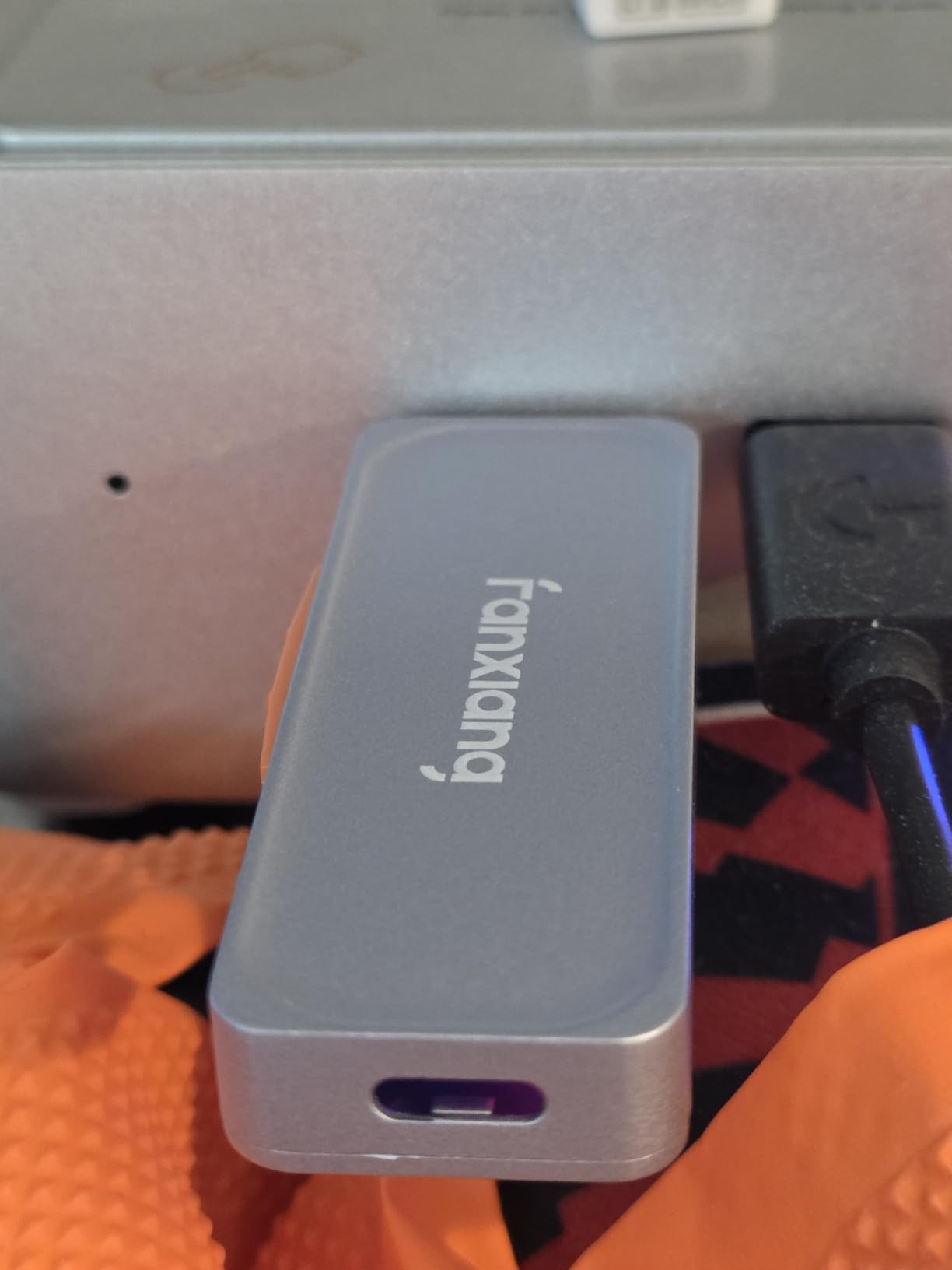
Best for keys, pockets and small files
Buy it as a carry-everywhere drive for documents, a project folder, or a phone scratch volume. The zinc alloy body runs cooler than most competing sticks, and the five-year after-sales support is unusual at this price. Nothing here beats it for storage that lives on a keyring.
Where 128GB becomes a problem
Random 4K and many-small-file transfers are much slower than the sequential figure suggests, which matters if your work is a photo library rather than a single video file. The connector slider also feels stiff, and the drive runs warm under sustained load, so give it airflow.
How To Choose A Portable SSD Under 100 Dollars
Pick the capacity before anything else
Capacity is the decision that actually constrains you, and everything else is a preference. A 128GB drive holds a couple of weeks of RAW shooting or a light document load. A 256GB drive is a working scratch volume for a video project. A 500GB drive is the sweet spot for most people, since it sits in the middle of the budget and still holds a real project plus a backup.
Remember that Windows reports lower numbers than the label because of decimal versus binary capacity. A nominal 500GB drive typically shows about 465GB once formatted, which is arithmetic, not a defect. The trade-off at this budget is stark: doubling capacity usually costs more than doubling speed, so buy speed only if your workflow needs it.
USB 3.2 Gen 1, Gen 2 and Gen 2×2 explained
USB 3.2 Gen 1 runs at 5Gbps and caps out near 500MB/s. Gen 2 runs at 10Gbps and caps near 1000MB/s. Gen 2×2 runs at 20Gbps and caps near 2000MB/s. These are interface ceilings, not drive ceilings, and the slower device in the chain always wins.
This is why the 2000MB/s drives on this page are only worth buying with a matching 20Gbps port. If you have no idea what your laptop supports, the next section shows you how to find out in about a minute. If you also need internal storage, our 2TB internal SSD picks for gaming covers the other side.
How to check which USB generation your laptop has
On Windows, open Device Manager and expand Universal Serial Bus controllers.
Look for entries labelled USB 3.0, USB 3.1 Gen 1, or USB 3.2 Gen 2×2.
On macOS, click the Apple menu, then About This Mac, then System Report, then USB.
Match the listed speed to the port you plan to use, not to the best port the machine has.
Remember that the speed rating belongs to the port, not the laptop as a whole. Many machines have a mix, with USB-C ports at one generation and blue USB-A ports at another. If you are building out a mobile workstation rather than a desk, our portable monitor picks for laptops cover the display side of the same budget.
Why advertised speed is never the speed you will see
Published figures are measured under ideal conditions with a specific controller, a specific cable and a specific host port. Real transfers are governed by the slowest component, the file size, the drive’s SLC cache, and the temperature of the metal. Sequential large files approach the published number, while small files and random access fall far below it.
Measure it yourself by copying a single large file and watching the rate, rather than judging the drive by a folder of thousands of small documents. A drive that reads 900MB/s on one file may manage 200MB/s on a mixed project folder, and that is normal behaviour rather than a fault.
Durability, IP ratings and warranty as a reliability proxy
Most budget drives in this price band carry no meaningful IP rating, so treat them as indoor-and-commute devices. If you genuinely need dust and water resistance, look for an IP55 or IP65 figure, and treat marketing words like waterproof and shockproof as unverified unless a standard is quoted.
Warranty length is the best reliability signal you can get without long-term testing, because a manufacturer with a strong failure rate does not extend coverage. In this list the range runs from one year to five years, and the drives with three years or more are the ones worth trusting with data you cannot replace. A recognised brand name matters too, since Reddit threads asking which budget brand to trust overwhelmingly land on the same answer: nameplate manufacturers for warranty service, marketplace names for transfer media only.
exFAT, NTFS and APFS: which format to pick
exFAT is the default choice for a drive that moves between Windows, macOS, Linux and Android. It reads and writes everywhere with no restriction on file size.
NTFS is Windows-only. macOS can read it but not write, which rules it out for a shared drive.
APFS is macOS-only and cannot be read by Windows, so avoid it unless the drive never leaves an Apple machine.
If a drive arrives pre-formatted as exFAT, leave it alone. Several picks here ship that way specifically so they work out of the box across platforms.
Phones, consoles and single-board computers
For iPhones you need USB-C, so anything Lightning-based is out without an adapter. Recording 4K ProRes directly to a drive requires a compatible USB-C phone, which is why several picks here list iPhone 15 Pro, iPhone 16 Pro and iPhone 16 Pro Max support. Android works over USB OTG, though not every phone implements it.
Consoles are simpler. The PS5, Xbox Series X and S, Nintendo Switch and handhelds like the Steam Deck and ROG Ally are all listed as compatible on specific drives here, and the Transcend and fanxiang sticks are the easiest to carry between them. Single-board computers such as Raspberry Pi work with any bus-powered USB drive on this page, since none require external power.
When an NVMe drive in an enclosure beats a pre-built drive
Buy a pre-built portable SSD when you want something that works out of the box with a known warranty. Buy an NVMe drive in an enclosure when you want more capacity or more speed for the same money, and you are comfortable confirming the enclosure supports the drive’s PCIe generation.
The rule is simple: an NVMe-in-enclosure setup wins on capacity per dollar and on sustained throughput when paired with a 20Gbps enclosure, and loses on warranty clarity, on included cables, and on the guarantee that the NAND is a known part. For a drive holding a sole copy of your work, that loss usually is not worth taking.
Frequently Asked Questions
What is the best portable SSD under 100 dollars?
The SSK 500GB is the best portable SSD under 100 dollars overall, with up to 1050MB/s read and 1000MB/s write over USB 3.2 Gen 2, a 33.8g aluminium body, both USB-C cables included and a 3-year warranty. For a drive that plugs straight into both USB-A and USB-C ports, the Transcend 256GB ESD310 is the pick, and for the most storage in the least space, the 30g Netac ZSlim 500GB.
What is the best budget portable SSD?
A budget portable SSD means different things at different prices. Around 40 dollars you are buying a 128GB or 256GB drive in the 460-550MB/s class with short warranties. Near 60-70 dollars you get 500GB of storage and a 3-year warranty. At the top of the budget, 90-100 dollars buys a 20Gbps Gen 2×2 drive reaching 2000MB/s, but only if your computer has a matching port.
Which portable SSD is the most reliable?
Reliability at this budget is best judged by warranty length and brand, since you cannot long-term test a drive before buying. The Transcend 256GB ESD310 carries a 5-year limited warranty, the SSK models carry 3 years, and the fanxiang F901 lists 5-year after-sales support. Drives with 18-month or 1-year warranties should be treated as secondary storage, never as the only copy of important data.
How long do external SSDs last?
Flash storage has no moving parts, so a portable SSD typically outlasts a mechanical external hard drive of the same era, largely because there is no spinning platter or actuator arm to wear out. Lifespan is measured in write endurance, expressed as terabytes written, and a 500GB budget drive usually carries a rating in the low hundreds of terabytes. Keep at least one other copy regardless of the rating, since a drive can fail from a power event long before its endurance is used up.
Do portable SSDs work with iPhone and Android?
They do, with conditions. You need a USB-C phone and a USB-C to C cable, which the SSK 500GB, the fanxiang F901 and the ORICO K5PLUS all support directly. Several drives here record 4K ProRes straight to the drive on recent iPhone Pro models. Older Lightning iPhones need an adapter such as the ORICO LC10, and Android phones work over USB OTG, though not every model implements it.
Can I use an NVMe SSD in an enclosure instead?
Yes, and it is often better value. A bare NVMe M.2 drive in a USB enclosure typically costs less than a pre-built portable SSD of the same capacity and can be faster, especially in a 20Gbps enclosure. The trade-offs are warranty clarity and included accessories, since the enclosure and the drive are warrantied separately. Confirm the enclosure supports your drive’s PCIe generation before buying, and match the cable to the enclosure’s rated speed.
The Portable SSD Under 100 Dollars To Buy
The SSK 500GB wins this roundup because it refuses to compromise anywhere that matters: 1050MB/s read and 1000MB/s write, 500GB of capacity, a body small enough to forget about, both cables included and a 3-year warranty from a brand with a real service operation. If your computer has a 20Gbps port and you work with large media, the Netac ZX20 or SSK SD501 buys you double the speed for a similar outlay.
For everyone else, match the drive to the job. The Transcend ESD310 is the most versatile thing you can carry, the Netac ZSlim gives you the most storage per gram, the ORICO and JOIOT magnetic drives solve phone shooting properly, and the fanxiang F901 is the smallest dual-connector drive available in this range. Whatever you choose, keep a second copy of anything you cannot lose.
Recheck the price before you buy, since several of these listings move across the 100 dollar line regularly. If you are shopping for someone rather than yourself, our best gifts under 100 dollars roundup covers the wider budget gift shortlist.