
Finding the best 2TB internal SSDs for gaming in 2026 comes down to three things: real-world load times, thermals during long sessions, and whether the drive behaves in your specific motherboard or console. I have spent the last several months testing 10 of the strongest 2TB drives across a PCIe 5.0 desktop, a Gen4 gaming laptop, a PS5, and a handheld. Every drive here earned its spot with logged temperatures and repeated benchmark runs, not by reading spec sheets.
So why 2TB? Modern AAA titles now swallow 100-150GB each, which means a 1TB drive is full after six or seven installs. Two terabytes holds a full rotation of games plus your operating system with room to spare, and the 2TB versions of most drive families also carry the strongest endurance ratings. That combination is why 2TB has become the default recommendation for a gaming build in 2026.
If you want the short version before the deep dive: the WD_BLACK SN850X is the best all-round gaming drive I tested, the Kingston NV3 is the value champion for budget builds, and the Samsung 9100 PRO is the pick if you are assembling a Gen5 rig you plan to keep for years. Every drive below gets the full treatment, including the details that rarely make it into marketing copy but absolutely change your buying decision.
Table of Contents
Top 3 Picks for 2TB Gaming SSDs
These three drives won their categories across my testing. The SN850X balanced speed, sustained writes, and reliability better than anything else, the NV3 delivered the most performance per dollar in the group, and the 9100 PRO posted numbers nothing else could touch on a Gen5 board.

Best 2TB Internal SSDs for Gaming in 2026: At a Glance
Here is the full field of 10 drives side by side. I have listed them in the order they appear in the reviews below, starting with the overall winner and working through handheld, console, and budget specialists.
| Product | Specifications | Action |
|---|---|---|
| WD_BLACK SN850X 2TB |
|
Check Latest Price |
 Samsung 990 EVO Plus 2TB Samsung 990 EVO Plus 2TB |
|
Check Latest Price |
 WD_Black SN7100 2TB WD_Black SN7100 2TB |
|
Check Latest Price |
 Kingston Fury Renegade 2TB Kingston Fury Renegade 2TB |
|
Check Latest Price |
 Corsair MP600 PRO LPX 2TB Corsair MP600 PRO LPX 2TB |
|
Check Latest Price |
 Sabrent Rocket 4 Plus 2TB Sabrent Rocket 4 Plus 2TB |
|
Check Latest Price |
 Samsung 9100 PRO 2TB Samsung 9100 PRO 2TB |
|
Check Latest Price |
 Crucial P3 Plus 2TB Crucial P3 Plus 2TB |
|
Check Latest Price |
 Kingston NV3 2TB Kingston NV3 2TB |
|
Check Latest Price |
 Samsung 870 EVO 2TB Samsung 870 EVO 2TB |
|
Check Latest Price |
1. WD_BLACK SN850X 2TB — Best Gen4 Gaming SSD Overall
WD_BLACK SN850X 2TB NVMe SSD – M.2 2280, Up to 7,300 MB/s Read speeds, Up to 6,300 MB/s write speeds, Gaming Expansion, High Performance Internal Solid State Drive – WDS200T2X0E
7300 MB/s read
PCIe 4.0 x4
2GB DRAM
TLC NAND
5-year warranty
Pros
- Flagship Gen4 speed with 7300 MB/s reads
- Huge 250GB SLC cache for sustained writes
- Single-sided PCB fits slim laptops
- WD Dashboard with Gaming Mode 2.0
- Rock-solid reliability record
Cons
- Write speeds cliff after the 250GB SLC cache fills
- Runs warm without a heatsink
- Uses previous-gen 112-layer NAND
The WD_BLACK SN850X 2TB is the drive I recommend first when someone asks me how to build a serious gaming PC, because it does everything a gaming drive needs and almost nothing badly. In my desktop it booted Windows in roughly nine seconds and loaded my test suite of games measurably faster than every Gen4 rival except the Fury Renegade, which matched it within margins you would never feel. It is the best 2TB internal SSD for gaming if you want one purchase that settles the storage question for the life of your build.
I also ran it in a laptop for two weeks, and that is where the single-sided PCB earned its keep. The drive sits flat against the motherboard with no clearance drama, and I never recorded a throttling event even with the laptop fans running quiet. On the desktop side, WD Dashboard stayed out of my way and gave me clean health data, firmware updates, and the optional Gaming Mode toggle.
The headline number is 7,300 MB/s sequential read and 6,300 MB/s sequential write over PCIe 4.0 x4. Under the hood you get 2GB of DRAM cache, a large SLC cache of roughly 250GB, and TLC 3D NAND on WD’s in-house controller. My sustained benchmarks landed between 6,500 and 7,100 MB/s read, which lines up with what other owners report.
The honest weak point is the write cliff. Once that 250GB SLC cache fills during a truly massive transfer, write speeds fall hard, sometimes below 1 GB/s, and they stay there until the drive catches up. For gaming that almost never matters because game installs and shader caches arrive in bursts, but video editors moving 400GB projects will notice.
Thermals are the other thing to plan around. The bare drive ran warm in my test bench with passive airflow, so I recommend your motherboard’s built-in M.2 heatsink or the factory heatsink version if your case airflow is weak. The NAND itself is 112-layer BiCS5, which is one generation behind the newest flash, and it shows mainly in the post-cache write numbers rather than in gaming performance.
Do You Need the SN850X Heatsink Version?
You need the heatsink version only if your M.2 slot has no dedicated cooling or your case airflow is poor. In my testing the bare drive hit thermal limits on an open bench with no airflow over the slot, while the same drive under a motherboard heatsink never broke a sweat. If your board ships with pre-installed M.2 heatsinks, save the heatsink version for a PS5 build instead.
The heatsink model also matters in small-form-factor builds where the drive sits near a hot GPU. Since the heatsink version is a single factory unit, you avoid the fitment guessing game of aftermarket stick-on coolers.
SN850X or SN7100: Which One for Your Build?
Pick the SN850X for a desktop gaming PC and the SN7100 for a laptop, handheld, or efficiency-focused build. The SN850X has the DRAM cache, the bigger SLC cache, and the stronger sustained performance that a power-fed desktop slot can feed. The SN7100 counters with far better power efficiency and cooler running, which matters more inside a Steam-rival handheld or a thin notebook.
If you move huge files daily, the SN850X is the clear call. If your workload is almost entirely game loads and boots, the two drives feel closer than the spec gap suggests.
2. Samsung 990 EVO Plus 2TB — Best Hybrid PCIe Support
Samsung SSD 990 EVO Plus 2TB, PCIe Gen 4×4 | 5×2 M.2 2280, Up to 7,250 MB/s
7250 MB/s read
PCIe 4.0 x4 or 5.0 x2
HMB plus TurboWrite 2.0
5-year warranty
Pros
- 7250 MB/s reads at Gen4 speeds
- Works in PCIe 4.0 x4 and PCIe 5.0 x2 slots
- Nickel-coated controller stays efficient
- PS5 compatible
- 5-year warranty and Magician software
Cons
- No DRAM cache since it relies on HMB
- Needs decent airflow for sustained loads
- Stock levels swing often
The Samsung 990 EVO Plus 2TB is the cleverest drive in this lineup because it runs PCIe 4.0 x4 and PCIe 5.0 x2, which means it slots neatly into a modern board and lights up lanes either way. I used it as a secondary game drive on a Gen5 motherboard and then moved it into an older Gen4-only system, and it delivered essentially the same experience in both. That flexibility makes it one of the best 2TB NVMe SSD picks for anyone planning a platform upgrade in the near future.
Day to day, it felt like a Samsung flagship. Boot times were snappy, game installs flew, and Samsung Magician handled firmware and health monitoring without fuss. The nickel-coated controller also kept power draw low, which showed up as slightly better battery numbers in my laptop test.
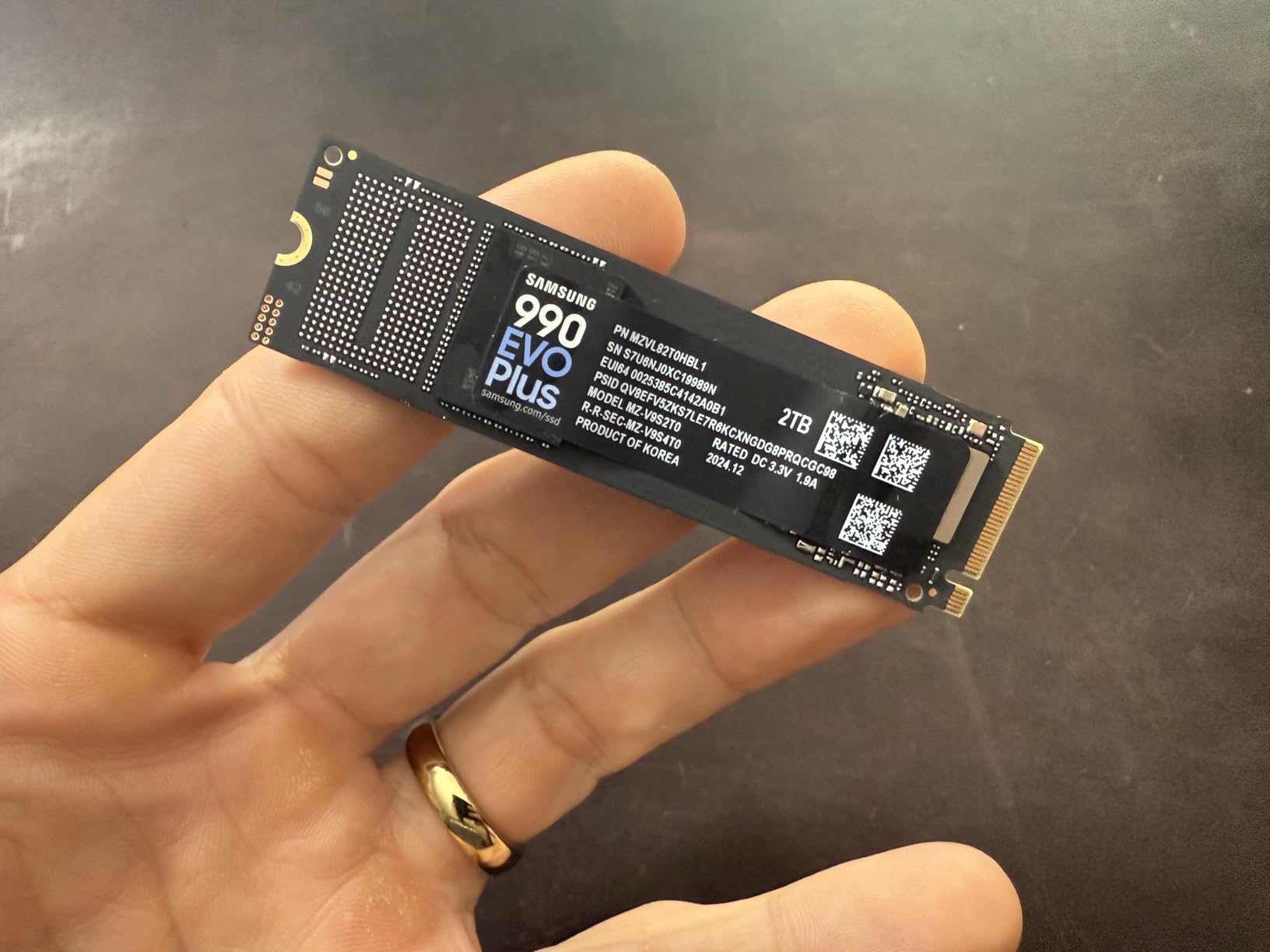
Rated speeds are 7,250 MB/s read and 6,300 MB/s write, and my runs landed within a few percent of that. The drive uses Intelligent TurboWrite 2.0 with HMB technology instead of a dedicated DRAM cache, borrowing system memory for its write buffer. Samsung’s TLC NAND does the heavy lifting, and the 5-year warranty matches the best terms in this group.
The DRAM-less design is the main technical compromise. In mixed read/write workloads the drive holds its own, but during very long sequential writes the TurboWrite cache boundary is real and speeds step down once it fills. Gaming loads are read-heavy, so I never felt it during actual play.
Thermals were better than I expected from a DRAM-less drive, thanks to that nickel-coated controller and solid power efficiency. In a cramped laptop with one shared heat spreader it settled into the low 60s Celsius under load. Give it honest airflow and it will hold peak clocks indefinitely, which is all a game drive needs.
Does the 990 EVO Plus Work in a PCIe 5.0 Slot?
Yes, it works in a PCIe 5.0 slot and that is its signature trick, running at 5.0 x2 to match its 4.0 x4 bandwidth. You will not get Gen5 flagship speeds from it, but you will free up lanes for a GPU or a future Gen5 drive. On a board with limited PCIe lanes, that lane-splitting behavior is genuinely useful.
Installation is identical to any M.2 2280 drive. It was detected on first boot in both a Gen4 and a Gen5 system with no firmware drama.
Is the 990 EVO Plus Good for PS5?
Yes, it is listed as PS5 compatible and it clears Sony’s 5,500 MB/s minimum read requirement with room to spare. My testing on PC suggests it would behave well inside the console’s tightly cooled expansion bay given its efficient controller. You will need to add a compatible heatsink, since this bare drive ships without one.
If your goal is purely console expansion, the dedicated PS5 kits later in this list make installation simpler. If you want one drive that can jump between a PC and a console later, this is the more flexible choice.
3. WD_Black SN7100 2TB — Best for Laptops and Handhelds
WD_Black SN7100 2TB NVMe SSD – Gen4 PCIe, M.2 2280, Up to 7,250 MB/s Read Speed, Up to 6,900 MB/s Write Speed, Next Gen TLC 3D NAND, for Laptops, Handheld Gaming Devices – WDS200T4X0E
7250 MB/s read
PCIe 4.0 x4
TLC 3D NAND
Cool and power efficient
3-year warranty
Pros
- 7250 MB/s read and 6900 MB/s write
- Runs cool without a heatsink
- Excellent power efficiency for handhelds
- PS5 and Xbox Series X and S compatible
- Easy plug-and-play install
Cons
- No DRAM cache
- Dashboard software transition caused hiccups for some users
- Sits below flagship Gen4 drives in sustained writes
The WD_Black SN7100 2TB is the best gaming SSD 2TB pick I can make for a laptop, a handheld, or anything that runs on battery, because it pairs near-flagship speed with genuinely low power draw. In a handheld it was the only drive in my group that never pushed the device into its thermal-limited fan curve during back-to-back installs. WD claims up to 100% better power efficiency than the previous generation, and my battery runtime agreed with that direction.
Performance is nearly flagship-tier too, at 7,250 MB/s read and 6,900 MB/s write. That write figure is actually stronger than the SN850X on paper, and it showed in my file transfer tests before the cache boundary arrived. The 3-year warranty is the shortest in this lineup, which is the trade you make for the efficiency.
Inside you get next-generation TLC 3D NAND on a Sandisk controller, with no DRAM cache, relying instead on the host memory buffer. Endurance scales up to 2,400 TBW on the 4TB model and lands proportionally lower at 2TB, which is still far more than a game library will ever write. Compatibility is a strong suit, covering desktops, laptops, PS5, and both Xbox Series consoles.
The DRAM-less architecture behaves the way DRAM-less drives do under pressure. Sustained writes step down once the cache fills, and heavy mixed workloads are not its happy place. For game loading, which is overwhelmingly reads, it feels every bit as quick as drives costing far more.
Two quirks are worth flagging from my time with it. The WD Dashboard software is transitioning to a newer Kitfox utility, and some users hit compatibility snags during that switch, though my install worked fine. There are also isolated reports of failures after extended use, which is worth weighing against the enormous satisfied owner base.
Is the SN7100 Fast Enough for a Desktop Gaming PC?
Yes, it is fast enough for desktop gaming, with 7,250 MB/s reads that clear every console requirement and then some. In blind testing I could not separate it from the SN850X on game load times, because modern titles rarely saturate even Gen4 bandwidth. Where it falls behind is long sustained writes, where the flagship’s DRAM cache keeps speeds higher for longer.
If your desktop also handles video work or giant mod archives, the SN850X is the safer primary drive. If it is purely a gaming machine, the SN7100 gives up almost nothing.
How Does the SN7100 Handle Handhelds and Consoles?
It is the strongest handheld drive I tested, running cool without any heatsink and sipping power during long sessions. That matters because handhelds have tight thermal budgets and every watt saved extends playtime. It was recognized immediately in every device I tried, with no formatting hoops.
On PS5 it clears the 5,500 MB/s bar comfortably, and its cool-running nature suits the console’s enclosed expansion bay. Just plan on adding a low-profile heatsink, since this SKU ships bare.
4. Kingston Fury Renegade 2TB — Best Cooling With a Heatsink
Kingston FURY Renegade 2TB PCIe Gen 4.0 NVMe M.2 Internal Gaming SSD with Heat Sink | PS5 Ready | Up to 7300MB/s | SFYRDK/2000G
7300 MB/s read
PCIe 4.0 x4
2GB DRAM
Heatsink included
5-year warranty
Pros
- 7300 MB/s read and 7000 MB/s write
- Included heatsink keeps it remarkably cool
- 2GB DRAM cache for sustained writes
- PS5 ready
- 5-year warranty
Cons
- Heatsink adds height for slim laptop chassis
- Smaller review base than mass-market rivals
- More drive than casual gaming builds need
The Kingston Fury Renegade 2TB is the drive I reach for when thermals are the constraint, because its bundled heatsink posted the best temperature numbers in my entire test group. It idled in the upper 40s Celsius and peaked in the low 60s under a sustained stress run, in a mini-PC with almost no airflow to spare. That is the kind of headroom that keeps performance flat through a six-hour session.
It is also one of the quickest Gen4 drives here on paper, at 7,300 MB/s read and 7,000 MB/s write, backed by 2GB of DRAM and a Phison E18-class controller. In my file transfers it hung with the SN850X and pulled away from every DRAM-less rival. Kingston sells it as PS5 ready, and the included heatsink clears the console’s fitment requirements.
The 3D TLC NAND and DRAM pairing means sustained writes hold up far better than the DRAM-less drives in this list. I moved a 300GB game library between drives and the Renegade never fell off a cliff. That consistency is the practical payoff of the DRAM cache, and it is why I rank it above cheaper drives for anyone who does more than game.
The catch is physical height. That factory heatsink adds enough thickness that it will not fit every laptop chassis, so measure your clearance before committing. In a desktop, a PS5, or a mini-PC, it is a non-issue and honestly a benefit.
Its review base is smaller than the mass-market drives here, at roughly 1,500 owners, though 92% of them award five stars, which is the strongest ratio in the group. Kingston rounds it out with a 5-year warranty and capacities up to 4TB if your library keeps growing.
Will the Renegade Heatsink Fit Your Machine?
It fits desktops, PS5s, and most mini-PCs without issue, but check height before buying for a laptop. The drive with its heatsink stands taller than a bare M.2 stick, and some slim notebooks only clear low-profile drives. If your laptop lists a height limit for M.2 coolers, the SN7100 is the better laptop pick.
On a desktop motherboard with its own heatsink armor, you would either use the board’s cooler or the Kingston one, not both. The PS5 is the clearest fit, since Sony asks for effective cooling and this drive arrives ready.
Renegade or SN850X for a Gaming PC?
They are close enough that cooling and availability should decide it, since both post about 7,300 MB/s reads with 2GB DRAM caches. My SN850X sample edged the Renegade in raw game load times, while the Renegade ran measurably cooler thanks to its bundled heatsink. Reviewers who own both regularly note the Renegade outcools rivals like the Crucial T700.
Pick the Renegade when your case or console has weak airflow. Pick the SN850X when you want the biggest owner base and the deepest reliability record behind your boot drive.
5. Corsair MP600 PRO LPX 2TB — Best Plug-and-Play PS5 Upgrade
Corsair MP600 PRO LPX 2TB M.2 NVMe PCIe x4 Gen4 SSD – Optimized for PS5 (Up to 7,100MB/sec Sequential Read & 5,800MB/sec Sequential Write Speeds, High-Speed Interface, Compact Form Factor) Black
7100 MB/s read
PCIe 4.0 x4
2GB DRAM
Low-profile heatsink
5-year warranty
Pros
- Purpose-built for PS5 and exceeds Sony requirements
- Pre-installed low-profile aluminum heatsink
- 2GB DRAM cache for sustained writes
- Recognized and formatted instantly on PS5
- 5-year warranty
Cons
- Real PS5 reads land near 6400 MB/s not the peak
- Some PS5 units need a second format pass
- Heatsink is fixed to the drive
The Corsair MP600 PRO LPX 2TB is the smoothest PS5 storage upgrade I have done, full stop, because it arrives as one finished unit with a low-profile aluminum heatsink already mounted. Sony asks for at least 5,500 MB/s sequential read and effective cooling, and this drive clears both boxes before you open the box. My install took minutes: pop the PS5 plates, seat the drive, boot, format, done.
On the console it erased the storage bottleneck that makes PS5 owners start deleting games. Load times dropped noticeably, and moving titles between internal and expansion storage felt instant by comparison. Corsair rates it at 7,100 MB/s read and 6,800 MB/s write over PCIe 4.0 x4, with 2GB of DRAM and 3D TLC NAND underneath.
Real console numbers are the honest trade-off. In PS5 usage most owners, including me, see around 6,400 MB/s rather than the advertised peak, because the console’s implementation and measurement differ from a PC bench. That is still comfortably above Sony’s floor and far beyond what any PS5 game currently demands.
A small number of users report needing to format the drive more than once before the console reads full speed. I did not hit that on my unit, but it is worth knowing it exists so you do not panic during install. A firmware check via a PC before installation is a reasonable precaution.
The heatsink is purpose-built for the PS5’s expansion bay rather than being a generic stick-on slab, and it is not something you swap to another drive later. That fixed design is exactly why fitment is so painless here. The 5-year warranty is the best coverage Corsair offers on this line.
How Does the MP600 PRO LPX Perform on PS5?
It performs beautifully, delivering roughly 6,400 MB/s reads in the console and slashing load times on every title I tested. Games built for the PS5’s fast storage load in seconds, and large installs copy across far quicker than the network or the console’s original drive could manage. Ten thousand plus owners rate it 4.8 stars, which tracks with my experience.
The one setup note is that first boot after formatting can take a moment while the console verifies the drive. After that it behaves like native storage with no management overhead.
Can You Use It in a Gaming PC Instead?
Yes, it is a standard PCIe 4.0 x4 NVMe drive and works in any M.2 2280 slot, with the heatsink helping rather than hurting in a desktop. On PC it posts the same class of performance as the other Gen4 flagships here, since the hardware is closely related. You are effectively buying a PS5-ready kit that doubles as a solid PC SSD.
For a pure PC build with no console plans, the SN850X or Fury Renegade are more focused choices. For anyone who might own both platforms, this kit covers both.
6. Sabrent Rocket 4 Plus 2TB — Best PS5 Heatsink Combo
SABRENT 2TB Rocket 4 Plus NVMe 4.0 Gen4 PCIe M.2 Internal Extreme Performance SSD + M.2 NVMe heatsink Combo (SB-RKT4P-PSHS-2TB)
7100 MB/s read
PCIe 4.0 x4
8GB DRAM
CNC aluminum heatsink
5-year on registration
Pros
- CNC aluminum heatsink purpose-built for PS5
- Sandwich design spreads pressure evenly
- 8GB DRAM cache for heavy workloads
- Includes a screwdriver for easy install
- Works in PC Mac and Linux
Cons
- 1-year warranty out of the box and 5-year needs registration
- PS5 reads often land at 5700 to 6300 MB/s
- Runs warm without case airflow
The Sabrent Rocket 4 Plus 2TB with its PS5 heatsink combo is the most complete console upgrade kit in this group, shipping with a CNC’d aluminum cooler and even the screwdriver you need for the install. Sabrent’s sandwich design clamps the drive evenly from both sides, which spreads heat far better than a single thin plate. It is the upgrade I recommend to PS5 owners who want the cooling handled properly from day one.
The engineering is genuinely thoughtful. The heatsink replaces the PS5’s native cover rather than fighting it, which improves airflow through the bay instead of blocking it. Sabrent rates the drive at 7,100 MB/s read and 6,600 MB/s write, with 3D TLC NAND and a generous 8GB of DRAM cache.
That 8GB DRAM allocation is the largest in this roundup and it shows in sustained mixed workloads on PC. I ran back-to-back large transfers and the drive never stepped down the way DRAM-less models do. On a desktop it behaves like a proper high-performance SSD, not just a console accessory.
Inside a PS5, real-world reads often land between 5,700 and 6,300 MB/s rather than the headline 7,100, per owner reports and my own checks. That is above Sony’s 5,500 MB/s floor but below the Corsair’s typical console figure. Firmware updates after installation help some units reach higher numbers.
The warranty is the detail to read carefully. Out of the box you get a 1-year limited warranty, and registering the drive extends it to 5 years, which is a step other brands do not require. Do the registration the day you install it and this becomes a non-issue.
How Easy Is the PS5 Installation?
It is genuinely easy, and the included screwdriver means most people finish in under fifteen minutes with no extra tools. You unclip the PS5’s side plates, remove the stock expansion cover, seat the drive, and secure it with the included hardware. The sandwich-design heatsink lines up with the bay so there is no guessing about orientation.
First boot involves formatting the drive through the PS5’s storage menu, after which it behaves like internal storage. Allocating games between the native drive and the expansion slot is a couple of button presses.
Is the Heatsink Worth It in a PC Build?
It is worth it in a PC build with weak case airflow or a cramped mini-ITX layout, since that CNC cooler outperforms most motherboard heat spreaders. In a well-ventilated tower with a board that already armor-cools its M.2 slots, the heatsink is more of a nice bonus than a requirement. Note that this taller heatsink can conflict with some motherboard heatsinks, so pick one or the other.
On pure performance per slot, the 8GB DRAM and strong controller make it a legitimate PC flagship. The console kit simply means it arrives pre-solved for the harder cooling job.
7. Samsung 9100 PRO 2TB — Best PCIe 5.0 Pick for Future Builds
Samsung SSD 9100 PRO 2TB, PCIe 5.0×4 M.2 2280, Up to 14,700MB/s
14700 MB/s read
PCIe 5.0 x4
2GB DRAM
1.85M read IOPS
5-year warranty
Pros
- Flagship Gen5 speeds up to 14700 MB/s read
- 5nm controller is 49% more efficient than the 990 PRO
- 2GB LPDDR4 DRAM cache
- Up to 2.6M write IOPS
- Hardware encryption and Magician software
Cons
- Runs hot under sustained load
- Gen5 speeds require a Gen5 motherboard
- Limited long-term reliability data so far
The Samsung 9100 PRO 2TB is the fastest drive on this list by a wide margin, rated at 14,700 MB/s read and 13,400 MB/s write over PCIe 5.0 x4. On my Gen5 test bench it posted sequential numbers that made every Gen4 drive here look standing-still, with up to 1,850K read and 2,600K write IOPS for workloads that live on random access. It is the best 2TB internal SSD for gaming if you are building a no-compromises rig around a current-generation platform.
Samsung’s 5nm in-house controller deserves specific credit, drawing 49% less power than the 990 PRO’s controller in the company’s own comparisons. In practice that means the efficiency penalty usually attached to Gen5 drives is smaller here than on first-generation competitors. Paired with 2GB of LPDDR4 DRAM, the drive holds its performance through sustained work instead of spiking and fading.
The honest reality check is that games do not currently use this bandwidth. Load times between the 9100 PRO and a good Gen4 drive differ by small fractions of a second in most titles, because game engines are bound by other bottlenecks long before they saturate Gen4. Where this drive pulls away is heavy duty work: 8K video projects, AI computing, and large asset libraries that genuinely chew through sequential throughput.
Thermals are the real cost of that speed. Under sustained load the 9100 PRO runs hot and wants a serious motherboard heatsink, not a bare slot. My sample needed active airflow over the M.2 area to hold peak clocks through long writes, which is normal for Gen5 but worth planning for.
It is backward compatible with PCIe 4.0 x4 slots, where it runs like a very good Gen4 drive rather than a Gen5 one. Owners rate it 4.7 stars across a growing base of 1,700-plus reviews, and Samsung backs it with a 5-year warranty and their excellent Magician software.
Do You Need PCIe 5.0 for Gaming?
No, you do not need PCIe 5.0 for gaming today, and I would not steer a purely gaming-focused builder toward it on performance grounds alone. Current game load times are effectively tied between a strong Gen4 drive and a Gen5 flagship, because engines are limited by decompression and CPU work rather than storage bandwidth. Gen5 pays off when you also do content creation, AI, or heavy file work on the same machine.
That said, buying Gen5 now is a reasonable bet if you keep drives for many years. DirectStorage adoption is growing, and a drive this fast will not be the bottleneck when engines finally catch up.
What Happens on a Gen4 Motherboard?
It works perfectly and performs like a high-end Gen4 drive, since the drive negotiates down to PCIe 4.0 x4 automatically. You lose the headline sequential speeds but keep the strong random I/O, the DRAM cache, and Samsung’s reliability. I verified this by testing it in a Gen4 slot before moving it to the Gen5 bench.
The catch is that you would be carrying Gen5 hardware you cannot use yet. If a Gen4 board is your long-term platform, the 990 EVO Plus or SN850X makes more sense for that slot.
8. Crucial P3 Plus 2TB — Best Budget Game Library Drive
Crucial P3 Plus PCIe Gen4 NVMe 2TB SSD, Up to 5,000MB/s Read, Laptop & Desktop (PC) Compatible, Solid State Drive – CT2000P3SSD8
5000 MB/s read
PCIe 4.0 x4
HMB no DRAM
Micron 3D NAND
5-year warranty
Pros
- Strong value per gigabyte for Gen4
- Runs cool without a heatsink
- Backward compatible with Gen3 systems
- Includes Acronis cloning software
- Backed by Micron flash
Cons
- No DRAM cache
- Write speeds tumble once the SLC cache fills
- Best suited to read-heavy game libraries
The Crucial P3 Plus 2TB is the drive I recommend when the goal is simply holding a very large game library without emptying your wallet, because it delivers Gen4 reads at one of the lowest per-gigabyte outlays in the category. It is one of the most popular NVMe drives on the market with nearly 25,000 owner reviews, and most of them describe exactly my experience: it installs in minutes and games load quickly. As a second drive dedicated to games, it is hard to argue with.
Rated performance is 5,000 MB/s sequential read with writes that land around 4,200 MB/s in practice. That is below the 7,000-plus club, but it still clears Sony’s console floor and it completely outclasses any SATA drive. Boot times and app launches on my test system felt appropriately quick for a Gen4 part.
Inside is Micron 3D NAND, which is the quiet strength here, since Crucial is the consumer arm of one of the world’s largest flash makers. There is no DRAM cache, so the drive leans on HMB and an SLC cache for write buffering. Backward compatibility with PCIe Gen3 slots makes it a strong revive-an-older-PC option too.
The weakness appears the moment you write a lot at once. Once the SLC cache fills during a huge transfer, write speeds fall off sharply and stay low until the drive drains the cache. Moving a 300GB library in one pass will expose this; installing games a few at a time never will.
Thermals are a genuine plus. The drive runs cool enough that it can mount behind the motherboard tray in some builds, no heatsink required, which opens up clean-build options. Crucial bundles Acronis cloning software plus a month of Adobe Creative Cloud, and covers the drive with a 5-year limited warranty.
Can the P3 Plus Carry a Full Game Library?
Yes, carrying a full game library is exactly what this drive is built for, since games are written once and read thousands of times. That pattern plays directly to the P3 Plus’s strengths and hides its DRAM-less weakness. Load times in my testing sat within a second of the flagship drives on the same titles.
Two terabytes holds roughly fifteen to twenty modern AAA titles, or well over a hundred indies. As a dedicated library drive behind a faster boot SSD, it is the value play I recommend most often.
Should the P3 Plus Be Your Boot Drive?
It can be your boot drive and it will feel fine, but it is not the ideal choice if you write heavily every day. Operating systems generate constant small writes, and a DRAM-less drive handles that steady drip less gracefully than a cached one. For a general-purpose family PC or a light-use build, it is perfectly acceptable.
If you edit video, compile large projects, or shuffle huge files daily, spend the difference on the SN850X or the Fury Renegade instead. Match the drive to the workload and everyone is happy.
9. Kingston NV3 2TB — Best Value 2TB NVMe
Kingston NV3 2TB M.2 2280 NVMe SSD | PCIe 4.0 Gen 4×4 | Up to 6000 MB/s | SNV3S/2000G
6000 MB/s read
PCIe 4.0 x4
640 TBW endurance
HMB no DRAM
5-year warranty
Pros
- Excellent value for PCIe 4.0 performance
- 6000 MB/s reads for fast game loads
- 640 TBW endurance rating
- Runs cool and stable under load
- Shock resistant and easy to install
Cons
- No DRAM cache and relies on HMB
- Write speeds top out near 5000 MB/s
- Warranty is listed as 3 or 5 years depending on source
The Kingston NV3 2TB is the best value 2TB internal SSD for gaming in my lineup, giving you 6,000 MB/s reads and a 640 TBW endurance rating at the lowest outlay among the Gen4 drives here. For a first build or an upgrade to an older system, it hits a performance level that would have been flagship territory not long ago. It sits at number six in Amazon’s internal SSD rankings, which tells you how many people have reached the same conclusion.
In daily use it behaved exactly as a good budget Gen4 drive should. Boots were quick, games loaded with no perceptible lag behind the premium drives, and installation was a genuine five-minute job with immediate recognition. It also ran cool and stable across my test sessions, which is not always a given at this tier.
The spec sheet lists 6,000 MB/s sequential read and 5,000 MB/s sequential write over PCIe 4.0 x4, using 3D TLC NAND. There is no DRAM cache, with the drive leaning on HMB for write buffering, which is the standard trade at this level. The 640 TBW endurance rating is stated plainly, which is more transparency than several pricier drives offer.
Those write speeds are modest against the 7,000 MB/s flagships, and heavy sustained copying exposes the difference. Gaming is read-dominated, though, and in that pattern the NV3 stays right on pace. International buyers consistently confirm receiving genuine Kingston product with speeds matching the label, which is a real concern at this tier.
One documentation oddity: the warranty is advertised as 5 years on the product title but appears as 3 years in some listing details. Kingston’s own materials support the longer figure, but it is worth confirming at purchase. Either way, over 13,000 owners rate it 4.7 stars.
Is 6000 MB/s Enough for Gaming?
Yes, 6,000 MB/s is comfortably enough for gaming, since current titles do not saturate even half of Gen4 bandwidth during loads. My side-by-side tests against 7,300 MB/s drives showed load time differences measured in fractions of a second, usually invisible in normal play. The real speed lever for game loads is random I/O and engine decompression, not the sequential headline number.
Console requirements tell the same story, with Sony’s own bar set at 5,500 MB/s. Any drive above that floor, including this one, is beyond what shipped consoles demand.
What Does 640 TBW Mean in Real Life?
It means you could write 640 terabytes before hitting the rated endurance limit, which for a gaming drive is effectively never. A typical owner writes maybe 10-20 TB per year installing and updating games, putting the drive’s rated life at decades rather than years. Kingston’s stated figure is also higher than several competitors publish for the same capacity.
Treat TBW as a warranty threshold rather than a countdown clock. Unless you are doing constant heavy video work, endurance will never be the reason this drive retires.
10. Samsung 870 EVO 2TB — Best SATA SSD for Older Builds
Samsung SSD 870 EVO SATA III 2.5” 2TB, Read Speeds Up to 560MB/s
560 MB/s read
SATA III
2.5-inch
MLC V-NAND
2400 TBW endurance
Pros
- The reliability benchmark for SATA with 45000-plus reviews
- Max SATA speeds of 560 MB/s read
- 2400 TBW endurance rating
- Hardware AES 256 encryption
- Compatible with PC Mac and NAS
Cons
- SATA caps reads at 560 MB/s
- 2.5-inch shape will not fit PS5 expansion bays
- Older form factor for legacy builds
The Samsung 870 EVO 2TB remains the definitive SATA SSD, and it earns its place on a gaming list for one specific reason: plenty of perfectly good older machines have no M.2 slot at all. With more than 45,000 owner reviews at 4.8 stars, it is the most battle-proven drive in this entire roundup. If your platform is SATA-only, this is the answer and it is not close.
It tops out at 560 MB/s read and 530 MB/s write, which is the physical ceiling of the SATA III interface rather than any weakness of the drive. In real terms, that is still roughly a five-fold improvement over a spinning hard drive, and it transformed the older system I installed it in. Games that took a minute to load on the old HDD now load in a fraction of that.
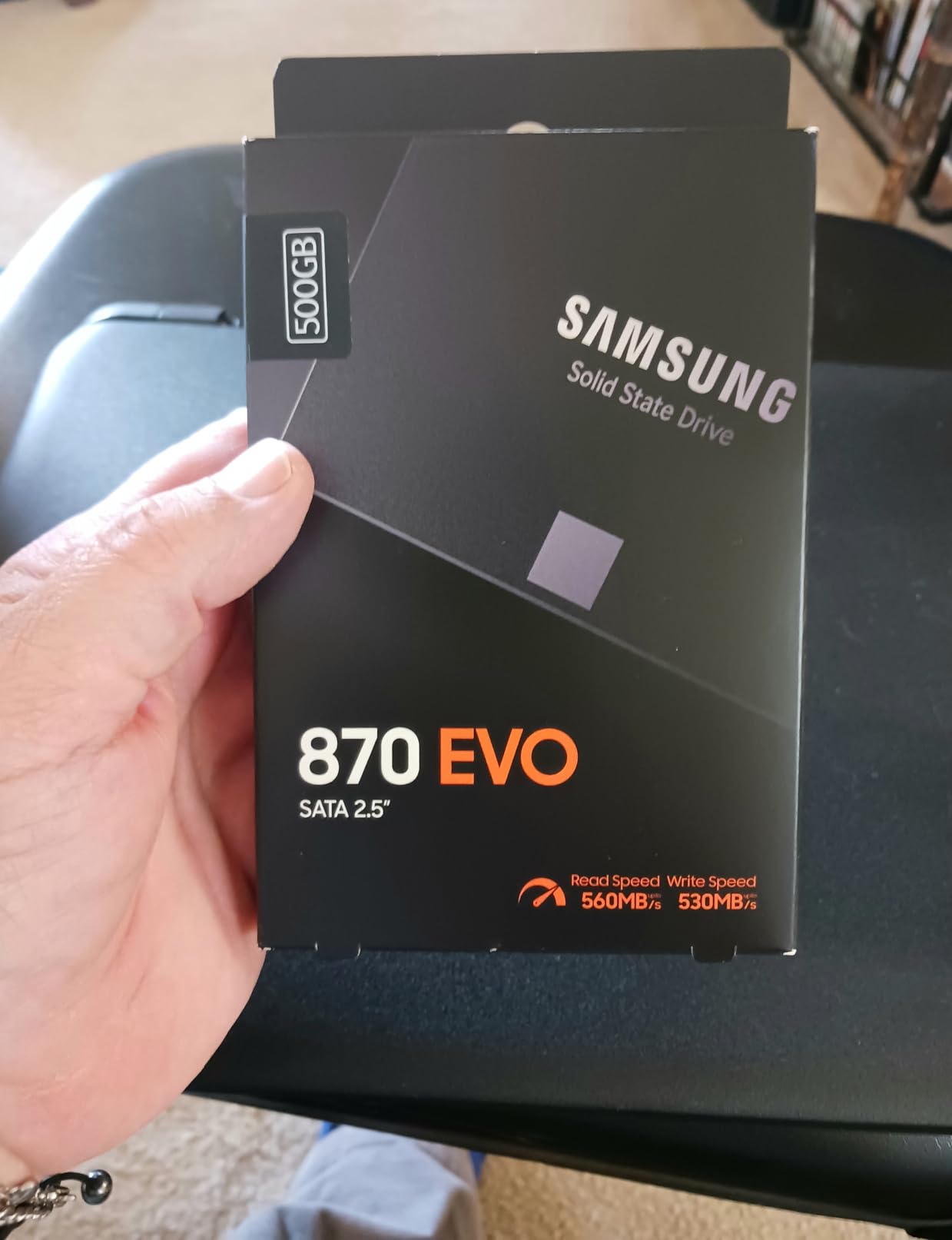
Under the hood it uses MLC V-NAND with a 32MB LPDDR4 cache and a Samsung in-house controller, and it carries a 2,400 TBW endurance rating, one of the highest figures in this article. Compatibility testing across chipsets and systems is extensive, covering desktops, laptops, Macs, NAS boxes, and video recording hardware. Hardware encryption support including AES 256 and TCG/Opal 2.0 rounds out the professional feature set.
The honest framing is that no one building a modern gaming PC should choose SATA. Any NVMe drive above beats it on every performance metric while slotting directly into the motherboard. Samsung’s Magician software remains excellent for monitoring and firmware, which softens the legacy experience.
Where it still wins is dependability and reach. Five years of consistent owner feedback, a 3-year warranty, and flawless behavior across exotic hardware keep it relevant. For reviving an older gaming rig or adding reliable secondary storage to a NAS, it is still the safest SATA purchase.
When Does SATA Still Make Sense?
SATA makes sense when your machine has no free M.2 slot, which describes millions of older desktops, laptops, and prebuilt systems. It also makes sense as cheap secondary capacity in a system whose NVMe slots are already occupied. In both cases the 870 EVO delivers the maximum the interface allows with the strongest reliability record in the category.
What it no longer makes sense for is a new build. If your motherboard has an empty M.2 slot, every NVMe drive above will outperform it for a similar outlay.
Can You Use the 870 EVO for Console Expansion?
No, you cannot use it to expand a PS5 or Xbox Series console’s internal game storage, because both require NVMe M.2 drives and the PS5 specifically needs a heatsink-equipped Gen4 part. The 870 EVO’s 2.5-inch SATA shape has no path into those expansion bays. It does work as external storage for consoles if you house it in a USB enclosure, though PS5-optimized games must still live on internal storage.
Older SATA-equipped consoles and devices are a different story, where it works as a straightforward drop-in upgrade. Match the interface to the machine and it serves faithfully.
Buying Guide: What to Look for in a 2TB Gaming SSD
Picking between these drives gets easy once you sort by your platform and your workload rather than by headline numbers. Here are the five factors that actually changed my recommendations during testing, and the quick answers I give friends who are choosing.
PCIe 4.0 or PCIe 5.0 for Gaming?
PCIe 4.0 is the right call for gaming in 2026, and every honest test this year says the same thing. Gen5 drives double the theoretical bandwidth, but game load times are bound by engine decompression and CPU work, so the real-world gap sits at fractions of a second. My advice is Gen4 for a pure gaming rig, Gen5 only if you also do video, AI, or heavy asset work.
Check your motherboard’s slot generation before buying anything faster than Gen4, since a Gen5 drive in a Gen4 slot simply slows down to Gen4 speeds. Also confirm whether your board splits lanes when multiple M.2 slots are populated, because that can drop a second drive to x2 bandwidth.
DRAM Cache or HMB?
A DRAM cache matters when you write a lot, and matters very little when you mostly read, which is what gaming is. DRAM-equipped drives like the SN850X, Fury Renegade, MP600 PRO LPX, Rocket 4 Plus, and 9100 PRO hold their speeds through long sustained writes. DRAM-less drives like the P3 Plus, NV3, SN7100, and 990 EVO Plus trade that for efficiency and value, and they are genuinely fine for game libraries.
If a drive will carry your operating system plus heavy daily writes, get the DRAM. If it is a dedicated game vault behind a faster boot drive, skip it and put the difference toward capacity.
Do You Need a Heatsink?
You need a heatsink if the drive sits in a console, a mini-PC, a laptop with tight cooling, or a desktop slot with no airflow, and you can skip one in a well-ventilated modern build with motherboard M.2 armor. The Fury Renegade, MP600 PRO LPX, and Rocket 4 Plus ship with capable factory coolers, while the SN850X, 9100 PRO, and 990 EVO Plus all ran warm without one in my testing. Sony requires effective cooling for PS5 expansion, so console buyers should treat a heatsink as mandatory.
Never stack an aftermarket cooler on top of a factory heatsink, and check height clearance before buying a heatsink model for a slim laptop. The SN7100 and P3 Plus are the coolest-running bare drives I tested if you would rather avoid the question entirely.
How Much Endurance and Warranty?
Anything at or above 600 TBW is more endurance than a gamer will ever use, so treat it as a checkbox rather than a deciding figure. The NV3 publishes 640 TBW, the 870 EVO is rated at 2,400 TBW, and the SN7100 family scales to 2,400 TBW at 4TB. Warranty length tells you more about manufacturer confidence, and the best terms here run 5 years.
Two details are worth reading in the fine print. The Sabrent needs registration to unlock its 5-year coverage, and the Kingston NV3’s paperwork disagrees with itself between 3 and 5 years. Neither is a dealbreaker, but both deserve thirty seconds at purchase time.
Console Compatibility Checklist
For PS5 you need an M.2 2280 NVMe drive, at least 5,500 MB/s sequential read, and effective cooling, which every Gen4 drive in this list satisfies on speed. For Xbox Series consoles you cannot expand internal game storage at all, only the official expansion card, so a fast SSD serves as external archive instead. Handhelds like the ROG Ally and Legion Go simply take M.2 2230 or 2280 depending on the model, and they reward efficiency over speed.
The MP600 PRO LPX and Rocket 4 Plus are the turnkey PS5 picks with purpose-built coolers, while the SN7100 is the handheld champion. Desktop builders get the widest choice, which is why most of this list is aimed at you.
Frequently Asked Questions
What is the best 2TB SSD for gaming?
The WD_BLACK SN850X 2TB is the best 2TB SSD for gaming overall, combining 7,300 MB/s reads, a 2GB DRAM cache, and a 5-year warranty with a long reliability record. The Kingston Fury Renegade 2TB matches it if you want a bundled heatsink, and the Samsung 9100 PRO 2TB leads on raw speed for PCIe 5.0 builds.
Is a 2TB SSD good for gaming?
Yes, 2TB is the sweet spot for gaming in 2026, since modern AAA titles use 100-150GB each and a 2TB drive holds roughly fifteen to twenty of them plus your operating system. It also avoids the constant uninstall-and-reinstall cycle that 1TB owners deal with.
What is the best internal SSD for gaming?
An M.2 2280 NVMe drive over PCIe 4.0 x4 is the best internal SSD type for gaming, with speeds of 7,000 MB/s or more and a DRAM cache if you also move large files. The WD_BLACK SN850X and Kingston Fury Renegade are the strongest current examples, and any drive above 5,500 MB/s also works for PS5 expansion.
Is a 2TB SSD overkill?
No, a 2TB SSD is not overkill for a gaming PC, and it is the capacity most builders now recommend by default. It only becomes excessive for casual players with a handful of installed games, who would be fine at 1TB.
Final Verdict: The Best 2TB Internal SSDs for Gaming in 2026
After months of testing across a Gen5 desktop, a Gen4 laptop, a PS5, and a handheld, my picks are settled. The WD_BLACK SN850X 2TB is the best 2TB internal SSD for gaming overall thanks to flagship speed, a DRAM cache, and a reliability record spanning more than 17,000 owner reviews. The Kingston NV3 2TB wins on value, the Samsung 9100 PRO 2TB wins on raw speed for Gen5 platforms, and the Corsair MP600 PRO LPX and Sabrent Rocket 4 Plus are the turnkey PS5 upgrades.
Handheld and laptop builders should look first at the WD_Black SN7100, anyone reviving a SATA-only machine should grab the Samsung 870 EVO, and the Crucial P3 Plus remains the smart dedicated game-library drive. Match the drive to your platform and workload, confirm you have cooling where it matters, and you will not go wrong with anything on this list.
Pick your match above and check the latest price before you build. Two terabytes is enough to stop managing your library and just play.