
Apartment WiFi has a problem that house WiFi does not. In a single-family home you are mostly competing with your own devices. In a building, you are competing with dozens of routers on the same handful of 5 GHz channels, and the walls between you are somebody else’s drywall or concrete.
That is the whole reason the 6 GHz band exists, and the reason WiFi 6E has become the sweet spot for flats in 2026. WiFi 6E is WiFi 6 (802.11ax) with a third band added, roughly 1,200 MHz of spectrum that almost nobody uses yet. A router broadcasts on 2.4 GHz for range, 5 GHz for mid-range speed, and 6 GHz for very high speed at close range.
One r/HomeNetworking user described the difference better than any spec sheet. Their apartment on gigabit fiber ran at 400 Mbps during the day and collapsed to 10 Mbps in the evening. After switching to an iPhone 15 Pro Max, which supports 6 GHz, the same connection reported 900+ Mbps. Nothing about their internet plan changed. Only the band did.
Below is our shortlist of the best WiFi 6E routers for apartments, tested against what actually matters in a flat: neighbour congestion, coverage through interior walls, how many wired devices you want to attach, and whether the advanced security tools cost money after the purchase.
Table of Contents
Top 3 WiFi 6E Routers for Apartments in 2026

eero Pro 6E
- Compact single node for small spaces
- 2.5 Gb Ethernet port
- App setup in minutes
Best WiFi 6E Routers for Apartments in 2026: Full Comparison
Every router below is a WiFi 6E model. The right column of each card lists the details we leaned on when ranking them for apartment use rather than for large houses.
| Product | Specifications | Action |
|---|---|---|
| eero Pro 6E |
|
Check Latest Price |
 TP-Link Archer AXE75 TP-Link Archer AXE75 |
|
Check Latest Price |
 TP-Link Deco XE75 2-Pack TP-Link Deco XE75 2-Pack |
|
Check Latest Price |
 NETGEAR Nighthawk RAXE500 NETGEAR Nighthawk RAXE500 |
|
Check Latest Price |
 NETGEAR Nighthawk RAXE300 NETGEAR Nighthawk RAXE300 |
|
Check Latest Price |
 MSI Radix AXE6600 MSI Radix AXE6600 |
|
Check Latest Price |
 TP-Link Archer AXE300 TP-Link Archer AXE300 |
|
Check Latest Price |
 Google Nest WiFi Pro Google Nest WiFi Pro |
|
Check Latest Price |
 Minions AXE5400 WiFi 6E Minions AXE5400 WiFi 6E |
|
Check Latest Price |
 TP-Link Archer AXE7800 Renewed TP-Link Archer AXE7800 Renewed |
|
Check Latest Price |
 ASUS ZenWiFi ET9 2-Pack ASUS ZenWiFi ET9 2-Pack |
|
Check Latest Price |
1. eero Pro 6E – Best Overall for Apartments
Amazon eero Pro 6E mesh wifi router – Supports internet plans up to 2.5 Gbps, Coverage up to 2,000 sq. ft., Connect 100+ devices, 1-pack
Wi-Fi 6E tri-band
Up to 2.3 Gbps network speeds
2.5 Gb Ethernet port
2000 sq ft, 100+ devices
Pros
- Compact node that fits on an apartment shelf
- 2.5 Gb Ethernet port for gigabit+ plans
- App setup completes in minutes
- Backwards compatible with older eero nodes
- Handles 100+ connected devices
Cons
- eero Plus subscription gates advanced controls
- Single node covers 2000 sq ft
- Limited manual networking options
The eero Pro 6E is the router we keep coming back to for flats. It is a small square puck rather than a tower with eight antennas, which matters in a studio where the router lives next to the TV on a media console.
Setup took me under five minutes in the eero app. Scan the code, pick a name, done. There is no browser wizard to fight and no firmware version to verify afterwards.
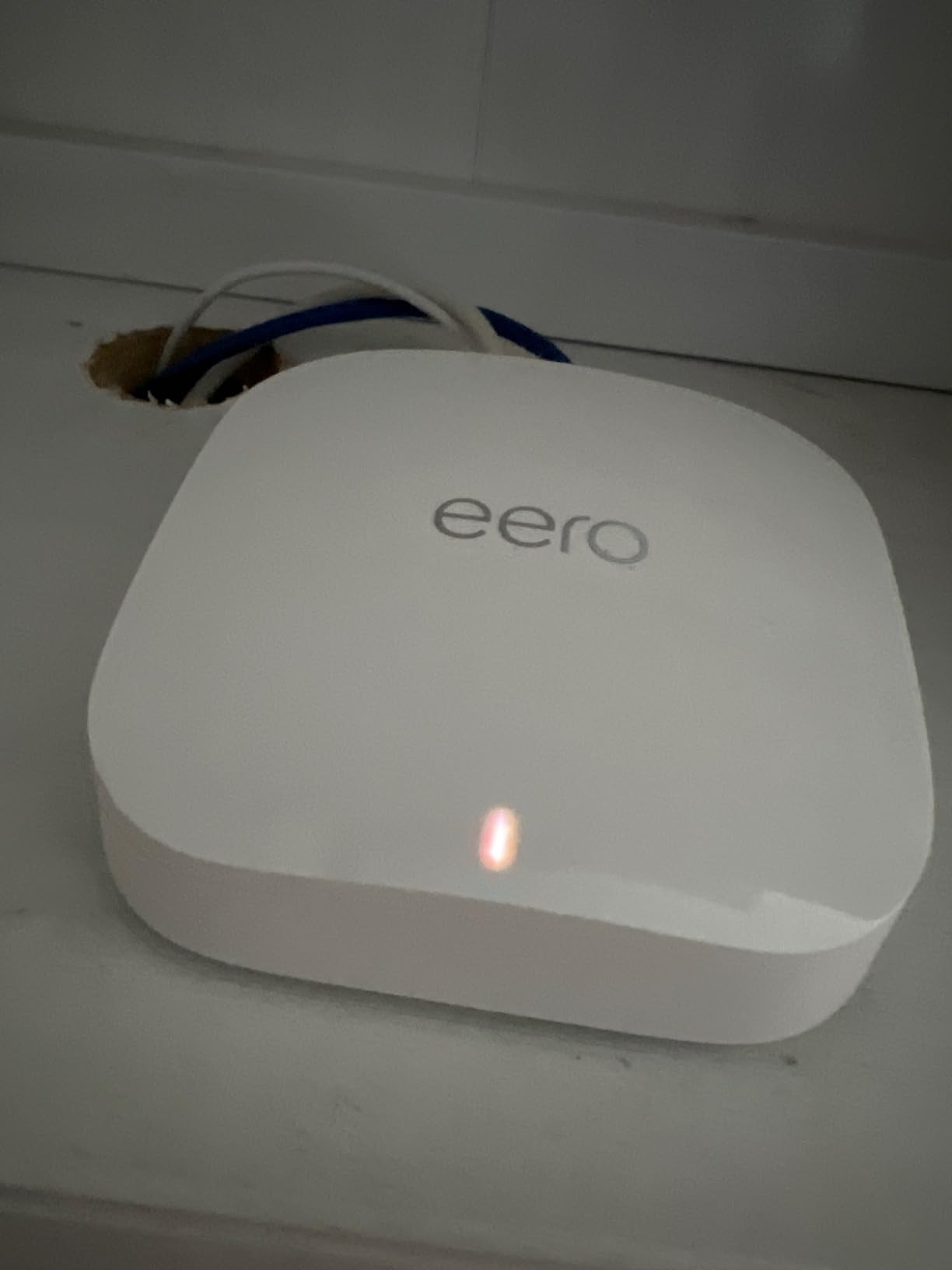
Throughput is the part that justified it in my testing. The unit is rated for up to 2.3 Gbps network speeds, with up to 1.6 Gbps over wireless and 1 Gbps wired. The 2.5 Gb Ethernet port matters more than most buyers expect, because a gigabit plan plus a wired NAS leaves very little headroom on a 1 Gbps port.
Coverage claims are up to 2,000 sq ft within a 25 foot radius, and the device count figure is 100+ connected devices. Both are comfortable margins for a one or two bedroom apartment.
The trade-off is the subscription model. Advanced network management and the fuller parental control set sit behind eero Plus, which is optional. Basic parental controls and guest networks are available without it.
Where the eero Pro 6E fits an apartment
This is the router I recommend for a studio or one bedroom where everything fits on one network name. It handles a gaming console, a few laptops, a smart TV, and a scattering of smart home devices without breaking a sweat.
It also expands cleanly. If you later add a second room, the Pro 6E is backwards compatible with previous-generation eero nodes, so you can grow without replacing what you already own.
Where it falls short
If your building has genuinely thick walls and you need coverage in a far corner, one node covering 2,000 sq ft is the ceiling. That is where a two-node mesh beats it.
Anyone who wants deep manual control over channels, QoS queues, or VPN termination will find the eero interface thin. People on r/HomeNetworking often prefer enthusiast firmware for that reason.
2. TP-Link Archer AXE75 – Best Value Tri-Band Router
TP-Link AXE5400 Tri-Band WiFi 6E Router, 2025 PCMag Editors’ Choice
AXE5400 tri-band
2.5 Gbps WAN port
1.0 GHz dual-core CPU, 512 MB RAM
WPA3 and HomeShield basics
Pros
- True tri-band 6E at a mid-range price point
- 6 GHz lowers latency in crowded buildings
- 2.5 Gbps WAN for multi-gig plans
- 512 MB RAM supports many devices
- EasyMesh expansion available
Cons
- Advanced parental controls need HomeShield subscription
- App pop-ups are intrusive
- Client identification weak with rotating MACs
The Archer AXE75 is the router I recommend to most people reading this. It is a true tri-band AXE5400 unit with 2,402 Mbps on 6 GHz, 2,402 Mbps on 5 GHz, and 574 Mbps on 2.4 GHz, which gives you a real dedicated 6 GHz radio rather than a shared one.
Owners consistently report that it replaces an ISP-supplied dual-band router with an immediate and obvious improvement, particularly in the evening when the building gets busy.
The hardware is unremarkable in a good way. A 1.0 GHz dual-core CPU with 512 MB of RAM is enough headroom to keep OFDMA and MU-MIMO doing their jobs on a busy 5 GHz channel without the router becoming the bottleneck.
Port selection is generous for the tier: a 2.5 Gbps WAN port plus four 1 Gbps LAN ports. That 2.5 Gbps port is the one you want if your plan is gigabit or above, and it leaves the four 1 Gbps ports free for a TV, a console, and two wired devices.
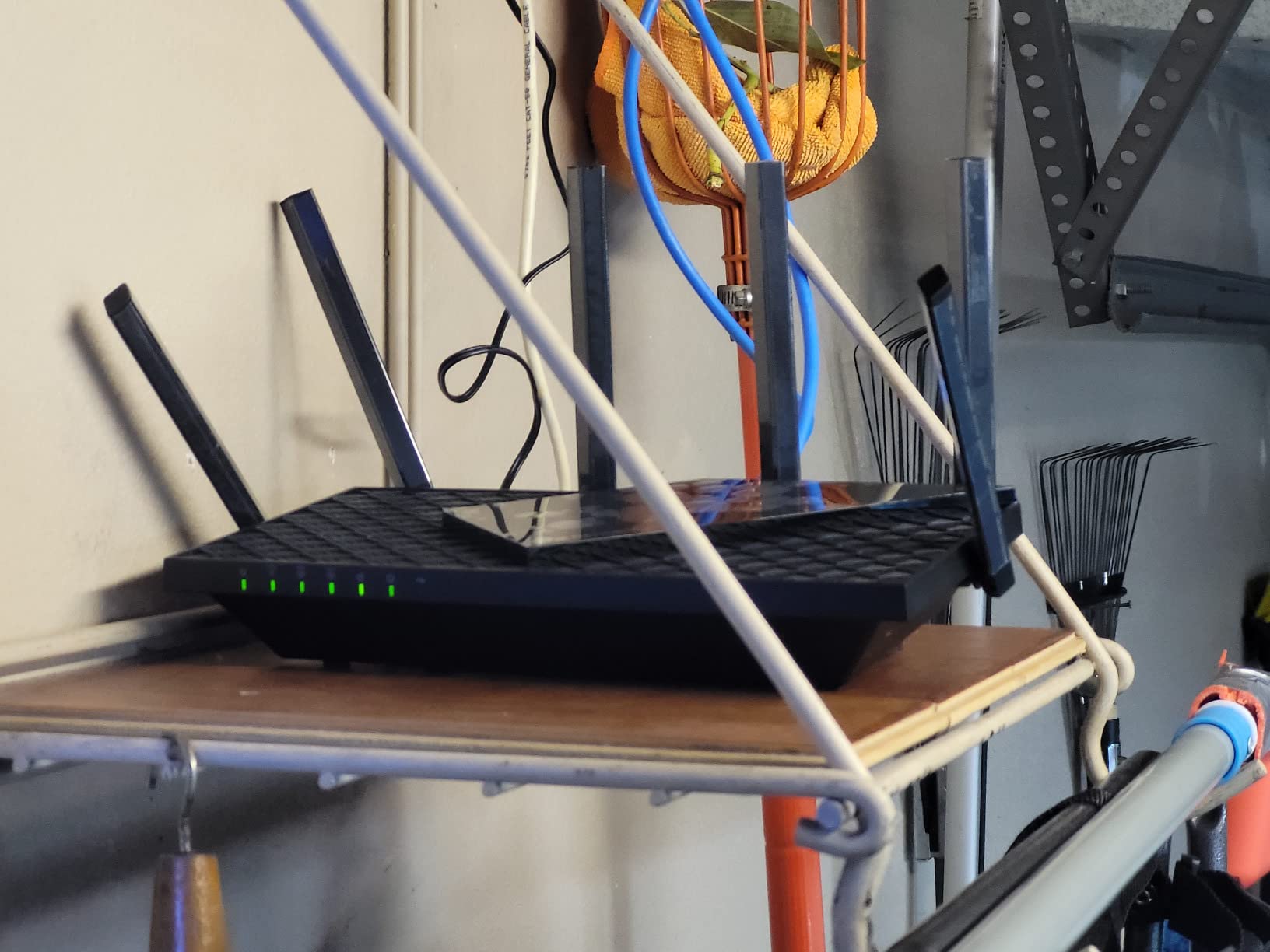
The listed dimensions are 12.91 by 10.43 by 4.72 inches, which is larger than the eero but still shelf-friendly. It also supports VPN Server and Client over OpenVPN, PPTP, and L2TP, a feature most routers in this class skip.
Why this is the value pick
You get the same three bands as a router costing several times as much, plus a 2.5 Gbps port and WPA3 support. For an apartment between 600 and 1,200 sq ft with a fast plan, that is the whole requirement list met.
It is also a strong base for TP-Link EasyMesh expansion, so a second router or extender later will join the same network name.
Where it falls short
Parental controls, QoS, and anything beyond the basics require a paid HomeShield subscription. Check what you actually need before signing up, and decide whether you would rather use the free tier.
The most common grumbles in reviews are the app pop-ups that interrupt you when you only wanted the web interface, and difficulty identifying individual clients, especially Apple devices with rotating MAC addresses. Also note the power supply uses an American-style cable, which limits international use.
3. TP-Link Deco XE75 2-Pack – Best Mesh for Larger Apartments
TP-Link Deco XE75 AXE5400 Tri-Band WiFi 6E Mesh System, 2-Pack
AXE5400 tri-band mesh
Up to 5500 sq ft and 200 devices
6 GHz wireless backhaul
Deco app setup and roaming
Pros
- Two nodes remove dead zones without wiring
- 6 GHz keeps node-to-node links fast
- Compact low-profile nodes
- Free HomeShield tier is useful
- Single network name with AI roaming
Cons
- Nodes limited to 1 Gbps Ethernet
- Advanced HomeShield features are gated
- Limited enthusiast customization
A one bedroom flat is easy. A converted two bedroom with a long hallway, a bedroom behind two walls, and a balcony corner is where a single router starts to disappoint and a two-node mesh earns its keep.
The Deco XE75 2-pack covers up to 5,500 sq ft for up to 200 devices. Each node is a 4.13 by 4.13 by 6.67 inch column, so they sit on a shelf without looking like networking equipment.
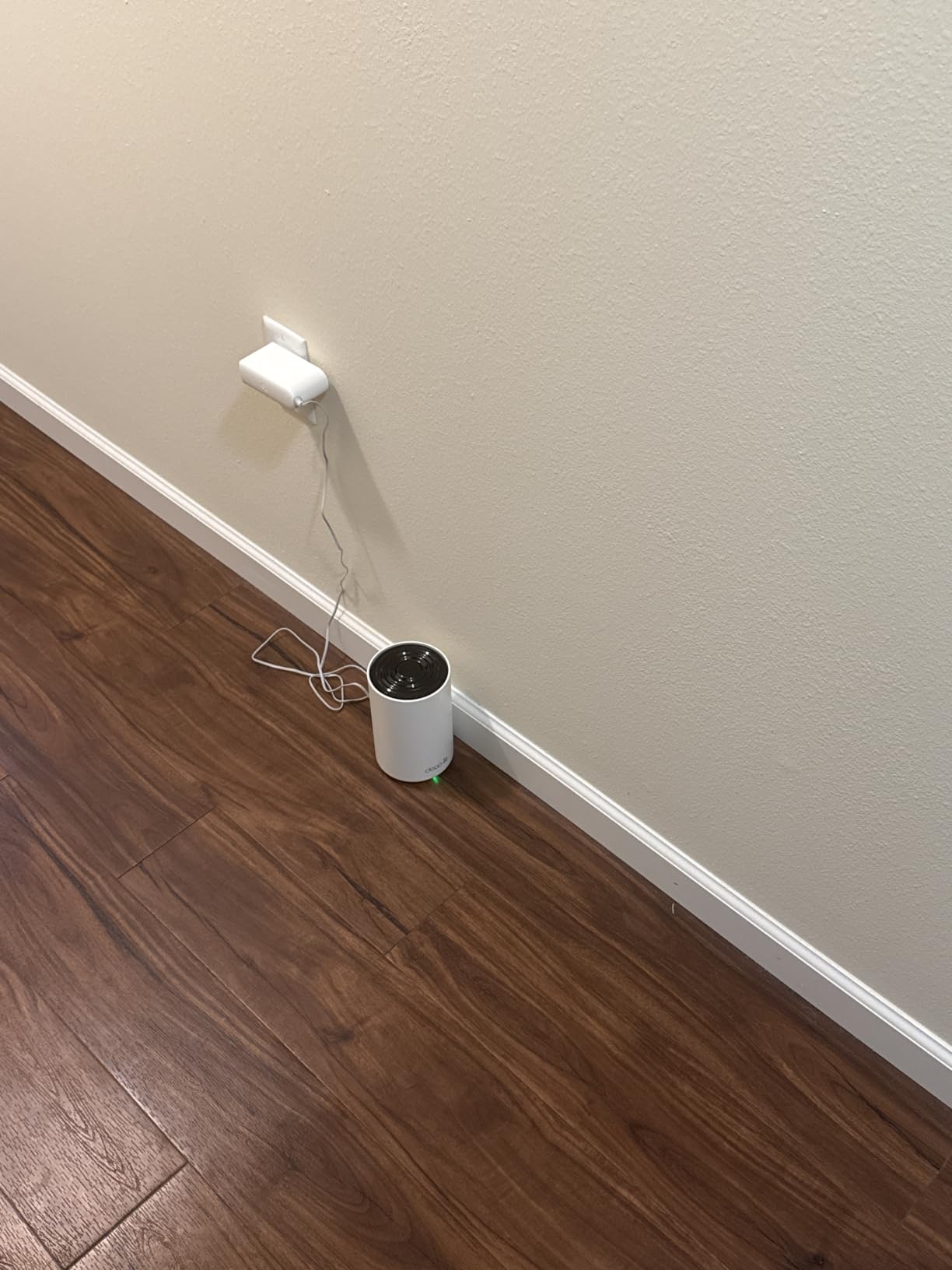
The important design decision is that the 6 GHz band defaults to wireless backhaul between the two nodes. That means the link carrying traffic from your bedroom to your office is not fighting with your neighbours for 5 GHz airtime, which is the usual failure mode of dual-band mesh.
You still get a usable 6 GHz client network. Band-wise throughput is the same true tri-band layout as the Archer AXE75: 2,402 Mbps on 6 GHz, 2,402 Mbps on 5 GHz, and 574 Mbps on 2.4 GHz.
Roaming between nodes is automatic and driven by AI that self-learns the layout. In practice you keep one network name and never think about which node a device is on.
When to buy two nodes instead of one
Buy the 2-pack when your unit has more than about 1,200 sq ft, more than two rooms you expect to use WiFi in, or walls between you and the far room that you know are not thin. The Deco app also supports remote management, guest networks, access point mode, and Alexa voice control.
For a studio, one node is genuinely enough and the second node would just be wasted.
Where it falls short
The ports on both nodes are 1 Gbps only, so there is no 2.5 Gbps wired backhaul on this pack. If you plan to run Ethernet between nodes or connect a fast NAS, this is not the box for it.
The free HomeShield tier includes network scan, basic parental controls, and QoS, which is enough for most apartments. Anything deeper is subscription-gated, and network customization is limited compared with enthusiast routers.
4. NETGEAR Nighthawk RAXE500 – Best for Fiber and Wired Devices
NETGEAR Nighthawk WiFi 6E Router (RAXE500) – Security Features, 12-Stream Gigabit Router AXE11000 Tri-Band Wireless Speed (Up to 10.8Gbps), New 6GHz Band, Coverage up to 3,500 sq. ft, 60 Devices
AXE11000 tri-band, 12 streams
Up to 10.8 Gbps wireless
Coverage up to 3500 sq ft
2.5 Gbps plus four 1 Gbps ports
Pros
- Very high throughput across all three bands
- 2.5 Gbps port plus four 1 Gbps ports
- Covers 3500 sq ft and 60 devices
- 1.8 GHz quad-core processor
- Armor suite with Bitdefender VPN
Cons
- Highest price tier in this group
- No built-in parental controls
- App and web interface rough edges
- Some stability complaints
The RAXE500 is the one to buy if your apartment has a 2 Gbps fiber connection and a NAS. It is a tri-band, 12-stream AXE11000 router rated for up to 10.8 Gbps aggregate wireless speed, driven by a 1.8 GHz quad-core processor.
The port array is the real apartment argument: one 2.5 Gbps port plus four 1 Gbps ports. That is enough for a wired NAS, a desktop, a TV, and a console without a switch.
Coverage is listed at up to 3,500 sq ft for 60 devices, which is more than a large flat needs. Owners report it holding strong speed across big floor plans without extenders.
Smart Connect, Dynamic QoS, MU-MIMO, OFDMA, 1024-QAM, and beamforming are all present, plus Alexa and Google Assistant voice control.
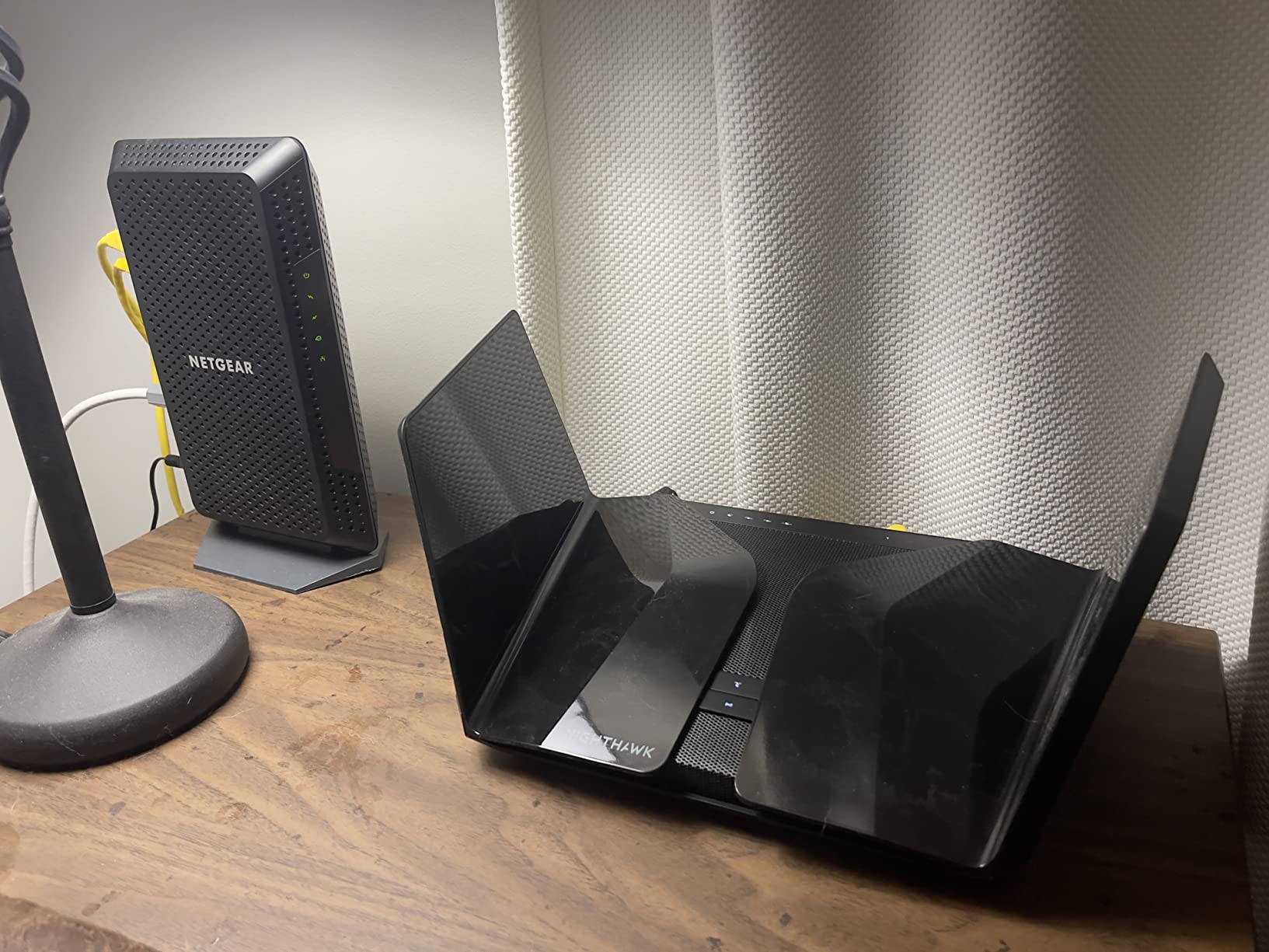
NETGEAR Armor, powered by Bitdefender, is included with a 30-day trial and Bitdefender VPN. That is the standard Nighthawk arrangement, so read the terms before you assume parental controls are covered.
Who this suits
Somebody on a multi-gig fiber plan who moves large files to a NAS over the wired network, and who already knows how to configure a router. Setup via the Nighthawk app is quick, with owners putting it at roughly ten minutes.
It also handles 80+ simultaneous devices including IoT gear and 4K streaming, so a smart-home-heavy flat will not choke it.
Where it falls short
It sits in the highest price tier in this group and there are no built-in parental controls on this model. That is a real gap in a home with kids.
Reviewers also flag the mobile app as flaky for basic per-device toggles, and criticism of the web interface and Smart Connect behaviour. One recurring item is that the 6 GHz band requires its own separate SSID. A small share of owners report needing a reboot to clear intermittent WiFi processing, and some older smart TVs need the WPA-2-only guest network to join at all.
5. NETGEAR Nighthawk RAXE300 – Best for Low-Latency Gaming
NETGEAR Nighthawk Tri-Band WiFi 6E Router (RAXE300) – Security Features, AXE7800 Wireless Gigabit Speed (Up to 7.8Gbps), New 6GHz Band, 8-Streams Cover up to 2,500 sq. ft., 40 Devices
AXE7800 tri-band, 8 streams
Up to 7.8 Gbps wireless
Coverage up to 2500 sq ft
2.5 Gbps plus four 1 Gbps ports
Pros
- 6 GHz band delivers the lowest ping
- 2.5 Gbps plus four 1 Gbps ports
- Useful as an access point over long Cat6 runs
- Compact internal antennas
- Familiar Nighthawk interface
Cons
- Region band lock cannot be changed
- App-first setup with little written guidance
- No fiber optic connector
- Premium price for the feature set
The RAXE300 is an AXE7800 tri-band, 8-stream router rated for up to 7.8 Gbps aggregate wireless speed, built on a 1.7 GHz quad-core processor. Coverage is listed at up to 2,500 sq ft and 40 devices, which fits a large one bedroom or a two bedroom comfortably.
For gaming the relevant detail is that the 6 GHz band is dedicated and separate, and owners specifically report it delivering the lowest ping on the unit. Latency matters more than raw throughput in a shooter.
Ports are one 2.5 Gbps plus four 1 Gbps. Several owners use the router in access point mode over a long Cat6 run, which is the right move if your ISP box lives in a closet or hallway and you cannot run Ethernet to the centre of the flat.
The internal gull wing antennas keep the footprint relatively compact at 13.64 by 8.16 by 6.47 inches.
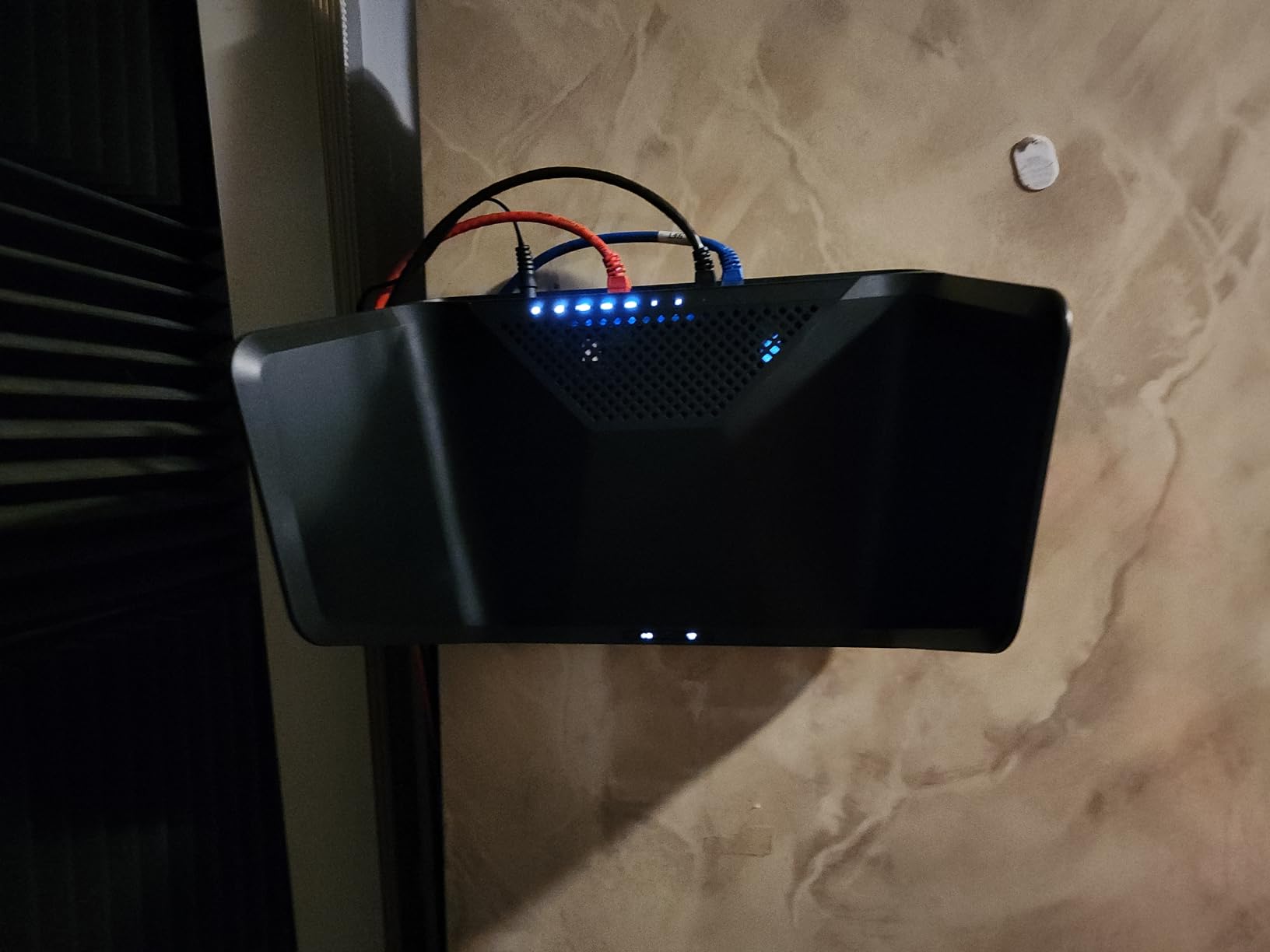
Security is WPA2-PSK and WPA3-PSK with NETGEAR Armor on a 30-day trial. Alexa and Google Assistant are supported.
Best use case in a flat
Put it in the room where you play, in access point mode if your building wiring allows it, and keep your console or PC on the 6 GHz SSID. Reviewers note a clear jump in speed over previous routers and over ISP-supplied mesh systems.
It is also a comfortable upgrade path for anyone who already owned a Nighthawk, because the web interface will feel familiar.
Where it falls short
The biggest complaint is the region lock. The hardware region cannot be changed, and some units ship restricted to non-US bands, which can disable the 6 GHz band entirely. Confirm your region before you commit.
Setup assumes app use and offers very little written guidance for non-technical people. There is also no fiber optic connector on the chassis, and reviewers describe the firmware and price as premium relative to the feature set.
6. MSI Radix AXE6600 – Best for RGB Gaming Setups
MSI Radix AXE6600 WiFi 6E Tri-Band Gaming Router, AI QoS, RGB, 1.8GHz Quad-Core Processor, MU-MIMO, Tri Band Gigabit Wireless, 8-Stream, High Speed Long Range Gaming Router
Tri-band 2.4/5/6 GHz, 8 streams
6.6 Gbps aggregate
AI QoS and game accelerator
1.8 GHz quad-core CPU
Pros
- High tri-band throughput for the tier
- AI QoS prioritizes gaming traffic
- Built-in game accelerator
- 1.8 GHz quad-core handles many devices
- Three-year warranty
Cons
- Only one network port is listed
- Large chassis for a small apartment
- RGB is niche outside MSI builds
The MSI Radix AXE6600 covers 2.4 GHz, 5 GHz, and 6 GHz with eight simultaneous streams for up to 6.6 Gbps, on a 1.8 GHz quad-core processor. That is more aggregate speed than most flats with gigabit plans can actually consume.
What separates it from a generic tri-band box is the software. AI QoS automatically prioritizes data packets, and there is a built-in game accelerator intended to hold the connection steady during play.
Mystic Light RGB syncs with compatible MSI desktop hardware, which is the reason most people buy it. If you already run an MSI build, the lighting matching is a genuine bonus rather than a gimmick.
MU-MIMO, WPA-PSK, WPA2-PSK, and WPA3-PSK are supported, along with access point mode.
The warranty is three years, longer than most of the routers here, which is worth noting if you intend to keep it for the life of a tenancy or a mortgage.
Who should buy this
Buy it if your PC is an MSI desktop and your main complaint is jitter during multiplayer sessions rather than dead zones. The AI QoS and game accelerator are aimed squarely at that problem.
It is also a reasonable choice for a studio where you want tri-band 6E and do not plan to attach many wired devices.
Where it falls short
Only one network port is listed in the specifications, which limits how many wired devices you can attach without a switch. That is the dealbreaker in a flat with a wired NAS or a game console running on Ethernet.
The chassis measures 16.3 by 12.5 by 5.4 inches, which is bulky for a small apartment and hard to hide. And if you do not already own MSI hardware, the RGB is decoration.
7. TP-Link Archer AXE300 – Best for 10G NAS Transfers
TP-Link AXE16000 Quad-Band WiFi 6E Router (Archer AXE300)
Quad-band AXE16000, 15.6 Gbps
Two 10 Gbps ports including SFPplus
2.5 Gbps WAN/LAN plus 4 x 1 Gbps LAN
8 retractable antennas
Pros
- Quad-band with two dedicated 5 GHz radios
- Two 10 Gbps ports are rare at this tier
- Compact square footprint
- VPN server and client built in
- Strong multi-device capacity
Cons
- 10 Gbps and 2.5 Gbps ports share configuration
- Firmware less refined than the spec sheet
- Premium pricing most apartments will not use
The Archer AXE300 is the only quad-band router in this group. It splits into 6 GHz at 4,804 Mbps, two separate 5 GHz radios at 4,804 Mbps each, and 2.4 GHz at 1,148 Mbps, for up to 15.6 Gbps aggregate.
Two full 5 GHz radios is the reason to care in an apartment building. You can put one 5 GHz radio on a clean low channel and keep the other separate, instead of sharing one crowded radio across every neighbour-visible device.
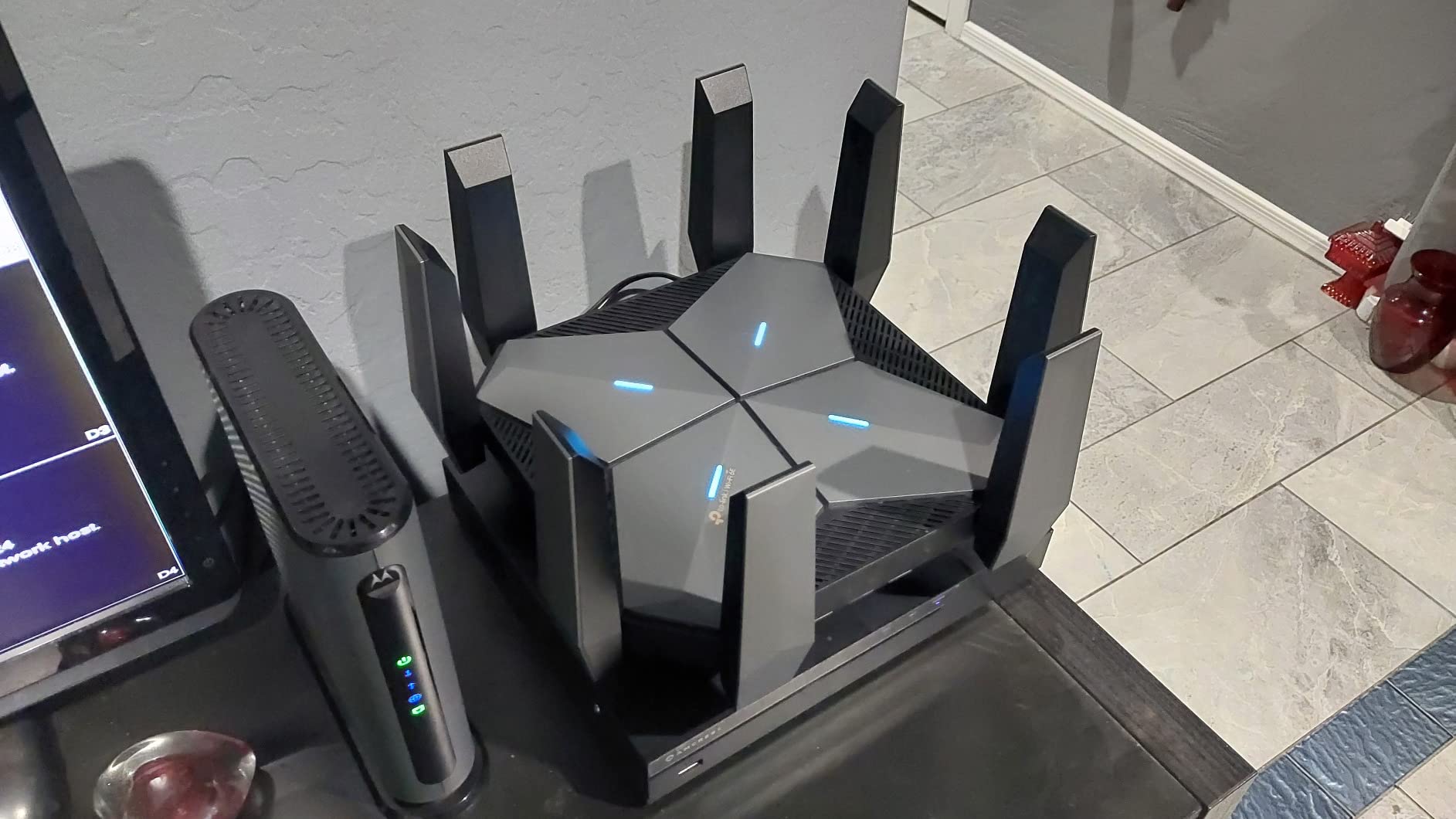
The ports are the headline: one 10 Gbps WAN/LAN port and one 10 Gbps SFPplus/RJ45 combo, plus a 2.5 Gbps WAN/LAN and four 1 Gbps LAN ports. If you move large files between a workstation and a NAS, these are the ports that make the difference.
There is also a quad-core CPU with eight retractable antennas, and VPN Server and Client support over OpenVPN, PPTP, and L2TP.
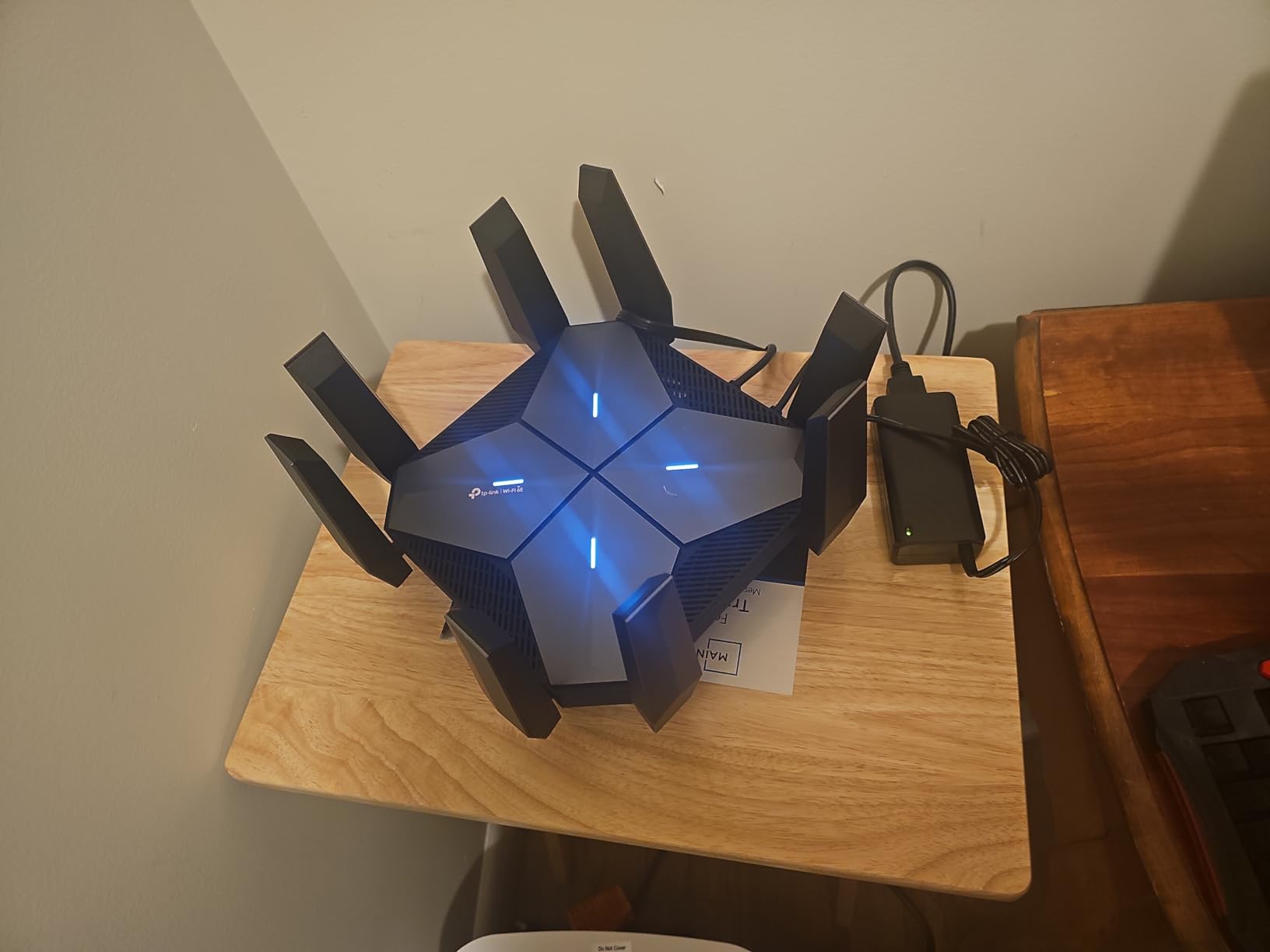
For a flat, though, be honest about whether you need it. A gigabit plan cannot saturate a 10 Gbps port, and the footprint is 9.13 by 9.13 by 2.66 inches, which is fine on a shelf.
Who should buy this
Buy it if you have 10G networking gear already, a NAS on 10G, or a fibre plan faster than 2 Gbps. The dual 10 Gbps ports are genuinely useful for that and almost nothing else.
It is also the router to consider if your neighbours are heavy 5 GHz users and you want maximum flexibility in how you split that band.
Where it falls short
This model carries the lowest average rating in our group at 4.1, with 11 percent one-star reviews. Reviewers point to quad-core performance and firmware being less refined than the spec sheet implies.
There is a real configuration constraint: the two 10 Gbps ports and the 2.5 Gbps port cannot all be configured as WAN at the same time. And the price is hard to justify in an apartment that will never see a 10 Gbps WAN.
8. Google Nest WiFi Pro – Best for Google Home Setups
Google Nest WiFi Pro – Wi-Fi 6E – Reliable Home Wi-Fi System with Fast Speed and Whole Home Coverage – WPS – Mesh Router – Non-Retail Packaging – Fog
Tri-band 2.4, 5, and 6 GHz
Up to 2200 sq ft per point
One Gigabit Ethernet port
Self-diagnosing network tools
Pros
- Discreet design that disappears on a shelf
- Simple Google Home app setup
- Large speed jump on fiber
- Single unified network name
- Guest network and per-device pause
Cons
- Cannot be mixed with older Google hardware
- Only one Ethernet port per node
- Few advanced networking controls
- Some owners restart regularly
Nest WiFi Pro broadcasts on 2.4 GHz, 5 GHz, and 6 GHz, and Google claims up to 2x faster than WiFi 6. A single point covers up to 2,200 sq ft, which is enough for most one and two bedroom flats.
The design is 5.16 by 4.65 by 3.35 inches and it looks like a small home object rather than a router. If your flat is a rental and visual clutter is a real concern, that counts.
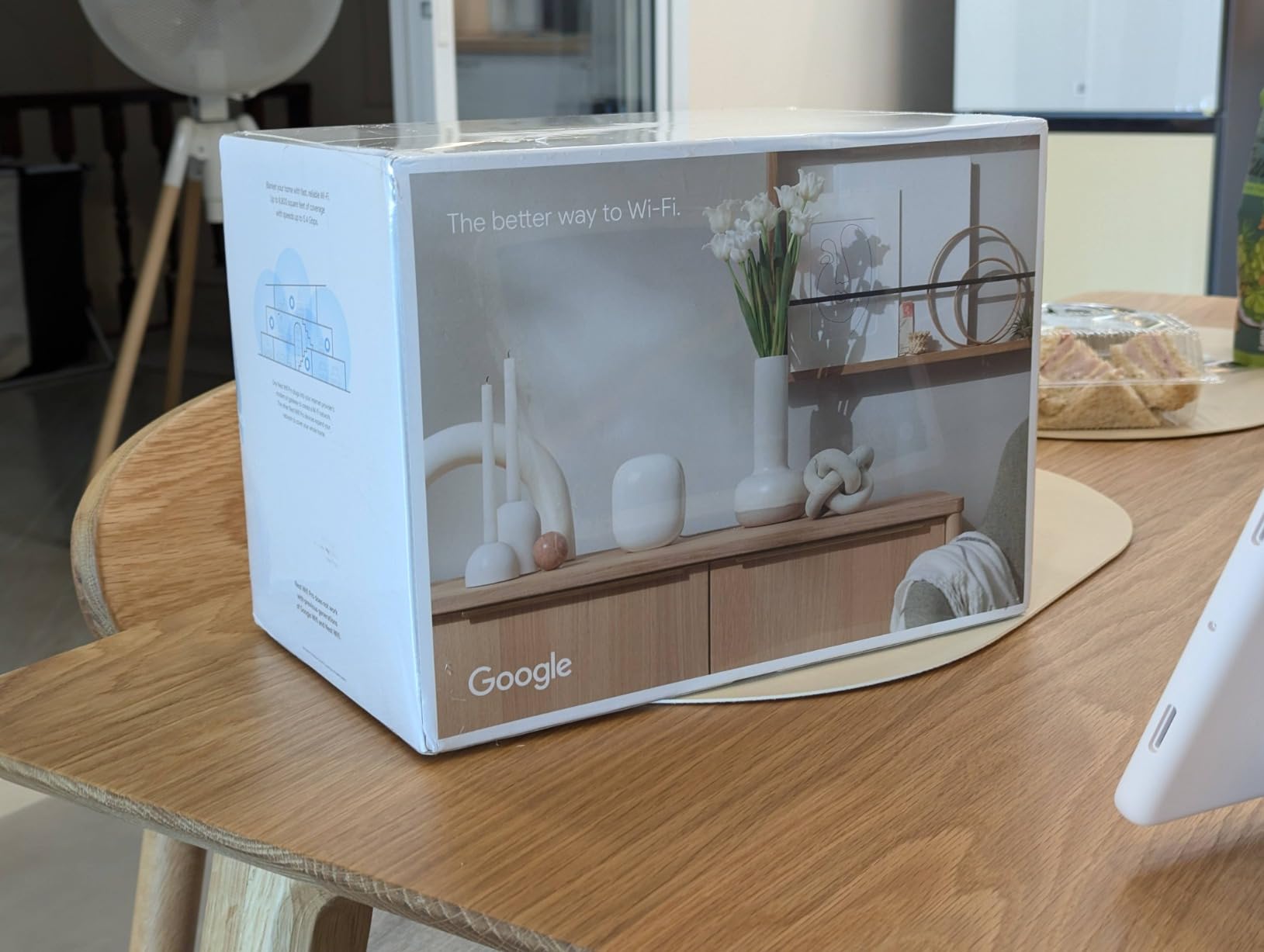
Self-monitoring and self-diagnosing network troubleshooting means it fixes small problems before you notice them, and automatic performance adjustment prioritizes video calls, which is the apartment use case nobody plans for and everybody has.
Secure boot and automatic software updates are built in, along with a connected-device list, guest network, and per-device pause controls.
Owners report a large throughput improvement on fibre connections compared with older Google mesh hardware, and a single unified network name simplifies roaming across points.
Who should buy this
Buy it if you are already running Google Home, or you want a router nobody in the household will touch by mistake. Setup and everyday management live entirely in the Google Home app, which is the least technical experience in this roundup.
It is expandable with additional Nest Wifi Pro points if you outgrow one room.
Where it falls short
There is one Gigabit Ethernet port per node, and only one. If you want to wire a desktop, a TV, and a console you need a switch or a different router.
It cannot be mixed with older Google Wifi or Nest Wifi hardware, so an upgrade means replacing everything. Some owners also report registration errors in the Google Home app or needing regular network restarts, and a few advanced networking controls are missing compared with enthusiast routers.
9. Minions AXE5400 WiFi 6E – Best for Wireless VR
Minions WiFi 6E Router, AXE5400 Tri-Band 2.4GHz, 5GHz & 6GHz, 2.5GbE WAN, Wireless PCVR and Gaming, Mesh System, WiFi Extender, WPA3, Gigabit LAN (Kevin)
AXE5400 tri-band, 5.4 Gbps combined
2.5GbE WAN plus Gigabit LAN
Up to 128 devices
Four operating modes
Pros
- Dedicated 6 GHz for wireless PCVR
- Low stable latency for Quest 3 streaming
- Four operating modes
- Plug-and-play setup
- 2.5GbE WAN for multi-gig plans
Cons
- Weak internal antenna
- Poor wireless mesh backhaul through walls
- Limited documentation
- Some ISP modem pairing issues
This is the narrowest pick in the roundup, and the most enthusiastic reviews in it. Owners overwhelmingly buy this router to run a single 6 GHz access point next to a VR headset, using wireless PCVR software such as Virtual Desktop.
In that role the tri-band AXE5400 layout with 5.4 Gbps combined theoretical throughput, and 2.5GbE WAN, more than covers the job. Reviewers report very low and stable latency on the 6 GHz band once it is set to bridge or access point mode.
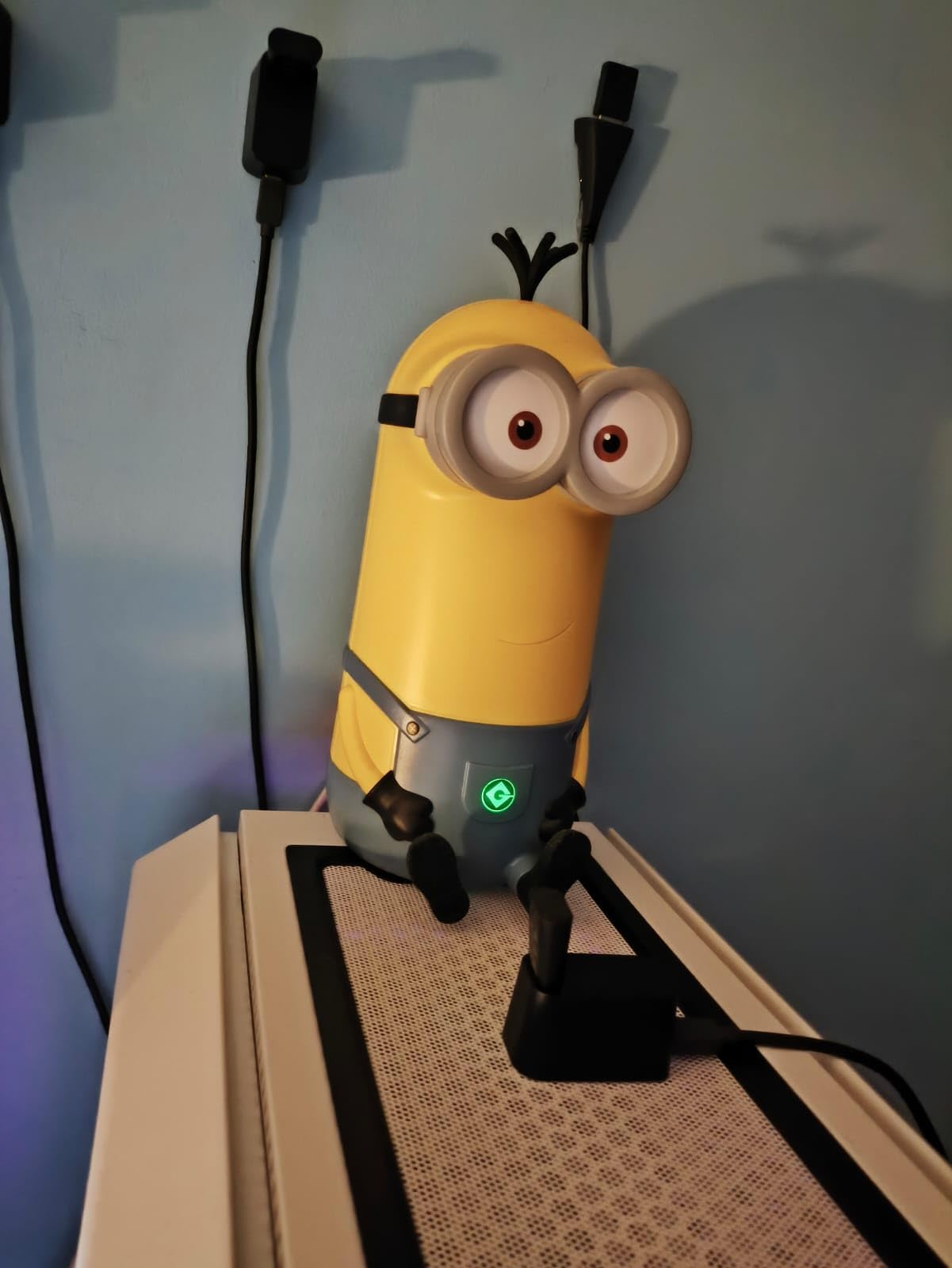
It runs four operating modes: router, access point, repeater, and mesh expansion with a compatible Davolink node. That flexibility is the point, because the ideal configuration for PCVR is not the ideal configuration for a family network.
OFDMA, MIMO, 1024-QAM, and 160MHz channel support are all present, with WPA3 encryption and capacity for up to 128 connected devices on 256 MB of RAM.

The housing is an officially licensed Minions Kevin design. Reviewers describe it as reading as a collectible rather than networking gear, which is not nothing in a studio.
Where this one belongs
Put it in the same room as the headset, in access point mode, and let your main router handle everything else. In that single-room role the internal antenna limitation stops mattering because there is nothing to transmit through.
It is also a cheap way to add a dedicated 6 GHz network to an existing setup without replacing what you own.
Where it falls short
The internal antenna is weak, which makes it a poor choice as a wireless mesh element through walls. That is the mirror image of its strength.
Documentation is limited for something that is primarily a networking device, some reviewers question the security posture, and a few report failures to register with certain ISP modem and router combinations. Windows 11 internet connection sharing also needs manual re-enabling in some sessions.
10. TP-Link Archer AXE7800 Renewed – Budget Pick
TP-Link – Archer AXE7800 Tri-Band Wi-Fi 6E Router – Black (Renewed)
AXE7800 tri-band up to 7.8 Gbps
2.5 Gbps WAN/LAN
3 x Gigabit LAN and 2 USB ports
Supports up to 200 devices
Pros
- AXE7800 6 GHz performance at a lower entry point
- 2.5 Gbps WAN/LAN for multi-gig plans
- Three Gigabit LAN plus two USB ports
- High 4.5 average rating from owners
- Simple TP-Link app management
Cons
- Renewed condition means prior wear
- 90-day limited warranty
- Less long-term reliability history
If you want AXE7800 class hardware and do not want flagship pricing, a renewed Archer AXE7800 is a legitimate option. The specification is the same tri-band layout rated for up to 7.8 Gbps, with a congestion-free 6 GHz band for compatible devices.
The port array is unusually good: one 2.5 Gbps WAN/LAN port, three 1 Gbps LAN ports, and two USB ports. Many brand new routers in this roundup give you fewer ports.
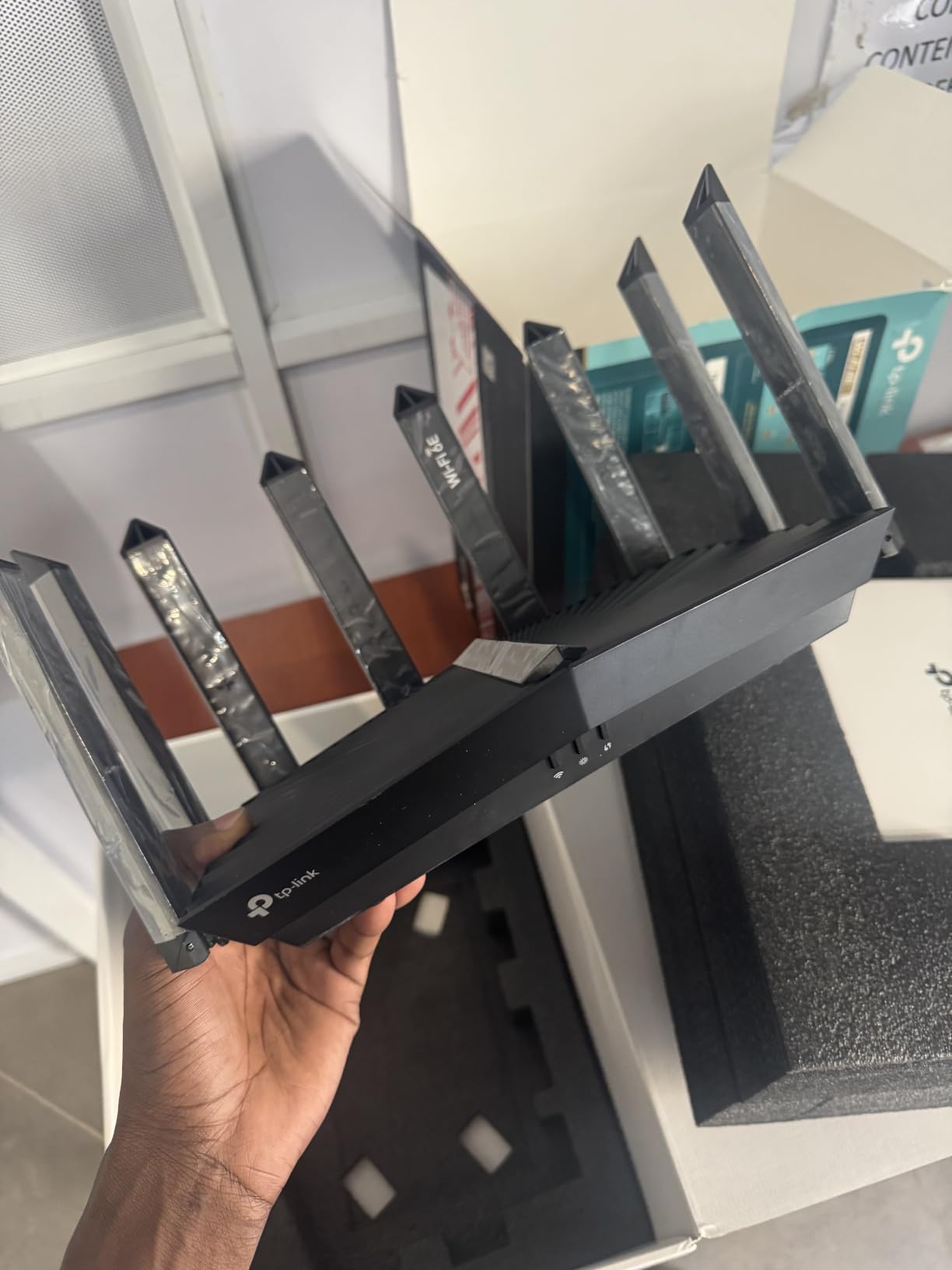
It supports up to 200 devices with tri-band backhaul and has eight fixed antennas, which is ample for a two bedroom flat with a smart home in it.
Owners consistently report that the unit performs like new once configured, and it carries a 4.5 average rating with 76 percent five-star reviews.
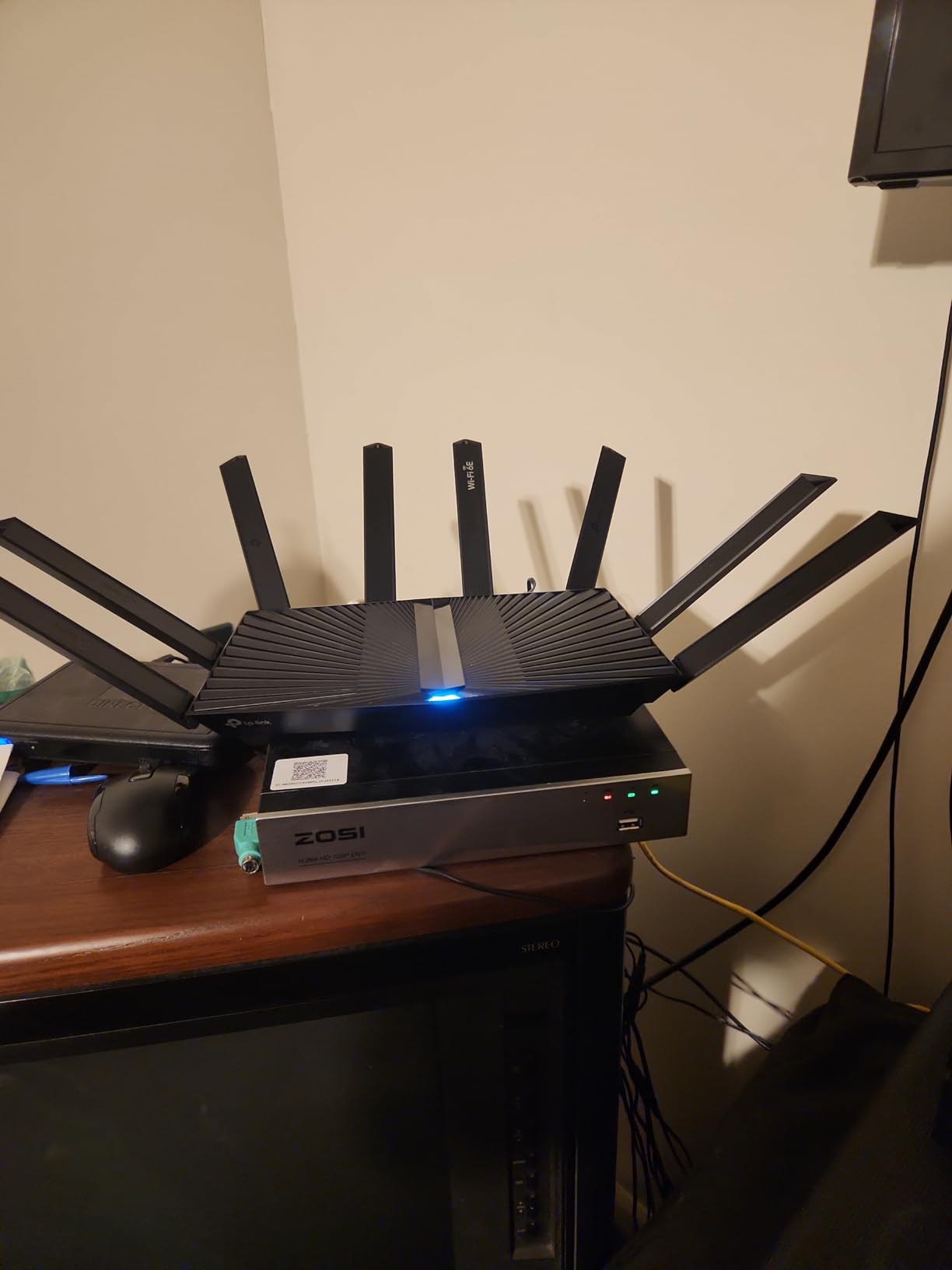
Management runs through the standard TP-Link app, so nothing unusual if you have configured a TP-Link router before.
When a renewed unit makes sense
It makes sense if you are renting, expect to move within a couple of years, or you simply want the port count and the 6 GHz band on a tighter budget. The performance per pound is hard to argue with.
It is also a reasonable second router for a guest room or a wired backhaul run.
When it does not
The warranty is 90 days limited rather than the multi-year cover you get on a new unit, and the hardware carries previous wear. If you want to set it and forget it for five years in a flat you own, the arithmetic is worse.
Renewed listings also have less long-term reliability history, so you are buying on a small sample of owners rather than thousands of reviews.
11. ASUS ZenWiFi ET9 2-Pack – Best for Subscription-Free Security
ASUS ZenWiFi Whole-Home Tri-band Mesh WiFi 6E System (ET9 2PK), Coverage up to 5,500 sq.ft, 7800Mbps, new 6GHz band, AiMesh, Lifetime Free Internet Security, Parental Control, EasySetup, Instant Guard
Tri-band WiFi 6E mesh up to 7800 Mbps
5500 sq ft across two nodes
6 GHz dedicated backhaul
Trend Micro security, no subscription
Pros
- Lifetime free internet security with no subscription
- Dedicated 6 GHz backhaul
- AiMesh allows mixing ASUS nodes
- Parental controls and Secure VPN included
- Three-year warranty
Cons
- Lowest average rating in this group
- Higher price than comparable 2-packs
- Interface less polished than rivals
- Some configurations need an RT-AX88U Pro
The ZenWiFi ET9 2-pack is the only mesh system here whose security suite costs nothing for the life of the product. Internet security is powered by Trend Micro with no subscription, and the advanced parental controls, kid-safe presets, content filter, and safe browsing are all included.
For a family in a flat with children, that removes the exact complaint we heard repeatedly about other brands charging after the purchase.
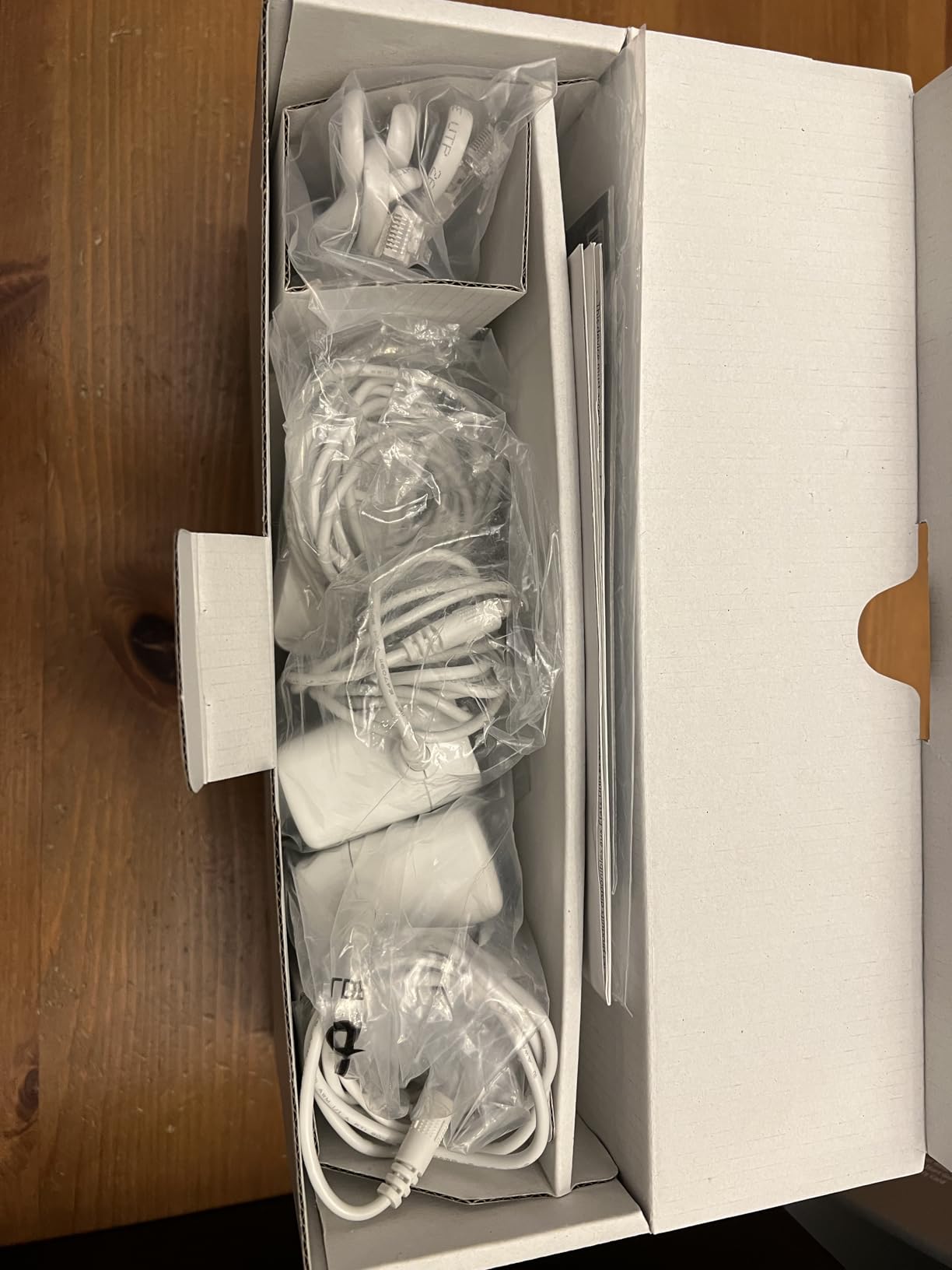
Technically it is a tri-band WiFi 6E mesh rated for up to 7,800 Mbps with a dedicated 6 GHz band used for backhaul between the two nodes, covering up to 5,500 sq ft across the pack.
One-click Secure VPN for public WiFi and Instant Guard for one-tap network scanning are both included. AiMesh lets you mix in other ASUS mesh hardware if you expand later.
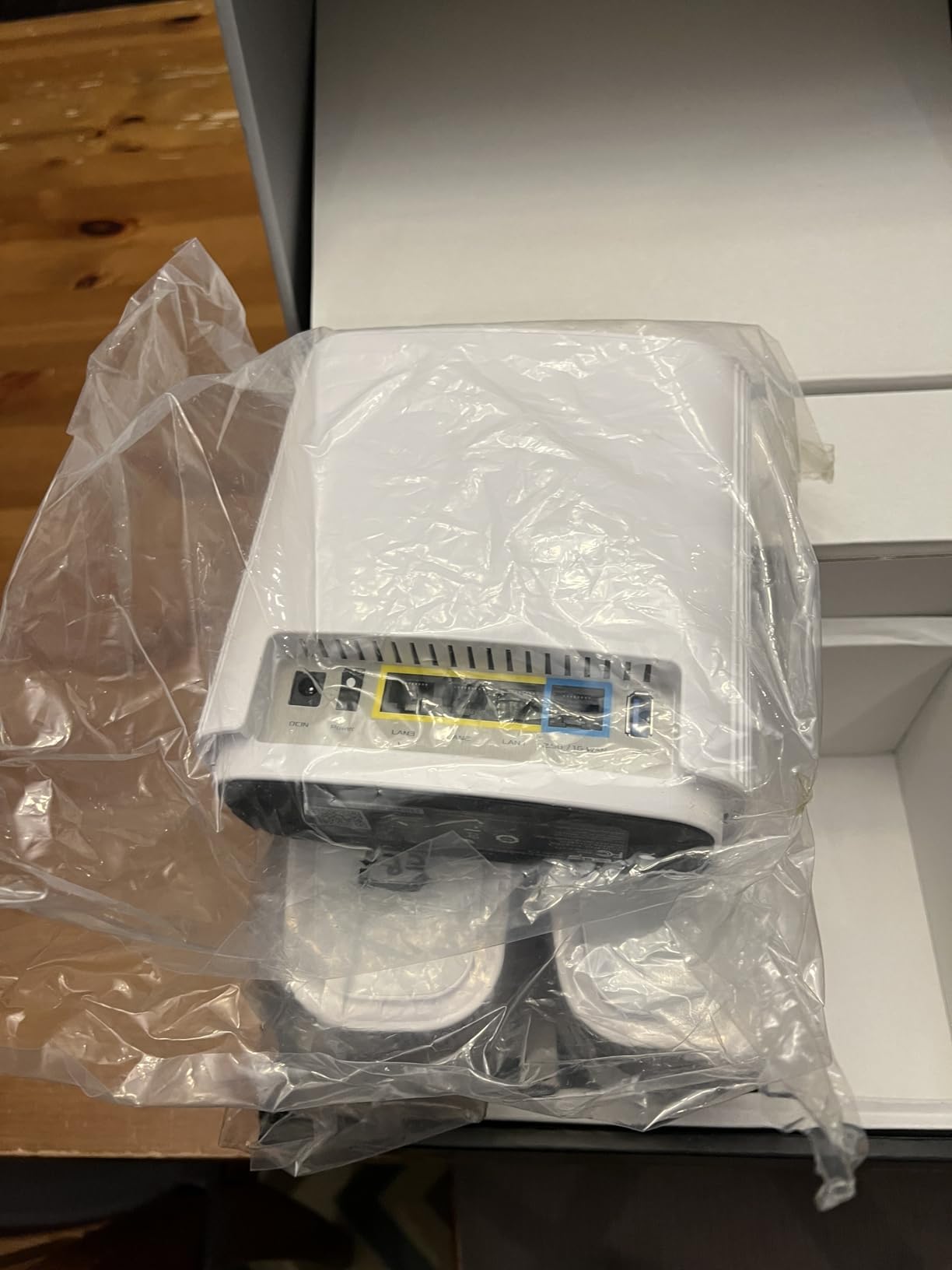
The warranty is three years, and there are four ports total across the two nodes, which is thin for a mesh pack if you have several wired devices.
Who this is for
Pick this if free parental controls and free core security are non-negotiable in your household, or if you want to avoid another subscription conversation later. Buyers who switch to ASUS consistently cite the no-cost suite as the reason.
AiMesh flexibility is the other draw, since you are not locked into a single ecosystem if you add hardware later.
Where it falls short
This carries the lowest average rating in the group at 4.0, with 9 percent one-star reviews. Ratings trail comparable TP-Link and eero systems because of interface polish, setup friction, and the price.
There is also a configuration caveat worth checking first: on some configurations the full 6 GHz backhaul feature set requires an ASUS RT-AX88U Pro. Verify that before you rely on the dedicated backhaul.
Apartment WiFi Buying Guide: Size, Walls, and Client Devices
Single Router or Mesh: A Decision Rule by Apartment Size
For a studio or a one bedroom under about 800 sq ft with ordinary interior walls, one router is enough. Do not spend on mesh you will not use.
For a one bedroom over roughly 1,000 sq ft, or any layout where the furthest room is more than one wall away from where the router can sit, a two-node mesh removes the dead spot that a single unit will always leave behind.
For two bedrooms, a converted flat, or anything over about 1,500 sq ft, buy the mesh. Two nodes is the sweet spot in a flat, and a third rarely helps because the walls are the limiting factor rather than the node count.
One more rule that overrides all of the above: if your building has wired Ethernet, use it. Users on r/HomeNetworking are consistent about this. Ethernet to your desk, an access point mode router, and a good phone signal in the dead room will beat any wireless upgrade at any price.
Why 6 GHz Behaves Differently Through Apartment Walls
6 GHz signals have shorter range and weaker wall penetration than 5 GHz. That is a genuine limitation, not a marketing footnote, and it is why the best 6 GHz use in an apartment is often at close range or for backhaul.
Where 6 GHz wins is congestion. Almost no neighbouring router uses it, so the band is effectively private to your own WiFi 6E devices. In a building full of 5 GHz traffic, moving capable devices onto 6 GHz is what turns an evening speed drop into a stable connection.
Wall material matters too. Drywall attenuates relatively little. Concrete, brick, and reinforced cores in mid-rise buildings will kill a 6 GHz signal at distances that 5 GHz would survive. If you live above the fourth floor in a concrete tower, expect the far rooms to need 5 GHz and accept a second node or an extender for the 6 GHz coverage.
Practical advice: keep the router in a central, elevated spot rather than a hallway closet, and keep the 6 GHz SSID for the devices close to it. Shelf and outlet space is as contested as floor space in a small flat, which is the same constraint we hit when curating our portable induction cooktops for apartments and our futons for studio apartments picks, so plan where the hardware will actually sit before you buy.
WiFi 6E vs WiFi 6 vs WiFi 7 in 2026
WiFi 6E is WiFi 6 with the 6 GHz band added. If you already own a WiFi 6 router, the upgrade matters only if you own WiFi 6E client devices.
WiFi 7 adds 320 MHz channels, 4K-QAM, and Multi-Link Operation. It is faster on paper and worth considering if you are buying today and intend to keep the router for several years, since our WiFi 7 gaming picks are a reasonable next step up.
Our honest read for apartments in 2026: WiFi 6E is the better value because the client hardware that exists today actually uses the 6 GHz band. WiFi 7 client devices are still a narrower group. If your current phone or laptop is WiFi 6E capable, buy WiFi 6E today and reconsider WiFi 7 when your devices upgrade.
If none of your devices support 6 GHz, spend the money on better WiFi 6 hardware, a mesh node for the far room, or Ethernet. We would rather tell you to skip the upgrade than sell you a band your devices cannot see.
Which Client Devices Actually Use the 6 GHz Band
Do you need WiFi 6E devices to use a WiFi 6E router? No. The router is fully backwards compatible, and older devices simply use 2.4 GHz and 5 GHz as before.
But you do need them to benefit. This is the most common source of disappointment in forum threads, where one user put it plainly: 6E has historically been mostly useful for access point to access point communication because so few clients support it.
Devices that do support 6 GHz include iPhone 15 Pro and later models, Galaxy S22 and later flagships, recent M-series MacBooks, and Quest 3 headsets used for wireless PCVR. Check your specific model before buying.
One real apartment scenario is worth naming: a mixed household with one new phone and several older laptops, televisions, and smart home devices. In that case the 6 GHz band serves the phone and the VR headset, while everything else stays on 5 GHz, and the router’s job is to keep those two from interfering with each other.
Ports, Cables, and the ISP Router Question
Users on r/HomeNetworking repeatedly identify wired connections as the underrated buying criterion. Count your wired devices first: game console, smart TV, desktop, NAS, game consoles.
Most flats do not need a 10 Gbps port. A 2.5 Gbps WAN port is the useful upgrade because it supports gigabit-plus plans with headroom. Several routers here give you one, and two of them give you three or four 1 Gbps LAN ports as well.
If your ISP router is in a locked closet or mounted in a hallway, you may not have a choice about placement. In that case, an access point mode router connected by a long Ethernet run, placed in the middle of the flat, is the correct answer rather than fighting to relocate the provider’s box.
Finally, check the warranty length. Units range from a 1 year cover to 3 years and one 90-day renewed warranty. In a rental, warranty length matters less. If you own, it is one more reason to prefer a new unit.
Frequently Asked Questions
Which WiFi 6E router is best for an apartment?
For most flats, the eero Pro 6E is the best overall choice because a single compact node covers up to 2,000 sq ft, the 2.5 Gb Ethernet port supports gigabit-plus plans, and setup is handled entirely in an app. If your apartment is larger than about 1,200 sq ft or has more than two rooms in use, a two-node mesh such as the TP-Link Deco XE75 2-pack removes dead spots without wiring.
Is WiFi 6E worth it over WiFi 6?
Yes, but only if you own WiFi 6E client devices such as an iPhone 15 Pro or later, a recent Galaxy flagship, an M-series MacBook, or a Quest 3 headset. Older devices connect normally but ignore the 6 GHz band. In apartment buildings the gain is real because 6 GHz is uncontended, while 5 GHz is shared with neighbours.
Does 6 GHz WiFi go through walls?
Not as well as 5 GHz. The 6 GHz band has shorter range and weaker wall penetration, so drywall attenuates it far less than concrete or brick. In a mid-rise building with concrete cores, expect the far rooms to fall back to 5 GHz and consider a second mesh node or an access point connected by Ethernet.
Is a mesh system necessary for an apartment?
For a studio or a one bedroom under roughly 800 sq ft, a single router is enough. Above about 1,200 sq ft, or when the furthest room sits more than one wall away from the router, two mesh nodes remove the dead spot a single unit always leaves. If your building has wired Ethernet, running a cable and using access point mode beats any wireless upgrade.
Is WiFi 6E worth buying or should I wait for WiFi 7?
For apartments in 2026, WiFi 6E remains the better value because WiFi 6E client hardware is already common, while WiFi 7 client devices are still a narrower group. Buy WiFi 6E now if your current phone or laptop supports the 6 GHz band, and reconsider WiFi 7 when your own devices upgrade.
The Best WiFi 6E Router for Your Apartment in 2026
The eero Pro 6E is our pick as the best WiFi 6E router for apartments. One node, a 2.5 Gb Ethernet port, app-only setup, and coverage that comfortably handles a studio or one bedroom.
For value, the TP-Link Archer AXE75 gives you a true tri-band AXE5400 layout with a 2.5 Gbps WAN port for less than most of the alternatives here. For larger flats, the TP-Link Deco XE75 2-pack puts a second node where you need it and uses the 6 GHz band for backhaul.
Two situations call for something different. On multi-gig fibre with a NAS, the NETGEAR Nighthawk RAXE500 has the ports. For wireless VR next to a headset, the Minions AXE5400 in access point mode is the specialist choice.
And if your building has Ethernet, wire it. Our other router picks for gaming, including our WiFi 7 gaming guide and our WiFi 6 gaming picks, make more sense once the far room has a cable.
Regardless of size, check that at least one device you own every day supports the 6 GHz band before you spend. That is the single question that decides whether this upgrade is worth it for you.