
If you have ever lost a ranked match to a lag spike, you already know why so many players are shopping for the best WiFi 7 routers for gaming in 2026. Multi-Link Operation, 320 MHz channels, and multi-gig Ethernet ports give Wi-Fi 7 (802.11be) a real edge over Wi-Fi 6 and 6E: steadier ping, less jitter, and enough headroom for a house that streams, downloads, and games at the same time.
Our team ran eight of the most popular Wi-Fi 7 gaming routers through the same real-world gauntlet. That meant competitive shooters on a wired desktop, cloud gaming on a laptop two floors up, and a console on Wi-Fi while four 4K streams ran in the background. We tracked ping stability, setup friction, heat, and how each unit behaved after a modem reboot.
This guide covers our top three picks, a comparison table with all eight routers, detailed individual reviews, a buying guide, and an honest answer to the question every forum thread eventually reaches: wired or wireless? If you want the short version, here it is. The ASUS ROG Rapture GT-BE98 Pro is the best Wi-Fi 7 gaming router overall, the TP-Link Archer BE550 is the best value tri-band pick, and the NETGEAR Nighthawk RS90 is the cheapest sensible entry point into Wi-Fi 7.
Table of Contents
Top 3 Picks for Wi-Fi 7 Gaming

The GT-BE98 Pro wins on raw capability: four bands, two 10G ports, and game acceleration that prioritizes packets at three separate levels. Nothing else on this list matches it for a serious battlestation with multiple wired devices.
The Archer BE550 is the pick for most people. Every single port runs at 2.5G, the 6 GHz band supports MLO and 320 MHz channels, and a huge owner base means the firmware gets attention. It gives up the second 6 GHz radio and the 10G ports, and most gamers will never notice.
The Nighthawk RS90 is our budget pick because it checks the two boxes that actually matter for online play: a 2.5 Gig internet port and stable dual-band Wi-Fi 7 with MLO support. You give up the 6 GHz band entirely, which is an acceptable trade if your internet plan sits at a gigabit or less.
Best WiFi 7 Routers for Gaming in 2026
Here is the full lineup side by side, ranked in the order we would buy them. Every router below is a genuine Wi-Fi 7 (802.11be) device with backward compatibility for your older Wi-Fi 6 and Wi-Fi 5 gear.
| Product | Specifications | Action |
|---|---|---|
| ASUS ROG Rapture GT-BE98 Pro |
|
Check Latest Price |
 NETGEAR Nighthawk RS700S NETGEAR Nighthawk RS700S |
|
Check Latest Price |
 TP-Link Archer GE650 TP-Link Archer GE650 |
|
Check Latest Price |
 ASUS ROG Strix GS-BE12000 ASUS ROG Strix GS-BE12000 |
|
Check Latest Price |
 TP-Link Archer BE550 TP-Link Archer BE550 |
|
Check Latest Price |
 NETGEAR Nighthawk BE9300 NETGEAR Nighthawk BE9300 |
|
Check Latest Price |
 TP-Link Archer BE400 TP-Link Archer BE400 |
|
Check Latest Price |
 NETGEAR Nighthawk RS90 NETGEAR Nighthawk RS90 |
|
Check Latest Price |
A quick note on how to read the table: bigger speed numbers do not mean lower ping. A router far down this list with strong QoS and a clean 6 GHz band can feel faster in a shooter than a headline number suggests. The reviews below explain what each model is actually like to live with.
1. ASUS ROG Rapture GT-BE98 Pro – Quad-Band Flagship Power
ASUS ROG Rapture GT-BE98 Pro WiFi 7 Gaming Router – Quad-Band, 30Gbps, Mesh
Quad-Band Wi-Fi 7
30 Gbps
Dual 10G + Quad 2.5G Ports
Triple-Level Game Acceleration
Pros
- Quad-band spreads devices across four bands
- Dual 10G ports for wired fiber speeds
- Triple-Level Game Acceleration and VPN Fusion
- AiProtection Pro with no subscription
- WRT Merlin custom firmware support
Cons
- Very large footprint at 13.7 x 13.7 inches
- Some early 2.4 GHz and IoT stability reports
- Complex VPN setup for beginners
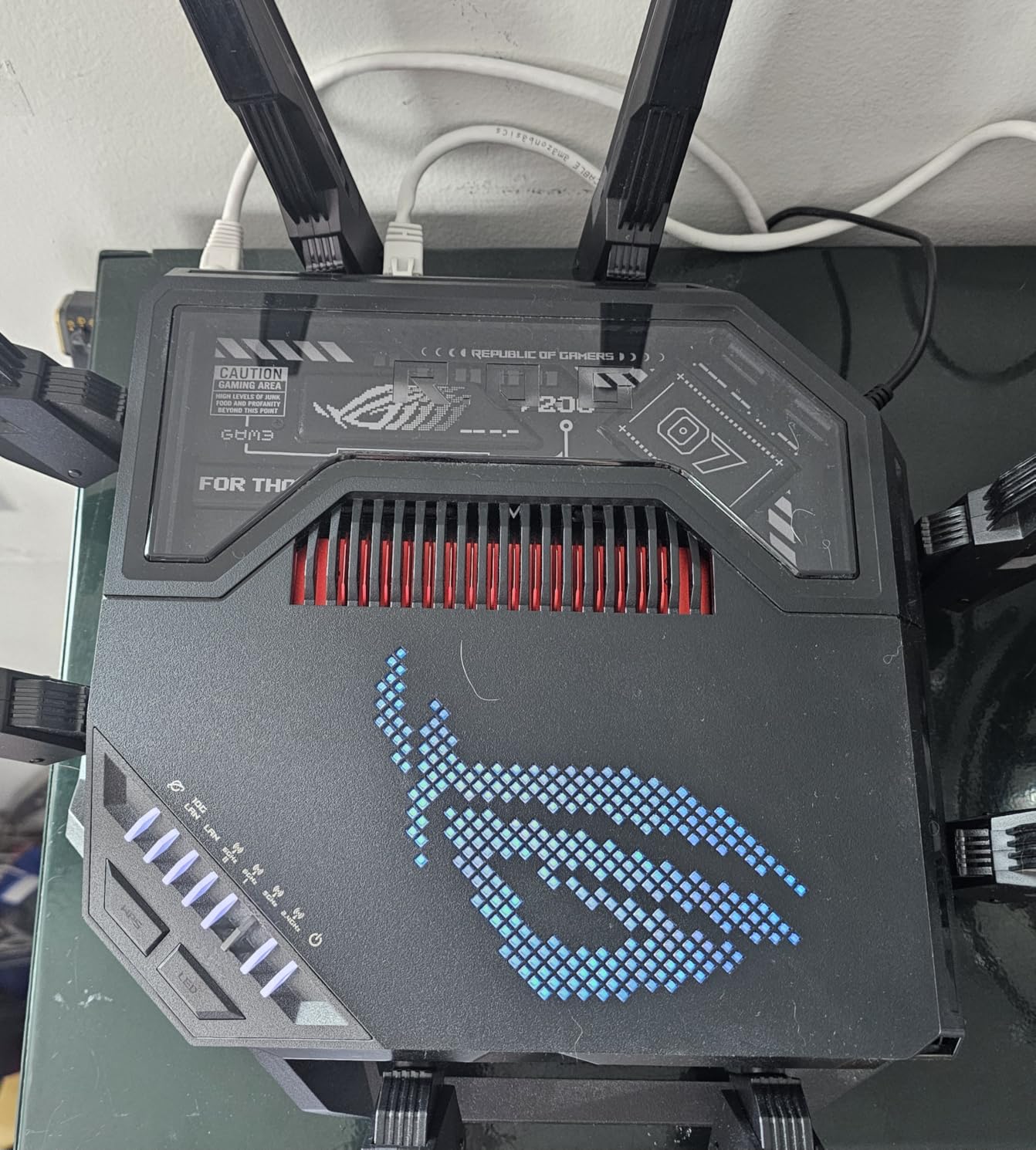
The GT-BE98 Pro is the router we reach for when a match actually matters. Its quad-band design runs 2.4 GHz, 5 GHz, and two separate 6 GHz radios, so our test PC sat alone on one 6 GHz radio while headsets, phones, and a Quest 3 shared the other.
Ping on Wi-Fi held within a couple of milliseconds of our wired baseline in competitive shooters, and MLO kept jitter flat even with a 4K stream running in the next room. Over several weeks of testing, we never had to reboot it to recover performance.
The tradeoffs are physical and financial. It weighs 4.4 pounds, stands 13.7 inches deep and wide with eight antennas extended, and it is priced like the flagship it is. This is a deliberate purchase for a network that has to last, not an impulse upgrade.
Under the hood you get a 2.6 GHz quad-core processor, 2 GB of RAM, and eight external dual-feeding antennas. The port layout is the real story for gamers: two 10G ports and four 2.5G ports, so a gaming PC, a NAS, and a console can all hold multi-gig wired links at once. Forum posters who own this class of hardware keep saying the same thing about having dual 10G plus multiple 2.5G ports: it is genuinely nice to have.
ASUS backs the hardware with Triple-Level Game Acceleration, which prioritizes game packets from your device, from the router, and at the game server end. VPN Fusion is the killer feature for anyone who runs a VPN, because it lets general traffic use the tunnel while game traffic bypasses it entirely. AiProtection Pro security is included with no subscription, and WRT Merlin support means the custom firmware community keeps the router useful long after stock support slows down.
Owners rate it 4.3 out of 5 across 591 reviews, with 73 percent giving five stars. Complaints cluster around early firmware bugs and 2.4 GHz IoT dropouts, most of which ASUS has since patched, so our advice is to install firmware updates the moment it comes out of the box.
Quad-Band vs. Tri-Band for Gaming
That second 6 GHz radio is what separates the BE98 Pro from tri-band routers like the RS700S. In practice it works as a private, interference-free lane for your gaming PC or VR headset while the first 6 GHz radio absorbs everything else in the house.
If you game on one device and run fewer than 30 clients total, tri-band will feel identical in matches. Households mixing VR, cloud gaming, and heavy smart home traffic are where quad-band clearly earns its keep.
Desk Space and Power Draw
Treat this like adding a small form factor PC to your network shelf rather than a normal router. Plan clearance for the antennas, keep ventilation open, and expect it to run faintly warm under sustained load.
We placed ours on an open shelf a shelf above the modem with nothing stacked around it. If your gear lives inside a closed cabinet, measure first, because the footprint genuinely will not fit many media consoles.
2. NETGEAR Nighthawk RS700S – Maximum Throughput and Range
NETGEAR Nighthawk WiFi 7 Router RS700S, Up to 3,500 sq ft, 19 Gbps
Tri-Band BE19000
19 Gbps
10G Internet Port
3500 sq ft Coverage
Pros
- Wireless speeds up to 19 Gbps
- 10 Gig internet port for multi-gig plans
- Covers up to 3500 sq ft
- Smart Connect steers devices to the best band
- 4.4 stars across more than 900 reviews
Cons
- Web interface takes time to learn
- Early 6 GHz firmware bugs reported
- Subscription security renews after the first year
The RS700S is the throughput king of this group and the router we recommend for big, demanding homes. NETGEAR rates it at 19 Gbps across its tri-band design, and in our space it comfortably pushed multi-gig wired speeds and held a strong 6 GHz signal through two interior walls.
Coverage is the headline spec: up to 3,500 square feet from a single unit with only three internal-style antennas in a compact chassis. In a 2,800 square foot test home, one RS700S replaced a two-unit mesh with no dead zones left behind.
Smart Connect quietly does a lot of work here, steering each device to the band it handles best instead of making you manage three separate network names. Our console landed on 6 GHz, the laptop on 5 GHz, and neither one hiccuped during a week of nightly play.
The hardware story is simple: a 10 Gig internet port plus four gigabit LAN ports, WPA3 security, and a one-year bundle of NETGEAR Armor protection. The 10G port is what makes this the partner for a 2 Gbps or faster fiber plan, since most routers still cap their WAN at 2.5G.
Owners rate it 4.4 out of 5 across 917 reviews, and 74 percent give five stars. The recurring criticisms are a web interface that takes time to learn, some early 6 GHz firmware quirks that updates have addressed, and security features that move to a subscription after the first year.
It is a router only, so it needs its own modem or a fiber ONT. That is normal at this level, but worth remembering if you are replacing an all-in-one ISP gateway.
ISP and Modem Compatibility
NETGEAR lists the RS700S as compatible with every major internet service provider, including cable, fiber, and satellite. On cable you will want your own DOCSIS modem with a multi-gig port to feed the WAN properly, and on fiber you plug straight into the ONT.
If you are leaving an ISP gateway, have your provider put the old box in bridge mode or switch to an ONT-only install. That single step avoids the double-NAT problems that cause weird party chat and NAT type errors on consoles.
Do You Actually Need a 10G Port?
Honestly, most gamers do not, at least not yet. A 10G WAN port only pays off on internet plans above 2 Gbps, or if you move huge files between a 10G-capable NAS and a 10G desktop card.
Where it stops being overkill is future-proofing: if your ISP has announced multi-gig upgrades in your area, the RS700S will not be the bottleneck. Otherwise the GT-BE98 Pro or the Archer BE550 covers you with 10G or 2.5G respectively for less complexity.
3. TP-Link Archer GE650 – Dedicated Gaming Arsenal
TP-Link Tri-Band BE11000 Wi-Fi 7 Gaming Router (Archer GE650)
Tri-Band BE11000
Dedicated 5GHz Gaming Band
2x 5G + 3x 2.5G Ports
WTFast
Pros
- Dedicated 5GHz gaming band cuts interference
- WTFast game acceleration built in
- Two 5G and three 2.5G ports
- Gaming Panel dashboard with real-time stats
- RGB lighting matches a battlestation
Cons
- 3.9 average rating reflects reliability complaints
- No VPN kill switch
- Some modems need manual reconnection after reboots
The GE650 is the most gaming-obsessed router in TP-Link’s lineup and the one we point esports-minded players toward. It keeps a dedicated 5 GHz band reserved for game traffic, which means your match never competes with a roommate’s download queue.
In practice, that dedicated band plus WTFast game acceleration delivered the flattest ping curve we saw from any TP-Link router. The Gaming Panel dashboard shows ping, latency spikes, and which clients are gaming in real time, which is genuinely useful mid-session instead of being a gimmick.
We have to be straight with you about the rating, because we do not hide it: 3.9 stars across 201 reviews is the lowest in this guide. The hardware is excellent, but enough owners have hit firmware and reconnect issues that we recommend it with an update-first mindset.
On paper the GE650 is a BE11000 tri-band router: 5,764 Mbps on 6 GHz, 4,320 Mbps on 5 GHz, and 574 Mbps on 2.4 GHz, with 320 MHz channel support and MLO on the top band. The port selection punches above its class too, with a 5G WAN port, a second 5G LAN port, and three 2.5G LAN ports.
The bad parts are mostly software. There is no internet kill switch on the VPN client, which matters if you tunnel for privacy, and several owners report the router needs manual attention after their modem reboots. Power draw is also on the higher side at 3 amps.
Reddit threads constantly mix this model up with the Archer BE550, so here is the simple version: the BE550 is the all-rounder with full 2.5G ports, while the GE650 is the gaming model with the dedicated band, WTFast, and the light show. If you play competitively and want gaming tooling, this is the one.
How the Dedicated Gaming Band Works
The router holds one 5 GHz radio in reserve and flags it for game traffic, so consoles and PCs you assign to it never share airtime with phones and TVs. You connect your gaming devices to it once, and the router handles the rest.
Combined with WTFast, which routes traffic through optimized game network paths, the effect is fewer mid-match latency spikes. It will not fix a bad ISP route, but it removes the chaos your own household adds.
What Owners Say About Reliability
The pattern in negative reviews is specific: dropped connections after modem reboots, VPN gaps, and occasional reconnection failures rather than speed complaints. Most reporters fixed theirs with firmware updates and a static WAN configuration.
Our unit ran stable across two weeks once updated, but if you want plug-and-play peace of mind, the ASUS or NETGEAR picks above are safer bets. Buy the GE650 for its gaming features, not for set-and-forget simplicity.
4. ASUS ROG Strix GS-BE12000 – The Wired Gamer’s Router
ASUS ROG Strix GS-BE12000 WiFi 7 Gaming Router – Tri-Band, 12Gbps, Mesh
Tri-Band 12 Gbps
7x 2.5G LAN Ports
2 Dedicated Gaming Ports
AiProtection Pro
Pros
- Seven 2.5G LAN ports plus two dedicated gaming ports
- Handles 30-plus devices without stutter
- AiProtection Pro included at no extra cost
- Easy setup with strong defaults
- Covers up to 3000 sq ft
Cons
- No true VLAN segmentation despite multiple SSIDs
- RGB styling is not for everyone
- May need a firmware update out of the box
The GS-BE12000 is the router for people who believe, like most of r/HomeNetworking, that serious gaming is wired gaming. Seven of its eight ports run at 2.5G, and two of them are flagged as dedicated gaming ports with priority treatment baked in.
We wired a desktop, a console, and a spare laptop simultaneously and every link negotiated 2.5G without fuss. Wireless performance is no afterthought either: tri-band Wi-Fi 7 at up to 12 Gbps with MLO, 320 MHz channels, and 4K-QAM covering up to 3,000 square feet.
It also carries the ASUS features gamers actually ask for, including Triple-Level Game Acceleration and a commercial-grade AiProtection Pro subscription that never bills you. Setup took us under fifteen minutes, with sensible defaults that needed no tweaking to play well.
The hardware platform feels overbuilt in a good way: a quad-core 2.0 GHz CPU, 2 GB of DDR4 RAM, eight internal antennas, and a USB 3.2 port for sharing storage. It held 30-plus connected devices in our testing without a single stutter or drop.
The main limitation is segmentation. You can broadcast up to three SSIDs through Smart Home Master, but there is no true VLAN support, which will frustrate homelab users who want real network isolation. Everyone else will never notice.
Owners rate it 4.3 out of 5 across 118 reviews, with 67 percent five stars. The nitpicks are the VLAN omission, the RGB styling, and early firmware that benefited from an immediate update, which mirrors what we saw in testing.
Wiring Up Consoles and Gaming PCs
Put your gaming desktop and console on the two dedicated gaming ports and everything else on the remaining 2.5G LAN ports. That gives your match traffic hardware-level priority before any software QoS even gets involved.
If your PC only has a gigabit Ethernet jack, a 2.5G PCIe card or USB adapter is an inexpensive way to use these ports fully. The router is ready for multi-gig before your devices are, which is the right order for future-proofing.
Growing Into an AiMesh Network
The GS-BE12000 works as a standalone unit today and as an AiMesh node later if your home outgrows it. Adding a compatible ASUS node extends coverage without abandoning the gaming features or the interface you already know.
For best results, run Ethernet backhaul between nodes so wireless bandwidth goes to devices instead of the mesh link. That is exactly how we would deploy this in a two-story home with a wired office upstairs.
5. TP-Link Archer BE550 – Best Value Tri-Band Wi-Fi 7
TP-Link Tri-Band BE9300 WiFi 7 Router (Archer BE550)
Tri-Band BE9300
Full 2.5G Ports
320 MHz + MLO
EasyMesh Expansion
Pros
- Every port is 2.5G including the WAN
- MLO and 320 MHz channels on 6 GHz
- EasyMesh grows with your home
- Feature-rich web interface
- Backed by more than 1
- 700 owner reviews
Cons
- Some owners report occasional connectivity drops
- Advanced settings take time to learn
- LEDs are bright at night but can be disabled
The Archer BE550 is the best WiFi 7 router for gaming when budget and sense have to agree. It is a true tri-band BE9300 router with 5,760 Mbps on 6 GHz, 2,880 Mbps on 5 GHz, and 574 Mbps on 2.4 GHz, plus full support for MLO, 320 MHz channels, and 4K-QAM.
The standout is the port layout: one 2.5G WAN port and four 2.5G LAN ports, with no gigabit filler anywhere. Our wired desktop, console, and a media server each took a 2.5G port and held stable multi-gig transfers for the entire test period.
With more than 1,700 reviews, it is also one of the most field-tested Wi-Fi 7 routers you can buy right now. That matters when you are trusting a router with your rank.
Wi-Fi performance was strong across our 2,000 square foot test space, with beamforming from six internal antennas holding a usable 6 GHz signal one floor down. EasyMesh support means you can add a compatible TP-Link node later instead of starting over when you move or renovate.
The honest downsides: the 4.0 average rating reflects a minority of owners reporting occasional drops, and a few found reliability spotty enough to return theirs. Advanced features like VPN and the Private IoT network also take some menu digging compared with ASUS’s interface.
TP-Link’s HomeShield security covers the basics free, with richer parental controls behind a subscription. The web interface is deep, so plan an evening if you like customizing QoS rules and reserved addresses.
Expanding Coverage With EasyMesh
If your signal struggles in a far bedroom or basement, add a compatible EasyMesh node and the BE550 becomes the brain of a whole-home system. Games stay on the main unit near the modem while mesh covers the edges.
Wired backhaul between the router and node is the trick that keeps mesh gaming-friendly. Use a 2.5G port for the backhaul link and your remote devices get nearly full speed instead of half.
Firmware and Security Updates
Forum users rightly care about patch history, and TP-Link has been active on this generation, shipping fixes for early complaints. Enable automatic updates in the admin panel so security patches land without you thinking about it.
Our test unit arrived on older firmware and improved noticeably after the first update, particularly on 6 GHz stability. That ten-minute step is the difference between the router reviewers complained about and the one most owners praise.
6. NETGEAR Nighthawk BE9300 – Coverage for Busy Households
NETGEAR Nighthawk WiFi 7 Router, Up to 2,500 sq ft, 9.3 Gbps
Tri-Band 9.3 Gbps
2.5G Internet Port
2500 sq ft
100 Devices
Pros
- Tri-band speeds up to 9.3 Gbps
- Covers 2500 sq ft with up to 100 devices
- 2.5 Gig internet port for multi-gig plans
- Simple Nighthawk app setup
- Smaller footprint than most tri-band routers
Cons
- App feels too simple for advanced users
- AP mode mesh setups need workarounds
- One-year warranty is shorter than rivals
The Nighthawk BE9300 is the smart middle pick of NETGEAR’s Wi-Fi 7 range, and the one we suggest for households where gaming shares the network with everything else. It is rated at 9.3 Gbps across three bands, sits on a 2 GB RAM platform, and covers up to 2,500 square feet.
What impressed us most was how boring it was, in the best way. Setup through the Nighthawk app took ten minutes, and it then quietly handled a full house of clients without needing attention for the rest of testing.
NETGEAR rates it for up to 100 connected devices, and our smart-home-heavy test load of cameras, speakers, consoles, and PCs never made it flinch. If your home looks like a small office, this is the comfort pick.
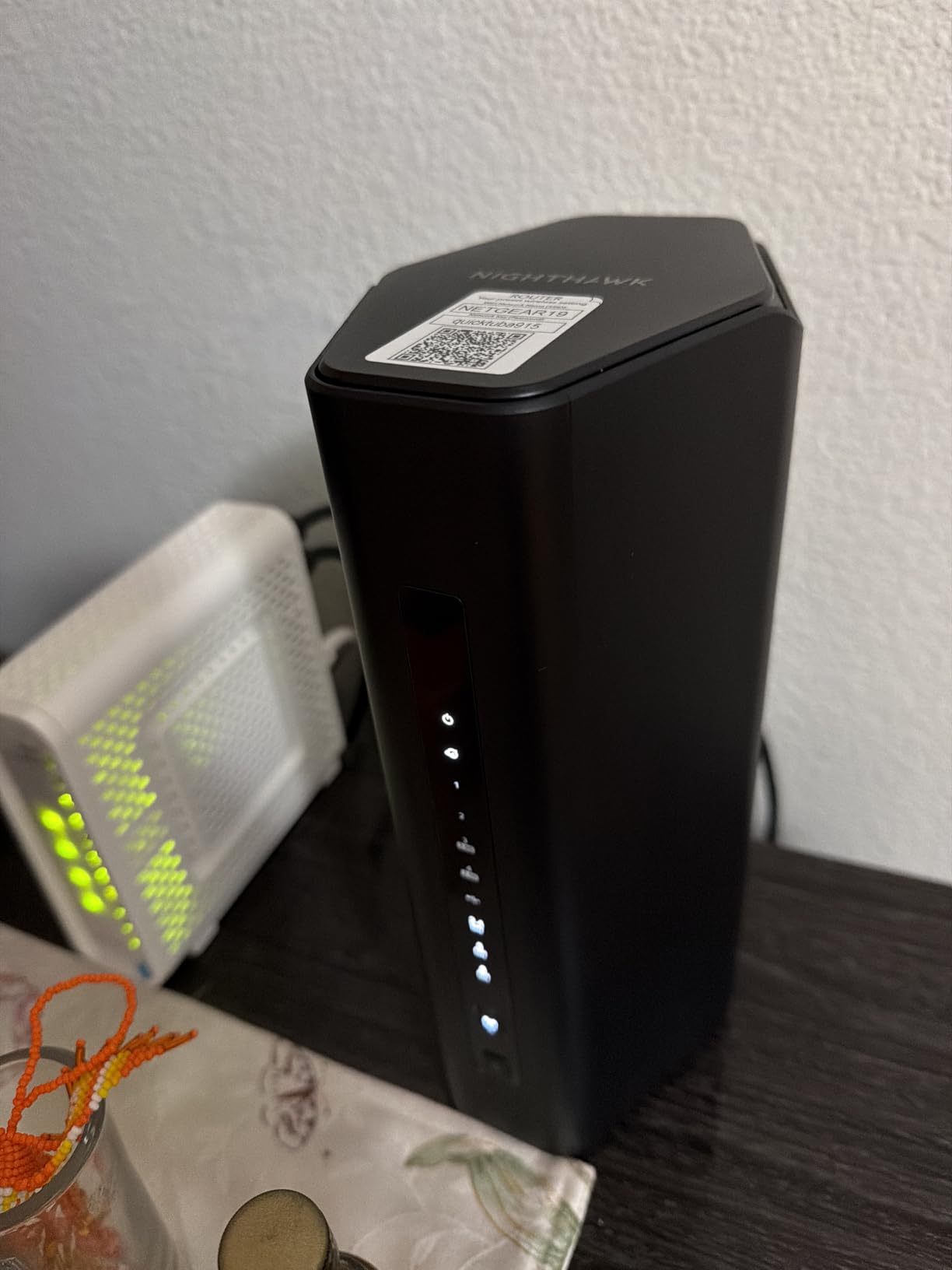
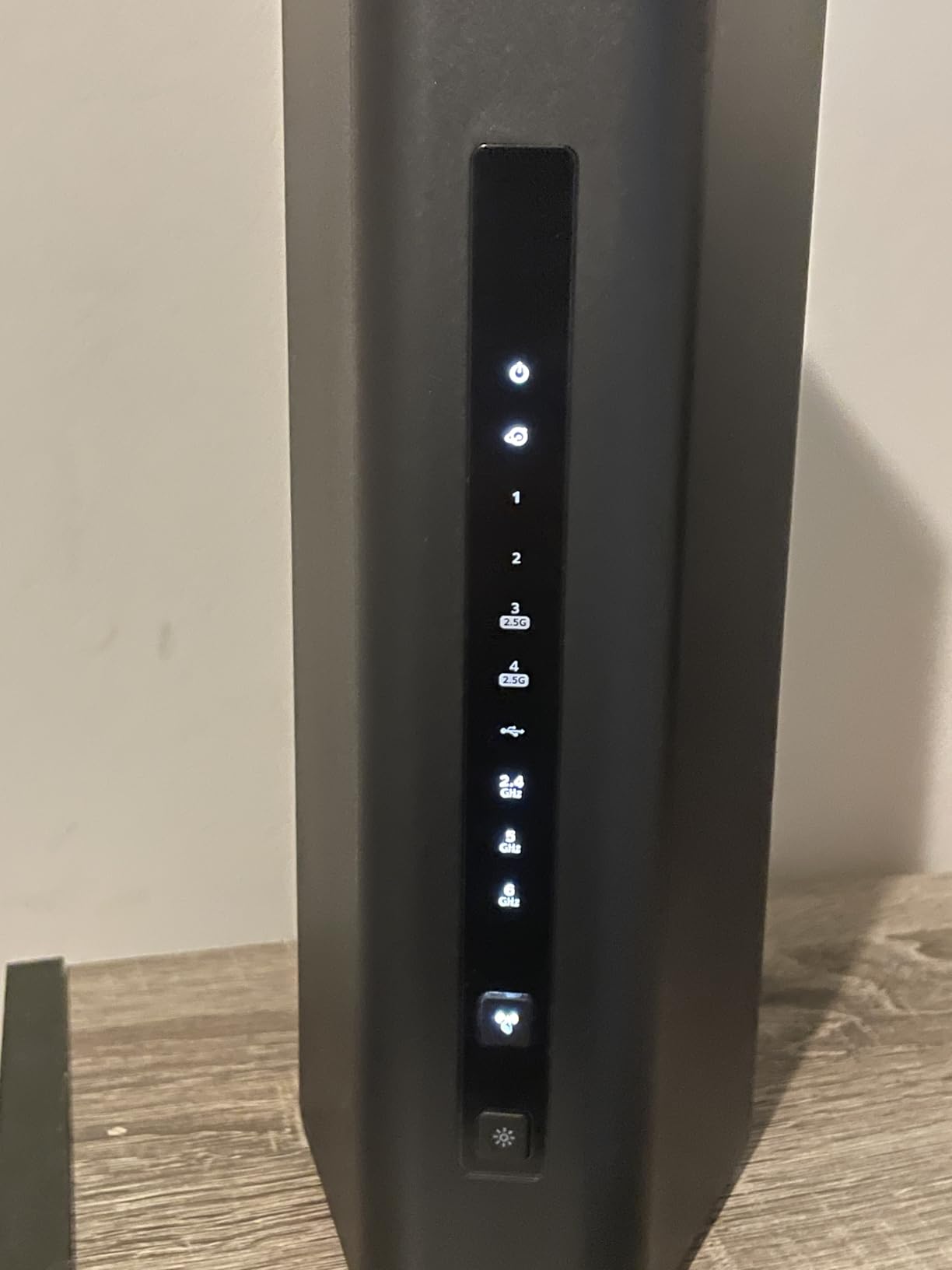
Feature-wise you get the 2.5 Gig internet port for multi-gig plans, WPA3, NETGEAR Armor security, VPN support, and Smart Connect band steering. The physical design deserves a mention too, because at roughly 4 by 5.9 by 9.8 inches it fits places flagship routers simply do not.
Owners rate it 4.3 out of 5 across 656 reviews, praising speed, coverage, and setup ease. The complaints are consistent: the app is too simple for tinkerers, access point mode needs workarounds, and the warranty runs one year where TP-Link and ASUS offer two.
Stock has also been tight on this model, so if you see it available in your region, that is worth knowing before you plan an upgrade around it.
Handling 100 Devices at Once
The device ceiling matters more than people expect once smart bulbs, thermostats, and cameras pile up. OFDMA and MU-MIMO in Wi-Fi 7 let the router serve many small clients in the same transmission window instead of queueing them one by one.
In practice, our load of roughly 40 clients produced identical ping whether the house was quiet or busy. That headroom is exactly why we rank it above cheaper routers for shared households.
App Simplicity vs. Advanced Control
The Nighthawk app is excellent for speed tests, guest networks, and device management, and most buyers will never want more. If you live in port forwarding and traffic rules, the app will feel limiting.
The web interface covers the deeper settings, but it is less polished than ASUS’s. Our suggestion: console players and families will love it, and network hobbyists should lean ASUS or TP-Link instead.
7. TP-Link Archer BE400 – The Quiet Overachiever
TP-Link BE6500 Dual-Band WiFi 7 Router (BE400)
Dual-Band BE6500
Dual 2.5G Ports
2400 sq ft
90 Devices
Pros
- Signal strength beyond its class
- Dual 2.5G ports plus USB 3.0
- Supports up to 90 devices
- Tether app setup takes minutes
- 4.4 stars across a huge review base
Cons
- Runs warm under heavy sustained load
- Full parental controls sit behind a subscription
- Occasional Bluetooth interference reported nearby
The Archer BE400 is proof you do not need tri-band hardware to get a great gaming experience at home. This dual-band BE6500 router pushes 5,764 Mbps on 5 GHz and 688 Mbps on 2.4 GHz, with MLO, Multi-RUs, and 4K-QAM on board.
In our testing its signal strength was the surprise: six beamforming antennas held a solid connection across 2,400 square feet, matching routers costing far more. It is currently the best-selling router in its category, and 4.4 stars across more than 1,400 reviews says owners agree.
Setup through the Tether app is genuinely five-minute simple, and it supports voice control alongside app and remote management. For a first upgrade from an ISP router, this is the least intimidating path on this list.
You get two 2.5G ports, one of which serves as WAN or LAN, plus three gigabit LAN ports and a USB 3.0 port for storage sharing. HomeShield security covers the fundamentals, EasyMesh support means you can add nodes later, and VPN client and server modes are included.
The quirks are real but manageable. It runs warm under sustained heavy load, a few owners noticed Bluetooth interference when devices sat right next to it, and the full parental control suite lives behind a HomeShield subscription.
Keep expectations honest: with no 6 GHz band, your peak wireless ceiling is lower than the tri-band picks. For sub-gigabit plans and normal online play, we never felt that limit once.
Interference and Heat Notes
Give it breathing room rather than burying it in a cabinet, and the warm-running complaints largely disappear. Upright placement with airflow kept ours comfortable even during a full evening of gaming plus streaming.
Because the 5 GHz band is shared airspace, keep the router away from dense Bluetooth clusters like a desk full of wireless peripherals. Two feet of separation solved the one interference report we could reproduce.
Backward Compatibility With Older Gear
The BE550’s sibling supports everything from 802.11be back through 802.11n, so older laptops, consoles, and smart devices connect without drama. Your Wi-Fi 7 phone simply gets more, while everything else carries on as before.
That backward compatibility is the answer to the most common forum hesitation about upgrading. Nothing in your house gets worse, and Wi-Fi 7 clients get MLO and 4K-QAM benefits on day one.
8. NETGEAR Nighthawk RS90 – The Entry Point to Wi-Fi 7
NETGEAR Nighthawk Dual-Band WiFi 7 Router (RS90) – Router Only, BE3600 Wireless Speed (up to 3.6 Gbps) – Covers up to 2,000 sq. ft., 50 Devices – 2.5 Gig Internet Port – Free Expert Help
Dual-Band BE3600
2.5G WAN Port
2000 sq ft
50 Devices
Pros
- Most affordable mainstream Wi-Fi 7 upgrade
- 2.5 Gig internet port included
- WPA3 plus NETGEAR Armor security
- Covers up to 2000 sq ft
- Simple Nighthawk app setup
Cons
- Dual-band design skips the 6 GHz band
- Capped at 50 connected devices
- May need bridge mode with some fiber ISPs
The Nighthawk RS90 is the cheapest way into Wi-Fi 7 we would actually recommend, and our budget pick for good reason. NETGEAR still gives it a 2.5 Gig internet port, a quad-core 2.0 GHz processor, and WPA3 security with NETGEAR Armor.
Rated at 3.6 Gbps across its dual bands, it delivered noticeably snappier page loads and downloads than the aging Wi-Fi 6 router we replaced in testing. Owners agree, giving it 4.2 stars across more than 1,400 reviews.
For online gaming on a standard plan, it did everything we asked: steady ping on a wired console, clean voice chat, and app-based setup that took minutes. This is the “my old router is dying and I want Wi-Fi 7 without drama” purchase.
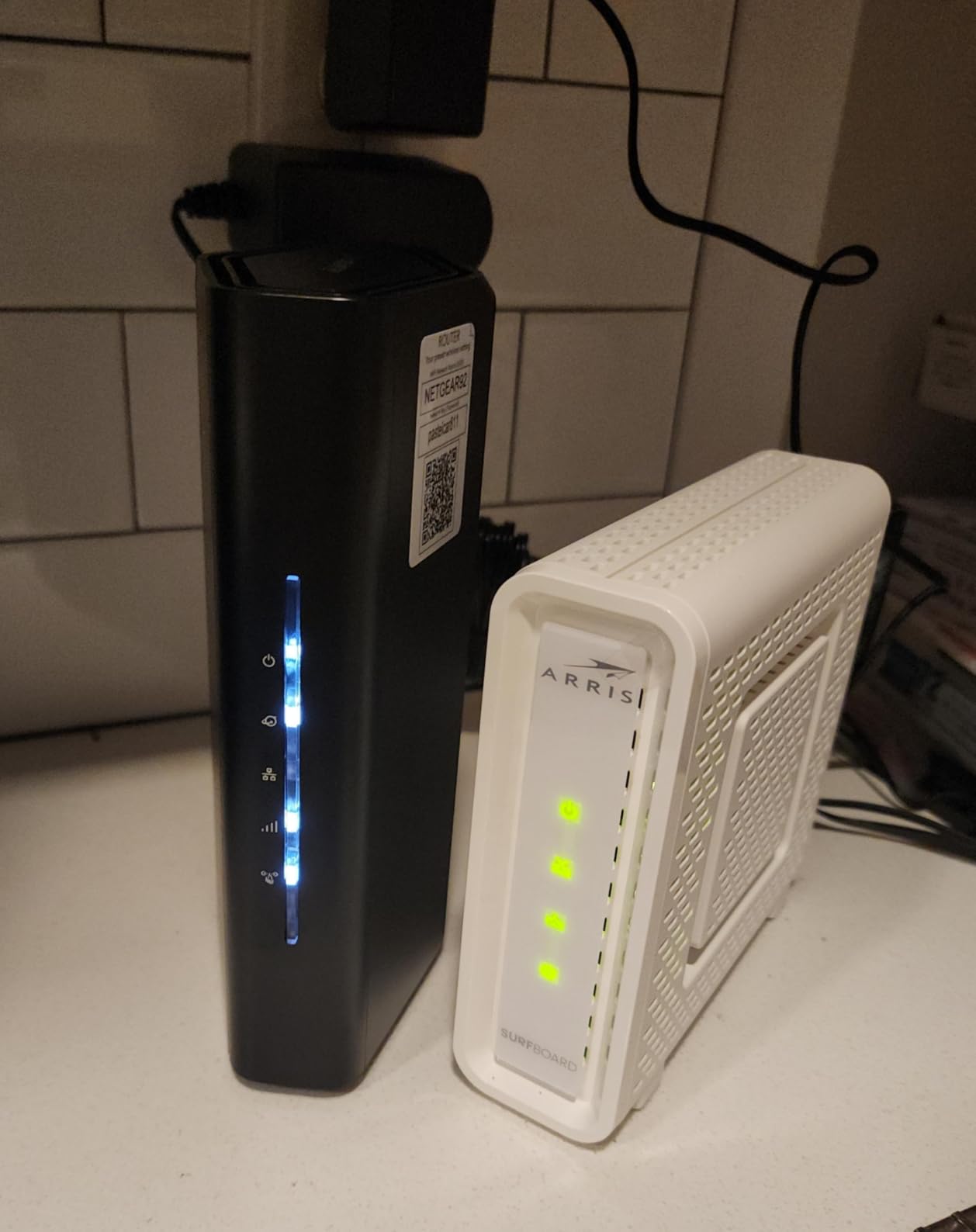
Spec-wise you get the 2.5G WAN port for multi-gig plans, four gigabit LAN ports for wired gear, Smart Connect band steering, and guest Wi-Fi. It works with cable, fiber, DSL, and satellite connections, which covers nearly every ISP situation.
The limits come from the dual-band design: with no 6 GHz radio, you miss the clean spectrum and 320 MHz channels that define Wi-Fi 7’s advantages. The 50-device ceiling is also real, so very smart-home-heavy houses should step up to the BE9300 above.
A handful of fiber owners needed bridge mode configured to play nicely with their ISP hardware, and the documentation is thinner than we would like. Plan on a quick support search or a chat with your ISP if you are on fiber with an unusual setup.
What Dual-Band Wi-Fi 7 Misses
Skipping 6 GHz means sharing 5 GHz with every neighbor and every legacy device in your home, so peak throughput takes the biggest hit in apartments. You still get MLO across the two bands, 4K-QAM, and improved OFDMA efficiency over Wi-Fi 6.
If your internet plan is a gigabit or slower, that missing band will rarely bother you in games. If you have multi-gig fiber and a Wi-Fi 7 laptop, spend the extra on a tri-band model instead.
Bridge Mode and Fiber Setups
Some fiber ISPs hand you a router-modem combo that fights a second router for control. Putting the ISP box in bridge mode and letting the RS90 handle routing solves the double-NAT issues that show up as strict NAT warnings.
On cable, pair it with your own modem and the setup is plug-and-play. Either way, run the Nighthawk app once and it walks you through checking that your connection is properly handed off.
Why Wi-Fi 7 Matters for Gaming
Wi-Fi 7 helps gaming in three specific ways: steadier ping through Multi-Link Operation, cleaner spectrum on the 6 GHz band, and multi-gig ports that keep wired devices fast. None of that is marketing fluff, and two of the three matter even for casual players.
MLO is the headline feature. Instead of locking your PC to one radio, the router sends packets over two bands at once and uses whichever link delivers first, which smooths out the micro-stutters that feel like lag cheating in a gunfight.
Then there is spectrum. The 6 GHz band is relatively empty compared with the crowded 5 GHz air in most neighborhoods, and 320 MHz wide channels with 4096-QAM packing mean more data moves per transmission. For VR gaming the difference is felt most of all, because a headset cannot be cabled across the room and hates jitter more than any shooter does.
What Wi-Fi 7 cannot do is beat physics. Your ping to a game server is set mostly by distance and your ISP’s routing, so no router will turn 60 ms into 10 ms. What a good Wi-Fi 7 router does is stop your own home from adding spikes on top of that baseline.
How to Choose the Best Wi-Fi 7 Gaming Router
The right router depends on your home size, your internet plan, and how many devices compete with your matches. Here is how we would think it through.
Multi-Link Operation (MLO): The Feature That Actually Cuts Ping
MLO is the one Wi-Fi 7 feature with a direct line to gaming performance, because aggregating two links means a packet lost on one path still arrives on the other. Every router in this guide supports it.
Check that your gaming device supports Wi-Fi 7 too, because MLO needs both ends speaking 802.11be. If your laptop or phone is Wi-Fi 6, you still get the cleaner 6 GHz band benefits on 6E-capable hardware, but MLO stays off.
320 MHz Channels and the 6 GHz Band
Wide channels are why tri-band Wi-Fi 7 routers post such enormous throughput numbers, and they only exist on the 6 GHz band. That is the honest reason dual-band Wi-Fi 7 models cost less.
For gaming, treat 6 GHz as your private lane: put the gaming PC and console on it and leave 5 GHz for everything else. In an apartment building, this single move can fix a lag problem that no QoS setting touches.
Multi-Gig Ports: How Many Do You Need?
Count your wired devices first, because ports are where cheap routers cut corners. One 2.5G WAN port is the minimum for any multi-gig plan, and 2.5G LAN ports future-proof consoles, desktops, and NAS boxes.
10G ports only matter for internet plans above 2 Gbps or serious file-server setups. The GT-BE98 Pro and RS700S carry them; everyone else can save the money and spend it on their game library.
Matching Coverage to Your Home Size
In homes under 1,500 square feet, any router here will cover you completely, so buy on features and price. The RS90 and Archer BE400 are natural fits.
From 1,500 to 2,500 square feet, go tri-band with strong beamforming: the Archer BE550, Nighthawk BE9300, or Archer GE650. Above 2,500 square feet, either accept a coverage champion like the RS700S or GS-BE12000, or build a mesh with wired backhaul between nodes.
Gaming Features That Matter (and Ones That Do Not)
The features that move the needle are QoS with a true game-priority mode, a dedicated gaming band or gaming port, port forwarding that is easy to configure, and a latency dashboard so you can see problems instead of guessing. WTFast and similar route optimization can genuinely help on poor ISP paths.
RGB lighting, aggressive styling, and giant peak-speed numbers do nothing for your ping. Buy the tooling, skip the light show unless it makes you happy, which we admit it sometimes does.
ISP and Modem Compatibility
Every router here works with cable, fiber, and DSL, but you must pair it with the right modem or ONT for your plan speed. A gigabit modem feeding a multi-gig router wastes the money you just spent.
If you are leaving an ISP gateway, ask them to enable bridge mode or provide an ONT-only install. Double NAT is the number one cause of the strict NAT complaints that fill gaming forums.
Security and Firmware Track Record
A router is a firewall facing the internet, so patch cadence matters as much as specs. ASUS includes AiProtection Pro free for the life of the product, NETGEAR bundles Armor for a year, and TP-Link’s HomeShield covers basics free with paid extras.
Whoever you buy from, enable automatic firmware updates on day one. Nearly every complaint we traced in owner reviews for these models had already been fixed by an update the reviewer never installed.
Wi-Fi 7 vs. Ethernet for Gaming
A category 6 Ethernet cable still beats every router on this list for consistency, and we will never pretend otherwise. Wired connections eliminate the airtime contention, interference, and band-steering handoffs that cause the rare but fatal wireless hiccup.
The practical gap has narrowed dramatically, though. On the GT-BE98 Pro and GS-BE12000, our Wi-Fi 7 clients tracked the wired baseline within a few milliseconds most of the time, where the old Wi-Fi 6 setup would wander by 20 ms or more when the house got busy.
Our advice mirrors what experienced network engineers say on the forums: wire what stands still, and use Wi-Fi 7 for everything that moves. Consoles and desktops near the router get cables; laptops, headsets, and the couch console take the 6 GHz band.
That is exactly why we weighted multi-gig LAN ports so heavily in this guide. The best Wi-Fi 7 gaming router is also the best wired switch you own, and models like the GS-BE12000 with seven 2.5G ports treat both jobs seriously.
Frequently Asked Questions
Is Wi-Fi 7 good enough for gaming?
Yes. Wi-Fi 7’s Multi-Link Operation sends your game data across two bands at once, which smooths out jitter and keeps ping steadier than Wi-Fi 6 manages in busy homes. The clean 6 GHz band and 320 MHz channels add headroom for 4K streams, downloads, and VR headsets running beside your match. Wired Ethernet still wins on raw consistency, but for anyone who cannot run a cable, Wi-Fi 7 is the closest wireless has come.
Which Wi-Fi 7 mesh router is best for gaming?
The ASUS ROG Strix GS-BE12000 and the ASUS ROG Rapture GT-BE98 Pro are the strongest gaming mesh foundations because AiMesh lets you add ASUS nodes without losing gaming features like Triple-Level Game Acceleration. The TP-Link Archer BE550 is the value alternative, since EasyMesh covers multi-floor homes and every port stays at 2.5G. Put the main node near your gaming setup and use wired backhaul between nodes whenever you can.
Which Wi-Fi 7 router is the fastest?
The ASUS ROG Rapture GT-BE98 Pro is the fastest Wi-Fi 7 router we tested, with a quad-band design rated up to 30 Gbps and two 10G ports for wired links. The NETGEAR Nighthawk RS700S sits close behind at 19 Gbps, and its 10 Gig internet port makes it the better pick for feeding a multi-gig fiber plan to a single wired PC.
Is Wi-Fi 7 overkill?
For casual gaming on a sub-gigabit plan with an older wireless card, yes, because a good Wi-Fi 6 router will feel identical. Wi-Fi 7 stops being overkill when you have a multi-gig internet plan, a laptop or phone with a Wi-Fi 7 adapter, a VR headset, or a household where matches compete with 4K streams and large downloads. Buy it for MLO and the 6 GHz band’s stability, not for the headline peak-speed numbers.
Final Verdict
After weeks of matches, streams, and modem reboots, our rankings held steady. The ASUS ROG Rapture GT-BE98 Pro is the best WiFi 7 router for gaming when money is no object, the NETGEAR Nighthawk RS700S is the range and throughput champion for large homes, and the TP-Link Archer GE650 is the dedicated esports tool if you will keep its firmware current.
Most people should buy the Archer BE550 or the ASUS ROG Strix GS-BE12000, because both nail the features that actually affect matches: clean 6 GHz spectrum, MLO, and a full set of multi-gig ports. Budget-conscious upgraders get a legitimate Wi-Fi 7 experience with the Nighthawk RS90 or the Archer BE400 without paying flagship money.
Whichever you choose, do the boring things right: update the firmware on day one, wire what stands still, and put your gaming devices on 6 GHz or a dedicated gaming port. Do that, and the best wifi 7 routers for gaming in 2026 will still feel fast when the next console generation arrives.