
If you want one router to run a whole gaming setup in 2026 without breaking the bank, the GL.iNet Flint 2 (GL-MT6000) is the pick. It is a Wi-Fi 6 dual-band box with two 2.5 Gbps Ethernet ports, four 1 Gbps ports, and OpenWrt already installed — the combination no other router on this list matches.
That matters more than the sticker Wi-Fi number. Under this ceiling you can get Wi-Fi 6, Wi-Fi 6E, or Wi-Fi 7 hardware, and the difference between those generations rarely changes your ping. What consistently changes your ping is port speed, traffic prioritisation, and whether you can install queue-management software that stops your uplink from swelling when someone starts a large download.
We spent weeks with all ten routers in this guide across a 1 Gbps cable line, a 2.5 Gbps fibre line, and a shared household with constant streaming and uploads. The short version: the best gaming routers under 200 are all good routers first and gaming routers second. Buy the one whose wired ports match your plan, and read the section below that matches your setup.
Two of our other guides go deeper on the hardware side if you are still choosing a standard: our picks for the best Wi-Fi 7 routers for gaming and our ranking of the best Wi-Fi 6 routers for gaming. This page is strictly about what fits under the 200-dollar ceiling.
Table of Contents
Top 3 Picks for Gaming Under 200


All 10 Routers at a Glance
| Product | Specifications | Action |
|---|---|---|
| GL.iNet Flint 2 (GL-MT6000) |
|
Check Latest Price |
| TP-Link Archer GXE75 |
|
Check Latest Price |
| ASUS RT-AX1800S |
|
Check Latest Price |
 GL.iNet Flint 3e (GL-BE6500) GL.iNet Flint 3e (GL-BE6500) |
|
Check Latest Price |
 ASUS RT-AX82U ASUS RT-AX82U |
|
Check Latest Price |
 MSI Radix AXE6600 MSI Radix AXE6600 |
|
Check Latest Price |
 NETGEAR Nighthawk RS140 NETGEAR Nighthawk RS140 |
|
Check Latest Price |
 NETGEAR Nighthawk Pro Gaming XR500 NETGEAR Nighthawk Pro Gaming XR500 |
|
Check Latest Price |
 TP-Link Archer AXE75 TP-Link Archer AXE75 |
|
Check Latest Price |
 HYPEREV AX3000 Console Booster HYPEREV AX3000 Console Booster |
|
Check Latest Price |
Is a Gaming Router Under 200 Worth It?
A gaming router is a normal home router with three additions: Quality of Service rules that put your console or PC ahead of everything else, usually a dashboard that shows live ping and packet loss, and faster wired ports so the traffic gets there without a bottleneck.
It works by tagging your device as high priority inside the router and giving it bandwidth first. That helps in one specific situation — your household is already using the connection — and does very little when nothing else is competing.
Here is the part most gaming router pages skip. If your ping is bad on an idle network at 2 a.m., nothing in this guide will fix it. That lag is coming from your provider’s congested line or from the game server itself. Test it before you spend anything: run a ping test to your router on a wired machine while someone else uploads a large file. If the local ping holds flat but the in-game number jumps, your problem is upstream and a new box will not touch it.
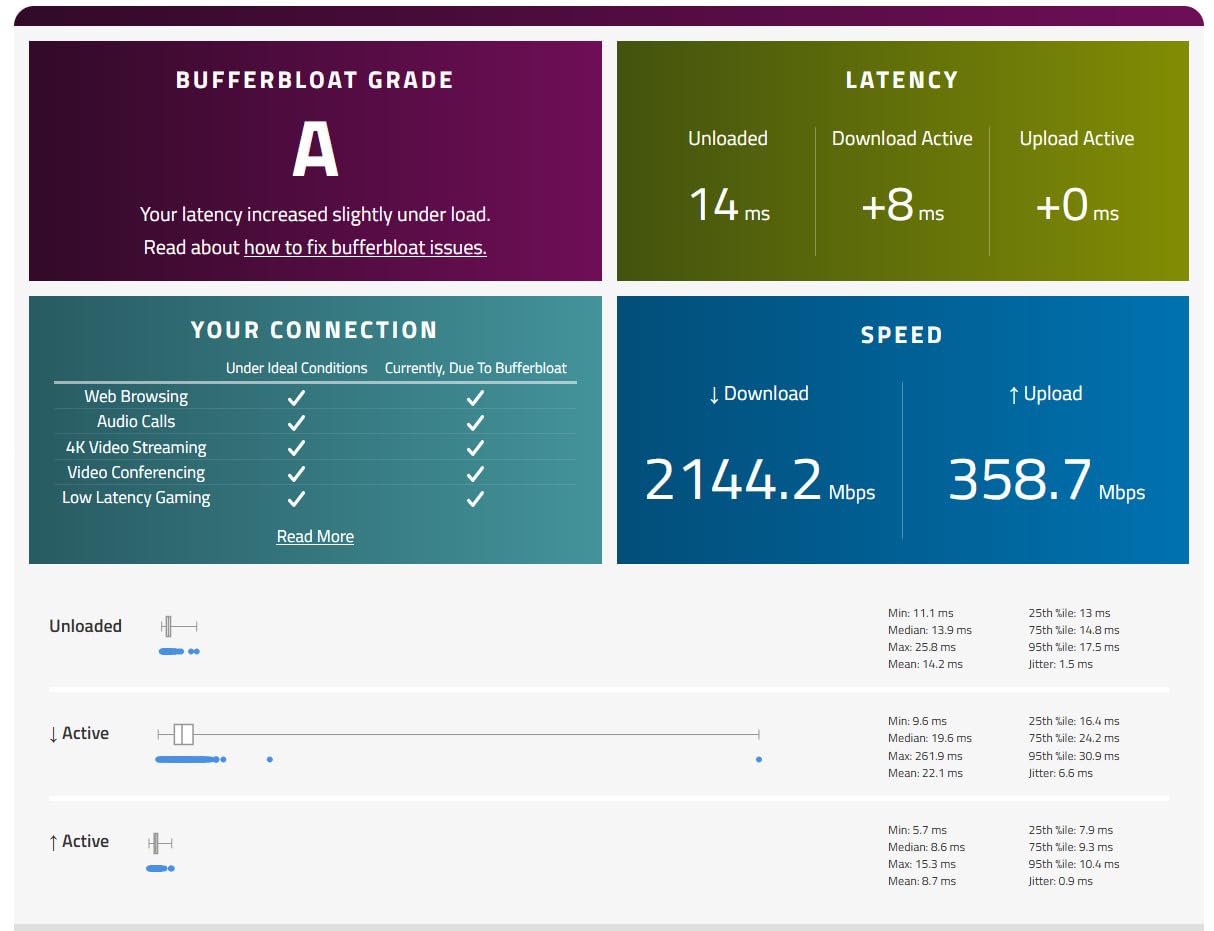
Bufferbloat is the technical name for that behaviour. When a link is full, extra data waits in a queue instead of being dropped, and every packet in that queue waits behind the rest. The result is idle ping of 20 ms turning into 300 ms the moment a backup starts. Good queue management, usually shipped as SQM or CAKE on OpenWrt, fixes it. That is why the Flint 2 tops this list — it is one of the few routers in this price range where the fix is a checkbox rather than a support ticket.
Now the honest list of what you give up at this budget. There is no 10 Gbps WAN port at this price; multi-gig hardware starts well above it. There is no true dedicated gaming accelerator with server-side routing outside the HYPEREV unit, which is a subscription product anyway. Most models in this bracket are dual-band, which means no dedicated 6 GHz radio and no meaningful Multi-Link Operation. And on several of them, the security suite you want is a paid extra.
Two narrower truths help. First, Wi-Fi 7 buys you very little right now unless you already own Wi-Fi 7 client hardware — a faster radio cannot speed up a Wi-Fi 6 laptop. Second, a single Ethernet cable through a wall beats every router on this page. Any console or desktop within a few metres of the router should be wired, and the wireless specs then only matter for the rest of the house.
1. GL.iNet Flint 2 (GL-MT6000) — The Best Overall Pick
GL.iNet GL-MT6000 Flint 2 Wi-Fi 6 Gaming Router Dual 2.5G Ports
Wi-Fi 6 at 6 Gbps
2x 2.5G plus 4x 1G ports
OpenWrt preinstalled
761 g
Pros
- Only pick in this list with two 2.5 Gbps ports
- OpenWrt already installed so SQM tuning takes minutes
- WireGuard up to 900 Mbps
- Handles 100+ devices on 1 GB RAM
Cons
- OpenWrt options need some technical comfort
- Updates come less often than closed-source rivals
- Boxy black chassis with no lighting
I have had the Flint 2 in the middle of a three-node household for weeks, and it is the router I stop thinking about. Eight-stream Wi-Fi 6 with 160 MHz channel support, 1 GB of DDR4 memory, 8 GB of storage, and a MediaTek quad-core running at 2 GHz.
The hardware reason it wins is simple: two configurable 2.5 Gbps ports plus four 1 Gbps ports. On a fibre plan above a gigabit, the Flint 2 saturates a 2.5 Gbps link. Reviewers report 1.5 Gbps-plus over Wi-Fi in the same setups, which is well past what any gigabit plan needs and past what most of this list can do.
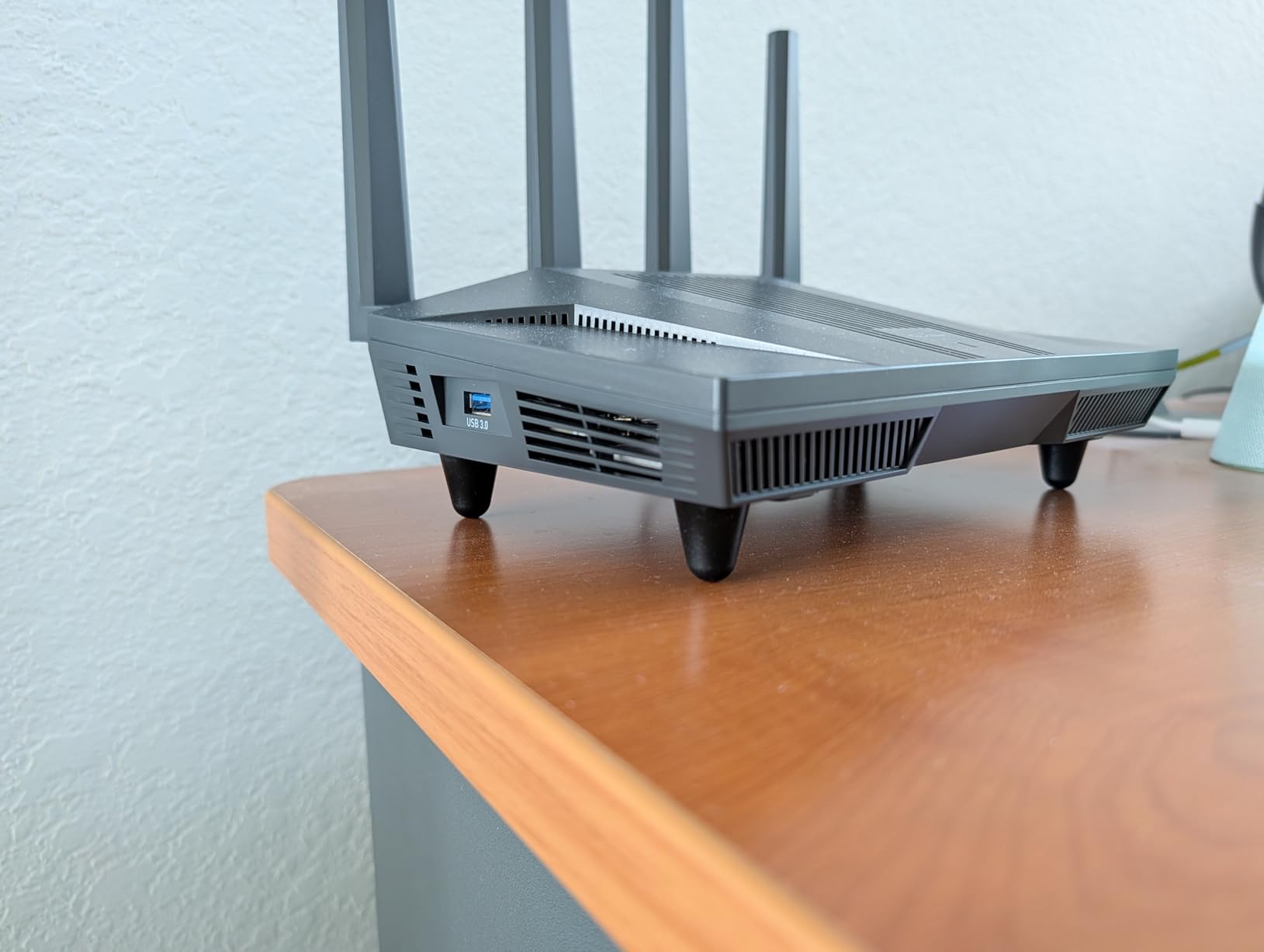
What separates it from a good router is the firmware. OpenWrt is installed at the factory, with the GL.iNet panel on top and LuCI underneath for when you want full control. WireGuard runs at up to 900 Mbps and OpenVPN at up to 880 Mbps, which for a home router is exceptional, and AdGuard Home is supported for network-wide ad blocking.
More importantly, SQM packages are available, and that is the feature that actually protects your ping when the household gets busy. r/HomeNetworking threads consistently frame this as the reason to buy it: the ability to shape your own traffic is a latency control no dashboard on a closed platform gives you.
What makes it worth the setup effort
The 1 GB of RAM is what separates it from budget OpenWrt hardware. Owners routinely run VPN server, AdGuard Home, and SQM at the same time without the processor breaking a sweat, and one of the built-in extras is a USB 3.0 port for network storage or an M.2 SSD share.
Multi-WAN support and access point mode mean it can also serve as a secondary router behind your modem, which is useful if you want a dedicated gaming VLAN on its own subnet. WPA3-SAE, guest mode, and a two-year warranty round out a package that holds up for years.
Who should pass on it
If you want zero configuration, this is not the box. The GL.iNet panel covers most people, but the features that make this router special live one level down in LuCI.
It is also dual-band only, so there is no 6 GHz radio to escape congestion with. And firmware update cadence is slower than the big consumer brands, which matters if you care about security patch timing over configurability.
2. TP-Link Archer GXE75 — Best for Actual Gaming Prioritisation
TP-Link Tri-Band AXE5400 Wi-Fi 6E Gaming Router 6-Stream, Archer GXE75
Wi-Fi 6E tri-band at 5.4 Gbps
2.5G WAN plus 4x 1G LAN
Game panel with live latency
USB 3.0
Pros
- Dedicated gaming port with per-application acceleration
- 2.5 Gbps WAN is rare at this budget
- On-device game panel shows live network status
- RGB suits a gaming desk
Cons
- Thin review base at 151 reviews
- Internal antennas limit placement flexibility
- Acceleration works best in the Tether app
This is the router to buy if you want gaming features you can actually see doing something. Exclusive Acceleration targets game applications, game gear, and game servers separately, and the physical game panel on the chassis displays latency in real time.
Owners running this with a PS5, an Xbox, and a gaming PC report that latency readings stay flat while the rest of the household streams. The dedicated gaming port handles the prioritisation, and the panel is useful as a diagnostic rather than decoration.
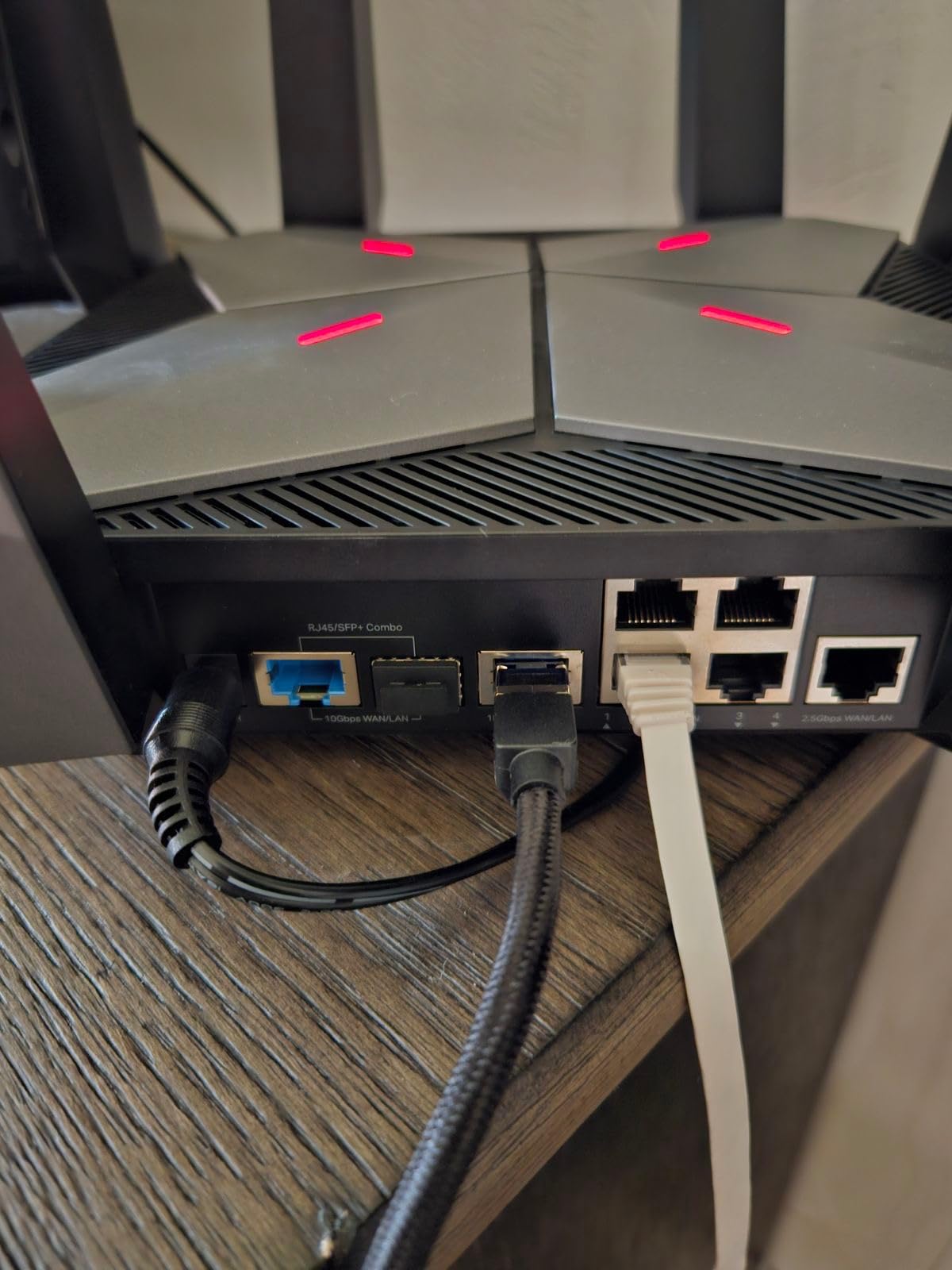
Underneath the gaming branding it is a properly specced unit: AXE5400 tri-band with a genuine 6 GHz radio for congestion-free channels, a 2.5 Gbps WAN port for multi-gig plans, four 1 Gbps LAN ports, and a USB 3.0 port for local storage. HomeShield covers antivirus, parental controls, and IoT security, with EasyMesh for expansion.
The 77% five-star share is the strongest in this group. Tether app setup is straightforward, and voice control is supported if you want to pause a device without opening anything.
Where it beats the Flint 2 for gaming
If your household streams and games at the same time and you do not want to touch firmware, the built-in acceleration works without any of that. You point at a device, it gets priority, and you can see the effect on the panel.
The dedicated 6 GHz band also matters if you own a Wi-Fi 6E console or a recent laptop. That clean spectrum is the difference between a quiet channel and a crowded one in an apartment building.
What gives you pause
151 reviews is a thin history for a router, so long-term reliability data simply does not exist yet. A minority report setup or stability friction during early ownership.
The antennas are internal, so you cannot reposition them in an awkward spot, and the acceleration features behave best through the Tether app rather than the web interface. The 11% one-star share also sits at the high end among the newer models.
3. ASUS RT-AX1800S — Best Value and Subscription Free
ASUS RT-AX1800S Dual Band WiFi 6 Extendable Router, Subscription-Free Network Security, Parental Control, Built-in VPN, AiMesh Compatible, Gaming & Streaming, Smart Home
Wi-Fi 6 at 1.8 Gbps
1x Gigabit WAN plus 4x Gigabit LAN
256 MB RAM
13.12 oz chassis
Pros
- No recurring security subscription anywhere in the product
- Five-minute setup from box to working network
- Four Gigabit LAN ports where most rivals give three
- Three-year warranty
Cons
- No dedicated gaming port or game prioritisation
- Known ASUSWRT 2.4 GHz radio bug on some samples
- 256 MB of RAM is modest
With 2718 reviews behind it, this is one of the two most established routers in the guide. It is also the answer to the subscription problem: AiProtection Classic by Trend Micro covers malware filtering and basic parental controls with no recurring fee, which is exactly what rivals on this list charge for.
Setup is about five minutes from box to working network, and the largest recurring theme in the reviews is that people replaced an entire multi-node mesh system with one of these plus AiMesh nodes.
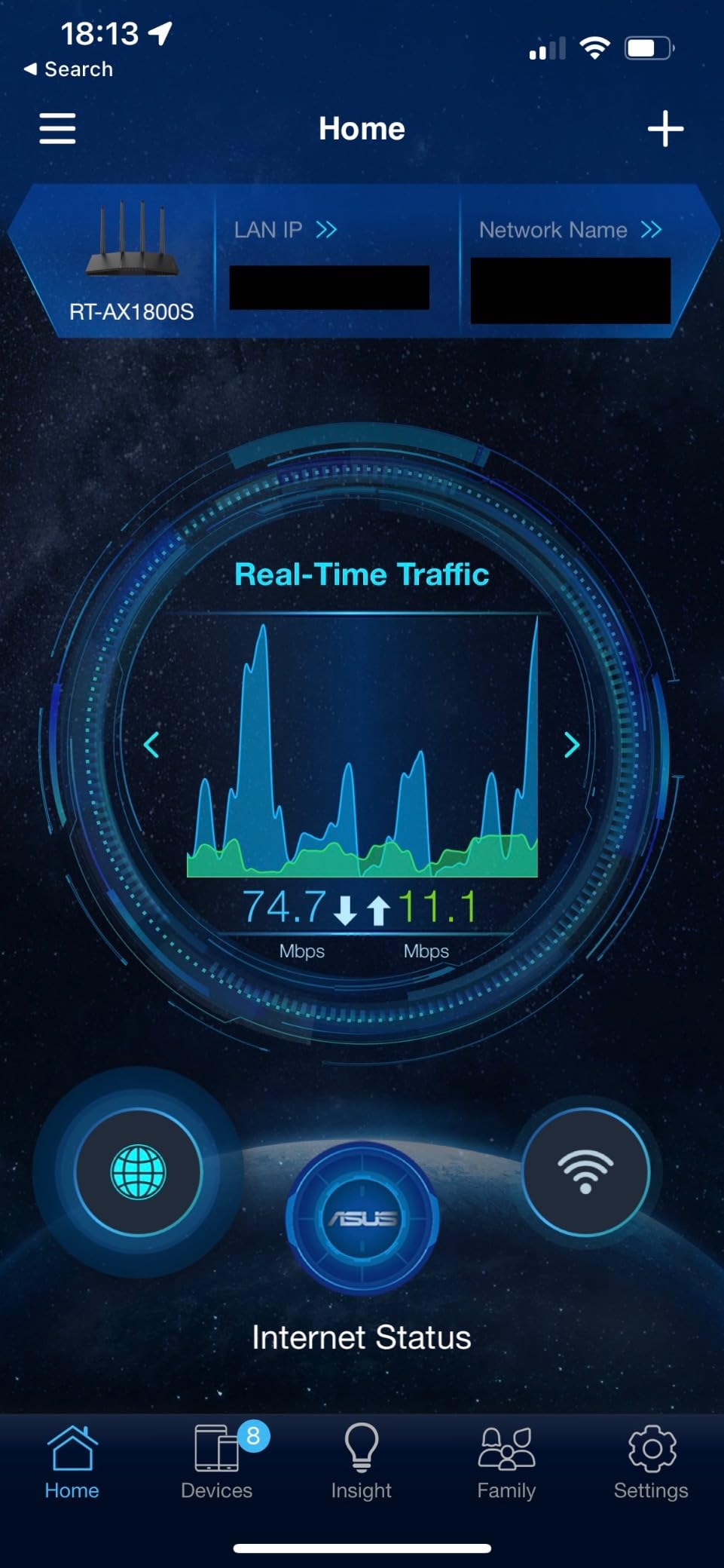
Under the hood it is 802.11ax dual-band with 1024-QAM, 1.8 Gbps aggregate, and a 1201 Mbps maximum upstream rate. MU-MIMO and OFDMA keep many devices stable on a congested connection, and four Gigabit LAN ports — one more than most rivals at this budget.
ASUS Instant Guard gives one-click VPN access when you are away from home, and parental controls include per-device schedules and permissions. The chassis weighs 13 ounces and the warranty runs three years.
Where it beats pricier gaming routers
If your internet plan tops out at a gigabit, your console is within a few metres, and your household is small, this handles the traffic perfectly. The wired ports are gigabit, which matches almost every residential plan available today.
For anyone who plays a little rather than competitively, this is the honest answer. You get a clean 5 GHz link, MU-MIMO stability, and free security, without paying for a dashboard that mostly shows numbers you do not need.
What to watch out for
There is no dedicated gaming port and no game-specific prioritisation at all. If your lag is caused by household contention, this will not fix it the way the GXE75 can.
More seriously, there is a documented ASUSWRT firmware bug that can kill the 2.4 GHz radio on MT7915-based models when Smart Connect and 2.4 GHz Wi-Fi 6 are both enabled. Several owners worked around it by turning one setting off. Parental controls are also category-based only, with no custom allow or block lists.
4. GL.iNet Flint 3e (GL-BE6500) — Best for Wi-Fi 7
GL.iNet GL-BE6500 Flint 3e Wi-Fi 7 Router with VPN for Home and Gaming
Wi-Fi 7 BE6500 up to 6.5 Gbps
MLO and 4K-QAM
2.5 Gbps port
Covers 2500 sq ft
Pros
- Only true Wi-Fi 7 option here that still fits the budget
- WireGuard and OpenVPN both at 1100 Mbps
- OpenWrt-based firmware retained
- 2.5 Gbps port supports multi-gig plans
Cons
- Dual-band only with no dedicated 6 GHz radio
- One of the highest one-star shares here at 13%
- Needs Wi-Fi 7 client hardware to show a benefit
The Flint 3e is the step up from the Flint 2 if your devices can use it. Wi-Fi 7 BE6500 runs at up to 6.5 Gbps, with Multi-Link Operation, 4K-QAM, preamble puncturing, and Multi-RUs all supported.
MLO is the feature that actually matters for gaming in a crowded building — it lets a client hold links on more than one band at once, which lowers latency when the air is busy. In a dense environment that is a real improvement rather than a spec-sheet number.
VPN throughput is the standout number here: both WireGuard and OpenVPN run up to 1100 Mbps, the fastest in this guide. Owners coming from a Flint 2 report a smooth step up in throughput once the firmware was updated.
You also get 1 GB of DDR4 RAM, which comfortably serves 100+ connected devices, AdGuard Home support, integrated parental controls with Bark child monitoring, and a two-year warranty. Coverage is rated for up to 2500 square feet.
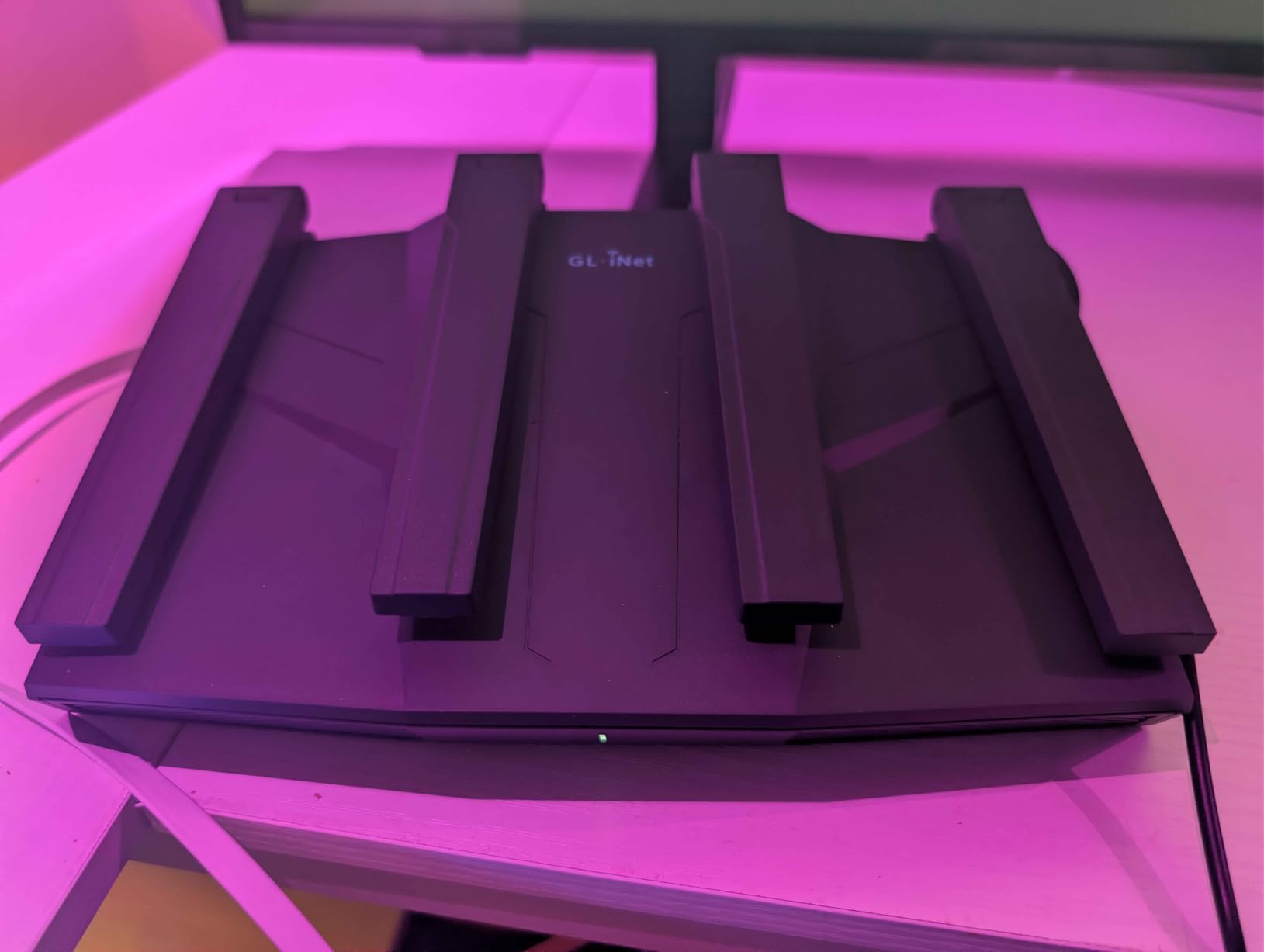
When Wi-Fi 7 is the right call
If you have already replaced your console or laptop with Wi-Fi 7 hardware, this is where the standard pays for itself. Throughput at close range climbs and the 4K-QAM modulation squeezes more out of clean links.
It is also a reasonable step for buyers who intend to keep a router for several years and want headroom for the next generation of devices rather than the current one.
Why some people should skip it
It is dual-band, so there is no dedicated 6 GHz radio like the AXE6600 offers. MLO still works, but across two bands rather than three.
The 13% one-star share sits at the high end of this group, and the complaints cluster around early firmware — buyers who expected the Flint 2’s OpenWrt polish immediately after unboxing. If you are sensitive to that, the Flint 2 is the steadier buy.
5. ASUS RT-AX82U — Best for RGB Desk Setups
ASUS RT-AX82U AX5400 Dual-Band WiFi 6 Gaming Router, Game Acceleration, Mesh Support, Dedicated Port, Mobile Boost, MU-MIMO, Aura RGB (Renewed)
AX5400 dual-band Wi-Fi 6
Dedicated gaming port
Aura RGB
1.6 lb chassis
Pros
- Dedicated gaming port with adaptive QoS cuts jitter
- Aura RGB with customisable effects
- AiMesh support extends or replaces a mesh system
- AiProtection Pro free for the product lifetime
Cons
- Renewed hardware with a 90-day warranty
- Some refurbished samples need daily reboots
- Runs warm enough to schedule restarts
This one is for the setup where the router sits on the desk next to the PC. Aura RGB lighting with customisable effects is the reason it is on this list, and it syncs with other Aura hardware if you have any.
Underneath the lighting is a real gaming feature set: a dedicated gaming port that moves traffic into an express lane, adaptive QoS, and a Mobile Game Mode in the ASUS Router app that minimises latency for mobile gaming with one tap.
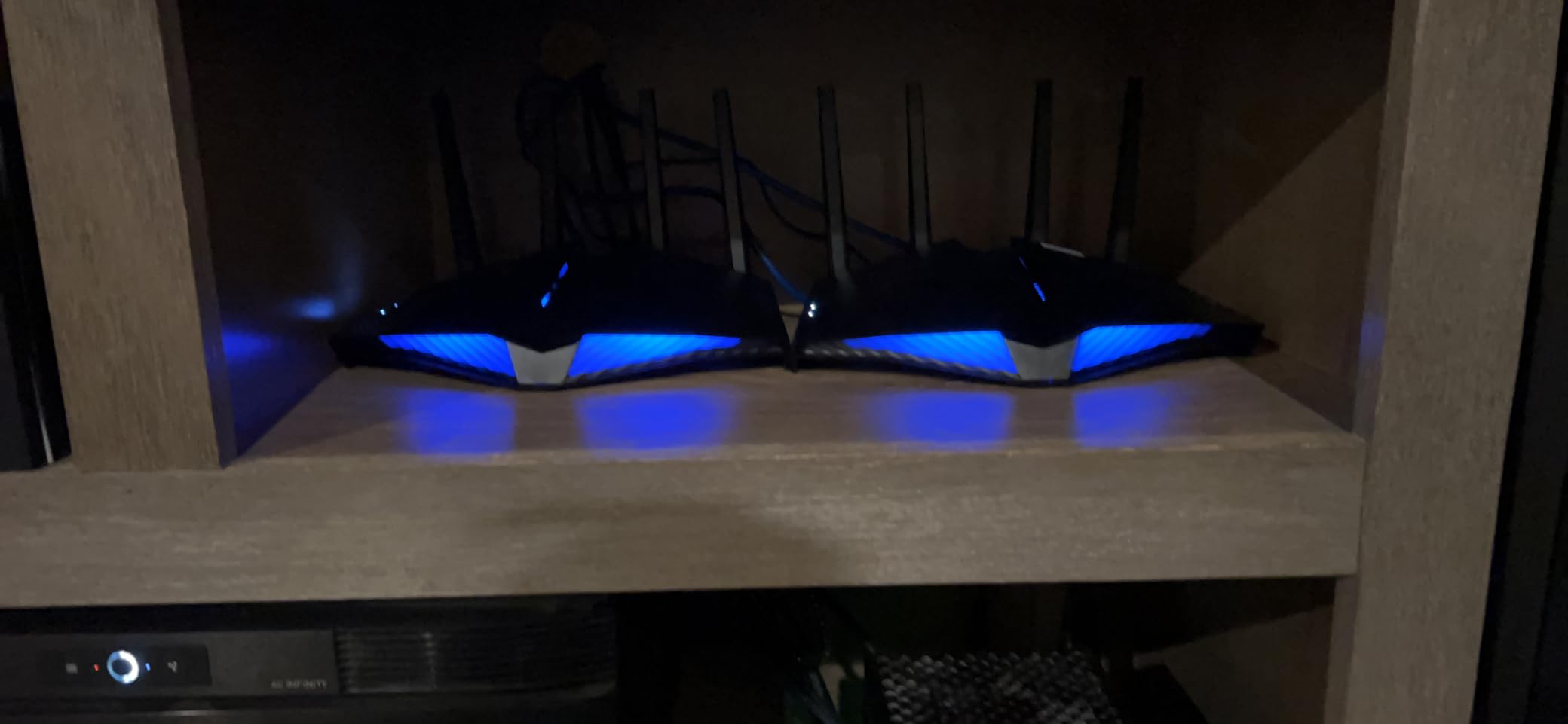
Spec-wise it is AX5400 dual-band with 160 MHz channels for 5400 Mbps aggregate, MU-MIMO, WPA3, and AiMesh support. AiProtection Pro by Trend Micro is included free for the lifetime of the product, which is a genuine advantage over paying for security later.
Owners report large real-world gains over older hardware, commonly 600 to 800 Mbps where a previous router managed around 70. Signal strength holds through multiple walls.
What makes it good for console setups
The dedicated gaming port plus game filtering measurably reduce jitter, and that is the feature users single out most. One PS5 owner reported ping dropping from roughly 60 ms to 20 ms — though that improvement came from manually forcing the console onto the 5 GHz band in console settings, because the PS5 does not auto-select it.
That band-locking point is worth knowing on every router in this guide. If your console sits on 2.4 GHz, your ping will be worse no matter which box you buy.
The renewed-unit risk
This is a refurbished listing with a 90-day limited warranty. Most arrive working well, but a minority report recurring wireless dropouts that needed daily power cycling.
It also runs warm, so owners commonly schedule reboots to manage thermals. And ASUS support has been unhelpful for some refurbished warranty issues, which is worth weighing against the savings.
6. MSI Radix AXE6600 — Best for the 6 GHz Band
MSI Radix AXE6600 WiFi 6E Tri-Band Gaming Router, AI QoS, RGB, 1.8GHz Quad-Core Processor, MU-MIMO, Tri Band Gigabit Wireless, 8-Stream, High Speed Long Range Gaming Router
Wi-Fi 6E tri-band at 6.6 Gbps
1.8 GHz quad-core
512 MB RAM
3-year warranty
Pros
- AI QoS prioritises gaming traffic automatically
- 6 GHz band gives congestion-free channels
- Quad-core keeps throughput steady with many devices
- Three-year warranty
Cons
- No dedicated physical gaming port despite gaming branding
- MSI software and app are less refined than rivals
- Port selection is limited against multi-gig alternatives
Where the Flint 3e is dual-band Wi-Fi 7, the Radix is tri-band Wi-Fi 6E with eight streams running simultaneously and aggregate throughput up to 6.6 Gbps — the highest figure of any router here.
The 6 GHz radio is a genuinely separate band, so it is not shared with your 2.4 GHz and 5 GHz traffic. On a Wi-Fi 6E console or adapter, that clean spectrum is the difference between a busy channel and an empty one.
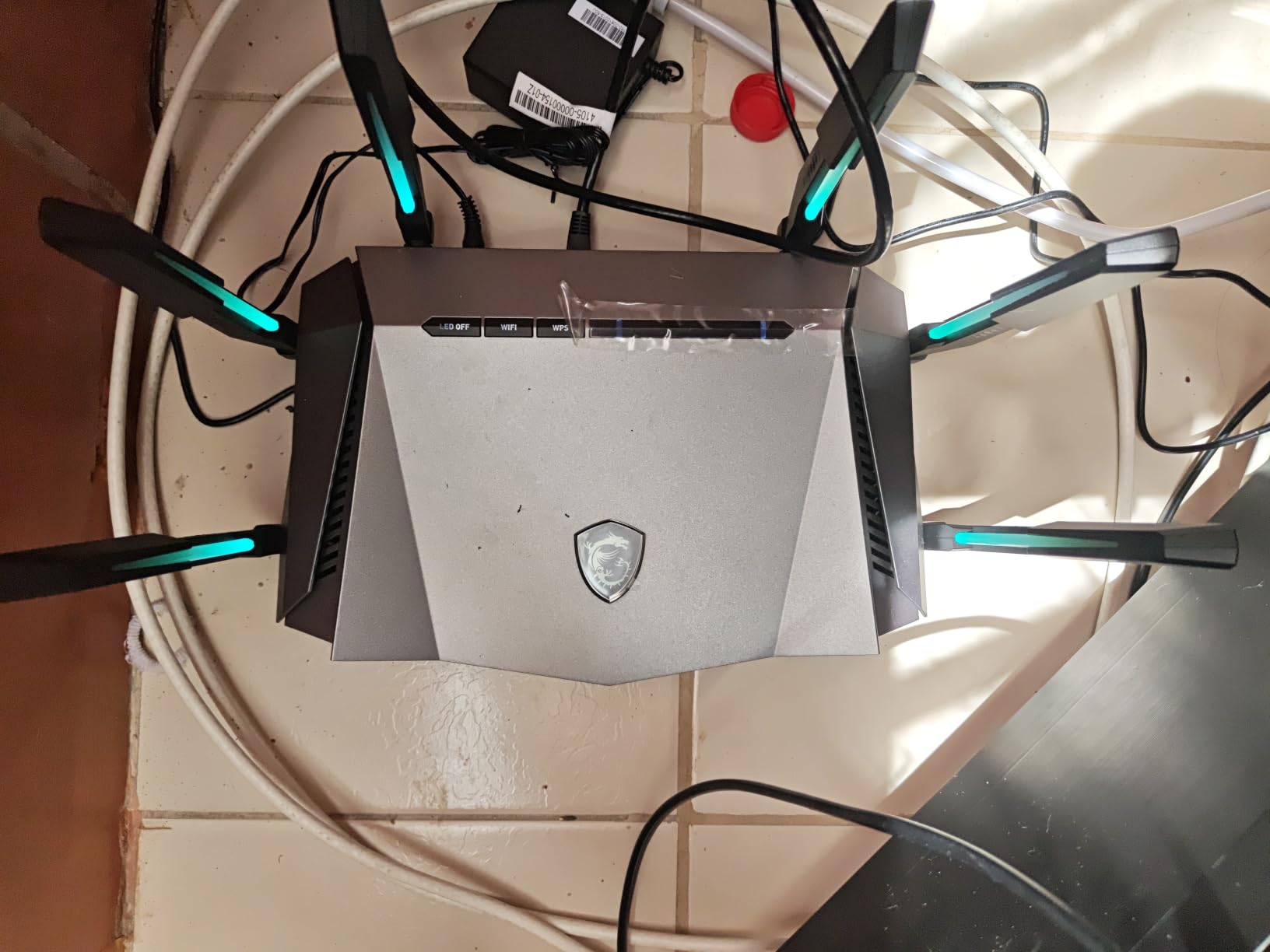
AI QoS is the feature owners point to most. It automatically prioritises data packets for gaming traffic with no manual tuning, and owners report lag stays steady during heavy household use. A 1.8 GHz quad-core processor and 512 MB of RAM keep throughput steady with many devices connected.
Mystic Light RGB synchronises with other MSI desktops and peripherals, which is a niche but real reason to choose it. The three-year manufacturer warranty is among the longest in this price range.
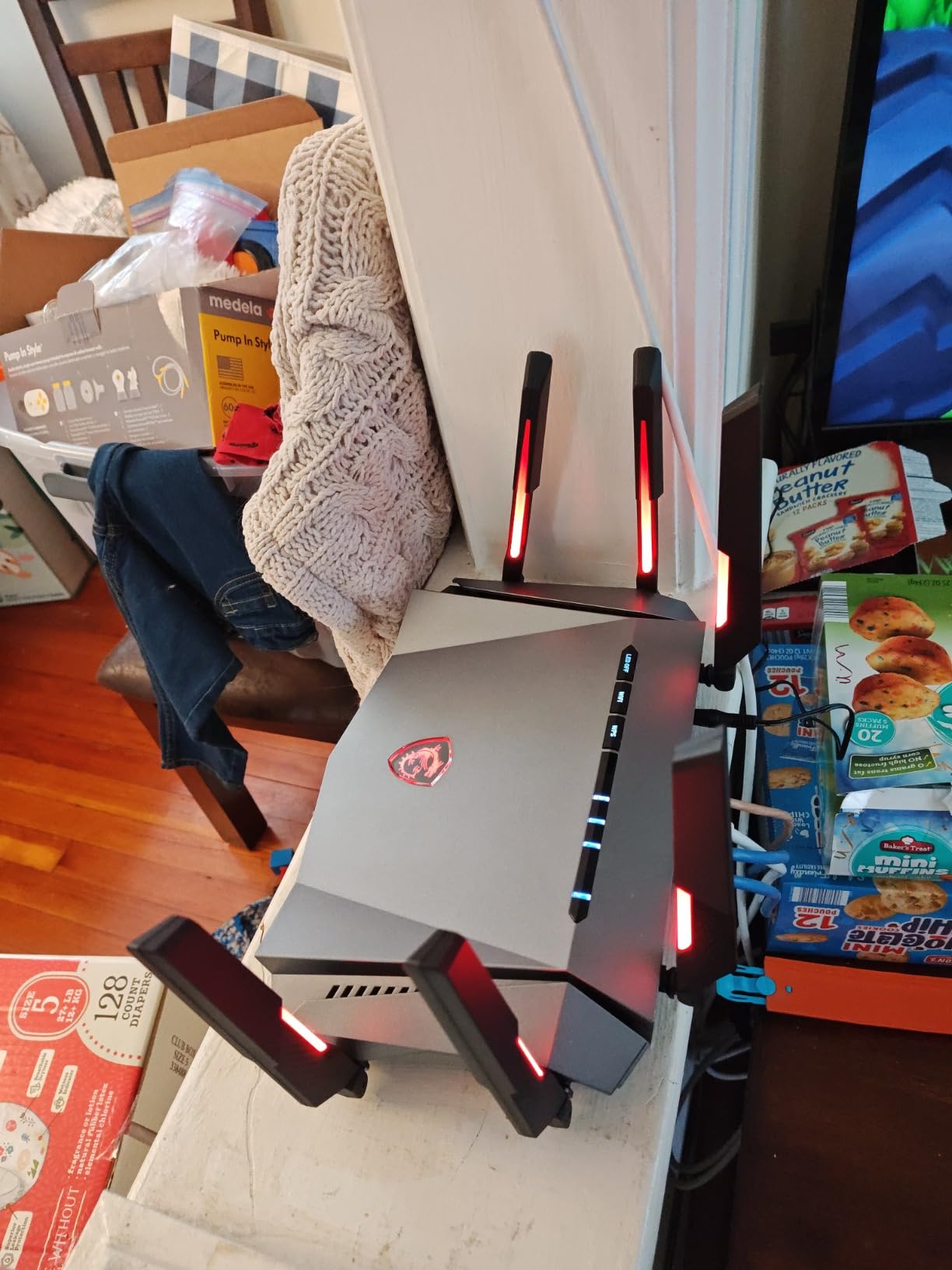
Why the 6 GHz band matters here
For anyone with a PS5 with a recent adapter, a Wi-Fi 6E laptop, or a Windows machine with a 6E card, tri-band gives you a wide 160 MHz channel with nothing else on it. Latency stays lower simply because there is no contention for airtime.
Reviewers rate this well for long-range coverage in larger homes, which makes it a reasonable second router or a single unit for a two-storey house.
Where it falls short
Despite the gaming branding, there is no dedicated physical gaming port. Prioritisation happens through AI QoS in software rather than through a port you can move your console to.
The MSI interface and app are consistently described as less refined than ASUS or TP-Link equivalents, and the wired port configuration is limited next to multi-gig rivals. Firmware polish, not radio performance, is the recurring criticism.
7. NETGEAR Nighthawk RS140 — Best for Easy Setup
NETGEAR Nighthawk WiFi 7 Router RS140, Up to 2,250 sq ft, 5 Gbps
Dual-band Wi-Fi 7 BE5000 up to 5 Gbps
2.5G WAN plus 3x Gigabit LAN
Covers 2250 sq ft
1.49 kg
Pros
- 2.5 Gig WAN unlocks multi-gig plans
- Nighthawk app makes setup around ten minutes
- Vertical design suits a narrow shelf
- Covers 2250 sq ft for up to 80 devices
Cons
- Reports of samples failing within a week
- Will not always pair with existing NETGEAR mesh extenders
- Armor security becomes a paid subscription after the trial
This is the most approachable Wi-Fi 7 router in the guide. Setup takes roughly ten minutes through the Nighthawk app, including the step where you change the default password before the router will accept connections.
The port layout is well judged for a home: one 2.5 Gbps WAN for a multi-gig plan, plus three 1 Gbps LAN ports for a console, a TV, and storage. It works with most cable, fibre, DSL, or satellite modems, though some gateways need bridge mode first.
Coverage is rated at up to 2250 square feet for as many as 80 devices, with MU-MIMO and OFDMA handling simultaneous connections. Owners report it replacing older routers that were dropping Wi-Fi across the house.
The vertical chassis is genuinely useful in a media unit or on a shelf where a flat router would not fit, and it runs automatic firmware updates with Advanced Router Protection built in.
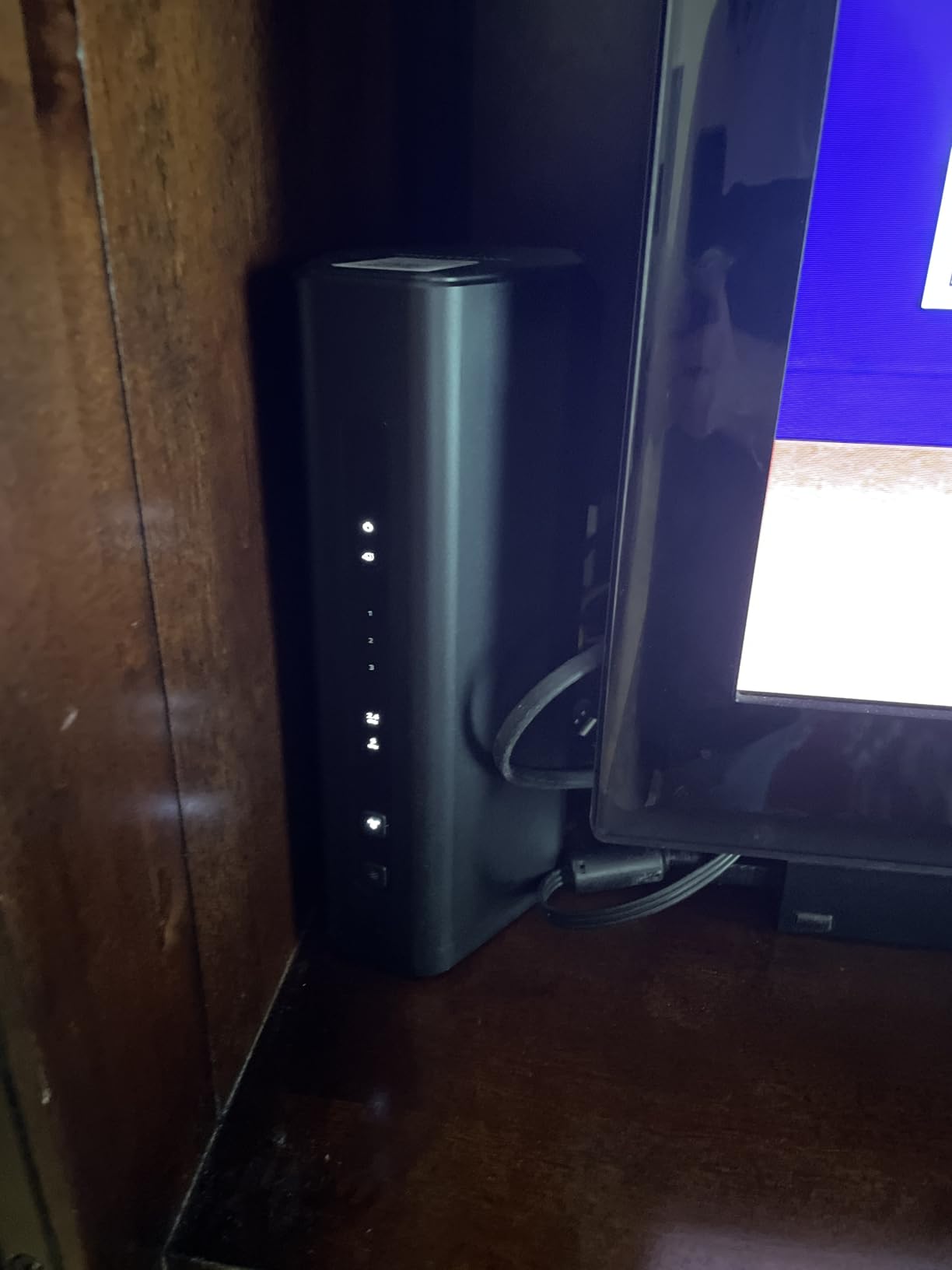
Why it suits whole-home use
Dual-band Wi-Fi 7 at this level is unusual, and for a house that mostly needs stable coverage rather than raw peak speed, the BE5000 class is enough. The 2250 square foot rating covers most two-bedroom and three-bedroom homes.
The Nighthawk app also handles speed tests, pausing individual devices, and guest networks, which removes most of the reason people need a laptop to touch their router.
What worried us
Sentiment on this one is sharply divided. A meaningful minority report a unit that died within a week, persistent signal dropouts, and widely varying speed results, and the 13% one-star share reflects that.
Some samples also would not communicate with existing NETGEAR mesh extenders even after a factory reset. And NETGEAR Armor, the security suite, becomes a paid subscription after the 30-day trial.
8. NETGEAR Nighthawk Pro Gaming XR500 — Best for Fully Wired Setups
NETGEAR Nighthawk Pro Gaming XR500 WiFi Router with 4 Ethernet Ports and Wireless speeds up to 2.6 Gbps, AC2600, Optimized for Low ping (Renewed)
AC2600 dual-band Wi-Fi 5
Four 1 Gbps Ethernet ports
1.7 GHz dual-core
Geo-filtering
Pros
- Advanced QoS genuinely bypasses congestion to cut jitter
- Geo-filtering connects you to nearer game servers
- Four Gigabit ports suit a fully wired room
- 664 reviews of real-world ownership history
Cons
- Wi-Fi 5 only with no 6 GHz band or Wi-Fi 6 features
- Proprietary firmware with no OpenWrt support
- Dated industrial design and a 90-day renewed warranty
The XR500 is the oldest platform in this guide, with 664 reviews behind it. It predates Wi-Fi 6 entirely, and we would not recommend it for wireless performance. For a fully wired gaming room, it is a different story.
Advanced QoS places gaming traffic in an express lane and genuinely bypasses congestion, which reviewers credit with reducing jitter during busy evenings. Geo-filtering connects you to the closest game servers and opponents, which lowers ping if your provider routes you badly.
Four 1 Gbps Ethernet ports are the reason it earns a place. One goes to the modem, and three go to a console, a gaming PC, and anything else you want wired, with no switch required. A 1.7 GHz dual-core processor handles the prioritisation without complaint.
Amazon Alexa voice control and WPS push-button pairing round out a simple, closed platform with no learning curve.
Where its dated hardware still makes sense
If every device that matters to your latency is on Ethernet, the Wi-Fi generation barely registers. The radios only serve your phones and smart home devices, and AC2600 is still adequate for that in 2026.
That makes this a legitimate choice for a gaming PC in a wired office or a wired console room, where the dedicated ports and QoS do the work and the wireless side is incidental.
Why most buyers should pass
Wi-Fi 5 means no 6 GHz band, no MU-MIMO, and no Wi-Fi 6/6E/7 features. In a house where the laptop is the gaming machine, that is a real limitation.
The firmware is fully proprietary with no OpenWrt support and no community tuning, the industrial design looks dated beside anything on this list, and the renewed listing carries only a 90-day warranty. Buying the oldest platform here at a premium price is hard to justify for most people.
9. TP-Link Archer AXE75 — Most Versatile for 6GHz Access
TP-Link AXE5400 Tri-Band WiFi 6E Router (Archer AXE75)- Gigabit Wireless Internet Router, ax Router for Gaming, VPN Router, OneMesh, WPA3 (Renewed)
AXE5400 tri-band Wi-Fi 6E
160 MHz channel support
1x Gigabit WAN plus 4x Gigabit LAN
512 MB RAM
Pros
- Cheapest route to a 6 GHz tri-band network
- Holds 30+ connected devices on gigabit service
- OneMesh for whole-home expansion
- Takes load off an unstable ISP gateway
Cons
- All Ethernet ports are 1 Gbps with no multi-gig
- Feature set is thin against the full retail specification
- 160 MHz causes problems with older laptops
The Archer AXE75 is an inexpensive way onto a 6 GHz tri-band network, and owners consistently describe it as a noticeable speed boost over whatever they had before, with almost no configuration needed.
It is a renewed listing, so treat the warranty accordingly. But homes with 30-plus connected devices report the network stabilising immediately after the swap, and one owner uses it as a dedicated router for a PCVR setup with smooth results.
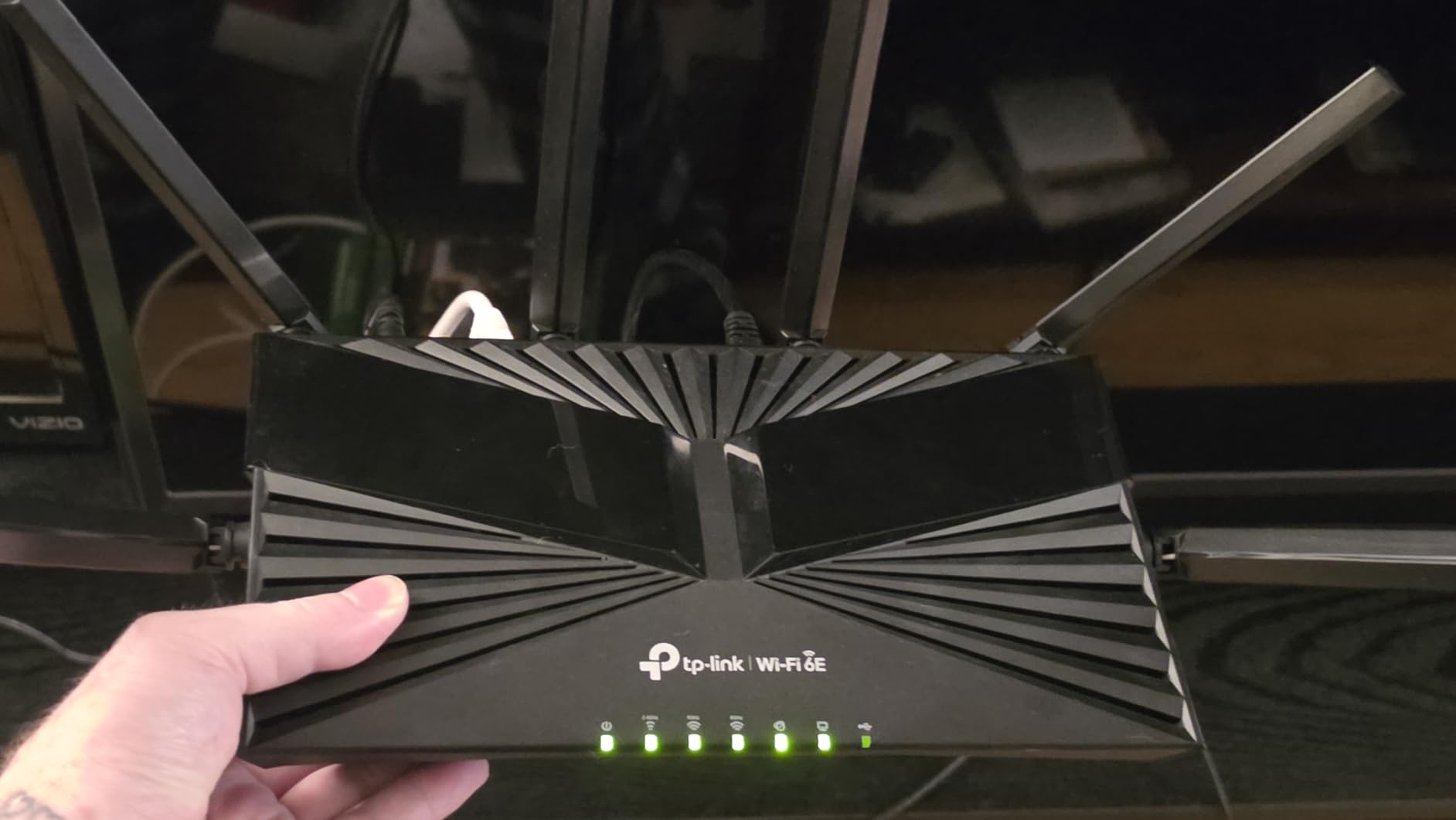
The specification is AXE5400 tri-band with 2.4 GHz, 5 GHz, and 6 GHz radios, 160 MHz channel support, one Gigabit WAN, four Gigabit LAN, a USB port for storage sharing, and OneMesh for expansion. 512 MB of RAM runs the Linux-based firmware.
Gamers on gigabit service report an absence of lag, and 160 MHz bandwidth takes full advantage of gigabit-plus fibre or cable. VPN support is included for secure remote access.
Where it makes sense
If your plan is gigabit and your budget is tight, this covers the whole house for less than most of the picks above. It is also a sensible way to take load off an unstable ISP-supplied gateway without replacing the modem.
For 4K streaming and general browsing across a busy household, the extra 6 GHz band does more than most gaming-specific features will ever do.
The two practical caveats
Older laptops and MacBooks need to be held at 80 MHz rather than 160 MHz, and one owner documented a non-functional LAN port plus an unresolved warranty dispute on a renewed sample.
The renewed feature set is also thinner than the full retail specification, all Ethernet ports are gigabit with no multi-gig option, and the warranty is 90 days. If you need 2.5 Gbps, the GXE75 is the TP-Link to buy.
10. HYPEREV AX3000 Console Booster — Best for Console Acceleration
HYPEREV AX3000 Gaming Router WiFi Booster for PS5, PC & Consoles – Dual Band WiFi 6 Game Accelerator, Low Ping & Lag Reduction, 2402Mbps, Includes 90-Day GearUP VIP Core Plan
AX3000 Wi-Fi 6 at 2402 Mbps
Plugs in beside an existing router
GearUP VIP trial
Pros
- Cheapest way to test whether acceleration helps you
- Plugs in alongside your current router with no configuration
- Owners report ping drops of 40-50 percent
- Optimised for 1000+ popular titles
Cons
- Key features need the GearUP VIP subscription after the trial
- Usable wireless range is only about 13-15 feet
- No IPv6 support and largely automated support
This is not a router so much as an accelerator that sits beside your existing one. It plugs in without replacing anything, which makes it the cheapest possible experiment in whether server-side optimisation helps your particular games.
The GearUP VIP Core plan is included for 90 days and the app optimises more than 1000 popular titles, with game-server and matchmaking filtering that lets you restrict queueing to low-latency servers. It works with PS5, Nintendo Switch, Steam Deck, and PC.
Wired users get the best results. One reviewer saw ping fall by nearly 50% on a PS5, and another sustained 8 to 12 ms pings on a 2 Gbps fibre line. The wireless side is far less convincing: AX3000 dual-band reaching 2402 Mbps on 5 GHz, but usable range of roughly 13 to 15 feet.
It is also the weakest-rated unit here at 4.0 stars with a 15% one-star share, and the reviews split sharply along exactly that wired-versus-wireless line.
Why try it even so
Because it is the cheapest way to find out whether acceleration matters to you at all. If your lag is queueing on your own line, the Flint 2 with SQM is the better answer; if it is routing to a distant server, this is the only unit in the guide that addresses that directly.
It is also useful for improving an ISP router you cannot or will not replace, which is a situation a surprising number of people are in.
Where the deal breaks
The GearUP VIP subscription is what unlocks those features once the trial ends, and one owner reports an attempted upgrade charge that would run to a five-figure yearly total. That alone should end the consideration for most people.
Add missing IPv6 support, the limited wireless range, and customer support that is largely automated with no human agent readily available, and this is a curiosity rather than a recommendation.
What to Check Before Buying a Gaming Router Under 200
Match the router to your plan speed first. A 2.5 Gbps WAN port only matters if you have a plan faster than a gigabit. On a 300 Mbps line, any of these will saturate it, and paying for multi-gig is wasted money — a pattern r/HomeNetworking users complain about constantly.
Decide wired versus wireless before anything else. A single Ethernet cable run through a wall gives you lower latency than every router on this page. Wireless matters for handhelds, laptops, and the far end of the house.
Count LAN ports, not marketing numbers. Aggregate throughput like AX5400 or BE6500 describes the radios, not the wired ports. What you plug a cable into is a separate question, and the ASUS RT-AX1800S with four Gigabit LAN ports beats plenty of units with grander aggregate figures.
Check what the security suite costs after the trial. ASUS AiProtection Classic and AiProtection Pro are free for the product lifetime. NETGEAR Armor and TP-Link HomeShield’s deeper features are subscriptions. If you plan parental controls or IoT filtering for years, the free options are worth real money over time.
Look for firmware longevity. Check how long the brand has supported the model and whether security updates are still landing. Owners repeatedly report cheap routers being stranded on old patches, and several picks here ship renewed units with only a 90-day warranty.
Band choice matters more than band width. Force your console and PC onto 5 GHz or 6 GHz. The PS5 does not reliably auto-select the 5 GHz band, and a console sitting on 2.4 GHz will show higher ping on any router. Band locking is a requested feature that very few budget routers expose clearly.
Understand bufferbloat before you buy. Bufferbloat is the queueing delay that appears when your connection is saturated. Test it on your current setup with a wired ping during a large upload. If ping spikes sharply, prioritise a router with queue management or SQM support over one with more RGB.
Decide whether you need a router at all. A router converts your modem’s signal into Wi-Fi and Ethernet. If your provider already gave you a box doing both jobs and you are happy with it, you may need nothing. Bridging the modem and adding your own router is the standard route when the provider gateway is the bottleneck.
On the wireless generation question, Wi-Fi 6 hardware remains perfectly serviceable in 2026 and will be for years. Wi-Fi 7 buys real gains only with Wi-Fi 7 client devices, and Wi-Fi 6E buys them only where a clean 6 GHz band is actually available to you. If you want the standards sorted separately, our Wi-Fi 7 gaming router guide covers the higher tier, and the rest of your hardware budget is better spent on the PC itself — our 4K gaming PC picks are a more direct way to raise frame rates than a faster radio.
Frequently Asked Questions
What is the best Wi-Fi router for gaming at this budget?
The GL.iNet Flint 2 (GL-MT6000) is our top pick. It is Wi-Fi 6 with two 2.5 Gbps Ethernet ports, four 1 Gbps ports, and OpenWrt pre-installed, which lets you install SQM software to control queueing and hold ping steady while the household is busy. For a pure plug-and-play gaming experience with a dedicated gaming port, the TP-Link Archer GXE75 is the alternative.
Are gaming routers worth the money?
Sometimes, and usually for a narrower reason than the branding suggests. A gaming router helps when your household is already using your bandwidth and traffic prioritisation keeps your console or PC responsive. It does nothing when your lag comes from ISP congestion or the game server, which is why testing your line before buying matters more than the feature list.
Is a gaming router better than a normal router?
At the same price, a well-chosen normal router is usually as good for casual play. The difference shows up in QoS prioritisation, multi-gig wired ports, and open firmware. Those three things matter if you share your connection, plan to upgrade to a 2.5 Gbps line, or want queue management. If you game alone on gigabit and everything is wired, the ASUS RT-AX1800S serves you just as well.
Is 2.4 GHz or 5 GHz better for gaming?
5 GHz, by a wide margin. It offers much more bandwidth and lower latency, while 2.4 GHz reaches further but suffers more interference and crowding. 6 GHz is better still where a clean channel is available and your device supports Wi-Fi 6E. The console exception worth knowing: a PS5 does not reliably auto-select 5 GHz, so set it manually in console settings.
What is the best cheap router that can run OpenWrt?
The GL.iNet Flint 2 is the strongest answer at this budget because OpenWrt is already installed, so there is no flashing step. It carries 1 GB of RAM, which comfortably runs VPN servers, AdGuard Home, and SQM at the same time. If you specifically want the newest standard, the Flint 3e (GL-BE6500) runs the same OpenWrt-based firmware over Wi-Fi 7.
What is the difference between a router and a modem?
A modem connects your provider’s cable or fibre line to your home and converts it into a digital signal. A router takes that signal and creates a local network with Wi-Fi and Ethernet ports. Many provider-supplied boxes do both jobs. You only need a separate router if the provider gateway performs poorly, if you want better wireless coverage, or if you want features the gateway does not offer.
Final Verdict
The best gaming routers under 200 in 2026 all solve the same problem, and only one solves it completely. Buy the GL.iNet Flint 2 (GL-MT6000) if you want dual 2.5 Gbps ports and real control over your traffic, because its pre-installed OpenWrt makes bufferbloat manageable in a way no other unit here can.
Buy the TP-Link Archer GXE75 if you would rather not touch firmware and want a dedicated gaming port, per-application acceleration, and a live latency panel. Buy the ASUS RT-AX1800S if you want the simplest setup and a security suite with no subscription attached.
Everything else on this list is a good router pointed at a specific situation: Wi-Fi 7 for newer clients, a 6 GHz band for congested buildings, gigabit ports for a fully wired room, or a subscription accelerator for consoles. And if your ping is bad on an idle line at 2 a.m., none of them will help — that lag is upstream, and no hardware at this budget can reach it.