
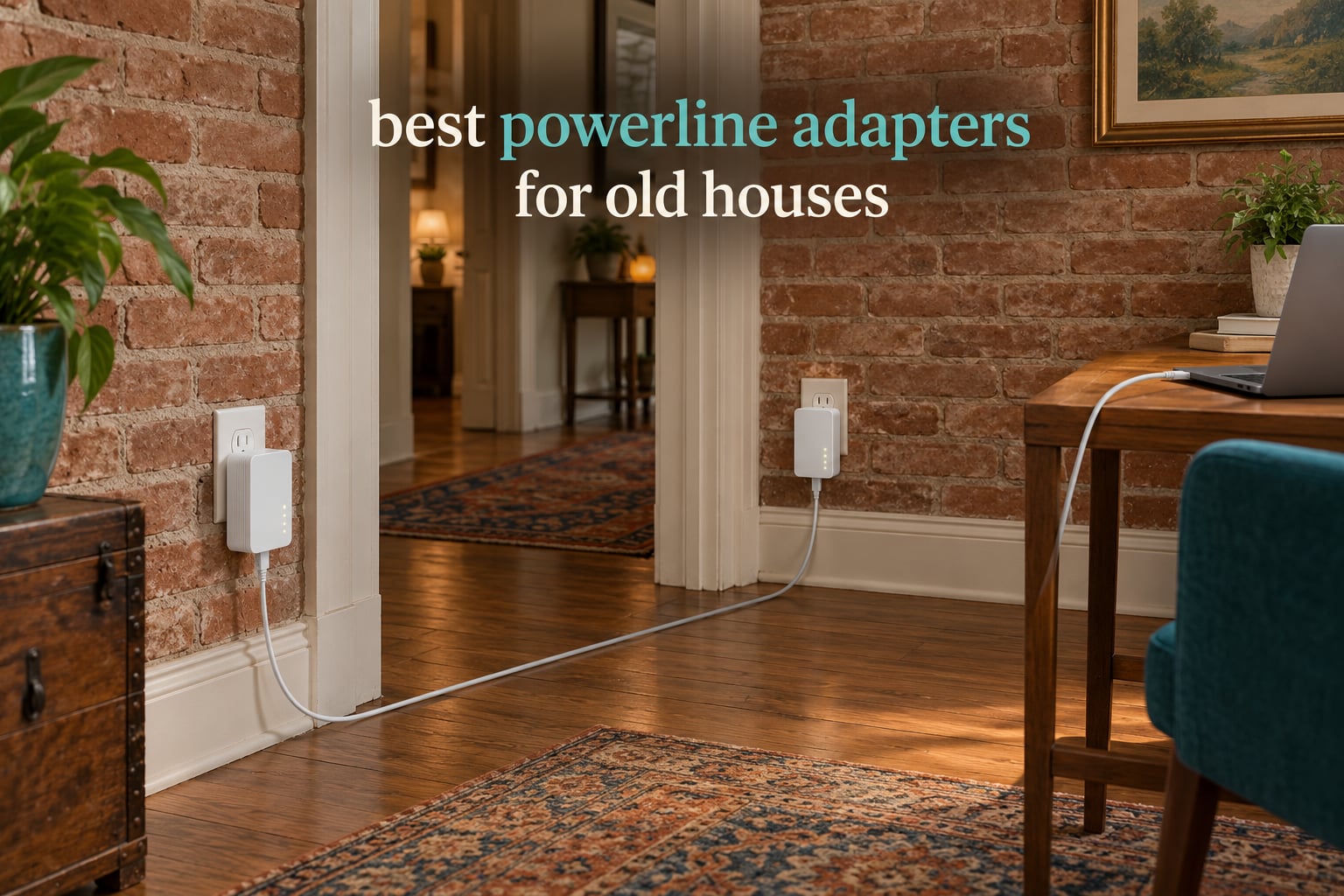
Yes, powerline adapters do work in most old houses. They fail when buyers judge them by the speed printed on the box instead of by the age and condition of the wiring already inside the walls. Get that decision right and a two-unit kit turns a 1920s plaster-and-lath house into a house with a hardwired connection in the upstairs office and the garage, with no new cable, no chasing, and no electrician.
A powerline adapter is a pair of plug-in devices that carry your internet connection over your home’s existing electrical wiring, turning any wall outlet into a network port. One plugs in near your router and connects by Ethernet, the other plugs into the room that needs a connection, and the two pair automatically and send data across the power lines as high-frequency signals. 128-bit AES encryption switches on when you press the pairing button, so traffic does not sit in the clear.
The catch in an old house is conductors. HomePlug AV2 uses line-to-ground as well as line-to-neutral signalling, and in a home built before the 1960s there is often no ground conductor in the branch wiring at all. When the ground leg is missing, an AV2 adapter with a three-prong plug drops back to line-to-neutral only and loses a large slice of its throughput. This guide ranks the current picks by how well they behave on exactly that kind of wiring.
Table of Contents
Top 3 Powerline Adapters for Old Houses in 2026


TP-Link AV1000 plus AX1500 Kit
- Wired plus Wi-Fi 6 link
- AX1500 dual-band
- EasyMesh and Wi-Fi Clone
All 9 Picks at a Glance for Older Wiring
| Product | Specifications | Action |
|---|---|---|
 TP-Link AV600 Powerline Ethernet Adapter Kit TP-Link AV600 Powerline Ethernet Adapter Kit |
|
Check Latest Price |
| TP-Link AV2000 Powerline Adapter Passthrough |
|
Check Latest Price |
| TP-Link AV1000 Adapter with AX1500 Wi-Fi 6 |
|
Check Latest Price |
 TP-Link AV1000 Gigabit Nano Kit TP-Link AV1000 Gigabit Nano Kit |
|
Check Latest Price |
 NETGEAR Powerline 2000 PLP2000 NETGEAR Powerline 2000 PLP2000 |
|
Check Latest Price |
 NETGEAR Powerline 1200 PLP1200 NETGEAR Powerline 1200 PLP1200 |
|
Check Latest Price |
 TRENDnet Powerline 500 Nano Kit TRENDnet Powerline 500 Nano Kit |
|
Check Latest Price |
 TP-Link AV1000 Wi-Fi Extender Kit TP-Link AV1000 Wi-Fi Extender Kit |
|
Check Latest Price |
 Zyxel AV2000 Powerline Starter Kit Zyxel AV2000 Powerline Starter Kit |
|
Check Latest Price |
Why Powerline Adapters Fail in Old Houses
Six things account for nearly every failed install, and all six are wiring problems rather than product problems. Knowing them before you buy saves you the return-and-rebuy cycle that most buyers describe.
1. No ground conductor. Homes built before 1960s-era rewires often have two-wire branch circuits and two-prong receptacles. AV2 adapters with three-prong plugs expect a ground leg. A top-voted answer on the Tom’s Hardware forums for a 1961 house without a ground wire recommends AV500-class adapters or choosing a different adapter entirely if the plug has three prongs.
2. Mixed-era splices. A house that has been rewired room by room has junctions where 1970s aluminium branch cable meets original copper. Those joints act like noise sources on the line.
3. Different breaker, different phase. The signal travels through the service panel, so two adapters on different breakers can still work, but two adapters on opposite phases of a split-phase panel cannot. Tom’s Hardware forum users put it plainly: adapters will not work across different phases, so put them on the same circuit.
4. A meter or sub-panel in the path. A converted garage, basement suite, or detached workshop that was fed by a separate meter or sub-panel is effectively a different building. No powerline link crosses that boundary. For a separate outbuilding, r/HomeNetworking regulars consistently say MoCA adapters will always crush powerline.
5. Power strips and surge protectors. Both filter the very noise frequencies the adapter relies on. This is the single most repeated mistake in the forum threads, and it silently halves or kills throughput.
6. Shared noise from appliances. Microwaves, washing machines, air conditioners, EV chargers, and LED dimmers inject noise onto the line. Older houses have more shared circuits, so more of your outlets sit next to a noisy load.
Two wiring conditions deserve a plain warning. Do not fit powerline adapters to circuits that still carry knob-and-tube or original knob-and-tube-era cloth-insulated cable, and do not run any new wiring in a historic home to make a network work. If the wiring itself needs attention, that is an electrician’s job, not a weekend project.
1. TP-Link AV600 Powerline Ethernet Adapter Kit – Best Overall for Old Wiring
TP-Link AV600 Powerline Ethernet Adapter Kit with 100 Mbps Port
AV600 class link
100 Mbps Ethernet port
Two adapters in the box
Nano plug-in body
Pros
- Over 20000 reviews behind real installs
- Nano body keeps the outlet area clear
- Single-button pairing with no software
- Power-saving mode trims idle draw
- Works with other TP-Link adapters
Cons
- 100 Mbps port caps the link far below gigabit
- Needs a direct wall outlet on one circuit
- AFCI breakers can limit or block the link
This is the kit I recommend first to anyone living in an old house, and the reason is not the AV600 label. It is that the install base behind this kit is enormous, with more than 20000 reviews and a 4.2 average, so almost every quirk of older wiring has already been reported by somebody else. When a link misbehaves, the fix is documented rather than a guess.
The 100 Mbps Ethernet port looks like a weakness on the box and turns out to be the point. On genuinely aged circuits the honest ceiling is usually well below gigabit anyway, and a 100 Mbps port stops the adapter negotiating a rate the wiring cannot sustain. For a smart TV, a streaming stick, a game console, or a desktop used for browsing and office work, it is the right target.
The physical design matters more in old houses than people expect. Each adapter weighs 12 ounces and measures roughly 2 by 1.1 by 2.6 inches, which is small enough to sit against a shallow old work box without shoving the plug sideways. Coverage is quoted up to 750 ft, though in plaster and lath houses I plan for far less.
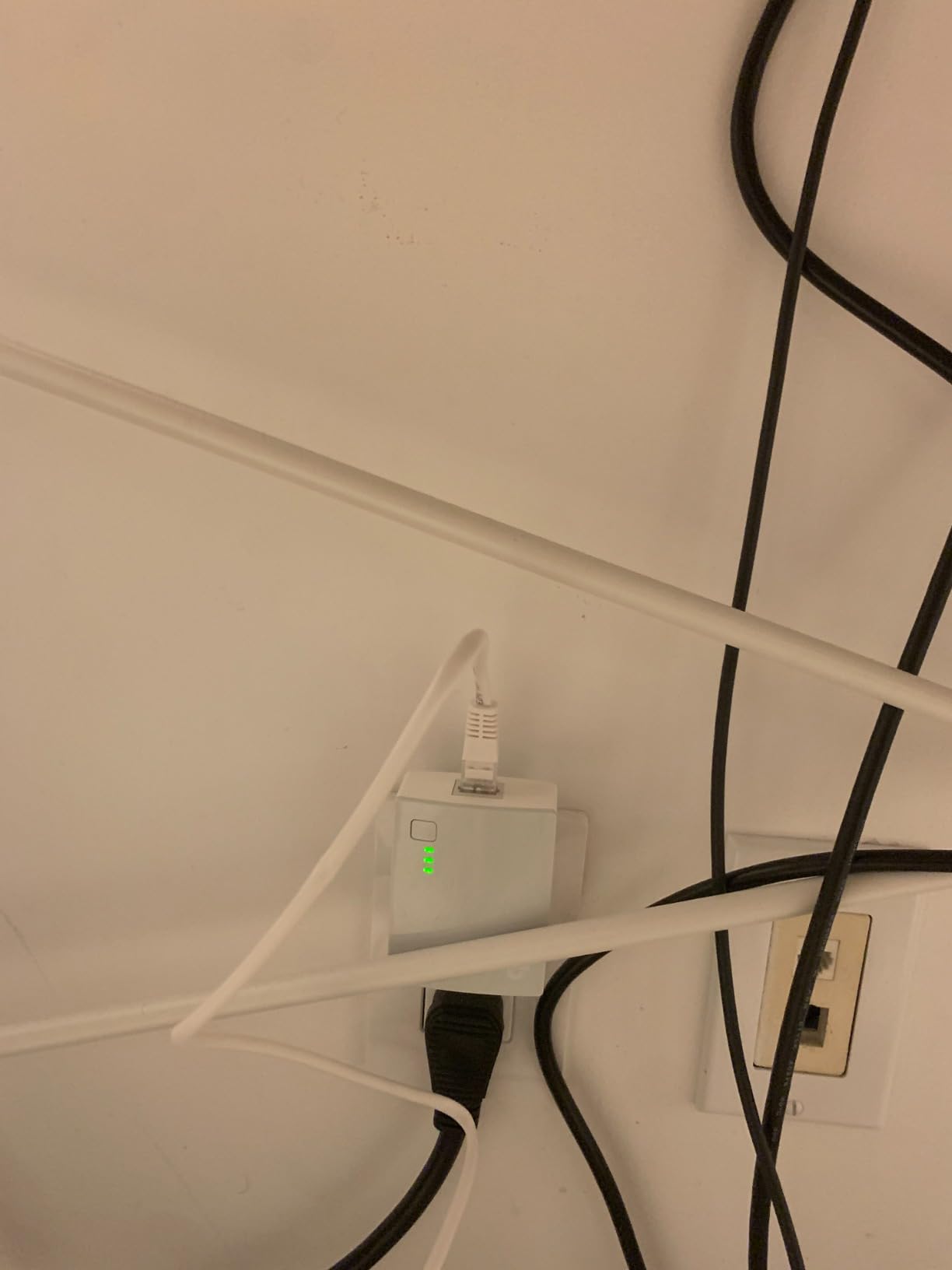
One honest limitation worth repeating: AFCI breakers, common in homes with newer wiring rather than older, are known to limit or block powerline performance. The manufacturer’s own documentation for this kit calls out both the circuit requirement and AFCI behaviour, which is unusual candour for the category.
Who should buy this kit in an old house?
Buy this pair if you need one additional hardwired room and your existing wiring is unremarkable. It is the safest starting point for a 1940s to 1970s house where the outlets are on the same breaker and you can plug both adapters straight into the wall.
It is also the pair I would buy twice. TP-Link powerline gear mixes freely within the family, so you can later add a faster adapter for a desk while keeping this pair as the cheap link for a TV.
Where does it fall short?
It falls short the moment you need more than 100 Mbps of real throughput. A NAS transfer, large file shares, or sustained 4K streams from a local server will not fit, no matter how good the wiring is.
It also cannot rescue a bad install. If the two adapters will not pair at all, the fix is placement, not the hardware: same breaker, wall outlet, no power strip.
2. TP-Link AV2000 Powerline Adapter with Passthrough – Best for Streaming Rooms
TP-Link AV2000 Powerline Ethernet Adapter, Passthrough, 2 Gigabit Ports
HomePlug AV2 with 2x2 MIMO
Two gigabit ports per adapter
Noise-filtered pass-through socket
Pros
- Pass-through socket keeps the outlet you would lose
- Two gigabit ports serve a PC and a TV
- Stably beats Wi-Fi in multi-storey homes
- Backwards compatible with older TP-Link adapters
- Clear English setup guide
Cons
- Tall body can block the upper socket
- Real-world throughput often lands near 100-200 Mbps
- Included Ethernet cables are only about 6 feet
This is the pair I recommend when the far room is a living room with a television, a console, and a streaming box competing for one port. Two gigabit ports per adapter means a single unit serves the TV and the console without a switch, and the pass-through socket means you do not lose an outlet position in a room that has two.
Owners rate it 4.1 from more than 8900 reviews, and the most common description is better than Wi-Fi but not a long-term solution. One thread on r/homelab puts it plainly: the TP-Link AV2000 is decent and needs no holes drilled, which is exactly the trade an owner of a finished old house wants.
Set your expectations with the measured numbers rather than the label. Reviewers across this category repeatedly land in the 100 to 200 Mbps band on real wiring, and an AVForums veteran who has reviewed many powerline adapters states they never get remotely close to half of the quoted speed. The 2×2 MIMO and noise-filtered outlet still earn their keep; they just do not deliver laboratory numbers through 70-year-old cable.
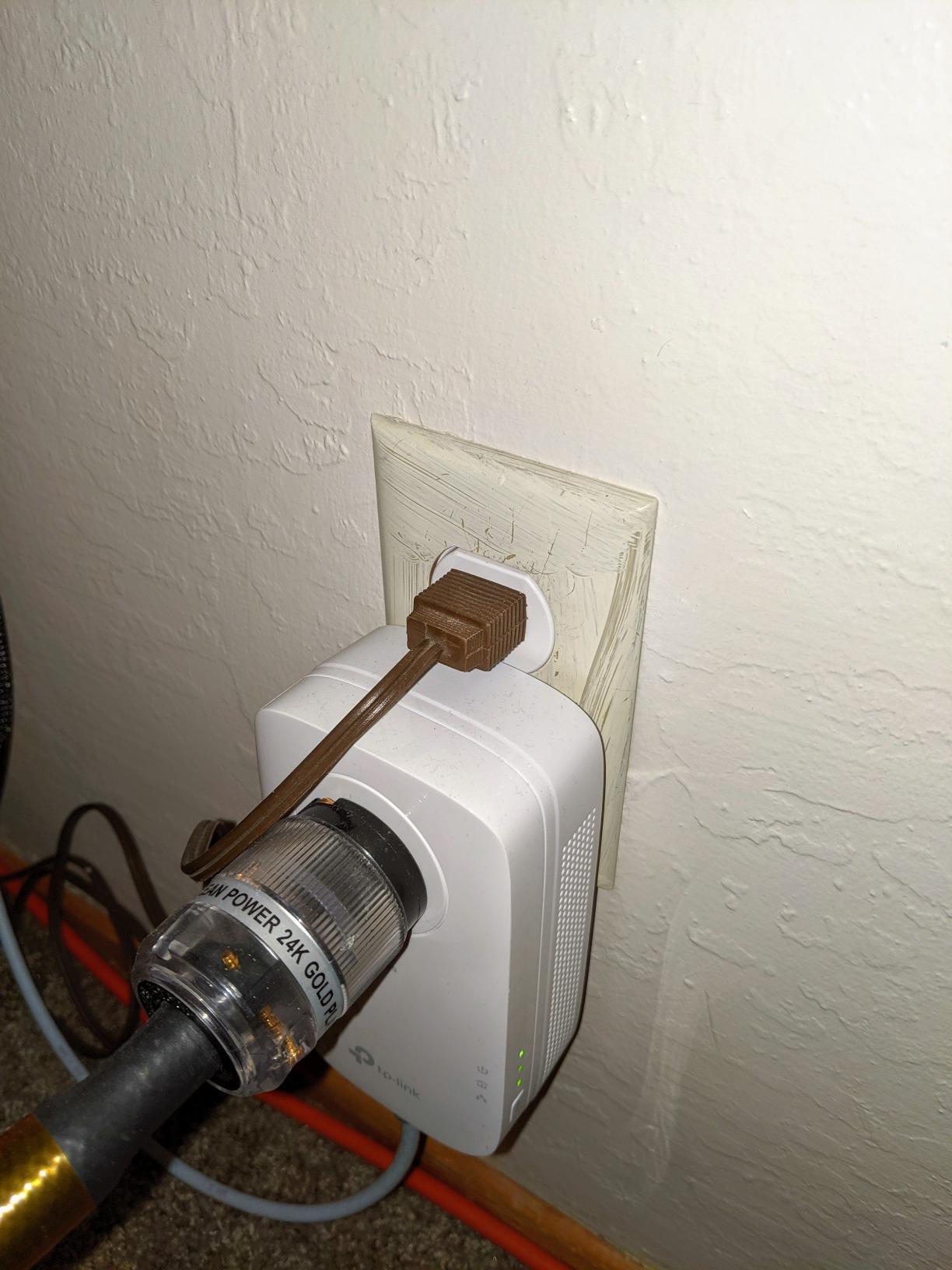
The mechanical drawback is real. At roughly 5.2 inches tall, the housing can cover the ground pin of the upper socket on a standard duplex receptacle, and the unit runs warm enough that owners are cautious about loading the pass-through socket heavily. Check your receptacle clearance before ordering.
Which old-house rooms suit this kit?
It suits any finished room where you want two wired devices and no lost outlet. It is particularly good in a 1950s house where Wi-Fi already fails to cross several walls but the outlets share a breaker.
The gigabit ports also future-proof the wall plate. If you later upgrade to faster broadband, the port will not be the bottleneck, even if the wiring is.
What should you watch out for?
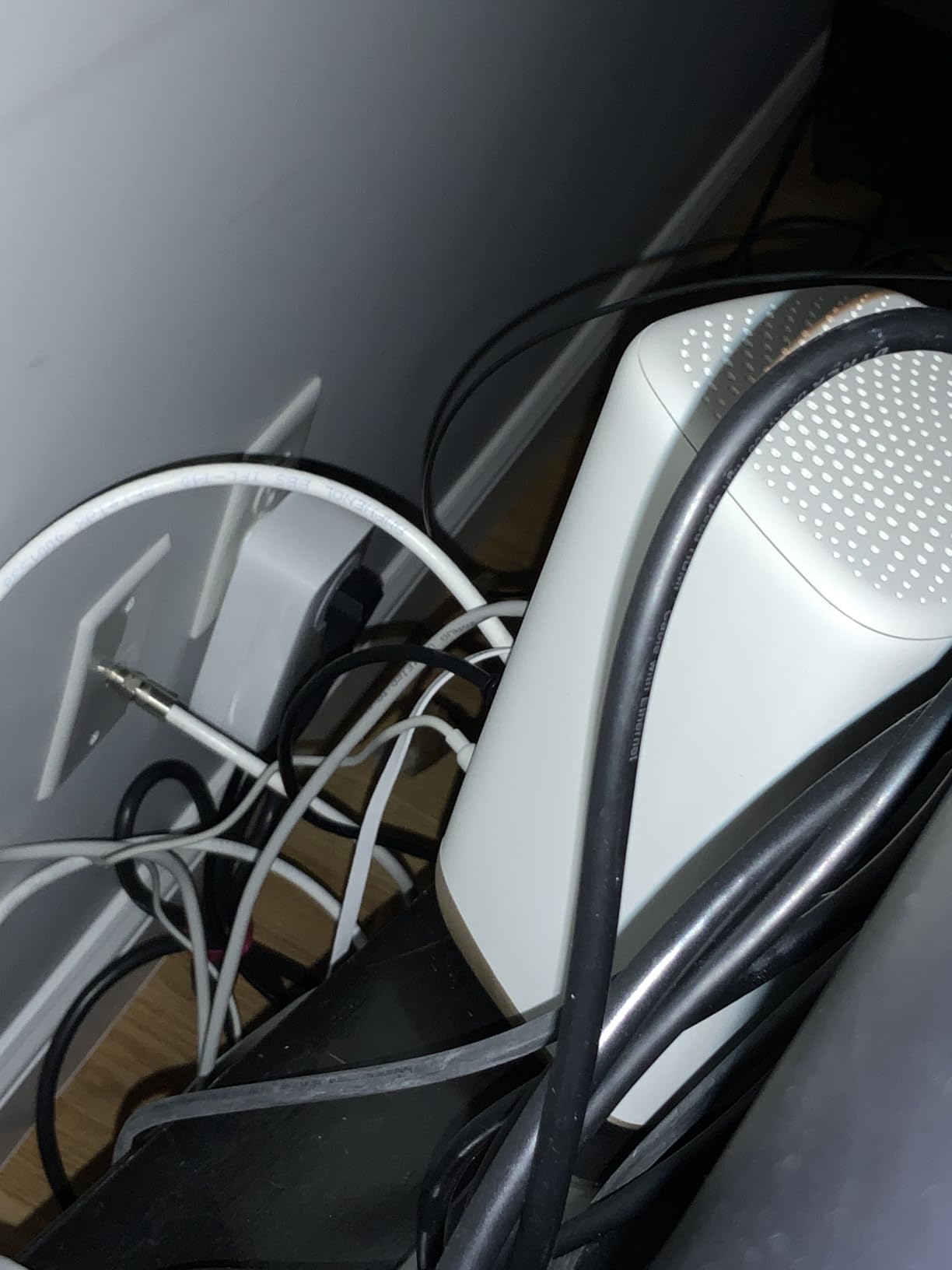
Watch the outlet clearance and the included cables, which run about 6 feet. In older rooms with short furniture walls and awkward furniture placement, plan on buying your own longer Ethernet runs.
Watch for early unit failure too. A minority of reviewers report individual units dying after several months, so buy from a seller with a straightforward return process and keep one adapter spare if the far room is important to you.
3. TP-Link AV1000 Powerline Adapter and AX1500 Wi-Fi 6 Kit – Best for Whole-House Dead Zones
TP-Link AV1000 Powerline Ethernet Adapter+AX1500 Wi-Fi 6 WiFi Extender KIT
AV1000 powerline link to 980 ft
AX1500 dual-band Wi-Fi 6
Gigabit Ethernet plus Wi-Fi Clone
Pros
- Sends wired and wireless signal over the wiring
- Wi-Fi 6 radio re-broadcasts the link in the far room
- One-click Wi-Fi Clone keeps one network name
- Typically 100+ Mbps where Wi-Fi was single digits
Cons
- Some units need a periodic power cycle
- SSID cloning via WPS often needs the tpPLC utility
- Wi-Fi range covers roughly one bedroom per unit
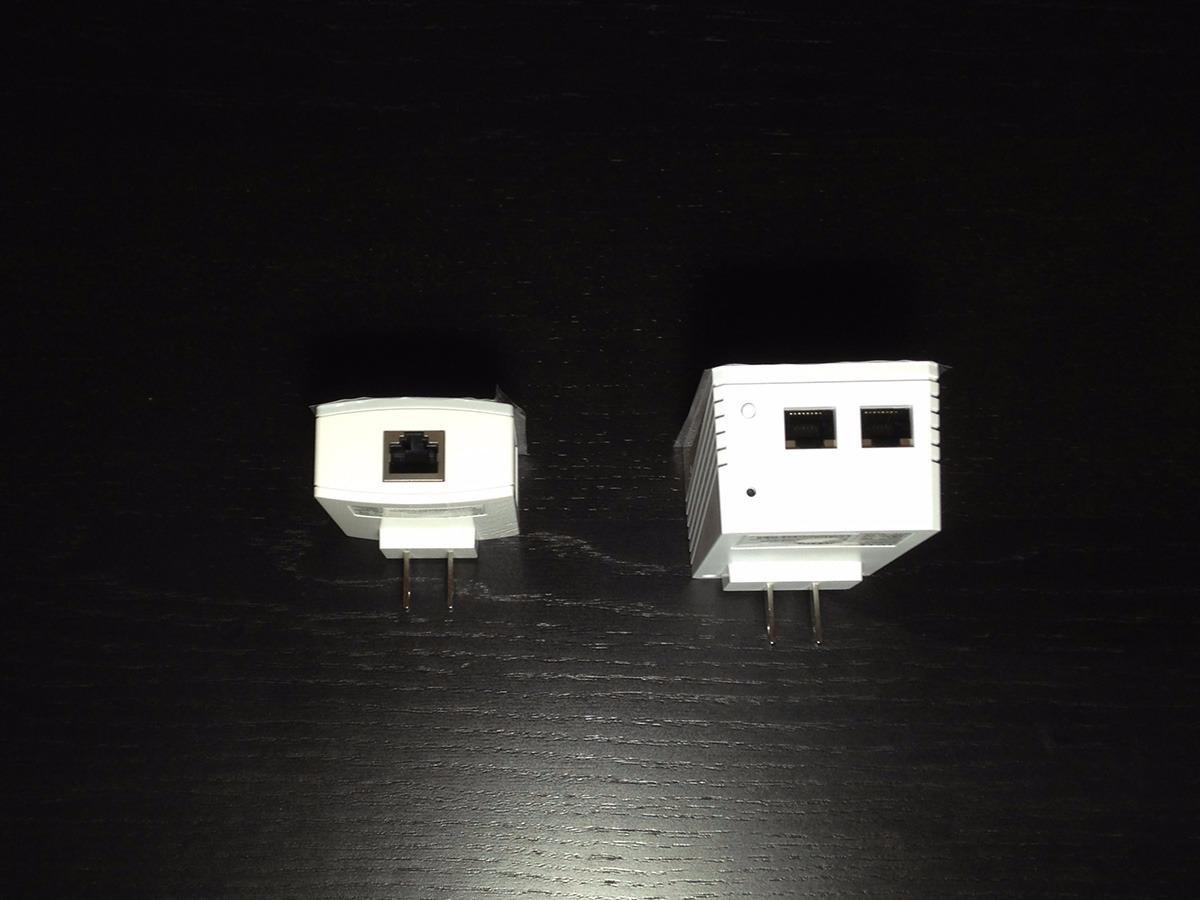
This hybrid kit is the one I suggest for a house where the problem is not one dead room but a whole floor. One adapter carries gigabit Ethernet, the other is a Wi-Fi 6 extender with a 1201 Mbps 5 GHz radio plus 300 Mbps on 2.4 GHz, and the extender re-broadcasts the powerline link into the room where you needed it.
Reviewers credit it with solving coverage gaps that pure mesh Wi-Fi could not, including detached garages, workshops, and houses more than a century old where there is no sensible place to put a second router. It holds a 4.1 rating across more than 8300 reviews, with 61 percent five-star results.
The quoted powerline reach of up to 980 ft is generous marketing language. What matters more is that the kit is described as working across separate breakers and outbuildings, which is useful but not universal. If the outbuilding sits behind a separate meter, no powerline kit of any brand will cross it.
Manage up to 64 wireless clients from the extender side, and use the EasyMesh compatibility and Wi-Fi Clone button to keep a single network name across the house. Both are managed through a web interface, the tpPLC desktop app, and a mobile app.
Who gets the most out of this kit?
A large house with several dead zones, a garage, or a workshop gets the most out of it. One powerline hop plus a local Wi-Fi 6 radio is often simpler than adding mesh nodes and running Ethernet to each of them.
It is also the pragmatic choice when you want wired speed in one spot and wireless coverage in the same room, because both come out of a single kit.
What goes wrong with it?
The wireless half draws most of the complaints. Users report that WPS-based SSID cloning fails and needs the tpPLC utility set manually, and that some units need unplugging every few weeks to recover link speed.
Older TP-Link firmware has also caused wireless isolation and Apple device discovery problems. If your household is mixed iOS and Android, test it early.
4. TP-Link AV1000 Gigabit Nano Kit – Top Rated Pick for a Single Room
TP-Link AV1000 Powerline Ethernet Adapter KIT – Gigabit Port, Nano Size
HomePlug AV2 gigabit class
Gigabit Ethernet port
Nano-size housing
Pros
- Best-selling powerline adapter in the category
- Gigabit port at a mid-budget level
- Compact nano body
- Works with all TP-Link adapters
- No wiring or configuration needed
Cons
- No pass-through outlet so it takes the receptacle
- Nano block can plug into power strips
- Needs two outlets on one circuit
This is the pick I send people to when the job is a single hardwired device and the room is tight on sockets. It holds 4.2 stars across more than 7700 reviews with 66 percent five-star results, and it is the best-selling powerline adapter in its category, which tells you how many odd houses it has already been dragged into.
Because the port is gigabit, it is a better fit for a desktop PC or a modern smart TV than the 100 Mbps kit, and the nano housing measures roughly 2.6 by 2 by 1.1 inches, so it leaves the receptacle face uncluttered.
The honest limit is again the wiring rather than the adapter. Reviewers treat it as the default gigabit powerline option for a smart TV, console, or desktop, but the results hinge on finding two outlets on the same electrical circuit and plugging straight into the wall.
Documented caveats include AFCI breakers in post-2000 homes, which can limit or block performance, and one compatibility note that catches people out: it is not compatible with routers running modified or open-source firmware.
When is this the right buy?
It is the right buy for one room, one wired device, and a duplex receptacle you are willing to give up. The included 6.5 ft Ethernet cable and single pairing button mean no setup project.
It is also the right first test of whether powerline suits your house at all, because the low cost of being wrong is smaller than with a premium kit.
Where does it disappoint?
It disappoints when a room has only two outlets and the second one matters. There is no pass-through socket, so the adapter occupies the receptacle it plugs into.
It also disappoints anyone expecting gigabit throughput from old cable. Expect a stable working connection well below the port speed.
5. NETGEAR Powerline 2000 PLP2000 – Best for Keeping Every Outlet Usable
NETGEAR Powerline Ethernet Adapter Kit PLP2000, 2 Pack, 2000 Mbps
HomePlug AV2 up to 2000 Mbps
MIMO with Beamforming
Noise-filtered extra outlet
Pros
- Extra outlet keeps the socket usable
- Adding it upgraded an existing NETGEAR network
- MIMO and beamforming aim the signal
- Two ports per adapter
- Plug-and-play with no software
Cons
- Rounded top can block the upper socket
- Older homes see results from 20 Mbps upward
- Bright status LEDs glow at night
NETGEAR’s approach to the old-house problem is hardware-first: two RJ-45 ports and a noise-filtered extra power outlet in each body, with MIMO and beamforming to direct the signal. The filter is the part that matters in older homes, because it keeps appliance noise from leaking into the data path.
At 4.2 stars with 66 percent five-star results across nearly 4000 reviews, the split in the feedback is informative. Reviewers with newer copper wiring report 200 to 400 Mbps, while those in older homes with decades of patch-job wiring describe wildly variable results starting from 20 Mbps.
Compatibility is a genuine strength if you already own NETGEAR powerline gear. Owners report that adding one of these upgraded and stabilised a network built on smaller NETGEAR adapters, which matters in a house where you want to extend rather than replace.
The mechanical drawback mirrors the TP-Link passthrough kits: the rounded top blocks the ground pin of the upper socket on a duplex receptacle. In old plaster-walled houses, that often means the second outlet in the room goes out of use anyway.
Which homes suit the PLP2000?
A home with newer branch wiring but old finishes suits it best, where 200 to 400 Mbps is achievable and the extra outlet matters. Two wired devices per adapter is a genuine convenience for a media room.
It is also a good second-stage upgrade if a smaller NETGEAR adapter already works in your house but runs slowly.
What should temper expectations?
On mixed and oxidised wiring in older homes, treat the 2000 Mbps figure as a laboratory number. Forum and review experience across the category puts real results far lower, and this kit is no exception.
A small number of owners report units going completely dead within a year, and the LED glow is bright enough to notice in a dark hallway.
6. NETGEAR Powerline 1200 PLP1200 – Best for Plaster and Lath Houses
NETGEAR Powerline Adapter Kit, 1200 Mbps Wall-Plug, 1.2 Gigabit Ethernet Ports with Passthrough + Extra Outlet (PLP1200-100PAS)
HomePlug AV2 up to 1200 Mbps
MIMO and Beamforming
Pick-A-Plug link quality LED
Pros
- Documented six-fold gain over Wi-Fi in a Victorian row house
- Pick-A-Plug LED finds the best outlet pairing
- Pass-through socket prevents losing an outlet
- No configuration or software needed
- Works with older HomePlug AV adapters
Cons
- Bulky body blocks the upper socket
- Throughput swings sharply between circuits
- Some users saw conflicts with mesh systems
This is the kit with the most directly relevant documented result for an old house. A reviewer in a Victorian plaster-and-lath row house reported a six-fold Wi-Fi improvement, and other owners in 1890s vacation homes and 1980s tri-levels with aluminium wiring report consistent gains over wireless even though the numbers fall well short of the 1200 Mbps label.
It is the lowest-rated product in this group at 4.0 stars with 56 percent five-star results, and the reviews skew cautionary about bandwidth. That combination is honest, and worth weighing: you are buying a reliable link to a room that Wi-Fi cannot serve, not a fast one.
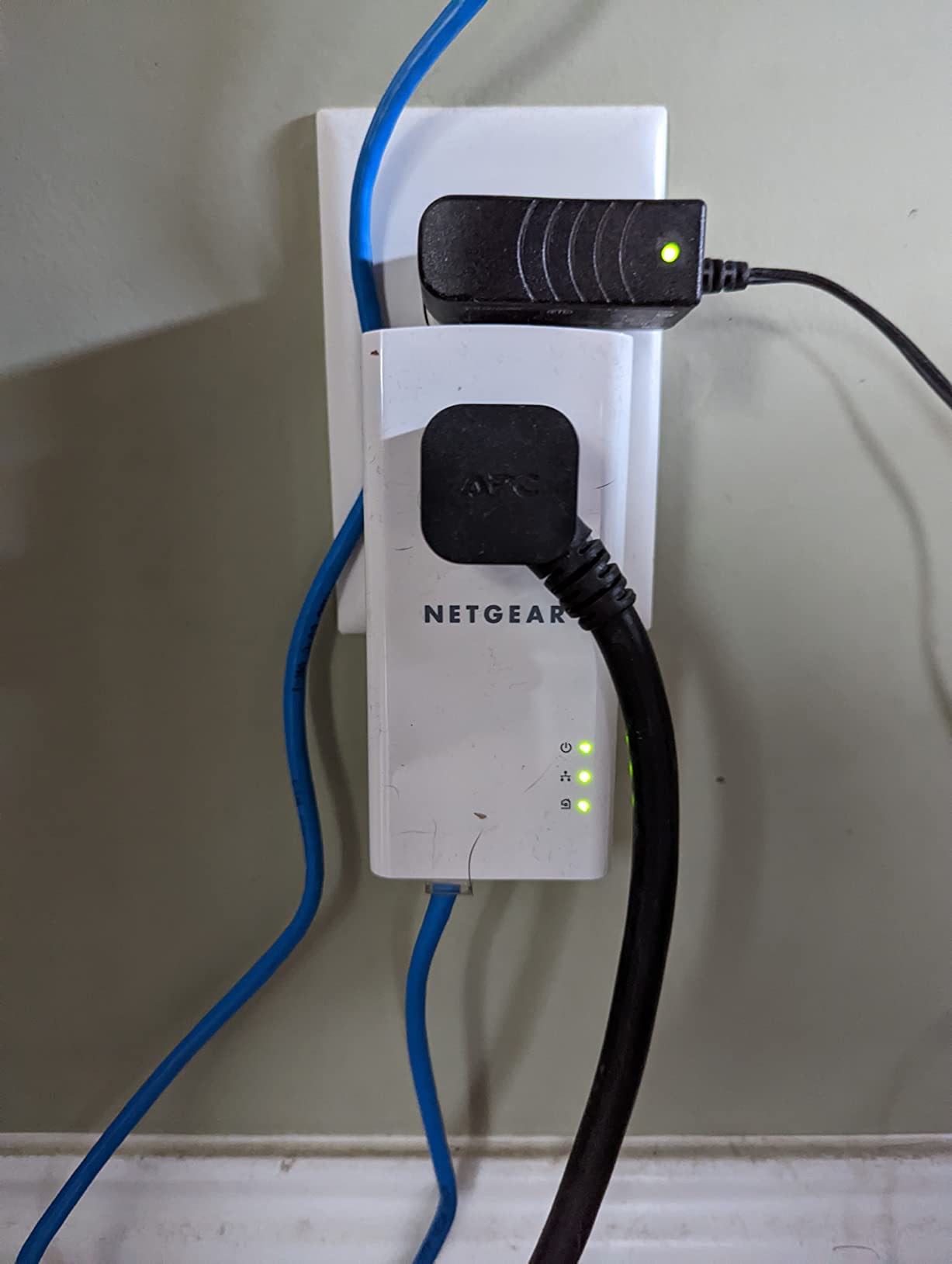
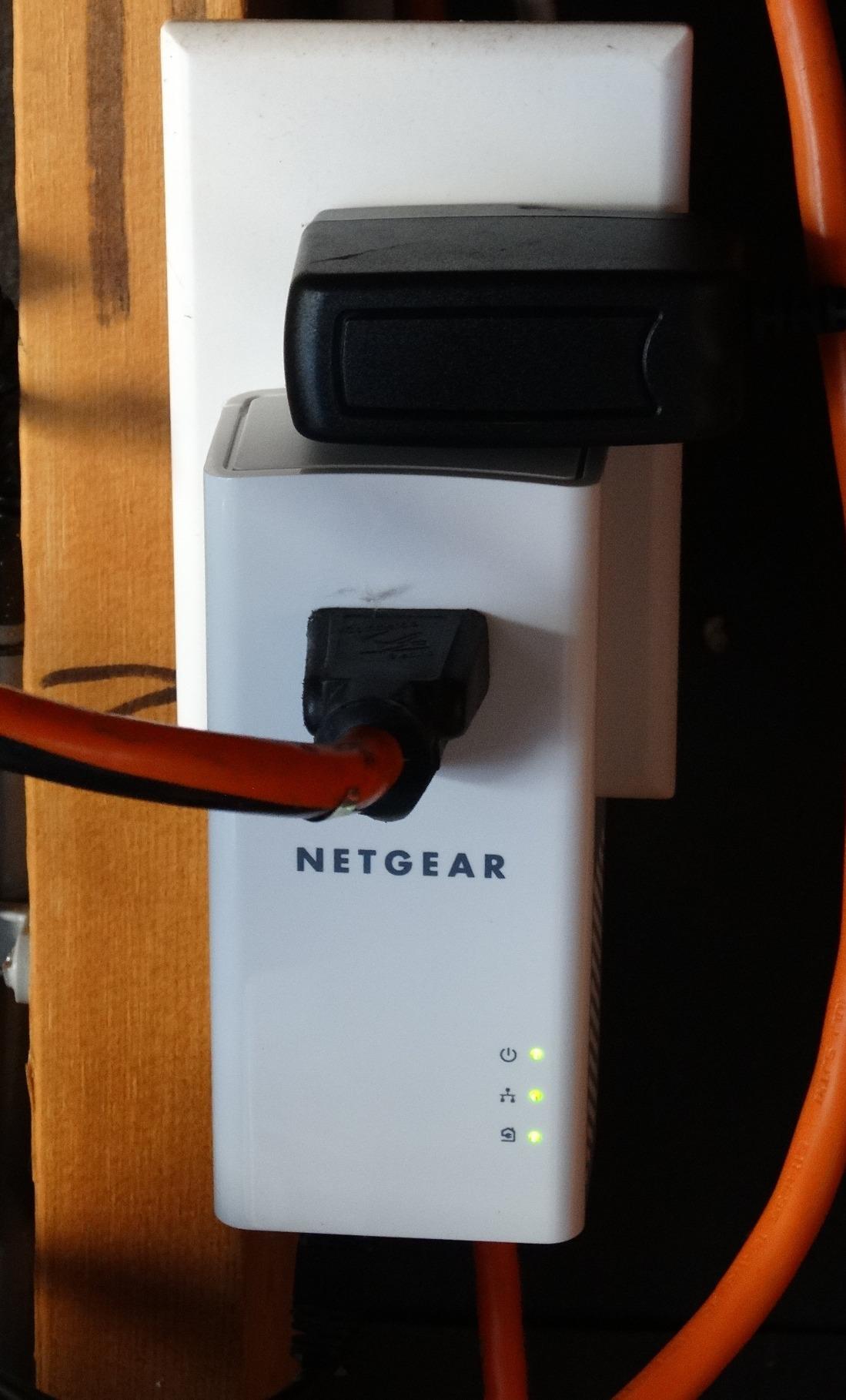
The Pick-A-Plug LED is the feature old-house owners should care about most. It reports link quality, with green indicating above 80 Mbps, so you can walk from outlet to outlet and find the pair that actually works instead of guessing through a return cycle.
One tester measured 283 Mbps on the same circuit against 88 Mbps on separate circuits, which is a fair illustration of how much placement changes the result. The kit also works alongside older Zyxel AV200 adapters in mixed-brand networks.
Who is this pick for?
It is for the house where wireless is hopeless and you have accepted a moderate speed. A smart TV, a console, a printer, and routine browsing are all comfortable at these levels.
The Pick-A-Plug LED also makes it the easiest kit to trial in a house with several breakers, since you can find the best pairing in minutes.
What are the drawbacks?
The body is bulky at 4.72 by 2.28 by 1.65 inches and blocks the upper socket for three-prong plugs. It is not a fit for a tight two-prong-only room.
Do not lean on it for sustained VPN tunnels or NAS backup jobs at gigabit line rates, and expect occasional link drops that need a manual reset of all adapters.
7. TRENDnet Powerline 500 Nano Kit – Best Budget Pick for One Smart TV
TRENDnet Powerline 500 AV Nano Adapter Kit,TPL-406E2K,Plug & Play Install
Two TPL-406E adapters in the box
Scales to 8 adapters
500 Mbps class link
Pros
- Compact nano form factor
- Pre-encrypted signal needs no setup
- Backward compatible with 200 and 600 class kits
- Three-year manufacturer warranty
- Guided setup with no disc
Cons
- 500 Mbps ceiling limits heavy streaming
- Included network cables are a short 5 ft
- No pass-through outlet on this variant
This is the one I suggest for a single smart TV or a console in a room that only needs to stop buffering. The signal is pre-encrypted out of the box, so there is no pairing app to install and no disc to lose, which is exactly the experience a non-technical owner in an old house wants.
It holds 4.2 stars with 65 percent five-star results across more than 1800 reviews, and owners consistently accept the 500 Mbps ceiling as adequate for one smart TV, one console, or one desktop.
The 500 Mbps class is not as weak a choice for old wiring as it looks. On circuits where the achievable number is a fraction of gigabit, a 500 Mbps adapter settles quickly and holds, where higher-class adapters sometimes oscillate between link rates.
It is also the most flexible kit here for a house that might grow: the TPL-406E adapters scale to a network of up to 8 adapters, and they are backward compatible with Powerline 200, 500, and 600 class devices.
Who gets good value from this kit?
Anyone wiring one television, one console, or one desktop in a spare room gets good value. The three-year warranty is longer than most rivals at this level, and the guided setup runs in minutes.
It is also the safest first purchase if you want to learn whether powerline suits your walls before spending on a faster kit.
What are the limits?
The 500 Mbps ceiling rules out heavy 4K from a local media server and large file transfers, and the included network cables are a short 5 ft.
There is no pass-through outlet on this variant, so it takes the receptacle it plugs into. Check the fit of your socket before ordering.
8. TP-Link AV1000 Powerline Wi-Fi Extender Kit – Best for Joining an Existing Mesh
TP-Link AV1000 Powerline Ethernet Adapter WiFi Extender Kit, Passthrough
AV1000 powerline link to 750 ft
AC1200 dual-band Wi-Fi
Passthrough socket on the extender
Pros
- Gigabit powerline adapter plus Wi-Fi extender in one kit
- OneMesh compatible for whole-home coverage
- Wi-Fi Clone button copies the SSID and password
- Gigabit port for consoles and smart TVs
- Sits below the Wi-Fi 6 hybrid kit
Cons
- AC1200 radio is a step down from AX1500
- Needs both adapters on the same circuit
- OneMesh pairing only works with TP-Link mesh gear
This kit bridges powerline and mesh. The extender side has a passthrough socket and an AC1200 dual-band radio with 867 Mbps on 5 GHz and 300 Mbps on 2.4 GHz, so the far room gets both a wired gigabit port and local wireless coverage from one unit.
Its 4.1 rating sits on a smaller review base than the established pure-wired AV1000 kits, with 854 reviews and 59 percent five-star results. The value is in the combination rather than in any single specification.
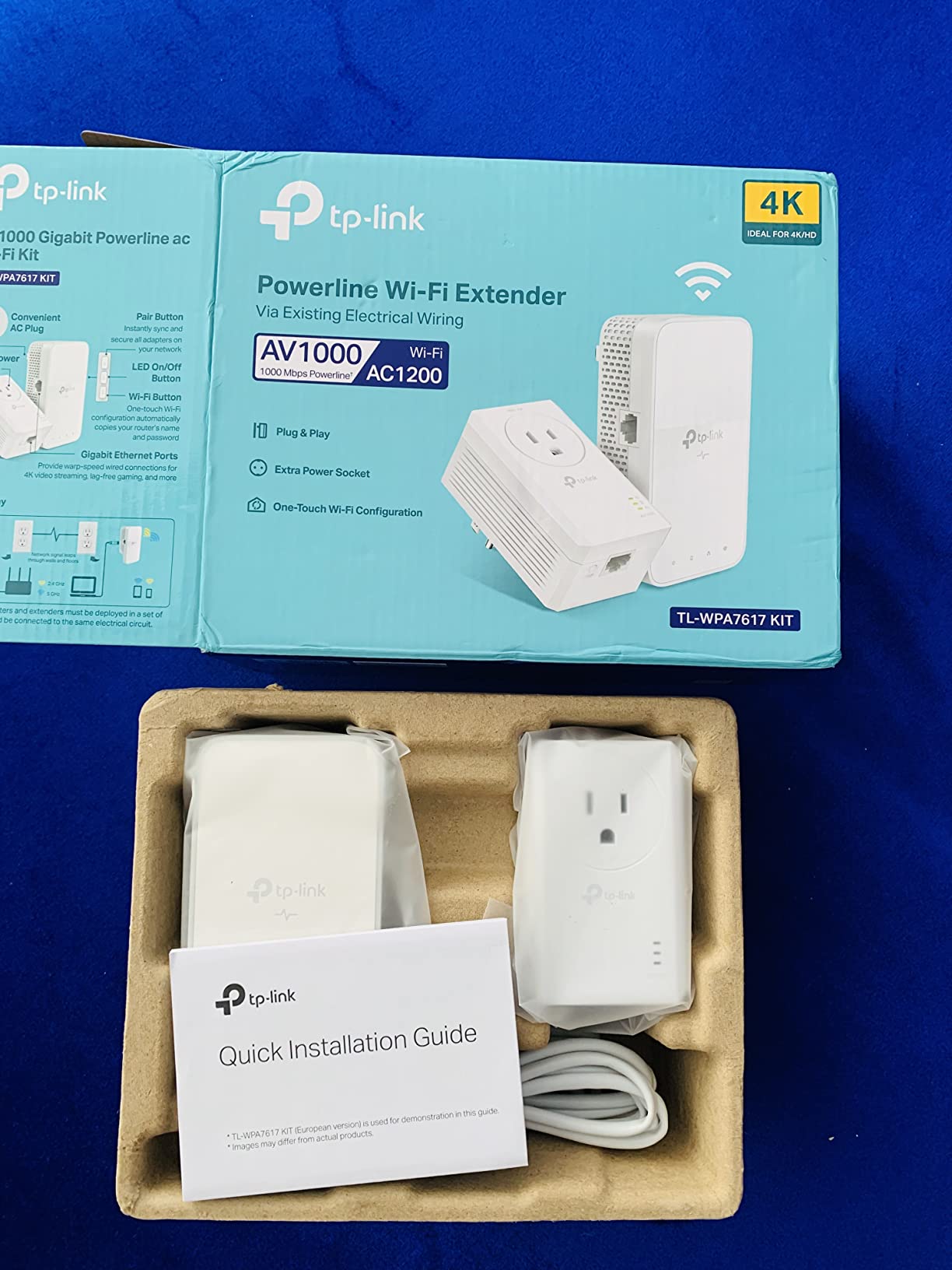
If you already run TP-Link OneMesh equipment, owners report the roaming experience is the main draw. The one-click Wi-Fi Clone button replicates the router network name and password, so phones and laptops step between rooms without manual reconnection.
Throughput on the wired path still depends on the same conditions as every kit here: direct wall outlets, one circuit, no power strip. The powerline link is quoted up to 750 ft, and in masonry homes I would treat that as a generous ceiling.
Who should choose this kit?
Choose it if the far room needs both wired and wireless service and your household already runs TP-Link mesh hardware. OneMesh compatibility is the feature that makes it feel like part of a system rather than an add-on.
It also suits owners who want the passthrough socket but do not need a Wi-Fi 6 radio at that end of the house.
What should hold you back?
The AC1200 radio is the weak point, not the powerline link. It is a step down from the AX1500 and AX3000 alternatives, and it is the part owners criticise most.
OneMesh pairing only works with TP-Link mesh equipment, and the kit has fewer owner reviews than the pure-wired kits, so long-term reliability data is thinner.
9. Zyxel AV2000 Powerline Starter Kit – Best for Mixed-Brand Installations
Zyxel AV2000 Powerline Ethernet Adapter Starter Kit | Pass-Thru Power | Plug & Play | MIMO | HomePlug AV2 | 2 x Gigabit Ethernet | Ideal for Smart TVs, On-Line Games, 4K Streaming | PLA5456KIT
HomePlug AV2 with MIMO up to 2000 Mbps
Two gigabit ports per adapter
Pass-through power outlet
Pros
- Two gigabit ports serve a console and a computer
- Verified cross-brand use alongside NETGEAR units
- Upgraded a 1980s house's upstairs streaming to 100 Mbps
- Pass-through socket
- Long-running owners report stable links
Cons
- Bulky adapters cover both outlets of a duplex receptacle
- One owner measured 51 Mbps against a 100 Mbps line
- Download-only manual and dated management utility
This is the pick for a house that already has some powerline gear from another brand. Users run it alongside NETGEAR Powerline 2000 units and report consistent stability and ping, which matters if you are extending rather than replacing.
One long-term owner in a 1980s house took upstairs streaming from unusable to 100 Mbps with this kit. At 4.2 stars with 65 percent five-star results across 783 reviews, the ratings are solid, though the review base is the smallest here.
QoS prioritisation for high-bandwidth activity is a nice touch if you share the connection, and the multi-coloured LED indicators plus the ZyXEL ONE Connect app give you something to diagnose with. Rated up to 2000 Mbps with 1800 Mbps throughput.
The measured reality is the usual one. Buyers upgrading from older AV200-class adapters report large gains, but published real-throughput figures remain unreachable and results cluster well below the AV2000 claim. One owner measured 51 Mbps against a 100 Mbps line.
Who is this kit right for?
It is right for a house with existing powerline gear from a different brand, where verified cross-brand compatibility saves you from a house full of incompatible adapters. It is also right if you want two wired devices from one adapter.
The pass-through socket means you keep the outlet position, which counts in old rooms with few receptacles.
What are the drawbacks?
The documentation is the most common complaint, especially for non-technical buyers. The full manual is download-only, the management utility lags behind current Windows versions, and the instructions use unexplained technical terms with contradictory steps.
The adapters are bulky enough to cover both outlets of a duplex receptacle, and some owners reported packet loss to the gateway on modern wiring. Check your socket space first.
How to Set Up a Link That Holds in an Old House
A two-minute check before you unbox anything tells you whether the install will work. Identify which breaker feeds the outlet near your router, then check whether the outlet in the target room is on that same breaker. If they are not, look for a room that is, before you buy anything.
Next, look at the receptacles themselves. A two-prong outlet cannot host a three-prong adapter without an adapter cube, and a modern three-prong outlet does not guarantee a ground conductor is present, since many older homes were retrofitted with grounded-looking but ungrounded sockets.
Then install. Plug one adapter directly into a wall outlet near the router and connect it by Ethernet, plug the second directly into a wall outlet in the far room, and press the pairing button on both within two minutes of each other. Never use a power strip, surge protector, or extension cord for either one, because the filter inside them degrades or blocks the link entirely.
Finally, read the link LED rather than the box. Most kits use a colour code for link quality, and the NETGEAR PLP1200 makes this explicit with its Pick-A-Plug LED, where green means above 80 Mbps. If the link is poor, move one adapter to another outlet on the same breaker and try again before you conclude the kit is faulty.
What to Look for When Buying a Powerline Adapter for Old Wiring
Standard first. HomePlug AV2 is the common standard and the most widely compatible; older AV, AV500, and AV600 gear mixes within most brands. G.hn, sold under devolo’s dLAN and Magic names, is a separate standard and does not interoperate with HomePlug gear. On r/HomeNetworking the recurring advice is to pick one standard and keep every adapter on it, because mixed-standard households underperform quietly.
Speed class second, and sceptically. The AV2000 or AV600 figure on the front is a theoretical ceiling measured on laboratory wiring. On pre-1970 ungrounded circuits, budget in the tens to low hundreds of Mbps. Buying AV2000 hoping for 2 Gbps through old plaster walls is the most common disappointment in this category.
Plug type is a wiring question. A three-prong adapter expects a ground leg. If your older rooms have two-prong outlets only, you need either an adapter designed for that wiring or a documented plan for the missing conductor.
Ports and passthrough. Gigabit ports future-proof the wall plate and let one adapter serve a TV and a console. A passthrough socket matters more in an old house, where outlets are scarce, but check that the housing does not cover the upper socket.
Link-quality LED. On degraded wiring this is the difference between a five-minute install and a return cycle.
Security. 128-bit AES encryption and press-to-pair configuration are standard on current kits, and the data never leaves your home. Confirm your model supports pairing rather than an open pre-encrypted mode.
Our other buying guides cover hardware that tends to age out the same way, from travel adapters for Europe to heated dog houses for winter, plus inflatable bounce houses for backyards and cocktail smokers for Old Fashioneds.
Powerline vs Mesh Wi-Fi vs MoCA vs Real Ethernet
Powerline is the right choice when the wiring is continuous, the outlets share a breaker, and the alternative is drilling through brick or lath. It gives you a stable wired connection without touching a wall.
A Wi-Fi extender is the right choice when the run is short and the walls are ordinary. It costs less and adds nothing to your electrical noise, but it halves throughput on the way there and back.
MoCA is the right choice when the old house already has coax in the rooms you care about. Forum consensus is blunt: MoCA adapters will always crush powerline, and users running MoCA 2.5 in three rooms report latency typically around 5 to 10 ms.
Real Ethernet is still the right choice when you can run cable through a basement, attic, or exterior wall without damaging historic fabric, and it is the only option that survives a separate meter to an outbuilding. Powerline cannot cross an electrical meter, so for a detached building more than about 100 feet away, plan an outdoor-rated Ethernet run or a point-to-point outdoor link.
Frequently Asked Questions
How do I know if my powerline adapter will work in my house?
Check three things before buying. First, confirm the two outlets you plan to use sit on the same circuit breaker, since opposite phases cannot link. Second, look at the receptacles: two-prong-only rooms will not accept a three-prong adapter, and a missing ground conductor forces AV2 adapters down to line-to-neutral signalling. Third, check whether a meter or sub-panel sits between the rooms, because no powerline link crosses that boundary. Then install with both adapters in wall outlets, never on a power strip, and read the link-quality LED before deciding it failed.
Do powerline adapters need to be on the same circuit breaker?
Not strictly, but it matters enormously for speed. Adapters on different breakers in the same phase usually link, at a lower rate. Adapters on opposite phases of a split-phase panel will not link at all, which is the most common cause of a pair that never connects. Keep both on the same breaker whenever you can.
What are the downsides of using a powerline adapter?
Four recurring ones. Advertised speed is a laboratory maximum that real wiring rarely approaches. Throughput drops with distance, shared circuits, and appliance noise such as microwaves, washers, and LED dimmers. Links can drop after a few hours or when a large appliance switches on. And in a house with knob-and-tube still carrying live circuits, powerline is not an appropriate choice at all.
What is better, a Wi-Fi extender or a powerline adapter?
A Wi-Fi extender if your run is short and the walls are ordinary, since it costs less and adds no noise to your wiring. A powerline adapter if the far room is wired, the walls are thick masonry, or you want a stable connection for a TV, console, or desktop. If the house has coax in the target rooms, a MoCA adapter beats both.
How do I extend my Wi-Fi signal to another building 100 feet away?
Do not use powerline. A separate meter or sub-panel between the main house and the outbuilding blocks the signal completely, and even within one building, powerline range through masonry is unreliable at that distance. Use an outdoor-rated Ethernet run, a point-to-point outdoor wireless bridge, or outdoor mesh units placed on the exterior walls of both buildings.
The Bottom Line for Older Homes
The best powerline adapters for old houses are not the ones with the biggest speed number. They are the ones whose install base is large enough to have met your wiring, whose link LED tells you the truth, and whose ports match what you actually plug in.
Our pick for most older homes in 2026 is the TP-Link AV600 Powerline Ethernet Adapter Kit. Its 100 Mbps port is honest about what old wiring delivers, its nano body fits tight receptacles, and more than 20000 reviews mean the failure modes are already documented. Move up to the TP-Link AV2000 passthrough kit when a room needs two wired devices and you cannot lose an outlet, and choose the AV1000 with AX1500 Wi-Fi 6 when the problem is a whole floor rather than one room.
Whatever you pick, plug it straight into the wall, keep both adapters on one breaker, and buy from somewhere you can return it. That advice, repeated in nearly every forum thread about this topic, is the difference between a fix and a box that never leaves the cupboard.