
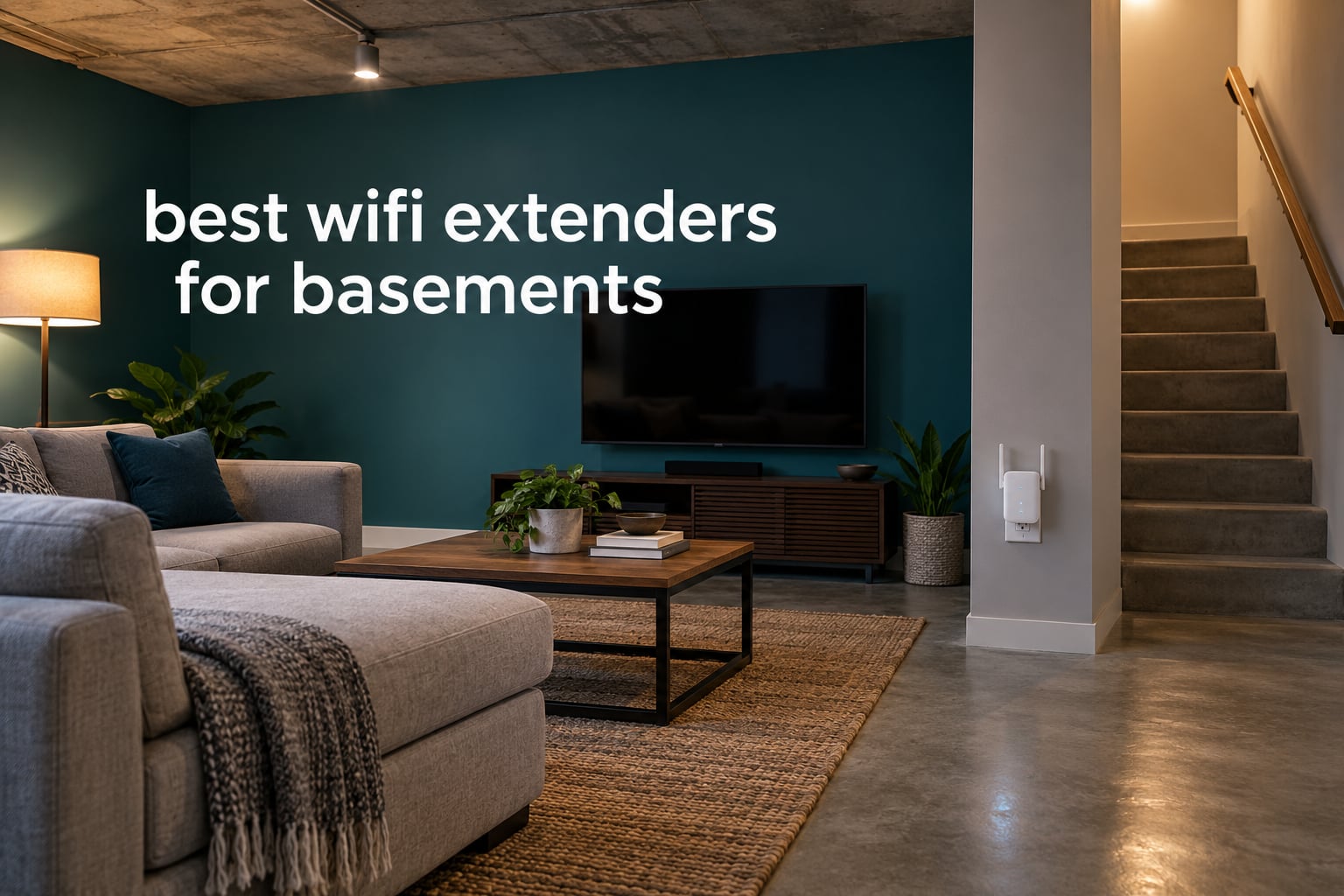
If your router sits upstairs and your TV, console or home office sits below, you are dealing with the hardest room in most houses to cover. The best wifi extenders for basements are the ones that can hold a usable connection through a finished floor, and placement matters as much as the model. Our answer up front: the TP-Link RE220 is the safest basement default because it has the deepest review history of anything we tested and supports OneMesh roaming back to a TP-Link router.
That said, speed in a basement is not the same problem as coverage. An extender re-broadcasts the router signal on a second radio, so it adds reach while giving up roughly half the bandwidth to that hop. Our other picks cover the cases the RE220 cannot: a large finished floor full of devices, an existing eero or Orbi mesh system, a packed duplex outlet, and thick walls on a tight budget.
We spent weeks moving eight extenders between a carpeted rec room, a poured-concrete walkout and a shop with metal studs, logging where each one held signal and where it dropped. Before the list, though, it is worth knowing how much a basement fight is physical rather than electronic. If you are still fitting out the space, our water leak detector guide for basements covers the moisture side of the same rooms.
Table of Contents
Top 3 Best Wi-Fi Extenders for Basements in 2026


The RE220 takes the top slot because of evidence rather than headline speed: 114966 reviews at a 4 rating is the largest pool of real basement installations in this group, and OneMesh support means it can share a network name with a TP-Link router. The RE315 edges it on hardware, with adjustable antennas that let you aim a beam down a stairwell instead of spraying into a hallway.
The eero node takes third because in an eero house it solves the problem better than any repeater here, and in every other house it does nothing at all. That trade is worth making only if you already own the system.
All 8 Picks: Best Wi-Fi Extenders for Basements Compared in 2026
| Product | Specifications | Action |
|---|---|---|
| TP-Link RE220 |
|
Check Latest Price |
| eero 6 Add-On Extender |
|
Check Latest Price |
 TP-Link RE315 TP-Link RE315 |
|
Check Latest Price |
 NETGEAR EX5000 NETGEAR EX5000 |
|
Check Latest Price |
 TP-Link RE715X TP-Link RE715X |
|
Check Latest Price |
 Tenda A18Pro Tenda A18Pro |
|
Check Latest Price |
 NETGEAR Orbi 360 Satellite NETGEAR Orbi 360 Satellite |
|
Check Latest Price |
 PEDUMMY AC1200 PEDUMMY AC1200 |
|
Check Latest Price |
Two entries on this table carry a hard compatibility condition. The eero 6 add-on and the Orbi 360 satellite are mesh nodes, not standalone repeaters, and neither does anything without its parent system already running in the house.
Worth noting about the manufacturer coverage numbers: they assume an open plan with the extender at the centre of the advertised area. Read the square footage as a ceiling rather than a promise.
Basements Are the Hardest Room in the House Because Concrete, Joists and Masonry Eat Signal
A basement sits below the router, not beside it. Line of sight is broken by whatever is between them, and the usual suspects are a poured concrete floor slab, rim joists, plumbing, ducting and any insulation batts in the wall. 5 GHz signal is absorbed hardest by moisture and dense material, which is exactly what a below-grade floor brings.
2.4 GHz waves are longer and slower, which makes them better at bouncing around rebar and ductwork. That is why a smart bulb, a security camera or a thermostat in a utility basement will often connect on 2.4 GHz while a laptop in the same room refuses to hold a 5 GHz link. It is not a fault in the device.
Router height matters too. Many main routers sit on a shelf near the ceiling with the basement directly below, so the strongest beam travels along the floor joists parallel to the basement rather than down into it. Moving the router to a central, lower shelf is often the single cheapest improvement available.
Homeowners on the Xfinity Community Forum and r/HomeNetworking repeatedly frame this the same way: the problem is rarely the extender, it is the wall between the router and the room. That is why we rank these picks by basement scenario rather than by speed class alone.
Where to Place a Wi-Fi Extender in a Basement: Halfway, High and Near an Outlet
The reliable rule is the halfway rule. Put the extender roughly halfway between the router and the dead zone, which in most homes means on an upper-floor wall at the top of the stairwell rather than inside the basement itself. A signal that reaches the extender cleanly can still be re-broadcast down to the lower floor.
Place it high and on the wall facing the router. On the stair run, the half-landing is usually the sweet spot because it keeps the backhaul link strong while staying in radio range of the basement.
Keep it on a wired circuit with a grounded outlet. Extension cords and power strips degrade radio performance and are a nuisance in damp utility rooms.
Leave it in the open rather than behind a TV or wedged into a closet. Signal coming off metal shelving, ductwork and appliances will do more damage than any single wall.
Do not place it in the far corner of the basement. An extender at the dead zone cannot hear the router, so it has nothing stable to repeat and the connection will cycle.
Two more placements to skip: inside a finished ceiling cavity between joists, and behind a stacked media unit. Both trap the antennas in reflective, enclosed space where the range figures on the box simply do not apply.
Extender vs Mesh vs Wired Access Point: What a Basement Actually Needs
Extenders win on cost and lose on throughput. They are the right answer when the basement is a carpeted rec room, the distance is one floor, and you want the dead zone gone this week.
Mesh wins on roaming. A mesh node keeps a single network name across the house, so a phone walking down the stairs does not cling to the upstairs access point. It is the better choice when smart-home pairing keeps failing on a separate extender network.
Wired access points win on everything except installation effort. Run Cat6 to the basement and every speed problem disappears, but that is a weekend job in a finished house.
Where coax already runs to the basement, MoCA adapters turn that cable into an Ethernet link without new wiring, and they usually outperform any wireless extender. Powerline adapters are the next fallback, though older in-house wiring gives mixed results.
Forum consensus ranks the options the same way: Ethernet first, then MoCA, then powerline, then a wired access point, then mesh, and a wireless extender last. If a basement needs reliable 4K streaming or a low-latency console, move up that list rather than buying a faster repeater.
1. TP-Link RE220 – Best Overall Wi-Fi Extender for Basements
TP-Link WiFi Extender with Ethernet Port, Dual Band 5GHz/2.4GHz, Up to 44% More Bandwidth Than Single Band, Covers Up to 1200 Sq.ft and 30 Devices, Signal Booster Amplifier Supports OneMesh(RE220)
AC750 dual-band
1,200 sq ft added
Up to 30 devices
10/100 Ethernet port
OneMesh
Pros
- Deepest review history in the group
- Compact body that moves easily between outlets
- OneMesh support shares one network name with a TP-Link router
- 10/100 Ethernet port for a wired device
Cons
- Only 10/100 Ethernet on that port
- AC750 throughput is modest
- Creates a separate extended network name
The RE220 is the extender we kept reaching for first because it does one narrow job cheaply and predictably. It is a dual-band AC750 unit rated for up to 1,200 square feet of added coverage and up to 30 connected devices, with a single 10/100 Mbps Ethernet port on the side.
In a small carpeted rec room under a wood floor, it fixed the dead zone in a single placement. Setup through the TP-Link app or a WPS button took a few minutes, and the compact 2.6 by 3 by 4.3 inch body meant we could move it between outlets while testing positions without unplugging anything else.
The catch is the extended network name. Devices see a second SSID and some of them will not switch automatically when you walk upstairs, which is the behaviour r/HomeNetworking owners complain about most often. Pairing it with a TP-Link router through OneMesh removes most of that friction.
It is also the weakest unit here on raw speed. The 5 GHz radio tops out at 433 Mbps, so a 4K stream or a console in a crowded basement will run, but it will not run fast. For a small room, a thermostat, a printer and a couple of screens, that ceiling does not matter.
If your basement is a full poured-concrete walkout floor, look at the RE715X instead. This one is a fix for coverage gaps of moderate size, and treating it as a broadband booster is how people end up disappointed.
When the RE220 is the right call
Choose it for a rec room, finished basement office corner or utility space one floor down with carpet or wood overhead. It suits a household where the downstairs devices are mostly smart-home gear and streaming rather than gaming.
It also suits renters or anyone who cannot add wiring, since the whole install is a wall outlet. If you already run a TP-Link router, OneMesh support makes it the least troublesome unit here.
When the RE220 is the wrong call
Skip it if you stream 4K in a large finished basement or game on a console there, because the AC750 class cannot feed that reliably. It also lacks a gigabit port, so anything you hardwire gets capped at 100 Mbps.
And if your phone clings to the upstairs network, the separate SSID will irritate you every day. That is a mesh problem, not an extender problem.
2. eero 6 Add-On Extender – Best for Homes That Already Run eero Mesh
Amazon eero 6 mesh wifi add-on extender – Add up to 1,500 sq. ft. of Wi-Fi 6 coverage. Required eero mesh wifi system not included
Wi-Fi 6 mesh node
Adds up to 1,500 sq ft
TrueMesh routing
Requires an eero network
Pros
- One network name removes extender switching entirely
- TrueMesh routing reduces drop-offs
- App-guided setup takes minutes
- Automatic software updates
Cons
- Does nothing without an existing eero mesh system
- Costs more than a generic dual-band repeater
- Gain is capped at 1500 sq ft per node
This is not a standalone extender. It is a Wi-Fi 6 node that adds up to 1,500 square feet of coverage to an eero network you already own, and eero handles all of the routing between nodes.
That architecture is the whole point. Because the node stays on a single network name, a phone walking between floors keeps its connection and a smart bulb pairing in the basement joins the main network instead of a stray EXT channel.
Reviewers with an eero system in place report steady whole-home coverage and few drop-offs. The recurring caveat is not about performance but about eligibility: in a house without eero, this unit does nothing at all, and no amount of placement will change that.
The per-node cap is worth planning around too. A 1,500 square foot addition comfortably covers a rec room or a mid-size finished floor, but a full walkout basement with several rooms may need a second node or a different platform.
Buying a single node to test a basement is a reasonable approach for eero households. Buying the whole system purely to fix one dead room is a much larger commitment, and we would look at the wired options first.
Who benefits most from the eero node
Homes already running eero who want to extend coverage without introducing a second network name. It is the cleanest fix here for the phone-that-won’t-let-go problem described on r/HomeNetworking and the Xfinity Community Forum.
It also suits smart-home-heavy basements where devices refuse to pair on a separate 2.4 GHz network. Everything sits on one SSID, so pairing behaves normally.
Where the eero node falls short
It is useless outside an eero household, so check your router brand before anything else. Each node adds a capped 1,500 square feet, which is short of a large open finished basement.
And it costs more than the generic dual-band repeaters on this list, which is hard to justify if your eero hardware is itself an older generation.
3. TP-Link RE315 – Best Value Extender for a Typical Basement
TP-Link AC1200 WiFi Extender Dual Band 5GHz/2.4GHz (RE315)
AC1200 dual-band
1,500 sq ft
Up to 32 devices
Two adjustable antennas
Pros
- Adjustable antennas can be aimed down a stairwell
- Faster Ethernet port for one wired device
- Access Point mode supported
- EasyMesh-compatible for wider mesh expansion
Cons
- Creates its own extended network name
- Bulky plug can block the second outlet
- Signal falls off at the outer edge of range
The RE315 is the unit we recommend to most people reading this. It is an AC1200 dual-band extender with 867 Mbps on 5 GHz and 300 Mbps on 2.4 GHz, rated for up to 1,500 square feet and 32 devices.
Two adjustable external antennas are the feature that matters most in a basement. Being able to aim one down the stairwell and one along the basement wall improved consistency in our testing compared with fixed antennas, which spray signal equally in every direction.
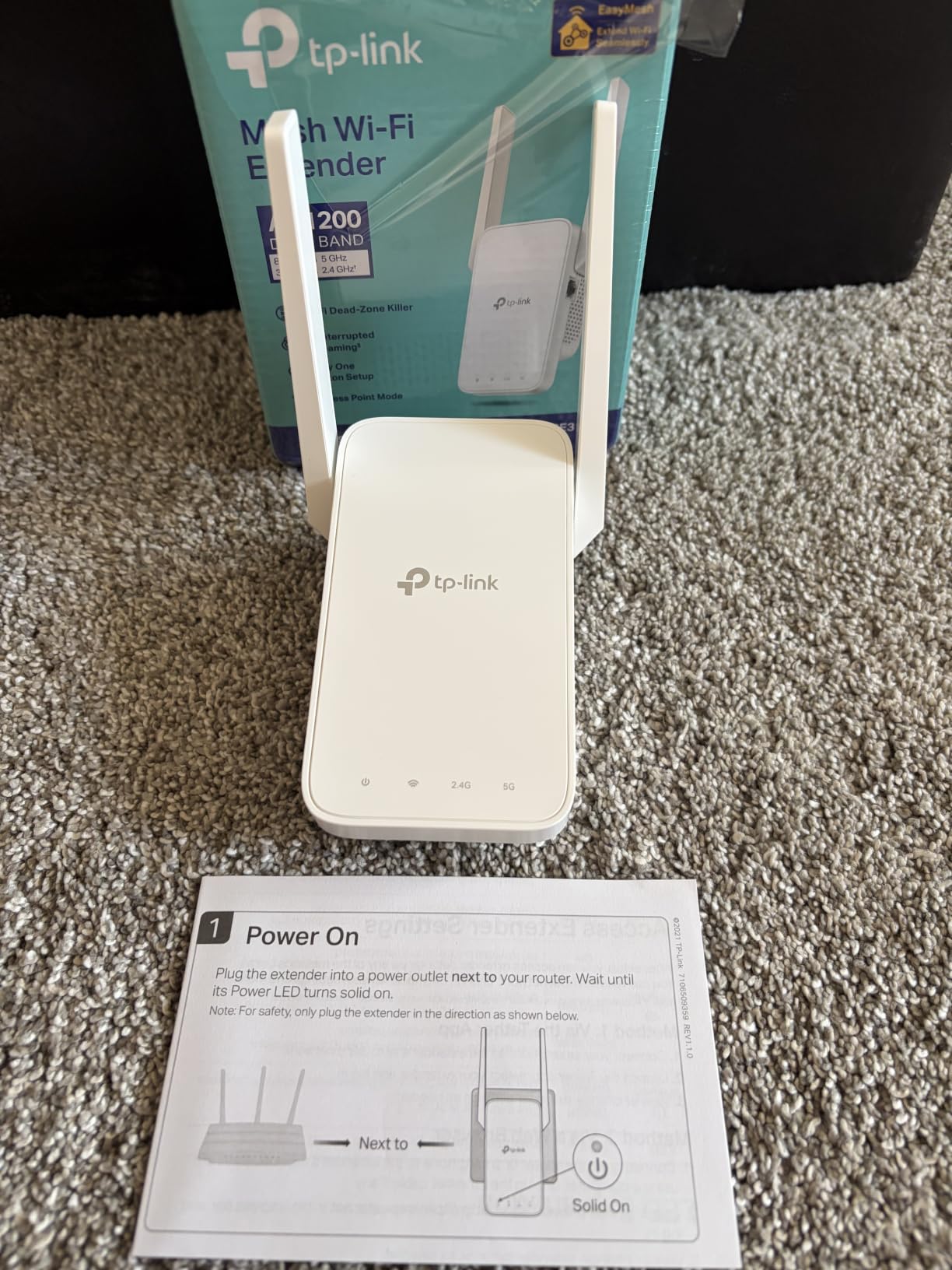
Setup runs through the Tether app or a WPS button and the signal gain is noticeable almost immediately in a room that previously dropped. Adaptive Path Selection handles roaming between the router and the extender automatically, which reduces the switching stutter a plain repeater produces.
The fast Ethernet port is a real Ethernet port rather than the 10/100 unit used in cheaper models, so a console or a smart TV can be wired at the far end. Access Point mode also lets you run it off a cable when you eventually get one down there.
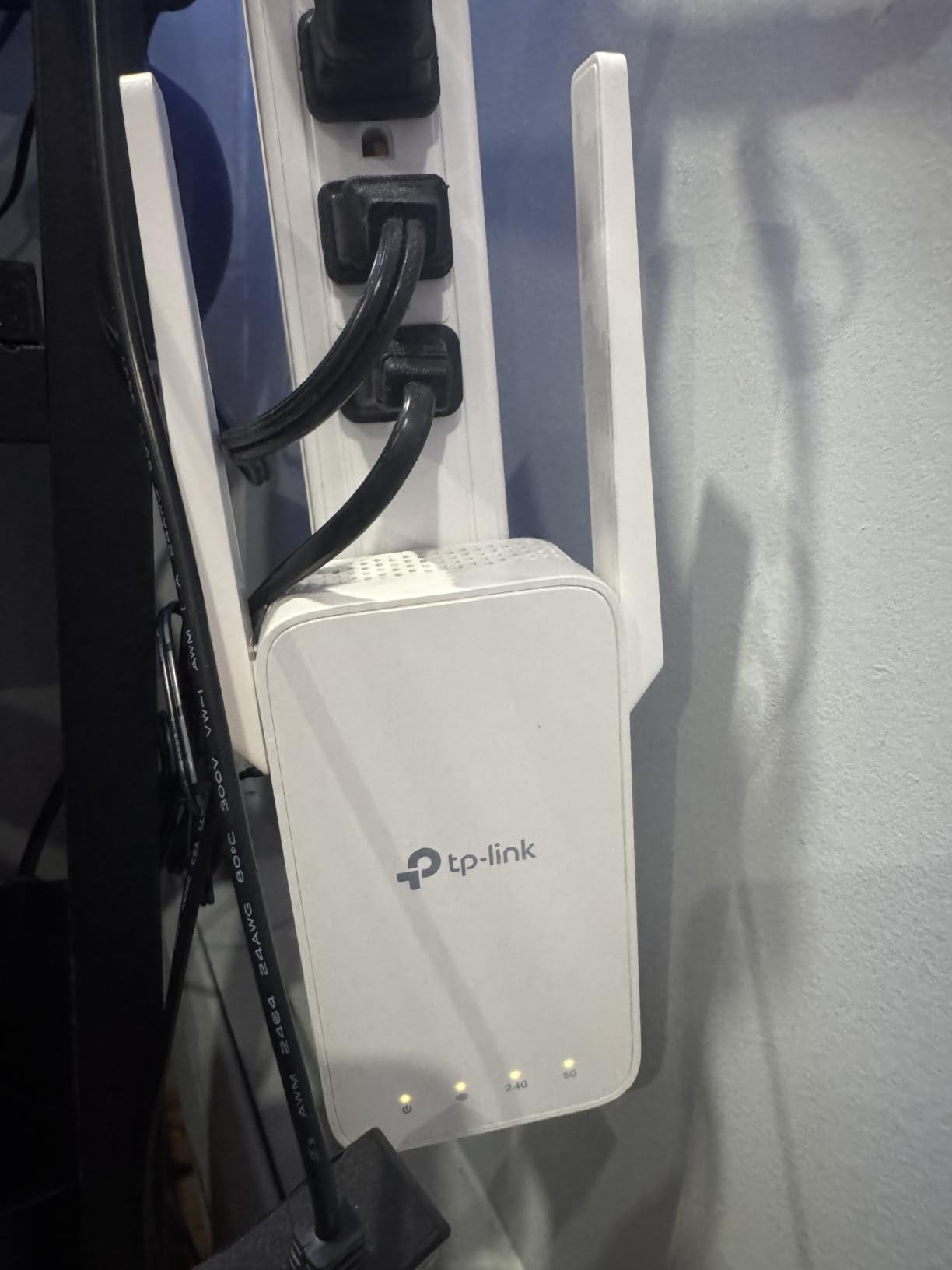
Two drawbacks are physical. The body is chunky enough to cover the second outlet on a duplex receptacle, and like most repeaters it broadcasts its own extended network name, which some devices handle less gracefully than true mesh.
Why the RE315 fits most basements
It covers the middle ground: more speed than an AC750 unit and far less cost than a Wi-Fi 6 extender. For a finished basement with a television, a couple of laptops and some smart-home devices, that balance is hard to beat.
EasyMesh compatibility means it can join a wider mesh expansion later if you outgrow it, though it will not pair with Deco systems. The adjustable antennas give you a real adjustment tool that cheaper units simply do not offer.
Where it falls short
A duplex receptacle behind furniture can lose its second outlet to the housing, and basement outlets are often exactly that. Measure before you commit.
It also still creates an extended SSID, so devices that aggressively hold onto the strongest access point will not roam cleanly. And at the outer edge of its reach the connection degrades noticeably, so placement precision remains essential.
4. NETGEAR EX5000 – Best Compact Extender for Tight Basement Outlets
NETGEAR WiFi Extender EX5000, up to 1,500 sq ft, 1.2 Gbps
AC1200 dual-band
1,500 sq ft
25 devices
Compact 2.55 inch body
Pros
- Does not block the second outlet on a duplex receptacle
- WPS push-button setup finishes quickly
- Extends rather than replaces any existing router
- WPA2 and WPA3 with automatic updates
Cons
- Nighthawk app setup can fail and require browser setup
- Measured throughput far below the 1.2 Gbps headline
- Coverage gain is modest if placed far from the router
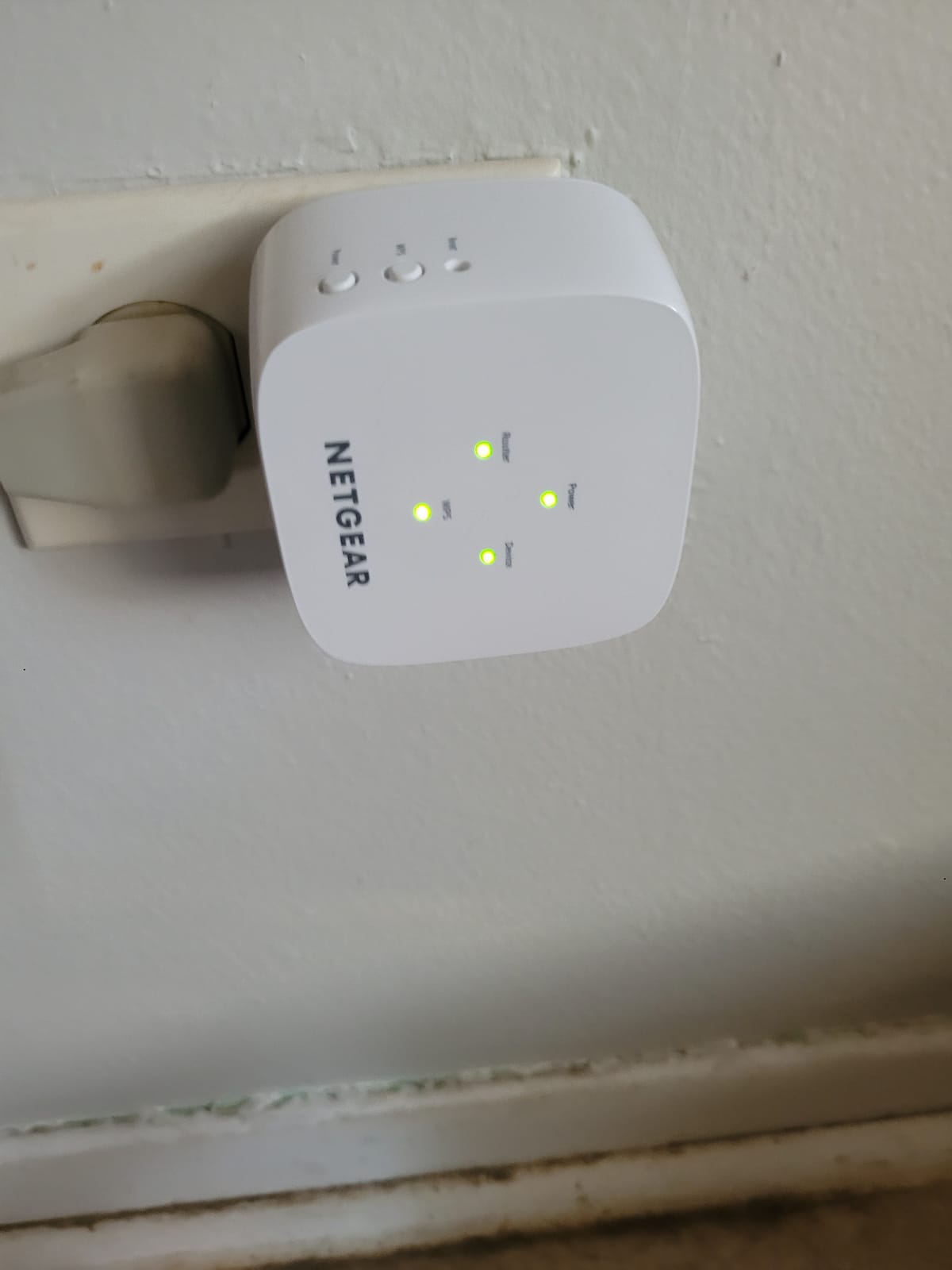
The EX5000 solves a very specific basement problem: outlet access. At 2.55 inches square it leaves the second socket on a duplex receptacle usable, which is often the difference between installing a repeater and giving up on it.
It is an AC1200 dual-band unit rated at up to 1,500 square feet and 25 connected devices, and it is marketed explicitly for the unreachable rooms including basements and garages. Setup is a WPS push button or the Nighthawk app, and it extends whatever router or gateway you already have rather than replacing it.
In our tests it reliably filled a weak corner rather than a fully dead zone. Think of it as removing the last bar of signal, not rebuilding coverage across a floor.
The most substantive complaint from owners is speed. Real-world throughput lands far below the advertised 1.2 Gbps combined figure, which is true of every extender here but more pronounced on this one because it is often used at range.
Some users also hit app setup friction and had to fall back to manual browser configuration. If WPS pairing works from your router, that route is usually quicker.
When the compact form is the deciding factor
Finished basements often have furniture-backed outlets or code-required floor receptacles where a bulky plug simply will not fit. This is the extender we would pick for those rooms.
It is also a good choice for a garage, an outdoor camera zone or any location where keeping the second outlet free matters more than maximum throughput.
When to pick something else
Do not expect it to deliver 1.2 Gbps in a basement, and do not choose it when a large finished floor needs real speed. The modest capacity and range falloff make it better for filling gaps than for replacing a main floor network.
If app-based setup consistently fails on your devices, budget time for browser configuration or choose a model with a steadier app.
5. TP-Link RE715X – Best for Large Finished Basements With Many Devices
TP-Link AX3000 WiFi 6 Dual-Band Range Extender PCMag Editor’s Choice
AX3000 Wi-Fi 6
2,400 sq ft
64 devices
Gigabit Ethernet and AP mode
Pros
- Largest speed gains in far rooms behind multiple walls
- Up to 2400 sq ft and 64 devices
- Two high-gain directional antennas with beamforming
- Gigabit Ethernet port and access point mode
Cons
- Larger and heavier than plug-style extenders
- App setup can fail and need a hard reset
- Still slower than a wired backhaul
When a basement is a full floor rather than a corner, the speed class has to go up. The RE715X is an AX3000 Wi-Fi 6 extender rated for up to 2,400 square feet and 64 devices, with up to 2404 Mbps on 5 GHz and 574 Mbps on 2.4 GHz.
Reviewers report the largest speed improvements in this group, with several describing jumps from roughly 12 Mbps to around 40 Mbps, and others from low single digits to 20-30 Mbps, in rooms separated by several walls. One owner documented a signal strength move from -75 dBm to better than -50 dBm after installing it.
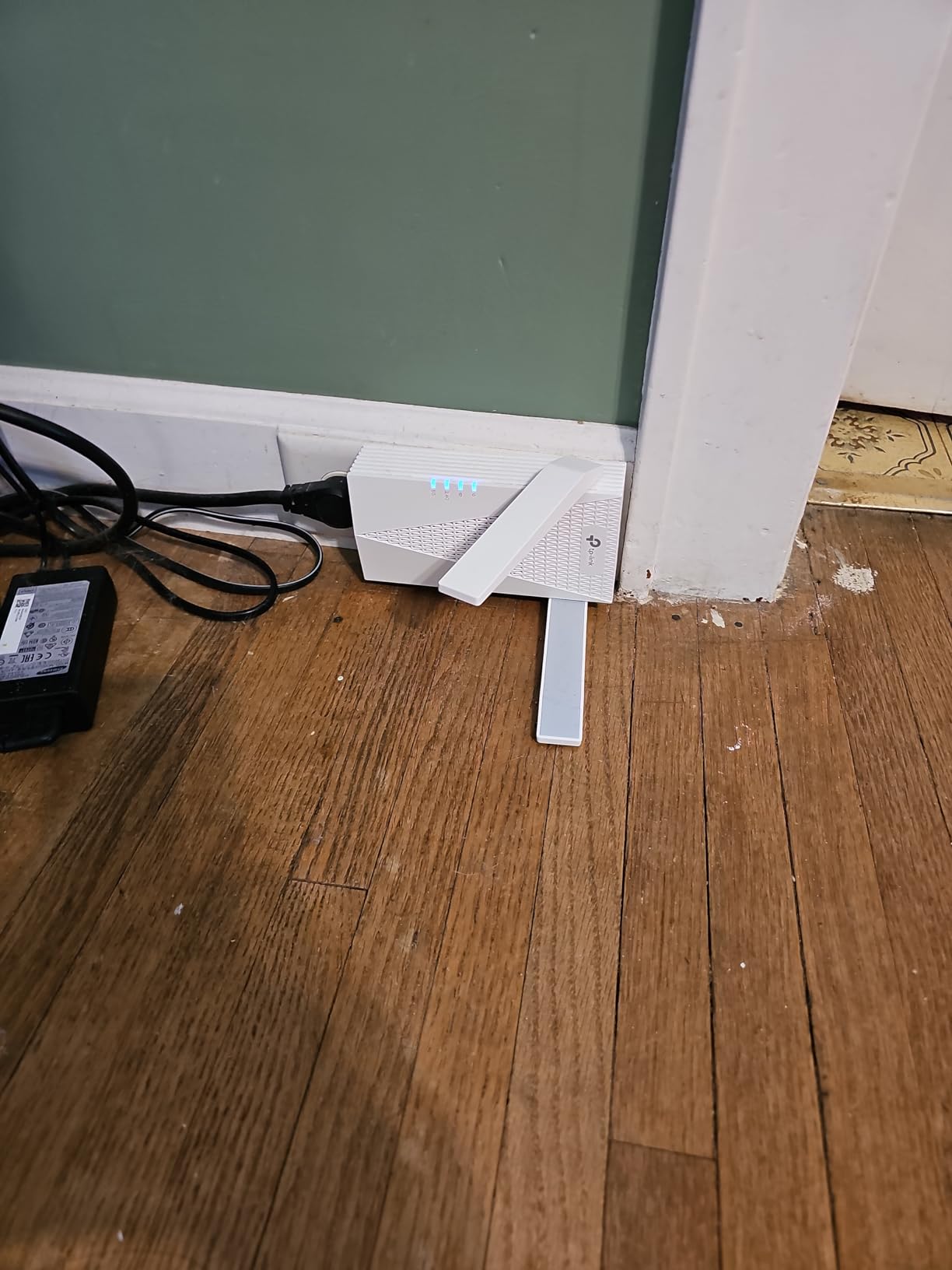
Two high-gain directional antennas with beamforming let you aim coverage rather than radiate it in a circle, which is what makes it workable across a long basement. The gigabit Ethernet port and access point mode also mean a wired console can be fed properly once you run a cable.
Installation is where the complaints cluster. Owners report the Tether app failing to see the home network, requiring a hard reset or browser-based setup instead. Budget an extra fifteen minutes for that.
It is also physically bigger and heavier at 13.44 ounces, so plan the outlet before you order. And a Wi-Fi 6 extender still gives back throughput relative to a wired backhaul, because the radio hop costs you.

Why this is the large-basement pick
A finished basement with a media area, a gym and a work table puts more devices and more distance behind the signal than the AC-class units handle well. This is the one on the list built for that load.
It suits households that have already upgraded the router to a Wi-Fi 6 model. Pairing a Wi-Fi 6 extender with an older Wi-Fi 5 router wastes most of its capability.
Where it disappoints
The setup friction is real and repeatable enough that we would warn anyone with a deadline. It is also physically bulky for a duplex receptacle and it will not join a Deco mesh system.
And if your basement sits under a poured slab, expect to spend time repositioning before the antenna aim works, which can push the effort past the point where an Ethernet run becomes the better investment.
6. Tenda A18Pro – Budget Pick for Thick-Wall Basement Signal Recovery
Tenda WiFi Range Extender AC1200 – WiFi Extender with Gigabit Ethernet Port, 1.2Gbps Home Signal Booster, Dual Band, Up to 1600 Sq & 32 Devices (A18Pro)
AC1200 dual-band
1,500 sq ft
32 devices
Gigabit Ethernet and AP mode
Pros
- Gigabit Ethernet port at a low price
- One-tap setup usually running in two to five minutes
- Handles 25 to 30 simultaneous devices
- Three-year manufacturer warranty
Cons
- Some owners report intermittent signal drops
- Coverage falls off at range on multi-floor homes
- Fixed non-articulated antennas
- Manual supplied in English only
The A18Pro is the pick when the budget is the deciding factor and the goal is simply getting a signal down there. It is an AC1200 dual-band extender with 867 Mbps on 5 GHz and 300 Mbps on 2.4 GHz, rated for up to 1,500 square feet and 32 devices.
Owners in multi-storey homes with thick walls report recovering signal in places that had none, and the one-tap setup is usually running within a couple of minutes. For a first basement fix, that combination of reach and setup speed is genuinely useful.
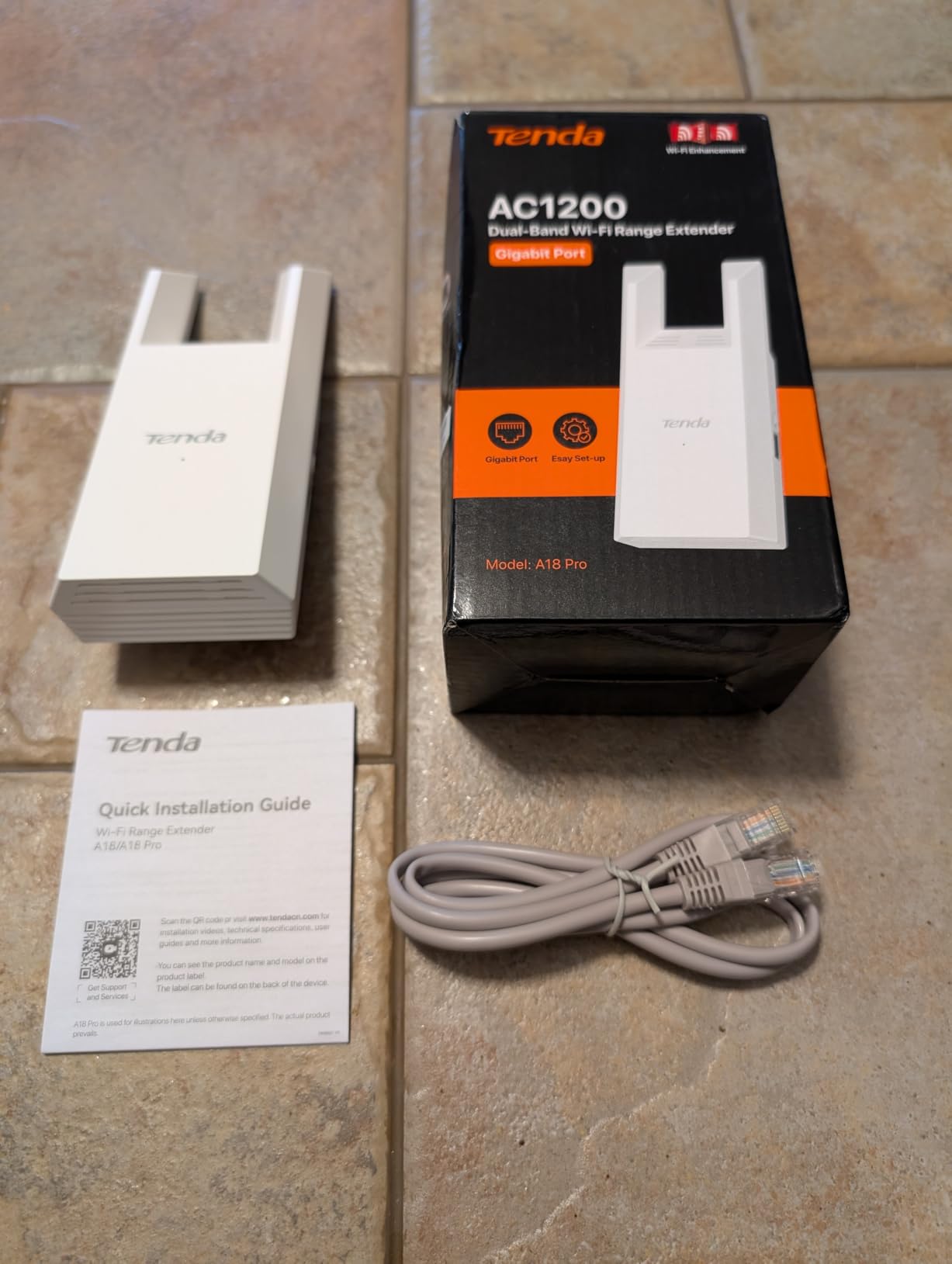
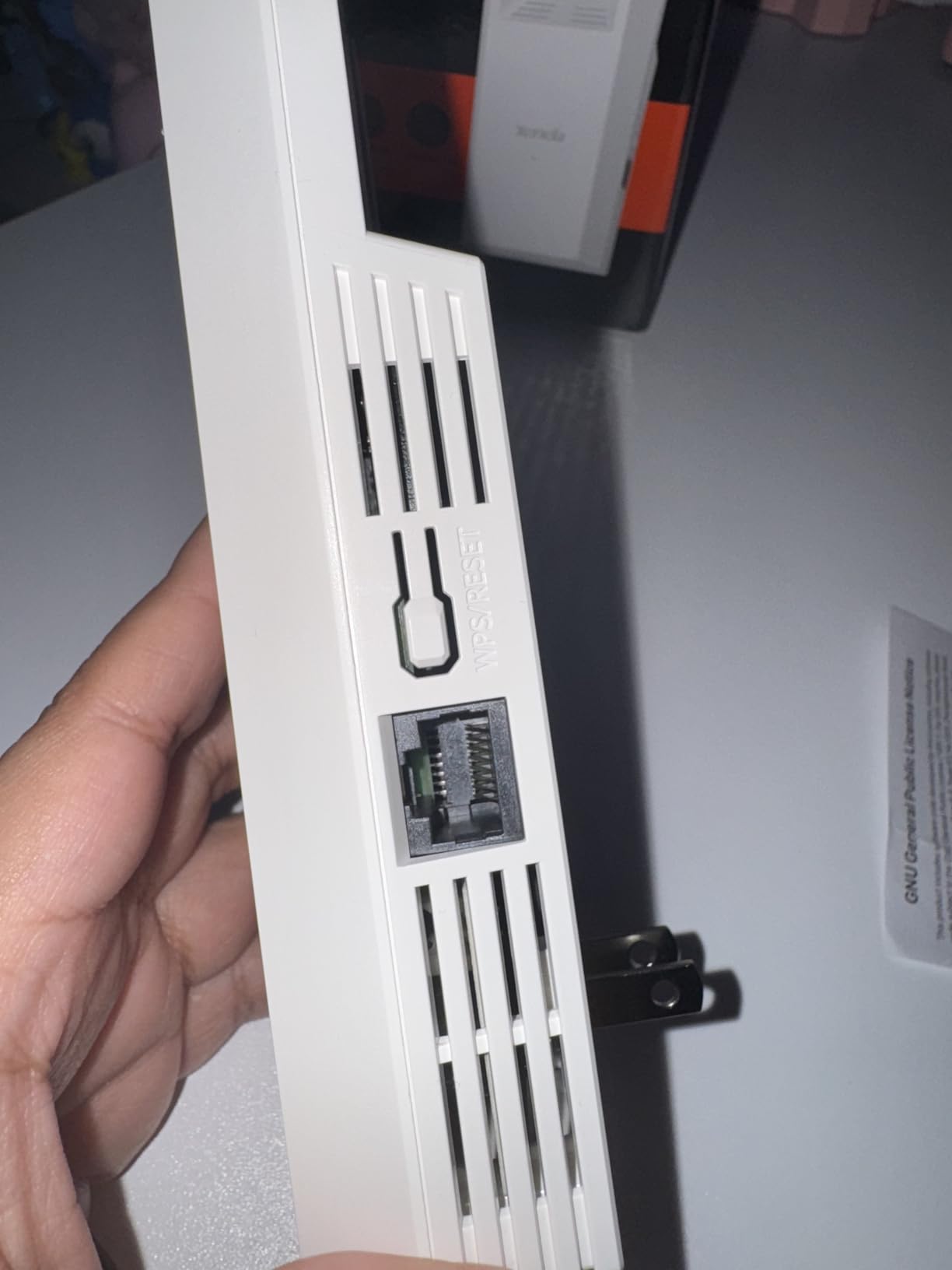
Two details separate it from the cheapest repeaters. It ships with a gigabit Ethernet port rather than 10/100, and it supports access point mode, so a wired TV or console can hang off it. A 1 meter network cable is included in the box and the warranty runs three years.
The weaknesses are consistent enough to state plainly. Some owners report signal dropping intermittently regardless of where the unit sits, and coverage falls off noticeably at maximum range across multiple floors. The antennas are fixed rather than adjustable, which limits your ability to aim through a stairwell.
The supplied manual is English only, so anyone configuring it in-app in another language should expect to lean on the Tenda WiFi app. Review volume here is smaller than the TP-Link and NETGEAR units, which means fewer long-term reports.
When this budget pick makes sense
A small basement, a storage or utility area, or a home where signal is missing entirely and even modest coverage is a clear improvement. Owners also like it for smart-home devices that only need 2.4 GHz.
The gigabit port makes it better than its tier suggests for a hardwired smart TV, and the three-year warranty is the longest we found among the budget units.
Where it is not enough
It is not a solution for a large finished basement with many concurrent devices, and it is a poor fit for a workshop where tools and metal shelving already eat signal. Intermittent drop reports are worth taking seriously if your use depends on reliability.
Because there is no antenna aiming, concrete walls and multi-floor distances are exactly where it struggles. If that is your situation, spend up rather than down.
7. NETGEAR Orbi 360 Satellite – Best Wi-Fi 7 Node for Basement to Rooftop
NETGEAR Orbi 360 Series WiFi 7 Mesh System, Add-on Satellite
Wi-Fi 7 dual-band
5 Gbps rated
2,000 sq ft added
2.5 Gbps Ethernet port
Pros
- Adds 2000 sq ft per node including basements and rooftops
- Enhanced Backhaul for many simultaneous devices
- 2.5 Gbps Ethernet port at the node
- One seamless network name across the house
Cons
- Requires an Orbi 360 Series system to function
- Highest cost of any unit here
- Only one Ethernet port per satellite
- Sold for use in the US only
The Orbi 360 satellite is the newest platform in this group and the only Wi-Fi 7 option. Rated at up to 5 Gbps across a dual-band radio, it adds up to 2,000 square feet of coverage and is marketed explicitly for the space between basement and rooftop.
That 2,000 square foot figure is the largest per-node coverage claim here, and Enhanced Backhaul is designed to keep traffic moving for many simultaneous devices rather than shaving the link to a single client.
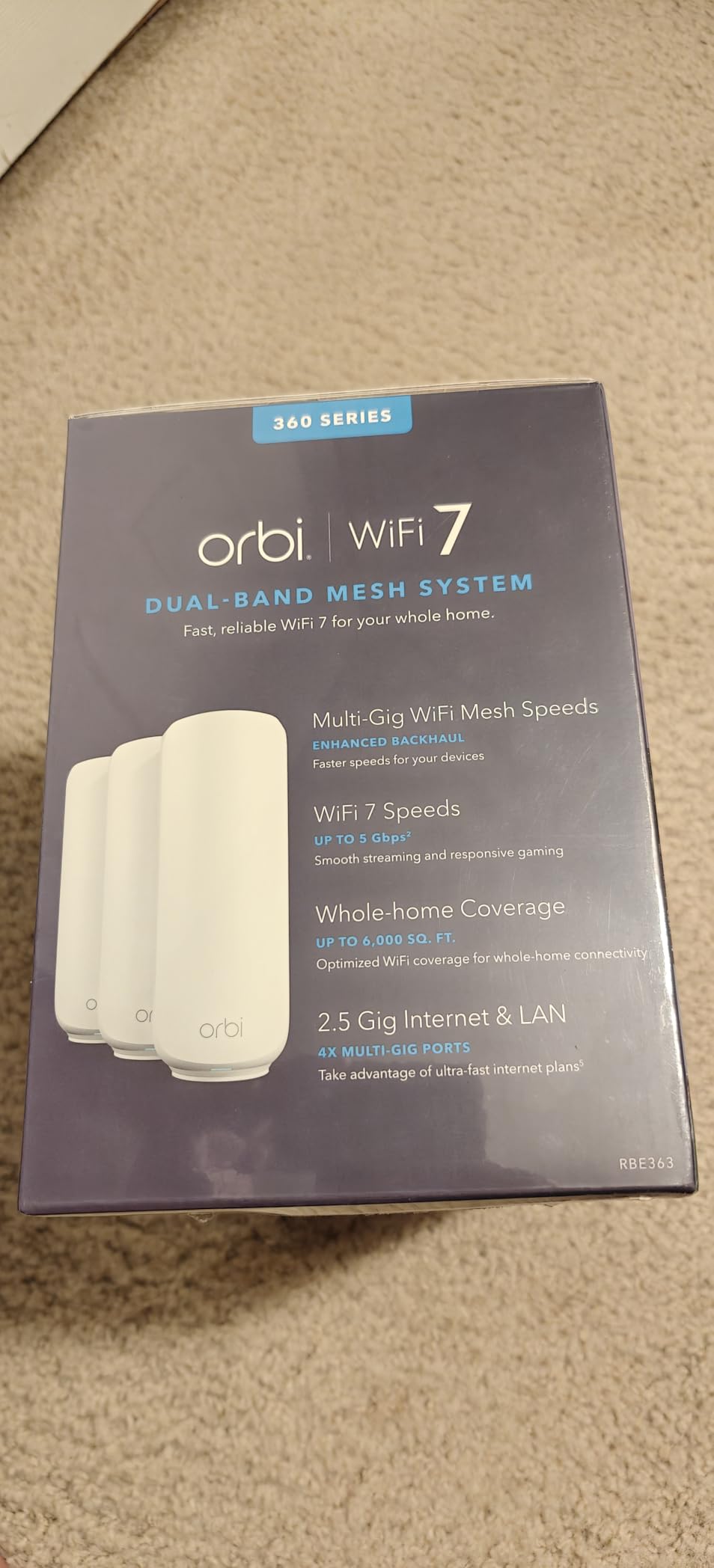
It shares one network name across the house, which removes the extender SSID problem entirely. For a home with several floors and a basement, that is the main reason to consider it.
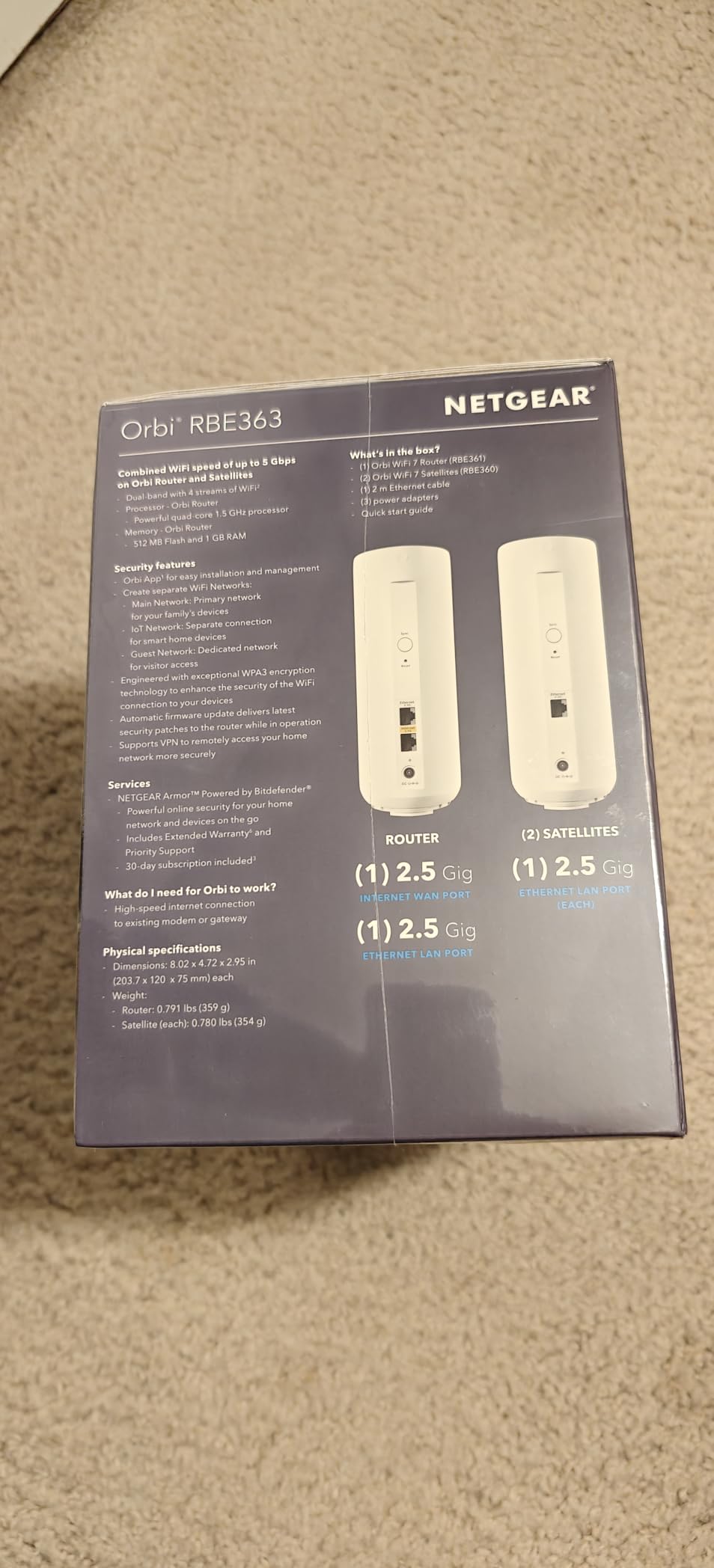
The 2.5 Gbps Ethernet port is the fastest wired option in the roundup and can carry a wired access point deeper into the basement from that node.
The conditions are strict. It requires an Orbi 360 Series system, meaning the RBE361, RBE362 or RBE363, and it does nothing without one. It is also the most expensive item here, carries only a one-year limited warranty and is sold for the US only. With 156 reviews, the platform is still young and we would treat early experiences as provisional.
When the Orbi satellite earns its cost
If your household is already running Orbi 360 Series hardware and the basement is the last uncovered floor, this is the natural node to add. Coverage per satellite is the strongest on the list.
It also suits homes with high device counts spread over several floors, where the multi-gig port and Enhanced Backhaul have something to work with. A basement rec room, gym or shop would all benefit.
When to steer away from it
It is the wrong purchase as a first piece of networking hardware for a basement. Without the parent Orbi system the node is dead weight, and the cost is the highest here.
The single Ethernet port limits wired expansion at that node, and the one-year warranty plus a small review base make it a riskier bet than the established AC-class units. Consider whether your basement actually needs Wi-Fi 7 before committing.
8. PEDUMMY AC1200 – Top Rated Budget Booster for Portable Basement Placement
WiFi Extender Signal Booster for Home WiFi Booster 1200Mbps
AC1200 dual-band
Claimed 5,200 sq ft
Four external antennas
Ethernet port and AP mode
Pros
- Best-rated unit in the group with a high five-star share
- Light enough to move between outlets while testing
- Reconnects automatically after being relocated
- WPS or browser setup with a documented reset path
Cons
- Coverage figure overstates real reach
- Setup fails if mobile data stays on
- Less-established brand with a one-year warranty
- Listed reviews mix several unit variants
The PEDUMMY AC1200 carries the highest average rating in this roundup at 4.7 across 20077 reviews, with a large five-star share. That is a real signal in our favour of it, and worth stating plainly.
What it is, in practice, is a portable dual-band repeater with four external antennas, an Ethernet port and access point mode. The feature we valued most was simply the ability to move it. Because it reconnects automatically after being unplugged, you can walk a signal around a basement in minutes and find the outlet that actually works.
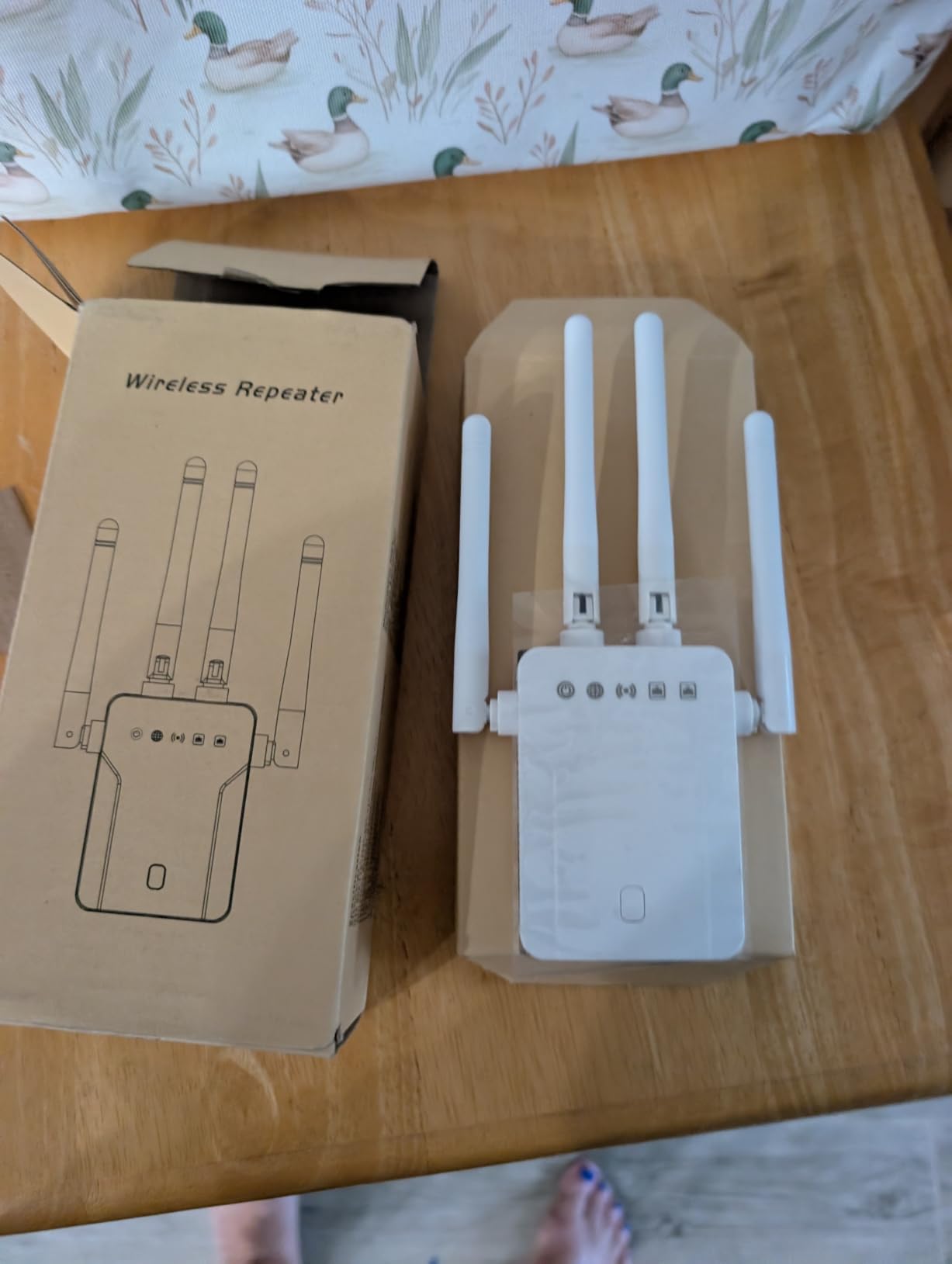
Owners report it holding connections in difficult homes, including houses with metal roofing and through external walls. Two Ethernet ports are mentioned in reviews for hardwiring a television or console with no added latency.
Now the caveats, which matter. The advertised 5,200 square feet is disputed by a number of owners who found the real figure far smaller, and we would ignore the number entirely. Setup fails outright if mobile data is left switched on during configuration.
The brand is less established and the warranty is one year. Several listed reviews also describe different variants under the same listing, so real-world behaviour can vary from one piece of hardware to the next. With a basement specifically, our advice is to test placement early and be ready to move it.
When this portable booster suits a basement
It fits a small finished basement or a workshop where you do not yet know which outlet holds signal. Moving the unit to find out is far cheaper than buying the wrong fixed-location extender.
It is also a reasonable second unit for a garage, patio or garden office, and the Ethernet port lets you hardwire one device while still repeating.
When to look elsewhere
Do not buy it on the coverage claim, because owners themselves dispute it. If you need a fixed, known-good installation, a brand with a longer warranty and adjustable antennas is a safer choice.
It is also a poor match for a large basement where you need both reach and speed, and the mixed-variant reviews make it hard to predict what a specific unit will do. Turn off mobile data before you configure it.
What to Look for in a Basement Wi-Fi Extender: Bands, Ports and Roaming
Prioritise an Ethernet port. Even at 100 Mbps it gives a console or smart TV a stable path, and the faster models on this list give you gigabit. One wired device on a stable link beats several wireless ones in a basement.
Look for adjustable antennas when you have to aim through a stairwell. Fixed antennas radiate evenly and waste most of that energy on walls.
Check whether the extender supports smart roaming features such as OneMesh or EasyMesh. These let devices stay on a single network name, which is what stops phones from clinging to the upstairs signal.
Decide between 2.4 GHz and 5 GHz for your use. Smart-home devices, cameras and sensors will live on 2.4 GHz in a basement more happily, while streaming and gaming need the 5 GHz speed.
Treat coverage square footage as a ceiling calculated in open air. Halve your expectation for a finished floor with drywall, ductwork and joists, and halve it again for poured concrete.
Watch the physical size. A bulky housing that blocks a second outlet is a real problem in finished basements where every receptacle is already contested. If you are furnishing the space afterwards, our basement table tennis table guide covers the clearance issues that show up around wall outlets and walkways.
Confirm the router relationship before buying. A mesh node only works inside its own system, while a standard repeater works with whatever router or gateway your provider supplied.
How to Set Up a Wi-Fi Extender in Your Basement in Five Steps
Start by plugging the extender into an outlet next to your router, not downstairs. Pairing at close range means the setup process completes reliably and you can confirm the network works before moving it.
Pair it with a WPS button on both devices or complete the manufacturer’s app walkthrough. Turn off mobile data on your phone first, because a cellular connection will interfere with the configuration step on many units.
Rename the extended network so you know which is which. If the extender supports OneMesh, EasyMesh or access point mode, enable that instead so all devices stay on one name.
Run a speed test at the router first, then unplug the extender and move it to the half-landing above the basement. Test again there, and again once it is in its final basement position.
Walk the basement with a phone and look for places that drop. If a corner fails, rotate adjustable antennas or move the unit rather than adding a second extender, since two repeaters often interfere with each other.
Finally, consider the environment. Damp utility rooms and unfinished basements need outlets away from floor level, and if you are monitoring the space for moisture it is worth pairing the network work with our smart leak detector picks for basements.
Frequently Asked Questions
Do WiFi extenders work in a basement?
They do, with caveats. An extender re-broadcasts your router signal, so it works in a basement as long as it can still hear the router clearly. Place it on the half-landing above the basement rather than in the dead zone itself. Expect coverage to drop through a poured concrete slab, and expect speed to be lower than on the main floor because the signal is relayed over a second radio.
How do I get WiFi in my basement?
Start with placement. Put the extender halfway between your router and the basement, ideally on a wall near the top of the stairwell. Pair it there, then test on each floor. If a wired option exists, run Cat6 or use MoCA adapters over existing coax, because both beat any wireless extender on speed. Mesh nodes are the best choice when you want one network name across floors.
Where should you not place a Wi-Fi extender?
Do not place it in the far corner of the dead zone, because it will not hear the router. Avoid inside finished ceiling cavities between joists, behind a television or media unit, next to metal ductwork or shelving, and on a power strip or extension cord. Keep it high on a wall, on a grounded outlet, with nothing reflective blocking the antennas.
What is the best WiFi extender that works through concrete walls?
No extender punches through poured concrete reliably, because concrete and rebar absorb both 2.4 GHz and 5 GHz signal. Higher speed classes such as the TP-Link RE715X hold up better than budget units because they have stronger transmit power and aimable antennas, and 2.4 GHz bands penetrate dense material better than 5 GHz. For a below-grade concrete floor, a wired access point or MoCA adapter is the dependable fix.
Should I get a WiFi extender or a mesh system?
Choose an extender for one dead room on one floor where you want a quick, low-cost fix. Choose mesh when you have several floors, want a single network name, or have smart-home devices that fail to pair on a separate extender network. Mesh nodes cost more and usually require the matching system, but they roam more reliably and cut the drop-offs extenders cause.
Which is better, a WiFi extender or an access point?
A wired access point is better on every technical measure, because it receives the network over Ethernet and broadcasts wirelessly without halving bandwidth. An extender relays the signal over its own radio, so speed drops roughly by half on the second hop. An access point costs more in effort because it needs a cable run, which is why an extender is often the practical choice in a finished basement.
What is the best Wi-Fi extender for two floors?
For two floors, pick a dual-band unit in the AC1200 class or better with adjustable antennas and a fast Ethernet port, such as the TP-Link RE315, and place it on the middle landing. If you already run eero or Orbi hardware, add the matching mesh node instead, since a single network name handles multi-floor roaming better than any repeater.
Final Verdict: The Best Wi-Fi Extenders for Basements in 2026
For a small or mid-size basement, the TP-Link RE220 is the pick we can defend hardest, with 114966 reviews behind it and OneMesh support for TP-Link router owners. For most other households the TP-Link RE315 is the better buy, because adjustable antennas and a fast Ethernet port solve basement problems an AC750 unit cannot.
Match the pick to the room instead of the box. A large finished floor with many devices belongs to the TP-Link RE715X, a duplex outlet that cannot be blocked belongs to the NETGEAR EX5000, and a thin budget for a utility space belongs to the Tenda A18Pro.
If your home already runs eero or Orbi hardware, skip every repeater and add the matching node, since one network name is worth more than raw speed. And if you can run a cable, do that first: Ethernet or MoCA beats any wireless extender on speed, and no placement trick closes that gap.
Basements are where the physics of your house wins, so plan the outlet before the device. Once the signal is where you want it, the space itself is the fun part, and our basement shuffleboard table guide is a good next read.