
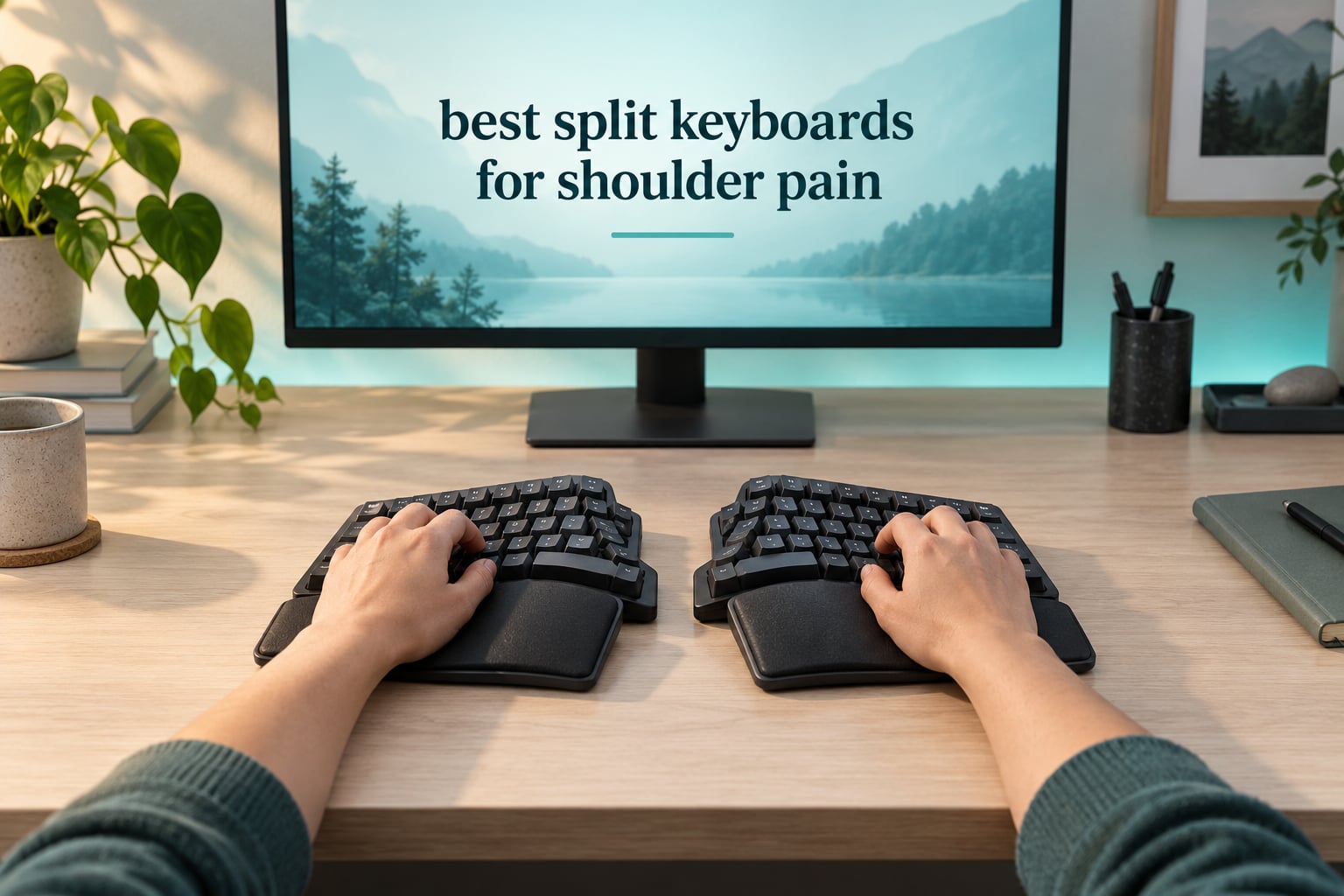
A split keyboard helps shoulder pain for one mechanical reason: it lets each hand sit directly in front of its own shoulder instead of in front of your belly. Pull the two halves out to roughly shoulder width and the reach that curls your chest and rolls your shoulders forward disappears. Tenting the inner edges adds a second correction, tilting the forearms out of wrist pronation into a neutral handshake position.
That is the whole thesis behind our picks for the best split keyboards for shoulder pain. We put eight boards through a month of daily typing, comparing separation width, splay angle, palm lift and how much correction each one actually delivers, because the category is not flat. A curved one-piece board and a contoured columnar board with adjustable tenting sit at opposite ends of the same spectrum, and choosing the wrong one can cost you desk space and adaptation weeks for very little shoulder benefit.
One thing up front, since it is the part most roundups skip. A keyboard is one of three inputs into shoulder pain at a desk, and often not the biggest one. If your mouse arm is extended across 20 inches of desk every time you select a cell, no keyboard on this list will finish the job. We cover that below, along with a symptom-to-board map so you can buy the minimum correction your shoulders need instead of the most aggressive board available.
Table of Contents
Top 3 Splits for Shoulder Pain



Logitech Ergo K860
- Curved split keyframe
- pillowed memory-foam wrist rest
- Bluetooth and USB
The Perixx PERIBOARD-512B takes the top slot because it delivers the widest correction of the fixed-split group at the lowest friction to entry, and it carries more owner feedback than anything else we tested. The Kinesis Freestyle2 is the pick if you want the halves at true shoulder width, because its separation adjusts up to 9 inches. The Logitech Ergo K860 is the quiet, wireless-friendly one for a shared office or a laptop-first setup.
All 8 Splits Compared in 2026
| Product | Specifications | Action |
|---|---|---|
| Perixx PERIBOARD-512B |
|
Check Latest Price |
| Logitech Ergo K860 |
|
Check Latest Price |
 X9 Wired Ergonomic Keyboard X9 Wired Ergonomic Keyboard |
|
Check Latest Price |
 Arteck Split Ergonomic Keyboard Arteck Split Ergonomic Keyboard |
|
Check Latest Price |
| Kinesis Freestyle2 |
|
Check Latest Price |
 Nulea Ergonomic Split Keyboard Nulea Ergonomic Split Keyboard |
|
Check Latest Price |
 Kinesis Advantage360 Professional Kinesis Advantage360 Professional |
|
Check Latest Price |
 Perixx PERIBOARD-524B Perixx PERIBOARD-524B |
|
Check Latest Price |
Ordered from mildest correction to deepest, the table above runs from curved one-piece splits through adjustable true splits to the contoured, tented columnar board at the end. Reading it in that order makes the trade-off obvious: every step up the list costs desk depth, adaptation time or remapping work, and buys a measurable amount of shoulder relief.
How We Tested and What a Keyboard Cannot Fix
Each board went through roughly a month of daily use in the same setup: same desk, same chair height, same monitor position, with typing-speed checkpoints at day one, day seven and day thirty. We tracked how the halves sat relative to shoulder width, how much palm lift the rear feet provided, whether the separation could be changed, and how long each board took to stop feeling wrong. Nothing here is a lab measurement of pain reduction; it is a comparison of geometry, feel and how each one held up over a working month.
Here is the honest limit of any review like this one. Keyboard-driven shoulder ache usually comes from three sources: shoulders reaching inward for a too-narrow or too-wide board, forearms rolled palm-down, and the arm extended sideways to a mouse. A split addresses the first two. It does nothing for the third, which is why the mouse and chair sections below matter as much as the board.
This is not medical advice, and we will not pretend otherwise. If your shoulder pain has lasted more than four to six weeks, involves weakness, numbness or pain that wakes you at night, or follows an injury or surgery, an occupational therapist or physical therapist should look at your workstation before you buy hardware. The recommendations here are for desk-bound ache that arrives with a long typing day and eases when you stop.
1. Perixx PERIBOARD-512B: Broad Correction With Almost No Friction
Perixx PERIBOARD-512B Wired Ergonomic Keyboard – Split Keyboard, Wrist Rest, Natural Typing – Wired USB Connectivity – US English – Black
One-piece split curved layout
4.2 mm key travel with tactile membrane
111 keys, 19.09 by 9.29 inch footprint
2.3 pounds, wired USB
Pros
- Curved one-piece split layout opens the shoulders with no setup
- 4.2 mm key travel with tactile feedback rated to 20 million keystrokes
- full 111-key layout so nothing moves
- 12-month limited warranty
Cons
- Bulky 19 inch footprint eats desk depth
- one-piece shell means the halves cannot move independently
- membrane feel is softer than scissor or mechanical
This is the board I recommend when someone tells me their shoulders ache at the end of a workday but their wrists are fine. The 512B is a single curved shell with the key field split into two zones that fall away from you, so each hand sits further out than on a flat board without you having to reposition anything. That fixed splay is the entire shoulder mechanism, and it is enough for the majority of desk workers.
The typing experience is more substantial than the price tier suggests. Keys travel 4.2 mm and register with a tactile bump that several owners describe as close to a brown mechanical switch, and the curved keycaps have flatter tops with a raised back edge so your fingers find the middle of the key rather than sliding off it. Our own typing-speed dip was the mildest of the eight boards, mostly because every key is where muscle memory expects it.
The honest drawback is desk depth. At 19.09 by 9.29 inches and 2.3 pounds, this is a large object, and on a shallow desk the mouse ends up pushed to the outer edge where the shoulder has to travel for it. If your desk is under 24 inches deep, this is the wrong board and a compact one like the PERIBOARD-524B will serve you better.
There is also no wireless and no tenting. The shell is molded as one piece, so the gap between halves is fixed at roughly the width of the unit, which for a broad-shouldered person may not be wide enough to fully open the chest. If your pain is concentrated between the shoulder blades rather than in the wrists, read the Freestyle2 and Advantage360 sections before you commit here.
Reviewers consistently split into two camps on it: those who appreciate the wedge-shaped key field and reduced wrist bending after long sessions, and those who find the membrane keys less crisp than scissor or mechanical. The 4.4 star average across more than 9,600 ratings suggests most people land in the first camp within a week.
Why It Works for Shoulder Width Without Tenting
The splay angle is built into the molded shell rather than added on, which means the correction is identical every session and cannot drift out of position on you. For someone who will not fiddle with tenting feet or remapping layers, that predictability is the feature that matters most.
You can still push it further than the factory position. Sliding the board back on a tray until your forearms hang vertically rather than angling inward lets you open the shoulders more than the default geometry, which is the cheapest upgrade available on any fixed-split board.
What to Check Before Buying
Measure your desk depth and the width of your shoulders before you order. If the mouse already has nowhere to go, this board will make your pointing reach worse than the one you are trying to fix, and a compact split with the same curve is the safer choice.
It is wired, so it needs a free USB port. On a laptop-only setup that is a dongle, and at that point the wireless splits in this list serve a cleaner desk.
2. Logitech Ergo K860: Quiet, Wireless and the Best Palm Support Here
Logitech Ergo K860 Wireless Ergonomic Split Keyboard with Wrist Rest
Curved split keyframe with scooped Perfect Stroke keys
Pillowed memory-foam wrist rest
Tilt legs at 0, -4 and -7 degrees
Bluetooth plus USB receiver, 2.6 pounds
Pros
- Quiet scissor keys that work in shared offices and on calls
- pillowed memory-foam rest gives noticeably more wrist support
- switches between up to three paired devices
- ergonomist certified
Cons
- Fn plus Esc toggle for F-keys confuses new users
- minimal in-box documentation for Logi Options plus setup
- two AAA batteries rather than a rechargeable cell
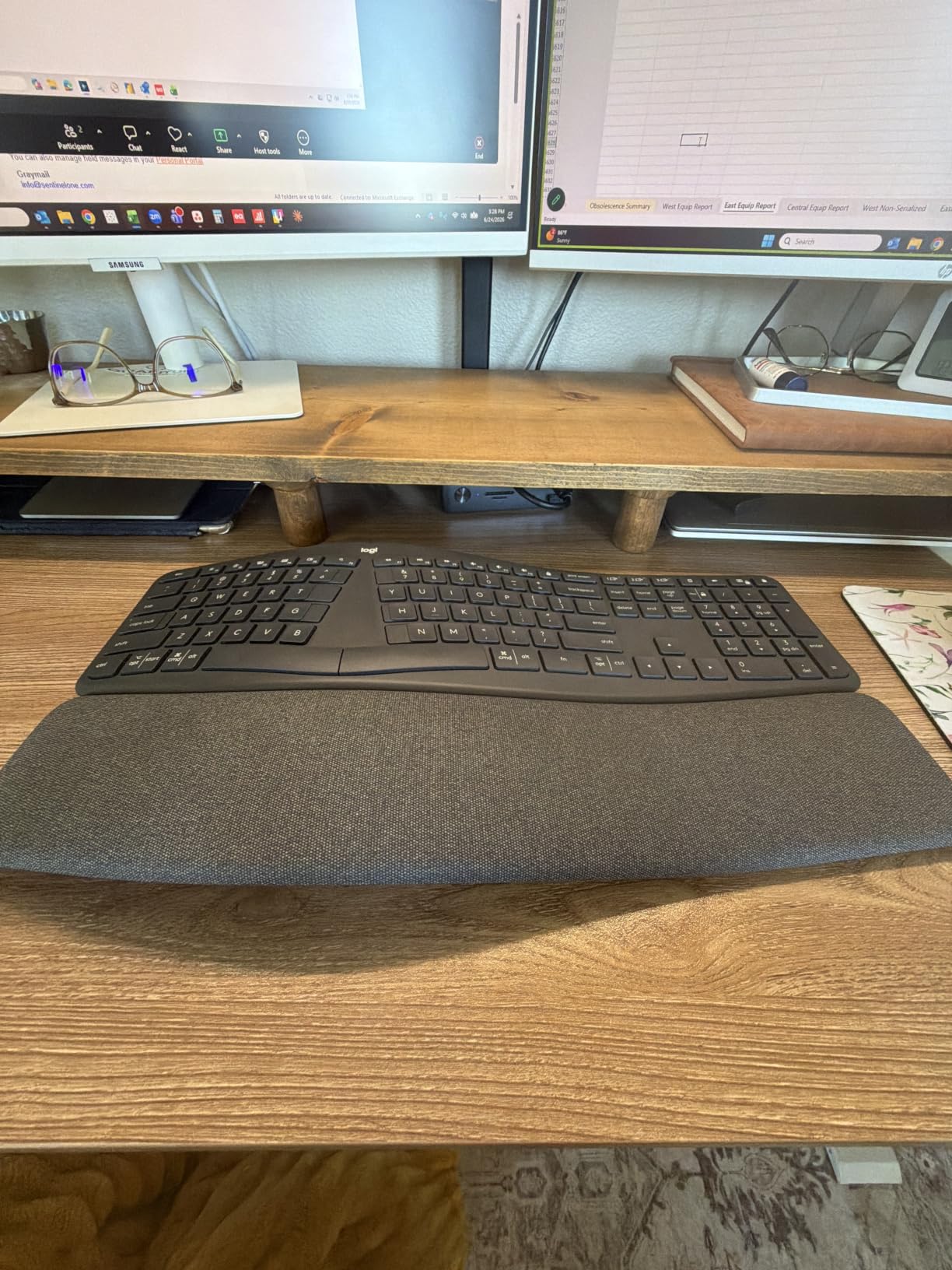
The K860 is the board I suggest for anyone whose shoulder pain is really wrist and forearm pain wearing a shoulder costume. The curved split keyframe slopes the key field toward your hands, and the pillowed memory-foam rest raises the palms to meet the keys rather than letting them hang over a hard edge. Logitech claims 54 percent more wrist support and 25 percent less wrist bending versus a standard flat board, and our month of use matched that impression more closely than any spec usually does.
Connectivity is the quiet advantage. It pairs with up to three devices over Bluetooth and a USB receiver, so a laptop, a desktop and a tablet share one keyboard without a cable crossing the desk. The 17.95 by 9.17 inch footprint is narrower than the Perixx 512B, which leaves a little more room for the mouse on the same desk.
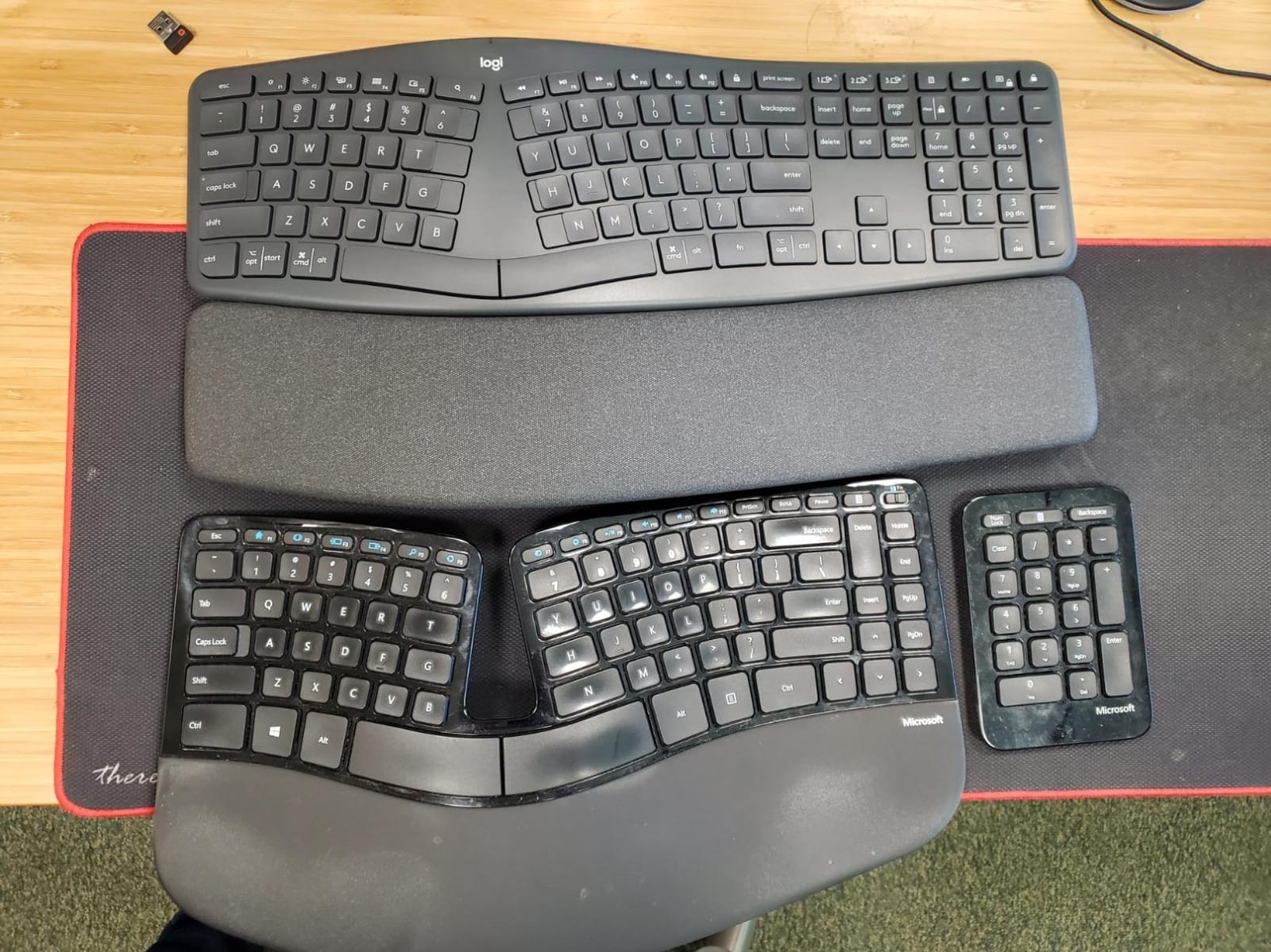
Set the tilt legs to negative rather than positive. The three positions are 0, -4 and -7 degrees, and the negative options tilt the front edge down so your wrists stay flat instead of extending upward over the key field. On a standing desk this is the single most useful adjustment on the whole board.
Two frictions to expect. The F-row doubles as a media row behind an Fn plus Esc combination, which catches people out in front of a client, and the box documentation is thin, so budget a few minutes of setup research before you need to remap anything. Some owners also report occasional wireless hiccups, so if you are on a deadline day, keep the USB receiver close.
Large hands sometimes find the 105-key layout cramped, since the compact width compresses the spacing. The removable numeric keypad helps in the other direction, dropping the keyboard to 78 buttons when you do not need to enter figures.
When This Is the Right Amount of Correction
The K860 fits the person whose pain sits at the wrist and forearm and travels upward into the neck over a long day. The palm lift is the most pronounced of the curved fixed-split boards we tested, so it addresses wrist extension even if the splay alone would not.
It is also the safest first split for anyone who works in an open office or joins a lot of video calls. The scissor keys are quiet enough that nobody hears you on a shared call, which matters more than it sounds when shoulder tension makes you clench.
What to Check Before Buying
Measure your hand span and test the layout if you can. The curved key frame narrows the gap between the two zones, which feels efficient and can feel tight if your hands are long.
Budget for two AAA batteries rather than expecting a USB-C cable. If you already own a rechargeable setup you will use every day, that is a small daily annoyance that never gets old.
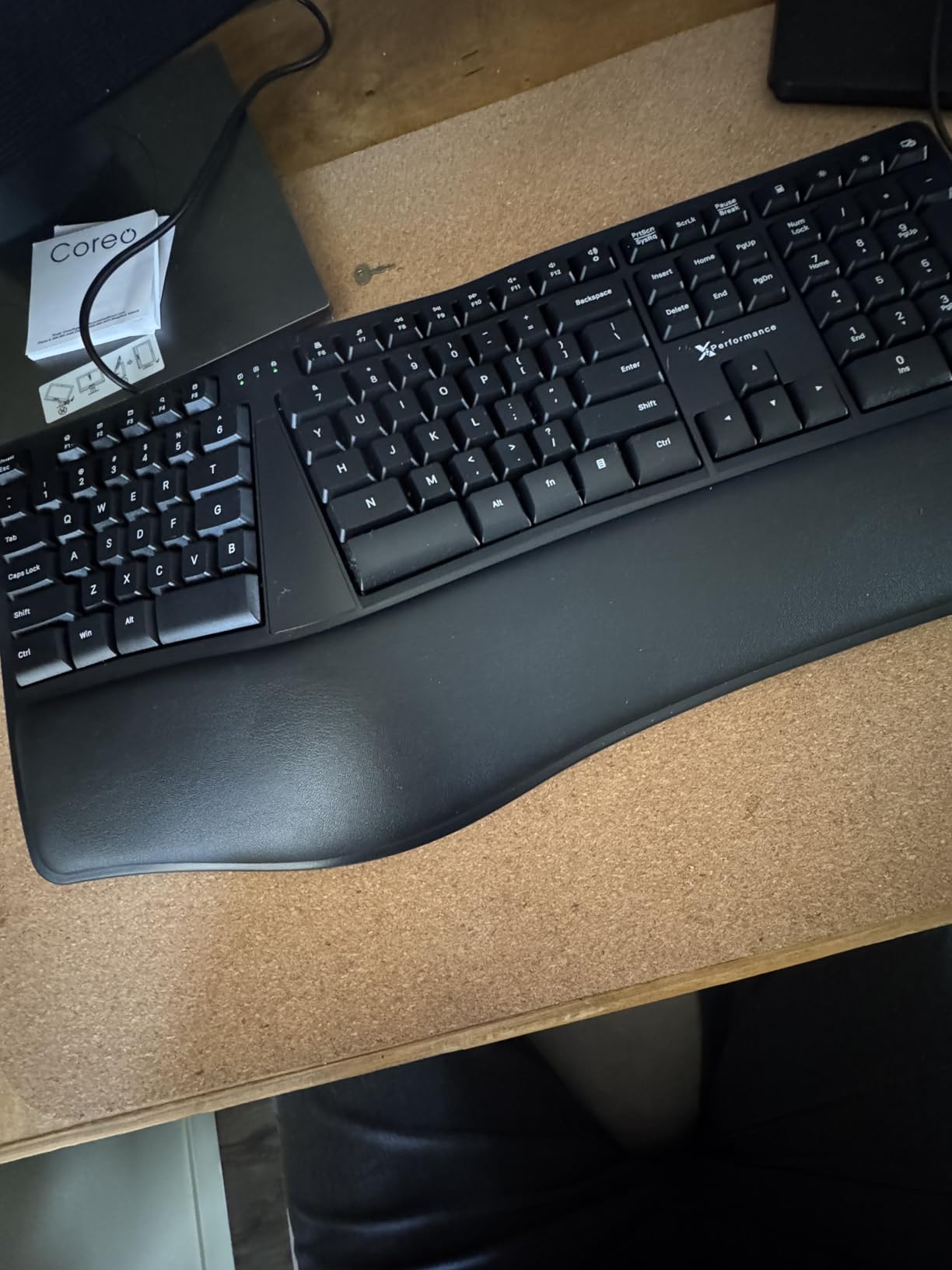
3. X9 Wired Ergonomic Keyboard: Full-Size Comfort on a Small Budget
X9 Wired Ergonomic Keyboard with Cushioned Wrist Rest – Type Comfortably Longer – USB Wired Split Keyboard for Laptop, PC & Chrome Computer with 110 Ergo Keys & 5ft Cable
Split wave ergonomic layout with cushioned wrist rest
110 keys with numpad and 17 shortcut keys
Adjustable kickstand and LED indicators
Wired USB-A plug and play
Pros
- Keeps a full numpad and 17 shortcut keys while still splitting the key field
- cushioned wrist rest levels the hands with the keys
- plug and play with no drivers on Windows Linux or ChromeOS
- 2-year warranty
Cons
- Wired only with no wireless option
- soft-touch membrane keys feel less crisp than mechanical switches
- no key backlighting
The X9 exists for one specific person: the accountant, bookkeeper or data-entry operator who cannot give up the number pad. Almost every other split here forces a compromise on layout, and this one splits the key field into a wave while keeping all 110 keys, 17 shortcut keys and LED indicators in place. Nothing moves except your hands.
The cushioned wrist rest does real work for the forearm. It is a fixed pad rather than a separate rest, so the palms sit level with the key field instead of dropping toward the desk edge, and combined with the wave profile it removed most of the wrist extension we normally see in the first week.
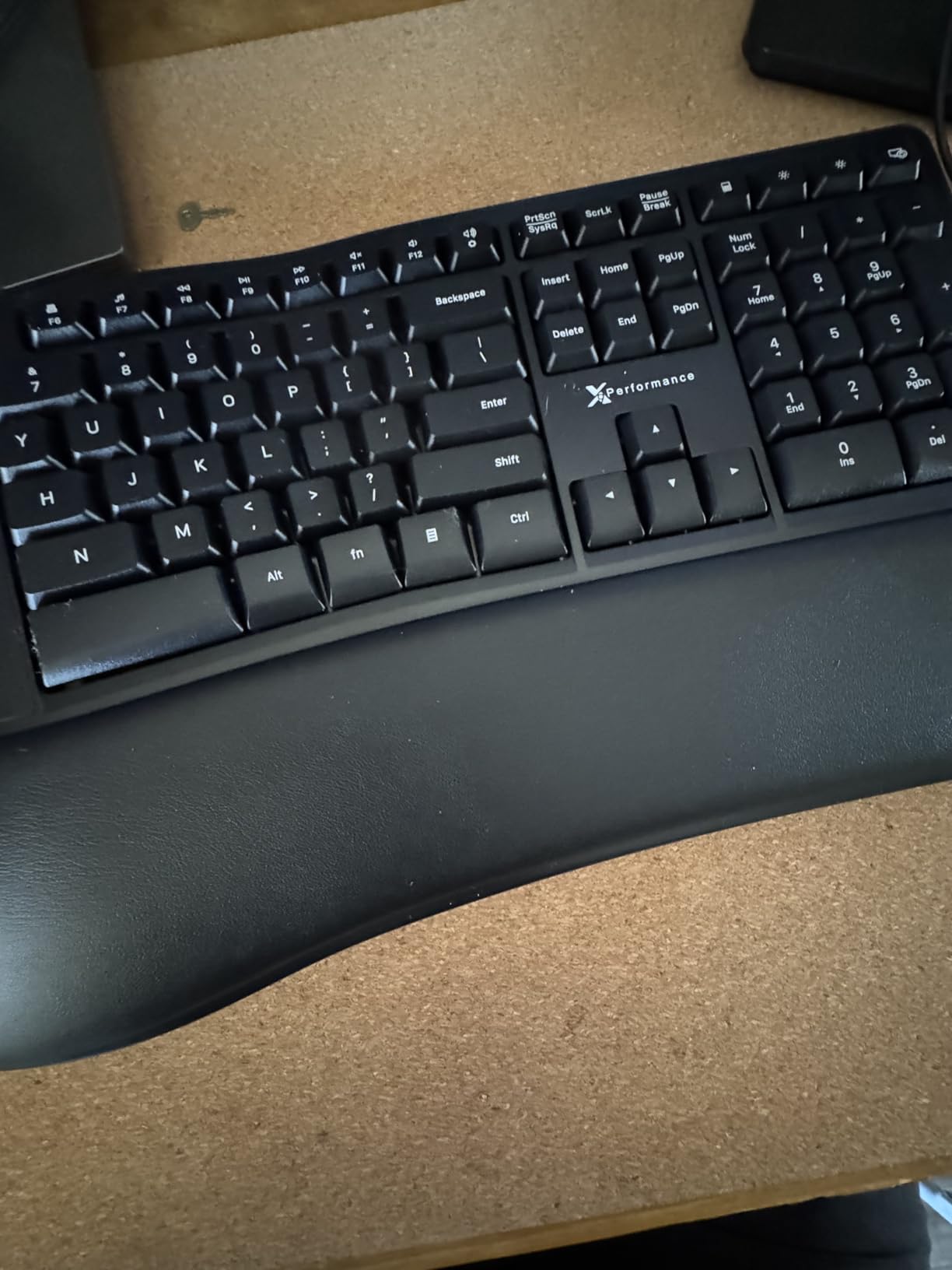
Adjustment is limited to the adjustable kickstand at the rear, which changes the overall rake of the board but not the splay angle between halves. For wrist-driven discomfort that is plenty. For shoulders that hurt because you are reaching inward, the fixed geometry is a ceiling you cannot lift.
The 19 by 9.85 inch body is the widest thing we tested and it competes with the Perixx 512B for desk depth. If you are working on a small desk with an external monitor arm close to the surface, plan where the mouse goes before you commit to a full-size footprint.
Owners like the straightforward USB-A plug-and-play behavior across Windows, Linux and ChromeOS, backed by a 2-year warranty. The recurring complaint is the soft-touch membrane feel, which is softer and less crisp than the scissor keys on the Logitech or Arteck.
Why the Full-Size Layout Is the Feature
Layout stability matters more than correction depth for people who type numbers all day. A muscle-memory break in number entry costs you more time than an ergonomic gain returns, so keeping the pad in place is a deliberate trade.
If you also use function keys heavily, the 17 dedicated shortcuts and LED indicators reduce the layer switching that otherwise eats an hour a week.
What to Check Before Buying
Confirm you have a free USB-A port and do not need wireless. There is no Bluetooth or 2.4G option in this configuration, and the cable runs 5 feet.
Check your desk depth against a 19 inch footprint. If you also plan to move the mouse closer to your body as part of the shoulder fix, this board leaves less room for that change than the compact models do.
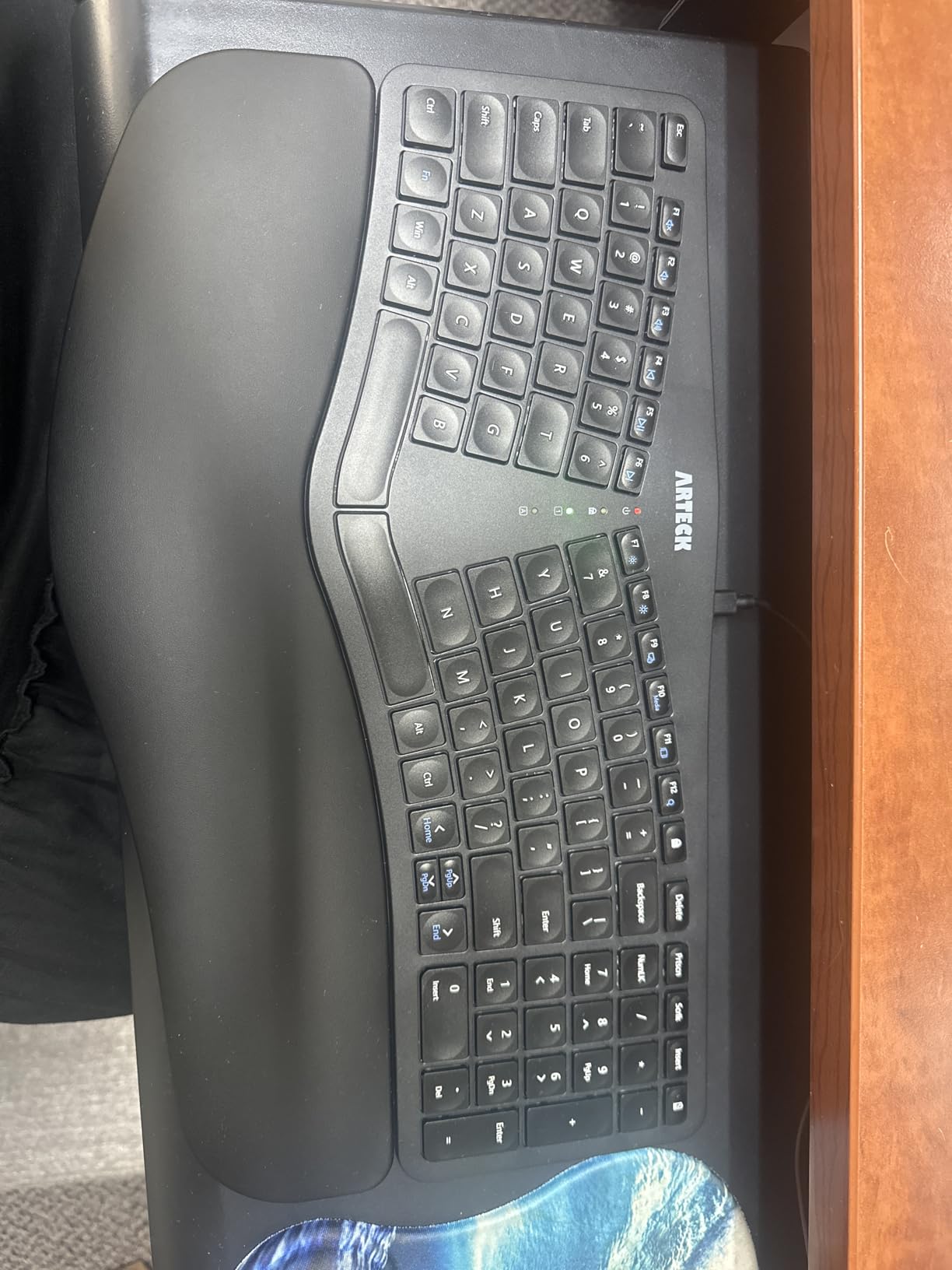
4. Arteck Split Ergonomic Keyboard: The Best Fit for Small Desks
Arteck Split Ergonomic Keyboard with Palm Rest, 2.4G USB Wireless Keyboard
Split layout with cushioned wrist and palm rest
16.5 by 9.6 inch body at 1.02 inch thick
Rechargeable lithium battery, 2.4G nano receiver
102 scissor-switch keys, 2-year warranty
Pros
- Compact 16.5 inch body that leaves mouse room
- wireless 2.4G with a nano receiver that stores inside the keyboard
- rechargeable battery rated for up to 6 months per charge
- 2-year manufacture warranty
Cons
- Compact layout doubles Home and End onto the numpad and puts arrows flush
- short rear feet give little palm lift
- occasional Fn key glitches reported
The Arteck solves the desk-depth problem better than anything else here. At 16.5 by 9.6 inches and just over an inch thick, it is the thinnest board in the roundup and tied for the shortest, which means you can place the halves at a wide splay angle on a desk that could not hold a 19 inch full-size board, and still keep a mouse within reach.
It is also the only board in this group that is wireless and rechargeable at this tier. The lithium cell is rated for up to six months on a two-hour-a-day schedule, the nano receiver stows inside the shell so it does not go missing, and a USB-C cable is included.
The scissor-switch keys are quiet and moderately weighted, closer to a laptop keyboard than to the mushy membranes on the X9. The typing sound is noticeable but not sharp, which suits an open office better than a mechanical board would.
The compromise is layout density. At 102 keys, Home and End are doubled onto the numpad and the arrow cluster sits flush with the main field, so mis-hits are common in the first week. You will adapt in a fortnight, but if you navigate by arrow keys all day it costs you real time before it stops.
Palm lift is shallow. The curve and roughly 20mm rear feet give less lift than higher-riser designs, so your forearms sit closer to flat than a neutral handshake position. If your problem is wrist extension rather than shoulder reach, the K860 does more here.
Where This Board Shines
Short desks, laptop-first setups and anyone who wants the halves angled out without pushing the mouse to the edge of the world. The thin profile also travels in a bag without a case, which is unusual in this category.
Owners switching from older Microsoft ergonomic models report comfortable wrists and painless setup, and the 2-year warranty is the longest coverage in the roundup at this tier.
What to Check Before Buying
If you have large hands, the compressed key field is a real problem and owners say so plainly. Test the spacing or choose a board with a wider key field such as the K860.
Note the Windows-first listing. It is a 2.4G keyboard rather than a Bluetooth one, so the receiver occupies a USB port permanently and there is no device switching if you also use a tablet.
5. Kinesis Freestyle2: The Board That Actually Opens Your Shoulders
KINESIS Freestyle2 Ergonomic Keyboard for PC (9″ or 20″ Separation) (9″ Separation)
Adjustable rotation and separation up to 9 inches
Detachable pivot tether with 9 inch separation option
Low-force tactile membrane switches
15.94 by 9.25 inch, 2 pounds, embedded numpad
Pros
- Separation and splay both adjustable so you can place the halves at your own shoulder width
- low activation force reduces finger fatigue over long sessions
- embedded numeric keypad keeps a full-size feel
- plug and play on Windows Linux and Chrome
Cons
- Wired only with no wireless option
- older membrane switches feel dated next to modern mechanical keys
- large pivot design needs real desk depth
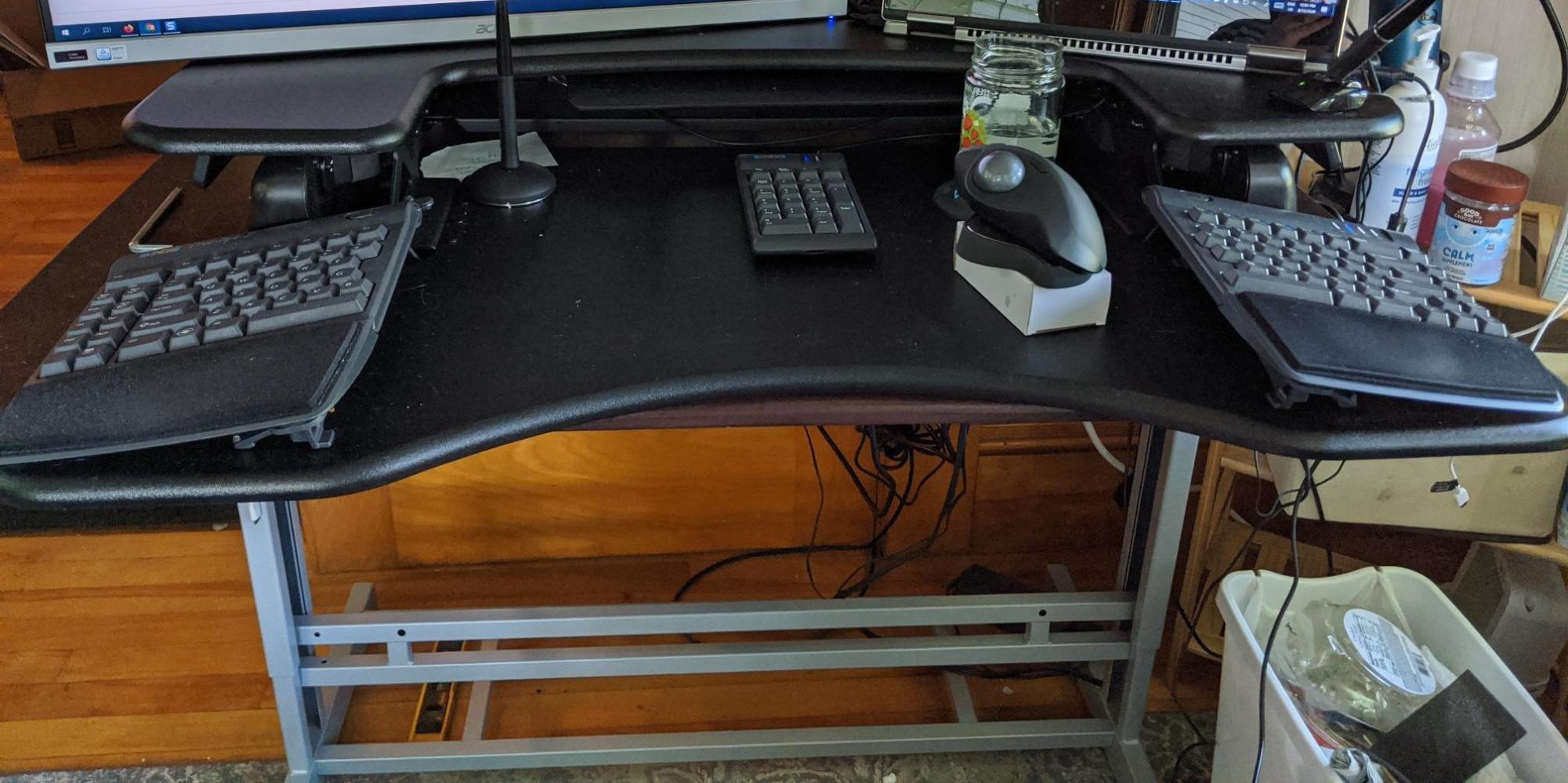
This is the board I keep coming back to for shoulder pain specifically, and the reason is a single number: 9 inches of separation. Every other fixed-split option on this list bakes the width into a molded shell. The Freestyle2 hinges on a detachable pivot tether, so you can rotate and slide the halves until each one sits under your own shoulder, and a broader build can move them nearly a foot apart.
That adjustability is the difference between a keyboard that treats shoulder pain and one that merely reduces wrist bending. Forum consensus on r/ErgoMechKeyboards is that owners who fixed shoulder problems credit separation width, not ergonomic branding, and this is the board that lets you dial that width in rather than accept it.
The low-force tactile membrane switches are the second quiet win. They actuate with less finger force than a typical mechanical switch, which matters over a full day, and the tactile bump gives you a closing signal without a loud click. Owners with tendonitis and RSI tend to rate this board highly for that reason.
Layout is standard Windows with dedicated hotkeys and an embedded numeric 10-key on the right module, so if you need a number pad you do not lose it. That embedded pad is also what lets the board stay narrower than a full-size 111-key model while keeping the function.
The design is old, and some of that shows. The switches feel dated beside a modern scissor or mechanical key, and there is no wireless. What has not aged is the geometry, which has stayed essentially unchanged because it was never a gimmick.
Why Separation Width Is the Whole Game
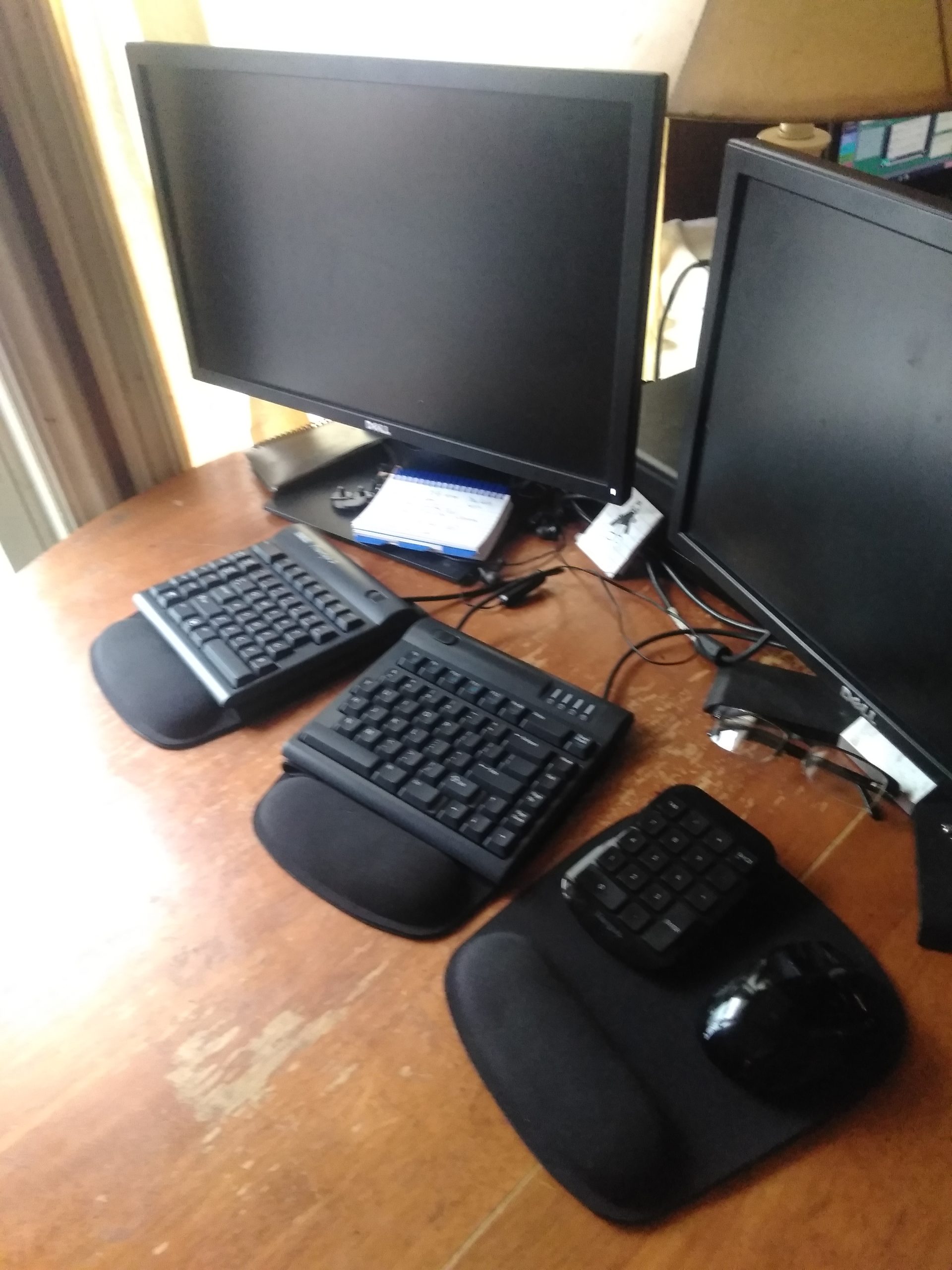
Shoulder pain from typing is usually a reach problem. Set the halves at your shoulder width and the upper trapezius stops working to hold your arms in front of you; set them wider and you create a new problem, a hunched inward reach that makes the pain worse. The pivot is the only mechanism here that lets you find your own number.
It is also the board most often paired with a tenting kit, which adds the second correction for forearm pronation. If you only need shoulder relief and not wrist relief, the flat configuration is a reasonable place to start.
What to Check Before Buying
Make sure your desk has depth. At 15.94 by 9.25 inches in the closed position, the board grows noticeably as you push the halves apart, and you need room for the mouse between or beside them.
Check that a cable suits your setup. It is USB-only with no Bluetooth, so a laptop user is adding a port or a dock.
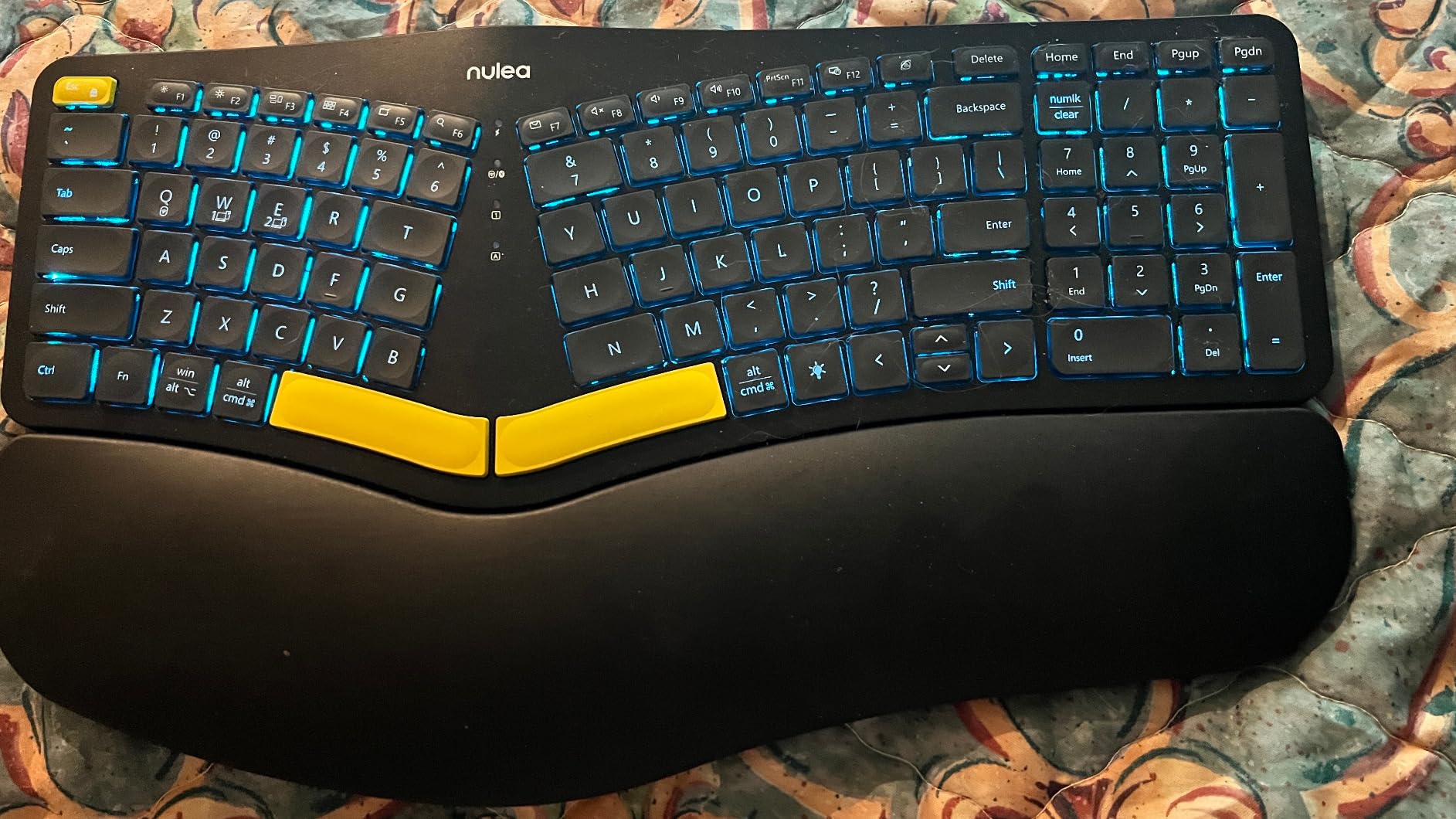
6. Nulea Ergonomic Split Keyboard: Multi-Device With a Backlight
Nulea Ergonomic Split Keyboard Wireless with Wrist Rest 7 Color Backlight
Split splayed curved layout with cushioned wrist rest
7-color backlight at 3 brightness levels
2000mAh battery with USB-C charging
Pairs up to 3 devices over Bluetooth and 2.4G
Pros
- Three-device switching across Bluetooth and 2.4G with auto-sleep
- 7 backlight colors and 3 brightness levels for low-light work
- cushioned wrist rest plus 4 tilt legs give 3 tilt positions
- 101 keys in a compact 16.5 inch body that still fits a numpad
Cons
- Center of the board sits flat with no tenting
- small backspace and half-height arrow keys cause frequent mis-hits
- backlight and battery fade over long ownership
The Nulea is the one to buy if your desk changes shape depending on the day. It pairs with up to three devices across Bluetooth and 2.4G, charges over USB-C, and holds a 2000mAh battery, so a laptop, a work machine and a tablet can share it without a cable being involved at any point. The 7-color backlight with three brightness levels and auto-sleep is unusual at this tier.
Its 16.5 by 9.6 inch body keeps a numeric keypad in a footprint that competes with compact laptops, which is a good trade for anyone who enters figures and still wants a wireless split.
The recurring theme in owner feedback is that the layout delivers real shoulder and hand relaxation, and that the wrist rest plus adjustable tilt legs support a neutral wrist position. Several owners report the switch reduced hand and wrist pain within a couple of weeks of regular use.
The weakness is tenting, or rather the absence of it. The center of the board is essentially flat, so the forearms stay in pronation unless you prop something under them. If your pain is forearm and wrist driven rather than shoulder driven, that limit matters, and it is the reason this board sits below the Freestyle2.
Smaller keys cause their own trouble. The backspace key is short and the up and down arrows are half-height, so mis-hits are common until your fingers learn the new positions. Over long ownership, owners also report the backlight dimming and battery runtime shortening, plus occasional phantom or repeated keystrokes.
Who This Suits
Anyone moving between machines during the week, and anyone who types in low light. Scissor keys keep the sound modest enough for shared spaces, which pairs well with the wireless freedom.
It also works as a second board for a standing desk setup where a second cable is a nuisance.
What to Check Before Buying
If you already own a tenting solution and want the correction to carry across devices, this board will not accept one. The flat center is a design limit, not a missing accessory.
Long-term buyers should expect to replace batteries eventually. Reviews averaging 4.2 stars note that runtime and backlight brightness fade after extended ownership, so factor in a battery cost over a few years.
7. Kinesis Advantage360 Professional: The Deepest Correction Here
Kinesis Advantage360 Professional Split Ergonomic Keyboard – Bluetooth | Mechanical Switches | Fully Programmable Open Source | Contoured Shape | Adjustable Tenting | Backlit
Columnar layout with concave keywells and thumb clusters
Adjustable tenting at three heights
Bluetooth with rechargeable batteries
15 by 8 by 3 inch, 3.2 pounds, 3-year warranty
Pros
- Adjustable tenting and columnar layout give the strongest shoulder and forearm correction of the eight boards
- thumb clusters move Enter Space Backspace and Delete off the little fingers
- no numeric keypad keeps the mouse close to the body
- Gateron Brown mechanical switches and open-source remappable firmware
Cons
- Very steep learning curve for columnar keys and remapped punctuation
- Bluetooth disconnects and latency are the most common complaint
- ZMK remapping needs a GitHub account and firmware compile
- large chassis is uncomfortable for small hands
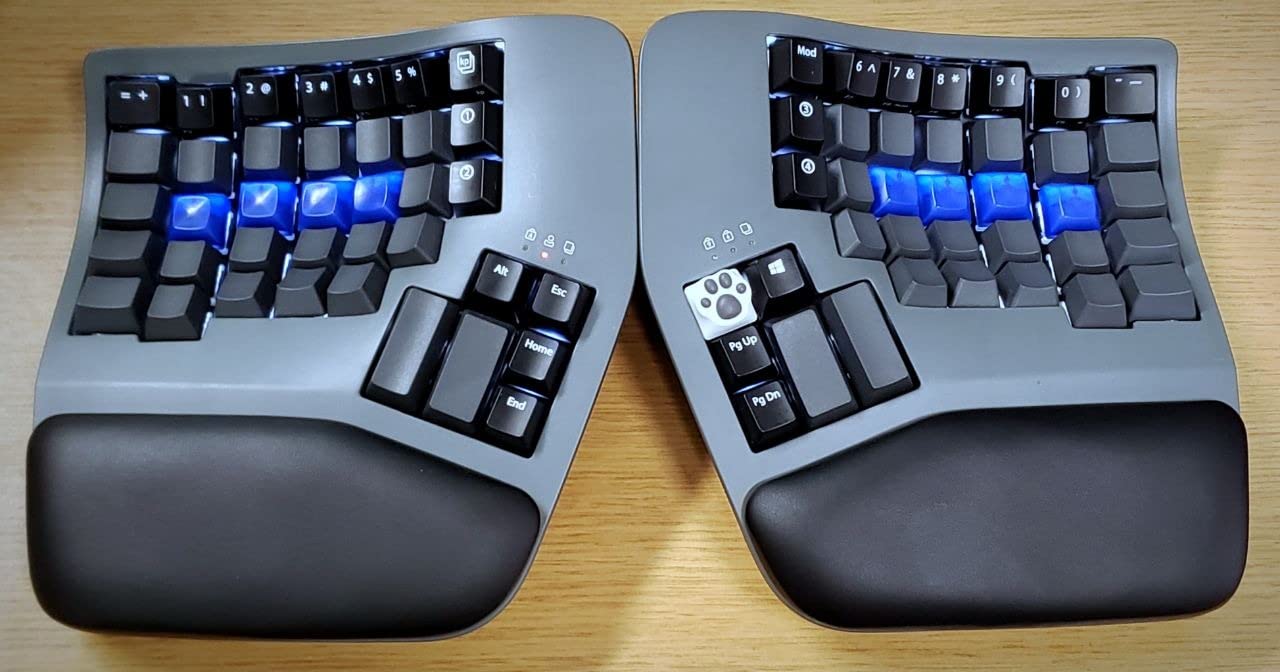
Of the eight boards here, this is the one that changes the geometry most. The keys sit in a columnar, non-staggered layout so each finger runs up and down a vertical column the way it already moves, the keywells are concave so the keys cradle your fingertips, and the tenting adjusts through three heights to lift the inner edges toward a neutral handshake posture. If your shoulder and forearm pain is significant rather than niggling, this is the deepest correction available.
It also removes the numeric keypad entirely, which has a direct shoulder benefit that is easy to overlook. With no number pad on the desk, the mouse sits roughly where your hand already is instead of 20 inches out to the side. Owners report the tenting and columnar layout as the most effective ergonomic combination they have used for posture.
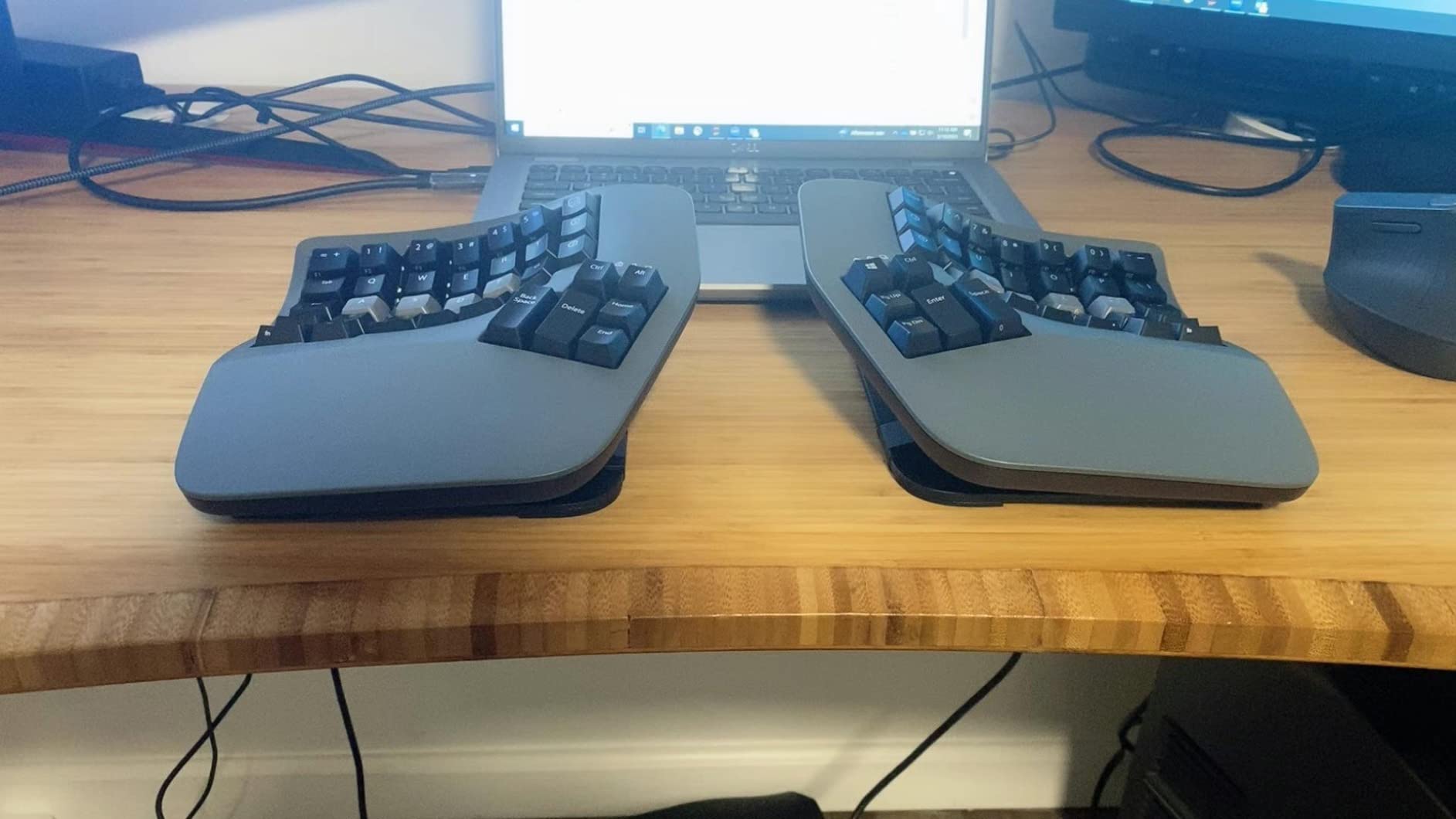
The thumb clusters are a quiet ergonomic upgrade. Enter, Space, Backspace and Delete move from the stretched little fingers onto the thumbs, so the digits that fatigue fastest on a long day stop carrying the load. The Gateron Brown tactile switches add a heavier, more deliberate feel than anything else in this roundup.
Cost is not the main obstacle here, the learning curve is. The columnar layout plus remapped punctuation is a genuine commitment, and the fully programmable ZMK firmware workflow asks for a GitHub account and compiling firmware for the changes most people want. Budget several weeks of slow typing before you judge it.
Bluetooth is the most common complaint in the reviews: random disconnects, latency and occasional repeated keystrokes. Running it over USB is more reliable, and firmware updates only partly resolve it. Its 15 by 8 by 3 inch chassis is also the deepest correction of the eight, and that bulk is worth checking against your desk before ordering, particularly if you have small hands.
When This Level of Correction Is Justified
Diagnosed RSI, tendonitis or shoulder impingement where a fixed split has already been tried and not been enough. If you have been through the Freestyle2 stage and the pain persists, this is the step up rather than another lateral move.
It suits people who type all day, are comfortable learning a new layout, and are willing to run a board wired most of the time to avoid the wireless issues.
What to Check Before Buying
If you have small hands, the 15 by 8 by 3 inch chassis with large concave wells may be too much. Owners with smaller hands describe the board as less comfortable despite the ergonomic benefits.
Premium palm pads are sold separately, and some users report that adding them increases typos. Try the integrated palm supports before assuming you need the upgrade.
8. Perixx PERIBOARD-524B: Correction in a 14-Inch Footprint
Perixx PERIBOARD-524B US, [Firmware Updated] Wired Ergonomic Split Keyboard – Up to 2 Ft Seperation – Adjustable Tilt Angle – Low Profile Membrane Keys – Black – US English
Compact 86-key TKL split with up to 2 feet of separation
Adjustable tilt angle at multiple positions
Low-profile membrane keys with long travel
14.21 by 8.46 by 1.1 inch, wired USB-A
Pros
- Generous separation of up to 2 feet in a very small 14.21 inch body
- curved sloped profile encourages a natural arm position
- low-profile membrane keys with long travel reduce mistyping
- June 2023 firmware update resolved phantom key issues
Cons
- 86-key layout means no numpad and no dedicated arrow cluster
- wired USB-A only
- split layout typically needs more than two weeks to feel automatic
The 524B solves a specific problem: you want real separation but you have no desk to put it on. The key field separates by up to 2 feet, which is wider than most fixed-split boards in this roundup, yet the whole unit is only 14.21 by 8.46 inches. You get shoulder-width opening on a desk that would not accept the 19-inch alternatives.
Because there is no numeric keypad, the mouse naturally moves in toward your body. That is a genuine shoulder benefit, and it is the reason this layout works for people whose pain comes partly from pointing reach rather than typing posture alone.
![Perixx PERIBOARD-524B US, [Firmware Updated] Wired Ergonomic Split Keyboard - Up to 2 Ft Seperation - Adjustable Tilt Angle - Low Profile Membrane Keys - Black - US English customer photo 1](https://mylyconet.com/wp-content/uploads/2026/09/B0C9D3PL82_customer_1.jpg)
The curved, sloped key field and the multi-position tilt angle let you set the rake for your forearms without any tools. Low-profile membrane keys with long travel reduce the mis-hit rate that normally makes short-travel keyboards annoying, which matters on an 86-key layout where errors are more disruptive.
The layout is the trade. There is no numpad and no dedicated arrow cluster, so if your work is number-heavy you will be typing figures in a different layer or reaching for a separate pad. A June 2023 firmware update addressed earlier phantom and repeating key reports, which owners credit as the reason the board behaves now.
With only 155 ratings averaging 4.0, this is the thinnest feedback pool in the roundup. Owners who bought it report less shoulder, wrist and forearm discomfort from the curved split profile, and a typical split adaptation period of more than two weeks before it feels automatic.
![Perixx PERIBOARD-524B US, [Firmware Updated] Wired Ergonomic Split Keyboard - Up to 2 Ft Seperation - Adjustable Tilt Angle - Low Profile Membrane Keys - Black - US English customer photo 2](https://mylyconet.com/wp-content/uploads/2026/09/B0C9D3PL82_customer_2.jpg)
Why Separation Beats Size Here
Shoulder relief comes from the distance between the halves, not from the overall footprint. This board proves you can have wide separation on a small desk, which matters in small apartments and in hotdesking setups where the tray is short.
The missing numpad is not a flaw here. It is the same mouse-adjacency logic that makes the Advantage360 work, arrived at through compactness instead of design.
What to Check Before Buying
Count how often you type numbers. Without a dedicated keypad or arrow cluster, spreadsheet-heavy work gets slower no matter how good the posture is.
This configuration is wired USB-A for Windows. If you are on a Mac or a tablet, check compatibility before ordering, and expect more than two weeks of adaptation before your typing speed returns.
Match Your Symptom to the Correction You Need
Shoulder pain is not one condition, and neither is keyboard correction. Here is how we would map symptoms to the minimum board that addresses them, based on what we saw across the eight.
Aching upper traps and shoulders at the end of the day, wrists fine: the problem is inward reach. Any curved split helps. Start with the Perixx 512B for zero learning curve, or the Freestyle2 if your shoulders are broad and you need the halves wider.
Tension between the shoulder blades and neck stiffness after long sessions: you need true separation plus mouse reduction. The Freestyle2 with the halves at shoulder width, or the Advantage360 if the ache is significant.
Forearm and wrist pain that travels up into the shoulder: you need palm lift and a negative tilt. The Logitech K860 at -4 or -7 degrees does most of this without an adaptation cliff.
Diagnosed RSI, tendonitis or recovering carpal tunnel: low activation force and contoured wells matter more than separation. The Freestyle2 and the Advantage360 both fit; the Nulea and Arteck scissor switches are gentler still.
Shoulder pain that appears only after long mouse sessions: the keyboard is not your problem. Fix pointing reach first, then reassess.
Post-injury or post-surgery typing under clinical guidance: follow the occupational therapist first. The board is the last decision, not the first.
How Far Apart Should the Halves Sit?
Shoulder width, or a little closer. The recurring advice in r/DygmaLab threads is that users who place the halves exactly at shoulder width find it slightly too wide and drift inward by an inch or two, which still opens the chest without creating a shrug. A fixed split cannot do this adjustment, which is the single strongest argument for a pivoting board.
Tenting is the second lever, and it addresses a different problem. A flat split stops the shoulders rolling inward but leaves the forearms rotated palm-down, which is wrist pronation. Raising the inner edges until the board approximates a handshake position rotates the forearms back toward neutral. On the Advantage360 this is a three-position foot adjustment; on a fixed split it means adding an accessory or propping the center yourself.
Adaptation takes longer than most people expect, and this is where most roundups fail you. Our own checkpoints and the ranges owners report:
Week 1: typing speed drops noticeably, often to 60 to 70 percent of your normal pace. Errors cluster on keys your fingers expect in a different place. This is normal and it is the phase where people quit.
Weeks 2 and 3: the layout stops feeling wrong. Accuracy recovers first, speed last. Reviewers who describe staying power through this phase are the ones who see relief.
Week 4 onward: baseline speed returns, typically within a few percent of where you started. A true split with remappable keys takes longer, often six to eight weeks, because the key positions themselves are different.
Fixed split versus true split: a fixed curved board adapts in one to two weeks because the key positions are familiar. A columnar board with thumb clusters takes far longer and needs a remapping plan from day one.
Set the tray height before you worry about the board. If the keyboard sits above elbow height, your shoulders lift to meet it and the correction is cancelled. Lowering the tray so the forearms slope gently down from elbow to wrist does more for shoulder pain than any key shape.
Reduce the Mouse Reach Too
The most powerful shoulder fix is not on this page. If your mouse arm travels out to the side of the keyboard every time you select a cell, that shoulder works harder all day no matter which board you choose. Three changes fix most of it.
First, get the mouse in. A keyboard with no numeric keypad puts the mouse where your hand already sits, which is why the Advantage360 and the PERIBOARD-524B help shoulder pain even beyond their key geometry. Second, move it to the same side as the keyboard rather than reaching across, and keep it at the same height.
Third, change the pointing device itself. A vertical mouse holds the forearm in a handshake shape instead of rotating it palm-down, so it removes pronation from the arm that spends the day reaching. A trackball goes further, since it stays under your hand and eliminates the reach almost entirely. If your pain is worse on the days you work in spreadsheets than the days you write prose, the pointing device is your first upgrade, not the keyboard. Our guides to neck and shoulder relief at home and sleep position for shoulder pain cover the recovery side of the same problem for the hours you are not at the desk.
Frequently Asked Questions
Are split keyboards really more ergonomic?
They address a specific problem better than a flat board, not every problem. Separating the halves to roughly shoulder width stops you reaching inward, which uncurls the chest and stops the shoulders rolling forward, and tenting the inner edges rotates the forearms out of wrist pronation. What they do not fix is mouse reach, chair height or monitor position, which are often a larger part of shoulder pain than typing posture.
How long does it take to adapt to a split keyboard?
Expect one to two weeks for a fixed curved split, where the key positions are familiar, and four to six weeks for a true split with adjustable separation. A columnar board with thumb clusters and remapped punctuation takes six to eight weeks. Typing speed typically runs at 60 to 70 percent of your normal pace in the first week, accuracy recovers before speed, and most people are back to baseline around week four.
Do split keyboards help with shoulder pain or only wrist pain?
Both, but shoulder relief depends on how far the halves are separated. A curved one-piece split reduces wrist bending and opens the shoulders somewhat. A board with adjustable separation lets you place each half under your own shoulder, which is the correction that resolves reach-driven shoulder ache. If your pain is between the shoulder blades rather than in the wrists, prioritise separation width over palm rest depth.
Should I buy a tenting kit for my split keyboard?
Only if your pain is forearm and wrist driven rather than shoulder driven. Tenting rotates the forearms out of pronation toward a neutral handshake position, so it adds wrist and forearm correction that a flat split does not provide. If a fixed split already fixed your shoulder ache, tenting is optional. If your forearms ache after a long session, add-on tenting feet are a low-cost improvement.
Will a split keyboard slow me down at work?
During adaptation, yes. Typing speed drops to roughly 60 to 70 percent of normal for the first week while your fingers relearn positions. By week three most people are near baseline and by week four the difference is gone. Boards with familiar key positions, like the curved fixed splits, adapt fastest, while columnar layouts with remapped keys need a longer plan and a remapping approach from the start.
Do I really need an ergonomic keyboard for shoulder pain?
Check the other inputs first. Mouse reach, chair height and monitor position account for a large share of desk shoulder pain, and a keyboard cannot offset them. Moving the mouse in toward your body, lowering the keyboard tray to elbow height and sitting with the monitor at arm level will tell you within a couple of weeks whether the keyboard is actually your problem.
Verdict: Pick the Correction Your Shoulders Are Missing
If you want one answer, take the Perixx PERIBOARD-512B for broad correction with almost no learning curve, or the Kinesis Freestyle2 if your shoulders are broad enough that fixed width will not open them. Move up to the Kinesis Advantage360 only when a true split has already been tried and the ache is significant. Fix your mouse reach in the same week, because no board on this list compensates for an outstretched pointing arm.