
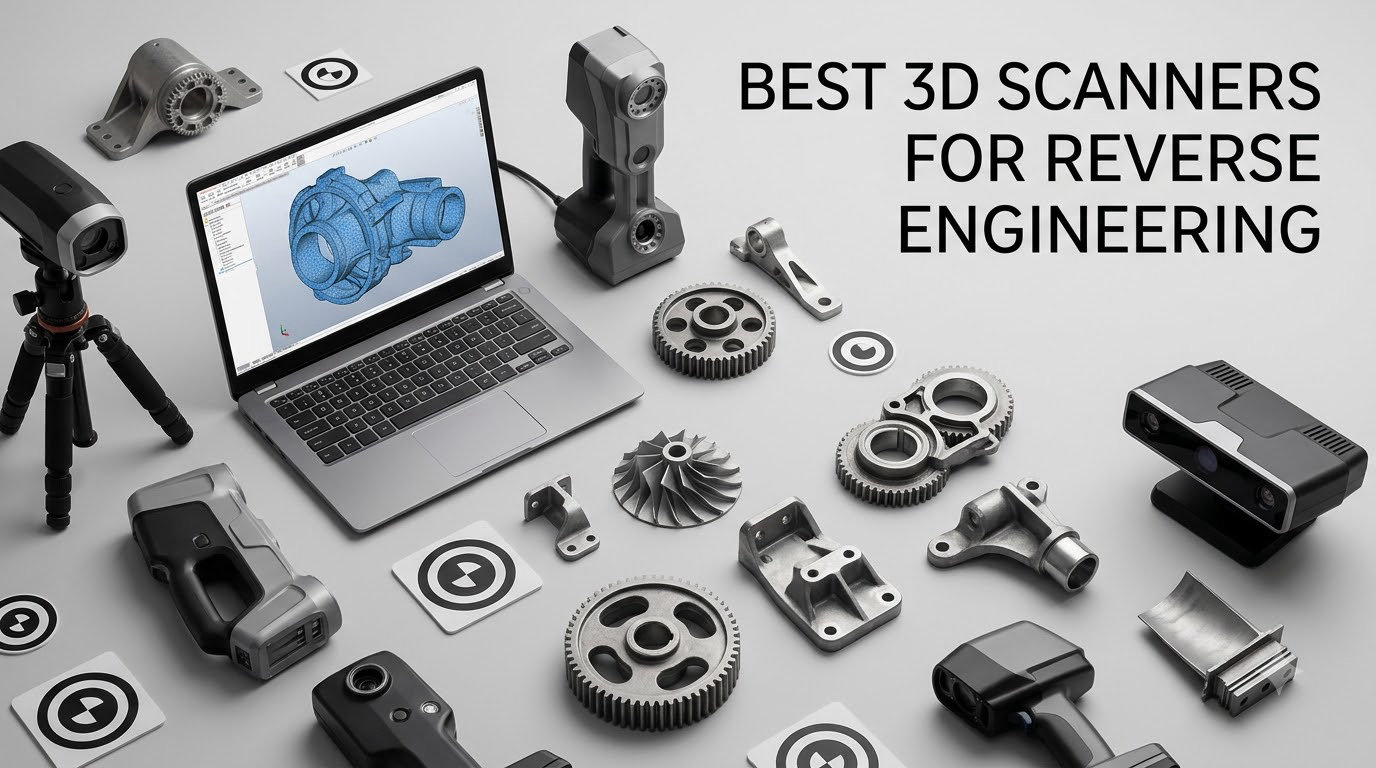
The best 3D scanner for reverse engineering right now is the Revopoint MetroX Pro. It pairs 0.01 mm single-frame precision with four scanning modes, including 62-line full-field structured light that captures up to 7 million points per second without markers, and it ships with a dual-axis auto turntable. Blue laser modes read shiny and dark metal without scanning spray, which is the single biggest reason most hobbyist scanners disappoint in a scan-to-CAD workflow.
That last point is where most buying guides go quiet. Every scanner spec sheet promises accuracy, but accuracy means nothing if the laser simply cannot register on a black plastic moulding or a chrome-plated piston. We compared nine scanners across light source, working volume, mesh resolution, software export formats and the cost of the surrounding workflow to separate the ones that produce CAD-usable geometry from the ones that produce a pretty point cloud you cannot model from.
Two more things shaped this list. First, almost every one of these scanners outputs a mesh, not an editable solid, so the software step matters as much as the hardware. Second, a scanner is only as good as the workstation behind it, and several models here specify a recent Core i7 with 32GB of RAM before they will run properly. If you have not read that part yet, keep it in mind while you work through the nine reviews below.
Once you have a scan in hand, the next step is usually a print. Our picks for the best resin 3D printers for miniatures cover the small-detail end of scan-to-print work, and the hardware scanners here cover the measurement end.
Table of Contents
Top 3 Picks for Reverse Engineering in 2026

Revopoint MetroX Pro
- 0.01 mm precision
- 62-line full-field structured light
- No-spray capture of shiny and dark surfaces
- Dual-axis auto turntable

Revopoint MIRACO Plus
- Integrated photogrammetric metrology kit
- Near and Far depth modes
- 48MP full-color capture
- On-device processing

Revopoint INSPIRE 2
- 11 infrared laser lines
- 0.05 mm accuracy
- 190g aluminum body
- Full accessory bundle
All Nine Scanners Compared in 2026
| Product | Specifications | Action |
|---|---|---|
| Revopoint MetroX Pro |
|
Check Latest Price |
 Creality Sermoon S1 Creality Sermoon S1 |
|
Check Latest Price |
| Revopoint MIRACO Plus |
|
Check Latest Price |
 EINSTAR Rockit EINSTAR Rockit |
|
Check Latest Price |
| Revopoint INSPIRE 2 |
|
Check Latest Price |
 Creality CR-Scan Ferret Pro Creality CR-Scan Ferret Pro |
|
Check Latest Price |
 Creality CR-Scan Raptor Pro Creality CR-Scan Raptor Pro |
|
Check Latest Price |
 Revopoint MetroY Pro Revopoint MetroY Pro |
|
Check Latest Price |
 Revopoint POP3 Plus Revopoint POP3 Plus |
|
Check Latest Price |
1. Revopoint MetroX Pro – Best Overall for Scan-to-CAD
Revopoint MetroX Pro 3D Scanner, Blue Laser Scan, for 3D Printing, Advanced
0.01 mm precision
0.02 mm accuracy
62-line structured light
7 million points per second
Pros
- 0.01 mm single-frame precision with 0.02 mm plus 0.04 mm per metre volumetric accuracy
- Blue laser modes read shiny and dark surfaces without spray
- Complete kit with smart turntable and carrying tote
- Software exports straight into CAD systems
Cons
- Tracking loss can restart scans in the wrong orientation
- Color capture takes hours of experimentation
- Corded operation only
The MetroX Pro is the scanner I keep coming back to, because it is the only one in this group that solves the two problems reverse engineering actually poses: fine detail on small parts, and surfaces that other scanners cannot see. Its 0.01 mm single-frame precision and 0.02 mm accuracy come with a published volumetric figure of 0.02 mm plus 0.04 mm multiplied by the length in metres, which is rare transparency in this category.
Four modes cover most jobs. Thirty crossed laser lines and fifteen parallel lines are the fast general-purpose modes, and both read shiny or dark surfaces at up to 2 million points per second without spray powder. The 62-line full-field structured light mode is the one that surprises people, capturing up to 7 million points per second marker-free, which is what makes large panels and assembled assemblies practical.
Forum users on r/3DScanning describe scanning a broken part with a Revopoint unit in blue laser mode with no spray or markers at all, which matches what the spec sheet claims. Pelican Parts contributors also single out the MetroX family as a go-to for Porsche part scans, and 147 ratings makes it one of the better-evidenced units here.
The catch is workflow, not hardware. Owners report that if tracking drops out, the point cloud can resume in the wrong orientation, which means restarting rather than stitching. Glossy and black surfaces still need a near-perpendicular approach angle, and automatic alignment of overlapping scans tends to want a manual correction on symmetric parts.
Two more practical notes. It is not cordless, so the cable length shapes how you move around a vehicle or a machine. And Revo Design and Revo Measure are paid Windows-only add-ons, so budget for the scan-to-CAD step separately rather than assuming the hardware covers it.
What the MetroX Pro does well on real reverse-engineering jobs
Small mechanical work is where this scanner earns its place. Gears, brackets, bearing housings and jigs all fall inside the comfortable range, and the 0.02 mm accuracy figure gives you enough margin to print a functional replacement rather than a decorative one. For scan-to-CAD, the export path into mainstream CAD systems is the smoothest of the group.
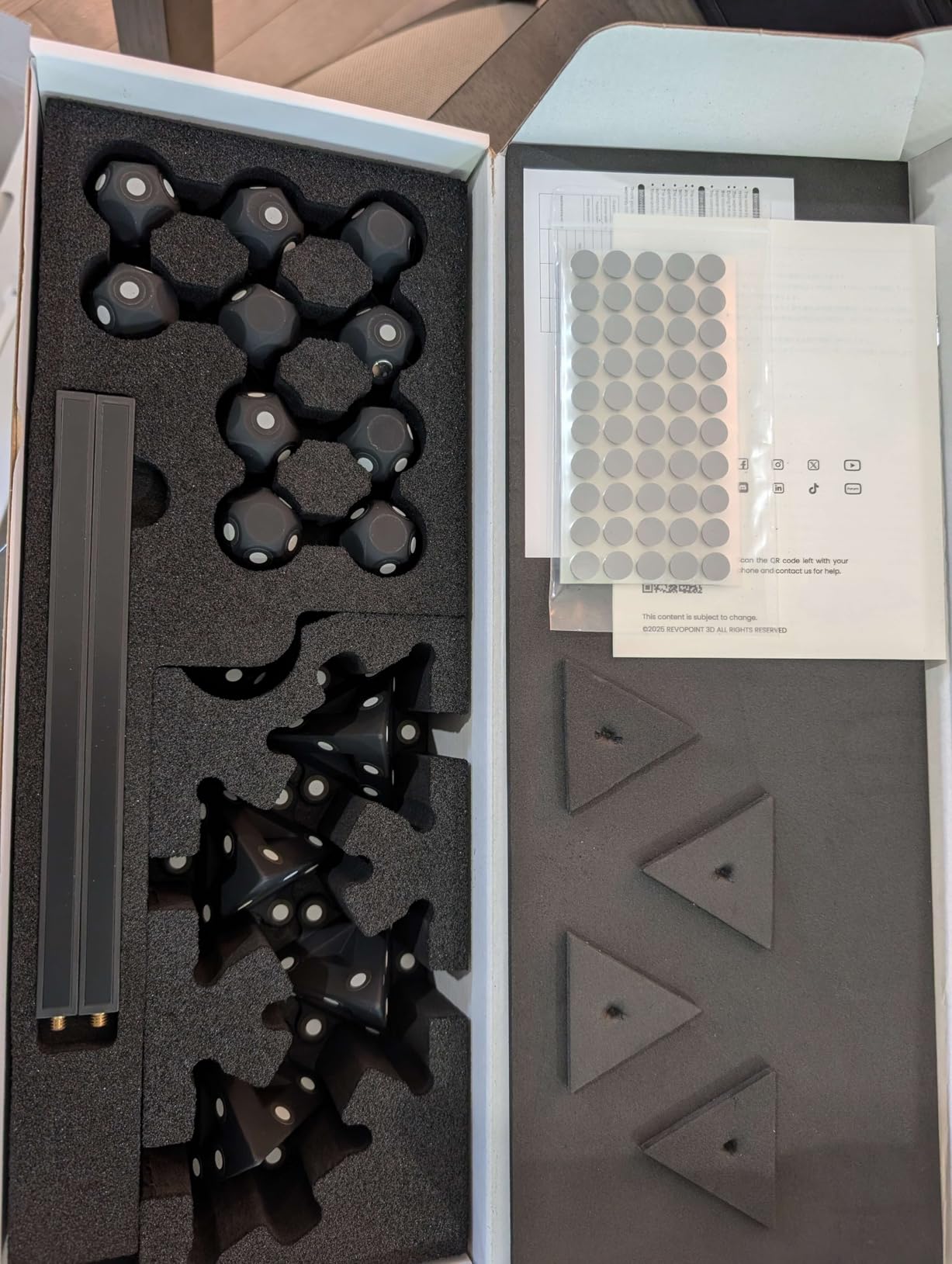
The auto turntable is genuinely useful here. One-click dual-axis scanning with HD RGB capture removes the most tedious part of photographing a part by hand from several angles, which is what you would otherwise do on every component with a turned feature.
Where the MetroX Pro will frustrate you
Color capture is the most common complaint, and it is a fair one. Owners describe the RGB workflow as something you learn by trial and error, with results that vary widely between sessions even on the same object. If your project needs accurate color, budget time for that learning curve.
The tracking loss issue matters most on symmetrical parts, where the software has no distinctive features to lock onto. Add markers on those pieces even though marker-free scanning is possible. And if you need to climb around a car or climb onto a machine bed, the cable is a real constraint that wireless competitors do not have.
2. Creality Sermoon S1 – Widest Accuracy-to-Size Range
Creality 3D Scanner Sermoon S1 for Engineering Printing, 1+7+34 Blue Laser Handheld Scanner with 90FPS Scan Range (5mm-4m) & 0.02mm Accuracy, Deep Hole Detection 0.1mm, Compatible with Windows/macOS
0.02 mm accuracy
5 mm to 4000 mm range
34 cross plus 7 parallel laser lines
90 FPS capture
Pros
- One device covers 5 mm to 4000 mm of object size
- 0.02 mm accuracy with 0.08 mm per metre volumetric precision
- 90 FPS capture cuts rescans
- Four-lens stereo vision for marker-free setup
- AI-assisted alignment and mesh cleanup
Cons
- Recommends a Core i7 Gen 10 workstation with 32GB RAM
- Single-line deep-hole mode is slower than cross-line modes
- Only 29 ratings so far
The Sermoon S1 solves the problem most scanners create by making you choose between detail and size. Its 5 mm to 4000 mm scanning range means a 5 mm component and a 4 m assembly are the same purchase, which removes the single most common reason hobbyists outgrow a scanner within a year.
Light comes from three blue laser modes: 34 crossed lines, 7 parallel lines, and a single-line mode reserved for deep cavities. Deep hole detection reaches 0.1 mm, which matters for anything with a narrow bore such as a bearing seat or a deep gearbox pocket. At 90 FPS, the throughput means you rarely rescan a region.
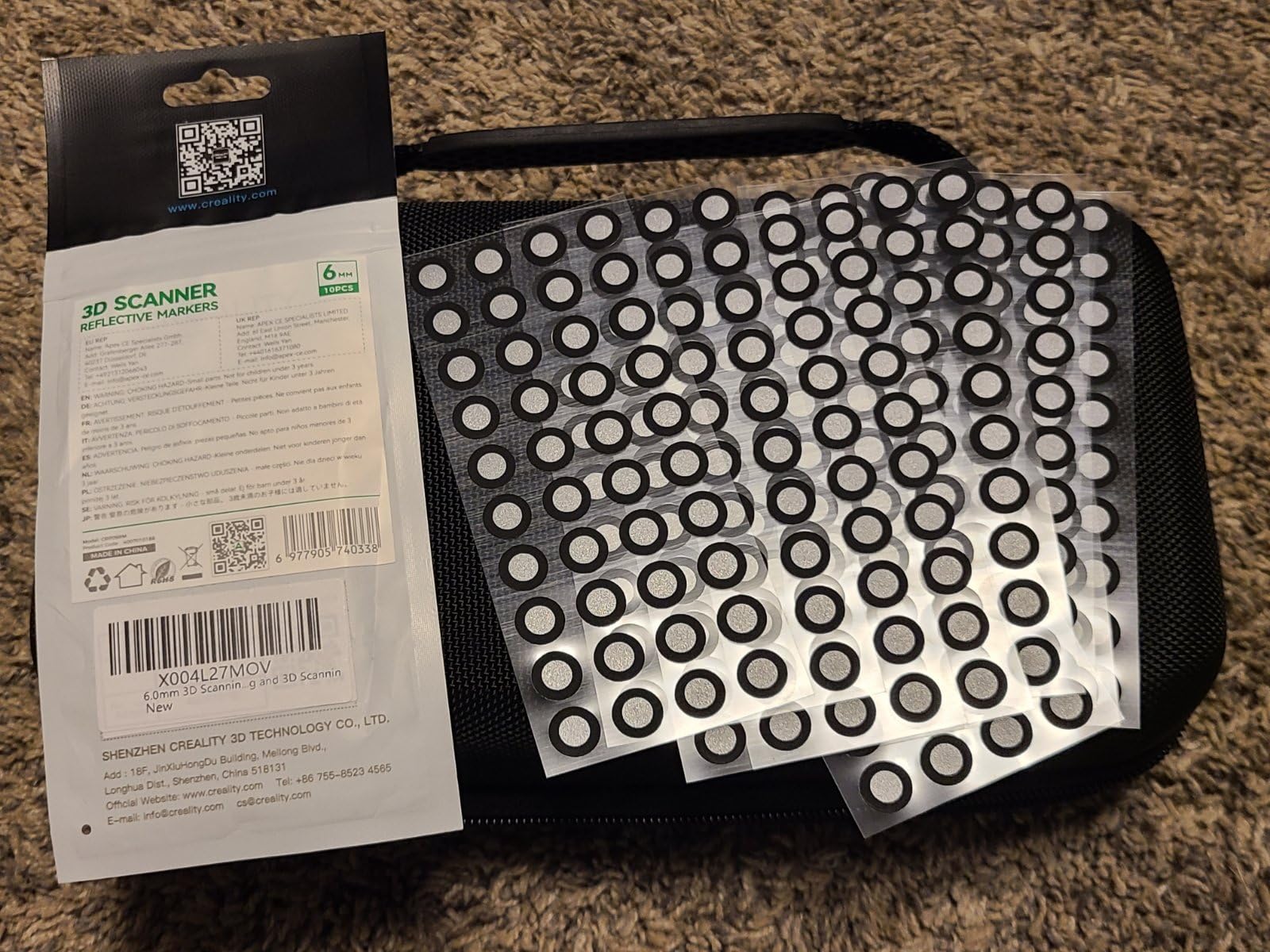
The 4-lens stereo vision setup is what makes marker-free scanning viable. Four cameras tracking the geometry gives the software enough reference frames to hold position without dot stickers, which removes a step from every capture session.
I would pair this with the caveat that the review history is thin. Twenty-nine ratings, all at five stars, tells you very little about how it behaves after a year of daily use compared with a model carrying 147 or 337 ratings. New-model optimism is real, and it shows up consistently in early scanner reviews.
The workstation requirement is the other consideration. Creality recommends a Core i7 Gen 10 with 32GB of RAM, or an M-series Mac with 16GB. That is a meaningful part of the total cost of ownership for a system that already aims at engineering-grade work.
Where the Sermoon S1 makes sense
This is the scanner to buy if your parts list is not yet stable. Restoration work, small-batch prototyping and machine rebuilds all throw parts at you in unpredictable sizes, and a single unit covering 5 mm to 4 m removes the anxiety of picking the wrong class of scanner.
The AI-assisted alignment, meshing and cleanup tools also matter more than they sound. Raw mesh cleanup is where reverse-engineering time disappears, and having the vendor software handle the first passes saves hours per part compared with manual editing.
Where the Sermoon S1 is the wrong tool
If your work is purely metric inspection of tolerance parts, the 0.02 mm accuracy is excellent but the published volumetric precision of 0.08 mm per metre is looser than the MetroX Pro figure, so it trails on very large parts. The single-line deep-hole mode is also slower than the cross-line modes by design, since it captures one line at a time.
And if your workstation is a few years old, expect software friction. The AI cleanup features want the recommended hardware, and older machines tend to struggle with mesh processing rather than capture.
3. Revopoint MIRACO Plus – All-in-One Handheld and Metrology Kit
Revopoint MIRACO Plus 3D Scanner, All-in-One Scan, for 3D Printing
Metrology kit with 416 coded targets
0.04 mm point cloud accuracy
Near and Far depth modes
750g body
Pros
- Integrated photogrammetric kit with 416 coded targets covers very small parts to large machinery
- Processes scans on the device with no tethered laptop
- Near and Far depth modes plus 1.5x and 2x infrared zoom
- 750g body with two-hour battery for field work
Cons
- Revo Design CAD software is a separate purchase
- Flip screen is flimsy and storage is not upgradeable
- Very small objects can cause tracking loss
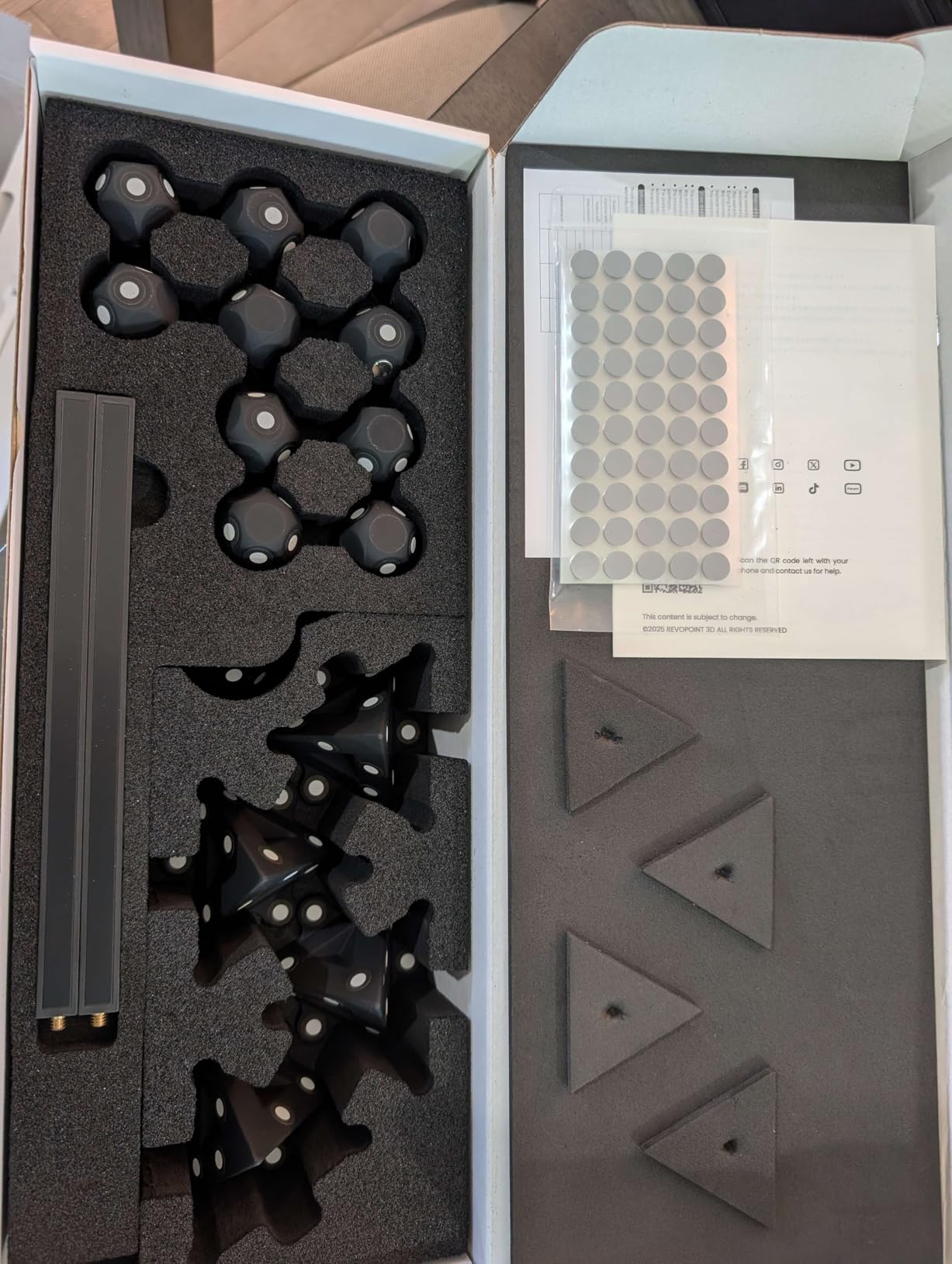
The MIRACO Plus is the most flexible unit here because it carries two scanning technologies in one body. The handheld infrared depth scanner handles everyday capture, while the bundled photogrammetric metrology kit adds four carbon fiber scale bars and 416 coded targets for the precision work a plain handheld cannot do.
That combination produces a 0.04 mm single-point cloud accuracy after the improved calibration board, and a photogrammetric length accuracy of 0.02 mm plus 0.05 mm multiplied by length in metres. The quad depth camera system has separate Near and Far modes, so you can switch from full scale down to close detail without losing tracking.
Infrared optical zoom at 1.5x and 2x magnification does something no other scanner in this list offers: it changes working distance rather than just cropping. A 48MP RGB camera with flash LEDs captures color in the same pass.
The 4.1 rating across 100 reviews reflects genuine enthusiasm mixed with honest complaints about the build. On-device processing with 8 cores, 32GB of RAM and 256GB of storage means you can scan without a laptop tethered, which is a bigger practical win than the spec suggests on a shop floor.
The flip screen is the most-criticised part. Owners describe it as flimsy with no latch to hold position, and the storage is fixed rather than upgradeable. Note also that a portion of the review volume for this listing covers Revopoint scanning spray rather than the device itself, so treat the count as generous.
What the MIRACO Plus is built for
Because processing happens on the device, this is the scanner for field work. Surveying a damaged component on site, capturing heritage objects where a laptop is impractical, or scanning a machine part that cannot be moved all benefit from the 750g body and two-hour battery.
The metrology kit also makes it the best choice in this list for one-off high-accuracy captures. You get coded targets and scale bars for a session where absolute dimensional confidence matters more than throughput, without buying a separate photogrammetry rig.
Where the MIRACO Plus falls short
Very small objects remain difficult. Owners report tracking loss and duplicated overlapping scans on tiny items, which undercuts the idea that the metrology kit solves small-part work. Large metallic or dark objects also demand extensive reference point setup before capture.
Software is the other gap. Revo Design, which wraps QuickSurface for the mesh-to-CAD step, is a separate purchase, and the software requires x86_64 architecture on a recent high-performance machine. Add that to your total cost before deciding.
4. EINSTAR Rockit – Cordless Hybrid Scanning
EINSTAR Rockit Wireless Handheld 3D Scanner for Full Color 3D Design
Blue laser and VCSEL infrared
Three-hour cordless battery
1.1 pounds
Spray-light on dark parts
Pros
- Cordless handheld operation with a three-hour built-in battery
- Hybrid blue laser and VCSEL infrared covers detail and large objects
- Minimizes the need for scanning spray on dark or reflective surfaces
- Built-in color imaging and broad file compatibility
- Marker Helper Set included in the kit
Cons
- Wide rating spread with 16 percent of reviews at one star
- Results vary between users on demanding reflective parts
- Limited category sales demand
The Rockit is the straightforward cordless answer. A built-in rechargeable battery gives up to three hours of untethered scanning, and at 1.1 pounds it is light enough for long sessions overhead or inside a machine housing. No cable means no cable management around a car body or a cluttered bench.
Its scanning technology is a hybrid of blue laser for detail and VCSEL infrared for speed. The blue laser lines are what reduce the need for matte spray on dark, black and moderately reflective surfaces, which is the usual failure point of infrared-only scanners.
Built-in color imaging produces realistic texture in the same pass, and export covers STL, OBJ, PLY, 3MF and ASC. A Marker Helper Set is included for automated small-object scanning, so you do not have to place targets by hand.
I would treat the 4.0 rating carefully here. Sixteen percent of reviews sit at one star, which is a wide spread for an 86-review sample and points to inconsistent results rather than a single common fault. Reviewers praise cordless freedom and surface handling, while the negative tail points to problems on demanding reflective components.
The practical read is that results depend heavily on the part. If your work involves mixed shiny and dark assemblies, expect some trial and error. If it is mostly matte mechanical components, the Rockit should behave well for you.
When the Rockit makes sense
Long-time laser scanning practitioners on r/3DScanning still point newcomers toward Einstar and EinScan models for accurate small detailed scans, and that is consistent with what the blue laser mode here is built for. Detailed mechanical parts scanned cordless, without a laptop in reach, is a real workflow advantage.
The hybrid light source also makes this a sensible pick for anyone who wants to avoid a spray-and-clean step on parts they cannot mark. Heritage and finished surfaces stay untouched.
When to pick something else
If your reverse engineering depends on tight dimensional confidence across many repeat measurements, the inconsistent end of the review spread is a reason to look at a model with a published volumetric accuracy figure instead. This scanner’s marketing emphasises surface handling rather than metrology.
Also consider battery logistics. Three hours is a full session for most people, but a full day of on-site scanning means planning around a charge, and a spare battery is worth checking on.
5. Revopoint INSPIRE 2 – Most Versatile All-Rounder
Revopoint INSPIRE 2 3D Scanner, Outdoor Scan, for 3D Printing, Standard
11 infrared laser lines
0.05 mm accuracy
190g aluminum body
20,000 lux outdoor limit
Pros
- Handles reflective and dark surfaces with 11 infrared laser lines and no spray
- Very light at 190g for handheld and field work
- Built-in Wi-Fi 6 with PC-to-mobile streaming
- Full-color texture synchronized automatically to geometry
- Generous bundle with tripod and mini turntable
Cons
- 0.1 mm fused point distance is the coarsest resolution here
- Outdoor ceiling of 20000 lux
- Revo Design scan-to-CAD software is a separate Windows-only purchase
The INSPIRE 2 has the largest review base of anything we looked at, at 337 ratings, and that volume is itself useful. It is the model where the long tail of owner feedback is visible, which makes it a safe reference point for judging what a budget-class scanner does and does not deliver.
Eleven infrared laser lines are the core of the design. They capture reflective and dark surfaces without scanning spray, through a dual-module system combining infrared structured light with multi-line laser scanning. Accuracy reaches 0.05 mm with 0.03 mm precision, and the included calibration board improves point cloud accuracy by 75 percent once you have run it.
At 190g in an aerospace-grade aluminum body, with Wi-Fi 6 for mobile scanning and PC-to-mobile interactive streaming, this is the easiest unit here to carry around. RGB texture capture syncs to geometry automatically rather than needing manual matching.
Users on r/3DScanning describe Inspire-family scanners as excellent for getting CAD dimensions accurate for reverse-engineering purposes, which matches the 0.05 mm figure. That is a meaningful claim for anyone reproducing a functional part rather than a visual copy.
The 0.1 mm fused point distance is the number to understand here, because it is different from accuracy. Point distance controls how close together the mesh vertices sit, so a coarser point distance limits fine surface detail even when the overall dimensional accuracy is good.
Why the INSPIRE 2 is the value pick
The bundle is unusually complete for the money: tripod, tracking markers, a mini turntable, a calibration board, outdoor filters and a warranty card. For a first reverse-engineering setup, that removes the accessory shopping phase entirely.
Outdoor scanning to 20,000 lux covers early-morning and overcast daylight work, which suits heritage and site documentation. Optical zoom at 1.5x and 2x magnification helps on small features without swapping equipment.
Where the INSPIRE 2 stops
Precision mechanical work is the limit. A 0.1 mm fused point distance means fine features such as threads, knurling and small holes will not survive the mesh well. If your parts are gears with tight tolerances, this is the wrong class of tool.
The 20,000 lux ceiling is also well below the premium blue laser models, so direct midday sun will degrade a scan. And Revo Design remains a paid Windows-only add-on, which is where most of the real cost hides for a scan-to-CAD workflow.
6. Creality CR-Scan Ferret Pro – Cheapest Way to Start
Creality 3D Scanner CR-Scan Ferret Pro for 3D Printing, Upgrade Handheld Scanner with Wireless Scanning Anti-Shake Tracking, Fast Full-Color Scan, 0.1mm Accuracy for iOS/Android Phone PC Win 10/11
Up to 0.1 mm accuracy
24-bit full-color
Wi-Fi 6
105g body
Pros
- Very light at 105g with a battery handle
- Wireless Wi-Fi 6 across Windows and mobile platforms
- Strong entry-level value for CAD and 3D printing
- Dimensions come out accurate on small parts when a scan succeeds
Cons
- Frequent tracking loss
- especially on small objects and dark surfaces
- Reflective and very dark surfaces give poor results
- Confusing software with some Mac version issues
The Ferret Pro is the lowest-rated unit here at 3.6 stars across 257 ratings, and that number deserves an honest explanation rather than a dismissal. Nineteen percent of reviews sit at one star, concentrated on tracking loss and a confusing desktop app. Owners who persist report dimensionally accurate results on small parts.
On the hardware side it is simple. Up to 0.1 mm accuracy, a 50 mm to 2000 mm ideal object range, 24-bit full-color capture and anti-shake tracking at 105g. Wi-Fi 6 works across Windows, macOS, Android and iOS, which is unusual at this level.
The bundle is generous for a starter: Wi-Fi box, tripod, power bank, phone holder and a carrying case. Outdoor operation is specified below 30,000 lux.
Track loss is the recurring theme, and it concentrates on small objects and dark surfaces. Because the scanner is marker-free by design, there is less geometric reference to hold position with, so the anti-shake filter has to do more work on low-texture geometry.
The software interface is the second complaint, with some users reporting version-compatibility problems on Mac. Export formats are OBJ, STL and PLY, which is enough for printing but thin if you plan to move into CAD immediately.
Who should buy the Ferret Pro
If you are learning the workflow rather than measuring to a standard, this is a reasonable place to start. The learning curve is the main cost, and it is one you pay either way, because mesh cleanup and CAD modeling do not get easier just because the scanner is more expensive.
It is also a good field tool given the 105g weight, and the power bank in the box extends a session away from mains power. For hobby-scale reproduction of non-critical parts, dimensionally correct results are achievable.
Who should skip it
Anyone measuring precision parts, small electronics or jewellery should look elsewhere. The stated limits are explicit: reflective, transparent and very dark surfaces reduce quality, and the scanner is not suited to very small or highly detailed items.
The fixed-height tripod with no height adjustment also gets in the way of repeatable setups, and slow scanning that demands varied hand movement adds time to every session. Plan on a learning period before you measure anything you care about.
7. Creality CR-Scan Raptor Pro – Powder-Free Capture of Dark and Glass
Creality 3D Scanner CR-Scan Raptor Pro for 3D Printing, 22+7 Blue Laser & NIR Handheld Scanner 0.02mm Accuracy, 60fps High-Speed & 5MM to 4M Objects, 24-Bit Full-Color Scanning for Windows macOS
0.02 mm accuracy
22 crossed plus 7 parallel blue lasers
Powder-free metal and glass
660,000 points per second
Pros
- 0.02 mm accuracy across a 5 mm to 4000 mm object range
- Scans black metallic and up to 71 percent transparent glass without powder
- Mixed 22-line blue laser
- 7-line blue laser and NIR modes
- Works directly with Geomagic
- Rhino ZBrush Maya and SolidWorks
Cons
- Only 22 ratings
- with 12 percent at one star
- Bundle weighs about 9 pounds
- Substantial workstation requirements
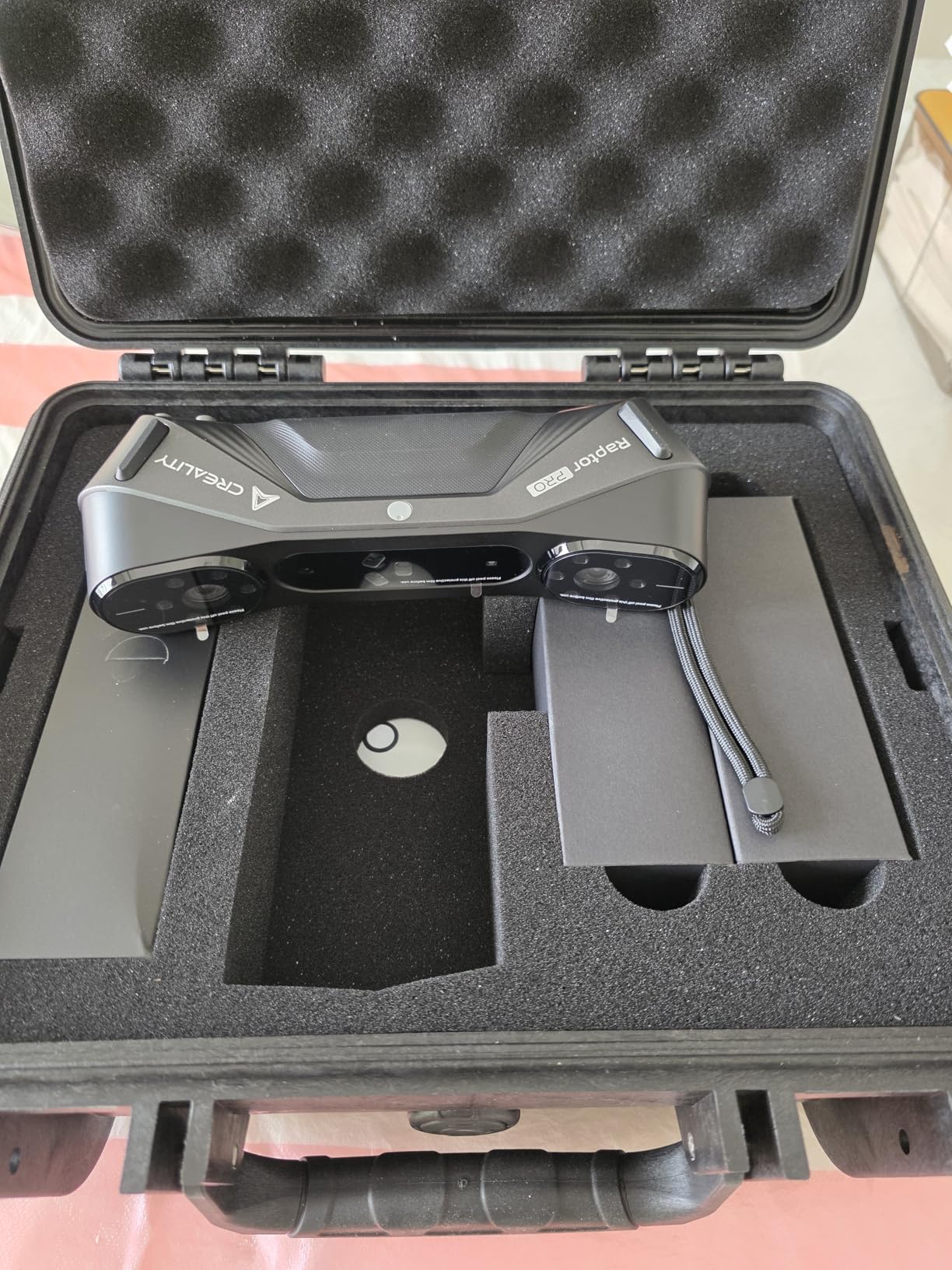
The Raptor Pro makes a specific promise that almost no competitor keeps: capturing black, metallic and up to 71 percent transparent glass without spray powder. If you reverse-engineer parts with glass lenses, smoked plastic or glossy painted surfaces, that single capability can justify the whole purchase.
Light comes from 22 crossed blue lasers, 7 parallel blue lasers and near-infrared structured light. Accuracy reaches 0.02 mm with a volumetric specification of 0.02 mm plus 0.08 mm per metre, and the object range spans 5 mm to 4000 mm.
Capture runs at up to 660,000 points per second, with 60 FPS laser scanning and 30 FPS infrared scanning supported by anti-shock algorithms. A full-body scan takes roughly two minutes, and a 24-bit RGB camera handles true-color texture.
The integration list is the quiet strength. It works directly with Geomagic, Rhino, ZBrush, Maya and SolidWorks, which removes the middle step of format conversion for a lot of users. Outdoor operation reaches 50,000 lux in 7-line mode and 100,000 lux in 22-line mode.
The evidence base is thin at 22 ratings, with 12 percent at one star. A newer listing with less history means you have fewer real-world failure reports to learn from, so allow a conservative margin on critical measurements.
What the Raptor Pro handles well
Transparent and dark hardware is the clear win. Digital camera assemblies, instrument housings, smoked lenses and painted brackets are all parts that force spray-and-clean steps on most scanners, and this one removes that step entirely.
Wireless scanning through the handle also helps on assemblies you cannot reach with a cable. For medical, optical and consumer-electronics restoration work, that combination of reach and surface handling is hard to match.
Where it falls short
Weight and workstation demands are the trade-offs. At about 9 pounds for the bundle, it is heavier than most handheld rivals, and Creality recommends a Core i7 Gen 10 with 8GB of VRAM and 32GB of RAM for recommended performance.
The volumetric figure of 0.08 mm per metre is looser than the MetroX Pro and MetroY Pro figures, so for very large precision work the Revopoint units hold the edge. Given the small review history, treat this as a strong specialist rather than a default choice.
8. Revopoint MetroY Pro – Best for Automotive Panels
Revopoint MetroY Pro 3D Scanner, Blue Laser, 5 Modes, for 3D Printing
Five scanning modes
0.01 mm precision
0.02 mm accuracy
Dual-axis auto turntable
Pros
- Five modes covering 34-line cross
- 15 parallel single-line deep hole
- 62-line full-field and auto turntable
- No scanning spray needed in any laser mode
- Real-time temperature monitoring prevents accuracy drift
- Calibrated before shipping with a sturdy case and two-year warranty
Cons
- Software can be clunky and lacks native Apple Silicon support
- Requires a consumer-grade NVIDIA GPU
- Black and shiny objects still need spray for best results
- Calibration routine is longer than some rivals
The MetroY Pro is built for the job of photographing an entire vehicle panel rather than a single component. Five scanning modes cover the range: 34 crossed lines and 15 parallel lines for general work, single-line deep hole mode for cavities, 62-line full-field structured light for fast marker-free capture, and a one-click auto turntable with a dual-axis platform.
Laser modes run at up to 2 million points per second, rising to 7 million points per second marker-free in 62-line mode. Precision reaches 0.01 mm and accuracy 0.02 mm, with volumetric accuracy of 0.02 mm plus 0.04 mm multiplied by length.
Real-time temperature monitoring with automatic fan speed adjustment is a detail that matters more than it sounds. Heat build-up in the scan head causes accuracy drift over a long session, and this is the only unit here that actively manages it.
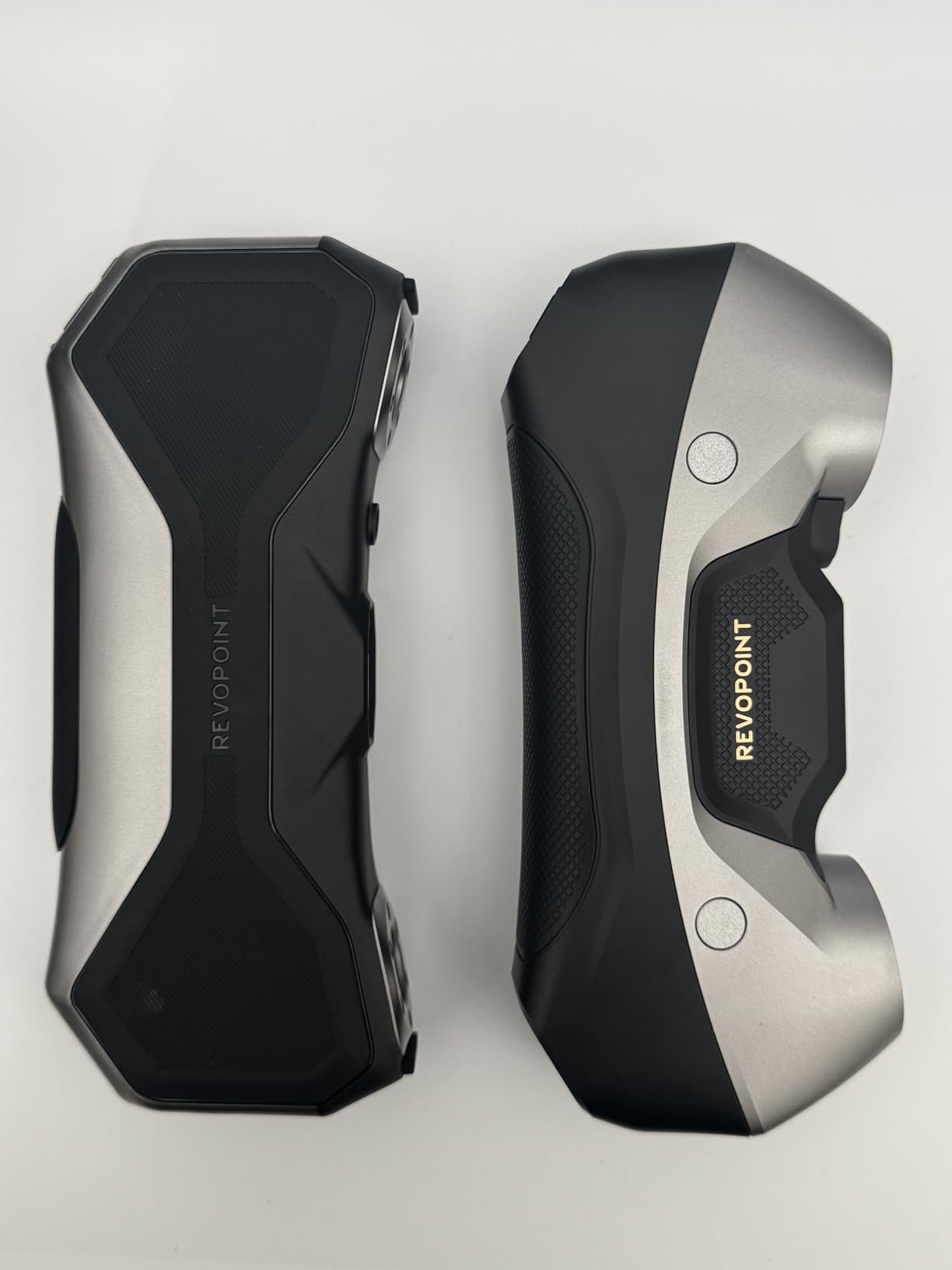
Owners on the Pelican Parts forum repeatedly name the MetroY Pro and MetroX as top choices for Porsche parts scanning, which is exactly this scanner’s use case. For a full bumper, hood or quarter panel, the turntable workflow removes most of the manual stitching work.
The 4.0 rating across 44 reviews is polarized, and the complaints are specific rather than general. Revo software can be clunky and crash on macOS, native Apple Silicon support is missing, and the recommended machine is a Core i7 13th Gen or Ryzen 7 5800 with 32GB of RAM and an RTX 3060.
Why it suits panel work
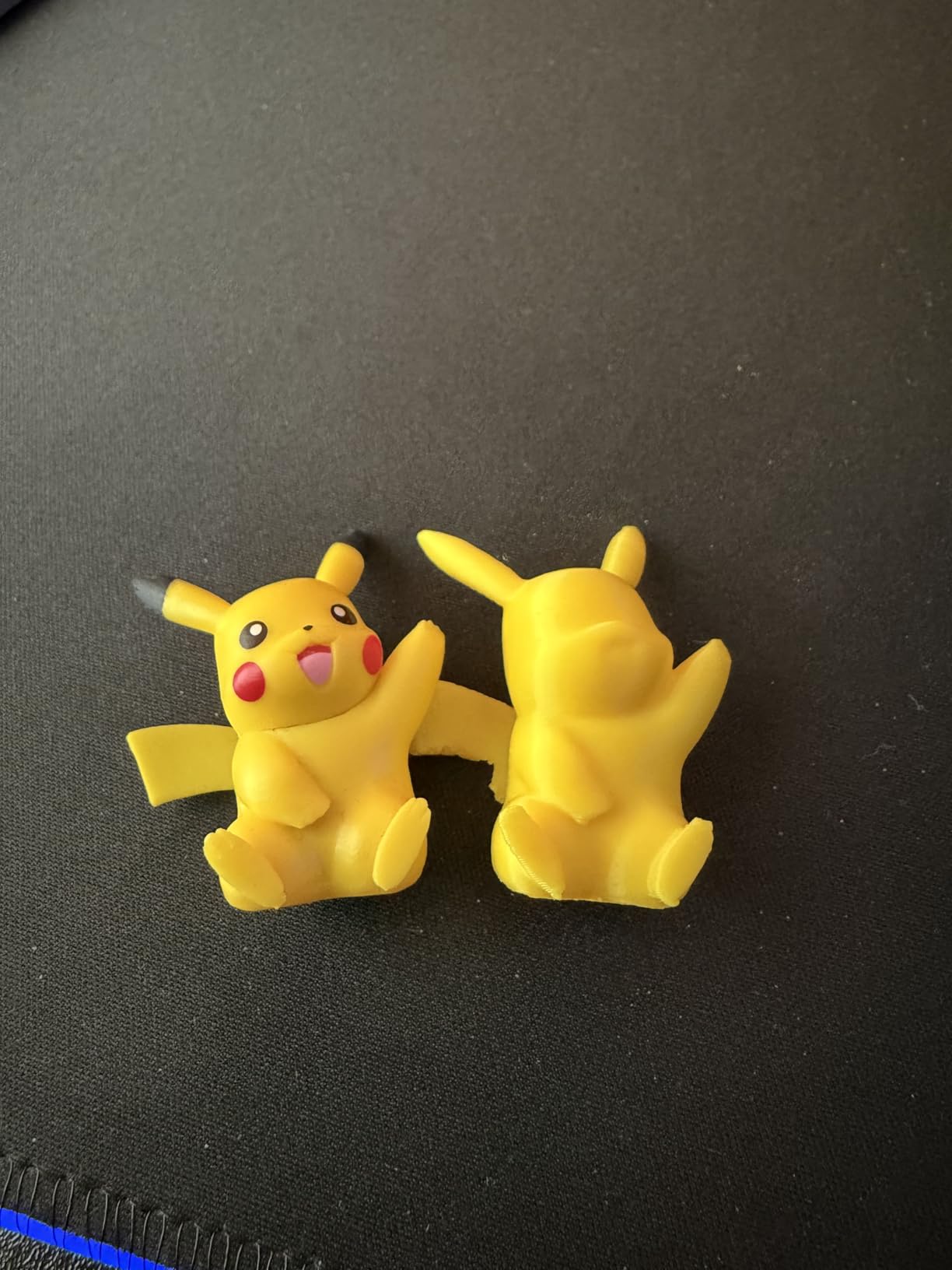
Large panels punish scanners with a small field of view, and the 62-line full-field mode exists specifically to address that. Combined with the dual-axis turntable, you get consistent coverage of a curved panel without stitching a dozen overlapping passes.
Wi-Fi 6 streaming lets you watch the scan from a second device while the scanner stays connected to the workstation, which is convenient when the panel is bigger than your desk. The fused point distance of 0.05 mm keeps surface detail usable for mould-making and panel-fit work.
Where it disappoints
The GPU requirement is a real barrier. A consumer-grade NVIDIA card is specified, and owners report failures on professional RTX ADA class cards, which is an unusual constraint in this price bracket. Mac users face crash reports and no native Apple Silicon support.
Black and shiny objects remain difficult for best results, and the calibration routine is longer than some competing brands. Documentation is thin, and final scan cleanup often needs third-party software.
9. Revopoint POP3 Plus – Best Full-Color Capture on a Budget
Revopoint POP3 Plus 3D Scanner, Full-Color Scan, for 3D Printing, Standard
20-micron calibration board
1.5x and 2x optical zoom
18 fps with 9-axis IMU
190g body
Pros
- Photolithographic calibration board holds accuracy within 20 microns
- Optical zoom at 1.5x and 2x adds 30 percent more point cloud detail
- HD RGB camera with flash LED lighting for full-color scans
- Complete kit with tracking stickers
- both turntables charger and case
- Free Revo Scan software with solid model mode on PC
Cons
- Struggles on dark
- black and matte surfaces including black rubber and silicone
- Tracking stickers needed unless the surface is rough or textured
- Unstable iOS app and unreliable wireless transfer to PC
The POP3 Plus is the most complete starter kit on the list. The box includes tracking stickers, handles, a charger, a phone connector and both small and large turntables, which is unusual at this level and removes most of the accessory spend.
Accuracy is held within 20 microns by a photolithographic calibration board. Optical zoom at 1.5x and 2x magnification adds 30 percent more point cloud detail, which matters when you are capturing small features on a part that is otherwise too large for the scanner’s comfortable range.
Scanning runs at up to 18 FPS with a 9-axis IMU for stabilization, and an HD RGB camera with advanced pixel mapping and flash LED lighting handles full-color capture. Object range runs from a 20 mm cube to a 2 m cube.
Color capture is where this unit justifies itself over the Ferret Pro. Full-color texture with flash lighting produces results you would struggle to get from an infrared-only scanner, and Revo Scan is free with a solid model mode on PC, so you can get a printable solid without buying CAD software first.
The 4.1 rating across 68 reviews is generally positive, with the main cluster of complaints sitting on dark-surface performance and the mobile app rather than on the scanner itself.
Where the POP3 Plus works
Color-critical work is the obvious fit. If you are reproducing a plastic component and want the printed part to match the original rather than merely match its shape, the HD RGB camera and flash LED lighting give you a usable texture.
Wi-Fi 6 and USB Type-C connectivity across iOS, Android, Windows and macOS make it flexible, and the 190g body with three touch-sensitive controls is comfortable for extended sessions. Free Revo Scan plus solid model mode keeps the early cost down.
Where the POP3 Plus struggles
Dark and black surfaces are the failure point, and owners are explicit that black rubber and silicone cannot be captured at all. Unless the surface is rough or heavily textured, you will be placing tracking stickers on it, which defeats the marker-free appeal.
The iOS app is unstable, with editing crashes and USB connection failures, and wireless transfer from mobile to PC is unreliable. Detail on very small objects also falls short, and Revo Design remains a separate purchase for the full scan-to-CAD workflow.
How to Choose a 3D Scanner for Reverse Engineering
Accuracy, precision, resolution and point distance are four different numbers
This is where most comparisons go wrong, including vendor spec sheets. Accuracy is how close a measured point is to its true position. Precision is how repeatable the measurement is when you repeat it, which tells you about consistency rather than truth.
Resolution or mesh resolution is the spacing between points in the finished mesh, often published as point distance or fused point distance. Point distance is not the same as accuracy, and a scanner can be dimensionally accurate while producing a mesh too coarse to model a fine feature from.
Volumetric accuracy is the number that actually describes a real part. It is normally published as a base figure plus a term multiplied by the length in metres, which accounts for error accumulating across a large object. If a vendor publishes only single-frame accuracy and refuses to state volumetric accuracy, assume the real part will be worse than the headline number.
Blue laser, infrared and white light on shiny and dark parts
Blue laser scanners use shorter wavelengths that most dark and glossy surfaces reflect rather than absorb, which is why the MetroX Pro, MetroY Pro, Sermoon S1 and Raptor Pro claim spray-free capture of shiny metal. The Raptor Pro goes furthest, handling black metal and up to 71 percent transparent glass.
Infrared structured light is the budget workhorse. Eleven infrared lines in the INSPIRE 2 handle reflective and dark surfaces without spray, though at a coarser 0.1 mm fused point distance. White light and depth-sensing cameras are cheapest but struggle most with black textureless surfaces.
Hybrid designs sit between the two. The EINSTAR Rockit pairs blue laser lines for detail with VCSEL infrared for speed, and the MIRACO Plus pairs infrared depth capture with a photogrammetric metrology kit. When a surface defeats the scanner, matte scanning spray remains the fallback, though it is unacceptable on finished or heritage parts.
Matching scanner class to part size and geometry
Gears, brackets, bearing housings and electronics housings need small working distance and fine point distance, which points toward the MetroX Pro, MetroY Pro or Sermoon S1. Bumpers, hoods and body panels need a large field of view and an auto turntable, which is what the MetroY Pro and MetroX Pro turntables provide.
Large assemblies and complete machines stretch the range further, and only the Sermoon S1 and Raptor Pro cover the full 5 mm to 4000 mm span in one device. Deep cavities and narrow bores need a single-line deep-hole mode, available on the Sermoon S1 and MetroY Pro.
Symmetrical parts are a specific trap. Without distinctive surface features, marker-free tracking can drift, so keep a marker kit in the box even on scanners that do not require one. Related reading on workshop equipment like our best OBD2 scanners for DIY mechanics covers the same kind of vehicle-restoration workflow from the diagnostic side.
From mesh to solid: the scan-to-CAD software step
No scanner on this list outputs native parametric CAD. They output point clouds and meshes in formats such as PLY, OBJ, STL, ASC, 3MF, GLTF and FBX, and turning any of those into an editable solid is a separate piece of software and a separate block of time.
The workflow is consistent: scan, align overlapping passes, clean the mesh, fit surfaces or constrain geometry, solidify, then export as STEP or STL. Geomagic Design X is the standard for automatic surfacing from scans. QuickSurface, which Revo Design is built on, covers the same ground at a lower tier. Fusion 360, Rhino and SolidWorks handle the modeling side once you have a clean surface set.
Budget for this honestly. Several scanners here ship with paid, Windows-only design add-ons, and forum users consistently describe mesh cleanup and surfacing as the labour that dominates a reverse-engineering project rather than the capture itself.
What a reverse-engineering setup really costs
Hardware is only one line. Several models here specify a Core i7 Gen 10 or equivalent with 32GB of RAM, and the MetroY Pro additionally calls for an RTX 3060 class card. Dense scan files in CAD will strain a machine that struggles with the live capture.
Add a scan-to-CAD licence, calibration targets and boards, matte spray and marker stickers, and storage for the raw scan files. If you are scanning outdoors or on location, battery capacity and a rugged case matter too. A field-oriented buyer should also check our roundup of diagnostic tools for the automotive side of a restoration project.
Readers who are still deciding whether scanning is the right investment for documentation work can see how the same capture discipline plays out in a different format with our best document scanners for home offices roundup. The principles of resolution, workflow and total cost of ownership are identical, even though the hardware is not.
Frequently Asked Questions
Can a 3D scanner help with reverse engineering?
Yes. A 3D scanner captures the geometry of an existing part as a dense point cloud, which becomes a polygon mesh once passes are aligned. You then clean that mesh, fit surfaces or constrain geometry, and rebuild it as an editable solid you can modify or export as STEP. It replaces hours of caliper measurements and guesswork with a measured digital twin, which is why it is the standard first step for reproducing obsolete parts, documenting heritage objects and matching worn components.
What accuracy do I need for reverse engineering?
For functional replacement parts printed on a typical FDM or resin printer, around 0.05 mm accuracy with a point distance fine enough to hold your smallest feature is a sensible target. For inspection and first-article work you want published volumetric accuracy rather than a single-frame figure. Match point distance to the detail you need: threads, knurling and small holes will not survive a coarse mesh even when the overall dimensions are correct.
Can 3D scanners scan shiny metal surfaces?
It depends on the light source. Blue laser scanners such as the Revopoint MetroX Pro and MetroY Pro, the Creality Sermoon S1 and the CR-Scan Raptor Pro read shiny and dark metal without spray powder, and the Raptor Pro also handles up to 71 percent transparent glass. Infrared structured-light scanners can struggle with black textureless plastic. When a surface defeats the scanner, matte scanning spray works but is unsuitable on finished or heritage parts.
What software converts a 3D scan mesh to CAD?
Geomagic Design X is the most established automatic surfacing tool for scan data. QuickSurface, which powers Revo Design, offers the same mesh-to-surface approach at a lower tier, and Revopoint offers Revo Design as a paid add-on to several scanners. Once surfaces exist, Fusion 360, Rhino or SolidWorks handle the parametric modeling and STEP export. Budget real time for cleanup, because surfacing usually dominates the project.
How much does a 3D scanner cost for reverse engineering?
Entry-level color scanners cover hobby reproduction of non-critical parts, while infrared and blue laser models with published volumetric accuracy cover engineering and inspection work. The larger cost sits outside the hardware: a scan-to-CAD licence, a workstation with 32GB of RAM or more, calibration boards and targets, and matte spray or markers. Many scanners in this list specify a recent Core i7 Gen 10 or better for recommended performance.
The Verdict on the Best 3D Scanners for Reverse Engineering
The Revopoint MetroX Pro is our pick for the best 3D scanners for reverse engineering because it combines published volumetric accuracy, spray-free blue laser capture of shiny and dark surfaces, and a 62-line full-field mode that handles large panels without markers. It also carries the healthiest review history of the group at 147 ratings, which matters when you are learning a new workflow.
Pick the Sermoon S1 if your part sizes are unpredictable and you want one device from 5 mm to 4 m. Pick the MetroY Pro for full automotive panels and turntable work, the MIRACO Plus for field scanning without a tethered laptop, and the INSPIRE 2 if budget rules out everything above it. Whichever you choose, budget for the software step and a capable workstation, because that is where a reverse-engineering setup is won or lost.