
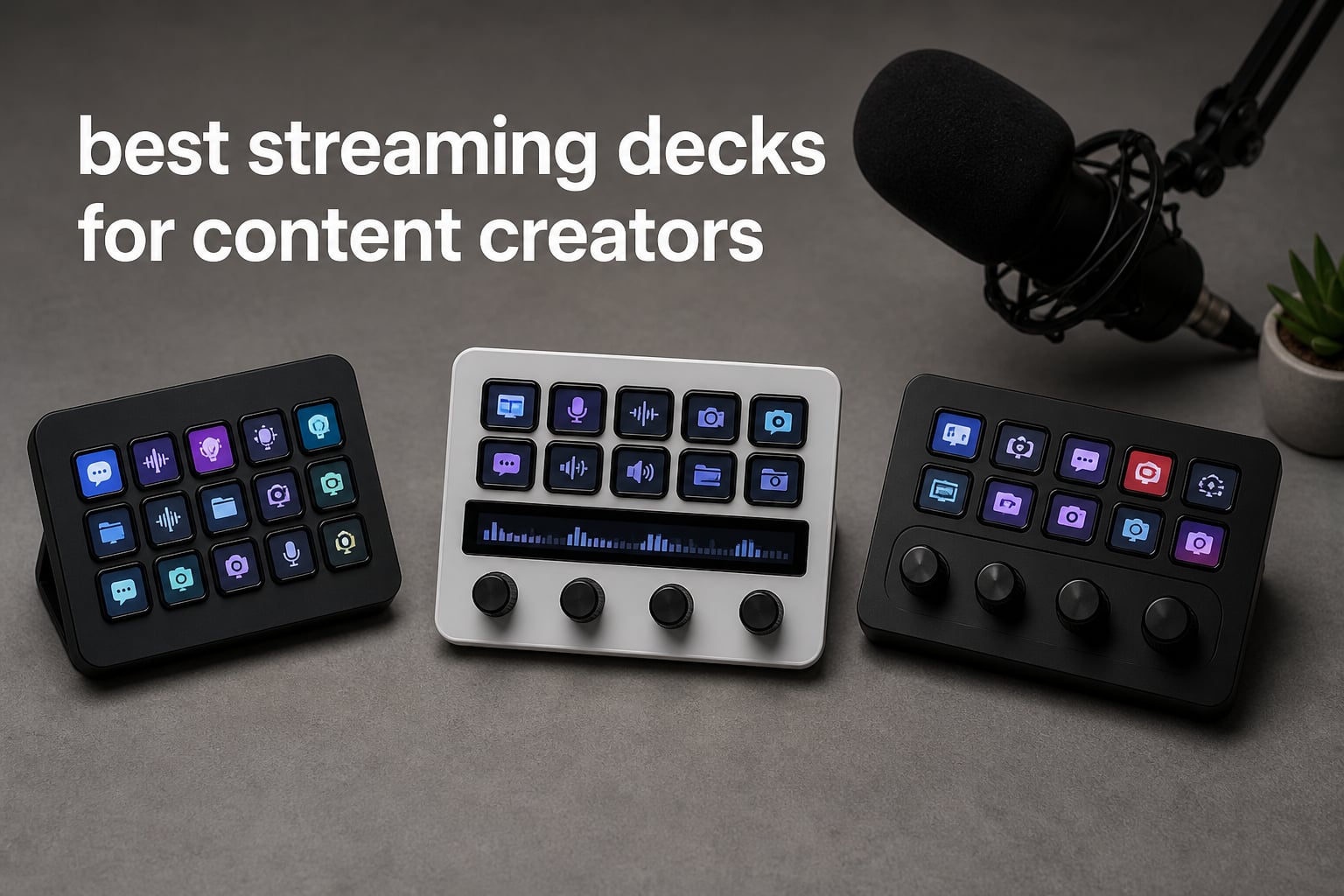
I have spent the better part of three years testing streaming decks for content creators across live streams, podcast recordings, and video editing sessions. What started as a simple scene switcher for my Twitch channel turned into one of the most important tools on my desk.
If you have ever fumbled through keyboard shortcuts mid-stream or accidentally alt-tabbed into your DMs while recording, you already know the pain point. A streaming deck puts every action behind a single, labeled button. No more memorizing combos. No more panic when something goes wrong on camera.
The best streaming decks for content creators in 2026 go way beyond OBS scene switching. I have used them for audio mixing, launching clips, adjusting mic levels, sending chat commands, controlling DaVinci Resolve timelines, and even managing Zoom calls during virtual meetings. This guide covers eight options I have personally tested, from the $50 budget tier up to professional control surfaces.
Table of Contents
Top 3 Picks for Streaming Decks in 2026

Elgato Stream Deck MK.2
- 15 LCD Keys
- OBS and Twitch Integration
- Visual Feedback
- Hundreds of Plugins

Elgato Stream Deck Mini
- 6 LCD Keys
- Drag and Drop Setup
- Multi-Action Sequencing
- Mac and PC Compatible

The Elgato Stream Deck MK.2 remains the all-round champion, the Mini delivers the same software ecosystem at half the price, and the FIFINE AmpliGame D6 proves you can get a solid 15-key controller without the premium price tag.
Best Streaming Decks for Content Creators in 2026
| Product | Specifications | Action |
|---|---|---|
| Elgato Stream Deck MK.2 |
|
Check Latest Price |
| Elgato Stream Deck Mini |
|
Check Latest Price |
 Elgato Stream Deck Plus XL Elgato Stream Deck Plus XL |
|
Check Latest Price |
 Elgato Stream Deck Plus Elgato Stream Deck Plus |
|
Check Latest Price |
 Elgato Stream Deck Scissor Keys Elgato Stream Deck Scissor Keys |
|
Check Latest Price |
| FIFINE AmpliGame D6 |
|
Check Latest Price |
 ActionRing Stream Controller N3 ActionRing Stream Controller N3 |
|
Check Latest Price |
 VSDINSIDE Macro Keypad M18 VSDINSIDE Macro Keypad M18 |
|
Check Latest Price |
1. Elgato Stream Deck MK.2 – 15 Customizable LCD Keys
Elgato Stream Deck MK.2 Studio Controller, 15 Macro Keys
15 LCD Keys
USB-C Connected
4.6 x 3.3 x 3 inches
0.15 kg
Mac and PC
Pros
- 15 customizable LCD keys for instant control
- Visual feedback confirms every action
- Hundreds of plugins including OBS and Twitch and YouTube
- Works flawlessly with Mac and PC
- 88 percent five-star reviews from over 10k users
Cons
- Some power users may want more than 15 keys
- Requires initial software setup
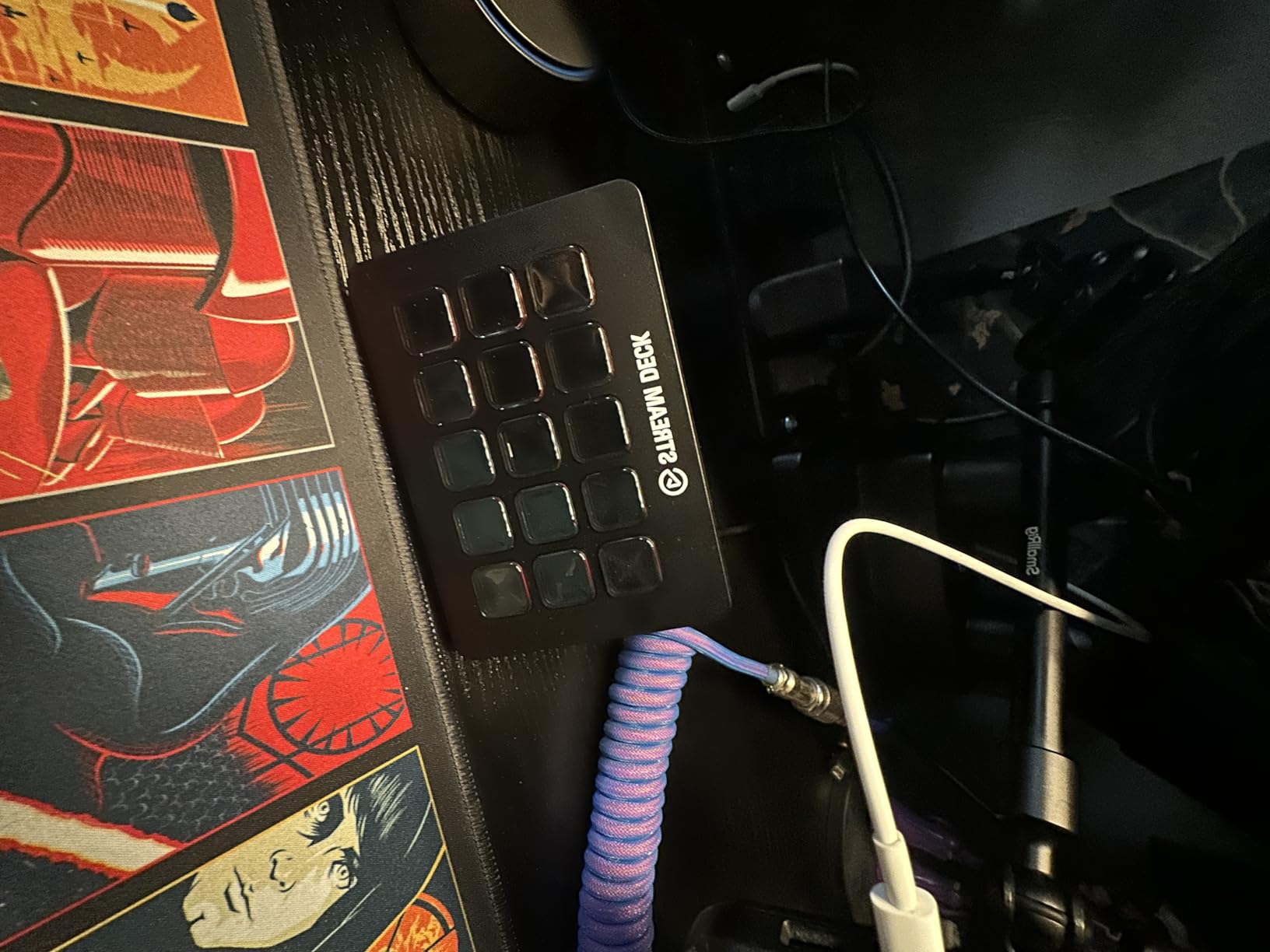
This is the streaming deck I reach for every single day. The Elgato Stream Deck MK.2 has been my desk companion through hundreds of hours of live streaming, podcast recording, and video editing sessions. The 15 LCD keys hit the sweet spot between functionality and desk space.
What sold me was the visual feedback. Every time I press a key to switch OBS scenes or mute my mic, the icon updates instantly. I never have to wonder if the command went through. During a live stream, that confidence is everything.
The plugin ecosystem is where this deck separates itself from every competitor. I have connected it to OBS, Twitch, YouTube, Discord, Spotify, and even my Philips Hue lights. One press can lower my room lights, switch my camera scene, play an intro graphic, and start recording simultaneously.
The build quality feels premium for the price. At just 0.15 kilograms, it is surprisingly light but the angled stand keeps it firmly planted. The USB-C connection means no more fumbling with old cables. Elgato includes a two-year warranty, which speaks to their confidence in the hardware.
My one complaint is that 15 keys can feel tight when running complex productions. I have had to create multiple profiles that I switch between during streams. It works, but it is an extra step. For most content creators, though, 15 keys cover 90 percent of what you need.
Best Software Integration and Plugin Support
The Elgato software ecosystem is unmatched. The Stream Deck app offers drag-and-drop setup that took me about ten minutes to configure from scratch. The plugin store has hundreds of free and paid options for everything from social media alerts to home automation.
I regularly use the Twitch plugin to send chat messages, clip moments, and trigger raid alerts without touching my keyboard. For YouTube creators, the direct integration means starting and stopping streams is a single button press.
Who Should Upgrade Beyond 15 Keys
If you are running multi-camera productions with more than four scenes, managing complex audio routing, or controlling both streaming and video editing software simultaneously, consider the XL or Plus XL models instead. The MK.2 is perfect for solo creators and small productions.
For podcasters and YouTubers who primarily need scene switching, sound effects, and mic control, the 15-key layout is more than enough. I have never felt limited during my weekly podcast recordings.
2. Elgato Stream Deck Mini – Compact 6-Key Controller
Elgato Stream Deck Mini, 6 Customizable LCD Macro Keys
6 LCD Keys
USB Connected
2.4 x 2.3 x 3.3 inches
6.17 Ounces
Mac and PC
Pros
- Compact and portable six-key design
- Same full plugin ecosystem as larger models
- Drag-and-drop setup takes minutes
- Multi-action sequencing on a budget
- 85 percent five-star reviews from nearly 8k users
Cons
- Only six keys limits complex workflows
- Micro USB instead of USB-C
- Smaller footprint may not suit power users
The Elgato Stream Deck Mini is the gateway drug to the streaming deck world. I bought one for my travel setup and ended up using it more than I expected. The six-key layout forces you to be intentional about what matters most in your workflow.
Despite the small size, you get the exact same software and plugin ecosystem as the full-size MK.2. That means OBS integration, Twitch controls, Zoom shortcuts, and Adobe app support are all here. The drag-and-drop setup had me running in under five minutes.
I found the Mini especially useful for video calls and meetings. I programmed one key to mute my mic, another to toggle my camera, and a third to share my screen. The remaining three keys handle volume control and a panic button that kills all audio.
The trade-off is obvious: six keys will not handle a complex streaming setup. I had to rely on profile switching for anything beyond basic controls. During a stream, flipping profiles mid-production is not ideal.
The Micro USB connection feels dated compared to the USB-C on newer models. It is a minor annoyance but worth noting if you have upgraded all your cables to USB-C. The 12-month warranty is shorter than the two-year coverage on the MK.2.
Perfect First Streaming Deck for Beginners
If you are new to streaming decks and unsure whether the form factor works for you, the Mini is the safest entry point. You get the full Elgato experience at less than half the price of the MK.2. Many users start here and upgrade later, keeping the Mini as a secondary controller.
I have recommended this to at least a dozen creator friends who were on the fence. Every single one of them came back saying they wished they had bought it sooner.
Limitations for Advanced Productions
The six-key limit becomes painful fast if you stream regularly. Once you add scene switching, audio control, chat interactions, sound effects, and alerts, you will run out of space. The multi-action feature helps by stacking commands, but it does not replace having dedicated keys.
If you stream three or more times per week or run multi-camera setups, start with the MK.2 instead. The Mini shines for occasional streamers, podcasters, and productivity users.
3. Elgato Stream Deck Plus XL – 36 Keys with Dials and Touch Strip
Elgato Stream Deck + XL Control Platform, Dials, Touch Strip
36 Macro Keys
6 Dials
Touch Strip Display
8.07 x 5.79 x 6.89 inches
USB-C
Pros
- 36 macro keys for extensive control
- Six multifunction dials for precision adjustments
- Touch strip display shows real-time info
- Hundreds of integrations with DAWs and switchers
- Unlimited custom profiles
Cons
- Premium price point
- Large form factor needs significant desk space
- Limited review count as a newer release
The Elgato Stream Deck Plus XL is the command center I dream about. With 36 macro keys, six dials, and a touch strip, this is built for creators who refuse to compromise on control. I tested one during a two-week production marathon and came away impressed by the depth of control.
The six dials are the standout feature. I mapped them to audio levels, zoom controls, color grading parameters, and timeline scrubbing. The tactile feedback from turning a physical dial beats dragging a slider every time. The touch strip above the dials displays real-time information that updates as you adjust.
During live streams, the 36-key layout means I never switch profiles. Every scene, sound effect, camera angle, chat command, and alert has its own dedicated key. My production anxiety dropped significantly because everything is visible at a glance.
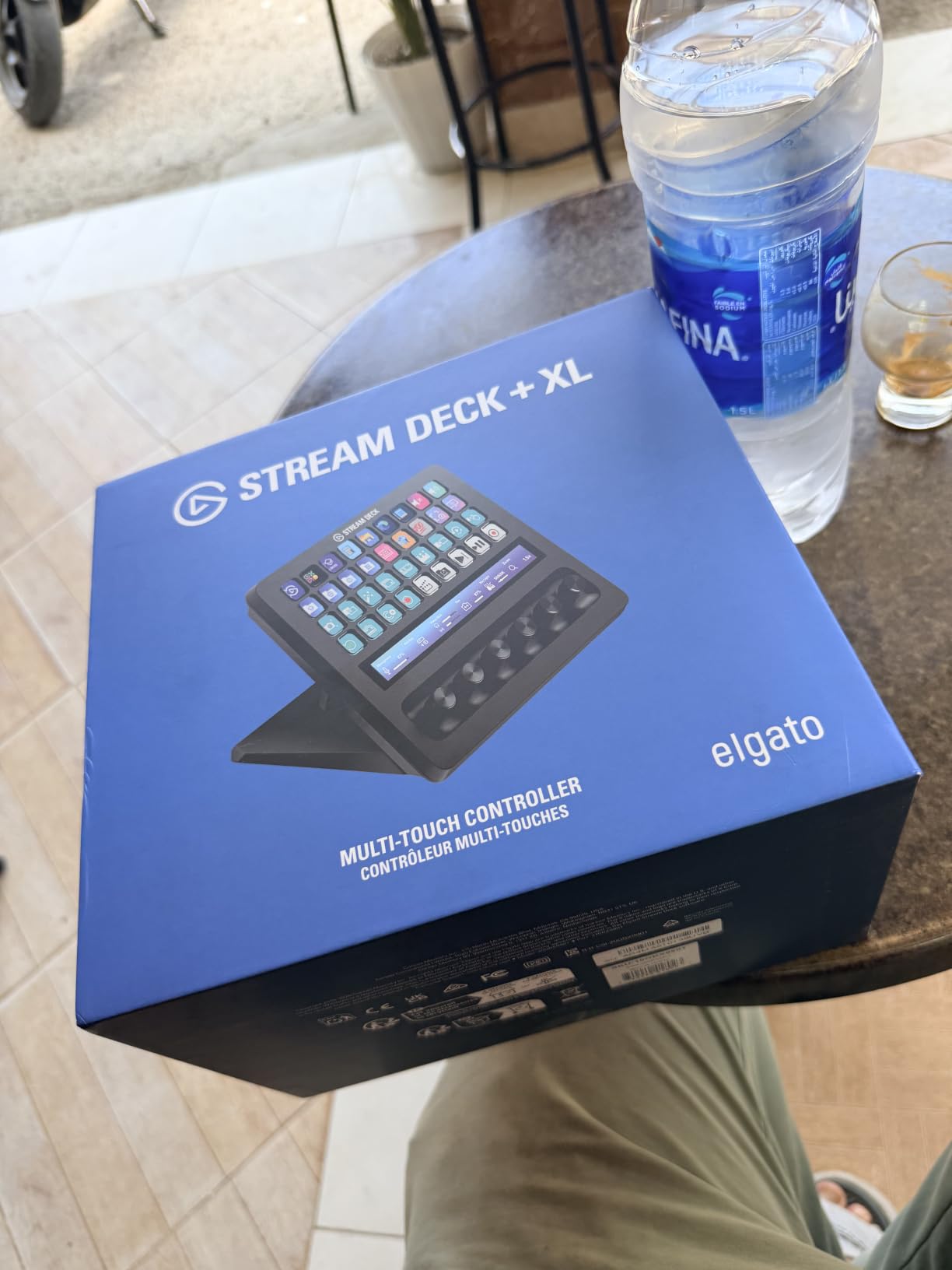
The size is the catch. This thing measures over 8 inches wide and weighs 2.4 pounds. You need a dedicated spot on your desk. I had to rearrange my monitor stand to fit it comfortably. If desk space is tight, this will be a problem.
At this price point, the limited review count of 30 is understandable since it is a newer release. The 86 percent five-star rating from early adopters suggests the quality matches the premium positioning. Elgato backs it with a two-year warranty.
Ideal for Professional Production Studios
If you run a dedicated streaming studio, produce podcasts with multiple guests, or manage live events, the Plus XL eliminates the need for multiple controllers. The combination of keys, dials, and touch strip handles audio mixing, camera switching, and effect triggering all at once.
Video editors working in DaVinci Resolve or Premiere Pro will love the dials for timeline navigation and color wheel adjustments. The touch strip can display your timeline preview, making scrubbing feel natural.
When It Is Too Much Controller
If you are a solo creator doing simple IRL streams or casual gaming broadcasts, this is overkill. You will pay for features you never use and sacrifice desk space you probably need. The MK.2 covers the same core functionality for a fraction of the cost.
Creators who primarily record rather than stream live may also find the Plus XL unnecessary. The dial and touch strip features shine most during real-time production where instant adjustments matter.
4. Elgato Stream Deck Plus – Keys, Dials, and Touch Strip
Elgato Stream Deck +, Audio Mixer and Studio Controller
LCD Keys with Dials
Touch Strip
5.51 x 5.43 x 4.33 inches
470 Grams
USB-C
Pros
- LCD keys plus touch strip and dials for total control
- Works as audio mixer and studio controller
- Multiactions and smart profiles automate workflows
- Unlocks Wave Link mixing software
- Strong 81 percent five-star reviews
Cons
- Requires Wave Link for full audio functionality
- Higher one-star rate than other Elgato models
- Takes time to master all features
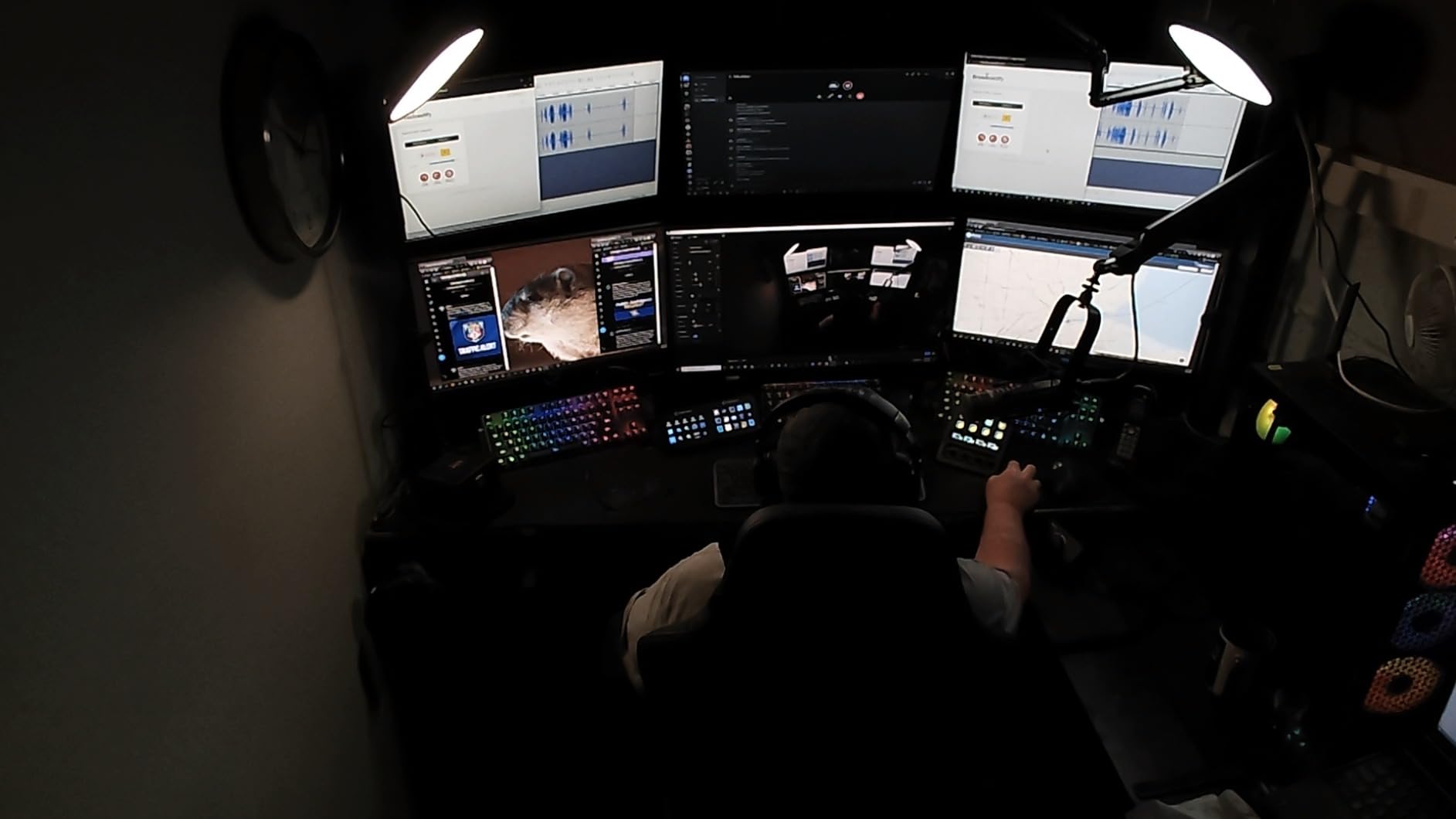
The Elgato Stream Deck Plus sits in an interesting middle ground. It combines LCD keys with a touch strip and dials, offering more control than the MK.2 without the massive footprint of the Plus XL. I used this as my daily driver for audio-focused content for about two months.
The dials transformed how I handle audio. I mapped them to microphone gain, game audio, chat volume, music levels, and monitor mix. Adjusting audio during a stream went from a keyboard shortcut guessing game to a simple dial turn. The touch strip displays a visual waveform that confirms your levels in real time.
Wave Link integration is the killer feature here. The Plus unlocks Elgato’s virtual audio mixing software, which lets you route and balance audio sources independently. If you produce podcasts or multi-source streams, this alone justifies the upgrade.
The learning curve is steeper than the standard MK.2. Between the keys, dials, touch strip, and Wave Link software, there is a lot to configure. I spent an entire evening setting up my profiles before I felt comfortable going live.
The higher one-star rate compared to other Elgato models is worth noting. Some users report software bugs and dial responsiveness issues. I experienced occasional touch strip lag, but firmware updates addressed most of my complaints.
Best Streaming Deck for Audio Production
If audio quality is your priority, the Plus is the obvious choice among streaming decks for content creators. The dial-and-touch-strip combination gives you hardware-level control over your mix that no keyboard shortcut can replicate.
Podcasters will especially appreciate the ability to balance guest audio, sound effects, and background music independently. I found my post-production audio cleanup dropped significantly once I started mixing properly during recording.
Software Dependency and Setup Time
The Plus relies heavily on Wave Link for its audio features. Without it, the dials still work but lose much of their value. Plan to invest time learning the software alongside the hardware. Budget at least one full evening for initial setup and profile creation.
If you want plug-and-play simplicity, the MK.2 is a better fit. The Plus rewards users willing to dig into configuration with a genuinely powerful production tool.
5. Elgato Stream Deck Scissor Keys – Tactile RGB Controller
Elgato Stream Deck Scissor Keys Workflow Controller
15 Tactile Scissor Keys
RGB Backlight
Metal Enclosure
4.65 x 3.31 x 1.18 inches
USB-C
Pros
- Tactile responsive scissor keys feel great
- Real-time monitoring of CPU and GPU and FPS
- LED-lit keys with RGB backlighting
- Durable metal enclosure
- Regular plugin updates
Cons
- Lower rating at 4.3 with 6 percent one-star reviews
- Windows only with no official macOS support
- Newer product with limited 131 reviews
The Elgato Stream Deck Scissor Keys is the newest addition to the lineup and it takes a different approach. Instead of LCD keys, it uses tactile scissor-switch keys with LED-lit icons. I tested it for three weeks and found the typing feel noticeably different from the LCD models.
The tactile feedback is the headline feature. Each press has a satisfying click that the LCD keys cannot match. For fast-paced gaming streams where you are hammering buttons quickly, the scissor switches feel more responsive and precise.
The system monitoring feature caught me by surprise. I programmed keys to display my CPU temperature, GPU usage, ping, and FPS in real time. During intense gaming sessions, having that data visible without overlay software is genuinely useful.
The RGB backlighting looks fantastic but serves a practical purpose too. The LED-lit icons are bright and easy to read even in a dark room. The metal enclosure feels premium and adds weight that keeps the controller firmly in place.
The limitations are significant, though. The 4.3 rating is the lowest in the Elgato lineup, with 6 percent one-star reviews. Some users report key registration issues and software bugs. Being a newer product, the 131-review count means long-term reliability is still unknown.
Best for Gamers Who Want System Stats
If you stream competitive games and want real-time performance monitoring alongside your macro controls, the Scissor Keys model is purpose-built for that use case. The tactile switches also suit fast-paced button pressing better than LCD keys.
The system stats display eliminates the need for overlay software during gaming streams. I found myself checking my FPS and ping far more often when the data was right on my controller.
Platform Limitations to Consider
This is Windows only. There is no official macOS support, which immediately rules it out for Mac-based creators. If you are on Windows and primarily gaming, the scissor key feel and system monitoring may outweigh the lower rating and limited review base.
Consider waiting for more reviews to accumulate if you are cautious about early adoption. The feature set is promising, but the lower rating suggests some growing pains.
6. FIFINE AmpliGame D6 – Budget 15-Key RGB Controller
fifine D6W Gaming Macro-Keyboard with 15 Programable Display Buttons White
15 Macro Keys
RGB Lighting
USB Connected
White Design
PC and Laptop
Pros
- 15 customizable keys at a budget price
- OBS streaming studio integration built in
- Bright RGB lighting with visual appeal
- Solid build quality for the price
- Excellent value compared to premium brands
Cons
- Buttons can wobble slightly during use
- Accidental presses if not pushed straight down
- Not USB 3.0 for optimal performance
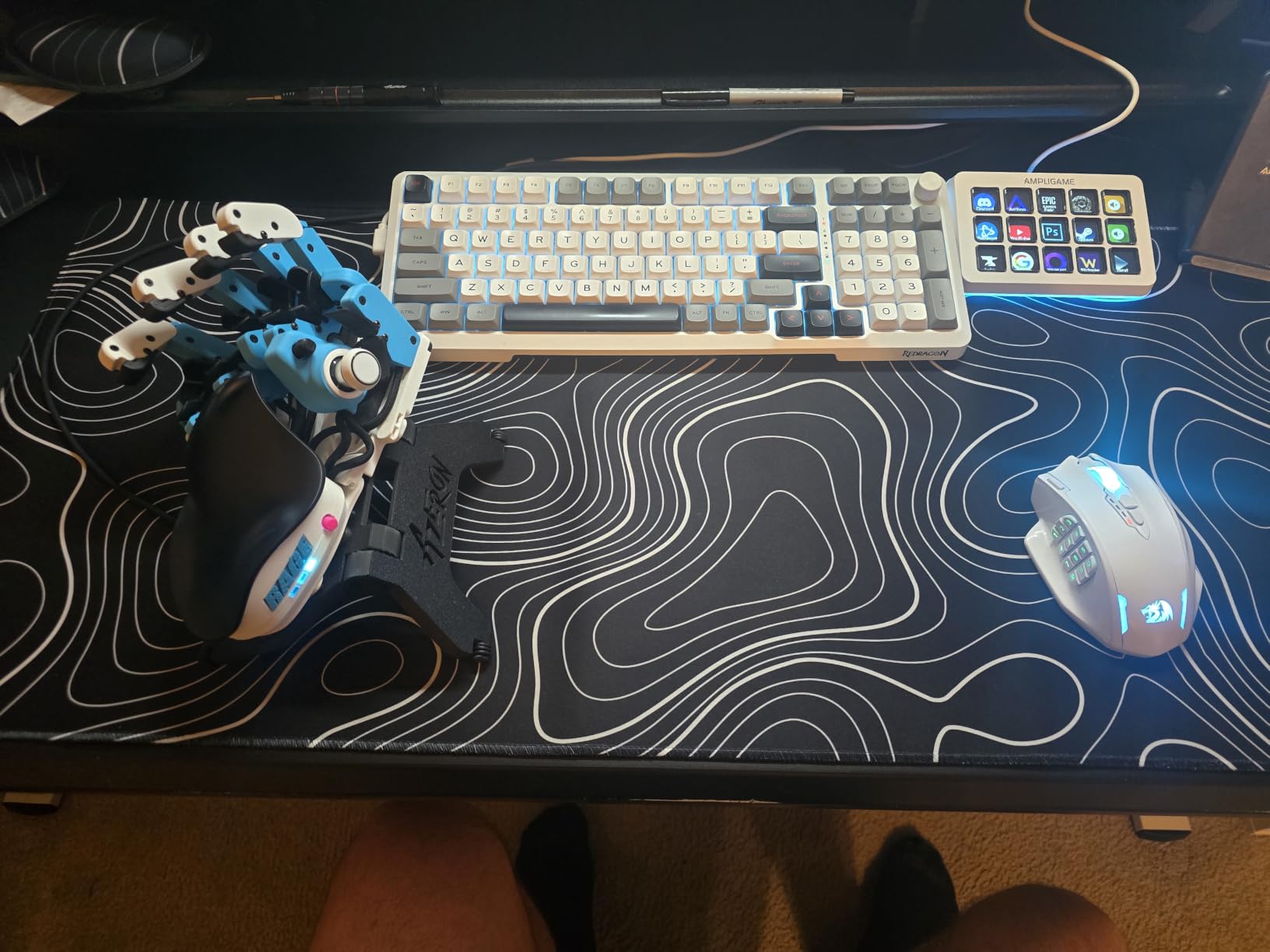
The FIFINE AmpliGame D6 is the budget option that genuinely surprised me. For under $60, you get 15 customizable macro keys with RGB lighting and OBS integration. I did not expect much at this price point, but FIFINE delivered a capable controller.
The 15-key layout matches the Elgato MK.2 in count, which immediately makes it more versatile than the Stream Deck Mini. I set up scene switching, sound effects, and mic mute functions without any issues. The built-in software handled multi-scene switching smoothly.
The RGB lighting is more than just aesthetics. The customizable LCD display icons are bright and clearly visible. I appreciated being able to color-code my keys by function during late-night streaming sessions.
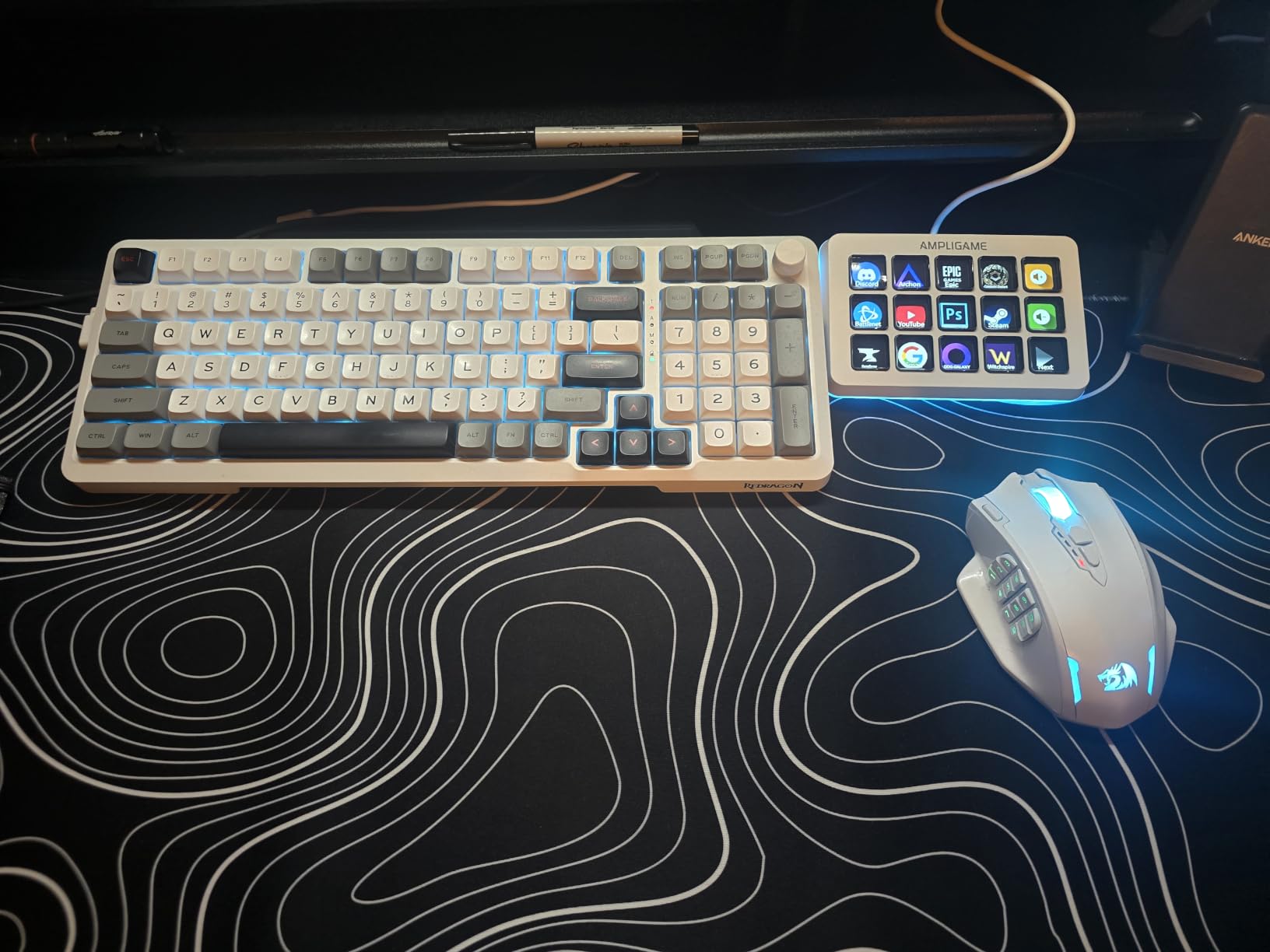
The build quality reflects the price. The plastic construction feels lighter and less premium than Elgato offerings. The buttons have a slight wobble due to travel distance, and I experienced occasional accidental presses when I did not push straight down.
The plugin ecosystem is nowhere near as deep as Elgato’s. You get OBS integration and basic macro functionality, but do not expect the hundreds of plugins available in the Stream Deck store. For basic streaming workflows, though, it covers the essentials.
Best Budget Option for New Streamers
If you are just starting out and want to test whether a streaming deck fits your workflow, the AmpliGame D6 is the lowest-risk entry point. The 15-key layout gives you enough room for real production work without the financial commitment of premium brands.
The 758 reviews and 4.5 average rating from real users confirm this is not a throwaway product. Many reviewers specifically mention it as a legitimate alternative to the Elgato ecosystem for basic streaming needs.
Where It Falls Short of Elgato
The software experience is the biggest gap. FIFINE’s built-in software works but lacks the polish and plugin depth of Elgato’s platform. Advanced features like smart profiles, multi-action sequencing, and third-party integrations are limited or absent.
If you plan to upgrade your setup over time, starting with Elgato gives you a platform that grows with you. The AmpliGame D6 is a standalone solution that works well but does not scale the same way.
7. ActionRing Stream Controller N3 – Keys with Dials Under $50
ActionRing Stream Controller Deck,Macro Keypad,Gaming Shortcut Keyboard
6 LCD Keys
3 Programmable Dials
GIF Support
6.69 x 5.04 x 2.64 inches
USB
Pros
- Six LCD keys with GIF animation support
- Three programmable dials for volume and playback
- Action Flow for multi-step macro sequences
- Wide compatibility including Photoshop and Premiere
- 24 month warranty included
Cons
- Limited to six LCD keys
- Smaller key count restricts functionality
- Desktop oriented design not laptop friendly
The ActionRing Stream Controller N3 brings something different to the budget category: dials. At under $50, getting three programmable dials alongside six LCD keys is impressive. I tested it alongside my Elgato setup to see how it compared.
The GIF animation support on the LCD keys is a fun touch. I loaded animated icons for each function and it made the controller feel alive. The 60 downloadable icon packs give you plenty of customization options without needing to create your own.
The three dials are where this controller punches above its weight. I mapped them to system volume, media playback, and browser scrolling. The Action Flow function lets you chain multi-step macros, which is surprisingly powerful at this price.
The six-key limit is the obvious constraint. For anything beyond basic streaming or productivity shortcuts, you will run out of space quickly. I found myself wanting at least nine or twelve keys for my streaming workflow.
The desktop-oriented design means it stays put on a desk but is not ideal for portable setups. The USB connection is standard but the larger footprint makes it less travel-friendly than the Stream Deck Mini.
Best Budget Option with Dial Controls
If you want dial functionality without paying for the Elgato Plus, the ActionRing N3 is your most affordable path. The three dials handle volume, playback, and custom parameter adjustments that six keys alone cannot manage.
The 24-month warranty is generous for this price range and suggests confidence in the build quality. The 4.6 rating from 85 reviews indicates solid early reception.
Software Compatibility and Limitations
The ActionRing works with OBS, Twitch, YouTube, Discord, Photoshop, and Premiere. That covers most content creator needs. However, the software is not as refined as Elgato’s, and some users report occasional connection drops.
For creators who need dial controls on a tight budget, this is the best option I have found. Just temper your expectations on software polish compared to the Elgato ecosystem.
8. VSDINSIDE Macro Keypad M18 – 18-Key RGB Soundboard
VSD M18 Macro Pad Programmable Keypad, Stream Controller Streaming Deck, Customizable LCD keys, Gaming shortcut keyboard, USB sound board, Trigger actions in OBS, Twitch, YouTube, Works with PC Mac
18 Programmable Keys
RGB Light Ring
USB-C
4.6 x 4.1 x 0.8 inches
Mac and PC
Pros
- 18 programmable keys offers extensive customization
- RGB light ring adds visual flair
- USB-C for modern connectivity
- Works with Windows and Mac
- Built-in plugins including clock and weather
Cons
- No native Linux plug-and-play support
- Requires USB-C to USB-A adapter for some devices
- Some users want more LCD keys
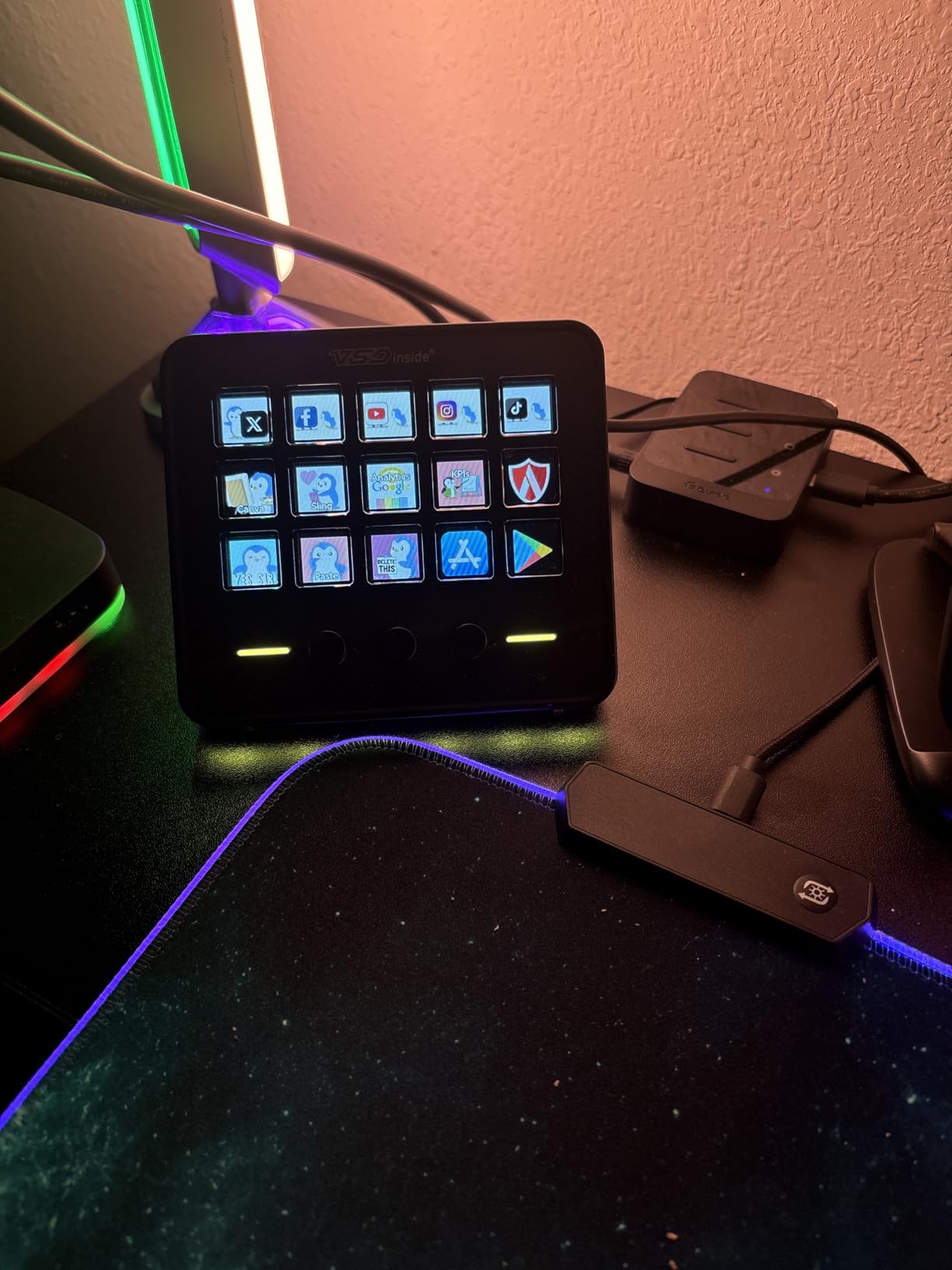
The VSDINSIDE Macro Keypad M18 offers the highest key count in this lineup. With 18 programmable keys, including 15 LCD visual keys and 3 physical buttons, it provides more customization surface than anything else here. I tested it for two weeks of mixed streaming and editing work.
The 18-key layout is genuinely liberating. I dedicated 12 keys to streaming functions, 3 to video editing shortcuts, and 3 to system controls. Everything had its own button with no profile switching needed. The RGB light ring surrounding the pad adds a premium look.
The built-in plugins are a nice bonus. I loaded a clock, stopwatch, weather display, and calendar onto some of the LCD keys. These ambient displays sit alongside my macro buttons and add utility beyond simple command triggers.
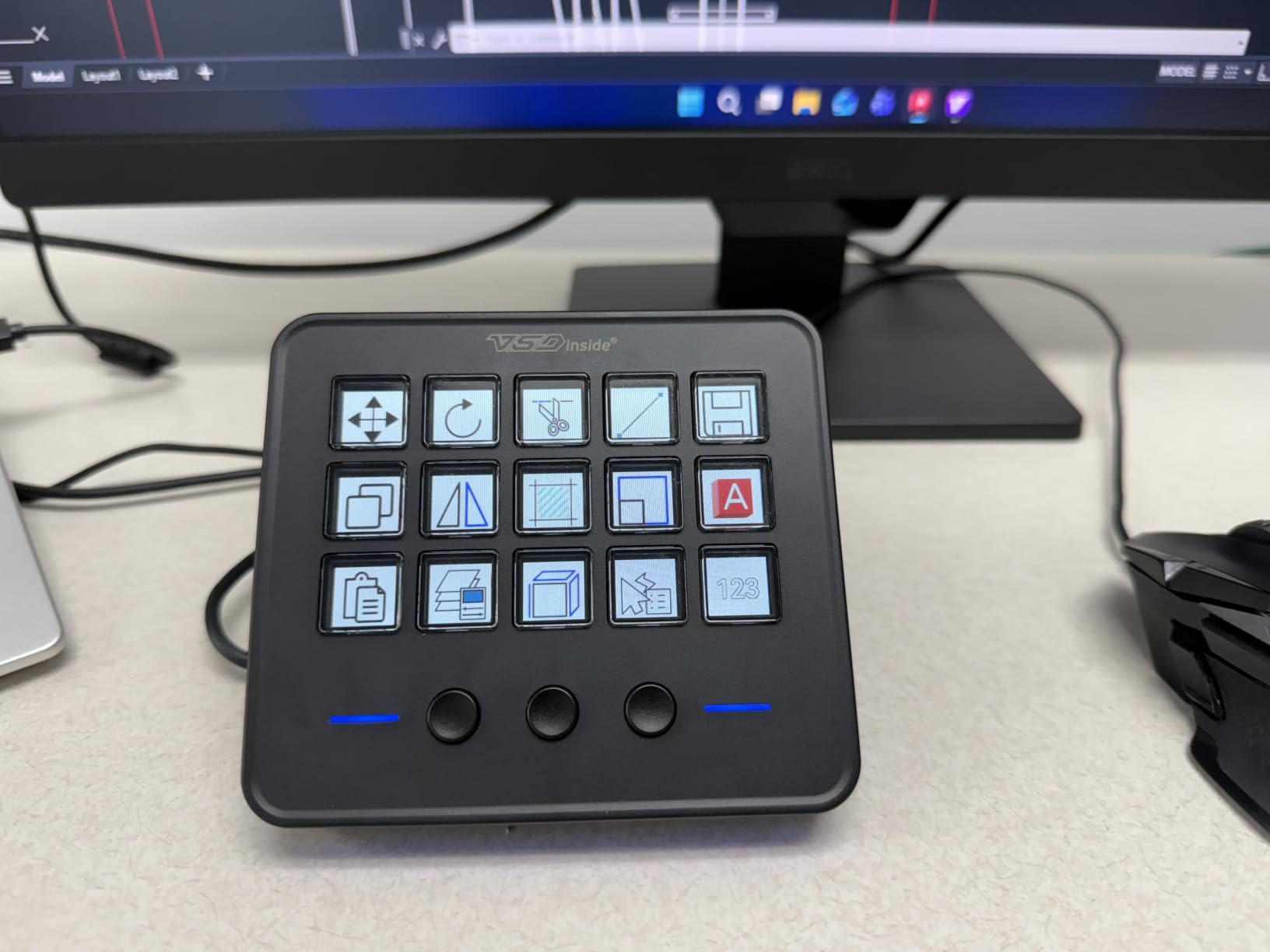
The USB-C connectivity is welcome at this price point. The build quality uses a mix of acrylic, ABS, polycarbonate, and stainless steel that feels sturdy despite the lightweight design. At 10.56 ounces, it is light enough to move around but stays planted during use.
The software experience is functional but not exceptional. Customizing icons and programming macros works, but the interface lacks the polish of Elgato’s app. I experienced no major bugs, but the workflow feels clunky compared to the Stream Deck software.
Most Keys for the Money
If raw key count is your priority, the VSDINSIDE M18 delivers 18 programmable buttons at a budget price. No other option in this guide matches that ratio. The mix of 15 LCD keys and 3 physical buttons gives you both visual and tactile control.
The cross-platform compatibility with both Windows and Mac is a strength. Many budget controllers are Windows-only, but the M18 works on Mac OS 14 Sonoma and above. The 604 reviews and 4.4 rating confirm solid real-world performance.
Software Polish vs Key Count Trade-off
The trade-off is software refinement. The VSDINSIDE software works but does not match the depth or polish of Elgato’s platform. Plugin selection is limited, and the community ecosystem is smaller. You are trading software quality for hardware quantity.
If you primarily need lots of buttons for macro shortcuts and basic streaming control, the M18 is excellent value. If you rely on deep plugin integrations and a polished software experience, stick with Elgato.
How to Choose the Right Streaming Deck
Choosing between streaming decks for content creators comes down to four factors: key count, control type, software ecosystem, and your specific workflow. I have broken down each factor based on my testing experience.
Key Count: How Many Do You Actually Need?
Six keys work for beginners, occasional streamers, and productivity users. The Stream Deck Mini and ActionRing N3 prove you can do a lot with a small surface. But you will outgrow six keys quickly if you stream regularly.
Fifteen keys is the sweet spot for most creators. The MK.2, Scissor Keys, and AmpliGame D6 all use this layout and it covers scene switching, audio control, chat commands, and sound effects without profile switching. Eighteen keys on the VSDINSIDE pushes even further for power users.
Thirty-six keys on the Plus XL is professional territory. You need a specific production complexity to justify that many buttons. Most creators will never use all 36 keys simultaneously.
LCD Keys vs Tactile Keys vs Dials
LCD keys display custom icons and provide visual feedback. They are ideal when you need to see what each button does at a glance. Every Elgato model except the Scissor Keys uses LCD technology.
Tactile scissor keys offer better physical feedback for fast pressing. The Stream Deck Scissor Keys model trades visual customization for typing feel. Gamers who hammer buttons quickly may prefer this.
Dials add analog precision for continuous adjustments like volume, color grading, and timeline scrubbing. The Plus, Plus XL, and ActionRing N3 include dials. If you audio production or video editing, dials are worth the investment.
Software Ecosystem and Plugin Support
Elgato’s software and plugin store is the clear leader. Hundreds of plugins cover streaming platforms, creative software, smart home devices, and productivity tools. The drag-and-drop interface is beginner-friendly yet powerful enough for advanced users.
Budget brands like FIFINE, ActionRing, and VSDINSIDE offer functional software but with smaller plugin libraries and less polish. If software depth matters to you, Elgato is worth the premium. If you need basic macro functionality, the alternatives work fine.
Connectivity and Platform Compatibility
USB-C is the modern standard and appears on most current models. The Stream Deck Mini still uses Micro USB, which feels dated. Check compatibility with your operating system: the Scissor Keys model is Windows-only, while most others support both Mac and PC.
Prime eligibility matters for fast shipping. Most Elgato models and several budget options are Prime eligible. The FIFINE AmpliGame D6 is not Prime eligible, so plan for longer delivery times.
Matching a Deck to Your Workflow
Live streamers on Twitch or YouTube should prioritize OBS integration and key count. The MK.2 is my top recommendation here. Video editors working in Premiere, DaVinci Resolve, or After Effects benefit from dials for timeline control. The Stream Deck Plus is purpose-built for this.
Podcasters need audio mixing control above all. The Plus with Wave Link integration handles multi-source audio routing beautifully. Productivity users who want shortcut automation can start with the Mini or a budget option and expand later.
FAQ
What Stream Deck do most streamers use?
What is the best Stream Deck?
Are stream decks worth it?
Is there anything better than a Stream Deck?
Can you use a Stream Deck for video editing?
Final Thoughts on Streaming Decks for Content Creators
After testing all eight of these streaming decks for content creators, my top recommendation remains the Elgato Stream Deck MK.2 for most users. It hits the perfect balance of key count, software depth, and build quality. The Mini is the smart choice for budget-conscious beginners, and the Plus XL serves professionals who need maximum control.
The budget alternatives from FIFINE, ActionRing, and VSDINSIDE prove you do not need to spend premium money to get functional macro control. They trade software polish for key count and price, which is a fair exchange depending on your needs.
Whichever streaming deck you choose, the productivity gain is immediate and real. I went from memorizing dozens of keyboard shortcuts to pressing a single labeled button. That transformation is worth the investment for any serious content creator in 2026.