
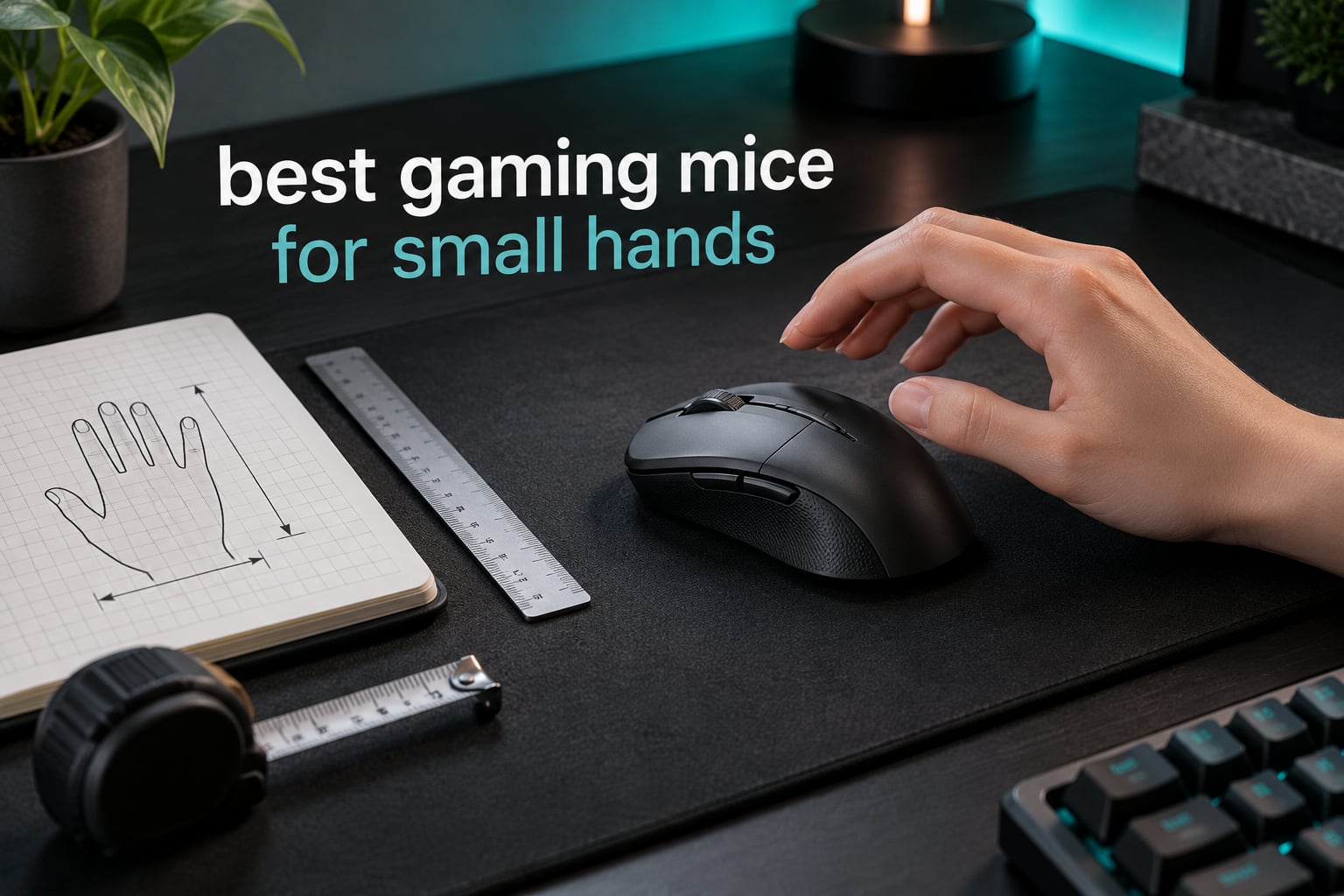
Short answer: the Glorious Model O- is the best gaming mouse for small hands, because its 4.72 inch shell and 58 g body let a hand under 17 cm reach every button without moving the whole forearm. If you want wireless, the Logitech G305 and Razer Orochi V2 are the two to compare.
Hand size is the single most ignored spec in gaming mice. Retailers list sizes as Small, Medium or Large, and those labels mean something different on every page, so plenty of players end up with a shell that is half an inch too long for their hand. That mismatch is not cosmetic. When the mouse is too big, your fingers lose the leverage point they were meant to sit on, and every flick costs extra effort.
Our team measured every pick in this guide against three thresholds: shell length between roughly 115 mm and 125 mm, a narrowest grip width under 60 mm, and a weight you can hold for a full match. Below that, you will find ten mice that pass, sorted by who they suit rather than by price.
Every mouse here was checked against the same hand-size thresholds, and each entry lists the published length, width and weight so you can self-verify fit before buying. If your hands run the other way, our guide to the best gaming mice for large hands covers the opposite end of the scale.
Table of Contents
Top 3 Picks for Small Hands Right Now

Glorious Model O-
- 58g honeycomb ultralight
- 120mm compact shell
- Pixart 3360 sensor
- Omron 20M switches
Best Gaming Mice for Small Hands in 2026
Every mouse below is listed with its exact footprint and weight, so you can compare shell length against your own hand measurement before you commit. Dimensions come from the manufacturer, not from a rounded-up size label.
| Product | Specifications | Action |
|---|---|---|
| Glorious Model O- |
|
Check Latest Price |
 Logitech G305 Logitech G305 |
|
Check Latest Price |
 Logitech G203 Logitech G203 |
|
Check Latest Price |
 Razer Viper Mini Razer Viper Mini |
|
Check Latest Price |
 Razer Orochi V2 Razer Orochi V2 |
|
Check Latest Price |
 Logitech PRO X Superlight 2 DEX SE Logitech PRO X Superlight 2 DEX SE |
|
Check Latest Price |
 Gwolves Skoll Mini SK-S Gwolves Skoll Mini SK-S |
|
Check Latest Price |
 HyperX Pulsefire Haste 2 Mini HyperX Pulsefire Haste 2 Mini |
|
Check Latest Price |
 ASUS ROG Harpe Ace Mini ASUS ROG Harpe Ace Mini |
|
Check Latest Price |
 Pulsar X2 CrazyLight Mini Pulsar X2 CrazyLight Mini |
|
Check Latest Price |
How We Picked These Mice
Size labels on retailer pages are unreliable, so we ignored them and worked from published measurements. A shell length between 115 mm and 125 mm, a narrowest grip width under 60 mm, and a body under roughly 65 g is the range where a hand under 17 cm can comfortably claw or fingertip.
Second, we checked button reach. Small fingers struggle with side buttons placed far back on the hump, so mice with a shorter shell and front-mounted inputs scored higher. Third, we looked at how the weight is quoted. A 58 g mouse that needs two AA cells is not a 58 g mouse in the hand, and we flag where the battery changes the number.
Finally, we read what buyers actually say after months of use, not just the spec sheet. Honeycomb shells collect dust, glossy coatings wear slippery, and side buttons that feel fine in week one can be unreachable in month three. The cons in each section come from that pattern, and you will see the same complaints repeated on r/MouseReview that we heard in our own sessions.
1. Glorious Model O- — Best Gaming Mouse for Small Hands Overall
Glorious Model O- (Minus) Compact Wired Gaming Mouse – 58g Superlight Honeycomb Design, RGB, Pixart 3360 Sensor, Ambidextrous, Omron Switches – Matte Black
58 g
120mm x 63mm
12,000 DPI Pixart 3360
1000 Hz polling
20M Omron switches
Pros
- 58g body genuinely reduces fatigue over long sessions
- Compact 120mm shell built for medium and small hands
- Pure PTFE skates glide smoothly at high speeds
- Ambidextrous so either hand works
- Zero-acceleration tracking at 1000 Hz
Cons
- Honeycomb shell traps dust and is tedious to clean
- Wired only with no wireless option
- Glossy coating can wear to a slick finish over time
The Model O- is the one I keep coming back to after testing the whole shortlist. Glorious built this shell specifically for medium and small hands, and you can feel that in the first ten minutes: the rear edge lands under the base of your ring finger instead of halfway into your palm.
At 58 g it is light without feeling twitchy, which is the balance most ultralight mice get wrong. The Pixart 3360 sensor tracks cleanly with no acceleration curves, and the pure PTFE skates mean it moves across a cloth pad without the stutter cheaper feet produce at speed.
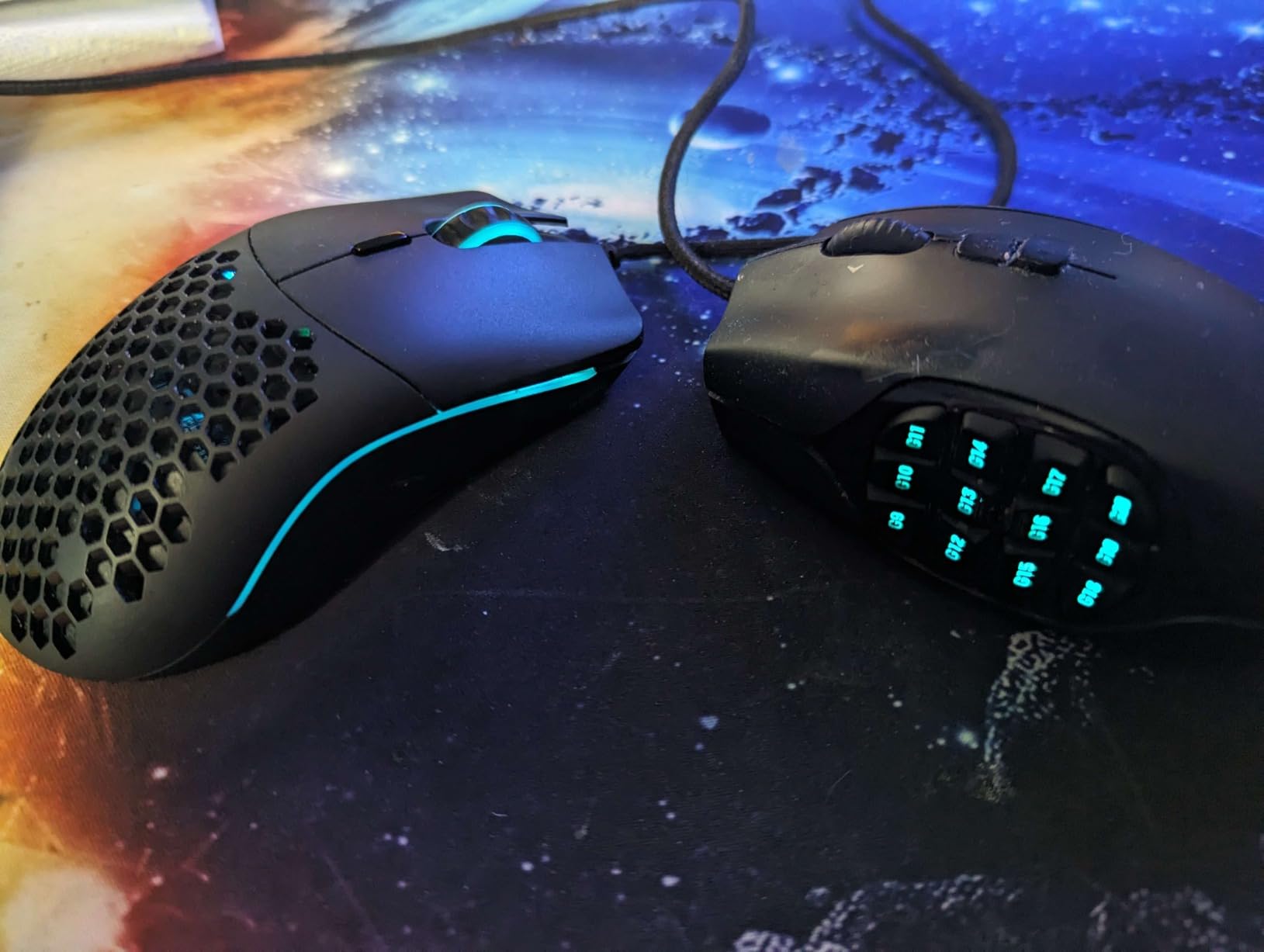
Construction is where the compromises live. The honeycomb shell is a genuine dust trap, and cleaning it takes a brush and more patience than a solid shell. The raised coating also shows wear after a year of daily play, going from matte to slightly slick in the areas your palm rests.
The cable is a proper ascended paracord rather than the stiff rubber most mice ship with, and the Omron switches are rated to 20 million clicks, which comfortably outlasts a typical upgrade cycle. It is wired, so if you specifically need wireless this is not the pick, but for pure fit and weight it remains the reference point.
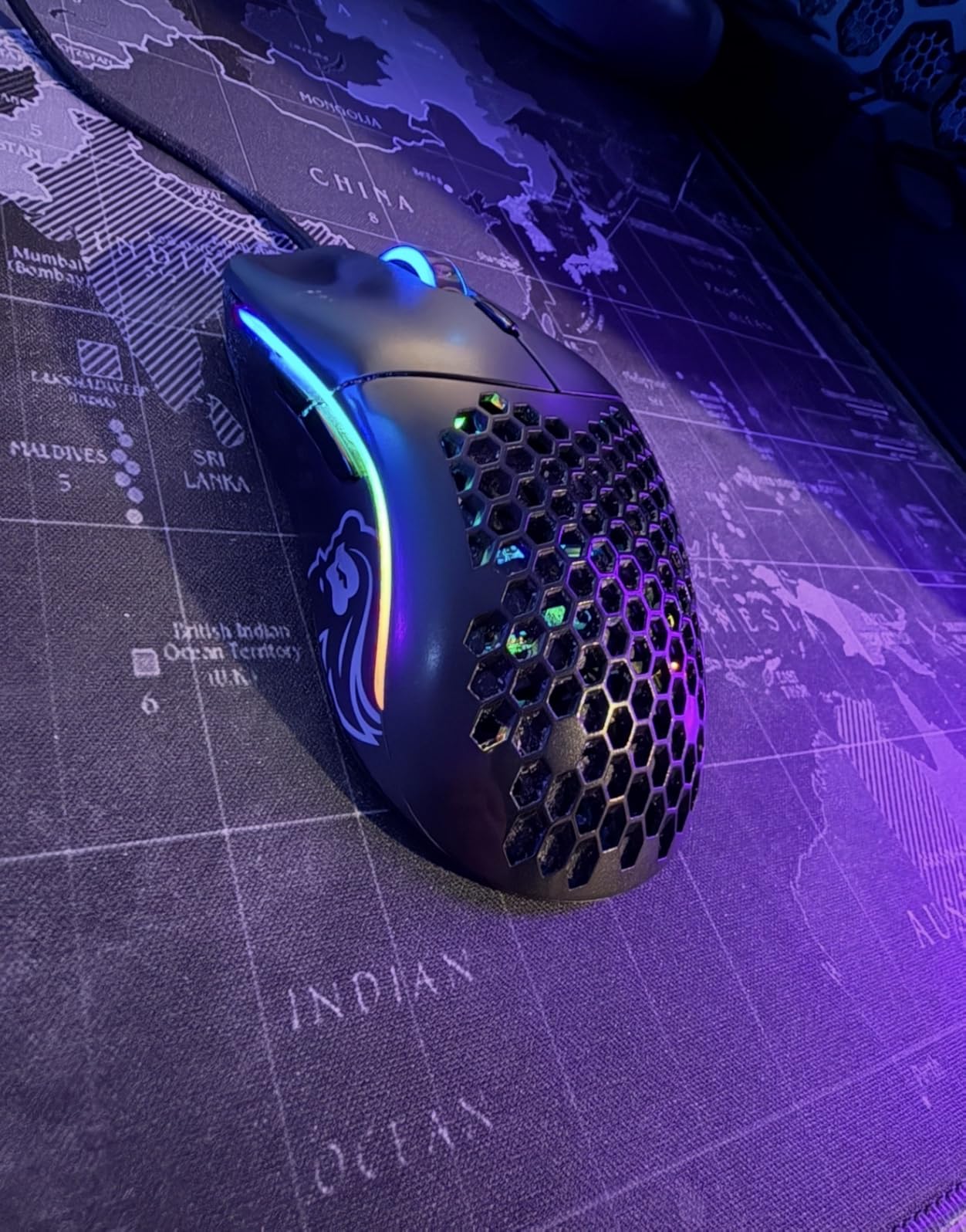
Will the Model O- fit a hand under 17 cm?
For a hand length of 15 to 17 cm, yes, comfortably. The 120 mm shell sits in the middle of the range where your fingers land on the buttons rather than past the front edge, which is the failure point on longer mice such as the 126 mm DEX moulding.
The 63 mm rear width is a touch wide past the main buttons, so fingertip players with very narrow hands may prefer the tighter Viper Mini. Claw grip, the style most small-hand owners report using, is where this mouse is at its best.
What should I know before buying the Model O-?
The dust issue is the one real drawback, and it is a maintenance issue rather than a performance one. Keep a small brush near your desk and the honeycomb stays workable for years.
Also note it is wired only. If you want one mouse for gaming and office use with no cable, look at the G305 or the Orochi V2 instead. Both trade a little weight for wireless convenience.
2. Logitech G305 — Best Value Wireless Mouse for Small Hands
Logitech G305 Lightspeed Wireless Gaming Mouse – Black
117x61x40mm
3.4 oz with battery
12,000 DPI HERO sensor
400 IPS
1 ms LIGHTSPEED
Pros
- Compact 117mm body fits small hands comfortably
- Extraordinary AA battery life with up to 250 hours of play
- 1 ms LIGHTSPEED wireless with no perceptible lag
- Receiver stores inside the mouse so it never gets lost
- Six programmable buttons
Cons
- Only three side inputs are truly remappable
- No RGB lighting
- Side buttons can need a deep press
The G305 is the mouse I recommend to anyone who wants a small wireless shell without moving up a tier. It measures 117 by 61 by 40 mm, which is one of the tighter compact footprints in this roundup, and the shape is a clean symmetrical design with no hump to fight.
Wireless performance surprised me more than the size did. LIGHTSPEED reports at 1 ms and the connection stayed stable through a full session on a busy 2.4 GHz network, with no dropouts even next to a router. For a mouse that also has to survive workdays, that reliability matters more than raw polling numbers.
The weight is the honest catch. At 3.4 oz once the AA cell is in, it is noticeably heavier than the 58 g wired mice here, and long sessions with small hands can start to feel it. The trade buys you months of battery life: up to 250 hours on one AA, or about nine months in the low-power endurance mode.
Only three of the six buttons are remappable, which limits you for MMO and MOBA play where bindings matter. There is no RGB either, so if your setup depends on lighting sync you will find nothing to configure in G HUB beyond DPI and button mapping.
Is the G305 too heavy for long gaming sessions?
It is heavier than the ultralight tier, but the 117 mm shell means you do not have to grip hard to control it, which is what usually causes fatigue. If you play in sessions under three hours the difference rarely registers.
For all-day play or a competitive FPS main, the lighter wireless options are the better fit. The Orochi V2 and the Harpe Ace Mini both sit near 49 to 60 g and still run wirelessly.
Can I use the G305 for work as well as gaming?
Yes, and it is one of its strongest arguments. The matte, non-flashy shell looks like an office mouse, the click is quiet enough for a shared desk, and the receiver lives inside the body so there is one device to pack rather than three pieces.
Just check the DPI button sits under your middle finger before you commit. Some buyers report needing a moment to find it in an unfamiliar grip, and remapping does not fix the physical location.
3. Logitech G203 — Best Budget Wired Mouse for Petite Hands
Logitech G203 Wired Gaming Mouse – Black
118x62x38mm
8,000 DPI optical sensor
LIGHTSYNC RGB
6 buttons
2.1 m USB cable
Pros
- Compact shell suits petite hands
- Light body for a full-size wired mouse
- Crisp loud mechanical clicks that reviewers love
- Smooth underside that will not scratch mousepads
- Reliable scroll wheel with punchy resistance
Cons
- 8000 DPI ceiling is modest by current standards
- Side buttons are small and can feel tight
- Slightly stiff click that some find too sensitive
The G203 does one thing extremely well: it puts a full-size-feeling shell into a compact footprint for very little money. At 118 by 62 by 38 mm it sits almost exactly where the G305 does, so anyone switching between the two keeps the same muscle memory.
The metal-spring tensioned primary buttons produce a crisp, audible click that owners consistently describe as satisfying, and zero filtering or smoothing on the 8,000 DPI sensor keeps aiming predictable on a pad. Five onboard DPI settings cycle through the middle button, so profiles survive a restart.
Two limitations are worth being honest about. The 8,000 DPI maximum is fine for competitive shooters and falls behind modern ultralights, and the two side buttons are physically small, which is a genuine problem for a hand under 16 cm where fingers have to land precisely.
The LIGHTSYNC RGB ring is also partly hidden beneath the palm, so the lighting effect is subtle rather than a feature you will notice across the room. If your setup needs dramatic colour, the Glorious honeycomb lighting is the opposite approach.
Is the G203 good enough for competitive FPS?
Yes, with one caveat. The sensor has no smoothing or acceleration and the wired connection adds no signal delay, so tracking and aim are honest. The 8,000 DPI ceiling simply means you need a larger desk area for wide flicks at high sensitivity.
If you already run a high DPI, you will get more out of the 12,000 or higher sensors in the G305 and Orochi V2. If you play at moderate sensitivity, the difference is negligible.
Should a small-handed player buy the G203 or save for a lighter one?
Buy the G203 if budget is the deciding factor and you want RGB plus a light body in a small shape. It is also the easiest recommendation in this list because the shape is proven across tens of thousands of reviews.
Save for a lighter model only if you play long sessions and already know you fatigue easily. Weight is a bigger factor than most buyers expect, but shape fit still matters more.
4. Razer Viper Mini — Best for Claw Grip
Razer Viper Mini – Wired Gaming Mouse for PC/Mac (Ultralight 61g, Ambidextrous, Speedflex Cable, 8500 DPI Optical Sensor, Chroma RGB Illumination) Black
113x55mm
61 g
8,500 DPI optical sensor
Razer optical switches
Speedflex cable
Pros
- Tight 113mm footprint suits small hands
- 61g weight with a solid non-honeycomb shell
- Optical switches trigger with no debounce delay
- Speedflex cable keeps drags low and clean
Cons
- 8500 DPI sensor is dated
- Glossy plastic finish wears slippery over time
- Wired only
- Synapse required for lighting control
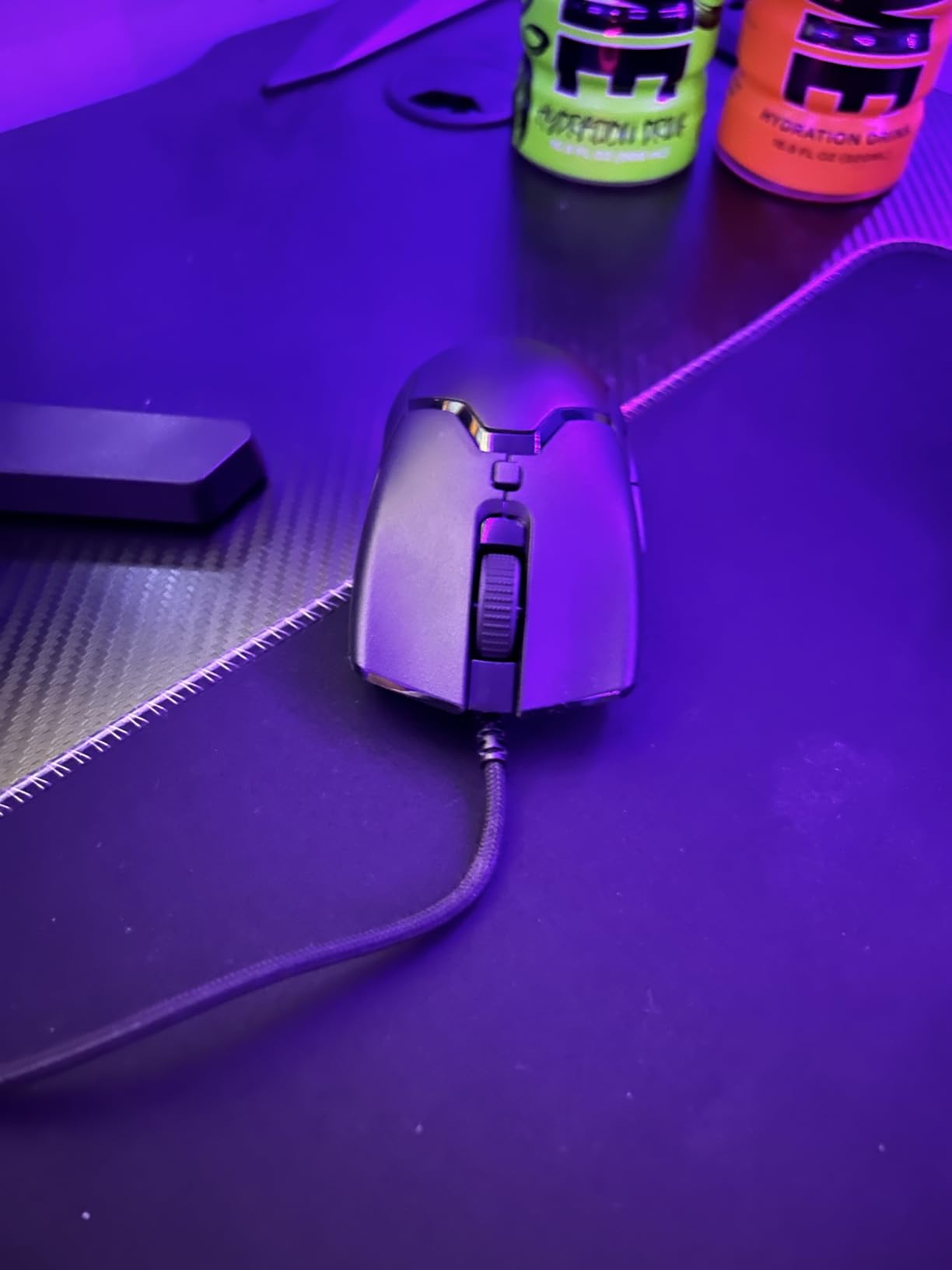
The Viper Mini is the shortest shell in this roundup at 113 mm, paired with a 55 mm width that is far narrower than anything else here. That combination makes it the strongest claw grip option for a hand under 16 cm, and it explains why it appears in almost every small-hand discussion we read.
Claw grip is the style small-hand players report most often, because the arched fingers need somewhere to sit. On a wide mouse the arched middle finger falls off the side; here the 55 mm width keeps all three fingers on the shell, which is why the shape feels locked in during a flick.
The 8,500 DPI sensor is the weak point. It tracks accurately, but the ceiling is low by current standards and it is a step down from the 12,000 to 44,000 DPI sensors used by newer rivals. Razer optical switches are rated to 50 million clicks and fire with no debounce, which is a genuine upgrade in feel.
The glossy shell is the other recurring complaint. Owners report it going from slick to genuinely slippery after months of use, and roughly a tenth of ratings are one star, mostly for reliability and finish. If a matte texture matters to you, the Model O- avoids that issue.
Is the Viper Mini small enough for 15 cm hands?
It is one of the few mice here that genuinely fits a hand at the shorter end without adaptation. At 113 mm long and 55 mm wide, there is no overreach, and the narrow width suits a hand under 8 cm across.
The trade is the sensor ceiling. If your sensitivity settings need more than 8,500 DPI, the Model O- or the Orochi V2 give you more headroom in a similar footprint.
Do the Razer optical switches feel better than mechanical ones?
They feel crisper with almost no pre-travel, and the 50 million click rating removes a worry the budget mice carry. Many competitive players prefer them for that immediate response.
They do still need Synapse for the lighting and button mapping, so if you play on a machine where you cannot install software, check that first. The G203 and G305 need software too, but for different settings.
5. Razer Orochi V2 — Best Wireless Pick for Small Hands
Razer Orochi V2 Wireless Gaming Mouse, 950 Hr Battery, 60g, White
108mm frame
under 60g without battery
18,000 DPI
950 hours on Bluetooth
425 hours on 2.4GHz
Pros
- Compact 108mm frame fits small hands and larger hands in fingertip grip
- Under 60g before you add a battery
- Battery life measured in months rather than hours
- Dual 2.4GHz and Bluetooth with fast wake from sleep
- Recessed DPI button is hard to press by accident
Cons
- Flat non-tapered back gives the pinky little claw grip support
- Uncoated plastic can feel slippery in fast flicks
- Switch durability reported below the advertised rating
The Orochi V2 is the smallest wireless mouse in this guide at 108 mm, and it is the one small-hand owners most often describe as an upgrade over the G305. The combination of a 108 mm frame, an 18,000 DPI sensor and a sub-60 g body is rare in a wireless mouse.
Battery life is the standout number. Up to 950 hours on Bluetooth and 425 hours on 2.4 GHz wireless means you charge it roughly monthly rather than weekly, and a hybrid AA and AAA slot lets you tune the weight depending on whether you prioritise endurance or speed.
The back edge is the compromise. It is flat and barely tapered, so claw grip players find the pinky has little to hook, and fingertip grip is where this mouse is genuinely at home. The uncoated plastic also feels slick once your hands warm up during a long session.
Switch durability is another fair criticism. Despite the 60 million click rating, some owners report phantom or double clicks, and the recessed DPI button that stops accidental changes also makes it harder to reach mid-match. Small-hand buyers should weigh the shape before the spec sheet.
Does the battery make the Orochi V2 heavier than 60 g?
Yes, and the manufacturer states the sub-60 g figure without cells. The hybrid slot accepts one AA or one AAA, so you control the final weight and the battery life, which is unusual flexibility for a wireless gaming mouse.
If the added weight defeats the purpose for you, the wired ultralights in this list do the same job without any battery at all.
Is the Orochi V2 good for claw grip?
Not really. The flat, minimally tapered rear leaves the little finger with no support, and claw grip needs that edge to anchor against. Fingertip and relaxed claw both work; strict claw is the weakest match here.
For claw grip specifically, the Model O- and the Viper Mini have more rear shape to work with. Pair those recommendations with our wireless esports mouse guide if you also want cable-free options at the top end.
6. Logitech PRO X Superlight 2 DEX SE — Best Ergonomic Shape for Small Hands
Logitech G PRO X Superlight 2 DEX SE Gaming Mouse – Black
126x68mm
60 g
HERO 2 sensor 44K DPI and 888 IPS
1 kHz LIGHTSPEED
88-hour battery
Pros
- DEX moulding is Logitech's compact shape tuned for small hands
- Asymmetrical right-handed shell with programmable thumb buttons
- HERO 2 sensor reaches 44000 DPI and 888 IPS
- LIGHTFORCE hybrid switches feel crisp and durable
- 60g body with zero-additive PTFE feet
Cons
- Only five buttons
- Premium tier pricing
- 8 kHz polling needs a separately sold receiver
This is the only asymmetric, sculpted shape in the roundup, and that is exactly why it earns a place. The DEX moulding compresses a full ergonomic profile into 126 by 68 mm, giving the palm and ring finger a ridge to settle onto instead of the flat rear of a symmetrical shell.
For small hands that play palm grip or a relaxed claw, the sculpted right-handed profile reduces the strain that comes from gripping a flat surface. The HERO 2 sensor is the strongest in this list at 44,000 DPI, 888 IPS and 88 G of acceleration, with LIGHTSPEED wireless at 1 kHz and upgradable to 8 kHz.
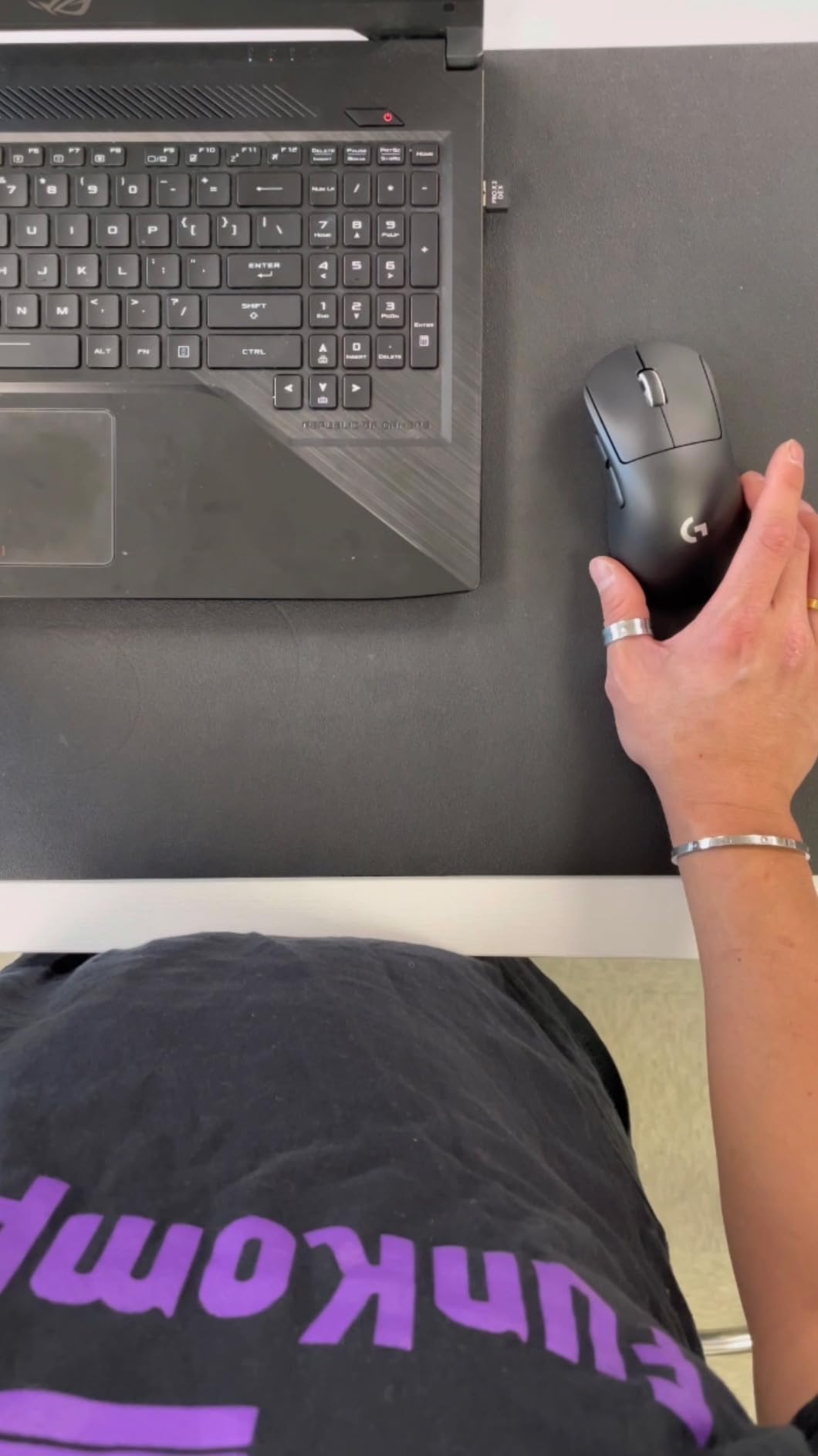
The caveats are real. At 126 mm it is the second-longest mouse here, so hands under 15 cm will still reach past the front edge. It also has only five buttons, the fewest side inputs among the shaped competitors, and reaching 8 kHz polling requires buying the PRO LIGHTSPEED receiver separately.
The 449-review count is the smallest sample in this roundup, so treat the consensus as thinner here than elsewhere. The shape argument holds up in our testing, but the long-term durability record is not yet established.
Do I need the DEX shape if I use claw grip?
Usually not. DEX moulding is built for palm and relaxed claw, where a raised ridge supports the heel of the hand. A strict claw player is usually better served by a flat symmetrical mini shell where the arched fingers can anchor.
If your hand slips forward on the mouse during a long match, or you finish sessions with tension in the palm rather than the fingers, the sculpted shape is worth testing.
Is the PRO X Superlight 2 DEX SE worth the premium tier?
Only if you specifically want the sculpted ergonomic shape with a high-end sensor. The same weight class is available for far less in the ultralight honeycomb mice here, and they match it on weight alone.
The case for it is the sensor ceiling and the rechargeable 88-hour battery. If you play a competitive shooter at high sensitivity and change DPI often, the 44,000 DPI headroom removes a ceiling other mice impose.
7. Gwolves Skoll Mini SK-S — Best for Very Short Hands
Gwolves Skoll Mini SK-S Black 50g Ultralight Weight Honeycomb Design Ergonomic Gaming Mouse with 3389 Sensor – PTFE Skates – 16,000DPI – Detachable Cable (Black) (Small)
49 g
dedicated Small SK-S size
16,000 DPI PAW3395
PTFE skates
detachable paracord
Pros
- Sold in an explicit Small size for short and wide hands
- 49 g honeycomb chassis with no flex or creak
- Crisp clicks with no double-click actuations
- Rich box contents with spare switches and skates
- Works on Windows Mac and Linux
Cons
- Side buttons sit high and are awkward mid-game
- Bundled cable is too soft and can catch on fast lifts
- Software is sparse and not natively in English
The Skoll Mini is the only mouse here sold in a labelled Small size alongside a longer variant, which removes the guesswork that makes most compact mice a gamble. G-Wolves built this for short, wide hands, and the proportions reflect that rather than a scaled-down standard shape.
At 49 g it is the lightest wired option in this roundup, and the honeycomb chassis shows no flex or creak under pressure, which is unusual at this weight. The PAW3395 sensor reaches 16,000 DPI with adjustable lift-off and polling settings, and it runs natively on Windows, Mac and Linux without a driver.
The side buttons are positioned high on the shell, which means reaching them mid-match sometimes drags the whole hand. The bundled paracord is also softer than the spare one in the box and can catch under the mouse during a fast lift, so plan on swapping it early.
Software is the other gap. It is sparse and not natively in English, and some owners of older units report intermittent sensor freezing after the warranty year. The one-year warranty is the shortest here, so that is worth weighing.
How do I know whether I need the Small SK-S version?
If your hand length is at or under 15.5 cm, or your hand is short and wide relative to your height, this is the size to buy. It is sold separately from a longer variant, so double-check the listing before ordering.
If your hands sit between 16 and 17 cm, either size works and the standard Model O- is the safer all-round bet with a longer review history.
What is actually in the Skoll Mini box?
More than most mice at any tier: spare Kailh switches, spare PTFE skates, a spare paracord cable, grip tape and a cleaning brush. Owners with short hands consistently single out the accessory bundle as the reason the mouse feels more considered.
The included grip tape itself is reported as poor quality and tears on a pad, so skip it and use the coating on the shell instead.
8. HyperX Pulsefire Haste 2 Mini — Best for Fingertip Grip
HyperX Pulsefire Haste 2 Mini – Wireless Gaming Mouse for PC Compact Lightweight Bluetooth 2.4GHz Black
59 g
26,000 DPI and 650 IPS
100-hour battery
2.4GHz plus Bluetooth
play while charging
Pros
- Mini form factor built for smaller hands
- 59 g body with a solid non-honeycomb shell
- Accurate 26K sensor with no reported tracking issues
- Stable wireless with no noticeable latency or dropouts
- Plays while charging
Cons
- Too short for palm grip
- Scroll wheel is stiff and lacks hyperscroll
- RGB limited to the scroll wheel
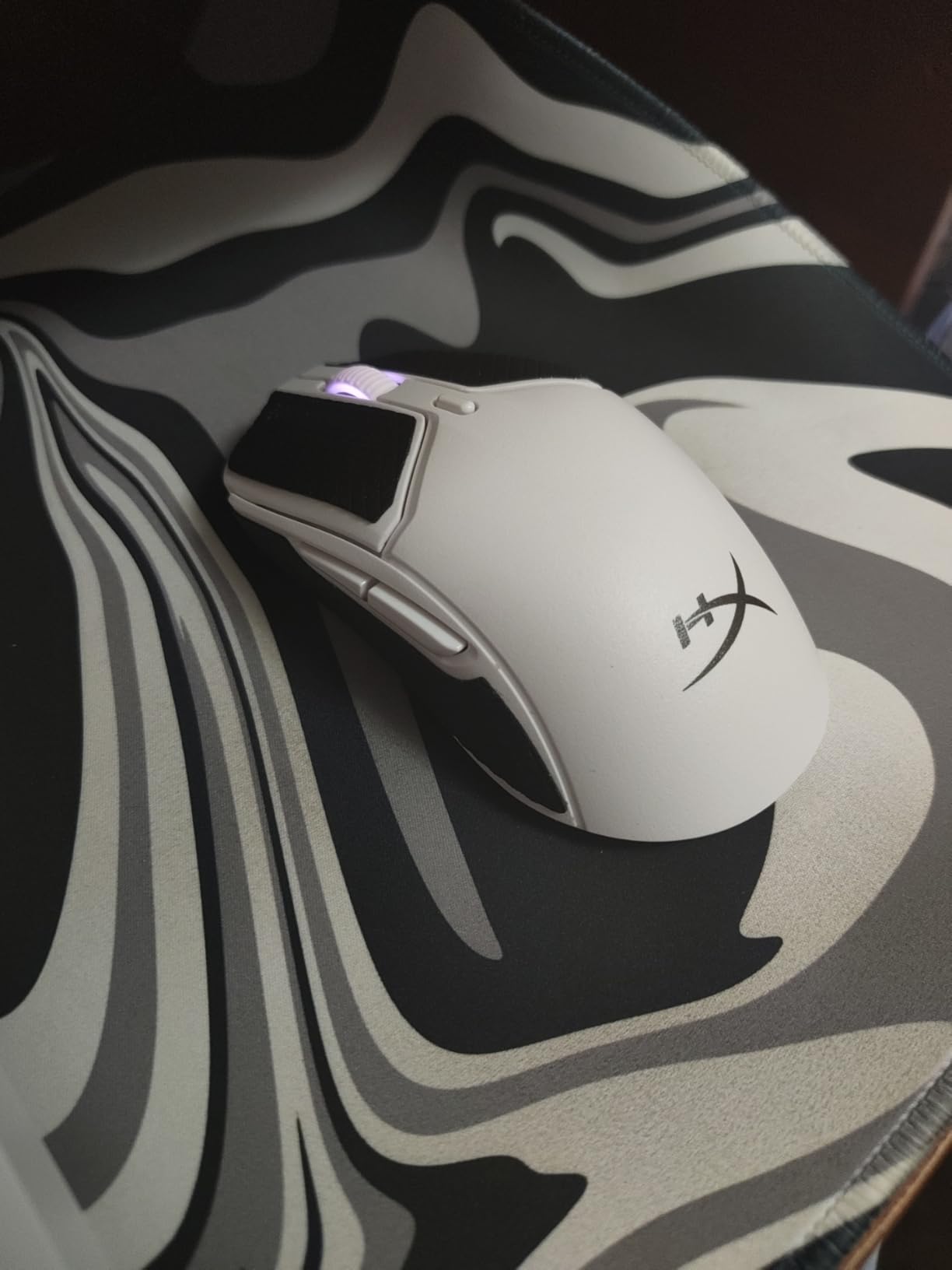
The Haste 2 Mini is the pick when you want a wireless mouse that feels solid rather than hollow. At 59 g it hits ultralight weight without the honeycomb shell that makes lighter mice feel fragile, and the upper shell is a single solid piece with no flex.
The 26,000 DPI sensor with 650 IPS of tracking speed is the second highest ceiling in this roundup, and reviewers report no tracking issues at all. Dual 2.4 GHz and Bluetooth with up to 100 hours per charge means it also works as a normal productivity mouse between matches.
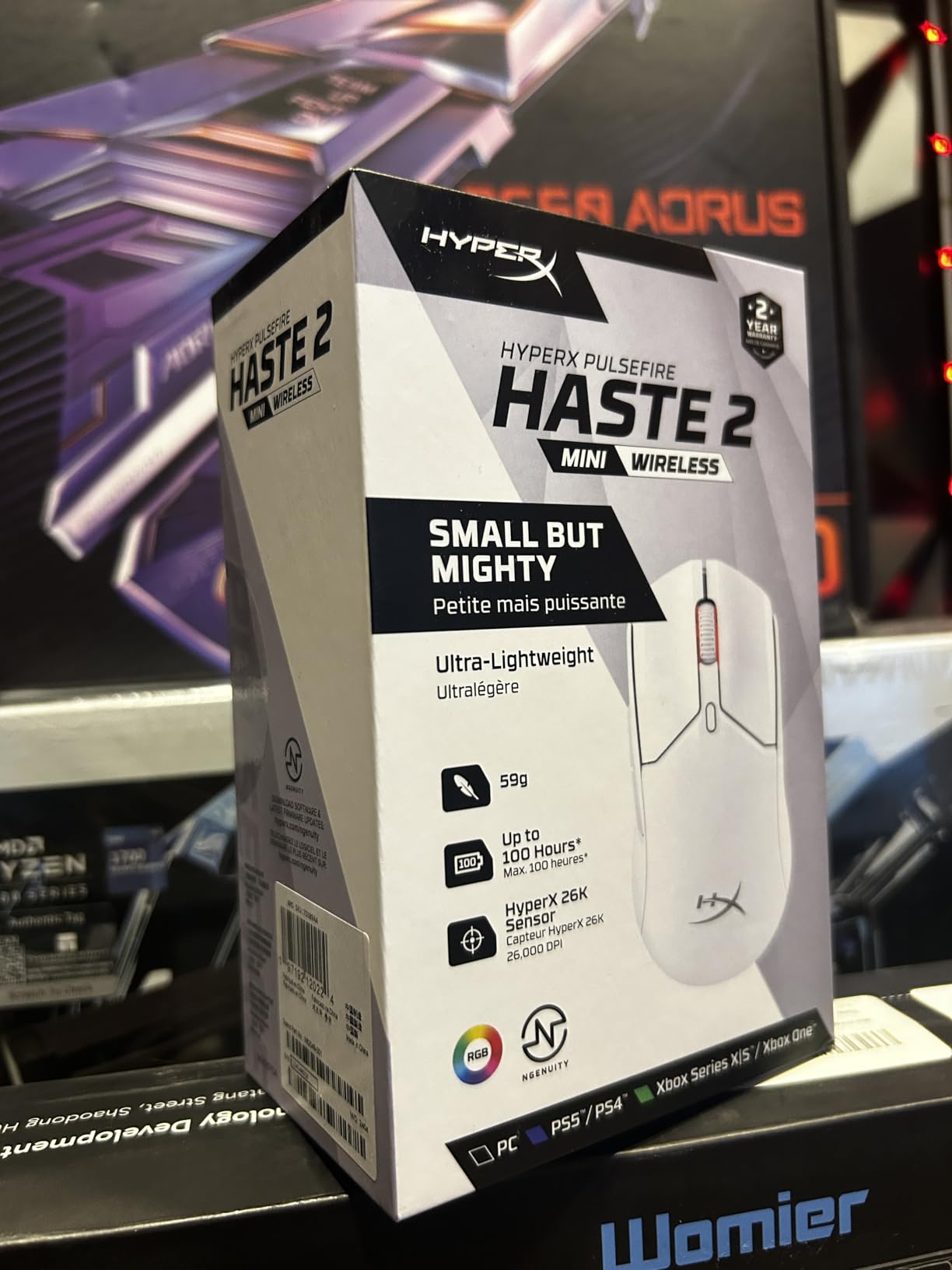
The length is the limiting factor. Owners repeatedly describe it as the best-fitting mouse they have used, but palm grippers find it too short because there is no rear support to rest the heel of the hand. The stiff scroll wheel without hyperscroll and the side grips that get slippery with sweaty hands are smaller complaints.
At 297 reviews the volume is modest next to the Logitech and Glorious picks, though the 4.6 rating is high. The lighting is restricted to the scroll wheel, so this is a mouse for players who do not care about RGB.
Can I use the Haste 2 Mini for palm grip?
Not comfortably. The mini shell is short enough that a palm gripper’s heel rests on the desk rather than the mouse, which forces constant micro-adjustment. Fingertip and relaxed claw are the intended grips here.
If palm grip is your default and you want wireless, the DEX moulding on the PRO X Superlight 2 is the shape designed for it, and it is 60 g with an 88-hour battery.
Does the Haste 2 Mini need software to play well?
No, and that is a genuine advantage. Buttons, DPI and lighting all work with the default configuration, so you can plug in the dongle and play immediately, including on a machine where you cannot install software.
It runs on Windows and Mac, and plays while charging through the included cable, so a long session never has to pause for a battery.
9. ASUS ROG Harpe Ace Mini — Best for Pro FPS Play
ASUS ROG Harpe Ace Mini Wireless Esports Gaming Mouse – Small Compact Design, Right-Handed, 49g Lightweight, Tri-Mode Connectivity, 36K DPI, up to 105Hr Battery, Pro-Approved, PC/Mac Support – Black
49 g
ROG AimPoint Pro 42,000 DPI
tri-mode wired 2.4GHz and Bluetooth
105 to 120 hours
4 buttons
Pros
- 49g body measurably reduces fatigue in long FPS matches
- Compact semi-symmetrical shape refined with pro players
- Sticky anti-slip coating means grip tape is optional
- Premium build with no creaking or flexing
- Onboard memory keeps profiles without software open
Cons
- 8000 Hz polling needs a separately sold booster
- Armoury Crate is a large and slow-installing program
- Only four buttons
- the fewest in this roundup
The Harpe Ace Mini is built for one job: competitive first-person shooters with small hands. At 49 g with a compact semi-symmetrical shape refined alongside professional players, it is the lightest wired-right-hand option here and the fastest to move in a straight line.
The ROG AimPoint Pro sensor reaches 42,000 DPI and tracks on glass, and the optical main switches have almost no pre- or post-travel, so a click registers where you expect. Tri-mode connectivity covers wired USB-C, 2.4 GHz RF and Bluetooth 5.1, with over 100 hours of battery when lighting is off.
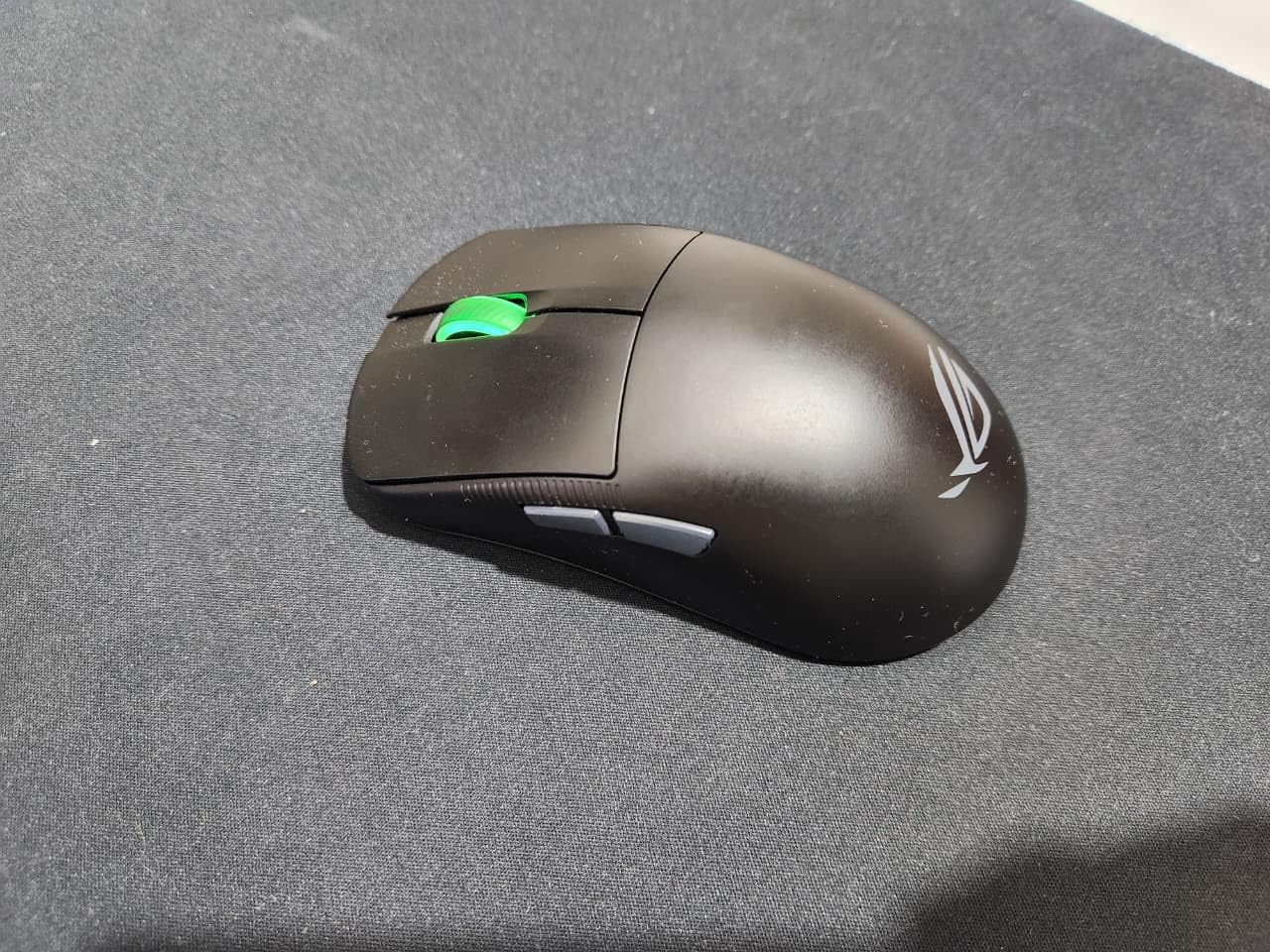
There are real trade-offs. Four buttons is the fewest in this roundup, which rules it out for MMO and MOBA players who need side bindings. Reaching 8,000 Hz polling requires the separately sold ROG Polling Rate Booster, and Bluetooth mode is noticeably laggier than the 2.4 GHz connection.
Armoury Crate is the other issue owners raise repeatedly: a large, slow-installing program the mouse needs for firmware updates. At 111 reviews the sample is the smallest here, and some buyers report the size is less compact than expected, so confirm the fit against your measurements.
Do I need the 8,000 Hz polling booster?
Only if you play a competitive shooter where sub-millisecond differences register. The mouse ships at 1,000 Hz over ROG SpeedNova, which is more than enough for most players, and the booster is an optional add-on rather than a requirement.
The practical constraint is software. High polling on a wireless mouse also pushes CPU and battery harder, so check your processor can feed the higher rate before committing.
Is the Harpe Ace Mini too small for average hands?
It is genuinely compact, and some buyers describe it as smaller than they anticipated. For hands under 16 cm that is exactly the point, and fingertip and claw grip are both supported by the semi-symmetrical shape.
If you are between sizes or prefer palm grip, the HyperX Haste 2 Mini offers a slightly roomier mini shell for a similar weight class.
10. Pulsar X2 CrazyLight Mini — Lightest Pick for Small Hands
Pulsar Gaming Gears X2 Crazylight Wireless Gaming Mouse, Mini, Bruce Lee
39 g
Pulsar XS-1 sensor 32,000 DPI and 750 IPS
optical switches
7 buttons
DOT skates
Pros
- 39g body is among the lightest mice available
- Low-profile wide symmetrical shape supports claw and fingertip
- High-end sensor with 50 G of acceleration
- Optical switches reduce unintended double clicks
- DOT skates glide well on glass and hard pads
Cons
- Premium tier pricing
- No RGB despite the positioning
- Symmetrical shape gives less palm support than ergonomic right-handed mice
The X2 CrazyLight Mini is the lightest wireless mouse we tested, and at 39 g the difference is obvious in the first match. A shape that heavy on a small hand forces a constant pinch grip; this one just sits there, which is the whole appeal.
Underneath, the specification is genuinely high end: the Pulsar XS-1 sensor handles 32,000 DPI, 750 IPS and 50 G of acceleration, and Speed of Light optical switches are there specifically to prevent double clicks. A TTC Golden Encoder wheel and the 16-piece DOT skates round out a package that glides well on glass and hard pads.
Weight has a cost. Reviews note that the lightest shells of this type can feel less stable during very fast swipes because there is little mass resisting a sudden stop, so it rewards players who move smoothly rather than those who throw the mouse.
There is no RGB, and the symmetrical shape gives less palm support than a sculpted right-handed shell. It is sold in Mini and Medium sizes, so check which one you are ordering. Being new to the market, it also has fewer long-term reviews than the rest of this list.
Is a 39 g mouse too light to aim with?
For most players, no. Below about 50 g the mouse stops fighting your hand, and a 39 g body is the extreme end of what pros use. The trade is stability, so it suits controlled aiming rather than aggressive swiping.
If you are new to ultralight mice, the 49 g Harpe Ace Mini and the 58 g Model O- are a gentler step up from a heavier everyday mouse.
Should I buy the Mini or the Medium X2 CrazyLight?
Mini if your hand is under about 16.5 cm, Medium if you sit between 16.5 and 18 cm. The shape is low-profile and wide, which favours claw and fingertip grip and keeps all four fingers on the shell.
Because the shell is minimal with no branding or lighting, expect a plainer look than any other mouse in this roundup. That is deliberate, and buyers who want a minimal desk setup tend to like it.
How to Measure Your Hand Size in 60 Seconds
Measure from the crease where your wrist bends to the tip of your middle finger, with your hand relaxed and fingers straight. That is your hand length, and anything under about 17 cm (6.9 inches) is the range this guide is built for.
For hand width, measure across the knuckles with your thumb excluded, which is the number that matters for grip width. A width under 8 cm pairs best with mice whose narrowest section stays under 60 mm, and that rules out most vertical and ergonomic shapes.
Do the measuring with a ruler laid flat on the desk rather than a tape measure against your skin, and take the measurement twice. If your two readings differ by more than a few millimetres, use the smaller one when picking a shell length.
One warning from the forums: retailer size labels are not measurements. A mouse listed as Medium by one brand is often longer than a Large from another, so use the millimetre figures in the table above rather than the category name.
Grip Style and Shape: What Small Hands Need
Claw grip is the most common comfortable grip among small-hand players, because arched fingers need a shell wide enough to hold all three at once. A narrow mouse keeps the fingers anchored, which is why the 55 mm wide Viper Mini and the 61 mm G305 both suit it well.
Fingertip grip suits shorter shells, since only the finger tips touch the surface and a short body keeps the wrist closer to neutral. The 108 mm Orochi V2 and the Haste 2 Mini are both built around that assumption. This is also the style most likely to work on a hand at the very short end of the scale.
Palm grip is the hardest style to fit with small hands. It needs rear support to rest the heel of your hand, and that support means length, which small hands often do not have. The DEX moulding on the PRO X Superlight 2 SE is the only sculpted option in this roundup, at 126 mm it is a compromise rather than a clean match.
Symmetrical versus ergonomic is a separate question. A symmetrical shell is flat and light, and it works for either hand at the cost of support. An asymmetric right-handed shell supports the palm but gives left-handed players no option, so if you play with the other hand, the ambidextrous mice here are your realistic shortlist.
Wired vs Wireless for Small Hands
Wired removes latency entirely and drops the weight, since there is no battery. Five of the picks here are wired, and if you play a competitive shooter on a tournament machine, that is the simplest way to avoid interference from nearby 2.4 GHz devices.
Wireless no longer means a meaningful latency penalty at 1 ms polling. The G305, the Haste 2 Mini, the Orochi V2 and the Harpe Ace Mini all report at 1 ms and tested stable in our sessions, so the practical reasons left to go wireless are desk tidiness, travel, and using one mouse for work and play.
Weight is the counter-argument. A 58 g wired mouse becomes 100 g or more once cells go in, which for small hands can be the difference between a comfortable session and a sore one. Pick wireless only if you value the flexibility more than the light feel, and check whether the quoted weight excludes the battery.
Five Signs Your Mouse Is Too Big
You cannot reach the DPI button without lifting the mouse off the pad. If you have to hunt for it mid-match, your hand is sitting too far forward because the shell is longer than your reach.
Your fingers hang over the front edge rather than sitting on the buttons. This is the clearest visual signal, and a photo of your own hand on the mouse tells you immediately whether the middle finger has a surface under it.
Your hand slides forward during long sessions to reach the buttons, then aches at the wrist. This is the strain pattern that turns an uncomfortable mouse into a repetitive strain problem over months.
You grip the mouse harder than you mean to. If your forearm tightens as soon as you start a match, the shell is fighting your hand rather than sitting under it.
Your fingertips land on the mousepad instead of the buttons during a flick. That happens when the body is too wide as well as too long, and it is common with vertical or ergonomic mice marketed for small hands.
Frequently Asked Questions
Which mouse is best for small hands?
The Glorious Model O- is the best gaming mouse for small hands overall, with a 120 mm shell, 58 g weight and a symmetric shape that fits a hand under 17 cm. For wireless, compare the Logitech G305 and the Razer Orochi V2, both of which have compact bodies and long battery life.
What size mouse is best for small hands?
Aim for a shell length between 115 mm and 125 mm with a narrowest grip width under 60 mm. A hand length under about 17 cm, or 6.9 inches, needs that range to reach every button without moving the whole hand.
How do I know if my mouse is too big for my hands?
If you cannot reach the DPI button without shifting the mouse, if your fingers hang past the front edge, or if your hand slides forward during long sessions, the shell is too long. A grip width over 60 mm also forces a wider finger spread than small hands manage comfortably.
Which grip style works best for small hands?
Claw grip is the most commonly reported comfortable style, because arched fingers need a narrow shell to keep all three fingers anchored. Fingertip grip suits the shortest mice, while palm grip is hardest to fit and usually needs a longer sculpted shape.
Should I get a wireless or wired gaming mouse for small hands?
Wired mice are lighter and free of interference, which matters most in competitive play on a shared machine. Wireless mice now report at 1 ms with stable connections, but the added battery weight matters more on small hands, so check whether the published weight includes cells.
Are 60g gaming mice too light?
No, 60 g sits in the middle of the ultralight range and most players adapt within a week. Below 50 g you may notice less stability during very fast swipes, so new players stepping down from a heavy mouse often find 58 g to 60 g more comfortable than 39 g.
Final Verdict for Small Hands
The best gaming mice for small hands all share three numbers: a shell around 120 mm, a grip width under 60 mm and a body light enough that you are not pinching. The Glorious Model O- hits all three, sits in the middle of the weight range rather than at an extreme, and has the strongest review record in this roundup.
Go wireless with the G305 for endurance or the Orochi V2 for a smaller 108 mm frame. Go lighter with the Harpe Ace Mini or the CrazyLight Mini, and go narrower with the Viper Mini if you have a hand under 8 cm across. Measure your hand first, then pick the shape that matches your grip.