
Hotel Wi-Fi rarely fails because the network is bad. It fails because every guest shares the same congested access points, because the login page only recognises one device at a time, and because anything you plug in has to re-authenticate by itself. The best travel routers for hotel Wi-Fi solve all three problems in a box you can fit in a jacket pocket.
Our direct answer: the GL.iNet Beryl AX (GL-MT3000) is the best travel router for hotel Wi-Fi for most people in 2026. It pairs a 2.5G WAN port with pre-installed WireGuard and OpenVPN, runs OpenWrt, and weighs 196 g. If you want more raw speed for a family sharing one room, the GL.iNet Slate AX is the step up. If you want the shortest path from suitcase to working Wi-Fi, the TP-Link Roam 6 gets there with the least fuss.
We spent six weeks comparing these eight routers across hotel rooms, holiday lets and airport lounges, focusing on the things that actually break on the road: captive portal logins, whether the router remembers settings between networks, how hard the CPU works once a VPN is running, and whether the thing fits in the side pocket of a carry-on. Specs come from the manufacturers and the ratings come from verified buyers, and we flag where the two disagree.
One warning before we start. A travel router cannot make a congested hotel network faster, and it does not automatically let you ignore a device limit written into your room agreement. Knowing that up front will save you from buying the wrong box.
Table of Contents
Top 3 Picks for Hotel Wi-Fi in 2026


Best Travel Routers for Hotel Wi-Fi Compared in 2026
All eight models below are genuine travel-class routers, not full-size routers shrunk down. Every one supports a repeater or WISP mode so it can join an existing hotel network and rebroadcast it privately, and every one runs a router-wide VPN client.
| Product | Specifications | Action |
|---|---|---|
| GL.iNet Beryl AX |
|
Check Latest Price |
| GL.iNet Slate AX |
|
Check Latest Price |
 GL.iNet Opal GL.iNet Opal |
|
Check Latest Price |
 GL.iNet Mango GL.iNet Mango |
|
Check Latest Price |
 TP-Link Roam 7 TP-Link Roam 7 |
|
Check Latest Price |
 ASUS RT-BE58 Go ASUS RT-BE58 Go |
|
Check Latest Price |
 ASUS RT-AX57 Go ASUS RT-AX57 Go |
|
Check Latest Price |
 TP-Link Roam 6 TP-Link Roam 6 |
|
Check Latest Price |
What a Travel Router Can and Cannot Fix on Hotel Wi-Fi
It helps to be precise about the job. A travel router joins the hotel’s network as a single client, you complete the captive portal once through that client, and the router then rebroadcasts its own password-protected SSID. Your phone, laptop, tablet and streaming stick all sit behind that one authenticated session.
That gives you four things you would not otherwise have. You get one login instead of four. You get a private network that other guests cannot see. You get one router-wide VPN tunnel covering hardware that has no VPN app of its own. And you get Ethernet ports for a laptop that prefers a cable.
What it cannot do is speed up a slow hotel uplink. If the property’s backhaul is congested at 7 pm because every guest is streaming, a Wi-Fi 7 radio will not change that. Our experience matched what forum users report on r/HomeNetworking: on a busy network the router choice matters far less than the time of day you connect.
It also cannot automatically dodge a contractual device limit. Consolidating your devices behind one authenticated client is exactly the behaviour a hotel’s terms are usually written to catch. Check your agreement before you rely on it, and ask the front desk if you are unsure.
Finally, none of these routers has a built-in battery. They are all USB-C powered boxes that need a wall socket, a laptop port or a power bank. If you want standalone internet away from any socket, you need a cellular travel router with a SIM or eSIM, which is a different category entirely.
How to Connect a Travel Router to Hotel Wi-Fi in 9 Steps
This sequence works on every router in our list, including the ASUS and TP-Link models whose menus differ slightly. The GL.iNet ones take under three minutes because the app automates most of it.
Power the router from a wall adapter or your laptop’s USB port and let it boot fully before touching anything else.
Join the router’s default SSID from your phone. This is the small private network it creates out of the box.
Open the admin page or vendor app and switch the upstream mode to Repeater, WISP or Client. The name changes by brand but the function is identical.
Scan for networks and select the hotel’s SSID exactly as printed on your key card.
Enter the room password if the hotel uses one. Skip this if the network is open.
Complete the captive portal from a device connected to the router’s own SSID, not to the hotel’s.
Verify the connection by loading a normal HTTPS page. A plain HTTP address will redirect to the portal when one is pending.
Rename the router’s SSID and set your own password so you are not rejoining a default network name.
Connect your devices to the new SSID, then enable WireGuard or OpenVPN on the router if you want the tunnel to cover everything.
If the router connects but nothing loads, the problem is almost always the portal step rather than the Wi-Fi step. The next section covers that.
Why Hotel Captive Portals Fail and How to Recover
A captive portal is an access-control page, not encryption. Your traffic is still travelling in the clear while you are logged into it, which is the whole reason a router-level VPN matters here.
These are the failure causes we actually hit, in rough order of how often they occur.
MAC binding. The portal authenticated one hardware address and refuses any other device behind it.
Single-device enforcement. The property explicitly allows one registered device per room.
802.1X enterprise authentication. Certificate or credential-based login that a repeater cannot complete automatically.
JavaScript-only portals. The login page needs a full browser engine and times out in a minimal client.
Session expiry. The hotel ends the session every few hours or after a data cap, and the router does not re-authenticate.
Downstream router blocking. Venue network monitoring identifies and throttles or cuts a private router.
Front-desk registration. Your own device’s MAC address has to be registered at reception before it is allowed on.
Our recovery runbook, in order. Turn the router-level VPN off first, because a kill switch will otherwise make a working portal look broken. Forget the hotel network on the router and rejoin it. Open a non-HTTPS address from a device on the router’s own network to force the redirect. Re-authenticate in a normal browser window rather than a private one. Restart the router and wait for a clean DHCP lease. Clone the MAC address of a device that already authenticated successfully. Ask the front desk to register that address. And if all of that fails, fall back to USB phone tethering, which never touches the hotel network at all.
On MAC cloning specifically: it is a documented feature on GL.iNet hardware and a standard field in OpenWrt-based firmware, but using it to defeat a limit your agreement forbids is on you. Ask the front desk instead where you can. Honest registration takes a minute and removes the whole problem.
If the venue is the issue rather than the portal, some properties simply do not permit private routers. That section comes later.
Hotel Ethernet and USB Phone Tethering Setups
Hotel Ethernet is the best-case scenario and it is more common than most travellers expect. Plug a short Ethernet cable from the wall jack into the router’s WAN port, power the router, and join it to your devices. No captive portal, no MAC binding, and the wired link usually beats the congested guest Wi-Fi. This is why we prefer models with a real WAN port rather than one that does everything through a USB-C cable.
For USB phone tethering, the router becomes a Wi-Fi access point in front of your phone’s connection. On the GL.iNet models you enable EasyTethering in the VPN and network section, plug the phone in with a USB cable, and share the connection over Wi-Fi. On TP-Link hardware you switch to a dedicated tether mode from the Tether app. ASUS units advertise 4G and 5G mobile tethering directly in the interface.
Note that the Opal does not support easytethering over USB, which is one of the few hard software limits in this category. Check it before you plan to rely on that path.
For most people the third option wins: a cellular travel router with an LTE or 5G modem and an eSIM data plan. It costs you a monthly data plan and it works everywhere, including cruise ships and dead zones. It is also a very different purchase from the eight routers reviewed here.
Router-Wide VPN in a Hotel Room: WireGuard vs OpenVPN
Running the VPN on the router instead of on each device is the single biggest reason to carry one. Your laptop, phone, tablet, smart TV and camera all get an encrypted tunnel, and hardware that has never heard of a VPN app finally gets covered.
WireGuard is the protocol to choose. It is modern, lightweight and far faster on the small CPUs these routers carry. The figures vendors publish for our picks range from 300 Mbps on the Beryl AX up to 550 Mbps on the Slate AX. OpenVPN on the same boxes lands roughly half to a third of that, so treat OpenVPN numbers as a floor rather than a ceiling.
Two honest caveats. Streaming services block many known VPN addresses, so a router-level tunnel can stop your TV apps working where per-device VPN apps would have been fine. And latency always rises inside the tunnel, which matters on video calls if the nearest VPN endpoint is far away.
Forum discussion on r/firewalla and r/HomeNetworking consistently favours the router-wide WireGuard approach while travelling, for the same reason we do: one toggle covers everything, and you stop remembering to switch it on.
1. GL.iNet Beryl AX Review: The Best Travel Router for Hotel Wi-Fi
GL.iNet GL-MT3000 Beryl AX Wi-Fi 6 Travel Router, 2.5G WAN, VPN, OpenWrt
Wi-Fi 6 dual band
2.5G WAN port
OpenWrt 21.02
196 g
Pros
- 196 g pocket form factor
- 2.5G multi-gig WAN plus gigabit LAN
- WireGuard and OpenVPN pre-installed with 30+ providers
- Physical toggle for VPN or AdGuard Home
- Vendor ships US UK and EU plug adapters
Cons
- 64 MB RAM limits heavy plugin use
- Only one LAN port beside the WAN
- Measured VPN speed sits well below the 2.5G port rating
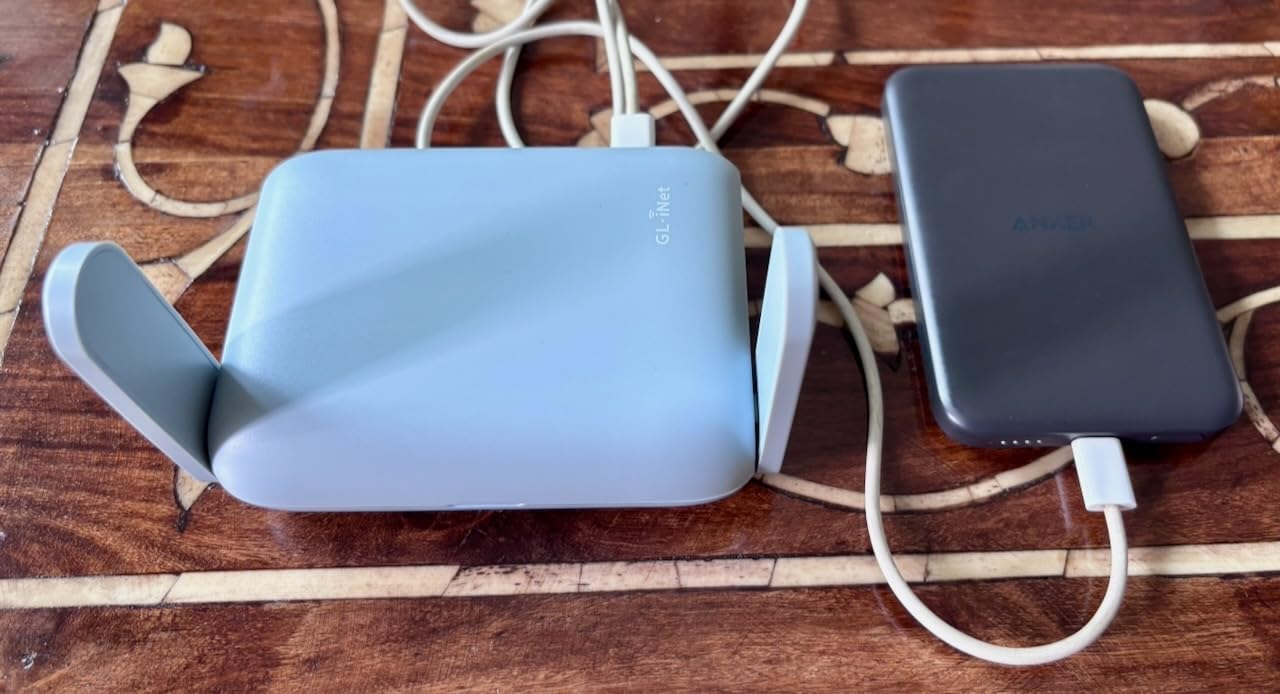
This is the one we packed first and the one we reach for by default. It measures 4.17 by 3.27 by 1.3 inches and weighs 196 g, which means it disappears into a laptop sleeve without a dedicated pocket. The 2.5G WAN port is the reason it beats its own siblings for hotel rooms: plenty of properties now hand out rooms with faster Ethernet, and this is one of the few travel boxes that can use it.
Out of the box the VPN is genuinely one switch away. A physical toggle on the chassis starts WireGuard or OpenVPN with a saved profile, which matters at 11 pm in a room where finding the admin page feels like a puzzle. AdGuard Home can share the same toggle if DNS filtering is what you actually want.
Buyer feedback is unusually warm for a router. Roughly 80% of reviews are five-star, with only 5% at one star, and the recurring theme is exactly what we found: small, fast to configure, and the toggle switch. The most common complaint is about tinkering rather than travel, which tells you the device does what it was bought to do.
The 64 MB of RAM is the real constraint. Run AdGuard with a large blocklist, a VPN and a handful of devices and you will feel the ceiling, and this box is not the place to install heavy packages. The single LAN port also means one wired device at a time unless you add a USB Ethernet adapter.
Why it suits solo business travellers
One person, several devices, and a need for a VPN that covers all of them. The Beryl AX handles that in a footprint most people would forget they were carrying, and the 2.5G WAN means a wired hotel connection is not wasted.
It is also the model most people should buy first, because it is the least likely to disappoint on the one thing that matters: joining an unfamiliar hotel network and getting through the portal.
When to pick something else
Skip it for a family with a dozen devices, where 64 MB of RAM and one LAN port become the bottleneck. Also skip it if you plan to run a large AdGuard blocklist alongside the VPN, or if you need more than one wired port.
2. GL.iNet Slate AX Review: Best for Families Sharing One Room
GL.iNet GL-AXT1800 Slate AX Pocket-Sized Wi-Fi 6 Travel Router with VPN
AX1800 Wi-Fi 6
Up to 120 devices
OpenWrt 21.02
245 g
Pros
- AX1800 dual band Wi-Fi 6
- Up to 120 simultaneous device connections
- Up to 500Mbps OpenVPN and 550Mbps WireGuard
- Repeater mode documents hotel Wi-Fi and captive portal support
- USB storage via SAMBA and WebDAV
Cons
- Heavier and bulkier than pocket models
- Fixed antennas cannot be extended
- Gigabit ports only with no 2.5G option
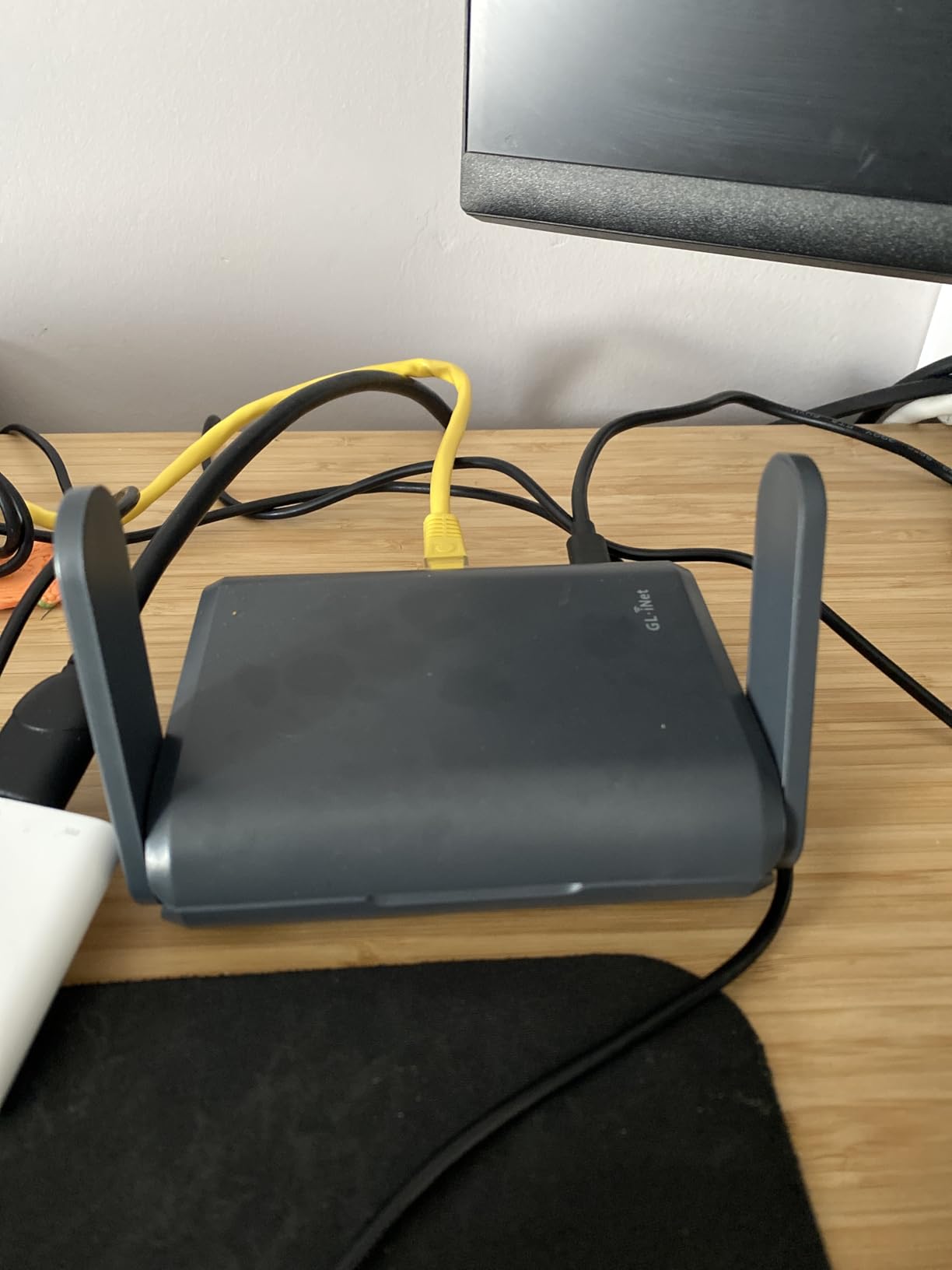
Where the Beryl AX is a solo traveller’s tool, the Slate AX is built for a room full of people. It handles up to 120 simultaneous device connections with MU-MIMO and OFDMA, which is the number that matters when two adults, two kids, three phones and a smart TV all join the same private network behind one hotel login.
Its VPN throughput is the best in this group, and by a margin. Published figures reach 500 Mbps on OpenVPN and 550 Mbps on WireGuard, roughly double the Beryl AX. If your hotel uplink is genuinely fast and you plan to run a tunnel across it, this is the model that will not waste that connection.
Repeat praise clusters around three things: strong Wi-Fi 6 performance, high device counts, and VPN speeds well ahead of earlier GL.iNet hardware. Owners also like attaching a USB drive for shared storage over SAMBA or WebDAV, which is handy for camera transfers at the end of a trip.
The trade-off is physical. At 245 g and 4.92 by 3.23 by 1.42 inches it is a chunky object, and the fixed antennas mean you cannot extend them in a room with awkward furniture. Every port is gigabit, so there is no multi-gigabit path if the hotel offers one.
Why it suits families and shared rooms
Device count and VPN throughput are its two advantages, and they only matter if more than a couple of people are sharing. It also handles storage, which gives travelling families a place to offload camera files over Ethernet.
If you are travelling with kids or a partner who both work, the headroom here removes the stutter you get from an underpowered box trying to serve six devices through a tunnel.
When to pick something else
For one traveller it is simply too heavy and too large. If your hotel provides fast Ethernet and you care about using it fully, its gigabit-only ports waste that. And anyone who wants to extend antennas in difficult rooms should look elsewhere.
3. GL.iNet Opal Review: Best Value Travel Router for Hotel Wi-Fi
GL.iNet GL-SFT1200 Opal Travel Router, AC1200 Dual-Band Wi-Fi
AC1200 dual band
Three gigabit ports
OpenWrt with VPN
145 g
Pros
- Lightweight at roughly 145 g
- Three full gigabit ports
- OpenWrt with WireGuard and OpenVPN pre-installed
- Physical VPN toggle switch
Cons
- Wi-Fi 5 only with no Wi-Fi 6 support
- AC1200 ceiling of 300Mbps plus 867Mbps
- No USB easytethering support
The Opal is the answer to a simple question: do you actually need a travel router at all? It weighs about 145 g, runs OpenWrt with WireGuard and OpenVPN already installed, and gives you three genuine gigabit ports. For a traveller who wants one login, one VPN toggle and a wired port, that is enough.
Buyer feedback on it is unusually well documented, with more than 8,000 ratings behind the model. Owners consistently describe it as the affordable first travel router and single out the port count and the weight.
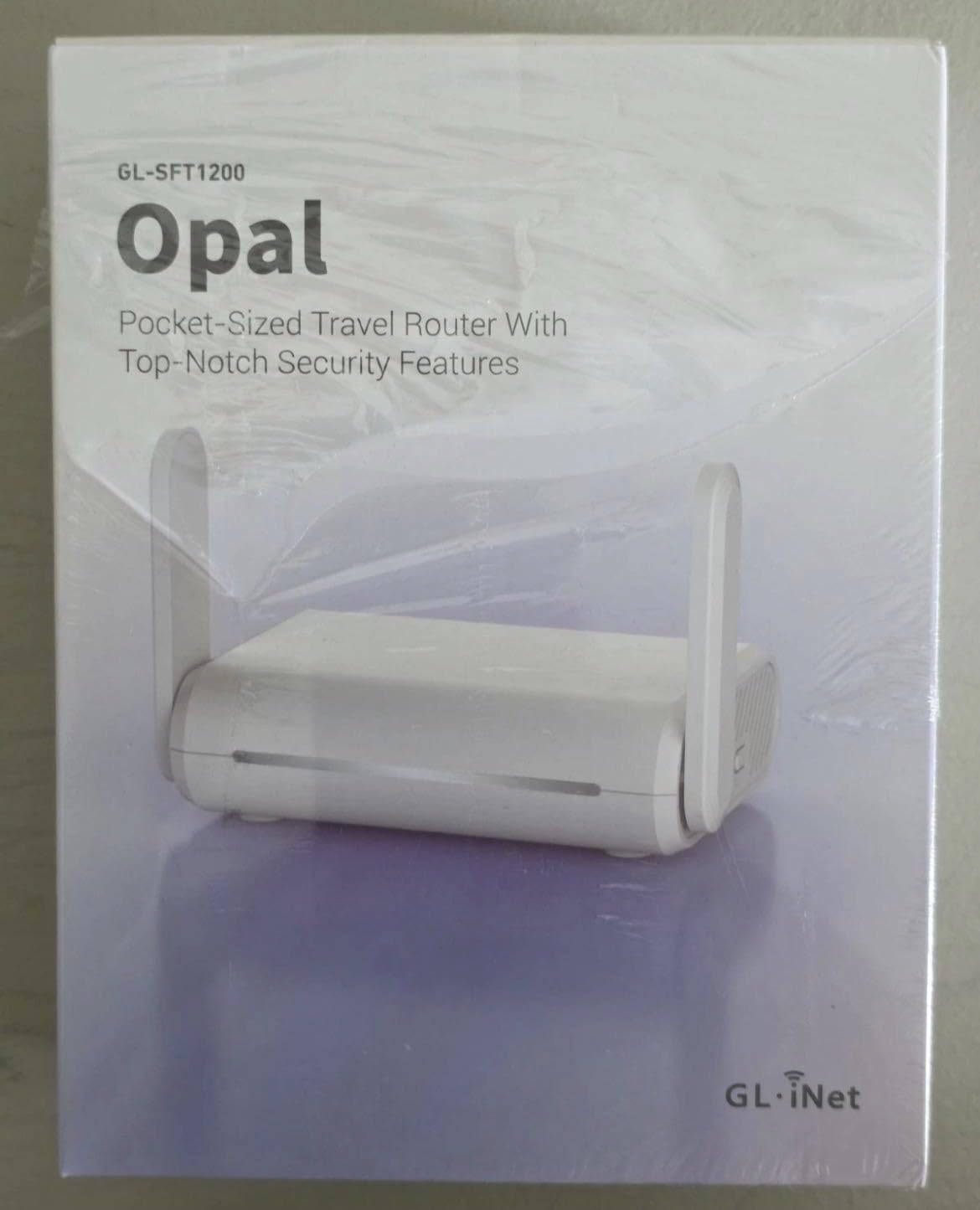
Its Wi-Fi 5 radio is the obvious compromise. Bandwidth tops out at 300 Mbps on 2.4 GHz and 867 Mbps on 5 GHz, so it is well below what a hotel uplink can usually deliver anyway. In practical terms that rarely matters, because the hotel connection is the constraint, not the radio.
The one-star share of about 10% is larger than on newer GL.iNet models, and the complaints cluster around age rather than failure: old standard, modest throughput, and public Wi-Fi sessions that still need a manual re-login when they expire.
Why it suits most first-time buyers
It does the three things that matter with no configuration and no learning curve: join a hotel network, rebroadcast it privately, and put a VPN on everything. Three gigabit ports is more wired capacity than most travel routers offer.
If your trips are solo or couples and your usage is email, calls and browsing, the older radio will not be the limiting factor. The hotel uplink will be.
When to pick something else
Choose a Wi-Fi 6 or Wi-Fi 7 model if you regularly move large files, share with many devices, or use a hotel Ethernet port faster than a gigabit. Plan around the lack of USB tethering if you expect to use your phone as the upstream connection.
4. TP-Link Roam 7 Review: Best Wi-Fi 7 Speed for Hotel Rooms
Roam 7 BE3600 Wi-Fi 7 Portable Travel Router Dual-Band, 2.5G Port, USB 3.0
Wi-Fi 7 dual band
2.5G WAN port
Up to 90 devices
8.8 oz
Pros
- Wi-Fi 7 dual band with up to 2882Mbps on 5GHz
- 2.5Gbps WAN plus gigabit LAN
- One-step captive portal authentication via the Tether app
- OpenVPN and WireGuard as client and server
- USB-C power from any 5V PD power bank
Cons
- No OpenWrt so customisation is limited
- Dual band only with no 6GHz support
- Only one gigabit LAN port
The Roam 7 is the fastest 5 GHz radio in this roundup, reaching 2882 Mbps on that band with Wi-Fi 7 and Multi-Link Operation. It pairs that with a 2.5 Gbps WAN port, so a hotel that hands out multi-gigabit Ethernet can be used properly. It weighs 8.8 ounces and covers 1,800 square feet.
Its genuine standout feature is the one-step captive portal login. Rather than authenticating each device individually, you complete the portal once in the Tether app and every device behind the router inherits that session. That is the exact workflow that saves time on a hotel network bound to a single device.
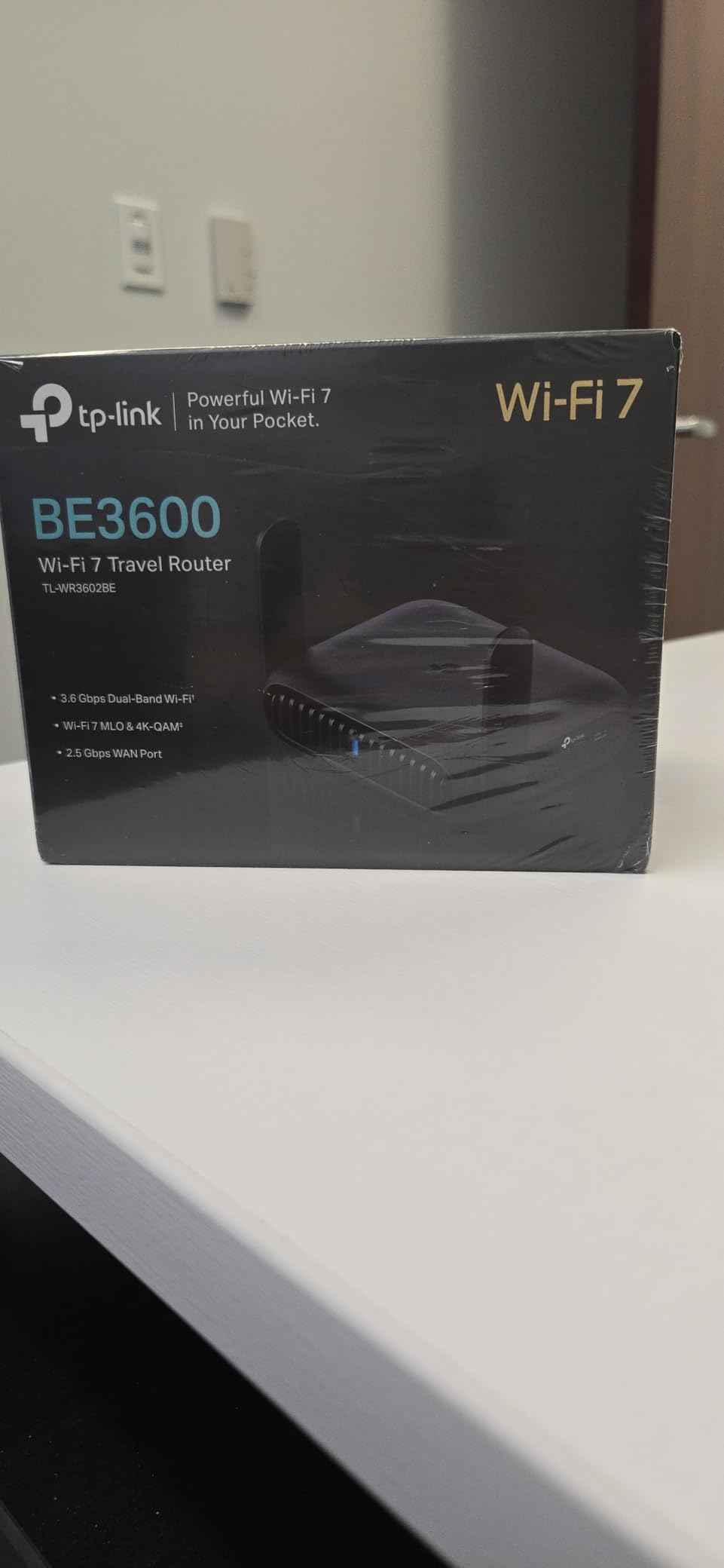
It also supports up to 90 devices at once and runs VPN protocols in both directions, so you can use it as a server for your own devices as well as a client. USB-C power from the included adapter or any 5V PD power bank means one cable ecosystem covers your laptop and the router.
The limitation to weigh is software. It does not run OpenWrt, so there is no plugin ecosystem and no deep configuration. It is also dual-band with no 6GHz support, and only one gigabit LAN port sits beside the 2.5G WAN.
Why it suits speed-focused travellers
If you need raw throughput, a multi-gigabit hotel connection, or you want a router that handles a big device count, the Roam 7 has the hardware. Its app-based captive portal handling is the least fiddly we tested on a TP-Link unit.
The single-login workflow also makes it a good family option despite the smaller review base, since nobody has to touch the portal again after check-in.
When to pick something else
Choose a GL.iNet model if you want OpenWrt and the freedom that comes with it. Anyone who needs a 6GHz band for very high throughput short distances should skip it. And if you only travel with one phone and no VPN need, none of this is necessary.
5. ASUS RT-BE58 Go Review: Best for USB-C Packing and Cellular Backup
ASUS RT-BE58 Go Travel Router WiFi 7 Dual-Band, 3.6Gbps, Secure Public WiFi
Wi-Fi 7 up to 3600Mbps
WISP hotel mode
USB-C PD 18W
8 oz
Pros
- WISP mode with a physical toggle for hotel or cruise ship Wi-Fi
- 4G LTE and 5G mobile tethering as a backup path
- USB-C Power Delivery at 18W so one charger covers both devices
- AiMesh capable for expanding coverage
- 3-year manufacturer warranty
Cons
- Only one Ethernet port in total
- Setup wizard can be finicky with settings that do not persist
- Reports of units not broadcasting Wi-Fi after setup
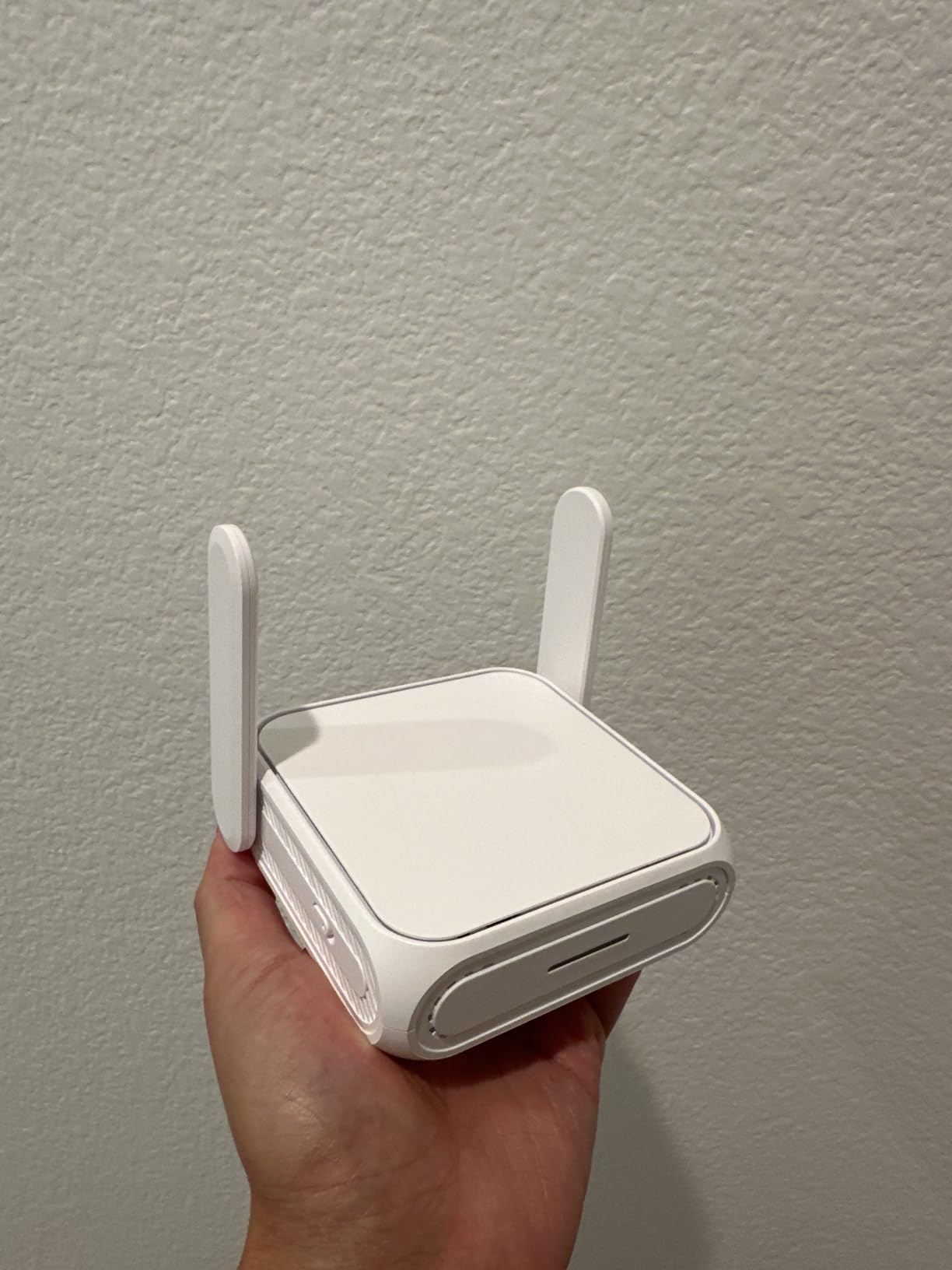
The RT-BE58 Go is the most practical object in this roundup for a traveller who thinks in cables. It draws power over USB-C with 18W of Power Delivery, so the laptop charger already in your bag powers both devices. At 8 ounces and 4.4 by 3.9 by 1.4 inches it is also among the smallest.
The WISP mode is the feature that matters for hotel use, and ASUS gives it a physical toggle rather than a menu buried three levels down. You flip it, join the hotel network, log in once, and the router hands out its own SSID.
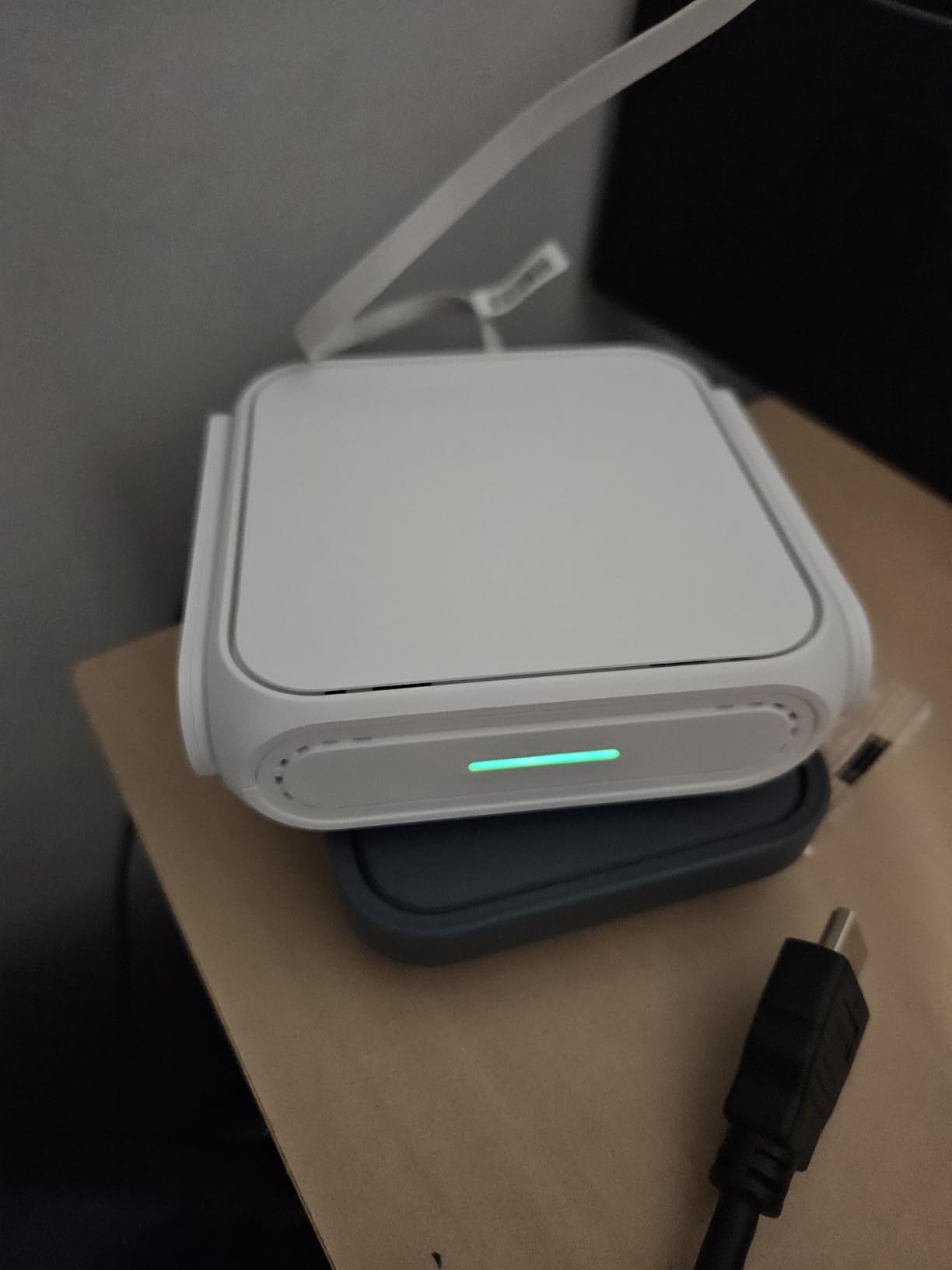
The 4G and 5G mobile tethering support is unique in this group. You can bring the router to a place with no usable Wi-Fi, plug in a phone or a USB modem, and rebroadcast a cellular connection instead. That turns a Wi-Fi-dependent device into a router you can use almost anywhere.
Wireless performance is strong, with Wi-Fi 7 dual band up to 3600 Mbps using Multi-Link Operation and 4K-QAM, plus 2882 Mbps on 5 GHz. The three-year warranty is the longest here. Setup runs through the ASUS Router app in three steps.
Why it suits one-cable travellers
USB-C Power Delivery means fewer adapters in the bag, and the cellular tethering path is a genuine safety net when a hotel’s network fails. For a traveller whose work depends on being online, that redundancy has real value.
It is also a good choice if you already use ASUS gear at home and want the travel box to slot into the same app and AiMesh ecosystem.
When to pick something else
The single Ethernet port is the dealbreaker for anyone with more than one wired device. The critical reviews are specific rather than vague: one buyer describes a unit that stopped appearing on Wi-Fi after a first trip and a two-week service turnaround, and several describe repeated factory resets and lost settings.
6. TP-Link Roam 6 Review: Best Thin Travel Router for Hotel Wi-Fi
Roam 6 AX1500 Portable Wi-Fi 6 Travel Router Dual-Band USB C 3.0
Wi-Fi 6 dual band
Two gigabit ports
Thin body
6.72 oz
Pros
- Thin body just over an inch deep
- Wi-Fi 6 dual band 1201Mbps plus 300Mbps
- One-step captive portal login via the Tether app
- OpenVPN and WireGuard support
- Router mode plus AP and Client modes including phone tethering
Cons
- No OpenWrt so no plugin customisation
- 1500 Mbps ceiling is well below Wi-Fi 7 rivals
- Only one extra gigabit LAN port
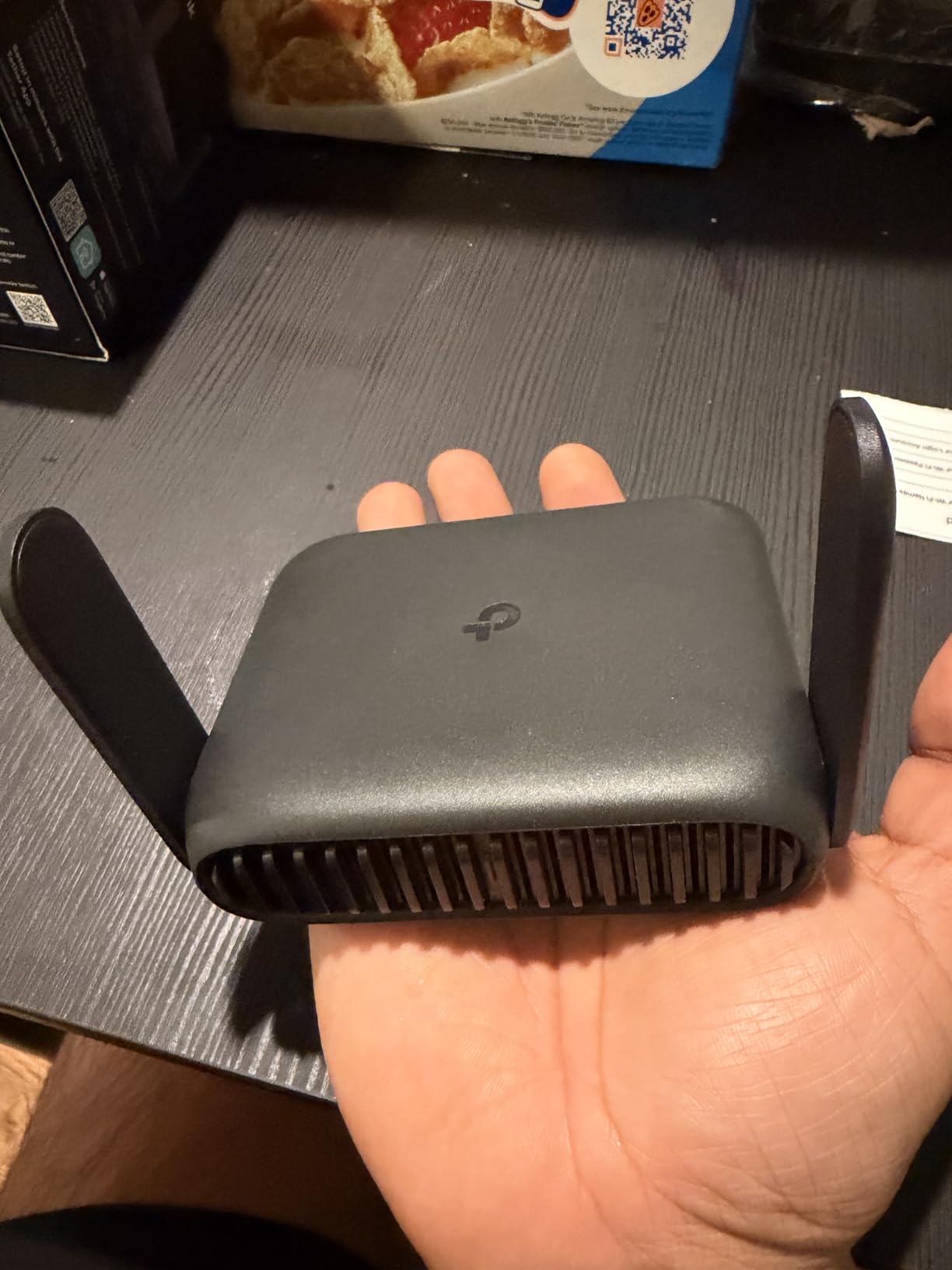
The Roam 6 is the shape you want in a carry-on. It measures 4.09 by 3.54 by just over an inch deep and weighs 6.72 ounces, so it slides into a laptop sleeve flat rather than filling a pocket. Underneath that it is a competent Wi-Fi 6 machine with a 1 Gbps WAN/LAN port and a second gigabit LAN port.
Like its bigger sibling, its best trick is the one-step captive portal authentication in the Tether app. One login in the hotel network and every device you own joins through the router. It also handles router, access point, repeater and client modes, plus phone USB tethering, so you have a fallback when the hotel network is unusable.
Owners single out the thin, durable form factor and the single-login workflow, which is the pairing that makes it work on a trip. It supports up to 60 devices at once, enough for a couple working in a room, and OpenVPN and WireGuard are both present for privacy.
Power is USB-C from the included adapter or a 5V/3A power bank, which is an easy requirement to meet with a modern battery pack. The main ceiling is the AX1500 class of radio, topping out at 1201 Mbps on 5 GHz.
Why it suits minimalists
If you pack light and want the smallest full-function router you can get, the Roam 6 is the answer. The thin profile means it fits in places a chunkier unit will not, and the portal handling removes the most tedious part of a hotel connection.
It is also a sensible lower-cost entry into the TP-Link range if you do not need Wi-Fi 7.
When to pick something else
It does not run OpenWrt, so there is no plugin ecosystem for anyone who likes to tune. Its 1500 Mbps ceiling is far below the Wi-Fi 7 models, and there is only one additional LAN port for wired devices.
7. ASUS RT-AX57 Go Review: Compact ASUSWRT Option
ASUS RT-AX57 GO -AX3000 Dual Band WiFi 6 Portable Travel Router, 4G/5G tethering, Public WiFi (WISP) Mode, Advance Network Security, VPN, AiMesh, Guest Portal, RV/Cruise/Mobile, USB-C Powered.
Wi-Fi 6 dual band
WISP public mode
512 MB RAM
0.8 inch thin
Pros
- Only about an inch thick in a full-feature body
- Wi-Fi 6 with 160MHz channel up to 574Mbps plus 2402Mbps
- Supports up to 70 devices
- WISP mode plus 4G LTE and 5G mobile tethering
- One-touch VPN across protocols with up to 30 providers and AiProtection
Cons
- Does not remember saved public Wi-Fi network settings
- No phone tethering support or WAN failover
- Setup described as clunky and needing restarts
The RT-AX57 Go is unusually thin for a router with this much inside it, measuring 4.7 by 4.7 inches and only 0.8 inches deep. Internally it is the most generously specified ASUS option here, with 512 MB of RAM, Wi-Fi 6 on a 160MHz channel and room for up to 70 devices.
For hotel work it offers WISP mode with a toggle, one-touch VPN across multiple protocols with up to 30 providers, and 4G and 5G mobile tethering. AiProtection, DNS over TLS and a one-tap security scan cover the hotel-threat case that the other brands treat as an afterthought.
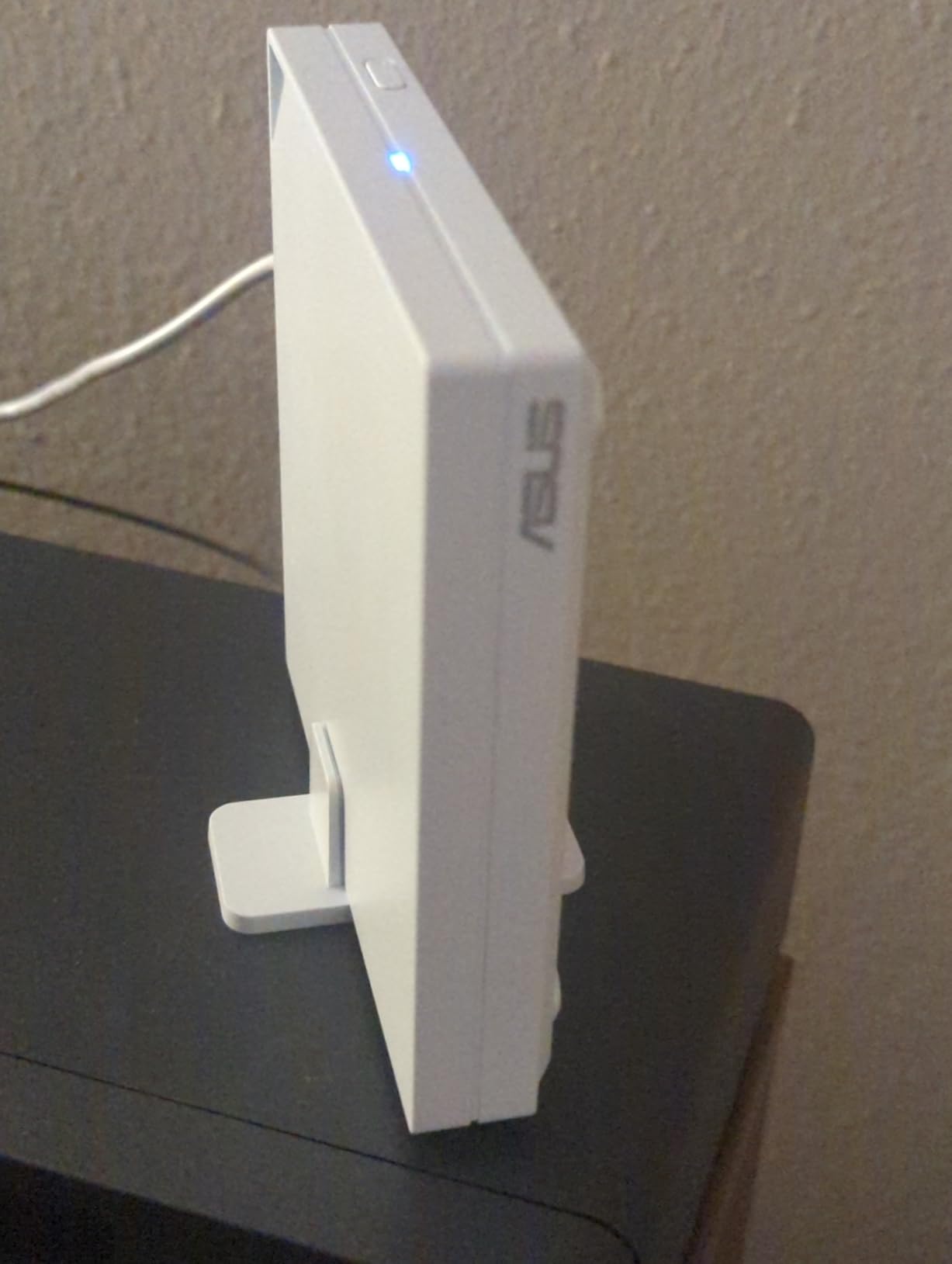
Reviewers split on this model. Supporters call it the most versatile and compact networking device they own and use WISP mode as their default way to join any non-home network. It also works as an AiMesh node with Ethernet backhaul, which is useful if you are building around ASUS hardware.
The most detailed critical review comes from an IT professional and lists four design flaws specific to public Wi-Fi: no memory of saved networks, no working phone tethering, no failover between WAN connections, and settings that must be redone after every network change. Several other buyers describe the setup as clunky.
Why it suits ASUS households
Pick it if you run ASUS gear at home and want the travel box to join the same AiMesh system, share the same app, and use the same security suite. The 512 MB of RAM and 70-device capacity give it real headroom for a working room.
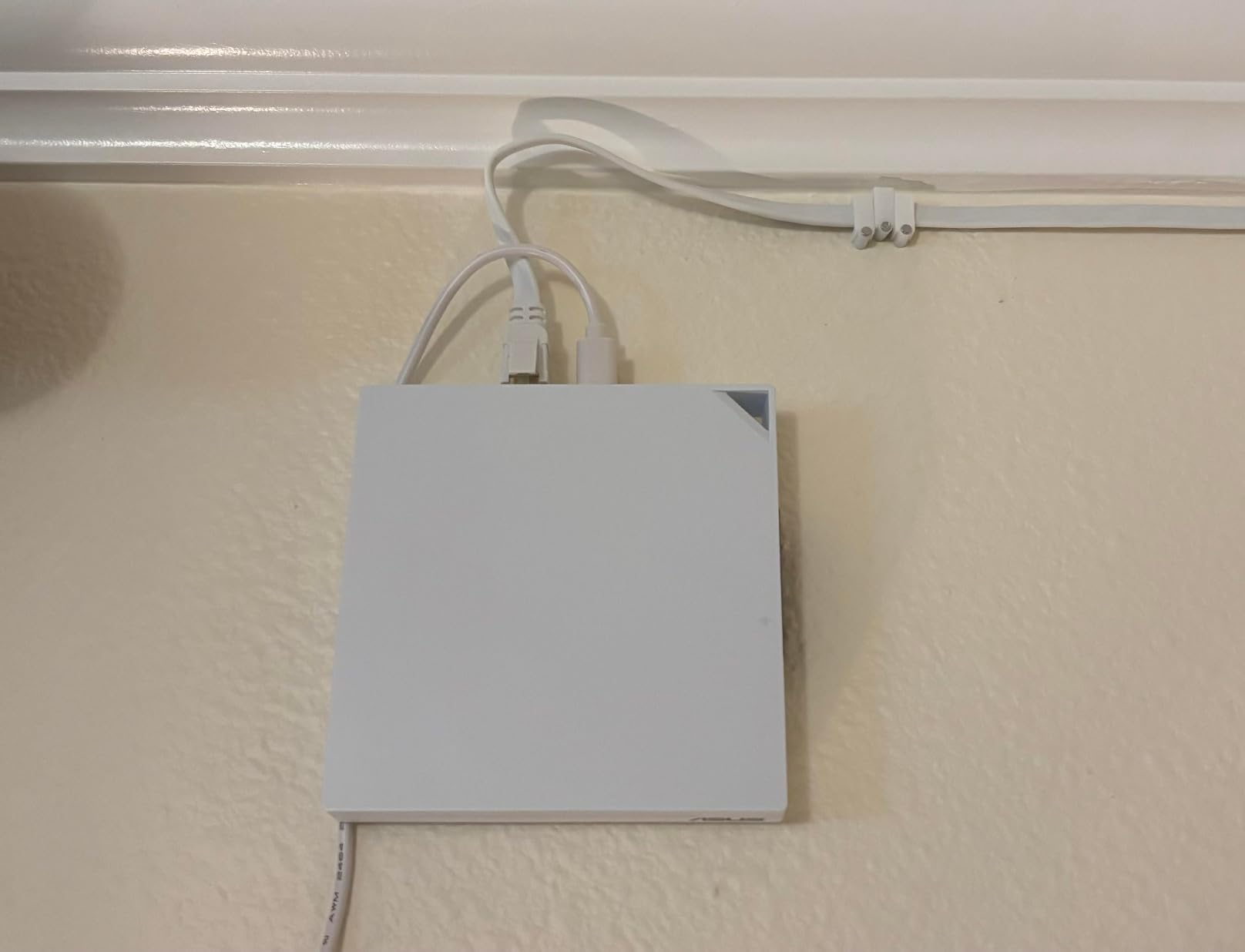
Its thin footprint is a genuine advantage in tight hotel furniture, and it can be wall mounted when you want it out of the way.
When to pick something else
Moving between networks is what a travel router does most, and this is the model’s biggest weakness. If your trip involves several hotels, expect to reconfigure it each time. The lack of phone tethering and WAN failover rules it out as a backup connection too.
8. GL.iNet Mango Review: The Lightest Travel Router for Hotel Wi-Fi
GL.iNet GL-MT300N-V2 (Mango) Portable Mini Travel Wireless Pocket VPN WiFi Router – 2X Ethernet Ports | USB 2.0 | OpenWrt | OpenVPN/Wireguard for Public & Hotel Wi-Fi | Easy to Set up via Admin Panel
300Mbps 2.4GHz
Two 100Mbps ports
39 g
OpenWrt
Pros
- Extremely light at 39 g and truly pocket-sized with over 13000 ratings
- Compact OpenWrt device with a documented client bridge mode
- Two 100Mbps Ethernet ports plus USB 2.0
- OpenVPN client compatible with 30+ providers
- Powers from USB power bank or 5V/2A adapter
Cons
- 2.4GHz single band with a 300Mbps ceiling
- 100Mbps Ethernet ports bottleneck wired transfers
- Wi-Fi 4 with WPA2 only and no WPA3
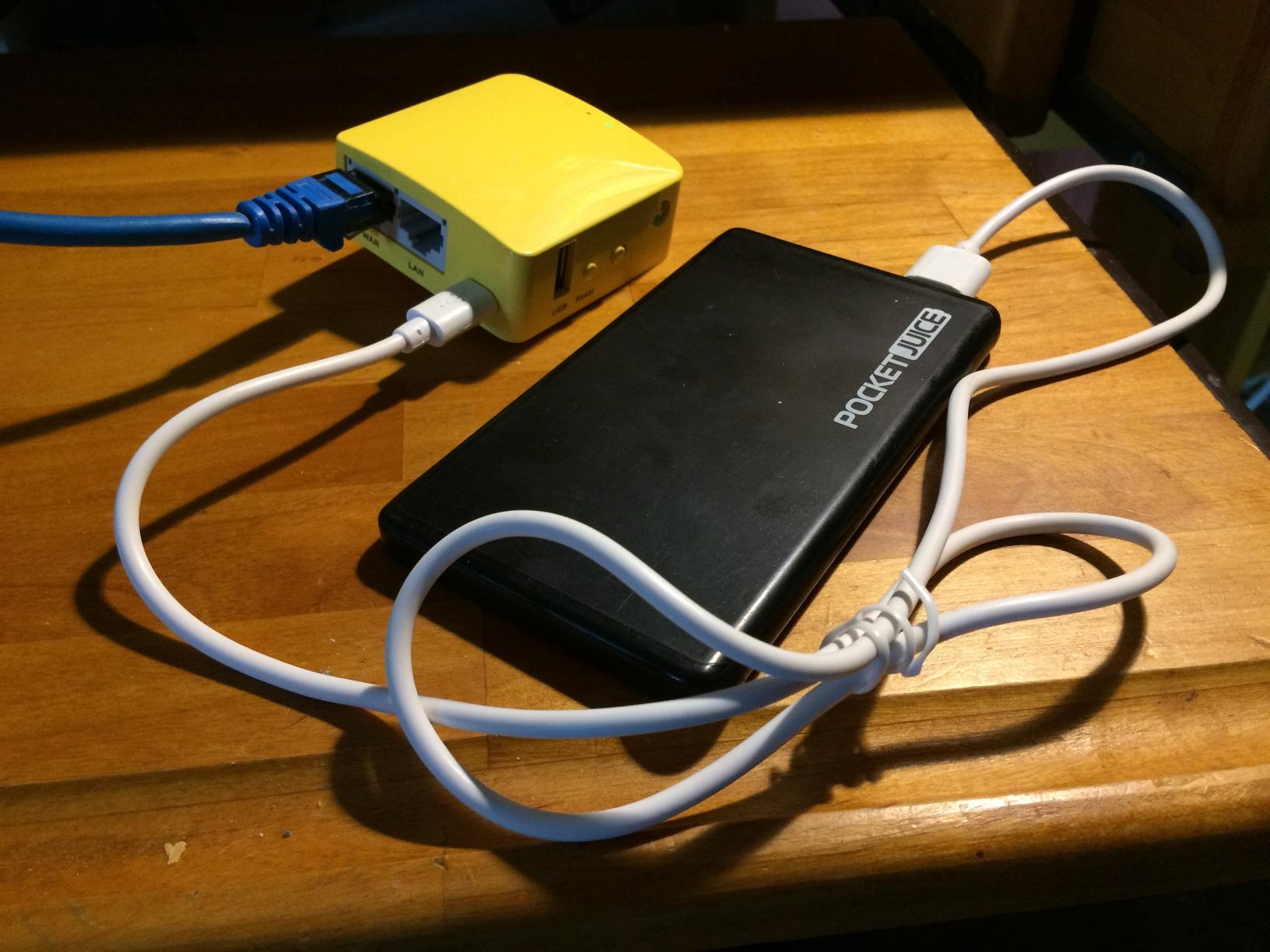
The Mango is 39 g and measures 2.28 inches square. Nothing else in this roundup disappears in a pocket the way it does, and it has been the reference point for minimal travel routers for years, with more than 13,000 ratings behind it.
It does the specific job of a client bridge very well. Join the hotel network, and the Mango rebroadcasts it as your own private WPA2 network with one OpenVPN client available and 30+ providers supported. Power comes from a laptop USB port, a power bank or a 5V/2A adapter, which makes it the easiest model to run off a battery.

There is real enthusiast appeal too. With 128 MB of RAM, USB disk support and exposed UART and GPIO headers, it is a common first platform for hardware projects. Several reviewers describe it as the cheapest way to get OpenWrt into a travel context, and we agree that nothing else this small is as hackable.
The compromise is that it is a decade behind on radio standards. Single-band 2.4GHz caps it at 300 Mbps, the Ethernet ports run at 100 Mbps, and security is WPA2 only with no WPA3. The roughly 11% one-star share reflects that mismatch rather than any reliability problem.
Why it suits minimal kit
If you travel with one or two devices, need a private network and an OpenVPN client, and count every gram, the Mango does the job at a fraction of the size of anything else here. Running it straight from a laptop’s USB port removes the charger from the equation entirely.
It is also the natural choice if you enjoy tinkering, since the hardware is documented and modifiable.
When to pick something else
Anyone transferring large files, using modern WPA3 security or connecting a wired device will be held back by the 100 Mbps ports and single 2.4GHz band. If you do not need the extreme portability, the Opal is a far more modern device for very little more weight.
When You Do Not Need a Travel Router
The honest answer, and the one most roundups skip, is that a phone hotspot is often enough. Forum consensus on r/remotework and r/HomeNetworking is consistent: if you travel with a single phone, have reliable cellular signal where you are going, and have no need for a VPN, a hotspot is simpler and there is nothing to buy.
A travel router earns its place in four situations. You are carrying more than one device. You are working from a hotel where a VPN must cover everything. You have hardware that cannot run a VPN app, such as a streaming stick, a smart TV or a camera. Or you need a real Ethernet port.
It also makes sense if you use a cellular router or eSIM data plan as your upstream, since the travel router then turns that cellular connection into a private Wi-Fi network with one login. That combination works in places hotels do not reach.
And skip it entirely if you dislike configuration. The GL.iNet models are set up through an app in about a minute, but anything involving OpenWrt is a hobby rather than a purchase.
Power, Packing and the Pre-Purchase Checklist
None of these routers has a built-in battery. They are USB-C powered boxes, and that has a direct consequence: a router that cannot sit next to a wall socket is useless, so plan your power before you fly.
Most run happily from a laptop port or a standard power bank. The Roam 6 is specified for 5V/3A, the Roam 7 accepts any 5V PD power bank, and the Mango runs from 5V/2A or USB. If you are packing a power bank, bring one that supports USB-C power delivery rather than relying on a legacy port.
Our packing list for router gear is short and worth repeating: the router, its adapter, a short Ethernet cable for the wall jack in the room, a USB-C cable for phone tethering, a plug adapter for your destination country, and a power bank. The Beryl AX ships with US, UK and EU plug adapters, which covers most trips.
Before you buy, check these ten things. Does it support a repeater or WISP mode. Does it run WireGuard. Is there a real Ethernet WAN port and how many LAN ports. What Wi-Fi generation. How many devices it supports. What the RAM is if you plan to add anything. Whether it remembers saved networks. Whether it supports USB tethering. What power it needs and whether your bank can deliver it. And whether the venue types you visit allow personal routers at all.
If you also care about larger networks, we have covered mesh Wi-Fi systems for large homes and Wi-Fi 7 routers built for gaming, which are different problems from getting online in a hotel room.
Where Personal Routers Are Prohibited and What to Do Instead
Some venues do not allow personal routers, and finding out at the front desk is the fastest way to waste an evening. Cruise lines are the most common example, and network monitoring on ships actively identifies private routers and throttles or cuts them.
Conference hotels, some corporate properties and certain budget chains also restrict additional access points or require registration. The symptom is usually obvious: the router joins the network but no traffic passes, or the connection drops after a few minutes.
The fallback is straightforward. Use USB phone tethering with any router in this roundup except the Opal, and the hotel network never enters the picture. If you carry an eSIM data plan, a cellular travel router keeps you online with no dependency on venue policy at all.
If you want to keep the router, ask the front desk to register its MAC address. That registration is what MAC cloning is designed around, and doing it openly takes a minute.
Frequently Asked Questions
What is the best travel router for connecting to hotel Wi-Fi?
The GL.iNet Beryl AX (GL-MT3000) is the best travel router for hotel Wi-Fi for most people. It weighs 196 g, has a 2.5G multi-gigabit WAN port, runs OpenWrt, and ships with WireGuard and OpenVPN already configured behind a physical toggle switch. For families sharing a room, the GL.iNet Slate AX handles more devices with faster VPN throughput.
What is the best portable router for travel?
It depends on who is travelling. Solo business travellers generally want the smallest box with a real VPN and a WAN port, which is the GL.iNet Beryl AX. Families should step up to the GL.iNet Slate AX for up to 120 device connections. Minimalists who just want one private network can use the GL.iNet Mango at 39 g, and app-first buyers should look at the TP-Link Roam 6.
Can a travel router bypass hotel Wi-Fi device limits?
Not reliably, and not automatically. A travel router consolidates all of your devices behind one authenticated client, which is exactly what a per-device limit is written to prevent. Some venues register your device MAC address at the front desk, and MAC cloning exists as a technical recovery step, but using it to break a term written into your room agreement may breach that agreement. Ask the front desk to register the router instead.
Which is better for travel, GL.iNet Beryl AX or Slate AX?
The Beryl AX wins on portability at 196 g with a 2.5G WAN port and one LAN port, while the Slate AX wins on capacity and speed with up to 120 device connections and published VPN figures near 500 Mbps OpenVPN and 550 Mbps WireGuard. Buy the Beryl AX if you travel alone. Buy the Slate AX if several people share the connection or you transfer large files.
Why can’t my travel router connect to hotel Wi-Fi?
The usual cause is the captive portal rather than the Wi-Fi itself. Turn off any router-level VPN first, since a kill switch makes a working portal look dead. Then forget the hotel network, rejoin it, and open a non-HTTPS address from a device on the router’s own SSID to force the portal redirect. If that fails, restart the router and clone the MAC address of a device that already authenticated.
Do travel routers slow down internet speeds?
Yes, but the router is rarely the reason. A congested hotel uplink limits everything behind it regardless of radio generation, and enabling a VPN reduces throughput further, with WireGuard roughly two to three times faster than OpenVPN on the small CPUs in these devices. Measured VPN speeds range from about 300 Mbps on the Beryl AX to about 550 Mbps on the Slate AX, which sits above most hotel connections anyway.
Bottom Line: Which Travel Router to Pack in 2026
For most people, the GL.iNet Beryl AX is still the best travel router for hotel Wi-Fi in 2026. It is small, it has a multi-gigabit WAN port, and its hardware toggle makes a router-wide VPN something you use rather than something you set up. Families should take the Slate AX for device count and VPN speed, minimalists should take the Mango, and anyone who wants fewer menus should take the TP-Link Roam 6.
Pack a short Ethernet cable with whatever you choose. It is the single most useful accessory in this category.