
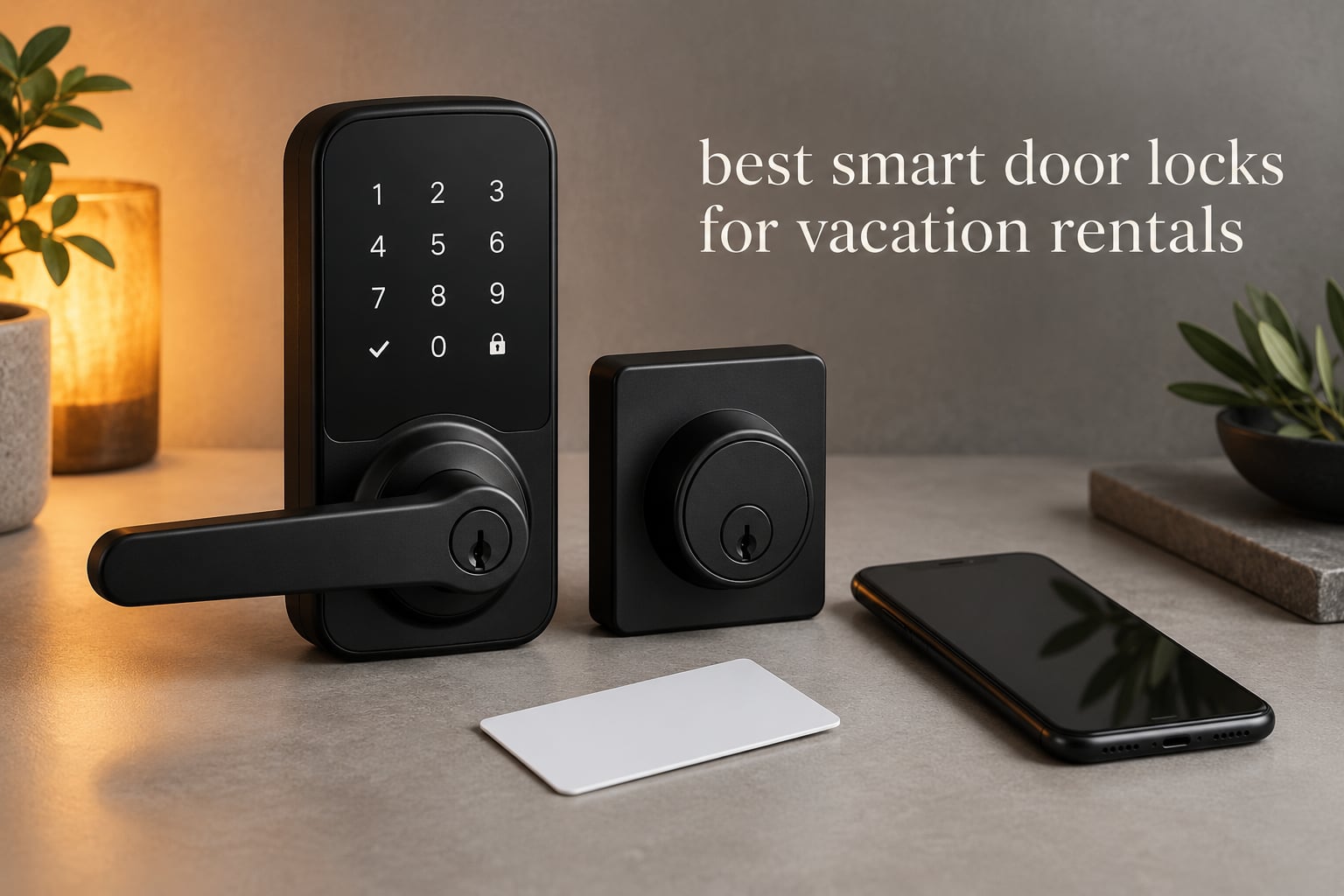
The best smart door lock for a rental unit is the Schlage Encode Smart WiFi Deadbolt: it runs 100 named access codes, logs every entry, and unlocks remotely over built-in Wi-Fi with no hub to install. For weaker signals, the ULTRALOQ Bolt SE gives you the longest battery life in our lineup.
Hosting means handing over access to strangers you will never meet. A traditional key forces a physical handoff, a lockbox forces you to change the combination after every stay, and both leave you rekeying when a key goes missing. A smart lock replaces all three with a code that starts when the reservation starts and stops working when it ends.
That is the whole promise behind the best smart door locks for vacation rentals: no meetups, no spare-key safe to service, and a record of who came through the door. The catch is that smart locks move your front door’s reliability from a mechanical system to an electronic one, so choosing well matters more than most roundups admit. We compared ten locks across app stability, code handling, battery behaviour and door fit to find the ones that survive real turnover.
We keep this list current through 2026, and every lock below ships with details a spec sheet leaves out: what happens when the gateway is not in the box, what the battery claim really means in winter, and how the lock behaves when the router is across the property.
If you are still working out the basics of keyless entry, our [guide to keypad door locks for home](https://mylyconet.com/best-keypad-door-locks-for-home/) covers the mechanical side. You will also want to check whether your existing hardware can be reused with our picks on [deadbolt locks for front doors](https://mylyconet.com/best-deadbolt-locks-for-front-doors/) before you order anything.
Table of Contents
Top 3 Smart Door Locks for Vacation Rentals in 2026

Schlage Encode Smart WiFi Deadbolt
- Built-in Wi-Fi and no hub
- Up to 100 access codes
- BHMA certified
- Zinc body with lifetime mechanical warranty

August Smart Lock Pro + Connect
- Fits over your existing deadbolt
- DoorSense open and closed sensing
- Connect Wi-Fi Bridge included
- Keys keep working

ULTRALOQ Bolt SE
- Up to 18 months of battery life
- 50 fingerprints and 50 codes
- IP65 weather resistance
- Matter over Thread and Wi-Fi
Quick Overview: All 10 Locks Side by Side
Every lock below stores temporary codes, keeps a physical key as backup, and logs entries. The columns that separate them in practice are connectivity, battery life, and how many extra boxes you have to mount.
| Product | Specifications | Action |
|---|---|---|
| Schlage Encode Smart WiFi Deadbolt |
|
Check Latest Price |
| August Smart Lock Pro + Connect |
|
Check Latest Price |
| ULTRALOQ Bolt SE |
|
Check Latest Price |
 eufy Smart Lock C220 eufy Smart Lock C220 |
|
Check Latest Price |
 DESLOC B200 DESLOC B200 |
|
Check Latest Price |
 LOCKSTAR Smart Door Lock LOCKSTAR Smart Door Lock |
|
Check Latest Price |
 Tapo DL110 Tapo DL110 |
|
Check Latest Price |
 Philips WiFi Smart Deadbolt Philips WiFi Smart Deadbolt |
|
Check Latest Price |
 Veise VE017 Veise VE017 |
|
Check Latest Price |
 Philips WiFi Keypad Deadbolt with Handle Philips WiFi Keypad Deadbolt with Handle |
|
Check Latest Price |
How We Picked These Locks
We scored every lock on seven things, weighted by what actually breaks a rental. Reliability is 30 percent, because a lock that strands a guest at 10pm costs more than any feature it adds. Connectivity and property management integration is 25 percent. Installation fit is 15 percent, battery and alerts 10 percent, guest experience 10 percent, durability 5 percent, and price 5 percent.
We also read what hosts write afterward. Forum threads outrank editorial roundups on this topic, and the complaints there are specific: a gateway that was never in the box, a keypad that goes unresponsive below freezing, a lock that drained a battery set in days. Those threads shaped this list more than any spec sheet did.
1. Schlage Encode Smart WiFi Deadbolt – Best Overall
Schlage Encode Smart WiFi Deadbolt Lock with Century Trim, Matte Black
Zinc body
BHMA certified
4 AA batteries up to six months
Fits doors 1-3/8 to 1-3/4 inch
Pros
- Built-in Wi-Fi with no hub or bridge
- Stores up to 100 access codes
- Full entry history and custom notifications
- Works with Alexa and Google Home
- Screwdriver-only install on standard doors
Cons
- Touchscreen digits stay hidden until touched
- Only one backup key in the box
This is the lock most hosts already run. It sits at the number two deadbolt slot in its category, has collected more than 13,000 ratings, and it is the one hosts on r/ShortTermRentals describe as always pretty reliable and good on battery life. That track record matters more here than any single feature.
Wi-Fi is built into the interior housing, so there is no bridge to mount near the router and nothing extra to fail. You can create and revoke codes from the Schlage Home app, check who came and went, and hand a single reservation its own PIN that dies at checkout.
The built-in alarm covers both door movement and forced entry, and the connection is encrypted. Auto-lock has a selectable delay, and one-touch exterior locking means a departing guest can secure the door without the app. Four AA batteries give up to six months, and both the lock and the app warn you before they die.
Now the honest counterweight. Another long-term host, writing about a decade of rentals, described this exact lock as having a clunky app and spotty connectivity. Both experiences are real, and the difference usually comes down to where the router sits and how large the code list grows.
What it does well on a rental property
A hundred codes is far more than most hosts will ever use, which means you can run one permanent code for yourself, a shared one for your cleaner, and a unique one per guest without recycling anything. That is the difference between a system you administer and one you work around.
Warranty is a limited lifetime mechanical and finish warranty with a three-year electronics warranty, and the brand has real support behind it. If a lock fails, you are not hunting for a firmware patch on a forum.
Where it frustrates hosts
The keypad digits do not light until someone touches the panel. Guests new to keyless entry read that as broken and try again, and you get the phone call. A one-line walkthrough in your arrival message prevents nearly all of it.
Only one physical backup key comes in the box. For a rental where a locksmith visit is the failure mode you are trying to avoid, order a second cylinder from your local key shop before you install.
2. August Smart Lock Pro + Connect – Best Retrofit
August Home Smart Lock Pro + Connect Hub – Wi-Fi Smart Lock for Keyless Entry – Works with Alexa, Google Assistant, and more – Silver
Metal housing
Fits over existing deadbolt
1 year warranty
13.92 ounces
Pros
- Mounts on top of your existing deadbolt
- Existing keys keep working during turnover
- DoorSense reports open or closed
- Activity log shows who came and went
- Works with HomeKit and SmartThings
Cons
- Connect Wi-Fi Bridge required for remote access
- Backset and thickness must be measured first
- Heavier than keypad-only deadbolts
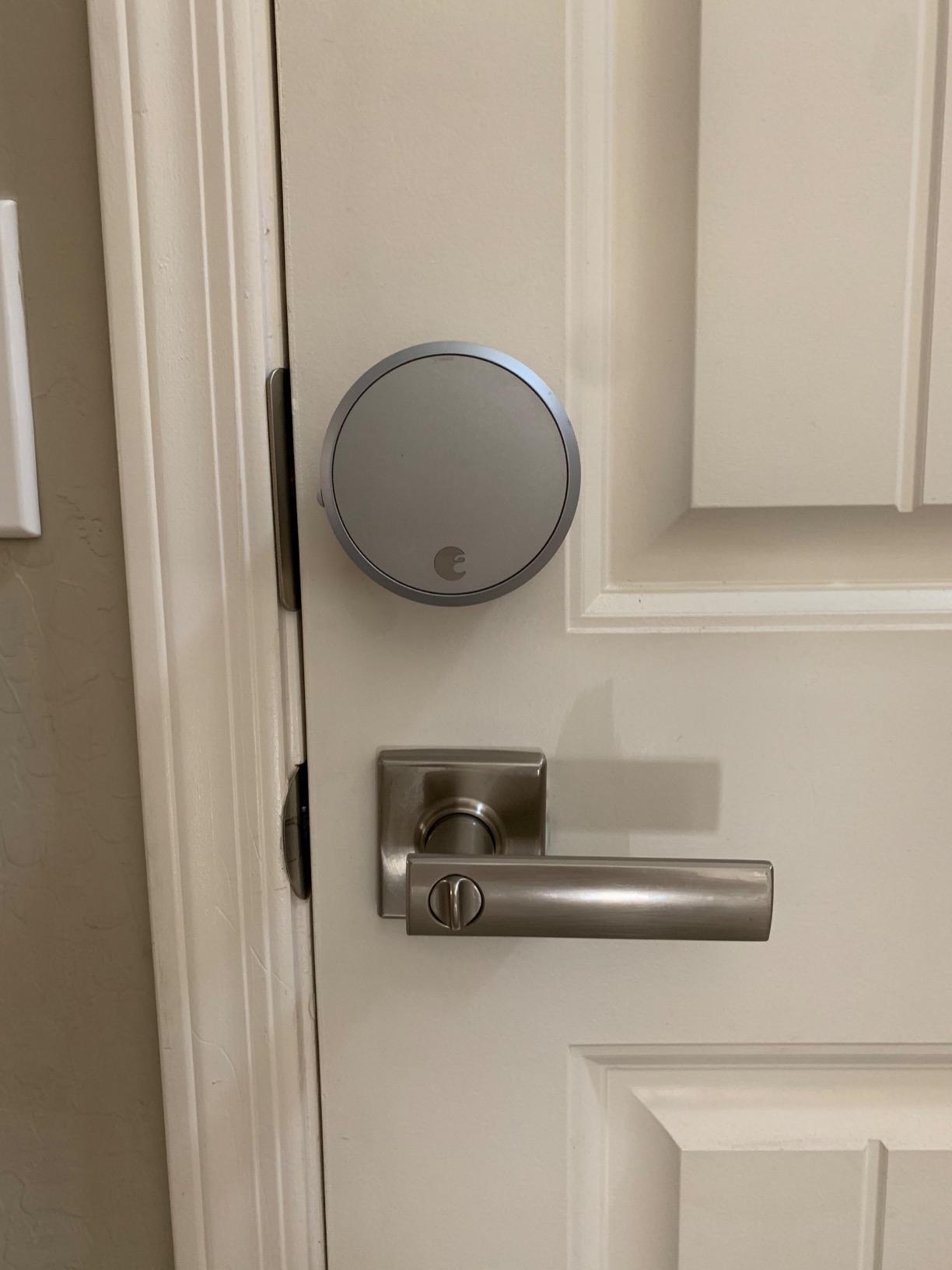
This is the pick when you cannot change the door. August mounts on the inside of your existing deadbolt and leaves the keyed cylinder untouched, so the key cylinder your insurance company already knows about keeps working. For a rental where the landlord or HOA controls exterior hardware, that is often the only option.
The bundle includes the Connect Wi-Fi Bridge and the DoorSense sensor. DoorSense is the part most hosts underrate: it tells you whether the door is actually shut, not just whether the bolt threw, which is how you catch the guest who taps the code and walks off with the door still open.
Auto-Lock and Auto-Unlock handle the daily rhythm, and the activity log records every entry with a timestamp. Voice control runs through Alexa, Apple HomeKit, SmartThings or Vera, and the whole unit weighs under a pound so it does not sag the door.
The other side of the ledger is well documented by owners. Hosts have reported repeat guest lockouts and emergency locksmith visits tied to remote resets that did not land the first time. With Bluetooth doing the local work and Wi-Fi doing the remote work, a failed reset usually means the bridge or the router, not the lock.
Where it earns its place
Retrofit installations take minutes and need no new bore, which is decisive in condos, historic properties and any door your insurance policy will not let you drill. Two backup paths also reduce the panic scenario: a guest can use the app, and a late-arriving guest can still use a real key.
The warranty is one year, shorter than Schlage, so treat it as a consumable rather than an heirloom. Budget for a replacement lock rather than a repair.
Where it frustrates hosts
Remote access depends entirely on the Connect bridge being mounted within range of your router. In a basement entry or a large coastal property, that bridge becomes the single point of failure.
You also need to measure backset, cross bore and door thickness before ordering. Unusual door sizes are the most common reason a retrofit install stalls on the first attempt.
3. ULTRALOQ Bolt SE – Best Value
ULTRALOQ Bolt SE Wi-Fi Smart Lock, Matter Over Thread, App Remote Access
Zinc alloy body
IP65 waterproof
Up to 18 months battery
Matter over Thread
Pros
- Up to 18 months on the Thread mesh
- 50 fingerprints and 50 passcodes
- Seven ways to enter including two mechanical keys
- Built-in Wi-Fi so no hub on that path
- ANSI and BHMA certified
Cons
- Matter features need a Thread Border Router hub
- No door sensor in the box
- Wi-Fi limited to 2.4 GHz
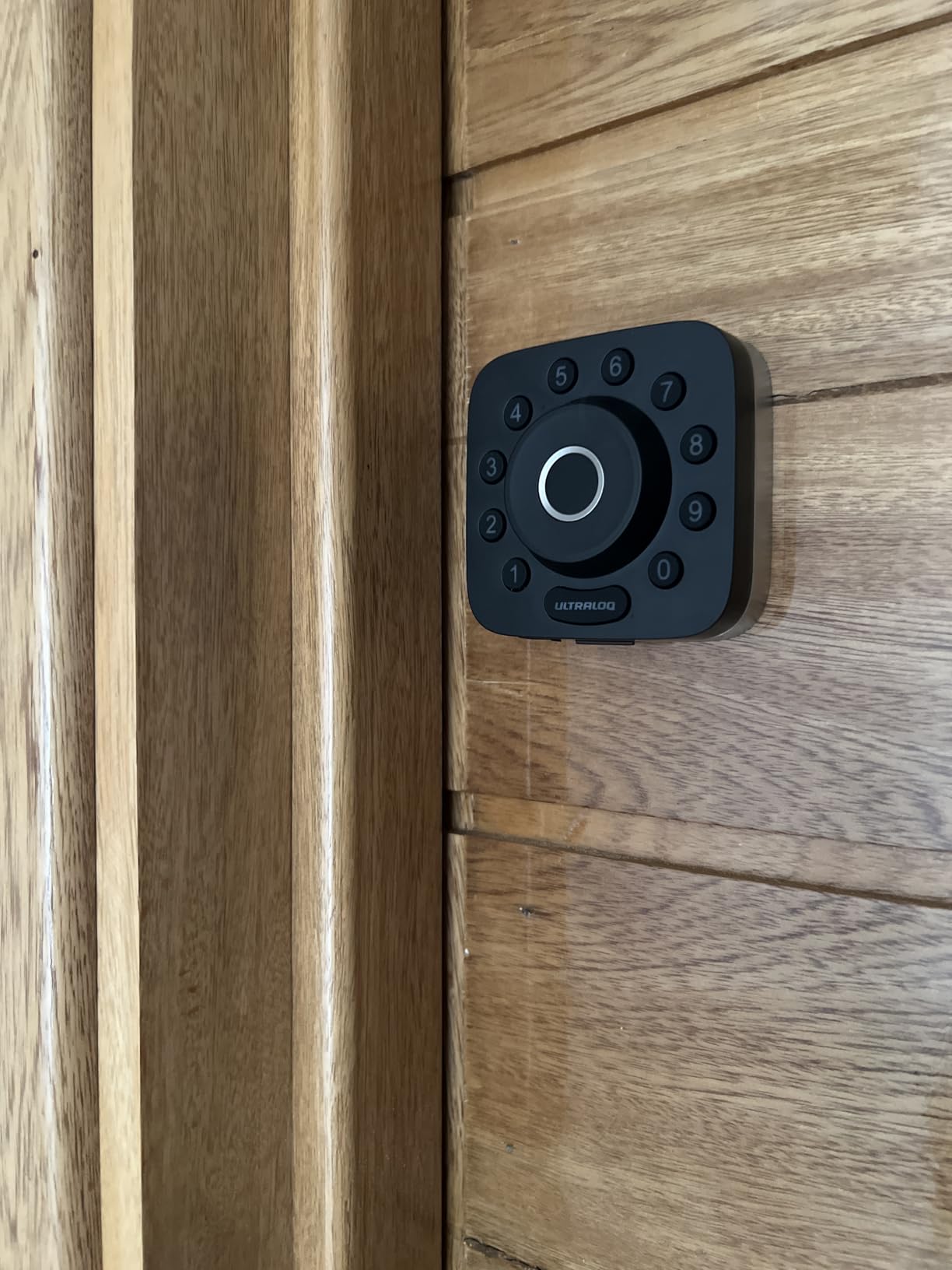
For a host who wants the widest set of entry methods without paying flagship money, this is the strongest pick in the set. Fingerprint, passcode, app, web portal, shared eKey, voice and two mechanical keys all work, so a guest, a cleaner and a fingerprint-reliant owner are covered by one lock.
The battery figure is the headline. Up to 18 months on the Thread mesh network means far fewer maintenance visits on a property you cannot reach every month. Hosts consistently say battery alerts matter more than any single smart feature, and a lock that rarely needs them removes a whole category of 2am calls.
ANSI and BHMA certification plus an IP65 waterproof zinc alloy body handle the climate screening that most roundups skip. Installation is roughly ten minutes with a screwdriver, and the recommended uses list on the spec sheet explicitly includes rentals and short-term lets.
Two paths to connectivity is unusual here. Built-in Wi-Fi handles remote unlock directly with no hub, while Matter over Thread opens up Apple Home and other Matter ecosystems. That gives you a fallback when your router is the problem.
What it does well on a rental property
Fifty fingerprints is meaningful in a portfolio setting: family, cleaners and repeat guests can all be enrolled once instead of collecting new PINs. Two mechanical keys ship in the box, which is double what most competitors include, and that alone changes your backup planning.
Share codes as permanent, scheduled or temporary, and the activity history plus real-time notifications tell you when a guest actually arrived.
Where it frustrates hosts
Matter over Thread features require a separate Thread Border Router. If you buy expecting Matter to work out of the box, you will be mounting hardware you did not budget for.
There is no door sensor in the box, so you cannot tell an open door from a locked one. And the built-in Wi-Fi is 2.4 GHz only, with the router recommended within 70 feet, which rules it out for a large rural parcel with weak coverage.
4. eufy Smart Lock C220 – Best for Fingerprint Entry
eufy Security Smart Lock C220, Fingerprint Keyless Entry Door Lock
Aluminum body
BHMA Grade 3
8 AA for about 8 months
IP53 rated
Pros
- Sub-one-second fingerprint unlock
- Six unlock methods including Apple Watch
- Built-in Wi-Fi needs no bridge
- Self-learning fingerprint recognition
- Roughly 15-minute install without drilling
Cons
- Fingerprint fails on wet or dirty fingers
- Smarter features need the wider eufy ecosystem
Six unlock paths in one aluminum deadbolt: fingerprint, the eufy Security app, keypad, physical key, Apple Watch, or voice. That mix suits a household where the same door is opened by family, a housekeeper with a code, and a guest who would rather not type numbers on arrival.
No bridge, no hub. Wi-Fi is built in, so remote unlock works straight from the app, and eight AA batteries run about eight months. Eight AA batteries is a lot of cells, and that is a fair trade for not replacing them every few months.
The fingerprint module is where the value sits. Reads land under a second, and the recognition self-learns with each touch, so a cleaner enrolled in the morning is faster by the afternoon. Bores under 54mm fit by removing the included spacer, which widens the doors it will accept.
Certification is BHMA Grade 3 rather than Grade 1, and the operating range runs from -22F to 158F with IP53 water resistance. That covers cold climates and humidity, though coastal salt air is worth watching on any exterior lock.
What it does well on a rental property
Installation takes about 15 minutes and needs no drilling on most standard deadbolts, so a multi-unit rollout across several doors does not turn into a contractor bill. The app, keypad and key give you three independent ways in if one fails.
Routines tie into the rest of the eufy ecosystem, which is genuinely useful if you already run eufy doorbells.
Where it frustrates hosts
Wet or dirty fingers defeat the fingerprint reader, and in a rental you cannot control what is on a guest’s hands. Keep a keypad PIN and a physical key working at all times rather than treating fingerprint as the primary entry.
If you want deep automation, the wider eufy ecosystem matters. Outside it, the app handles codes and history on its own without playing well with third-party systems.
5. DESLOC B200 – Budget Pick
DESLOC B200 Fingerprint Smart Door Lock, Keyless Entry Deadbolt
Aluminum body
IP54 rated
4 AA for about 12 months
BHMA Grade 3 compliant
Pros
- Fingerprint reads in under 0.3s with 50 prints
- Tools-only install on most standard US doors
- About 12 months on 4 AA with USB-C emergency port
- Scheduled and temporary codes
- Operating range -22F to 158F
Cons
- App and voice need the G2 gateway sold separately
- Batteries are not included
- Bluetooth-only without the gateway
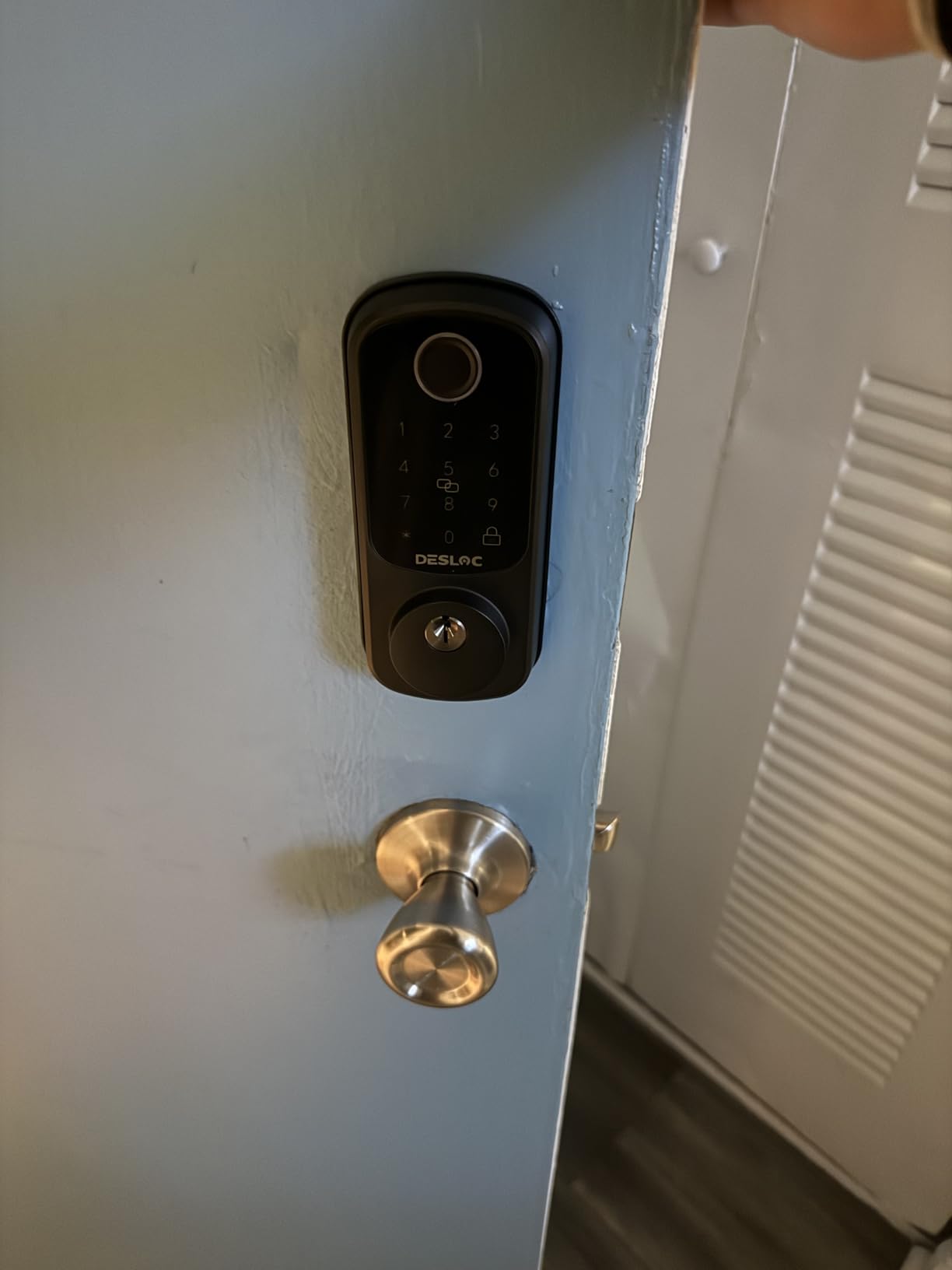
This is the lock to buy when the unit has to be cheap and the keypad has to work no matter what. Fingerprint, PIN, app, eKeys, key fobs, two physical keys and voice give you eight entry paths, and the fingerprint module reads under 0.3 seconds with room for 50 prints.
Four AA batteries give roughly a year, and there is a USB-C emergency power port on the inside for when they do run flat. That pairing is the cheapest insurance against a lockout we found in this category.
Installation needs no professional tools on most standard US doors, IP54 handles rain and humidity, and the -22F to 158F range means it works in a cold-climate entry. A 12-month warranty is backed by lifetime US-based phone support, which matters more than it sounds at this tier.
Codes can be scheduled or temporary through the TTLock app, which handles the guest and cleaner workflow without a property management platform.
What it does well on a rental property
The offline story is the selling point. Keypad PINs work without a network, so a guest gets in when the internet is down, which is exactly the rural and coastal scenario hosts complain about most. Bluetooth handles local administration without any extra hardware.
The light-touch install also makes it a good second-unit lock when you need to cover a garden or pool door on the same schedule.
Where it frustrates hosts
App control and voice control require the separately sold G2 gateway. If you buy this expecting remote unlock on day one, you will need that accessory, and without it the lock is Bluetooth-only.
Batteries are not included, so budget for the first set. At roughly a year of life, that is a minor cost but a real surprise on delivery day.
6. LOCKSTAR Smart Door Lock – Best for All-in-One Kits
LOCKSTAR® Smart Door Lock • Keyless Entry Deadbolt Door Lock • Multiple Entry Methods – APP • Fingerprint Touch ID • Keypad Code • Card FOB • Traditional Key • Smart Home Devices
Zinc body
16 ounces
One screwdriver installation
Wi-Fi gateway in the box
Pros
- Wi-Fi gateway and bridge included in the box
- Six credential types from app to traditional key
- Event history with real-time notifications
- Auto-lock on closing or keypad long-press
- Drill piece included for doors without a bore
Cons
- Smaller review base than mainstream brands
- Remote access depends on the bundled gateway and vendor app
The reason this lock stands out is simple packaging. The Wi-Fi gateway ships in the box, so unlike most competitors in this price band you are not making a second order or mounting a bridge somewhere near the router. For a first-time host installing on a door nobody else can reach, that removes the single most common setup failure.
Entry methods cover app, fingerprint touch ID, keypad code, card fob, smart home devices and a traditional key. Six options on one lock means you can give a guest a code, a housekeeper a fob, and keep a physical key for yourself without juggling three devices.
The event history with real-time notifications is aimed straight at rental work. You see who opened the door and when, which is useful when a guest claims they never got in, or when you need to confirm a cleaner arrived on schedule.
Auto-lock runs on door close, and manual locking is a long-press of the hash key on the keypad, which is faster for a guest than opening an app.
What it does well on a rental property
It works on virtually any door, and the screwdriver and drill piece are included, so a door with no existing lock hole is a solvable problem rather than a contractor visit. For a host fitting out several doors in one weekend, that is worth a lot.
The manufacturer markets it specifically for rental properties with full remote app control, and the credential mix suits properties with mixed staff access.
Where it frustrates hosts
The brand and app ecosystem are less established than the major smart-lock makers, so long-term support and feature development carry more uncertainty. Its review count of a little over 1,200 is small next to the thousands behind the leaders, which means less long-run data.
Remote access still depends on the bundled gateway, so a gateway failure takes out your phone-based entry until you replace it. Keep the physical key current.
7. Tapo DL110 – Best for Quiet Doors
Tapo Smart Wi-Fi Door Lock, Deadbolt, Fingerprint Recognition, DL110
Metal body
BHMA Grade 2
Removable rechargeable pack
0.42s fingerprint reads
Pros
- Rechargeable battery pack lasts about one year
- 0.42s fingerprints that tolerate wet hands
- Very quiet deadbolt with rubber gaskets
- 100 fingerprints stored
- Two backup keys with a Schlage SC1 compatible keyway
Cons
- Keypad digits hidden until the screen is touched
- Sensitive doorbell button sends false alerts
- No open API or Matter integration
This lock earns its place on two details most roundups miss. The deadbolt runs very quietly and ships with rubber door gaskets that protect the door finish, and the battery is a removable rechargeable pack that lasts about a year per charge. For a rental in a shared wall or a building with quiet hours, the deadbolt noise is a real guest complaint, and this is the fix.
Fingerprint recognition lands in 0.42 seconds and stores up to 100 prints, and owners report it works with wet or dirty hands where cheaper readers fail. Fingerprint, custom passcodes, Wi-Fi remote, close-range Bluetooth, a smart home assistant and two backup keys cover every access route.
Resident profiles let you create permanent codes for regulars plus one-time and scheduled guest codes, all with a full event log. The keyway takes a Schlage SC1 compatible cylinder, so your existing keys are an option rather than a compromise.
BHMA Grade 2 certification sits in the middle of the pack. It is not Grade 1, but it is a meaningful jump over the Grade 3 locks at this level, and the rating is verified rather than claimed.
What it does well on a rental property
The rechargeable pack removes the whole battery-replacement routine. You pull the pack, charge it over USB-C and put it back, which is far easier than finding four AA batteries at a property you visit quarterly. There is a USB-C port for emergency recharging too.
It shares one app with existing TP-Link and Tapo devices, so a host already in that ecosystem has nothing new to learn.
Where it frustrates hosts
Keypad digits stay invisible until the touchscreen is touched, which slows down anyone not using the fingerprint reader. Guests unfamiliar with keyless entry read an unlit panel as a dead lock.
There is no open API, no Matter support and no Home Assistant integration, so codes and fingerprints must be set up separately on each lock with no cross-lock copy. If you run several doors, that is manual repetition.
8. Philips WiFi Smart Deadbolt – Best for Thick Doors
Philips Wi-Fi Smart Deadbolt Lock, Keyless Entry Door Locks for Front Door
Aluminum body
1.4 pounds
Fits doors 1-3/8 to 2 inch
2.4 GHz Wi-Fi only
Pros
- Built-in Wi-Fi with no extra hub
- Up to 100 custom codes plus scheduled ones
- Anti-peeping privacy code
- Away Mode disables all but the master code
- Auto-lock adjustable from 10 to 180 seconds
Cons
- No door sensor so open or closed state is unknown
- Batteries not included and AA alkaline only
- Wi-Fi limited to 2.4 GHz networks
Most deadbolts stop at 1-3/4 inches of door thickness. This one fits up to 2 inches, which covers heavy front doors, storm doors and thicker exterior slabs that make other locks a poor fit. If your door is unusually thick, that single spec can decide the purchase.
Entry works by app, passcode, fingerprint, physical key or Alexa and Google voice. Built-in Wi-Fi means no hub, and the recommendation is a router within 65 feet on a 2.4 GHz network.
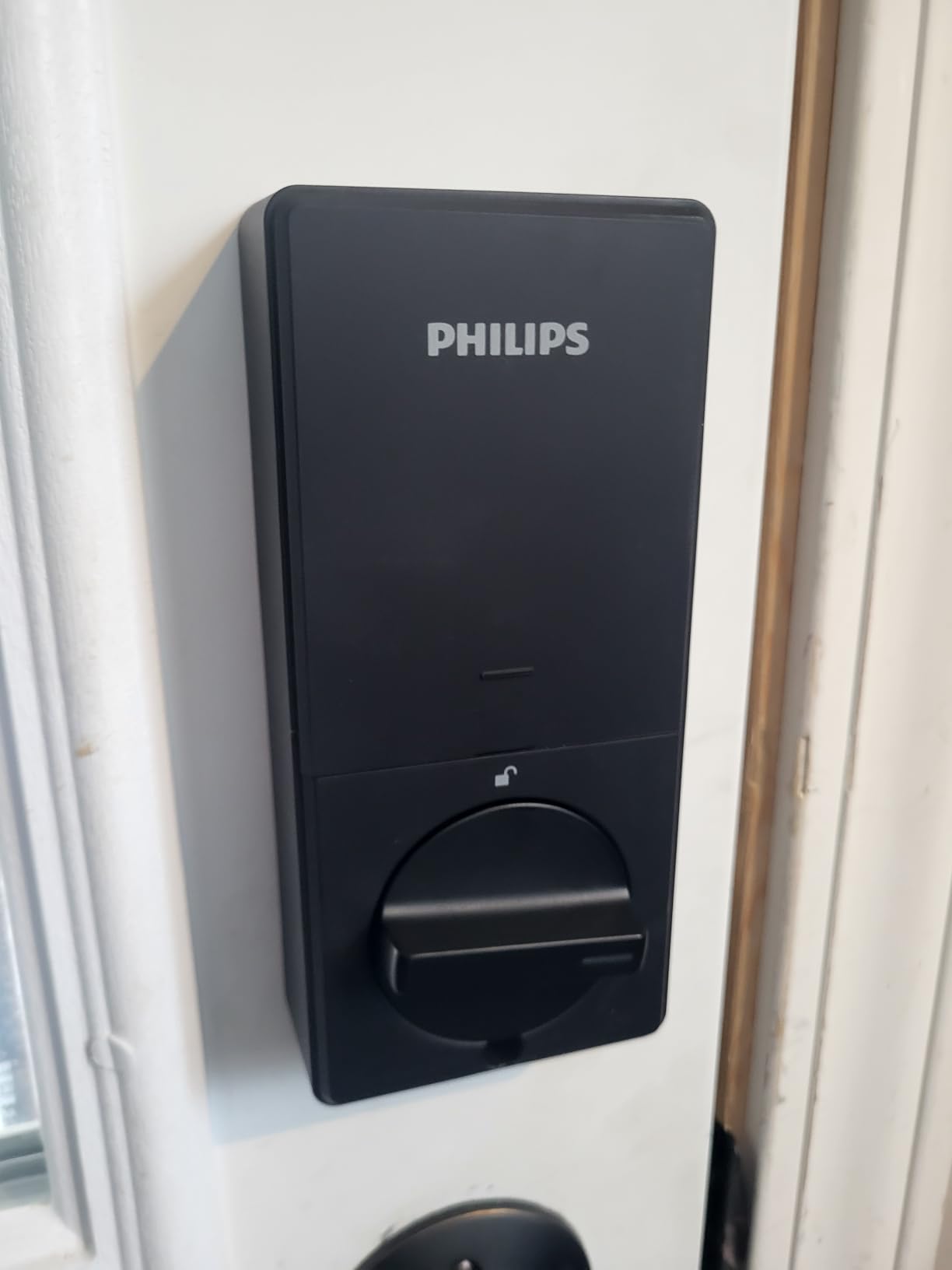
Code capacity is the rental-specific strength. You can store up to 100 custom passcodes plus unlimited one-time and scheduled codes, so one code per booking never runs into a ceiling as your calendar fills. Real-time notifications and full access history record each entry.
Away Mode disables every unlock method except the master code, which is the setting to enable while you are travelling and do not want a stray PIN working. Auto-lock is adjustable from 10 to 180 seconds depending on how wide your door swings.
What it does well on a rental property
The anti-peeping privacy code disguises the PIN on the keypad, so someone watching over a guest’s shoulder does not capture it. On an exterior door with a walkway, that is a genuine security improvement rather than a spec-sheet nicety.
Installation is screwdriver-only, and unlimited scheduled codes means a recurring weekly cleaner can hold one code that never changes instead of a new PIN every visit.
Where it frustrates hosts
No door sensor is included, so you cannot verify whether the door is open or closed. If a guest complains the door does not latch, you have no data to check it against.
Batteries are not included and must be AA alkaline LR6. Rechargeable or lithium cells are not suitable here, which means one specific battery type per property.
9. Veise VE017 – Best for Multi-Property Hosts
Veise VE017 Fingerprint Smart Door Lock with App Control, Matte Black
All-zinc-alloy body
IP55 rated
4 AA for about 12 months
Runs -35F to 160F
Pros
- User management built for multi-tenant properties
- AES128 on-device encrypted credential storage
- Eight unlock methods including fob cards
- Four password modes with an anti-peeping code
- Operating range of -35F to 160F
Cons
- Remote and voice control need the separately sold G1 gateway
- Batteries are not included
- Ships as a deadbolt with no handle
This is the one to look at if you run more than one door. The user management is built for multi-tenant properties, letting you grant, pause and delete access remotely and read detailed activity logs. That is the function most consumer locks borrow from a property management platform, and here it is native.
Security is the other argument. Credentials, fingerprints and entry records are stored with AES128 encryption on the device itself, and there is an anti-peeping privacy code alongside intrusion alarms and temporary lockouts after failed attempts.
Eight unlock methods cover fingerprint, app, authorized access, fob card, code, code sharing, voice and a mechanical key. Four password modes give you one-time, timed sitter codes, permanent codes and recurring codes, which maps cleanly onto guests, housekeepers and yourself.
Physical specs suit harsh exteriors: an all-zinc-alloy body rated IP55 for water and dust, and an operating range of -35F to 160F. That is the widest cold tolerance in this group, which matters for northern properties.
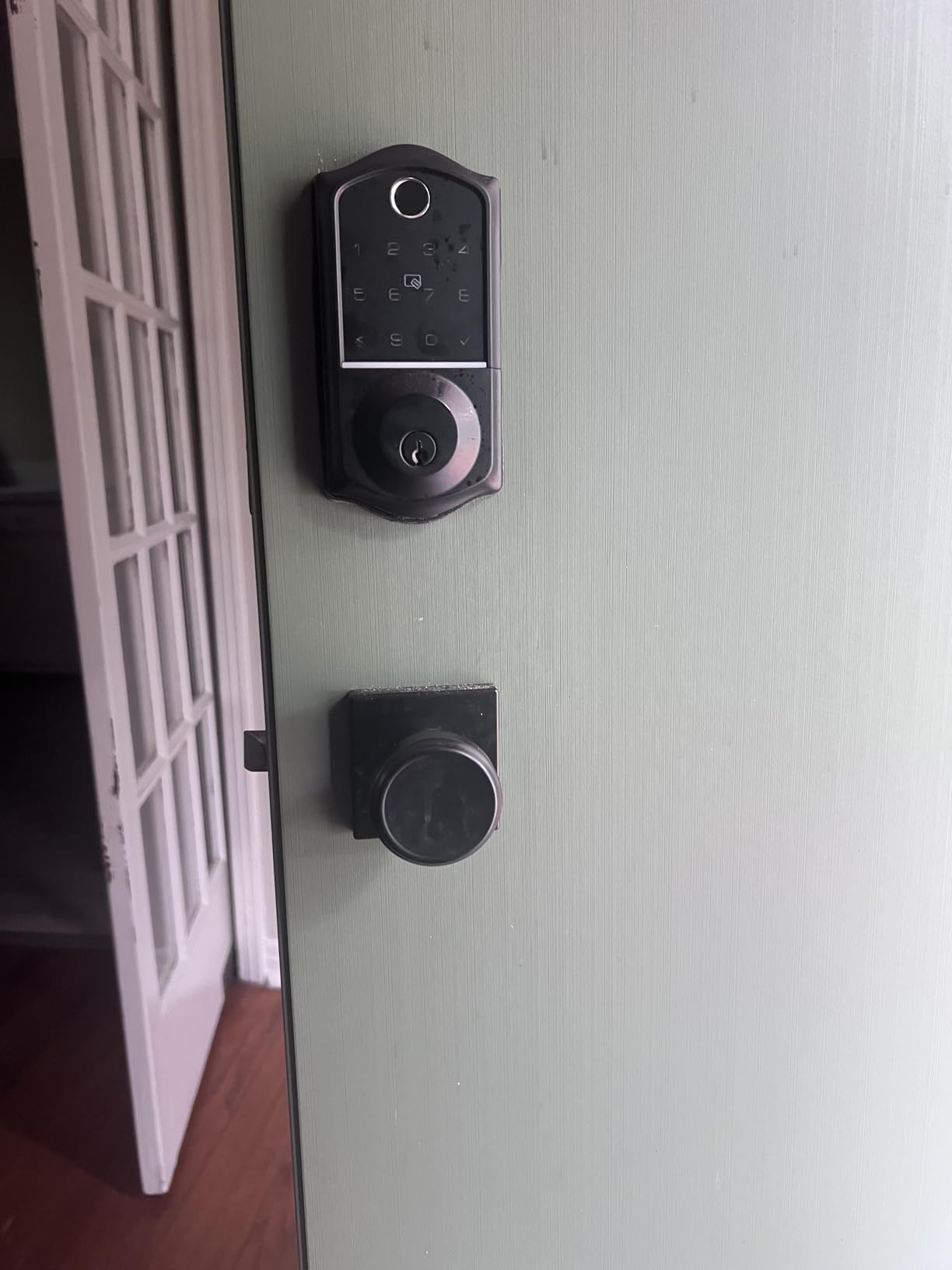
What it does well on a rental property
Fingerprint reads take under 0.2 seconds at a stated 99.99 percent accuracy using an on-device AI chip, and the module self-learns. Auto-detecting the door hand and a 15-minute screwdriver install cut down the work across a portfolio.
The warranty starts at one year and extends to two with registration, and support is US-based.
Where it frustrates hosts
Remote locking, unlocking and voice control require the separately sold Veise G1 gateway. Local keypad and fingerprint entry work without it, but your phone-based access does not, and that is a real constraint at scale.
Batteries are not included, and the lock ships as a deadbolt with no handle, so pair it with a separate lever or confirm your door setup before ordering.
10. Philips WiFi Keypad Deadbolt with Handle – Best Full-Lock Swap
Philips WiFi Keypad Deadbolt with Handle, Built-in WiFi, APP Remote Control
Metal body
Handles included
2.4 GHz Wi-Fi no hub
0.3s fingerprint reads
Pros
- Matching handle set included in the box
- Built-in Wi-Fi with no bridge
- 0.3-second fingerprint access
- Permanent and one-time PIN codes
- Auto-lock configurable from 0 to 180 seconds
Cons
- Auto-lock is off by default until enabled in the app
- Keep the lock within 33 ft of the router
- Batteries not included and rechargeable cells not recommended
Most smart locks on this list are deadbolts only, which means your existing lever set stays. This bundle includes two door levers and a full latch assembly, so you replace the entire lock set in one go. For a first smart lock on a rental where the old hardware is tired, it removes a sourcing step.
Wi-Fi is built in on 2.4 GHz with no hub, and the app gives real-time lock and unlock, user codes, fingerprints, status checking and access history. Fingerprint reads take 0.3 seconds, which is fast enough that regular users stop reaching for the keypad.
Passcodes come in permanent, one-time, periodic and recurring types, which covers a one-night guest, a weekend booking and a weekly housekeeper without rewriting anything. Alexa and Google Assistant voice control is supported, and the keypad is back-lit with an anti-peeping password and anti-drill construction.
Auto-lock is configurable from 0 to 180 seconds and set through the app, and the fit range is doors 1-3/8 to 1-3/4 inches thick.
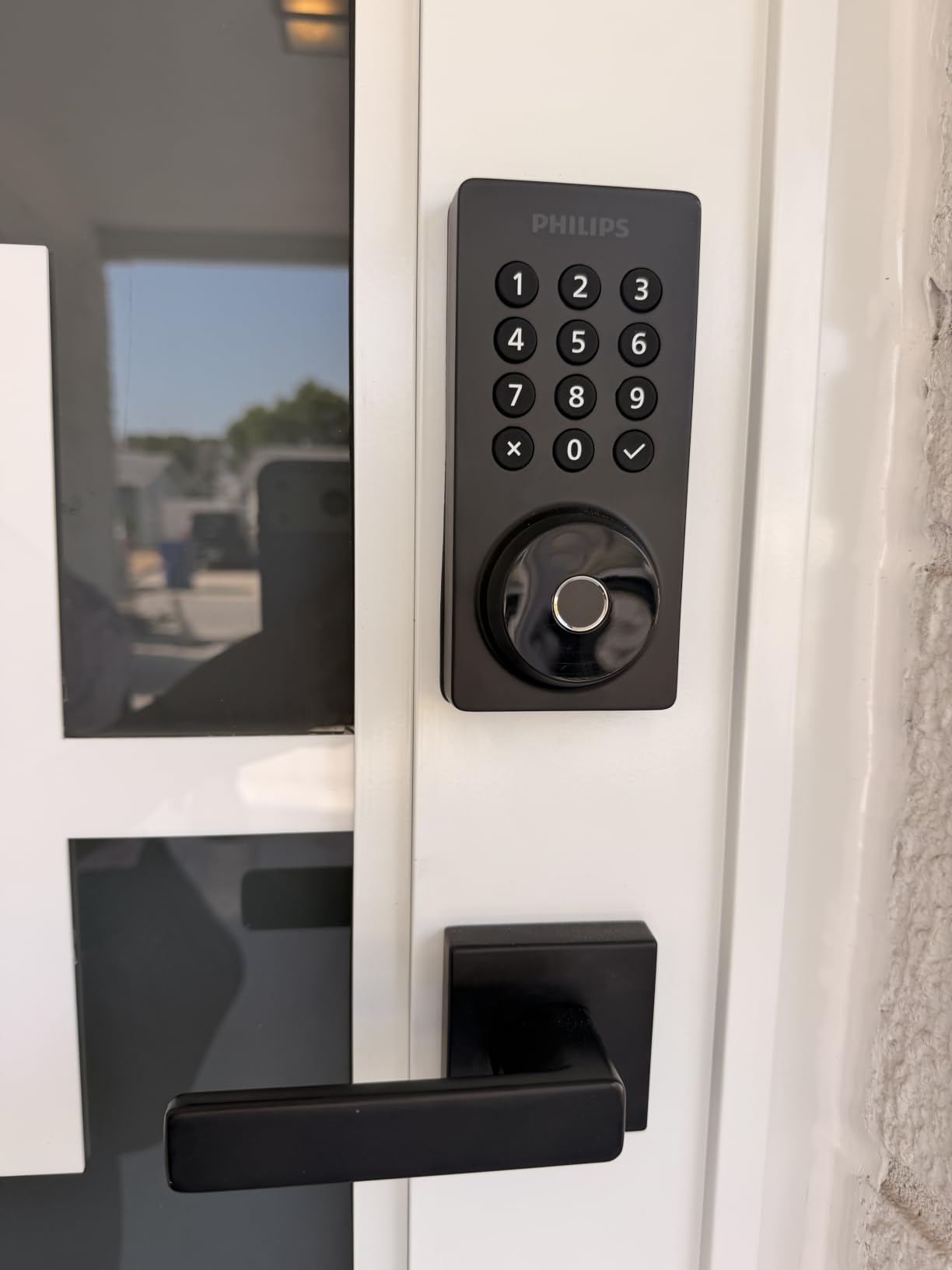
What it does well on a rental property
The included lever set means one order covers hardware, install and setup, and the manufacturer lists rental properties as a target use. Battery life of up to six months with intelligent low-battery alerts is the honest figure for this class.
Back-lit keypad and anti-peeping password help in low light and prevent PIN capture, both of which show up in guest reviews of bare keypads.
Where it frustrates hosts
Auto-lock is off by default and has to be switched on in the app. Install it, assume the door self-locks, and you will find out the hard way when a guest reports the door hanging open.
The router should be within 33 feet, which is a shorter reach than several rivals, and batteries are not included. It is also configured for right-opening doors by default and needs a reset for the other hand.
Smart Lock Buying Guide for Vacation Rental Hosts
Offline codes are the first thing to check, and they are the reason many hosts choose a lock they could otherwise replace with something cheaper. An offline or time-based PIN is stored in the keypad and works with no network at all. If your router dies or your signal drops at the front door of a rural property, a guest still gets in with the code you texted them.
Connectivity decides whether you can unlock from the couch. Built-in Wi-Fi on the lock itself is the cleanest setup with nothing extra to mount, but it is usually 2.4 GHz only and has a stated router range, commonly 65 feet or 33 feet depending on the model. Bluetooth-only locks need a gateway for remote access, so read the box carefully: DESLOC and Veise both ship without their remote gateway.
Battery and alerts are the difference between a maintenance task and an emergency. Anything from 8 to 18 months is normal in this category, and the ULTRALOQ Bolt SE claims the longest run at up to 18 months on its Thread mesh. What matters more is the low-battery warning reaching you three to four weeks before the lock dies. Hosts say this plainly: battery alerts beat every smart feature.
Backup entry is non-negotiable for us. Every lock here includes a mechanical key or keys, but Schlage includes one and Veise includes two, so plan your own spare rather than trusting the box. Hosts in the r/AirBnBHosts community pair a keyed lock with a hidden lockbox and an offsite spare key, and that habit is worth copying.
Door fit decides whether the install takes ten minutes or a phone call to a carpenter. Measure door thickness and the backset before ordering: most deadbolts fit 1-3/8 to 1-3/4 inch doors, Philips DDL242X-1HW goes to 2 inches, and Schlage Encode fits either a 2-3/8 or 2-3/4 inch backset. If you cannot change exterior hardware, a retrofit lock such as August is the only option.
Property management integration decides whether you manage codes by hand or automatically. Locks with an open API or Matter support can be driven by your PMS. Tapo DL110 has no open API, so codes must be set on each lock individually. Also confirm whether your booking platform can push a code to the lock or whether you are copying PINs by hand for every reservation.
Climate screening catches the failures that appear a season after install. Look for an IP rating and a stated low-temperature range: eufy is rated to -22F, Veise to -35F, DESLOC to -22F, and ULTRALOQ carries IP65. Coastal properties should also watch for corrosion on any exposed lock, and touchscreen panels can lag in freezing weather, so keep a physical key usable year-round.
If you want the surrounding picture, our picks on [door alarms for home security](https://mylyconet.com/best-door-alarms-for-home-security/) pair well with a keypad deadbolt, and remote entry at a garage or gate is covered in [smart garage door controllers for phones](https://mylyconet.com/best-smart-garage-door-controllers-for-phones/).
Pre-Purchase Checklist and Install Steps
Run through this before the lock is on a truck to your property. Measure door thickness at the top, middle and bottom, since a door that has swollen is thickest at the bottom. Measure the backset from the edge of the door to the centre of the deadbolt cylinder. Note the bore diameter, which is usually 2-1/8 inch. Identify whether you are replacing an existing deadbolt or starting from a blank door, and test Wi-Fi at the door rather than at the router.
Then install. Remove the old deadbolt and keep the strike plate if it lines up, mount the new interior and exterior assemblies, align the spindle, and fit the strike plate so the bolt enters without force. A misaligned strike is the number one reason an auto-lock deadbolt stops deadbolting properly. Calibrate the door sensor if the lock has one, enable auto-lock in the app, and set your low-battery alert threshold before you walk away.
Finally, run a test-guest walkthrough. Send yourself the same arrival message a real guest would get, arrive with no knowledge of the code, and get in without opening the app on a dead network. Note how long it took. If the keypad stayed dark or the code did not work first time, that is your answer before a paying guest finds it for you.
Keep a message template ready to paste. Something short: Your door code is 4827. It works from 4pm on Friday and stops working Sunday at 10am. Press the keypad once to wake it, then enter the code, then turn the handle. Do not prop the door open with the deadbolt thrown. It has a battery indicator on the inside if it ever needs attention.
Frequently Asked Questions
What is the best smart lock for a rental unit?
What are the best door locks for short-term rentals?
What is the best lock to use for Airbnb?
What are the downsides of smart door locks?
What smart lock does Airbnb recommend?
What is the door code in Airbnb?
What does check yourself in with the lockbox mean?
Final Pick by Host Scenario
For a single-family rental with normal Wi-Fi coverage, the Schlage Encode Smart WiFi Deadbolt is the pick: built-in Wi-Fi, a hundred codes, no hub, and the largest review base here at more than 13,000 ratings. If you cannot touch the exterior hardware, the August Smart Lock Pro + Connect retrofits over your existing deadbolt and keeps your keys working.
For a remote cabin, a coastal place or anything beyond weak signal, choose offline-capable entry: the ULTRALOQ Bolt SE with its keypad codes, 18-month battery claim and IP65 body, or the DESLOC B200 if the budget is the deciding factor. For a portfolio owner managing several doors remotely, the Veise VE017 has the native multi-tenant user management the rest leave to a platform.
Whatever you pick, pair it with a second physical key, a hidden lockbox, and a battery check on a recurring calendar rather than on a guest complaint. Those three habits account for more avoided lockouts than any feature on the keypad.