
My home office used to be a mess of cables. A tower under the desk, a monitor trailing three wires, dusty speakers, and a webcam clipped on at a permanent tilt. When I switched to an all-in-one desktop, I got most of my desk back in a single afternoon.
If you are shopping for the best all in one desktop computers for home offices, you want either a clean single-cable setup for remote work or one shared family machine that handles email, homework, and video calls without complaint. Both get the same benefit: the PC, display, speakers, webcam, and usually the keyboard and mouse arrive in one box, and setup takes minutes instead of an hour of cable routing.
Our team compared 10 models across three price tiers, from a 22-inch budget machine to Apple’s M4 iMac. We watched for the things that matter when you work from home every day: display sharpness, webcam quality on calls, fan noise, port placement, and multitasking with 20 tabs, a spreadsheet, and Zoom running at once. We also mined verified buyer reports for the long-term issues a first-day review misses, like wrong-region keyboards and fans that get loud under sustained load.
The short version: the Apple iMac 24-inch M4 is the best all-in-one desktop computer for most home offices, full stop. If you prefer Windows, the HP OmniStudio 27 and the Lenovo IdeaCentre AIO 27 are excellent and cost less. And under $600 there are three genuinely good 24-inch options from Lenovo and HP.
Table of Contents
Top 3 Picks for Best All-in-One Desktop Computers for Home Offices


Editor’s Choice, Apple iMac 24-inch M4: The machine that does everything well and looks like furniture doing it. The 4.5K Retina display is the sharpest screen in this roundup, the M4 chip outruns every Windows AIO here while staying silent, and the 12MP Center Stage camera is the only webcam in the group I would trust on client calls.
Best Value, HP OmniStudio 27 AI PC: The Windows machine I would put in my own office tomorrow. The AMD Ryzen AI 7 445 with its 50 TOPS NPU gives serious multitasking headroom, the stand actually adjusts, and the IR camera with Windows Hello logs you in when you sit down. It costs meaningfully less than the iMac with a bigger 27-inch screen.
Top Rated, Lenovo IdeaCentre AIO 27: The highest-rated Windows machine in our group at 4.8 stars. You get a 10-core Core i7-13620H, 16GB of DDR5, Windows 11 Pro, and a bright 300-nit borderless display at a mid-range price. Buyers consistently praise the fast boot times and the clean, space-saving design.
Best All-in-One Desktop Computers for Home Offices in 2026
Here is the full lineup side by side. Every machine below has a built-in display, webcam, speakers, and Wi-Fi, and all but one ship with a keyboard and mouse in the box.
| Product | Specifications | Action |
|---|---|---|
| Apple iMac 24-inch M4 |
|
Check Latest Price |
| HP OmniStudio 27 AI PC |
|
Check Latest Price |
 Lenovo IdeaCentre AIO 27 Lenovo IdeaCentre AIO 27 |
|
Check Latest Price |
 Dell 27 All-in-One Dell 27 All-in-One |
|
Check Latest Price |
 ASUS V470 27-inch Touch ASUS V470 27-inch Touch |
|
Check Latest Price |
 Lenovo IdeaCentre 24-inch Lenovo IdeaCentre 24-inch |
|
Check Latest Price |
 HP OmniStudio 24-inch HP OmniStudio 24-inch |
|
Check Latest Price |
 Lenovo 24-inch Pro AIO Lenovo 24-inch Pro AIO |
|
Check Latest Price |
 Lenovo 23.8-inch Everyday AIO Lenovo 23.8-inch Everyday AIO |
|
Check Latest Price |
 suevery 22-inch AIO suevery 22-inch AIO |
|
Check Latest Price |
A quick note on how to read this. The three machines at the bottom use Intel N100 or older Core i5 processors, fine for email and documents but slow for photo editing or 40-tab sessions. Anything from the Dell 27 upward handles a full remote workday without breaking a sweat.
1. Apple iMac 24-inch M4 – Best Overall All-in-One
Apple 2024 iMac All-in-One Desktop Computer with M4 chip with 8-core CPU and 8-core GPU: Built for Apple Intelligence, 24-inch Retina Display, 16GB Unified Memory, 256GB SSD Storage; Silver
M4 8-core CPU
24-inch 4.5K Retina
16GB unified memory
256GB SSD
12MP Center Stage camera
Pros
- Incredibly fast M4 chip performance
- Stunning 4.5K Retina display at 500 nits
- 12MP Center Stage camera
- Six-speaker Spatial Audio
- Quiet operation
Cons
- Only 256GB base storage
- Limited ports require adapters
- Expensive
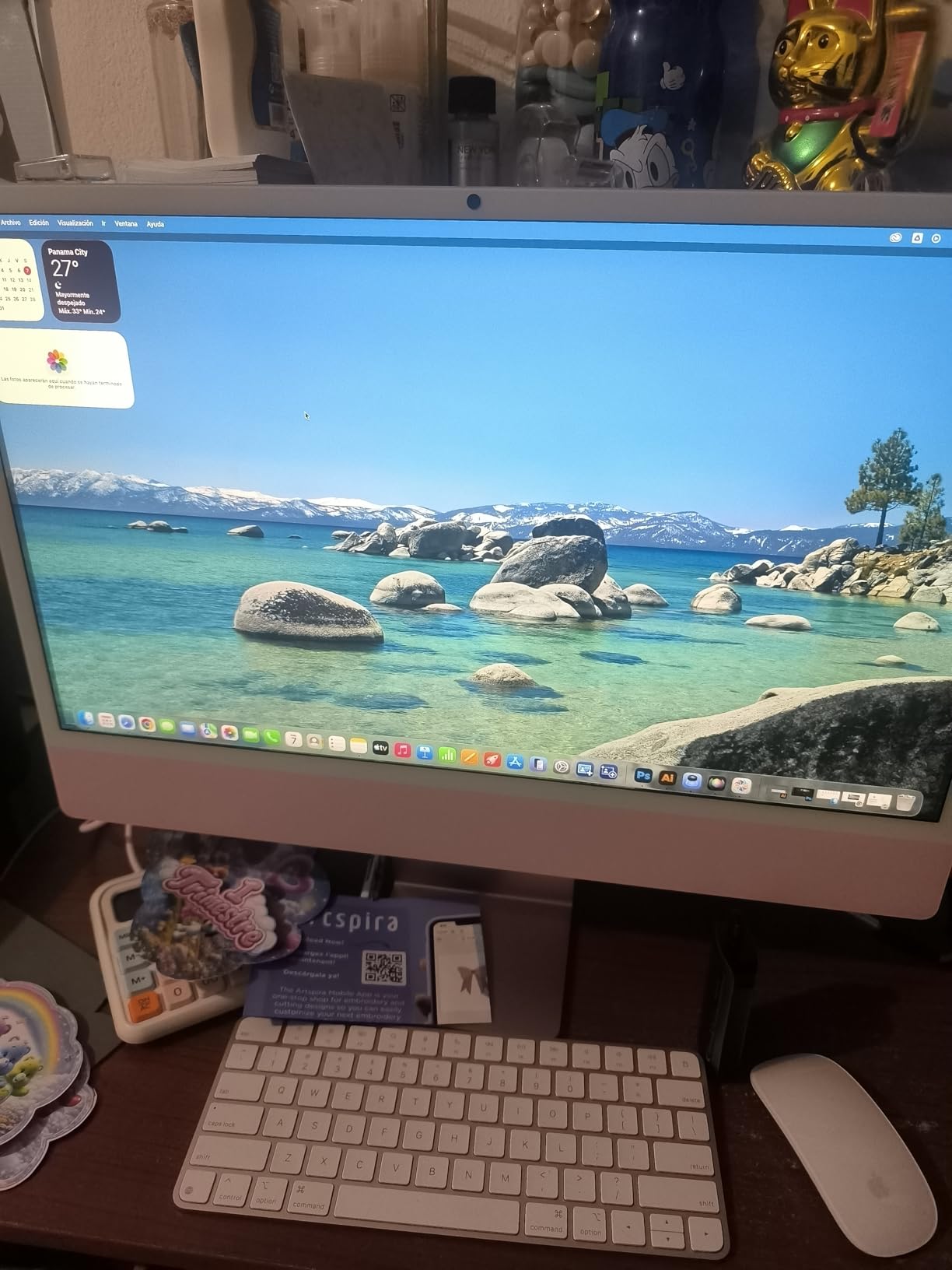
This is the machine I use every day, so I will admit my bias up front. I expected a pretty screen and modest performance, and the M4 chip embarrassed that expectation within a week. I regularly run Microsoft 365, a browser with 25 tabs, Canva, and a video call at once, and I have never heard the fan.
The 24-inch 4.5K Retina display is the best screen in this roundup, and it is not close. At 500 nits it handles a sunny desk by a window far better than the 250-nit Windows panels here. Text looks printed on the glass.
The 12MP Center Stage camera is in a different league from the 1080p webcams elsewhere in this test. It pans to keep you framed, and the three studio microphones do a convincing job of ignoring my loud desk fan. Six Spatial Audio speakers ended my need for externals.
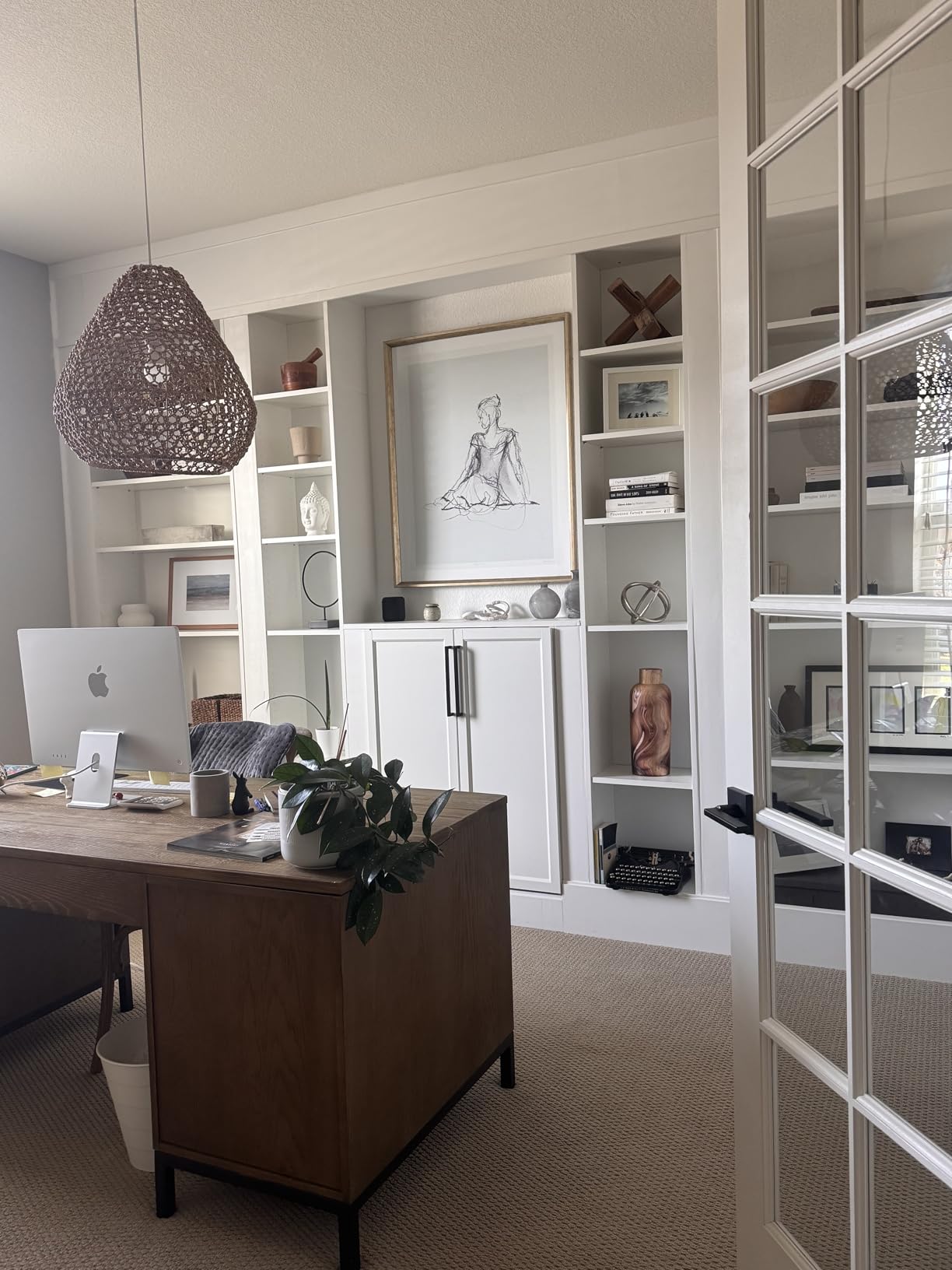
The honest downsides: 256GB fills fast if you work with large files, and base models give you just two USB-C ports, so budget for a dock. The Magic Mouse still charges from the bottom, a design choice I will never defend. It also costs more than every Windows machine in this list.
But with 660 reviews and an 86 percent five-star rate, buyer sentiment strongly backs the premium. This is what the best all in one desktop computers for home offices look like when budget is not the constraint.
How it handles real home office workloads
The M4 chews through spreadsheet recalculations, light 4K editing, and Lightroom without throttling. It wakes from sleep instantly and feels faster than Windows AIOs costing several hundred dollars more.
It also sips power compared with a tower-plus-monitor setup, which adds up over a 40-hour week. Apple Intelligence is built in, though I use the raw speed far more than the AI features.
Who should actually buy this
Buy it if you own an iPhone or iPad, care about display quality, take a lot of video calls, or want a machine that still feels fast in five years.
Skip it if you need Windows software, lots of built-in ports, or more than 256GB without paying Apple’s steep storage upgrade premium.
2. HP OmniStudio 27 AI PC – Best Windows All-in-One
HP OmniStudio 27 inch All-in-One Desktop Next Gen AI PC, FHD Display, AMD Ryzen AI 7 445, 16 GB RAM, 512 GB SSD, AMD Radeon 840M Graphics, Windows 11 Home, Jet Black, 27-cw0102 (2026)
AMD Ryzen AI 7 445 with 50 TOPS NPU
27-inch FHD IPS
16GB DDR5
512GB SSD
Radeon 840M graphics
Pros
- Powerful Ryzen AI 7 processor
- Adjustable stand
- FHD IR camera with Windows Hello
- Copilot AI integration
- Upgradeable RAM
Cons
- 16GB RAM limit for heavy AI work
- Only 3 USB ports
- Weak wired keyboard and mouse
- Fan noise under load
After two weeks with the OmniStudio 27, I call it the thinking person’s Windows pick. The AMD Ryzen AI 7 445 carries a 50 TOPS neural processing unit, so Copilot and AI-assisted apps run on dedicated silicon instead of stealing CPU cycles. Most AIOs in this price band still ship yesterday’s chips.
The 27-inch IPS panel is bright enough for a normal room, and the stand adjusts for height and angle. That sounds mundane until you remember the Dell 27 later in this list does not move at all. Your neck notices these things at hour seven.
The FHD IR camera with HDR auto-switch handles Windows Hello, so the machine unlocks the moment you sit down. HP Eye Ease blue light reduction made a genuine difference during my late-evening spreadsheet sessions.
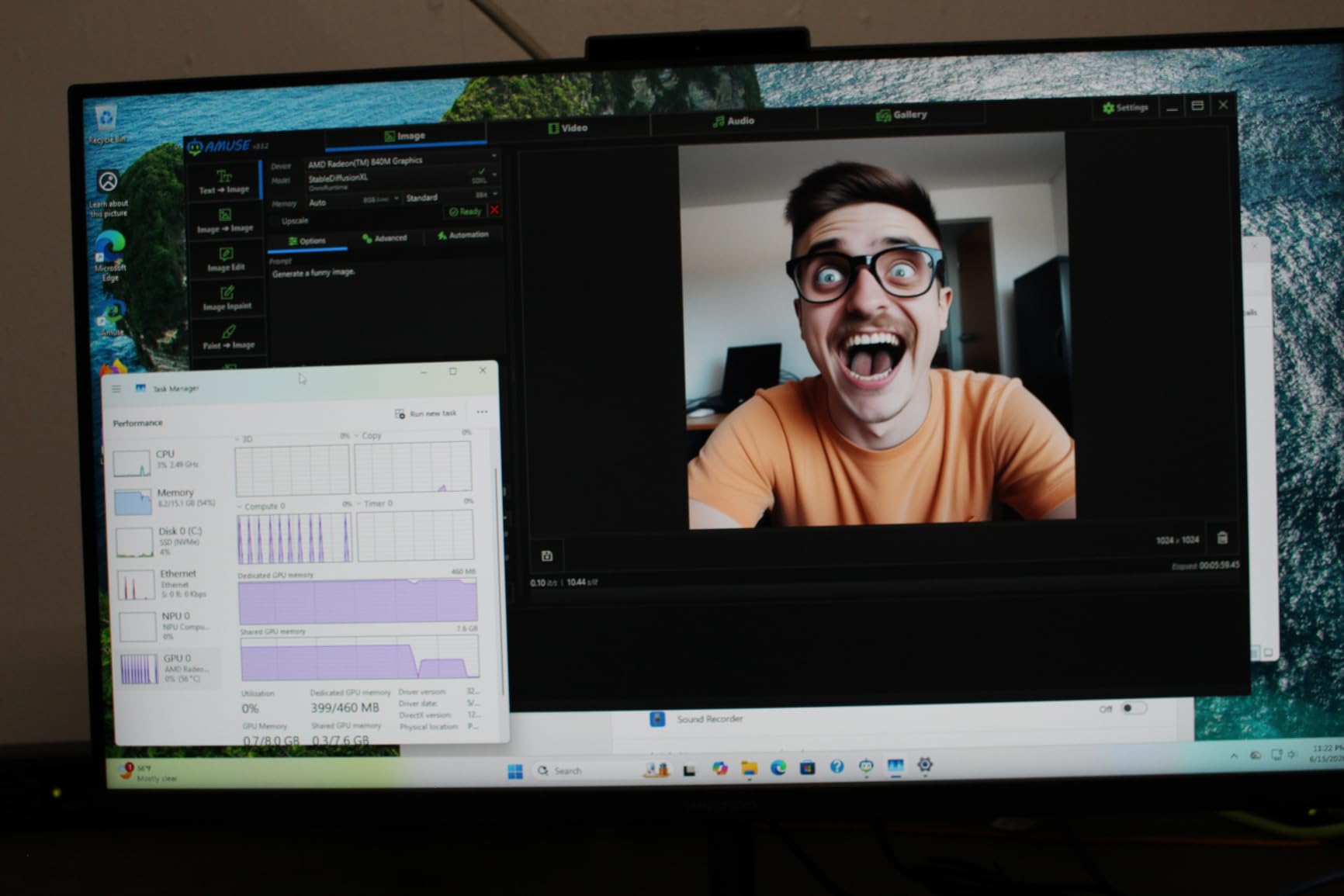
Buyer complaints are consistent. Sixteen gigabytes of RAM is fine today but tight for local AI work, though unlike most rivals here the memory is upgradeable.
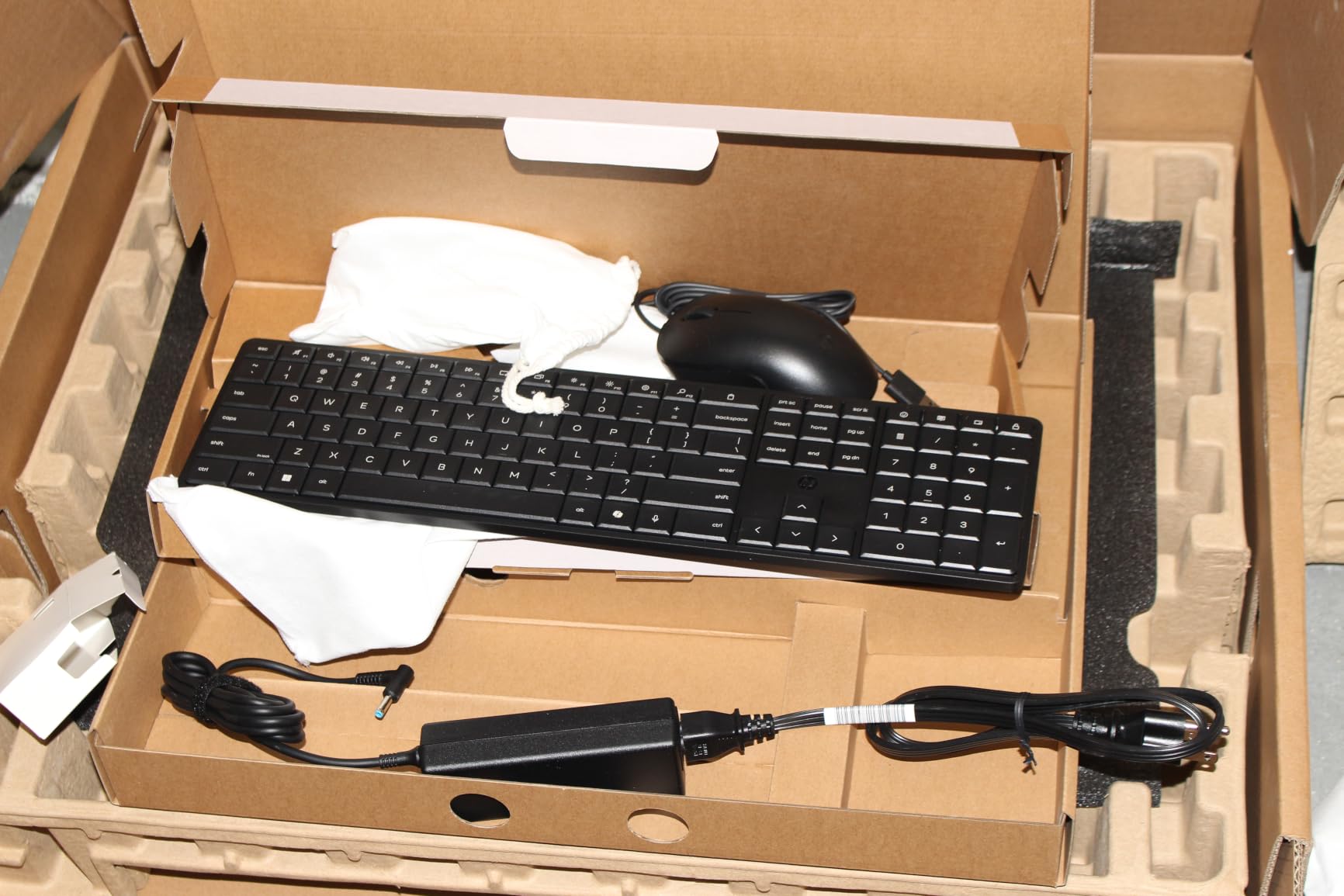
The port selection is thin at three USB ports, the wired keyboard and mouse feel cheap, and a few owners reported loud fan noise under sustained load. There is McAfee bloatware to remove on day one. Still, 93 percent of reviewers rate it four stars or better.
How it handles real home office workloads
Multitasking is where the Ryzen AI 7 earns its keep. I ran a Zoom call, a 60MB Excel model, 15 tabs, and Slack without a stutter.
The NPU-driven noise reduction is excellent at suppressing keyboard clatter and street noise. Fans do spin up audibly when you push the chip hard for long stretches.
Who should actually buy this
Buy it if you want a big-screen Windows machine with current-generation performance and an adjustable stand for noticeably less than an iMac.
Skip it if you need many ports or hate fan noise. A ten-dollar USB hub and a better keyboard fix most of it.
3. Lenovo IdeaCentre AIO 27 – Best Performance Per Dollar
Lenovo 2026 Flagship 24″ FHD All-in-One Desktop, 16GB RAM, 512GB PCIE SSD
Intel Core i7-13620H
27-inch FHD IPS 300 nits
16GB DDR5-5200
512GB PCIe 4.0 SSD
Windows 11 Pro
Pros
- 10-core Core i7 processor
- Excellent 300-nit borderless display
- Windows 11 Pro included
- 5MP camera with dual mics
- Harman stereo speakers
Cons
- USB ports hard to reach under base
- No SD card slot
- Only 4 USB ports total
This is the highest-rated Windows machine in our group at 4.8 stars, and I understand why after a week with it. A 10-core Intel Core i7-13620H at a mid-range price is serious silicon. Apps launch instantly and heavy spreadsheets recalculate without a pause.
The 27-inch display is the nicest standard Windows panel here. It hits 300 nits against the usual 250, covers 99 percent of sRGB, and the 3-side borderless design makes it feel bigger than it is. The anti-glare coating handled my window glare without washing out colors.
Lenovo ships Windows 11 Pro rather than Home, which matters if you need BitLocker or Remote Desktop for an employer. The 5MP camera is sharper than the 1080p webcams on most rivals, and the Harman speakers are genuinely good for music while you work.
The frustration is port layout. Several of the four USB ports sit under the screen base where you must tilt the machine to plug in a drive, and there is no SD card slot at all. A ten-dollar desktop hub solves it.
A few reviewers noted limited RAM expansion down the road. With 82 percent five-star ratings and nothing below four stars at time of writing, the ownership picture is very strong.
How it handles real home office workloads
The Core i7 with 16GB of DDR5-5200 is built for people who push their machine. Lightroom, large spreadsheet models, and dozens of tabs all run smoothly.
HDMI-in and HDMI-out are thoughtful touches. You can feed a second computer into this display or extend to an external monitor, which lets the screen outlive the PC inside it.
Who should actually buy this
Buy it if you want maximum processor performance per dollar or need Windows 11 Pro features for work.
Skip it if you plug drives in constantly or need an SD reader for photography. Add a hub and the first objection mostly disappears.
4. Dell 27 All-in-One – Best for Quiet, Reliable Computing
Dell 27″ All-in-One Desktop, FHD, Intel Core 5 120U, Windows 11 Home
Intel Core 5 120U 10-core
27-inch FHD
16GB DDR5
512GB SSD
Wi-Fi 6E
1yr onsite service
Pros
- Fast 10-core Core 5 processor
- Whisper-quiet operation
- 5MP IR pop-up camera with HDR
- ComfortView Plus blue light filter
- 1 Year Onsite Service warranty
Cons
- No height or angle adjustment
- Integrated graphics only
- RAM capped at 16GB
Dell’s 27-inch AIO is what I recommend to people who just want a computer that never makes a fuss. The 10-core Intel Core 5 120U handles everyday office work with ease, and the whole system runs quieter than anything else here. During a full workday I checked the power light to be sure it was on.
The 27-inch FHD panel covers 99 percent of sRGB with good viewing angles. Dell’s ComfortView Plus blue light filter is always on rather than a mode you toggle, and my eyes felt less strained after a week of long days.
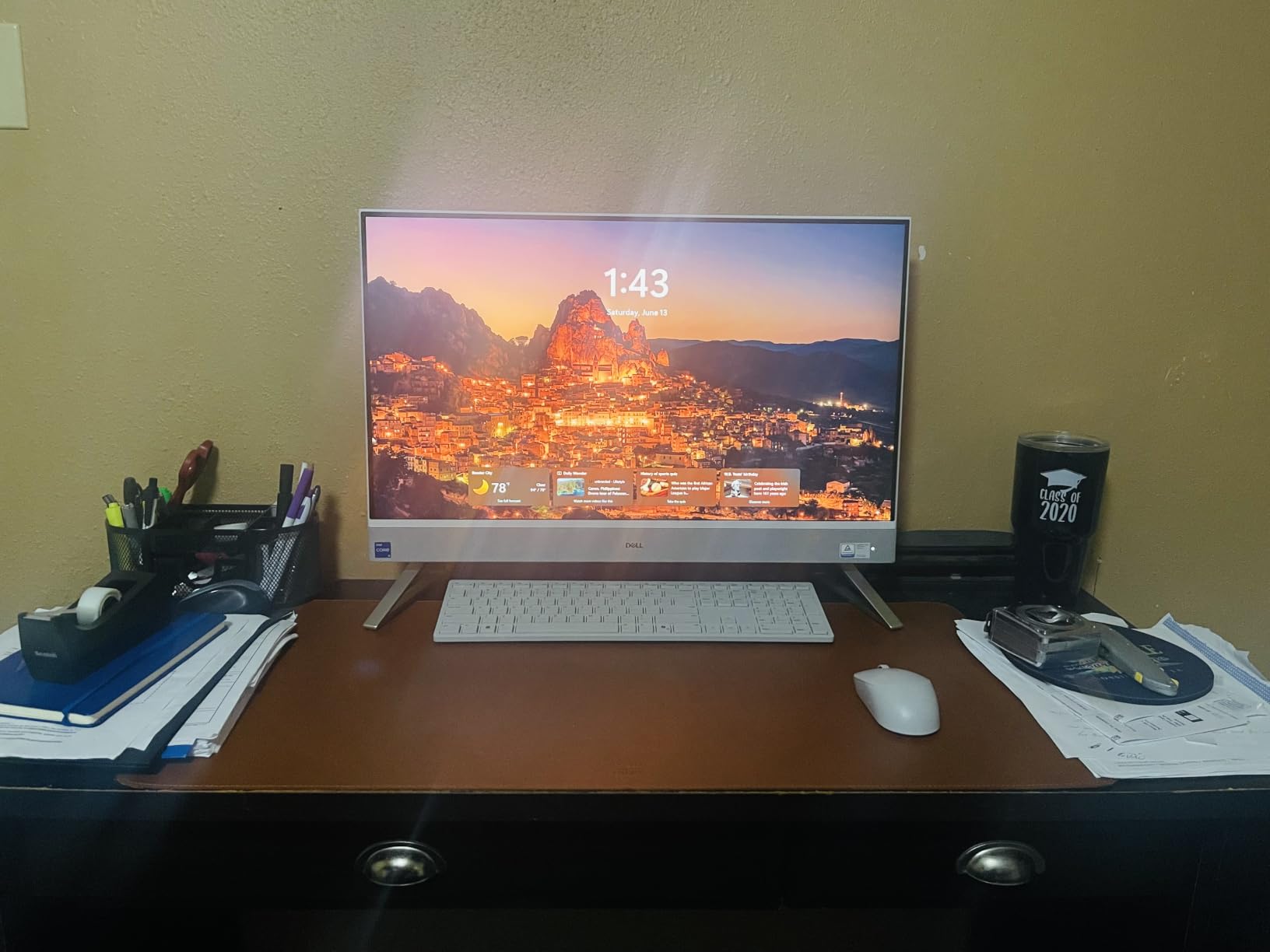
The 5MP IR pop-up camera is my favorite design in the group. It physically tucks into the chassis when unused, so there is no privacy shutter to lose and no doubt about whether you are on camera. HDR keeps you visible when you sit against a bright window.
The big miss is the stand: no height or angle adjustment at all. Measure your desk and chair height before ordering, or plan on a monitor riser.
Integrated graphics rule out real gaming and RAM caps at 16GB. In exchange you get Wi-Fi 6E, five USB ports, two HDMI ports, and Dell’s 1 Year Onsite Service, where a technician comes to you. With 77 percent five-star ratings across 127 reviews, owners are clearly happy.
How it handles real home office workloads
The Core 5 120U with 16GB of DDR5 is tuned for efficiency rather than benchmarks. Daily multitasking, video conferencing, and documents are all smooth.
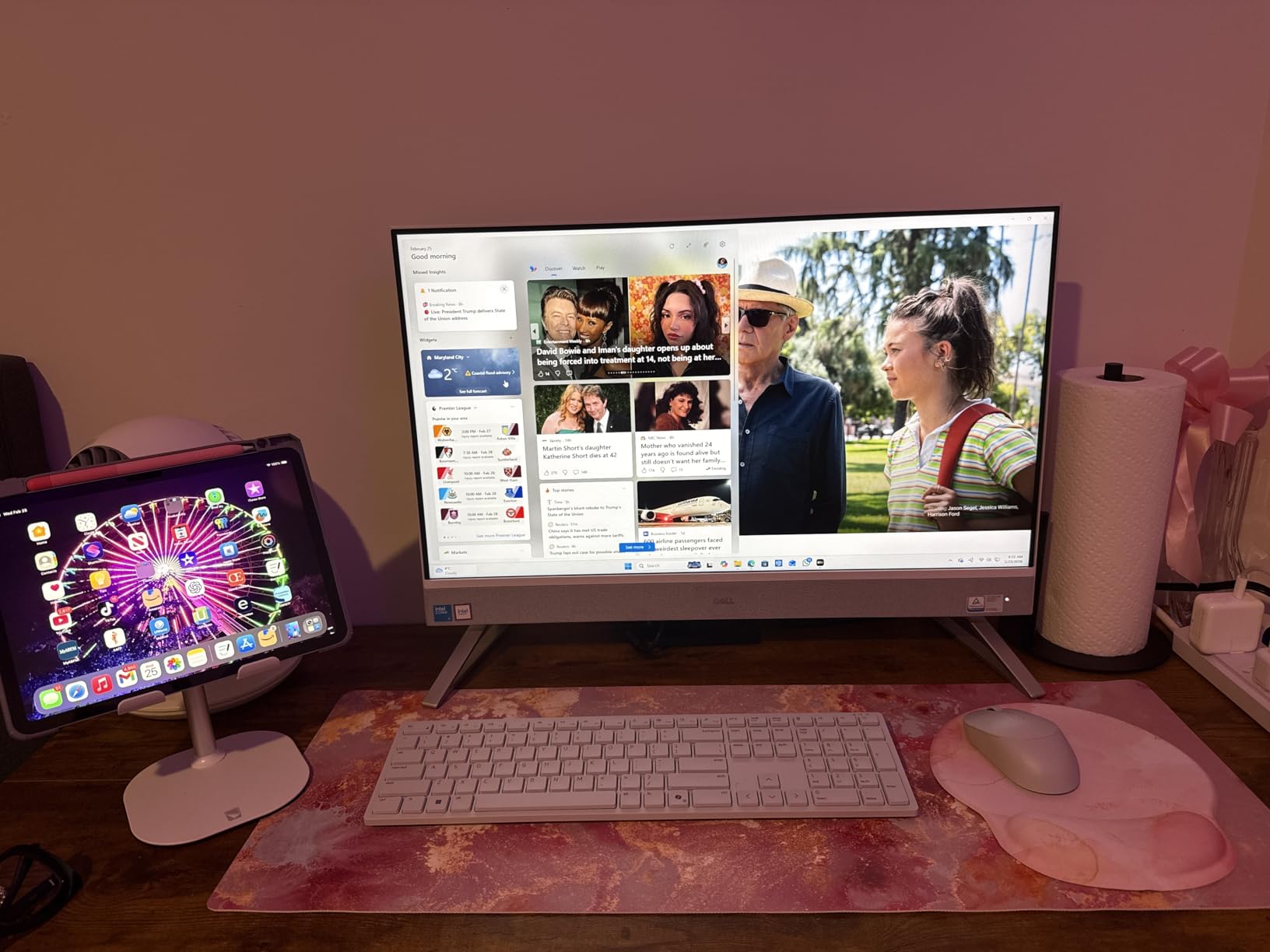
The wireless keyboard and mouse in the box are comfortable enough that I did not replace them, and the 512GB SSD leaves comfortable headroom for work files.
Who should actually buy this
Buy it if you value silence, want onsite warranty support, or share the machine with a family that never thinks about specs.
Skip it if you need an ergonomic stand, upgrade potential, or any gaming. The fixed stand is the one dealbreaker buyers repeat.
5. ASUS V470 27-inch Touch – Best Touchscreen All-in-One
ASUS V470 All-in-One, 27” FHD Anti-Glare Touch Display, 16GB DDR5 RAM, 1TB SSD, Intel® Core™ i5-13420H Processor, Windows 11 Home, Wired Keyboard and Mouse Included, V470VA-MS504T, Black
Intel Core i5-13420H 8-core
27-inch FHD anti-glare touch
16GB DDR5
1TB PCIe SSD
Dolby Atmos speakers
Pros
- Responsive 27-inch touchscreen
- Core i5-13420H 8-core CPU
- Huge 1TB SSD
- 1080p camera with AI noise cancellation
- Dolby Atmos speakers
Cons
- Wired keyboard and mouse only
- No height adjustment
- Some bloatware pre-installed
The ASUS V470 is the only touchscreen in this roundup, and touch changes more than I expected. Scrolling long documents, signing PDFs, and pinching into dense spreadsheets feel natural within a day. My kids treated it like a giant tablet, which tells you everything about its family appeal.
Underneath is a real workhorse: an 8-core Core i5-13420H boosting to 4.6GHz, 16GB of DDR5, and a full terabyte of PCIe storage. That is double the SSD space of anything else at this price, and I never thought about disk space once.
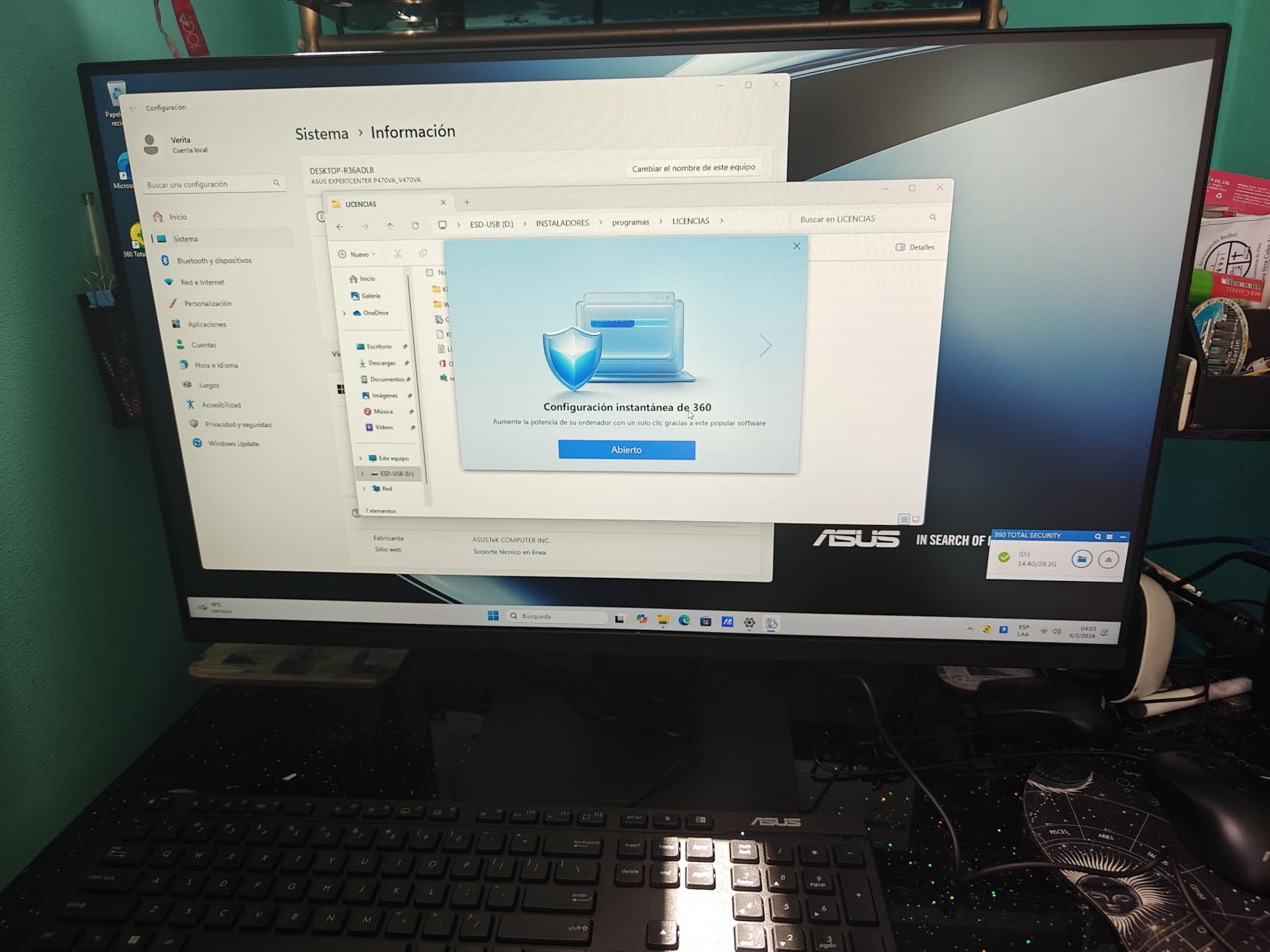
Video calls are a strength. The 1080p camera tucks away when unused, and the AI noise cancellation does an impressive job of erasing my mechanical keyboard from calls. Dolby Atmos speakers are the best Windows audio here apart from the Harman-tuned Lenovo.
The annoyances are small but real. The keyboard and mouse are wired, which feels dated on an all-in-one, and there is no height adjustment on the stand.
ASUS preloads some bloatware to uninstall in the first hour, and integrated graphics will not run even simple Steam games, as one buyer learned the hard way. With 80 percent five-star ratings across 30 reviews, most owners accept the tradeoffs.
How it handles real home office workloads
The H-series chip is a performance part, so it powers through heavy multitasking and light creative work without slowing down. Combined with 1TB of fast storage, it suits people who accumulate files and hate managing them.
Ports are sensible, with USB-C 10Gbps, USB 3.2, gigabit Ethernet, and HDMI-out for a second display. At 0.67 inches thick, it is the sleekest panel in the group.
Who should actually buy this
Buy it if you want a touchscreen, need serious storage, or share the computer with family members who tap screens by instinct.
Skip it if wired peripherals would bother you or gaming matters at all. Swapping in a wireless set fixes most of it.
6. Lenovo IdeaCentre 24-inch – Best Mid-Range Home Office PC
Lenovo IdeaCentre All-in-One Desktop Computer, 8GB RAM 512GB SSD
Intel N100 4-core
23.8-inch FHD IPS anti-glare
8GB DDR4
512GB SSD
Wi-Fi 6
Pros
- Excellent price for the specs
- 512GB SSD is generous at this price
- Crisp bright display
- Easy setup
- Tilt-adjustable screen
Cons
- Only 8GB of RAM
- Weak built-in speakers
- USB ports awkwardly placed
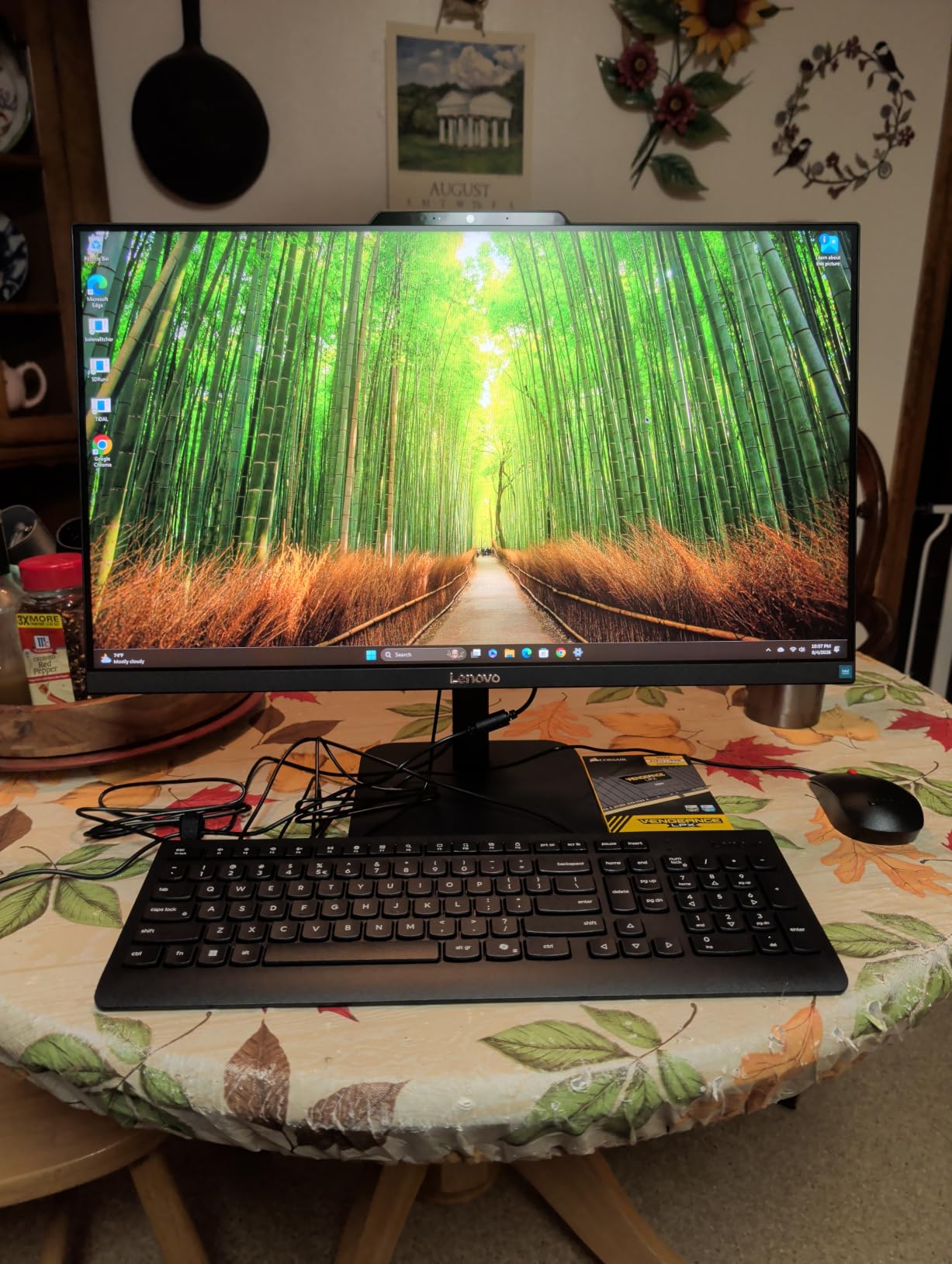
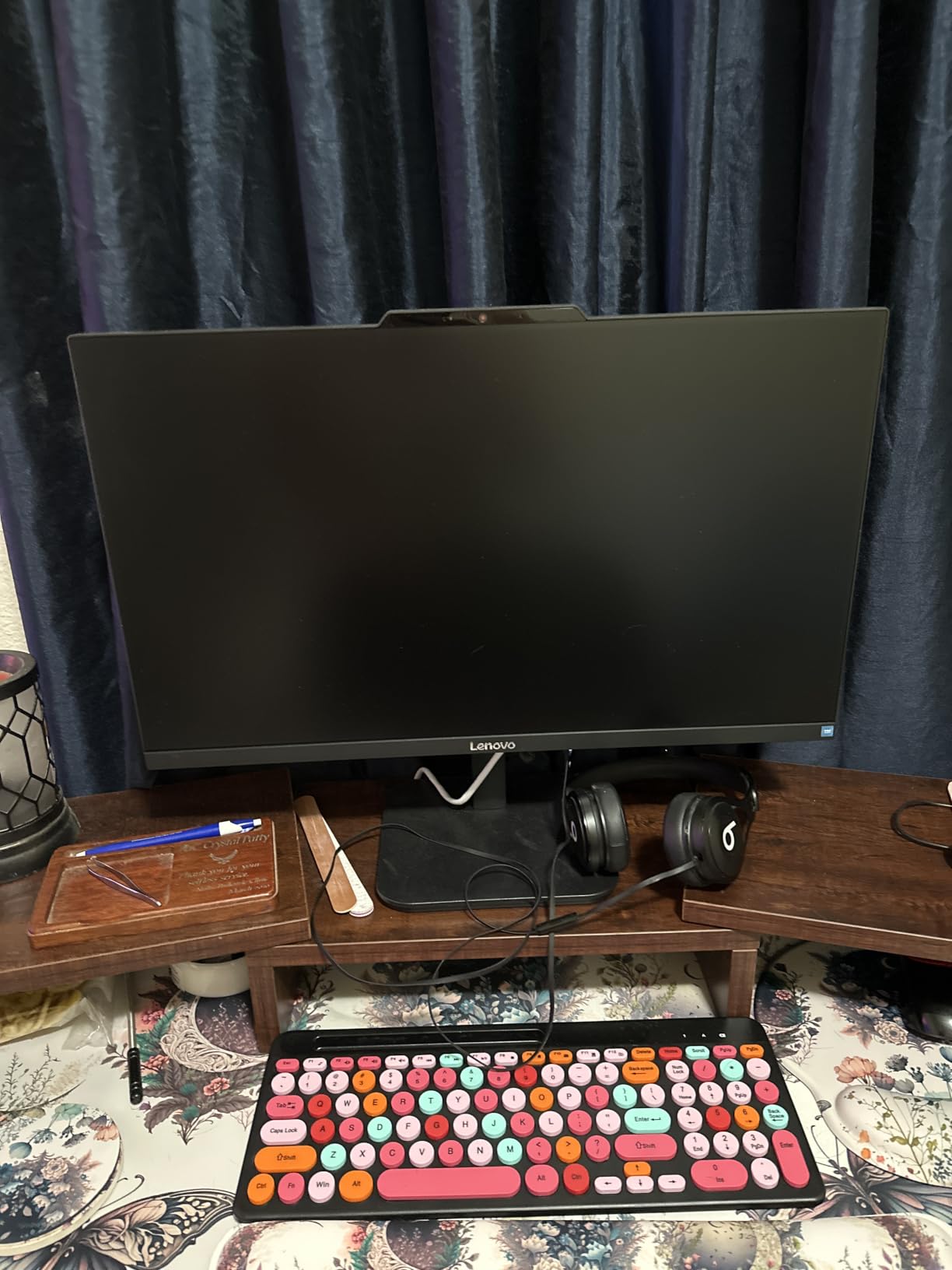
This is the machine I set up in my mother-in-law’s home office, the highest-stakes tech recommendation I make most years. It needed to be cheap, reliable, and invisible. Three months in, she has not called me once, which is the best review I can give any computer.
The 23.8-inch FHD IPS display is the star at this price. It is bright at 250 nits, covers 99 percent of sRGB, tilts to a comfortable angle, and the anti-glare coating works. Nothing about this screen says budget.
The Intel N100 is a modest 4-core chip, but paired with the 512GB SSD it boots fast and handles everyday tasks without drama. Five hundred and twelve gigabytes is generous here, double what several pricier machines in this test offer.
Be realistic about the limits. With 8GB of RAM out of the box, heavy multitasking will test it, though the slots accept up to 32GB if you upgrade later.
The speakers are weak enough that I added a small pair of externals, USB ports sit where you reach around the base, and a few buyers received wrong-region keyboards, so check the layout on arrival. Across 196 reviews it holds 4.3 stars, with 85 percent rating it four stars or better.
How it handles real home office workloads
For email, documents, web research, and video calls, it is completely adequate. I would not push it into photo editing or 30-tab sessions.
The upgrade path is the hidden value. Because the RAM and SSD are standard parts, this is one of the few budget AIOs you can improve over time instead of replacing wholesale.
Who should actually buy this
Buy it for a student desk, a parent’s office, or any light-duty role where budget matters more than horsepower.
Skip it as your only work machine if your day involves heavy multitasking or creative apps. The 8GB of RAM is the ceiling you hit first.
7. HP OmniStudio 24-inch – Best Compact All-in-One
HP All-in-OneDesktop Computer, 16GB DDR5 RAM, Intel Quad-Cores, 128GB SSD, WiFi6, Keyboard & Mouse, Windows 11
Intel Quad-Core N150
24-inch FHD IPS
16GB DDR5
128GB SSD
Pop-up privacy camera
Pros
- 16GB of fast DDR5 RAM
- Thin-bezel 90 percent screen-to-body display
- Pop-up privacy camera
- Noise-reduction microphones
- EPEAT Gold certified
Cons
- Only 128GB storage
- RAM not expandable
- White finish may yellow
This little HP holds a perfect 5.0 rating from every reviewer so far, which is almost unheard of. Twenty-one reviews at 100 percent five stars is a small sample, but it means buyers are not finding surprises, and surprises are what generate the angry one-star reviews.
What stands out is the memory. Most budget AIOs ship 8GB of slow DDR4; this one gives you 16GB of fast DDR5, and it shows in how smoothly Windows 11 switches between apps. The N150 quad-core is not a powerhouse, but that memory headroom keeps everyday work feeling fluid.
The design is genuinely nice for the money. Ultra-thin bezels give the 24-inch panel a 90 percent screen-to-body ratio, so it looks like a modern monitor rather than a plastic computer.
The pop-up privacy camera physically disappears when you do not need it, and the noise-reduction microphones are a real feature for calls, not a checkbox. This is the sort of thoughtful detail budget machines usually skip.
The tradeoff is storage. After Windows 11 and a standard app set, 128GB leaves room for documents and little else, so plan on cloud storage or an external drive from day one.
RAM is soldered and cannot be expanded, and a few reviewers noted the white finish may yellow over the years. On the plus side it is EPEAT Gold and ENERGY STAR certified, drawing very little power for a machine that runs all day.
How it handles real home office workloads
Email, web, documents, and daily video calls sit comfortably within its range thanks to the 16GB of DDR5. Six USB ports and an HDMI port mean no hub needed.
It is the coolest, quietest runner in the roundup. If your office is a corner of a bedroom, that silence and low heat are worth real money.
Who should actually buy this
Buy it if you work mostly in the browser and cloud apps and want a neat, small-footprint machine with plenty of RAM.
Skip it if you store files locally, since 128GB fills fast. There is no upgrade path, so buy it for what it is.
8. Lenovo 24-inch Pro AIO – Best for Business Use
Lenovo 24″ FHD All-in-One Desktop Computer for Home & Office, Intel Processor, 16GB RAM, 256GB PCIe SSD, HDMI, WiFi 6, Business AIO, Bluetooth 5.2, Vent-Hear, Wireless KB & Mouse, Windows 11 Pro
Intel N100 4-core
23.8-inch FHD IPS
16GB DDR4
256GB SSD
Windows 11 Pro
Ethernet
Pros
- Windows 11 Pro included
- Gigabit Ethernet port
- 16GB RAM for multitasking
- Front-access USB ports
- Wireless keyboard and mouse
Cons
- Weak built-in speakers
- Keyboard may ship in UK layout
- USB placement hard to reach
This is the sleeper pick of the roundup. It costs less than the performance machines here, yet it ships with Windows 11 Pro, 16GB of RAM, and a gigabit Ethernet port, three things that normally push a business PC up a price tier.
The reason is simple: many employers and VPN setups require or strongly prefer wired Ethernet plus Pro-level features like BitLocker and Remote Desktop. I have set up remote workers whose company VPN would not stabilize over Wi-Fi no matter what we tried, and Ethernet fixed it in ten minutes.
The 23.8-inch panel is the same pleasant 250-nit, 99 percent sRGB screen Lenovo uses across its budget line. With 16GB of RAM, multitasking is smoother than the 8GB models, and two USB ports sit on the front for easy access, which Lenovo’s other models here strangely do not manage.
The complaints are familiar budget-Lenovo issues. Speakers are weak, some buyers received UK-layout keyboards instead of US, and the rear ports are awkward to reach. A few users reported warranty friction with Lenovo support.
Across 149 reviews it holds 4.5 stars with 89 percent at four stars or better, and it ranks seventh in Amazon’s all-in-one category. For a corporate-adjacent home office, the value case is clear.
How it handles real home office workloads
For business software, VPN work, multi-tab research, and all-day video calls, the 16GB of RAM makes a real difference. It will not set benchmark records, but it will not be the thing that slows your workday down.
Windows 11 Pro, firmware TPM 2.0, and Ethernet make this the most IT-friendly budget AIO in the group. If your employer’s support team has opinions about your computer, this is the one they will not argue with.
Who should actually buy this
Buy it if you connect to a corporate network, need Pro-level Windows features, or want wired networking for stability and security.
Skip it if audio matters and you will not add speakers, or if you want a large 27-inch screen for split-screen work. Check the keyboard layout on arrival, just in case.
9. Lenovo 23.8-inch Everyday AIO – Best Budget Pick
Lenovo 23.8″ Intel 4-Core 8GB 256GB SSD All-in-One Desktop Computer
Intel N100 4-core
23.8-inch FHD IPS
8GB DDR4
256GB NVMe SSD
Windows 11 Home
Pros
- Very affordable
- Quality 23.8-inch FHD IPS display
- USB-C 10Gbps port
- Easy setup
- Space-saving design
Cons
- Only 8GB of RAM
- Occasional sticky scrolling reported
- Not Prime eligible
At 4.9 stars with 87 percent five-star reviews, this is technically the best-rated machine in the roundup and one of the cheapest. Reading the reviews, people are simply getting exactly what they paid for and are happy about it.
You get the same pleasant 23.8-inch FHD IPS anti-glare display as Lenovo’s pricier budget models, an N100 processor, 8GB of RAM, and a 256GB NVMe SSD. It boots quickly, wakes fast, and handles the standard home office routine of browser, email, documents, and video calls without complaint.
Connectivity punches above its price class. There is a USB-C 10Gbps port, which is unusual on a machine this cheap, plus four USB-A ports, HDMI-out for a second monitor, gigabit Ethernet, and Wi-Fi 6.
Set expectations accordingly. With 8GB of RAM you will feel the limit if you live in 30 browser tabs, and a couple of buyers reported occasionally sticky scrolling.
It is also not Prime eligible, so shipping takes longer than the rest of this list. For light duty none of that matters much; for heavier work, spend a little more on the IdeaCentre above or the HP with 16GB.
How it handles real home office workloads
For one person doing one thing at a time, it is perfectly responsive. Documents, email, streaming, and web calls all run smoothly.
The NVMe SSD deserves the credit here. Fast storage does more for perceived speed on a budget machine than a faster processor would.
Who should actually buy this
Buy it as a first home office computer, a student machine, or a low-stakes family PC. The display and port selection are genuinely excellent for the price.
Skip it if you multitask heavily or want a machine that still feels fast in three years. This is a today machine at a today price, and there is nothing wrong with that.
10. suevery 22-inch AIO – Most Affordable Option
suevery All-in-One Desktop Computer,22″ Core i5 AIO Gaming pc,HD Webcam
Core i5-7300U
21.5-inch FHD tilt screen
16GB RAM
512GB SSD
HD webcam
Pros
- Lowest price in the roundup
- 16GB RAM and 512GB SSD included
- Built-in HD webcam
- Compact 21.5-inch footprint
Cons
- Ships with DOS
- no OS installed
- Inconsistent bundled accessories
- Bundled trial software complaints
- Older processor generation
I include this one with clear caveats, because it is the cheapest machine here and the lowest rated at 3.8 stars. This is what you buy when the budget is fixed and you need a working home office computer this month. It can be a fine machine, but it asks more of you than the others.
The hardware story is decent on paper: 16GB of RAM, a 512GB SSD, an HD webcam, and a tilt-adjustable 21.5-inch 1080p anti-glare display at the lowest price in the group. The footprint is also the smallest here, which matters if your office is genuinely a corner of a room.
The catch is setup. It ships with DOS rather than Windows, so you must install your own operating system, a real task if you have never done it before.
Buyers also report inconsistent bundle contents, with some receiving the listed keyboard and mouse and some not, plus trial security software that nags until removed. The Core i5-7300U is an older dual-core mobile chip, fine for basics but a few generations behind everything else here.
Read the 54 percent five-star rate alongside the 27 percent one-and-two-star rate and the picture is clear: some units arrive and delight their owners, others arrive with problems. At this price, that variance is the tax.
How it handles real home office workloads
Once a proper OS is installed, the 16GB of RAM and 512GB SSD carry everyday office work respectably. The older dual-core chip is the bottleneck under heavy multitasking.
Six USB ports and HDMI give room for peripherals, and the built-in webcam saves you clipping one to the top of the frame.
Who should actually buy this
Buy it if the budget is absolutely fixed, you can install an operating system yourself, and you want maximum RAM and storage per dollar.
Skip it if you want plug-and-play, a current processor, or predictable quality control. The Lenovo budget picks above cost a little more and buy a lot of peace of mind.
Buying Guide: How to Choose the Best All-in-One for Your Home Office
Choosing an AIO involves sharper tradeoffs than choosing a laptop, because whatever you buy is largely what you live with. These machines are not built for constant upgrading. Here is what actually matters before you spend anything.
Processor: buy for the work you do, not the work you imagine
The gap across this roundup is real. Intel N100 chips in the budget Lenovos are fine for email, documents, and browsing, while the Core i7-13620H, Ryzen AI 7, and Apple M4 are genuine performance parts that swallow a full workday.
My rule after testing these: if you earn your living on this machine, buy a Core i5, Core i7, Ryzen AI, or Apple M-series chip. Save the N100-class machines for second computers and light duty.
RAM: 16GB is the sensible minimum
Eight gigabytes works for one app and a handful of tabs, but Windows 11 is hungry, and a video call plus a browser plus a spreadsheet will press it. Sixteen is the sweet spot for a home office in 2026, which is why the HP OmniStudio 24 and Lenovo 24 Pro punch above their price.
Check upgradeability before you buy, not after. The HP OmniStudio 27 and several Lenovos here allow RAM upgrades; the Dell 27 and HP 24 do not.
Storage: 256GB minimum, 512GB comfortable
A 256GB SSD fills faster than you expect once Windows, Office, and a photo library land on it. Five hundred and twelve gigabytes is the comfortable choice, and the ASUS V470’s 1TB is genuinely luxurious.
The HP OmniStudio 24’s 128GB is the outlier, workable only if you live in cloud storage. Favor NVMe over SATA; every machine here uses SSD storage, which is why even the cheapest boot quickly.
Display: this is the part you stare at all day
Screen quality matters more in an AIO than in any other computer category, because you cannot swap the monitor later. Twenty-four inches suits small desks, while 27 inches transforms spreadsheet and split-screen work.
The iMac’s 4.5K panel is the sharpest here by a wide margin, and the Lenovo IdeaCentre 27’s 300 nits beat the 250-nit standard elsewhere. Also check whether the stand adjusts, because the Dell 27 and ASUS V470 stands are fixed.
Webcam and audio: the remote work essentials
If you take daily video calls, prioritize the camera. The iMac’s 12MP Center Stage and the Lenovo IdeaCentre’s 5MP sensor beat standard 1080p webcams clearly, and AI noise cancellation on the ASUS and HP genuinely cleans up keyboard clatter.
Speakers are the persistent weakness of the category apart from the iMac and the Harman-tuned Lenovo. If you listen to music while you work, budget for a small pair of externals or good headphones.
Ports and connectivity: count before you buy
Map your peripherals before ordering. An external drive, second monitor, headset, and wired keyboard need at least four accessible ports plus HDMI-out.
The Dell 27 with five USB and two HDMI ports is strong here; the HP OmniStudio 27 with three needs a hub. Placement matters as much as count, and several Lenovos tuck ports under the base where they are hard to reach.
Operating system and ecosystem
Windows 11 Home covers most home offices. Pro, on the Lenovo IdeaCentre 27 and Lenovo 24 Pro, adds BitLocker encryption and Remote Desktop, which some employers require.
macOS is the clear choice if you own an iPhone or iPad, and the wrong one if your work software is Windows-only. Also watch for machines shipping without a full OS, like the suevery’s DOS.
The upgradeability question, answered honestly
This is the fairest objection to all-in-ones: when a part fails or slows, you generally replace the whole machine, screen included. Forum threads on this topic are full of users recommending small towers instead for exactly this reason.
The honest counterpoint from our testing is that most home office buyers never upgrade a tower either. If you value a clean desk, silent operation, and a five-minute setup over long-term repairability, an AIO is a rational choice.
Energy efficiency: the running cost nobody mentions
No competitor covers power draw, which is strange for machines that run 40-plus hours a week. AIOs generally sip power compared with a tower plus monitor, and several models here carry EPEAT and ENERGY STAR certification, led by the HP OmniStudio 24.
The Apple iMac is notably efficient for its performance, and the N100-based machines draw very little at idle. Over a year of full-time work, that difference is real money on your utility bill.
Warranty and support
For an expensive purchase with a built-in screen, warranty terms matter. Dell’s 1 Year Onsite Service is the standout here, since a technician comes to you rather than you shipping the machine away.
Lenovo and HP offer standard one-year terms, and a few Lenovo buyers reported friction with claims. Losing your only computer for two weeks of shipping is a cost that never appears on a spec sheet.
Frequently Asked Questions
What is the best all-in-one desktop computer for home use?
What is the best all-in-one desktop computer for office use?
What is the best desktop computer for a home office?
What is the downside of an all-in-one computer?
How much RAM do I need in an all-in-one desktop?
Are all-in-one computers good for home offices?
Final Verdict: Which All-in-One Should You Buy?
After testing all 10, my recommendations split cleanly by need. For the best all in one desktop computers for home offices, the Apple iMac 24-inch M4 is our overall winner, with the sharpest display, the best camera, and silent speed that will still feel current years from now. The HP OmniStudio 27 is the Windows pick for a big adjustable screen, the Lenovo IdeaCentre 27 gives the most processor per dollar, and the Dell 27 wins on silence and onsite service.
On a tight budget, the Lenovo IdeaCentre 24 and HP OmniStudio 24 punch well above their price, and the Lenovo 24 Pro suits anyone tethered to a corporate network. Whatever you pick, size the RAM and storage for the machine you will need in three years, not the one you need today, because upgrading later is rarely an option in this category.
One last tip from setting up a lot of these: check the stand height against your chair and count your peripherals against the port list before ordering. Those two details cause more returns than any spec ever will. Whichever machine you choose, your desk is about to get a lot cleaner.