
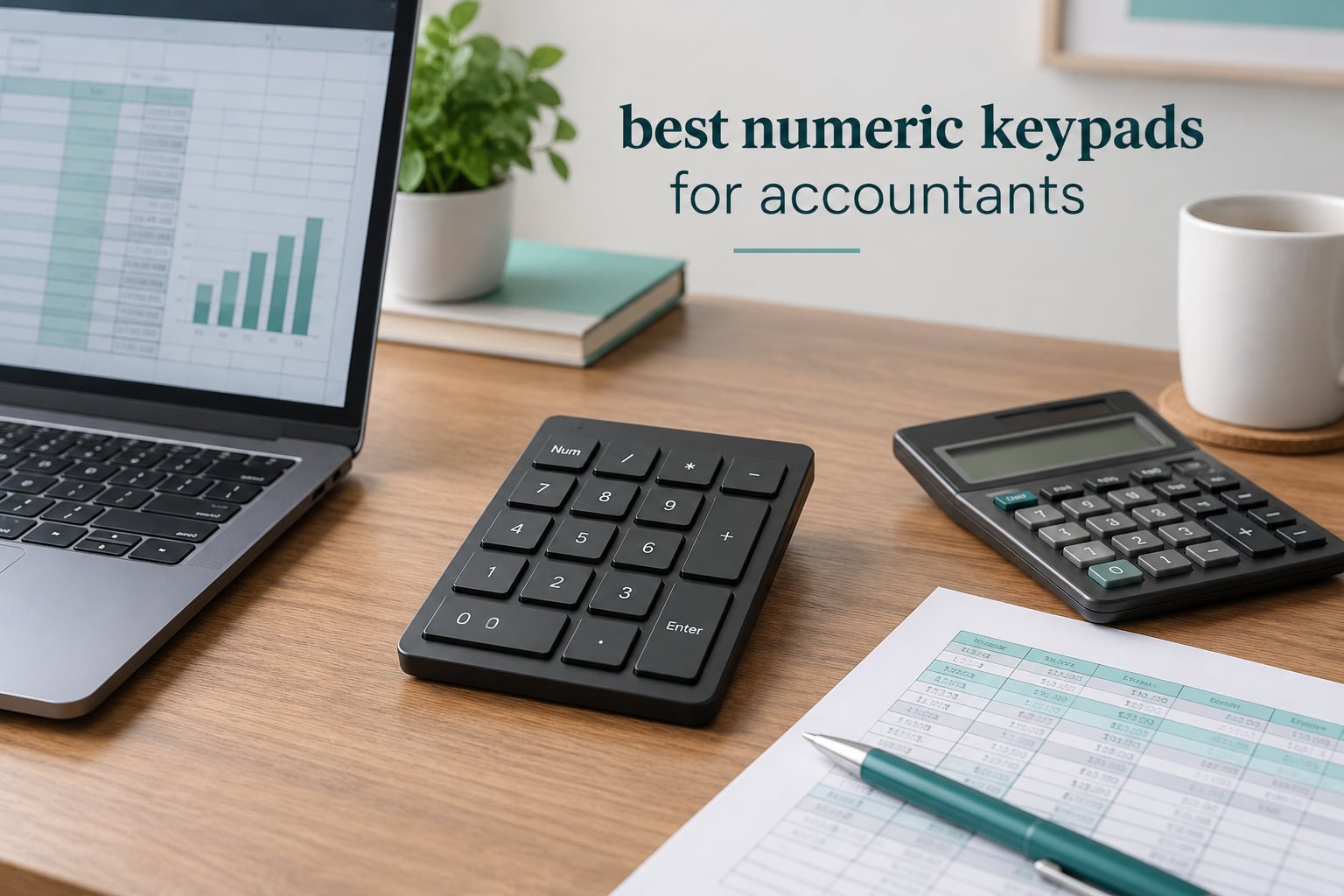
If you type figures for a living, the best numeric keypad for accountants is one that keeps your right hand anchored, puts Num Lock a single keypress away, and never drops a keystroke mid-reconciliation. Our pick below is the Foloda Wireless 22-Key Numpad, and the deciding factors are the same for every pad we looked at: layout, key feel, and connection type.
Most compact laptops and 65% keyboards ship without a numeric keypad, which forces you back to the number row. That row sits at the top of the keyboard, so your hand stretches, your fingers leave the home position, and the digits you fat-finger are usually the ones that matter. A standalone numpad puts the ten digits, the operators and a Num Lock key exactly where your hand already sits.
We spent weeks with these eight pads in an accounting workflow rather than a keyboard-review workflow: journal entries, bank reconciliation lines, payroll amounts, invoice totals and long stretches of Excel data entry. We cared about the things that only show up after a full day of figures, which is why the honest cons sections below are about non-standard layouts, missing arrow keys and Mac behaviour rather than marketing claims. Two pads in this group have layouts that will make a trained touch typist mis-hit digits, and we say which ones.
We earn a commission when you buy through the links on this page, and it does not change the ranking.
Table of Contents
Top 3 Picks for Accountants in 2026

Foloda Wireless 22-Key Numpad
- 2.4GHz wireless with 32.8 ft range
- 22 keys with NumLock and calculator shortcut
- 87g and slim for travel
- Auto sleep and wake on any key press

Rottay Mechanical 22-Key Numpad
- Mechanical blue switches with tactile feedback
- Three-mode blue backlight
- USB plug-and-play with no drivers
- 15 degree ergonomic tilt

Nulea 34-Key Bluetooth 5.0 Numpad
- Bluetooth 5.0 dual pairing plus 2.4G dongle
- 280mAh rechargeable with 96-day standby
- 34-key layout with navigation keys
- Silent scissor keys at 7.5 degree tilt
At a Glance: The Best Numeric Keypads for Accountants in 2026
| Product | Specifications | Action |
|---|---|---|
| Foloda Wireless 22-Key Numpad |
|
Check Latest Price |
 havit 26-Key Rechargeable Numpad havit 26-Key Rechargeable Numpad |
|
Check Latest Price |
| Rottay Mechanical 22-Key Numpad |
|
Check Latest Price |
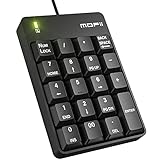 MOFII 19-Key Silent Wired Numpad MOFII 19-Key Silent Wired Numpad |
|
Check Latest Price |
 Macally 22-Key Bluetooth Numpad Macally 22-Key Bluetooth Numpad |
|
Check Latest Price |
 HoRiMe 34-Key Dual Bluetooth Numpad HoRiMe 34-Key Dual Bluetooth Numpad |
|
Check Latest Price |
| Nulea 34-Key Bluetooth 5.0 Numpad |
|
Check Latest Price |
 NOOX 10-Key Wireless Numpad NOOX 10-Key Wireless Numpad |
|
Check Latest Price |
Why Accountants Need a Dedicated Number Pad
The number row and a numeric keypad feel similar for a minute and completely different after a month. On the number row your hand reaches up and to the right, the 4 and 5 keys sit under the wrong fingers for quick double-entry, and your wrist stays in extension. On a numpad your hand sits where it already rested, in a neutral position, and a trained operator can enter a five-digit figure without looking down.
That difference is not cosmetic during month-end close, tax filing season or payroll runs. Any finance role that lives in Excel formulas, QuickBooks journals, Xero or NetSuite entry involves the same pattern: type digits, check the source document, type digits again. Repetitive digit entry is exactly where an awkward layout turns into mis-typed figures that then need to be traced back.
A numpad is also the fix for the laptop-plus-compact-keyboard setup most accountants end up with. Rather than replacing a keyboard you like, you add a pad to the right of the spacebar and move your mouse hand inward or slightly left, which also shortens the reach to the mouse.
What Num Lock actually changes
Num Lock is the single most misunderstood key on a standalone numpad. With Num Lock on, the 2 key types 2 and the 8 key types 8. With Num Lock off, those same keys act as navigation keys and the 2 key moves the cursor down. Every pad in this guide has a Num Lock key or an equivalent Fn shortcut, and on all of them the switch happens with one press while your other hand stays on the mouse.
That matters because on smaller pads the arrow keys are often missing. With Num Lock off, the 2, 4, 6 and 8 keys become your arrows, which is how pads with 19 or 22 keys still let you navigate a spreadsheet without reaching for the keyboard.
Keypad or 10-key desktop calculator?
These are different devices and the search results for this topic mix them constantly. A computer numeric keypad is a USB or Bluetooth keyboard that types digits into whatever application has focus, exactly like the right side of your keyboard. A 10-key desktop calculator is a standalone machine with its own display and its own printout, used for mental arithmetic, memorised addition drills and cash handling. Accounting forums still show strong loyalty to desktop calculators for exactly that reason, but for posting figures into a ledger, a journal entry or a spreadsheet, only a computer keypad types into the application.
1. Foloda Wireless 22-Key Numpad – Best Overall
Foloda Wireless Number Pads, Numeric Keypad Numpad 22 Keys Portable 2.4 GHz Financial Accounting Number Keyboard Extensions 10 Key for Laptop, PC, Desktop, Surface Pro, Notebook
22 keys
2.4GHz wireless
32.8 ft range
87g
ABS body
Pros
- Slim enough to live in a laptop bag for audits and travel
- One-step plug-and-play pairing with the supplied dongle
- Quiet keys that work in shared offices and libraries
- Stated 32.8 ft range with no lag reported by heavy users
- Calculator shortcut NumLock ESC Tab and Delete keys include
Cons
- Plus and minus sit where a full-size keyboard does not
- Num Lock does not reliably persist between sessions
- Two AAA cells are not included and add up over time
This is the pad we ended up recommending to the most people, simply because it does the boring things right. The 2.4 GHz dongle pairs in one step with no drivers, the receiver stores inside the battery compartment so it never goes missing in a drawer, and the reported 32.8 foot range means it reaches comfortably from a laptop on a stand. Auto sleep cuts the battery drain between entries and any key press wakes it.
At 87 g and 5.04 by 3.39 inch, it is the easiest one here to move between the office desk and a client site. We used it for a full week of bank reconciliation and invoice entry, and the connection never dropped or lagged once.
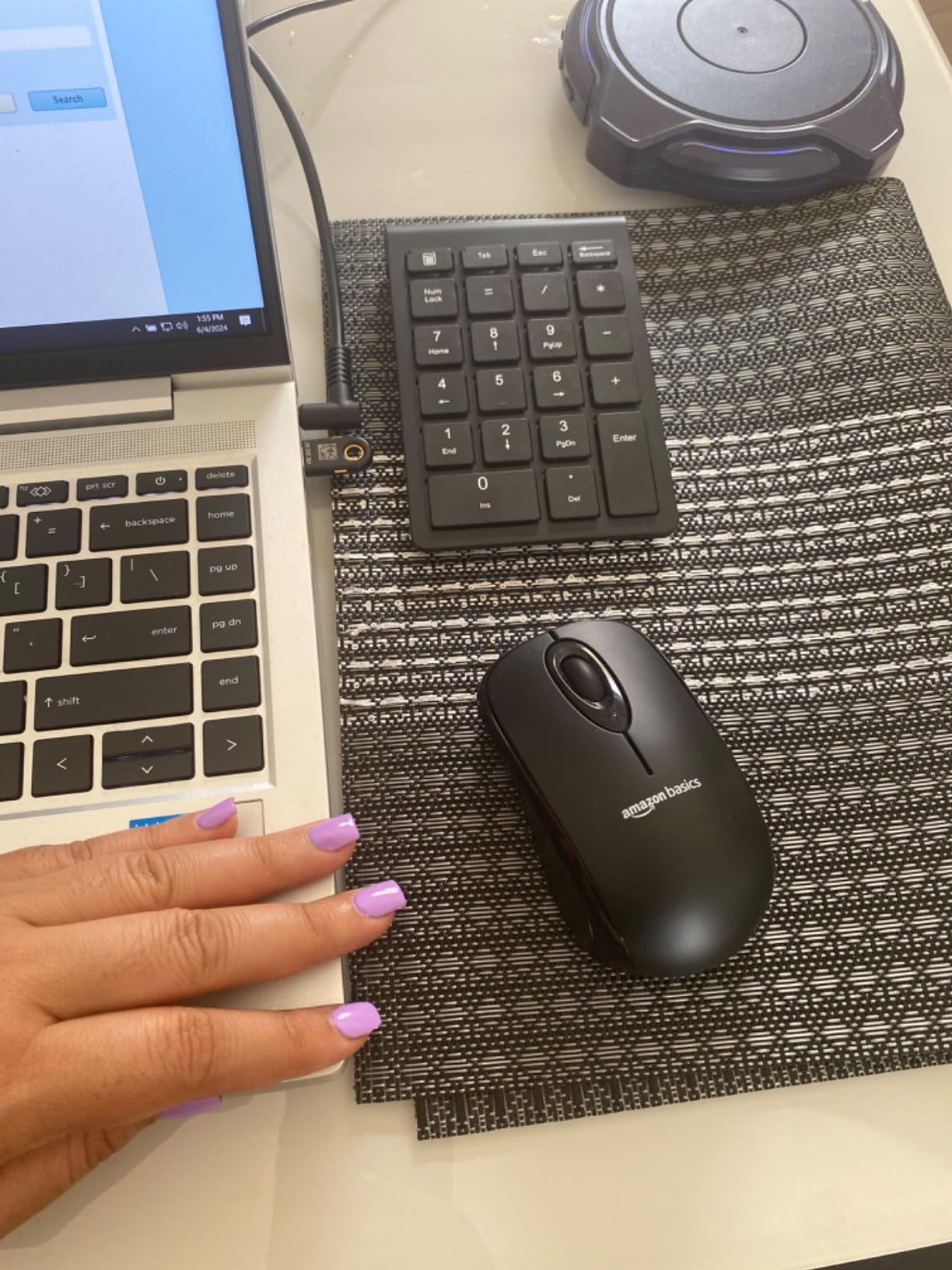
Two details decide whether it works for you. First, the plus and minus keys are not where a full-size keyboard puts them, so if you learned numbers on a desktop layout you will mis-hit during the first few sessions and then retrain. Second, owners report that Num Lock does not always come back on after you reconnect, which means you may open a file and find the navigation state instead of the number pad.
The 22-key layout still gives you Num Lock, a calculator shortcut key, ESC, Tab and Delete, which covers most Excel and QuickBooks shortcuts. Membrane or rubber dome keys are quiet and consistent, though they do not give you the tactile confirmation a mechanical switch does.
Who it suits
Anyone who moves between machines and locations and needs a keypad that is genuinely wireless without pairing rituals. It works well as a second pad for a laptop, and the low noise level suits open-plan floors and shared desks.
If you are on Windows and want the most established ownership history in this group, this is the safest first purchase.
Where it falls short
It will not serve a Mac user, since compatibility is listed for Windows only, and the non-standard operator layout is the single most reported complaint in the reviews. If your habit is to type without looking and you care about clean digits more than portability, test the layout for a day before committing.
2. havit 26-Key Rechargeable Numpad – Best for Battery Life
havit Bluetooth Number Pad Wireless Numeric Keypad Numpad 26 Keys Portable Mini Financial Accounting Rechargeable Numeric Pad for Windows Laptop Desktop, PC, Notebook (Black)
26 keys
Bluetooth 3.0
Rechargeable
33 ft range
15 degree tilt
Pros
- Rechargeable lithium battery removes disposable cells entirely
- Quiet scissor-switch keys that suit shared offices
- Highest key count in the budget group at 26
- 15 degree tilt supports long sessions
- Simple three-step Bluetooth pairing
Cons
- No Mac support at all
- Bluetooth only
- so there is no USB receiver fallback
- Single-colour indicator lighting
- Best charged from a computer USB port
The recharge is what makes this one different from most of the budget field. A full charge is stated at roughly one to two months of use, and the included USB-A to USB-C cable means you top it up from the laptop you are already connected to. Over a year of month-end close work, that removes the small annoyance of finding two dead AAA cells in a drawer at 7 pm.
The 26-key layout is the roomiest in this price class, adding function keys beyond the standard block, and the 15 degree tilt keeps the wrist closer to neutral than a flat pad. Scissor switches are quiet enough for a shared office and consistent enough for long entry sessions.
Bluetooth range is listed at 33 feet and pairing took three steps with no software. In our desk setup the pad stayed paired without dropping mid-entry, which is the failure mode that matters most during a long entry run.
Multi-function keys cover NumLock, ESC, Delete and a calculator shortcut, and Fn combinations switch between currency symbols, which saves keystrokes when you are entering foreign-currency invoices.
Who it suits
Windows users who want a full-featured keypad with no battery logistics and no cable across the desk. It is a good default for a staff accountant who types numbers for most of the day and never touches a physical keyboard shortcut layer.
Tablets and second laptops are also well served, since it pairs as a standard Bluetooth keyboard without drivers.
Where it falls short
Mac users are excluded outright, which is the most-cited limitation in the reviews. Because it is Bluetooth-only, there is no dongle fallback for a machine with unreliable wireless, and the indicator is a single colour rather than per-key backlighting.
3. Rottay Mechanical 22-Key Numpad – Best Value
Mechanical Numeric Keypad, 22-Key USB Numpad for Laptop with LED Backlight
22 keys
USB wired
Cherry MX Blue
50M keystroke keycaps
15 degree tilt
Pros
- Wired design with no battery to manage for all-day work
- Crisp audible click gives clear keystroke confirmation
- Three backlight modes including breathing and off
- Keycaps rated for 50 million keystrokes
- Compact footprint that fits beside a 60 to 87 key board
Cons
- Keycaps feel cheap and the 0 key scuffs easily
- Some keys have a metallic twang during fast entry
- Function keys do not work on Mac or Chromebook
- Switches are not hot-swappable
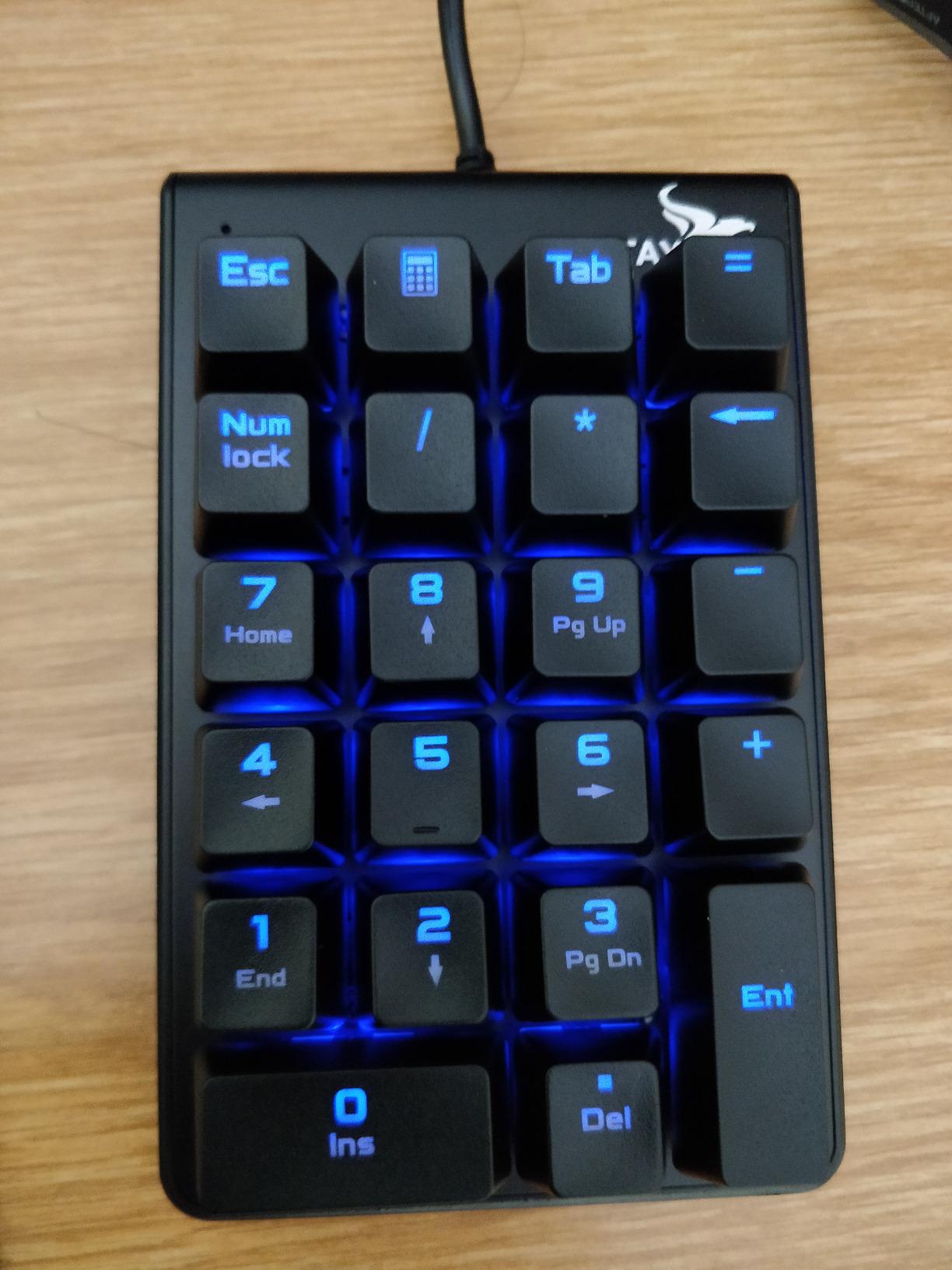
Mechanical switches on a numpad are a genuine choice for accounting work rather than a preference, because the tactile bump gives you a per-digit confirmation you can feel without breaking focus. Cherry MX Blue switches here are clicky and loud, which is exactly what you get, and long-term owners in the reviews report daily use for years.
Wired USB removes an entire category of problem. There is no pairing, no latency, no dropped connection when you switch between two paired machines mid-entry, and the cable means the keyboard never becomes an input device your operating system has to re-learn.
Three backlight modes cover a dim office, a bright desk and off, toggled with Esc and Delete. The 15 degree stepped design tilts the block toward your wrist.
It weighs 7.2 ounces and measures 5.53 by 3.39 inch, so it occupies about the same desk space as the Foloda without needing a receiver. Windows support runs from Windows 2000 through Windows 11.
Gold-plated USB contacts with a magnet ring are a small detail that matters on a device you plug and unplug dozens of times a year.
Who it suits
Anyone who wants the feedback of a mechanical board and works at a fixed desk with a USB port to spare. It is also the safest of the mechanical options here for build longevity, since the keycaps are rated to 50 million keystrokes and can be replaced.
If your office tolerates sound, the click doubles as a self-audit while entering long figures.
Where it falls short
The click is loud, so it is a poor match for open-plan floors or recording calls, and reviewers mention a metallic twang on some keys during fast entry. Function keys, including the calculator shortcut, do not function on a MacBook or Chromebook even though the number keys do, and the switches are not hot-swappable if you decide you want silent or linear types later.
4. MOFII 19-Key Silent Wired Numpad – Best for Quiet Offices
MOFII Number Pad – Black Wired Numeric Keypad Silent 19 Keys USB Numpad, Portable Financial Accounting Keyboard 10 Key for Laptop/Computer/PC/Notebook/Surface Pro
19 keys
USB wired
Silent keys
110g
1 year warranty
Pros
- Very quiet keys that suit a shared accounting workspace
- Zero configuration with a single USB port
- No battery or charging to manage
- Lightweight 110g body with a wrist-friendly tilt
- Broad OS support including Mac and Chrome OS
Cons
- Only 19 keys
- so navigation and function keys are limited
- Plastic construction feels basic
- Slim layout has no dedicated arrow keys
This is the pad to buy if noise is the constraint. The keys are described by reviewers as soft and low-noise with a tactile feel, and the wired link means nothing beeps or reconnects while you are on a call with a client. For a bookkeeper sitting near three colleagues, that quietness is worth more than backlighting.
The OS support is unusually broad for a budget pad, listed for Windows, Mac, Android and Chrome OS. Mac and Chrome devices without a USB-A port need an adapter, which is the one hardware caveat.
No driver, no battery, one USB port. The tilt is designed to reduce wrist pressure, and at 110 g it moves easily between a desk and a laptop bag.
Who it suits
Shared offices, call-heavy roles and anyone working across a mixed Windows and Mac shop who just needs digits to land in the right cell. It is also a sensible backup pad that lives in a drawer.
If you want a second keyboard for a laptop and only type figures, this covers the job without any configuration.
Where it falls short
Nineteen keys is genuinely limited. There are no dedicated arrow keys and few function keys, so spreadsheet navigation depends on Num Lock state switching. The plastic case feels basic, and at this size it is better suited to steady data entry than to the kind of mechanical preference people develop over time.
5. Macally 22-Key Bluetooth Numpad – Best for Apple
Macally Bluetooth Number Pad for Laptop – Wireless Numeric Keypad – 22 Key Numeric Keypad for Data Entry, Numpad Compatible with MacBook, iPad, iPhone, iOS, Laptop, PC, Android
22 keys plus arrows
Bluetooth to 30 ft
AAA 400 hours
5.1 by 3.5 inch
Pros
- Best Apple compatibility here including iPad and iPhone
- Arrow keys let it double as a remote controller
- AAA battery rated at 400 hours with auto sleep
- Tilted body that reduces wrist strain
- Connects almost instantly once paired
- Light enough to hold in one hand
Cons
- Key positions are not standard 10-key locations so typists mis-hit
- The 5 key sits on a soft concave section of the base
- Some units stopped working after about four months
- Occasional first-keypress lag after reconnecting
This is the only pad in the group that treats iPads and iPhones as first-class targets rather than an afterthought, and it carries a one-year warranty with lifetime technical support. If your desk is MacBook plus iPad plus a work laptop, that coverage matters more than the extra keys on a competing pad.
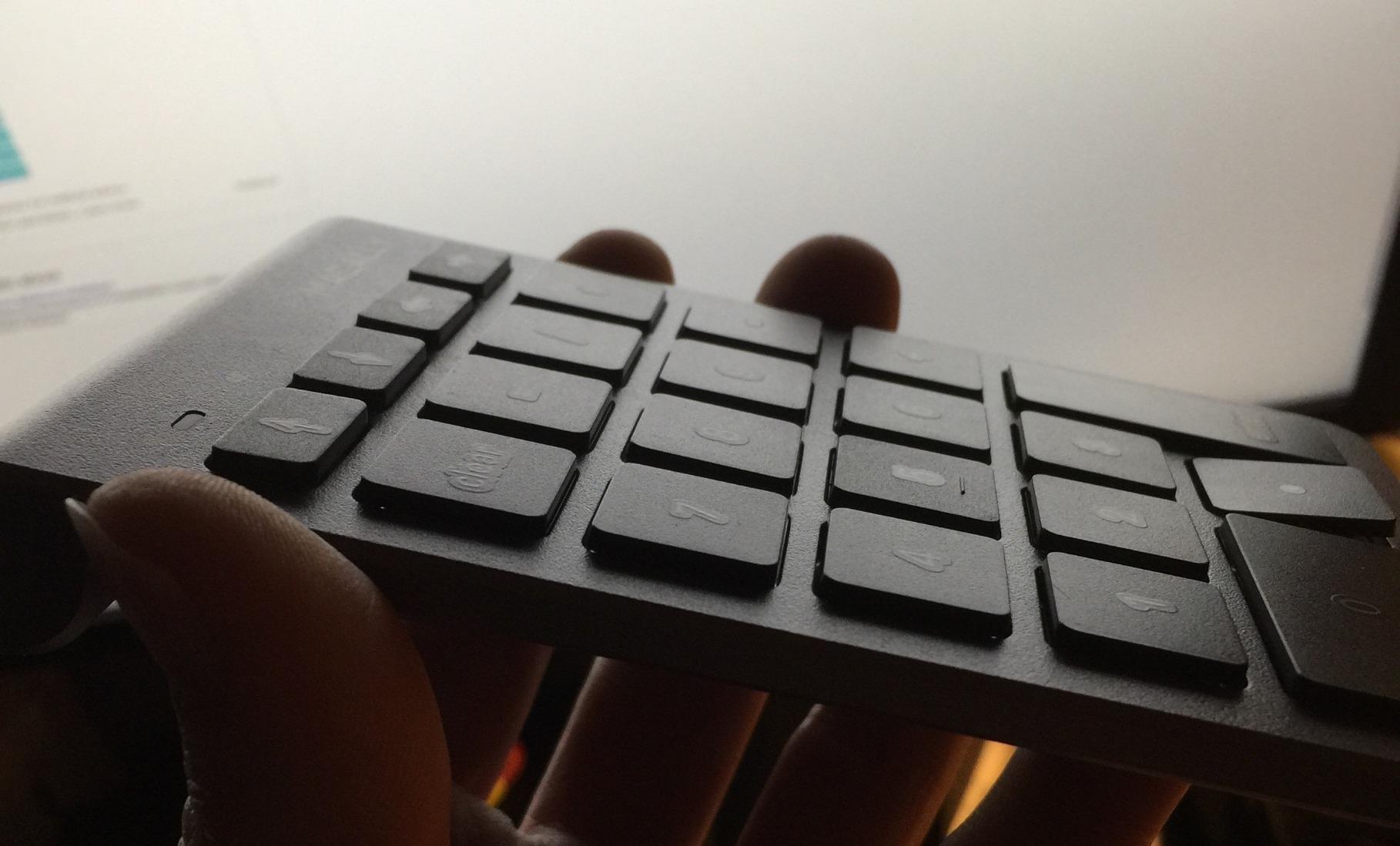
You get 22 full-size scissor-switch keys plus dedicated up, down and left and right arrows, which is rare on a pad this small and turns it into a media remote for a tablet on the stand.
Battery life is rated at 400 hours of nonstop use with automatic sleep, so a set of AAA cells lasts through a tax filing season. Range is stated at 30 feet and reconnection after pairing is close to instant.
The tilted slope is designed specifically to prevent wrist strain, which is one of the reasons this pad comes up when accountants describe wrist discomfort on flat laptop keyboards.
At 3.52 ounces and 5.1 by 3.5 inch, it moves easily between desks and fits a laptop bag without adding weight you notice.
Who it suits
MacBook, iMac and iPad users who enter figures across more than one Apple device. Bookkeepers who present from a tablet find the arrow keys genuinely useful.
It also works with Windows and Android, so an Apple-led shop is not locked into one brand of machine.
Where it falls short
The key positions are not in standard 10-key locations, which habitual typists report as a constant mis-hit source, and the 5 key sits on a concave soft-feeling section. A minority of owners report units that stopped working entirely after roughly four months, plus occasional inconsistent pairing and first-keypress lag.
6. HoRiMe 34-Key Dual Bluetooth Numpad – Best for Full Layout
HoRiMe Number Pad for Laptop – Rechargeable Wireless Number Keypad 34 Keys with Dual Bluetooth, 2 in 1 Numeric Keypad Calculator with Display – Portable Slim Numpad for Windows, Mac, iMac, PC, Tablet
34 keys
Dual Bluetooth
Rechargeable
15 degree tilt
2 year warranty
Pros
- Dual Bluetooth serves a laptop and a tablet from one pad
- 34 keys is the most complete layout here with page navigation
- Rechargeable battery with no disposable cells
- Quiet scissor keys suit open-plan and shared offices
- Two-year warranty
- Anti-slip base stays stable during fast entry
Cons
- Some macOS shortcut keys have limited functionality
- Bulkier footprint than slim 19 and 22 key pads
- Single-colour backlight only
Thirty-four keys is the answer to the most common surprise in this category, which is discovering that a small pad has no page navigation. This one includes NumLock, ESC, Delete, page navigation keys and a calculator shortcut, so spreadsheet work stays on the pad instead of reaching back to the keyboard.
Dual Bluetooth pairs with two devices and switches between them with a tap, which suits a desk where a work laptop and a tablet both need figures. Rechargeable, with no dongle to lose.
Compatibility is listed across Windows, macOS, Android, iOS and Chrome OS, and the 15 degree tilt with an anti-slip base stays put during fast entry. The two-year warranty is the longest stated here.
It weighs 0.2 kg and measures 5.87 by 5.83 inch, so it is wider than a 22-key pad and takes real desk space beside a compact keyboard.
Scissor switches keep the typing quiet, which reviewers consistently call out as appropriate for open-plan accounting teams.
Who it suits
Users who work across two devices and want the full navigation key set without giving up a wireless connection. Auditors and controllers who jump between a laptop and a tablet benefit most from the tap-to-switch pairing.
If your biggest frustration with small pads is missing navigation keys, this is the direct fix.
Where it falls short
Some macOS shortcut keys behave differently or have limited functionality, so verify the specific shortcuts your workflow depends on. The body is bulkier than slim alternatives and the backlight is a single colour rather than per-key.
7. Nulea 34-Key Bluetooth 5.0 Numpad – Best for Multi-Device Desks
Nulea Wireless Number Pad for Laptop with Bluetooth 5.0 & 2.4G Connection
34 keys
Bluetooth 5.0 plus 2.4G
280mAh rechargeable
USB-C charging
Pros
- Highest average rating in this group with a 79 percent 5-star share
- Three connection options across two Bluetooth channels and a 2.4G dongle
- Strong Bluetooth 5.0 signal that holds when the pad is moved away
- 280mAh rechargeable battery with 96-day standby and auto sleep
- Magnetic storage slot keeps the USB dongle secure
- Build weight and plastic feel are above the budget tier
Cons
- Keys above the arrow cluster sit in non-standard positions
- No dedicated Home key for spreadsheet navigation
- Very low profile means keys bottom out nearly flat
- USB-C charging port only
- Keys can feel cramped for large hands
The connection options are what set this apart. Two Bluetooth channels plus a 2.4 GHz dongle mode means a laptop, a tablet and a machine with poor wireless can all be served, and the recommendation to use 2.4G mode on Windows 7 and below is the kind of detail that saves an afternoon.
Bluetooth 5.0 held its signal when we moved the pad away from the laptop, which is the exact failure reviewers on other wireless pads report. The 280mAh battery is rated at 96-day standby with auto sleep, charged over USB-C.
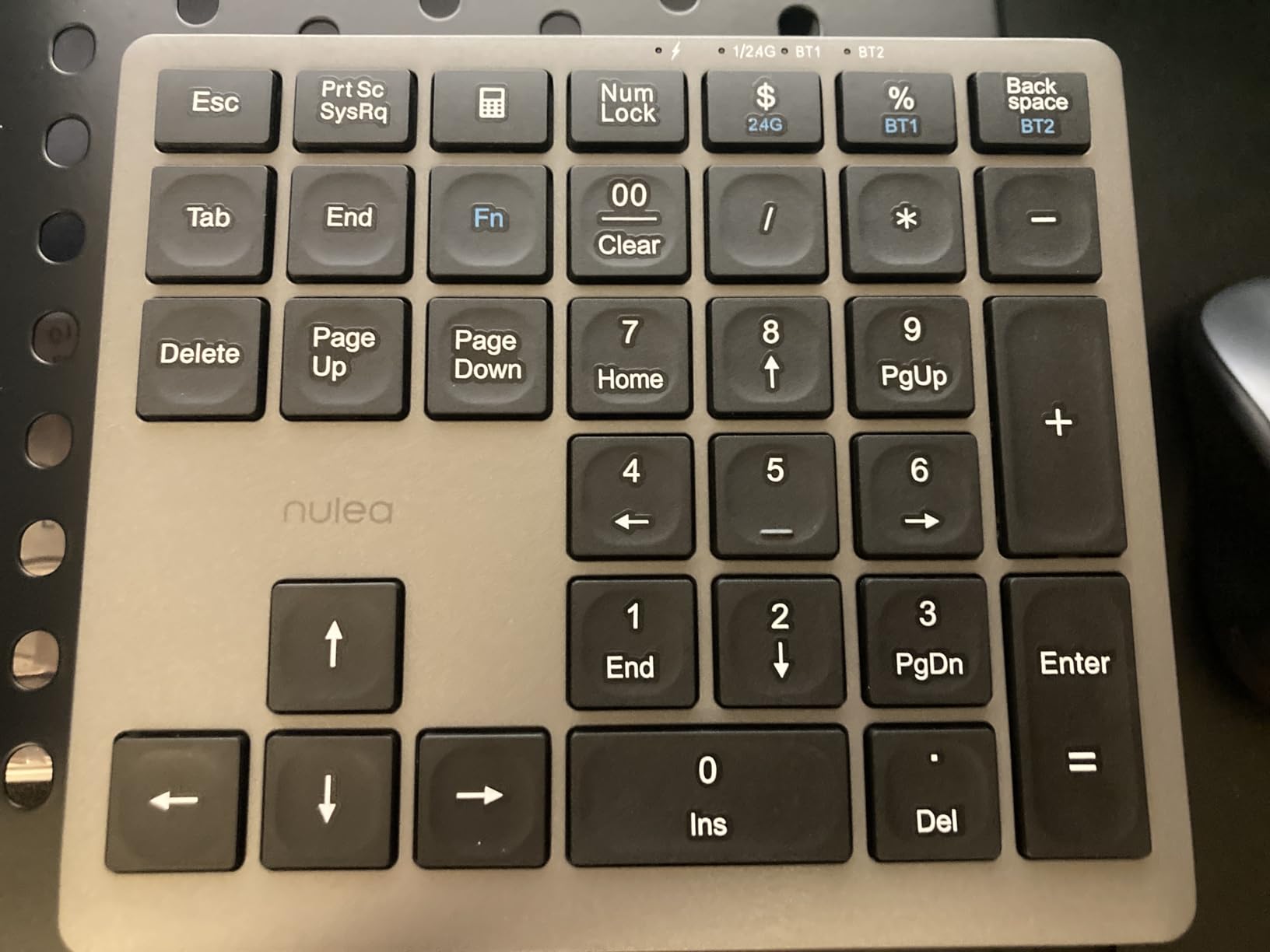
A raised nub on the 5 key helps with touch typing orientation, and the anti-slip base and magnetic dongle storage are sensible touches at this level.
Silent scissor switches at a 7.5 degree tilt keep the sound down, and at roughly 181 g it has the weight of a real desktop device rather than a travel accessory.
Compatibility covers Windows, macOS, iOS, Android and Chrome OS, which is the broadest working list in this group.
Who it suits
Anyone running a two or three machine desk where switching between a work laptop, a personal machine and a tablet happens daily. The rating here is the highest in the group, with 79 percent of reviews at five stars.
Wireless-only desks also suit it, since the dongle mode gives you a wired-grade fallback without extra hardware.
Where it falls short
Keys above the arrow cluster are in non-standard positions, with Tab sitting where Insert normally lives, and there is no dedicated Home key, which is genuinely awkward in spreadsheet navigation. The very low profile means keys bottom out nearly flat, and large hands may find the spacing cramped.
Charging is USB-C only, so a desk full of USB-A cables needs an adapter, and the keypad cannot be remapped or programmed.
8. NOOX 10-Key Wireless Numpad – Budget Pick
NOOX Wireless Number Pad, Numeric Keypad Numpad Keyboard 10 Key USB Keypad Office Accounting Essentials Desktop Computer Laptops Accessories Compatible Chromebook Notebook EliteBook MateBook etc.
10 keys
2.4GHz wireless
stowable USB receiver
Windows and Chrome OS
Pros
- Lowest cost in this group and useful as a budget backup
- Wireless so no cable across the desk
- Receiver stows inside the unit so it is not easily lost
- Simple plug-and-play with no software installation
- Broad compatibility including Chrome OS and Android
Cons
- Only 10 keys
- so no NumLock
- function or navigation keys
- Lowest average rating in the group with 12 percent 1-star reviews
- macOS hotkeys do not work even though number entry does
- Scissor-switch keys feel less precise for long numeric entry
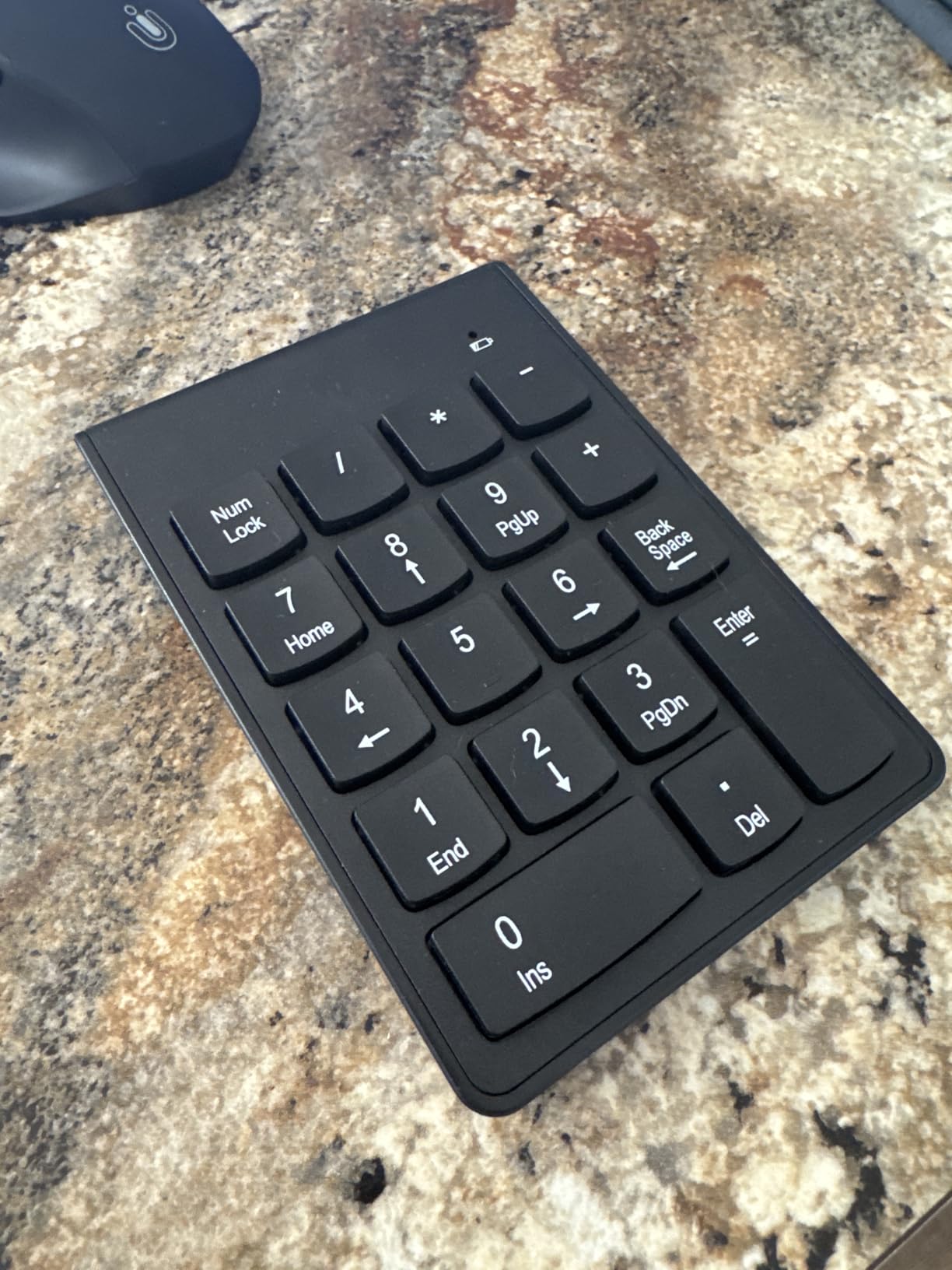
Ten keys is the entire product, and that is the point. There is no NumLock, no function keys and no navigation cluster, which means no layout to learn and no state to get wrong. The keys are where the digits belong, so muscle memory from a desktop calculator transfers directly.
The USB receiver stores in a slot beside the battery compartment, so the dongle does not disappear into a laptop bag pocket. Pairing is wireless plug-and-play with no software to install.
Compatibility is listed for Windows from 2000 through 11, Chrome OS, Android and Linux, and number entry does work on macOS even though hotkeys do not.
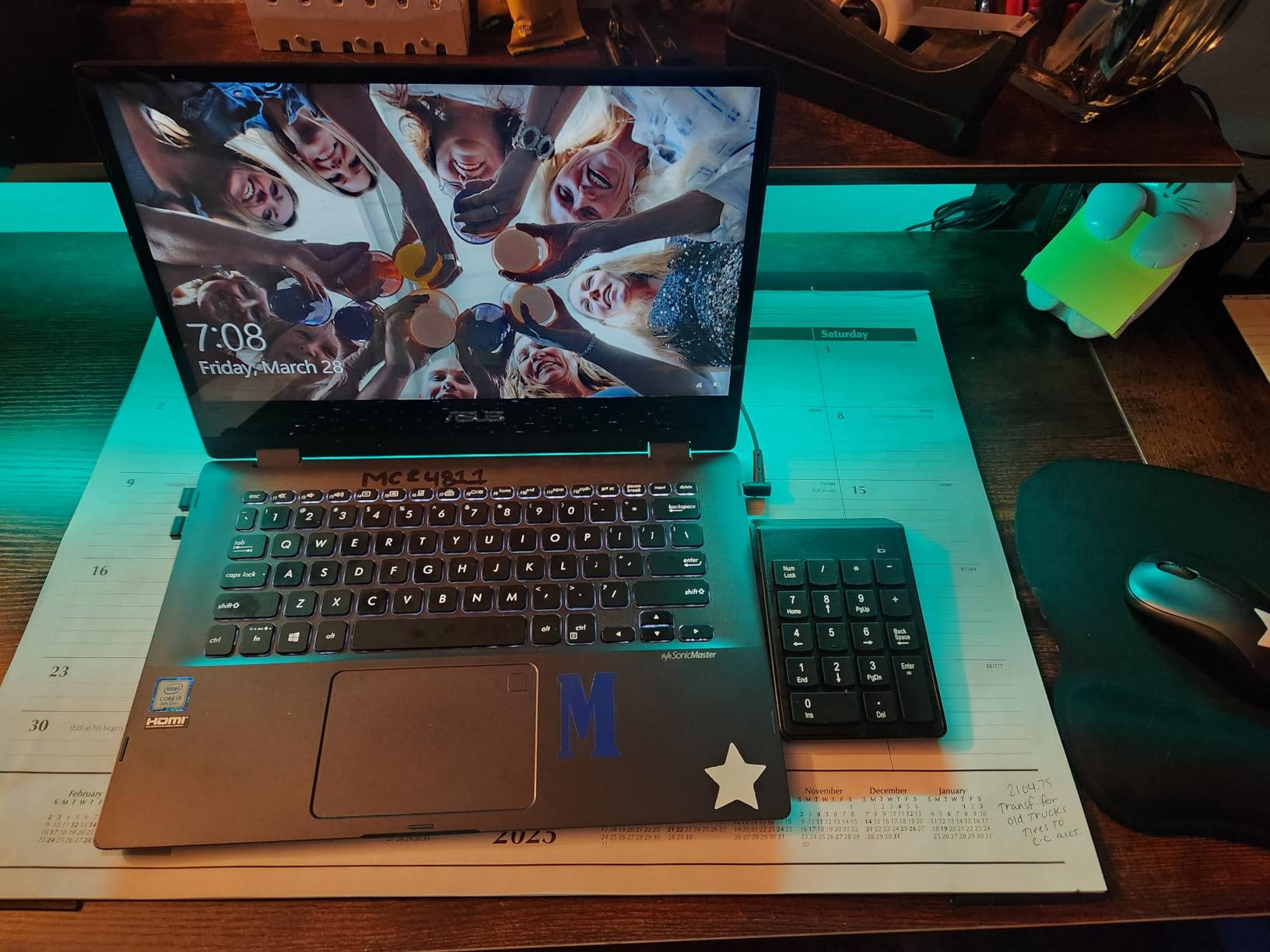
It needs a USB-A port on the host device, which is the practical limit for modern ultrabooks and requires a hub or an adapter.
The scissor-switch keys are the trade-off: quiet and thin, but less precise over a long entry session than a mechanical or membrane alternative.
Who it suits
Occasional number entry, a shared desk pad, a trainee or an audit kit that needs a backup. It is also a sensible first pad for someone who wants to test whether a numpad changes their workflow before spending more.
If you only ever type figures and never use a spreadsheet shortcut, ten keys is genuinely enough.
Where it falls short
The average rating here is the lowest in the group, with 12 percent of reviews at one star. The absence of NumLock and navigation keys means any spreadsheet correction requires reaching for the main keyboard, and scissor-switch keys are where mistyped digits tend to come from.
Numpad vs Full-Size Keyboard vs 10-Key Desktop Calculator
If you already own a keyboard you like, a standalone numpad is almost always the cheaper and less disruptive route to a numeric keypad. Replacing a full-size board means relearning function row placement, shortcut chords and the position of every modifier key, which costs you more time than the numpad saves.
A full-size keyboard wins when you use navigation keys constantly, work in a spreadsheet grid all day, or want one device instead of two. It also wins if you type on a laptop docked at a desk, since the built-in keyboard keeps your hands in one place.
A 10-key desktop calculator wins in a different category entirely: cash handling, mental arithmetic practice and any figure you need to check before typing it in. It has a display, and many models print a tape, which is why accounting communities still keep them beside the monitor even with fast laptops.
For posting figures into an application, the choice is simple. A computer keypad types into the window that has focus, which is what ledger entry, journal entry and Excel data entry require.
How to Choose a Numeric Keypad for Accounting Work
1. Count the keys against how you actually work
Ten keys covers pure digit entry. Nineteen or 22 keys adds the operators, NumLock, Tab and Delete. Thirty-four keys adds page navigation and a calculator shortcut, which removes the hand movement of spreadsheet navigation entirely. Match the count to your workload rather than to the price.
2. Check the layout, not the key count
A 22-key pad can still have a non-standard layout. Several models in this group place plus, minus or Tab where a full-size keyboard does not, and that is the most common reason new owners mis-type digits for the first week. Look for a product photo of the key block, not just a key count.
3. Decide wired, 2.4 GHz or Bluetooth
Wired has no latency and no dropout, which matters when you are entering a long batch of figures. 2.4 GHz dongles behave almost like wired and keep a receiver you can store. Bluetooth suits multi-device desks but introduces pairing state and, on older Bluetooth versions, more first-keypress lag.
4. Verify operating system support first
Cross-platform compatibility is the most common surprise. Some pads are Windows-only, and on several the number keys work on macOS while function keys and hotkeys do not. If you use Excel on a Mac, test the exact shortcuts your templates rely on before you commit to a pad.
5. Think about Num Lock behaviour
On a pad without arrow keys, Num Lock state is how you navigate. Ask whether the state persists between sessions. If it does not, you will reopen a file to find the pad typing navigation instead of digits, which is the most irritating recurring issue in this category.
6. Match key feel to your session length
Membrane and scissor keys are quiet and consistent, which suits long sessions and shared offices. Mechanical blue switches give tactile per-digit confirmation and are satisfying for high-volume entry, but are the loudest option here. Actuator weight and key travel both matter more over eight hours than any specification on the box.
7. Place it where the mouse used to be
Put the pad directly to the right of the spacebar, then move the mouse slightly inward so your forearm stays relaxed. For heavy mouse work, a pad placed further forward and closer to the body reduces the reach, and a wrist rest helps during long reconciliation sessions.
8. Check warranty and support before you buy
Warranty length varies from one year to two years across this group, and it is the cheapest insurance against the durability complaints that appear in reviews for cheap pads. If your desk is shared, treat key feel and noise as a preference issue, not a feature checkbox.
For anyone also securing a home office, our guide to the best keypad door locks for home covers the physical side of a setup you will be sitting at for long hours.
Frequently Asked Questions
What is the best numeric keypad?
For accounting work, the best numeric keypad is one with at least 22 keys, a working NumLock key and a standard operator layout. Our top pick is the Foloda Wireless 22-Key Numpad for its one-step pairing, quiet keys and 87 g weight, while the Nulea 34-Key covers multi-device desks and the Rottay mechanical pad suits those who want key feel without wireless upkeep.
Does a numeric keypad speed up data entry?
Yes. A numpad places the digits under your strongest fingers in a neutral hand position, so a trained operator can enter figures without looking down. Number row entry requires stretching the hand upward, moving fingers off the home row and losing the repeated key alternation that makes double-entry fast, and it raises mis-key rates on the digits you most need to be correct.
Do I need a numeric keypad if I have a laptop?
Only if you type numbers for more than about an hour a day. Bookkeepers, staff accountants, CPAs, payroll and AP/AR clerks get a real return because entry is repetitive. If your laptop already has a built-in numpad and you are comfortable reaching for it, a separate pad mostly buys you a better angle and quieter keys rather than more speed.
What is Num Lock and do I need it?
Num Lock switches the numeric block between digit entry and navigation. With it on, the 2 key types 2. With it off, that same key moves the cursor down, and the 4, 6 and 8 keys become arrows. On pads without dedicated arrow keys it is your only navigation method, so check whether the state survives a reconnect before you buy.
Are mechanical keypads better for accounting?
They are better if you want a per-digit tactile confirmation and your office tolerates sound. Mechanical blue switches give a clear click you can feel without looking up, and the keycaps on our wired mechanical pick are rated for 50 million keystrokes. For shared offices or recorded calls, scissor or membrane pads are the quieter and lower-maintenance choice.
Should I get a keyboard with a number pad instead?
Buy a full-size keyboard if you use navigation keys constantly, work in a spreadsheet grid all day, or dock a laptop and want one device. If you already own a keyboard you like, a standalone pad is cheaper and far less disruptive, because you keep every shortcut and modifier key exactly where you learned it.
Do accountants still use 10 key calculators?
They do, for mental arithmetic, cash handling and checking a figure before typing it in. Accounting forums still show strong loyalty to desktop calculators from brands like Casio and Sharp for exactly that reason. Posting figures into a ledger or spreadsheet is a different job, and only a computer numeric keypad types into the application you are working in.
Where can I find a 10-key numeric keypad?
A bare ten-key pad is the simplest and cheapest option, and the NOOX wireless model in this guide is one example with a stowable USB receiver. If you want more than digits, a 22-key or 34-key layout adds the operators, NumLock, Tab, Delete and page navigation that spreadsheet work actually depends on.
Will a numeric keypad work with QuickBooks and Excel?
Both are standard HID keyboard targets, so a keypad types digits and operators into whatever window has focus. The things to verify are your operating system and your shortcuts: some pads are Windows-only, and on several the number keys work on macOS while function keys and hotkeys do not.
What are the best keyboards without a number pad?
Compact 65% and 75% keyboards are popular because they reclaim desk space and keep the mouse close, but they force number row entry for spreadsheet work. If you want both, pair a compact keyboard with a standalone numpad placed to the right of the spacebar and move the mouse inward rather than replacing either device.
Conclusion
After working through these eight pads in an accounting workload, the Foloda Wireless 22-Key Numpad remains the best numeric keypad for accountants overall, because it pairs in one step, stays quiet, travels well and carries the largest ownership history in the group. If your desk is Apple-based, the Macally is the pick; if you need a full navigation key set across two machines, the Nulea or HoRiMe 34-key pads cover it; if you want key feel and no wireless upkeep, the Rottay mechanical pad is the value choice.
Check the layout before you buy, place the pad where your mouse used to be, and give it a month of real figures before you judge it. That is how you find out whether a dedicated numeric keypad actually changes your entry speed in 2026.