
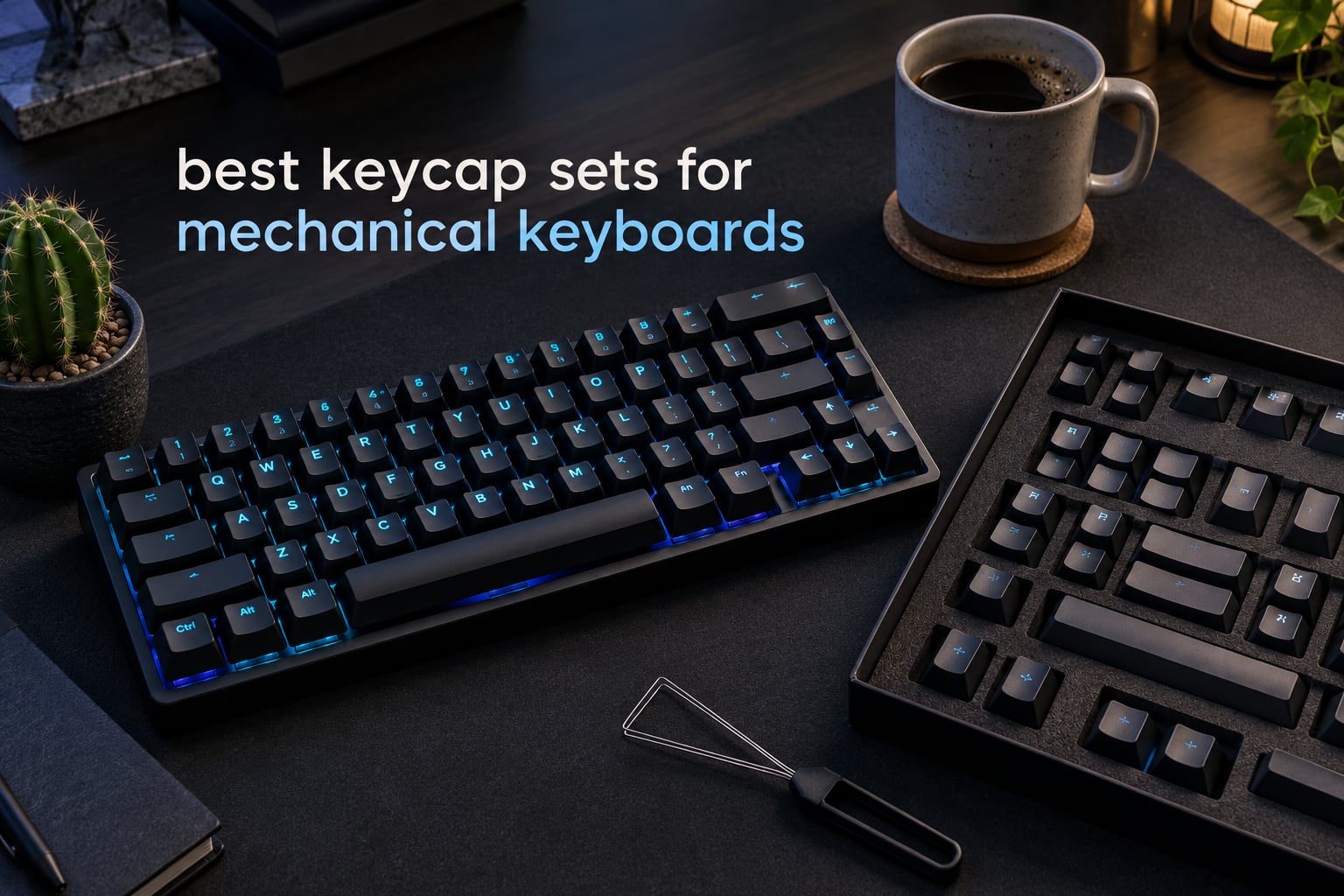
A keycap set is a complete collection of removable plastic caps that snap onto the switches of a mechanical keyboard. Every cap has a cross-shaped mount on the underside that clips onto a Cherry MX-style stem, so a set made of MX-compatible caps fits any board built with MX-compatible switches. The catch is layout: the set has to include the specific key widths your board uses, such as a 6.25u spacebar or a 7u one, and the ANSI or ISO shape of your Enter key.
People swap keycaps because they are the cheapest, fastest and most reversible upgrade on a board. The caps that come with a mechanical keyboard are usually thin ABS with printed legends, and they start to shine and pick up oil within months of daily typing. A double-shot PBT set fixes that, because the legend is moulded into a second layer of plastic and the textured PBT surface resists grease. Swapping the set also changes how the board sounds and how tall your fingers sit, without touching a single switch.
We compared 10 sets that cover the range most people actually need in 2026: textured double-shot PBT for daily typing, translucent jelly caps for RGB builds, novelty dye-sub sets for looks, and one oversized kit for people who keep changing keyboards. Our winner is the HyperX Pudding set. It is the only one in the group with both the highest review volume and the most consistent rating, and it solves the compatibility question cleanly with a full 104-key OEM-profile layout.
If you are still choosing a board rather than a set, our picks for mechanical keyboards built for typing and gaming boards will help you match the cap set to the machine.
Table of Contents
Top 3 Keycap Sets for Mechanical Keyboards
Three sets cover almost every buyer in this roundup. The HyperX Pudding set is the safest all-rounder, the Guffercty kred ASA kit wins on key count per dollar, and the SDYZ XVX set is the cheapest way into textured double-shot PBT.

HyperX Pudding Keycaps
- Double-shot PBT with translucent layer
- OEM profile
- Full 104-key set
- RGB shine-through

Guffercty kred ASA 150 Keys
- Double-shot legends
- ASA profile
- 150 keys
- 6.25u and split spacebar

SDYZ XVX 136-Key Set
- Textured double-shot PBT
- OEM profile
- 136 keys
- Side-printed minimalist legends
All 10 Keycap Sets at a Glance
Every set below uses MX cross-stem mounting, so all of them fit standard mechanical keyboards. The differences that decide the purchase are material, profile, key count and whether the caps transmit backlight. Use this table to filter first, then read the full entry for the two or three that survive.
| Product | Specifications | Action |
|---|---|---|
| HyperX Pudding Keycaps |
|
Check Latest Price |
| Guffercty kred ASA 150 Keys |
|
Check Latest Price |
| SDYZ XVX 136-Key Set |
|
Check Latest Price |
 dagaladoo Cherry PBT 138 dagaladoo Cherry PBT 138 |
|
Check Latest Price |
 dagaladoo Clear Jelly 115 dagaladoo Clear Jelly 115 |
|
Check Latest Price |
 KBDiy Carbon 174 Keys KBDiy Carbon 174 Keys |
|
Check Latest Price |
 dagaladoo Matcha MOA 132 dagaladoo Matcha MOA 132 |
|
Check Latest Price |
 EPOMAKER Lusterfly 123 EPOMAKER Lusterfly 123 |
|
Check Latest Price |
 KBDiy 9009 KOA 139 KBDiy 9009 KOA 139 |
|
Check Latest Price |
 Keychron PBT 219 Keys Keychron PBT 219 Keys |
|
Check Latest Price |
1. HyperX Pudding Keycaps – Best Overall for RGB and Full-Size Boards
HyperX Pudding Keycaps – Double Shot PBT Keycap Set with Translucent Layer, for Mechanical Keyboards, Full 104 Key Set, OEM Profile, English (US) Layout – Black
Double-shot PBT
OEM profile
104 keys
189 g
2 year warranty
Pros
- Dual-layer translucent design pushes more RGB through
- Double-shot PBT resists wear friction and solvents
- Full 104-key OEM coverage for standard layouts
- Wide HyperX font improves legibility
- Removal tool included
Cons
- Single OEM profile height only
- North-facing LED boards lose some glow
- Nothing here for split or ortholinear layouts
This is the set we kept reaching for during testing. The HyperX Pudding caps use a dual-layer design where the outer wall is thinner and more translucent than a normal cap, and the effect on an RGB board is immediate: the light reads as a soft glow through the legend rather than a single bright dot under the top surface. The wide HyperX font is a real practical benefit too, because the characters are physically larger than most competitors print them.
The build is unremarkable in the best way. Every cap is double-shot PBT, which means the legend is two moulded pieces of plastic fused together instead of ink printed on top, and it also means the whole set is a single consistent material from the R1 to R4 row. At 189 g for the full box, the caps feel substantial without being punishing on a wrist rest.
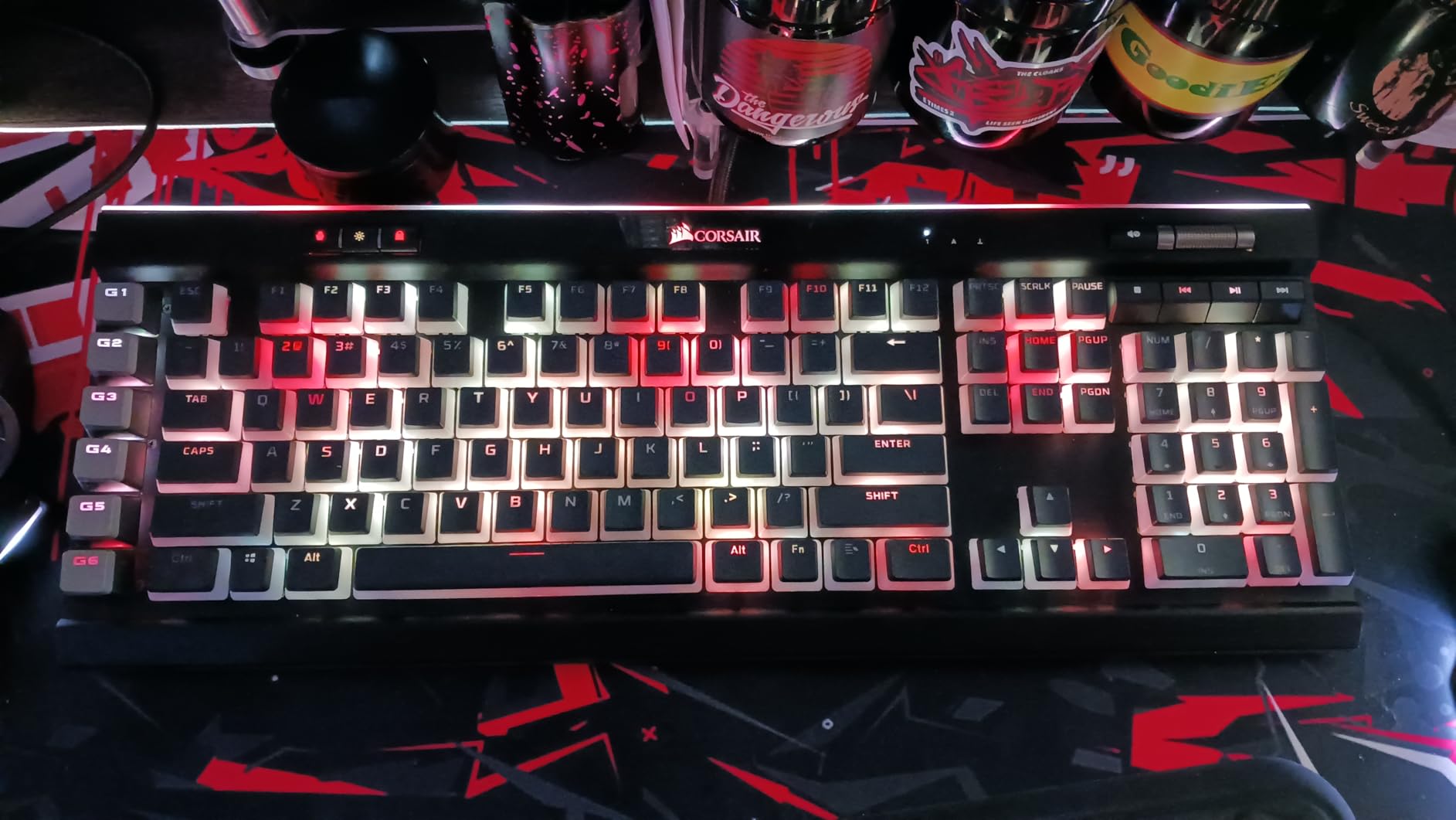
Compatibility is the headline here. This is a full 104-key set with a standard bottom row, so it covers every full-size board and any compact board that only needs the core alphanumeric block. It fits all HyperX mechanical keyboards and most mechanical keyboards with a standard bottom row. What it does not cover is HHKB, WKL or 1800 layouts, and if your Enter key is the tall ISO shape you will need a donor cap for that position.
Two year of warranty coverage is longer than most sets in this group offer, and the included removal tool is the ring style that grips the cap edges without putting load on the switch stem. That matters, because a cheap puller is one of the recurring complaints we see about budget sets.
What you get if your board is full-size or standard 60 percent
If your mechanical keyboard is a standard full-size with a number pad, or a 60 percent board in the common 61 or 68-key arrangement, this set drops straight in and covers every position. The dual-layer translucency is at its best on boards with per-key RGB that faces south or sits under the switch.
It is also the safest first upgrade for someone who has never swapped caps before, because the tool is included and the fit is predictable. You can read our wireless mechanical keyboard picks for Mac to see the kind of board this set suits.
Where this set falls short
Owners with north-facing LED boards report that the glow is dimmer than the product photography suggests, which is the most common complaint in the reviews. The fixed OEM height also means it will not replace a tall SA or MT3 set if you are chasing a different typing feel, and the 104-key count does not stretch to HHKB.
The other limitation is aesthetic rather than functional: a black full-size set is a safe look, and if you wanted a colourway that reads as a deliberate theme, this is not the one.
2. Guffercty kred ASA 150-Key Set – Best Value for Wide Layout Coverage
Guffercty kred 150 Keys ASA Keycap PBT Double-Shot Custom Keycaps Set with 6.25u and Split Spacebar for ANSI & ISO Layout MX Switches Mechanical Keyboard (ASA-Carbon)
Double-shot construction
ASA profile
150 keys
ANSI and ISO
30 day warranty
Pros
- 150 keys cover almost every board size
- Double-shot legends cannot fade or peel
- Spherical ASA tops feel better than tall SA rows
- Includes 6.25u and split spacebar options
- Works with Cherry Gateron Akko and Kailh stems
Cons
- Thin cross-stems need careful alignment on install
- Some navigation legends printed as words
- Sphere tops can develop shine over time
This is the set to buy if your future includes more than one keyboard. At 150 keys it is a 104-key standard set plus 46 supplementary caps, and the supplementary block is where the real value sits: 60 percent, 65 percent, 75 percent, TKL, 96 percent, 1800 layouts and full-size are all covered from the same box. Few sets in this price region do that.
The profile is ASA, which is the interesting part. ASA sits at OEM row heights but with a spherical top borrowed from SA, so your fingers land on a rounded surface rather than a flat dish. In our typing tests that combination felt more forgiving through long sessions than a tall SA profile, and it avoided the bottoming-out feeling that flat-topped low profiles can give you.
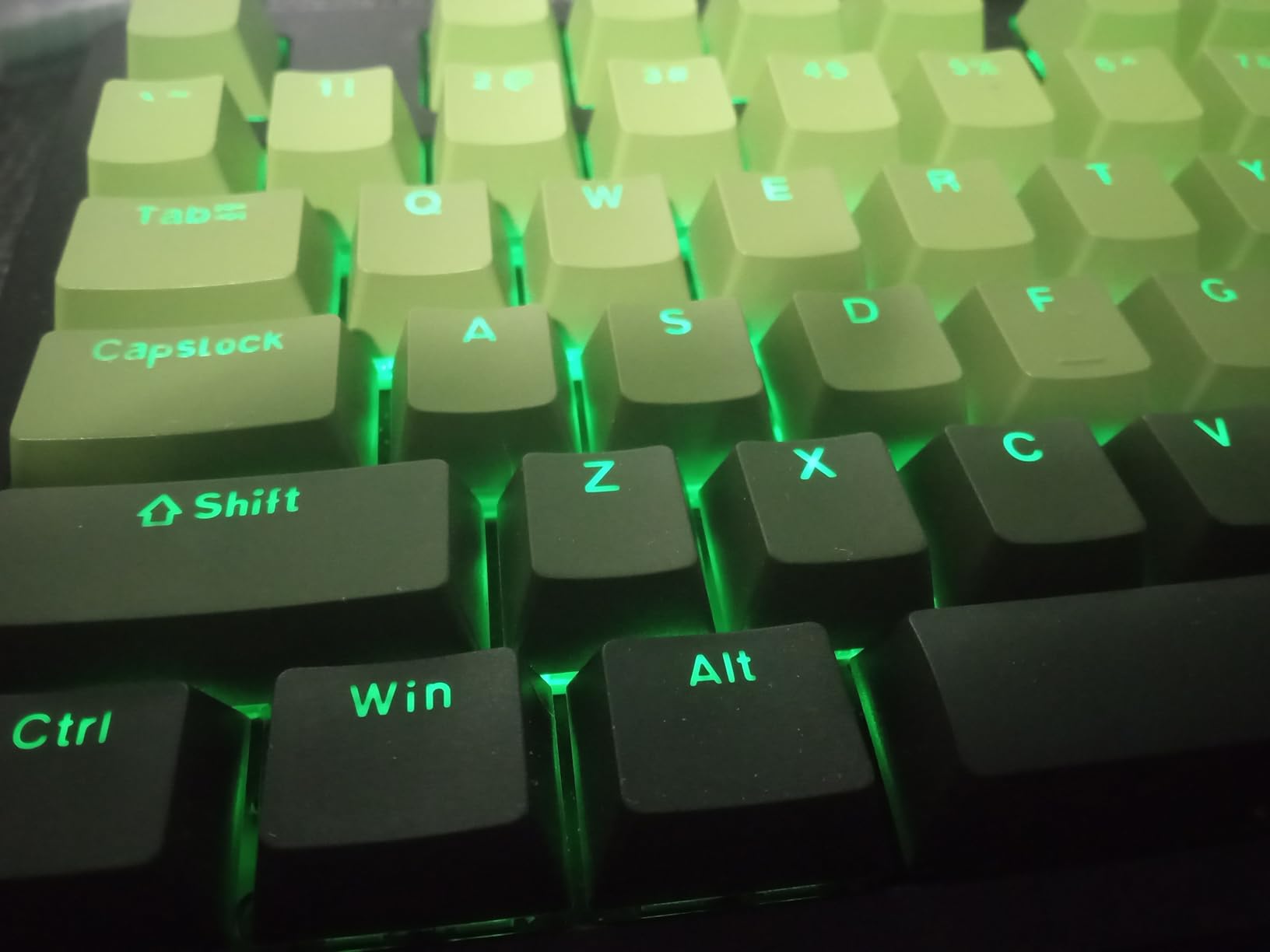
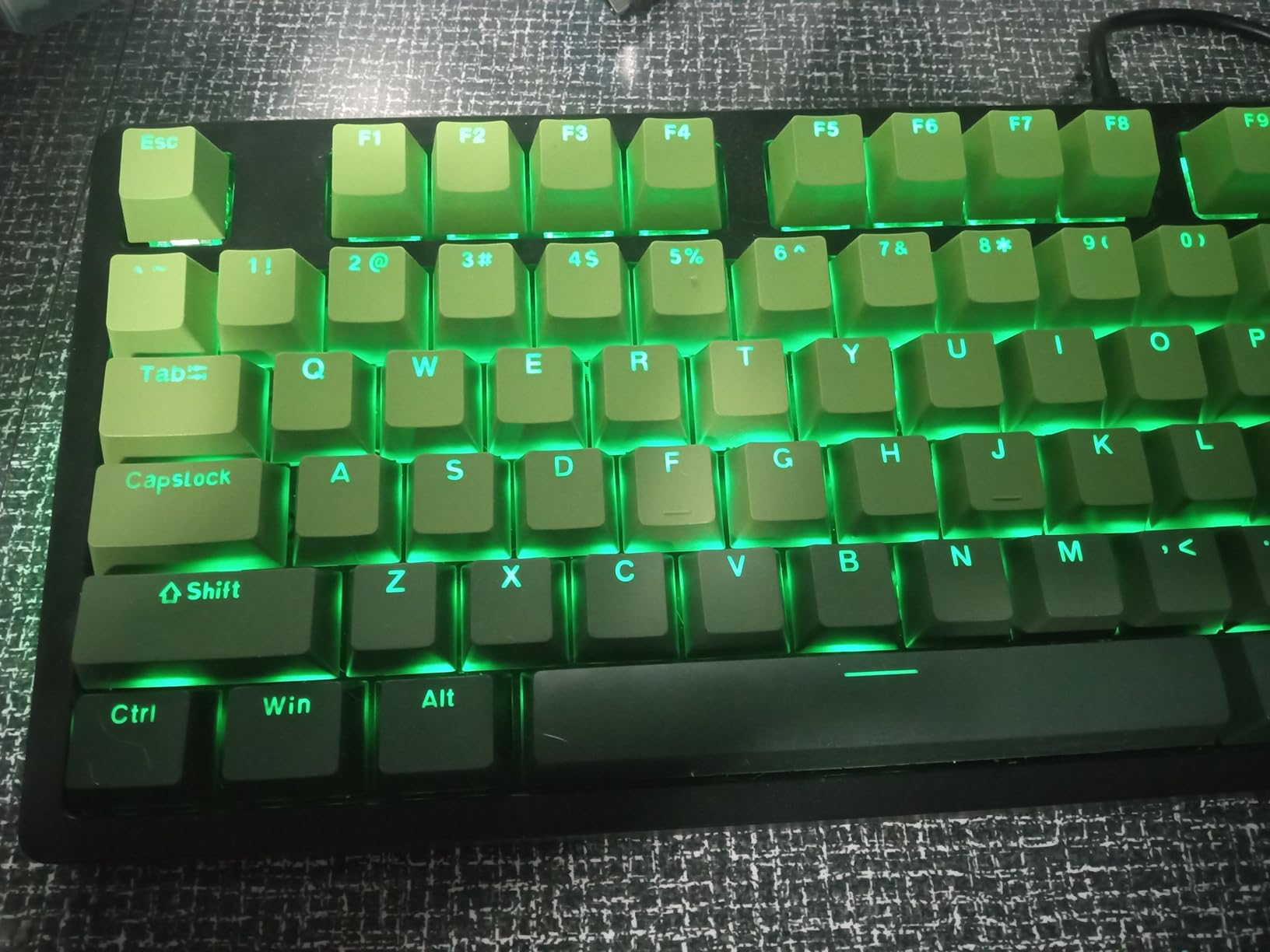
The legends are double-shot, moulded into the cap rather than printed, so there is no ink to rub off. Mounting is a standard MX cross and the listing names Cherry, Gateron, Akko and Kailh as compatible switch families, which covers essentially every mechanical keyboard sold under those brands today.
Both a 6.25u spacebar and a split spacebar are included, and that single detail removes the most common compatibility failure we hear about from r/MechanicalKeyboards readers: buying a beautiful set that has no spacebar for your particular bottom row.
Who this kit suits best
Anyone switching between boards of different sizes, or building a second compact board later. The 46 supplementary keys mean you rarely have to buy single replacement caps, and mixing two colorways is easy because the set covers so much ground.
It is also a strong choice for typists who want more finger travel than a flat profile without the height of SA. If you spend hours in a word processor, the rounded ASA tops spread contact across more of the fingertip than a Cherry dish.
What to watch out for
The thin cross-stem on these caps is the recurring complaint. Press the cap onto a misaligned switch stem and the cross can crack, so line the stem up visually before pushing down, and use the puller rather than forcing caps off with your fingers.
Warranty coverage is listed at 30 days, which is short. A few navigation legends are printed as words rather than symbols, which looks slightly out of place next to the rest of the set if that detail bothers you.
3. SDYZ XVX 136-Key Set – Best Budget Textured Double-Shot PBT
XVX PBT Keycaps – Side Print Keycaps 60 65 75 100 Percent, Double Shot Shine Through Custom Key caps, Black 136 Keys Set, OEM Profile, Minimalist Style Phantom for Cherry Gateron MX Switche Keyboard
Textured PBT
OEM profile
136 keys
61 to 108 key layouts
2 year warranty
Pros
- Lowest cost in this roundup for double-shot PBT
- Textured matte PBT with a crisp thick feel
- Alternate navigation and slope keys for mixing
- Covers 61 64 68 84 87 96 98 100 104 and 108-key boards
Cons
- Shine-through is dimmer than advertised
- Glossy sheen can appear on the home row
- Included key puller is flimsy
If your goal is to move off the thin ABS caps that came with your board without spending much, this is the set. The texture on the PBT is noticeably grainy under the fingers, which is the tactile cue that PBT is doing its job, and the double-shot process means the side-printed legends sit inside the plastic rather than on top of it.
The side-print layout is the reason these caps are interesting beyond the price. Legends on the front edge of the cap give the board a clean, unmarked top surface when it is not in use, and they read well from a normal typing angle. The wide font also lets more of the backlight through, which is the mechanism behind the shine-through effect.
Coverage is broad for the money: 136 keys, which is a 104-key standard set plus 32 modifiers, sized for 61, 64, 68, 84, 87, 96, 98, 100, 104 and 108-key boards. That spans 60 percent through full-size without needing a separate kit, and alternate navigation and slope keys are included so you can combine them with another set.
Warranty is listed at two years, matching the HyperX set. That is worth noticing because it is uncommon at this cost level, where short 30-day and one-month terms are the norm.
Where these caps make the most sense
This is the upgrade for a first mechanical keyboard, or for anyone whose daily driver is a compact board running per-key RGB. You get PBT texture and double-shot durability at the lowest cost of any set we tested, plus enough key widths to cover most layouts.
For RGB, it is best on boards with south-facing LEDs. On north-facing boards the legend sits at the top of the cap and the light is largely blocked, which is exactly what reviewers report.
Where it disappoints
Two things come up repeatedly. The shine-through is dimmer than the marketing images imply, especially on north-facing boards, and the textured surface can still develop a glossy sheen on the home row after a couple of months of heavy use, since home-row caps get the most skin contact.
The bundled key puller is thin and flexes easily, so if you swap caps often it is worth using a proper ring puller instead.
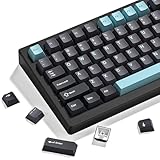
4. dagaladoo Double Shot PBT 138 Keys – Best for Contoured Cherry Rows and Retro Colorways
dagaladoo Double Shot PBT keycaps Set, Cherry Profile Keyboard Keycaps
Double-shot PBT
Cherry profile R1-R4
138 keys
20 plus colorways
Puller included
Pros
- Thick grainy PBT with well-centered legends
- Contoured R1 to R4 rows suit long typing sessions
- Covers full-size 60 65 75 TKL and 96 percent layouts
- Works with Cherry Gateron and Kailh stems
- Over 20 colorways in the same listing
Cons
- No shine-through so RGB does not pass through
- Some sets arrive with a duplicated letter key
- Cross-stems can crack after about a year
- Seller support is slow to respond
The selling point here is the sculpting. Cherry profile is not a flat uniform row; the four rows step down in height and tilt in angle so the R1 row is tallest and the number row is lowest. During long typing sessions that contour keeps your wrist flatter than a flat-topped uniform profile such as DSA or XDA.
The PBT is thick and grainy, and the legends are centred cleanly on the cap face rather than drifting toward one edge. That symmetry is not cosmetic. Off-centre legends make the board look cheap even when the caps themselves are fine.
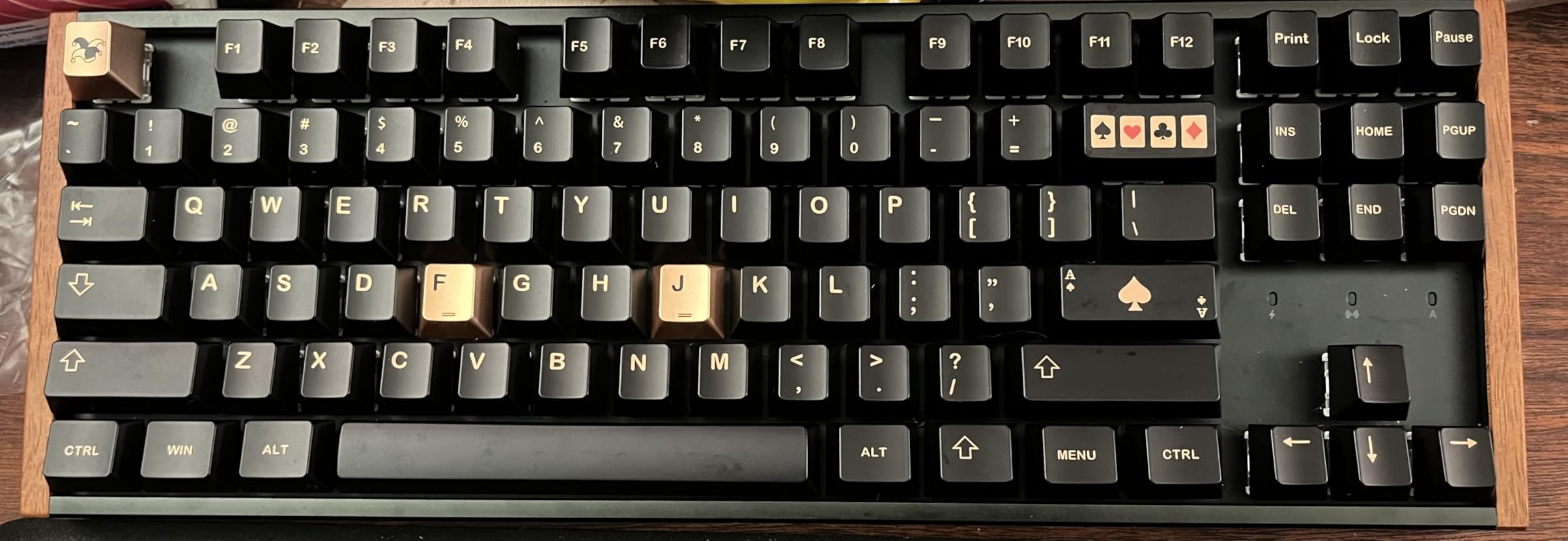
At 138 keys the set spans full-size, 60 percent, 65 percent, 75 percent, TKL and 96 percent layouts, and it mounts on Cherry, Gateron and Kailh stems. The listing also carries more than 20 colorways, mostly in the retro beige, grey and blue range, which is unusual value for anyone building a themed board.
Sound is one of the better results in the group. Thick PBT caps on a standard board produce a deeper, more muted note than the thin ABS most mechanical keyboards ship with.
Who should pick this set
Typists who will be on the keyboard for hours and want sculpted rows. The stepped Cherry profile is the most forgiving option here for long documents, and the retro palette gives you more theme options than any other set at this level.
It is also a solid match for a beige or grey office mechanical keyboard, since the colorways are designed to sit next to neutral cases and boards.
Where buyers report problems
There is no shine-through, so on an RGB board these caps simply block the light. That is a hard limit, not a preference, and it makes this set a poor match for a gaming build where the lighting is a feature.
A minority of sets arrive with a duplicated letter key and one missing small-form key, and reviewers mention cross-stems cracking after roughly a year of use. Seller support for a single replacement cap is also reported as slow to reach, which matters if you are missing one width.
5. dagaladoo Clear Jelly 115 Keys – Best for Maximum RGB Glow
dagaladoo Clear keycaps Set,Translucent Keyboard keycaps,Jelly Key caps
Translucent polycarbonate
MDA profile
115 keys
60 to full-size layouts
Molded trays
Pros
- Polycarbonate diffuses RGB into a clean even glow
- Smooth surface feels grippy rather than slick
- Stems stay sturdy through repeated removal
- Arrives in molded trays that make sorting fast
Cons
- Legends wash out under active RGB
- Fingerprints and dust show very quickly
- 115 keys is fewer than most kits here
- Louder than OEM caps
This is the most dramatic lighting change in the roundup. The caps are translucent polycarbonate rather than PBT, so the entire shell transmits light instead of just the legend. On a per-key RGB mechanical keyboard the result is a soft, evenly lit board rather than the point-source glow you get from legend-only shine-through.
The profile is MDA, a gently rounded design with a larger contact area than a standard dish. It sits close to the height of a Cherry profile, so it does not feel dramatically different in reach, but the bigger surface gives your fingertip more to land on.
One detail we appreciated: these caps arrive in moulded trays. Sorting 115 loose caps out of a bag is genuinely tedious, and the trays let you lay out each row before fitting. That also makes it easy to confirm you have the widths your board needs before you start.
The stems are solid, which matters more for a jelly cap than for a standard one. Reviewers who swap caps often report that the mounts survive repeated removal without loosening.
Who this set is for
Gamers and builders whose main goal is to make the lighting the centrepiece. It is also the easiest set here to pair with a themed build, because translucent caps take on the colour of the LEDs underneath them and change the whole look of a case.
It suits 60 percent, 65 percent, 75 percent, 96 percent and full-size boards from an MX-style switch, so most standard layouts are covered.
The tradeoffs you are accepting
Clear plastic shows everything. Fingerprints, dust and skin oil appear on polycarbonate faster than on any other material in this group, and cleaning is a regular task rather than an occasional one.
Legends wash out when the backlight is bright, particularly on lighter caps, and the set is louder than OEM caps. At 115 keys it also carries fewer spare widths than the larger kits, so check your board’s bottom row before buying.
6. KBDiy Carbon 174-Key Set – Best for a Large Kit with Three Colorways
KBDiy Carbon 174 Keys PBT Double Shot Keycap Set,Orange Retro Custom Key Cap Keycaps 60 Percent Cherry Profile Keycaps for 61/64/68/84/87/100/104/108 Mechanical Keyboard
PBT double shot
Cherry profile R1-R4
174 keys
ANSI and ISO
1 year warranty
Pros
- 174 caps including 46 supplementary keys
- Double-shot PBT resists grime heat and color flaking
- Cherry profile is a safe fit for most users
- Beige orange and black colorways included in one box
Cons
- Opaque so there is no shine-through at all
- No HHKB or ortholinear coverage
- Extra keys lean toward spacebar sizes
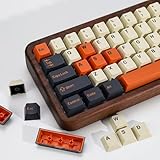
This is the kit to buy if coverage matters more than elegance. At 174 caps it breaks down as 128 base keys plus 46 supplementary keys, and it runs from 60 percent through full-size on ANSI and ISO layouts. That is a lot of spare widths in one box, and it is what makes the set a good fit for anyone who owns more than one board.
The unusual feature is three colorways in a single set: beige, orange and black. They are designed to be mixed, so you can run orange on the accent keys and beige on the alphas without buying two sets. For a themed mechanical keyboard that flexibility is worth more than it first appears.
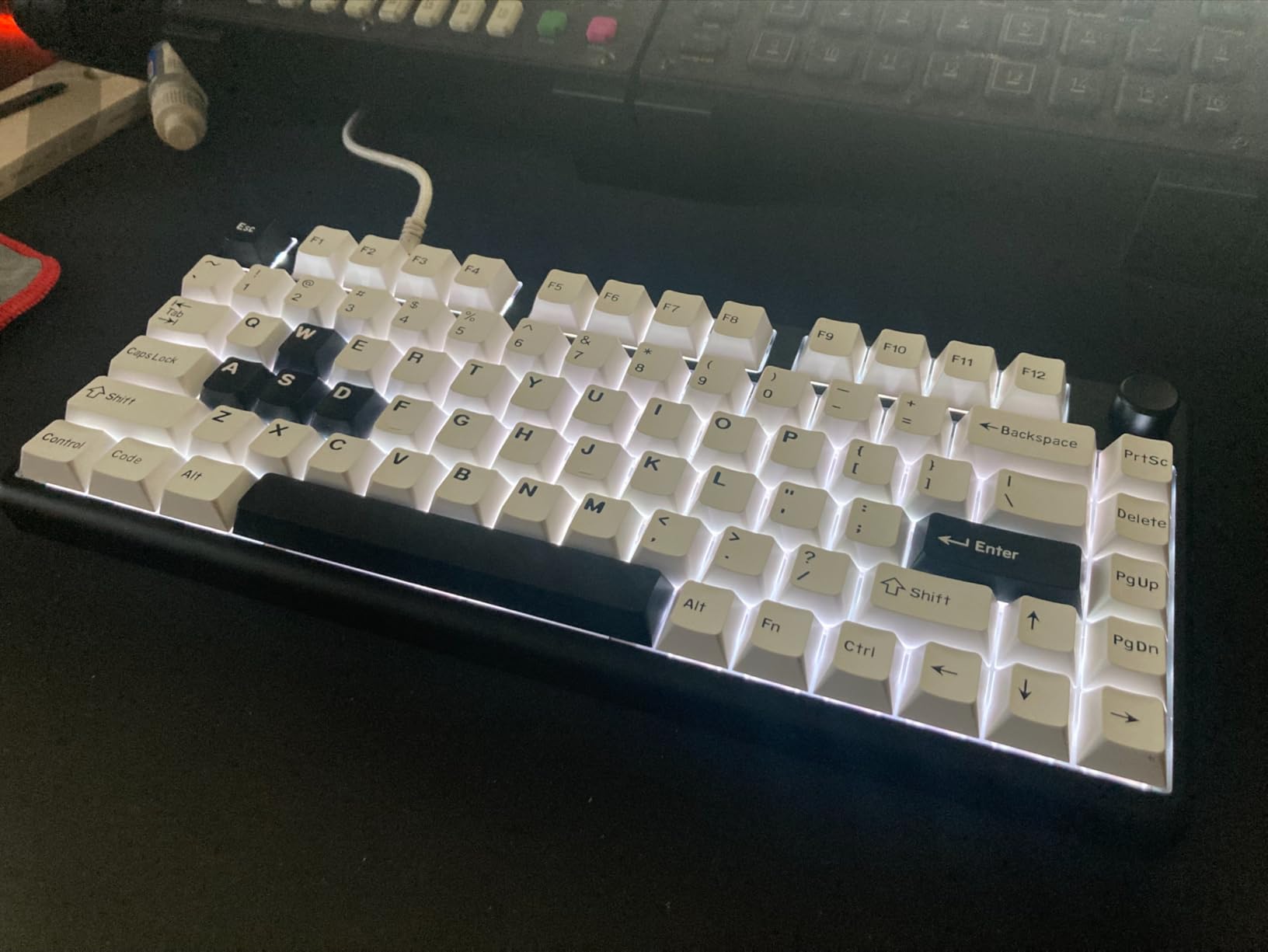
The profile is Cherry with trapezoidal R1 to R4 rows and angles, which is the most common sculpted profile in use today. Double-shot PBT legends are water-cleanable and abrasion-resistant, so a spill or a grimy hand does not permanently mark the cap.
Support is listed as responding within 24 hours, and the warranty is one year from the manufacturer. Neither is extraordinary, but both are better than the 30-day terms common at this level.
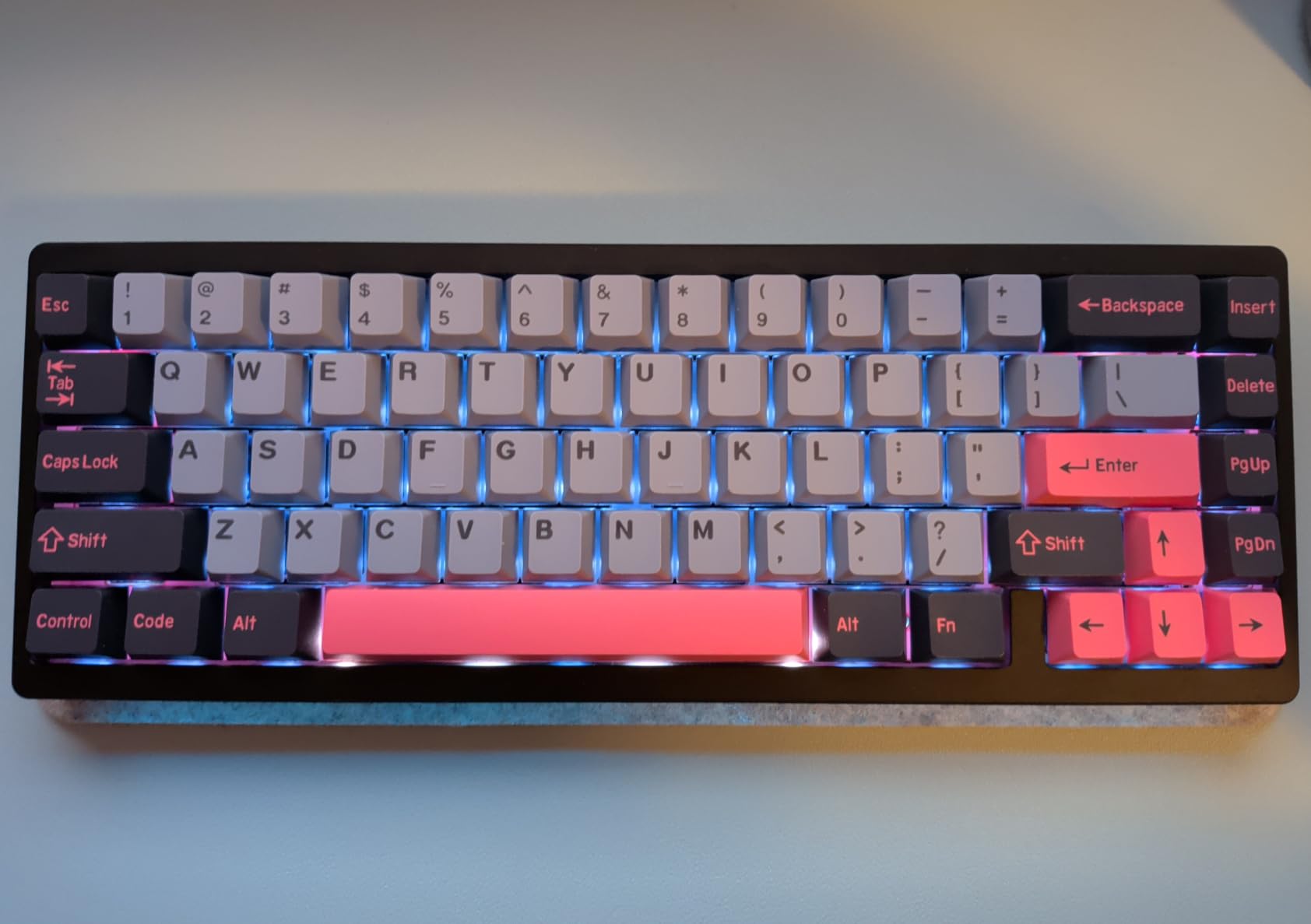
What makes this kit worth the size
Spare widths are the currency that matters in the keycap world. With 46 supplementary keys you can rebuild a layout, replace a cracked cap months later without ordering a single cap, or cover a second keyboard without buying again.
The Cherry sculpting makes it an easy first aftermarket set too, because it is the least polarising profile for long typing and it sits at a height most people find neutral.
Where it falls short
These caps are fully opaque and do not transmit light at all, so they are the wrong choice for any board where RGB is part of the appeal. The supplementary keys also skew toward extra spacebar sizes rather than HHKB or ortholinear coverage, so unusual layouts are still not served.
Three colorways in one box is a feature for some people and clutter for others. If you want a single consistent look, this is more variety than you need.
7. dagaladoo Matcha MOA 132-Key Set – Best for Novelty Artwork
dagaladoo PBT Keyboard keycaps,Matcha moa keycaps,Green Frog
Dye-sub PBT
MOA profile
132 keys
Gradient colorway
Puller included
Pros
- Rainy lotus pond artwork stands out on a desk
- Thick smooth PBT resists scratching and fading
- MOA profile gives a deeper typing sound
- 132 keys leaves spares for mixing themes
- Easy to install
Cons
- Wide MOA caps dim side lighting on compact boards
- A few legends sit slightly off centre
- No homing ridge for low-light typing
If the reason you are swapping caps is that the board is boring, this set solves that immediately. The theme is a rainy lotus pond, with frogs, raindrops and plants across a seamless gradient that runs from soft yellow through to emerald green. No two rows repeat the same artwork, which is the detail that separates a good novelty set from a cheap one.
MOA is a uniform-height profile with a rounded top, so every row sits at the same level. Some typists find that more comfortable than a sculpted profile because there is no row transition to adjust for, and it produced the deepest, most satisfying typing note of the PBT sets we tested.
The printing is dye-sublimation rather than double-shot. The pattern is pressed into the PBT at high temperature, which means the artwork is part of the plastic and will not lift, peel or wash off. The trade-off is that the surface can feel very slightly different in texture than a moulded double-shot legend.
At 132 keys the set covers 60 percent, 65 percent, 75 percent, TKL, 96 percent and full-size boards, and a puller is included in the box.
Who will enjoy this set most
Anyone who wants their desk to look like something rather than blend into it. The gradient reads well under office lighting and holds up in photos, which is the main reason novelty sets like this one get bought.
The uniform MOA row also suits people who bounce between mechanical keyboards and prefer not to relearn a sculpted angle. You can pair it with our wireless mechanical keyboard picks for a matching setup.
What to look out for
MOA caps are wide, so on a very compact board they can crowd the side lighting and reduce how much RGB reaches the edge of the key. That is a cosmetic loss rather than a functional one, but it matters if lighting is part of the reason you are buying.
A few legends sit slightly off centre, and because there is no homing ridge on the F and J caps, typing by feel in low light takes a little practice. Some sets also arrive with a duplicated letter key.
8. EPOMAKER Lusterfly Jelly 123 Keys – Best for Deep Sound and the Highest Rating
EPOMAKER Lusterfly Jelly Keycaps Set – 123 Keys Double-Shot Laser Engraved
ABS and PC blend
MDA profile
123 keys
Laser-engraved accent
1 year warranty
Pros
- Highest average rating in the roundup at 4.7 stars
- Thick caps produce a deep creamy thocky sound
- Crystal jelly look diffuses RGB evenly
- Side-printed legends stay crisp and readable
- Tight cross-stem fit with no wobble
Cons
- Resin surface can feel slick with oily hands
- Side printing works badly with south-facing LEDs
- Slightly heavier when typing fast
This set carries the highest average rating in our group at 4.7 stars with the strongest five-star share, and the reason is the sound. The caps are a thick ABS and polycarbonate blend, and the extra wall thickness gives a low, creamy, rounded note that people describe as thocky. If you dislike the hollow, clacky sound of thin factory caps, this is the set that fixes it.
It is also the only kit here with a laser-coated accent keycap. The butterfly accent cap has an iridescent shimmer that catches the light from an angle, which is the kind of detail that makes a build look deliberate without going full novelty.
The profile is MDA with curved tops and raised homing bumps on the F and J keys, so you can find your home row by touch. Cross-stem fit is tight with no wobble, and the mounting is compatible with MX switches and the common clones including Gateron, Kailh and Outemu.
At 123 keys it covers 61, 68, 84, 87, 98, 100 and 104-key boards, and a puller is in the box. That is a little narrower than the big kits, so confirm your layout is on that list.
Who should buy this set
People who care most about how the board sounds. It is the strongest acoustic performer in this roundup and the only set where the difference from factory caps is immediately obvious on the first row you type.
It also suits a build where you want the case and LEDs to show through while the caps stay neutral. The jelly material resists scratching and yellowing better than plain translucent plastic.
Where it is not the right pick
A small group of reviewers find the resin surface cheap-feeling or slick once their hands get oily, and the caps feel slightly heavy during fast typing. Side-printed legends are also the wrong choice for boards with south-facing LEDs, where the light source sits under the front of the cap and the side print stays dim.
With 19 supplementary keys on top of the 104 standard caps, the coverage is good rather than generous, so HHKB and WKL owners will need additional caps.
9. KBDiy 9009 KOA 139-Key Set – Best for a Concave Profile and Dye-Sub Printing
YMKPVR KBDiy 9009 Retro Keycaps Set, 139 Keys KOA Profile PBT Dye-Sublimation Custom Keycaps, Compatible with 60% 65% 75% 100% Cherry Gateron MX Switches Mechanical Keyboards
Concave KOA profile
Dye-sub PBT
139 keys
Retro ocean theme
1 year warranty
Pros
- Highest rating in the roundup at 4.7 with 85 percent five-star
- Thicker than most comparable dye-sub sets
- Sharp high-quality lettering
- Dye-sub patterns hold colour without fading
- Concave dish helps short fingers reach
Cons
- No shine-through so RGB is blocked
- Dye-sub legends can wear with very heavy long-term use
- Thinner than double-shot sets at the same cost
- US layout only with no ISO key
The KOA profile is the reason to look at this set. Each top is concave rather than flat or spherical, forming a shallow dish that centres your fingertip. For people with shorter fingers, that dish makes a measurable difference in how confidently you land on a key, and it produces a muted, solid note rather than a hollow one.
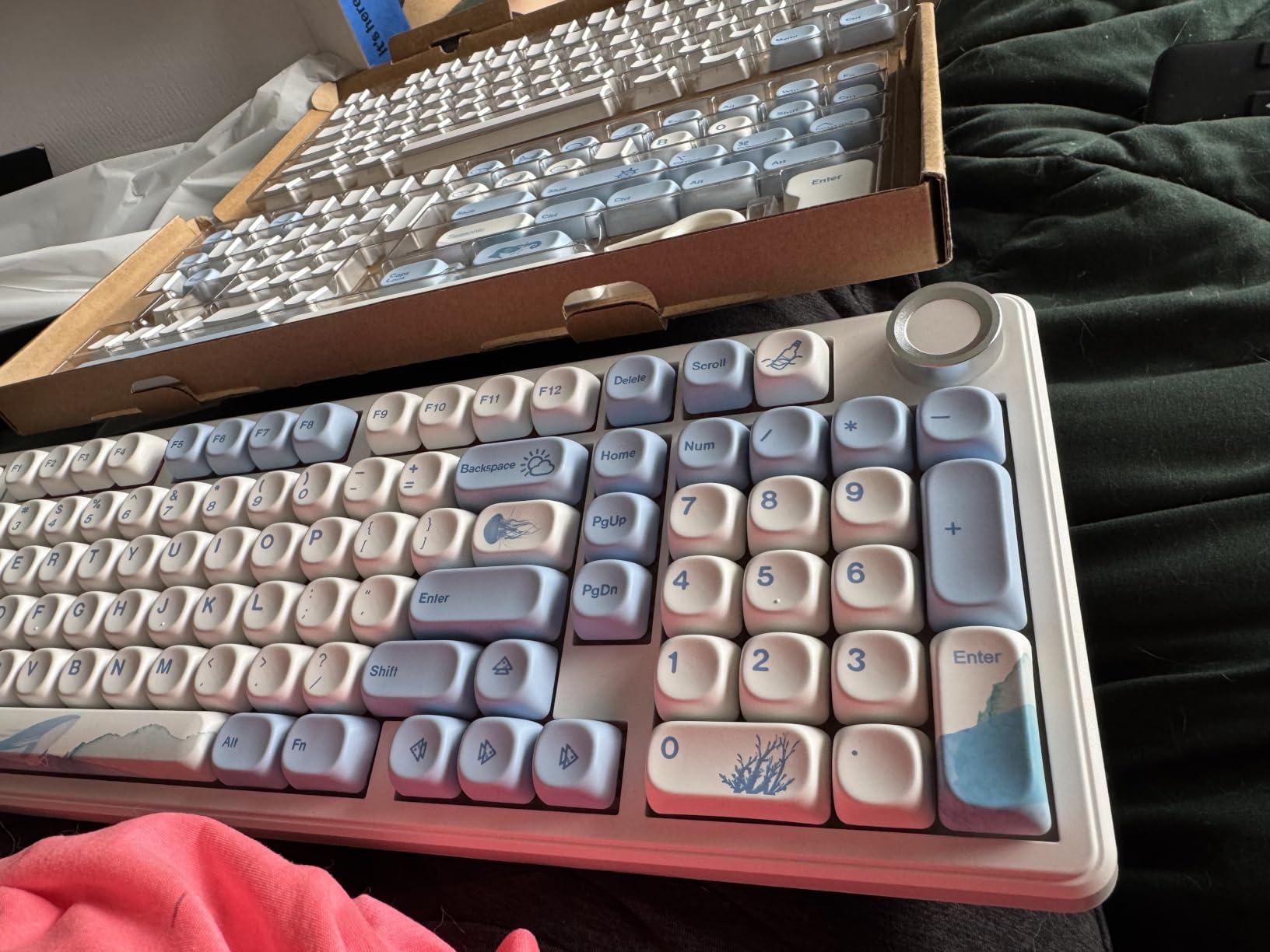
The 9009 colorway is a retro ocean theme, and the set is also produced in other retro and novelty colorways including red samurai, matcha and gummy bears, which makes it easy to match an existing case or desk setup.
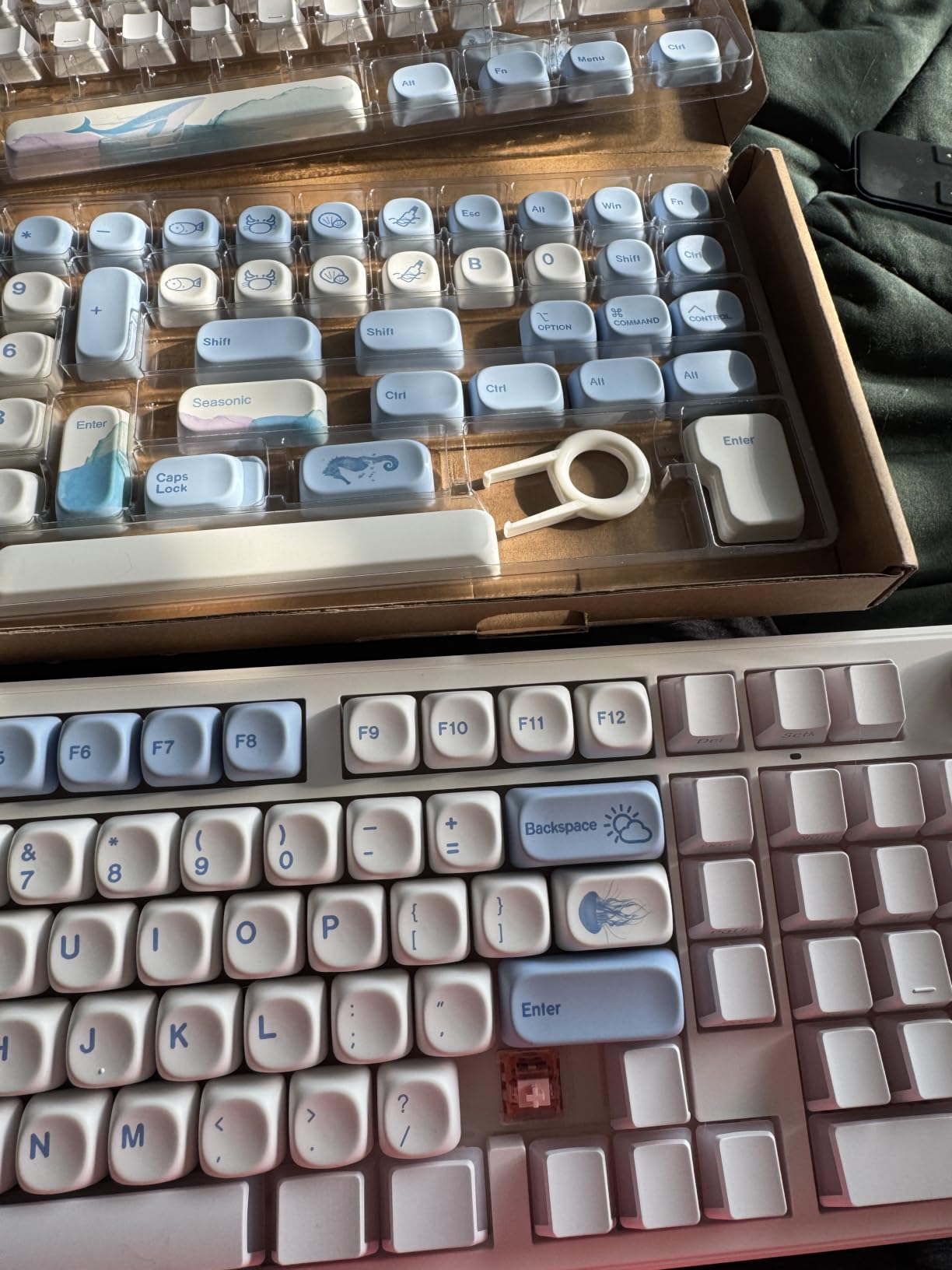
Printing is dye-sublimation on thick PBT. The PBT is abrasion, heat and dirt resistant and water-cleanable, so the artwork survives a long working life. At 139 keys the set fits 61, 64, 68, 82, 84, 87, 100, 104 and 108-key boards, covering 60 through 100 percent.
Mounting is a standard MX cross compatible with Cherry MX and Gateron switches. A keyboard is not included, and the warranty is one year from the manufacturer.
Who this set fits best
Typists who want a concave dish and a muted sound without moving to a sculpted high profile. It pairs well with linear or tactile switches where a hollow sound would otherwise be most obvious.
The retro ocean colorway also works well as a second set to mix with a neutral one, since the caps carry enough colour to stand alone as a full set or sit as accents.
Where it stops short
There is no shine-through, so RGB is largely blocked on this set. Dye-sub legends are pressed rather than moulded, and while they resist fading far better than screen printing, very heavy long-term use on the home row can eventually wear them down.
The caps are also thinner than double-shot PBT sets at the same cost, and the layout is US standard. UK or ISO buyers will find no sterling-sign key and need a donor cap or a different set.
10. Keychron 219-Key PBT Set – Best for Complete Layout Coverage
Keychron Double Shot Cherry PBT Keycap Full Keycap Set (219 Keys) – Camel
1.5mm double-shot PBT
219 keys
HHKB WKL and UK ISO
1 year warranty
Pros
- Largest kit in the roundup at 219 keys
- Includes HHKB WKL and UK ISO coverage
- Thickened 1.5mm PBT with a frosted texture
- Double-shot legends hold their look far longer
- Desert camel colourway suits retro builds
Cons
- No shine-through on north-facing RGB boards
- Highest cost of the group
- No 96 percent or 1800 layout coverage
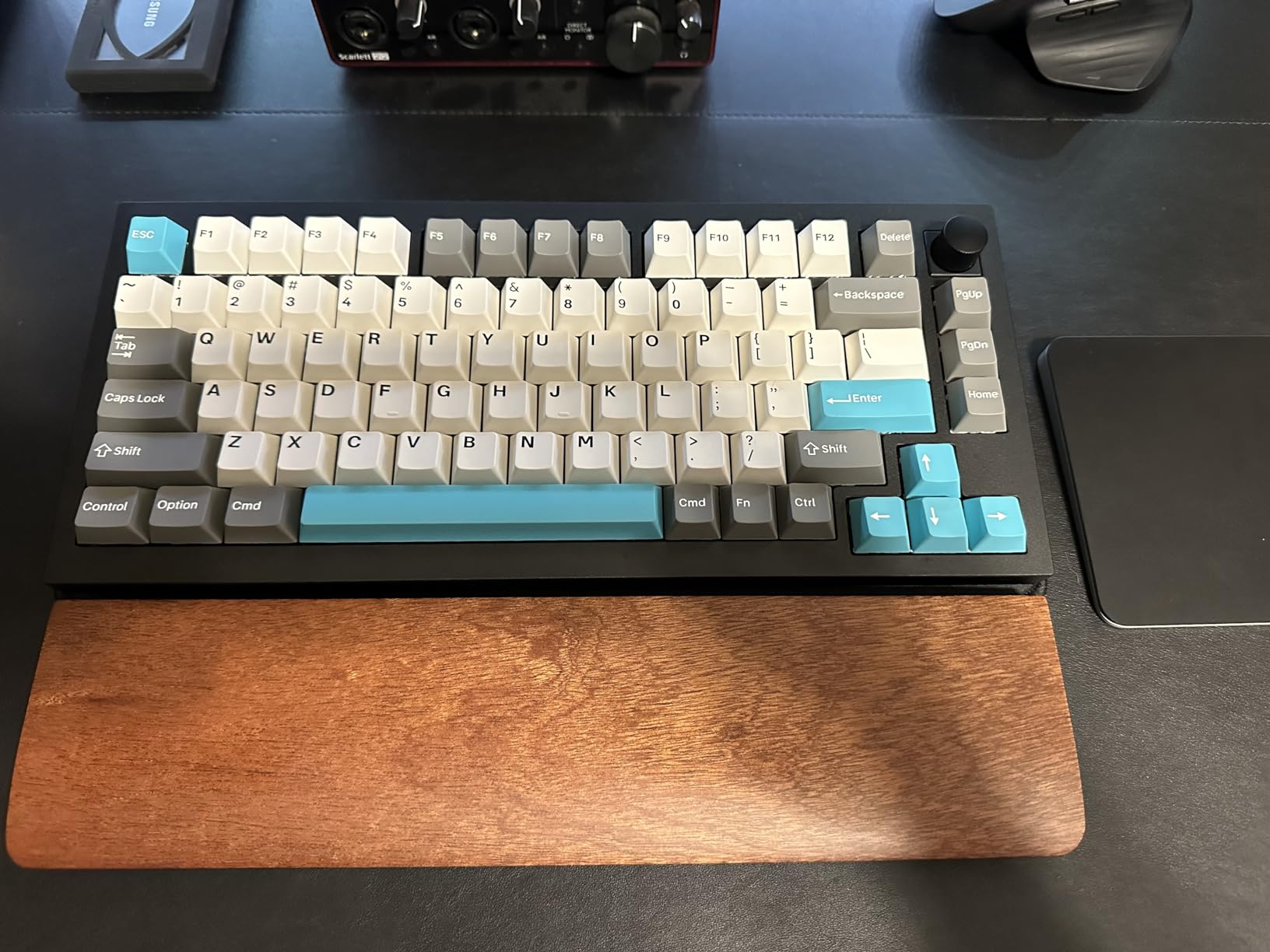
This is the completeness play. At 219 keys it is by a wide margin the largest kit here, and the coverage includes layouts almost nobody stocks: HHKB, WKL, 60, 65, 70, 75, 80, 96 and 100 percent, including UK ISO. If you own an older board with an unusual footprint, this is the set most likely to cover it without a donor.
The material is thickened 1.5mm PBT with a frosted, grainy surface. That extra thickness is why the set costs more than the others here, and it is also why the caps feel unusually solid and produce a fuller sound. Legends are double-shot for oil resistance and long life.
The camel colorway is a desert beige-brown that sits well next to beige and cream cases, and the frosted texture keeps fingerprints from showing the way gloss ABS does. A keycap puller is included in the box.
One practical note: the manufacturer lists minor interference with north-facing LED keyboards, which is a small alignment issue rather than a fit problem.
When this kit is the right answer
Owners of HHKB, WKL or UK ISO boards, and anyone who keeps a spare keyboard in another layout. The sheer number of supplementary keys means you will almost never be left without the width you need.
It is also a good match for a retro beige build, where the camel colorway and frosted PBT texture read as a deliberate vintage choice rather than a default.
Where the extra coverage stops paying off
It is the most expensive set in the group, and for a single standard 60 percent or full-size board you are paying for coverage you will never fit. The caps are also opaque, so north-facing RGB is largely blocked.
Oddly for a kit this large, there is no 96 percent or 1800 layout coverage, so very new compact formats still need extra caps.
How to Check That a Keycap Set Fits Your Mechanical Keyboard
Compatibility is where most keycap purchases go wrong, and almost every avoidable return traces back to one of the five checks below. None of them require opening the board; you can do all of them from a product listing and your keyboard’s model number.
1. Count your layout. The number on the board tells you the kit size to look for. A 61-key 60 percent board needs the alphanumeric block plus arrows and a few modifiers, a 65 percent board adds a column, a 75 percent board adds a function row, TKL is 87 keys, and full-size is 104 or 108. Kits between 115 and 150 keys cover most of these; anything under 120 keys will leave gaps on a full-size board.
2. Measure the spacebar. Keycap width is measured in u widths, where one u equals one standard letter key. Full-size boards use a 6.25u spacebar, while compact boards often use a 2u or 2.25u spacebar and some use a split 2u plus 2.25u arrangement. Tenkeyless boards sit in between at 6.25u or 7u depending on the frame. If the set does not list a spacebar size that matches, do not buy it and hope.
3. Check the Enter key shape. ANSI Enter is a wide 2.25u horizontal rectangle. ISO Enter is tall and narrow, roughly 1.25u wide and shaped like a backwards L, and it also pulls the short Shift key out of the bottom row. If your keyboard is ISO, you need a set sold as ISO or one that includes an ISO Enter and a 1.75u short Shift.
4. Confirm the stem type. Every set in this roundup uses an MX cross stem, which fits Cherry MX, Gateron, Kailh, Outemu, Akko and other MX-pattern switches. It does not fit optical switches, Kailh Choc, low-profile boards, or Alps and Topre boards, which use entirely different mounts. If your board is Topre, no aftermarket MX set is going to work.
5. Look at the LED facing direction. On a south-facing board the LED sits under the front of the cap, so front-printed legends glow and side-printed or opaque caps block the light. On a north-facing board the opposite is true. Side-printed and translucent sets are built for north-facing boards, which is why the HyperX and SDYZ sets both lose some glow on them.
Keycap Profiles Explained: Which Height and Shape to Pick
Profile is the height and shape of the keycap, and it changes both how the board feels and how it looks head-on. Profile is not the same as material: a set can be PBT in any profile, and profile choice is about geometry and reach.
OEM is the tallest of the sculpted profiles and the one most factory mechanical keyboards use, so swapping to OEM keeps the look and feel of the board you already own. Pick it if you want no change in reach.
Cherry is a shorter sculpted profile with stepped R1 to R4 rows. It is the most popular choice for long typing because the contour keeps the wrist flat. Pick it for office and writing work.
ASA matches OEM row heights but adds a spherical top borrowed from SA, which spreads contact across more of the fingertip. Pick it if you want OEM height with a softer landing.
SA is tall and heavily sculpted with a pronounced spherical dish. It looks dramatic from the side and it is popular in custom builds, but the height can stretch the wrist on a desk. Pick it for aesthetics and long sessions on a wrist rest.
MOA and KOA are uniform-height profiles with a rounded or concave dish. MOA is rounded and deeper-sounding; KOA is concave and centres the fingertip. Pick either if you prefer one consistent row height.
MDA has a curved top and a larger contact area than a Cherry dish, sitting at a similar height. Pick it for a soft landing and a deeper note.
DSA and XDA are flat and uniform, with DSA having a spherical dish and XDA a wider flatter surface. They are popular in custom builds and for people who rest their wrists. Pick them if you dislike sculpted rows entirely.
MT3 is a tall, deeply sculpted profile derived from Topre-era designs, with a pronounced dish and high row angles. Pick it only if you already like high typing angles.
Materials: PBT, ABS, Polycarbonate and What Shines
Shine is the reason most people replace keycaps, and shine is a material problem before it is a brand problem. Skin oil softens the surface of a plastic and light reflects off it more evenly, which makes the cap look greasy and worn.
PBT, or polybutylene terephthalate, is the wear-resistant standard. Its surface is textured and matte by default, and oil sits in the texture instead of smoothing it, so a PBT cap can look nearly new after years of daily typing. PBT is also heat and solvent resistant and can be washed.
ABS is smoother, glossier and slightly cheaper. It feels slick at first and takes an oily shine quickly, which is why factory caps are usually ABS. ABS only makes sense when you want translucency or a very smooth feel.
Polycarbonate is the clear plastic used on jelly sets. It transmits light better than anything else in this roundup, and it also shows fingerprints and dust faster than any other material.
ABS and PC blend combines the smooth feel of ABS with the hardness of polycarbonate, which resists scratching and yellowing. That blend is what gives the EPOMAKER set its depth of colour.
Legend printing matters almost as much as the plastic. Double-shot moulds the legend as a second piece of coloured plastic fused to the cap, so it cannot fade or peel under any realistic use. Dye-sublimation presses dye into the PBT at high temperature, which also resists fading and allows full-colour artwork that double-shot cannot do. Screen printing sits ink on the surface and is the only one of the three that wears visibly, which is the complaint that comes up most often about cheaper dye-sub sets in the community.
How to Remove and Install a Keycap Set Safely
Most keycap damage happens during removal, not during typing. A wire puller or a cheap flat puller concentrates force on one edge of the cap, and if you pull at an angle you can bend the switch stem underneath.
Use a ring puller. The wire loop style that most sets include sits around the cap and pulls straight up evenly, which is why we prefer it. If the bundled puller flexes or feels thin, buy a proper ring puller before you start.
Pull straight up and gently. Rocking the cap sideways puts sideways load on the switch stem. Straight up, slow and steady, removes a cap in under a second and does not stress the mount.
Fit the spacebars last. Stabilised keys need the cap centred between the stem and the wire. Start with the alphas, then modifiers, then arrow clusters, then the spacebars. If you fit the spacebar first you will usually have to pull it again to reseat the stabiliser.
Align before pressing. Look down the stem and make sure the cross on the cap lines up with the cross on the switch before you apply any downward force. This single habit prevents the cracked cross-stem complaints that appear in reviews of several sets in this roundup.
Check the bottom row first. Before fitting anything, lay your caps out and confirm you have the spacebar width, the Enter shape and the Shift widths your board needs. It takes a minute and it is the difference between a finished board and a half-finished one.
Frequently Asked Questions
What is the difference between PBT and ABS keycaps?
PBT is textured and matte, and oil sits in the grain instead of smoothing it, so it resists shine and keeps its look over years. ABS is smooth and glossier, feels slicker at first and develops an oily shine within months of daily typing. ABS also transmits light better, which is why translucent and jelly sets use it. Choose PBT for durability and typing feel, and ABS or polycarbonate when the lighting effect is the point.
How do I know which keycap set fits my keyboard?
Check four things. Confirm the layout size, because a 61-key 60 percent board and a 104-key full-size board need different kits. Measure the spacebar, since full-size uses 6.25u while compact boards often use 2u, 2.25u or a split bar. Confirm ANSI or ISO Enter, because ISO Enter is tall and narrow and pulls the short Shift key out of the bottom row. Then check the stem type is an MX cross.
What keycap profile should I choose?
Pick Cherry for long typing sessions because the sculpted R1 to R4 rows keep your wrist flat. Pick OEM if you want to keep the exact height and feel of your current board. Pick SA or MT3 for a tall, dramatic look and accept the extra reach. Pick DSA, XDA, MOA or KOA if you prefer one uniform row height, with MOA rounded and KOA concave. Profile changes feel, not durability, so material matters more for how the set ages.
Is a 104-key keycap set compatible with a 60% keyboard?
Yes, for most 60 percent boards. A 104-key set contains the full alphanumeric block plus modifiers, so every key on a standard 61-key or 68-key board is covered. The extra keys simply go unused. The exceptions are boards that need a shorter spacebar, such as many 60 percent layouts that use a 2u or 2.25u bar rather than the 6.25u found on full-size boards, and any board using an ISO Enter.
What is the difference between double-shot and dye-sublimated legends?
Double-shot legends are two pieces of moulded plastic fused together, so the characters are part of the cap and cannot fade, peel or wear off. Dye-sublimation presses dye into the plastic at high temperature, which also resists fading and allows full-colour multi-tone artwork that double-shot cannot produce. Screen printing is the third method and sits ink on the surface, which is the only one of the three that visibly wears with heavy use.
Are PBT keycaps compatible with all mechanical keyboards?
PBT describes the plastic, not the mount. All PBT sets sold for standard boards use an MX cross stem, so they fit Cherry MX, Gateron, Kailh, Outemu, Akko and other MX-pattern switches. They do not fit optical switches, Kailh Choc, low-profile boards, or Alps and Topre boards, which use different mounts entirely. Always check that your set includes the key widths your specific layout needs.
Why do my keycaps get shiny and how do I stop it?
Shine is caused by skin oil smoothing the surface of the plastic, so light scatters evenly and the cap looks greasy. The fix is material rather than cleaning. PBT has a textured matte surface that oil settles into instead of flattening, and double-shot legends do not wear. To slow it further, wash PBT caps in warm water with mild soap, dry them fully before refitting, and avoid handling the tops more than necessary.
Do keycap sets come with a keycap puller?
Most sets include one, usually a wire ring puller or a flat plastic puller. Quality varies widely, and reviewers of several sets in this roundup describe the bundled tool as thin or flimsy. A proper ring puller costs very little and dramatically reduces the chance of bending a switch stem. Use it to pull caps straight up rather than at an angle, and fit spacebars last so stabilisers can be centred.
Which Keycap Set Should You Buy in 2026?
The HyperX Pudding set is the pick for almost everyone. It is the most reviewed option here by a wide margin, the rating is steady at 4.6 stars, and the full 104-key OEM layout plus dual-layer translucency covers the two things people want most: a board that looks finished and a board that lights up well. If your board is a full-size or a standard compact and you want one decision made for you, that is the set.
Buy the Guffercty kred ASA kit instead if you own more than one keyboard or plan to. One hundred and fifty keys covering 60 through full-size, ANSI and ISO, with both a 6.25u and a split spacebar, is the coverage-per-cost winner here. For the tightest budget, the SDYZ XVX 136-key set gets you textured double-shot PBT without paying for anything you will not use.
Everything else is a preference: cherry contour and retro colorways from dagaladoo, maximum RGB glow from the clear jelly polycarbonate set, a very large kit from KBDiy, novelty artwork from the Matcha MOA set, deep sound from the EPOMAKER jelly caps, a concave dish from KOA, and unusual layout coverage from the 219-key Keychron kit. Run the five compatibility checks first, then pick the look. You can also start from a board in our gaming mechanical keyboard guide or our weighted keyboard picks if you are still at the very beginning.