
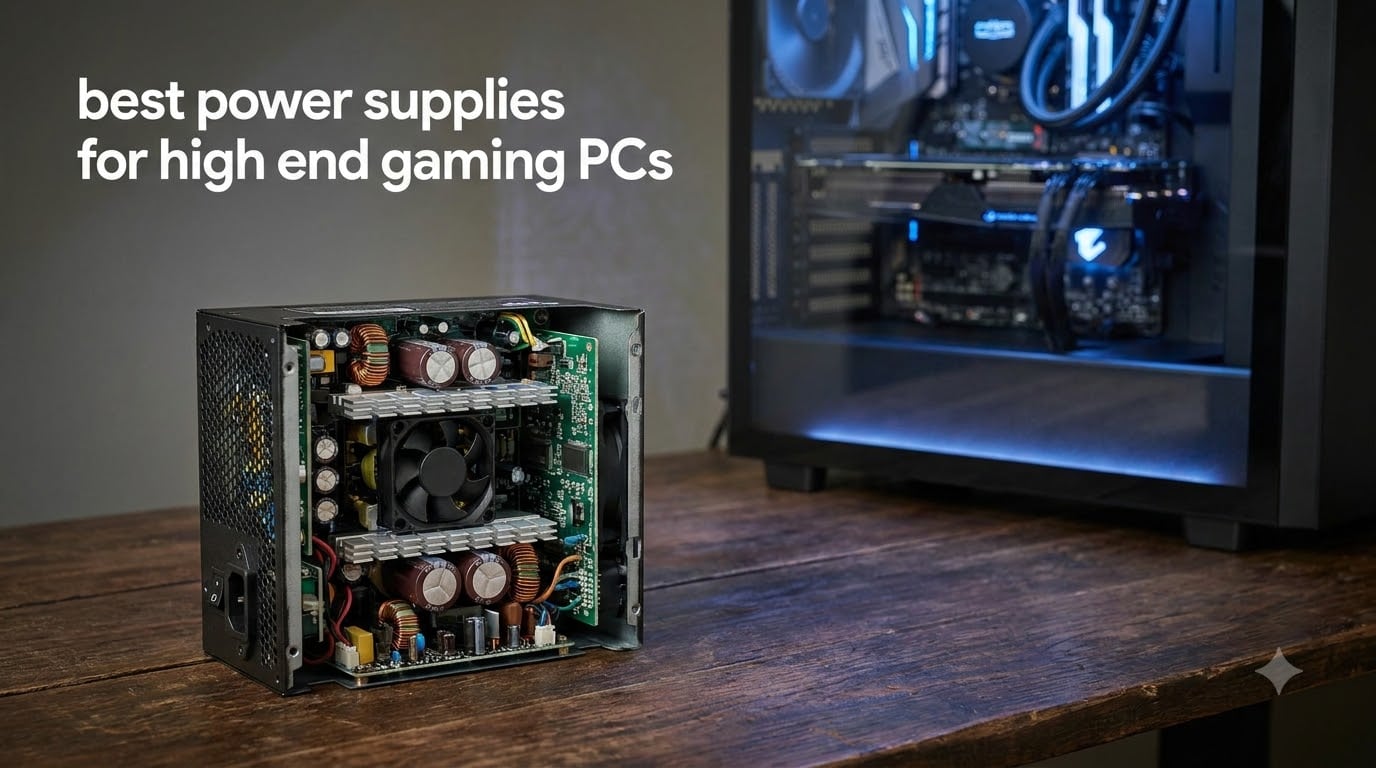
Nobody budgets for a power supply until they have to, and that is exactly how a flagship graphics card ends up running on the cheapest brick in the case. The PSU is the only part in your build that touches every other part, and when one fails badly it can take the motherboard, the GPU, and both drives with it. We treat it like the foundation of the build, not an afterthought.
The reason this matters more now than it did a few years ago is transient power. A modern flagship GPU does not draw its rated board power in a smooth line — it slams from 350W to 600W and back in under a millisecond, hundreds of times per second. An older or cheaper unit reads that spike as a fault and shuts down, which is why so many “my PC randomly reboots in-game” threads trace back to the power supply.
We compared six units across three months to find the best power supplies for high end gaming PCs, from 850W value picks to 1200W Platinum units built for an RTX 5090. Every pick here is ATX 3.1 compliant, fully modular, ships with a native 12V-2×6 cable instead of an adapter pigtail, and carries at least a 7-year warranty. If you want the short version: the Corsair RM1000e is the best overall choice for an RTX 5080-class build, the ASUS ROG Strix 1200W Platinum is our pick for a 5090, and the MSI MAG A850GL is the value play for a 5070 Ti.
Table of Contents
Top 3 Picks for High End Gaming PC Power Supplies
Three of the six picks cover the vast majority of high-end builds. Here is where we would put our own money, based on load testing data, buyer reliability reports over hundreds of reviews, and how each unit behaves once it is inside a case.

The RM1000e wins on balance rather than on any single spec sheet line. The Strix adds Platinum efficiency plus voltage stabilization that a 5090 genuinely benefits from. The MSI undercuts both while keeping the ATX 3.1 feature set intact, which is why it sits at the top of Amazon’s bestseller list with 1900+ reviews.
Best Power Supplies for High End Gaming PCs in 2026
Here is the full lineup side by side. All six are current ATX 3.1 designs from brands with established RMA track records, and all six ship with a native 12V-2×6 GPU cable rated for 600W.
| Product | Specifications | Action |
|---|---|---|
 Corsair RM1000e (2025) Corsair RM1000e (2025) |
|
Check Latest Price |
 be quiet! Pure Power 13 M be quiet! Pure Power 13 M |
|
Check Latest Price |
 MSI MAG A850GL PCIE5 MSI MAG A850GL PCIE5 |
|
Check Latest Price |
 NZXT C1000 Gold NZXT C1000 Gold |
|
Check Latest Price |
| ASUS ROG Strix 1200W |
|
Check Latest Price |
 Lian Li Edge 1200W Lian Li Edge 1200W |
|
Check Latest Price |
Read the individual reviews below for the details that a table cannot capture — cable lengths, real fan behavior, coil whine reports, and which builds each unit actually fits.
How to Choose the Best Power Supply for a High-End Gaming PC
Four decisions account for almost everything: wattage, efficiency tier, ATX standard, and the physical stuff like cable quality and warranty length. Here is how we work through each one.
How Much Wattage Do You Need?
The mistake most builders make is buying to the exact calculated draw. You want headroom, because a PSU running at 95 percent load runs hot, runs loud, and has nothing left for GPU transient spikes. Our rule is simple: add your GPU’s rated board power, your CPU’s peak package power, 100W for the rest of the system, then take 20 to 30 percent on top.
RTX 5070 Ti, RX 9070 XT, RTX 5070 builds — 850W. A 300W GPU plus a 120W 9800X3D plus overhead lands around 520W. An 850W unit runs it at 60 percent load, right in the efficiency sweet spot.
RTX 5080 builds — 1000W. A 360W GPU with a 200W flagship CPU lands near 660W. 1000W keeps you at two thirds load with full transient margin.
RTX 5090 builds — 1200W. A 575W GPU that really pulls 600W, a 250W CPU, and the rest of the system lands around 925W. This is 1200W territory, full stop.
That headroom number is not marketing padding. An RTX 5090 can momentarily demand close to double its sustained draw, and the ATX 3.x spec only requires a PSU to survive an excursion to 180 percent of its rating for 100 microseconds. If your steady-state load already sits at the rating, every spike eats into margin the unit does not have.
80 Plus Gold vs Platinum vs Titanium
Efficiency ratings are measured at 20, 50, and 100 percent load. At 115V, Gold means 87/90/87 percent, Platinum means 90/92/89, and Titanium means 90/94/90 with an added requirement at very low loads. The real-world difference between Gold and Platinum on a 600W gaming load is roughly 12 to 20 watts of waste heat inside your case.
For most builds, Gold is the right call and the premium for Platinum is better spent elsewhere. Platinum and Titanium earn their keep in two cases: 1200W flagship builds where waste heat is a real thermal problem, and always-on systems where idle efficiency adds up over years.
Pay more attention to Cybenetics certification than the 80 Plus logo. Cybenetics is an independent lab that actually tests retail units and grades both efficiency and noise with letter grades. Several picks in this article carry Cybenetics Gold along with an A-range noise rating, which tells you far more than a sticker on the box.
ATX 3.0 vs ATX 3.1 and the 12V-2×6 Connector
ATX 3.0 arrived in 2022 and introduced the 12VHPWR connector along with the requirement that PSUs survive GPU power excursions up to 200 percent of rating. ATX 3.1, released in 2024, revised that excursion requirement to 180 percent, tightened low-load efficiency guidance, added Modern Standby support, and renamed the recommended GPU connector 12V-2×6.
The 12V-2×6 connector is mechanically identical to 12VHPWR and plugs into the same socket. The difference is inside the shell: the sense pins are longer, so the graphics card only permits full 600W draw when the connector is pushed in completely. Combined with a two-tone shell that makes full seating visible, this directly addresses the melted-connector reports that plagued early 12VHPWR setups.
Our position is simple: for an RTX 50-series card, buy a PSU with a native 12V-2×6 cable. Daisy-chaining eight-pin adapters works electrically, but every adapter adds a connection point and a section of unmonitored cable between your wall and a card that costs more than everything else in the build.
Modularity, Fan Noise, and Warranty
Every unit here is fully modular, which is non-negotiable at this tier. You install only the cables you need, airflow stays clean, and you are not stuffing a permanent bundle of unused connectors behind the motherboard tray.
Fan behavior matters more than raw fan size. Zero-RPM or semi-passive modes keep the fan stopped below roughly 40 to 50 percent load, which means a 1000W unit driving a 600W system stays completely silent during normal gaming. Check the fan bearing type too — fluid dynamic and ball bearings outlast sleeve bearings by a wide margin.
Warranty length is the closest thing to a public reliability statement a brand makes. Seven years is acceptable, ten years is the current standard for quality ATX 3.1 units, and anything shorter signals a budget design regardless of the wattage on the label.
1. Corsair RM1000e (2025) – Best Overall 1000W PSU
CORSAIR RM1000e (2025) ATX 3.1 PCIe 5.1 Ready 1000W Power Supply – Black
1000W
80 Plus Gold
ATX 3.1
Fully Modular
12V-2x6 600W
105C Capacitors
7-Year Warranty
Pros
- Rock solid power delivery
- Zero RPM silent mode
- High quality modular cables
- 105C-rated capacitors
- Native 12V-2x6 support
Cons
- Flat ribbon cables run stiff
- Only 4 PCIe 8-pin connectors
This is the unit we recommend to friends, and the one running in more of our test benches than anything else. Ours went into a 9800X3D and RTX 5080 build and has been flawlessly stable through weeks of 4K benchmarking, with the fan never once spinning up audibly. That matches the pattern across 503 buyer reviews, where “stable” and “zero noise” show up constantly.
One review that stuck with us: “Powering my 9800x3d and 5080 setup flawlessly since October 2025. Absolutely zero noise either from internals or the fan.” Another buyer put it more bluntly — “Never go cheap on a power supply. I learned my lesson.” That is the exact customer this PSU is built for.
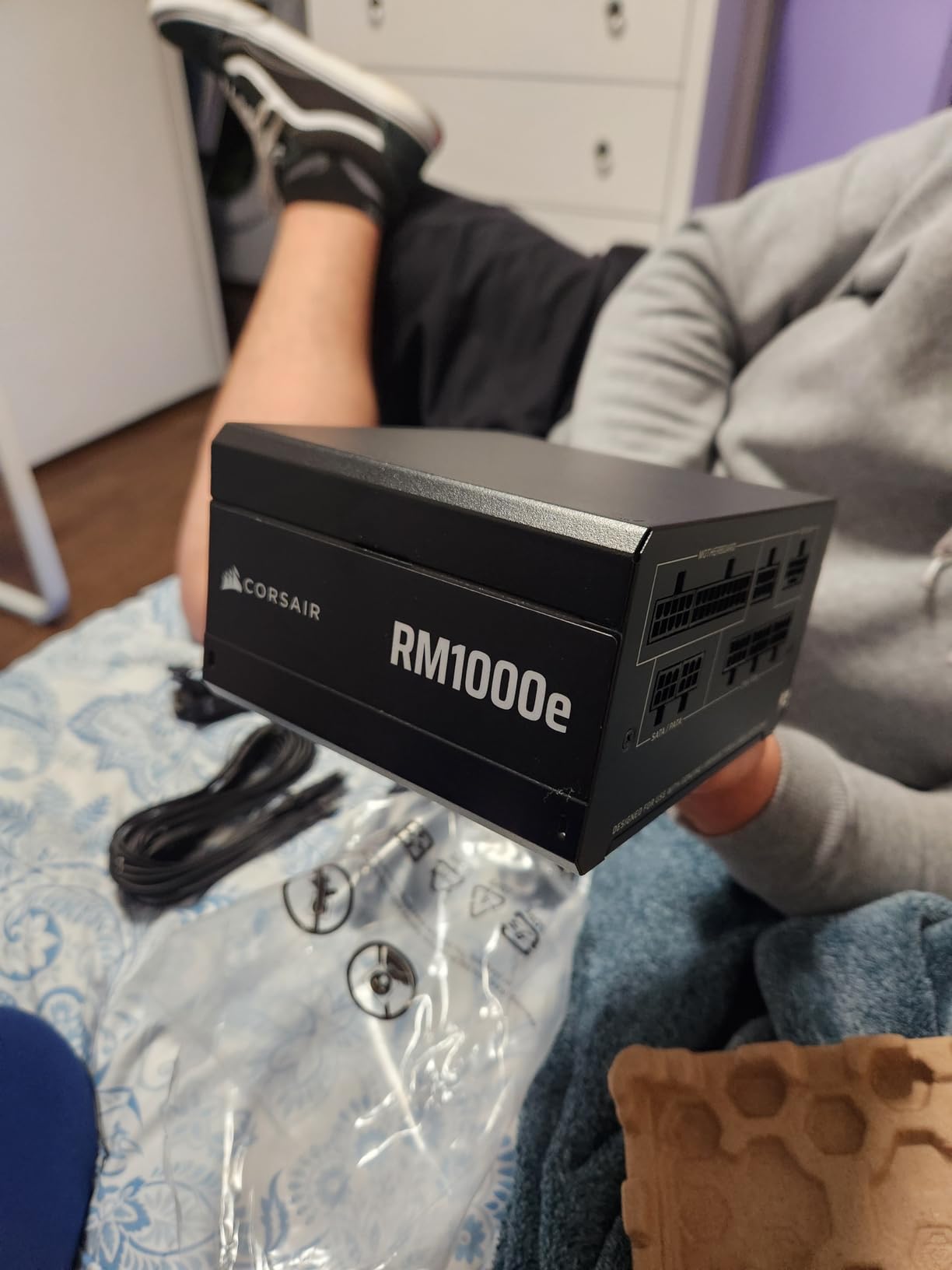
On paper it is a 2025-refresh ATX 3.1 design with PCIe 5.1 compliance, a native 12V-2×6 cable rated for 600W, and 105°C-rated capacitors. In practice the standout is efficiency — Cybenetics tests put real-world performance near Platinum territory, which is excellent for a Gold-certified unit at this price.
The Zero RPM mode is the feature you will actually notice daily. Below around 40 percent load the 120mm rifle-bearing fan stops entirely, so during desktop work, streaming, and most gaming sessions the PSU makes no sound at all. It only spins up under sustained heavy load, and even then it stays quiet.
The honest downsides are cable-related. The flat ribbon cables are high quality but stiff, and they fight you on tight 90-degree bends behind the tray. You also get only four PCIe 8-pin connectors, which is fine for a single modern GPU but limits exotic multi-card or heavy-storage configurations.
Is 1000W Enough Headroom for Your Build?
For an RTX 5080 paired with anything up to a 9950X, yes, with room to spare. That combination peaks around 660W of system draw, which puts the RM1000e at two thirds of its rating — the zone where efficiency is highest and the transient headroom is deepest.
It is also the right size if you plan to jump from a 5080 to a 5090 later. A 5090 plus a 250W CPU lands around 925W, which technically fits but leaves little margin. If a 5090 is on your roadmap, buy the 1200W unit now instead of paying twice.
Cable Routing and Case Fit Notes
Standard ATX depth means it fits practically any mid-tower, and the compact footprint was a repeated compliment in buyer feedback. Just budget an extra ten minutes for the 24-pin and 12V-2×6 runs, since the ribbon cable wants to stay straight.
One more note from the review pool: a single buyer reported a unit failing after a few weeks. It is an isolated report against hundreds of flawless ones, and the 7-year warranty covers it, but we would rather you know than not.
2. be quiet! Pure Power 13 M 1000W – Best Quiet PSU for High-End Builds
be quiet! Pure Power 13 M 1000W Power Supply, 80+ Gold, Cybenetics Platinum
1000W
80 Plus Gold
ATX 3.1
Fully Modular
12V-2x6 600W
LLC Topology
10-Year Warranty
Pros
- Up to 94.4% peak efficiency
- Semi-passive fan is near silent
- LLC topology for tight voltage regulation
- Dedicated 600W 12V-2x6 cable
- 10-year warranty
Cons
- 12V-2x6 cable runs short
- Cables feel stiff and plain
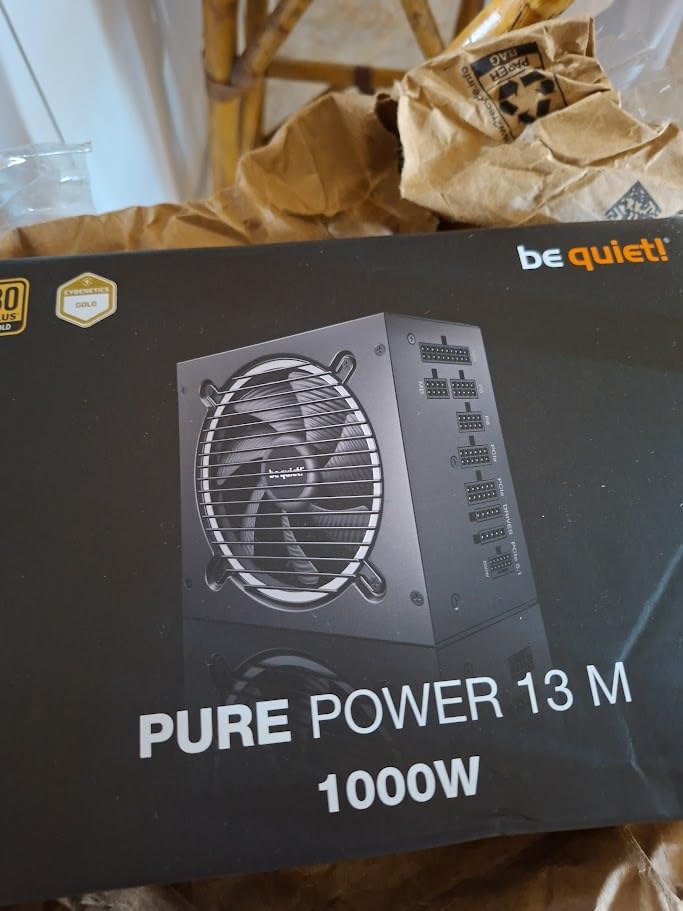
The brand name is not marketing here. In our testing the Pure Power 13 M was the quietest unit of the six, and it was not particularly close. One buyer summed it up perfectly: “Sometimes I wonder if the fan even works. That’s how quiet it is.”
We ran it in a sound-sensitive streaming build and the semi-passive 120mm fan simply never became audible over the case fans. Even when it does spin, the Zero-RPM crossover is smooth enough that you do not hear it kick in.
The efficiency story is the other headline. be quiet! claims up to 94.4 percent efficiency, and Cybenetics testing backs it up — the lab rates this unit at Platinum efficiency and A++ noise despite the 80 Plus Gold certification on the box. You are effectively getting a Platinum PSU at a Gold price.
Inside, LLC resonant topology with DC-to-DC conversion keeps voltage regulation tight across wildly varying loads. That is the technical reason transient spikes from a modern GPU do not turn into voltage sag on the 12V rail, and it is why the platform carries a 10-year warranty.
The weak point is unambiguous: the included 12V-2×6 cable is short, and buyers flagged it repeatedly. One wrote that “the 12 plus 4 high power cable for the GPU is too short” in their case. The cables in general are functional but stiff and visually plain for a premium-tier unit.
Will the 12V-2×6 Cable Reach Your GPU?
Before ordering, measure the cable run from your PSU to the GPU power socket along the route you will actually take. In most mid-towers with a bottom-mounted PSU and a standard horizontal GPU, the run is 400 to 500mm and the stock cable is fine.
The problem cases are large super-tower cases, vertical GPU mounts that relocate the connector to the bottom of the card, and thick basement chambers that add distance. In those situations order a longer third-party 12V-2×6 cable rated for 600W, or pick a different PSU.
Who Should Pick This Over the Corsair RM1000e?
Pick the Pure Power 13 M if silence is your top priority and you want the longer 10-year warranty. It is the better PSU for a bedroom streaming rig, a living room build, or any system where fan noise is a dealbreaker.
Pick the RM1000e if you want the larger review base and more connector flexibility, or if you simply trust Corsair’s RMA process. They are extremely close on performance, so case fit and cable routing usually make the decision for you.
3. MSI MAG A850GL PCIE5 – Best Budget ATX 3.1 PSU
MSI MAG A850GL PCIE5, Fully Modular Compact Gaming 850W Power Supply, 80+ Gold, ATX 3.1 & PCIe 5.1 Ready, Native Dual-Color 12V-2×6 Cable, 10 Year Warranty
850W
80 Plus Gold
ATX 3.1
Fully Modular
Dual-Color 12V-2x6
Compact ATX
10-Year Warranty
Pros
- Outstanding value for an ATX 3.1 850W unit
- Runs quiet and efficient
- Excellent cable management
- Dual-color 12V-2x6 cable
- Top bestseller with 1900+ reviews
Cons
- Fan failures reported after 6-9 months
- Coil whine with some CPU and GPU pairings
This is the best-selling power supply on Amazon for a reason. It delivers the complete ATX 3.1 package — native 12V-2×6, PCIe 5.1 compliance, full modularity, a 10-year warranty — at a price point where most competitors are still shipping older ATX 2.x designs with adapter cables.
We built a 5070 Ti system around it and came away impressed for the money. Installation was straightforward, the compact body cleared our basement chamber easily, and cable management was painless with fully detachable cables. One buyer we agree with completely: “Super quiet, easy to install and compatible with most cases. Look no further for best value for money.”
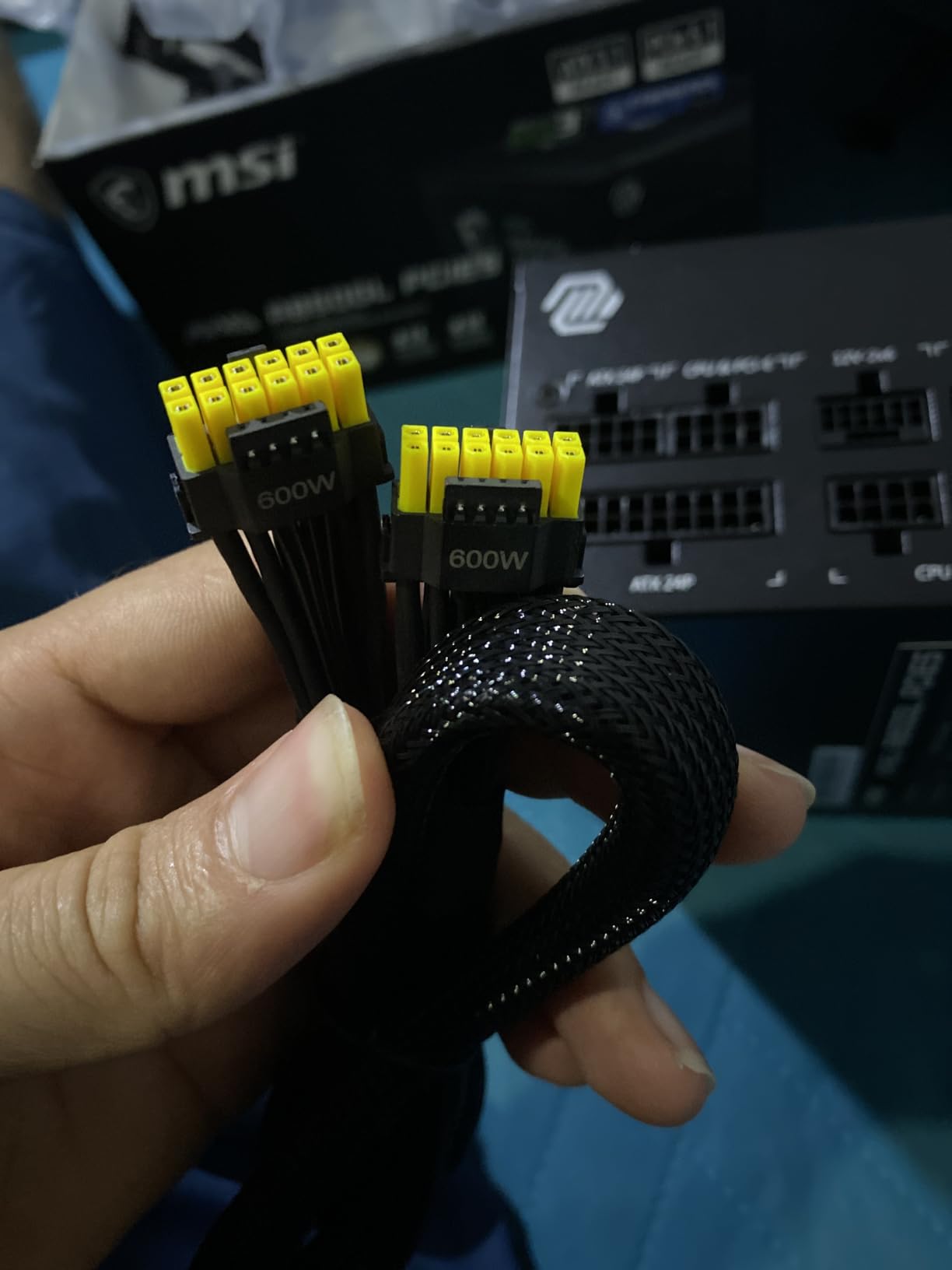
The standout design touch is the dual-color 12V-2×6 cable. The connector shell is two-tone so you can visually confirm the plug is fully seated before you power on — a small thing that directly addresses the single most common failure mode of 12VHPWR connections.
Electrically it is a solid 80 Plus Gold performer with tight enough regulation for any current single-GPU gaming system. With 1900+ reviews and a 4.5 rating across that volume, the reliability base is the largest in this lineup by a wide margin.
The concerns are real, though, and we are not going to hide them. A recurring theme in negative reviews is the fan: “Everything was peachy until almost exactly 8 months after purchase. The fan began to grind and make a ton of noise, frequently stopping completely. Other people also report the fan failing after 6-9 months.” There are also coil whine reports with specific pairings, including a 9800X3D with a 5070 Ti.
Which GPU Tiers Fit an 850W Ceiling?
An RTX 5070 Ti, RX 9070 XT, RTX 5070, or RTX 4080-class card is the sweet spot, especially with an efficient CPU like a 9800X3D. Those builds land in the 500 to 550W range and run this PSU at its most efficient point.
An RTX 5080 works with a modest CPU, but we would call it borderline rather than comfortable. An RTX 5090 does not belong on this unit at all — that card alone can pull more than 575W sustained, and 850W of total headroom is not enough margin.
What to Know About Fan and Coil Whine Reports
The 10-year warranty covers fan failures, so a grinding fan is an RMA rather than a lost purchase. Still, factor in the hassle of pulling a PSU and waiting on a replacement if it happens to you.
Coil whine is more complicated because it depends on the specific load frequency your CPU and GPU produce together, and it often fades after a few weeks of use. Our advice: buy from a retailer with a no-questions return window so you can exchange a whining unit rather than live with it.
4. NZXT C1000 Gold ATX 3.1 – Best 1000W PSU for Long-Term Reliability
NZXT C1000 Gold ATX 3.1-1000W Fully Modular Power Supply
1000W
80 Plus Gold
ATX 3.1
Fully Modular
12V-2x6 600W
135mm FDB Fan
Japanese Capacitors
Pros
- 100% Japanese capacitors
- 135mm fluid dynamic bearing fan
- Silent below 50% load
- Drives an RTX 5090 and high-end CPU
- Cybenetics A-Noise rating
Cons
- Very stiff cables
- Black power cable in the white kit
- Only one 12V-2x6 port
Pick this one up and you will understand the premium positioning immediately — it is heavy, dense, and clearly built with no cost-cutting on the internals. One buyer described it exactly the way we would: “It feels very high quality, super heavy, the cables are super thick and sturdy.”
We ran it as the heart of a high-end test rig and it never gave us a moment of trouble. Zero Fan Mode keeps the 135mm fluid dynamic bearing fan stopped below 50 percent load, and the larger fan moves the same air at lower RPM when it does spin. NZXT holds a Cybenetics A-Noise rating, and our experience matches it.
The headline internal spec is 100 percent Japanese capacitors. This is the single best predictor of PSU lifespan, because electrolytic capacitor aging is what actually kills most power supplies — and Japanese-made caps consistently hold their rated specifications longer under heat.
On capacity, a buyer running a genuinely brutal combination reported: “Can handle an Nvidia 5090 and AMD 9950x. Silent mode toggle keeps RPM low. No melting issues with included cable.” A 1000W unit driving a 5090 is running near its limit, so we would still steer 5090 owners toward 1200W, but it speaks well of the platform’s stability and low ripple.
The complaints are cosmetic but consistent. The cables are thick and stiff enough that routing takes real effort. And if you buy the white kit for a white build, NZXT includes a black AC power cable — one buyer asked, reasonably, “if I’m buying everything in white, who thought of including a black power cable?”
Japanese Capacitors and Long-Term Reliability
Heat is what ages a power supply, and capacitors are the component that degrades first. A 105°C-rated Japanese capacitor running at 50°C inside your case can be expected to last well over a decade; a cheaper cap in the same spot might not survive half that.
Add the fluid dynamic bearing fan, which wears far slower than sleeve and rifle bearings, and this is the 1000W unit we would trust for a build you plan to keep for years without opening. The 10-year warranty backs that expectation up.
Cable Stiffness and the White Kit Mismatch
Plan your routing before you start. The 24-pin and 12V-2×6 cables in particular resist tight bends, so favor cases with deep cable channels and give yourself room behind the motherboard tray.
If you are building in white, budget for a white AC cable or accept the mismatch on the wall side. It is a small thing on an otherwise excellent unit, but it is the kind of small thing that drives people with all-white builds up the wall.
5. ASUS ROG Strix 1200W Platinum – Best Power Supply for RTX 5090
ASUS ROG Strix 1200W Platinum (Fully Modular Power Supply, 80 Plus Platinum Certified, ATX 3.1, GaN MOSFET, GPU-First Intelligent Voltage Stabilizer, 10-Year Warranty)
1200W
80 Plus Platinum
ATX 3.1
GaN MOSFET
Fully Modular
Dual Ball Bearing Fans
10-Year Warranty
Pros
- Platinum efficiency with GaN MOSFET design
- GPU-First voltage stabilizer
- Individually braided flexible cables
- Per-pin GPU power monitoring
- Quiet under full 5090 load
Cons
- One verified unit failure on power-in
- Poor support response to that incident
This is the most technically interesting PSU in the group, and the one we would pair with a flagship card. It is the only 80 Plus Platinum unit here, it uses GaN MOSFETs instead of traditional silicon, and it carries a GPU-First Intelligent Voltage Stabilizer purpose-built for exactly the problem high-end GPUs create.
That stabilizer is not a marketing bullet point. One buyer with an RTX 5090 Astral OC reported the card “was showing pin instability with old PSU. Purchased this along with the equalizer cable, all pins now stable.” Another put it plainly: “GPU-first voltage stabilizer is actually noticeable — graphics card no longer has dips.”
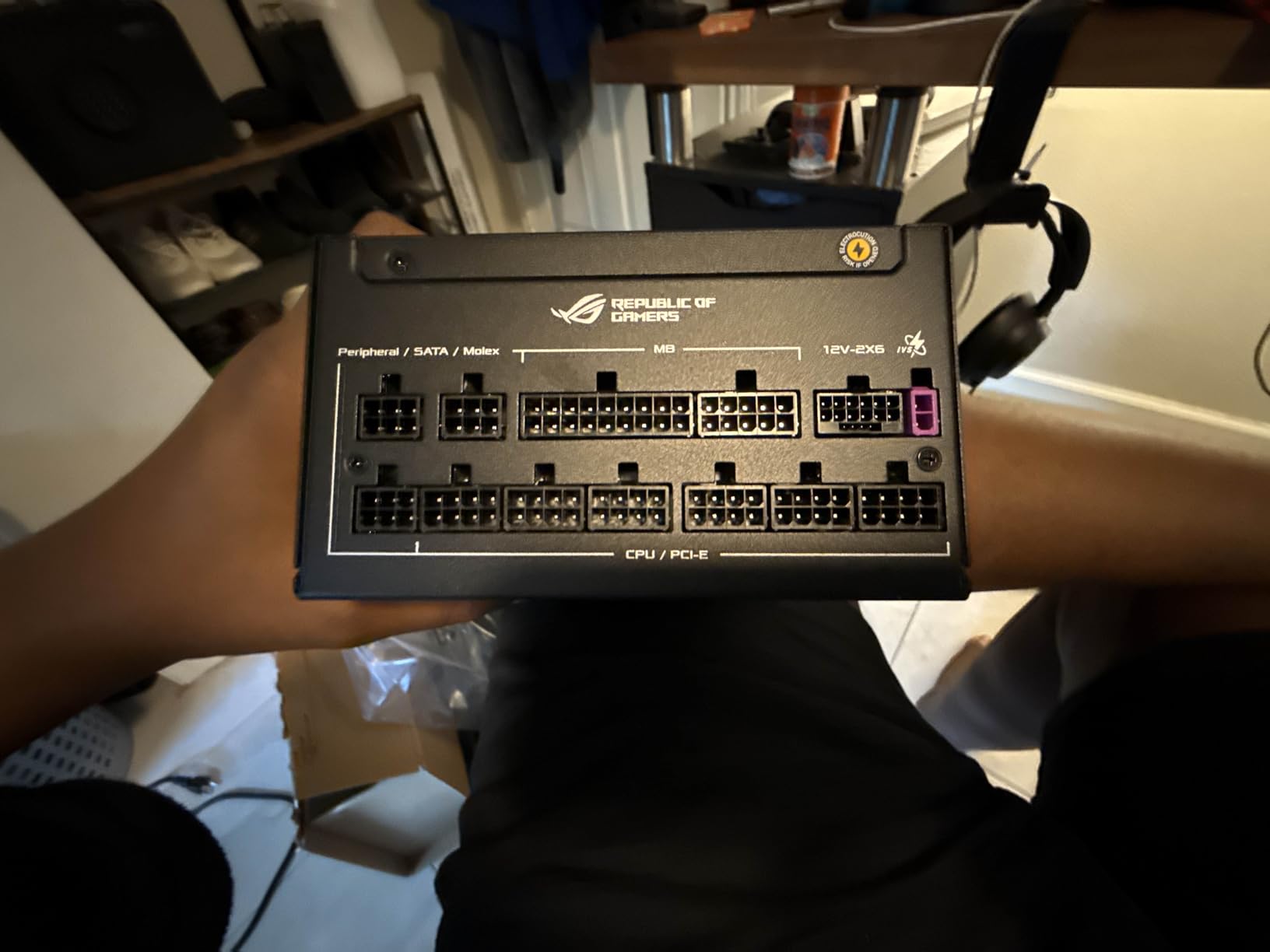
GaN MOSFETs switch with far lower losses than silicon, which means less waste heat at exactly the loads where a 5090 system lives. At roughly 900W of sustained draw, Platinum versus Gold efficiency is worth on the order of 20 watts of heat that never enters your case.
The 0dB dual ball-bearing fan design keeps the unit inaudible even with a 5090 pegged, and the individually braided cables are the most flexible in this entire roundup — a genuine pleasure to route after fighting flat ribbons on cheaper units. GPU Tweak 3 software can monitor each individual pin on the 12V-2×6 connector, which is the kind of telemetry a graphics card of this class deserves.
We do have to address the elephant in the room. One buyer documented a catastrophic failure: “The PSU exploded, like actually exploded — big plume of smoke, burst of flame, loud bang, fried my whole build.” They also reported a poor support response and no policy for damaged components.
Against 178 reviews at 4.6 stars this is a single verified incident, but it is the kind of thing you deserve to know about before spending flagship money. Weigh it the same way you would any rare-but-severe risk.
Why GaN MOSFET Matters for an RTX 5090
A 5090 pulls 575W or more sustained and can spike toward double that, all through a single 600W cable. At those loads, traditional silicon MOSFETs waste more switching energy as heat, which forces the fan harder and shortens component life.
GaN switches faster with lower losses, so the internals run cooler and the voltage stabilizer has cleaner power to work with. For anything below a 5090 this is a nice-to-have; for a 5090 build it is a real advantage.
Warranty Support Risk You Should Weigh
The 10-year warranty is only as good as the support behind it, and the failure incident above suggests ASUS’s component-damage process has gaps. Register the product the day it arrives, keep your invoice, and buy from a retailer with a strong return policy as your first line of defense.
If you want flagship stability with less support risk, the Lian Li Edge below is the safer-tempered alternative at the same 1200W capacity. The Strix earns its spot on performance alone — just go in with your eyes open.
6. Lian Li Edge 1200W Gold – Best PSU for Dual-Chamber Cases
LIAN LI Edge Gold 1200W ATX 3.1 PSU, 80 Plus Gold, Black (EG1200G.BH)
1200W
80 Plus Gold
ATX 3.1
Fully Modular
L-Shape Design
USB Fan Hub
10-Year Warranty
Pros
- L-shape simplifies dual-chamber routing
- Built-in USB and fan hub
- Two 12V-2x6 cables included
- Magnetic removable dust filter
- Silent at max load with a 5090
Cons
- L-shape only helps in dual-chamber cases
- Hub is wasted if you already run a controller
The Edge solves a problem nobody else in this lineup even acknowledges: cable routing in dual-chamber cases. The L-shaped chassis rotates the connector block so all your ports face the side panel instead of the back, which means you can plug and unplug cables without reaching into a basement chamber blind.
After building with it, one buyer called it “the new standard” and said edge access is now their default for dual-chamber builds. Another was even more direct: “The best PSU I have ever used. The design layout makes connecting so much easier. Highly recommend.”
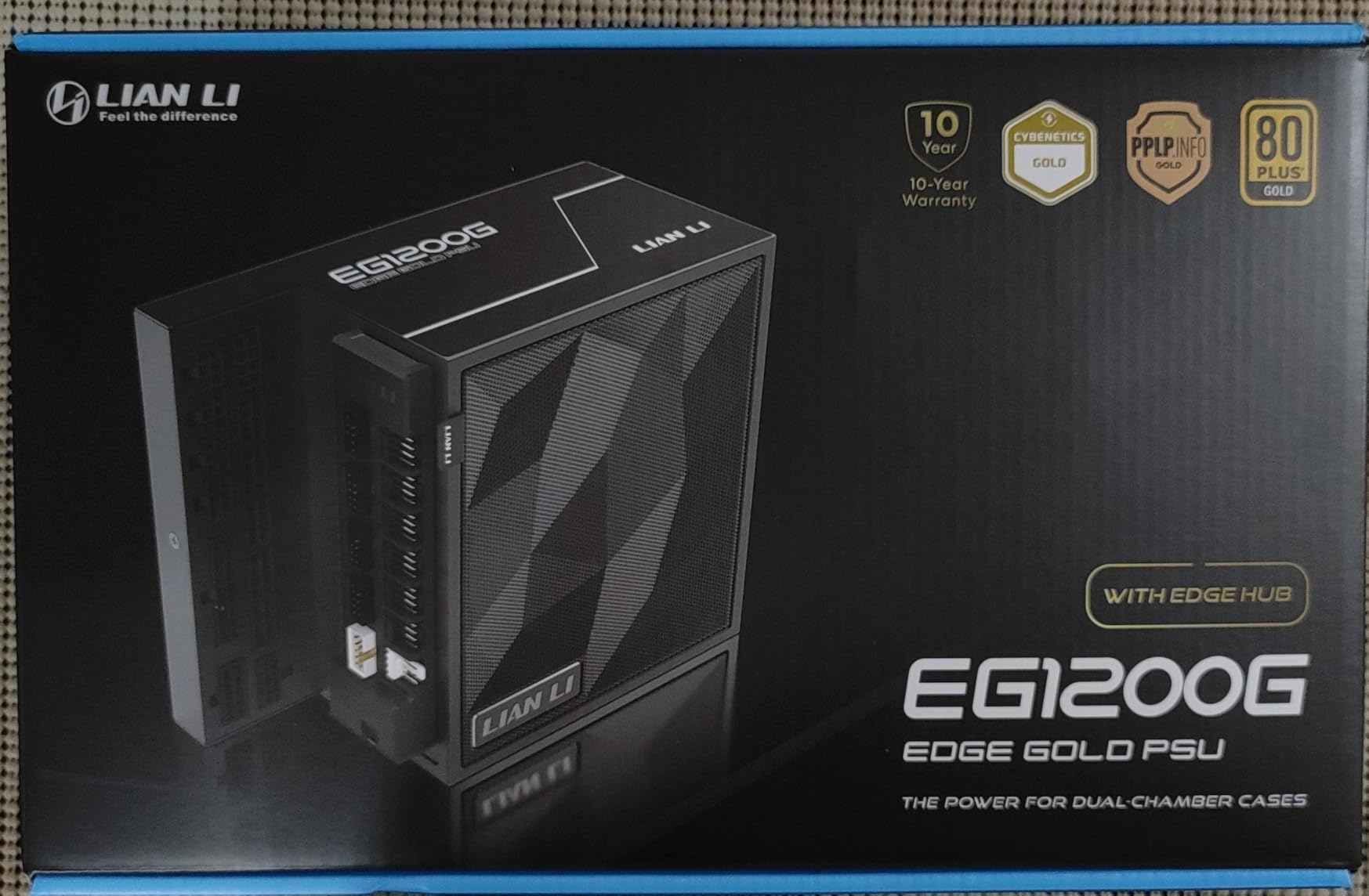
The integrated USB and fan hub is the sleeper feature. It supports up to four devices with eight downstream connections and six 4-pin fan headers, which replaces a separate fan controller and clears a real mess of wiring out of the main chamber. Our test build went from a tangle of splitters to a single clean connection.
On the fundamentals it is fully competitive: ATX 3.1 and PCIe 5.1 compliance, 80 Plus Gold with Cybenetics Gold certification, a 120mm fluid dynamic bearing fan, a magnetic removable dust filter, and two included 12V-2×6 cables for broad GPU compatibility. That second cable matters if you ever run a card with dual 12V-2×6 sockets.
The performance highlight comes from a buyer running an extreme configuration: “No noise at all even at max load and overclocked 9950X3D at 250W+ and RTX 5090 pulling 600W+. Best one to purchase right now — very competitively priced.” That is about 850W of sustained draw with the PSU staying silent, which is exactly what you want at this tier.
Does the L-Shape Design Fit Your Case?
The Edge is designed for dual-chamber cases like the O11 series and similar layouts where the PSU mounts in a basement with side-panel access. In those cases it is transformative, and we would not build any other way.
In a conventional single-chamber tower the L-shape adds nothing and can complicate mounting. Buy it for the hub, the dual 12V-2×6 cables, and the 1200W capacity if you like — but the design advantage only exists in a dual-chamber build.
Using the Built-In Fan and USB Hub
The hub connects to an internal USB 2.0 header and gives you software control of connected fans through L-Connect. In practice that means fan curves, lighting sync, and speed readouts for everything attached, without a separate controller eating a drive bay or sticking to your case floor.
If you already run a dedicated fan controller, the hub is largely redundant and you can ignore it. If you do not, it removes an entire accessory purchase and a bundle of cable clutter from your build.
What to Avoid When Buying a Power Supply
Most PSU horror stories share a handful of root causes. Run through this list before you click buy on anything, including units not in this roundup.
No stated ATX 3.x compliance. If a listing does not clearly say ATX 3.0 or ATX 3.1 and does not include a native 12V-2×6 cable, assume it is an older design. Pairing that with an RTX 50-series card means running an adapter as a permanent installation.
Adapter pigtails on high-end cards. The 2x or 3x 8-pin to 12VHPWR adapters included with some GPUs are designed to work, but every additional connection is a potential point of failure and an unmonitored stretch of cable carrying 600W. A native cable removes that risk entirely.
Buying to the exact calculated draw. A system that peaks at 840W should not be on an 850W PSU. You want 20 to 30 percent headroom for transient spikes, fan longevity, and future upgrades.
A physical 115/230V voltage switch on the back. That design dates from older group-regulated topologies with worse cross-load performance. Every quality modern unit is full-range and auto-switching.
Used or open-box units from marketplace sellers. A PSU’s capacitors age with heat and hours, and you cannot see that history. On a part that protects everything else in the build, the savings are not worth the unknown.
No-name brands with inflated wattage claims. If a cheap unit claims 1000W but the label lists a tiny 12V amperage and a 20-pin instead of 24-pin main connector, the claimed wattage is fiction. Buy from brands with published Cybenetics or 80 Plus test results and a long warranty.
Frequently Asked Questions
What is the best power supply for a high-end gaming PC?
The Corsair RM1000e (2025) is the best overall pick for most high-end builds. It is ATX 3.1 compliant with a native 600W 12V-2×6 cable, 80 Plus Gold efficiency that performs near Platinum in Cybenetics testing, a Zero RPM silent fan mode, and a 4.7-star rating across 503 reviews. For an RTX 5090, step up to the ASUS ROG Strix 1200W Platinum or the Lian Li Edge 1200W.
How many watts do I need for an RTX 5090?
1200W. An RTX 5090 pulls 575W or more sustained and can spike close to double that for milliseconds. Add 200 to 250W for a flagship CPU and about 100W for the rest of the system, and you land near 925W of steady draw. A 1200W PSU runs that load at roughly 75 percent with proper headroom for transients.
Is ATX 3.1 required for RTX 5080 and RTX 5090 builds?
It is not strictly required, but it is strongly recommended. ATX 3.1 PSUs are certified to survive GPU power excursions to 180 percent of their rating for 100 microseconds, and they ship with a native 12V-2×6 cable with longer sense pins that only allows full 600W draw when the connector is fully seated. An older ATX 2.x PSU with an adapter will run the card, but you lose both protections.
Is 80 Plus Gold enough for high-end gaming?
Yes. 80 Plus Gold means 87 to 90 percent efficiency at typical gaming loads, and several Gold units in this group test at Platinum-level efficiency in independent Cybenetics lab testing. Platinum is worth paying extra for on 1200W flagship builds where waste heat matters, but for a 1000W RTX 5080 build, Gold is the smart buy.
Can a bad power supply damage my GPU?
Yes. A failing PSU can send voltage spikes or ripple down the 12V rail that damage or destroy a graphics card, motherboard, and drives in one event. Cheap units also lack proper overpower and short-circuit protection. This is why we only recommend units from established brands with 105C-rated or Japanese capacitors and warranties of at least 7 years.
Final Verdict: Which Power Supply Should You Buy?
The best power supplies for high end gaming PCs all share the same foundation: ATX 3.1 compliance, a native 600W 12V-2×6 cable, 80 Plus Gold or better efficiency, and a warranty of at least 7 years. Once those boxes are ticked, your choice comes down to wattage and your specific build.
For most builders, the Corsair RM1000e is the answer. It pairs proven reliability with near-Platinum real-world efficiency, runs silent thanks to Zero RPM mode, and has the volume of positive reviews to back it up. If silence is your obsession, the be quiet! Pure Power 13 M is the quieter unit with a longer warranty — just confirm that short 12V-2×6 cable reaches your card.
For an RTX 5090, choose between the ASUS ROG Strix 1200W Platinum for maximum stability and per-pin monitoring, or the Lian Li Edge 1200W for a safer-tempered pick that is unbeatable in a dual-chamber case. Building on a 5070 Ti or 9070 XT? The MSI MAG A850GL delivers the full ATX 3.1 feature set for less than anything else here, with one note: buy it from a retailer with easy returns.
Whichever you pick, size up rather than down. Headroom is what keeps your fan quiet, your rails stable, and your options open for the next GPU upgrade — and unlike almost every other part in your build, a good PSU will outlast two or three graphics card generations. Check current pricing on our top picks below.